

.png)
Go-to-market (GTM) tools play a big role in business growth. Without them, your sales, marketing, and customer service teams won’t collaborate properly.
That can really affect your revenue growth and profits.
In fact, Captivate Talent predicts that in 2026, 75% of the fastest-growing companies will use a revenue operations (RevOps) model to align their go-to-market teams.
Over the past two months, I have tested about 50 go-to-market tools. After many trials, I have reduced the number to about 20 that you'll actually find useful.
In this article, I’ll talk about them and help you choose the best go-to-market tools from my list.
Keep reading to find out more.
Top Go-To-Market Tools Compared
| Tool | Use Case | Core Features | Pricing | Rating |
|---|---|---|---|---|
| nRev.ai | Lead generation, Lead capturing, GTM workflows, CRM updates, Team alerts, Process automation | AI Agents, AI Workflows, Run logs, Plays, Lead sync | Free: 1,000 credits Custom: Contact for pricing |
⭐⭐⭐⭐ 4.5/5 |
| Folk | Contact management, Lead tracking, Client follow-ups, Relationship building, Investor outreach | CRM, Contact Enrichment, Sequences, Sync with email & WhatsApp | Standard: $25/member/month Premium: $50/member/month Custom: from $100/member/month |
⭐⭐⭐⭐ 4.5/5 |
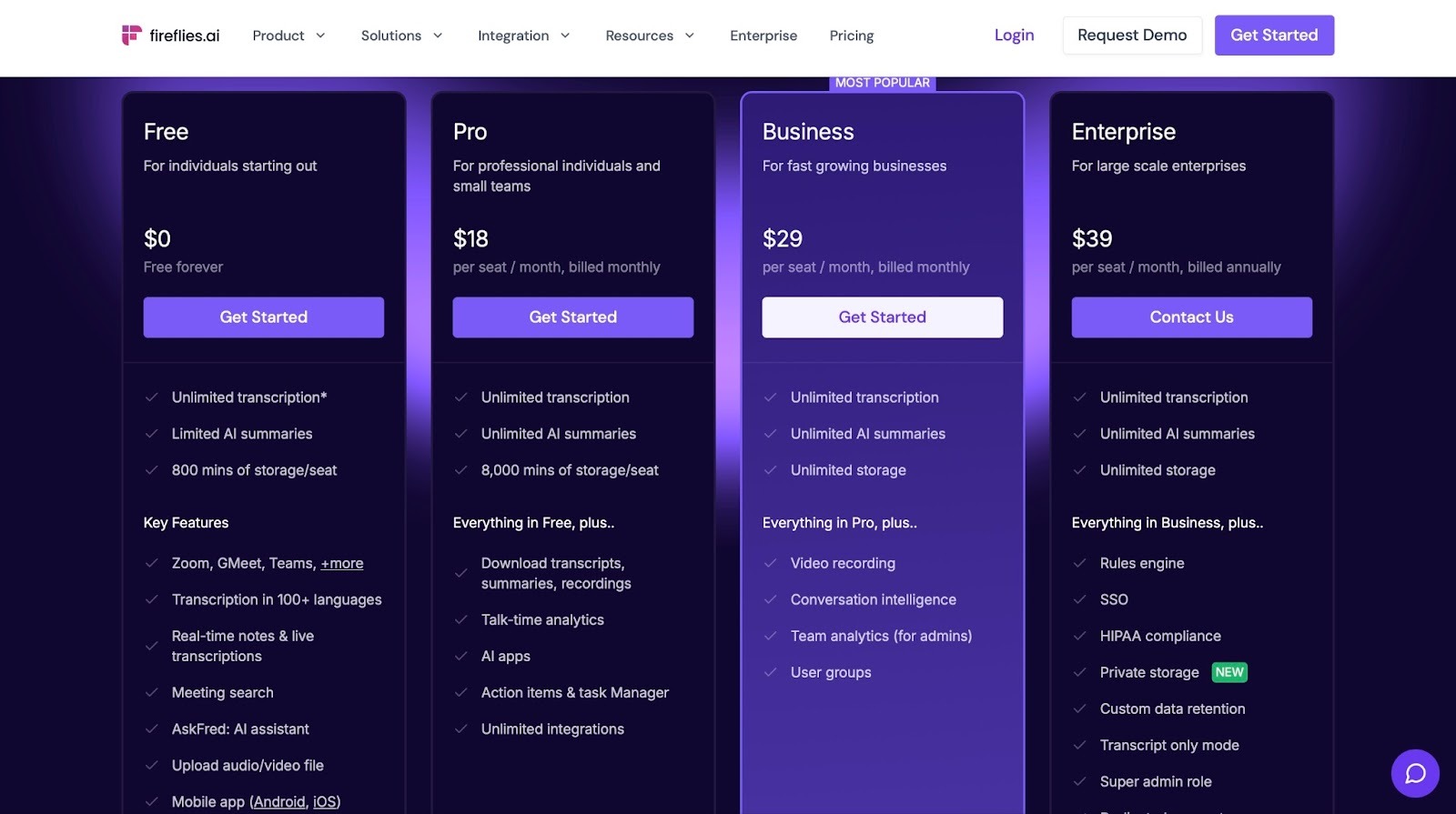
| Fireflies | Meeting recording, Transcription, Note summarization, Action item tracking, Team collaboration, Note-taking | Auto-record & transcribe meetings, Meeting summarization, CRM sync | Free: $0/month Pro: $18/month Business: $29/month Enterprise: $39/month |
⭐⭐⭐⭐ 4/5 |
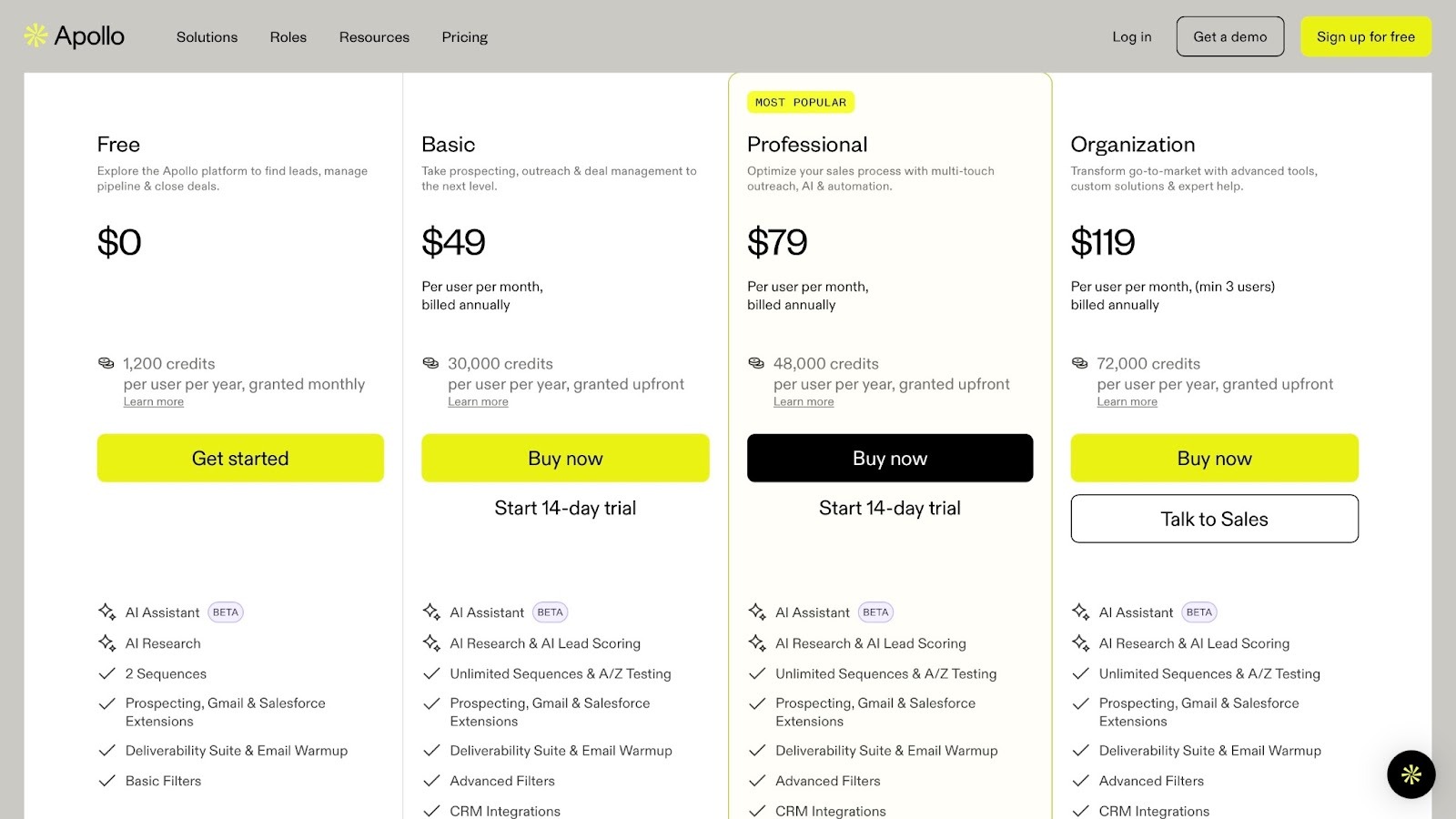
| Apollo.io | Prospecting, Lead enrichment, Cold outreach, Email tracking, Sales campaign management | Lead database, Outreach sequences, Enrichment | Free: $0/month Basic: $49/month Professional: $79/month Organization: $119/month |
⭐⭐⭐⭐ 4.5/5 |
| Jasper | Content creation, Blog writing, Email marketing, Ad copy, Brand messaging | AI content generation (blogs, copy, emails), Templates | Pro: $59/month/seat Business: Contact for pricing |
⭐⭐⭐⭐ 4.5/5 |
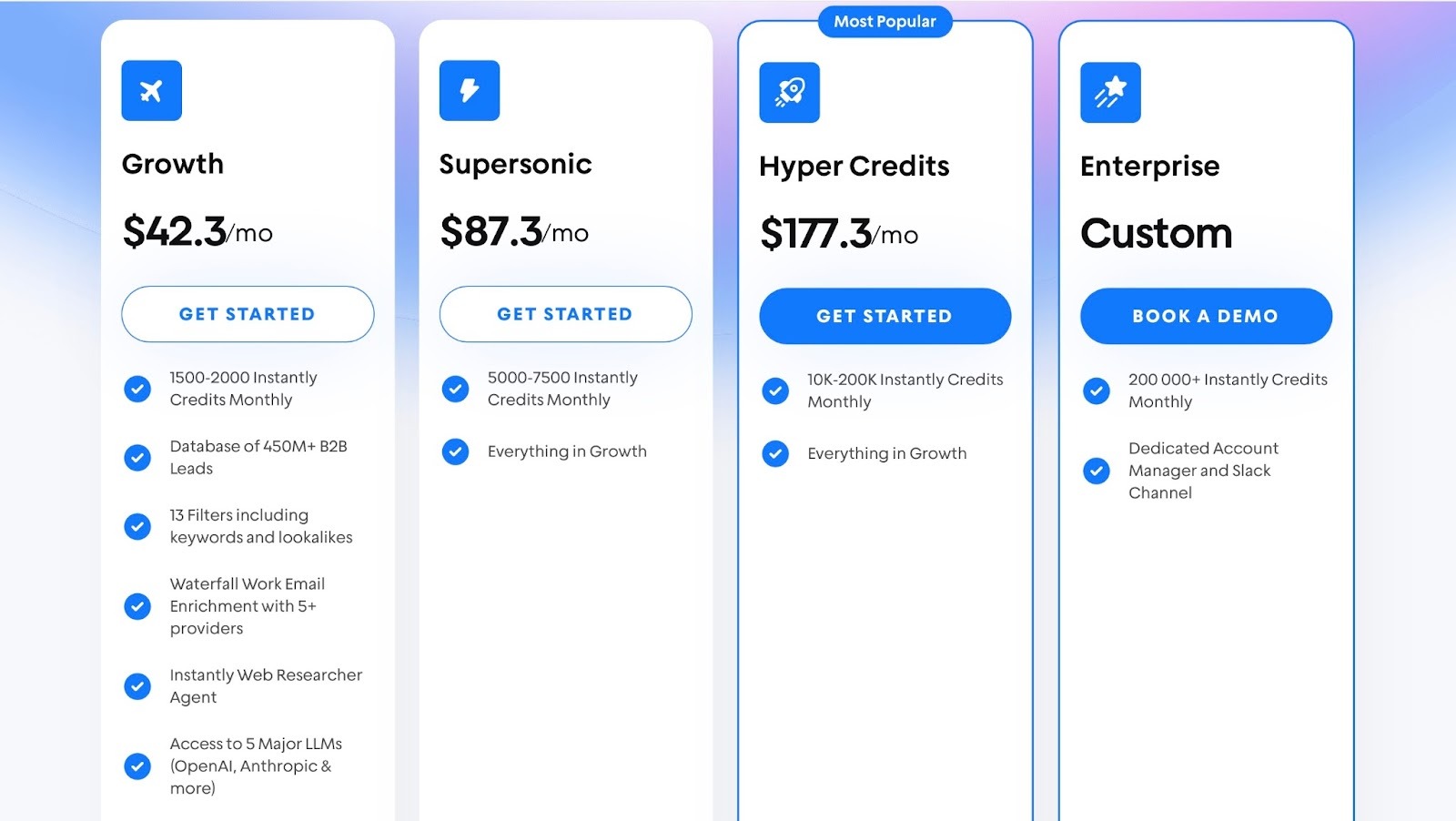
| Instantly AI | Cold email outreach, Email warm-up, Follow-ups, Campaign tracking, Lead nurturing | Cold email campaigns, Email warm-up, Sequences, Analytics | Growth: $42.3/month Supersonic: $87.3/month Hyper Credits: $177.3/month Enterprise: Contact for pricing |
⭐⭐⭐⭐ 4/5 |
| HubSpot With Breeze AI | Meeting preparation, Lead scoring, Email drafting, Deal tracking | Breeze Studio, Marketplace, Knowledge, Tools | Bundled pricing | ⭐⭐⭐⭐ 4/5 |
| Juro | Contract drafting, E-signing, Approval tracking, Renewal automation | AI assistant, AI extract, Approval Workflows, Native eSignature | Custom pricing | ⭐⭐⭐⭐ 4/5 |
| Copy.ai | Content creation, Blog writing, Ad copy, Email marketing | Chat, Brand voice, Infobase, Workflow | Chats: $29/month Agent: $249/month Enterprise: Custom Pricing |
⭐⭐⭐⭐⭐ 4/5 |
| Ahrefs | Keyword research, Competitor analysis, Backlink tracking, Rank monitoring | Site explorer, Keywords explorer, Site audit, Content explorer | Lite: $129 Standard: $249 Advanced: $499 Enterprise: Custom pricing |
⭐⭐⭐⭐ 4.5/5 |
| Clay | Lead sourcing, Data enrichment, Contact verification, Personalized outreach | Sculptor, Claygent Builder, Sequencer, Audience | Free: 100 credits/month Starter: $149 Explorer: $349 Pro: $800 Enterprise: Custom pricing |
⭐⭐⭐ 3.5/5 |
| Supademo | Product demos, Sales enablement, User onboarding, Feature walkthroughs | HTML-based interactive demo, Product tour, Dynamic variables, Multi-demo showcase | Free: $0/month Pro: $36/month Scale: $50/month Growth: $450/month Enterprise: Custom pricing |
⭐⭐⭐⭐ 4/5 |
| Gong | Call recording, Conversation analysis, Deal tracking, Revenue insights | Conversation intelligence, Gong Engage, Forecast, Deal execution | Custom pricing | ⭐⭐⭐⭐ 4.5/5 |
| Outreach.io | Sales sequencing, Cold outreach, Email tracking, Pipeline management | Sequences, Templates, Blueprint library, Deal grid | Custom pricing | ⭐⭐⭐⭐ 4/5 |
| HonkeyStack | Marketing analytics, Funnel tracking, Attribution insights, Revenue reporting | Multi-touch Attribution, Views, Website analytics, Custom reports | Custom pricing | ⭐⭐⭐⭐ 4/5 |
| Attio | CRM management, Data automation, Workflow building, Relationship tracking | Automation and workflow, Embedded intelligence, AI attributes | Free: $0/month Plus: $36/month Pro: $89/month Enterprise: Custom pricing |
⭐⭐⭐⭐ 4.5/5 |
| Asana | Project management, Goal tracking, Task collaboration, Team organization | Goals, Portfolio, Timeline, Custom fields | Personal: $0/month Starter: $13.49/month Advanced: $30.49/month Enterprise: Custom pricing |
⭐⭐⭐⭐ 4.5/5 |
| Canva | Visual design, Brand management, Content planning, Presentation creation | Magic Studio, Brand kit, Content planner, Presentation tool | Free: $0/month Canva Pro: $120/month Canva Teams: $100/month Canva Enterprise: Custom pricing |
⭐⭐⭐⭐⭐ 4.5/5 |
| Salesforce | Marketing automation, Lead management, Journey building, Sales reporting | Marketing Cloud, Journey Builder, Email Studio, Reports & dashboard | Custom Pricing | ⭐⭐⭐⭐ 4.5/5 |
| Highspot | Sales content management, Sales playbooks, Buyer engagement, Performance analytics | Content management system, Sales playbook, Buyer engagement, Reports & dashboards | Custom Pricing | ⭐⭐⭐⭐ 4.5/5 |
20 Best Go-To-Market Tools
1. nRev.ai
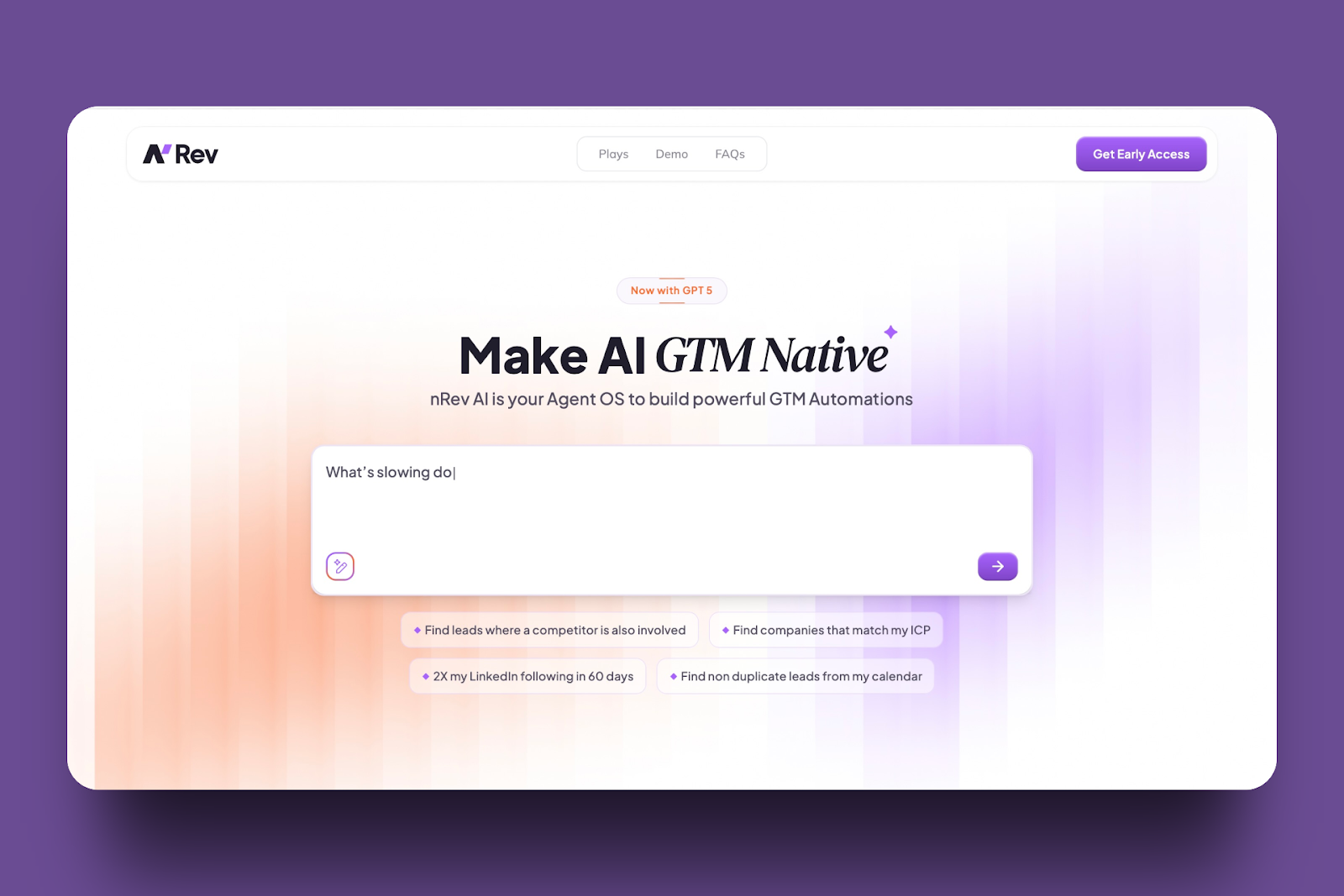
nRev.ai is an Agent Operating System (AgentOS) built for go-to-market teams, businesses, and startups. It uses AI agents to manage and connect go-to-market operations.
nRev can help you automate outreach, track sales, and easily convert prospects into paying customers. For example, instead of juggling many single-purpose tools (point solutions) like:
- Mailchimp for contact management and sales tracking
- Zapier for connecting other tools
- HubSpot for client relationship management
- Apollo for email sequences
Your team can use nRev to manage all these workflows in one place. So you don’t have to buy point solutions for every task, motion, or experiment.
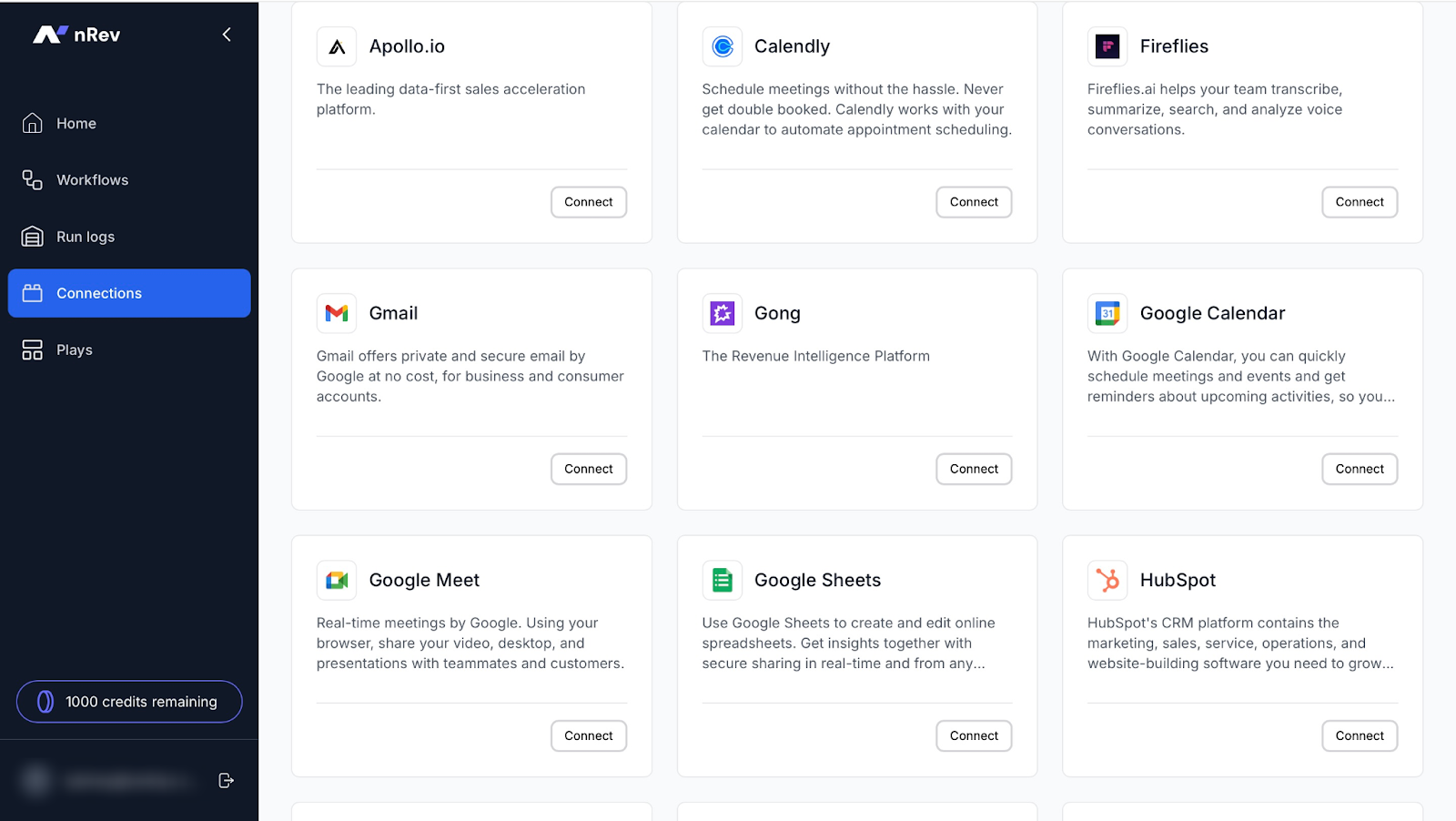
nRev’s Connections lets you integrate with other tools, such as HubSpot, Salesforce, Zoho CRM, Gong, Apollo.io, Slack, and more.
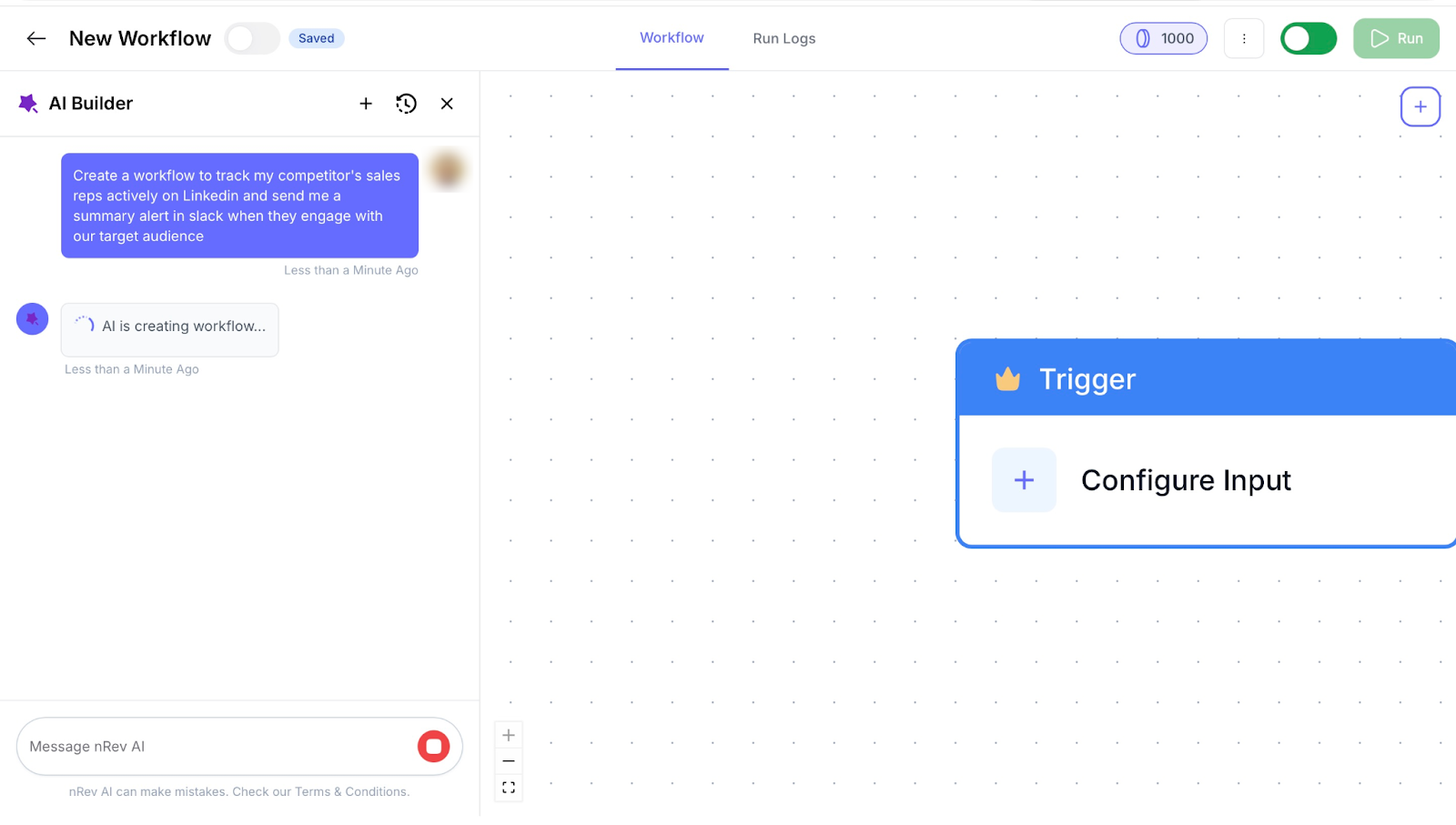
With its Workflows feature, you can use AI to create automated sequences, set triggers, and track them with run logs.
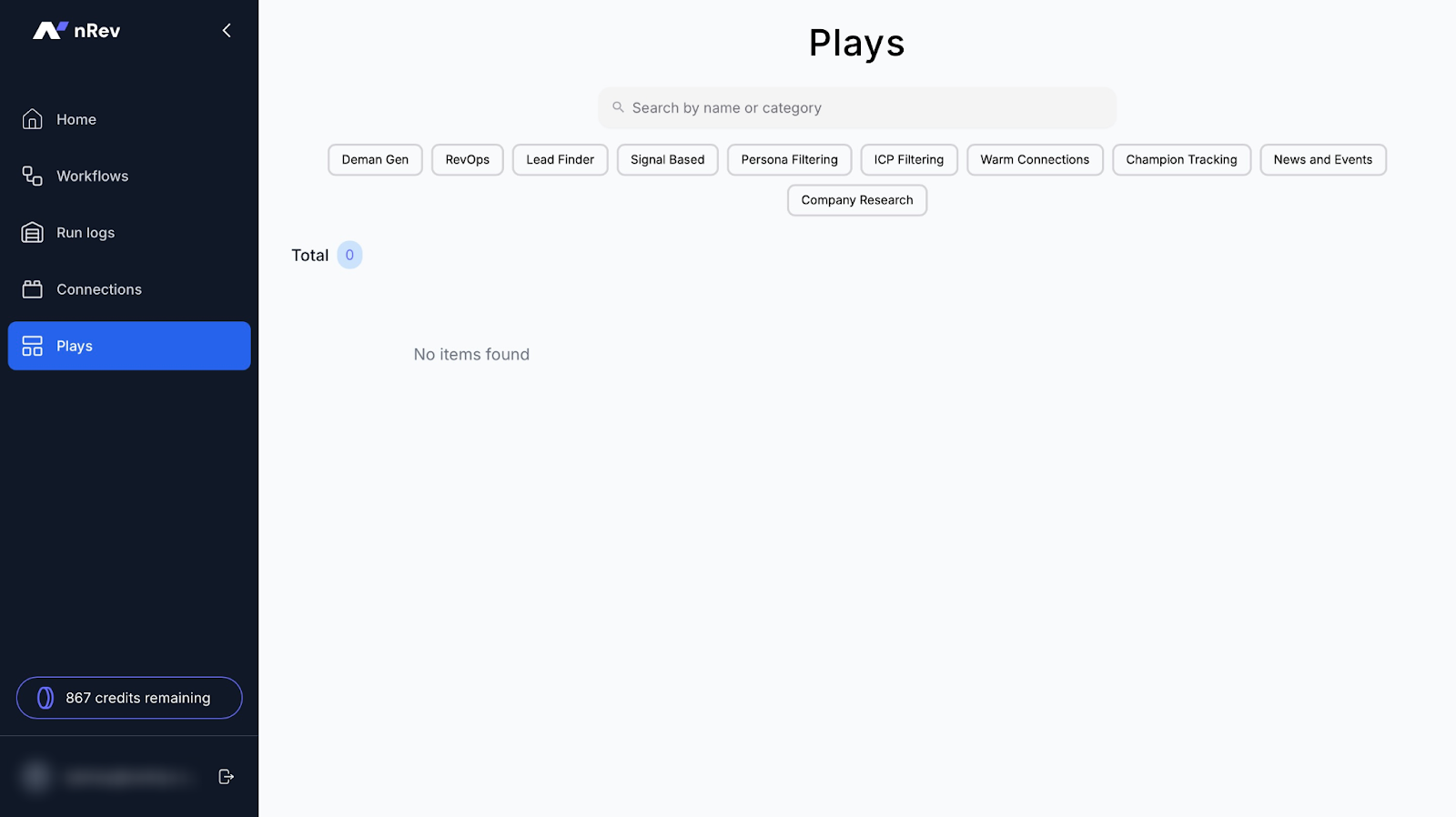
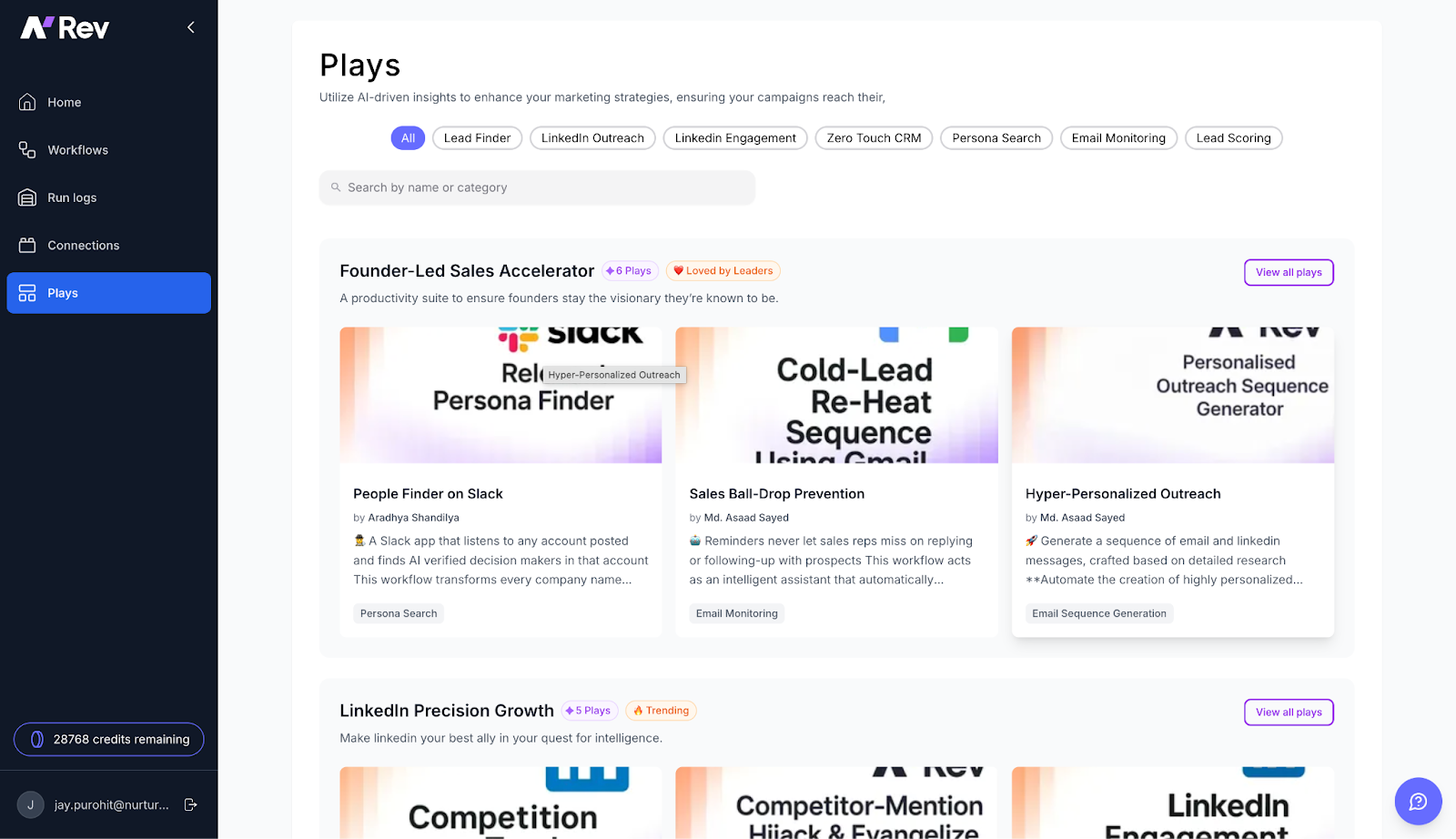
Thanks to nRev’s Plays, you can pre-plan actions like following up leads, updating CRM records, alerting go-to-market team members, and more.
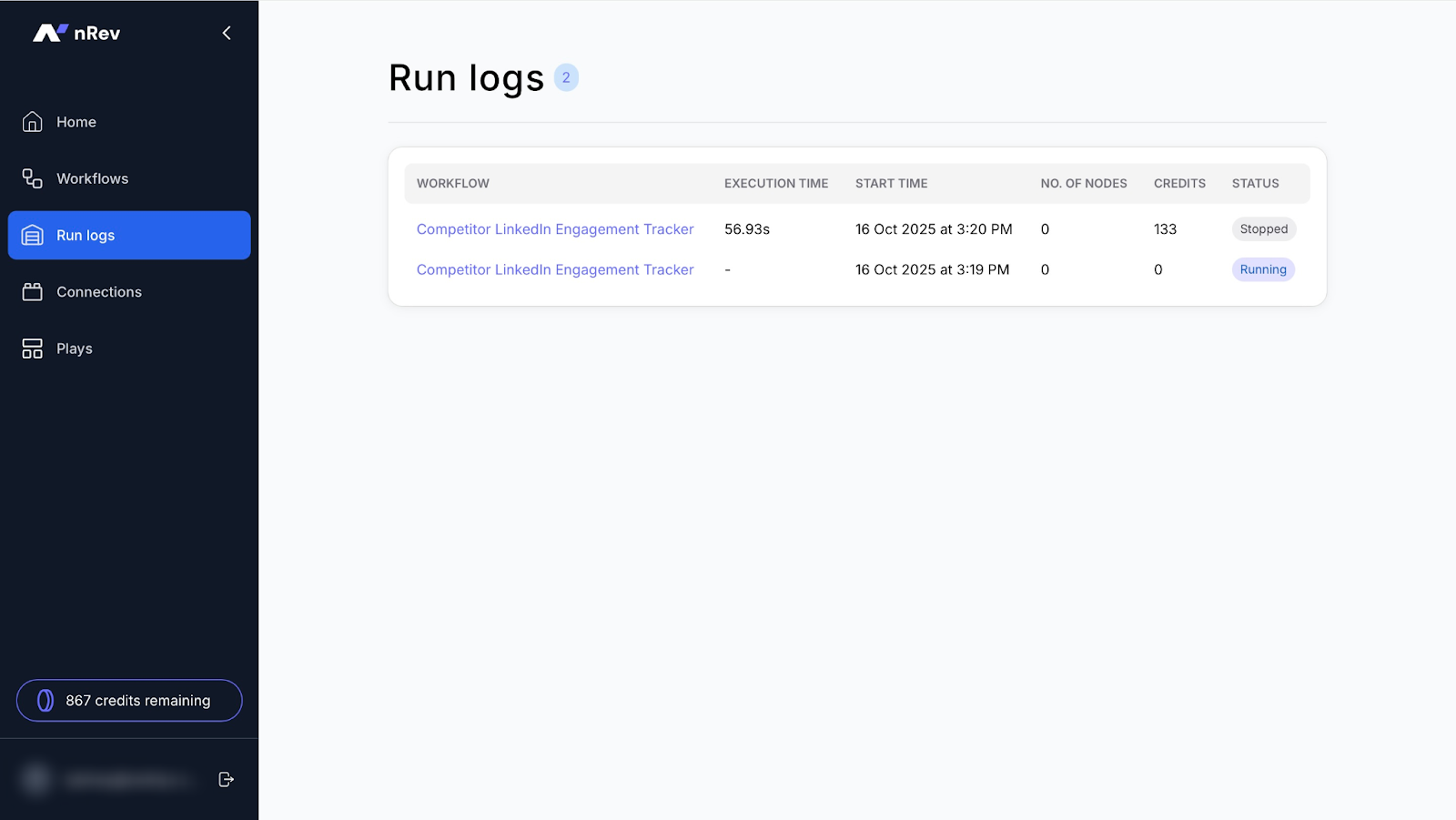
Using its Run logs feature, you can keep track of everything your workflows or Plays (pre-planned sequences) do. You can also view their execution time, number of nodes, credits, and statuses.
Features I Admired
1. Run logs
nRev’s Run logs track everything your workflows or Plays do. They let you see what actions run and when anything goes wrong.
Let me teach you how to use runs on nRev.
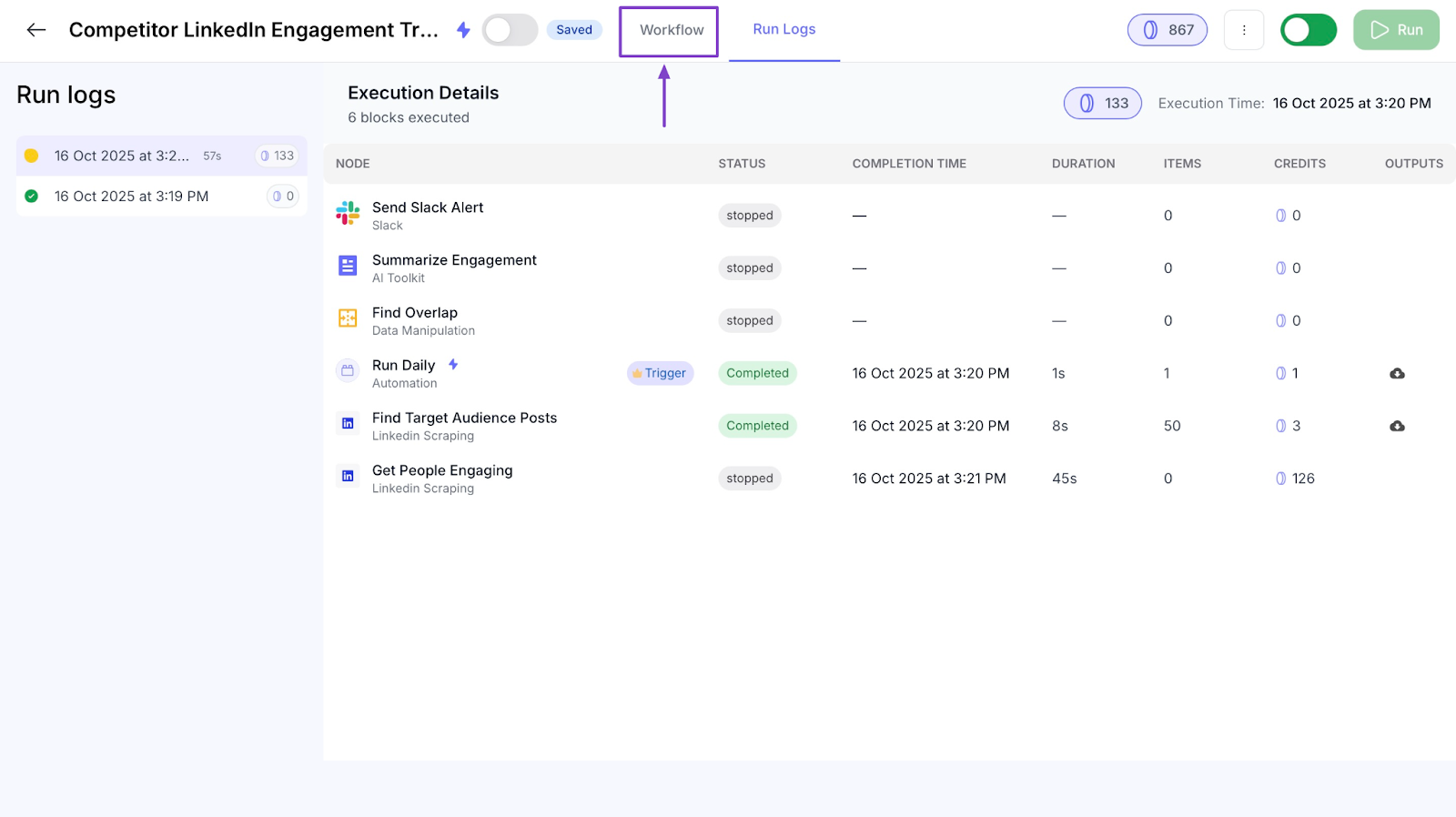
Click “Run logs” in the sidebar and select the workflow you’d like to run.
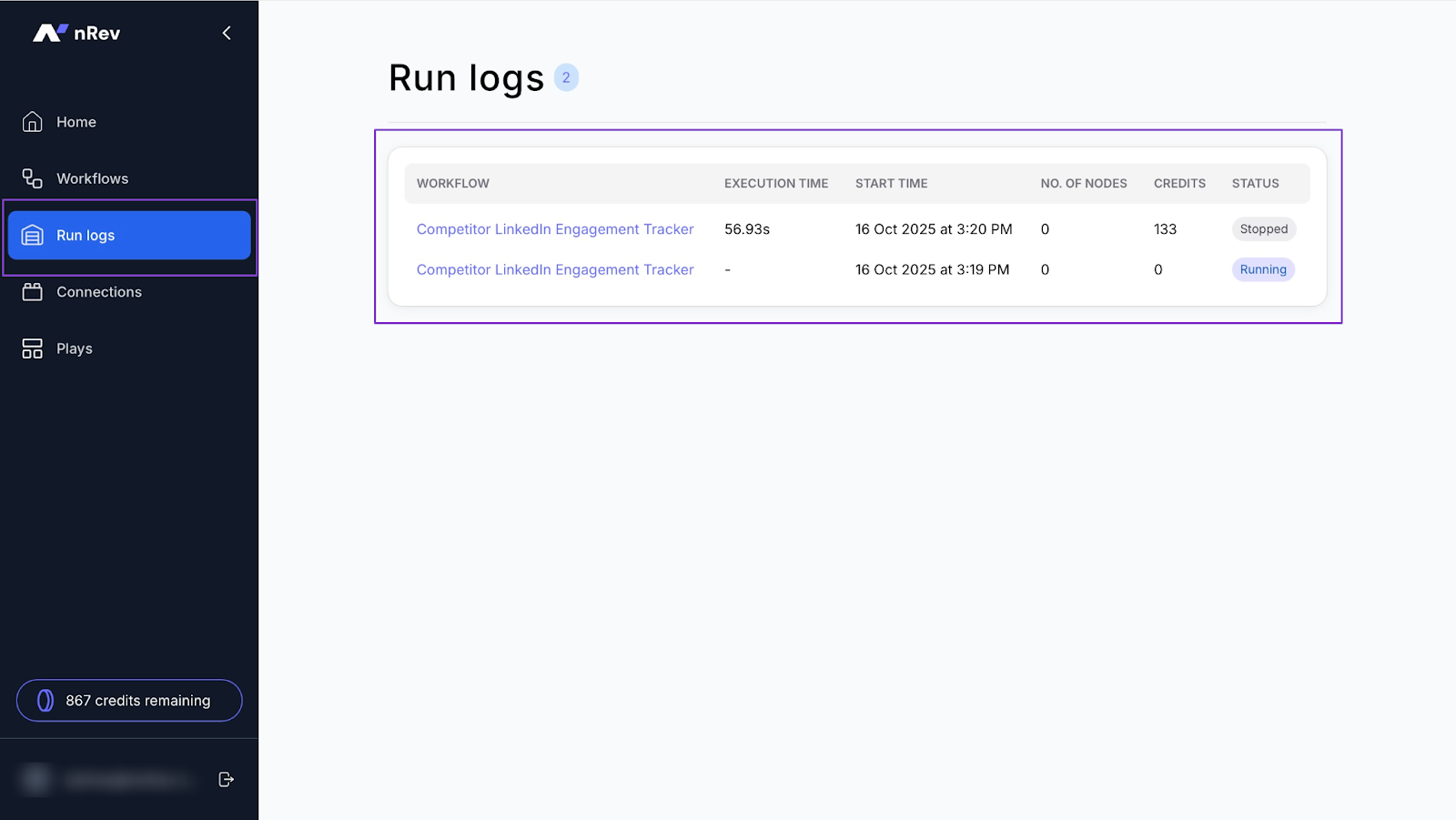
You’ll see the information from your last run in the new window.
At the top, click the “Workflows” tab.
In the next window, click the green “Run” button at the top right corner.
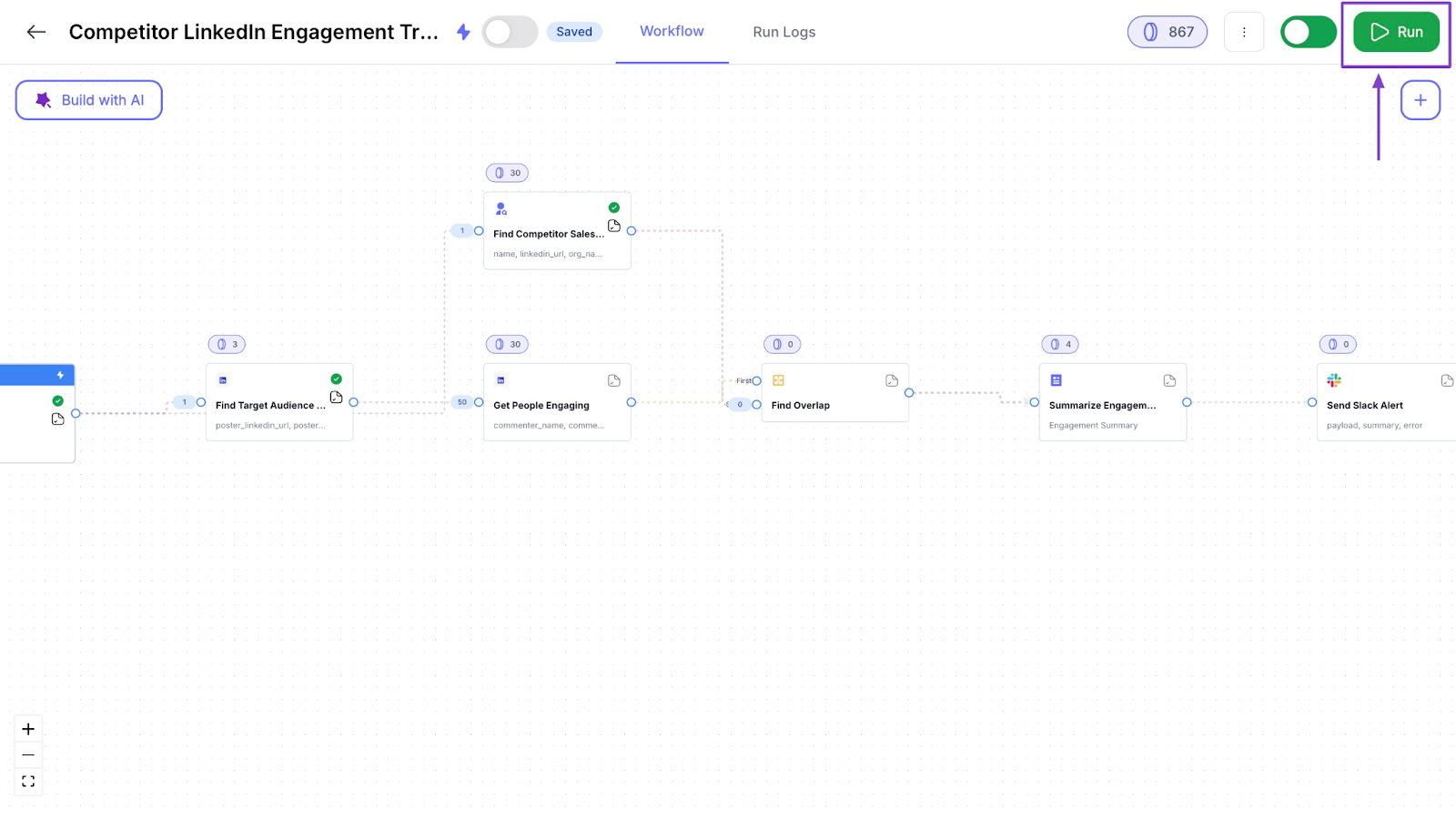
That will run your selected workflow.
2. Workflows
Workflows are sequences you can build with AI on nRev to automate your go-to-market tasks.
This is how you can create your first workflow on nRev.
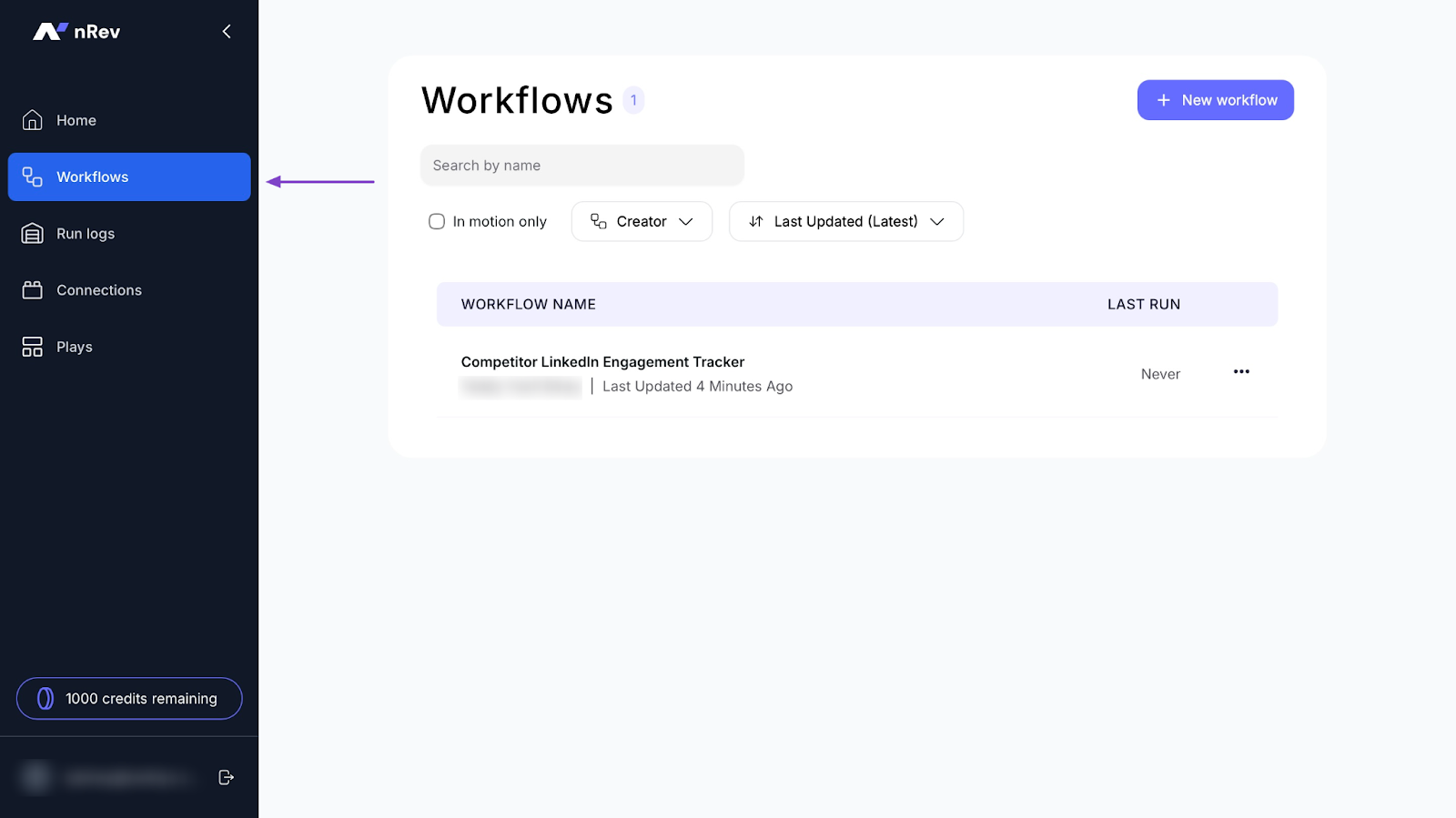
Select “Workflows” in the sidebar and click “+ New workflow.”
In the new window, select “Build with AI.”
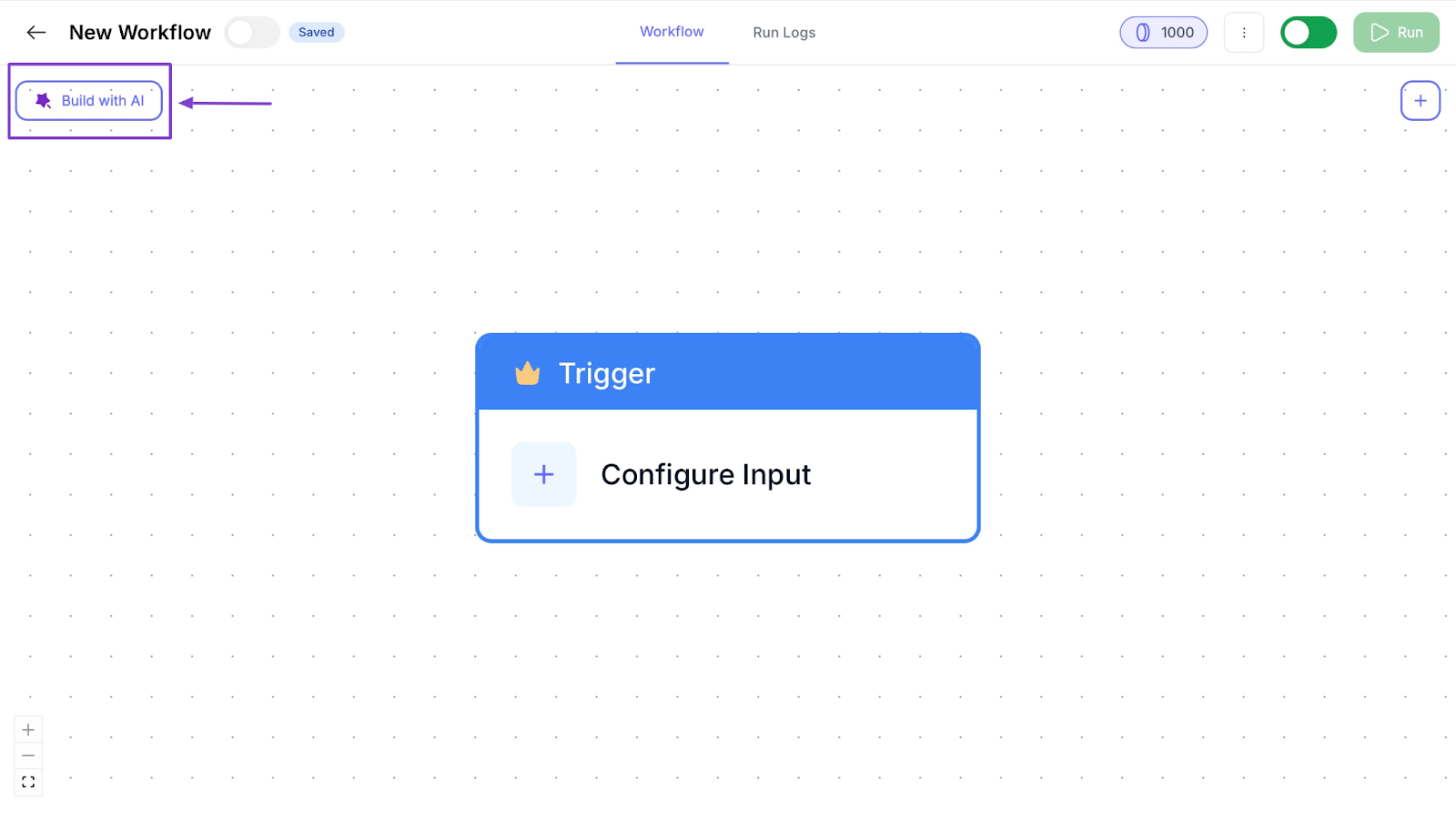
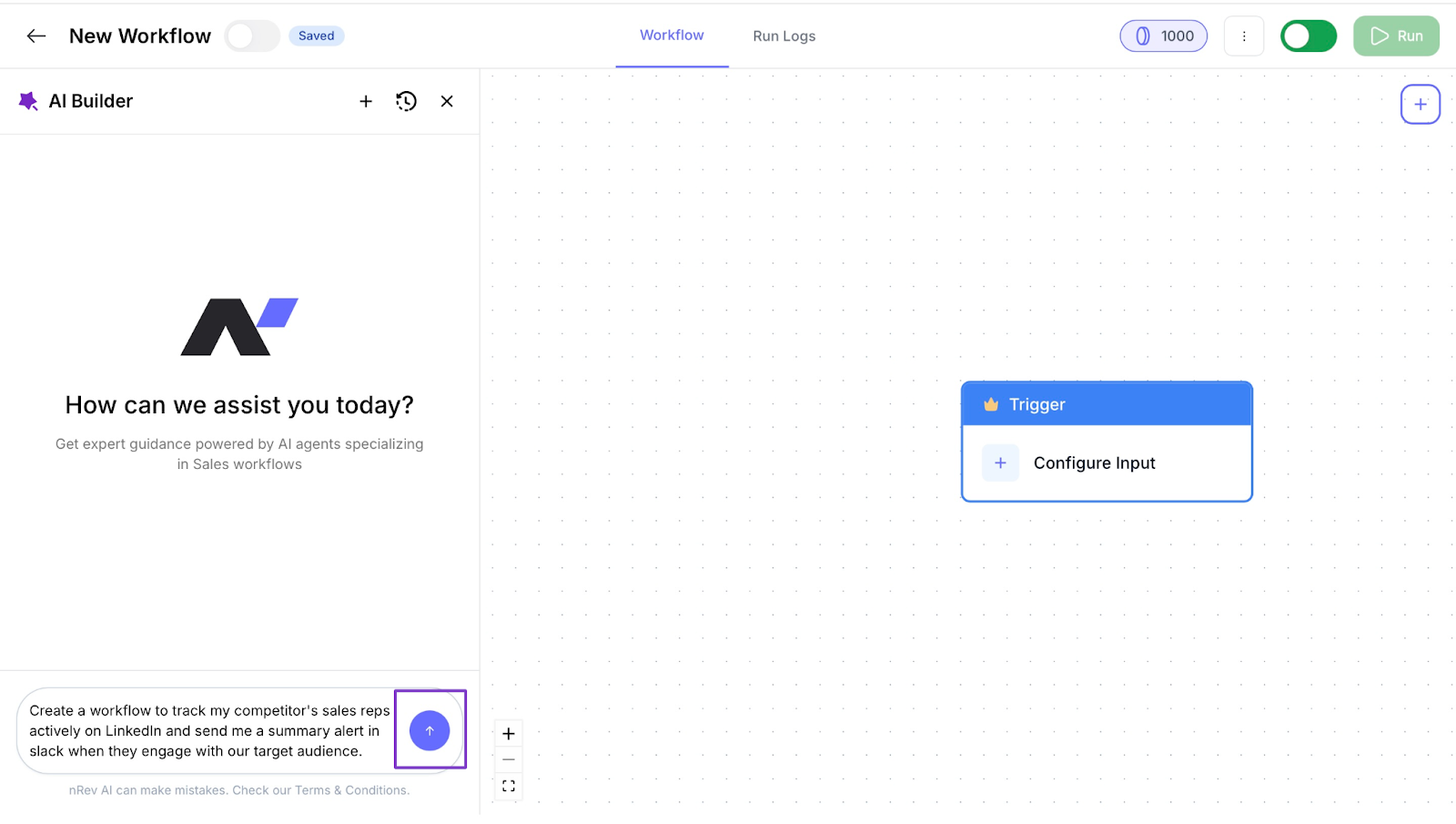
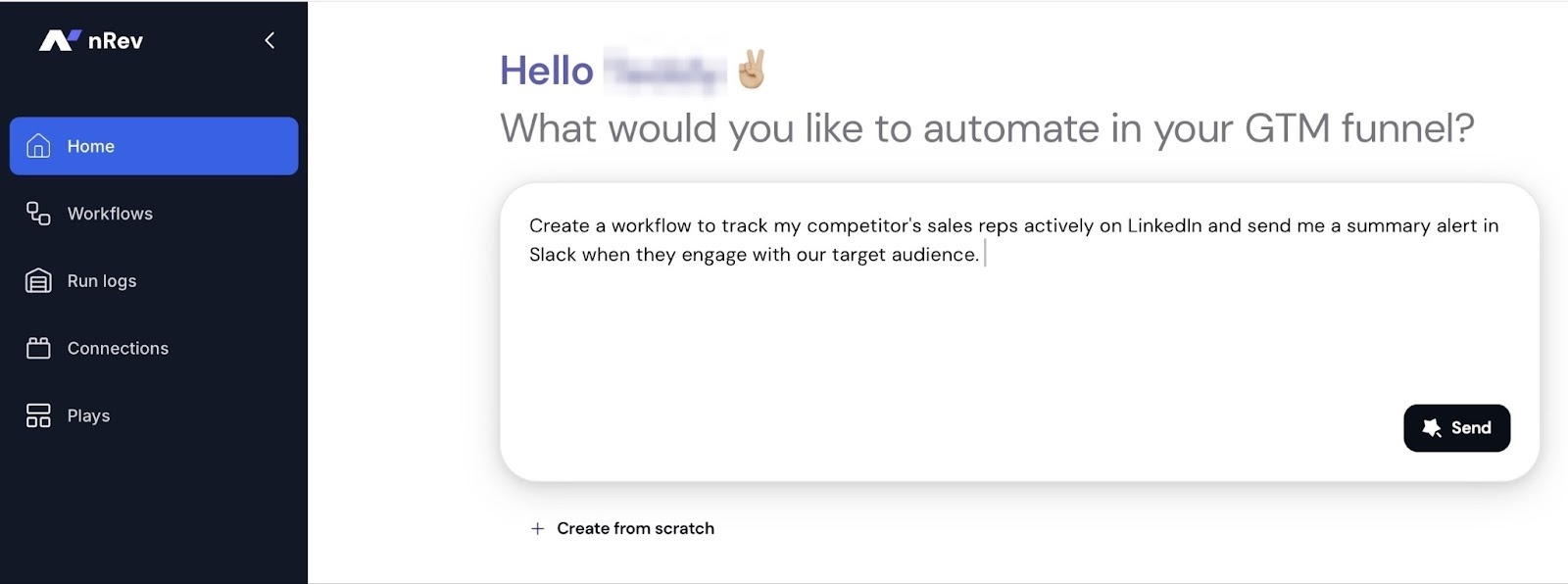
Now, enter a prompt. I’ll go with “Create a workflow to track my competitor's sales reps actively on LinkedIn and send me a summary alert in Slack when they engage with our target audience.”
After that, hit the blue arrow button beside your prompt text.
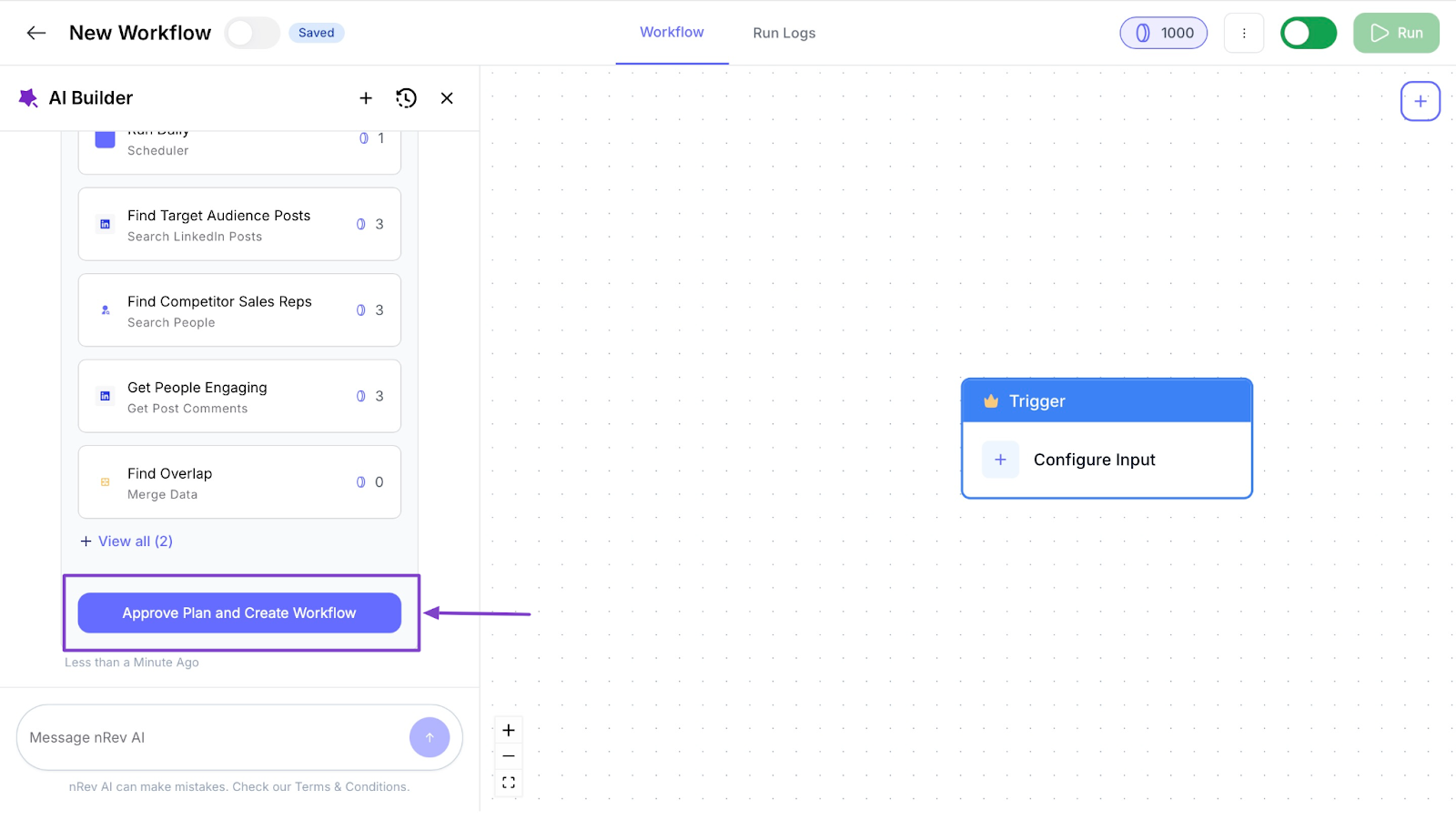
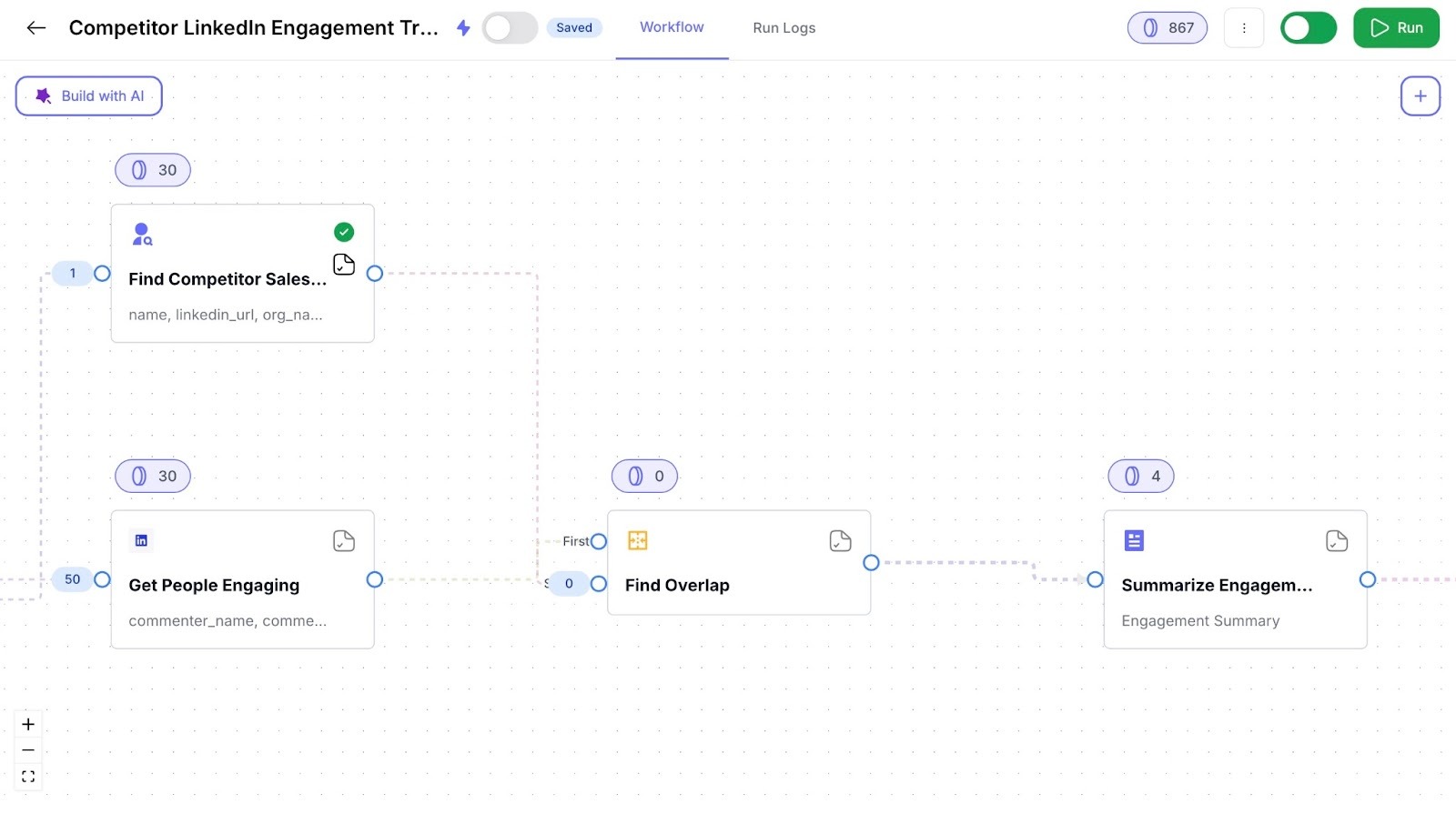
In less than one minute, nRev’s AI Builder will create a plan for your workflow. Click “Approve Plan and Create Workflow” to finish.
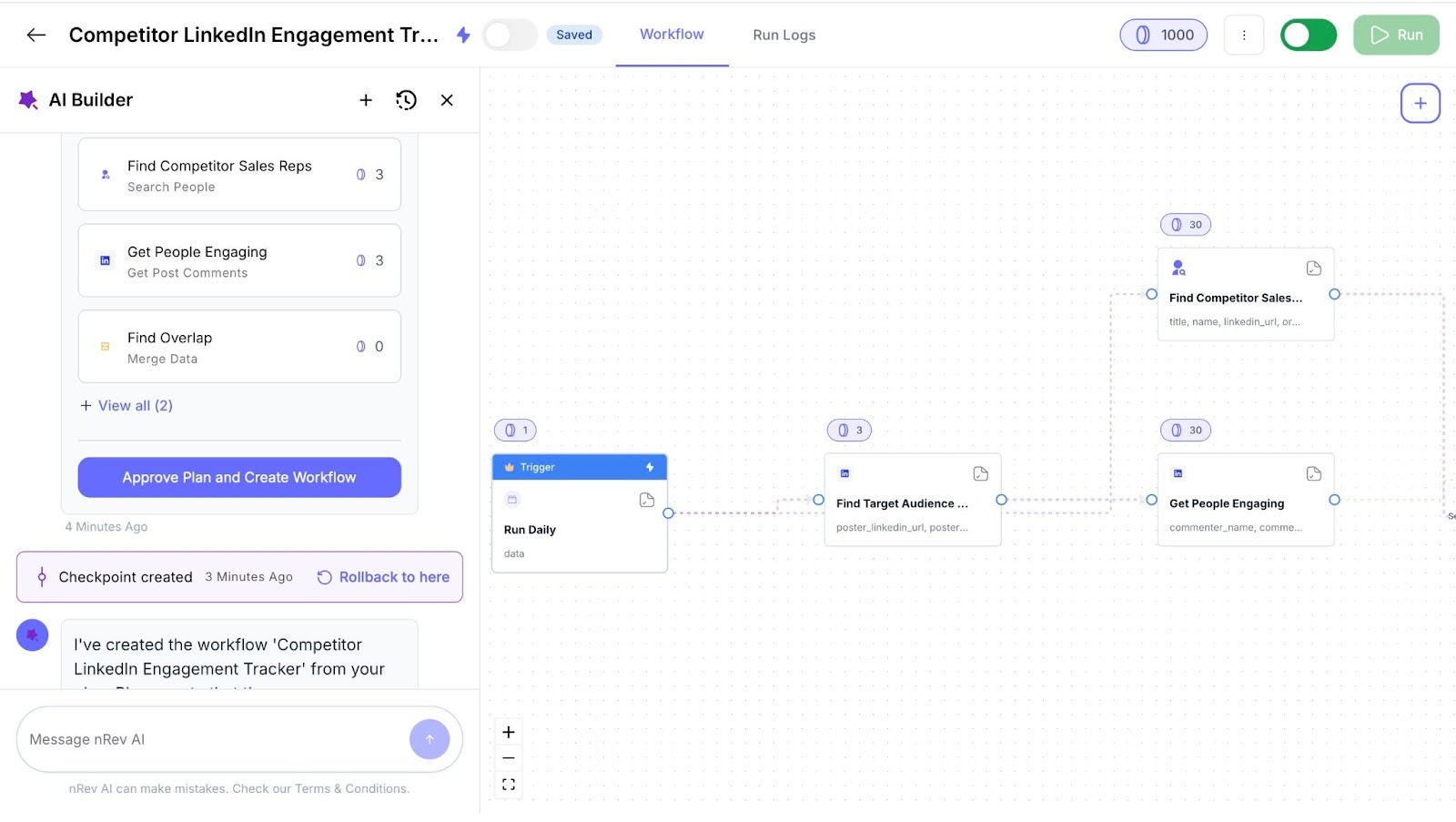
nRev will display your new workflow in the Workflows feature window. You can delete, rename, or duplicate it.
3. Connections
As I have already said, the Connections feature helps you integrate nRev with CRM tools and others, such as Fireflies, Google Meet, Calendly, and more.
Let me show you how to connect nRev with Slack.
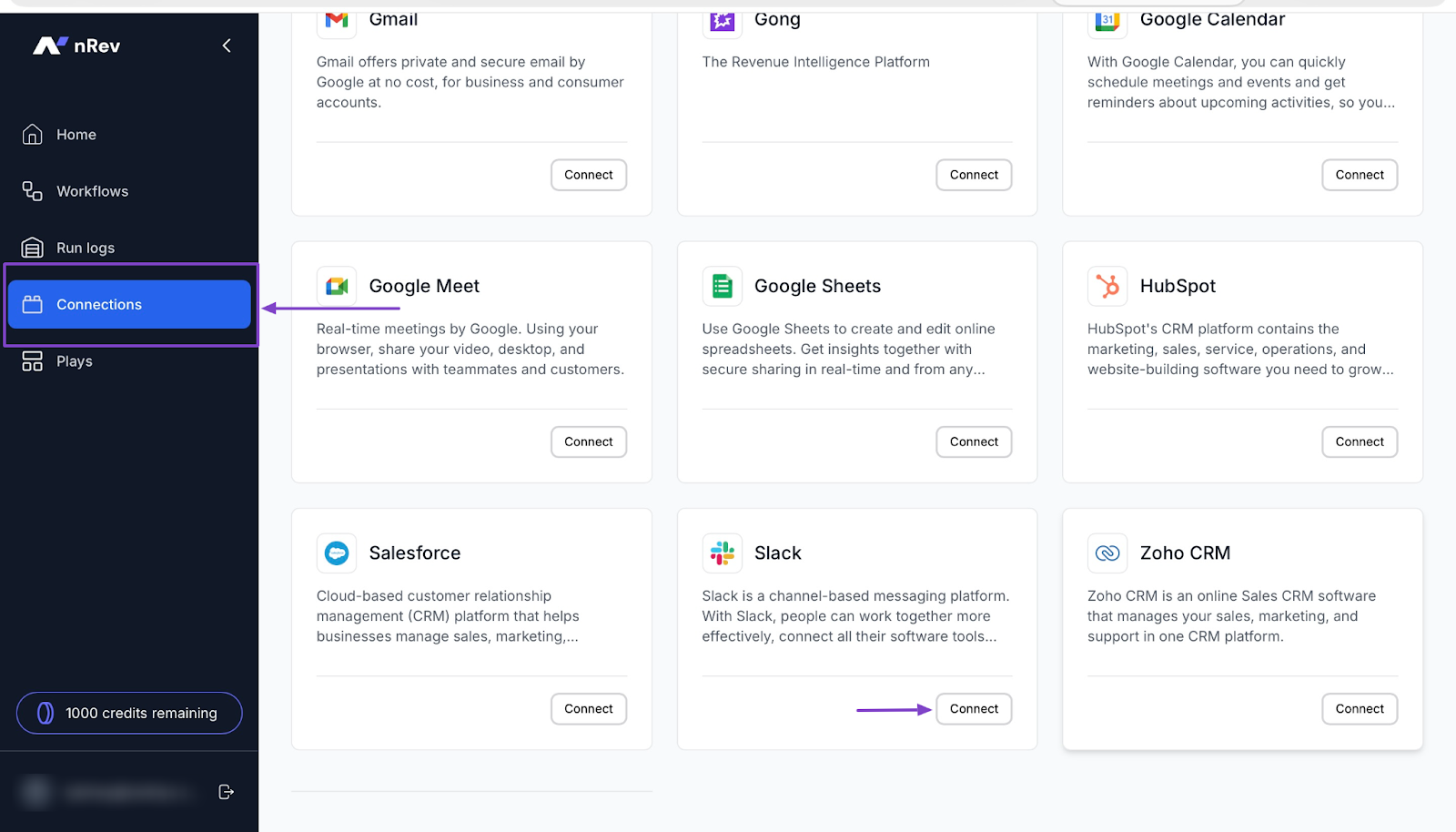
Click “Connections” in the sidebar. Then scroll down to Slack and select “Connect.”
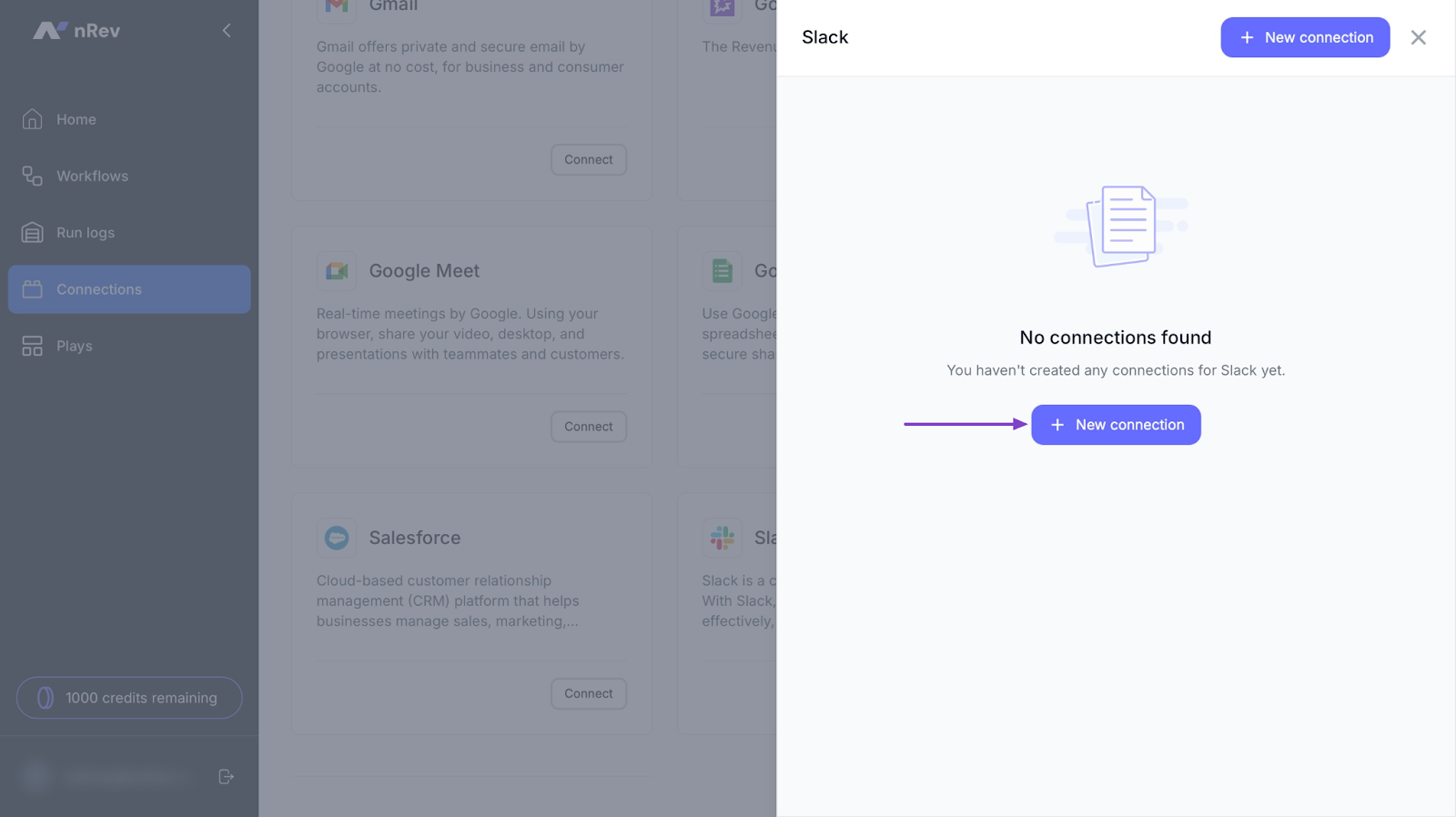
In the slide-out panel, click “+ New connection.”
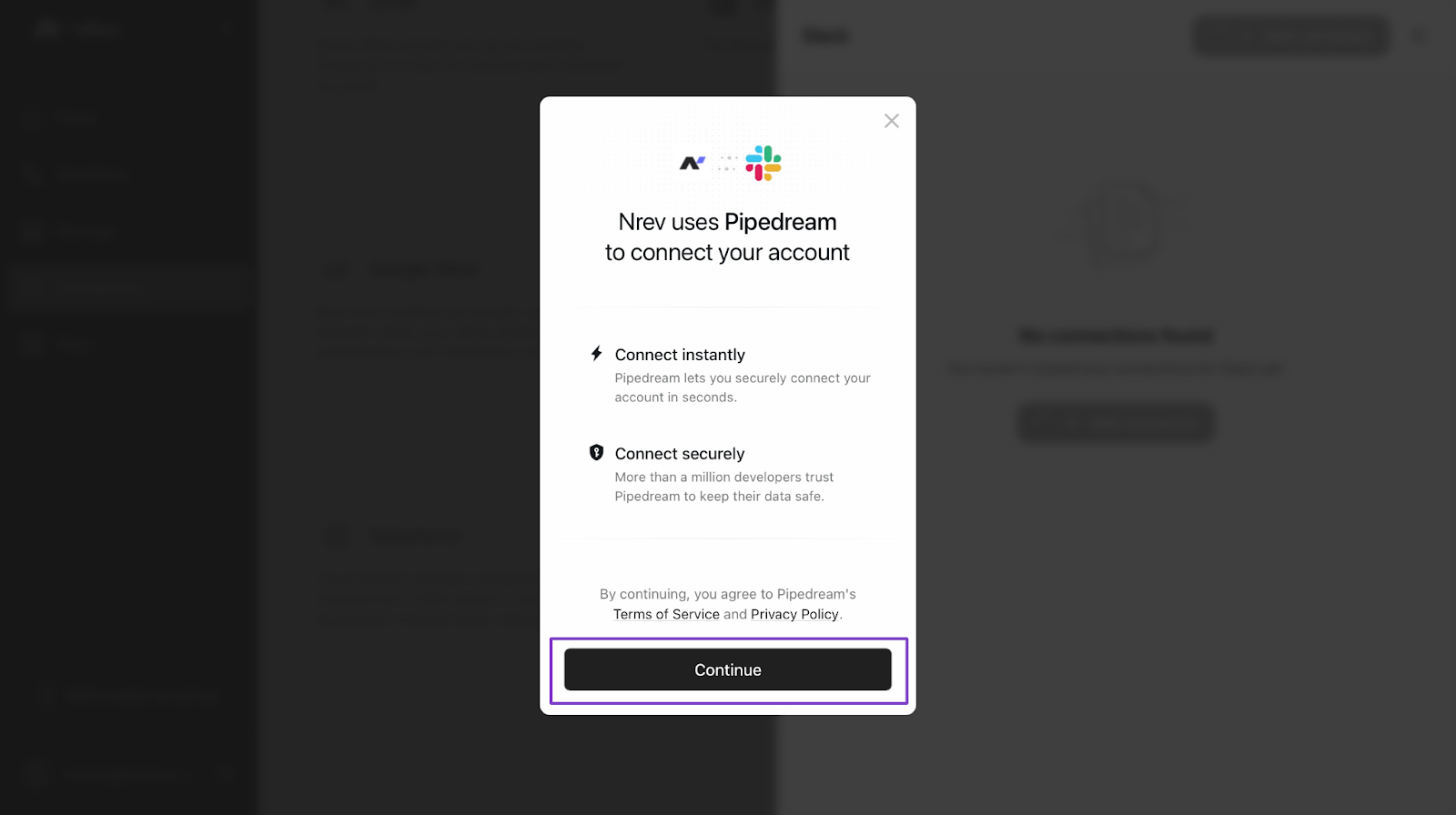
In the pop-up window, click “Continue.”
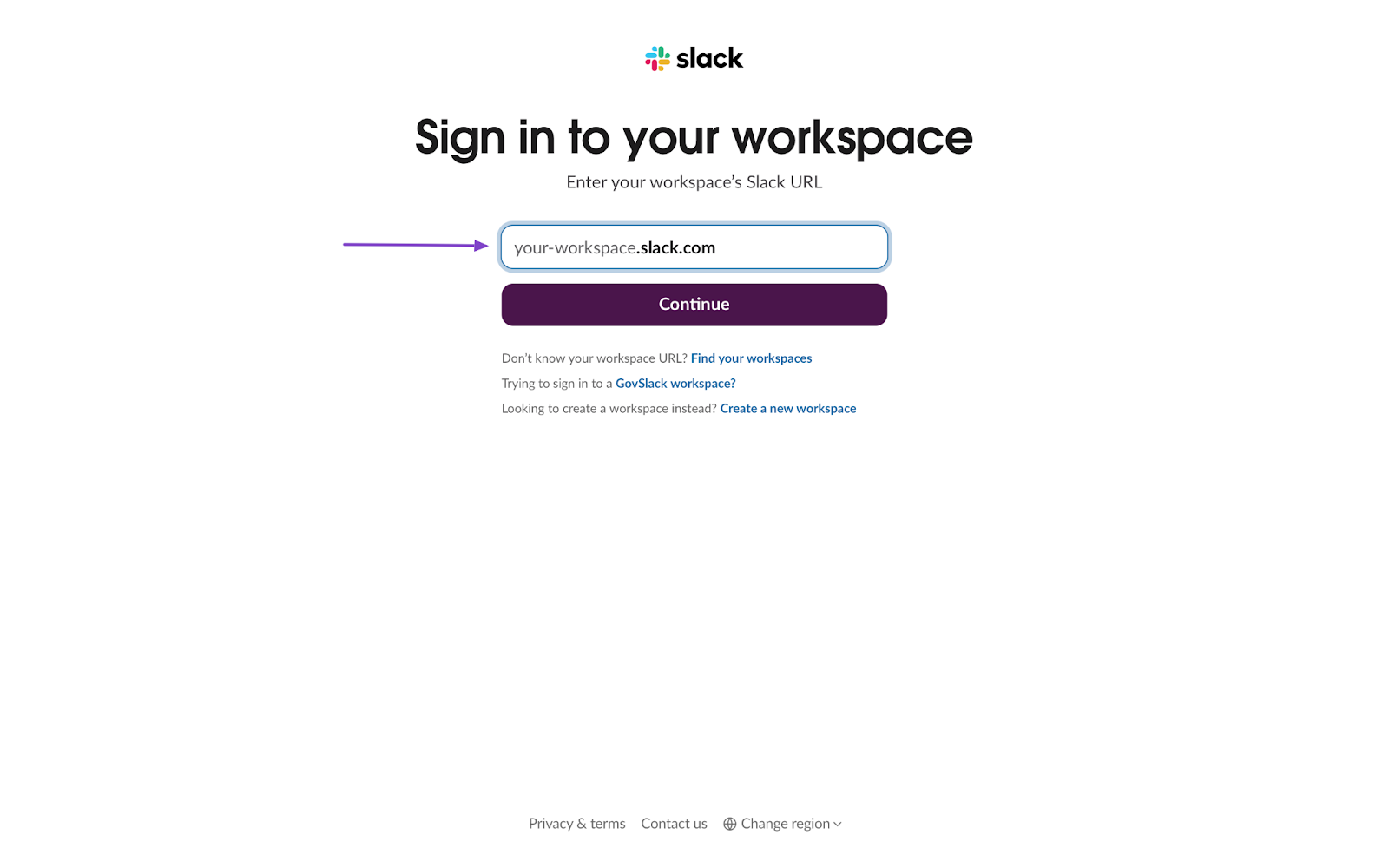
Now, enter your workspace’s Slack URL. It’s usually “your_workspace.slack.com.”
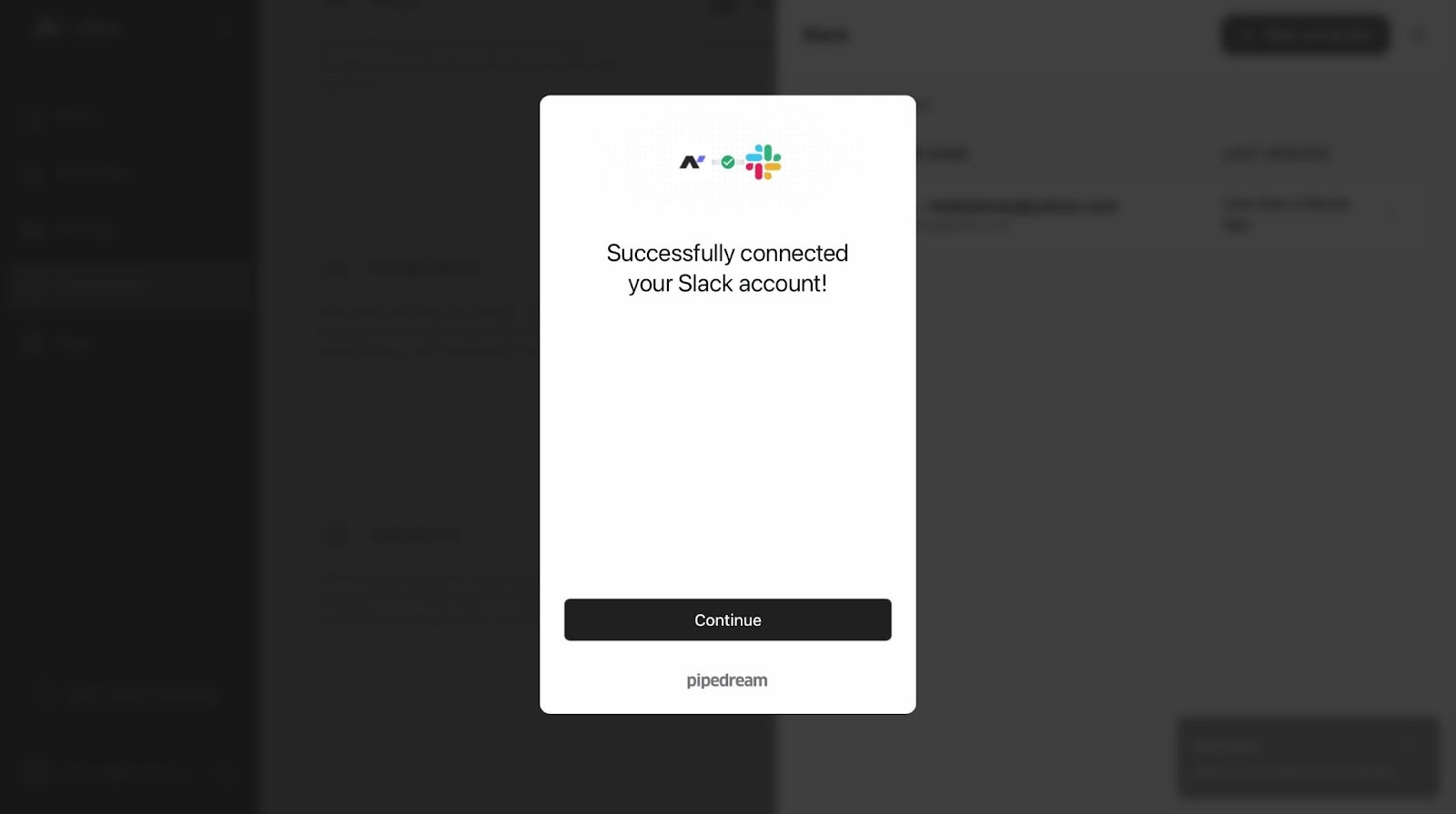
After that, allow Pipedream to access your workspace. Once you’ve done that, your Slack account will be connected to nRev.
What impressed me vs What fell short
| What Impressed Me 👍 | What Fell Short 👎 |
|---|---|
|
nRev integrates with your CRM and email tools like HubSpot and Gmail, keeping everything connected. It automates go-to-market tasks so you can focus on growing the business. Run logs help you track workflows to ensure everything runs correctly. |
nRev’s pricing is custom and not publicly listed, making it harder to know costs upfront. Their support team is always ready to help. |
Best For
- Startups and teams that want a tool for go-to-market automation and advanced lead-capturing features.
Pricing
- Free: 2500 credits
- Custom: Contact for pricing

2. Folk
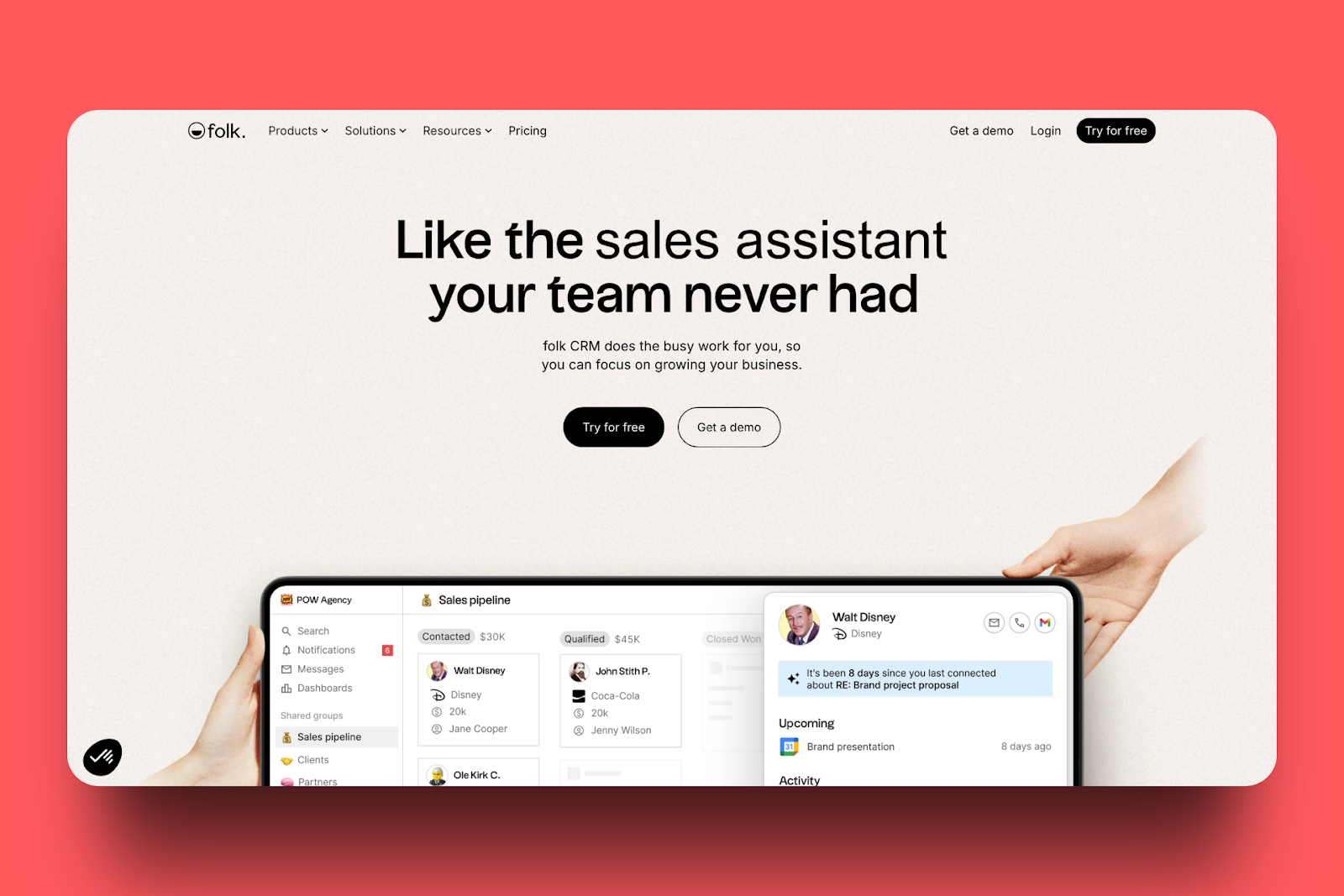
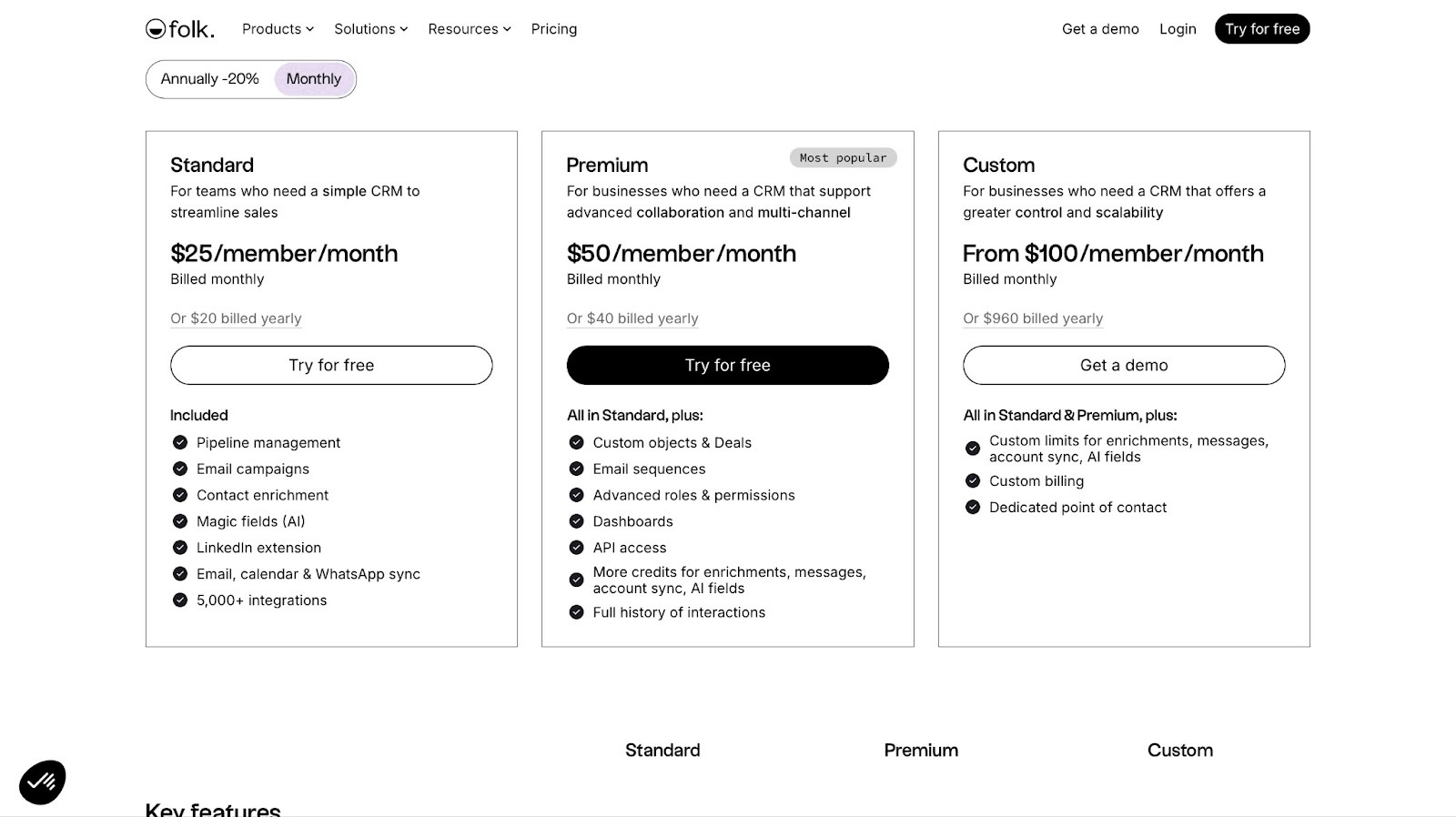
The next go-to-market tool on my list is Folk. It helps your teams track leads and customers. They can then manage and organize their customers’ contacts.
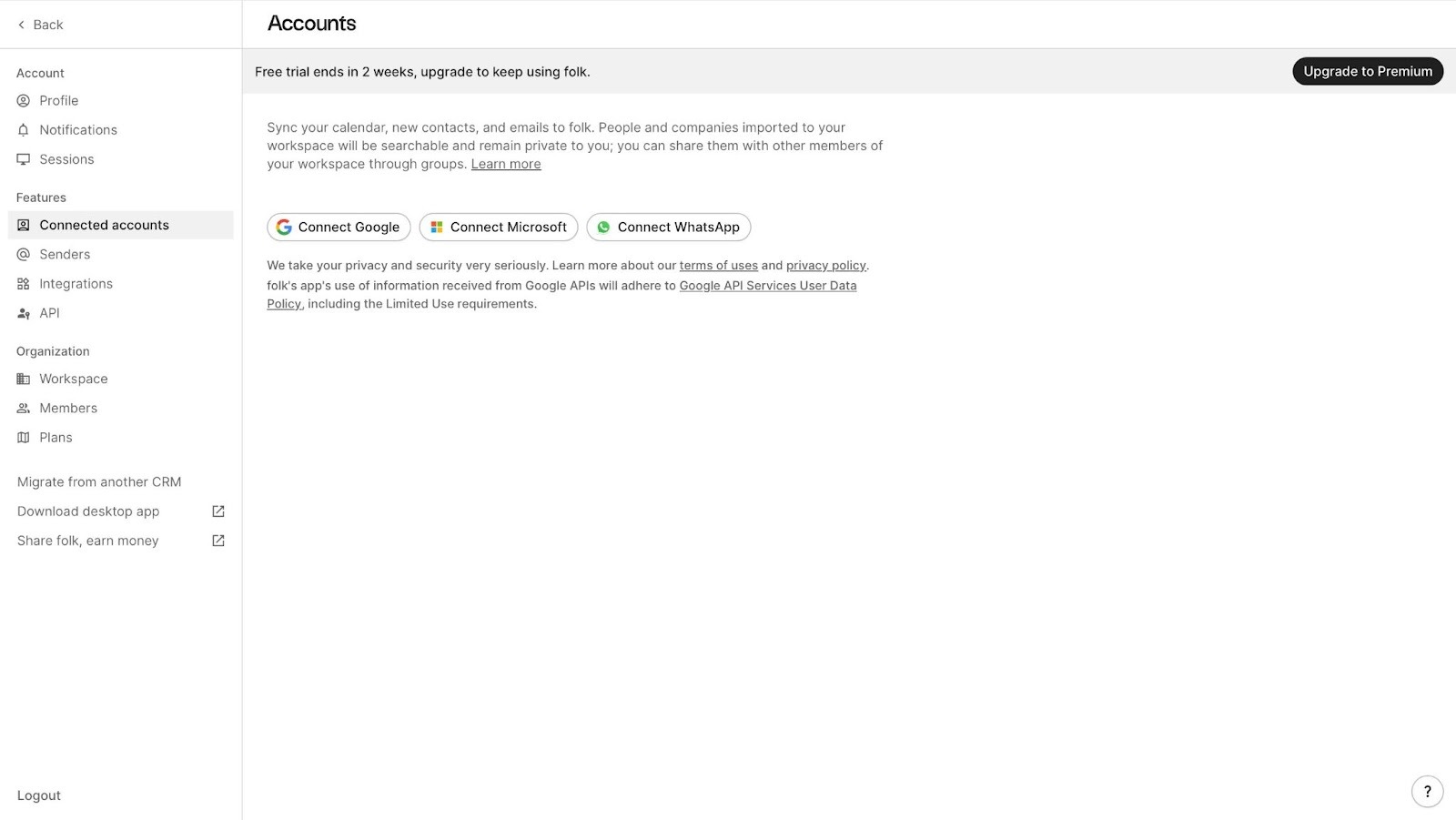
With Folk’s Connected accounts feature, your team can link their Google or Microsoft accounts and even their WhatsApp accounts. They can send emails and follow-ups to customers using those connections.
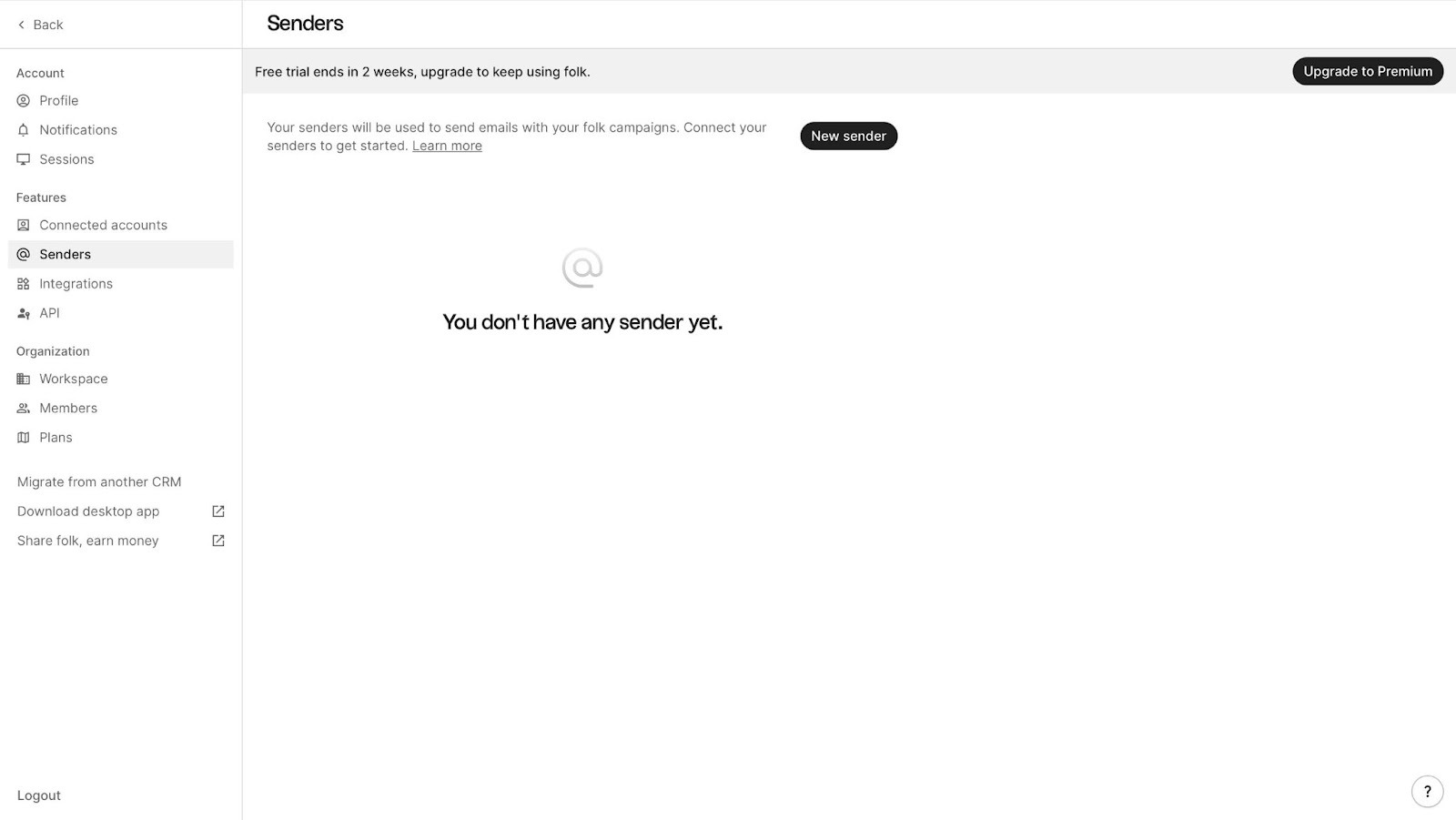
Using its Senders feature, your team can connect with customers and send them emails for your marketing or outreach. This feature can also help your team track email opens, clicks, and responses.
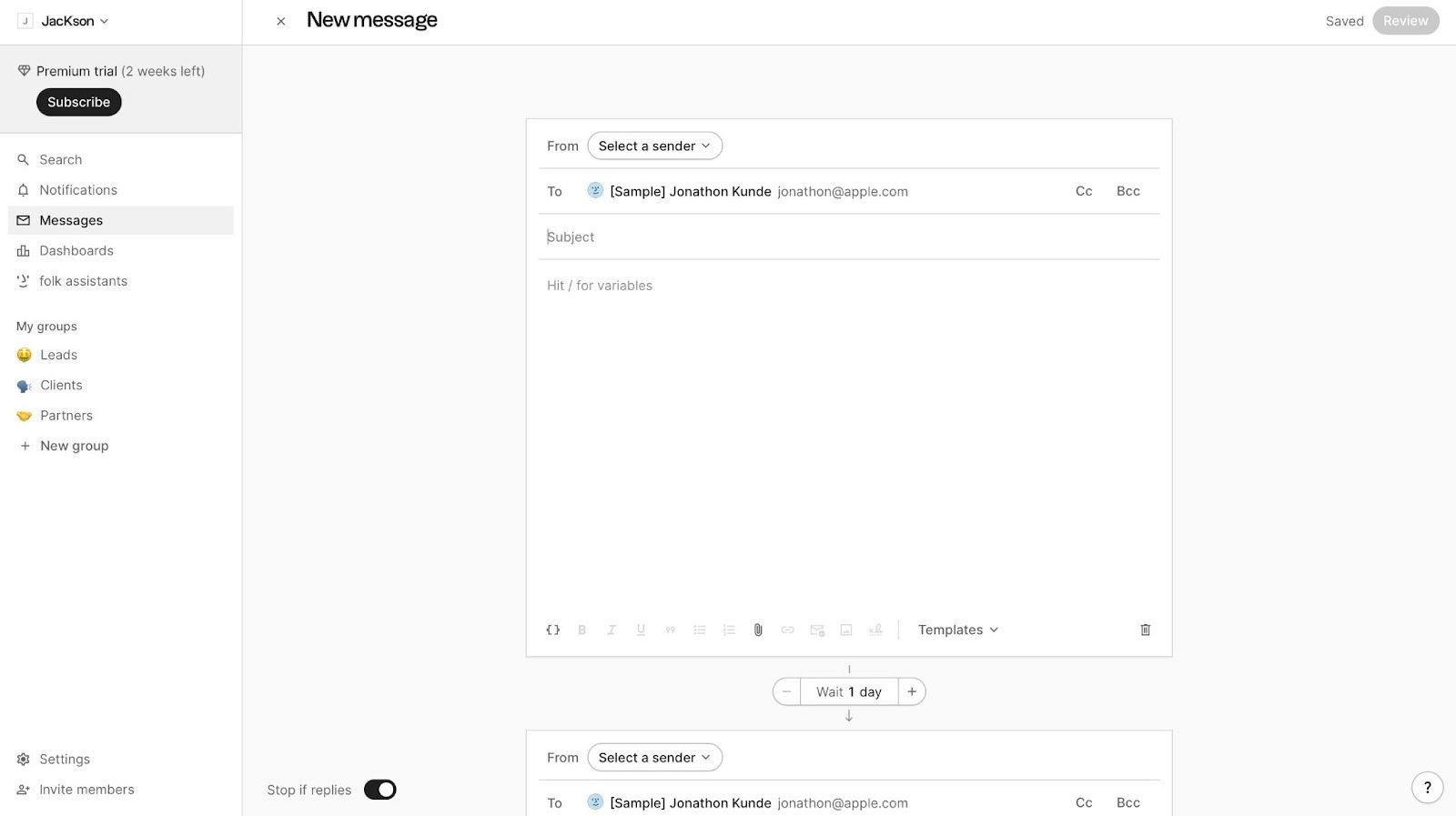
Moreover, Folk’s Email Sequences allows your team to send automated emails to contacts. You can set triggers like wait times between emails and conditions to stop the sequence if a contact responds.
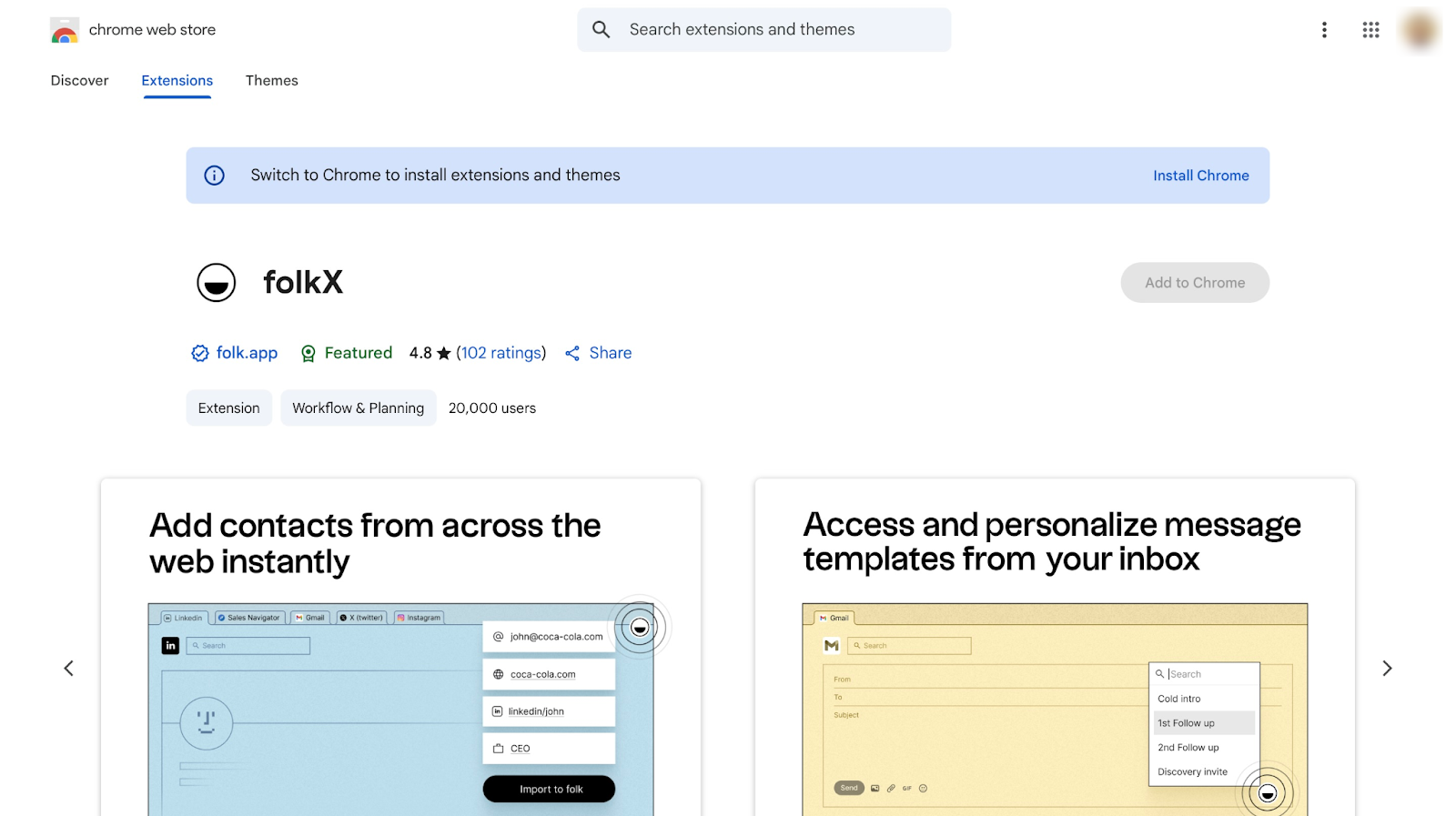
Thanks to its folkX feature, your team can easily capture contacts into Folk by adding it as a Chrome extension. It works on LinkedIn, X, Instagram, TikTok, Facebook, Gmail, Google Meet, WhatsApp, and other websites.
Features I Admired
1. Enrichment
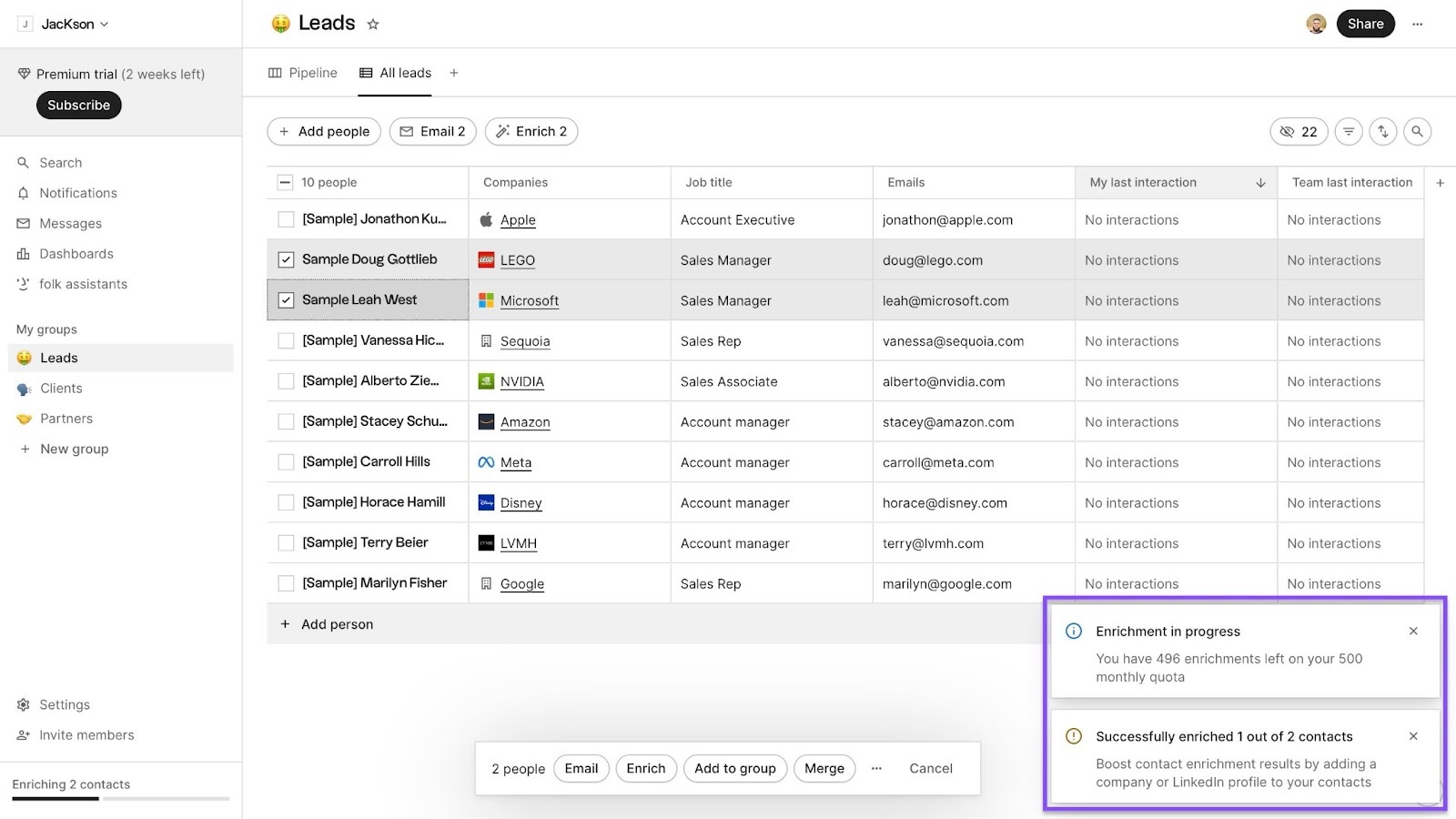
In Folk, the Enrichment feature automatically fills in missing information about your contacts. This could be missing email addresses, location, job title, company name, and more.
This is how you can use Enrichment.
Begin by clicking “Leads” in the sidebar
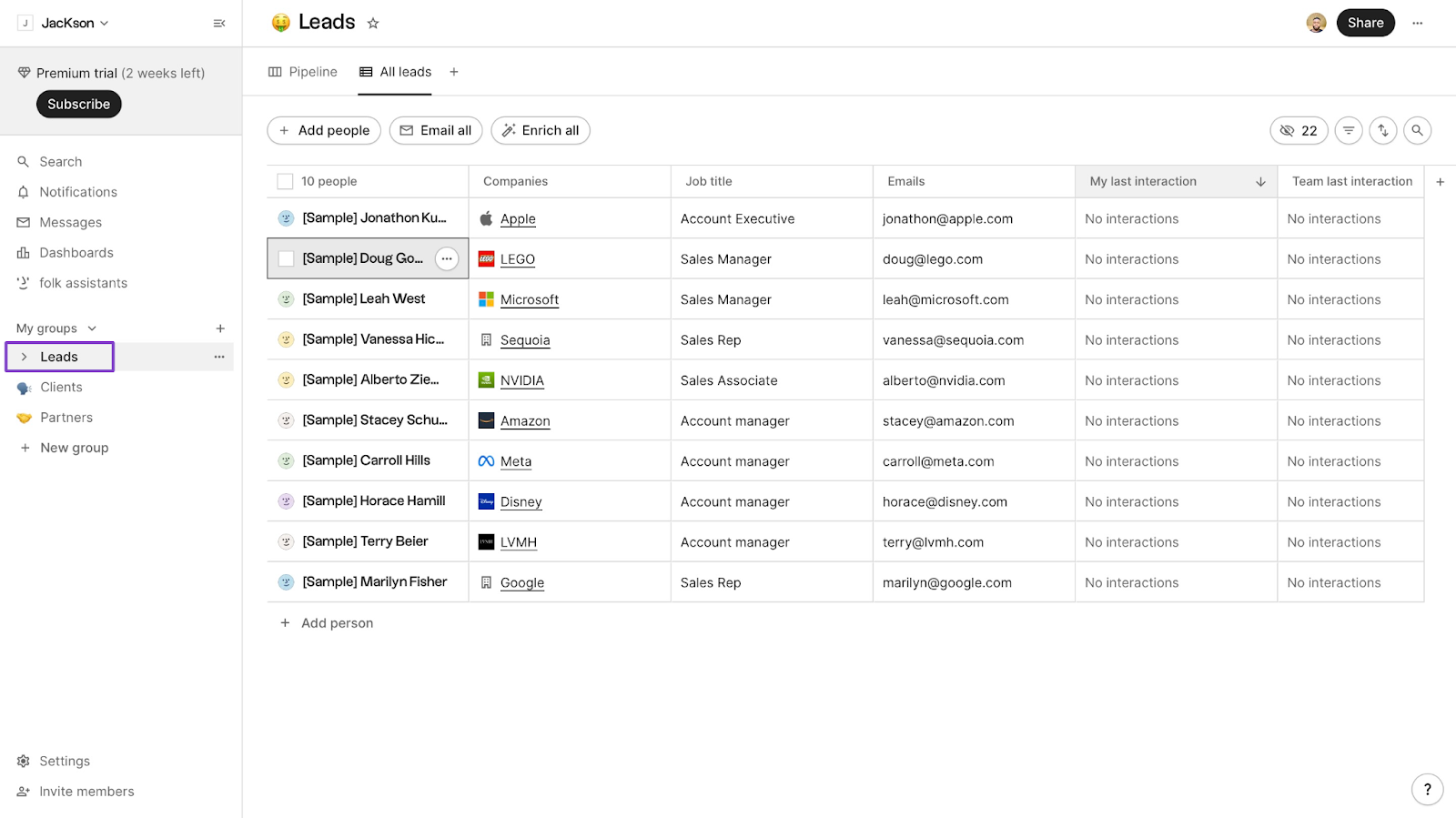
Next, select any of the contacts you want to enrich.
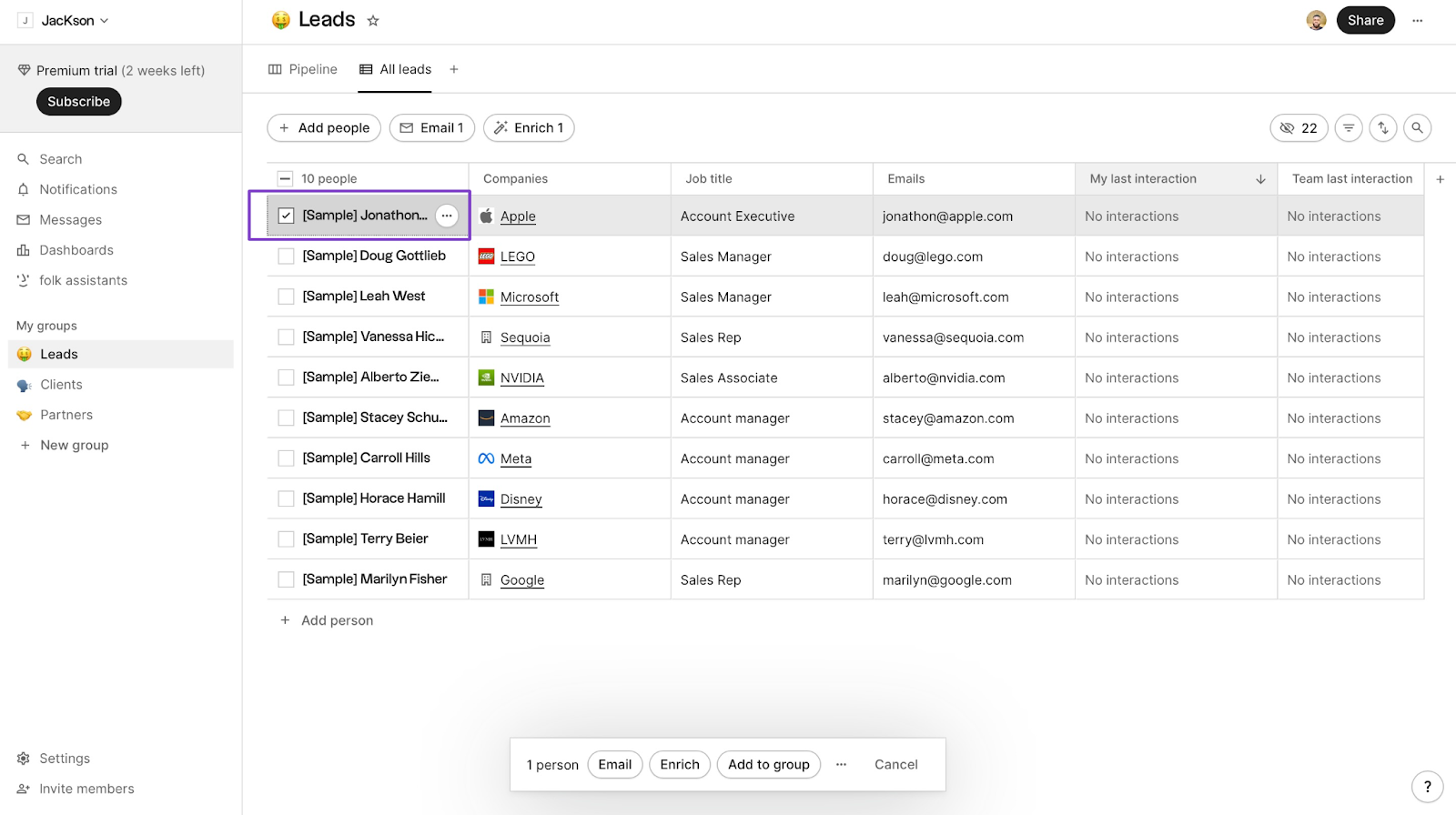
Now click “Enrich” at the bottom of the window.
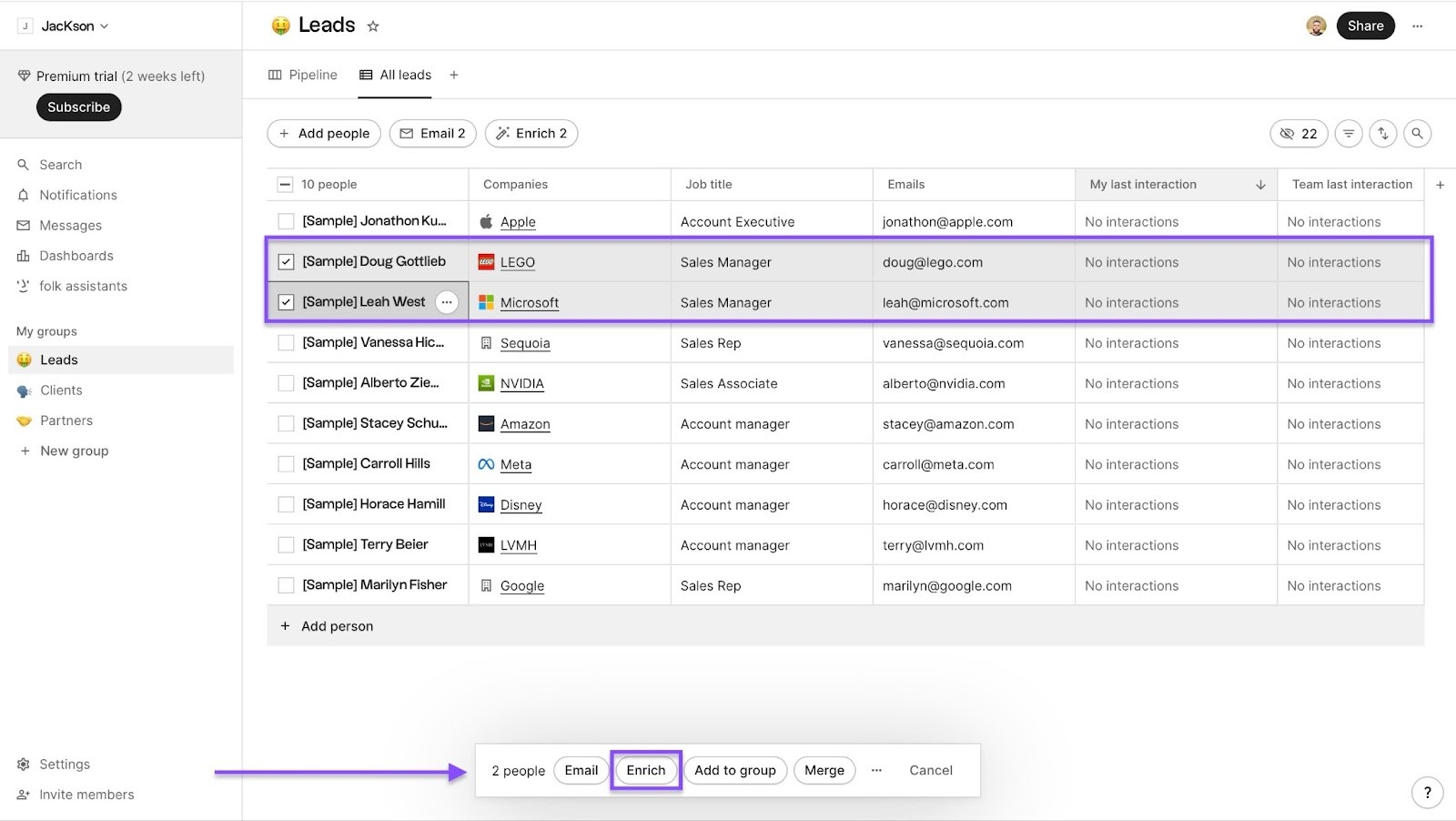
You’ll see toast notifications that confirm your contacts have been enriched.
2. Sequences
Folk’s Sequences helps you automate email outreach to your contacts by using many triggers, steps, and conditions.
Let me walk you through how to set it up.
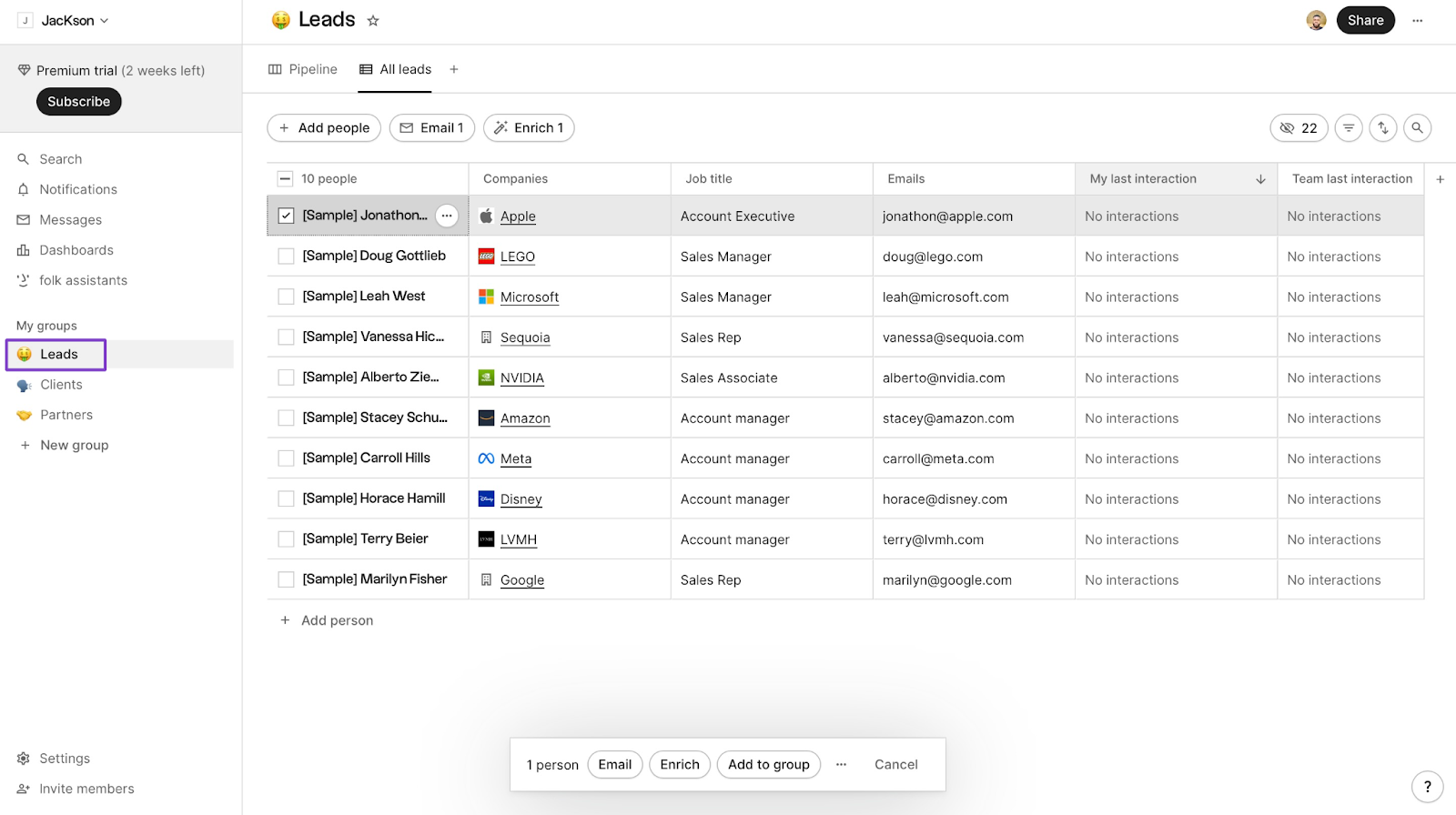
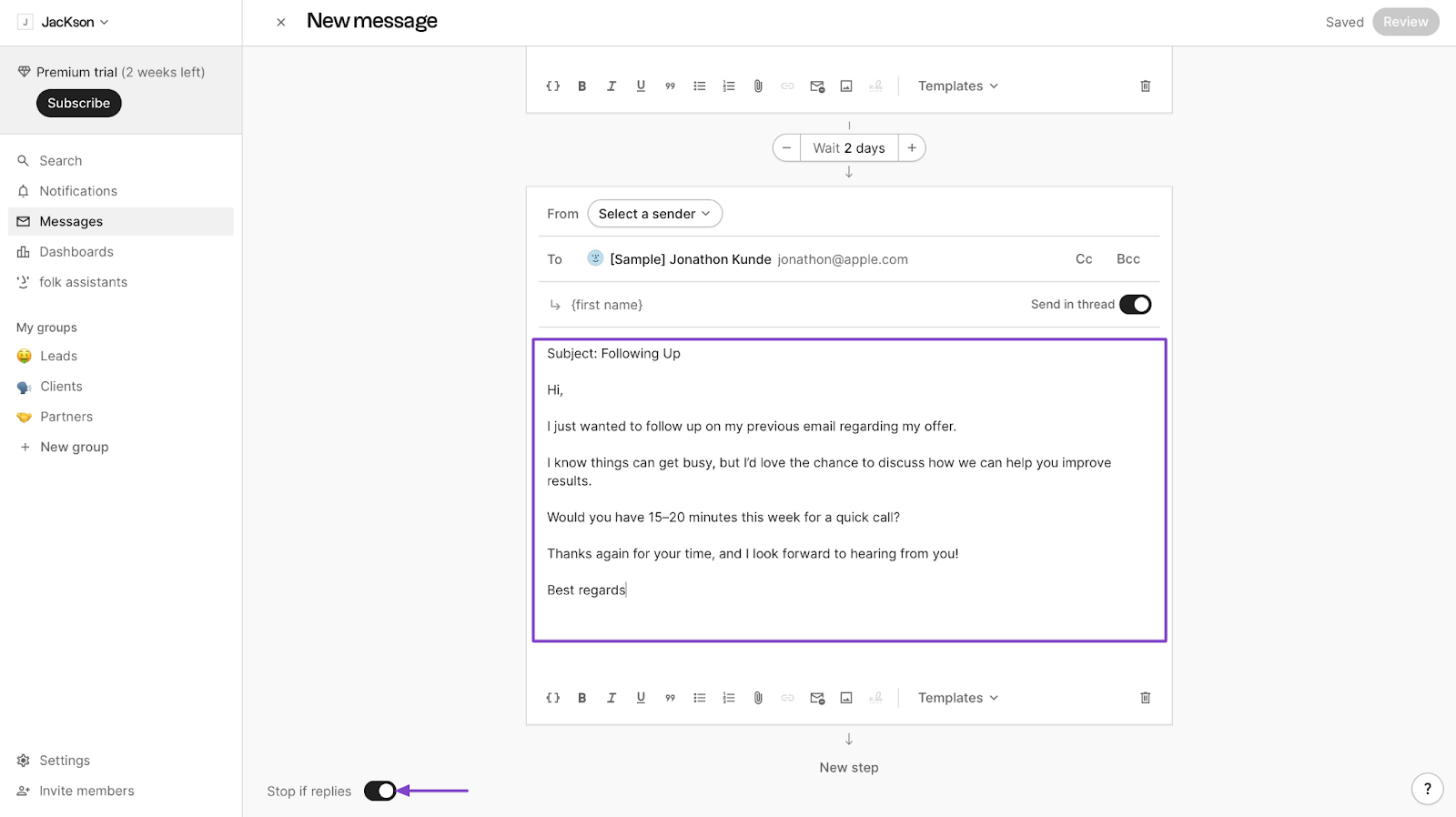
First, click “Leads” in the sidebar. Then select a contact. After that, click “Email” at the bottom of the window.
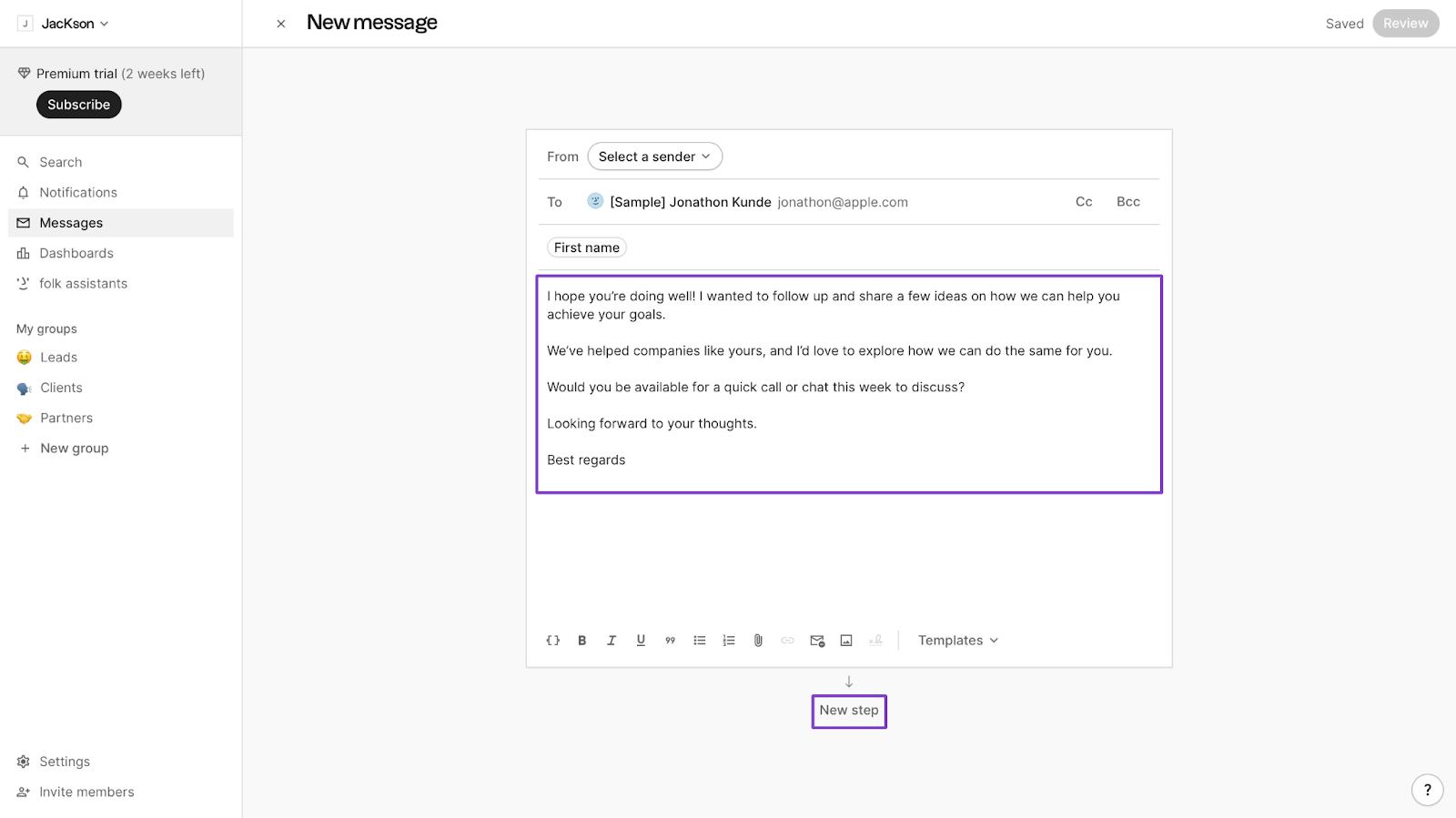
Now, type your message. Once you've done that, move out of the typing area and click “New step” below it.
Next, choose the number of days to wait before sending your contact another email.
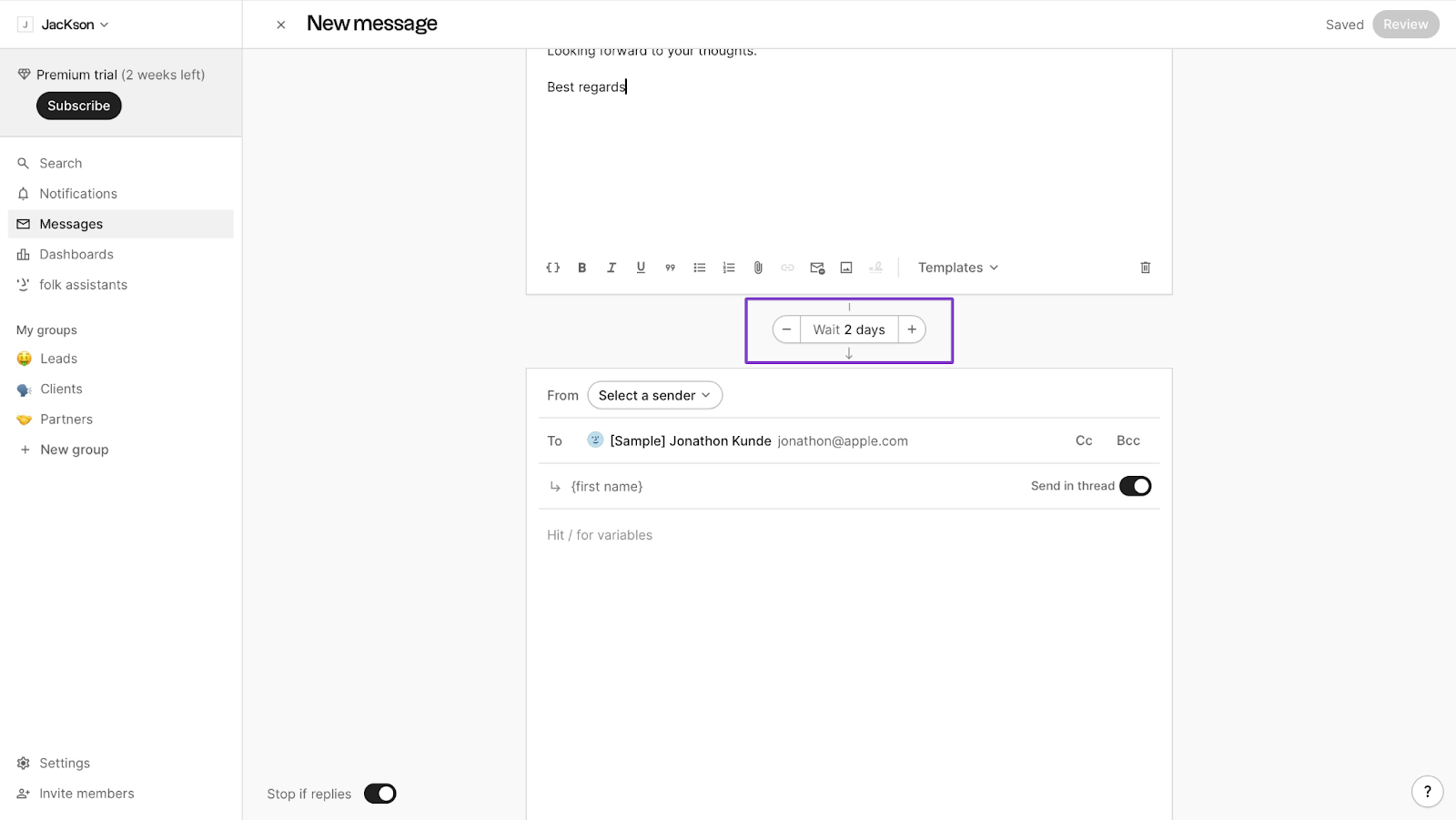
Add a follow-up message. It’s worth noting that you can set email sequences like this up to ten times. You may toggle the switch beside “Stop if replies” to end the sequence when you hear back from your contact.
3. folkX
The folkX feature is a Chrome extension that helps you capture contacts on socials like LinkedIn.
This is how it works:
You first have to download the folkX extension.
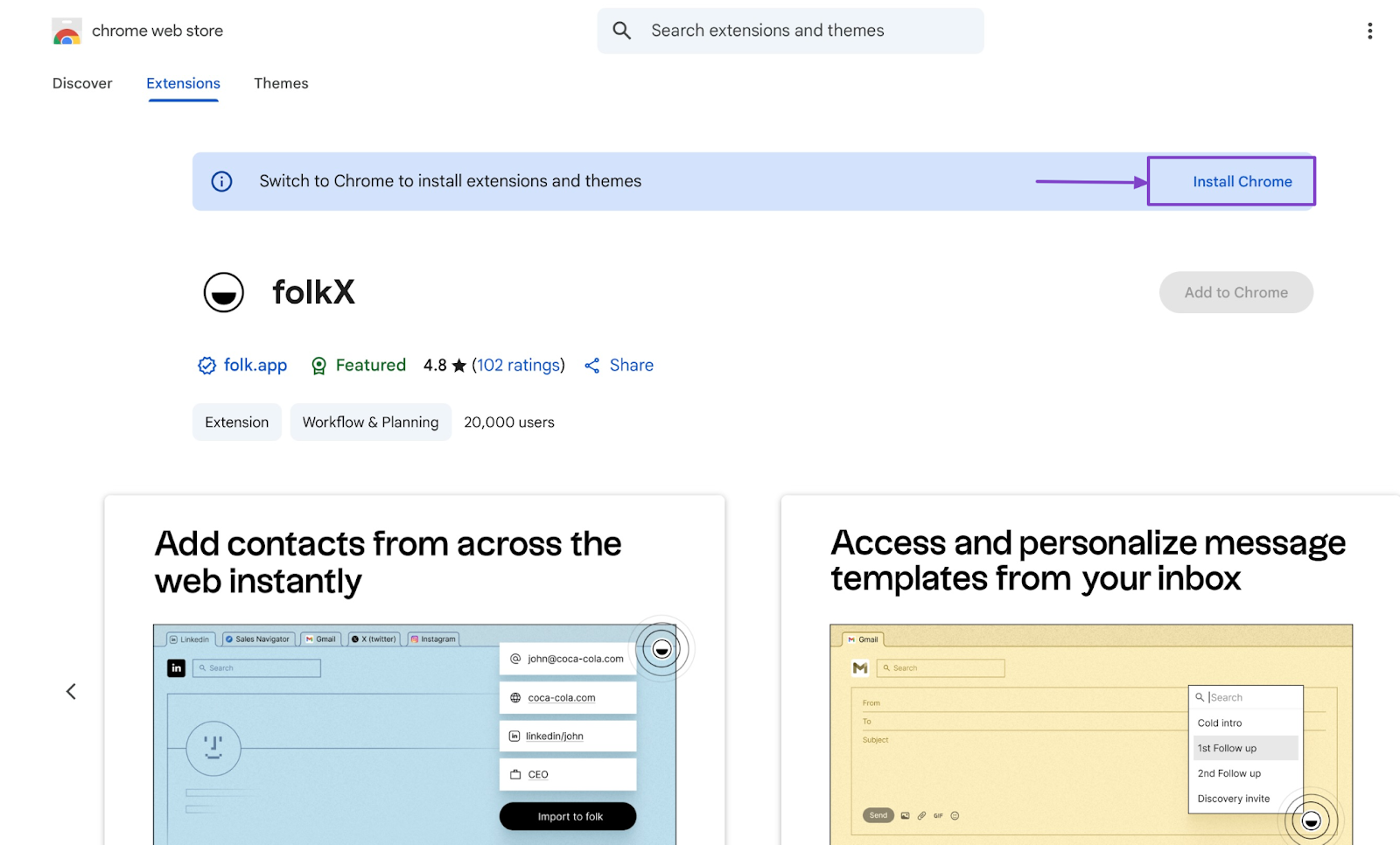
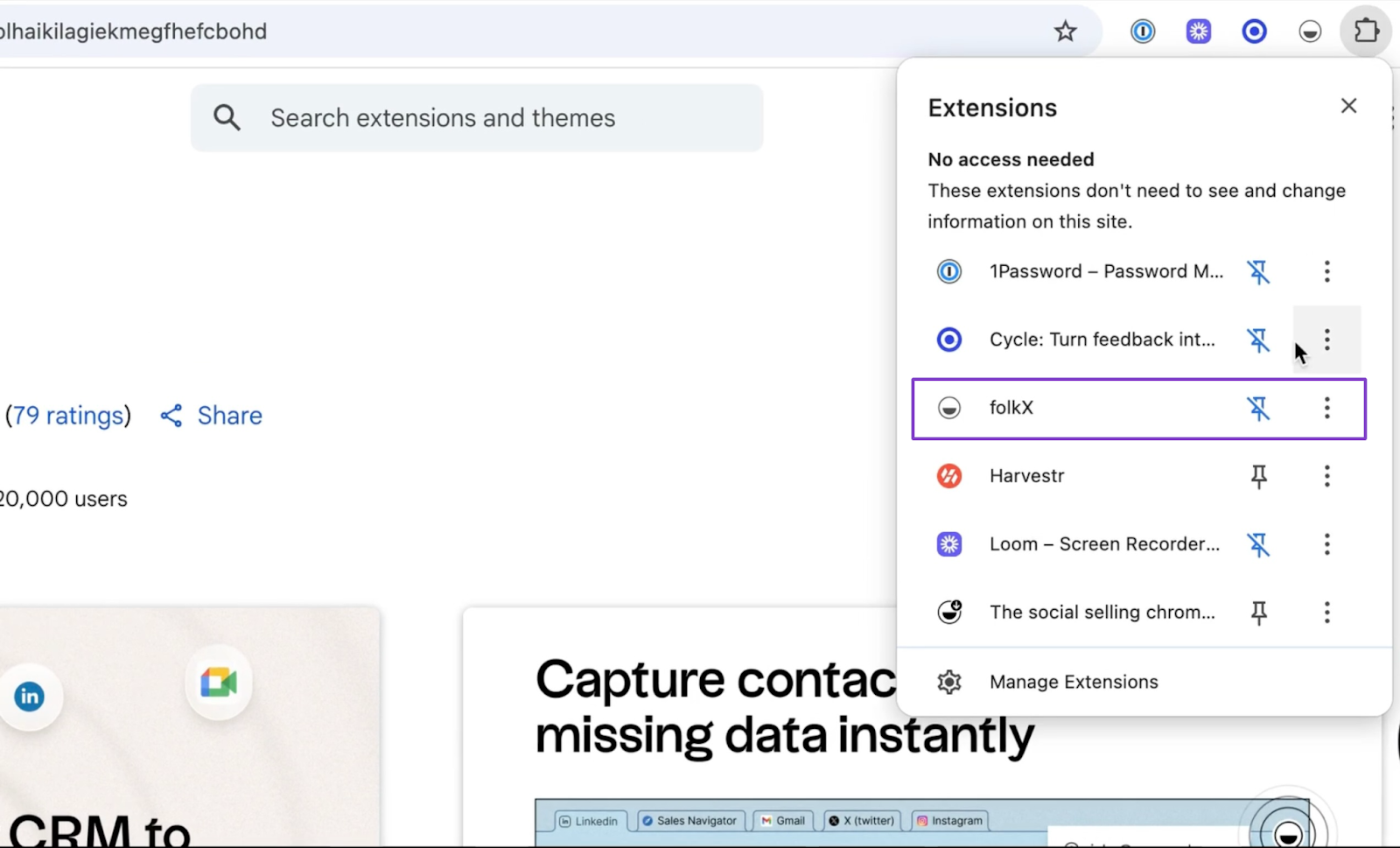
Then add the extension to your Chrome browser.
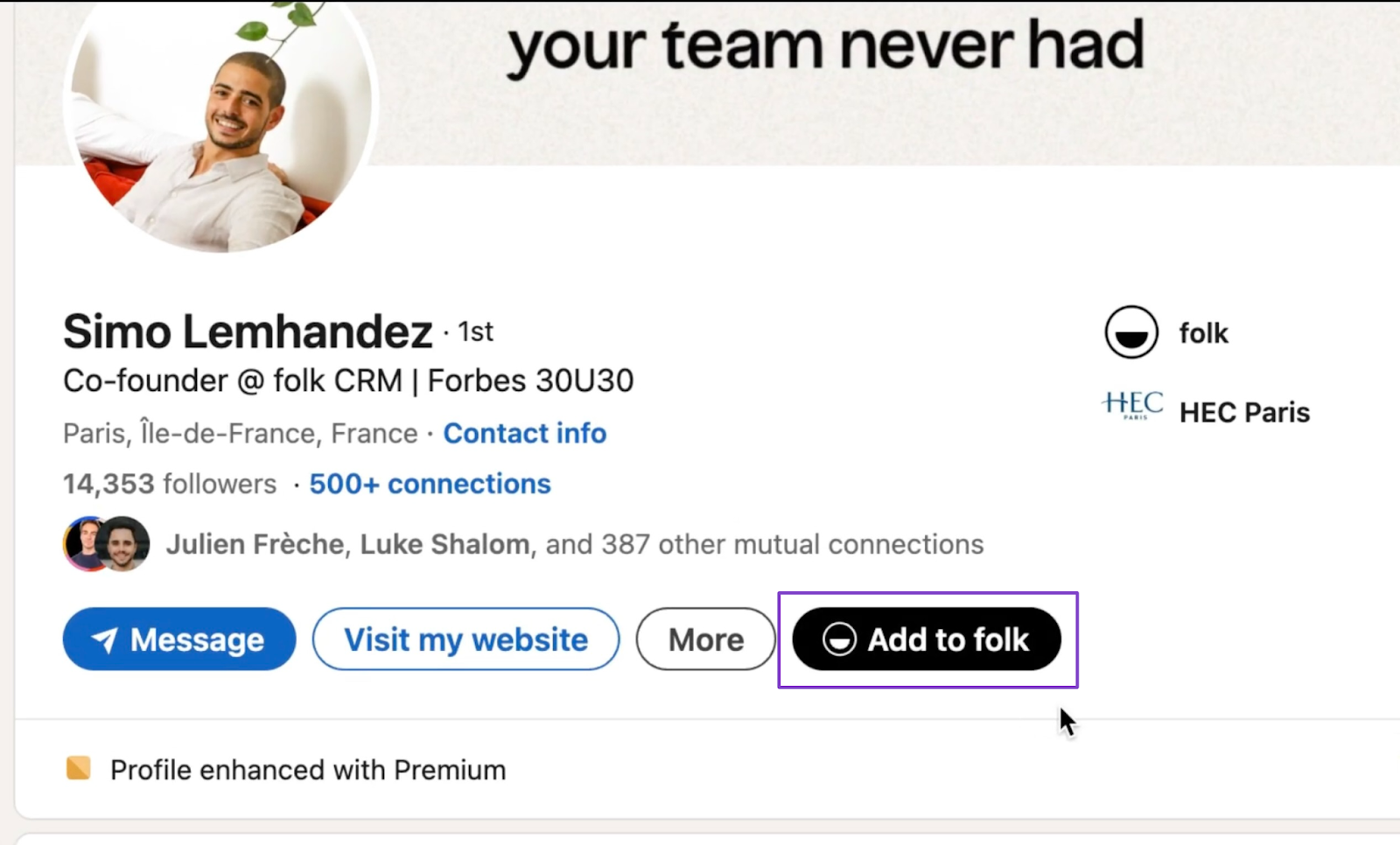
FolkX will now capture contacts automatically on LinkedIn.
What impressed me vs What fell short
What impressed me 👍
✅ It has a simple interface, so you can start using it without much learning
✅ The folkX feature works well for importing contacts directly from LinkedIn and Gmail
✅ At $25/month, it’s affordable for small businesses and startups
What fell short 👎
❌ Folk may be lightweight for bigger teams because its features aren’t built for them
❌ The enrichment feature may not always be reliable because some contacts don’t have enough public information online
Best For
- Teams who want a simple CRM to manage relationships and leads.
Pricing
- Standard: $25/member/month
- Premium: 50/member/month
- Custom: from $100/member/month
3. Fireflies
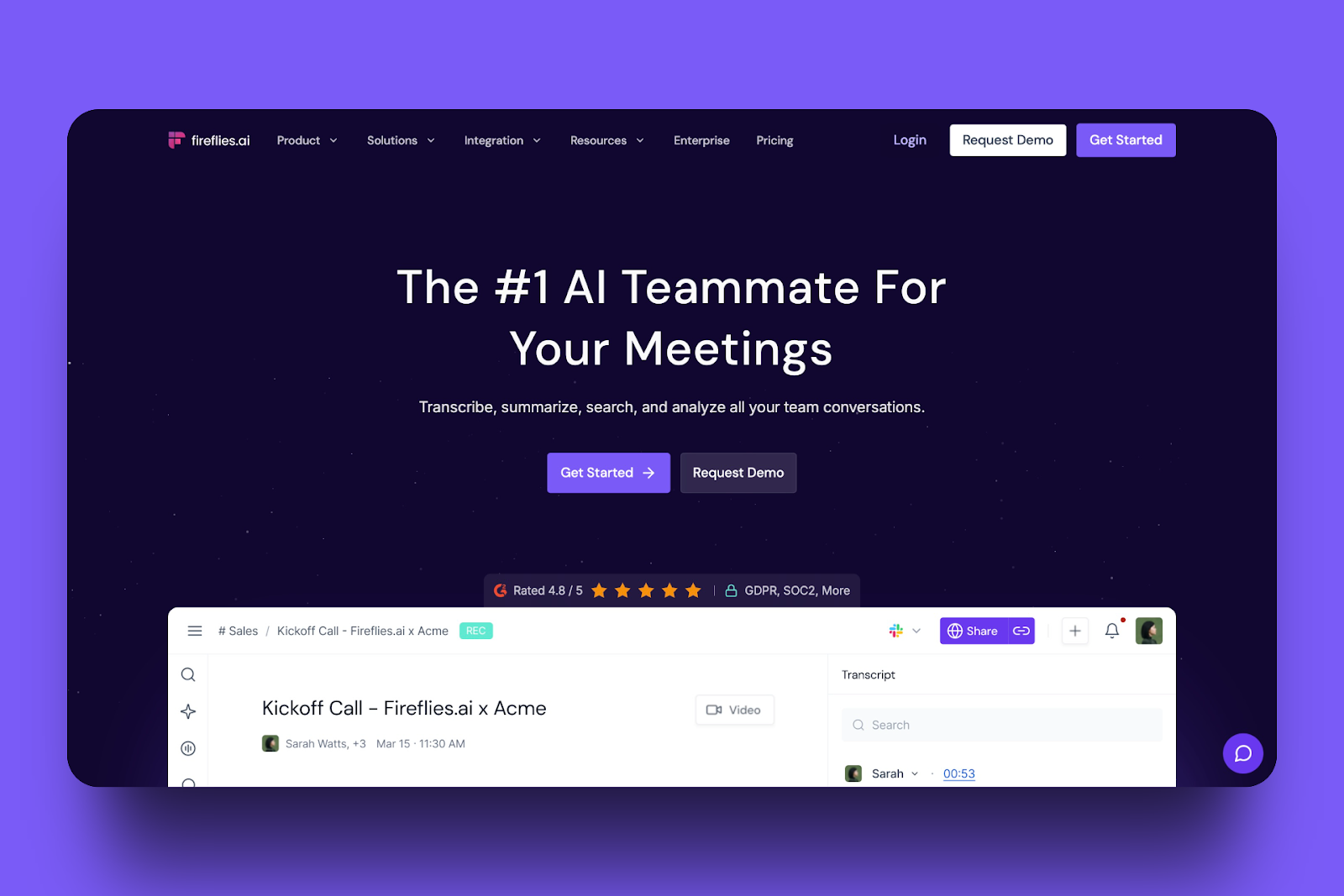
Fireflies is an AI meeting assistant that helps go-to-market teams by automatically recording and transcribing meetings.
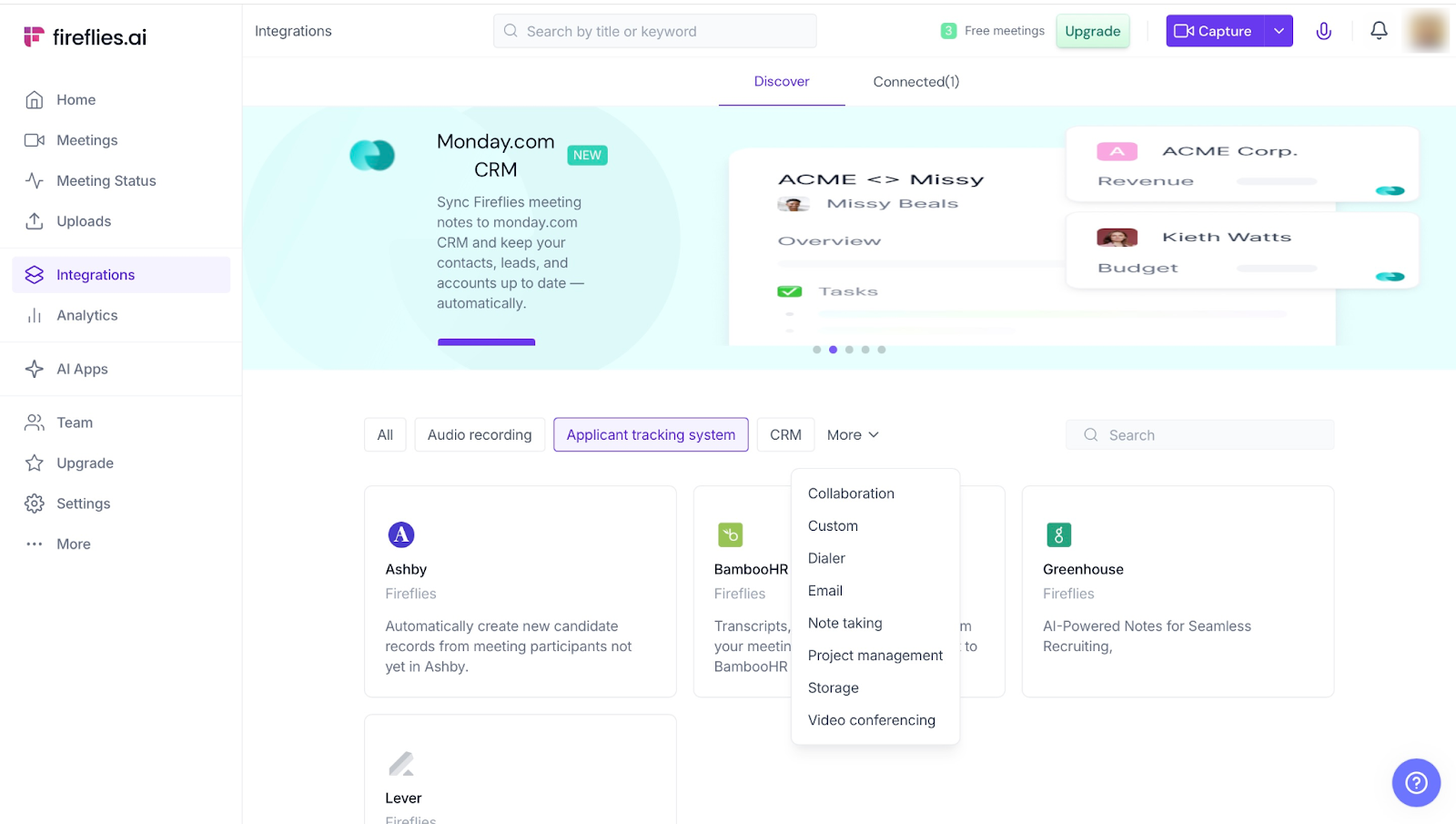
With Fireflies Integrations, your team can connect with over 60 industry-standard tools for audio recording, CRM, project management, and more.
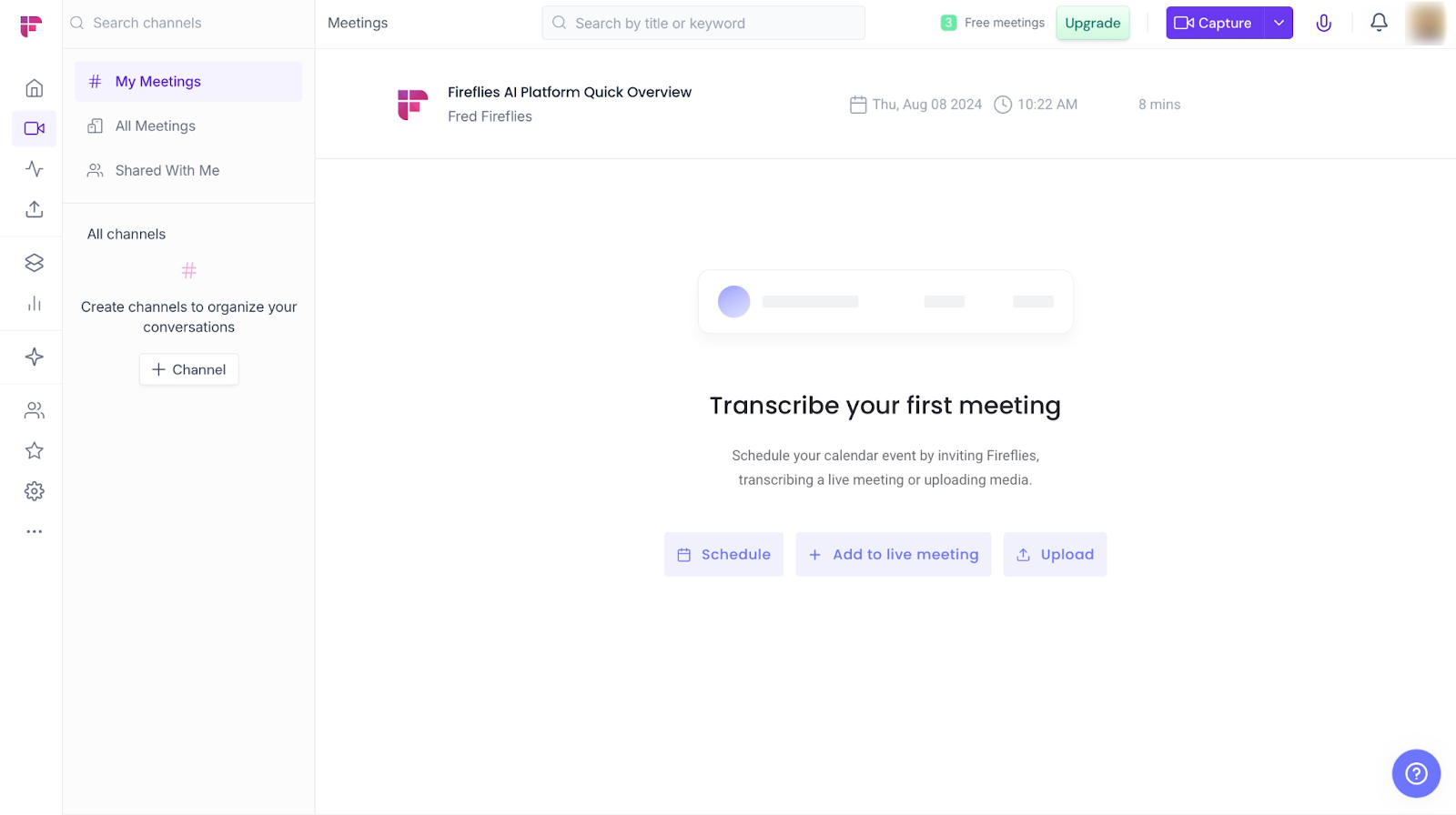
Using its Meetings feature, you can record, summarize, and transcribe all your meetings. You can even configure the settings so that your team receives recordings and notes from the meeting.
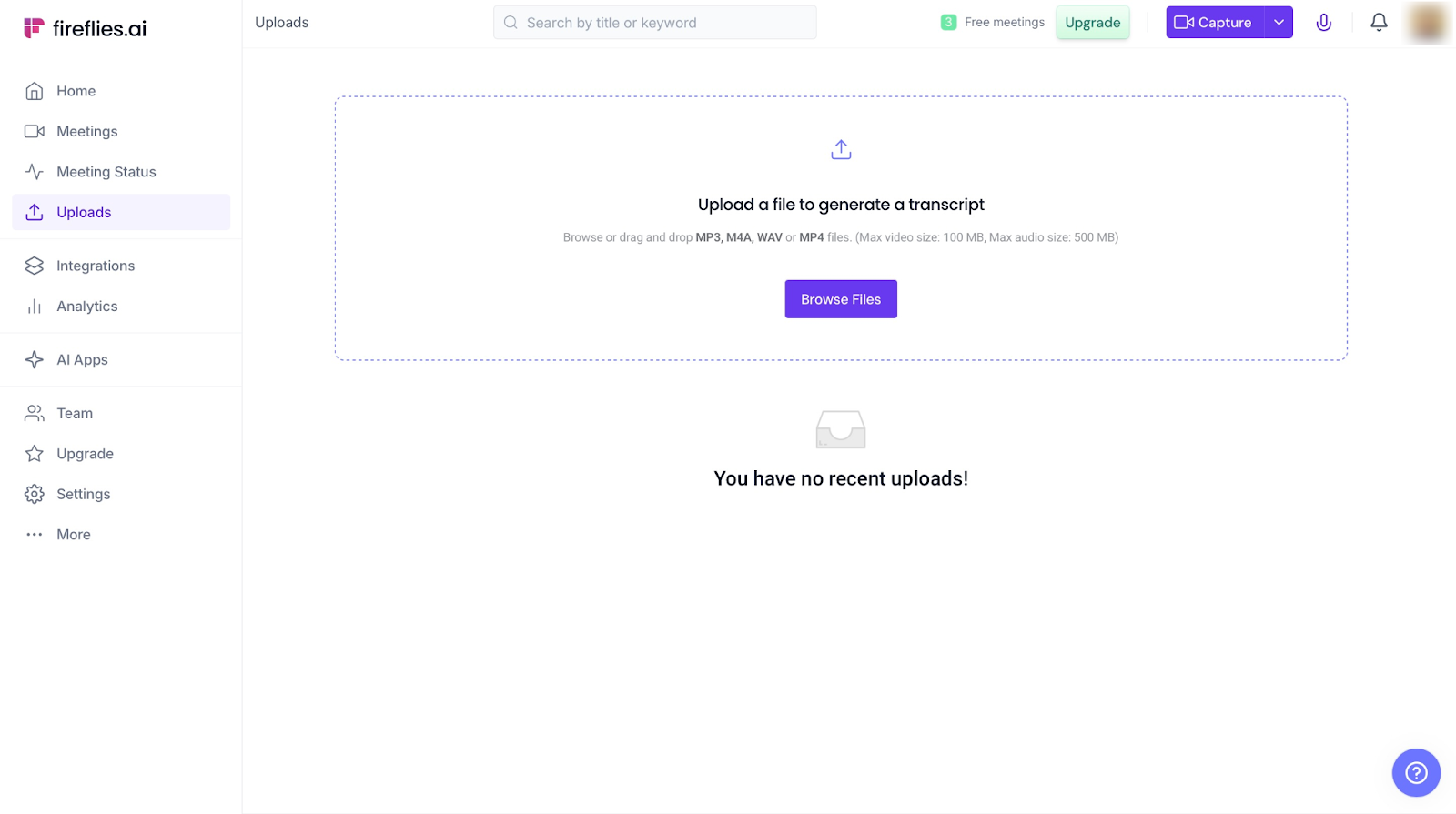
Moving on, the Uploads feature lets you upload audio and video files from which you can then generate a transcript. The file formats you can upload are MP3, M4A, WAV, and MP4.
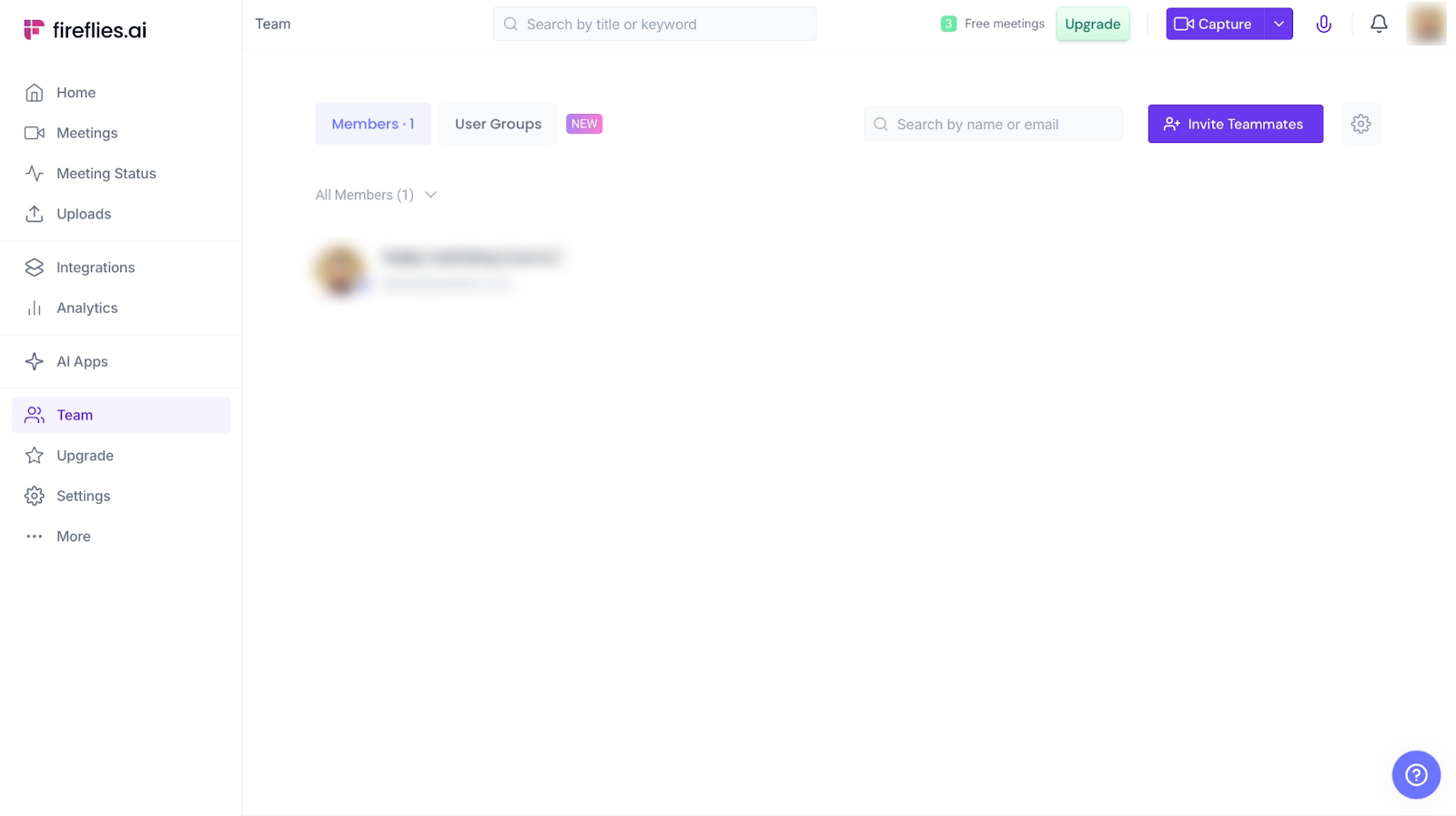
Finally, Fireflies’ Teams lets you invite teammates. You can invite them by sharing a link with them or adding their emails. Also, you can invite them from Microsoft Teams or Slack.
Features I Admired
1. Meeting recording + Transcriptions
This feature records your team's meetings and even transcribes them so they have both the audio and a text-based file, too.
If they cannot remember some points, they can always listen to the recording or read the transcriptions.
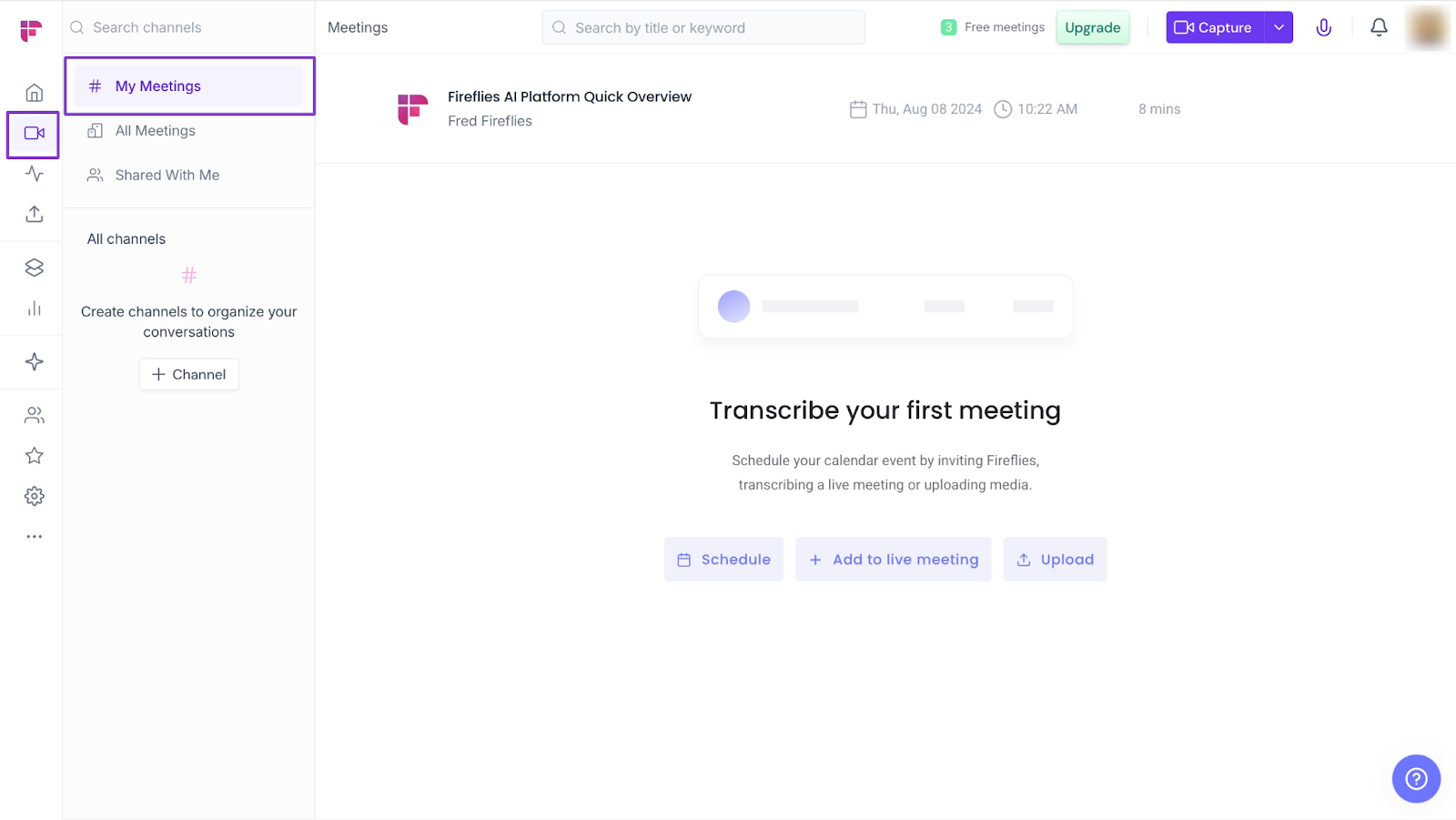
Click on the camera icon in the sidebar. Next, select “My Meetings.”
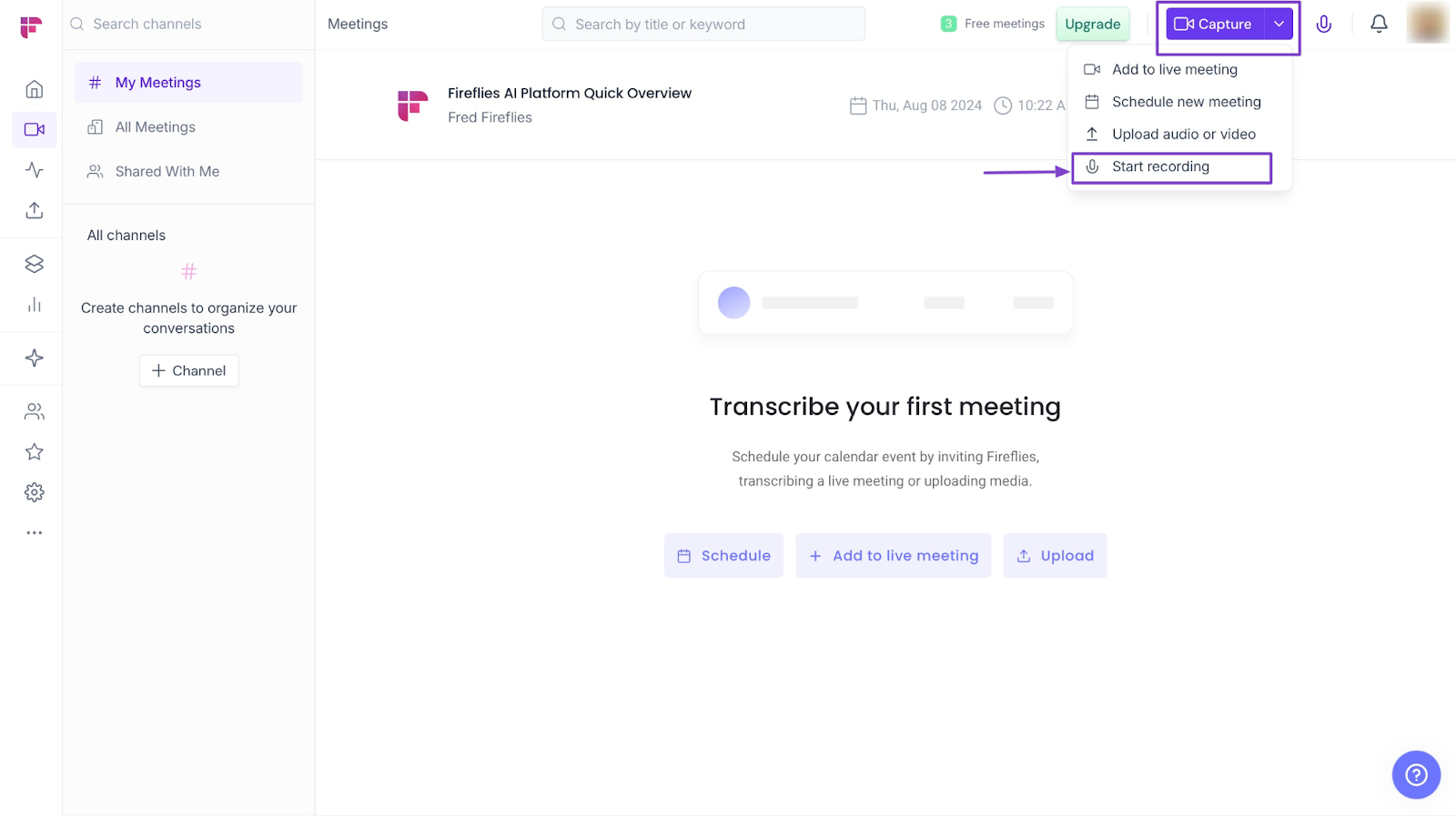
After that, click “Capture”. Then select “Start Recording.”
In the new window, enter a recording title and click “Start Recording.”
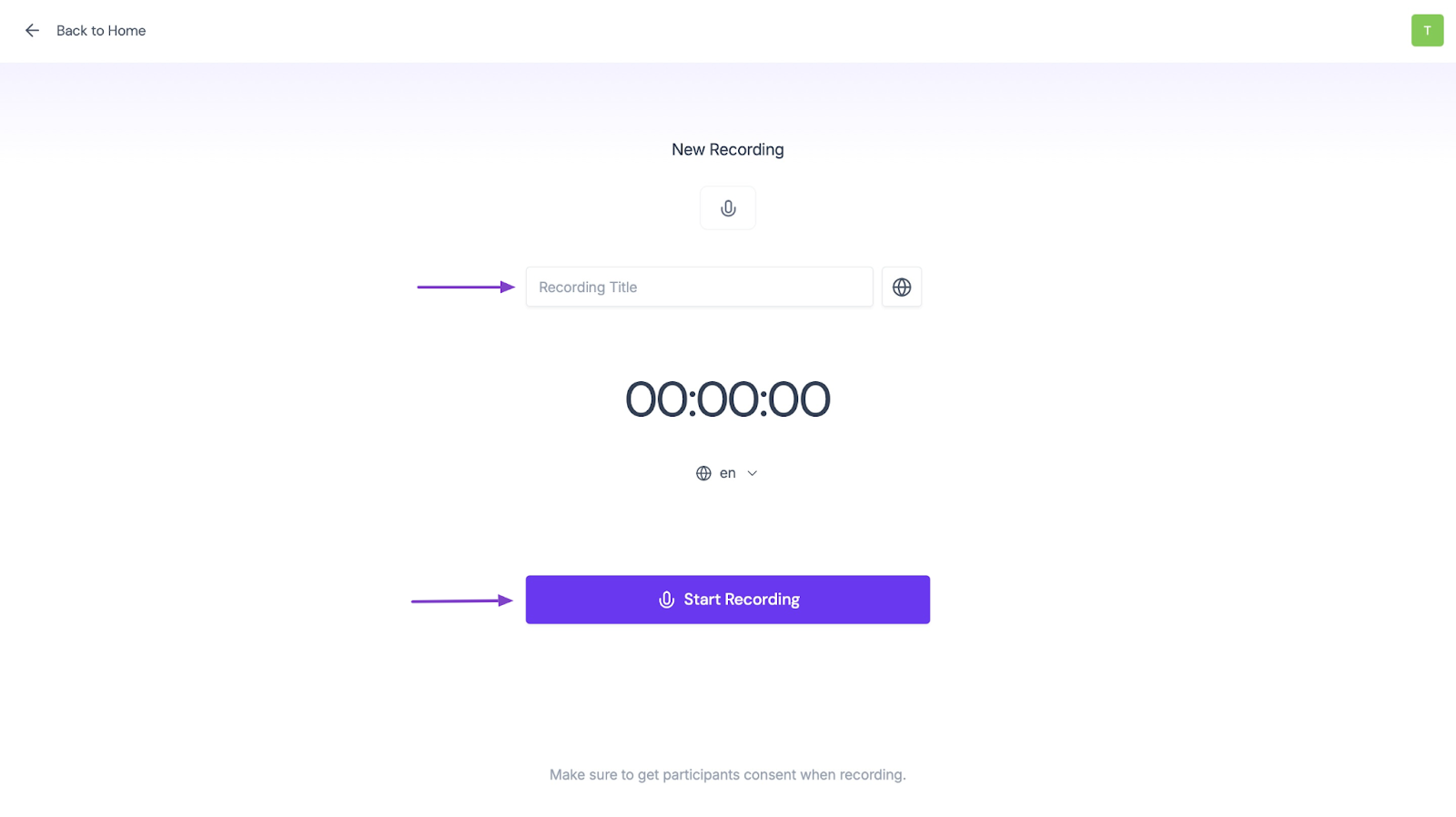
Fireflies will transcribe the meeting in real-time while recording it.
2. AI Summaries
Apart from recording and transcribing, Fireflies can also summarize your meetings. This helps you read and focus on the major points.
To add AI summaries, simply record and transcribe meetings. But you just have to be sure, Fred (Fireflies’ AI) sends you a copy.
Let me show you how.
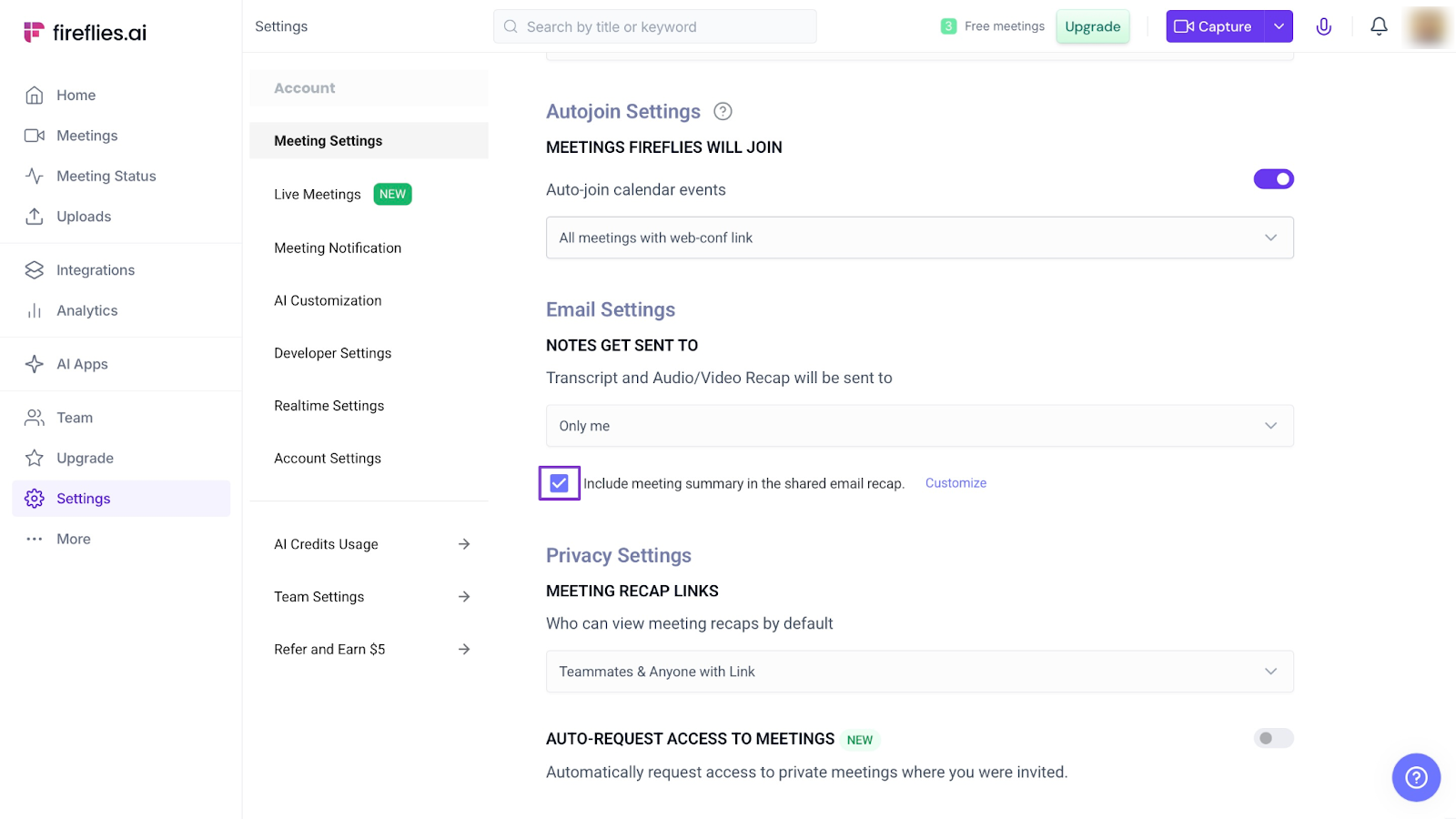
Click “Settings” in the sidebar.
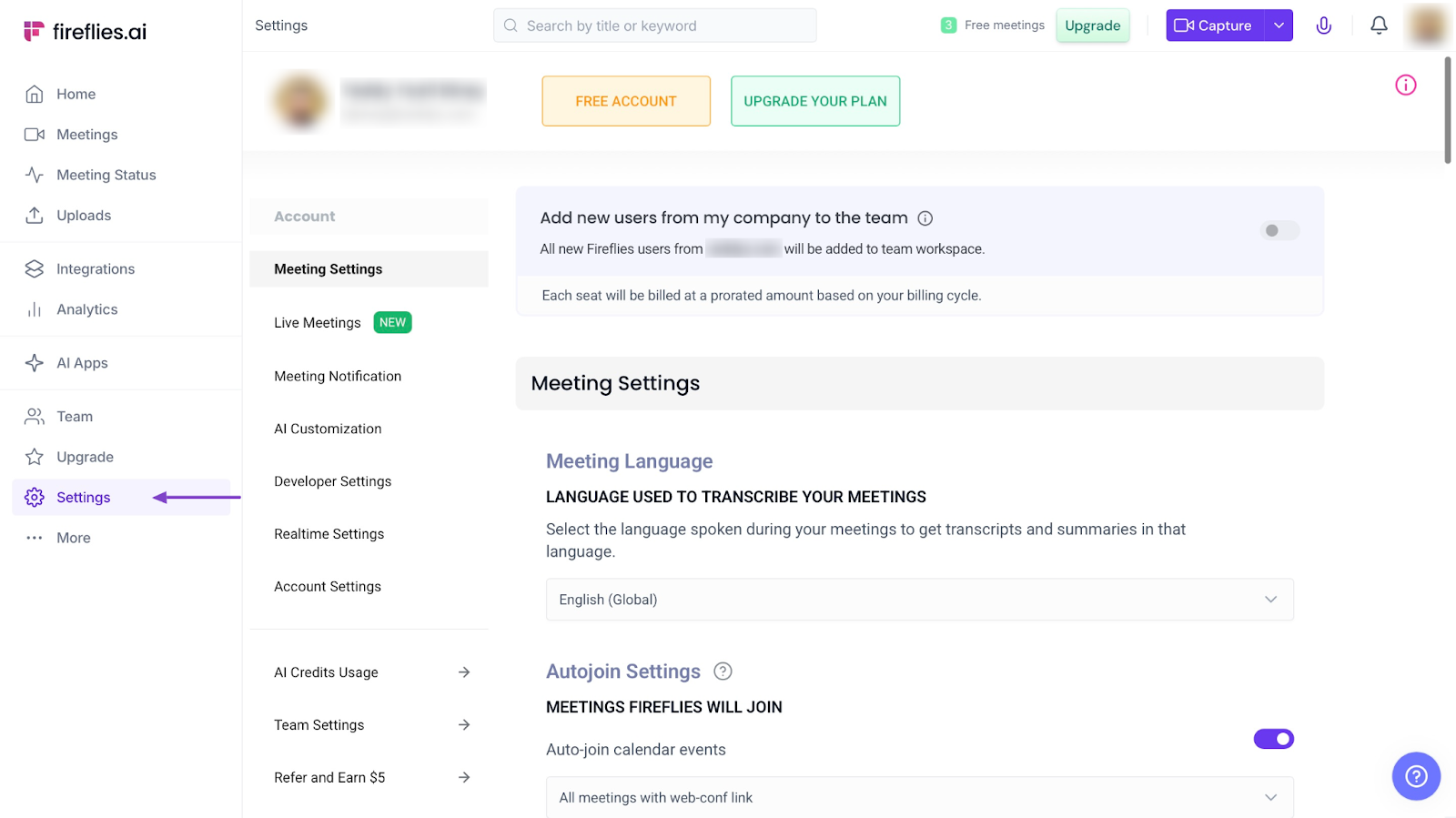
Then scroll down to “Email Settings.”
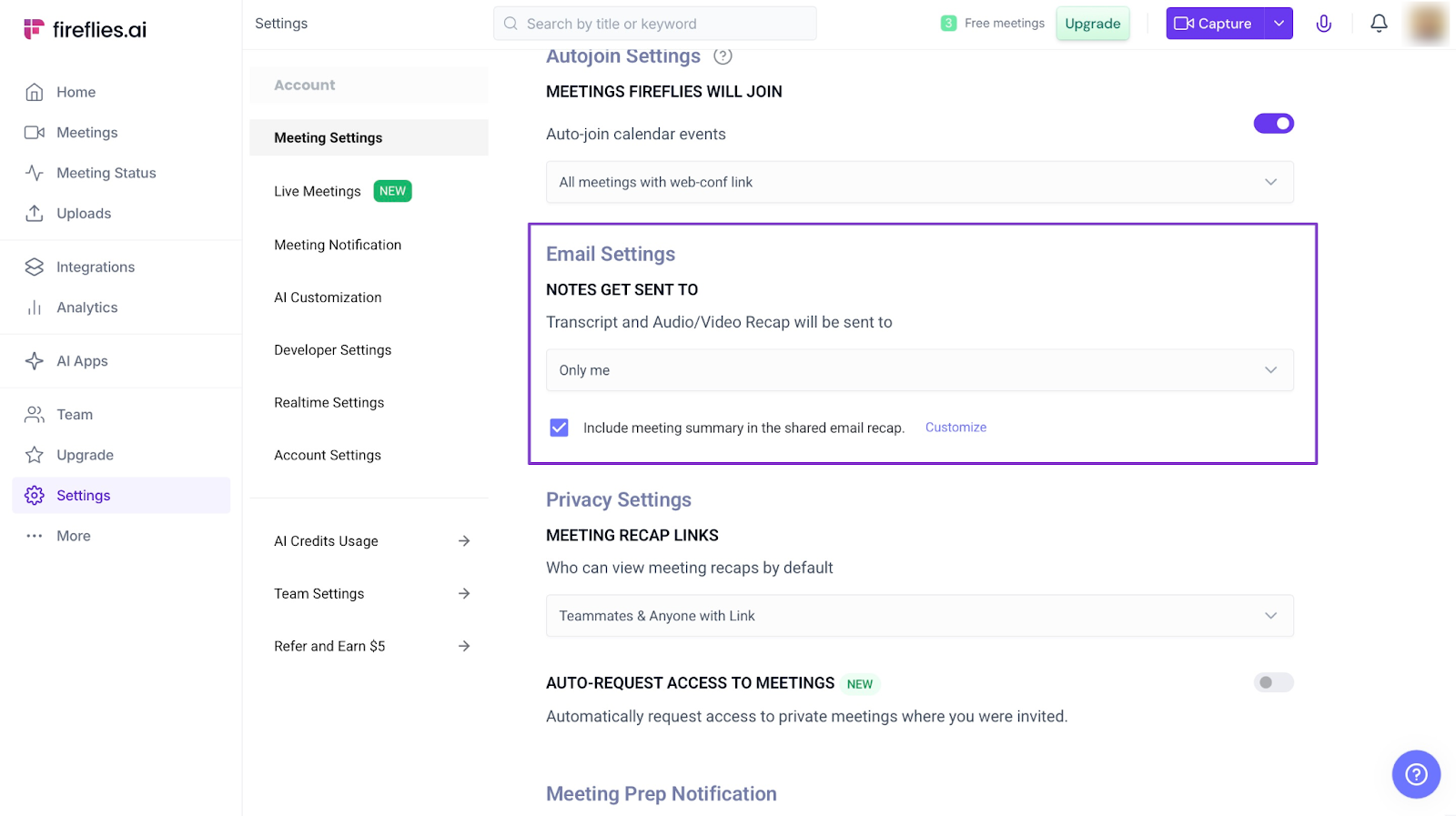
Now, click the box under it to select who should get a copy of Fred’s summaries.
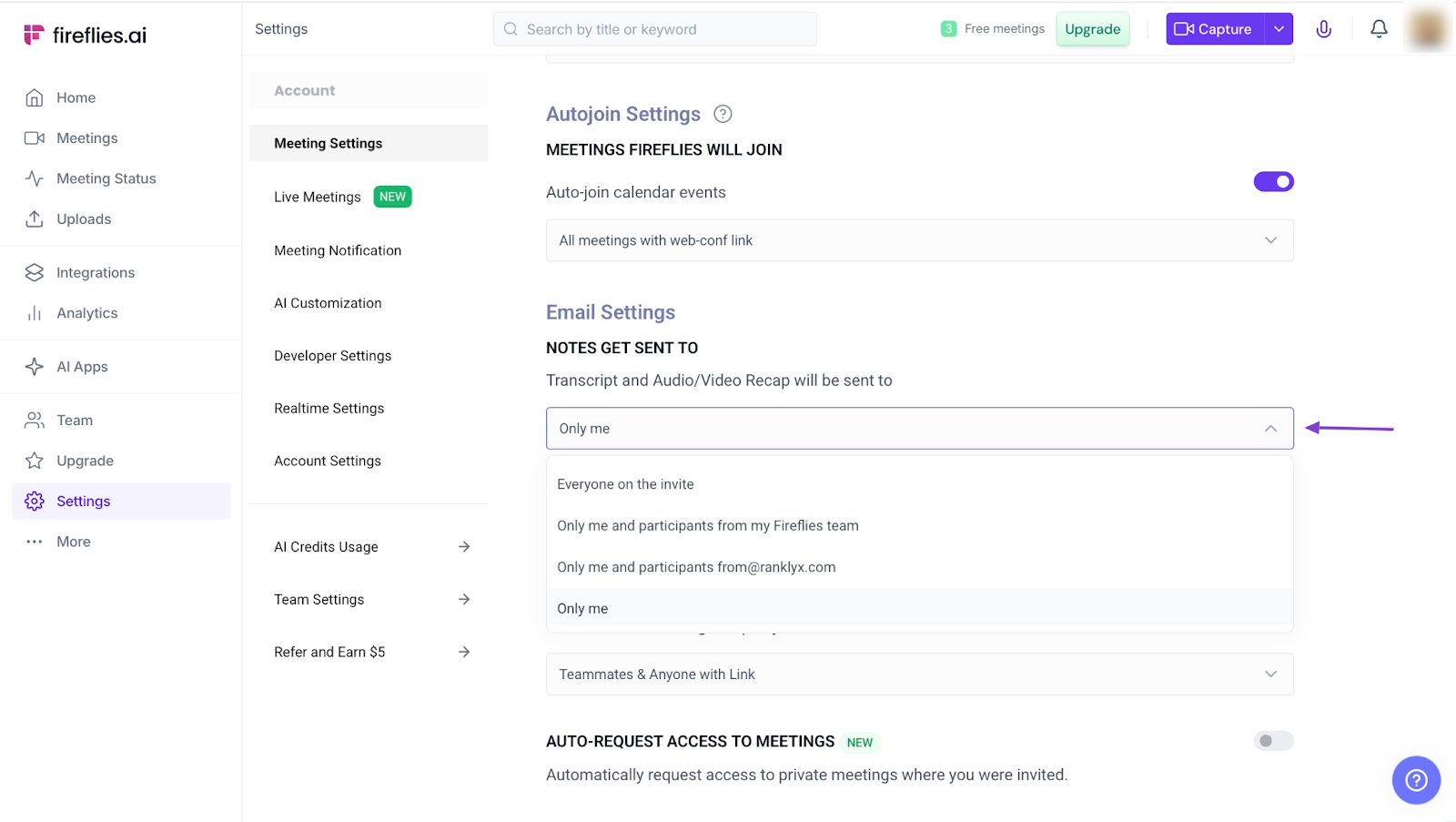
Remember to check the checkbox under the text area. That will tell Fred to include the meeting summary.
3. Integrations
Fireflies integrates with over 60 apps. These tools are listed together under one section. But there are tabs that also classify their uses.
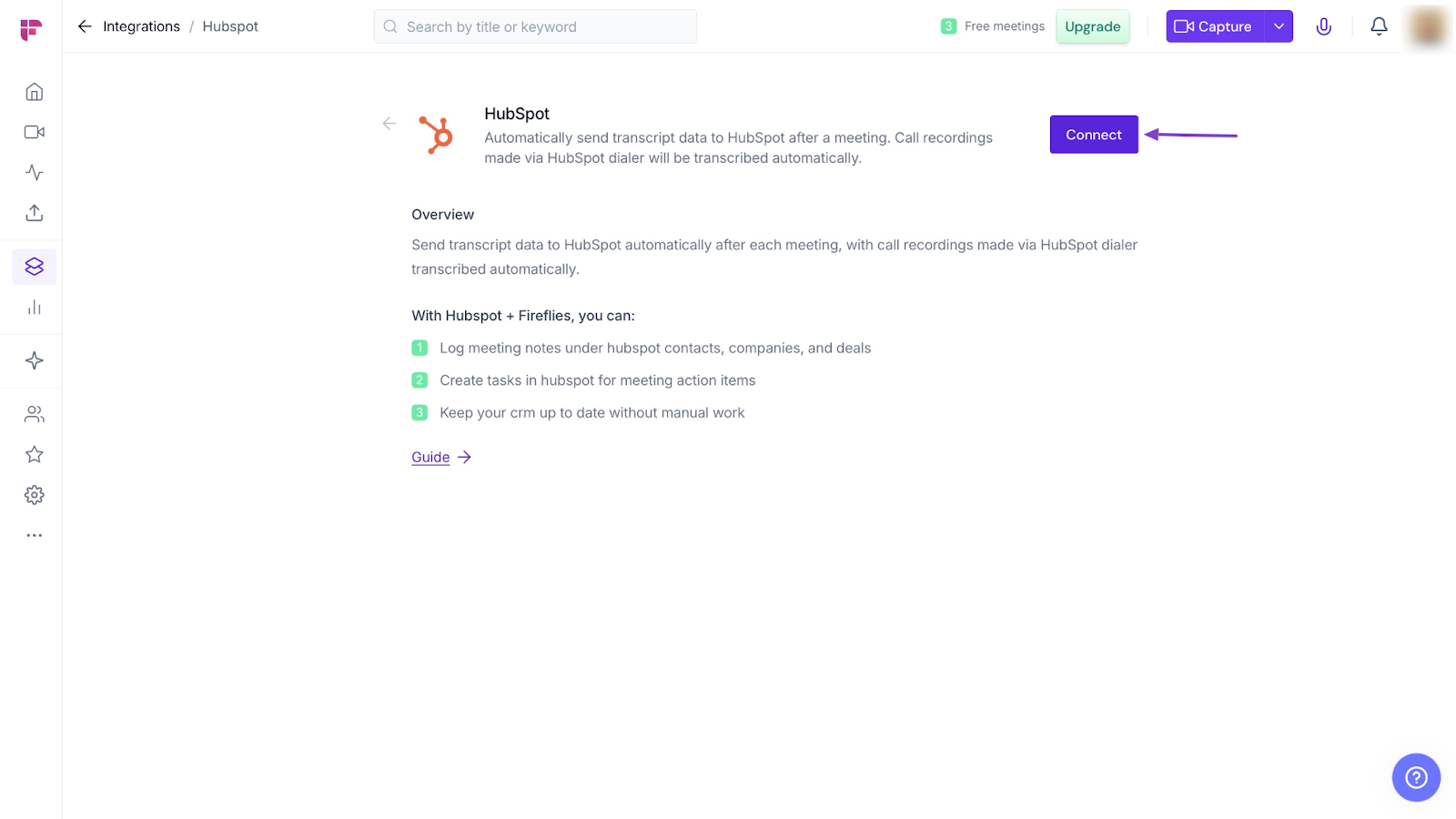
To use any of the tools with Fireflies, click “Integrations” in the sidebar. This automatically displays all 60+ tools that work with Fireflies.
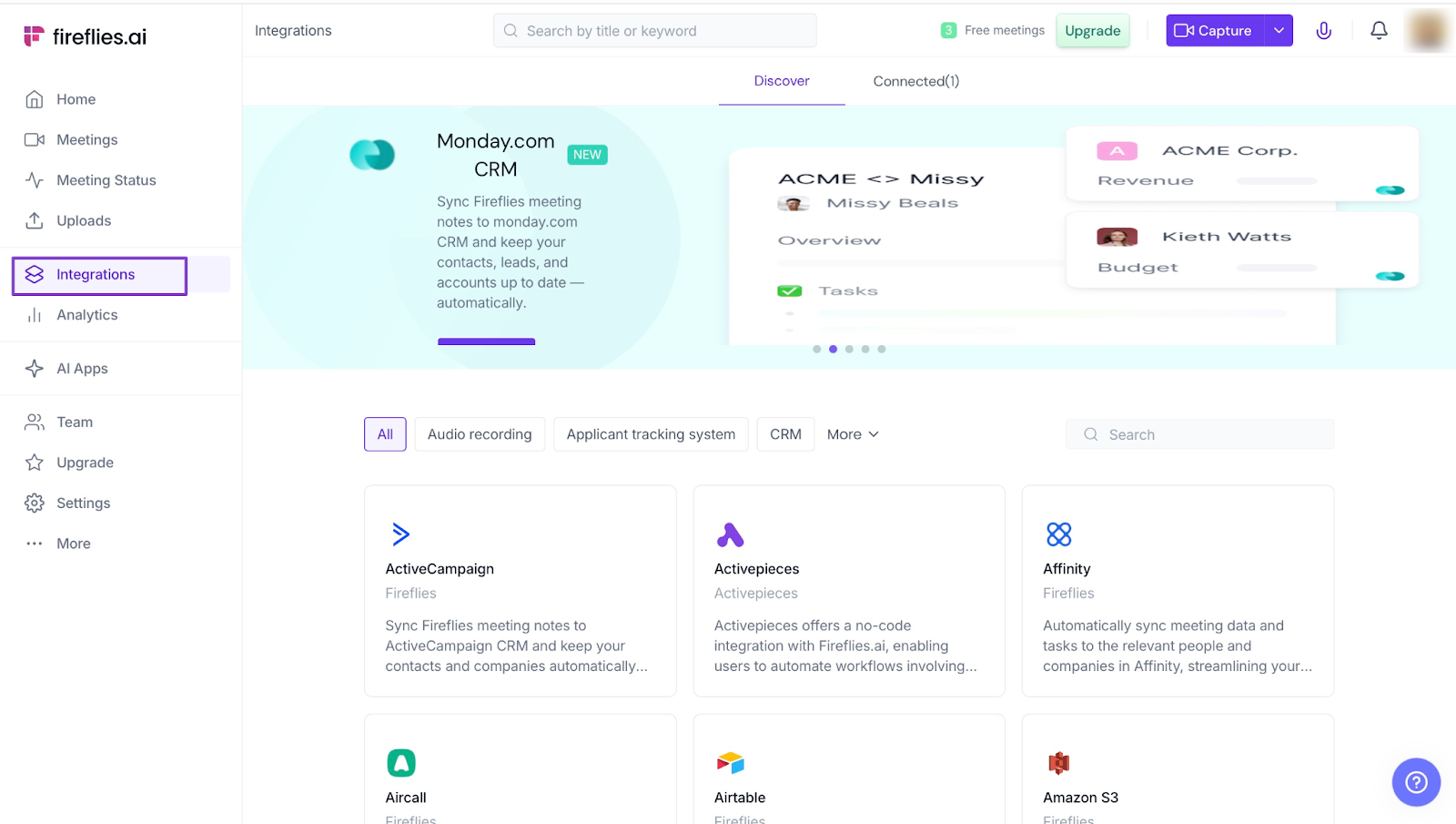
Next, click the CRM tab.
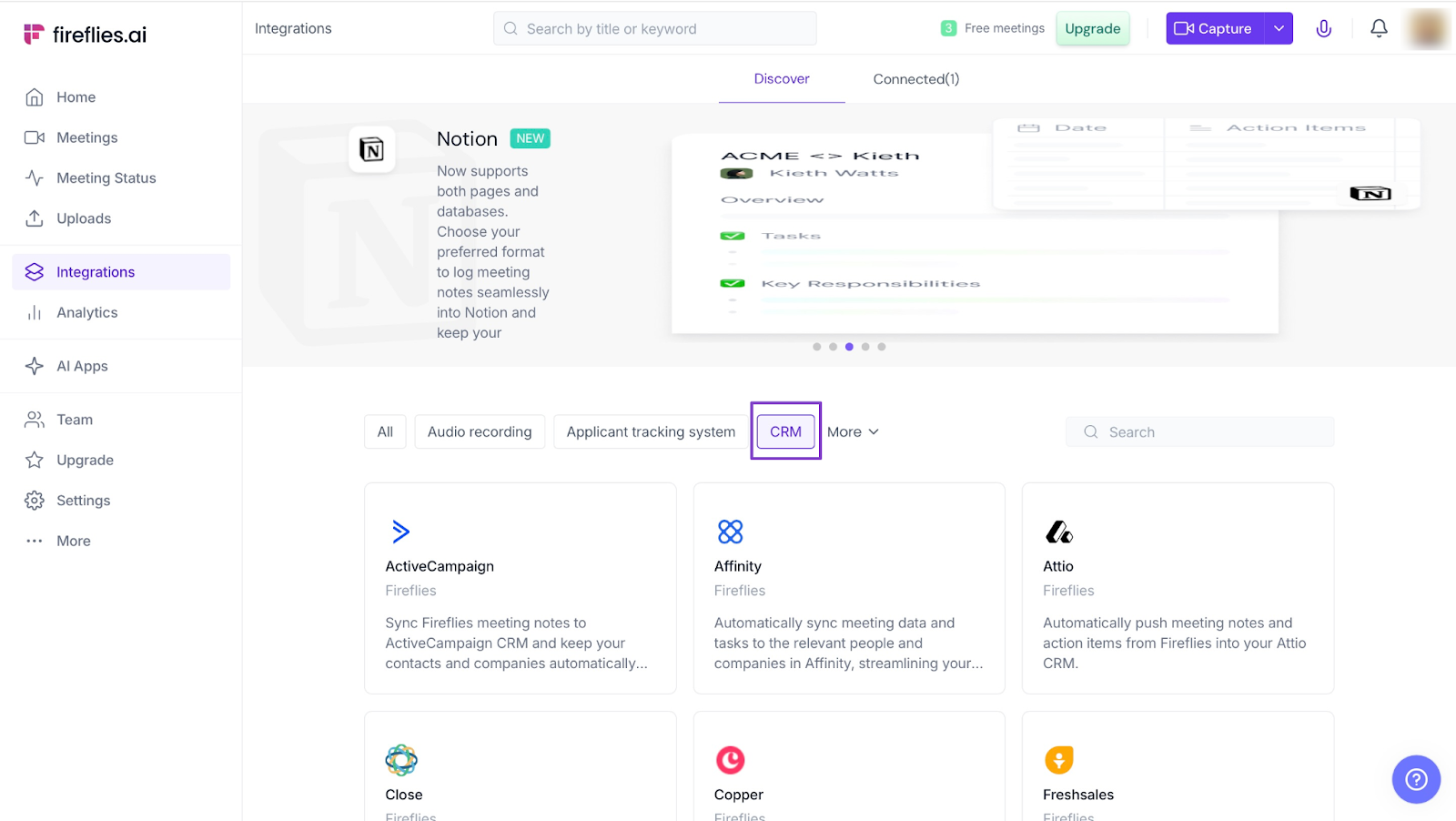
Now, scroll down to pick a tool. Let’s select HubSpot.
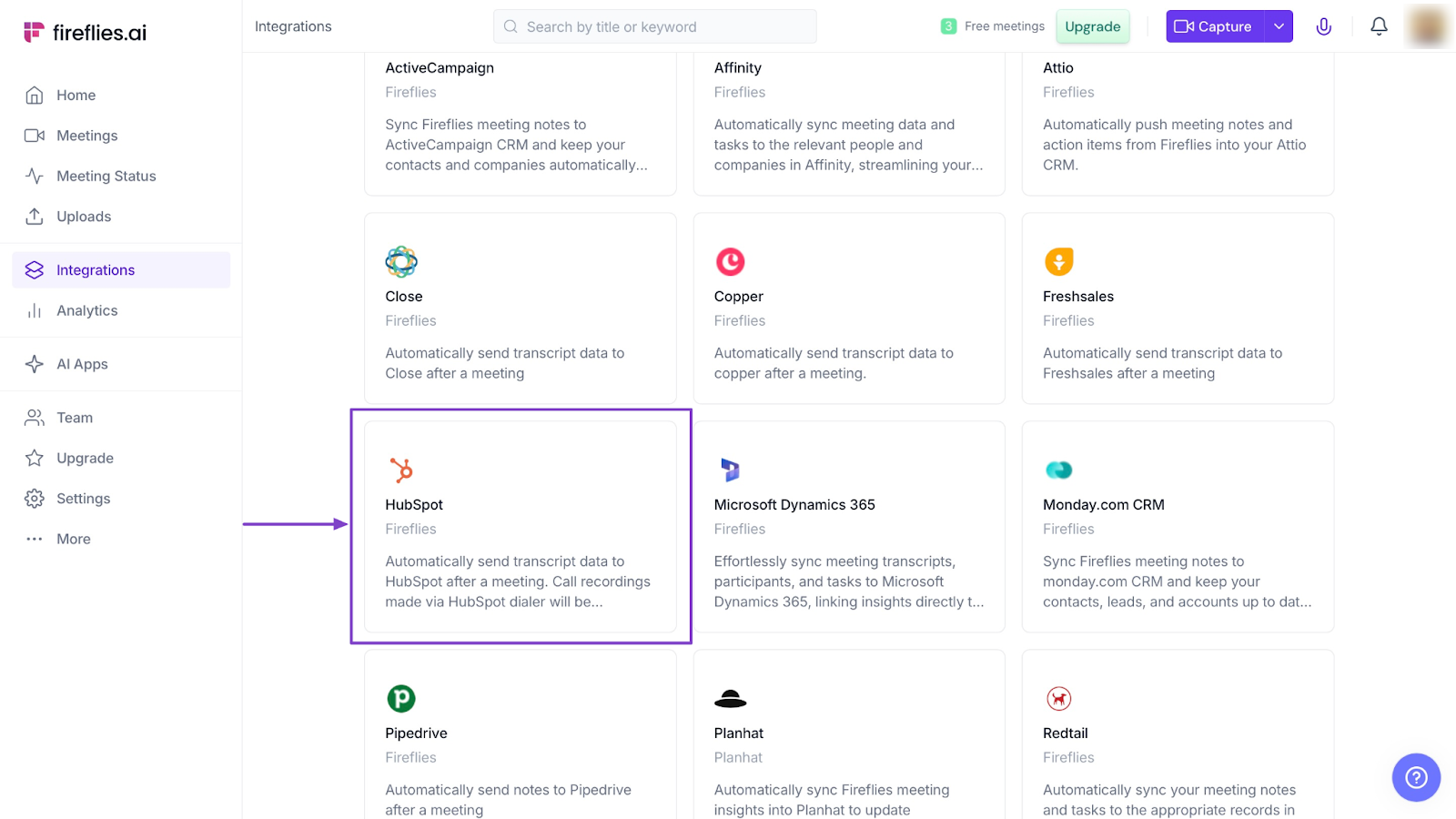
In the new window, click “Connect” to integrate your HubSpot account with Fireflies.
What impressed me vs What fell short
What impressed me 👍
✅ Fireflies’ meeting summary and transcripts save time because your team doesn't have to take notes manually
✅ It integrates with important tools like Zoom, Google Meet, Slack, and other CRMs like HubSpot.
✅ You can quickly search for old transcripts in case you need them
What fell short 👎
❌ Transcriptions can sometimes have bad spellings because of issues with accents and background noise (during meetings)
❌Some useful features, like Analytics, are only on the higher-priced plans.
Best For
- Teams who want to record and summarize meetings automatically.
Pricing
- Free: $0/month
- Pro: $18/month
- Business: $29/month
- Enterprise: $39/month
4. Apollo.io
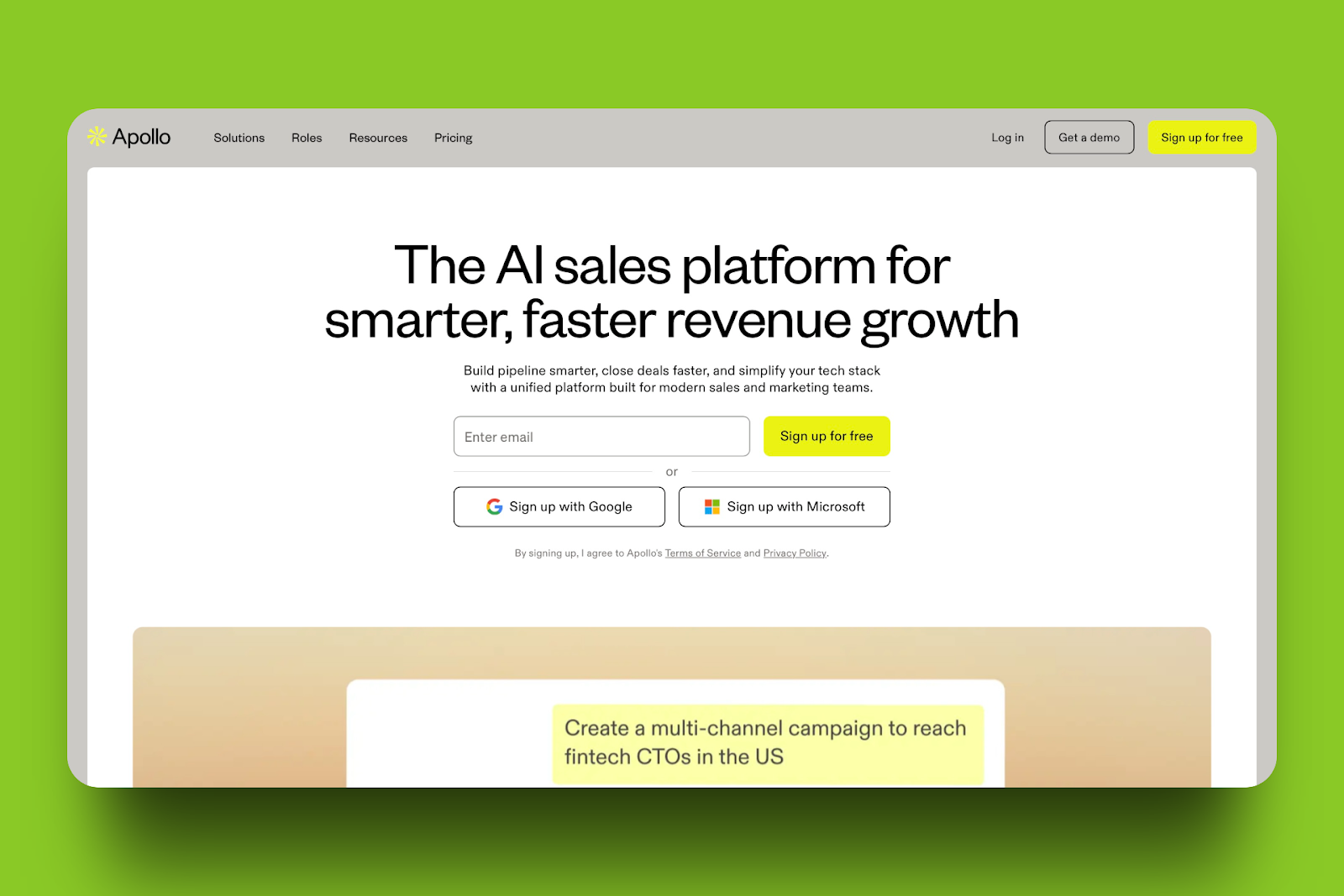
The fourth go-to-market tool on my list is Apollo.io. Your team can use Apollo to find leads, automate outreach, and manage deals.
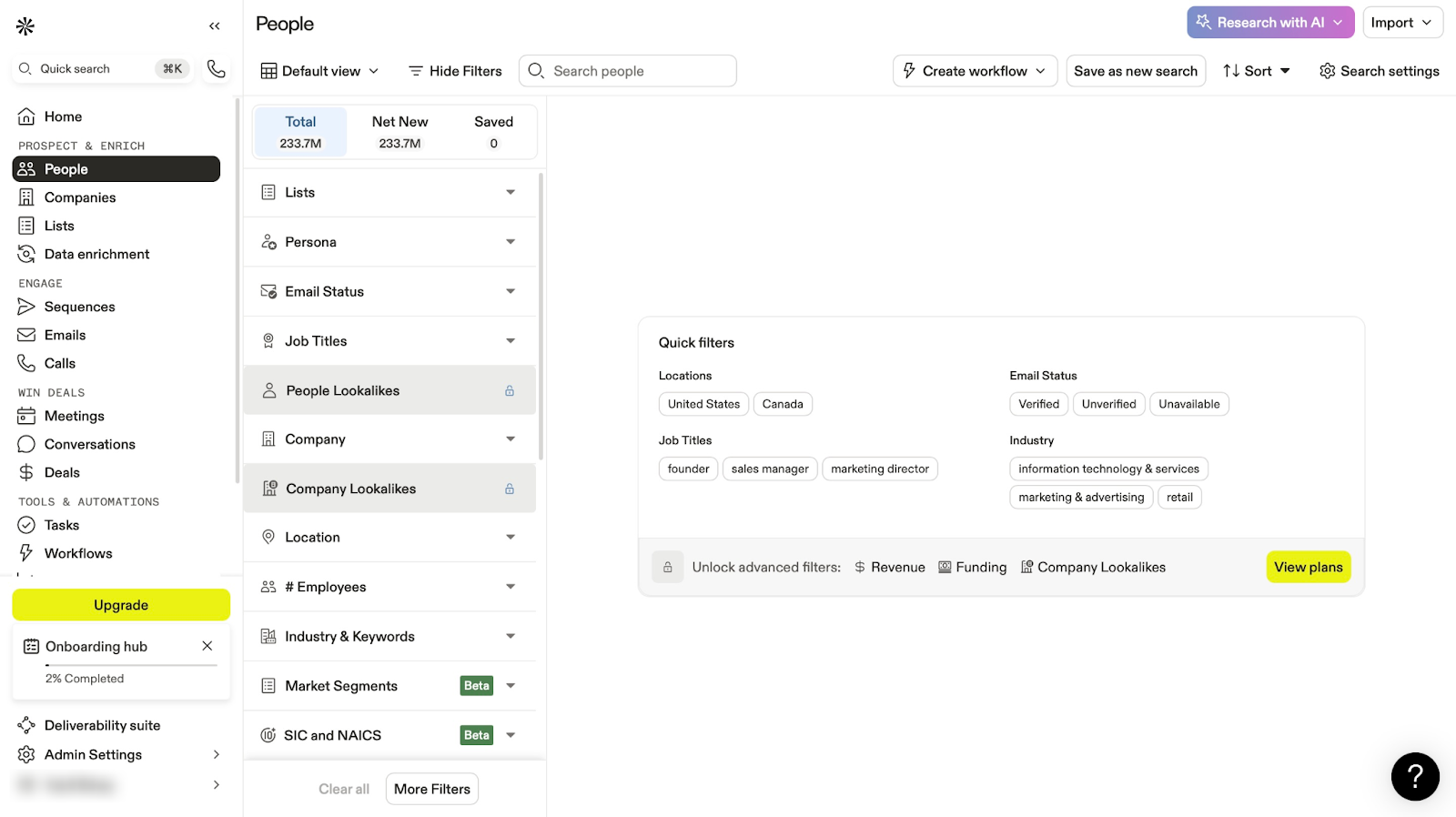
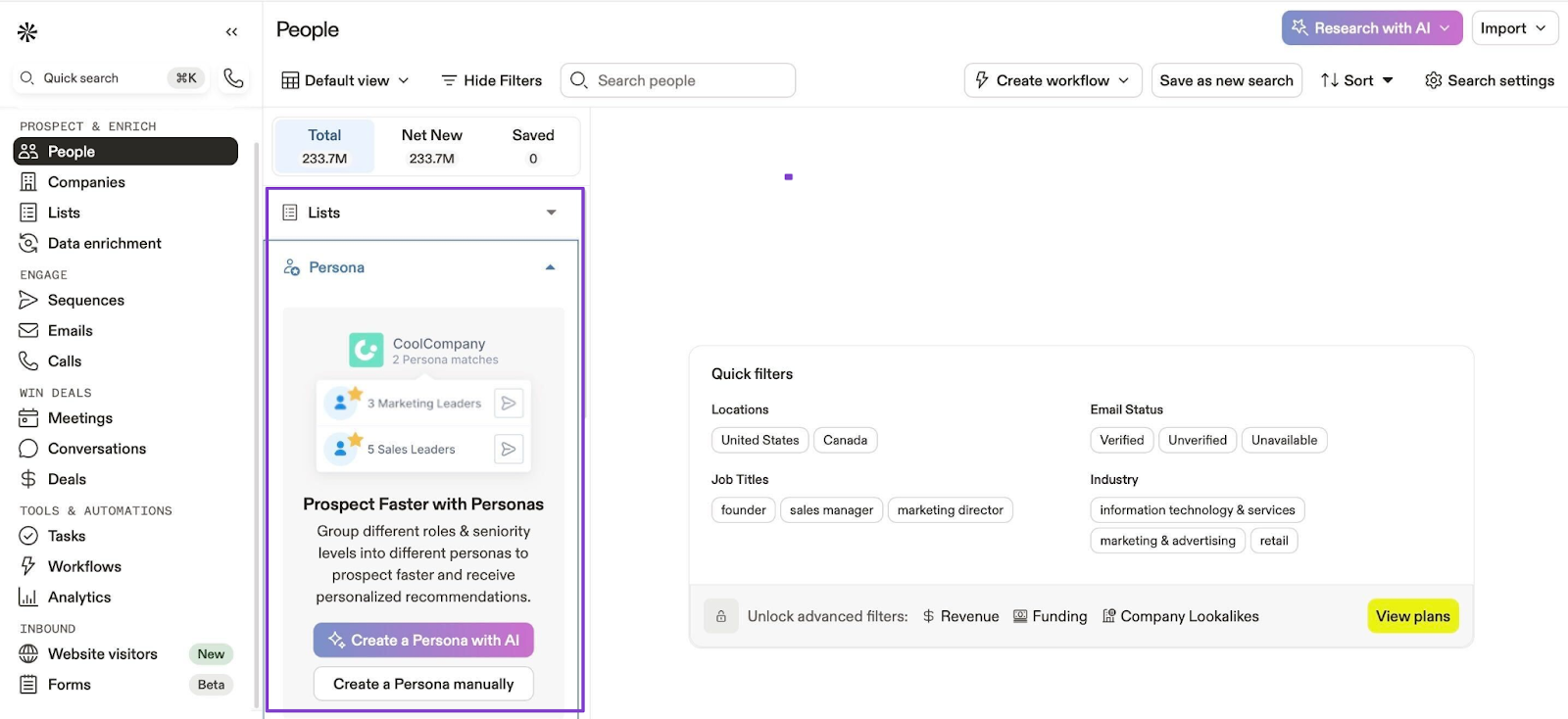
Apollo’s People feature lets you create a persona with AI or manually. You can also add contacts by importing a CSV file from your computer.
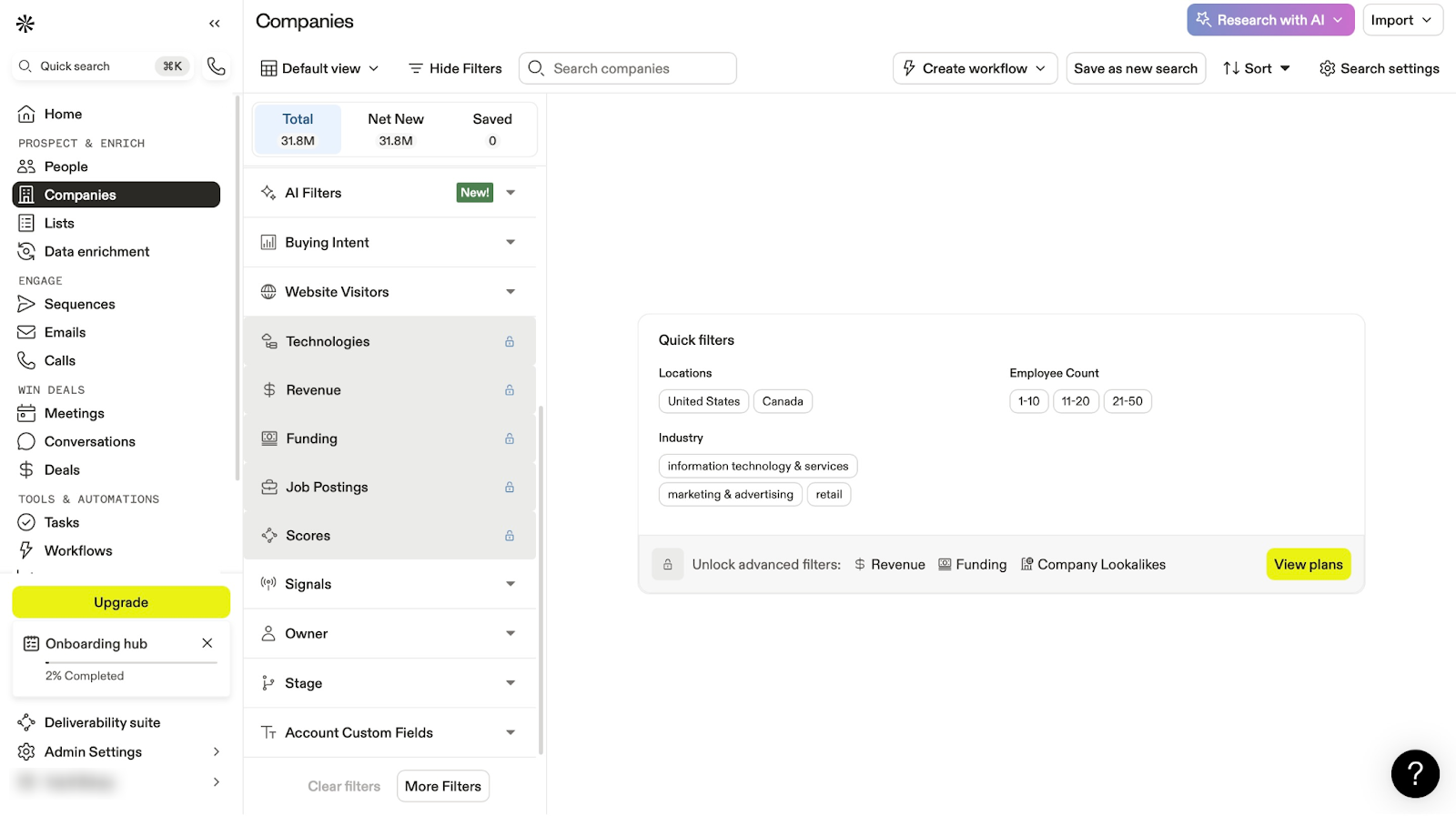
With its Companies feature, you can also create company profiles with AI or add them manually. You can also create a list of the companies you add.
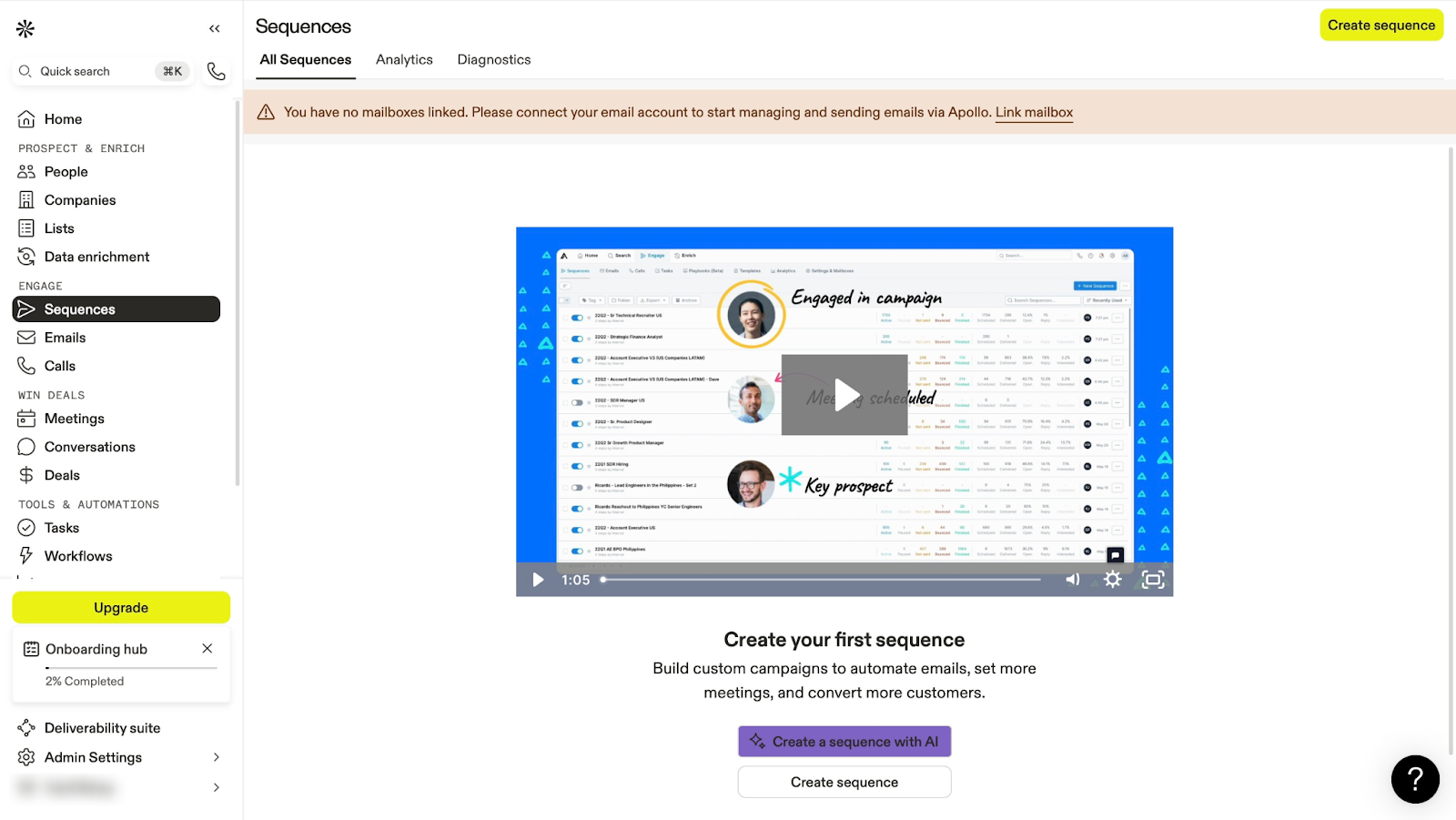
That’s not all. Its Sequences lets you create automated emails with templates or AI. You can also track the analytics of the email sequences you’ve already created.
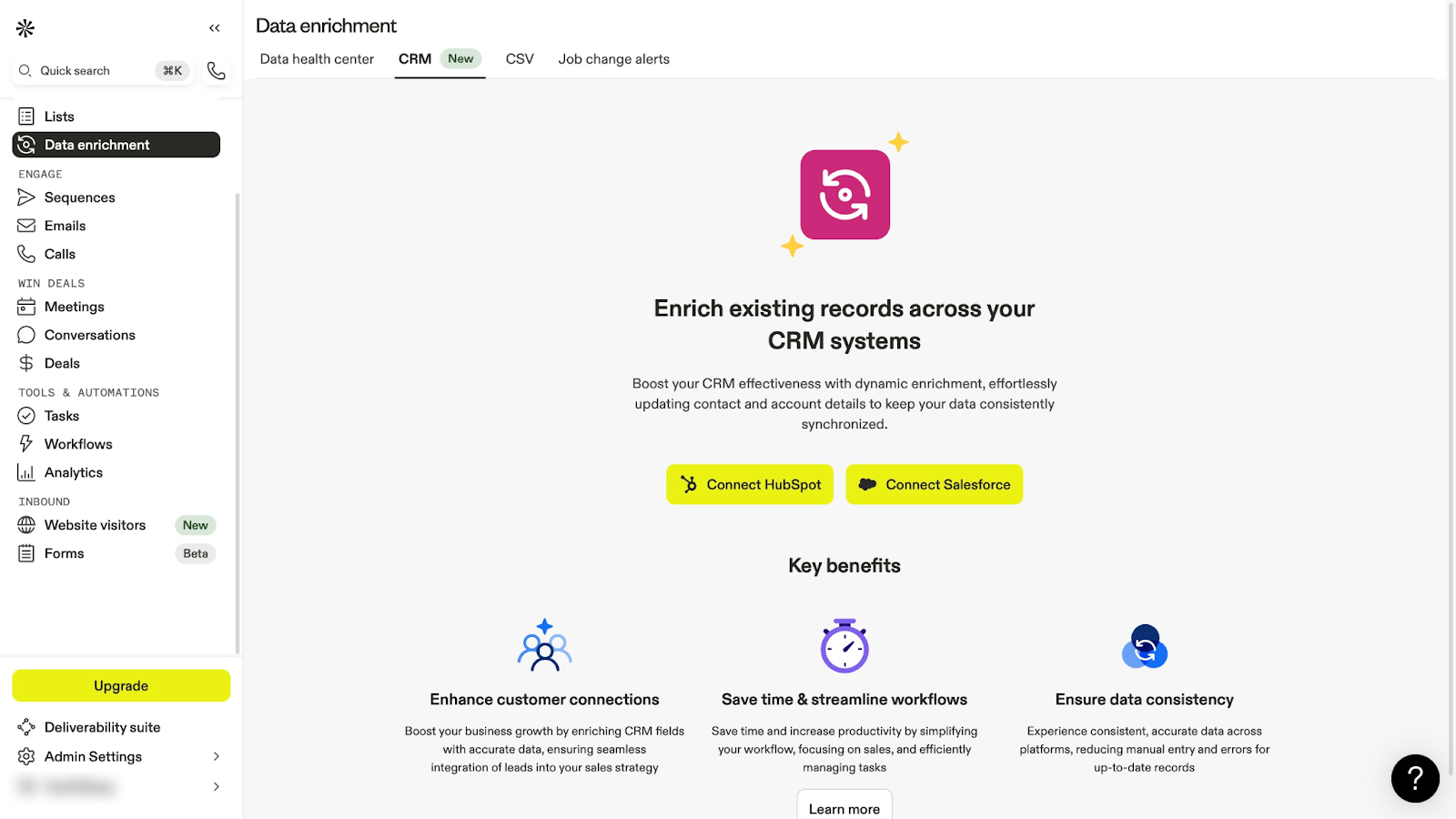
Thanks to the Data enrichment tool, you can connect HubSpot or Salesforce to update contacts in your CRM tools.
Features I Admired
1. People
With Apollo’s People feature, you can add contacts with AI to save time. AI does the heavy lifting and the research for you.
Let me show you how to do this in a few steps.
Click “People” in the sidebar. Then click “Persona” on the left side of the window.
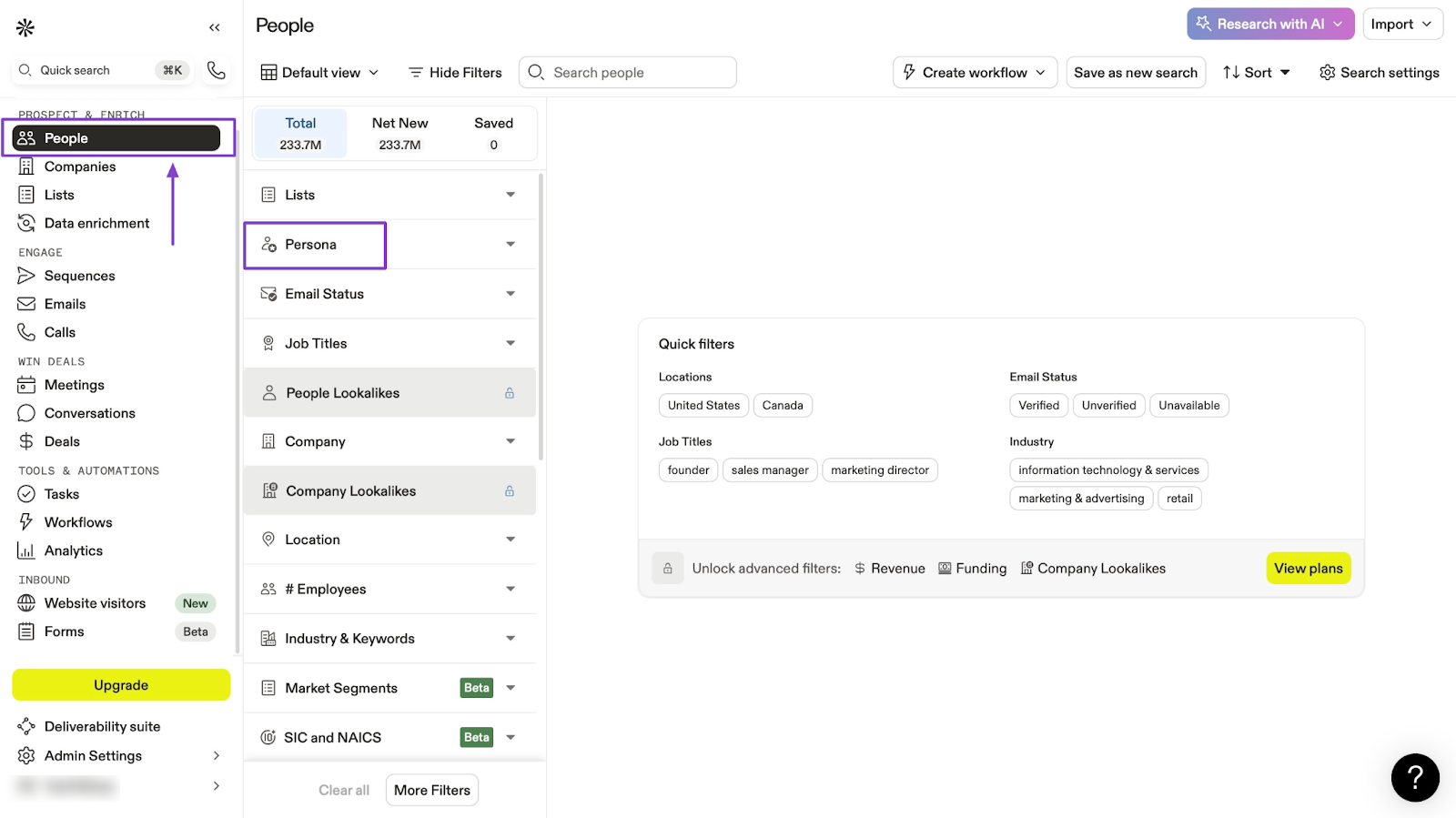
Now, click “Create a persona with AI.”
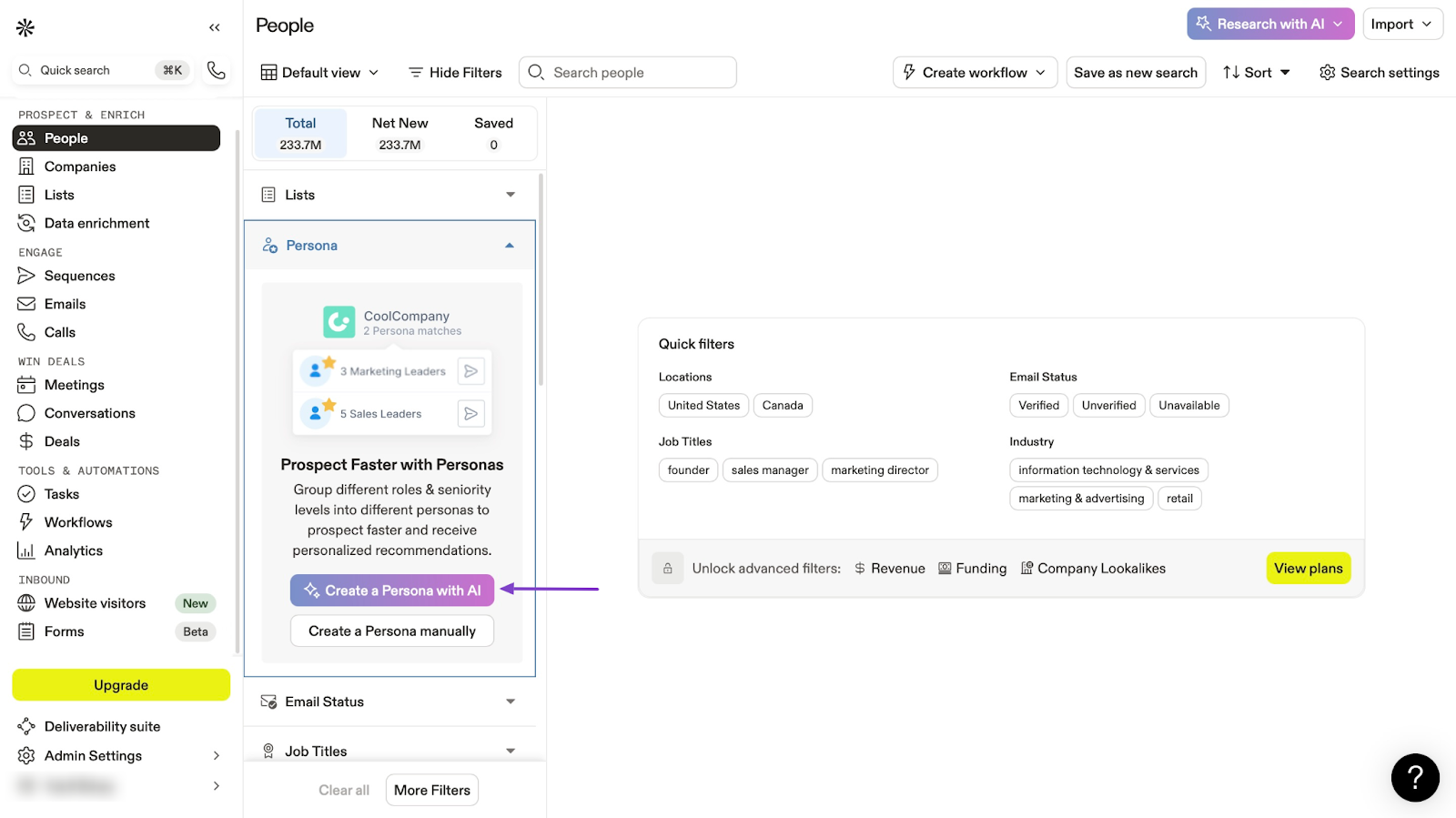
In the pop-up window, Apollo AI will use your selected product or service to recommend personas. Click "Confirm" to continue if it got your product right.
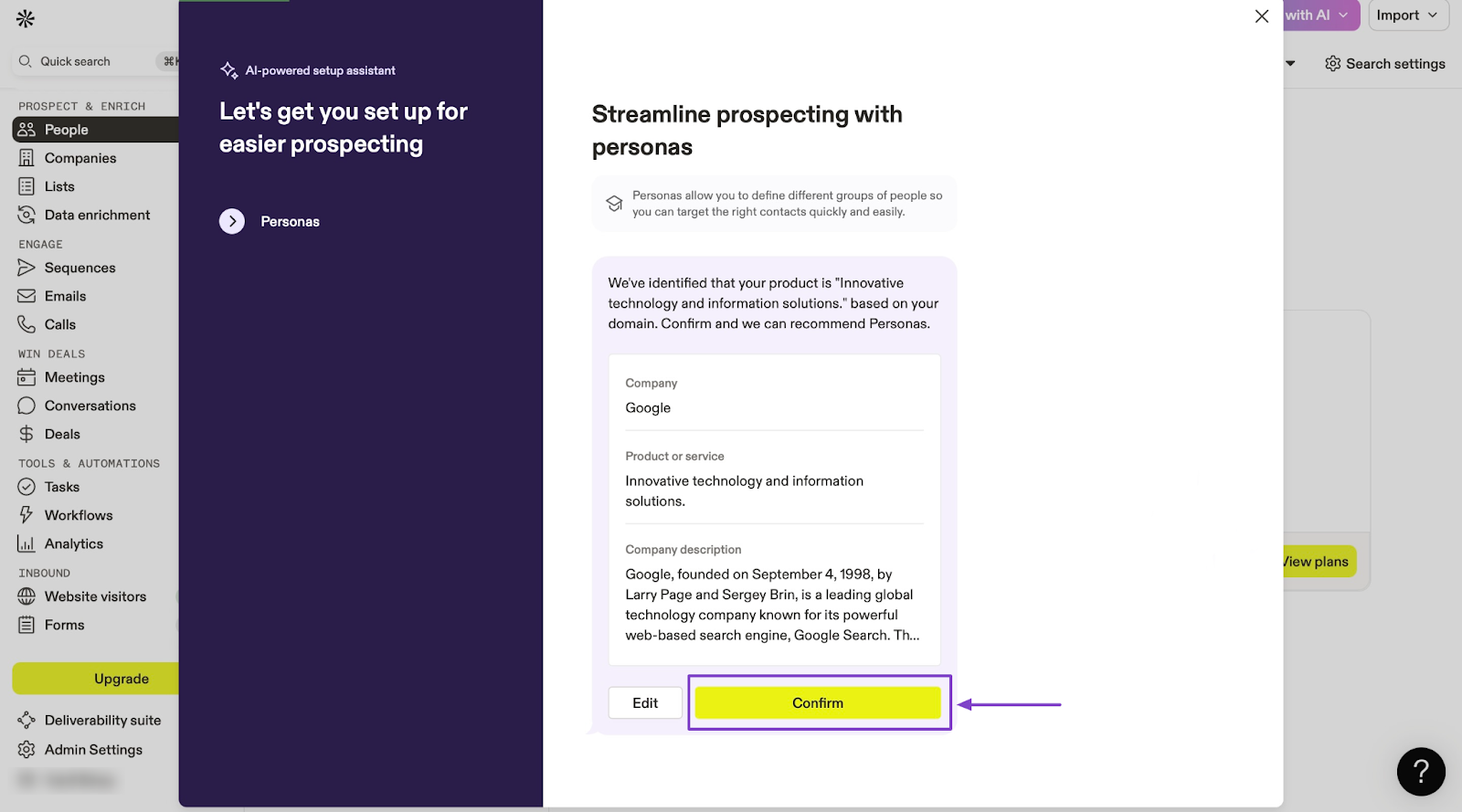
From here, select the pen icon beside the job title of the contact you’d like to add.
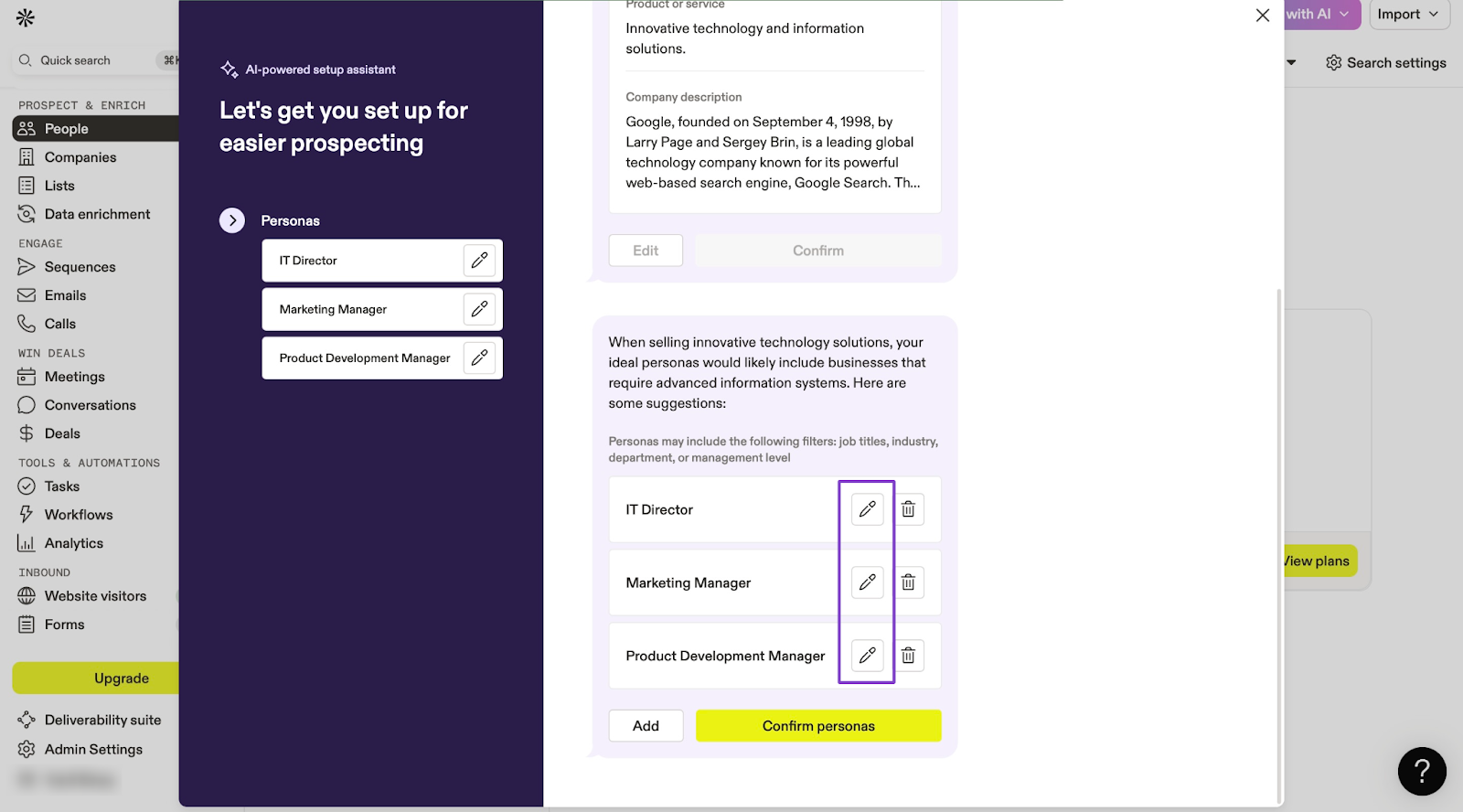
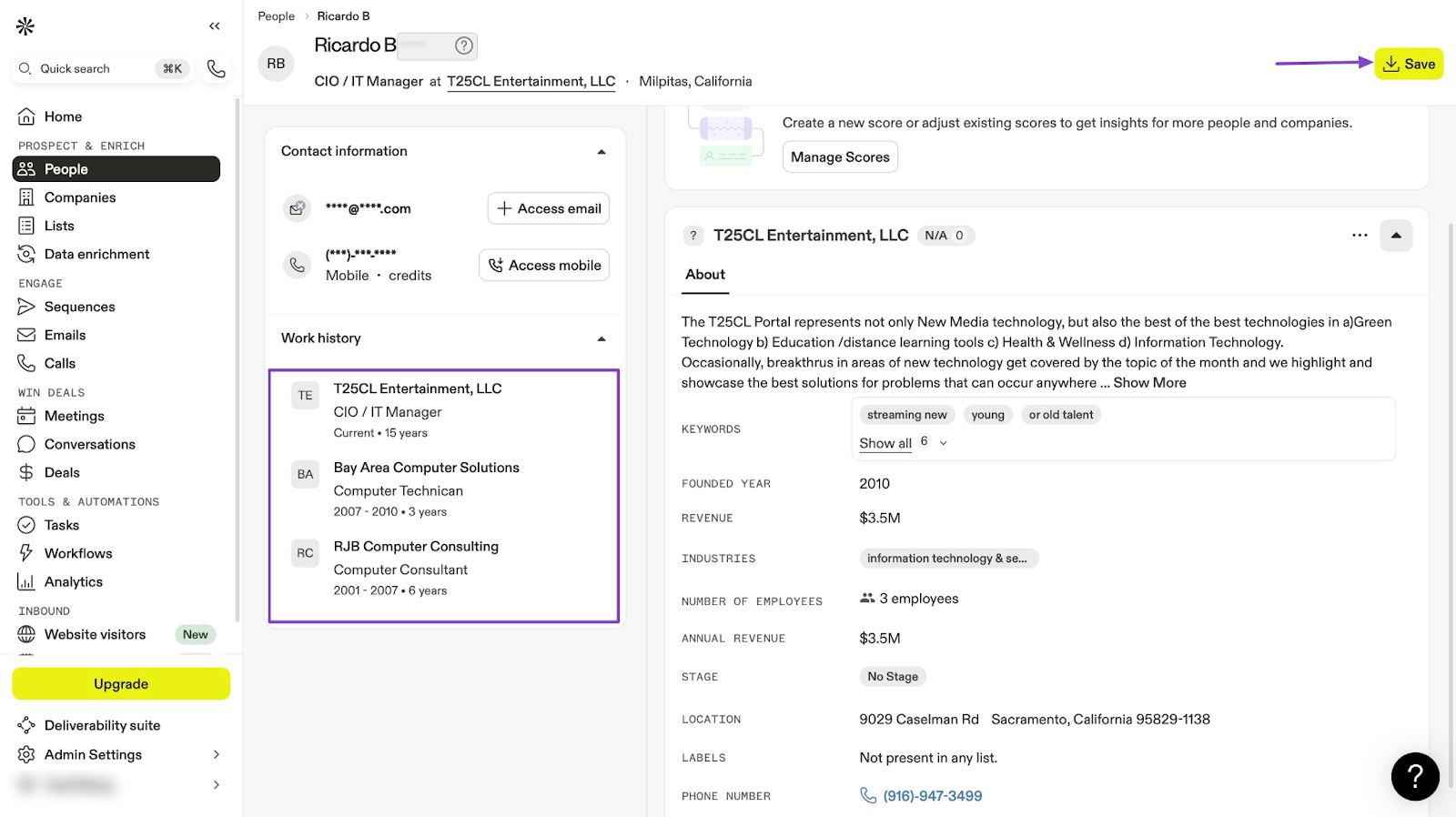
Apollo AI will then generate all possible contacts that match what you’re looking for. It’s a long list, but you can go through it or narrow down its search.
Once you have found the persona or contact you’re looking for, click it. Then, in the new window, click “Save.”
2. Companies
Apollo’s Companies feature lets you add companies and even create a list. This helps you to target and organize your outreach.
Let me show you how to do this.
Click “Companies” in the sidebar. Now select “ Company” on the left side of the window.
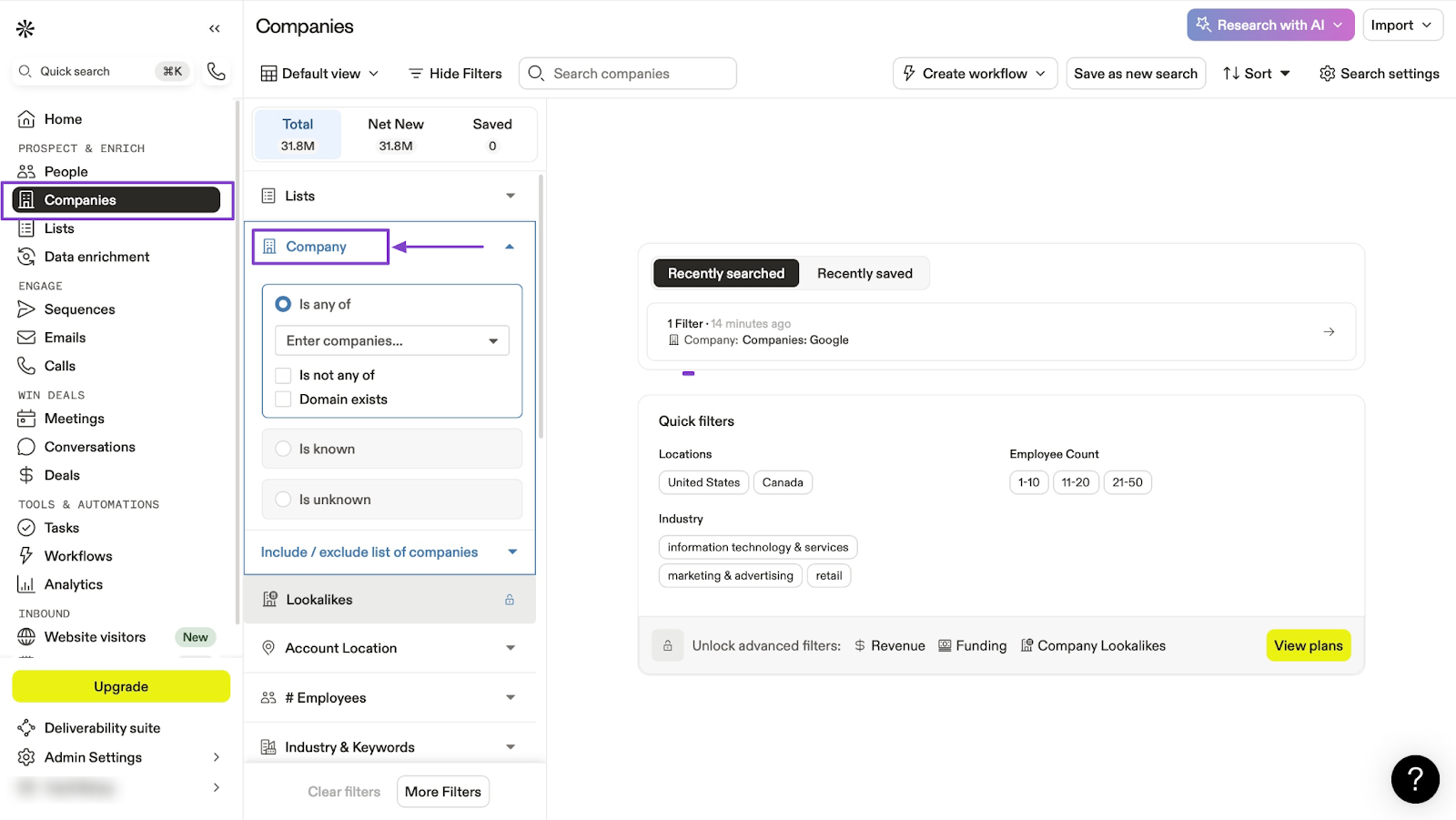
Then, click in the text to select the company you’d like to add.
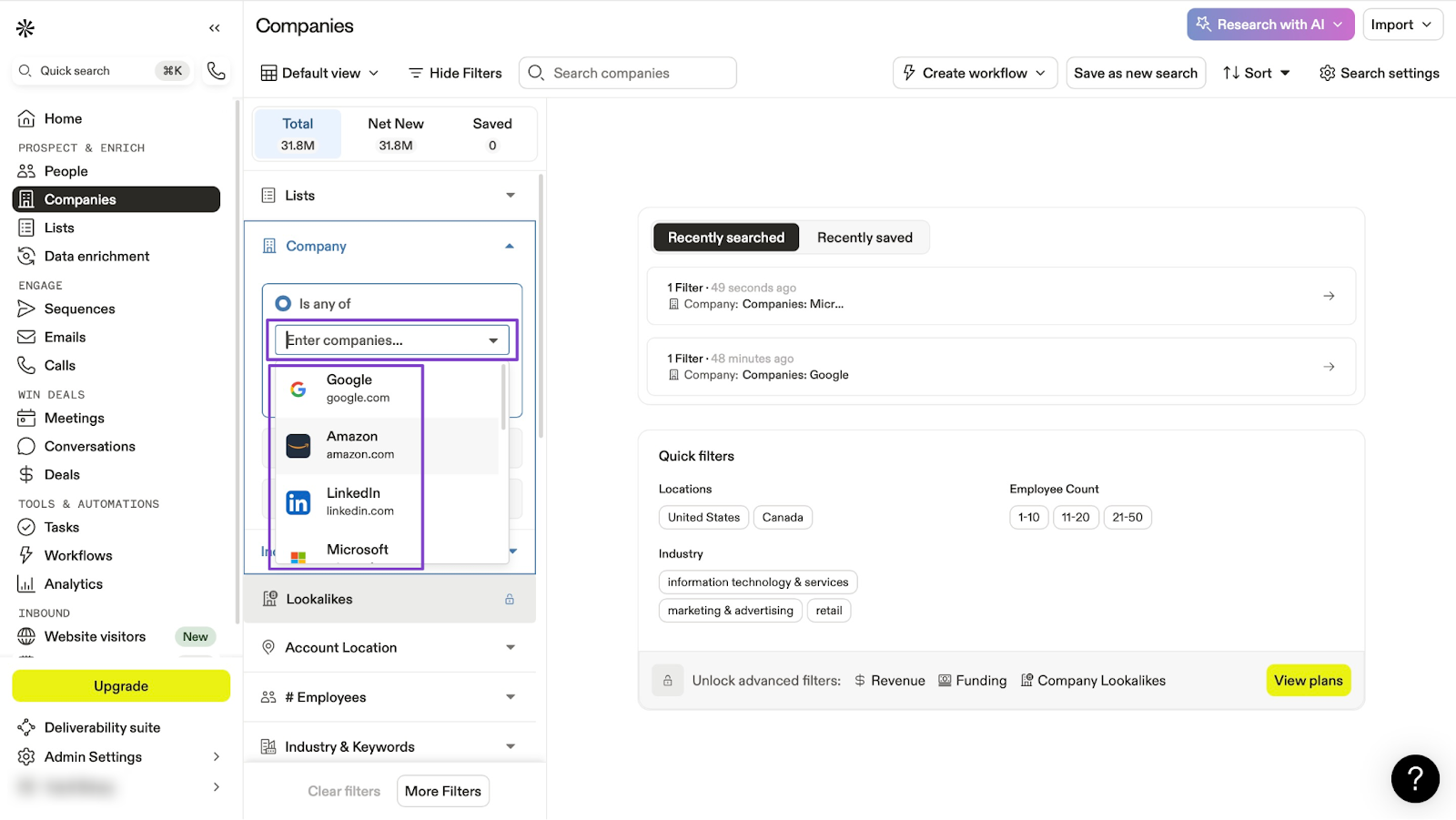
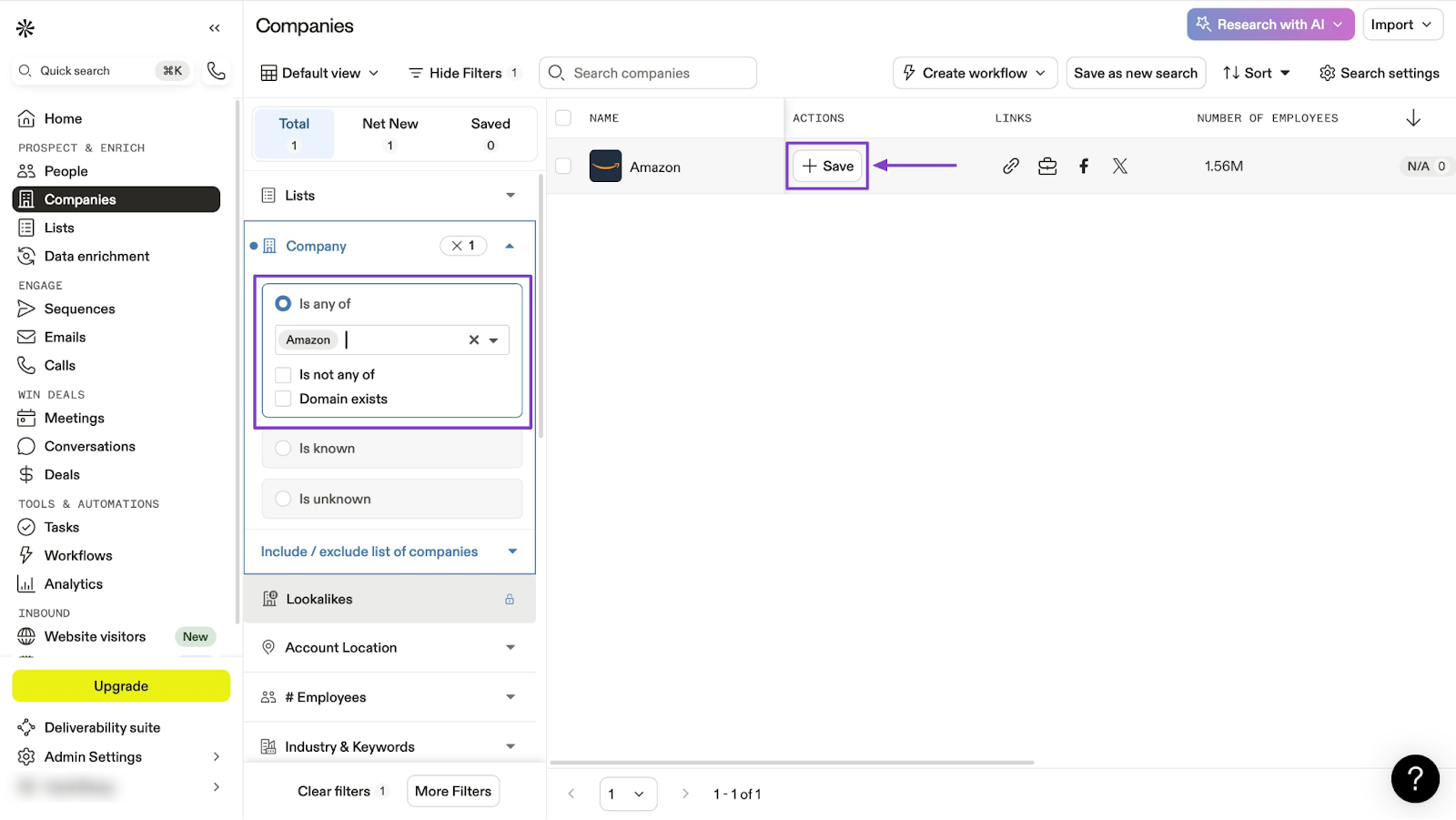
After that, select the company and click “+ Save” on the right side of the window.
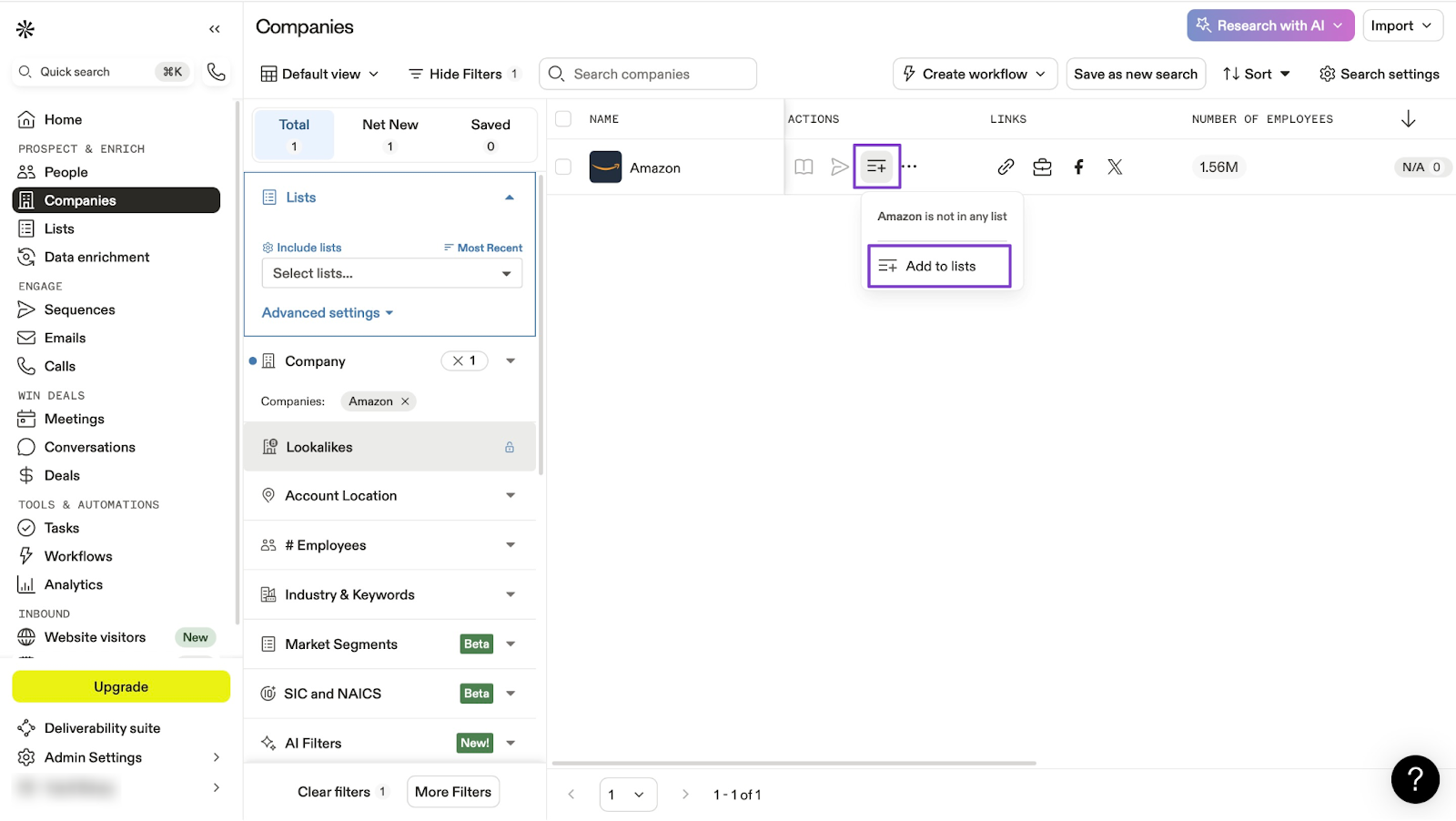
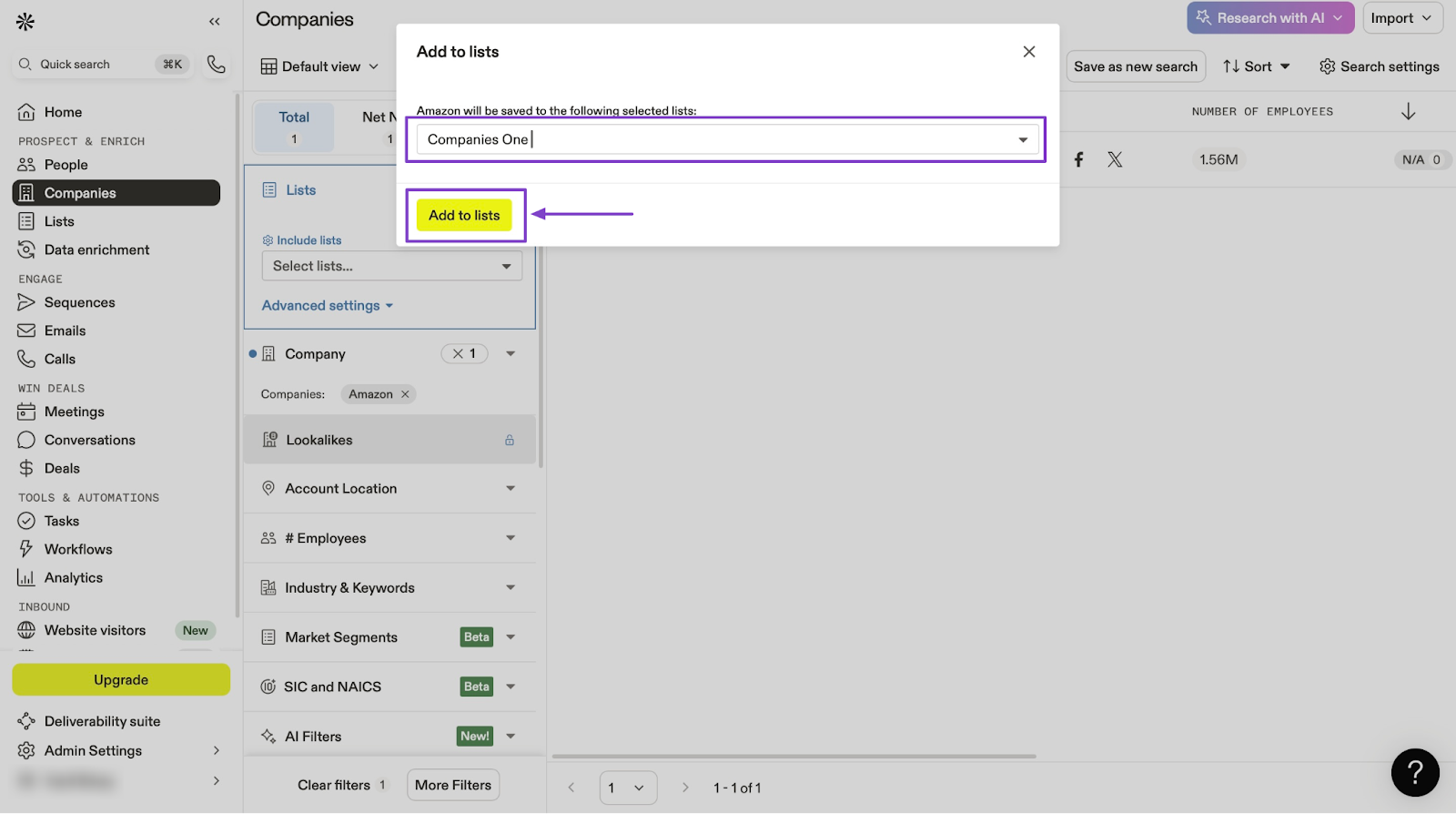
Once you’ve done that, click on the add item icon to include the company in a list. You can create a list if you don’t already have one.
Just select “Add to lists” after clicking on the icon.
Then, enter the list's name and hit the yellow “Add to lists” button.
3. Sequences
With Sequences, you can automate marketing campaigns.
First, click “Sequences” in the sidebar. Next, select “Create a sequence with AI.”
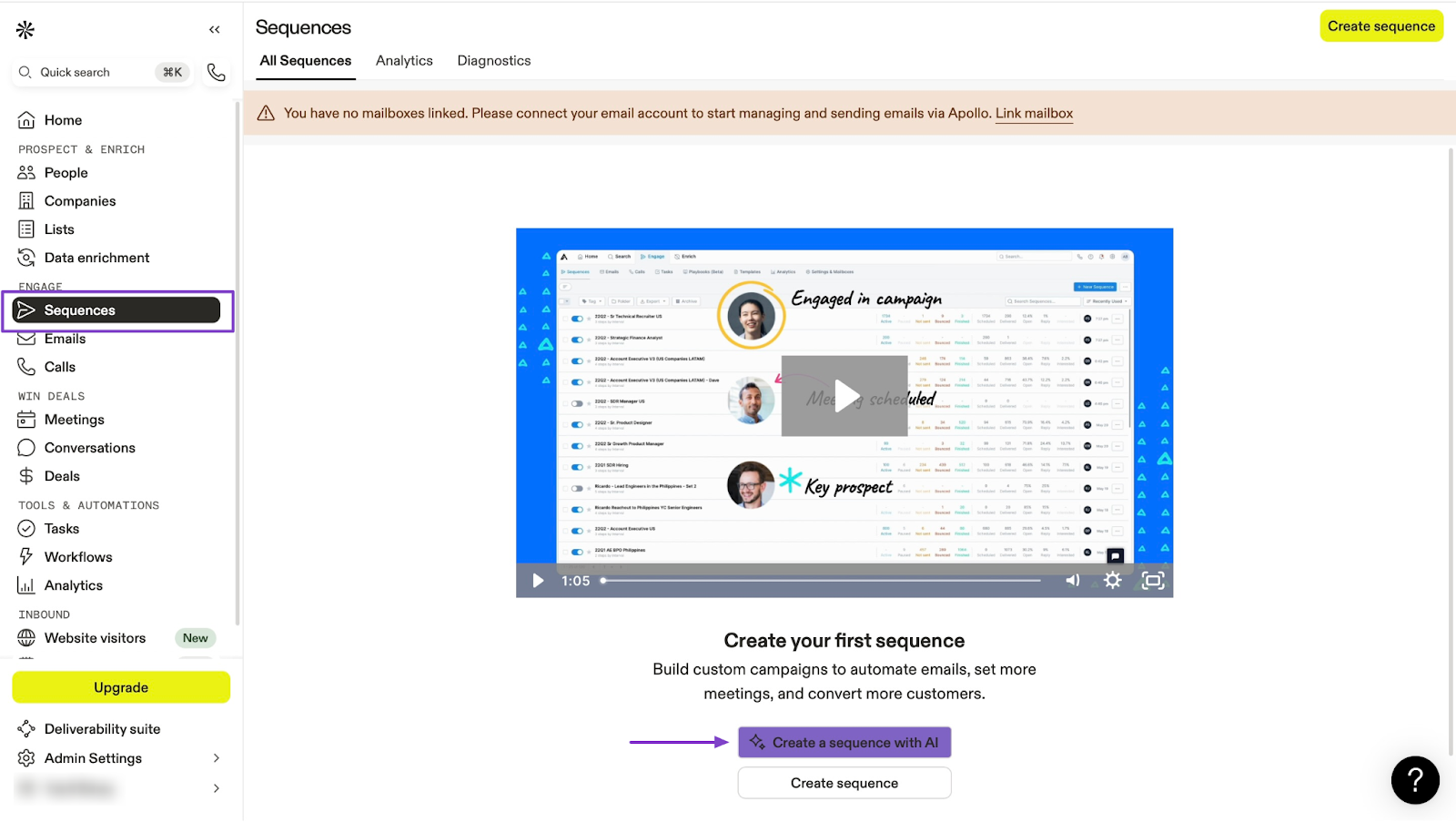
After that, enter your company or product name. Then add three challenges your product or service solves. Next, add at least three benefits of using your product or service, and add a call-to-action (CTA)
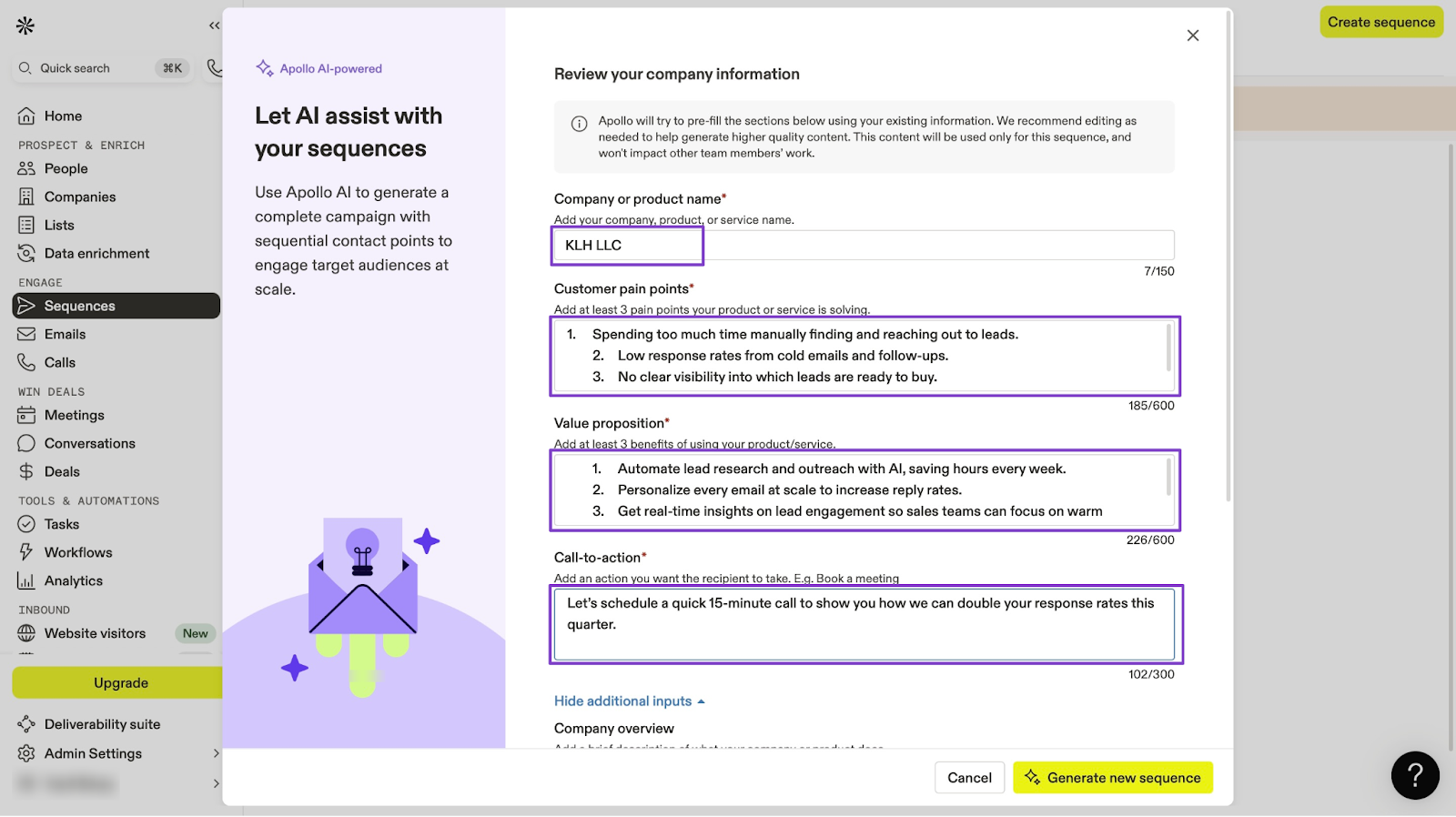
You may scroll down to add your company overview, more context about your campaign, and a testimonial.
After that, click “Generate new sequence.”
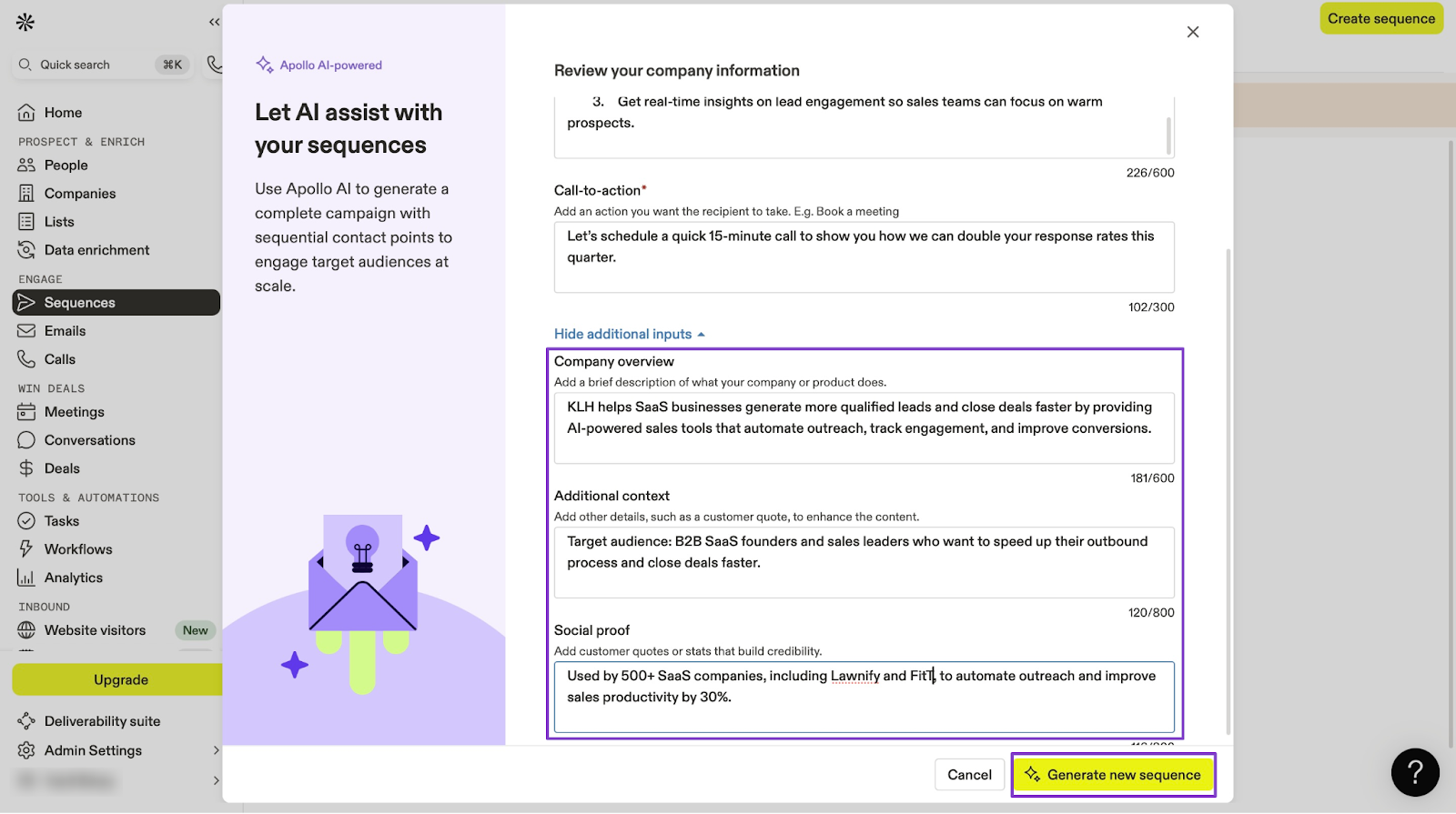
From here, click “Save sequence.”
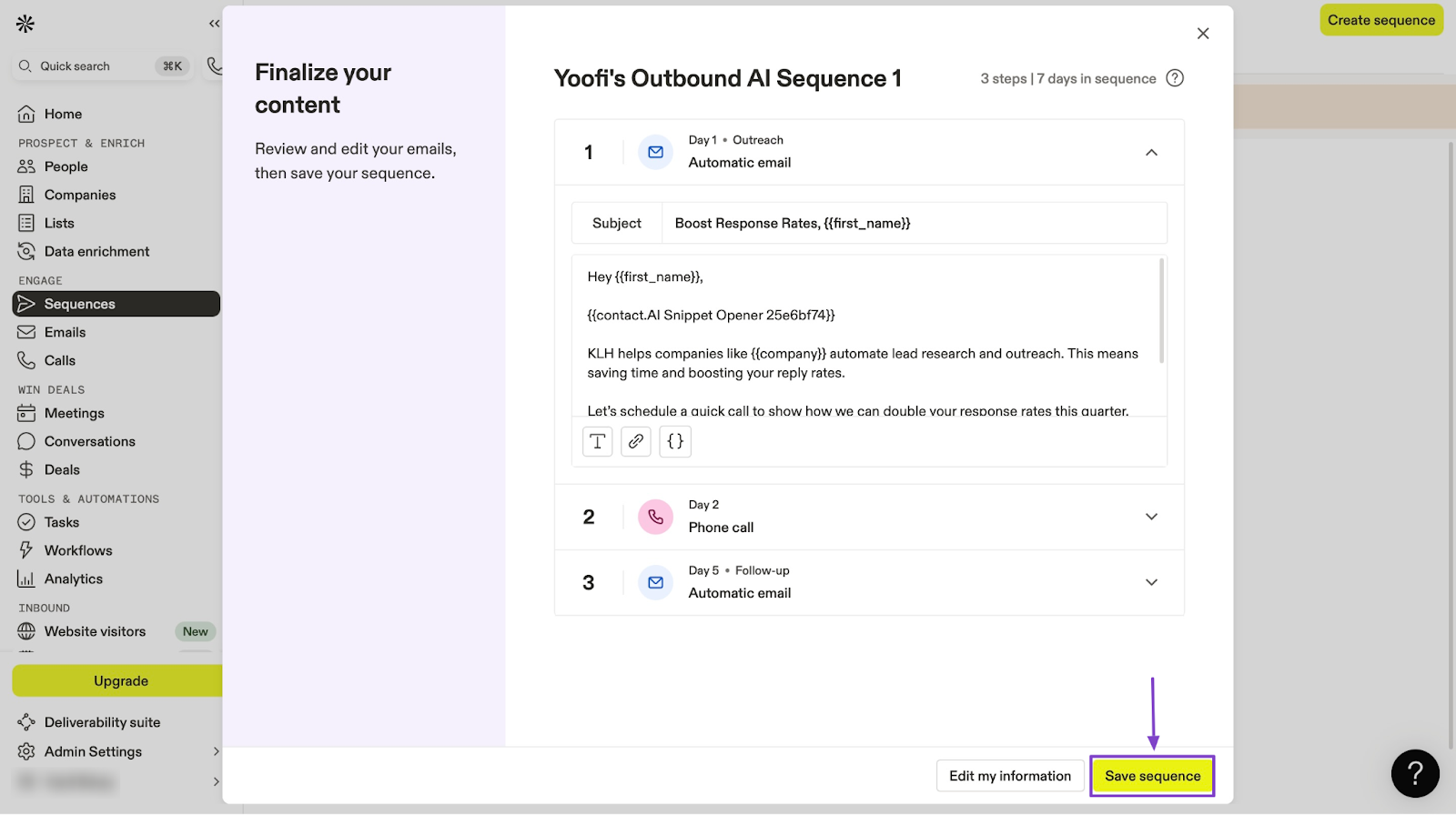
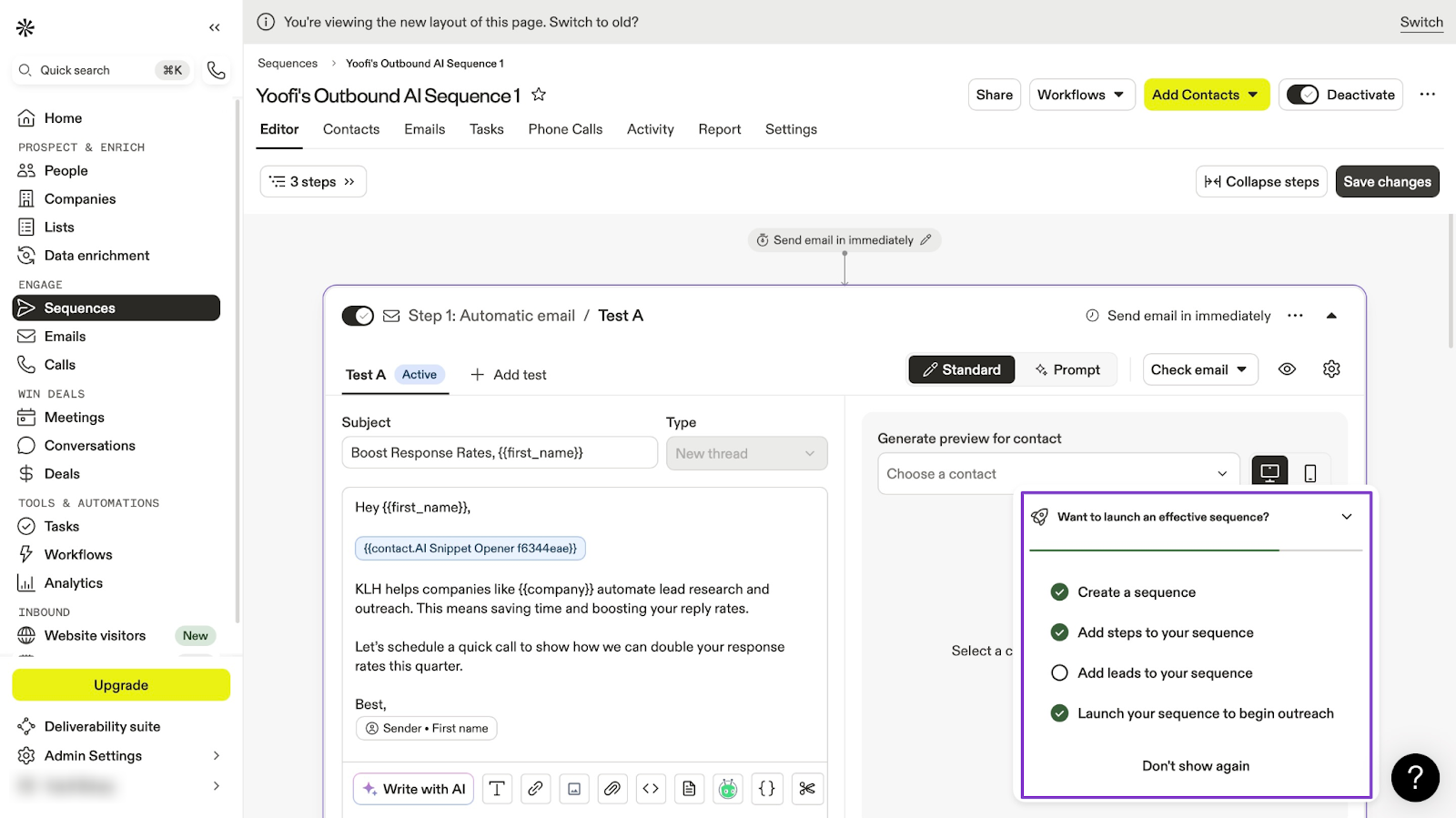
In the new window, add more details to the sequence you just created. For example, you can add emails and contacts and include more information as you please.
What impressed me vs What fell short
What impressed me 👍
✅ It has a large and rich contact database with lots of search filters to help you find the right leads
✅ Apollo integrates well with CRMs like HubSpot, Salesforce, and more
✅It offers a free plan so you can test it before fully committing
What fell short 👎
❌ It operates on a credit-based system, and that can cost more as you scale
❌The interface can feel complex and may require some adjusting to.
Best For
- Sales teams who want to find leads and run outreach campaigns.
Pricing
- Free: $0/month
- Basic: $49/month
- Professional: $79/month
- Organization: $119/month
5. Jasper
Jasper is a go-to-market tool designed to help you write marketing content quickly and easily. You can use Jasper AI (or simply Jasper) to write marketing copy, blog posts, and emails faster.
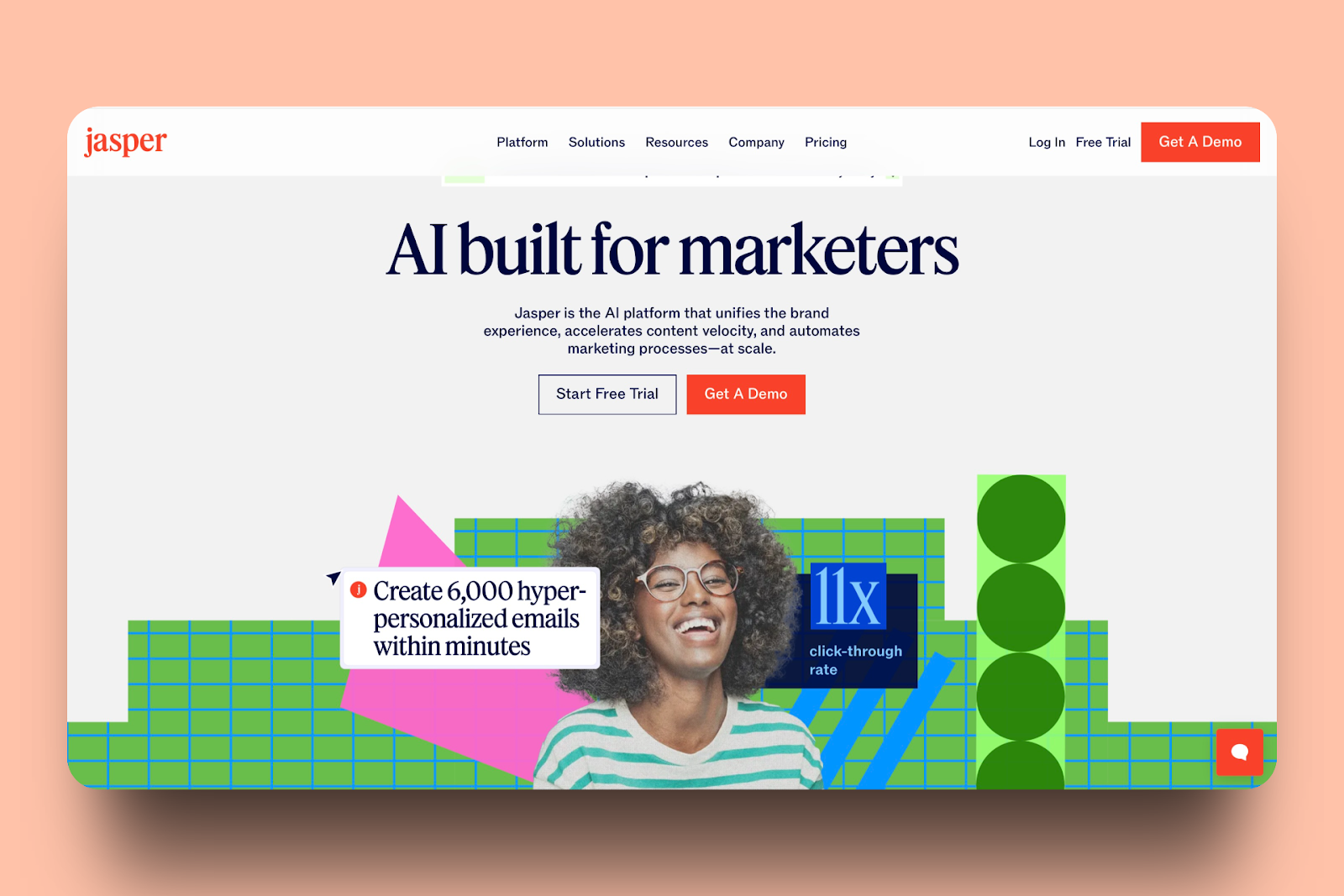
Thanks to the Brand Voice feature, it can match marketing content to fit your business’s tone and style.
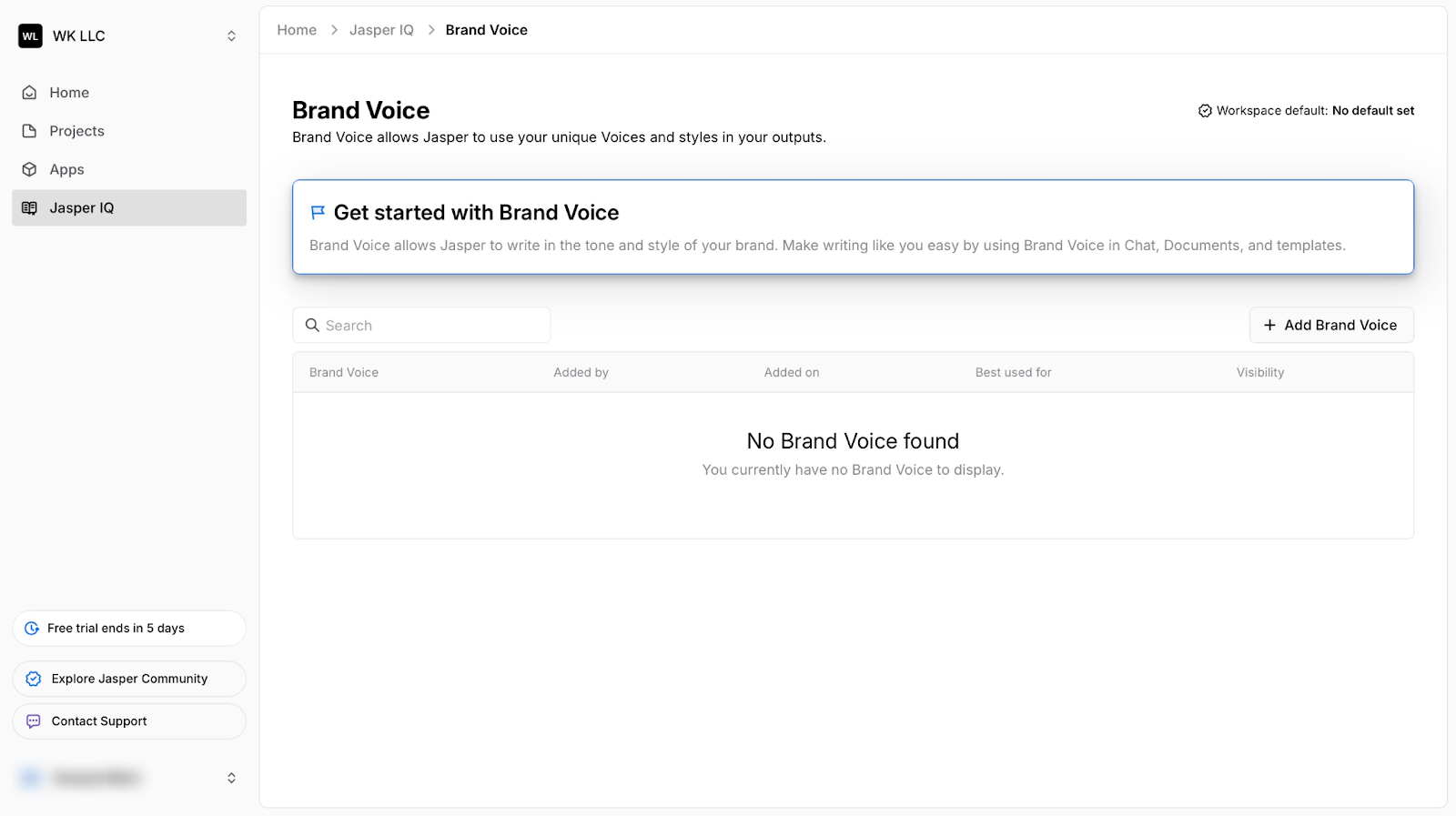
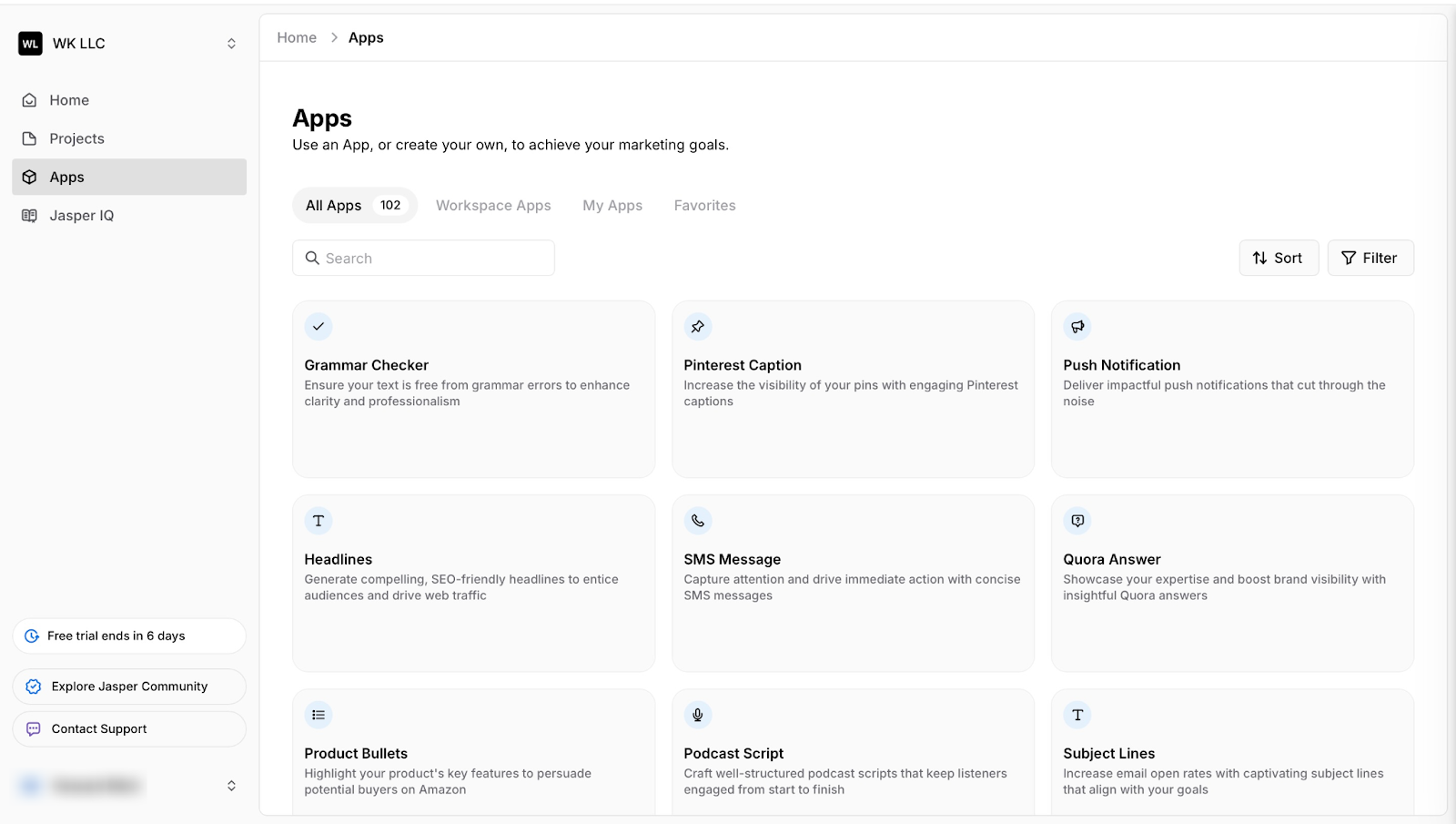
Its Apps feature allows you to use tools like Headlines, Grammar Checker, Meta Title and Description, and more.
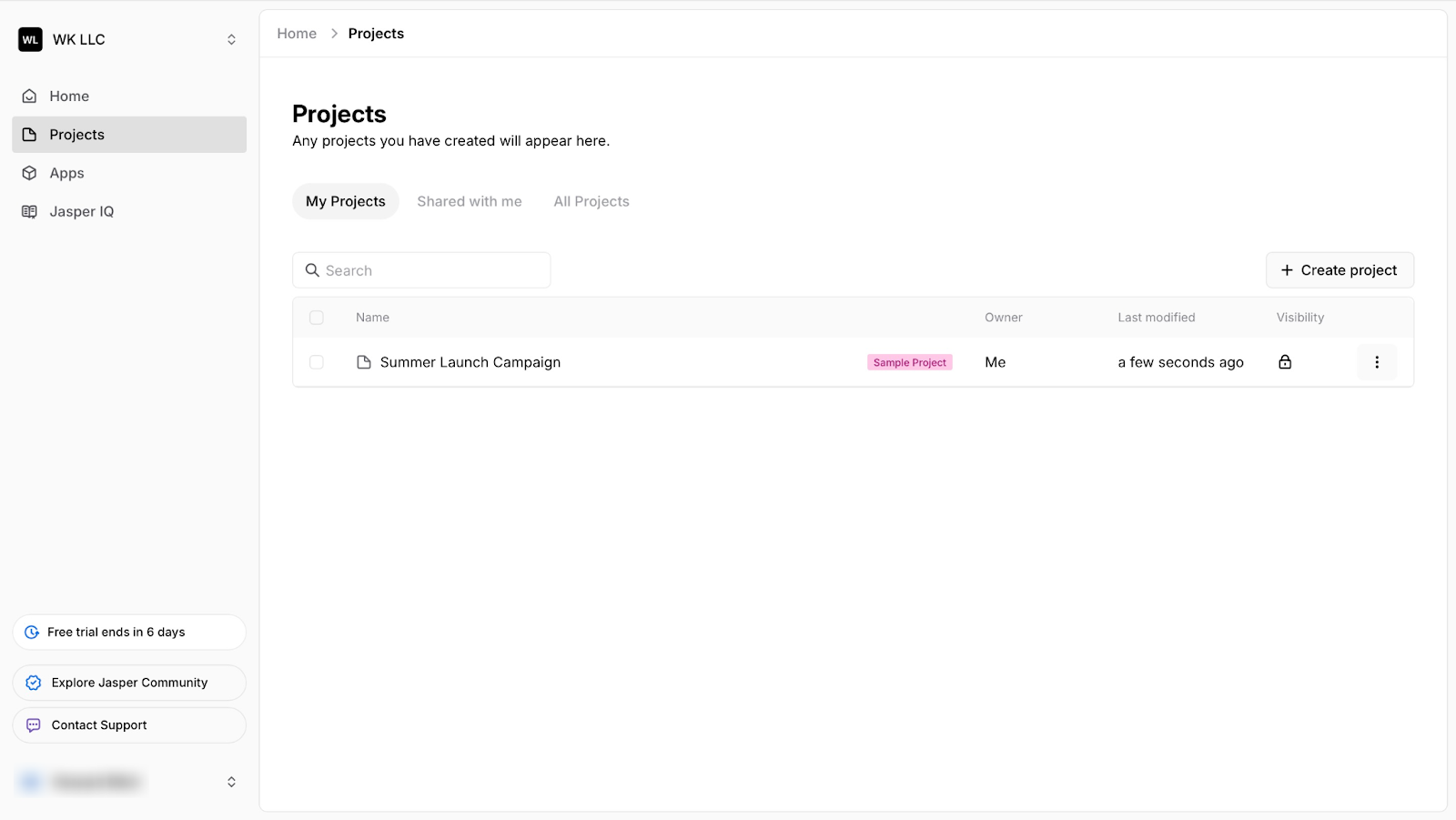
Again, the Projects feature lets you create, search, and delete projects. You can also see projects others have shared with you.
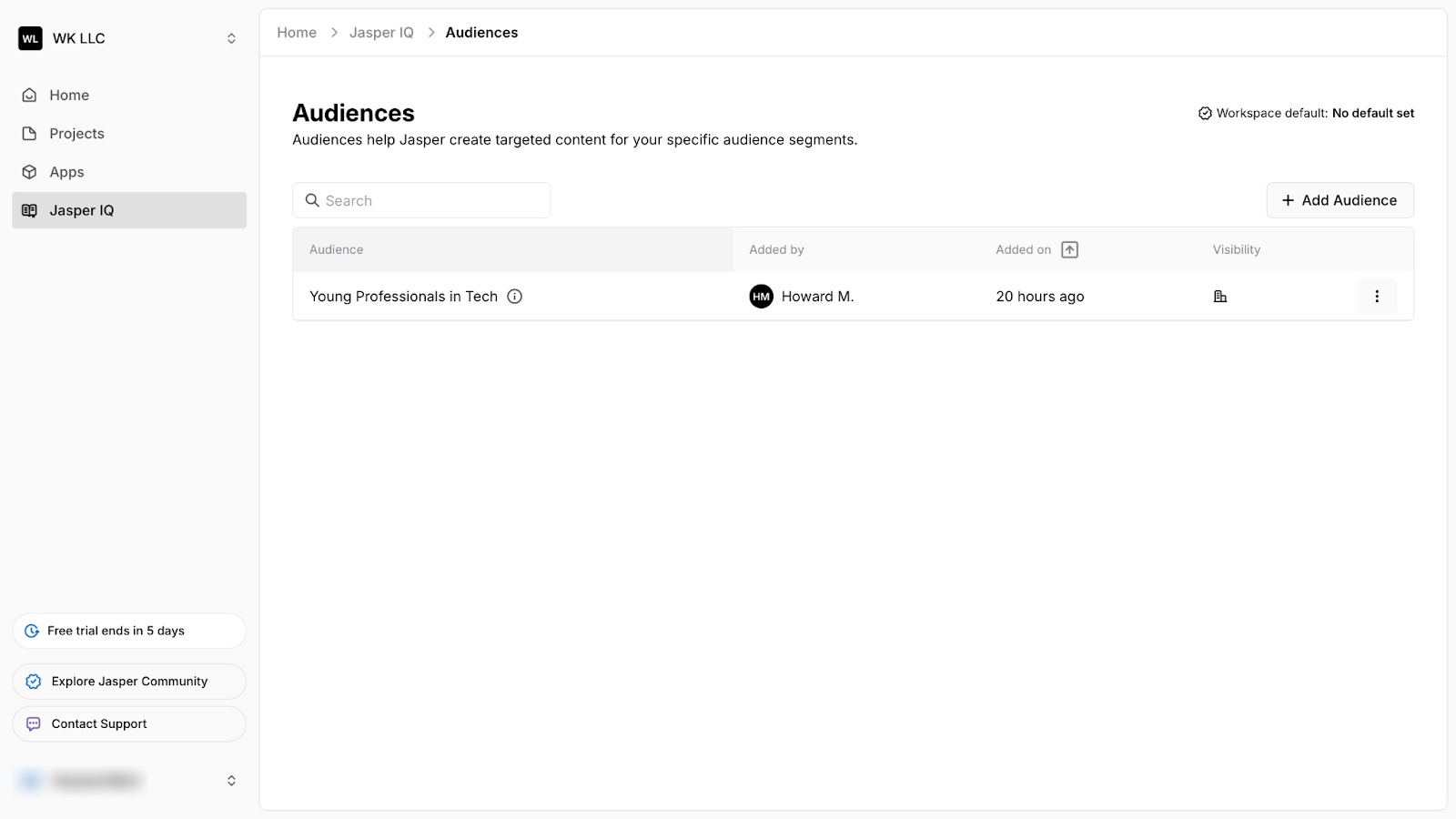
Lastly, with its Audiences feature, Jasper will provide content specific to your target market, whether CEOs, marketers, or other small business owners.
Features I Admired
1. Jasper IQ
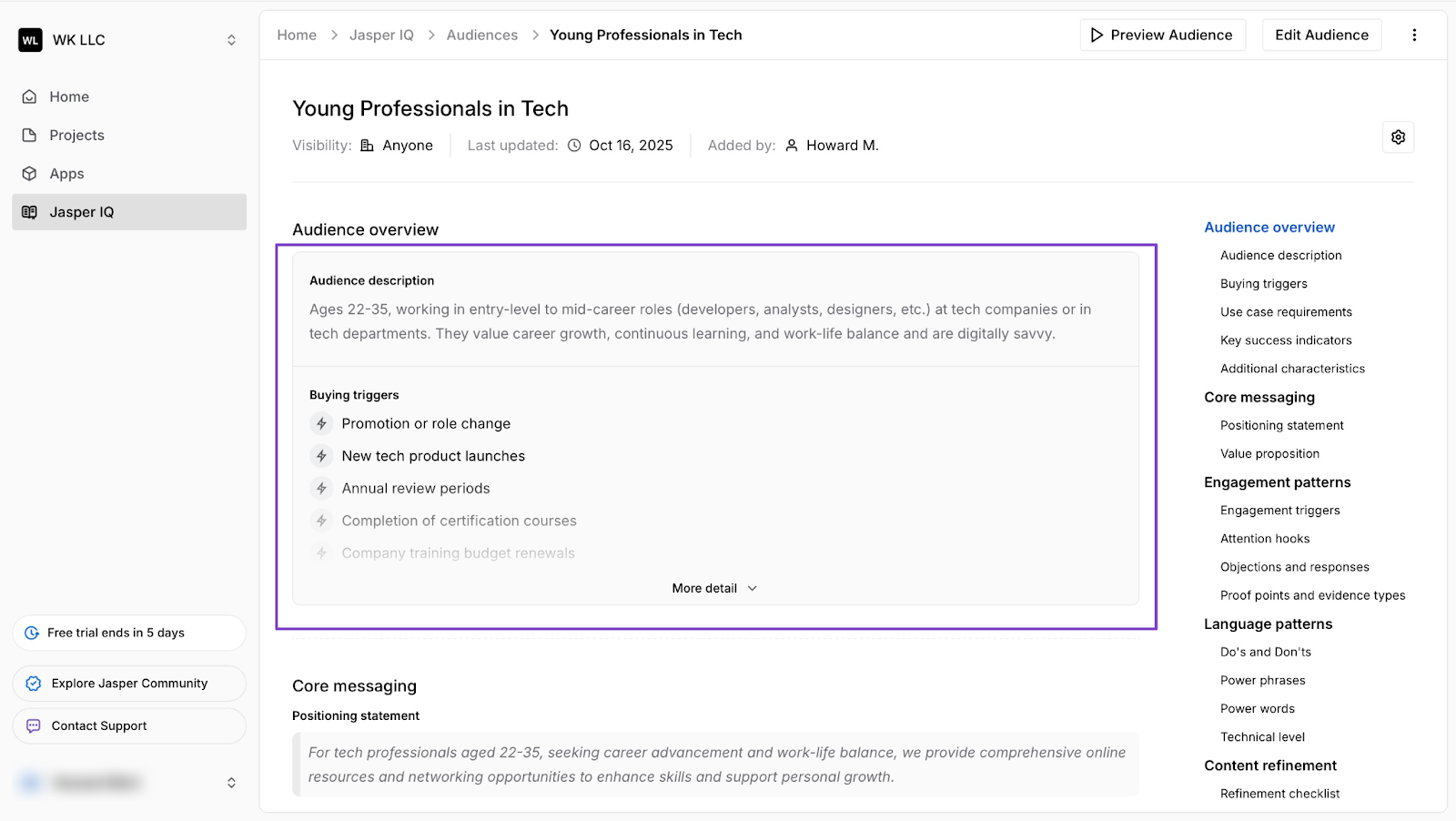
Jasper IQ has features like Brand Voice and Audiences. These features help match your content to your brand and target audience.
Let’s create your first audience in Jasper.
Start by selecting “Jasper IQ” in the sidebar. Then select “Audiences.”
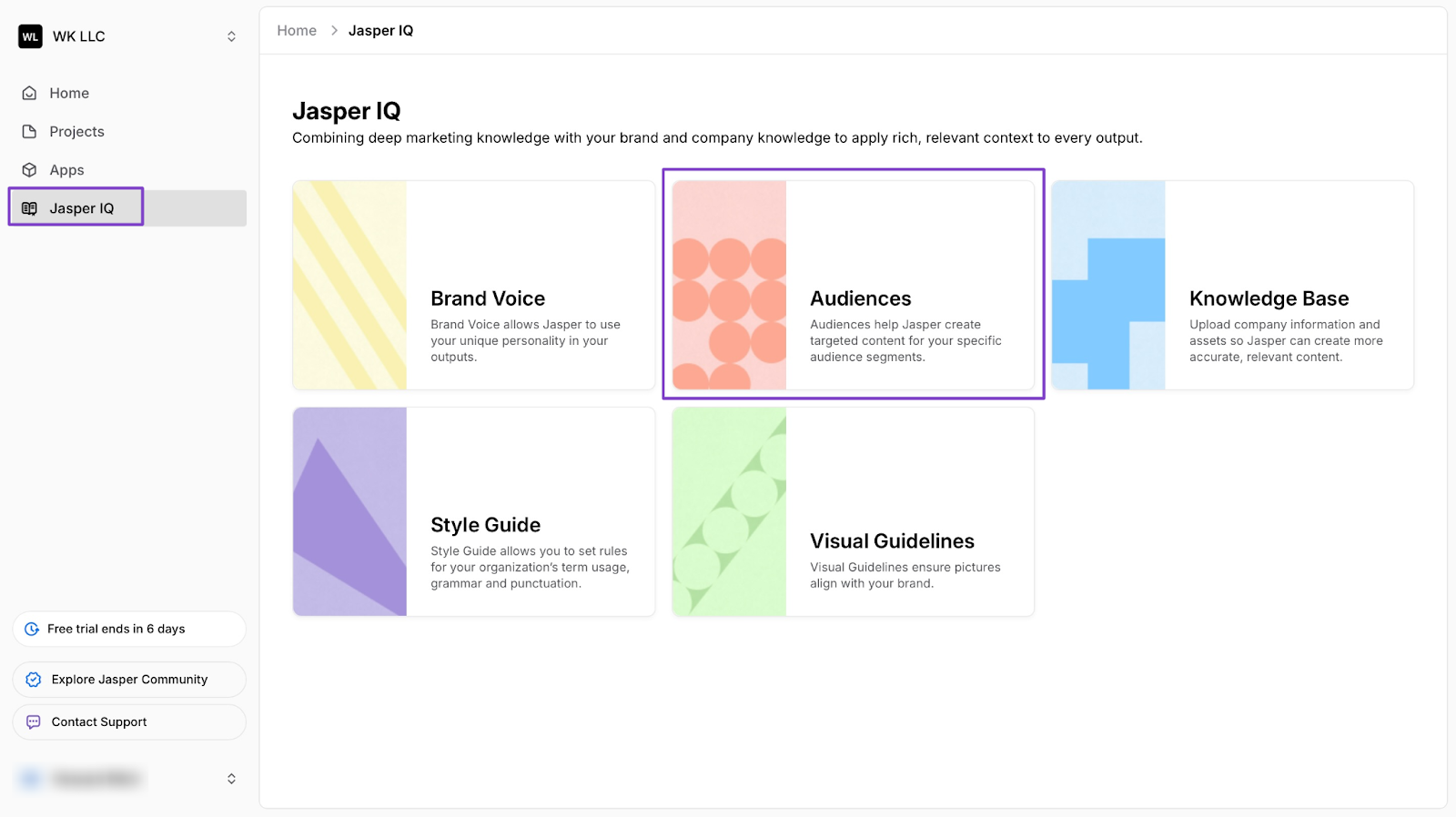
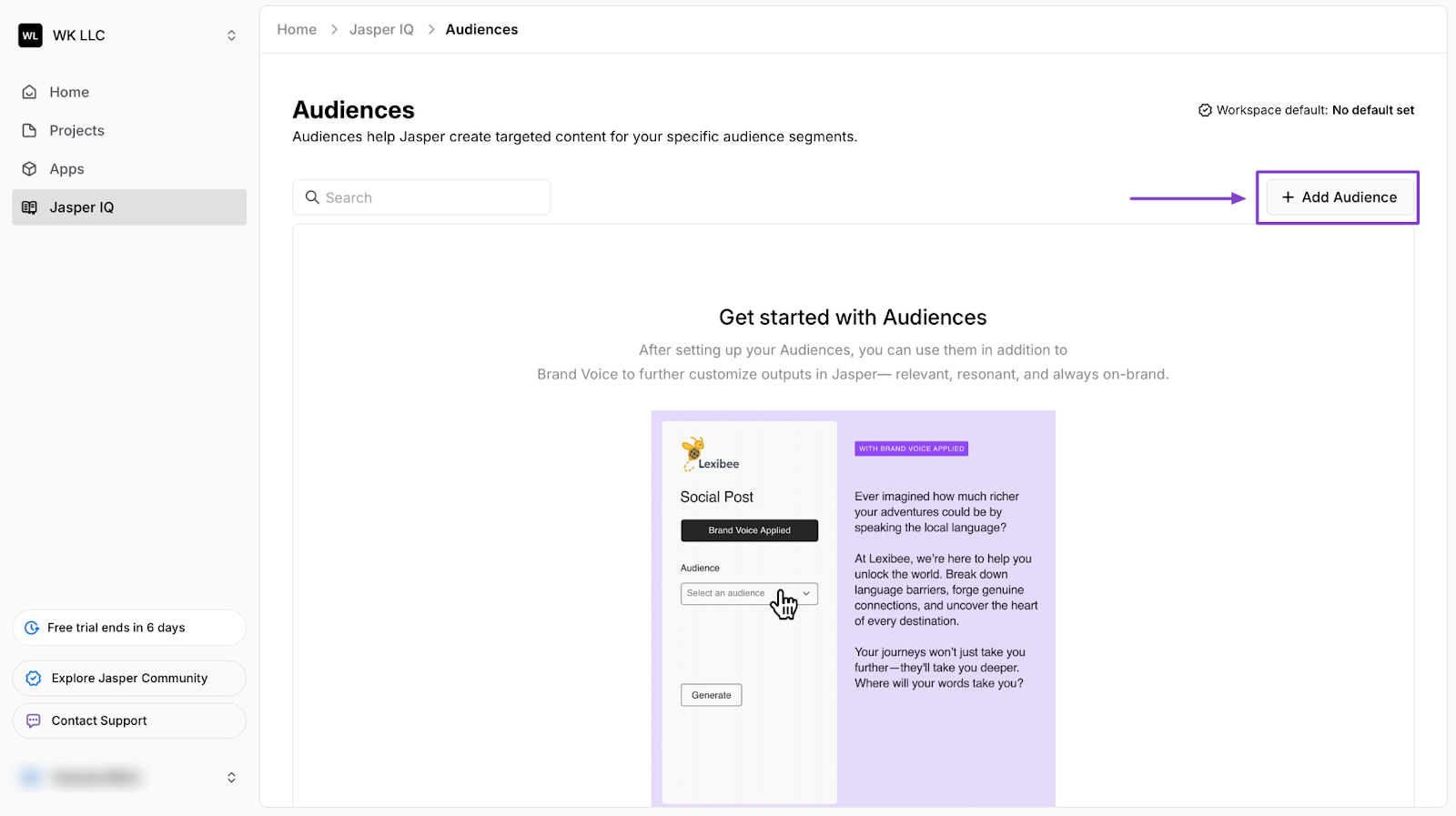
Now, click “+ Add Audience” in the right corner of the window.
In the pop-up window, fill out basic information like the name of the audience and description.
Now, after you add the audience's name, you can click “Generate description” below the text field for Jasper AI to help you.
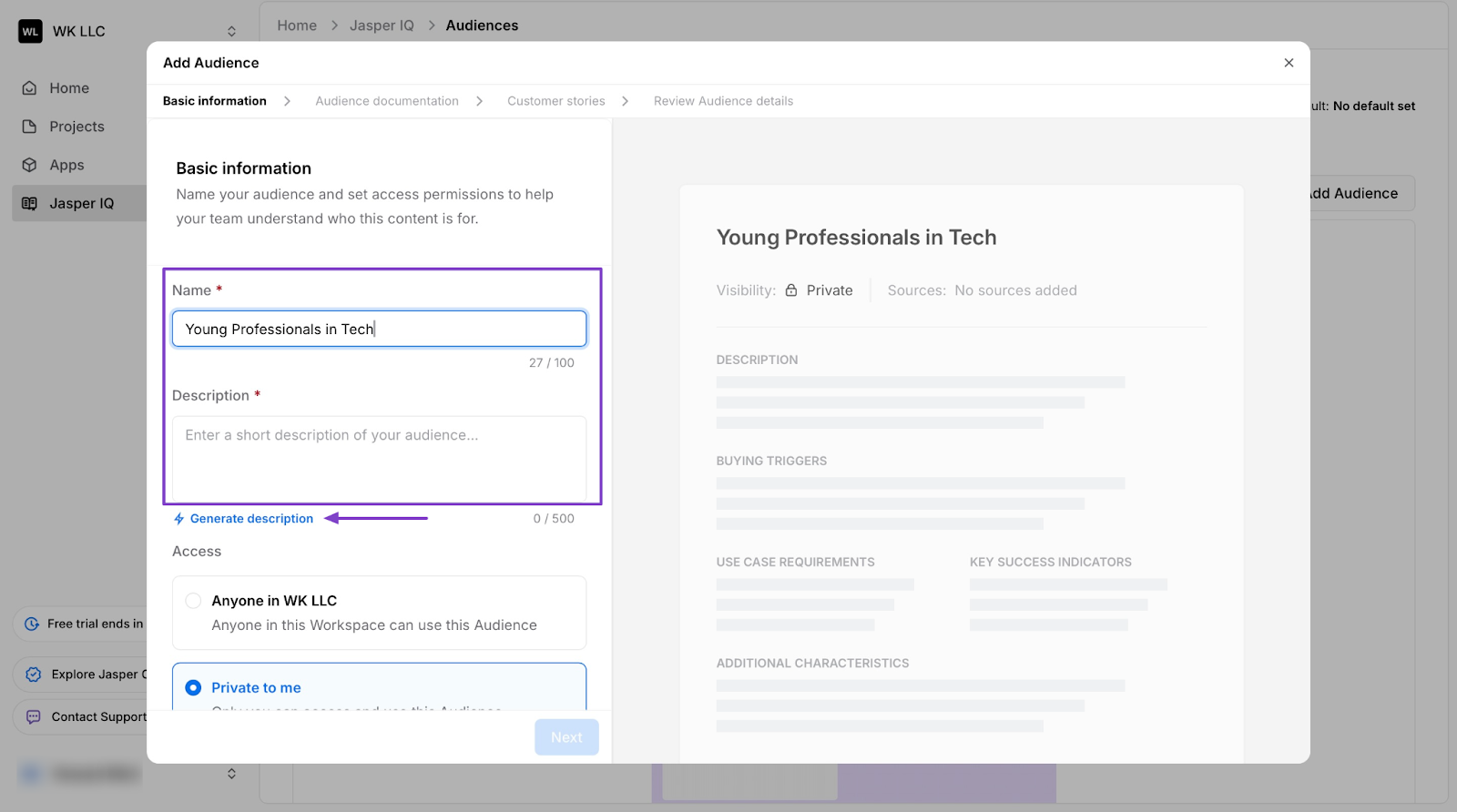
Once you are satisfied, click "Next" at the bottom of the pop-up window. This will take you to the following optional sections: Audience documentation and Customer stories.
After that, hit “Generate” in the next section: Review Audience Detail.
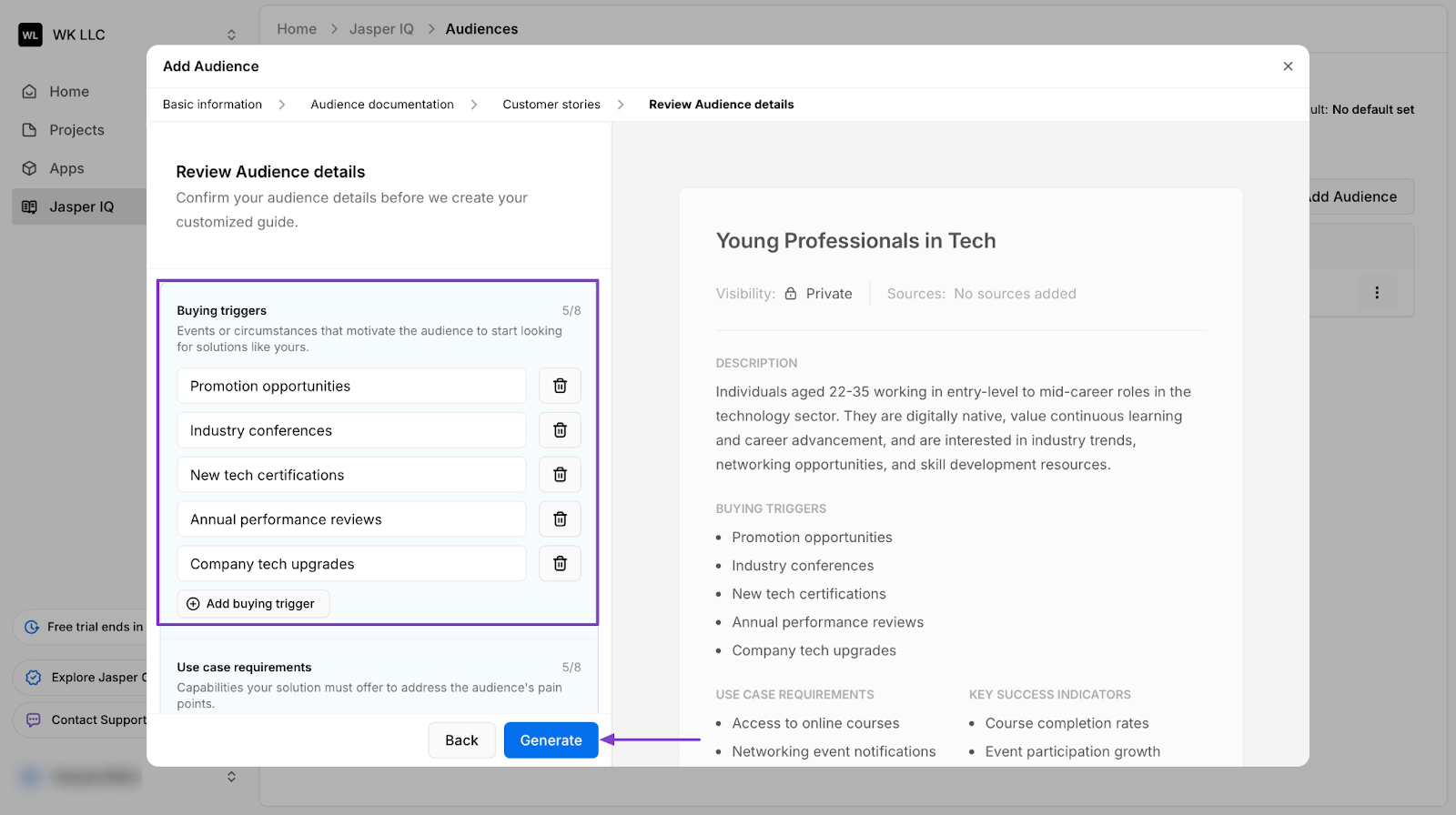
Jasper AI will then generate your first audience.
2. Projects
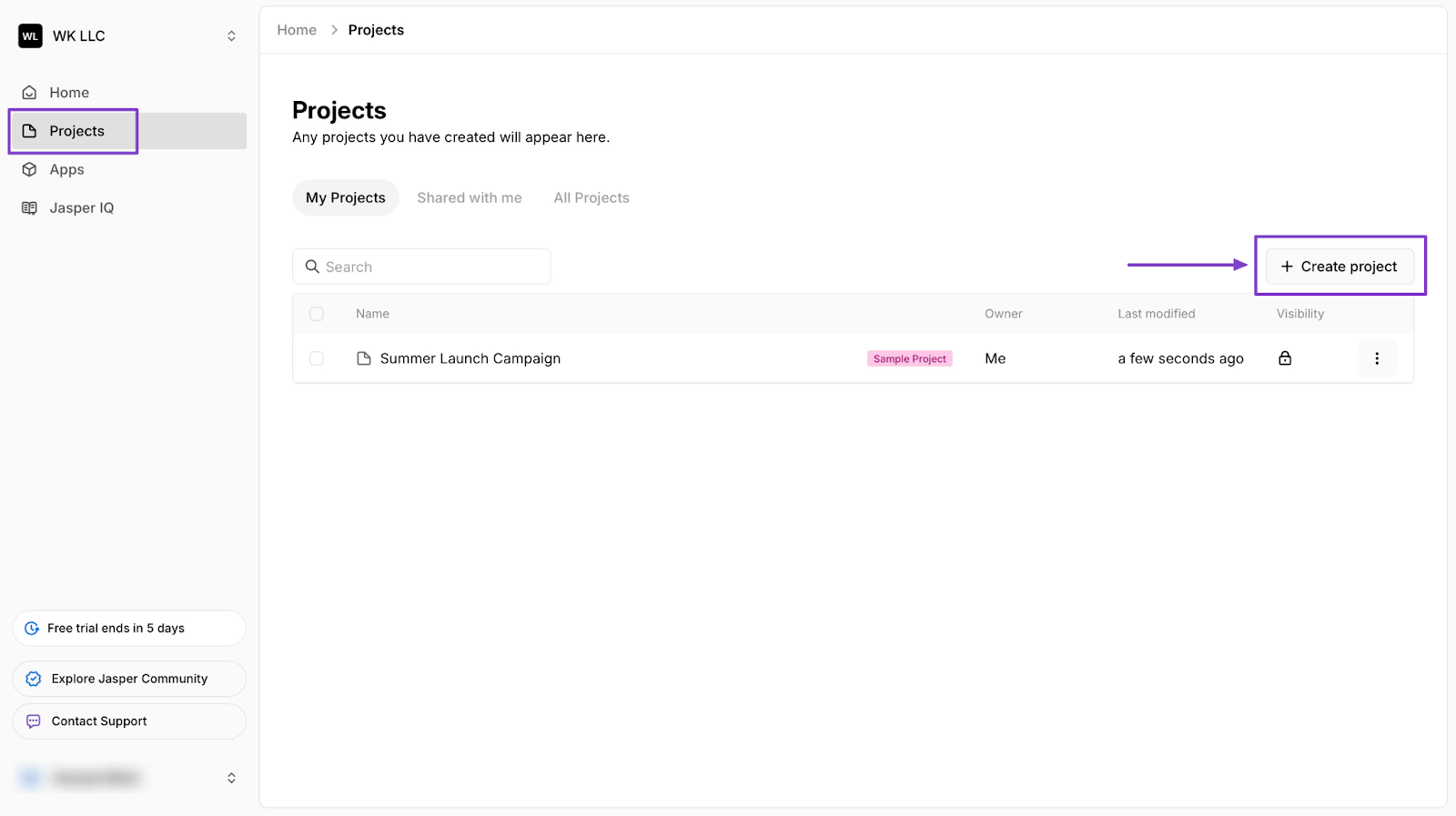
Jasper Projects are like folders that you can keep and organize your Canvases.
This is how you can create one on Jasper.
First, click Projects in the sidebar. Then select “+ Create Project.”
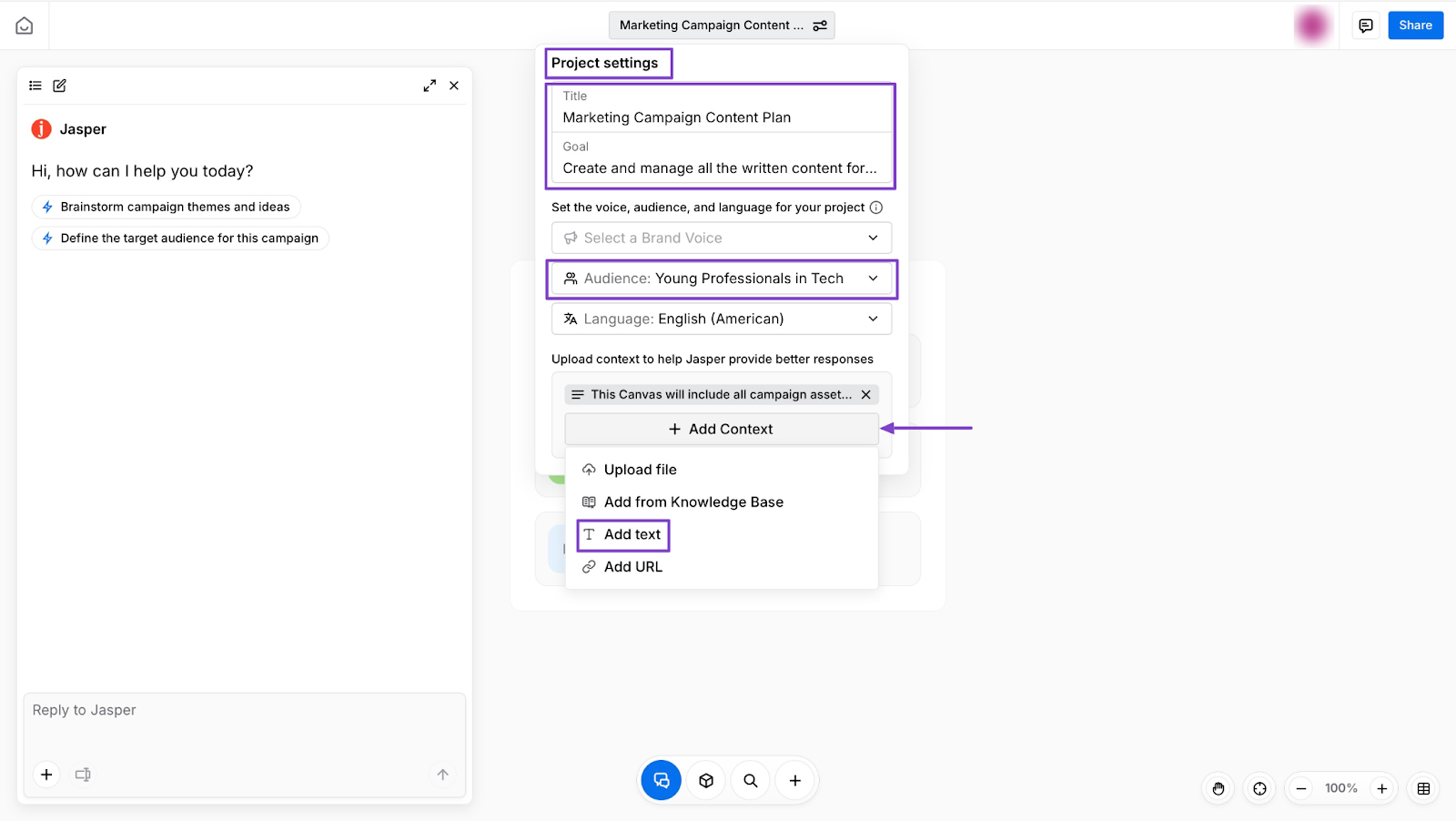
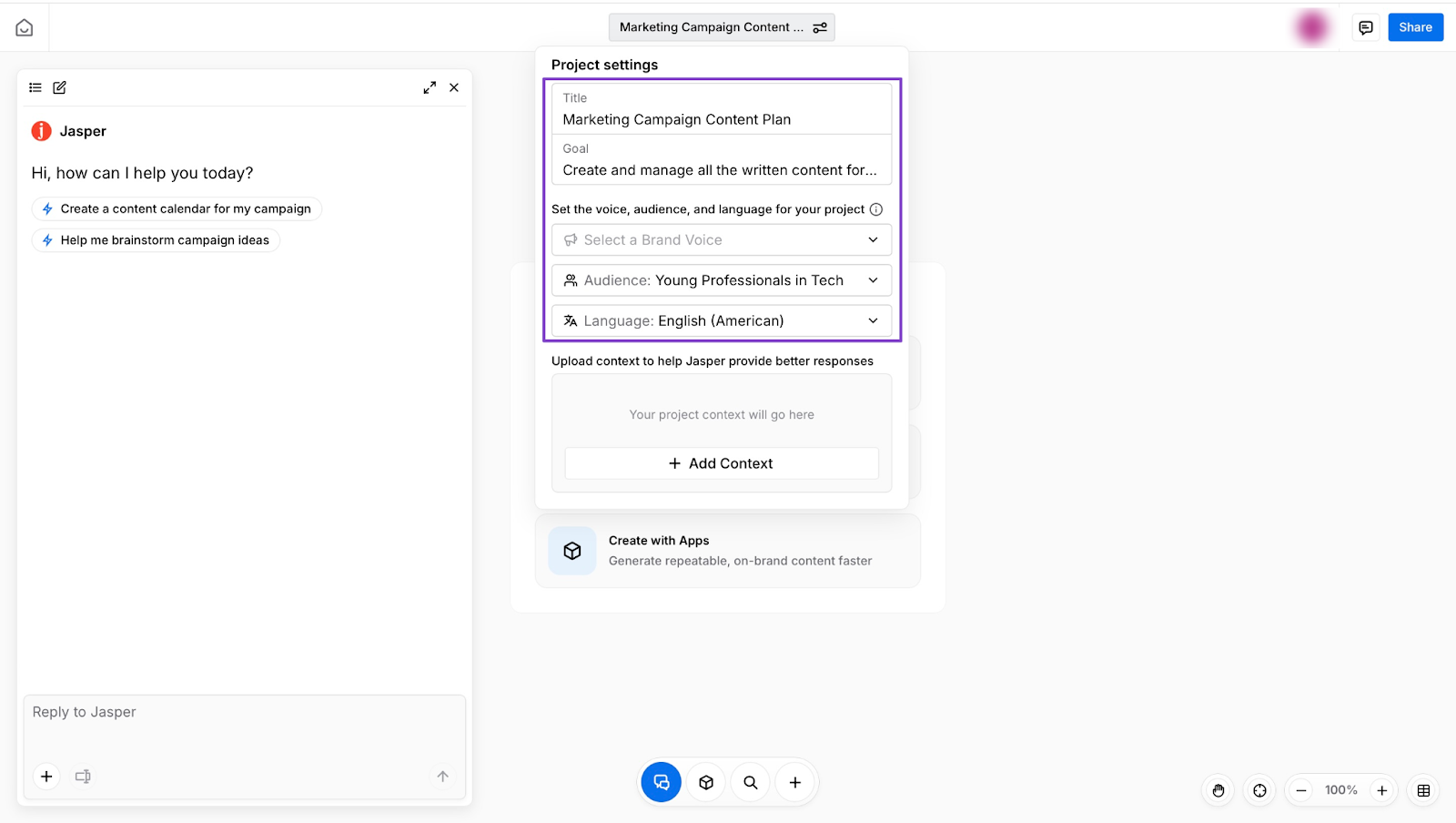
In the new window, select project settings and enter its name. Then fill out the project settings. Add a title and goal, and select the audience created.
Next, click “+ Add Context.” Let’s select “Add text.”
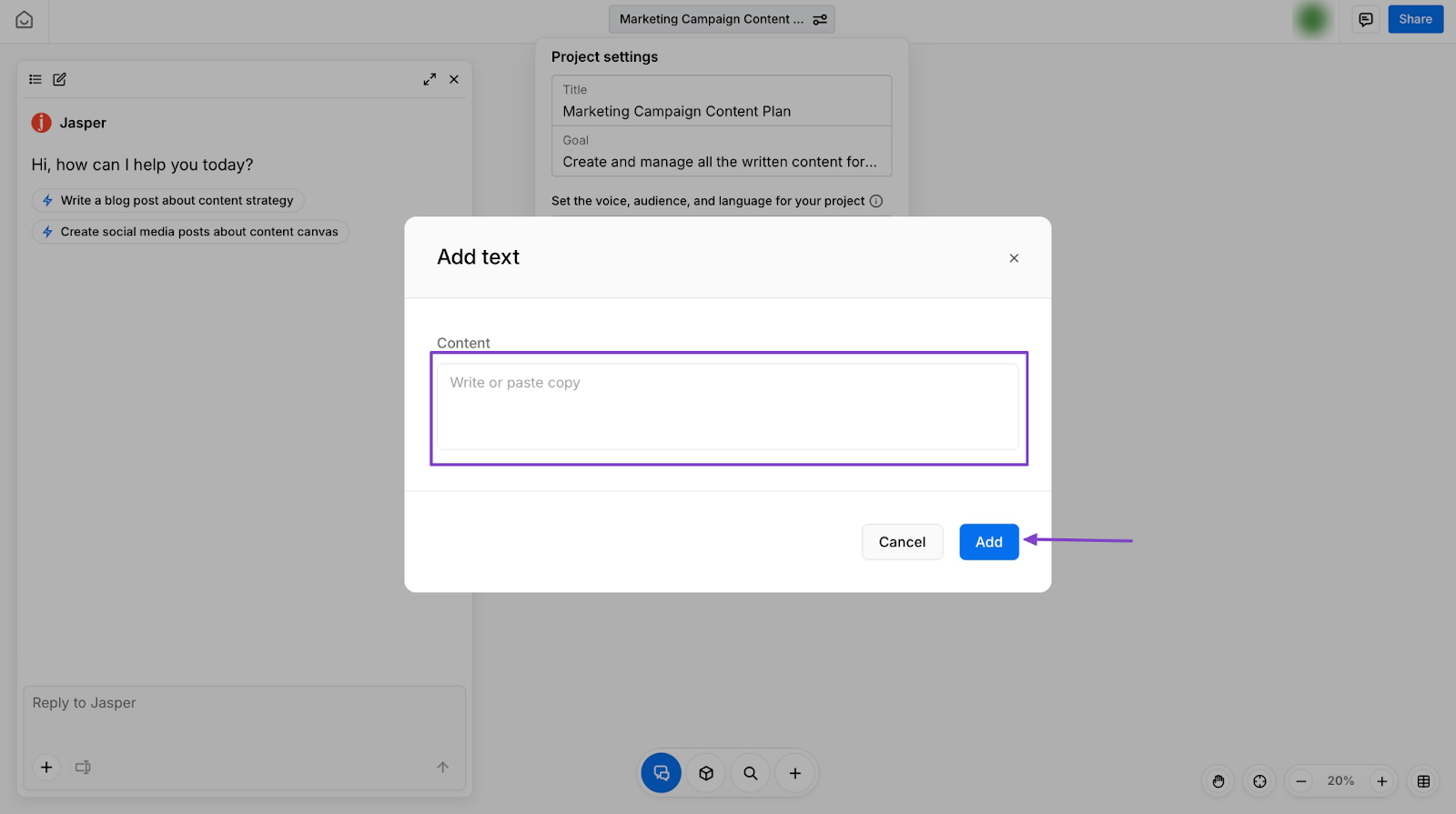
In the pop-up window, add text and click “Add”.
Jasper will display the project on the homepage under the Jasper AI Agents text field.
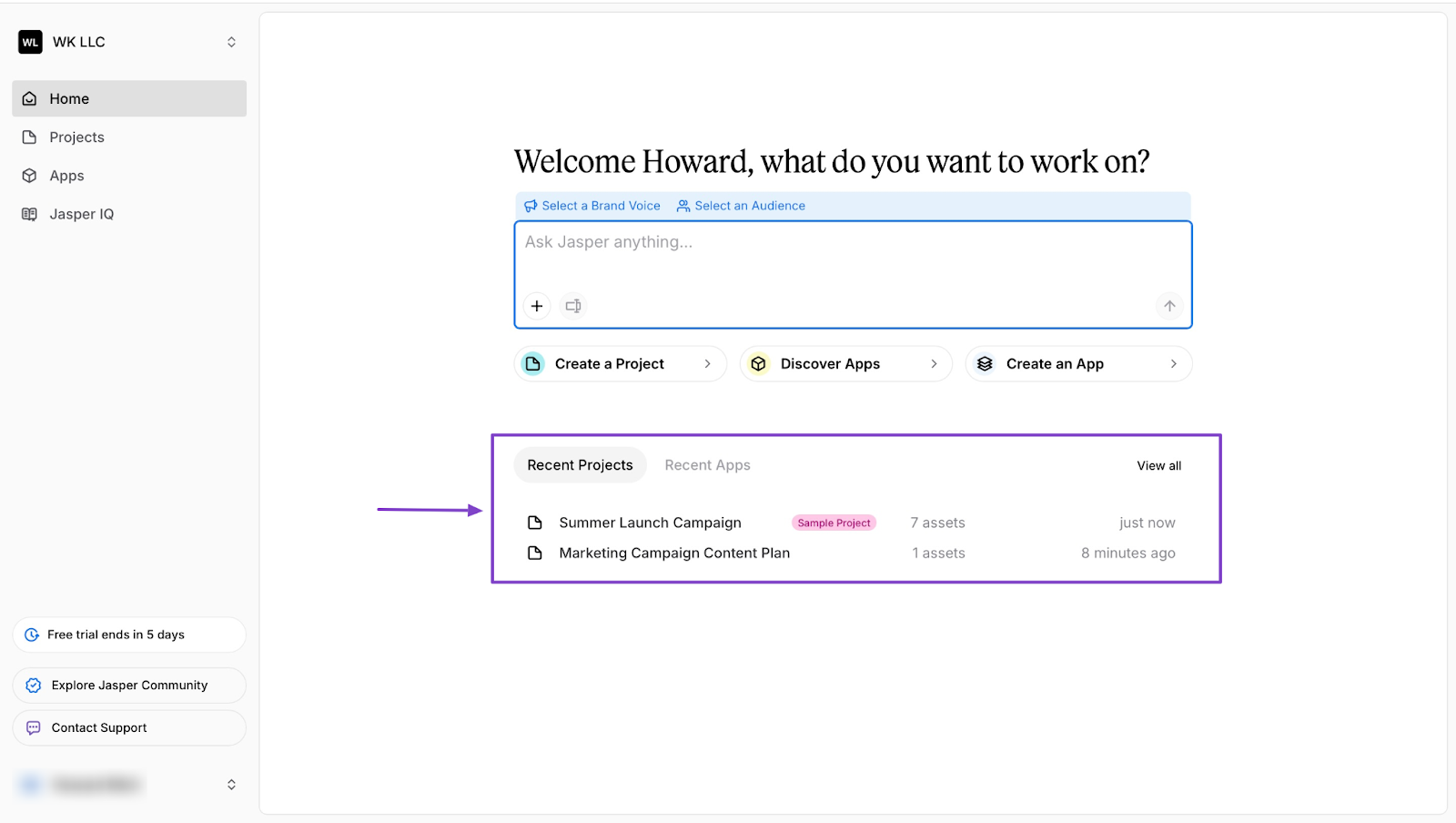
3. Canvas
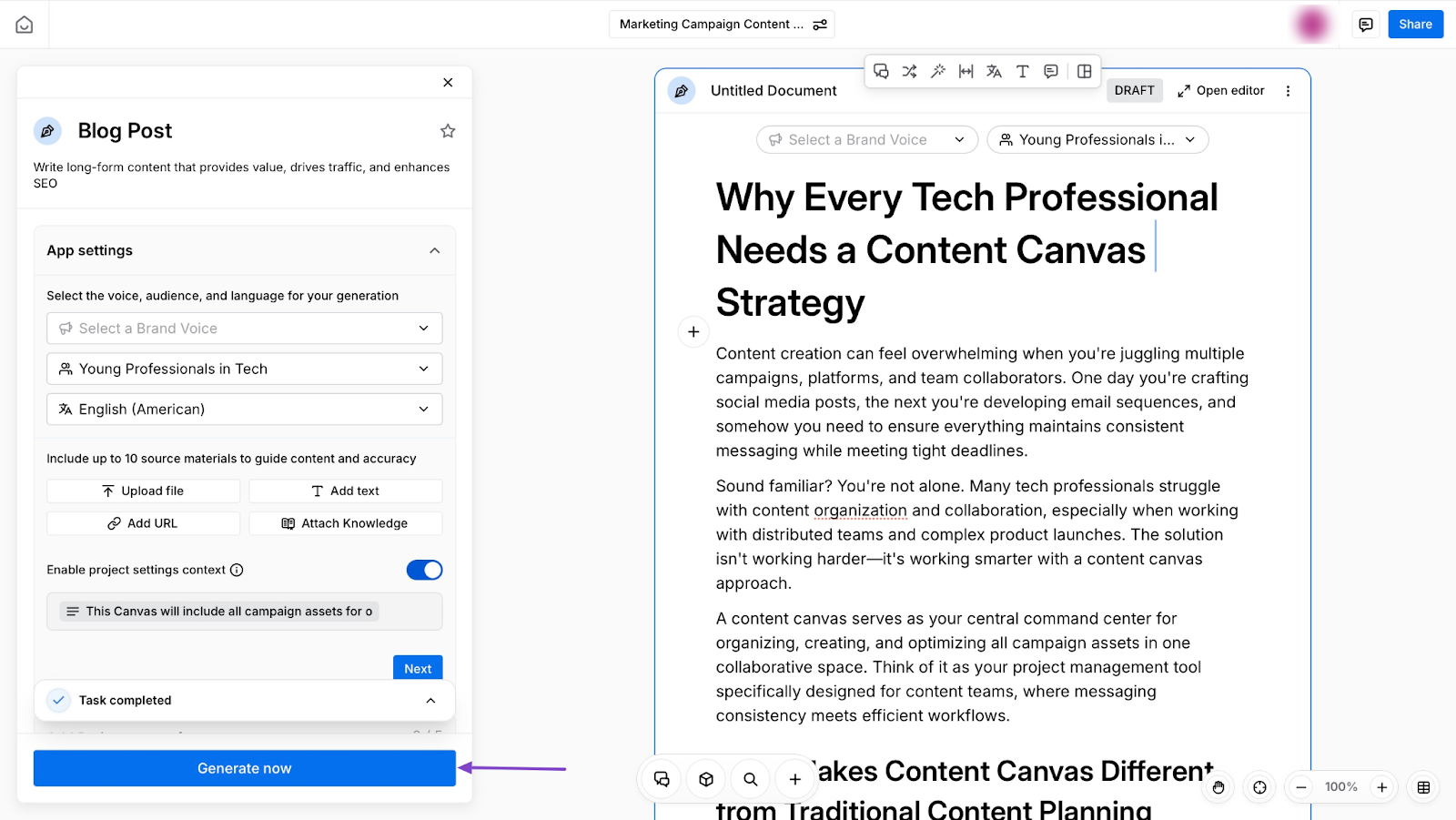
With Jasper’s Canvas you can view, manage, and build all the parts of your marketing campaigns like blog posts, emails, and more. You can also collaborate with your team in one place.
Let me walk you through how you can create a canvas on Jasper.
Right from the homepage, click “Create a Project.”
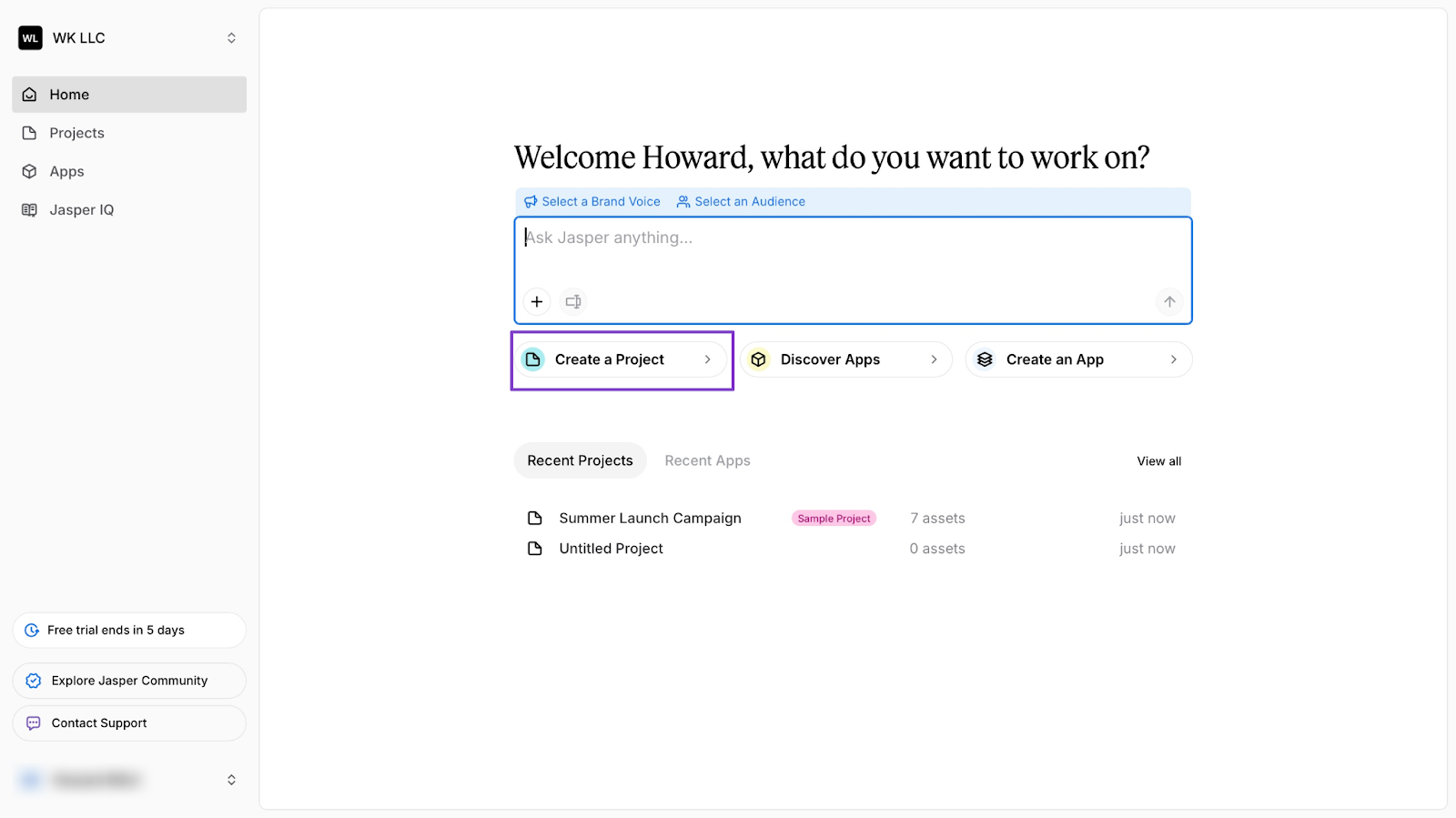
In the new window, click “Untitled Project" to configure your project settings.
After that, select “Create with Apps.”
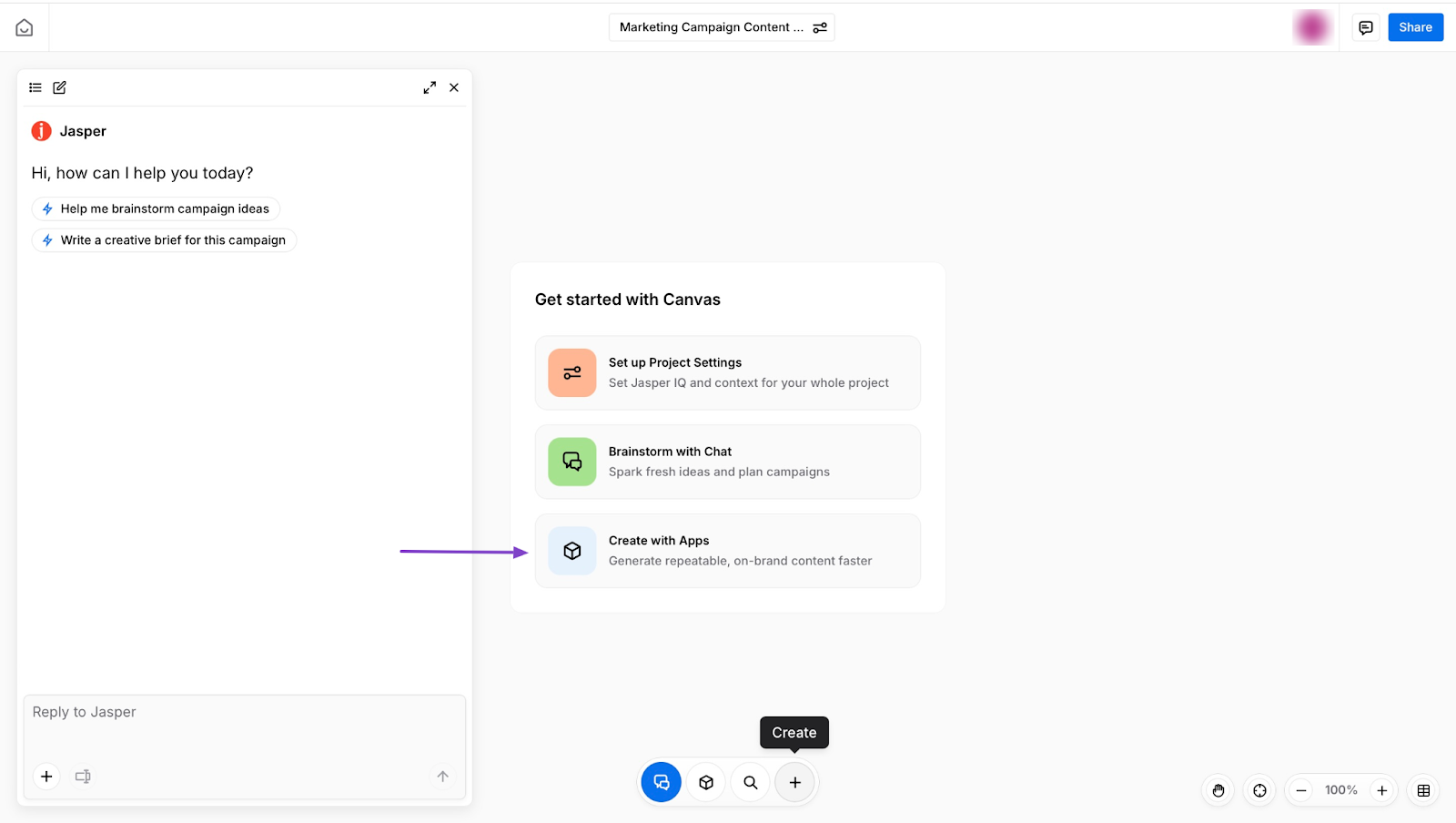
Let’s pick content marketing, and then choose the “Blog Post.”
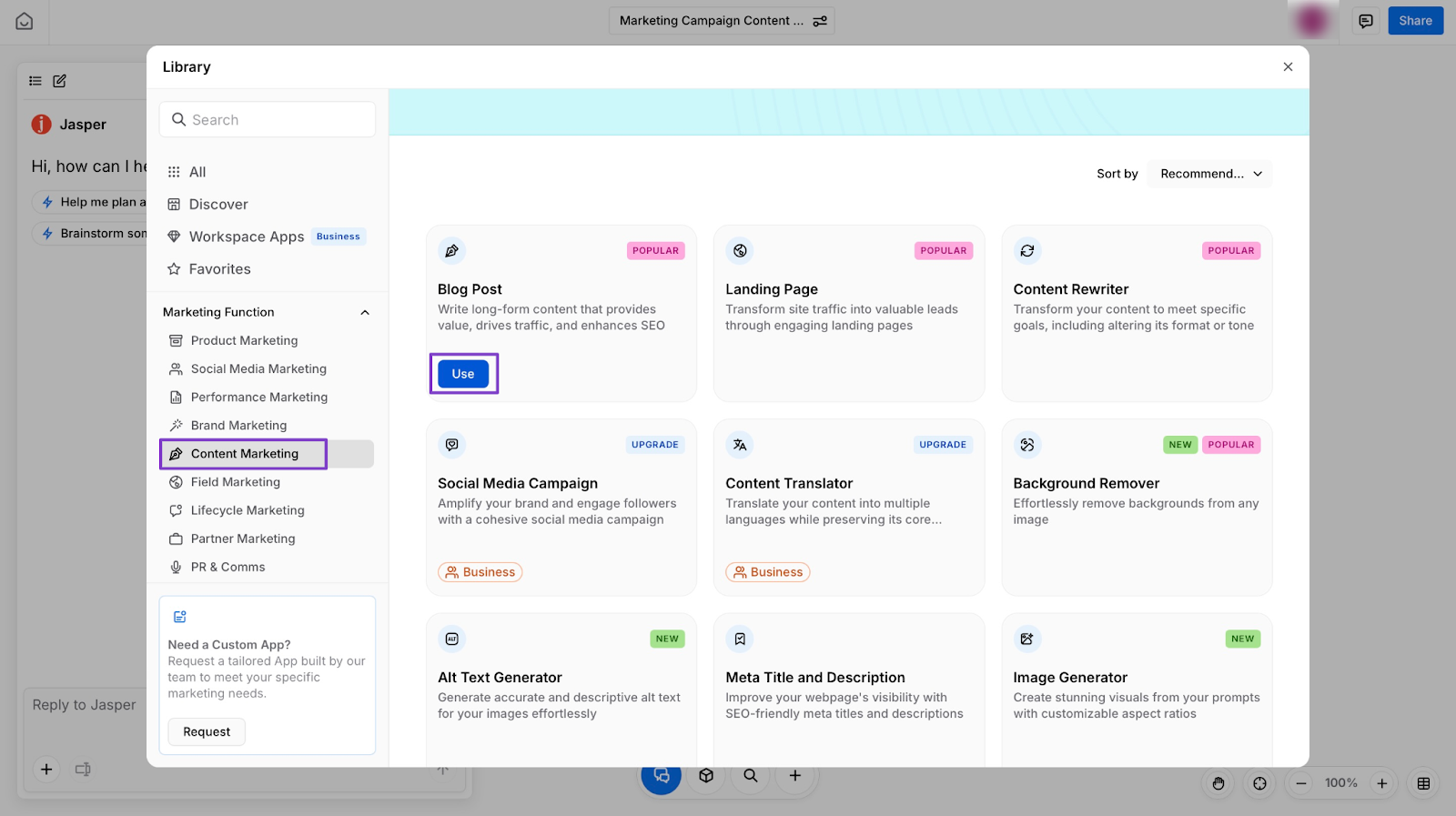
Hit “Generate now” in the next window. Jasper AI will generate your content after this.
What impressed me vs What fell short
What impressed me 👍
✅ It’s easy to use, especially with templates and AI customisation like Jasper IQ
✅ Jasper supports many marketing content types like blogs, ads, emails, etc.
✅ It creates high-quality marketing copy quickly
What fell short 👎
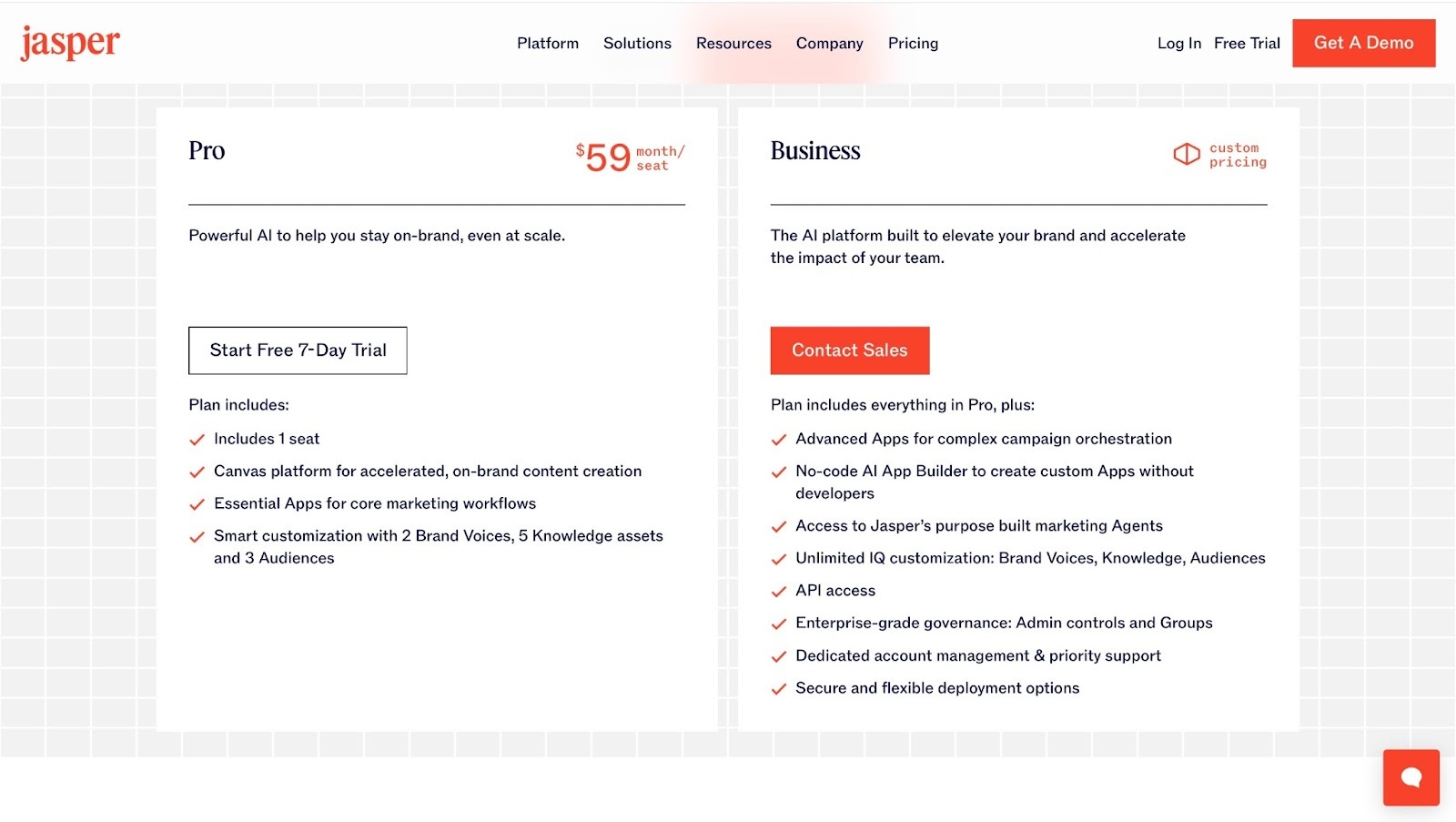
❌ Jasper starts at $59/month/seat, which can be pricey for small teams
❌ It can produce content that’s not fully original and may be generic
Best For
- Marketing teams who want to create and manage content with AI.
Pricing
- Pro: $59/month/seat
- Business: Contact for pricing
6. Instantly AI
The next go-to-market tool on my list is Instantly.ai. It’s simply a tool for cold email outreach.
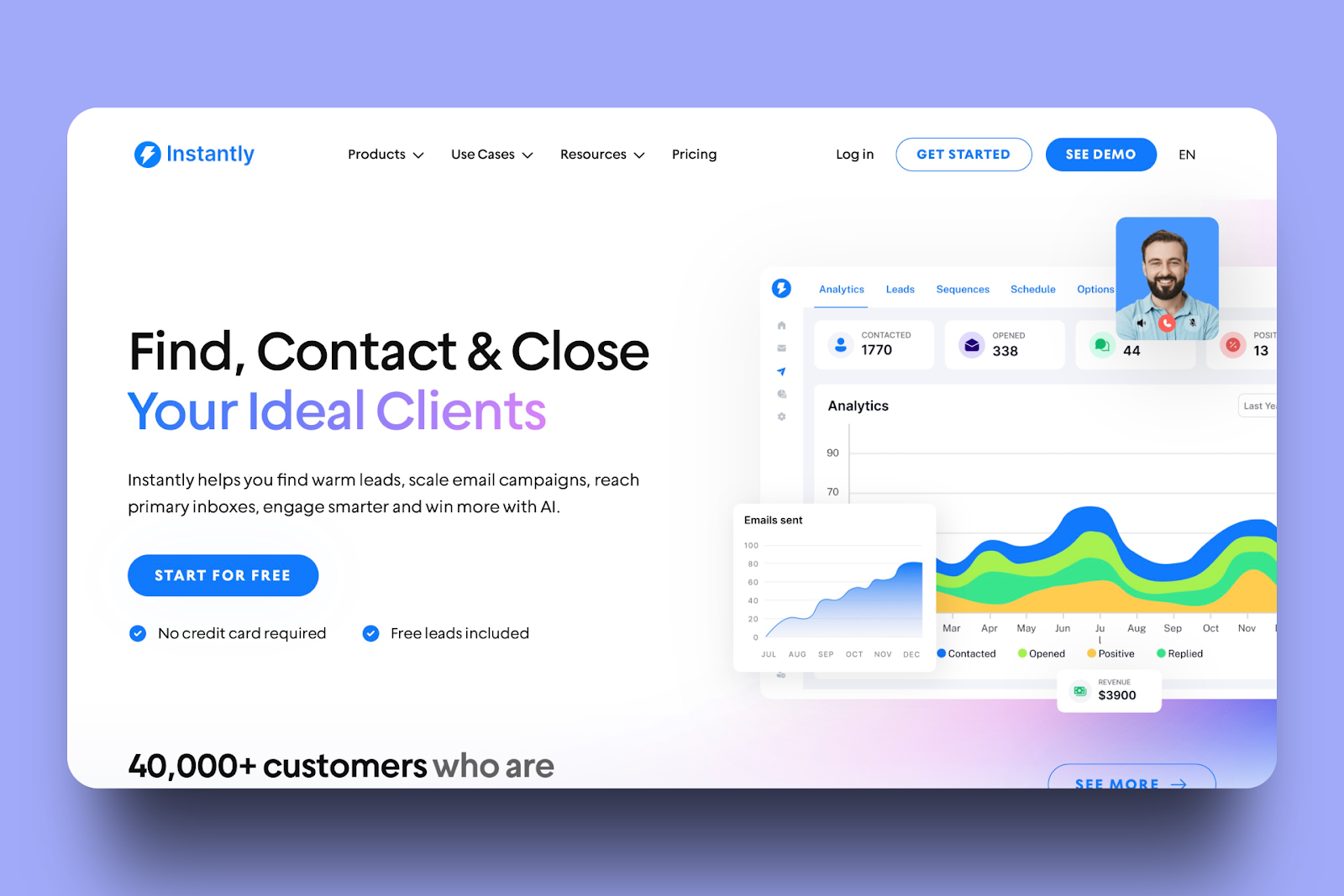
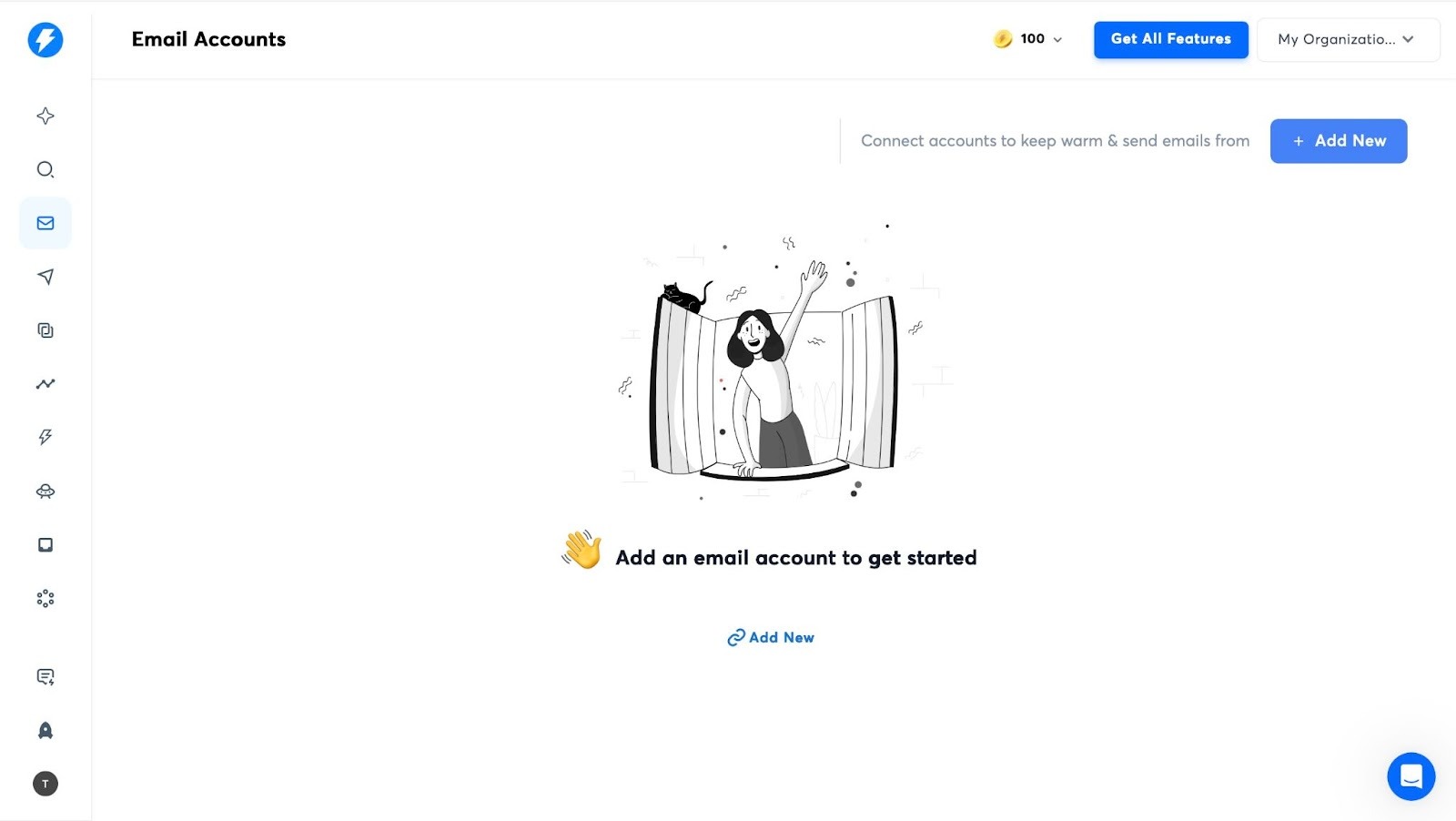
With its Email Accounts feature, you can add new emails and warm up emails before sending them.
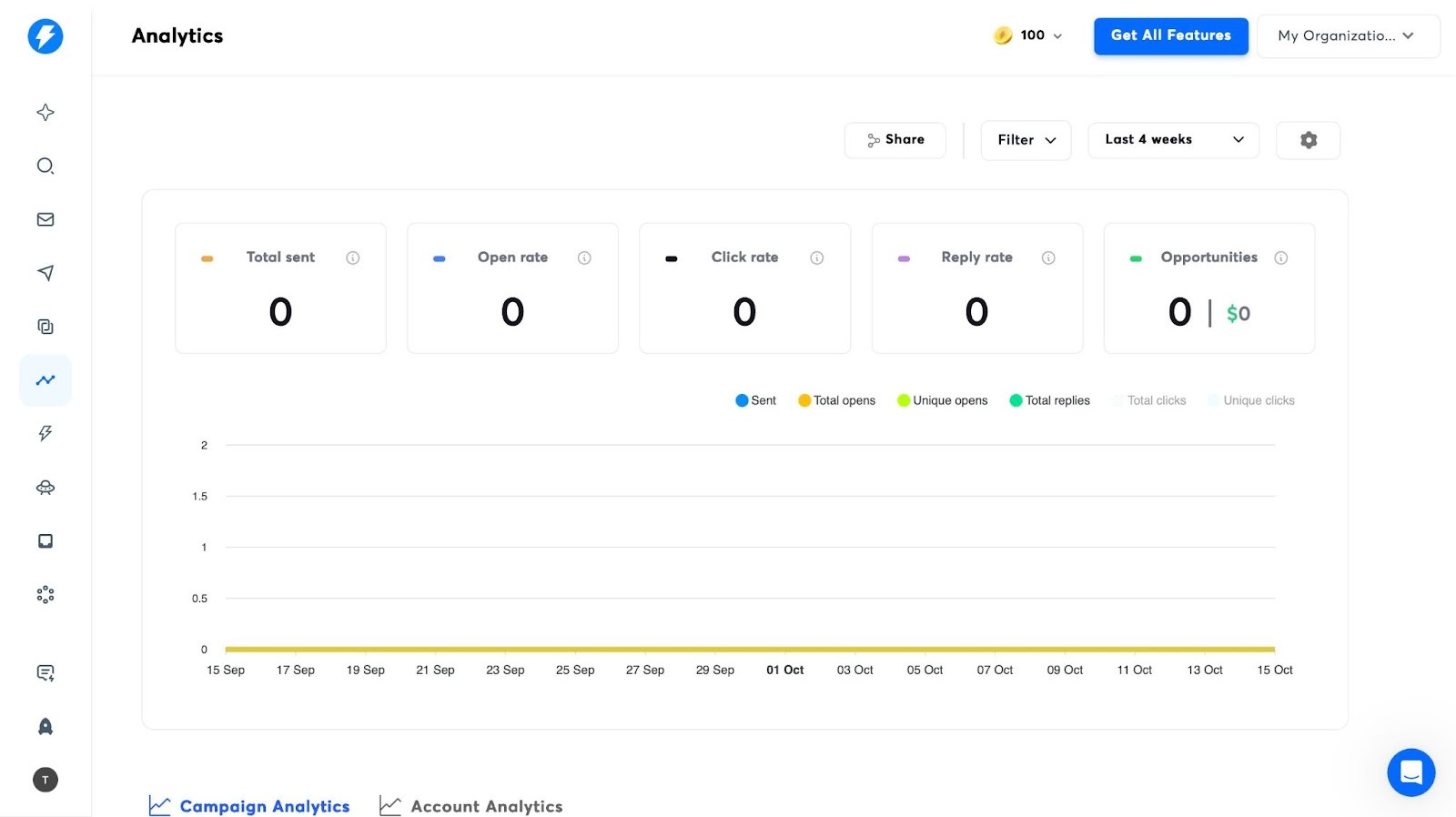
Using its Analytics feature, you can track information like total emails sent and open rates. You can also monitor click and reply rates.
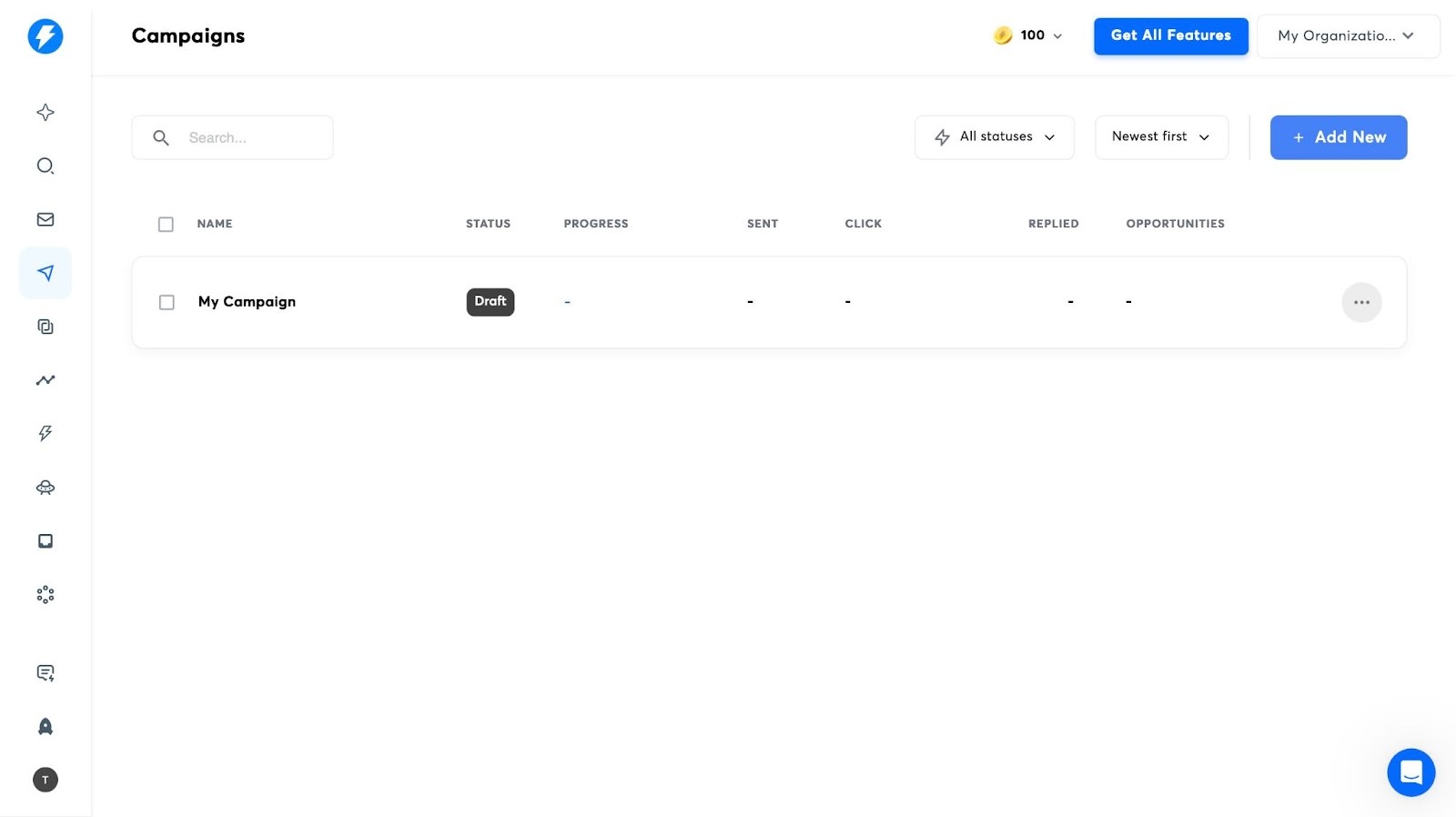
Instantly’s Campaign feature allows you to add new marketing campaigns. During my test, I could also add leads, sequences, schedules, and check analytics.
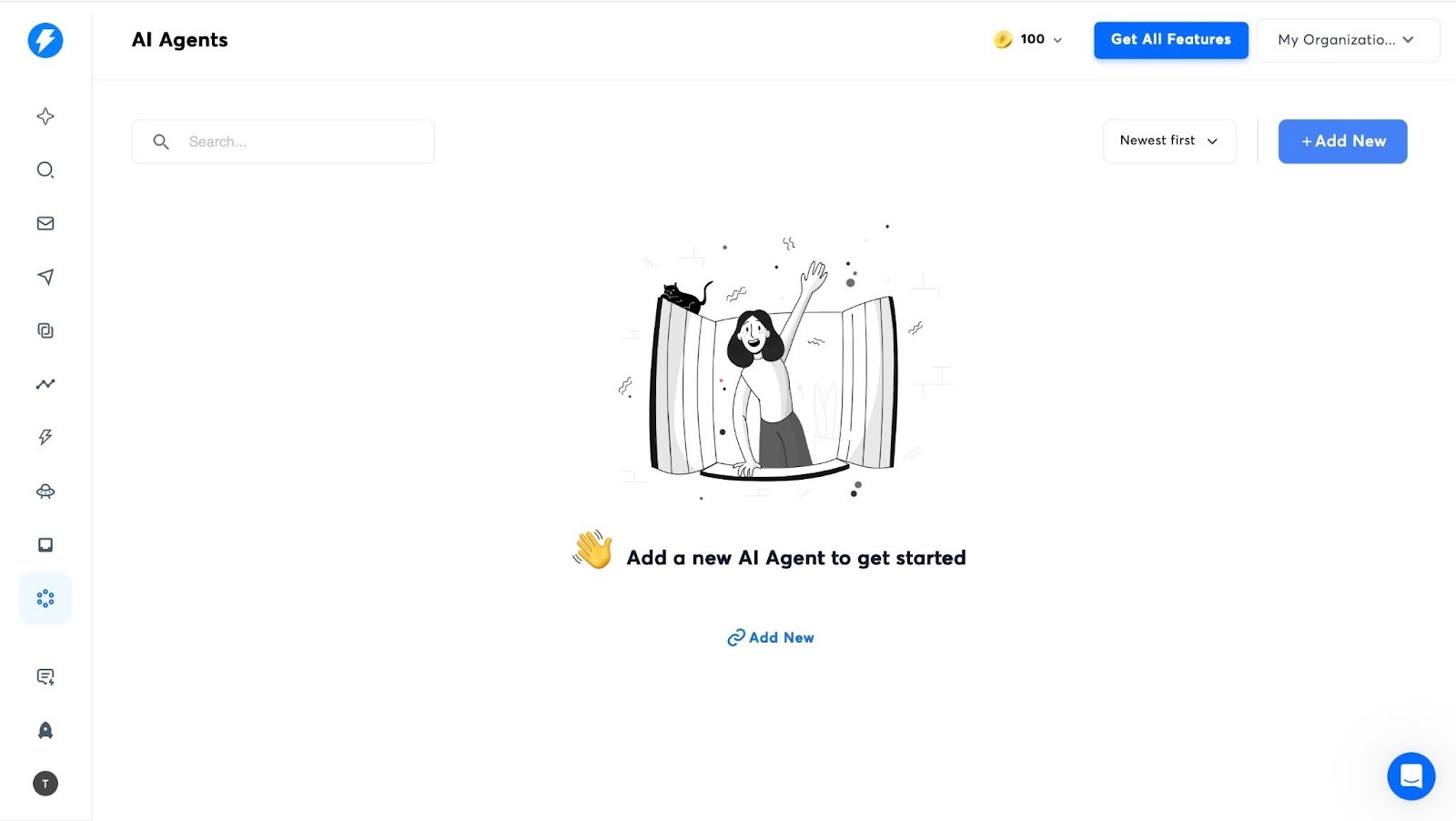
The AI Agents feature lets you create new AI agents. You can create an agent that replies to and follows up on all emails. The agent will also update lead status and handle questions for you.
Features I Admired
1. Email Warm-Up
With this feature, you can send and receive test emails automatically so that email providers don’t flag your account. But you have to set it up first. Let me show you how.
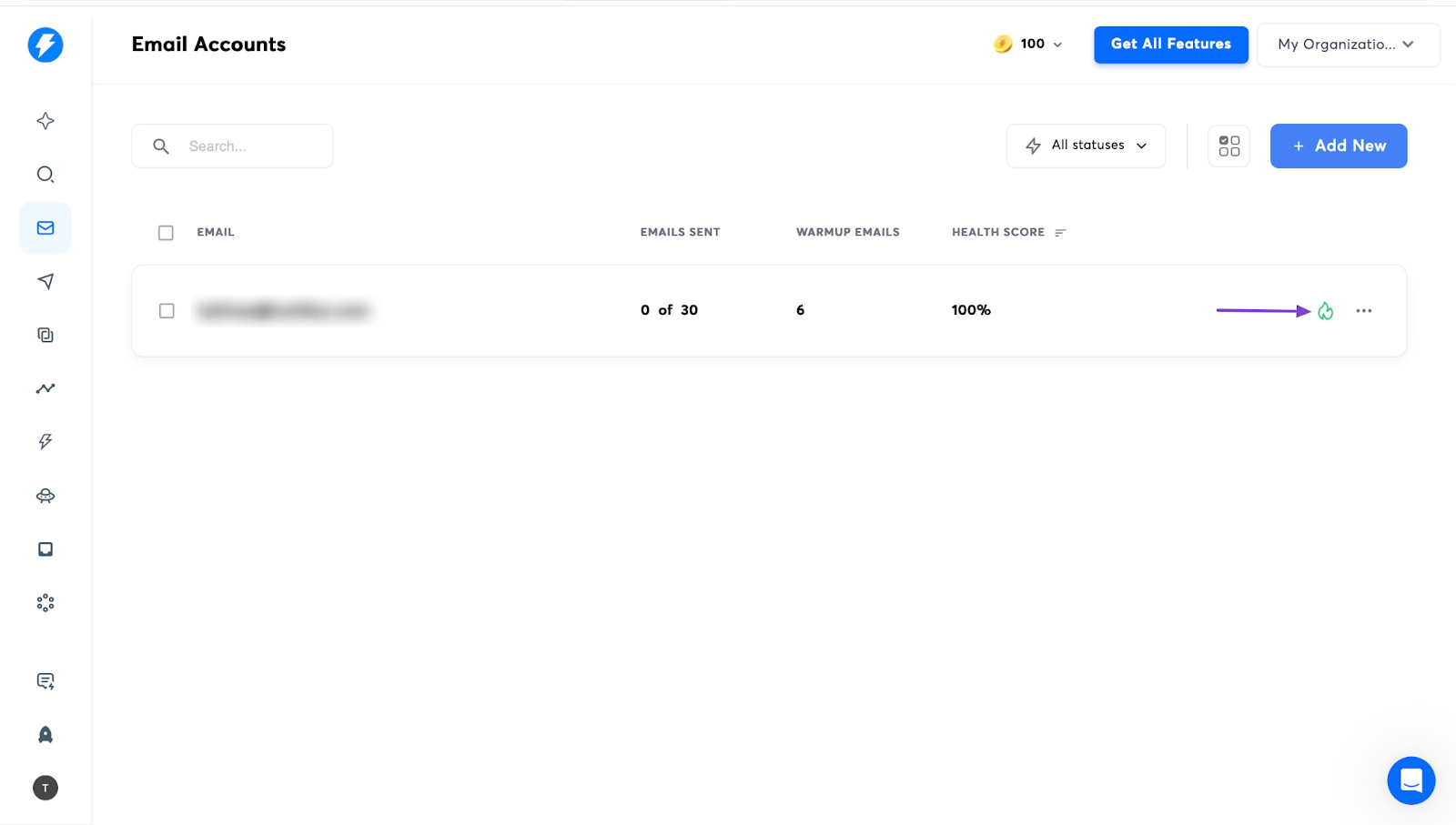
Begin by clicking the envelope icon in the sidebar. Then click “Add New” in the middle of the window.
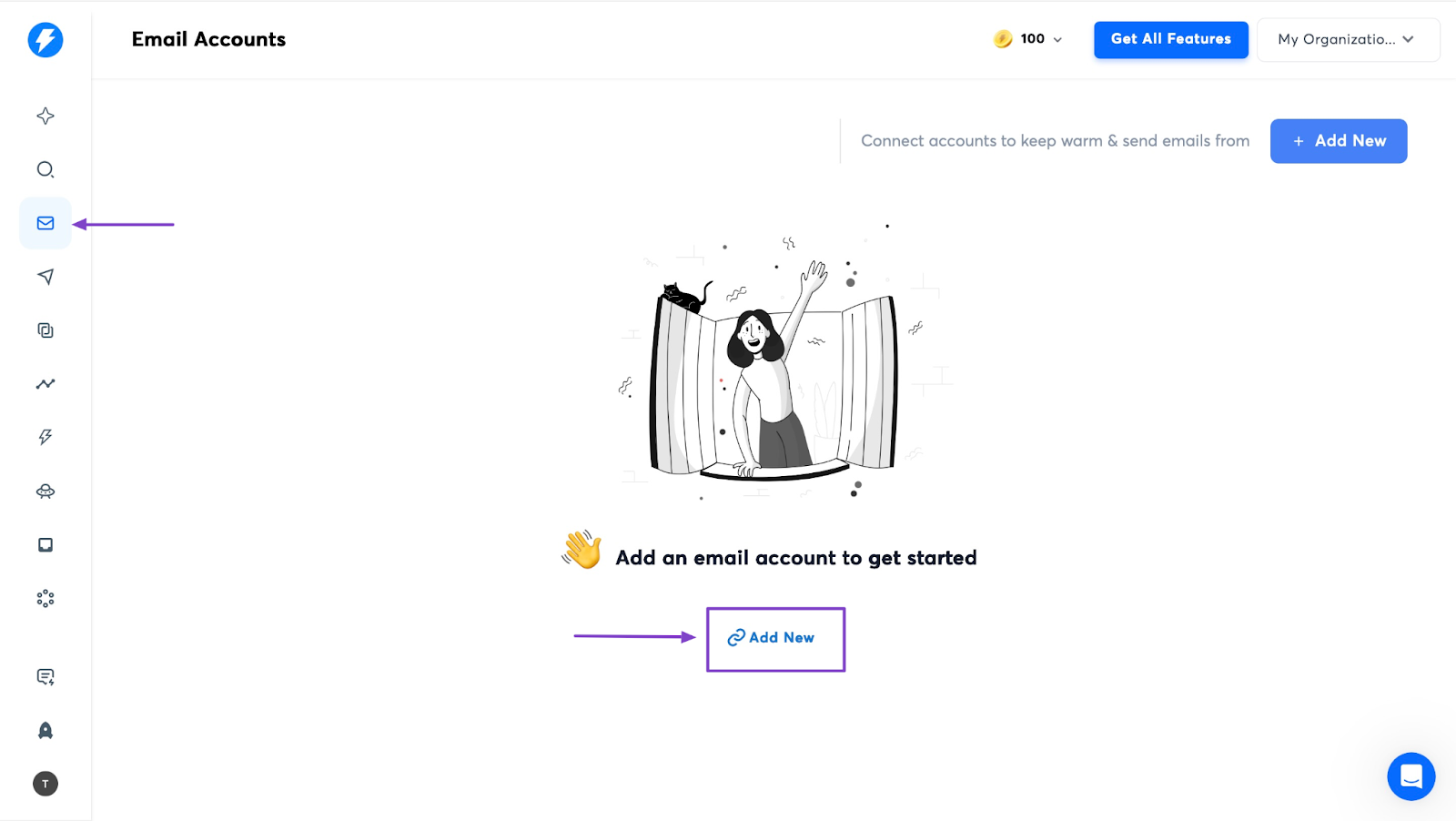
Select “Pre-warmed accounts,” “Done-for-you Email setup,” or “Connect existing accounts.”
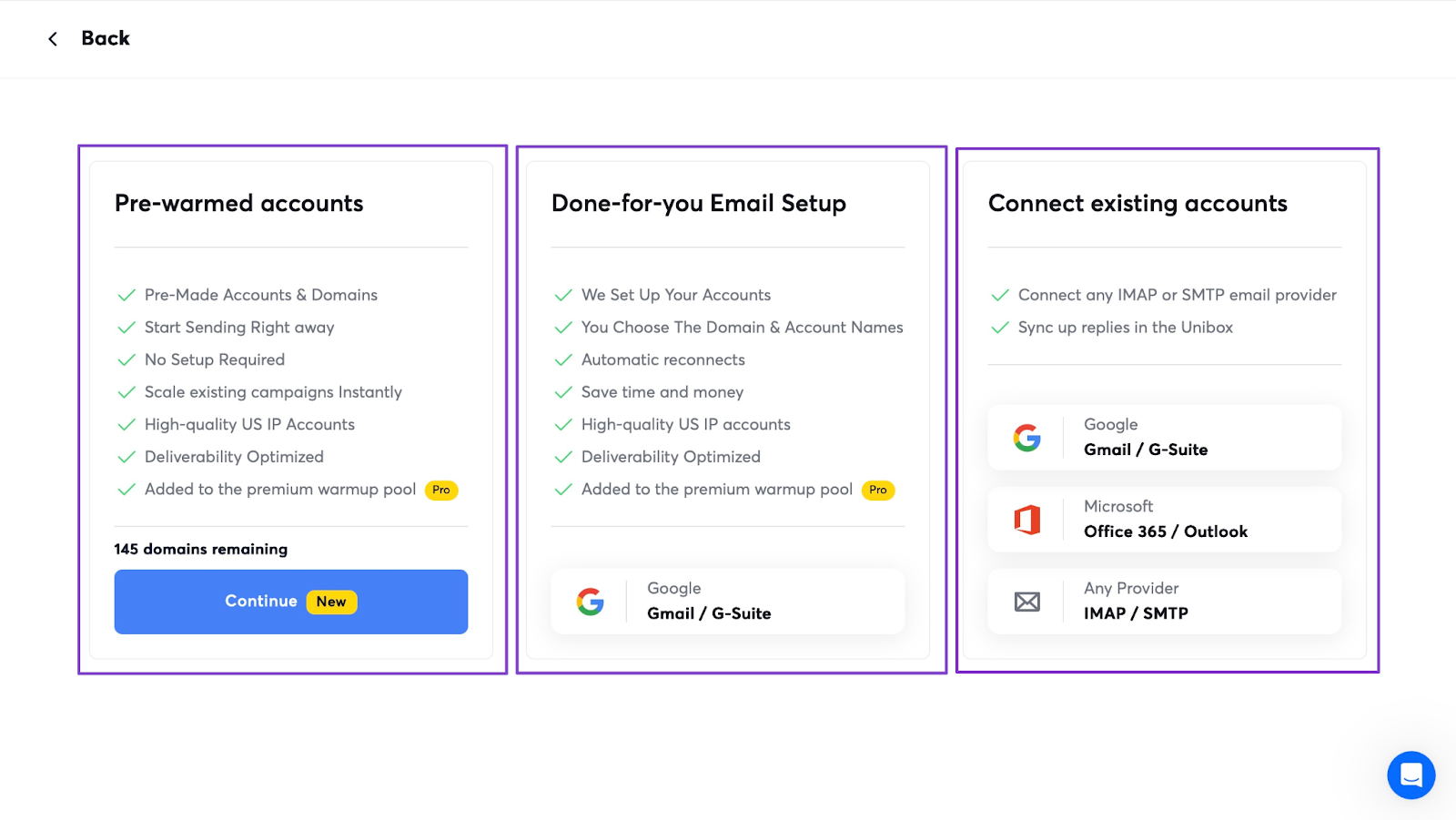
Let's pick the third option. In the next window, select the first option, “OAuth.” Then, on the new page, hit “Login” to give access instantly.
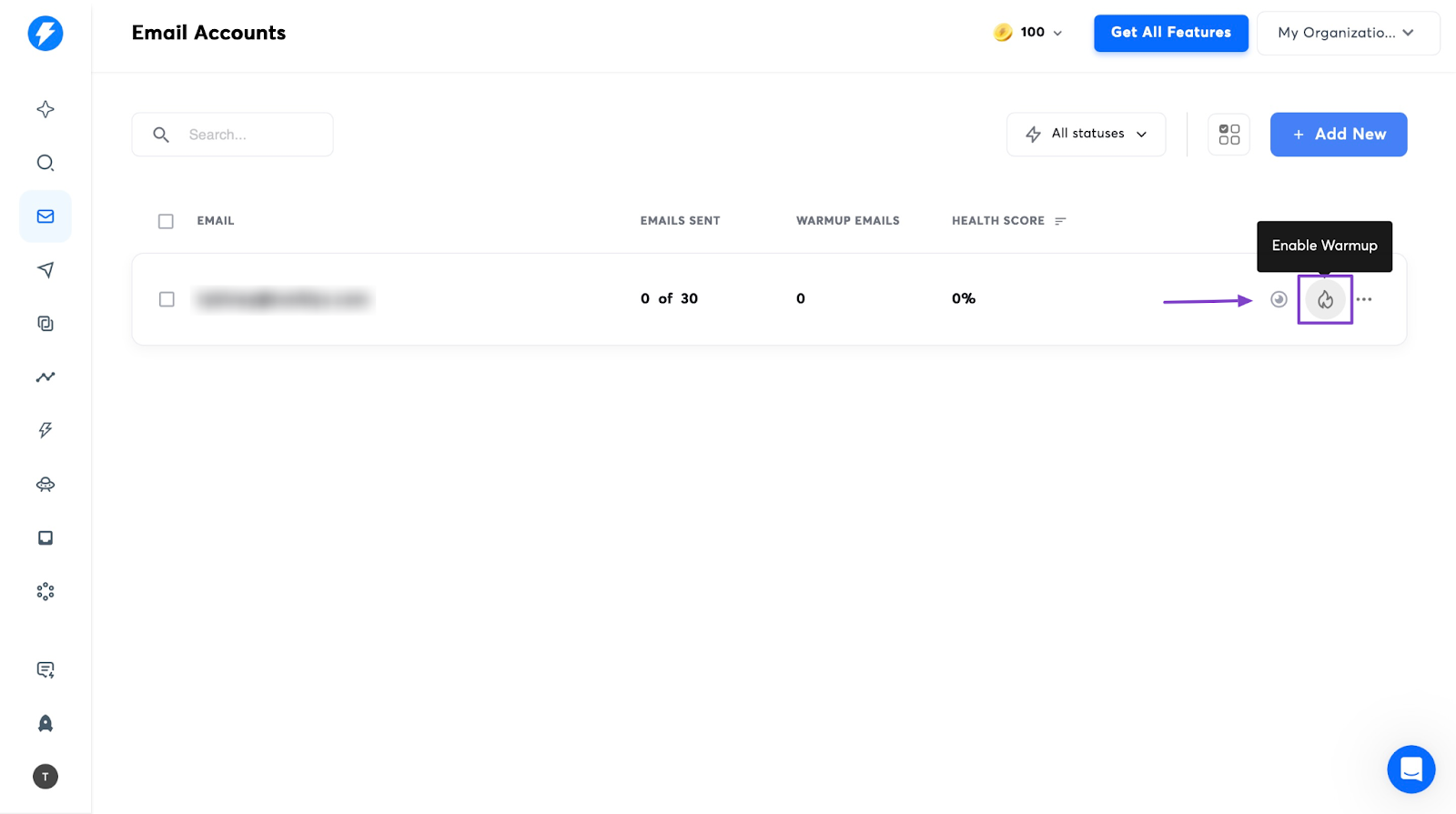
Once you've done that, return to the Email Accounts window and select the fire icon in the right corner of the window. This will enable warmup.
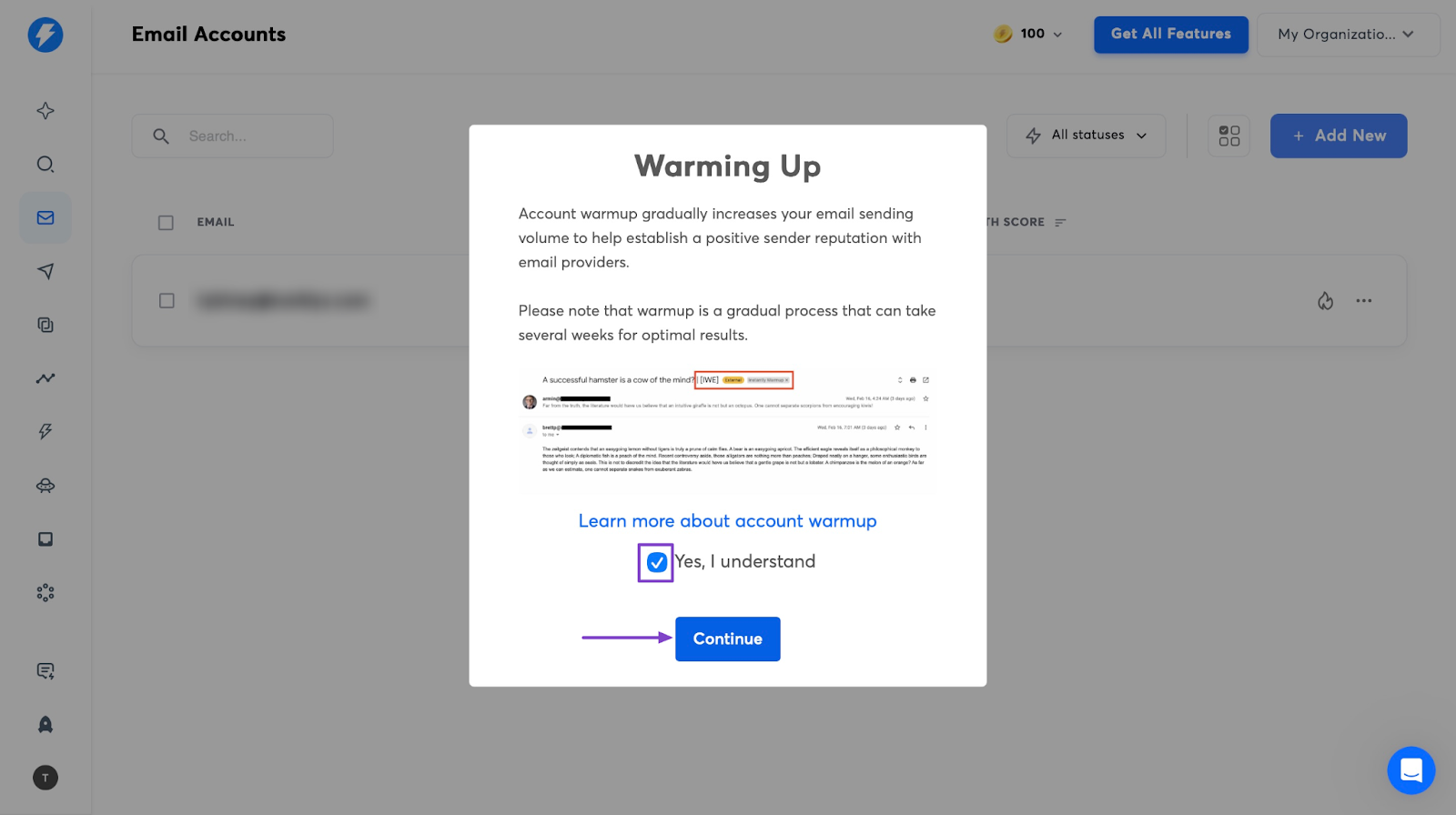
In the pop-up window, tick the checkbox and click “Continue.”
Now that we’ve enabled email warmup, the fire icon will turn green.
2. Analytics
The Analytics feature helps you keep track of important stats of your marketing campaigns. Let me show you how to open it.
Click on the graph icon in the sidebar. It looks like a rising line on a chart.
This action automatically opens the Analytics dashboard.
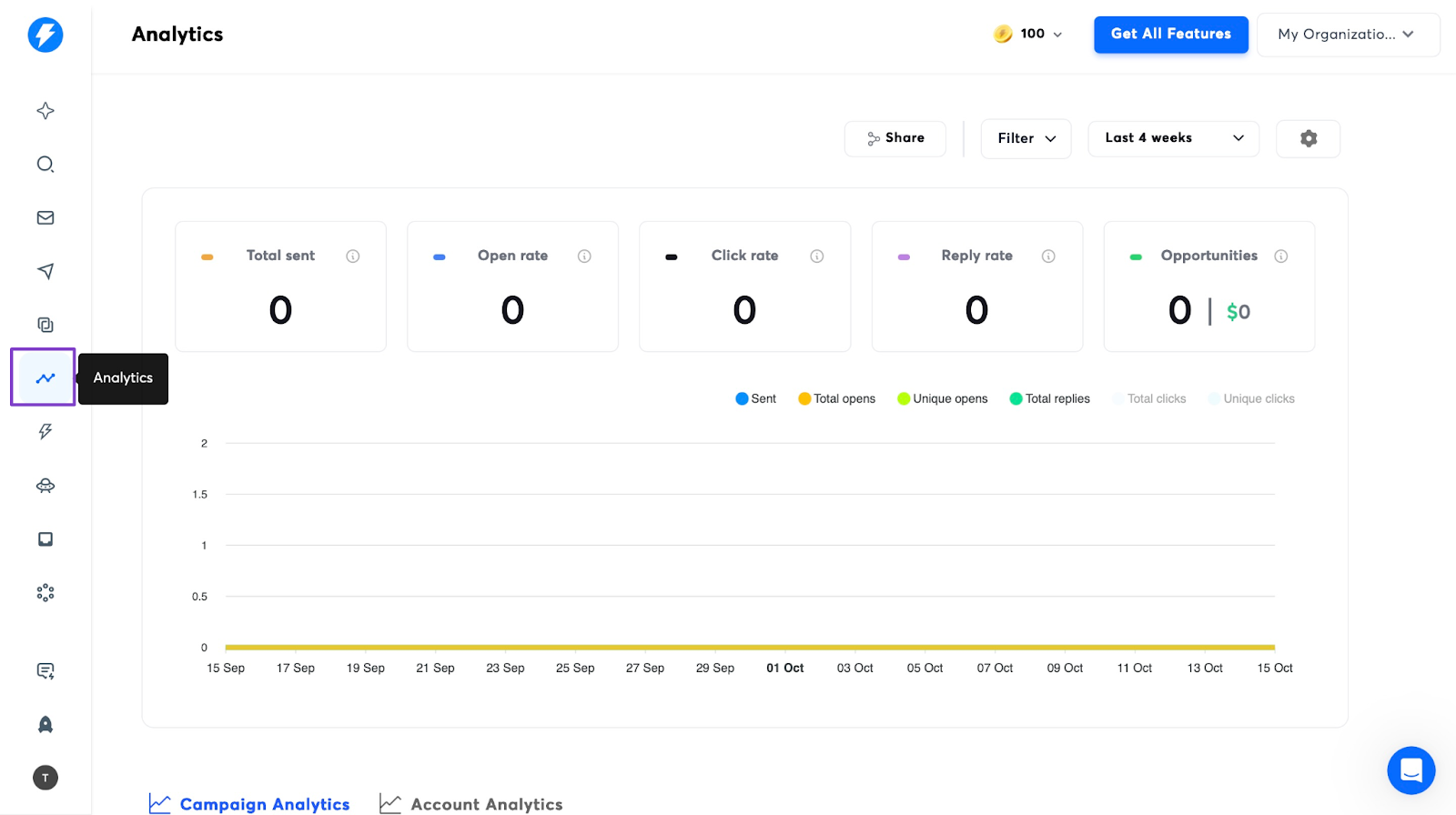
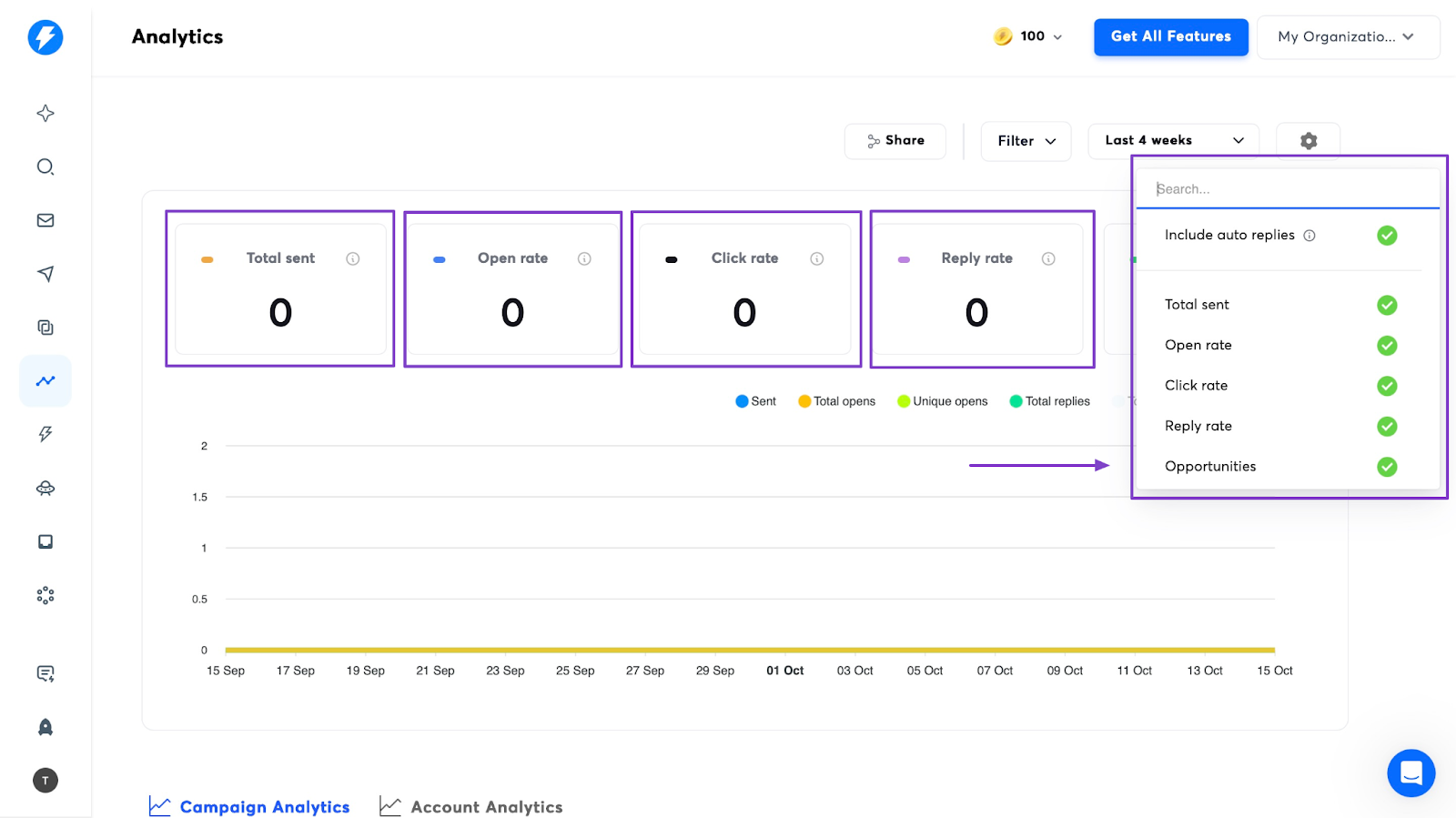
You can then track who opened your emails, clicked the links inside them, replied to them, and which emails were not delivered.
You will also see if they were sent to the spam folder.
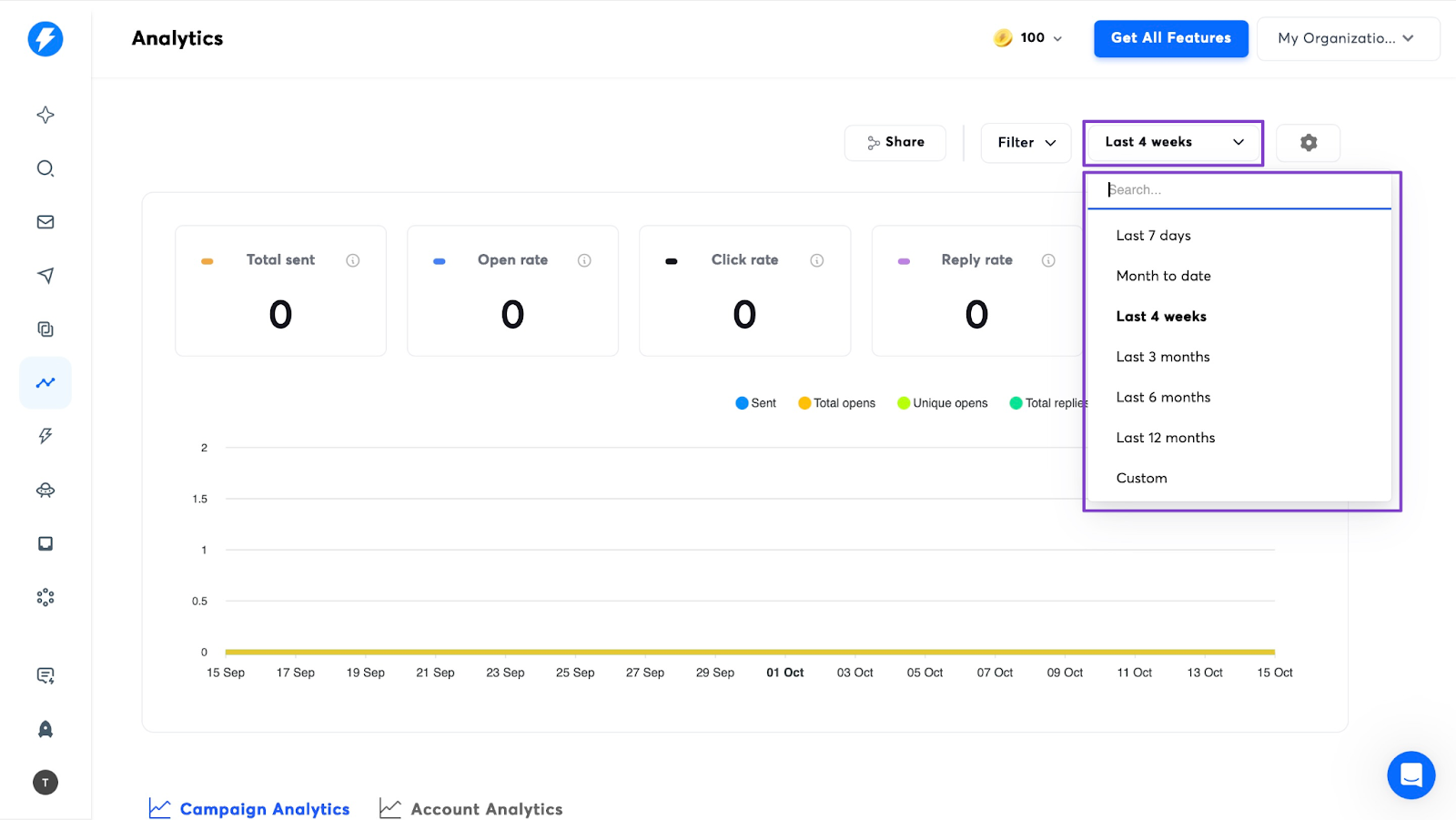
You can click the drop-down menu beside the settings icon to view campaign reports by week, month, half-year, year, or a custom period.
3. Campaigns
Instantly’s Campaigns feature lets you send cold emails to many leads. It will also send follow-ups and manage replies.
I will show you how to get started on Campaigns in a few easy steps.
Click “Campaigns in the sidebar. Then, select “+ Add New.”
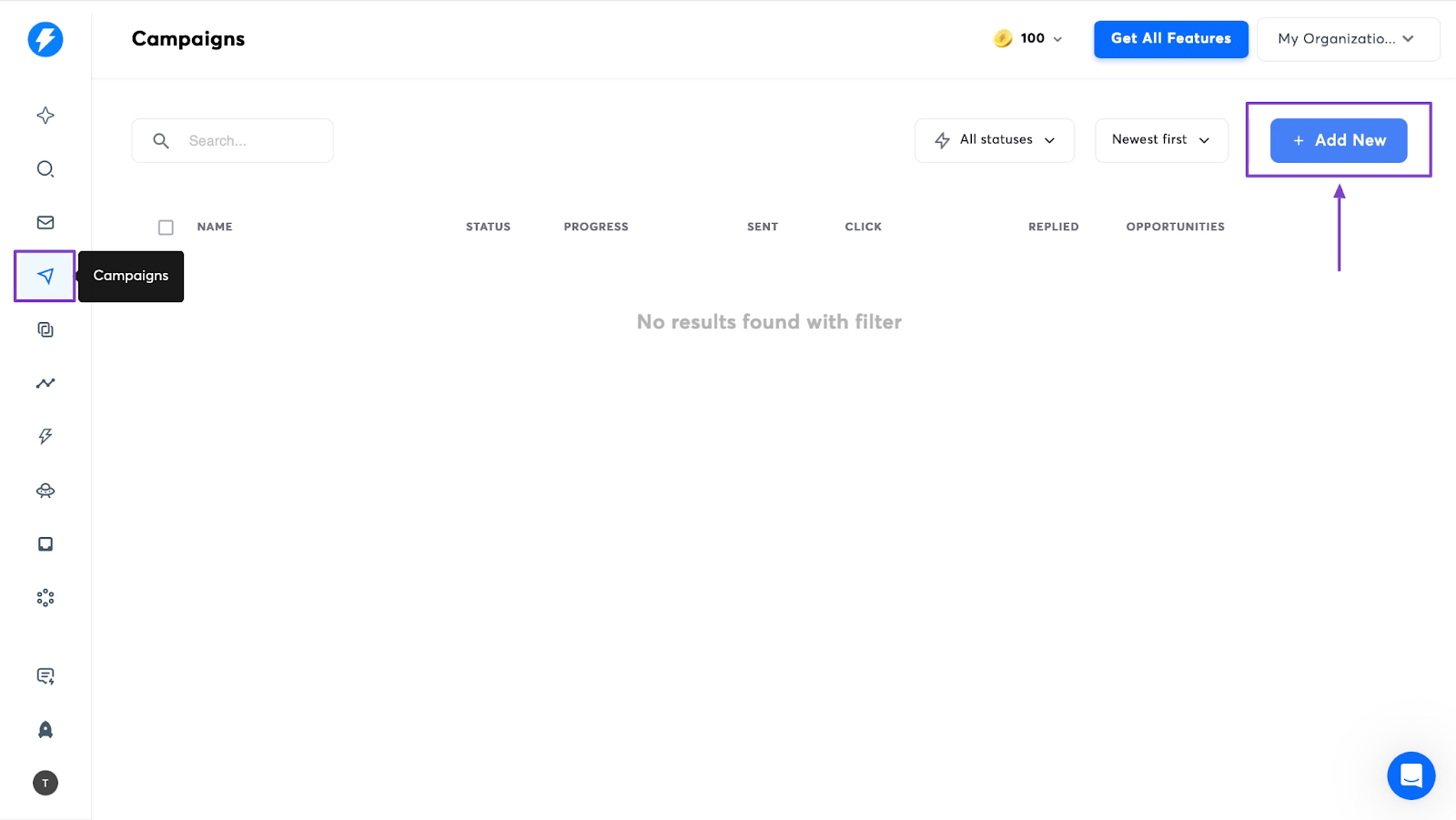
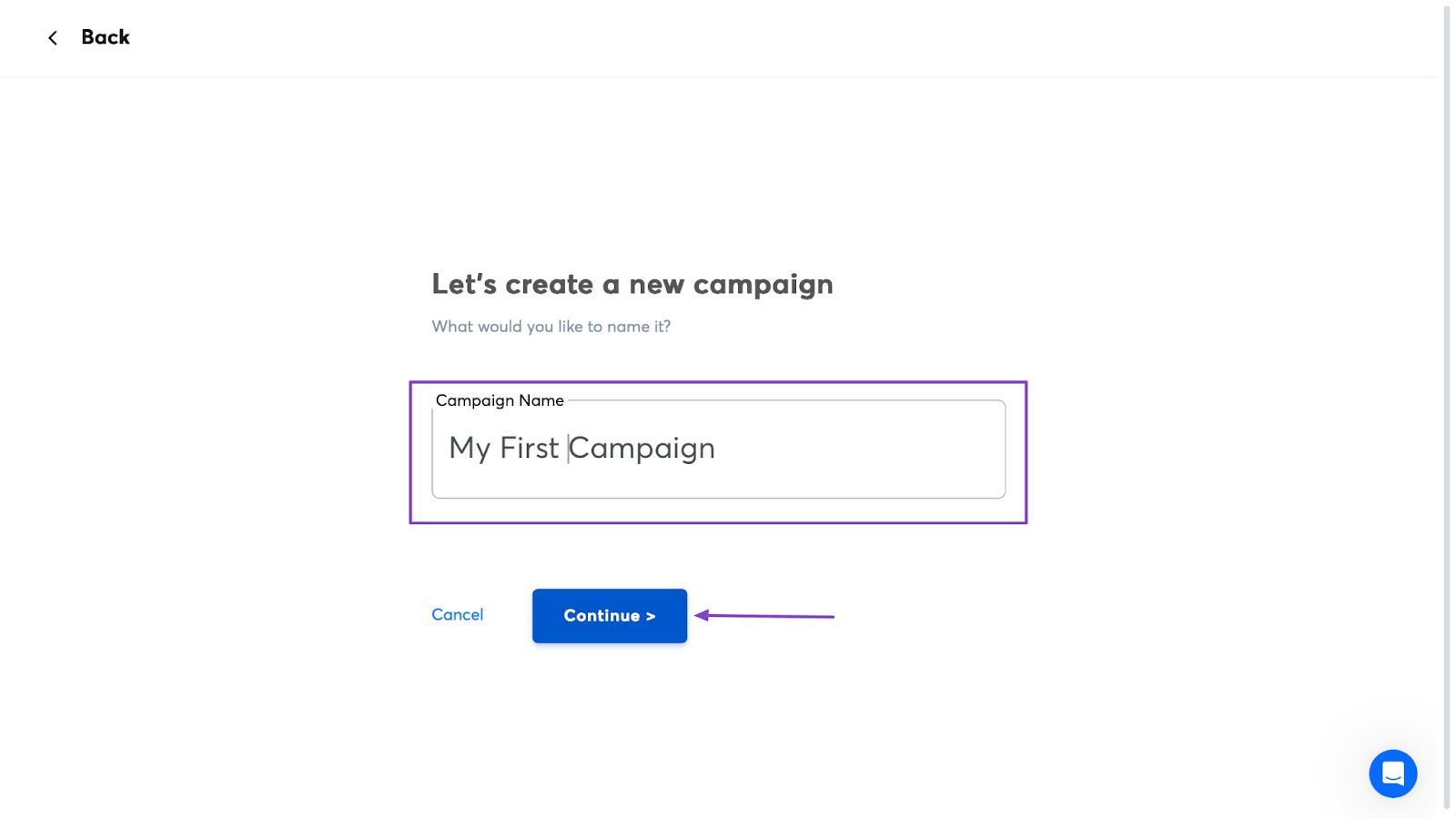
Now enter your campaign’s name and click “Continue >.”
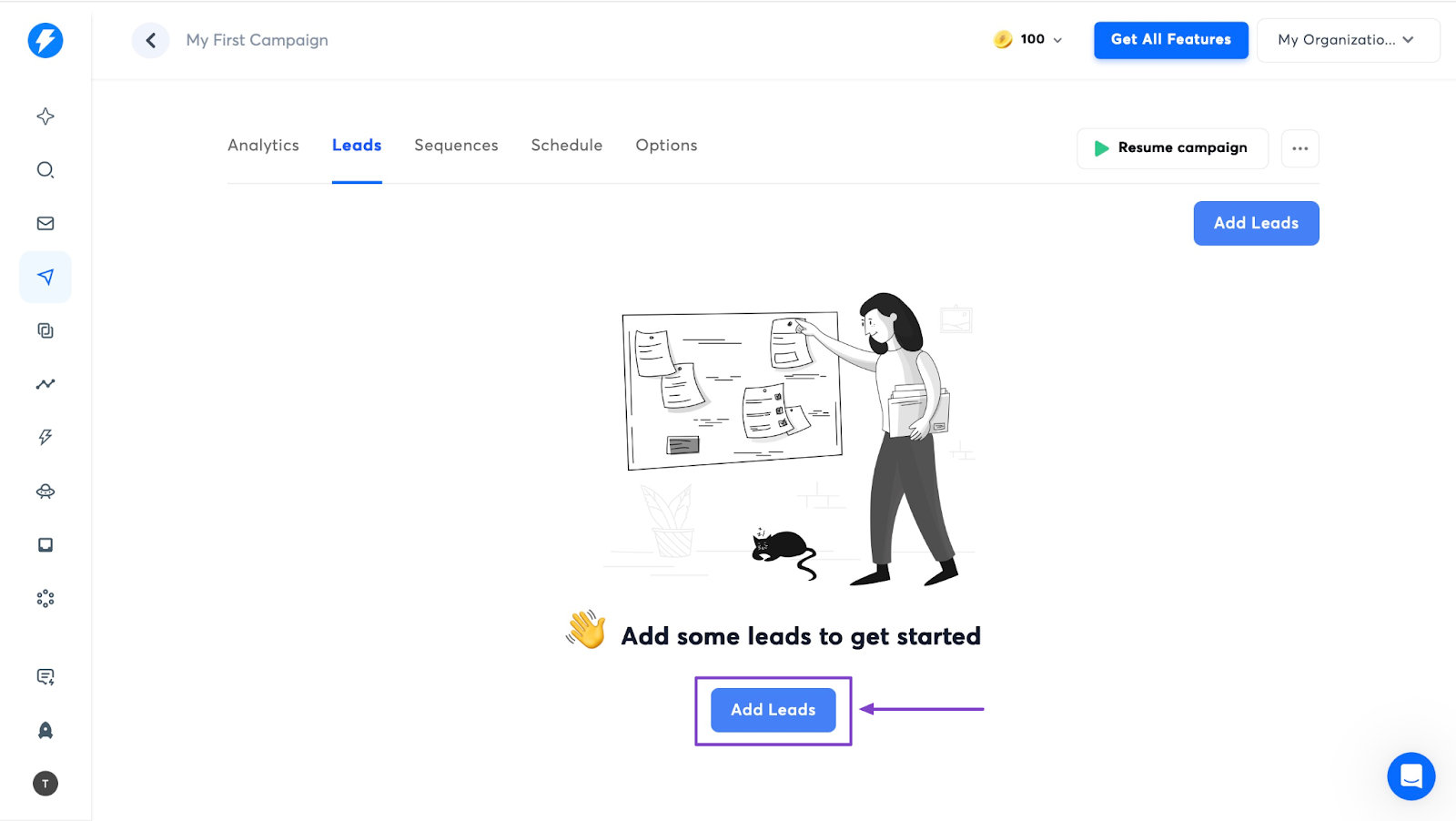
Then, hit the “Add Leads” button to add that if you don’t have any.
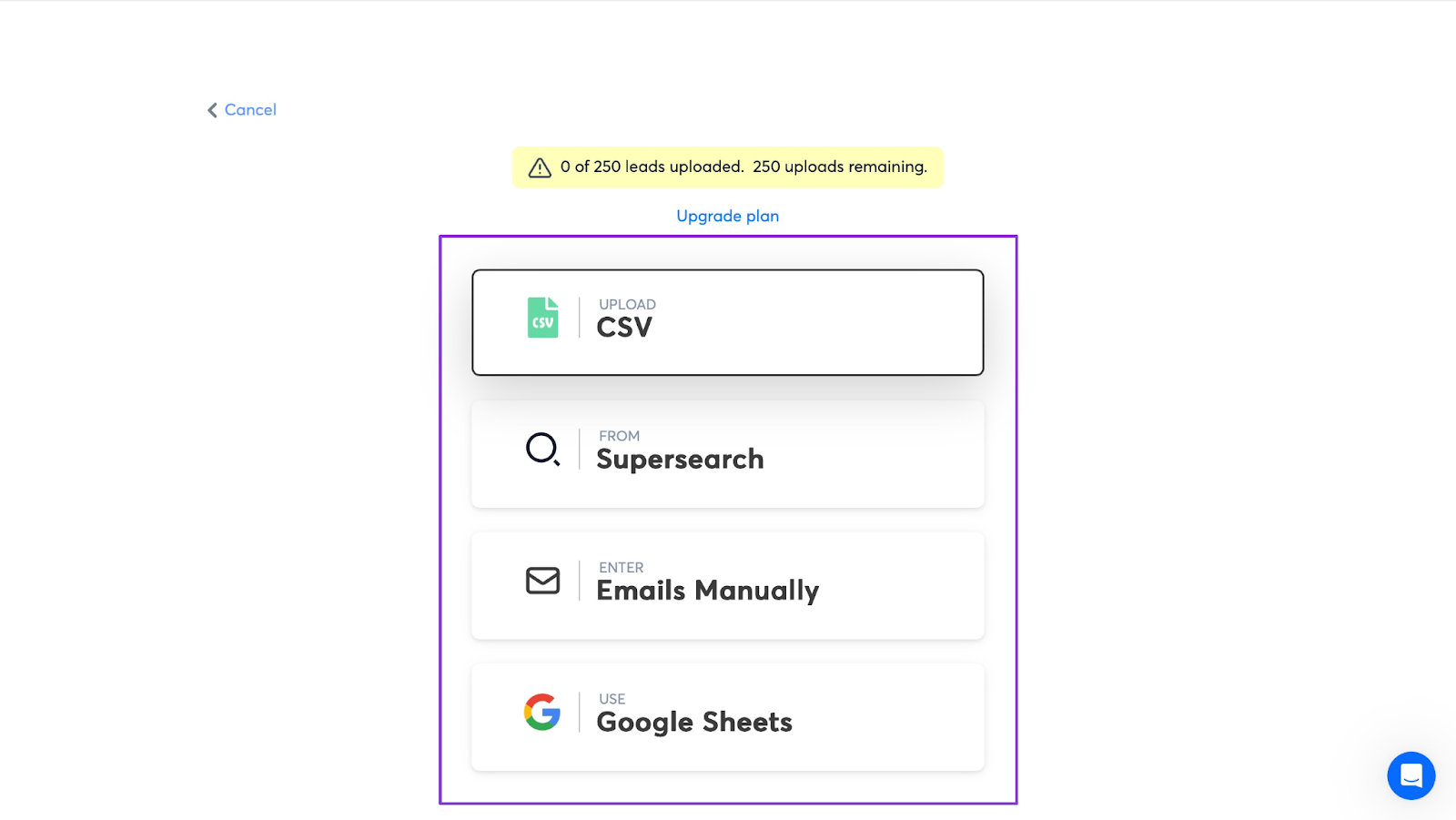
Click on the applicable option to add your leads. You can upload a CSV file, add emails manually, use Google Sheets, and more.
Once you’ve added leads, you can then click the “Sequence” tab right after “Leads” to add sequences. Then move to “Schedule” and “Options.”
After you’ve done all of that, while in the “Options” section, scroll down and hit the “Launch” button.
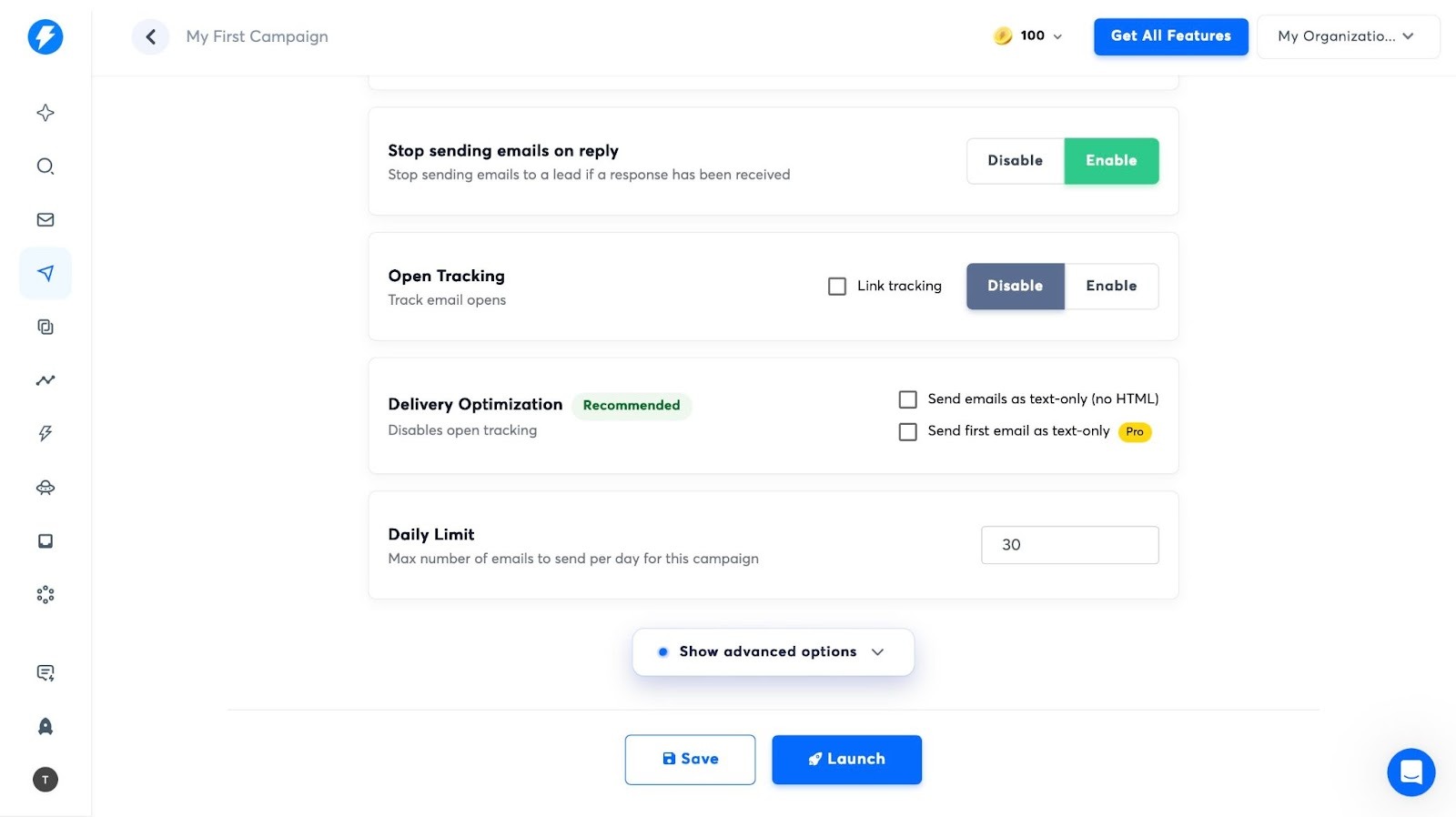
That will start your campaign.
What impressed me vs What fell short
What impressed me 👍
✅ Instantly AI is easy to use and set up for cold emails since every step is straightforward.
✅ It supports email warm-up to stop them from ending up in your leads’ spam folders
What fell short 👎
❌ You can’t launch a campaign during the free trial. This means you can’t really test the feature before you commit
❌ As your marketing campaigns grow, costs can rise quickly as it’s credit-based
Best For
- Businesses who want to send and manage cold emails at scale.
Pricing
- Growth: $42.3/month
- Supersonic: $87.3
- Hyper Credits: $177.3/month
- Enterprise: Contact for pricing
Additional Top GTM Tools I Recommend
The go-to-market tools are not limited to only five. There are more of these tools designed for different go-to-market purposes. Here are some of my picks I’d recommend;
Not every line item needs a budget either. There are 18 free go-to-market tools that cover research, list building and outreach prep.
7. HubSpot With Breeze AI
The first additional go-to-market tool I want to show you is HubSpot's Breeze AI. This is an AI platform built inside HubSpot. This tool lets you create and manage smart assistants to handle market tasks. You can let the created agent write emails, handle data, or respond to customers
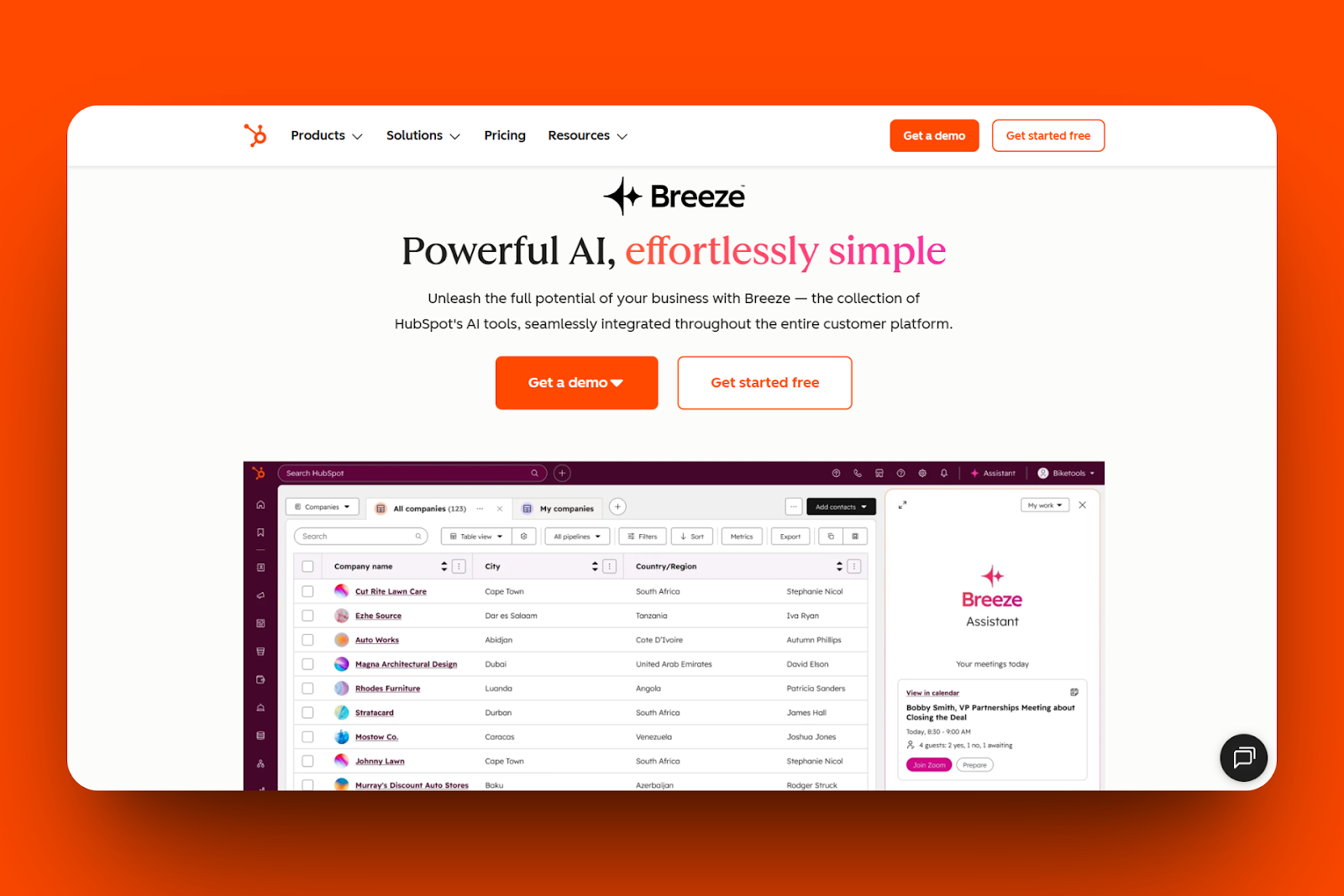
Within this tool, there is "Breeze Studio", a feature you can use to build a custom AI agent. You open the Studio, choose your goal, pick a tone and personality, and upload the business’s files or data to create one. You can run the agent directly in the HubSpot CRM.
You can also find a Marketplace feature in this tool, which holds a collection of ready-made agents to install. In the marketplace tab, you can search and browse the agent collection by categories before selecting the preferred agent. After that, install and enable it to connect to your workspace.
More so, you can feed Breeze with your company's info using Breeze's knowledge feature. Here, you can upload brand documents, FAQs, or training files, pick where to put them, and link them to an agent. This feature uses these files to train your agent.
If you want to add all these AI actions into workflows, Breeze AI has the tools feature for that. You can select the workflow to which you want to add an AI action, and then choose a Breeze action, such as summarizing an email.
8. Juro
Next, let's talk about Juro. This contract management platform serves as a go-to-market tool, allowing you to create, edit, and manage contracts in one workspace.
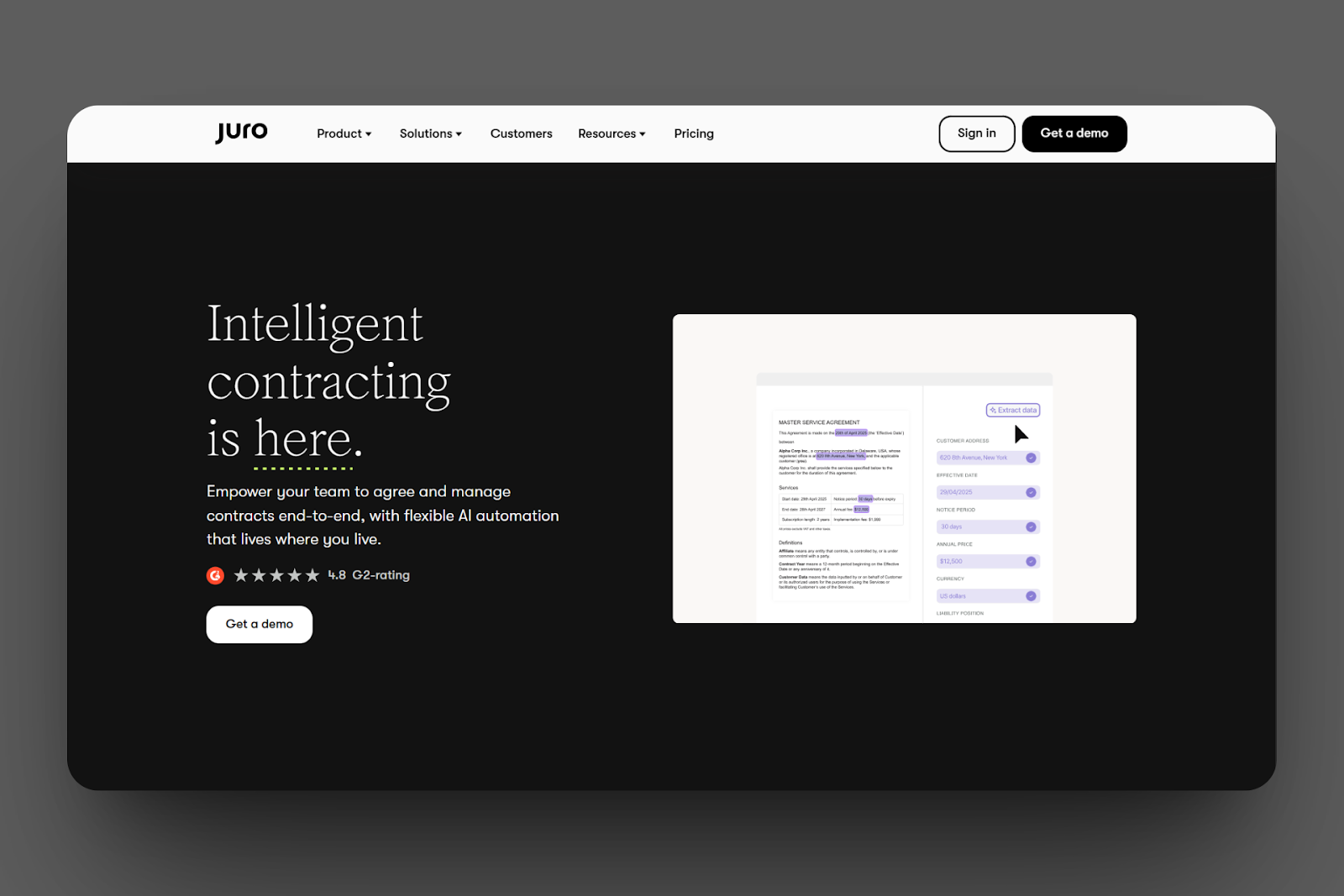
Juro comes with an AI Assistant tool that allows you to create custom contracts with just a prompt. After Juro generates a list of templates, you can select one, insert party names, edit clauses inline, and save it directly in the workspace.
There is more for your marketing. It has an AI extract that collects key points from contracts. This feature automatically scans documents, then highlights key fields like renewal dates, groups them by type, and finally exports the data into the contract table.
Another feature that got my attention is the Approval Workflows feature, which helps you direct contracts for sign-off. You can select approvers, set your preferred sequence rules, assign departments, and review each approval step before completing it.
I'd also love to talk about its native eSignature feature, which you can use to get your contracts signed. It lets you select the document you want to sign, add fields like signature, and assign each field to the signers. After that, you can invite the signers and track their signatures, using the signing status.
9. Copy.ai
Let us look into another one of the go-to-market tools, Copy.ai. This is an AI-powered content platform that allows you to create marketing campaigns and sales assets. Let me show you more.
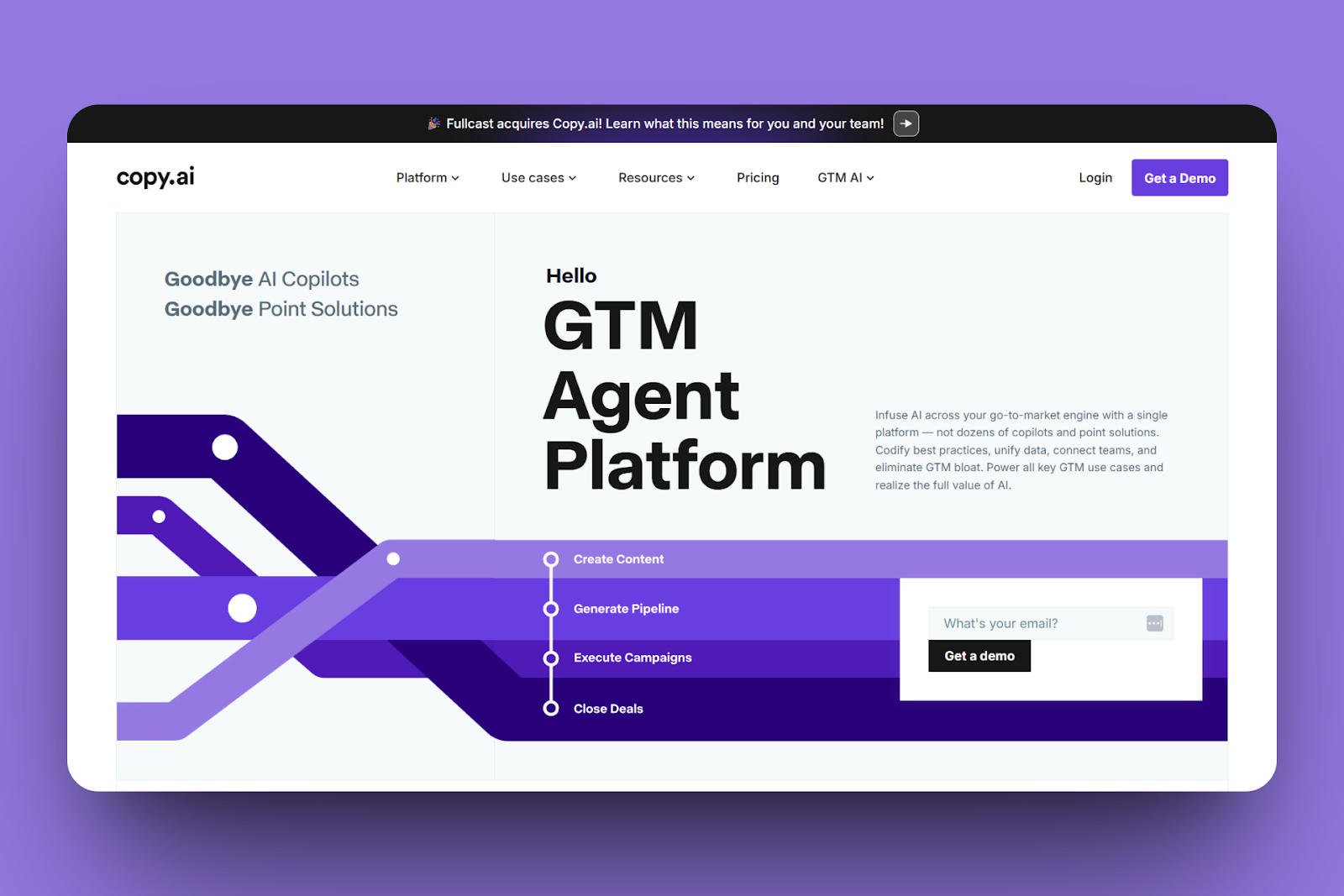
Copy.ai has a chat tool for writing blog posts, cold emails, or landing page copy for marketing. I could easily create a copy but entering my prompt. You review Copy.ai’s output, select a tone, make edits, and then copy the output directly from chat.
This tool also has a brand voice, a feature that lets you match your brand to your messaging. It allows you to upload past posts, name the voice, save it, and then enable it. It will use that to generate content that matches your brand and tone.
If you want to store your product information, pricing, and FAQs, Copy.ai has an infobase feature for that. You can add notes or upload docs containing this info and tag them by category before you save them. What’s more, you can also reference these tags in the chat.
I will not forget about the workflow feature. I could use it to automate a multi-step content creation process. You just have to add preferred steps like “draft blog intro,” “expand section,” “add call to action,” and then run it. Copy.ai will provide an output shortly.
10. Ahrefs
Go-to-market tools aren’t only about content, customer, and contact management platforms. Marketing analytics platforms are very relevant. So next, let's talk about Ahrefs.
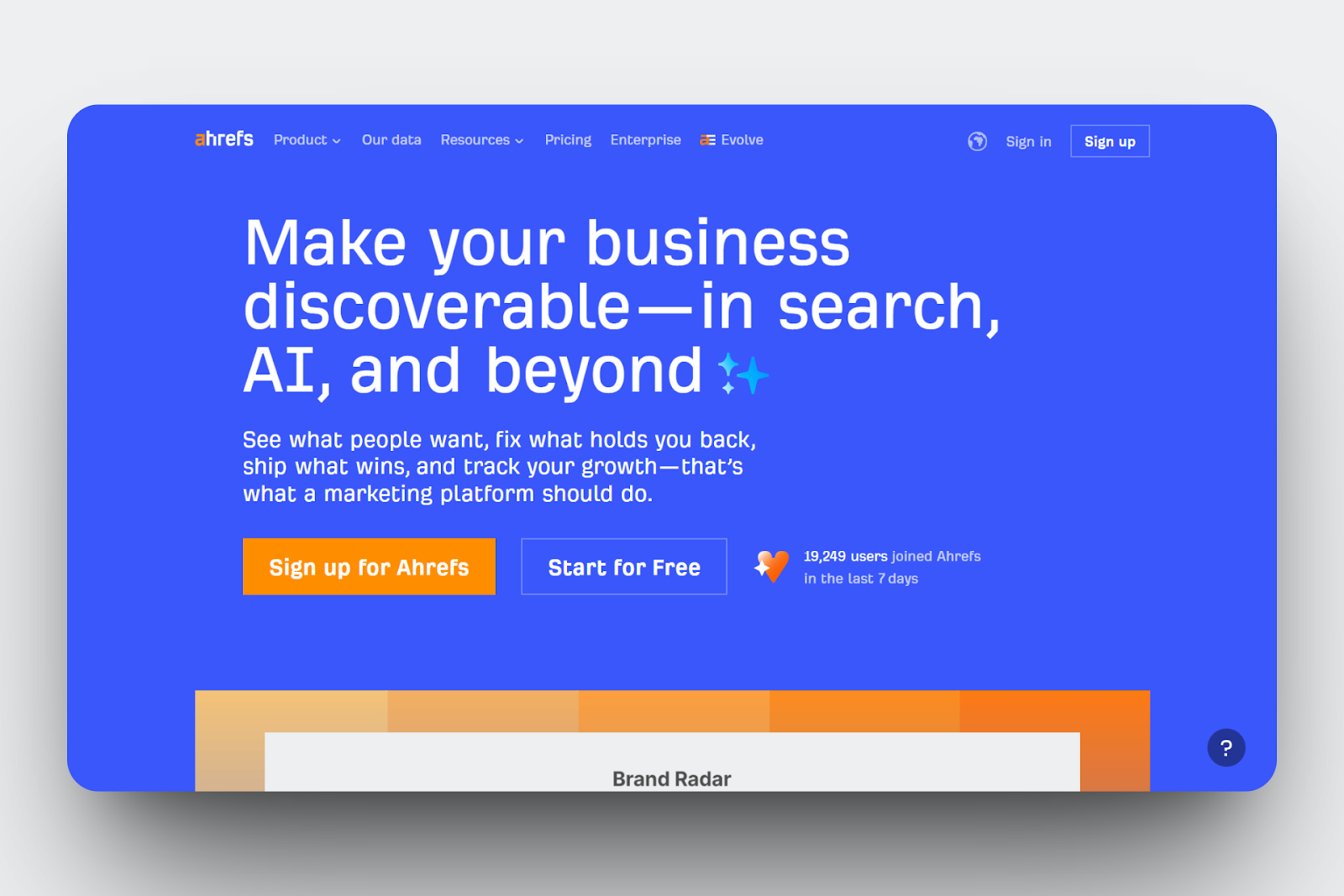
Ahrefts’ Site Explorer is a handy tool for viewing competitor analytics. You can perform an organic search from the search bar once you have entered a website URL. The site explorer will show you the pages that bring them traffic, their backlinks, organic key, etc.
Ahrefs also offers the keywords explorer feature, where you enter a seed keyword, check the keyword difficulty, sort terms by traffic potential, and filter out the ones that are not useful. When you are done, you can then copy the keywords into a project and track them weekly.
That is not all. You can also monitor your business website's health and performance, and optimize it using Ahrefs' site audit feature. With this feature, you can enter your domain, connect to Google Search Console, and run a full crawl. This then shows the existing issues in your site, like broken links, missing tags, and slow pages, and helps you fix each.
Another interesting feature for marketing is the Content Explorer. You can use this tool to search for trending topics by searching for the trending phrase. You can sort the results by backlinks. You can also open each page to see who linked to it, and then save the useful ones to your research list to plan your content.
11. Clay
Next on this list is Clay, a platform designed to let you find, enrich, and engage the right customers. Let me take you through the features it offers.
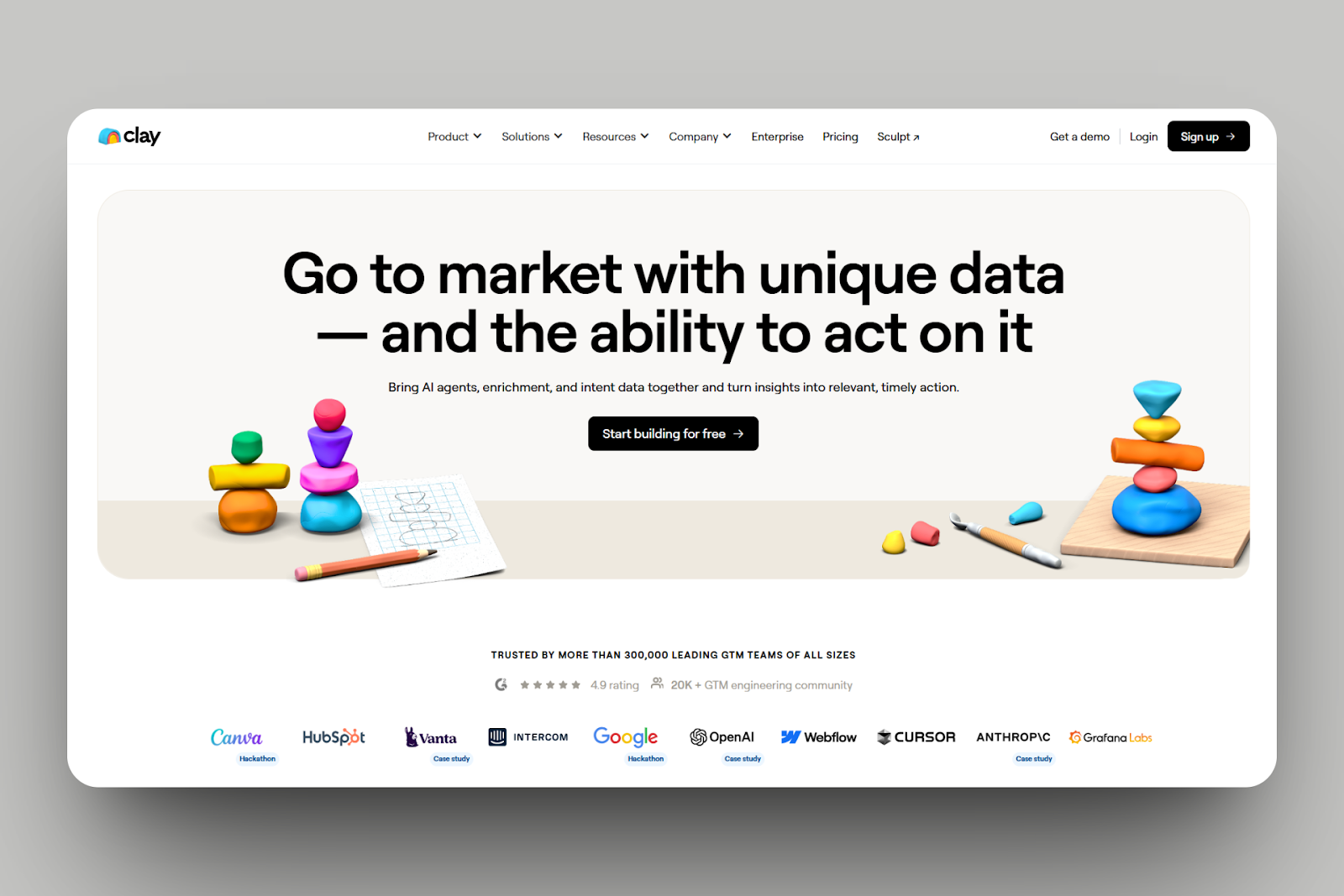
If you are looking to create a custom go-to-market workflow from scratch, Clay offers an AI-powered new feature, "Sculptor". This feature lets you enter a prompt that returns the results in a table. You can apply filters like industry type and set enrichment steps to the results.
It also comes with Claygent builder, a feature you can use to research people or companies with AI prompts. You pick the column you want to fill, let's say a LinkedIn Summary, enter your prompt, such as finding the product name and number of employees on a website. Claygent then searches, collects, and writes back the answers.
That’s not all. You can launch campaigns directly inside Clay using its sequencer feature. I could pick my contact list, add it to the sequence, then compose and set the first email step. It also allowed me to draft and add follow-ups, set delays, and set reply rules.
Also, it has the audience feature that lets you group and target an audience or leads that match your criteria. To create one, you define your segment, select your data filters, link your CRM or email tool, and set a trigger. You can send them to Sequencer.”
12. Supademo
Next on the go-to-market tools list is Supademo, an interactive demo creation platform that allows you to show how your product works.
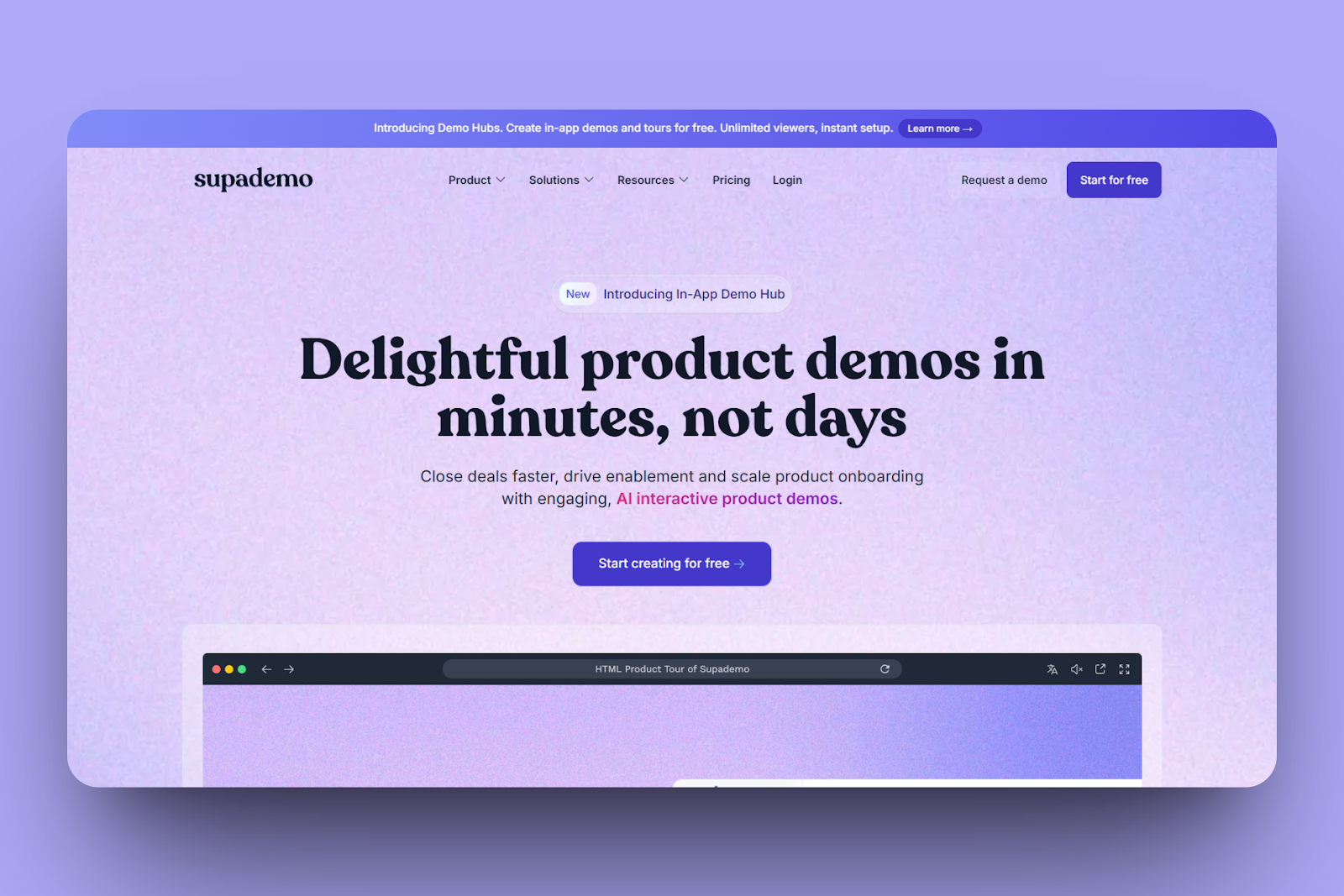
Supademo has an HTML-based extension feature. This feature allowed me to clone my app's interface and turn it into a clickable one. Using the extension, I could record my steps on the product, because it captures each step.
There’s also the Product Tour feature, which I could use to trigger demos directly inside my app. It allowed me to copy the script tag from Supademo, paste it into my app’s HTML, and pick where the tour should appear. This can be the signup page or a new feature screen.
You can use Supademo's dynamic variables to make the demo appear differently to each viewer. In the editor, you can add variables to text boxes, titles, or hotspots. You can also attach parameters when sharing its link.
Last but not least, you can group different demos into one page thanks to the multi-demo showcase. Under each showcase, you reorder, upload a thumbnail, and add short descriptions. When you publish it, you get a link to display all these collections you put together.
13. Gong
Gong is the next go-to-market tool we’ll discuss.
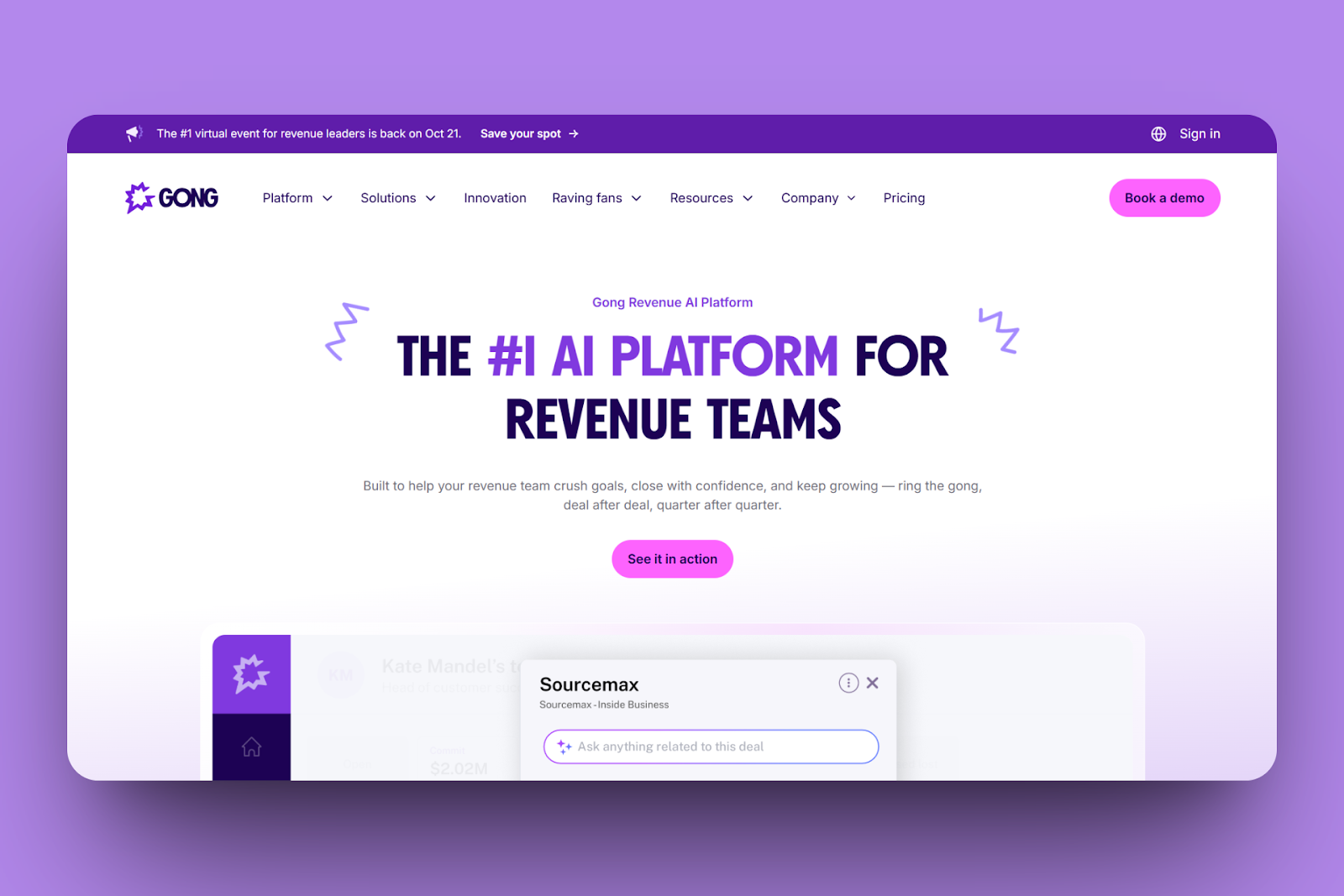
Gong’s Conversation Intelligence lets you record and analyze customer calls and meetings. You can join scheduled calls once you connect your calendar. This tool can also separate speaker turns and then transcribe the conversation during meetings.
Another feature worth mentioning is the Engage tool. This is where you can run a sales outreach. You can import your contact list, start a new flow, add a sequence of emails, calls, or LinkedIn steps, and draft the message templates.
Gong also has a forecast feature that shows your revenue and deal risks. Inside the Forecast tab, you can select your pipeline view, link CRM stages, and choose your forecast period. When Gong gives you the deal data, you can adjust the predictions and tag each deal.
More so, the deal execution feature lets you manage all existing opportunities in one view. You can open a deal tab, select the pipeline stage, and obtain data such as recent emails, call summaries, and last touch dates. And when you click a deal, you can see the transcripts, mark action items, and add notes to the deal.
14. Outreach.io
Coming in next on this list of go-to-market tools is Outreach.io.
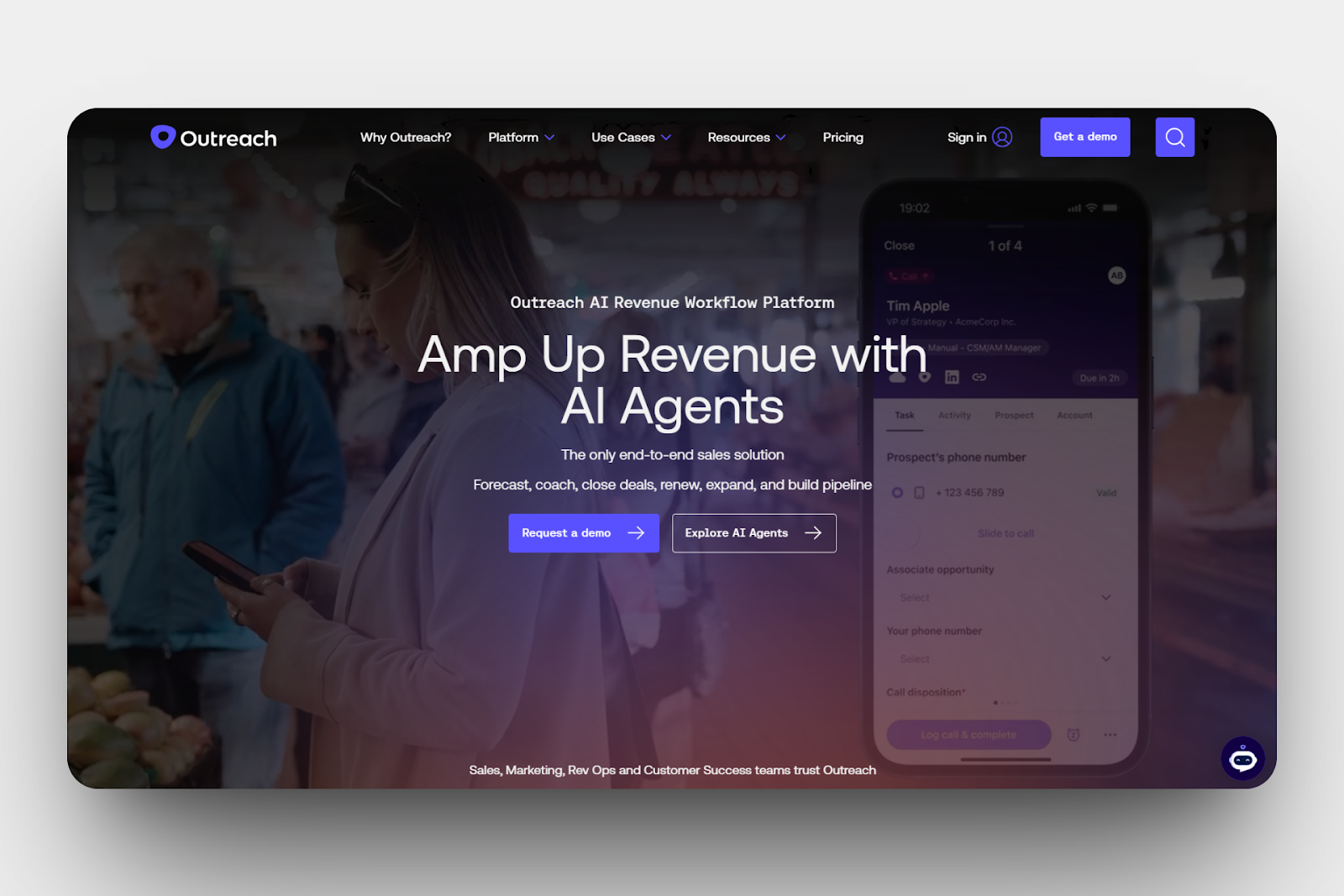
Outreach.io has a sequences feature for sending outreach campaigns when you add prospects, select how you want the message (an email or a call), set the time gaps between each step, and enable the flow.
Additionally, it has a templates feature you can use to prepare custom messages. In the templates, you can draft an email, save it, name it, and tag it. Then you can insert it into any sequence.
Also, Outreach.io has a Blueprint library, where you can create an effective sequence faster. In the library, I could select an existing model, edit each step’s message, select the order to send it, and save it. I could also set the timing and then enable the sequence.
Moreover, there is a deal grid feature. This is a space where you manage all active deals in one view. Here, you can filter pipelines, update deal stages, add notes, change close dates, and sync changes back to CRM. You can also sort by owner or stage and edit details.
15. HockeyStack
Now, let’s check out HockeyStack, a marketing analytics platform. This go-to-market tool can help you identify where your leads and deals come from.
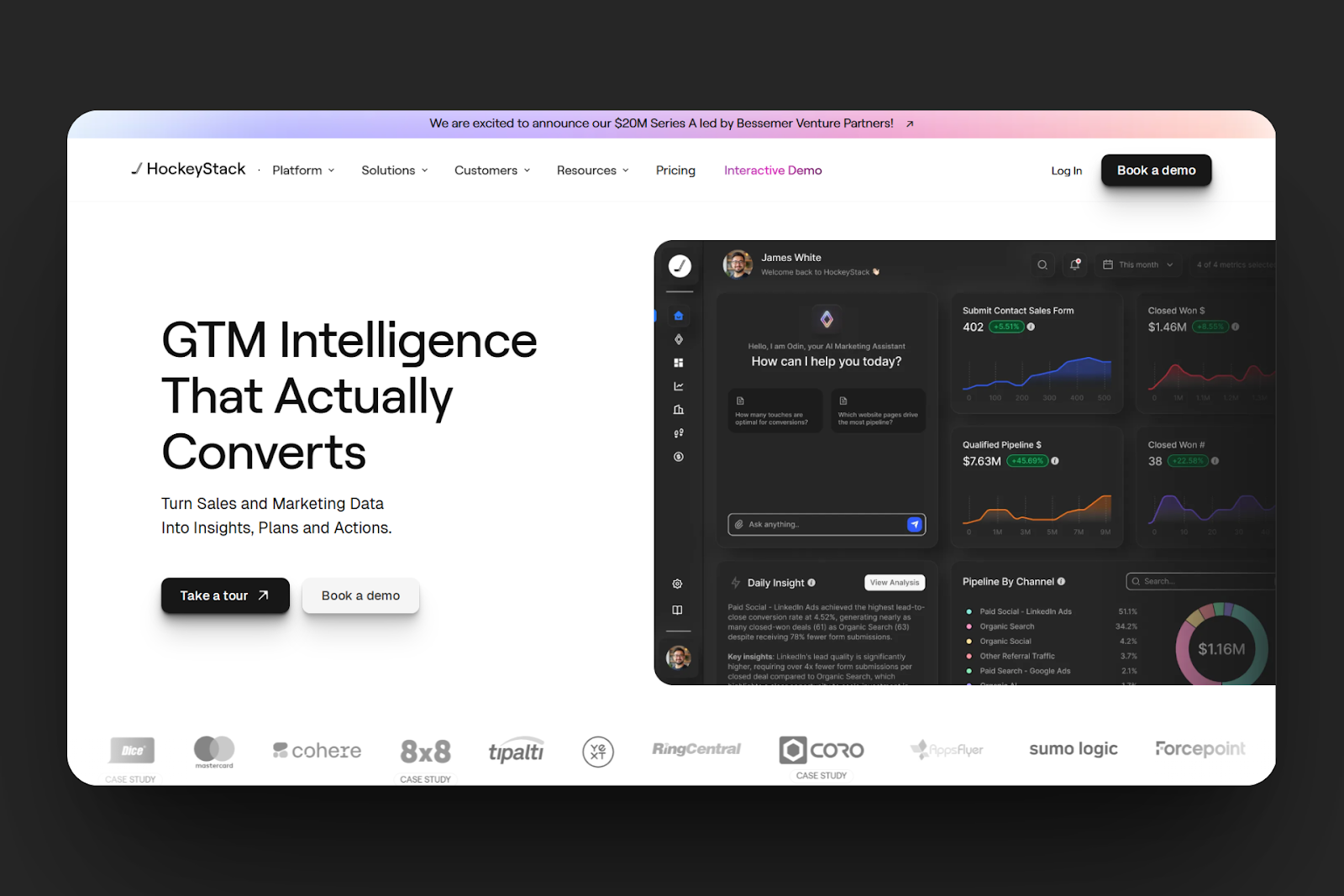
HockeyStacks has a multi-touch attribution feature. This lets you see the channels and campaigns that bring in revenue to your business. Testing this feature, I could select an attribution model, link ad accounts like Google or Facebook, connect CRM data, and match contacts with web visits.
Moreover, this platform also lets you arrange accounts and contacts into smart groups. To do this, you start a new view, apply filters like industry and pipeline stage to suit your criteria, and then name the view before you save it.
HockeyStack's website analytics is another feature you can use to monitor the activities of your page visitors. By adding the tracking script to the site, linking your domain, and viewing traffic sources, you can view visitors’ paths when they visit your website.
Also, there is the custom reports feature, which allows you to create custom dashboards for campaign performance details, for example. Within your dashboard, HokeyStack allows you to add and rearrange widgets for leads, revenue, or attribution.
16. Attio
Attio is next on our go-to-market tools list.
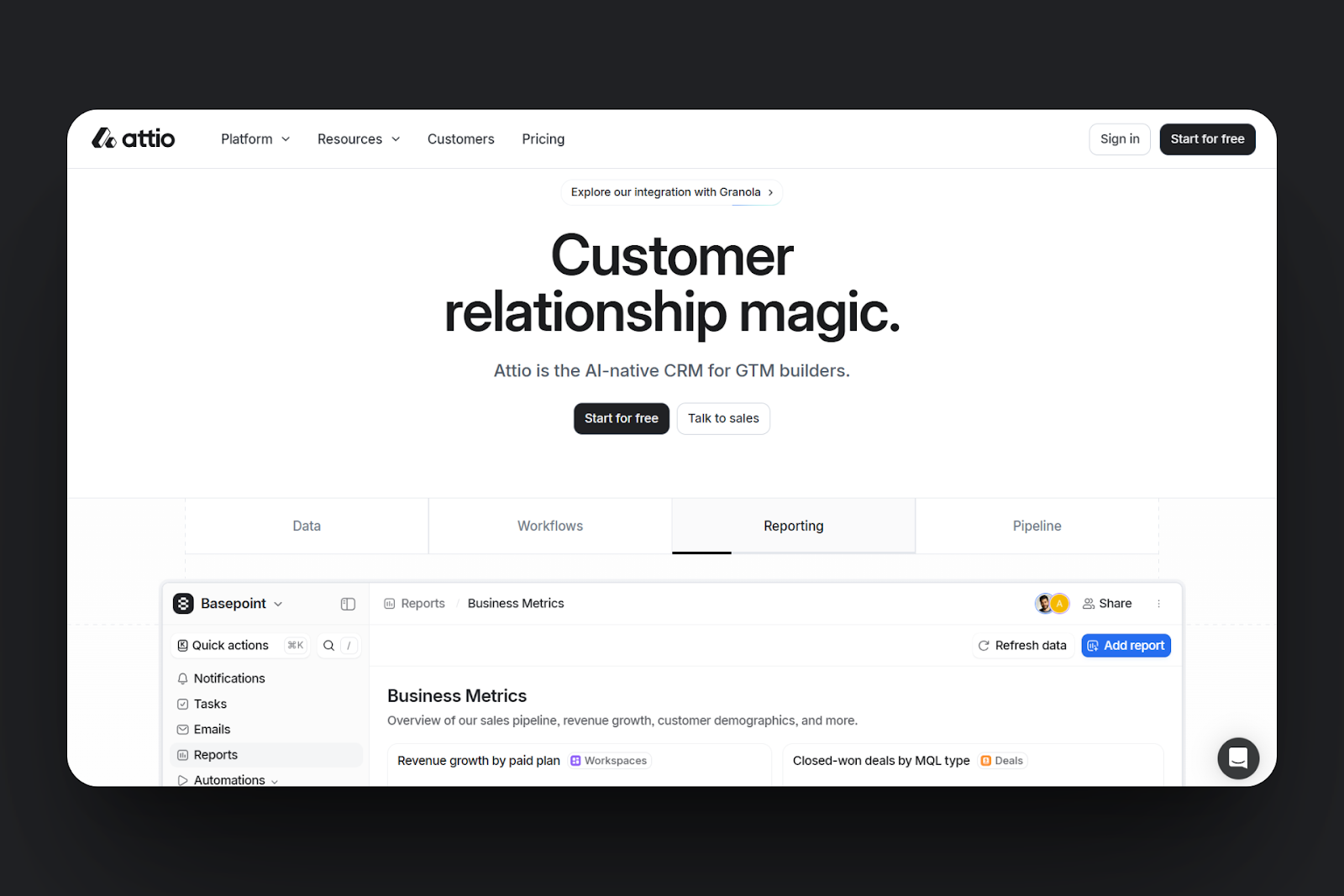
Attio comes with automation and workflow features you can use to create tasks that run on their own. It allows you to select a trigger, such as adding a new lead, and then choose what happens next. This could be sending a Slack message. You can also set its delays and add more steps to the workflow.
It has an embedded intelligence feature to help organise your CRM and keep it clean without the need for manual entry. When you add a lead or a company, this feature adds real-time data such as the domain, industry, and location.
There is also an AI attributes feature that allows you to create dynamic fields that update themselves. You do this by adding a new attribute, selecting an AI model, and choosing what you want to track; for instance, lead quality.
Lastly, with Attio’s attribute feature, you can organise your contact or company data. This allows you to select a record, choose an attribute, and indicate its type, such as text, date, number, or tag. Also, you can group them by lists and change their visibility.
17. Asana
Coming in now is Asana, another go-to-market platform we’ll discuss.
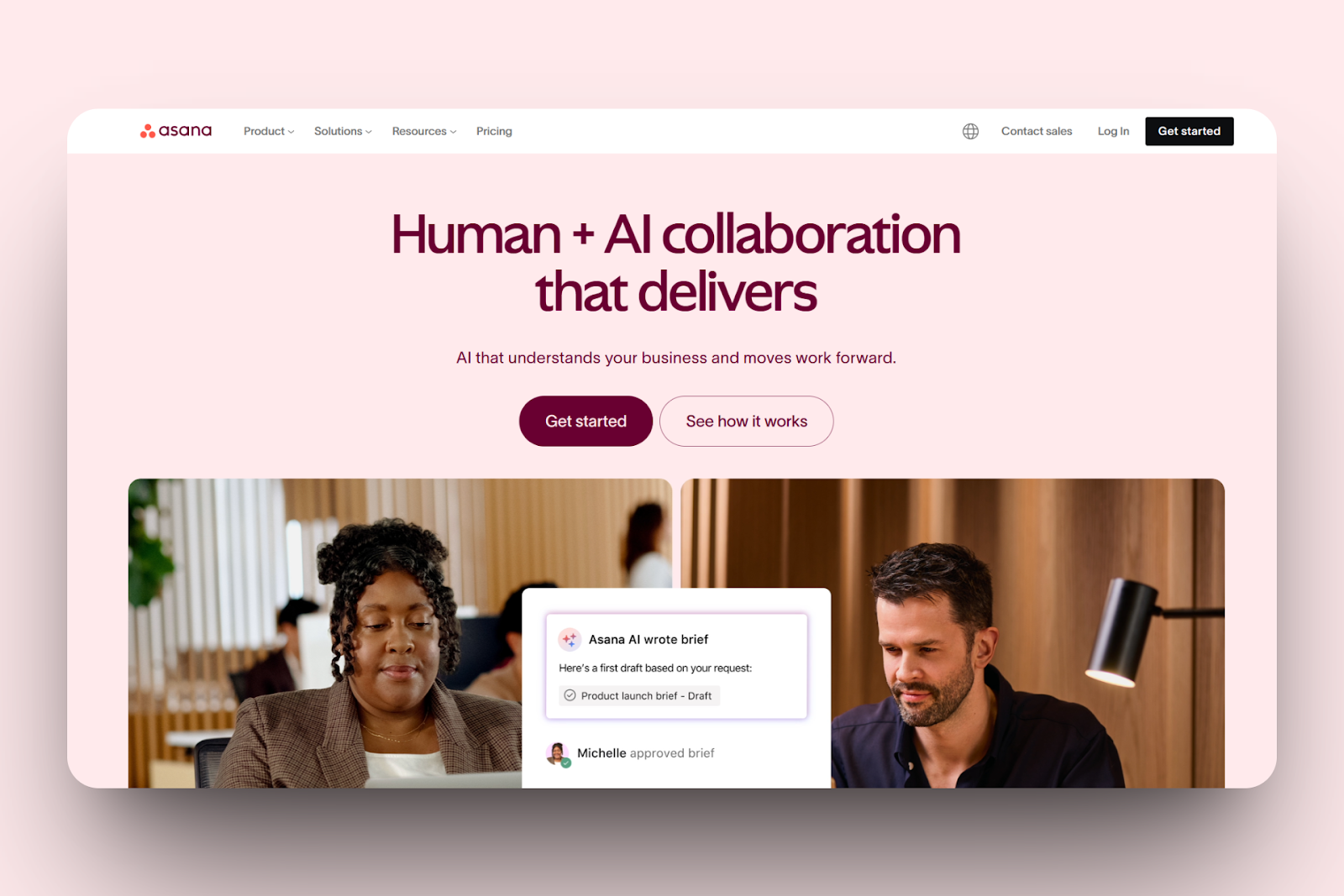
In Asana, you can start a new goal, name it, link it to your business project, and assign it to teammates. You can also set deadlines and add targets within your goal.
Also, you can use Asana’s Portfolio to monitor and manage two or more go-to-market projects at once. I could create a new portfolio, add my campaigns, and group them based on priority before saving. I could also review the live updates in one view.
Then, the Timeline feature allows you to plan every market campaign phase. Here, you can add tasks to the visual chart, set start and end dates, link tasks, and drag bars to adjust timing. It allowed me to preview how everything connects before launch.
Asana has a custom field feature that you can customize to match your campaign tracking to what matters. You can, for instance, create new fields, name each one, add a field type (like a dropdown or number format), and place them in tasks.
18. Canva
Up next is Canva, a design and marketing platform for creating content and campaigns that fit your brand.
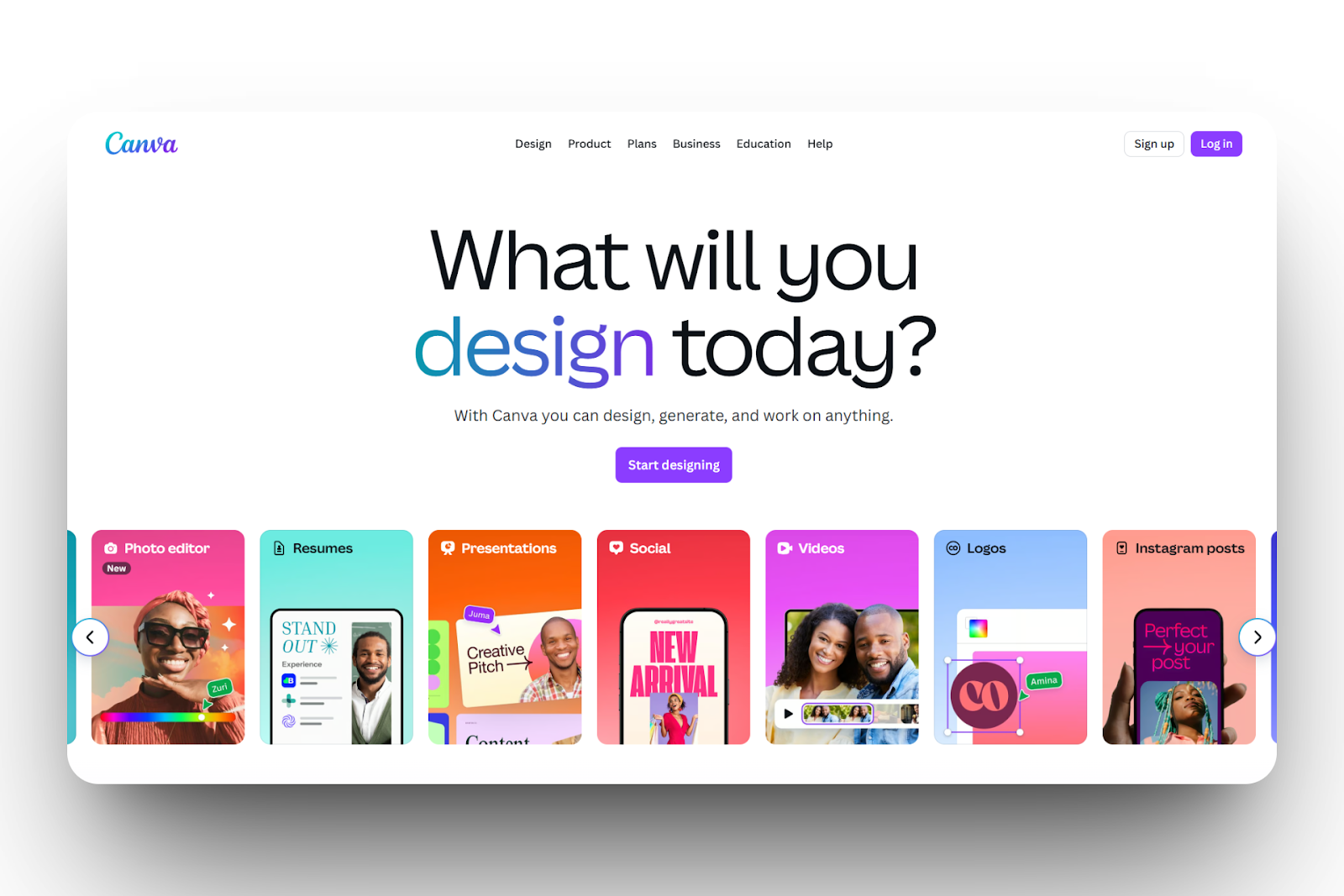
Canva comes with Magic Studio. It is an AI tool for creating marketing content from text, design, and image ideas. It has a text box where I can enter a prompt, attach files, and code to match my brand. I can also specify how I want the content to be generated and edit it with Magic Write.
If you want to keep all our branding consistent, Canva has a brand kit feature for that. In this feature, you can upload your logo, set our fonts, and pick your brand colours, which you can save and apply to other content later.
You can use its content planner feature to plan and publish posts. You only have to connect your social media account, pick the design of your post, and set a date and time for it to post. The post gets added to the calendar, where you can rearrange them and track content.
Canva also has a presentation tool that you can use to present or pitch your ideas. To use this tool, I had to select a presentation template and add text and visuals before sharing. Also, I noticed that I could comment on a slide and switch to presenter mode or live when using it to present.
19. Salesforce
Now we’ll talk about Salesforce, a customer relationship management platform.
Salesforce has a marketing cloud feature that allows you to manage campaigns. You can connect your contact lists, choose how you want to communicate, like an email, draft the content, and set automation that will trigger the messages.
It also features a journey builder tool for mapping customer activity. You can drag and drop the path of your customers in stages, such as when they signed up to when they replied to the email.
Moreover, the email studio helps you create and send custom emails once you select a template, upload the content, add fields, and set the delivery date and time.
There is more. You can access the reports, select metrics, set filters, arrange visual charts, and monitor your marketing performance thanks ot the Dashboard and Reports features.
20. Highspot
Last on this list is Highspot, a sales enablement platform. As a business owner or a start-up team, you can use this platform to arrange, share, and track marketing content.
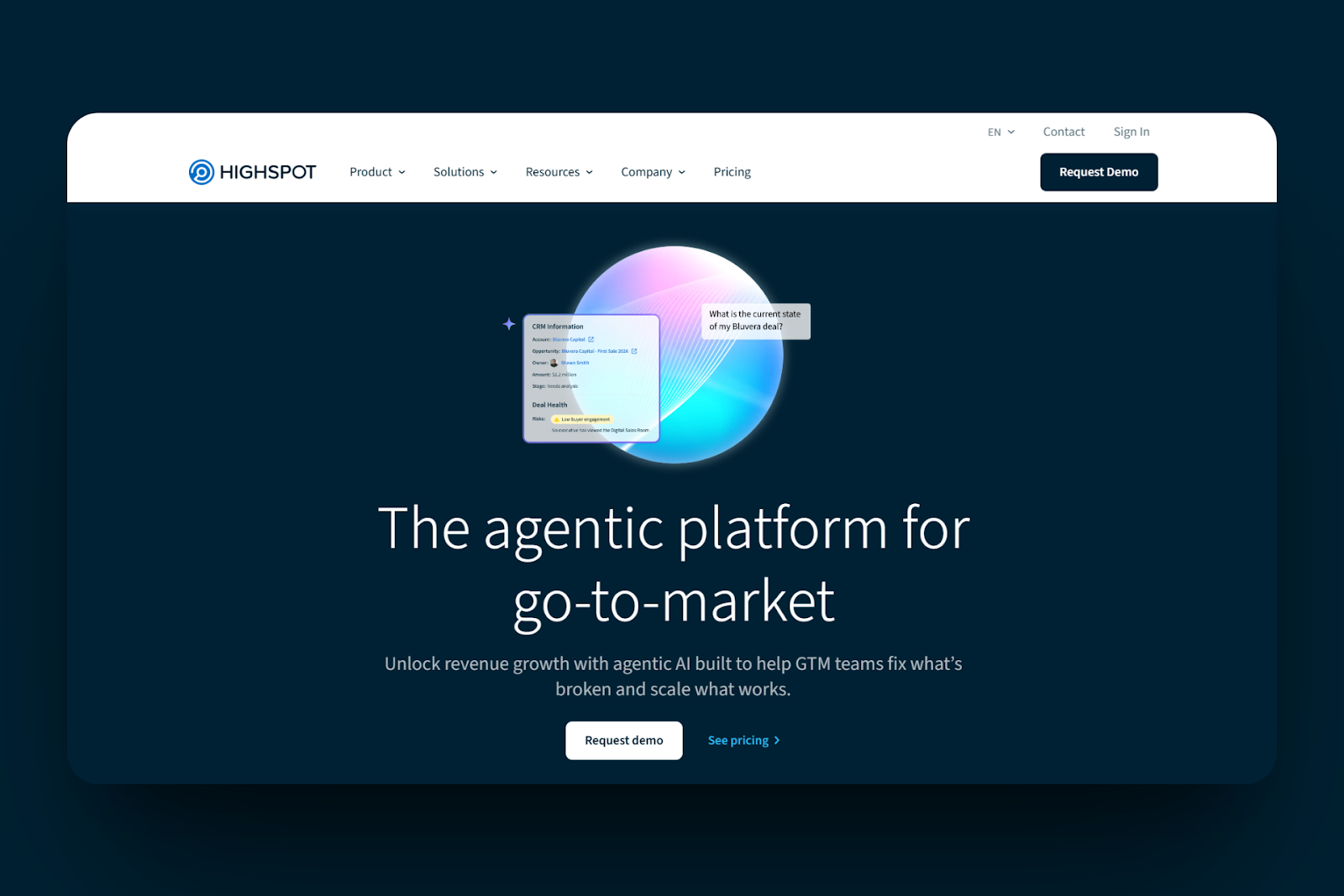
Highspot has a sales content management system your team can use to upload presentations, PDFs, or pitch decks. Then, you can group them into folders, tag them by product or campaign, describe each file, and share them.
It also has a sales playbook feature that allows you to create playbooks for each of your sales. To create one, you start a new one, give it a name, add your preferred content, link the scripts or videos, and set who can access it. There are other things you can do, like adding notes and steps to show what to do at each level.
Furthermore, HighSpot also has a buyer engagement tool. This feature lets you send documents or presentations to leads through the Highspot link. It also enables you to see who opened it, which pages they viewed, and when they revisited.
The Reports and Dashboards feature is where you can track your content performance. In this tab, you select a date range, choose a playbook or file, and view its engagement stats. Then, you can export the stats into visual dashboards.
How to Choose the Best Go-To-Market Tool
To choose the best go-to-market tool, you should:
- Start with what you're trying to measure
- Access the tool’s strong integration with other sales, marketing, and revenue software
- Check ease of use
- Consider cost versus time to return on investment (ROI)
Now, let's take a closer look at all these points.
1. Start With What You’re Trying to Measure
Firstly, you should start with what you're trying to measure to choose the right go-to-market tool.
Most small business owners and startup teams want to know information about leads, sales, and customers.
For example, they want to know the number of leads who find them and if they’re signing up, just clicking, or asking for information. Or perhaps, the number of them becoming paying customers.
Beyond that, they also want to know how long it takes for that to happen and how much money they make from these sources.
That’s not everything. Businesses also want to know if their customers had a wonderful experience and whether they are buying more.
When it comes to measuring leads, Apollo can help you find and track leads. It can show you who opened emails or clicked your links.
But what if you want to measure the number of times your competitors are talking to your target audience? Trust me, there are tools that can help you with that.
Listen, it’s the 21st century, and yes, businesses are still measuring the things that matter. But they are also finding tools to help them measure the things that will make a difference.
Knowing your competitor’s moves really levels the playing field because the truth is, some companies have an unhealthy market advantage.
So before committing to a go-to-market tool, check what you’re trying to measure. As a start-up, you may want to know the customers who are looking for the solutions you offer.
You could just write a prompt about that in plain English and create a workflow around it to know more.
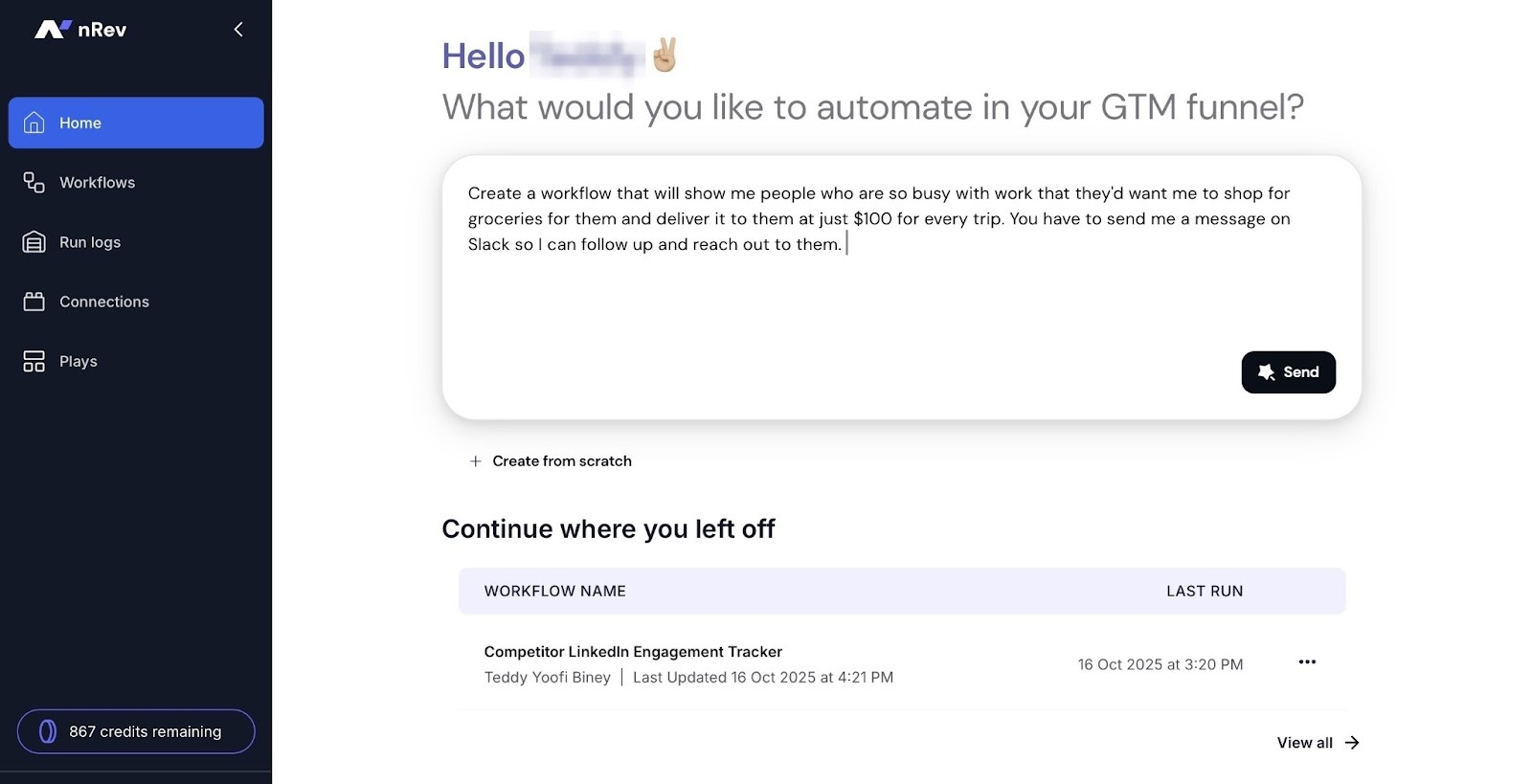
2. Assess Strong Integration With Other Sales, Marketing, and Revenue Tools
You should also consider the tool’s strong integration with other sales, marketing, and revenue software. This is because your go-to-market strategy normally involves several teams working together.
The sales team may use tools to find leads, close deals, and track revenue. It could be CRM tools like HubSpot, Salesforce, and more.
They could be using Gong, Apollo, or Instantly for sales enablement and lead capture.
The revenue team could also be tracking and growing income with nRev, HubSpot Operations Hub, and more.
I could go on and show you what the marketing and customer success team are using, but I’m sure you get the picture.
A go-to-market tool that integrates with the software that your team uses will help them to stay in sync. Why? Because information flows smoothly between platforms.
Automation also works better, saving time and reducing workload.
For example, when nRev connects with HubSpot, Salesforce, or Zoho CRM, it can automatically update lead information and trigger follow-up. Then it’ll send the sales team an alert on Slack.
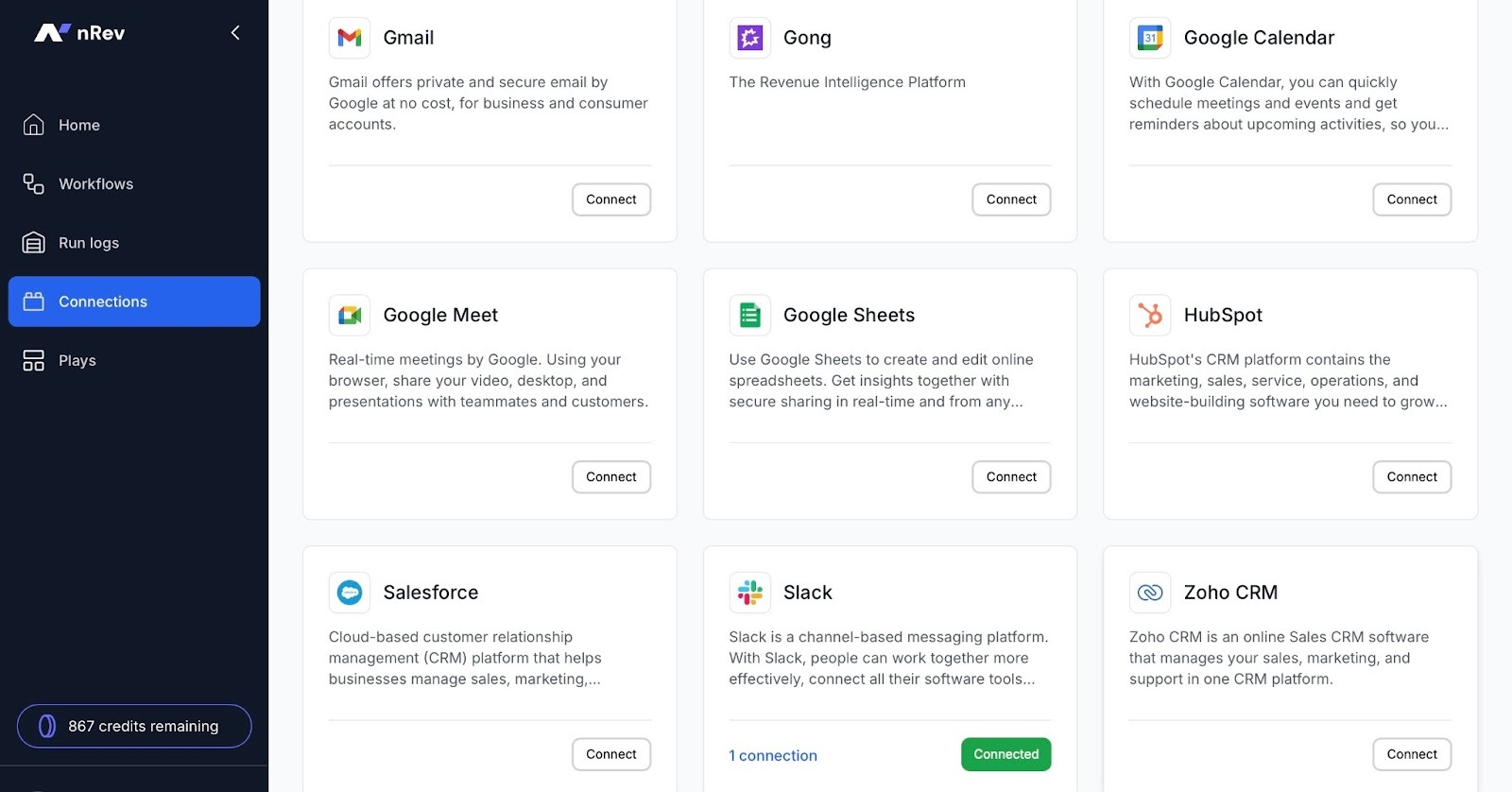
If you want your go-to-market team to really perform at its best, choose the tool that connects the team together.
3. Check Ease of Use
Moreover, you should check the ease of use when choosing the best go-to-market tool. This is because if it’s simple and clear, your team can start using it right away.
You don’t want a tool so complex that you’d need to organize many tutorials for the team. It has to be intuitive. Whenever you move through the features, it must feel natural.
For example, you should be able to use the feature right from the homepage. You want everything arranged clearly in the sidebar.
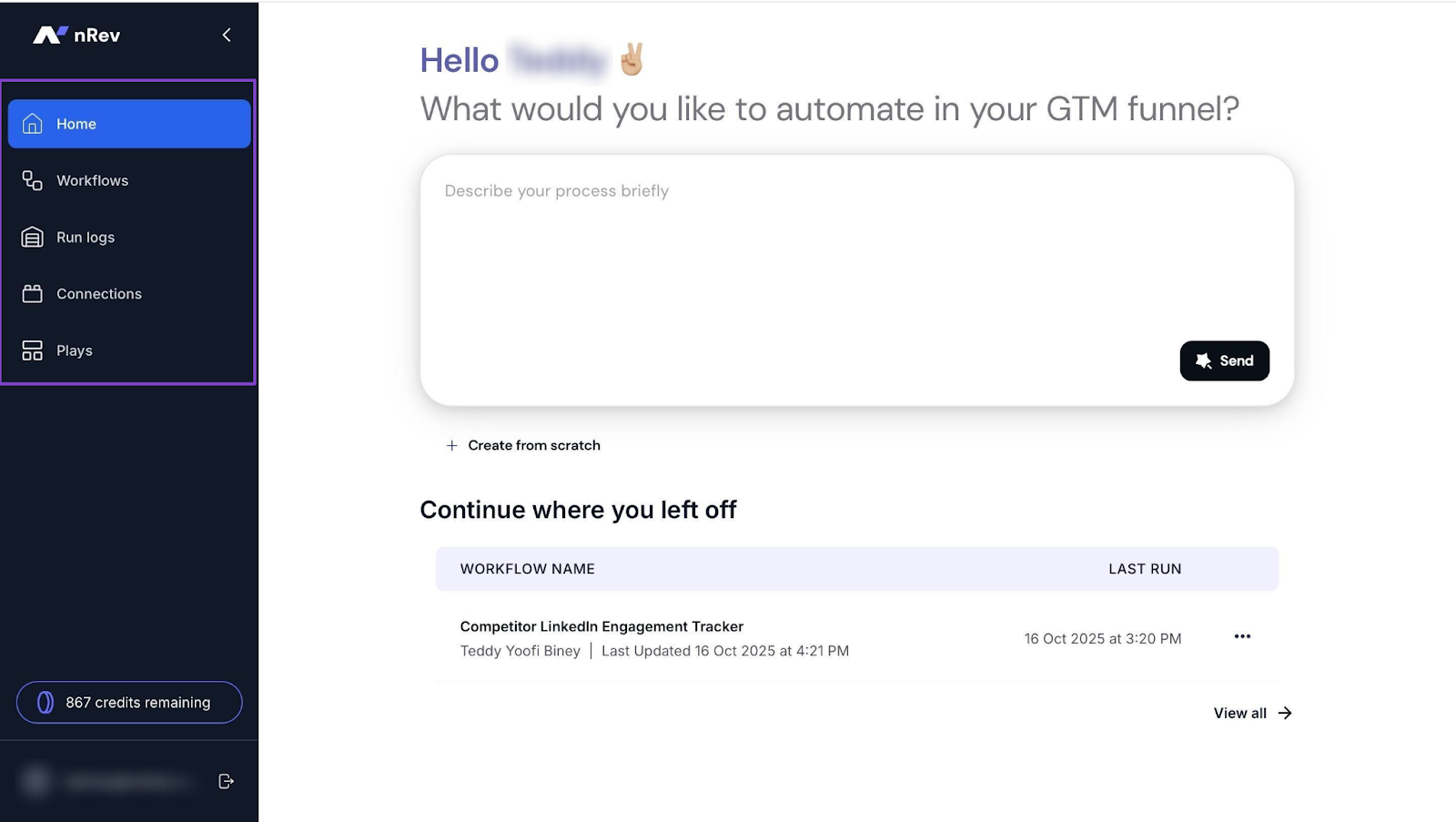
Again, the name of a feature should help your team understand what it does.
For example, if it’s a feature that is for workflows, that’s what it should be called. I’m sure you get the idea.
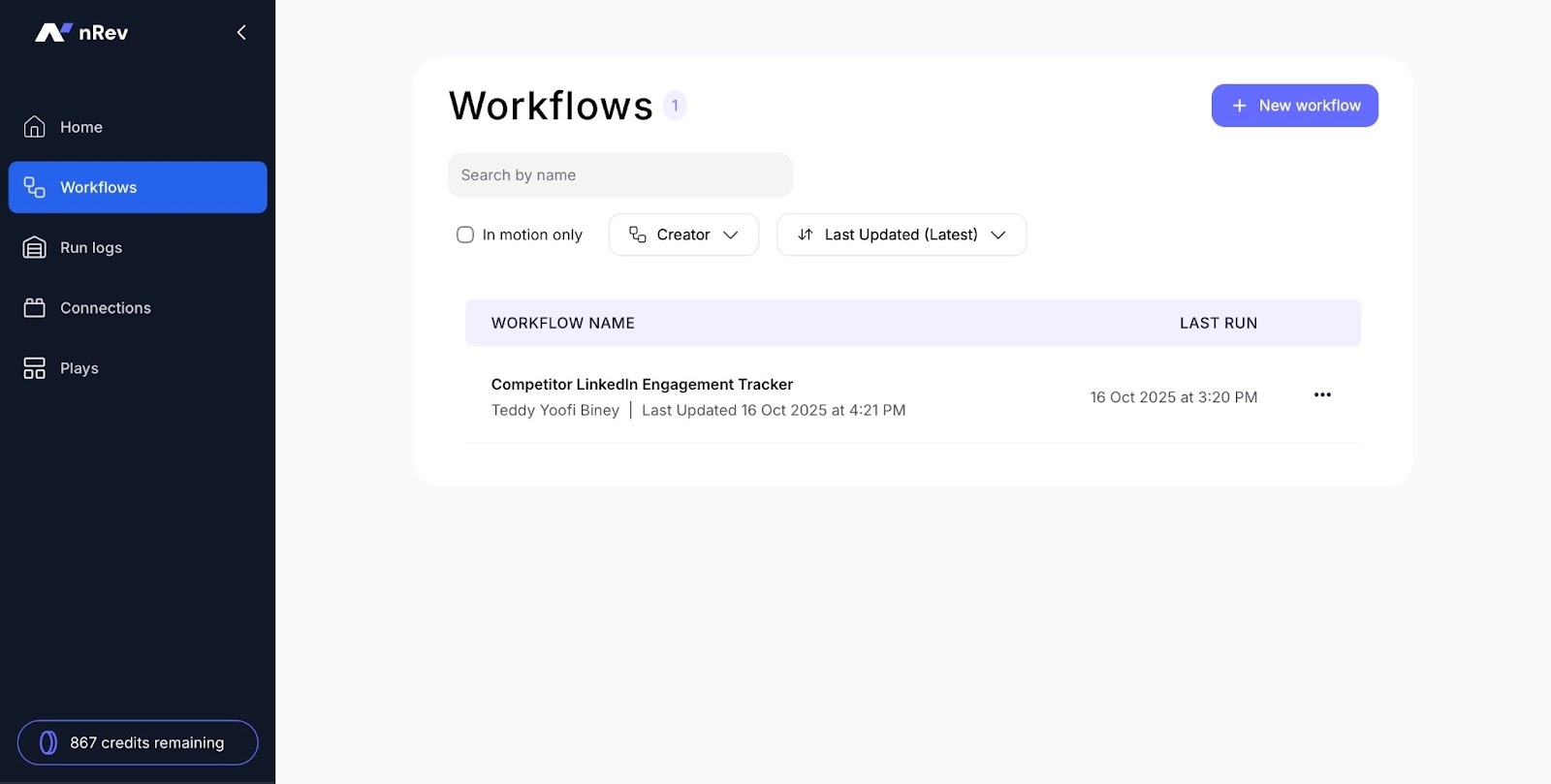
Calling a feature that runs logs “Timbers” is literally calling a spade a spoon.
Moreover, a go-to-market tool that’s easy to use will increase your team’s productivity. That's because they’ll make fewer mistakes.
Imagine your team uses a tool with five features displayed in the sidebar. A tool that makes it possible to do so much in a few clicks.
That’s sure to increase productivity because they spend more time on strategy instead of figuring out how the tool works.
4. Cost vs. time to ROI
Finally, you should consider the cost of the tool versus the time it takes to get a return on investment.
A tool may be affordable, but if it takes too long to show results, it could slow down your growth.
For example, a tool that costs you $1,990 per year should make you about $6,000 to $10,000. Anything less in the first few months might not be a good fit for your business.
I know you're probably wondering how you can be sure the go-to-market tool will have a good cost-to-time-to-ROI ratio.
Well, you could check the tool’s case studies to see if they have clients who have good numbers. That is a sure indicator.
One of our customers, for example, got rid of $42,000 worth of tools as soon as they started using nRev.
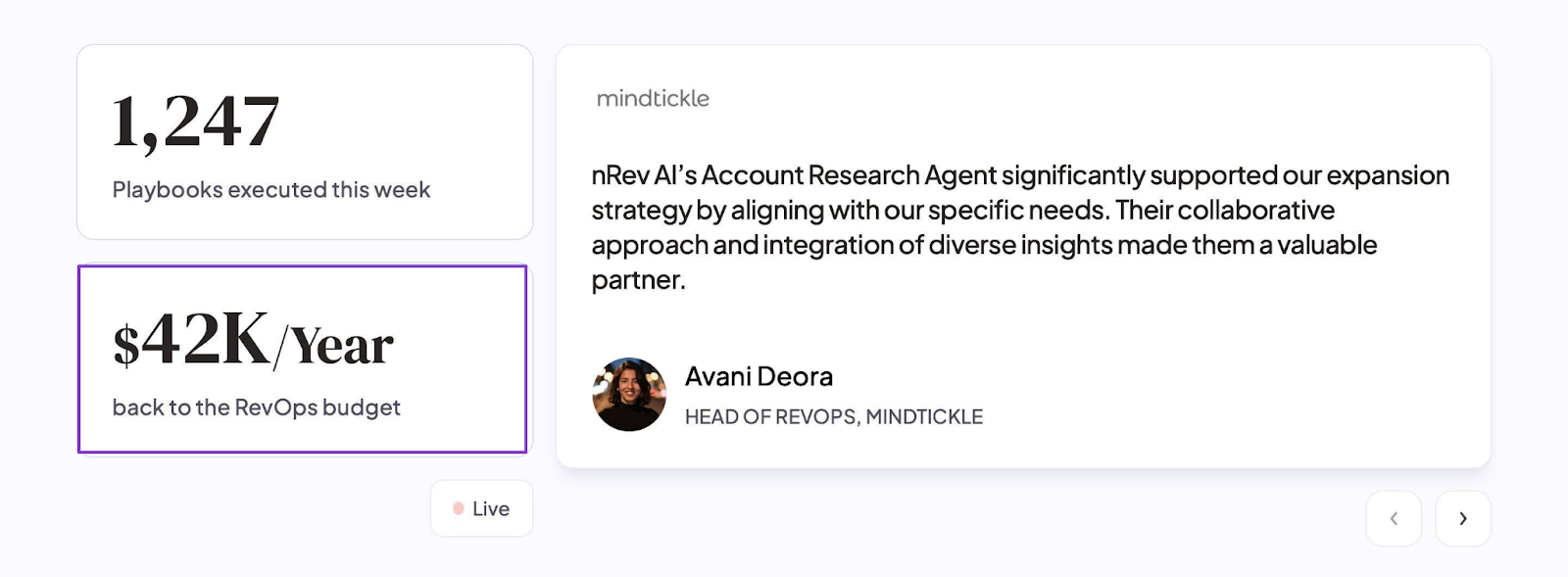
Even while spending that amount on RevOps, their ROI was really suffering.
So grab your calculator and keep an eye out for every tool, but make sure to check this particular factor.
You can’t afford to go under because you forgot to check the cost and time to ROI.
Choose the Best GTM Software
There you have it. In this article, I discussed 20 of the best go-to-market tools. Notable among them were nRev, Folk, Fireflies, Apollo, Jasper, and Instantly AI.
Then I talked about four key factors you should consider when choosing the best go-to-market tool.
I mentioned that you should start with what you're trying to measure and assess its integration with other tools. I also suggested that you check ease of use and cost versus time to ROI.
Remember that go-to-market teams are supposed to be your business’s or startup’s engine. Make sure you use my tips to give your business the best results.
FAQ
What is a go-to-market tool?

What are the best go-to-market tools for small to mid-sized businesses?
- nRev.ai: A GTM automation tool that lets you see who visits your website, turn them into leads, and send their info straight to your CRM.
- Folk: A client management tool that lets you store contacts, add notes, tag leads, and keep track of every email or meeting in one place.
- Fireflies: A meeting tool that lets you record calls, get written notes after each one, highlight key points, and share them with your team.
- Apollo.io: A sales tool that lets you find new leads, fill in their details, and send outreach emails or calls without leaving the app.
- Jasper: An AI writing tool that lets you type in your topic and instantly create blogs, ads, or social posts in your own style.
- Instantly AI: An outreach tool that lets you set up email campaigns, add your sending accounts, write messages, and track replies all from one dashboard.
Can I use multiple go-to-market tools together?
Are there free go-to-market tools available?
How much does nRev.ai cost?