


Let’s be honest. Go-to-market (GTM) teams are barely hanging on by a thread.
Most of them are using a messy mix of tools, doing way too much manual work, and making calls based on guesswork instead of real insights.
All while expected to meet their revenue targets.
Fortunately, the playing field is evolving, and GTM teams need to work smarter.
This is where AI-powered GTM platforms step in. Tools like nRev and GetCargo handle all the manual work, clean up your data, and show what’s actually driving your revenue.
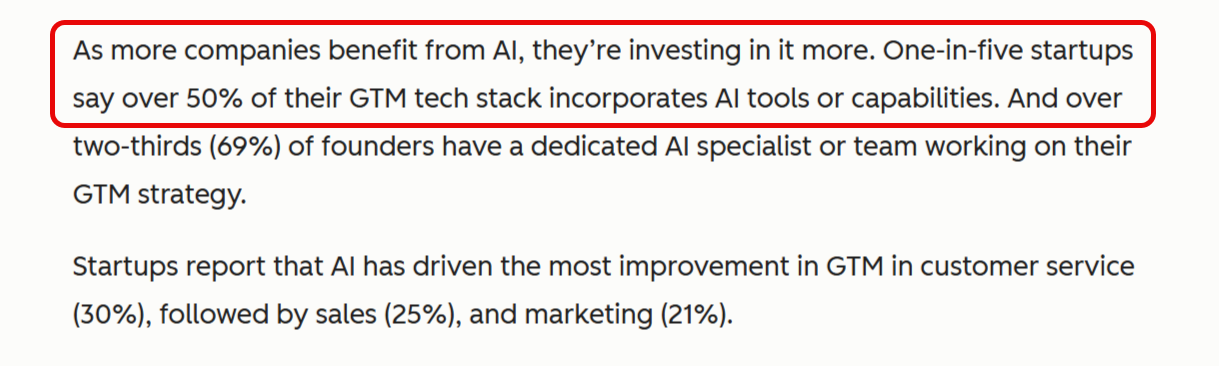
And companies are recognizing their impact. A 2025 HubSpot report says one out of every five startups uses GTM tools that have over 50% AI capabilities.
A few major contenders in this space are Apollo, Lusha, nRev, and GetCargo.
In this nRev vs. GetCargo comparison, I’ll help you decide which platform best fits your team’s needs.
nRev vs. GetCargo: Quick comparison
| Feature | nRev | GetCargo |
|---|---|---|
| Prospecting & Lead Sourcing | ✅ AI-powered GTM automation that finds qualified leads based on firmographic + intent signals. | ✅ Fast lead sourcing with simple filters; great for quick Sales Development Representative (SDR) prospecting. |
| Sequences & Workflows | ✅ Advanced sequences that connect into full GTM workflows. | 🌗 Basic sequences suitable for simple outreach only. |
| Data Accuracy | ✅ High accuracy, strengthened by AI scoring. | ✅ High match rates for email + phone. |
| Database Coverage | ✅ Broad company + contact coverage with intent layers. | 🌗 Growing database; stronger for SMB/mid-market than enterprise. |
| AI Capabilities | ✅ Strong GTM-focused AI for targeting, scoring, and enrichment. | 🌗 AI used mainly for routing, enrichment, and basic messaging help. |
| Integrations | ✅ Connects with HubSpot, Salesforce, Zoho CRM, Zapier, Instantly, Lusha, Gong, Slack V2, Apollo.io, Google Meet, Gmail, etc. | 🌗 Integrates with HubSpot, Notion, Instantly, Lusha, and OpenAI, but you need credits to access some connections (these apps are marked with a coin symbol). |
| Pricing & Credits | ✅ Free plan with 1,000 credits, then scalable usage-based pricing. | 🌗 Free trial with 100 credits, then $0.14/credits billed yearly and $0.157/credits billed monthly. |
| Data Security (SOC 2 Type II) | ✅ Yes | ✅ Yes |
| Best Use Case | GTM workflows, multi-step automation, and end-to-end prospecting. | Fast lead sourcing + lightweight outreach for SDRs and solo reps. |
nRev vs. GetCargo: Which is better for sales prospecting?
I’d say that nRev performs better than GetCargo when it comes to sales prospecting.
nRev
I found it surprisingly easy getting started with nRev’s Ideal Customer Profile (ICP) LinkedIn prospecting template. The best part about it is that you don’t have to start from scratch.
Instead, nRev gives you pre-built templates (called Plays), so your team can start prospecting within minutes.
Let’s say you want a list of finance managers in Houston, Texas.
You can use nRev’s LinkedIn ICP workflow template to pull this information from LinkedIn.
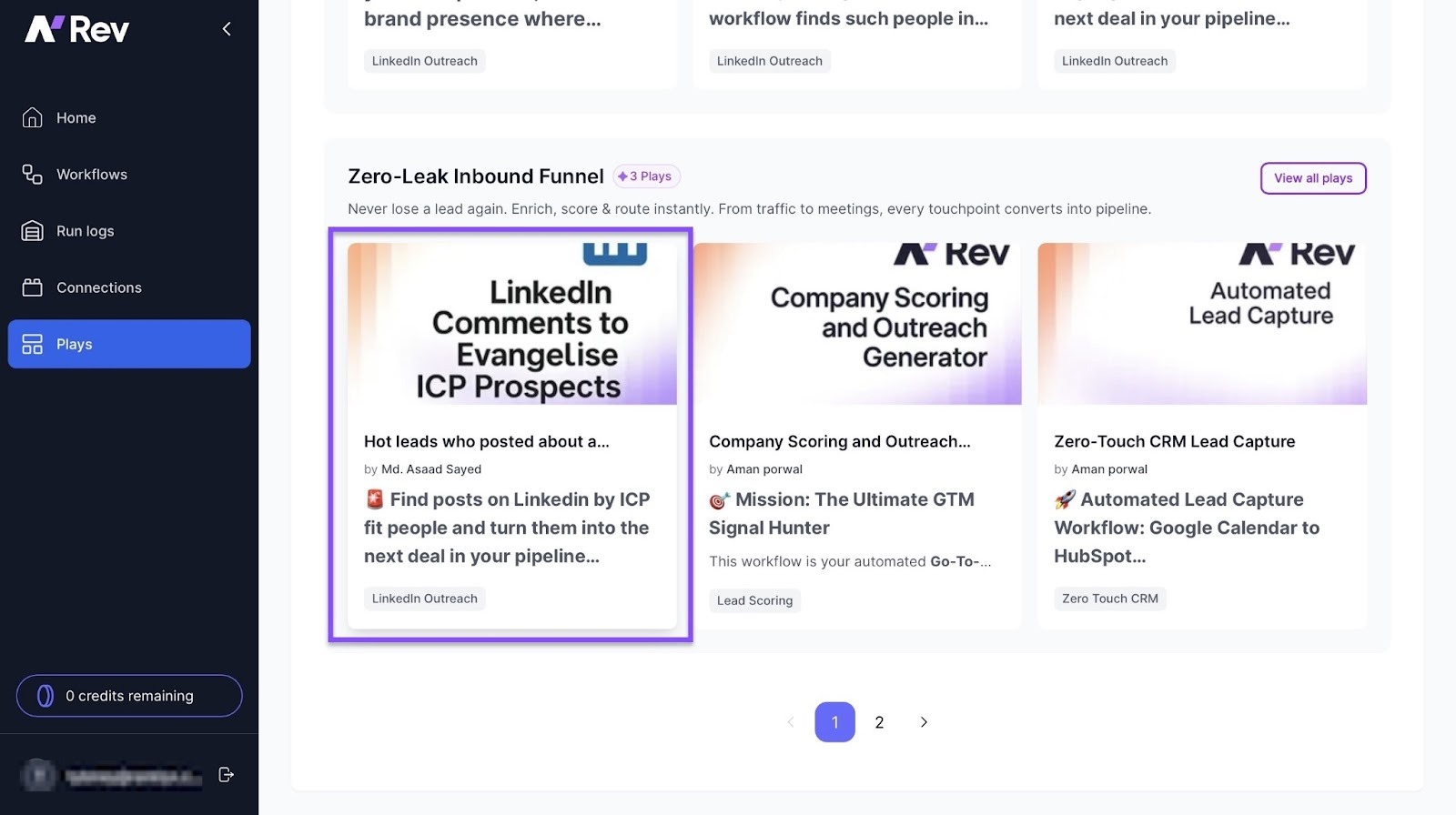
nRev will then filter and segment the results based on your specification, and then assign the top leads to your sales team.
And even when you want to build from scratch, nRev makes it very simple for you.
In as little as five minutes, you can build a simple Identify → Enrich → Score → Assign flow by dragging and dropping blocks on the canvas.
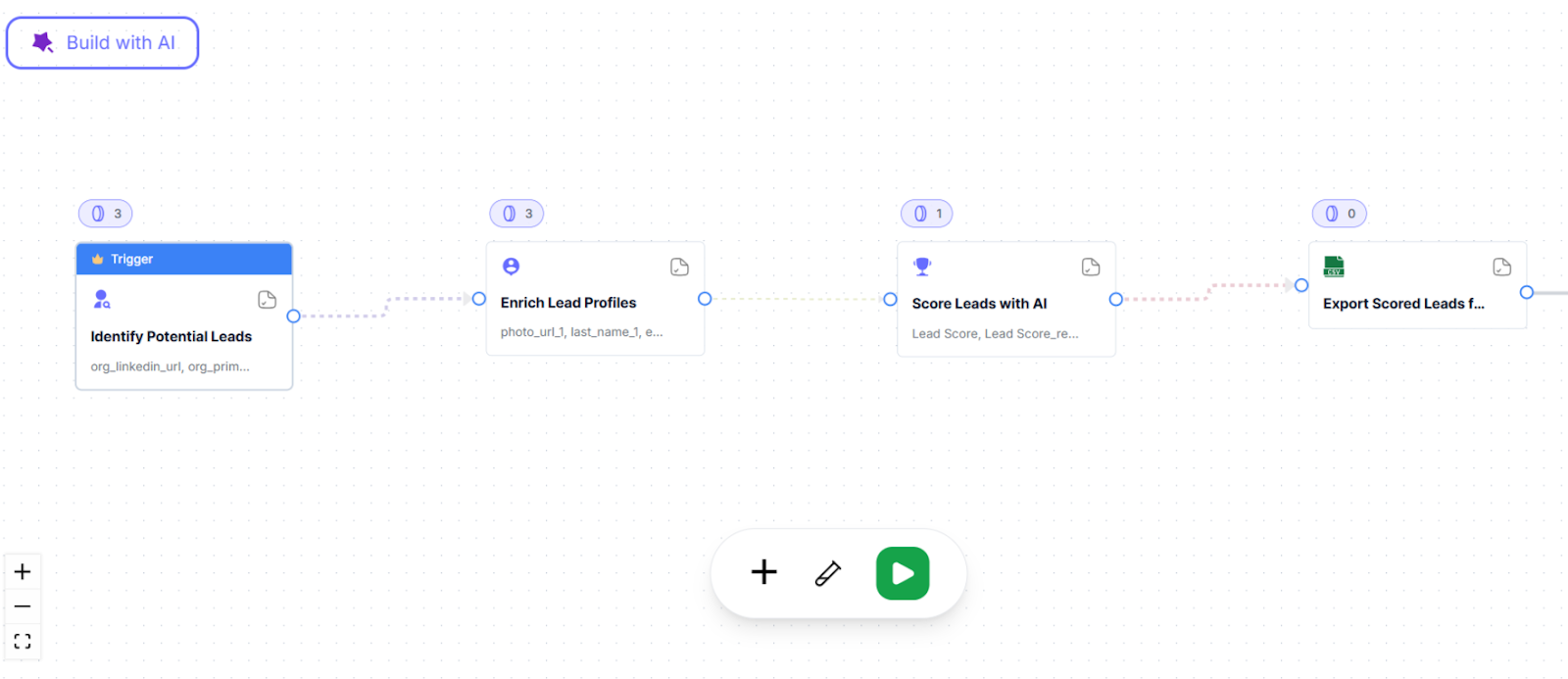
So whether you’re using one of nRev’s Plays or building your own workflow, the experience feels easy.
But instead of telling you, let me show you. Let’s walk through what it looks like to create a workflow using nRev’s LinkedIn ICP.
1. Select Your Pre-Built Play
First, nRev gives you a template designed for prospecting. This way, you can get started quickly without having to design a workflow from scratch.
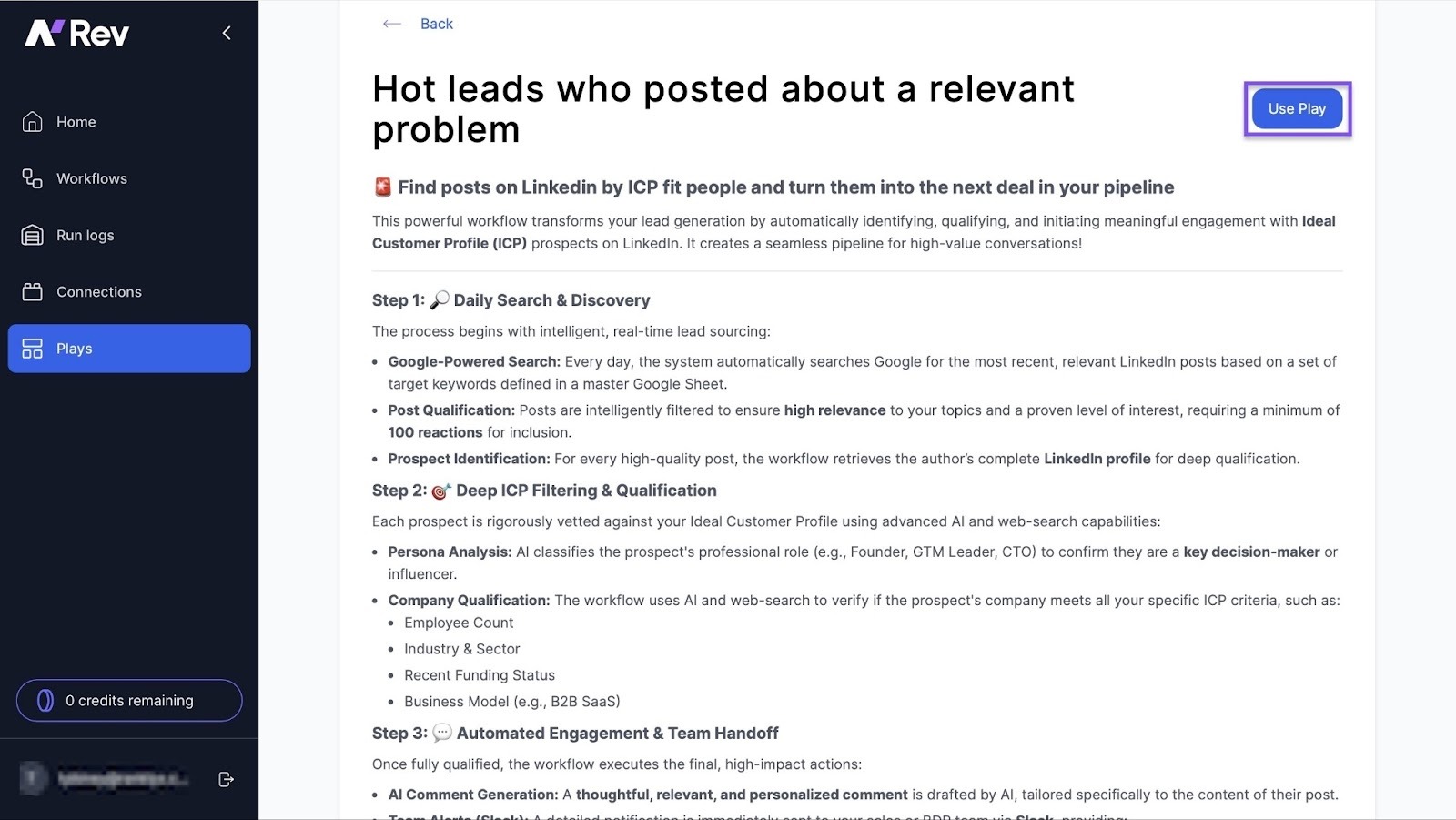
Click on “Plays” on nRev’s sidebar to gain access to its templates. Each Play comes with a guide to help you get familiar with the tool.
In this case, select “LinkedIn Comments to Evangelise ICP Prospects.” Then, click “Use Play” to access the workflow.
2. Search for Prospects
Next, nRev helps you find the right people to reach out to.
Once you select your Play, nRev automatically scans Google and LinkedIn for profiles that match your ICP audience persona.
I find this especially useful because it takes away the need for manual prospecting. Instead, it just keeps bringing in solid leads for you.
3. Deep ICP Filtering
Now, it’s time to narrow down your list to only the relevant leads.
nRev really takes the cake here.
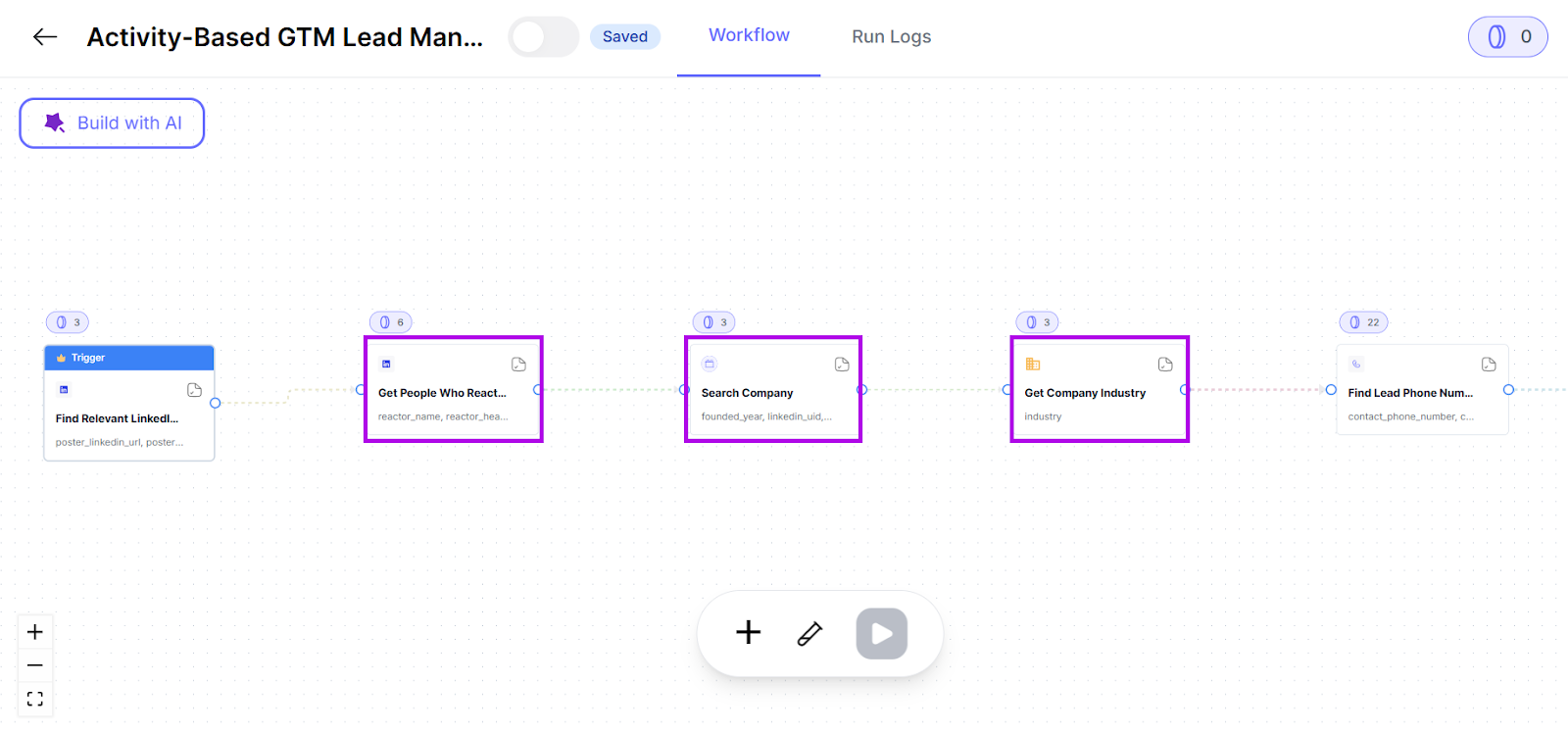
Using advanced AI, nRev filters every potential lead based on several factors, like their LinkedIn posts, company position, industry, and business model.
4. Handoff
Once nRev identifies your prospects, it moves straight to outreach.
It sends personalized LinkedIn messages to each prospect after lead generation. Then alerts your sales team through Slack.
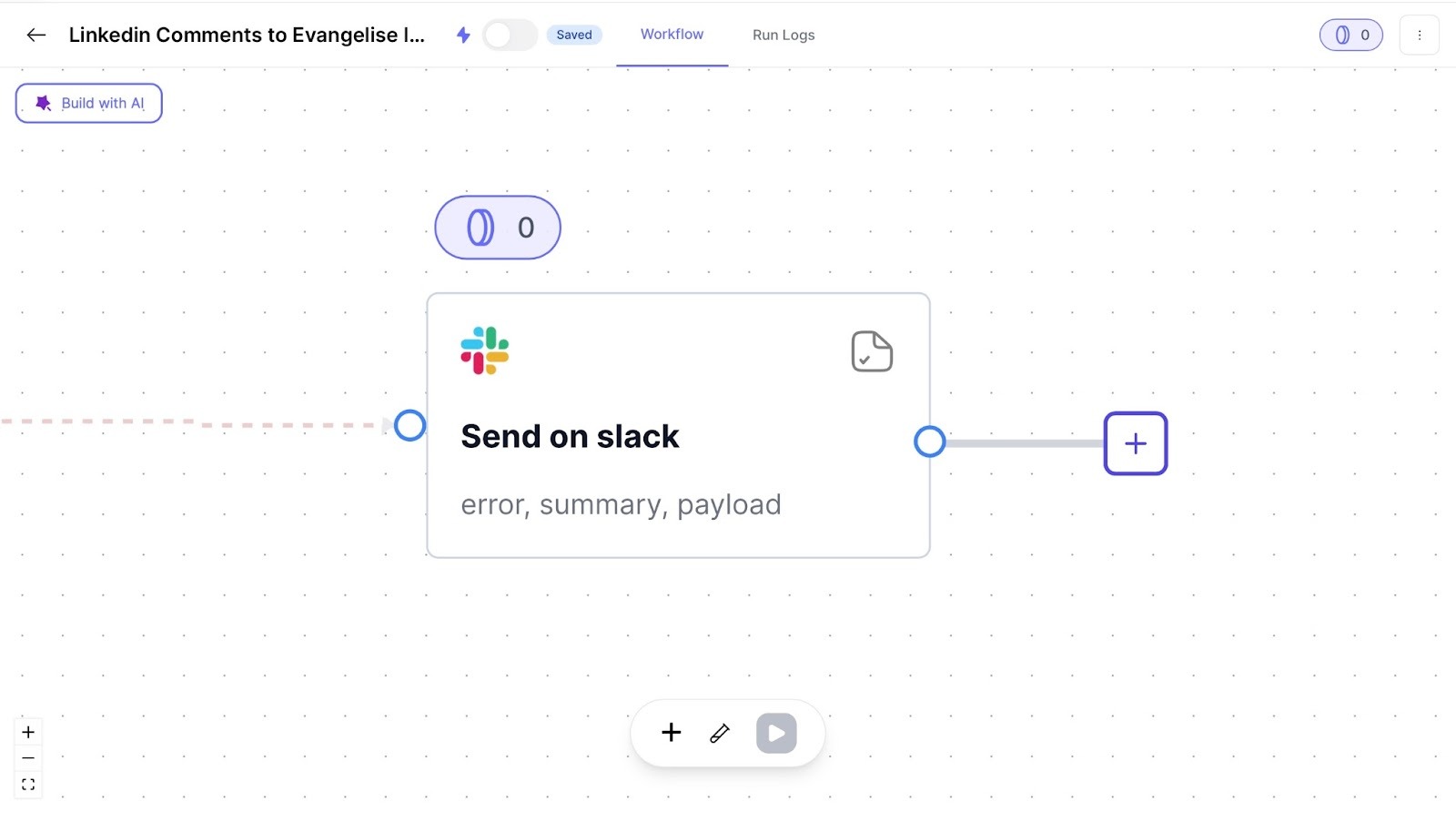
It also records all data in Google Sheets to help you track your pipeline.
With the prospecting process more streamlined, nRev allows GTM teams to work smarter.
They can focus on more important revenue-generating tasks, such as closing deals and making more data-rich decisions.
GetCargo
When I tested GetCargo, I found its Plays feature was easy to use. But not as straightforward as nRev’s.
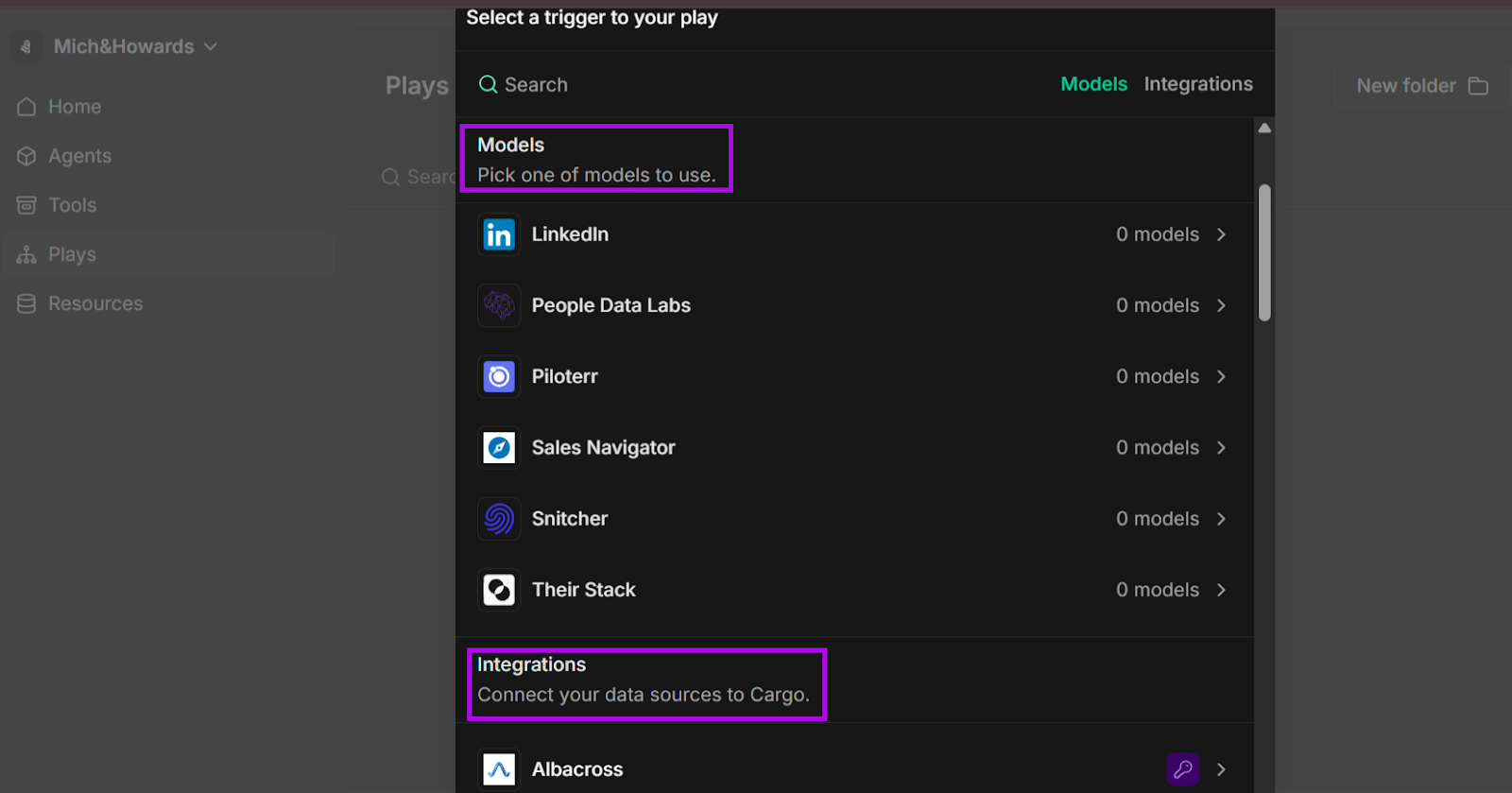
GetCargo’s Plays feature gives you a wide range of “models” to pick from.
These models are pre-built workflows. And, like nRev, you can also choose to build a workflow from scratch.
But once I got the hang of it, I was able to get started with prospecting leads. Let me show you how:
1. Create a New Play
To get started with prospecting using GetCargo, you’ll need to set up your Play.
On the sidebar, select “Plays.”
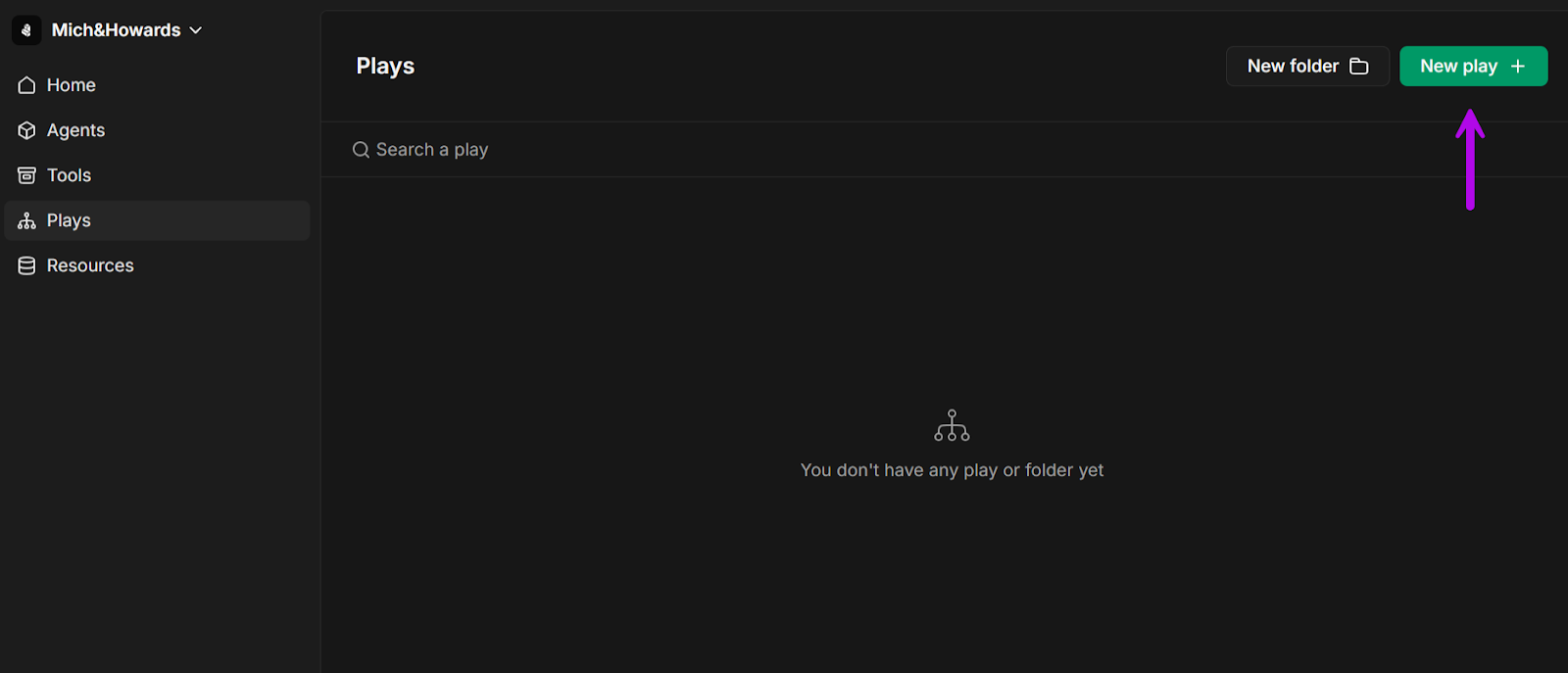
Click on the green “New Play +” button to select your model or integration (allows you to connect your data sources to GetCargo).
2. Create Model
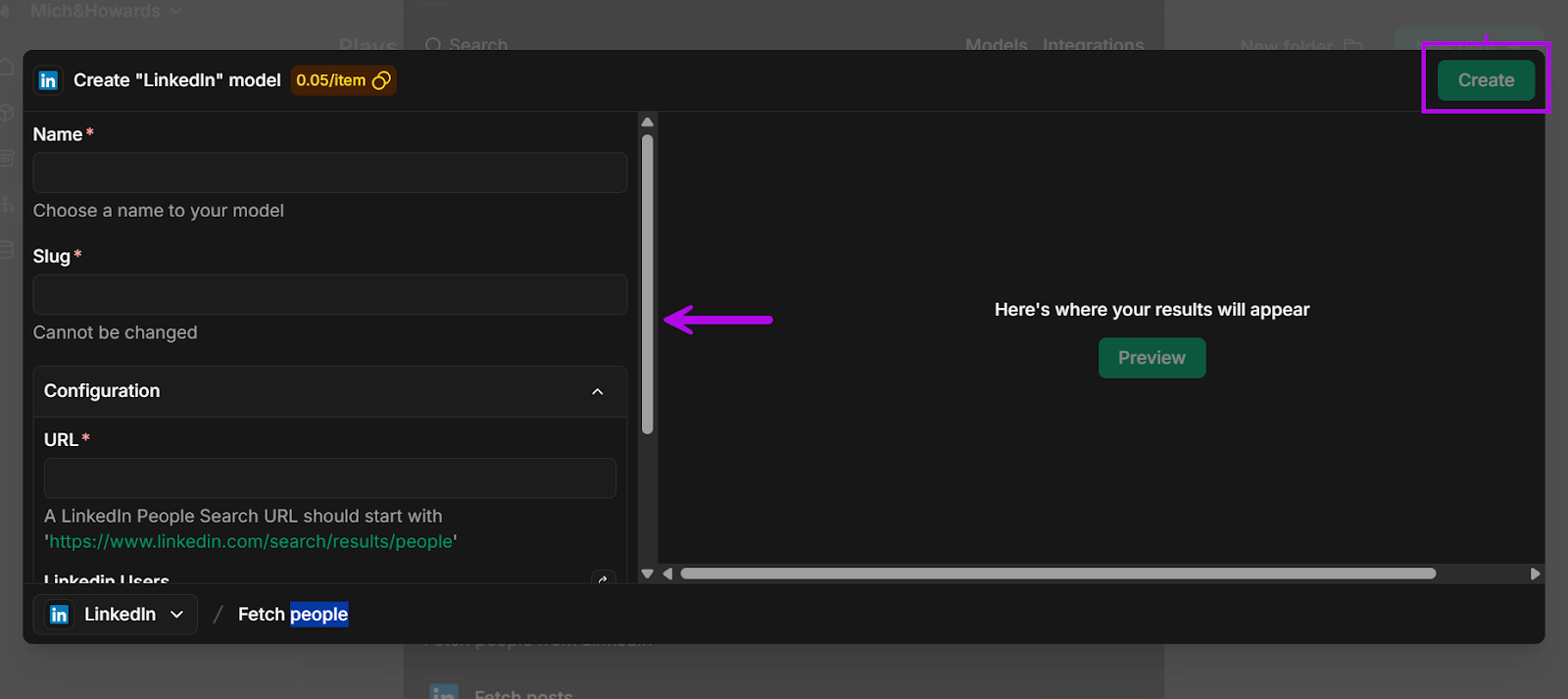
To help GetCargo know where to look for prospects, you’ll need to create a model.
For comparison’s sake, I decided to create a LinkedIn model with GetCargo.
In the pop-up window, you give the model a name, which also automatically generates a slug.
Basically, a slug is a simple version of your model’s name that GetCargo uses behind the scenes to identify the model.
Then you paste in the link from a company’s “People” page on LinkedIn.
Before hitting “Create,” it shows you a preview so you can make sure everything looks all right.
3. Capture Leads
GetCargo now knows where to look since your model is ready. Its research tool then identifies prospective leads using the information you provided.
Like nRev, it gathers information to build lead data for you.
4. Data Enrichment & Prioritization
The next step is making those leads more useful.
After gathering leads, GetCargo takes it a step further by enriching that information.
This gives you more important details, like more context about their roles, company size, or industry.
Then, it focuses on the leads based on your ICP specifications.
It’s much like nRev’s filtering system, where low-potential leads are taken out, and only high-quality leads are shortlisted for your sales team.
5. Handoff
The final step is delivery.
Once your qualified leads have been generated, GetCargo can either automate personalized messages to them or send tasks to your GTM team.
Verdict
Both tools perform excellently for sales prospecting, but nRev’s process is relatively easier to operate, especially for non-technical teams like sales and marketing.
nRev’s data enrichment also provides more context for each prospect compared to GetCargo.
nRev vs. GetCargo: Which is better for GTM automation?
When it comes to GTM automation, nRev wins because it’s more streamlined and user-friendly.
nRev
You don’t need to be tech-savvy to build workflows. That makes nRev a great tool for non-technical teams that want to get from idea to action quickly.
Let me show you how simple it is to use nRev’s AI tool:
First, you type in your prompt.
This is just an example prompt, but you can add more context to make your results more targeted, including industry, location, job sizes, and job roles.
nRev will also ask questions to have a better understanding of what exactly you are looking for.
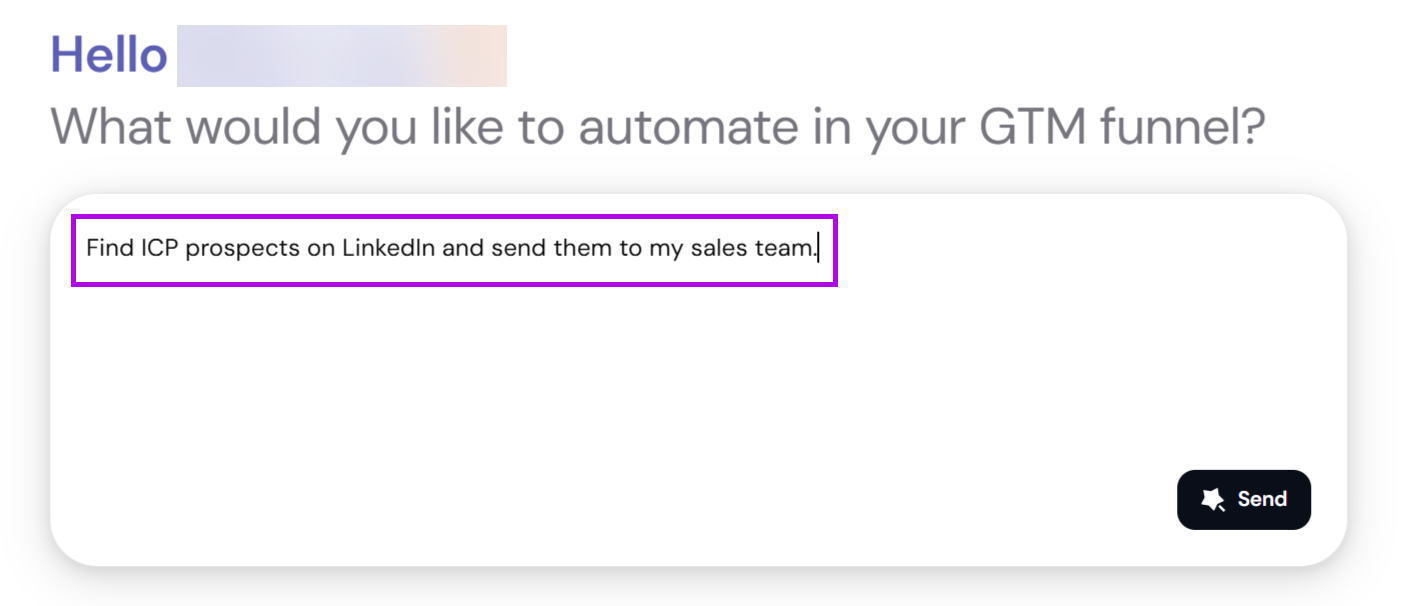
Once you hit “Send,” nRev will automatically build a workflow for you.
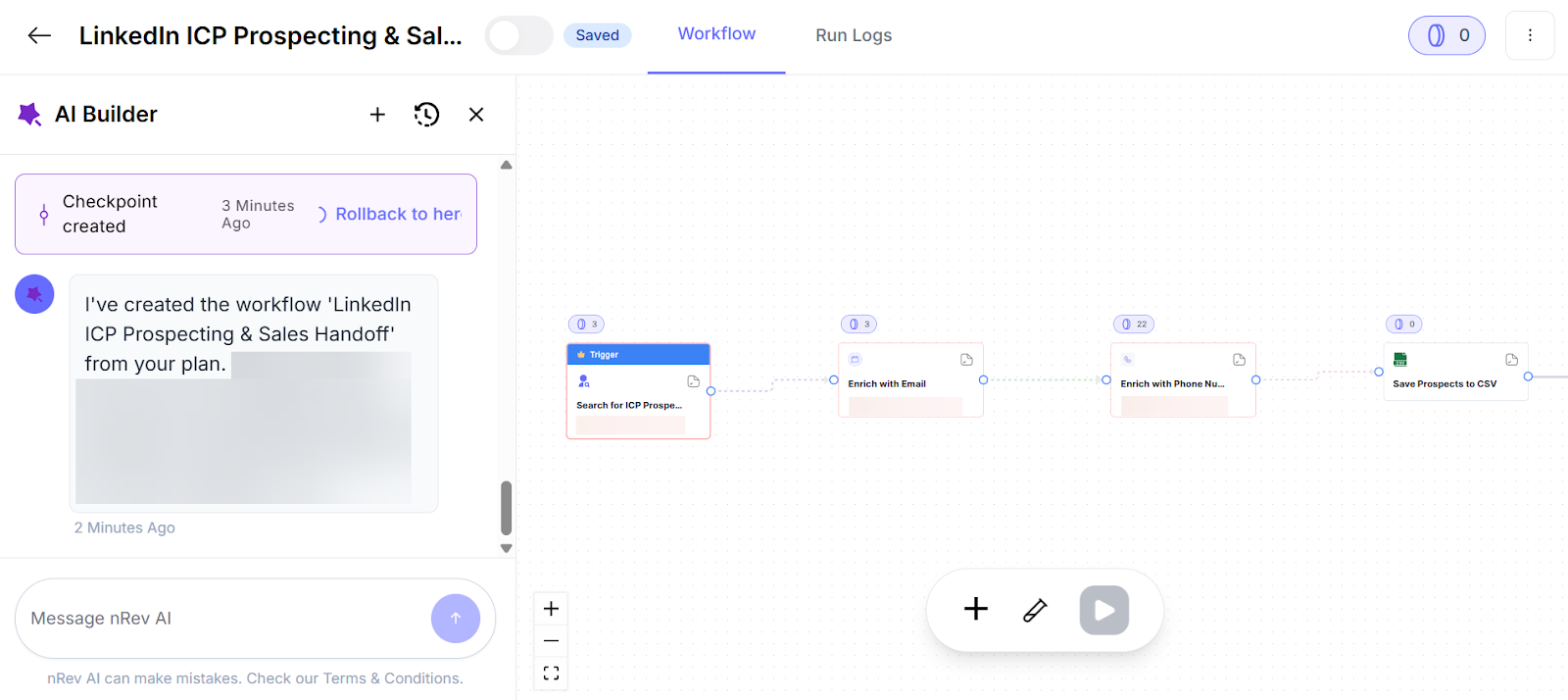
It’ll use the suggested “nodes” that you can choose to edit. These nodes are the rectangular boxes in your nRev workflow that show each task.
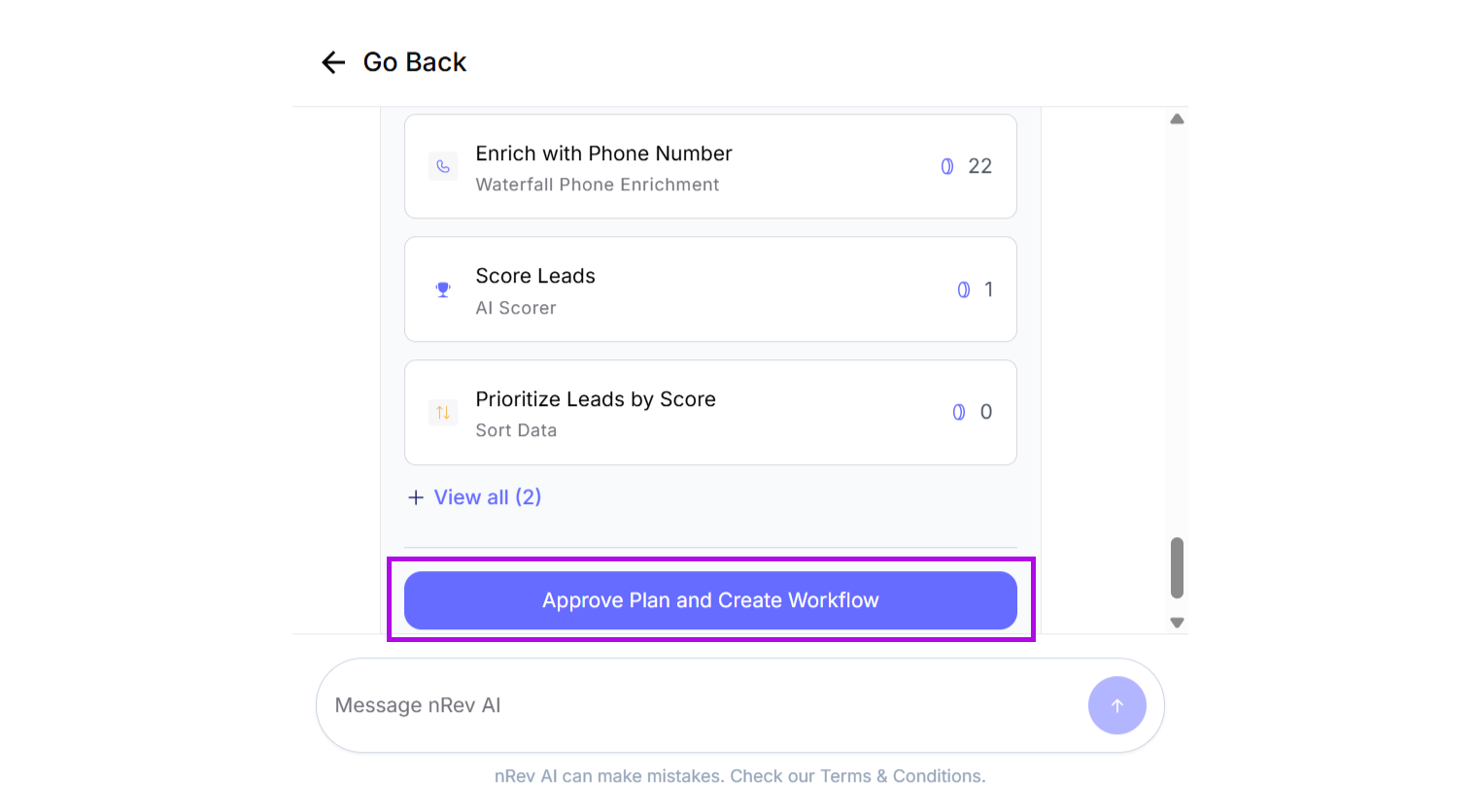
That’s how simple it is. All you have to do is type what you want in natural language and let nRev build the process for you.
GetCargo
Next, I wanted to see how GetCargo compared.
I used its AI feature to run the same prompt and see how it would generate prospects for sales teams.
Let’s see what it looked like in practice:
I started by using the same prompt as used for nRev.
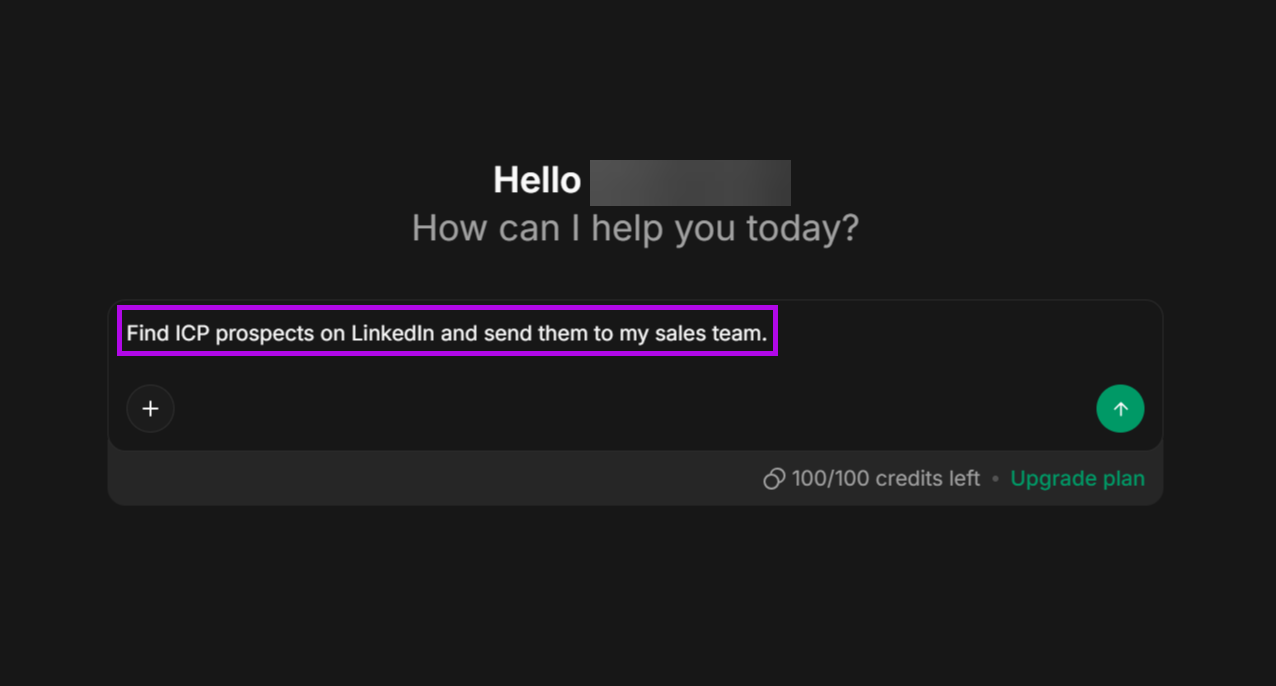
Based on my specifications, it generated a list of potential leads.
It also asked me more questions, so I’d say it had a better idea of the type of leads I wanted.
Now, I could also export the leads it generated in three main formats:
- Excel/CSV spreadsheet
- Simple text/Markdown list
Verdict
One major difference I noticed was that GetCargo didn’t build a visual workflow for me as nRev did. Instead, you would have to create workflows separately and import your data.
But nRev’s process was different, and it immediately showed me how everything connected, from my prompt to the CSV file of leads generated.
nRev vs. GetCargo: Which is better for lead scoring and tracking buyer intent?
nRev is the more practical choice for lead scoring and tracking buyer intent compared to GetCargo.
nRev vs. GetCargo Comparison Table: Lead Scoring and Tracking Buyer Intent
Verdict
Just like I said in the previous section, nRev provides more than just basic information.
It gives you a clear outline of how GTM teams can move from lead to revenue generation.
Think about it. By only providing data points, sales teams will have a hard time trying to figure out who is really interested in purchasing a product or service.
But with better data enrichment and scoring, sales representatives will have more insight into potential buyers’ journeys and will focus on those most likely to convert.
What is nRev?
nRev is an AI-powered software tool that helps GTM teams focus on the right sales prospects ready to make a purchase and increase their revenue.
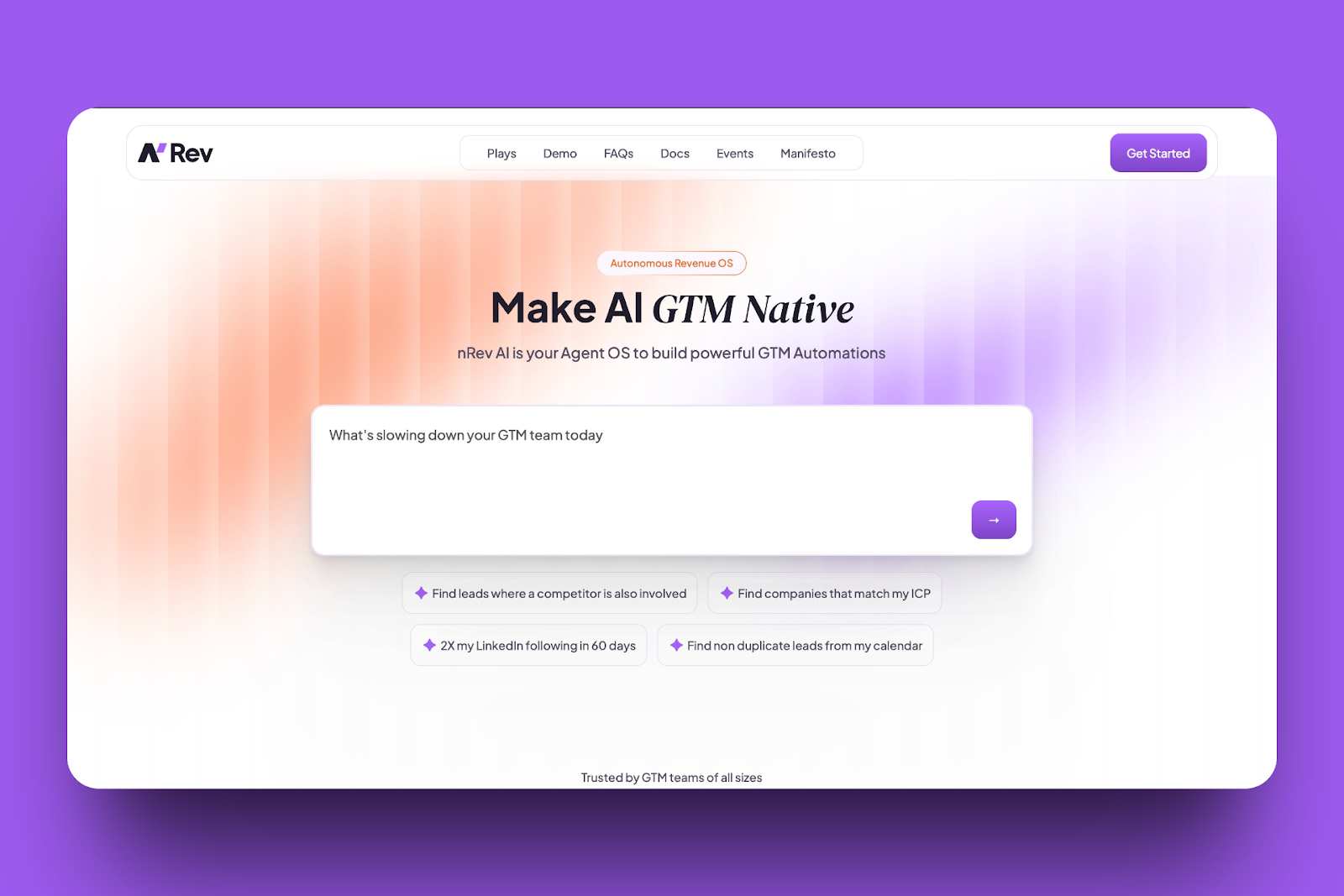
nRev does all this in a simple workflow.
So, instead of working with multiple tools, it asks you what you want to automate. Then it gathers the details and builds the workflow for you.
We built it for ease of use. Let me show you some nRev’s features.
1. Workflows
nRev’s Workflow feature shows how easy automation can be.
Think of it as a map that shows your process from start to finish. Each step is a “node,” and the tool guides you through developing it.
You can tell nRev what you want it to do, and AI will build the workflow.
Or, you can create it manually by adding the steps yourself.
Regardless of what you choose, each process is straightforward. It always opens with a “Trigger” point (the starting point).
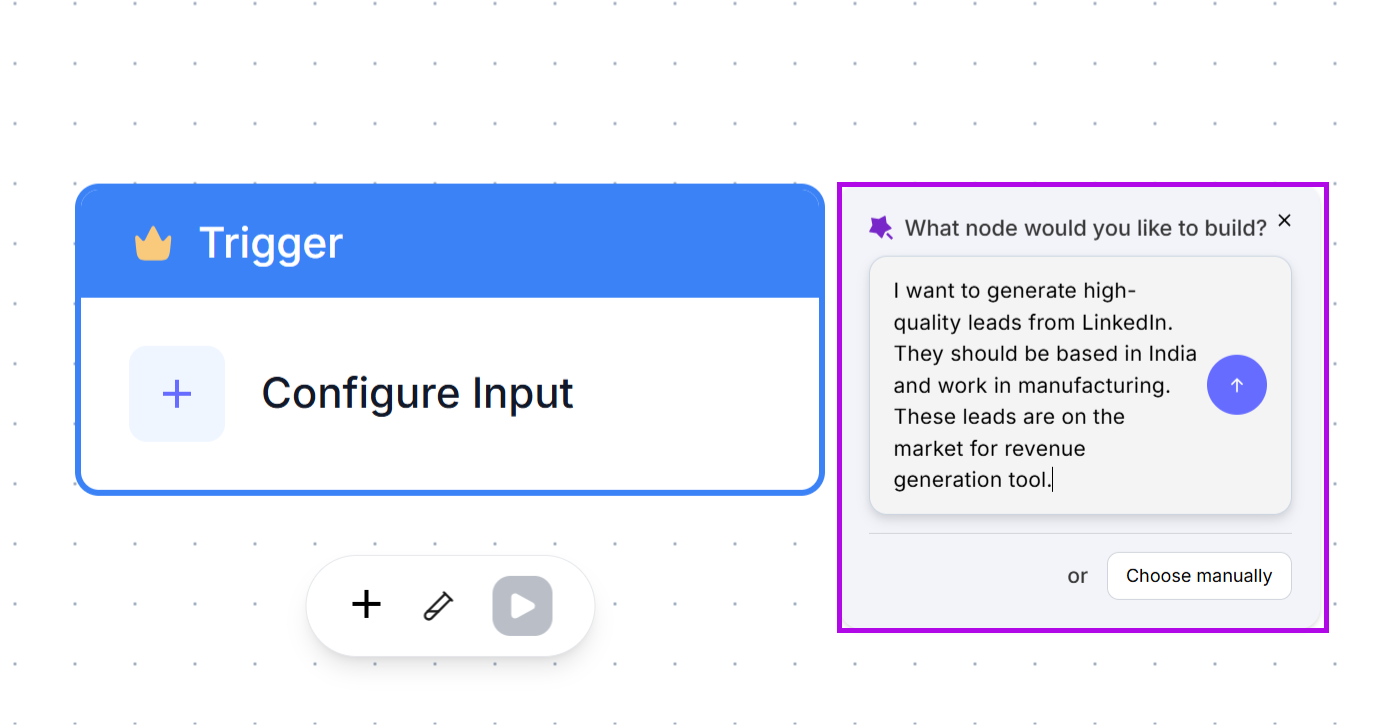
It’s also highly visual and easy to understand.
2. Run Logs
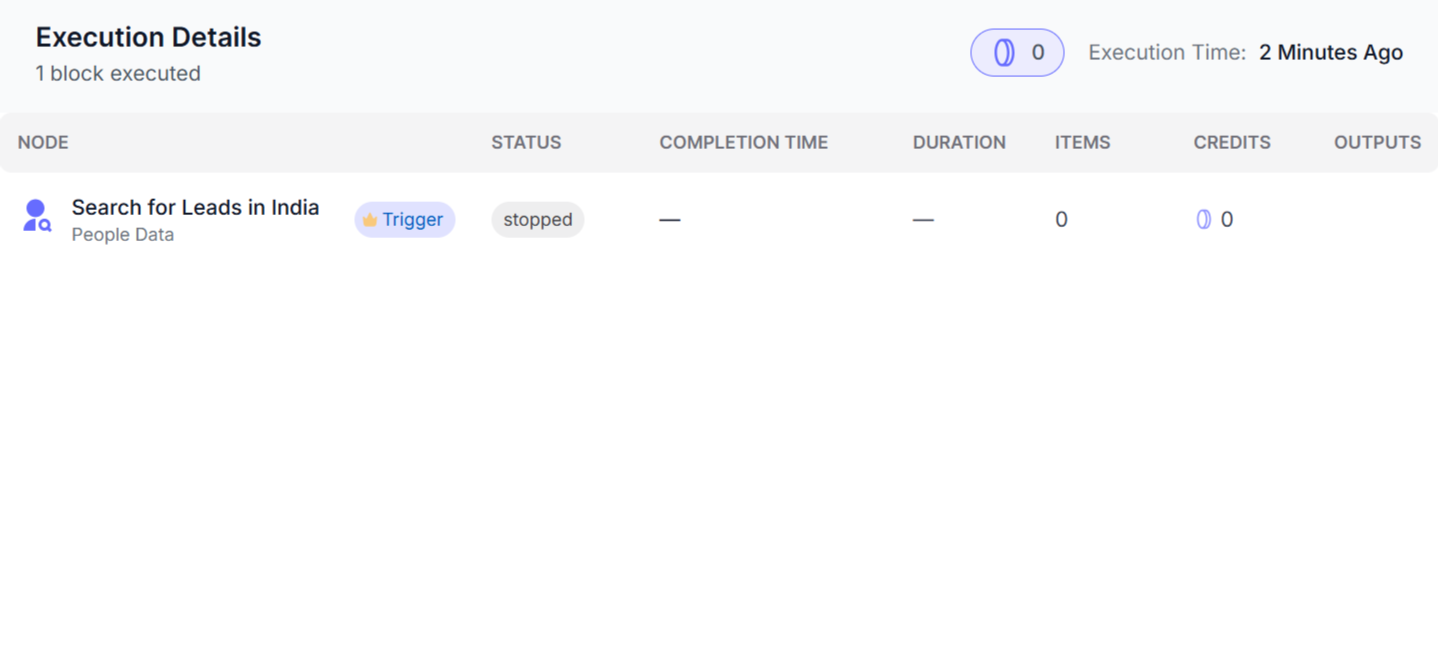
With nRev, you can run logs, which serve as activity trackers, on your workflows.
Every time you run a workflow, nRev records what happens so you can see what’s working in your workflow or which parts need adjustments.
3. Connections
The Connections feature links nRev to the rest of the tools that you use.
Like Slack, Google Sheets, Gmail, Lusha, Apollo, and more. Or CRMs like HubSpot, Salesforce, and Zoho.
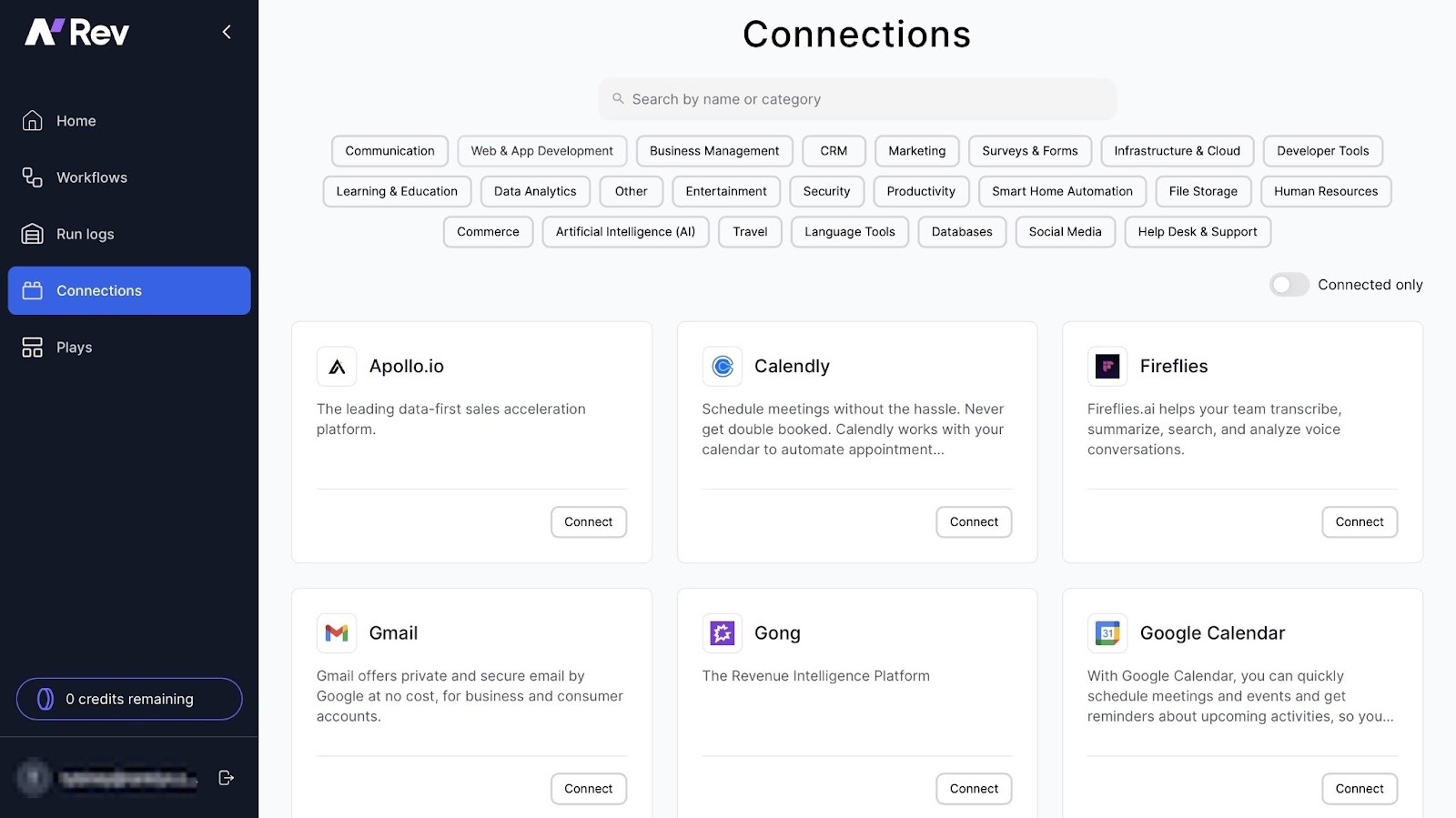
Once you integrate nRev with another tool, your workflow can automatically pull or export data from that connection.
For example, if you connect nRev to Instantly AI, you could automate email outreach.

4. Plays
nRev’s Plays are pre-built templates that you can use to create GTM tasks.
And there are multiple templates to choose from, like competitor intelligence trackers to CRM optimization.
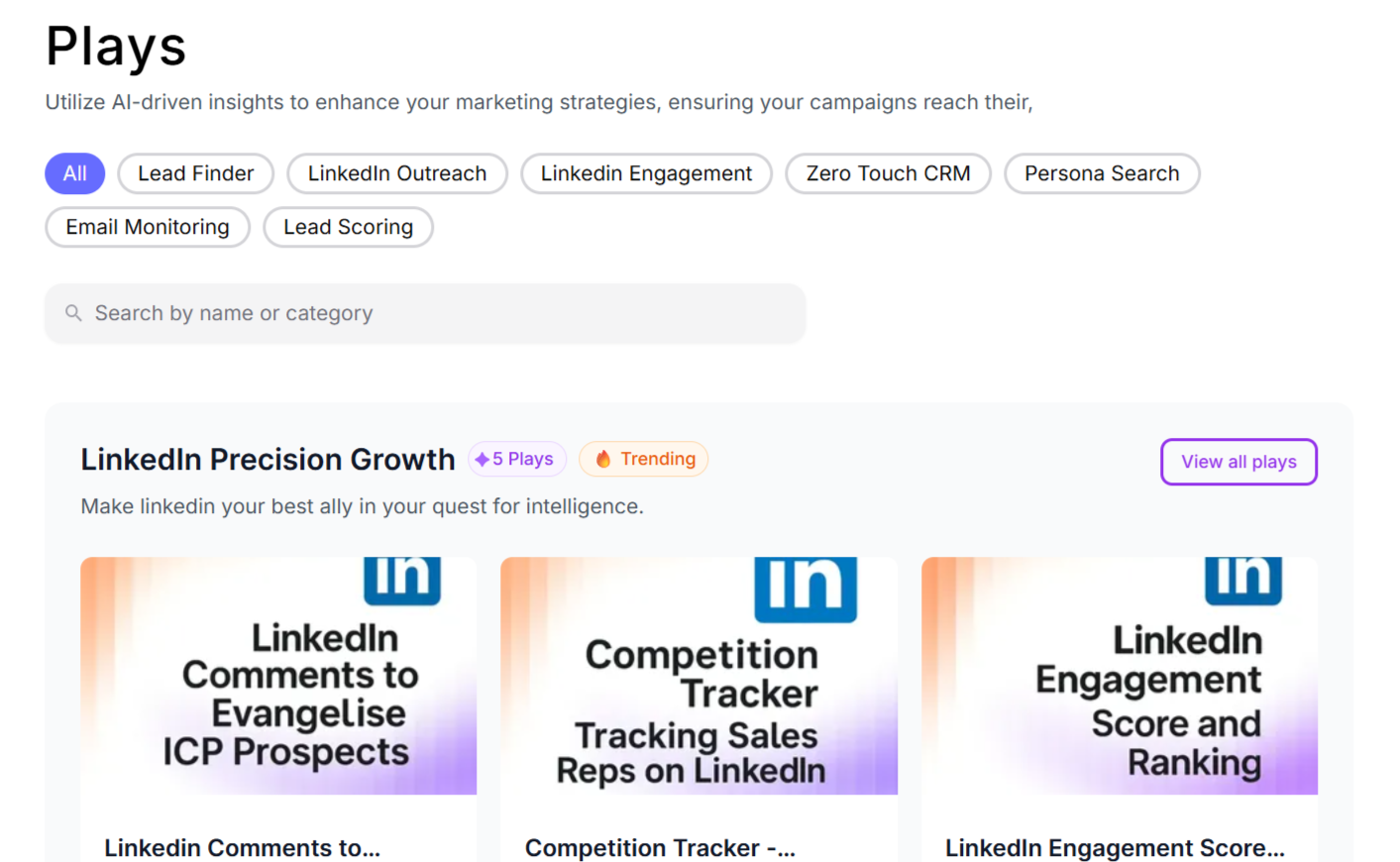
All you need to do is pick the Play you want, and nRev would do the rest of the work for you.
What is GetCargo?
GetCargo is an AI-powered GTM automation platform designed to help sales and marketing teams find leads and manage them efficiently.
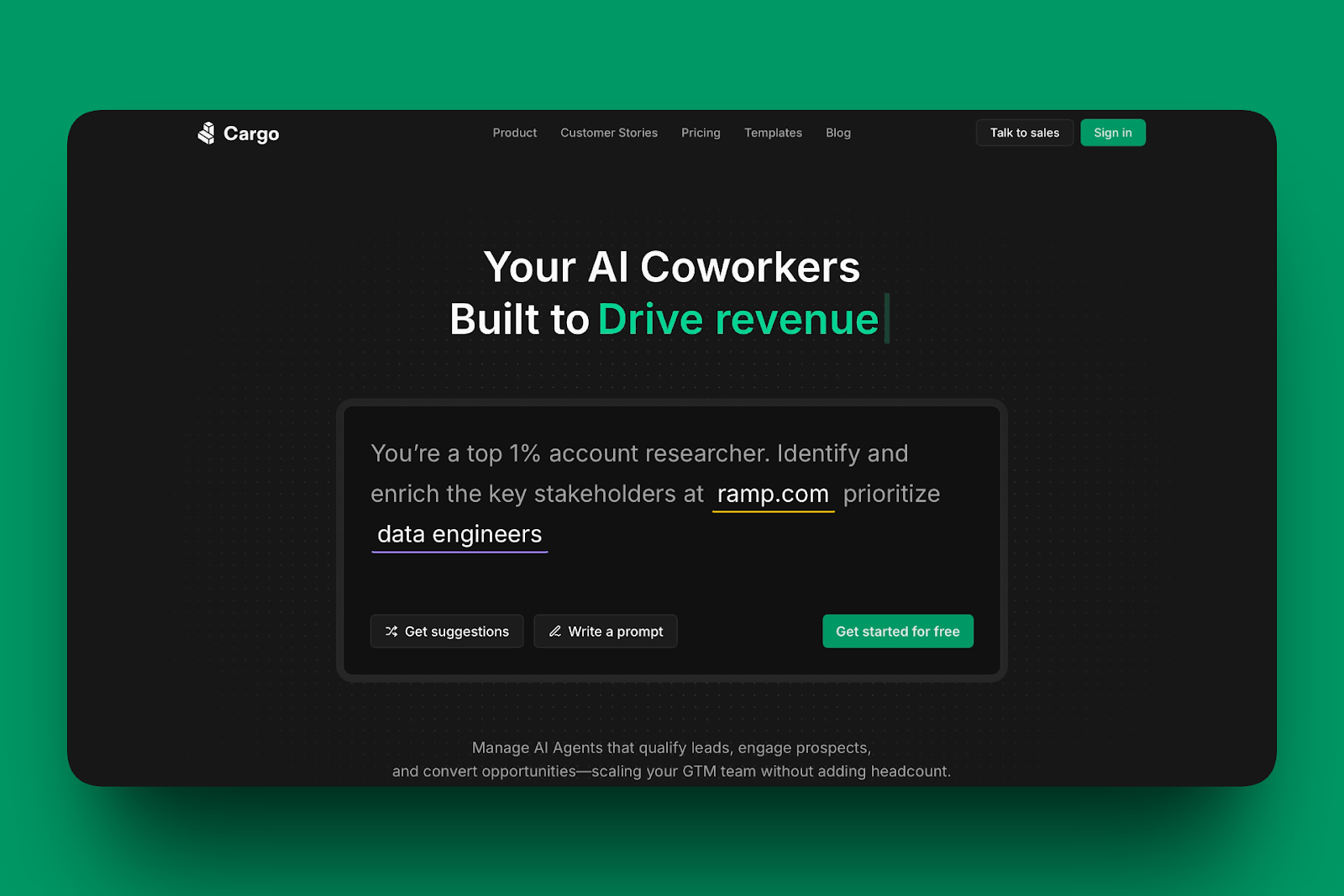
Let’s check out GetCargo’s features.
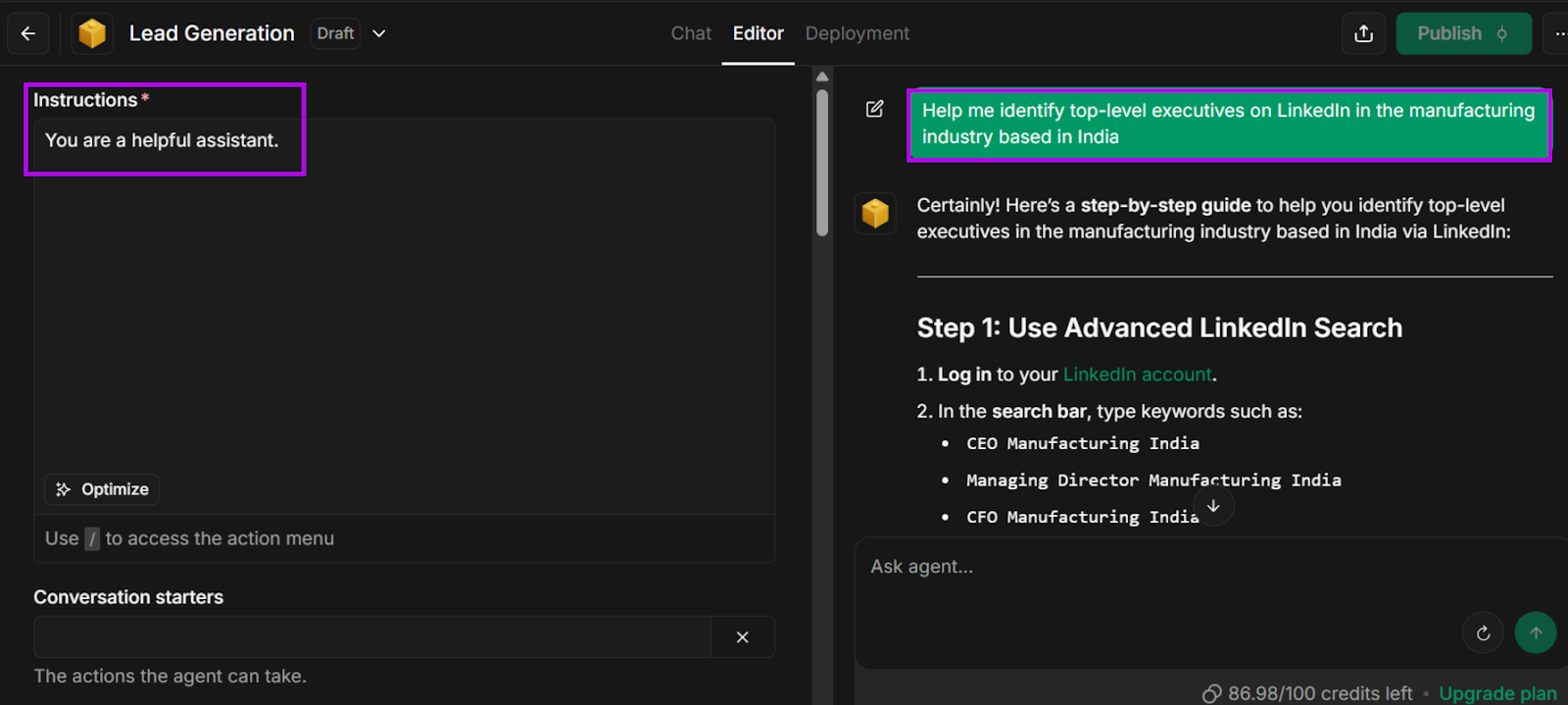
1. Agents
The best way to describe GetCargo’s Agents feature is that it acts as a digital assistant.
You can ask it to perform a selection of tasks, such as:
- Web search
- Document creation (text files, spreadsheets, etc.)
- Memorize past conversations for future reference, and
- Make recommendations
Additionally, you can customize how they behave, and the agent would tailor its response based on that instruction.
2. Tools
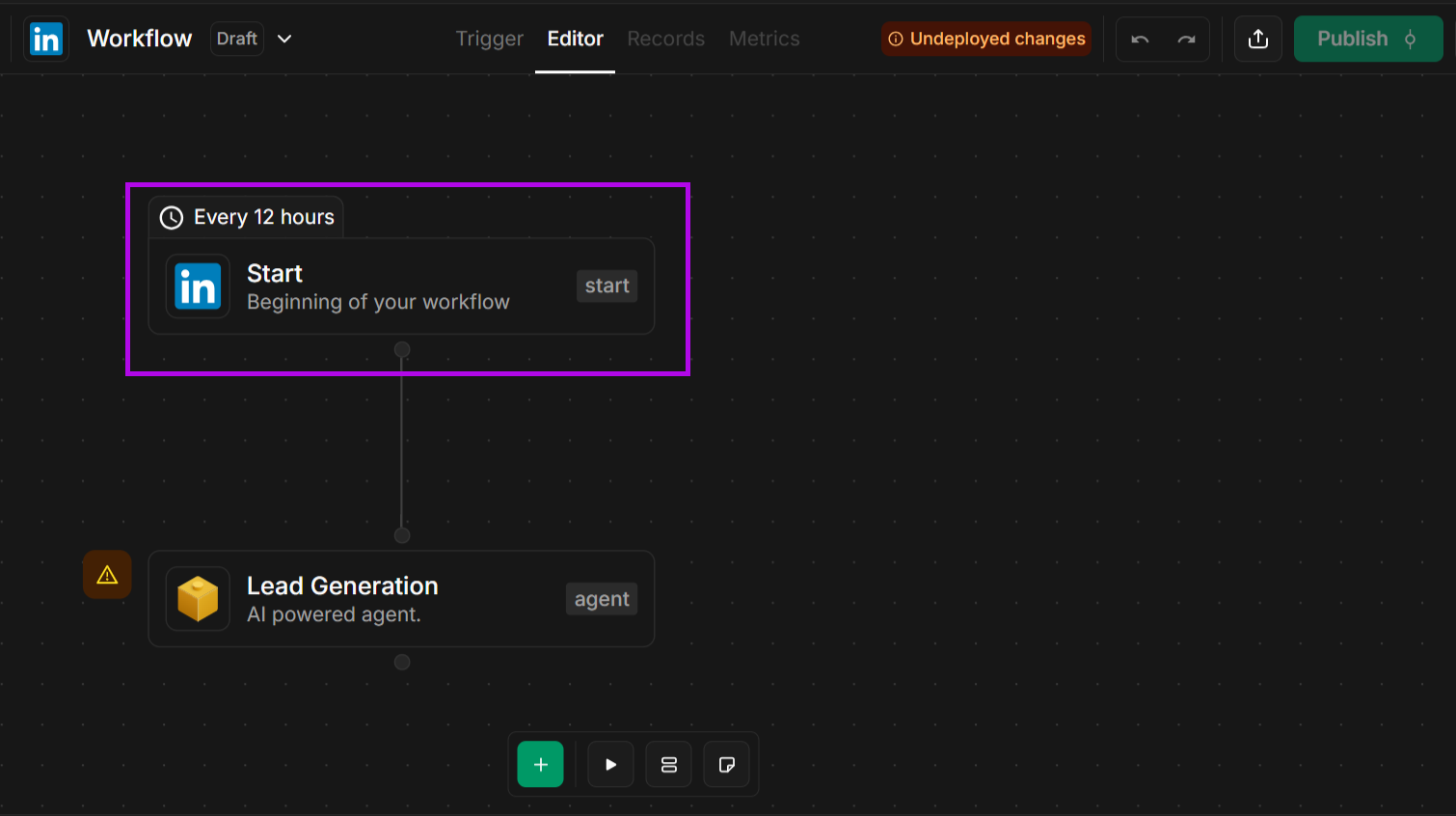
In GetCargo, Tools takes you directly to their workflow builder, where you can create workflows from scratch.
You begin with a “Start” node, and when you click, a window pops up asking you to enter the task you want it to perform.
From there, you can continue building more nodes until your work process is complete.
3. Plays
Just like nRev, Plays are also GetCargo’s version of templates.
Plays require models, which tell GetCargo where it can extract data from.
For example, if you create a LinkedIn model, it’s like telling GetCargo to visit LinkedIn and identify people that match whatever goal you’ve set.
Integrations are the apps that GetCargo can connect to, like emails, CRM platforms, and Slack.
nRev vs. GetCargo: In-Depth Comparison
Both nRev and GetCargo are AI-powered GTM tools that have been designed to help sales, marketing, and revenue teams work more efficiently.
While they share several similar capabilities, they each have their unique approaches to performing tasks, like prospecting, workflows, team collaboration, and analytics.
I’ll break down how nRev and GetCargo compare in everyday use below.
Prospecting & Data Enrichment
The main goal of prospecting and data enrichment is to build a list of high-value leads that your sales teams act on.
With both nRev and GetCargo, your workflows can automatically integrate your generated leads into CRM platforms such as HubSpot and Salesforce.
Still, both of them have their own way of handling this task.
GetCargo
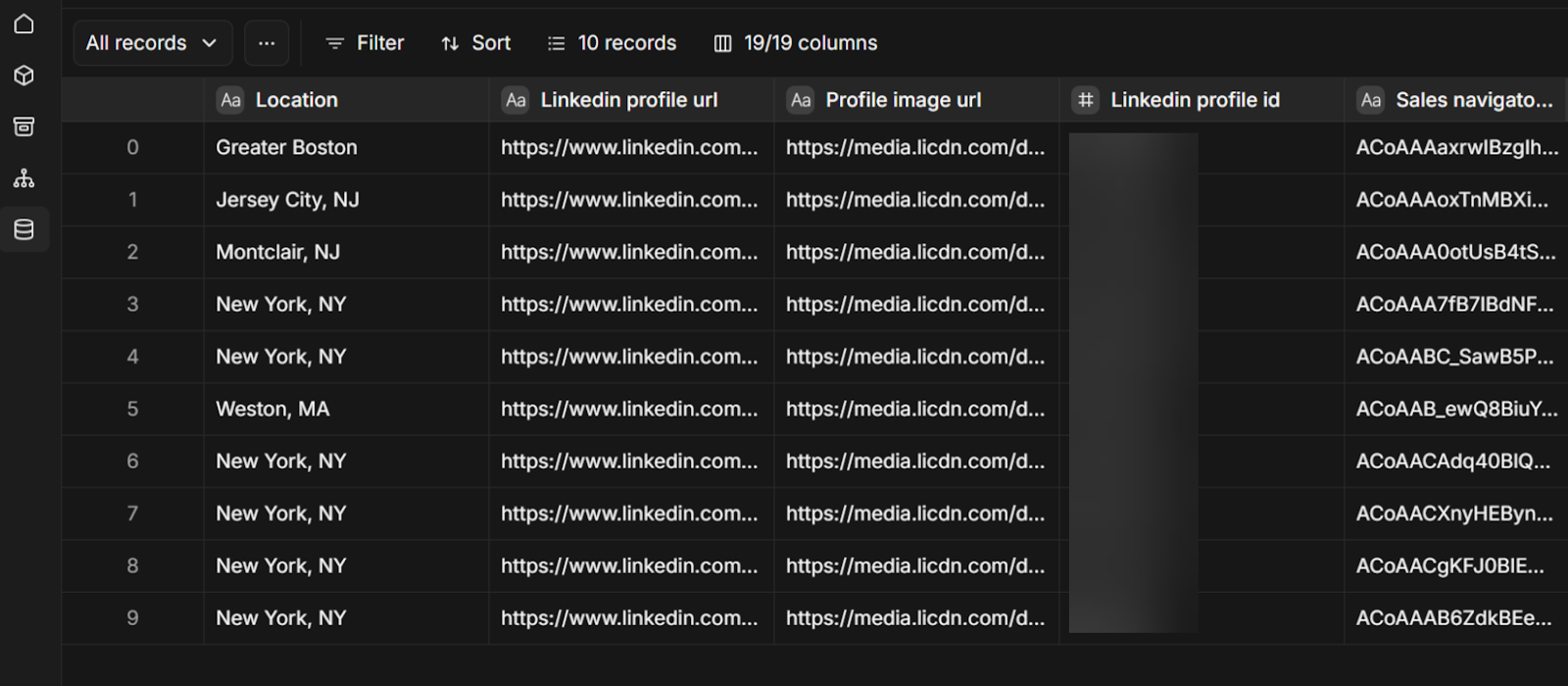
GetCargo finds and enriches sales prospects by pulling data from other platforms, such as your CRM system, or from paid data providers like Albacross and Clearbit.
Data providers are sources that give you information about your leads, like who they are, what they do, and where they work.
Once it has all the data it needs, it uses its Agents to filter the prospects.
GetCargo is a great tool for prospecting and data enrichment in the sense that it can quickly gather large volumes of leads.
But there are a few limitations.
While it performs excellently at capturing leads, I found its enrichment abilities fall a bit short.
Because it focuses mostly on names and job titles. It doesn’t really give much context on leads ready to convert.
nRev
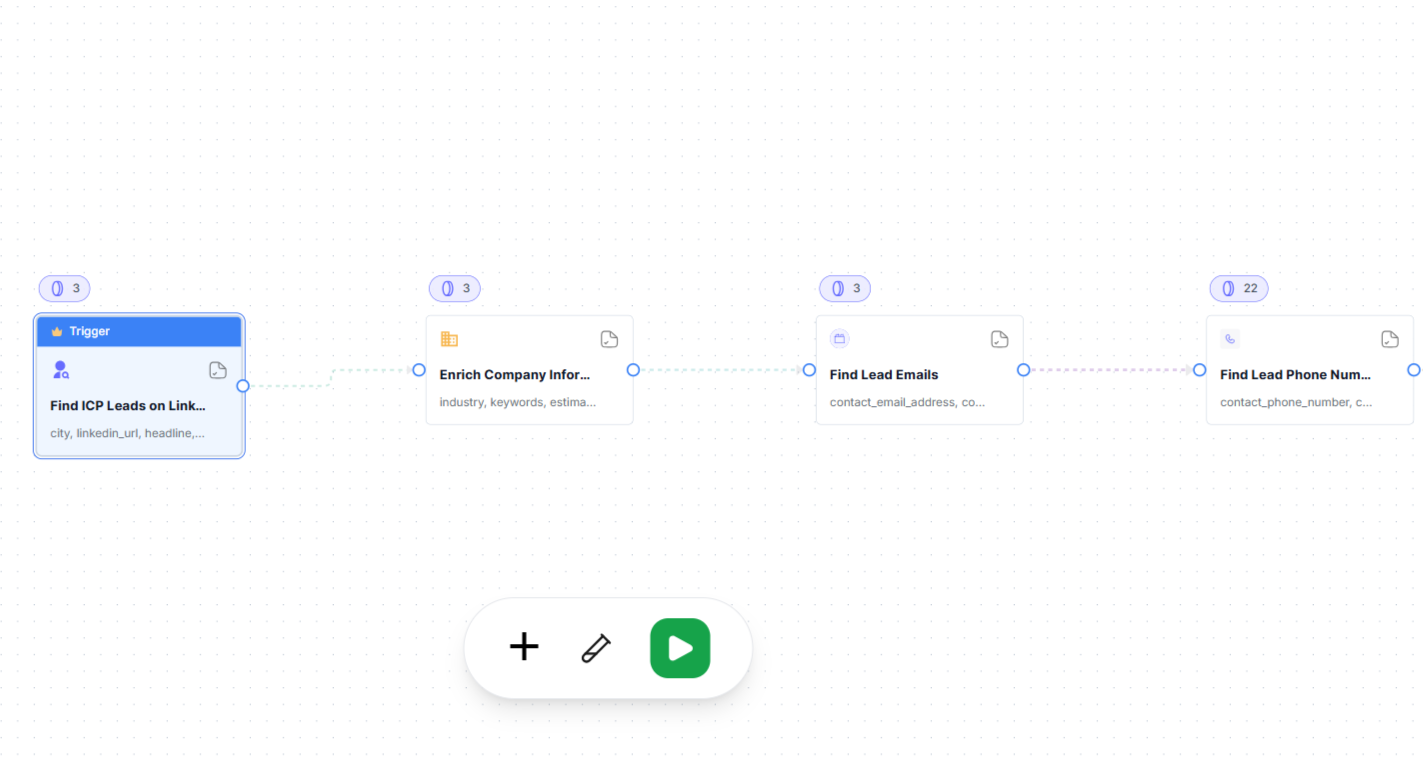
In comparison, nRev’s prospecting and data enrichment process is more advanced.
Once it’s done with lead generation, nRev takes it a step further by scoring them based on factors such as their likelihood to convert into paying customers.
It also has a deeper enrichment process that goes beyond basic information, like funding opportunities and job changes.
This helps sales teams understand each prospect better and makes outreach more personalized.
Lead Qualification and Signal
Once you’ve generated your leads, the next step is to identify which prospects will most likely become your customers. So, you need to ask yourself, “Who should my sales team focus on first?”
That’s where signals come in.
Think of them as hints that tell you when a lead is ready, and they help with prospect scoring and categorization.
GetCargo
GetCargo uses its AI Agents to score and categorize leads, so your GTM team can know which leads are high-value and which ones are less urgent.
But keep in mind that because its data enrichment process provides less context in comparison to nRev, it can be difficult to quickly identify which leads to focus on.
nRev
nRev does things a little differently.
Its AI tool scores leads based on factors, like where they are on the buyer journey.
Then it automatically focuses on those prospects and inserts them into workflows.
It also updates teams in real time whenever a lead gives off a signal, such as opening a marketing email, and recommends the next course of action.
GTM Automation and Workflow
Tasks like sending outreach emails, updating CRM records, and following up with customers can get tiring pretty quickly.
Fortunately, both nRev and GetCargo can take these tasks off your hands, so you can focus on closing deals.
GetCargo
You can create workflows in GetCargo using its workflow builder. It gives you a start-to-end point, and you can manually add or use AI to insert nodes and assign tasks.
Let’s say you want a workflow that finds LinkedIn prospects, enriches their information, and assigns them to your sales team.
In GetCargo, you can add nodes like Search LinkedIn → Enrich Email → Assign to Sales.
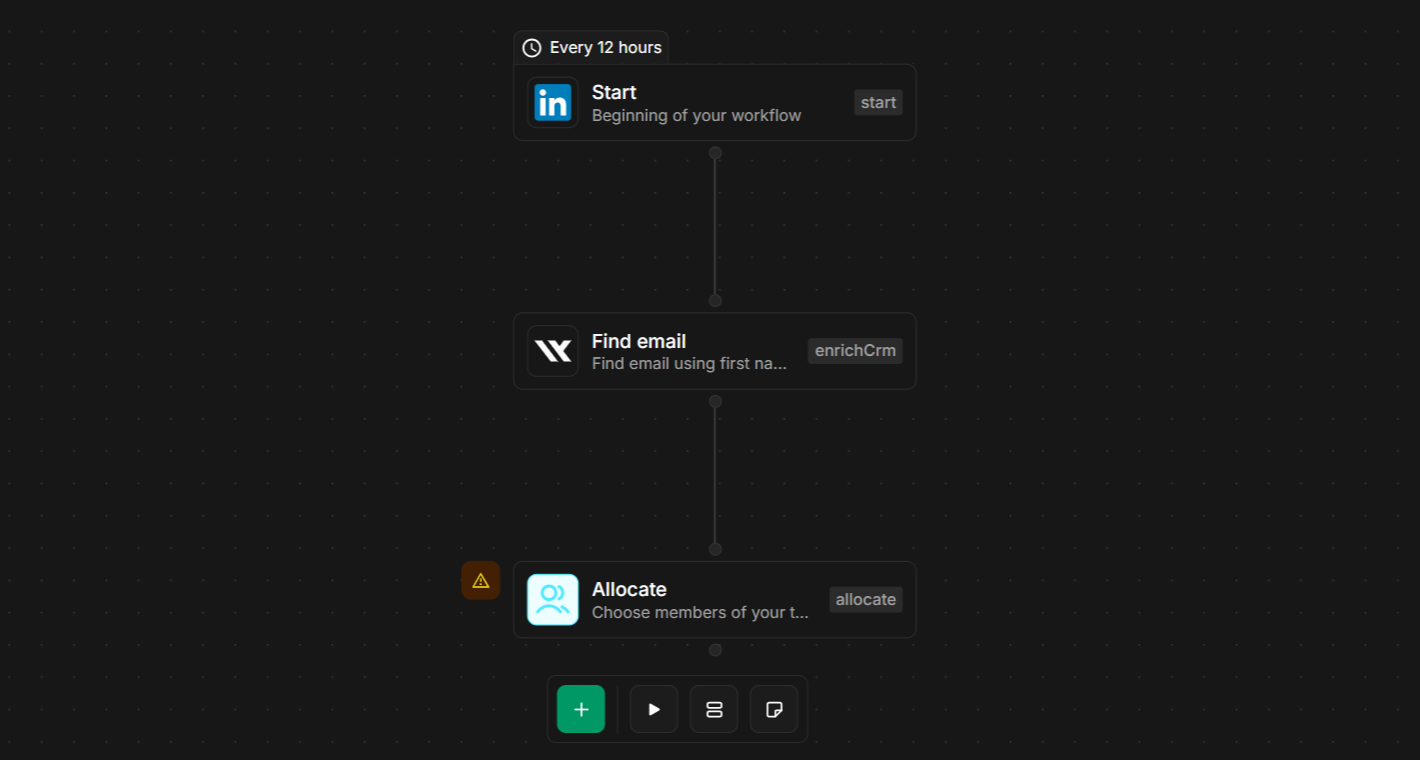
Once all the nodes are connected, you have a complete workflow ready to run.
Alternatively, GetCargo’s “Plays” gives you templates for certain activities like LinkedIn outreach.
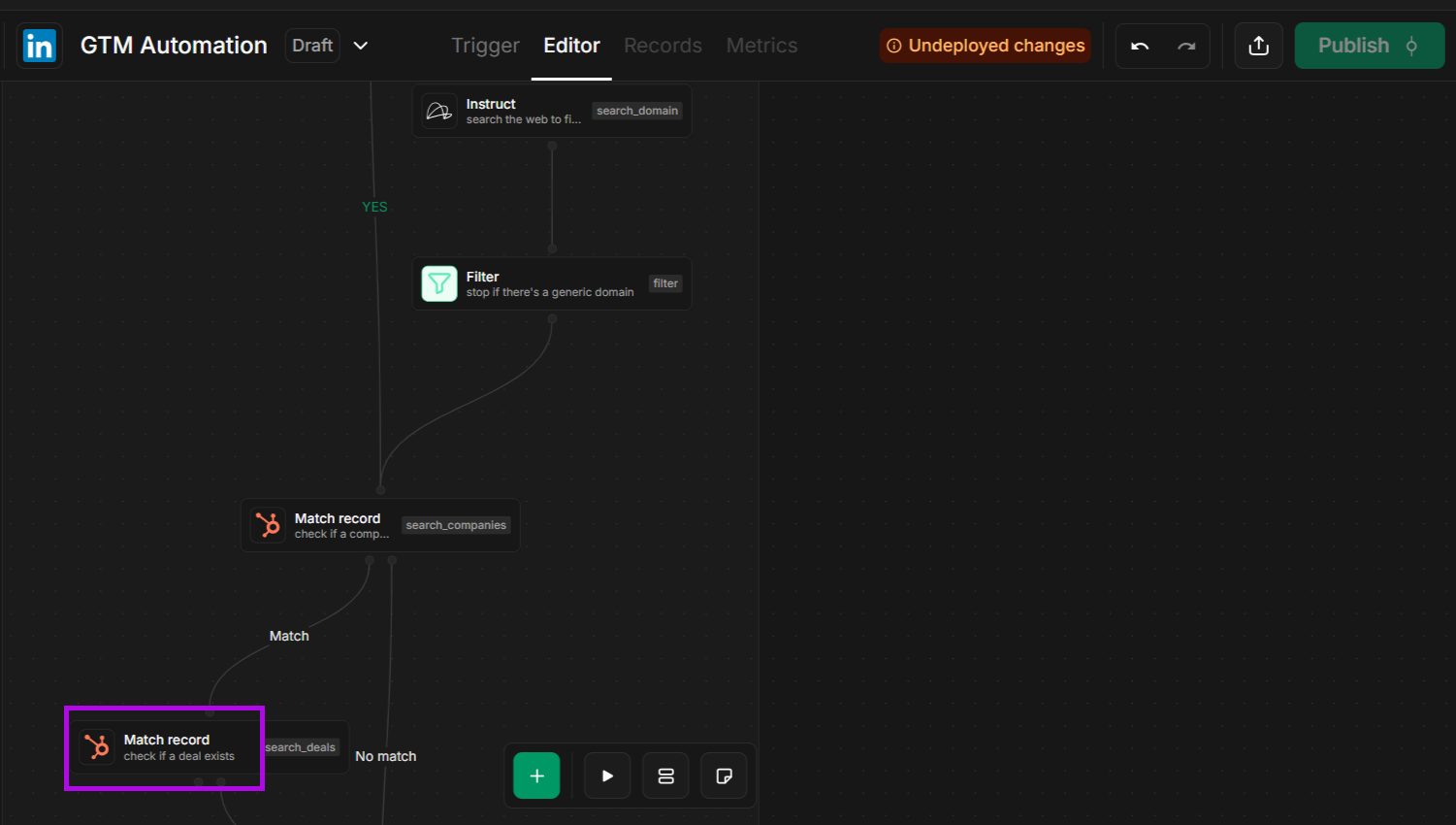
What I noticed when using GetCargo’s workflow builder was that it felt relatively technical, which could be an issue for the less tech-savvy.
nRev
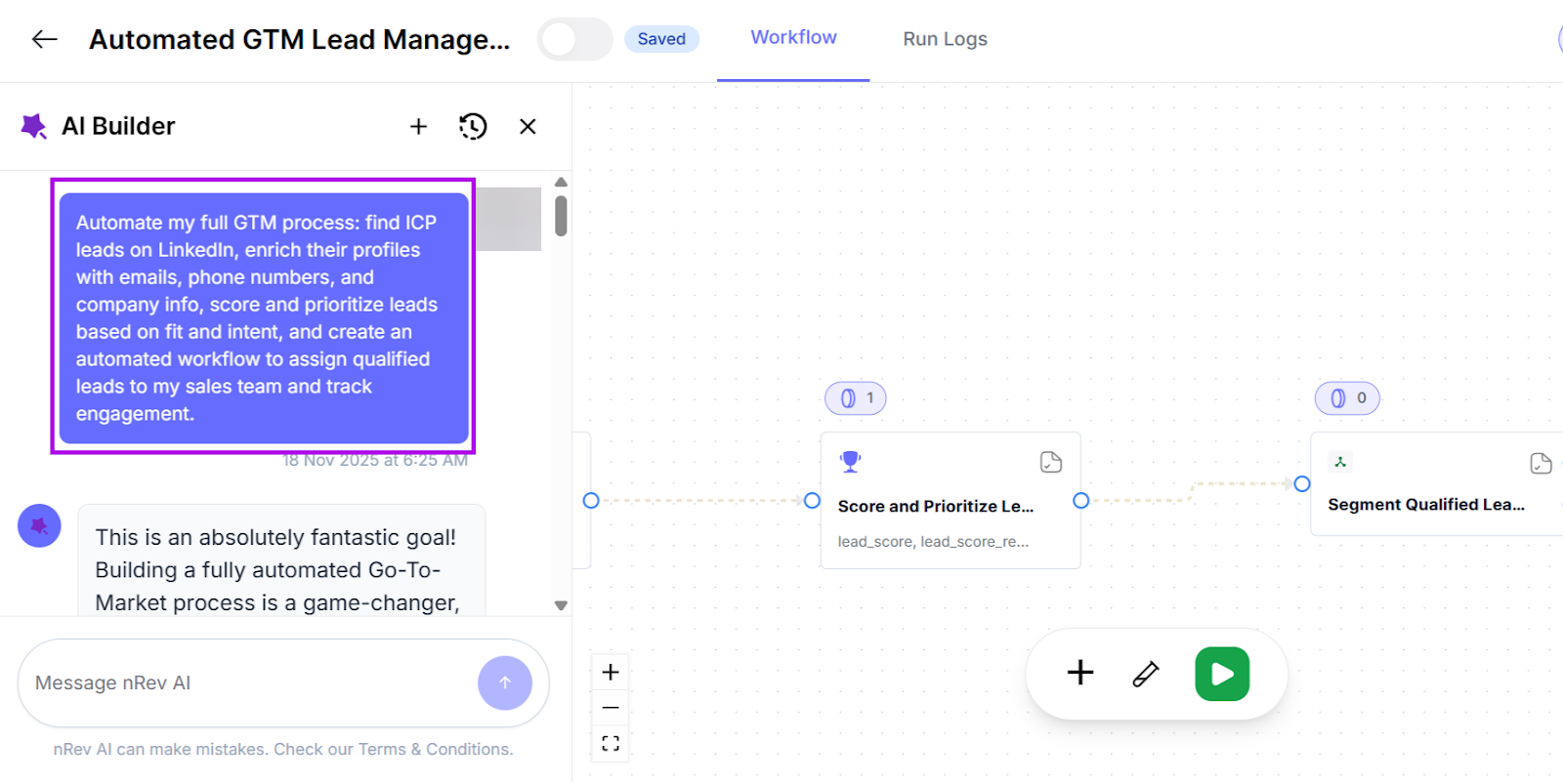
On the other hand, I found nRev’s GTM automation and workflow easier, whether it was done manually or with AI assistance.
All it took was typing a simple instruction like “Find ICP prospects on LinkedIn and send them to my sales team,” and it immediately created a workflow.
Depending on your prompt, it may ask further questions for context before building a complete workflow for you.
AI SDR Agent
AI SDR (Sales Development Representative) Agents act like virtual salespersons that handle basic sales tasks like researching prospects, sending outreach messages, and tracking responses.
GetCargo
GetCargo uses AI Agents to automate tasks in the GTM process.
Let’s say you’ve compiled a document of high-value leads. Its AI SDR Agent can then send outreach messages to them across multiple channels.
You can also manually edit messages to make them sound more “human” or more aligned with your brand voice.
nRev
nRev also follows a similar approach.
Just like GetCargo, its AI SDR Agent also sends personalized messages to prospects on a large scale. You can also tweak your messages if you want them to sound less robotic.
One small point of differentiation, though.
nRev takes its outreach a notch further by tailoring messages based on each prospect’s profile. So no two messages are the same for prospects.
Pipeline Management
If there’s one thing that every GTM team should concern itself with, it’s pipeline management.
That’s knowing which stage a prospect is in or how close they are to closing a deal.
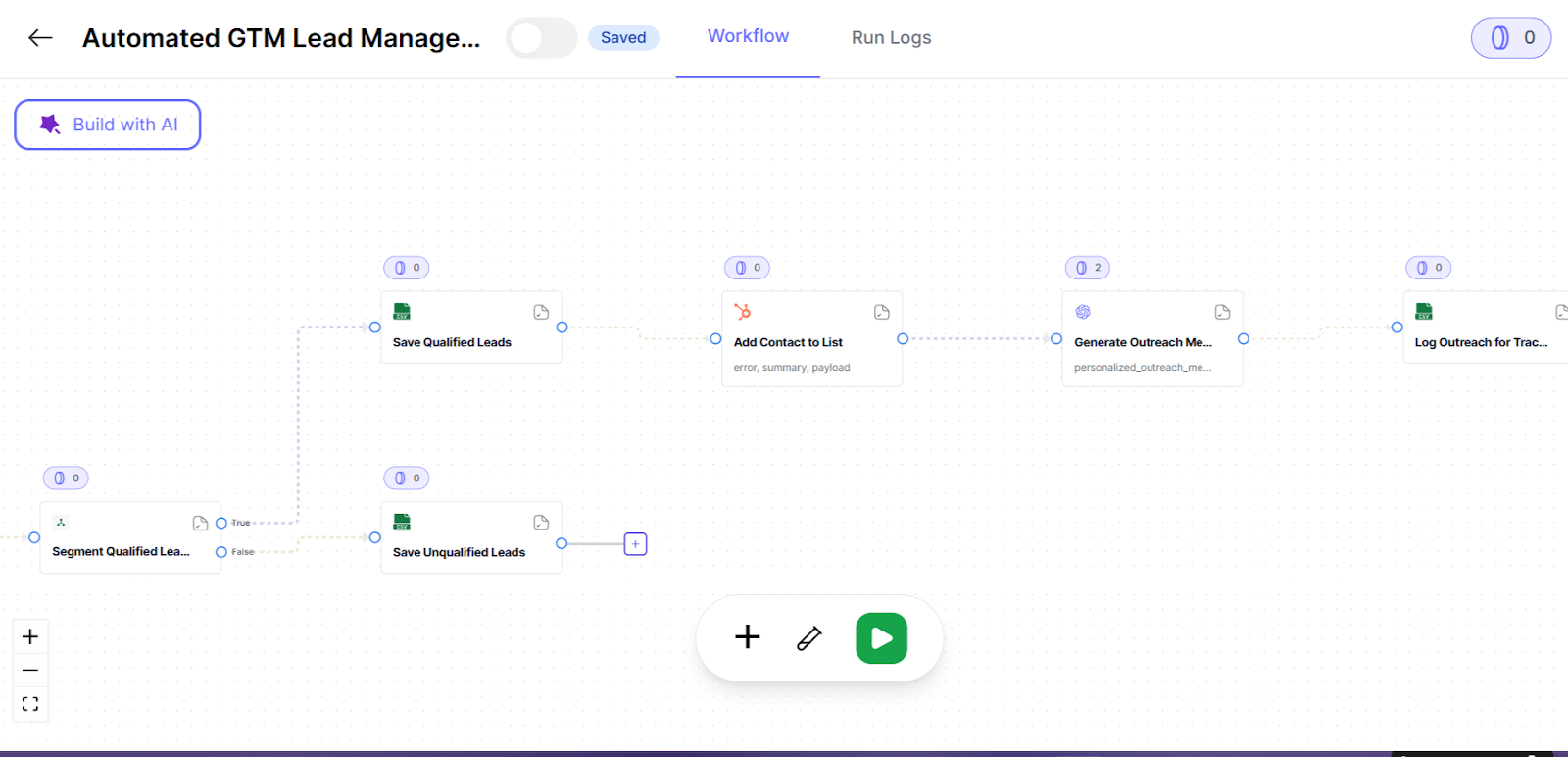
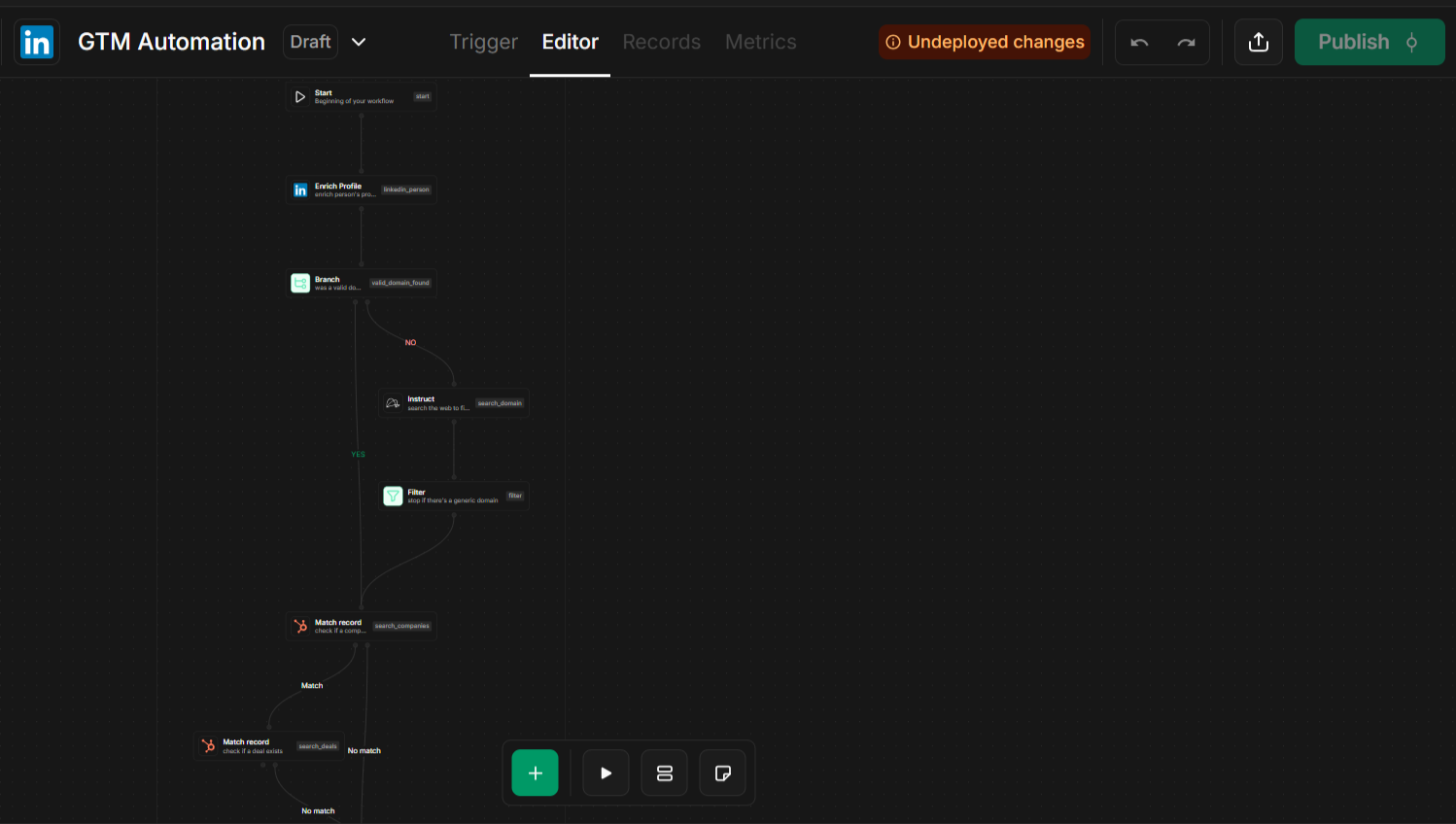
Both nRev and GetCargo follow a fairly similar pipeline management process.
Which is:
Lead generation and prospecting → data enrichment → outreach → proposals → closing deal → customer support.
Here’s what nRev’s pipeline management looks like:
And here’s how GetCargo manages its pipeline using its LinkedIn model preview:
Team Collaboration and Reporting
Both nRev and GetCargo help teams stay aligned in all stages of the GTM process. It helps them:
- Share leads, tasks, and updates
- Generate reports
- Communicate effectively by integrating with tools like Slack
Also, both nRev and GetCargo make collaboration easier by ensuring that teams work with the same data. How?
They bring all your information into one place.
So that sales, marketing, and RevOps aren’t using scattered data. This way, teams remain aligned on the customer journey and know when to step in.
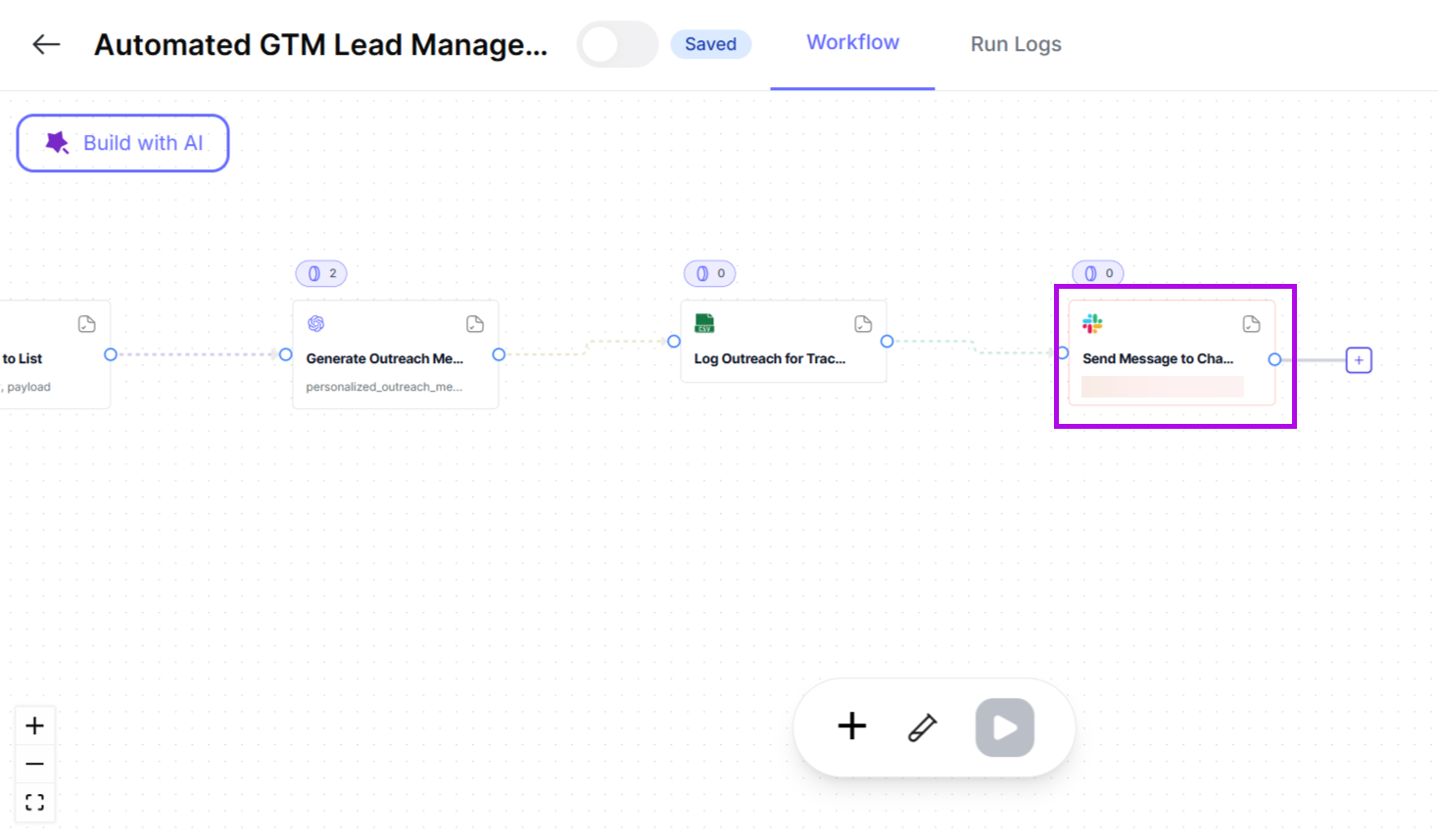
With nRev, for example, you can automate messages to your teammates in your workflow.
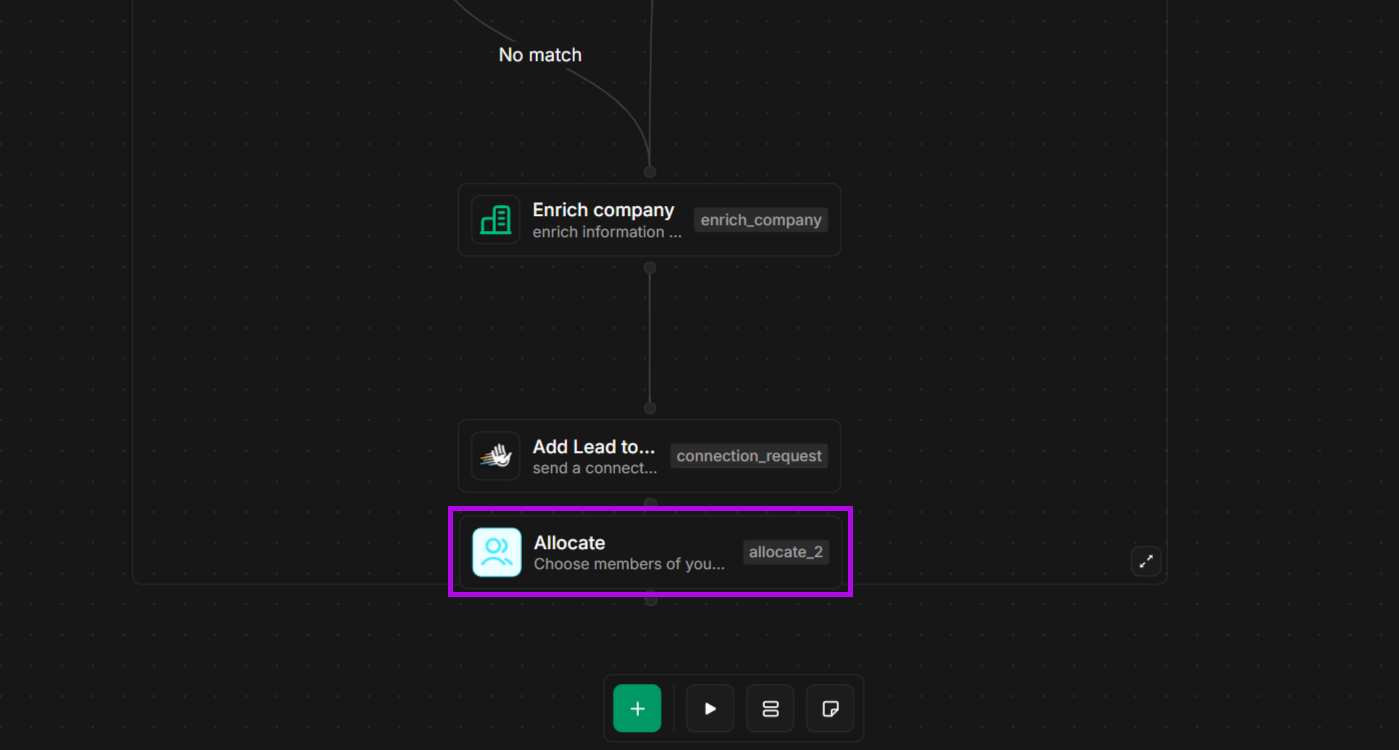
And with GetCargo, you can also allocate tasks to teammates inside your workflow.
When it comes to reporting, GetCargo extracts data from your tools, so you can keep track of what’s working.
For example, it will report on the number of meetings your team booked within a given period or how deals are moving in your pipeline.
nRev operates similarly by pulling data across all teams and transforming it into a single source of truth.
Once all data is centralized, nRev’s AI can automatically generate clearer reports to help teams understand what’s happening in the GTM process.
Analytics and Insights
GTM teams need to know what’s working for them and what’s not at all times.
Both nRev and GetCargo are designed to help teams know whether their workflows are actually delivering as intended.
Some of the analytics and insights that these tools deliver to teams are performance tracking and revenue operations data, among many others.
Your team can then decide to have these insights delivered through its AI Agents, automated workflows, or app integrations.
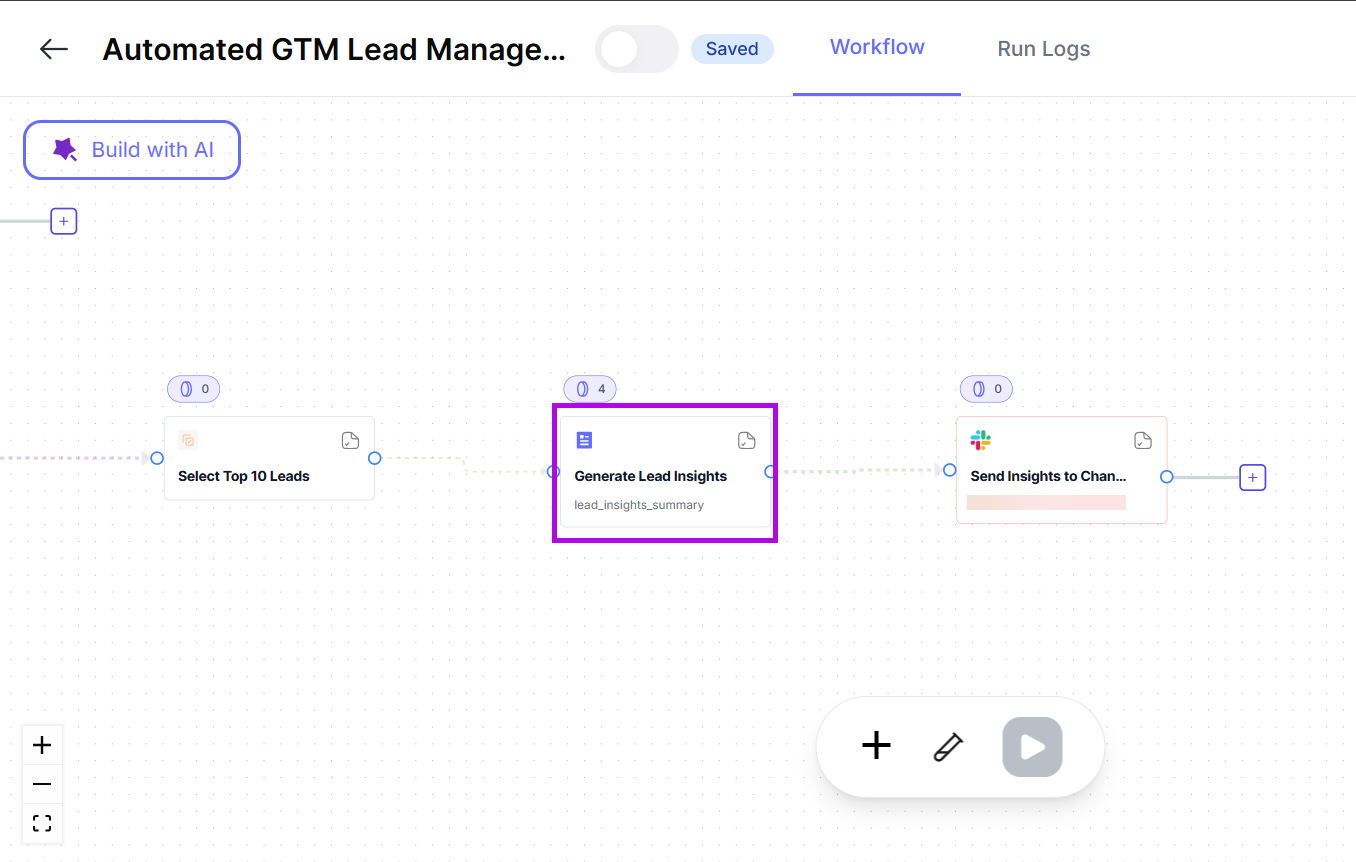
For example, with nRev, you can generate lead insights and have it delivered to your sales team via a communication channel like Slack.
nRev vs. GetCargo: Pricing Comparison
When it comes to pricing, nRev and GetCargo have very different approaches.
nRev
nRev has a flexible, usage-based pricing model.
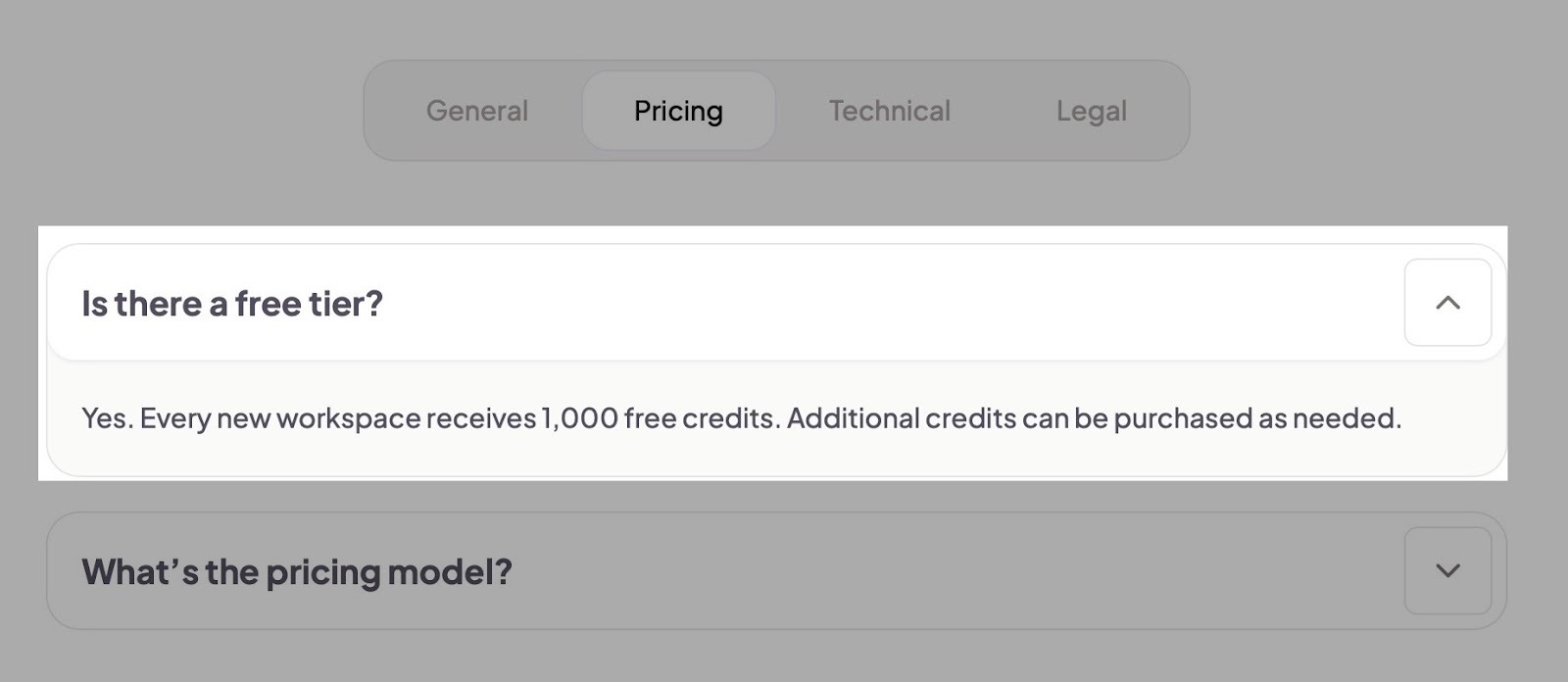
nRev gives all first-time workspaces 1,000 free credits, and you can buy additional credits whenever you want.
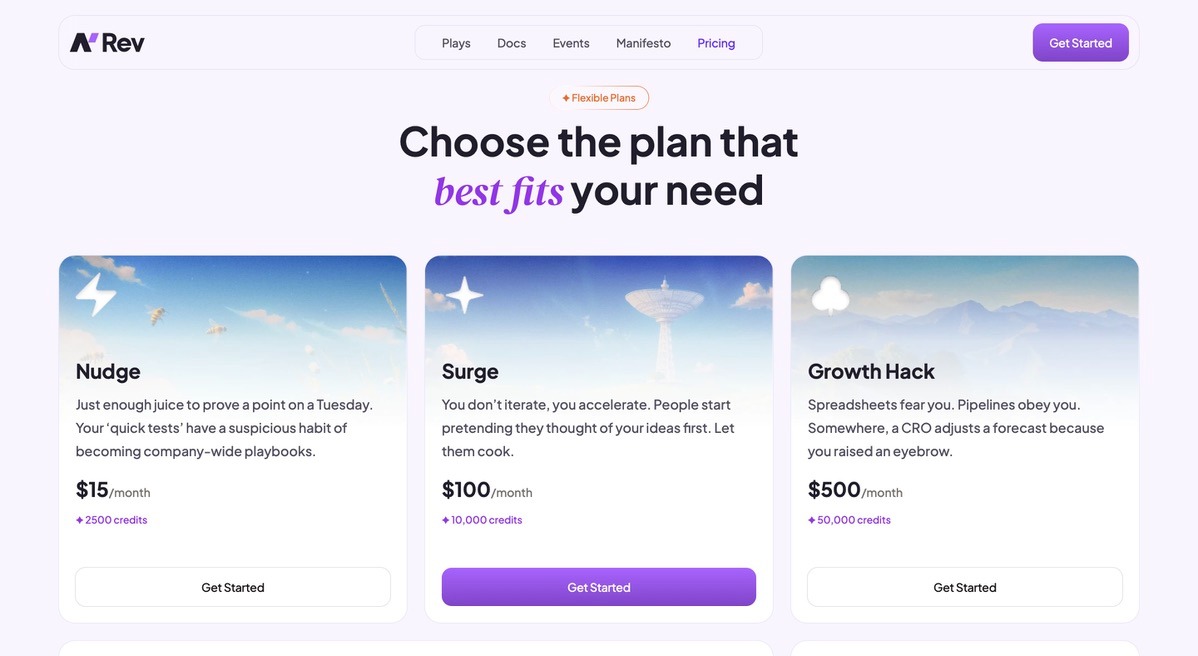
nRev’s pricing plans start with Nudge, which is $15 per month for 2,500 credits. If you want about 10,000 credits, you could go for the Surge plan. It’s only $100 per month.
Our Growth Hack plan is $500 for 50,000 credits.
If you want 100,000, you’re looking at $1,000. Anything over that and you’d have to contact our sales team.
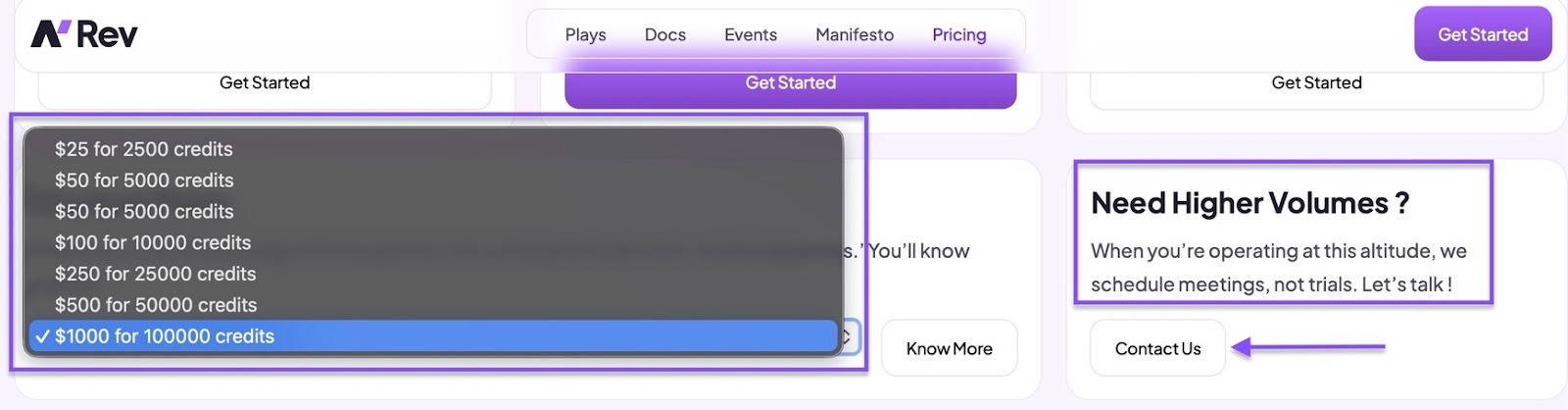
The number of credits you can buy depends on the volume of work and the number of users or workflows.
GetCargo
GetCargo uses a credit-based model.
So you can expect to pay from $0.06 to $0.25 per credit per month. Or from $0.053 to $0.25 per credit per year. And you can buy 2,500 to over 1.5M credits.
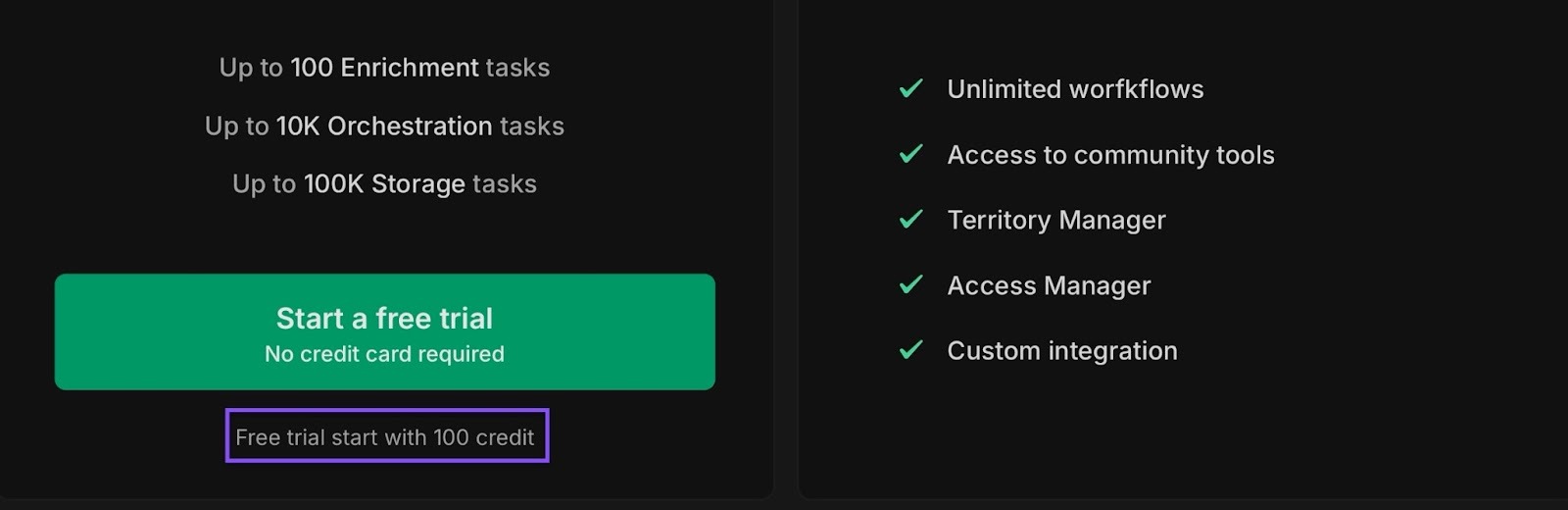
GetCargo also offers a free trial with 100 credits, and you can buy extra credits on a monthly or yearly basis.
GetCargo has a credit calculator on their website. For 2,500 credits, you’ll pay $250 per month. For 5,500 credits, that’s $495 per month.
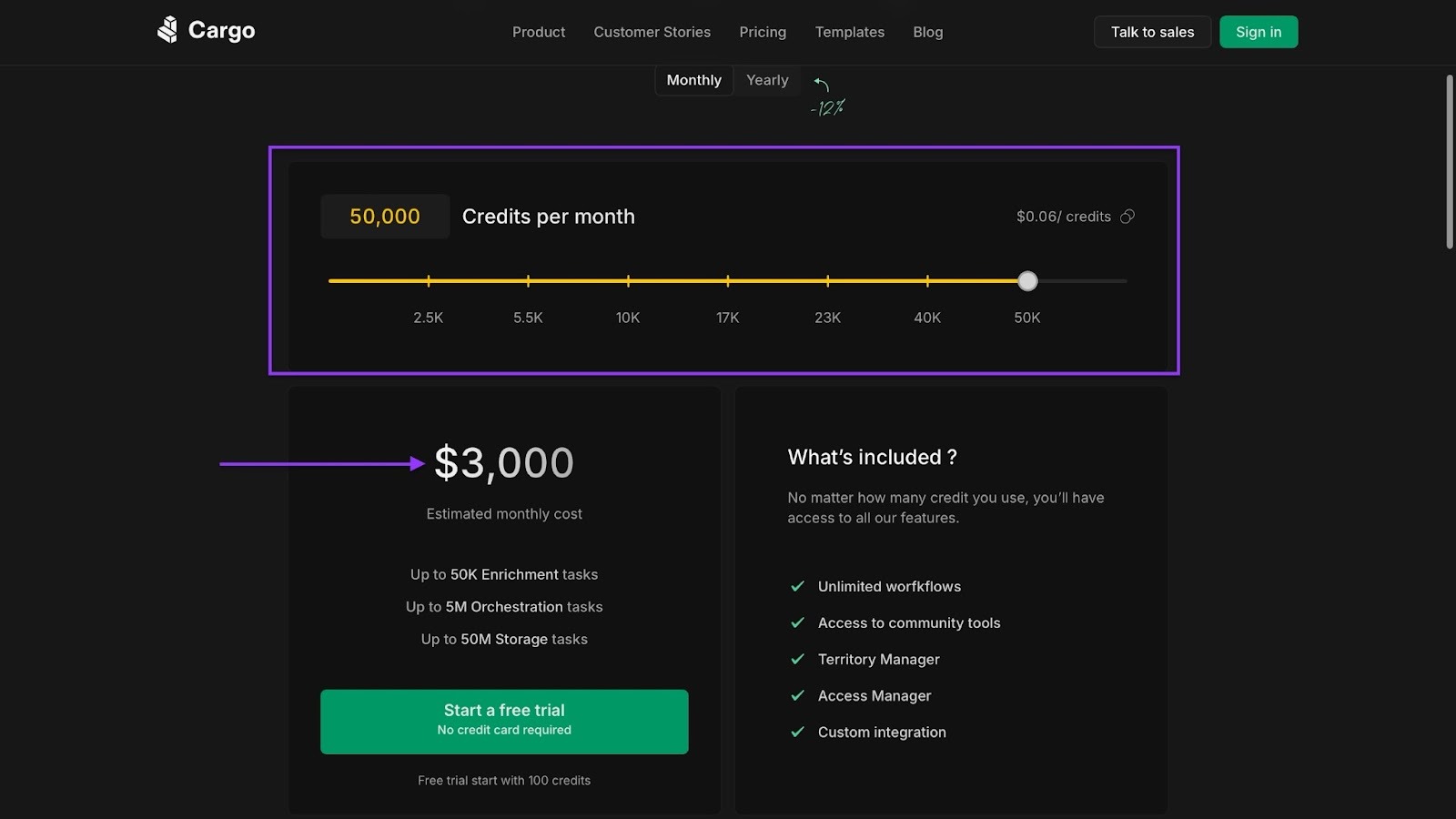
Let’s say you need about 50,000 credits per month. That’s $3,000. Now, if you use about 600,000 credits per year, that will cost you $31,860.
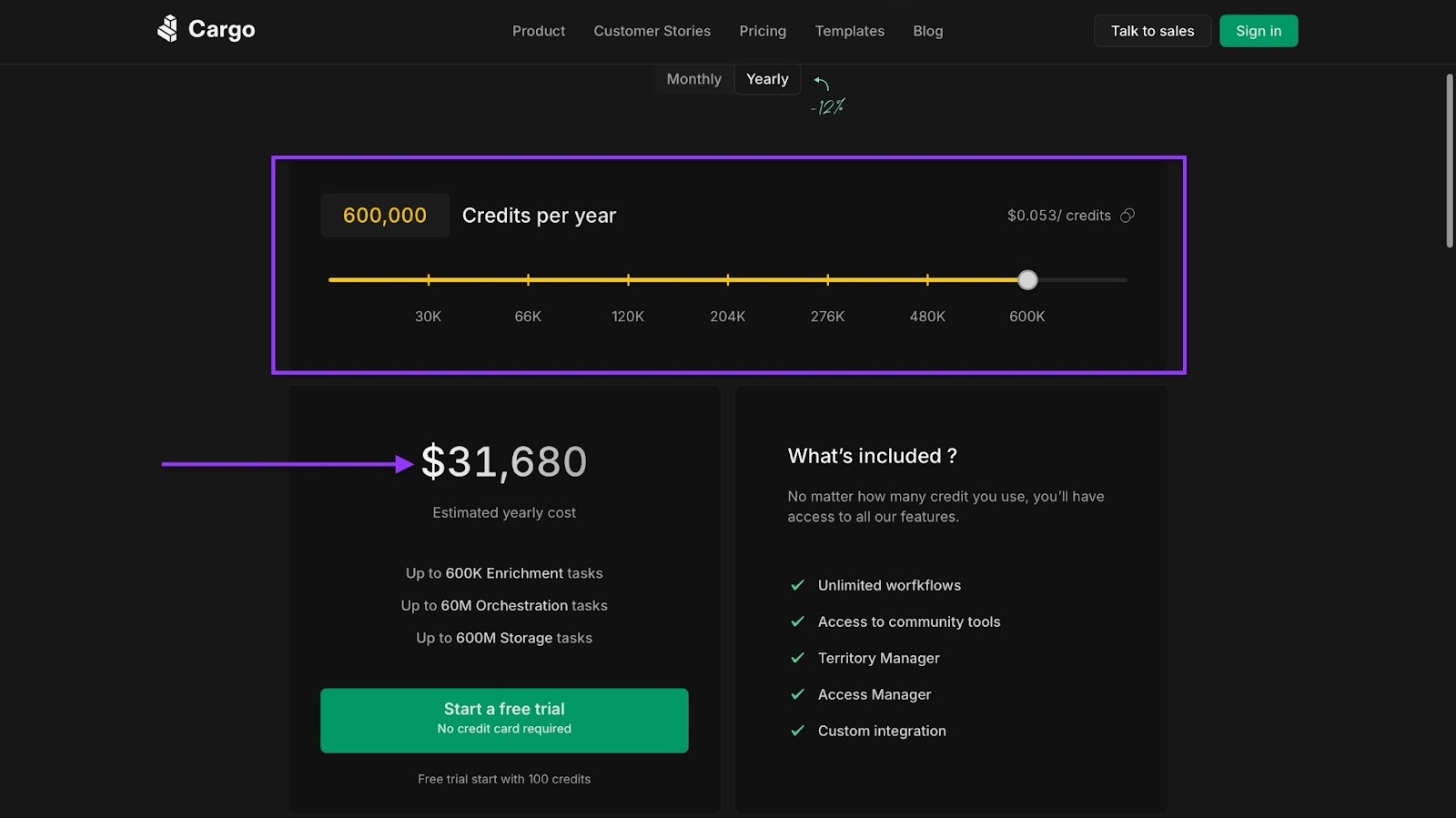
Anything above that and you’d have to contact their sales team.
Let me help you understand what both nRev and GetCargo have to offer with this price comparison table.
nRev vs. GetCargo: Is this the best tool for your go-to-market team?
FAQ
Which is better, nRev or GetCargo?

Is GetCargo better for outbound prospecting?
Does nRev offer automation beyond sales prospecting?
How much does GetCargo cost?
Can you integrate nRev with CRM tools like HubSpot or Salesforce?
Is GetCargo suitable for an enterprise team?
Does either offer a free trial?
Between nRev and GetCargo, which one works better for advanced automation for sales and marketing teams?