


No prospects, no leads, no deals! And getting them has become tougher.
A 2024 research from Salesforce found that 53% of sales professionals say selling is more challenging now than it was in 2023.
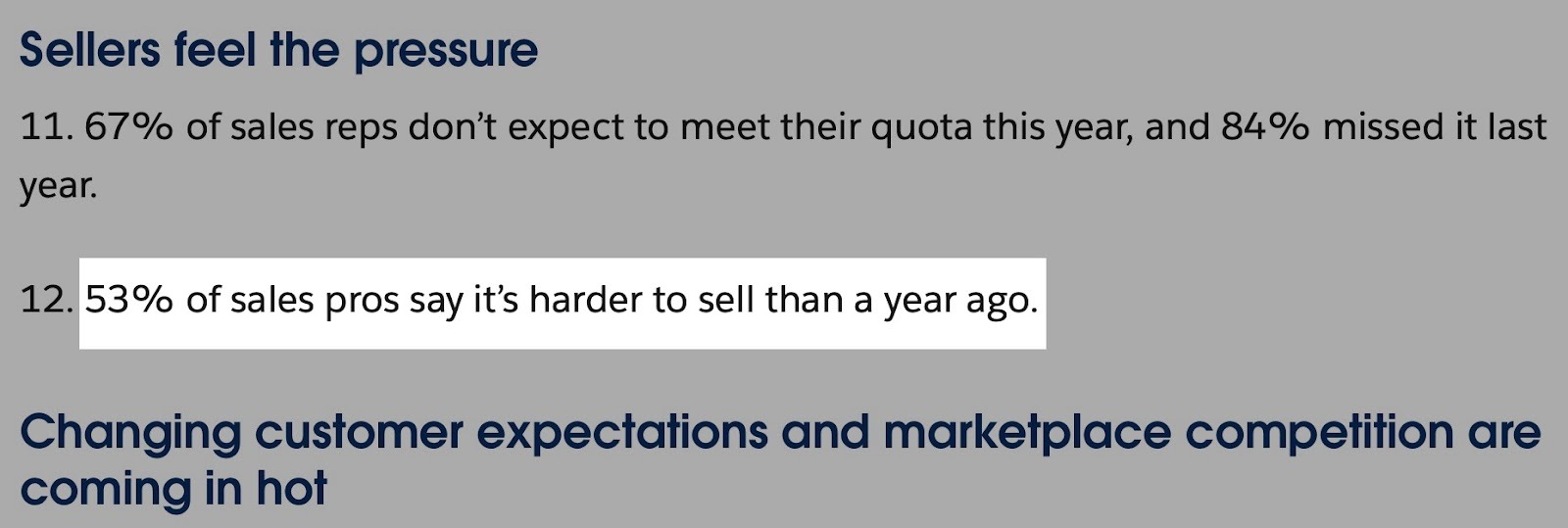
This is the reality, even with countless sales prospecting tools on the market. Yet, with the right tool, you can automate lead outreach, find prospects faster, and drive revenue.
But what is the right tool for your business?
To help you answer that, I tested about 20 sales prospecting tools over the past few weeks. I was able to narrow the list down to the six absolute best.
I will review each tool with its key features, pros and cons, and pricing plans. Then I’ll talk about how you can choose the right sales prospecting tool for your business.
Let’s go!
Best Sales Prospecting Tools Compared
| Sales Prospecting Tool | AI Capacities | Data Accuracy | Key Integrations | Starting Plan | Data Security |
|---|---|---|---|---|---|
| Apollo.io | Strong (AI research assistant, lead scoring, website visitor tracking) | Medium-High (65% to 85% based on reviews; Apollo claims 91% email accuracy) | Salesforce, HubSpot, Outreach, Salesloft, ContactOut, Clay, ClearoutPhone, Albato, Apollo.io Chrome Extension, Adobe Marketo | $0/month | ✅ Yes |
| nRev.ai | Very strong (deep AI lead research, GTM workflow automation, NLP, Agent OS, Competitor Intelligence Tracker) | N/A (not a data provider; integrates with Apollo, Lusha, Instantly AI) | Apollo.io, Gong, Lusha, Instantly AI, Slack V2, HubSpot, Zoho CRM, Salesforce, Gmail, Google Sheets, Google Meet, Fireflies, Calendly, Google Calendar | Free; 1,000 credits | ✅ Yes (SOC 2 Type II from AICPA) |
| Clay | Very strong (Claygent: AI web research, Sculptor: AI Assistant, predictive analytics, data enrichment) | No native data; accuracy depends on third-party enrichment sources | Dynamics 365 CRM, HubSpot, Salesloft, Mistral, La Growth Machine, Modash, Crossbeam, LeadIQ, Apollo.io, OpenAI/GPT, Smartlead.ai, Semrush, Instantly, Pipedrive, ActiveCampaign, Hunter, FullEnrich, RB2B | $0/month | ✅ Yes |
| Lusha | Strong (data verification, enrichment, AI email assistant, sales prospecting) | Medium (95% email accuracy, 85% phone accuracy) | Microsoft Dynamics, Salesloft, Bullhorn, HubSpot, Salesforce, Outreach, Zapier, Pipedrive, Zoho, Gmail, Outlook | $0/month or 40 credits/month | ✅ Yes (GDPR, CCPA) |
| Instantly AI | Medium (AI Copilot, AI reply agent, AI-powered analytics) | N/A (does not guarantee 100% accuracy) | HubSpot, Salesforce, Zapier, Make, n8n, Pabbly, API v2, Webhooks, Slack, Integrately, SuperSearch | $30/month | ✅ Yes |
| LeadIQ | Medium (data enrichment, AI email personalization, AI account prospecting) | High (92% email accuracy, 90%+ phone accuracy) | Salesforce, HubSpot, Salesloft, Outreach, Gong, Clay, Grove by Clari, Chili Piper, Nooks, Zapier | $0/month | ✅ Yes |
| UpLead | Medium (data enrichment, AI real-time verification, AI data sourcing) | 95% (backed by a money-back guarantee on bad emails) | Salesforce, HubSpot, Pipedrive, Zapier, Chrome extension | Free (5 credits) / Essentials from $99/month | GDPR, CCPA and CAN-SPAM compliant |
6 Best Sales Prospecting Tools
1. Apollo.io
| Category | Details |
|---|---|
| Personal Rating | ⭐⭐⭐⭐ (4/5) |
| Ease of Use | ⭐⭐⭐✨ (3.5/5) |
| Starting Plan Inclusions | 1,200 credits, 2 sequences, AI research |
| Data Accuracy | 85% |
| Data Coverage | Global, 275M+ B2B contacts, 60M companies |
We will start this list of the best sales prospecting tools with Apollo.io. It helps you find people or companies and sends a series of automated messages to them (sequences).
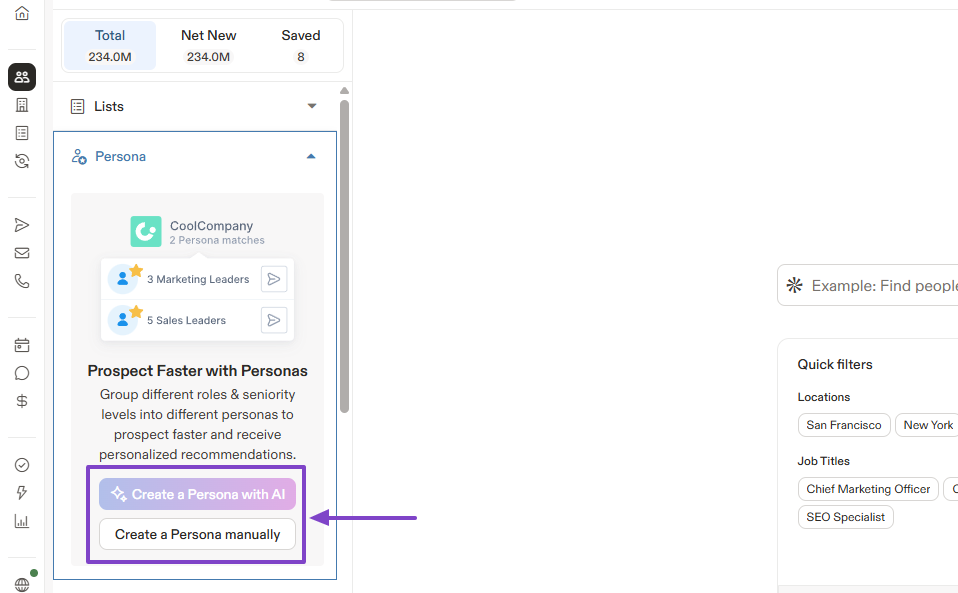
There are many ways to search for prospects on Apollo. One of them is by creating your persona, and you can do that manually or with AI.
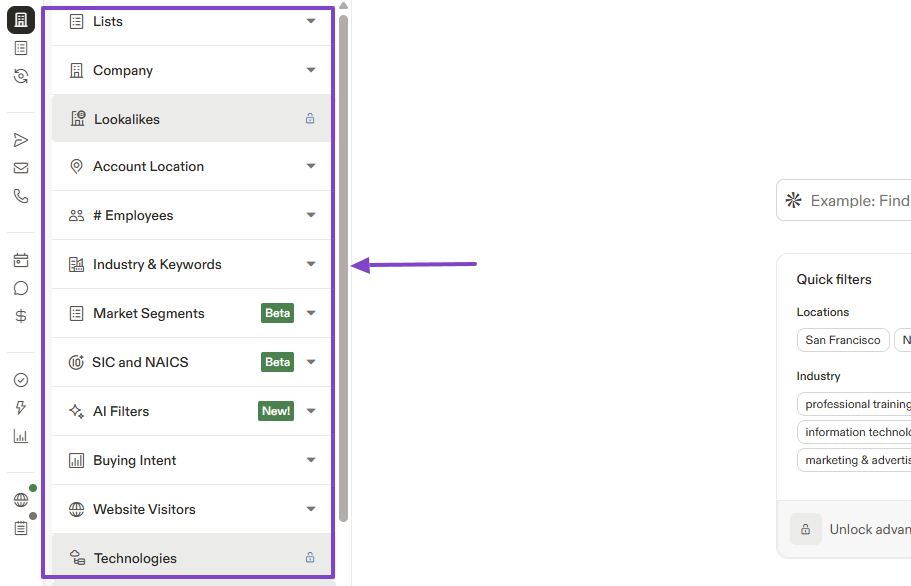
But if you’re rather interested in finding companies, there are many filters you can use for your search. It can be the number of employees, the industry, the location, or website visitors.
Now, let’s say you’ve been chasing a lead for some time, especially because of their job position. But along the line, their company promoted them to a different position.
The question is, how would you know?
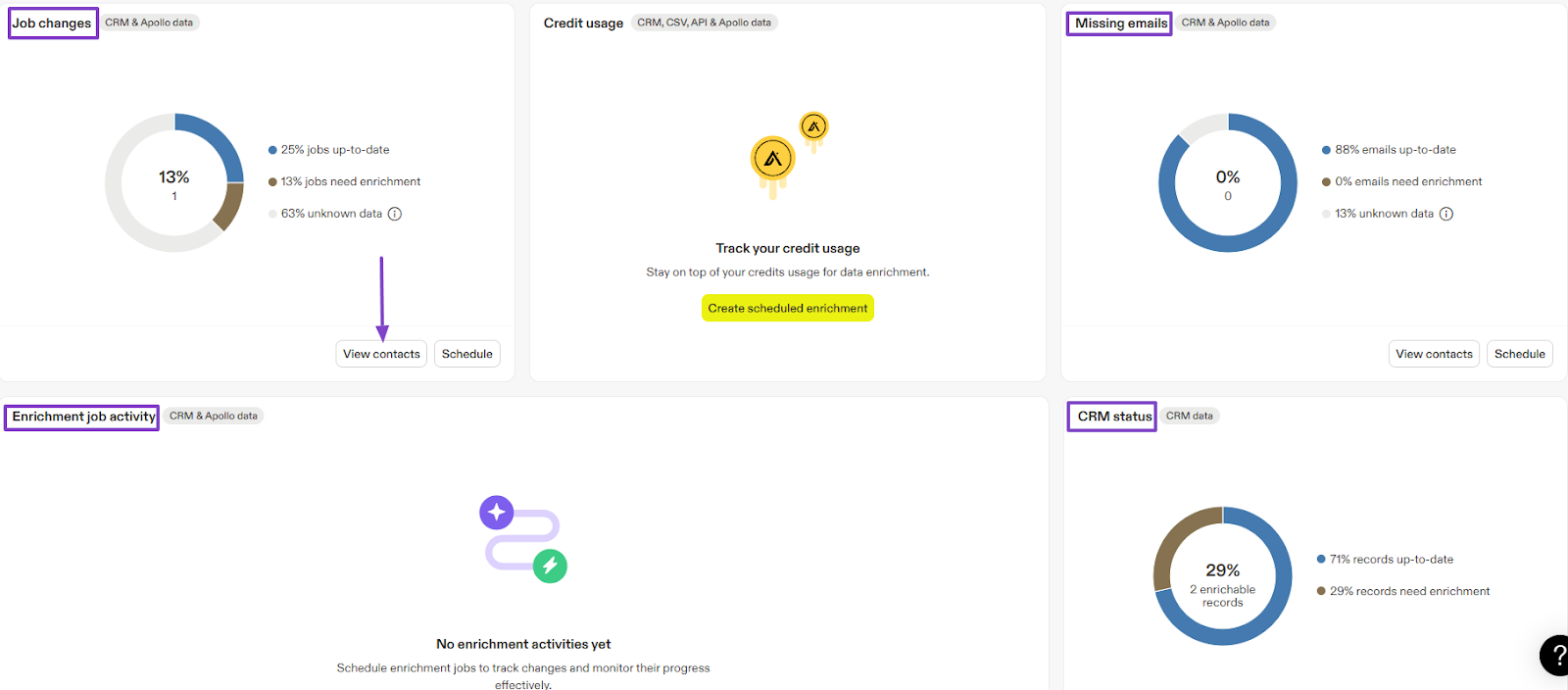
When using the Data enrichment feature, you can access such insights.
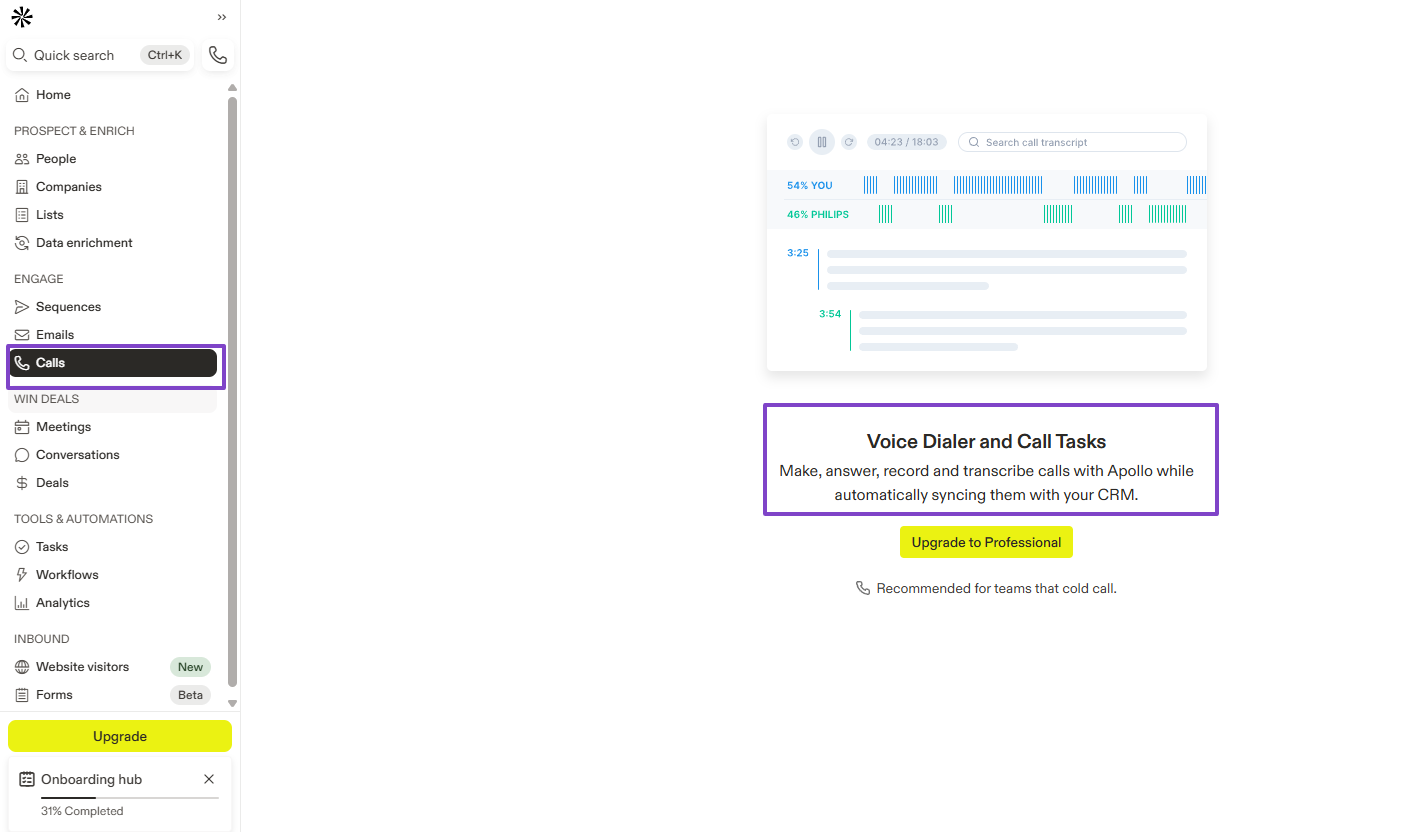
And if your sales team mostly deals with cold calls, they can use the Calls feature. It helps them make, answer, record, and transcribe calls.
Features I admired
1 . People
The first feature you'll likely come across after you sign up for Apollo.io is the People. As its name says, it lets you search for people using your preferred filters.
To use it, you will first need to locate it in the sidebar menu.

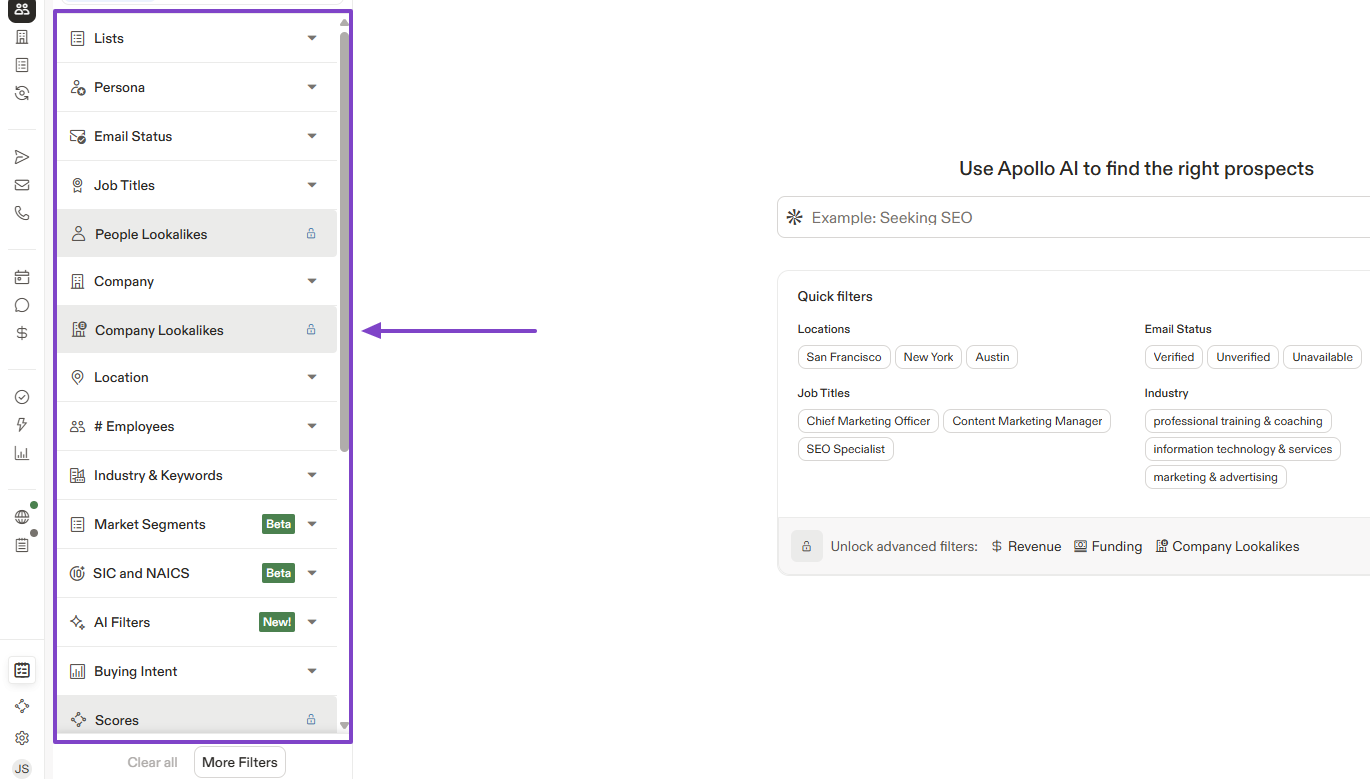
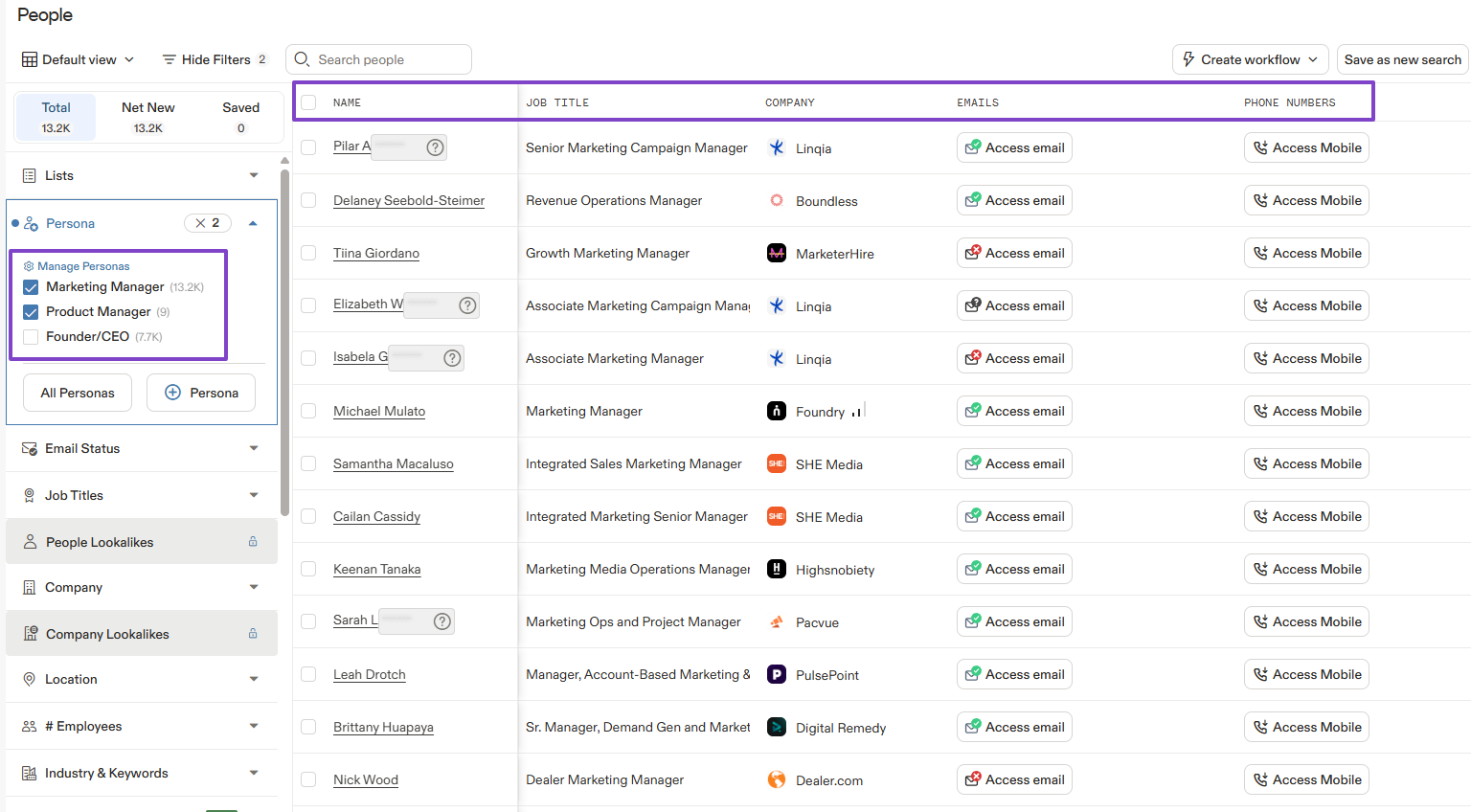
As I mentioned earlier, there are many filters I could use before launching the search: Persona, job titles, company, location, or industry, among others.
Let's try the Persona filter.
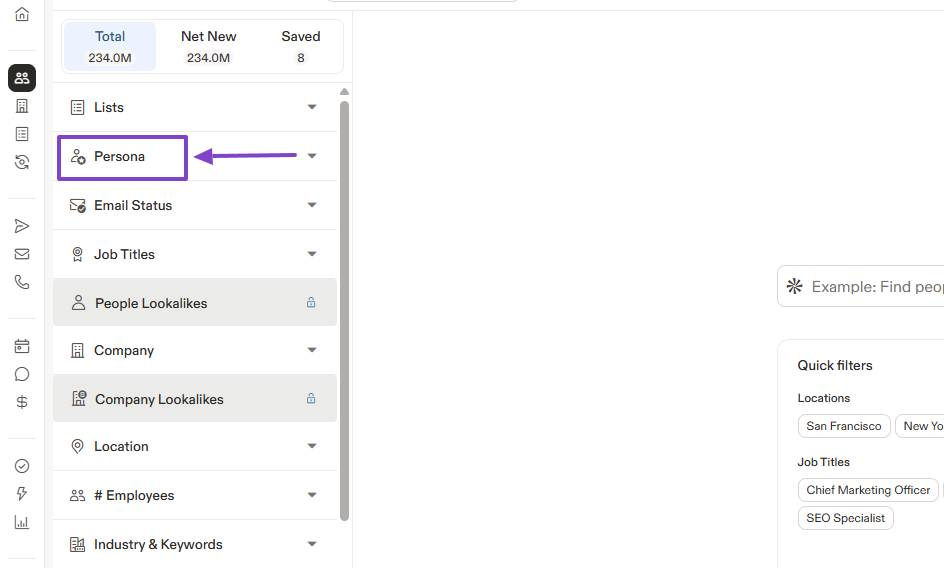
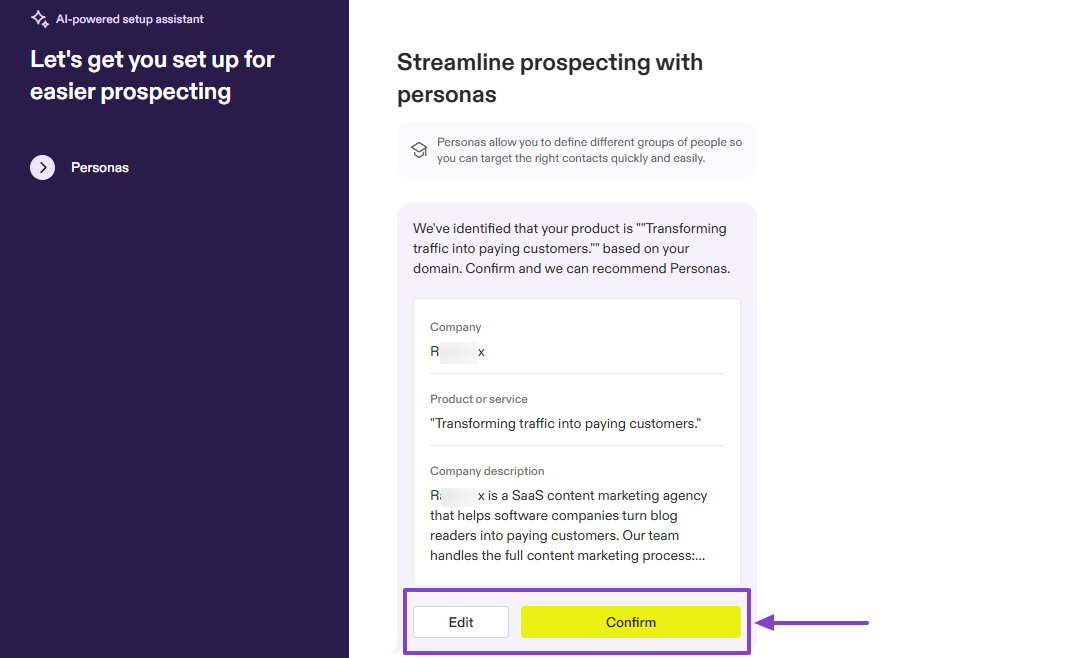
I had two options: creating my persona with AI or doing it manually.
I created mine with AI. But I could still edit it before confirming.
The search gave me a long list of contacts with their names, job titles, company, and email addresses.
2 . Companies
Similar to the People feature in terms of search, but it focuses on companies. It also lets you select filters to make the search more relevant.
Let's try it!
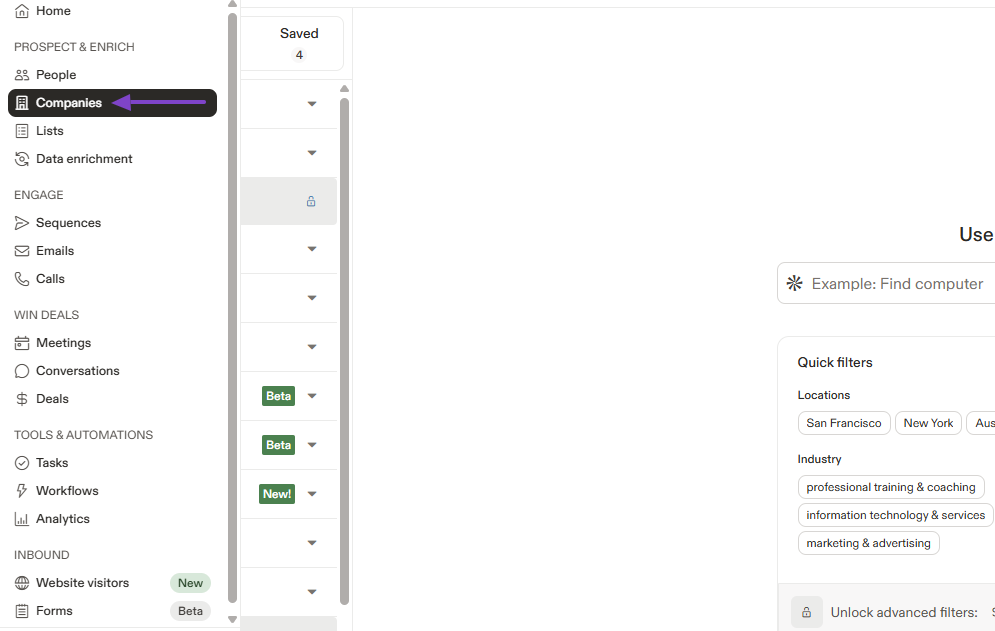
You will find Companies right below the People feature.
For filters, you have industry & keywords, employees, company, account location, and many more.
Still on the filters, I spotted “AI filters” and decided to try them.
I could start with a template or run a custom AI prompt.
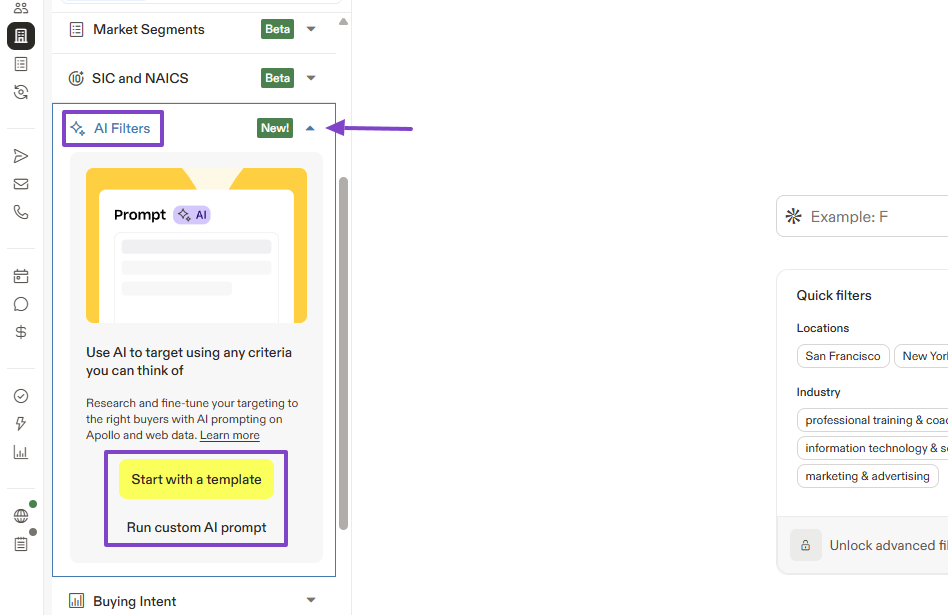
There were many pre-built templates I could choose from.
This is what I selected: “Research and evaluate a company for fit”.
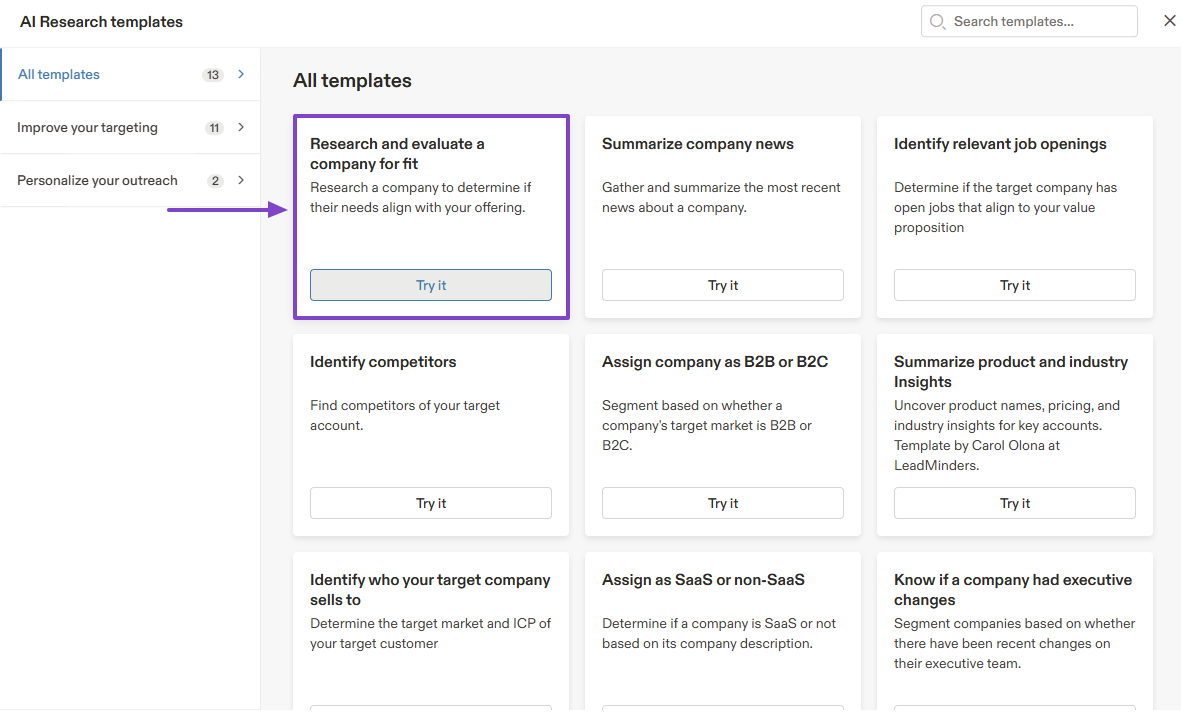
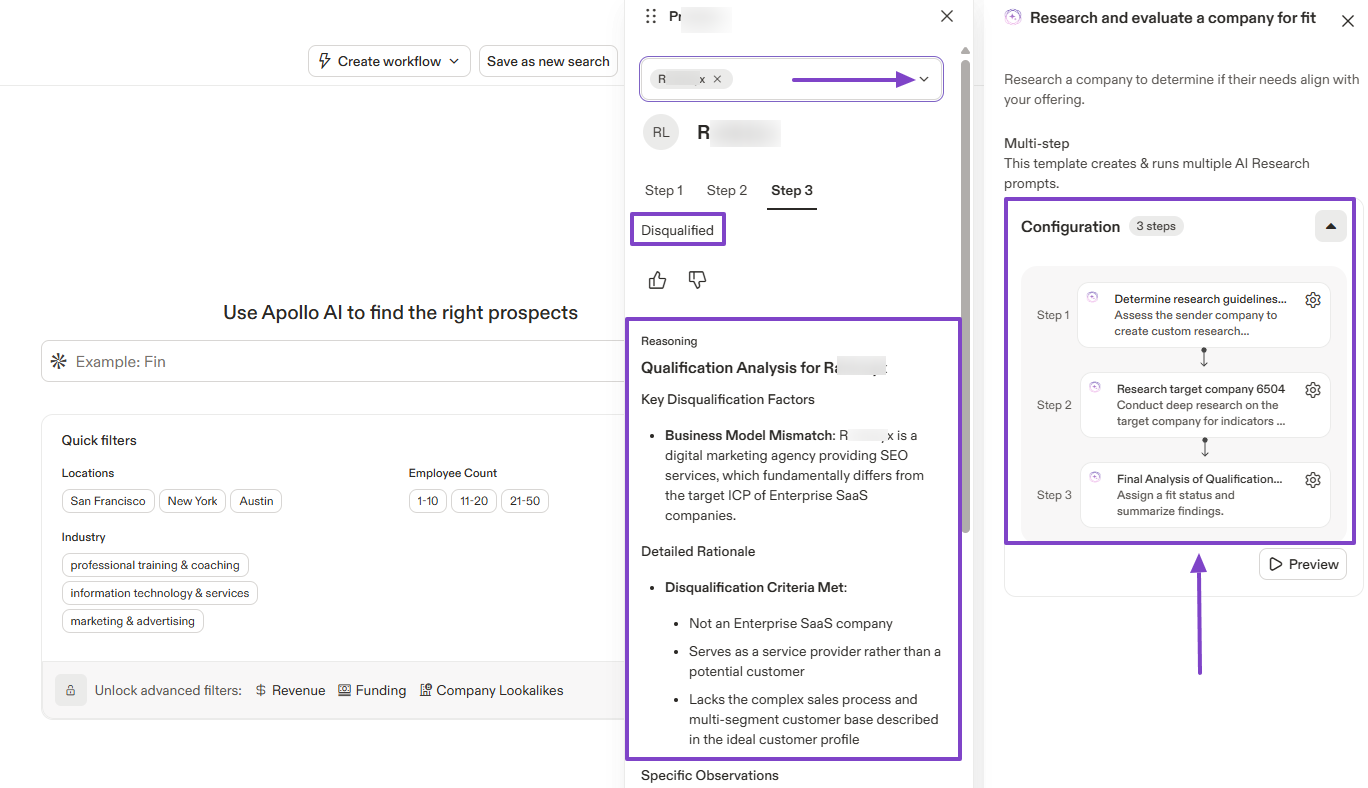
After entering the company's name, Apollo will tell you whether it's a good fit.
In case they are disqualified, the reasons will also appear below.
3 . Data enrichment
Having data is good. But having richer, more accurate data is better, and that is what the data enrichment feature on Apollo.io is for.
It fills in automatically missing or outdated information and also shows you a dashboard with more insights.
Find it in the sidebar menu.
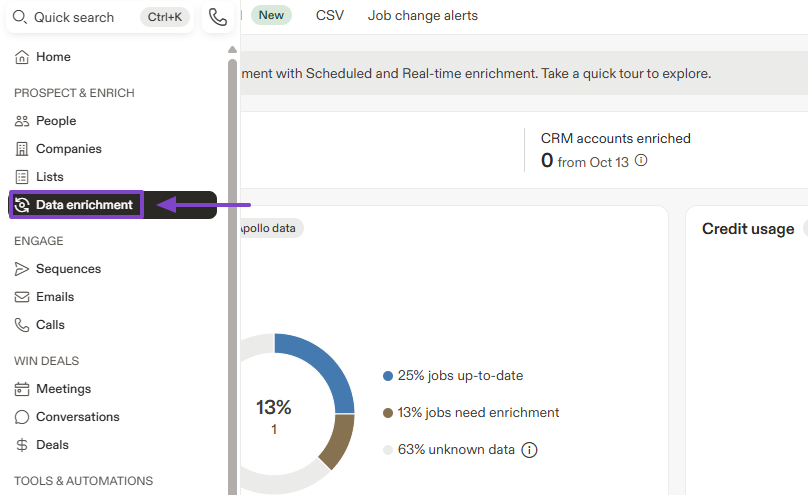
Like I said earlier, the dashboard shows a lot of insights. For instance, you can see the job change rate, missing emails, enrichment job activity, and CRM status.
Let’s go a bit further. Under Job changes, you can click “View contacts”.
You will see the contact who had that update. For more details, click on that contact’s name.
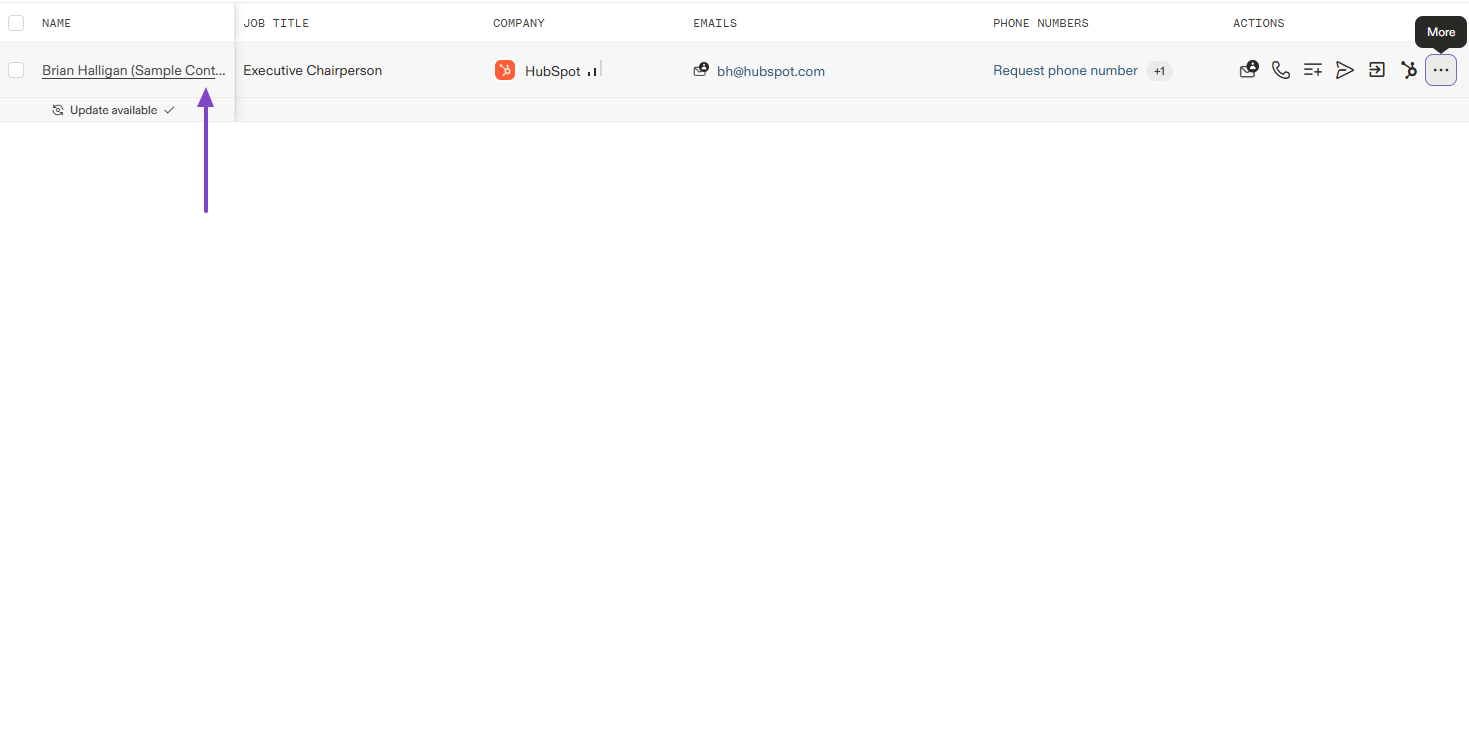
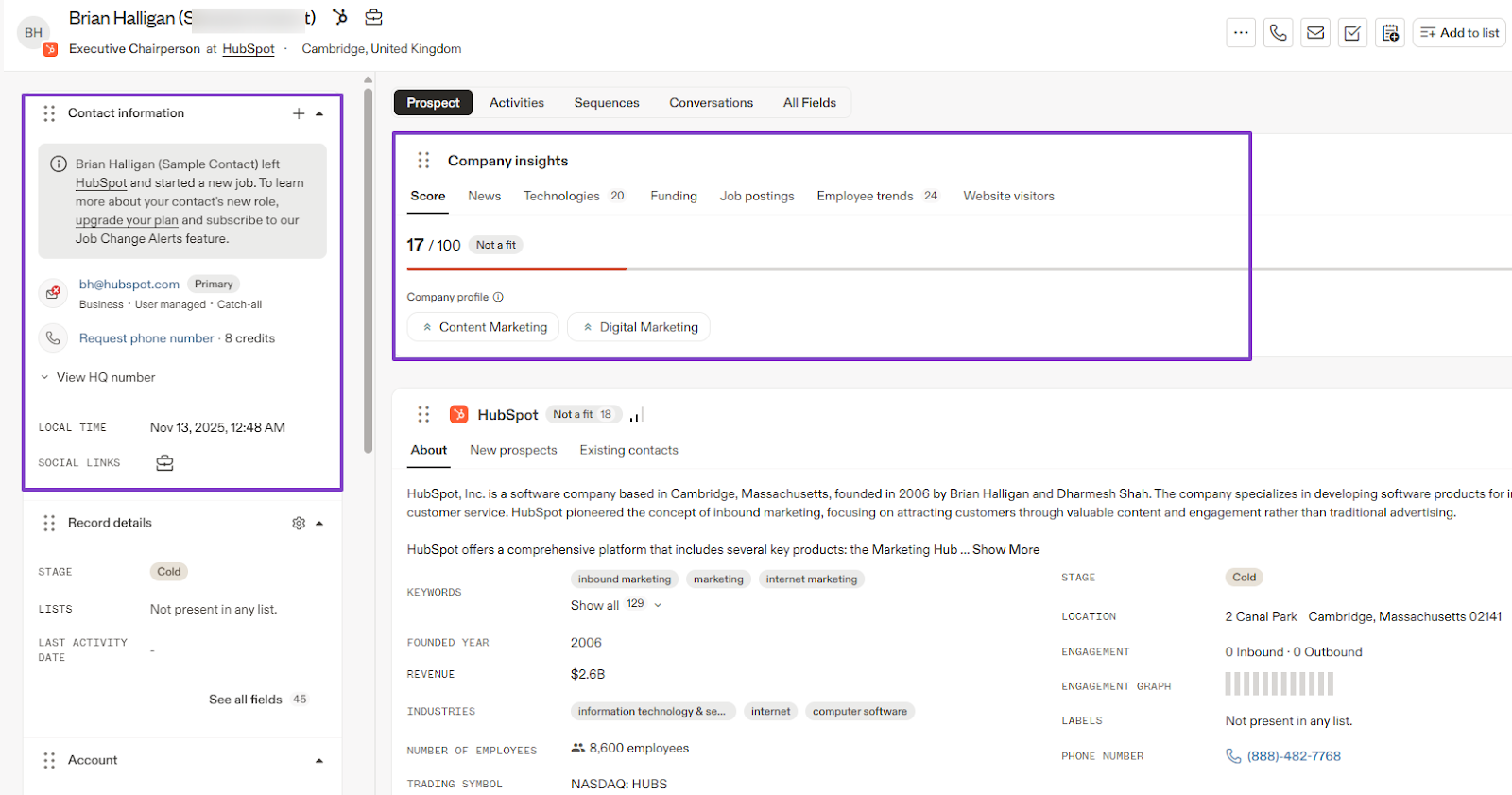
It showcases the contact’s information with their new position, email, and the exact date and time the update took place.
The right side of the interface shows the company’s insights. You can see if they’re a good fit for you, their score, job postings, and employee trends, among others.
| What impressed me 👍 | What fell short 👎 |
|---|---|
| ✅ Comes with a large contact database with many search filters to help you find the right leads | ❌ Uses a credit-based model, which means costs can rise as you scale |
| ✅ Gives you job updates about your prospects | ❌ The Sequence feature can be confusing if you’re not used to it |
| ✅ Integrates well with CRMs like HubSpot, Salesforce, and more | |
| ✅ Tells you if a company is a good fit and provides reasons |
Best for
- Sales teams seeking software for Lead generation and sales engagement.
Pricing
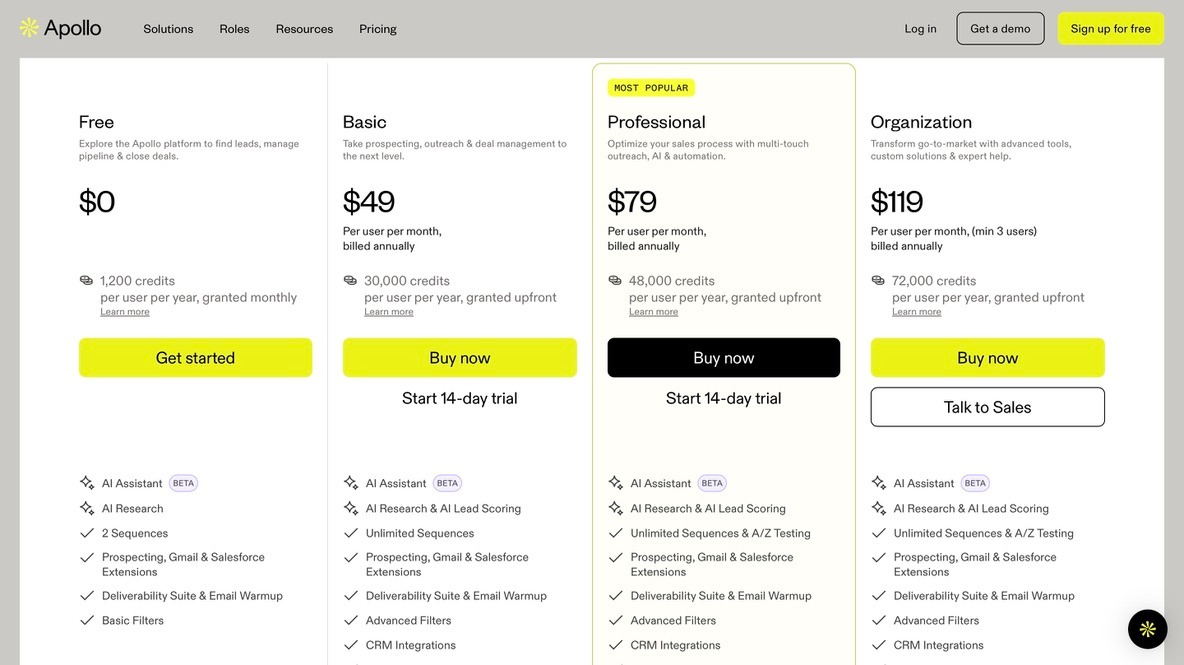
- Free: $0/month
- Basic: $49/month
- Professional: $79/month
- Organization: $119/month
2. nRev.ai
| Category | Details |
|---|---|
| Personal Rating | ⭐⭐⭐⭐⭐ (4.5/5) |
| Ease of Use | ⭐⭐⭐⭐✨ (4.9/5) |
| Starting Plan Inclusions | 1,000 credits, sequences, free workflow templates, 15+ integrations, customer support |
| Data Accuracy | N/A (not primarily a data provider) |
| Data Coverage | CRM, marketing platforms, calendars, external data sources |
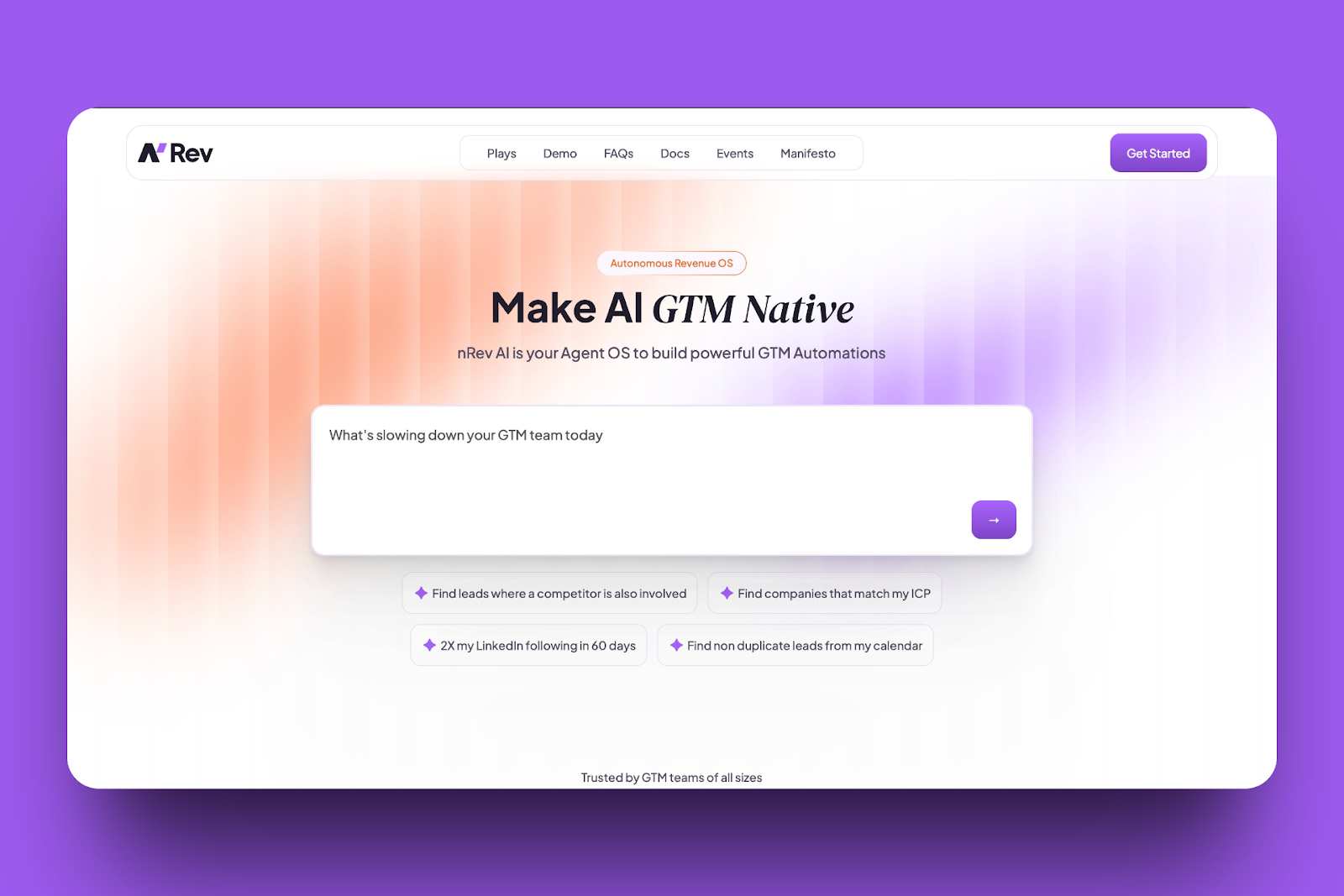
Our next best sales prospecting tool is nRev.ai, a no-code agent operating system(AgentOS) that sales teams can use to automate outreach, track sales, and easily convert prospects.
You simply describe what you need in plain English, and nRev builds, auto-tests, and runs the workflow for you.
Integrations with third-party apps are essential for sales prospecting tools. They allow you to connect with CRMs, email platforms, and workflow tools so that your data stays accurate.
nRev offers connections to help you work more efficiently. Just search your preferred category: CRMs, communication, productivity, or security, among others.
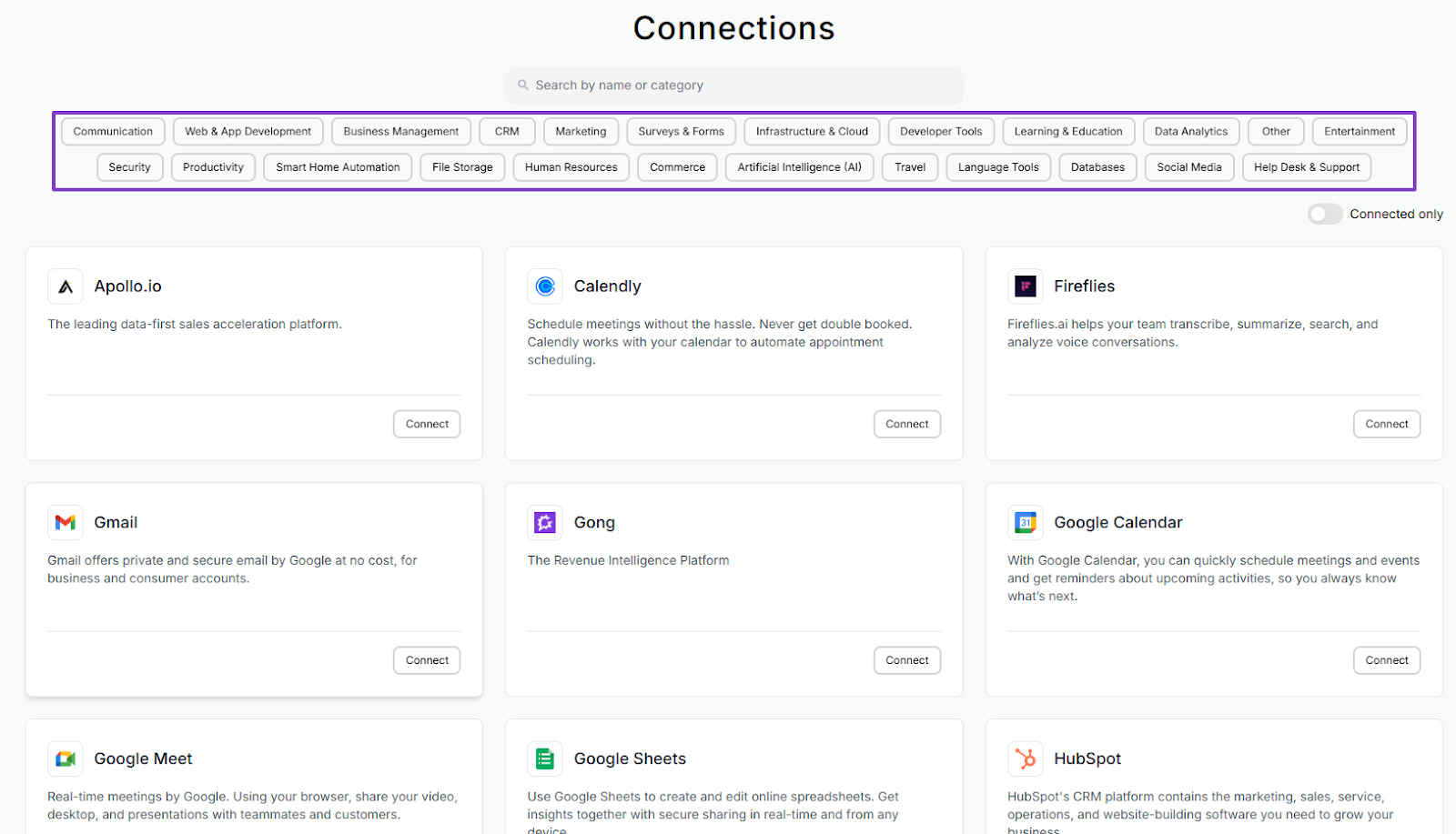
A few examples are Slack V2, Apollo.io, Lusha, Instantly AI, HubSpot, and Gmail. You can connect them all when using nRev.
No need to switch tools.
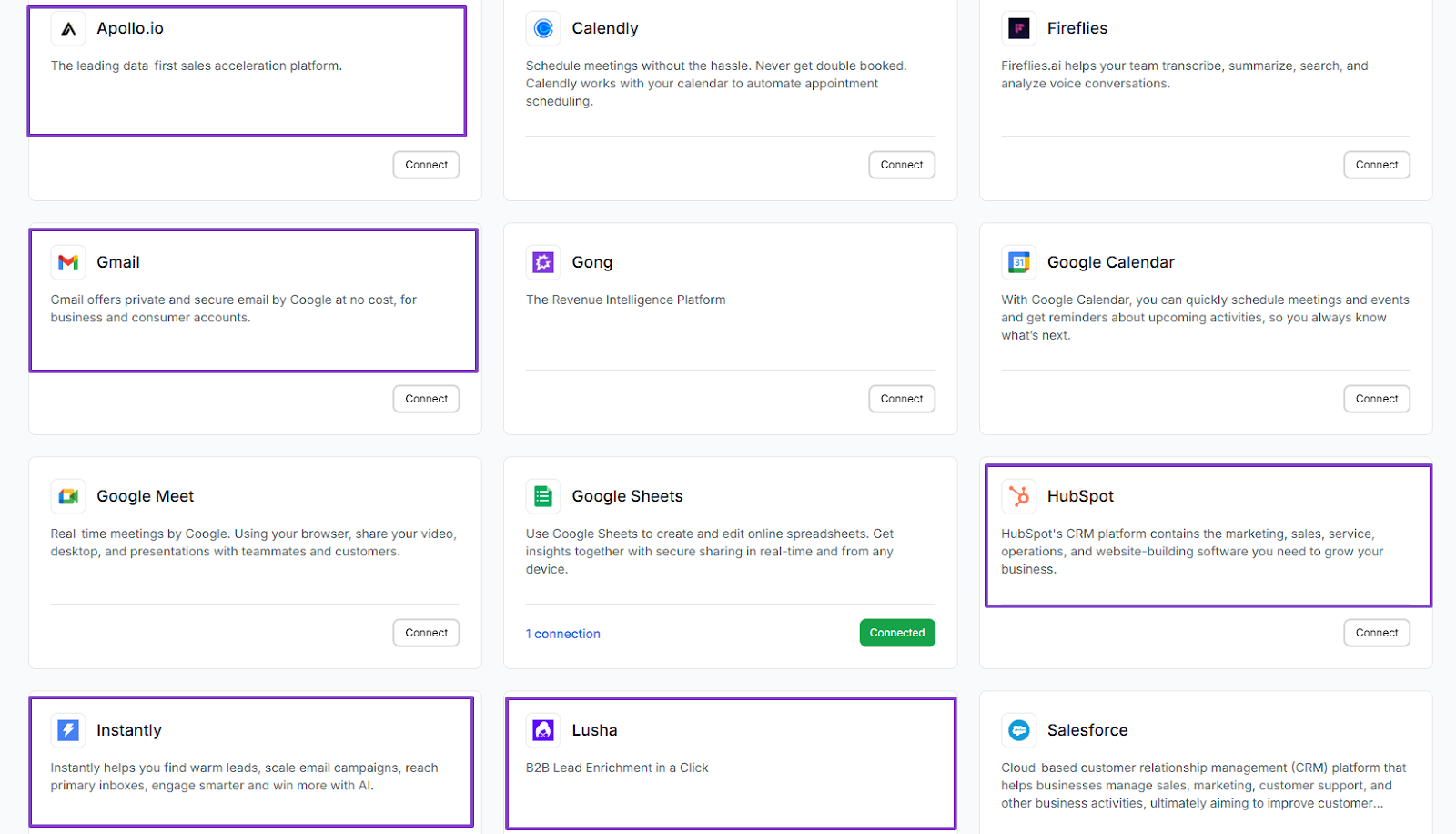
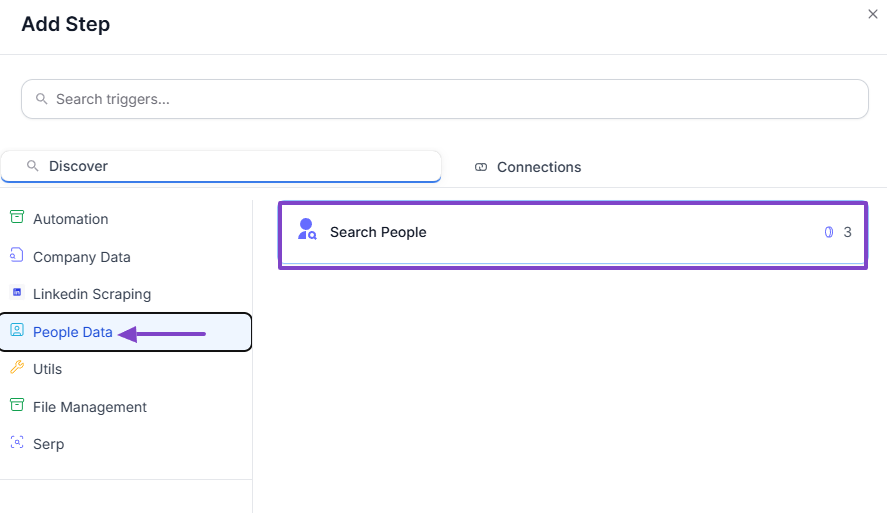
Also, nRev makes it easy to search for company or people data.
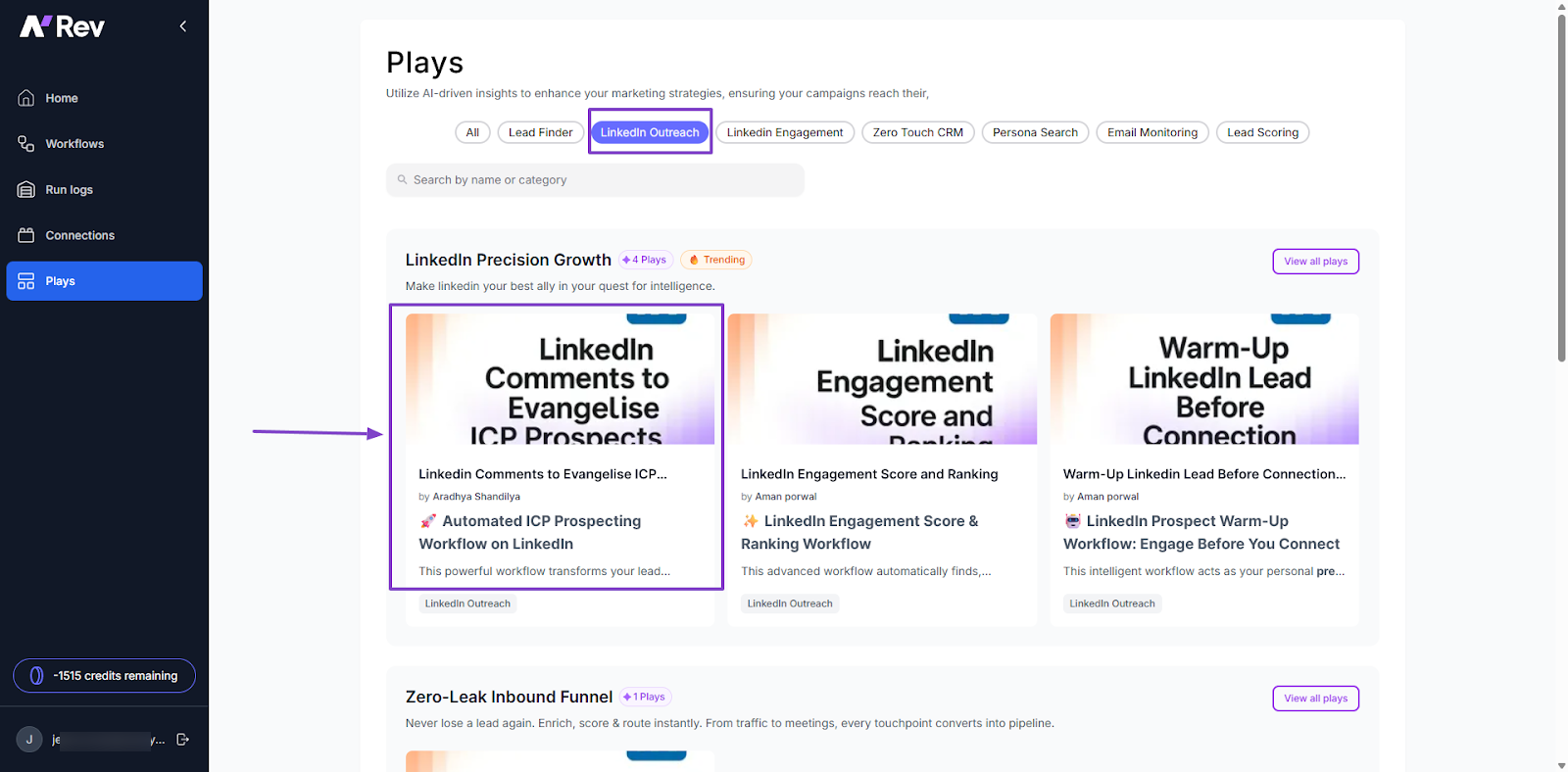
The amazing thing about our Plays is that you don’t need to create them from scratch. There are many templates already made for you.
For instance, you can choose templates for lead finder, LinkedIn outreach, LinkedIn engagement, or email monitoring.
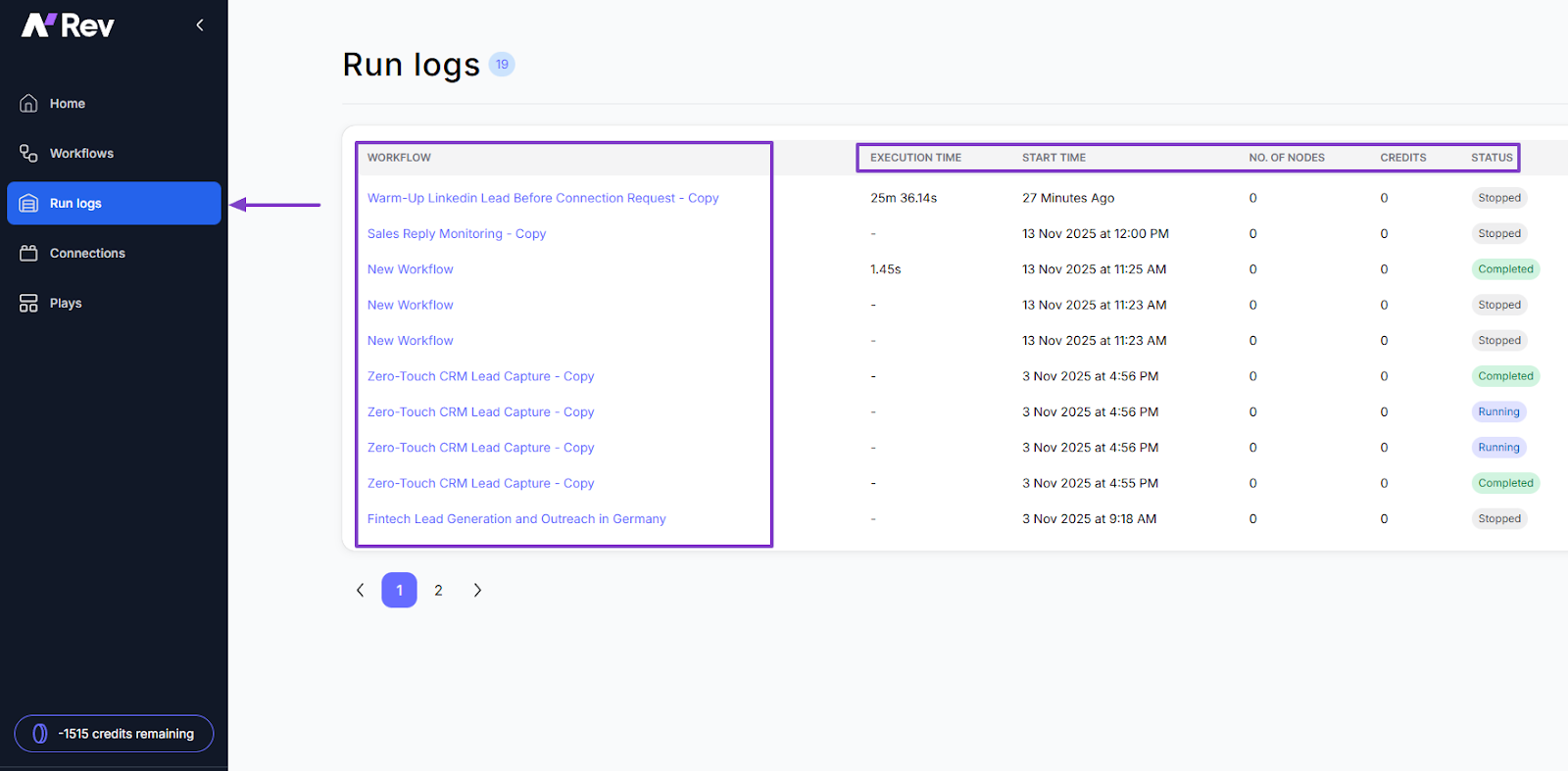
In case you run a lot of workflows, it’d be good to keep track of each one. At least, you should be able to view them all, their execution time, start time, and even their status.
Features I admired
1 . Workflows
Let’s start with the Workflows feature. You can just go straight and describe the process briefly, and the AI builder will create a perfect workflow.
Alternatively, you can also start from scratch, and this is what we will do.
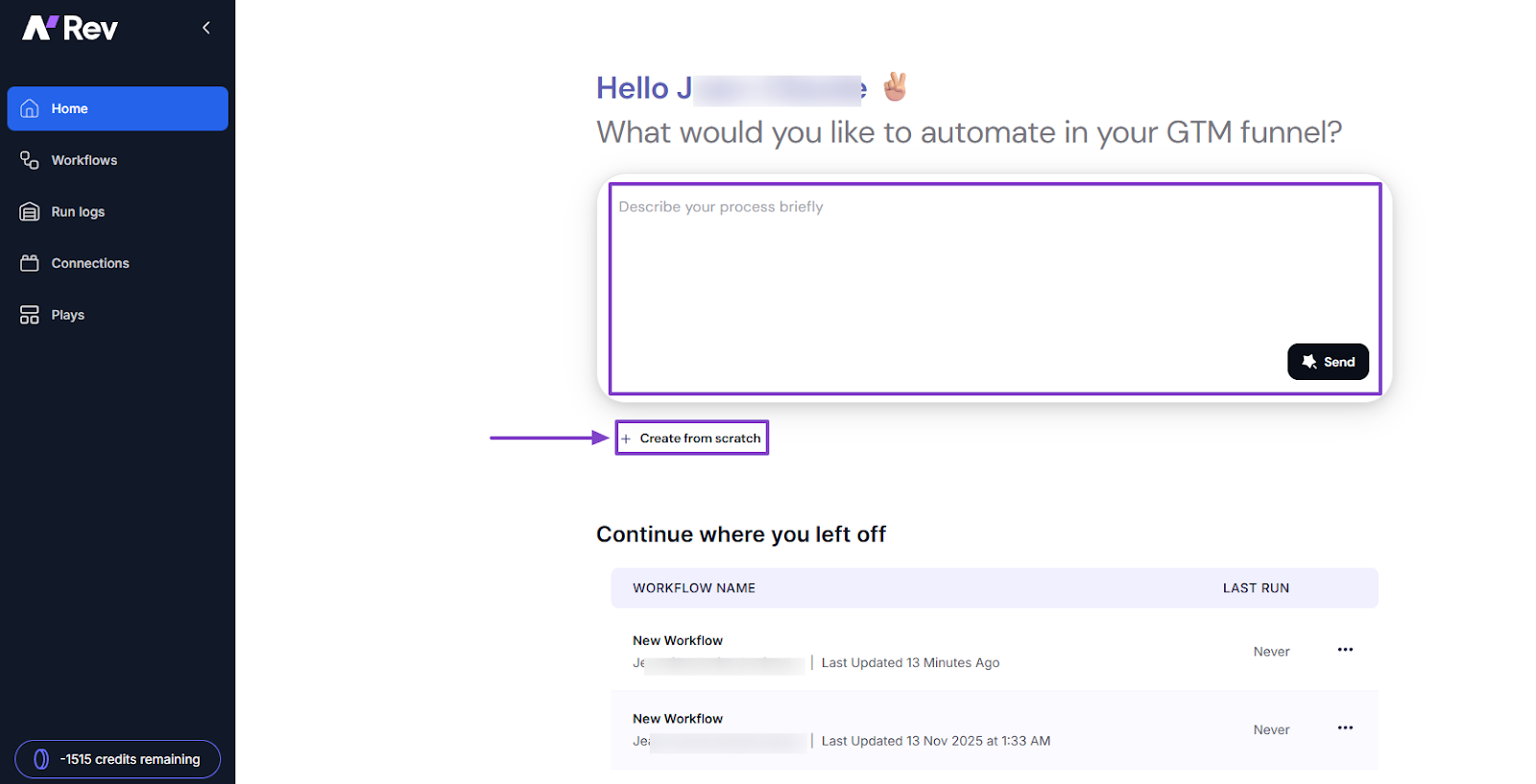
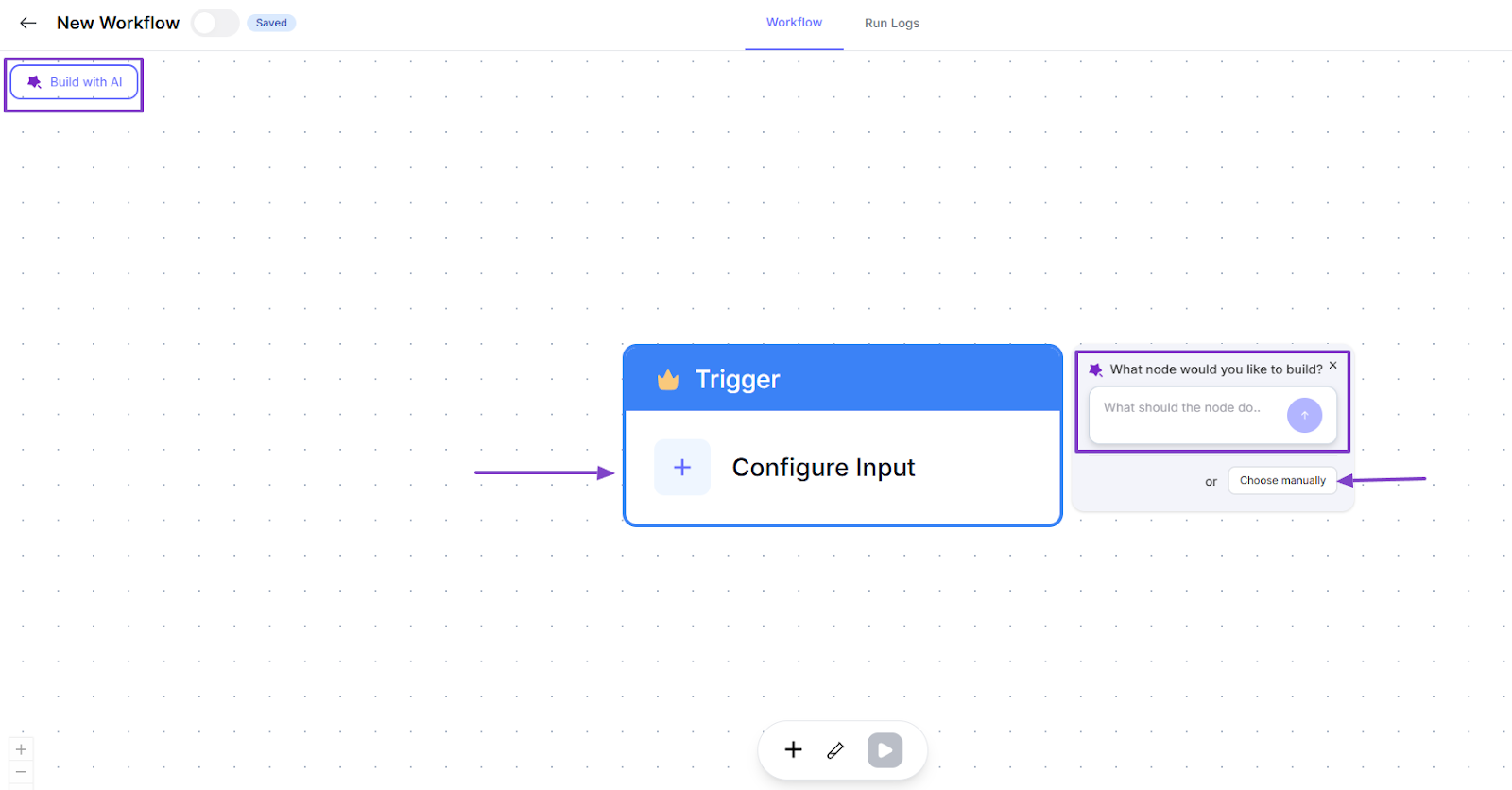
Even inside the workflow builder, you can still choose to build with AI by clicking the icon at the far top left of the interface.
But since we’re doing it manually, you will first go to Configure Input, then click “Choose manually.”
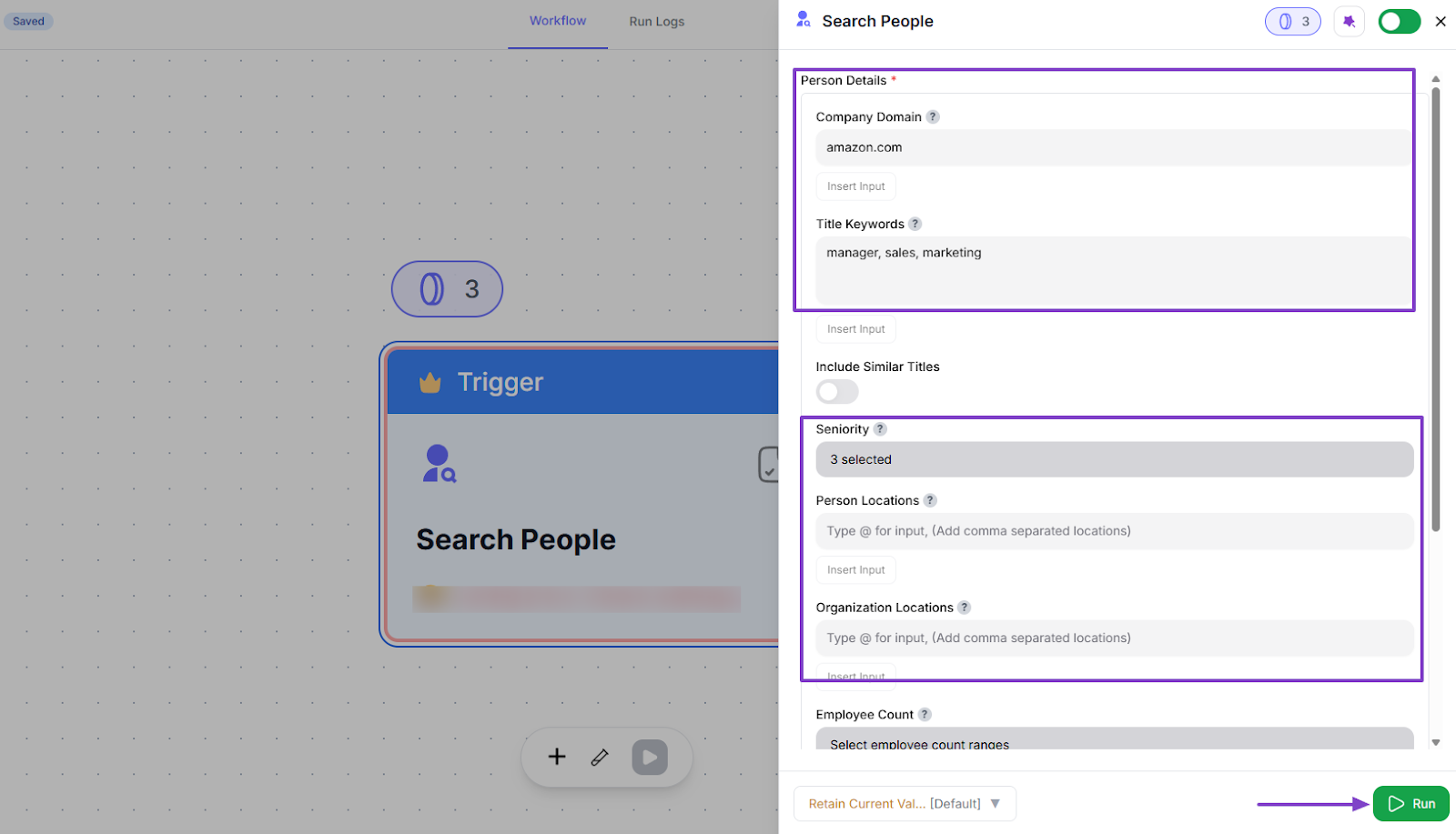
Now, add a step by selecting your trigger. For this tutorial, we will go with “People Data”, then Search People.
Before the search, you can enter a couple of details like company domain, title keywords, seniority, person & organization locations.
Once done, click “Run.”
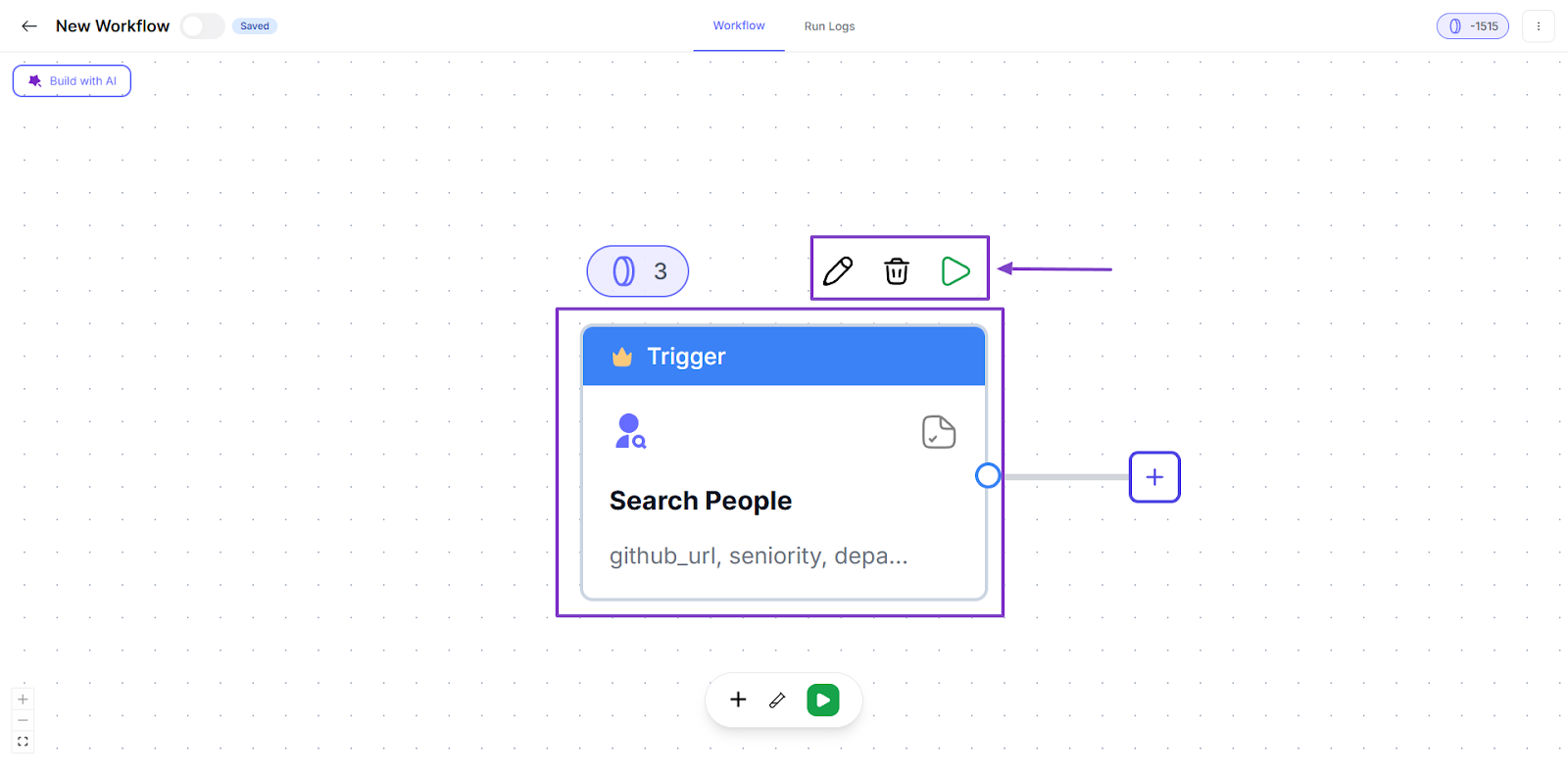
Your trigger is ready! You can still edit or delete it.
But let’s allow it to run.
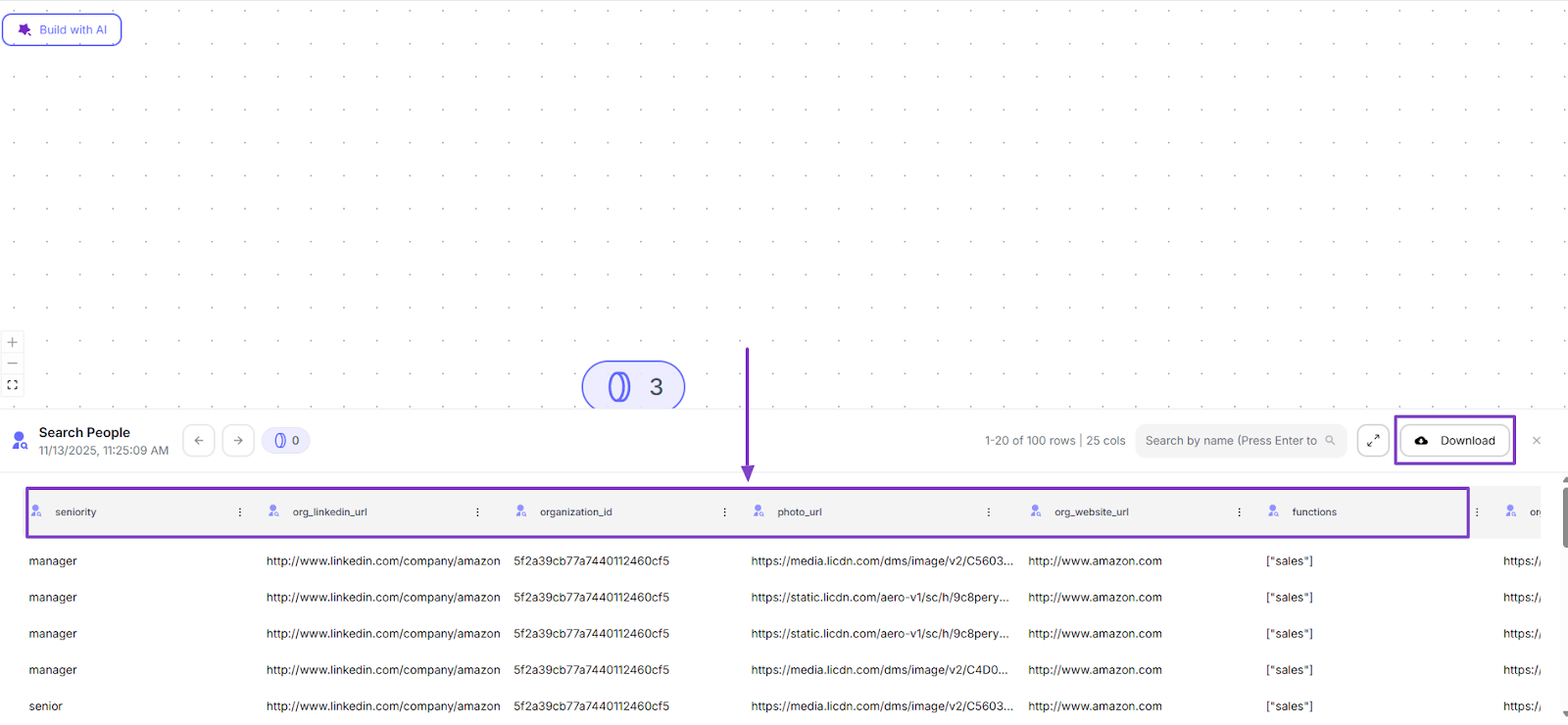
The results will appear beautifully with all the details you need.
And the amazing thing is, you can directly download your prospect list when you click the “Download” button on the far right side of the interface.
2 . Plays
Plays are simply pre-built strategies to help you reach your leads faster using AI-driven insights. We offer a lot of templates to make your job easier.
For example, there’s Lead Finder, LinkedIn Outreach, LinkedIn Engagement, Zero Touch CRM, and Persona Search, just to name a few.
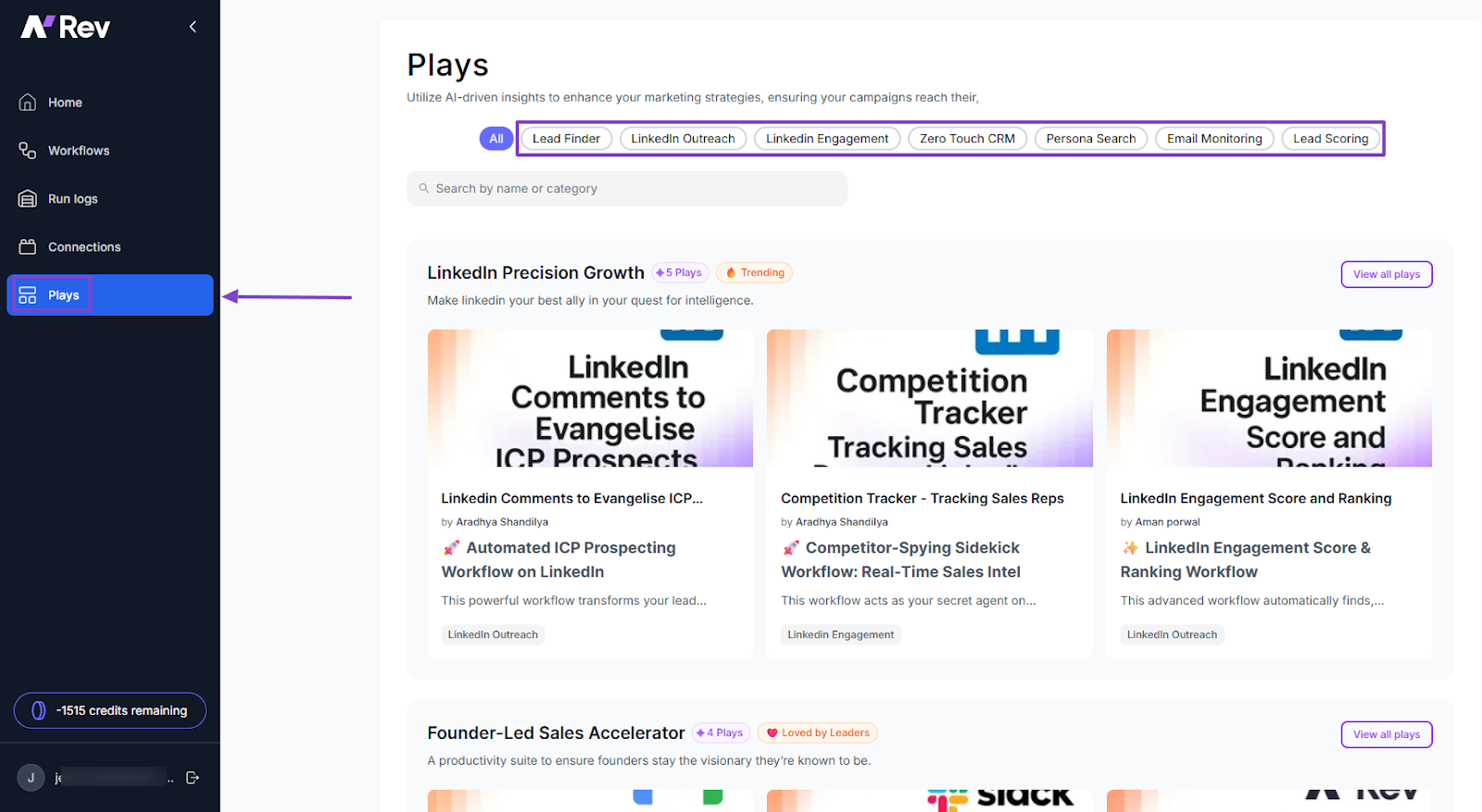
Let’s go with “LinkedIn Outreach” and choose the “Automated ICP Prospecting Workflow on LinkedIn”.
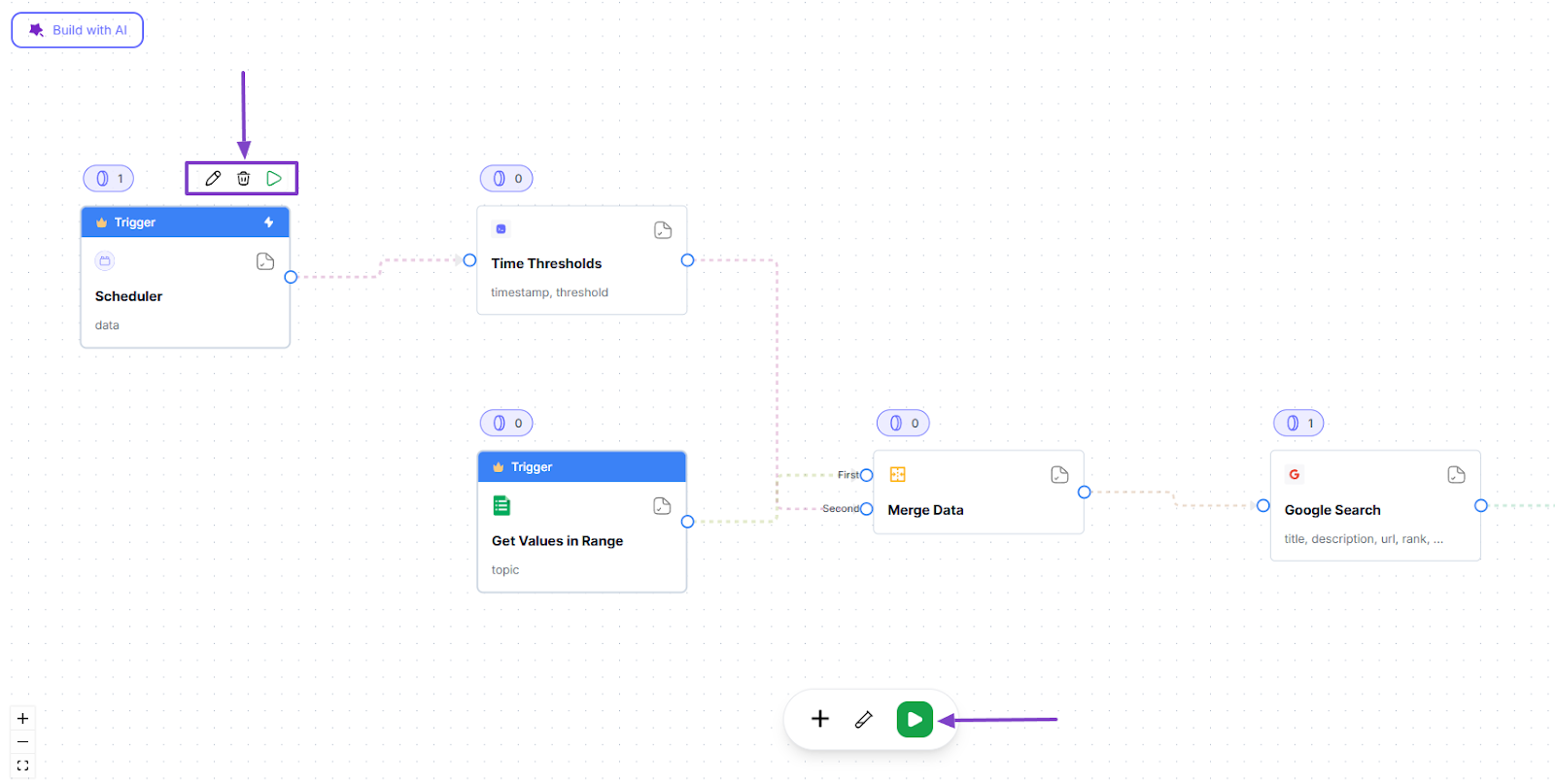
That’s it! Like I said, the template was already built for you.
You can simply edit, delete, or run it.
But now, let’s do something a bit different so it doesn’t seem like a repetition of the first feature I shared with you.
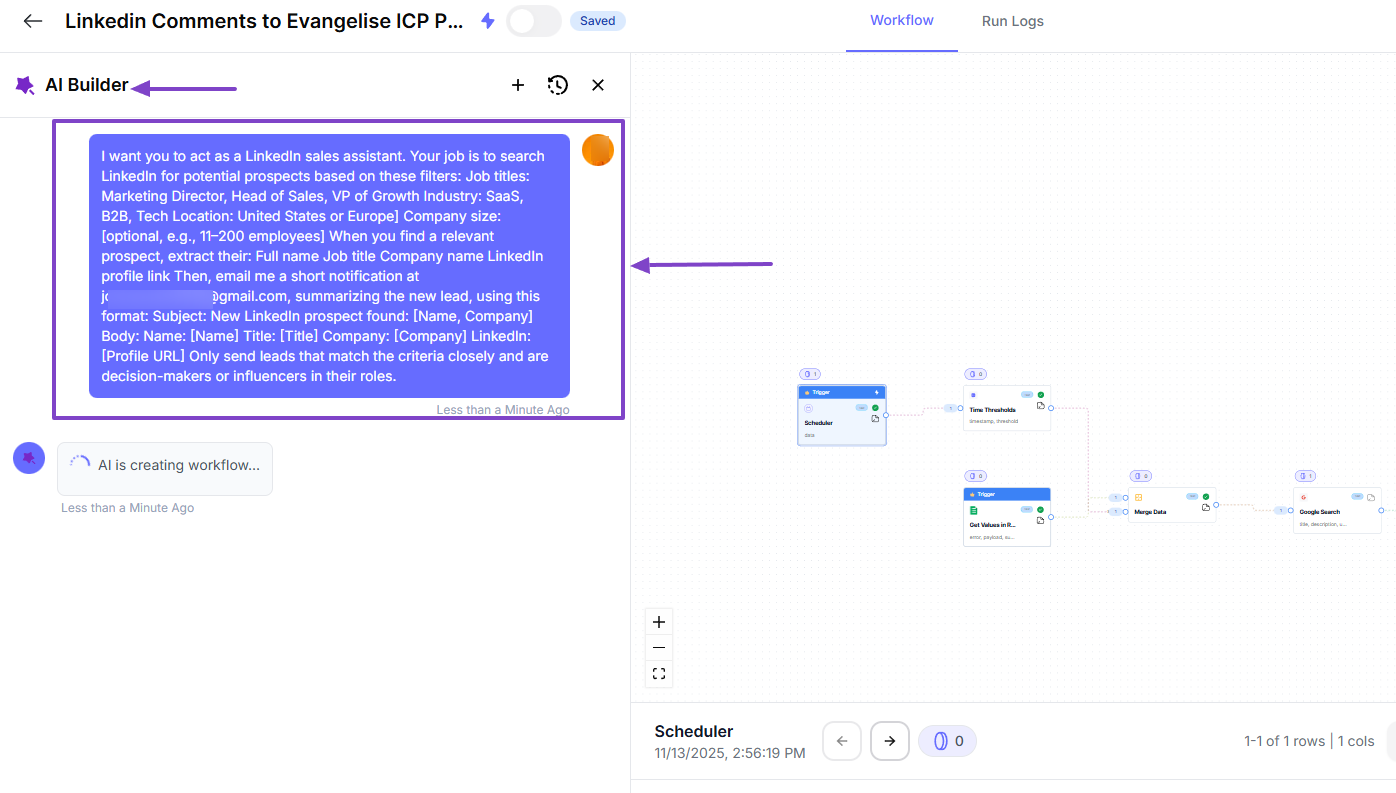
We will use the AI Builder to enter a prompt and wait for it to do its magic.
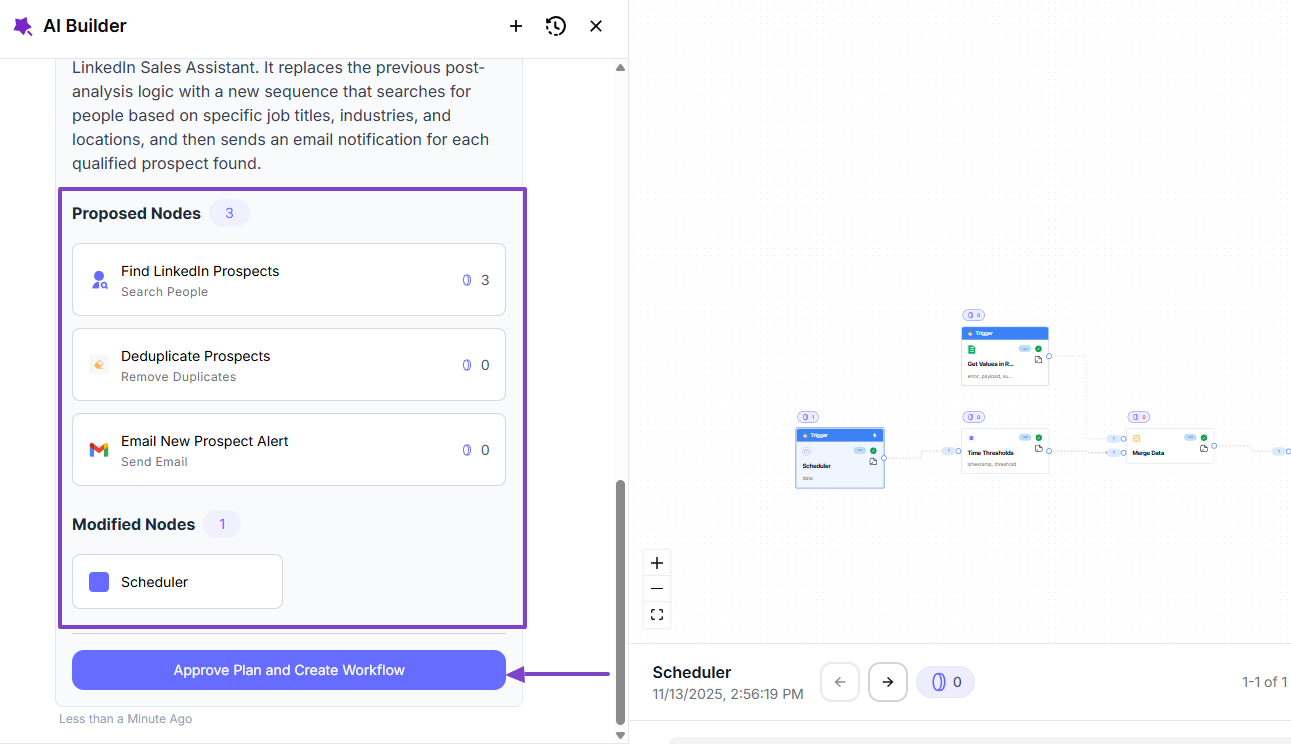
The prompt is pretty simple: I want it to act as a LinkedIn sales assistant, and its job is to search for potential prospects based on the filters I add.
Before it creates the workflow, it will propose a plan to help you get there. If you’re okay with it, click “Approve Plan and Create Workflow.”
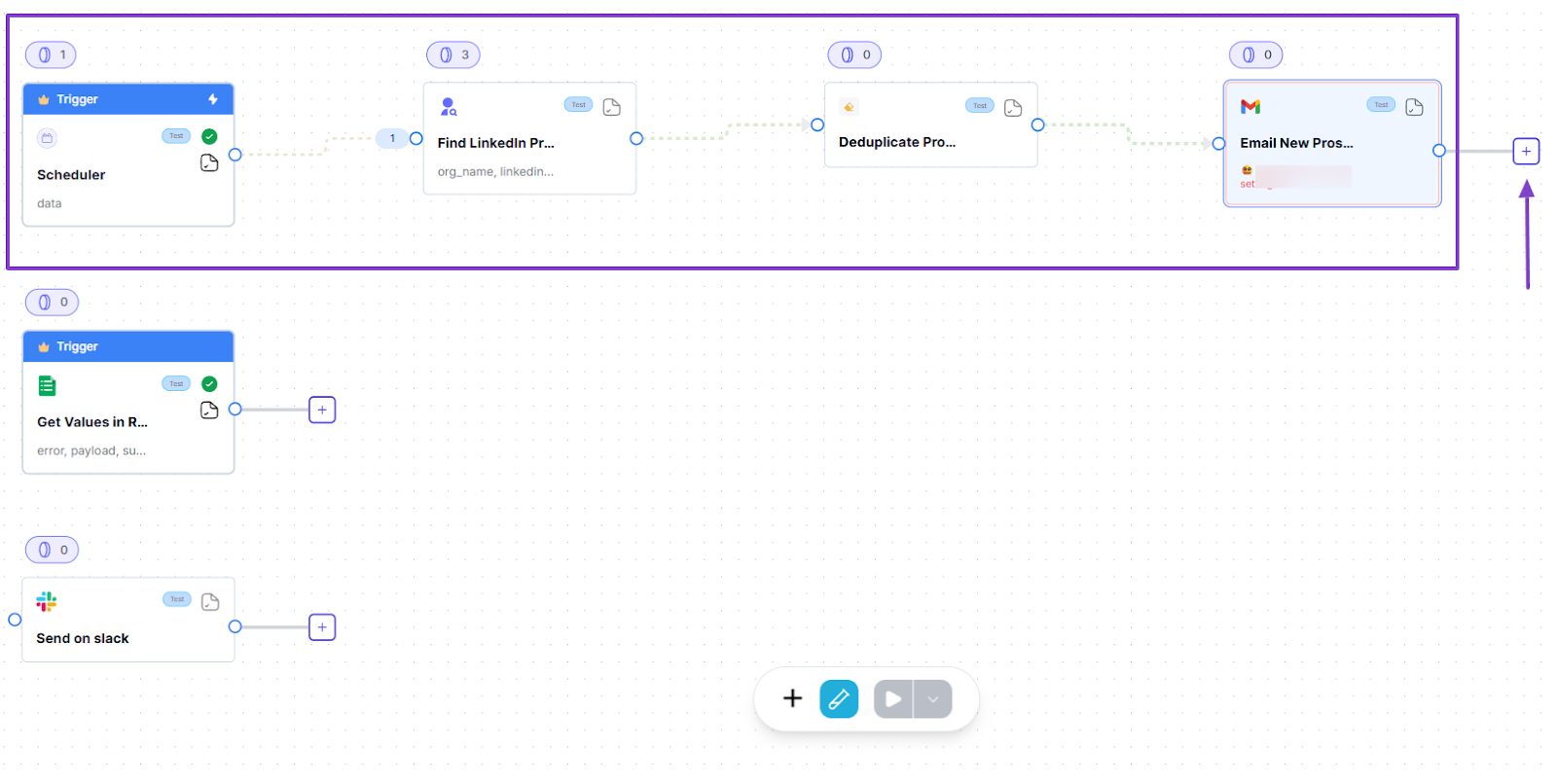
Your workflow is fully ready, and you can still add other steps.
3 . Run logs
It’s always important to keep track of everything you do or create.
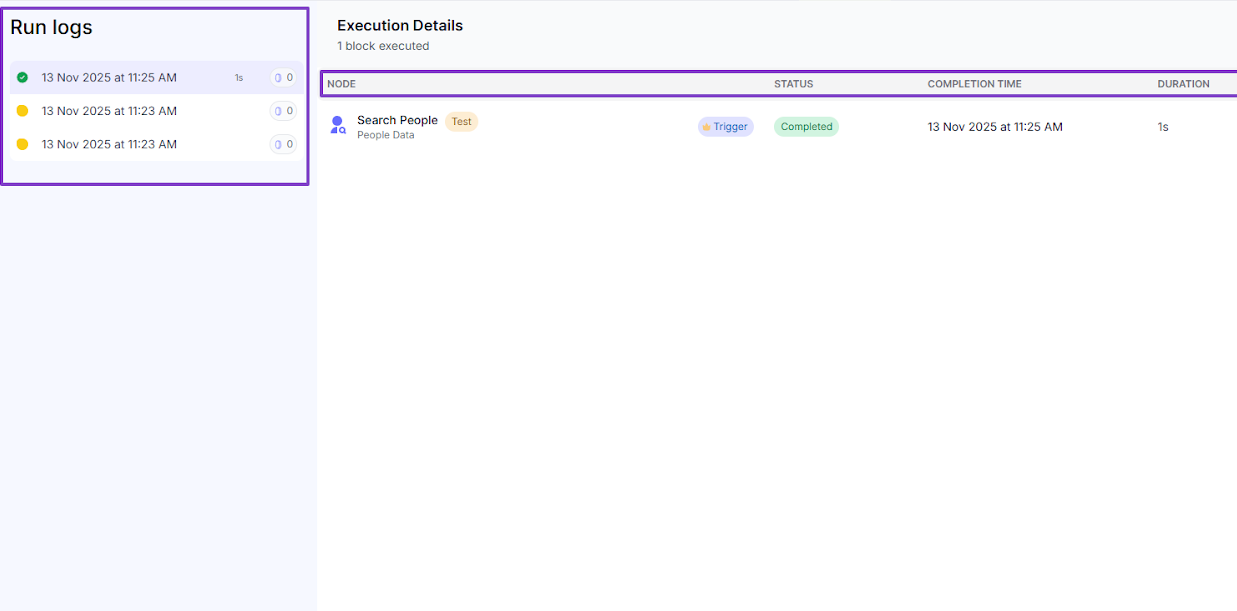
The Run logs feature displays all the workflows you create and even adds important details like the execution time, start time, number of nodes, credits, and status.
If you click on one, you will see the number of times you’ve run that workflow.
You also have access to more execution details, such as the node, workflow status, completion time, duration, and items, among others.
What impressed me vs What fell short
| What impressed me 👍 | What fell short 👎 |
|---|---|
| ✅ Has a clean interface that makes it easy to locate all features | ❌ Pricing is custom and not publicly listed, making it hard to know costs upfront, but the support team is always ready to help |
| ✅ You can test your workflows safely from beginning to end or from trigger to outcome | |
| ✅ Offers many pre-built Plays templates to reach prospects efficiently | |
| ✅ You can build workflows without being tech-savvy |
Best for
- Sales teams, GTM managers, and B2B SaaS companies who want to automate lead outreach and qualify prospects fast.
Pricing
- Free: 1,000 credits
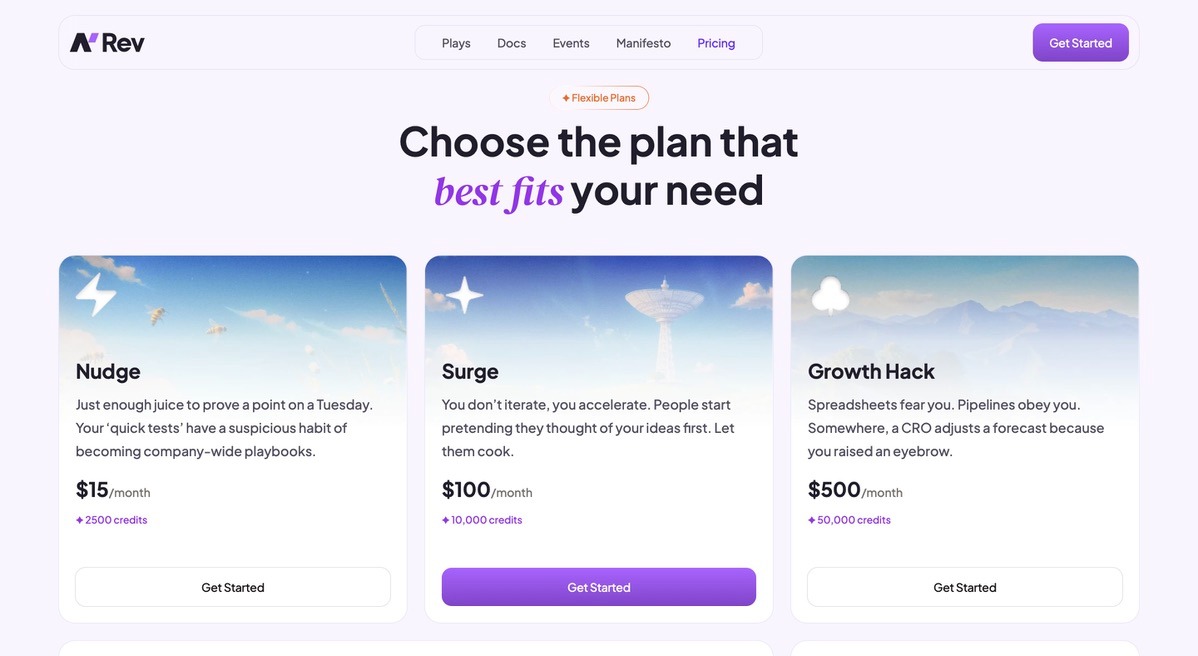
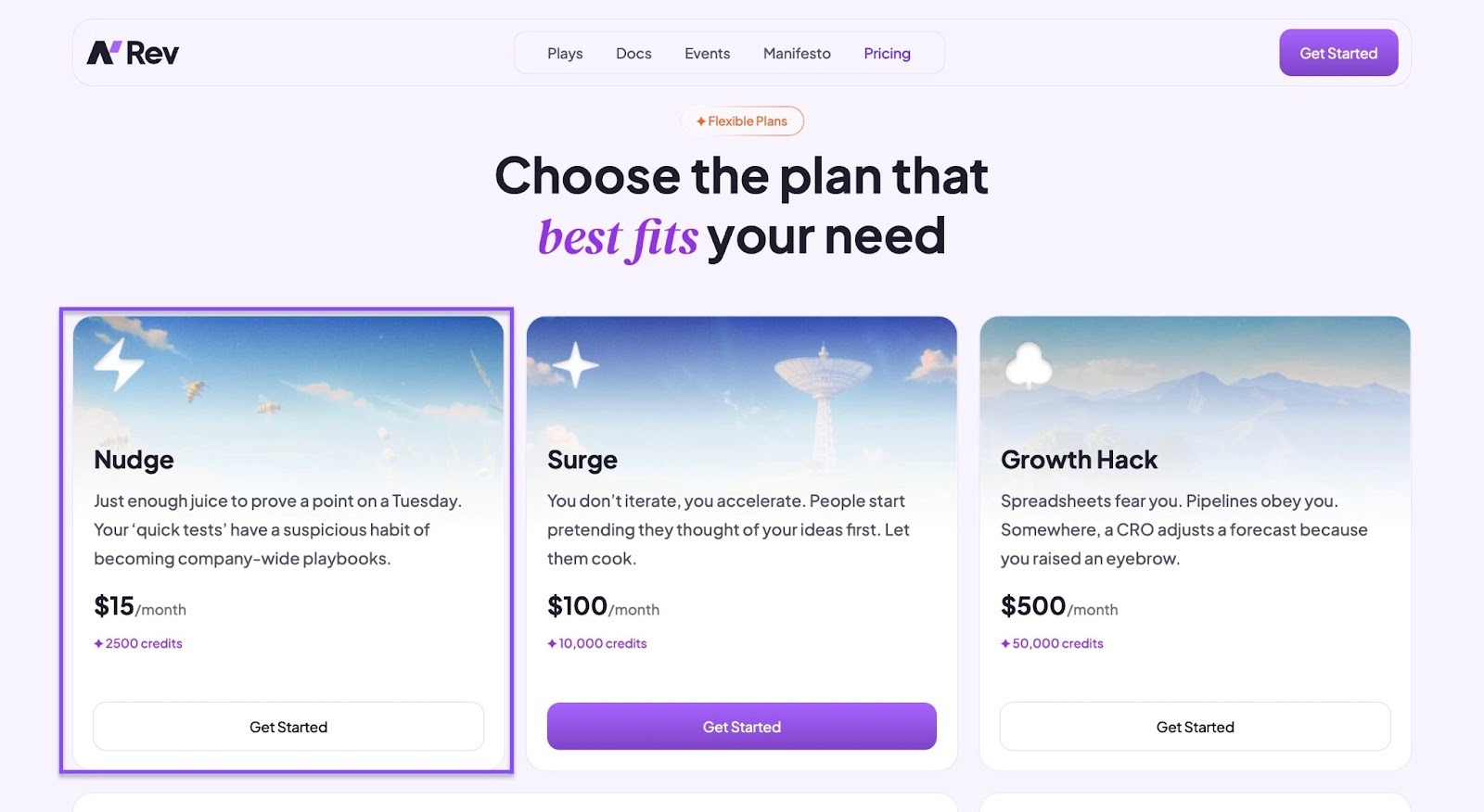
- Nudge: $15/month, 2,500 credits
- Surge: $100/month, 10,000 credits
- Growth Hack: $500/month, 50,000 credits
- Custom: Contact for pricing
3. Clay
| Category | Details |
|---|---|
| Personal Rating | ⭐⭐⭐⭐ (4/5) |
| Ease of Use | ⭐⭐⭐⭐ (4/5) |
| Starting Plan Inclusions | Unlimited users, up to 100 people or company searches, Claygent, 100+ integrations |
| Data Accuracy | No native data, relies on third-party enrichment tools |
| Data Coverage | 100+ external data providers and uses AI to collect data from open websites |
We’ll continue this list with Clay, another sales prospecting tool. It’s an AI-powered sales intelligence and data enrichment platform.
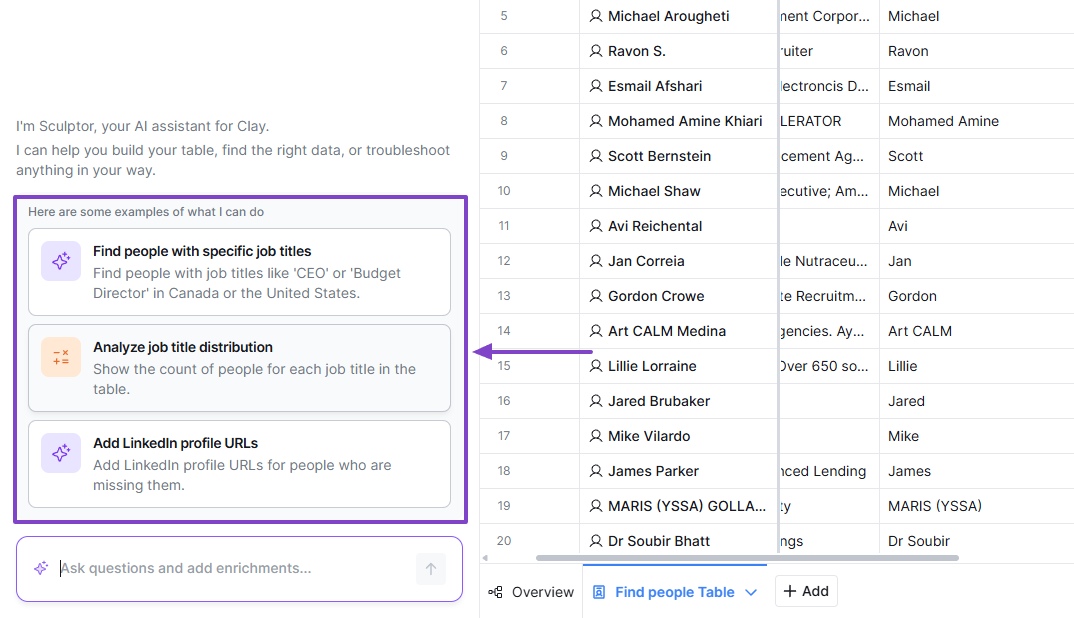
Many platforms have their AI assistant, and on Clay, it’s called Sculptor. It does various tasks like building a table, finding people, or analyzing job title distribution.
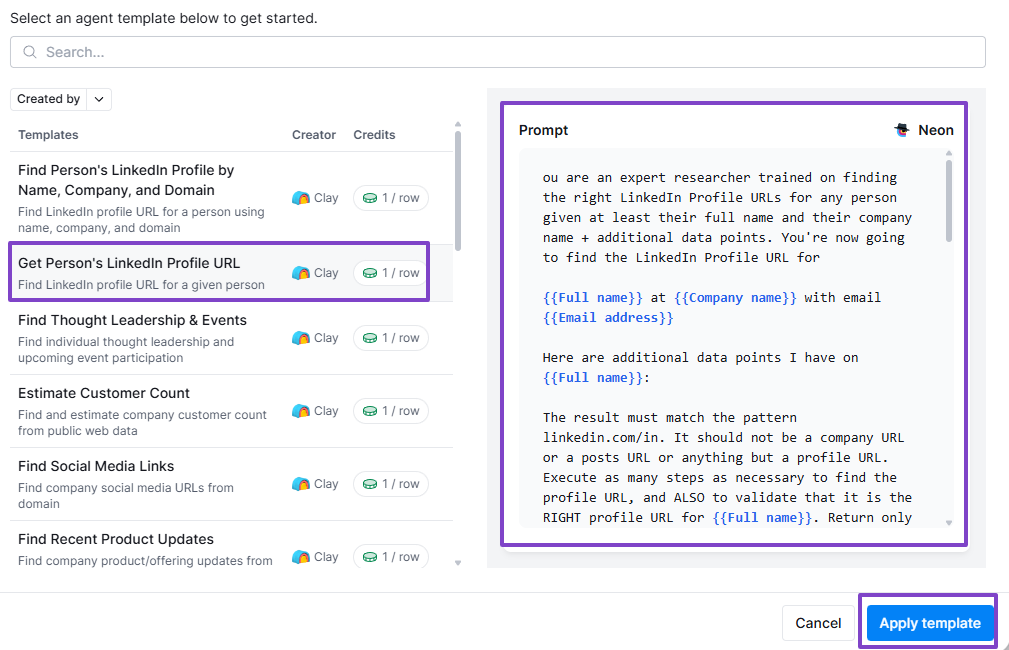
However, you may want to create your own agent so it feels more personal. On Clay, I can do it from scratch or simply use a template and adjust its prompt.
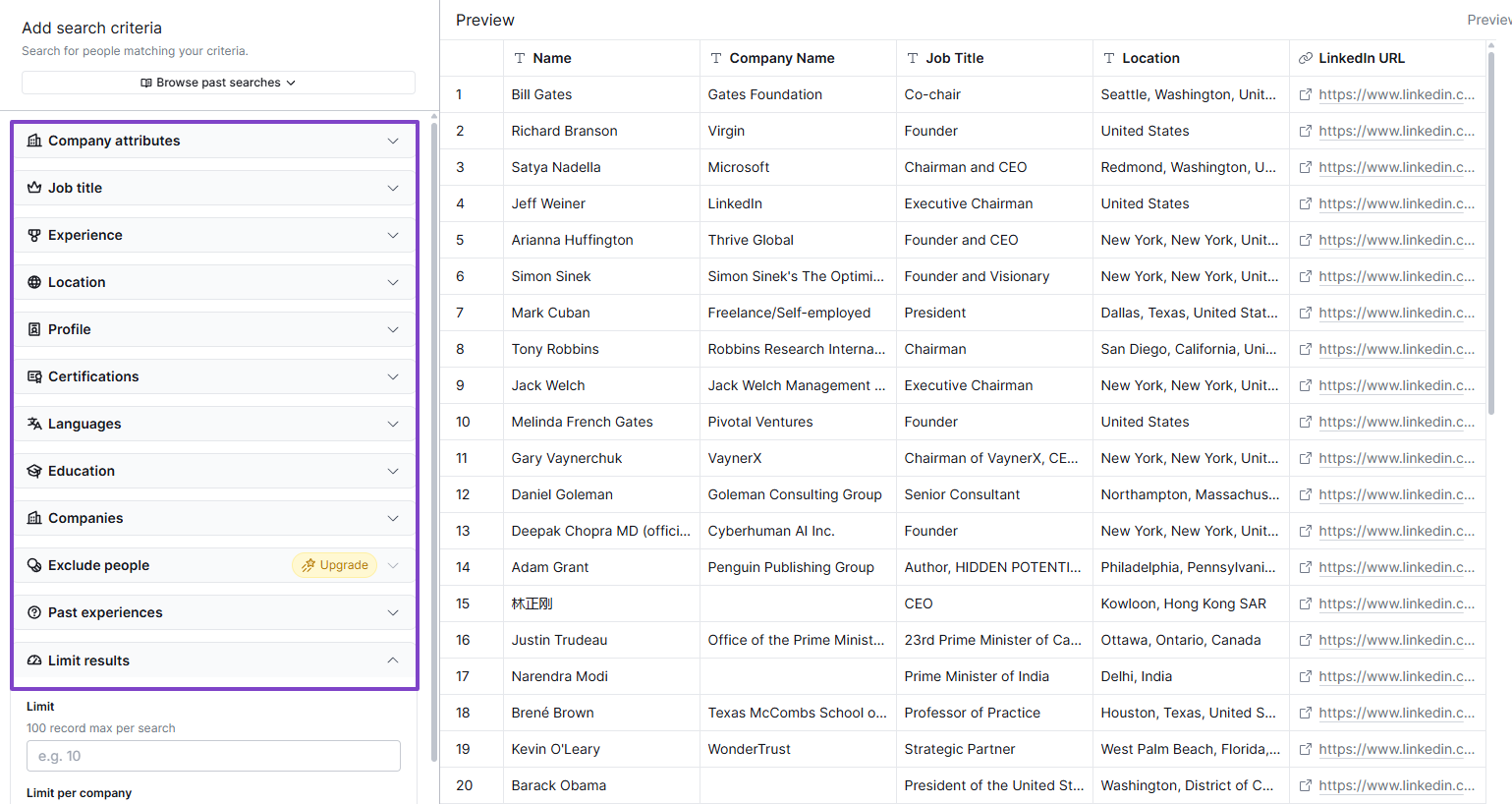
The way the search works when it comes to finding people is not that different from Apollo. The platform lets me adjust my filters and wait for the results.
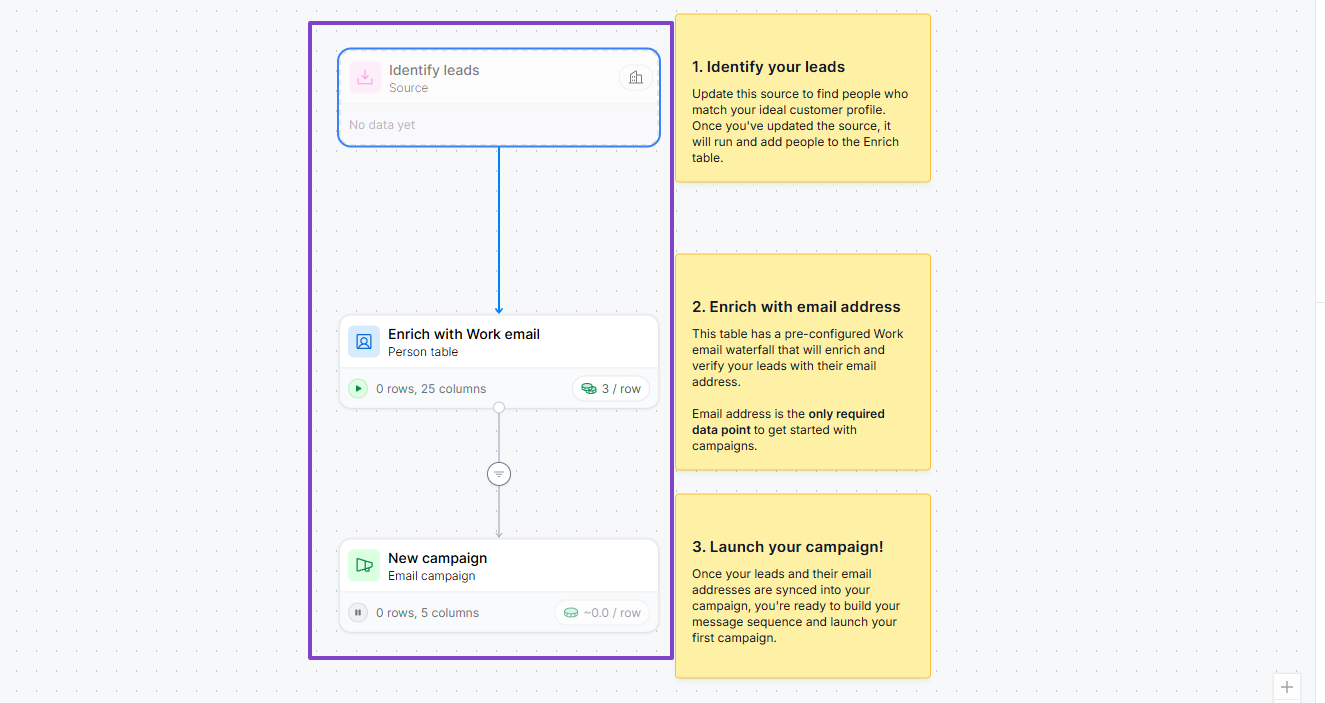
And if I want to reach more people at the same time, I can launch a campaign. But before I do so, I have to identify my leads and add their email addresses.
Features I admired
1 . People
Clay also comes with the People feature in the same way Apollo does. It helps you find leads based on your preferred filters.
Now let me show you how you can use the People feature.
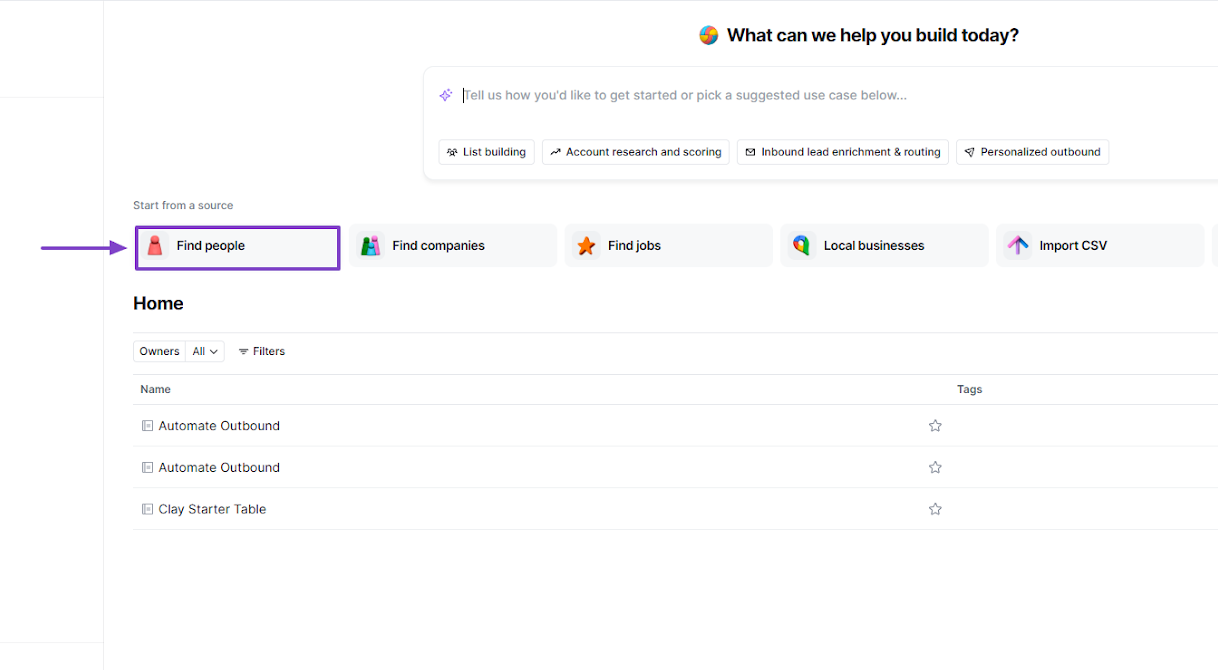
After you sign in, click Find people.
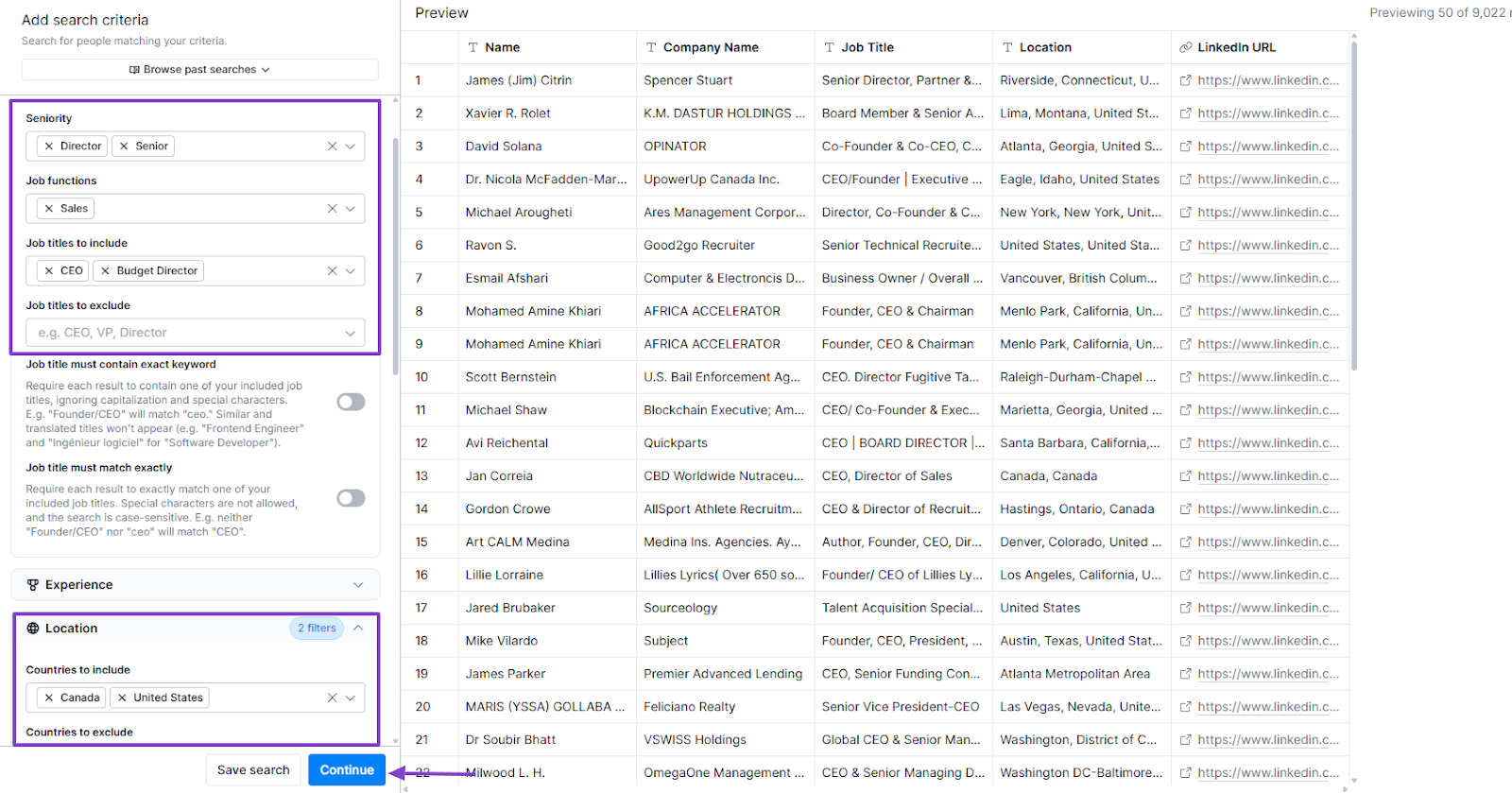
The left side offers many filters such as company attributes, job title, location, experience, and language, among others.
To be more practical, I will use a few filters: seniority, job functions, job titles to include, and location.
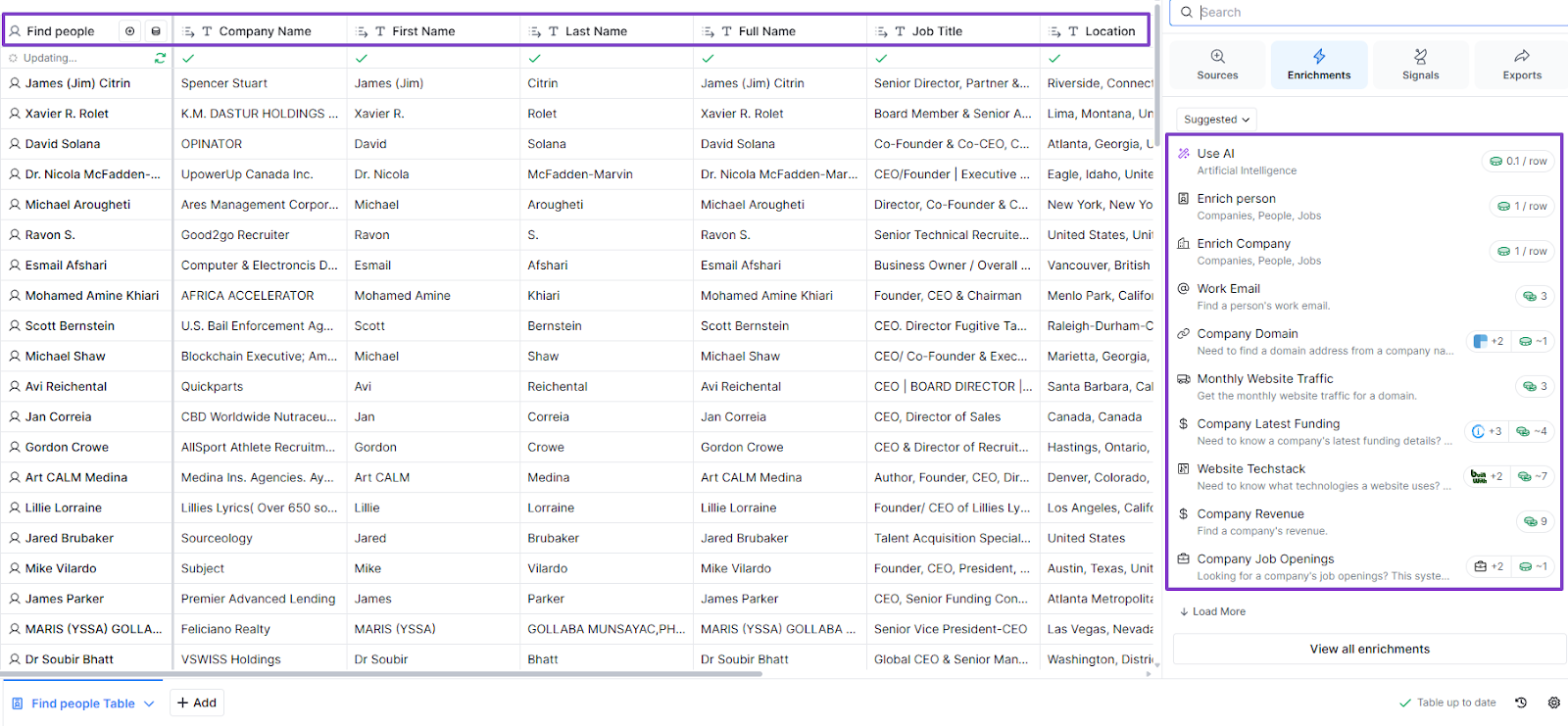
The results came out with a long list of prospects. On the right side, I still had many actions I could take: Use AI, enrich person, enrich company, work email, monthly website traffic, and more.
I could also chat with Sculptor. It’s Clay’s AI assistant.
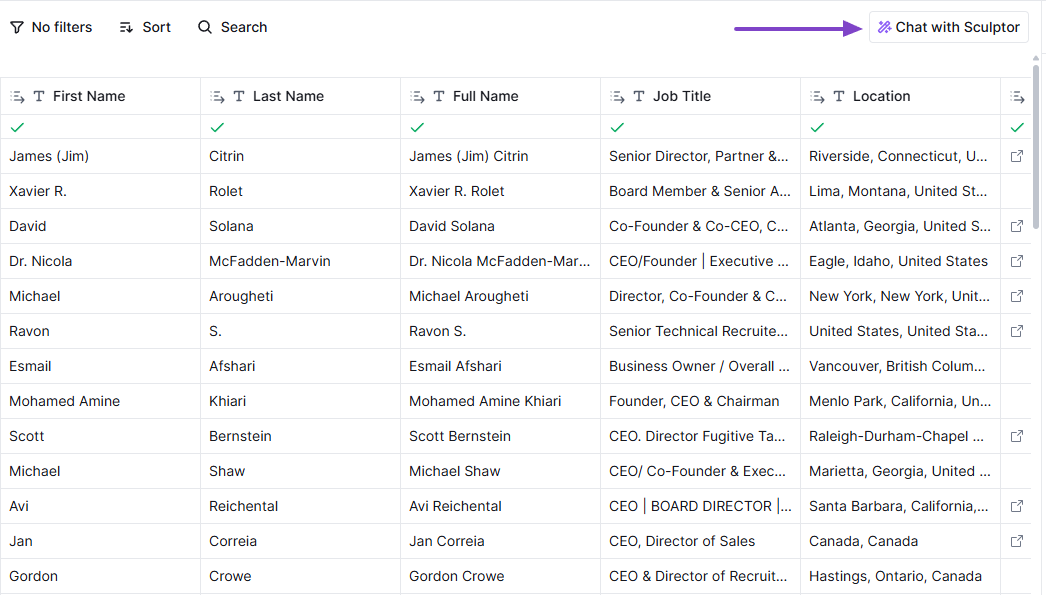
It can help you find people with specific job titles, analyze job title distribution, or add LinkedIn profile URLs.
2 . Clayagents
An AI agent does things your team can do, but faster. Clayagents can automate deep research, find people, a company’s social media URL, LinkedIn profile, and other additional tasks.
To create your clayagent, first locate the feature in the sidebar menu.
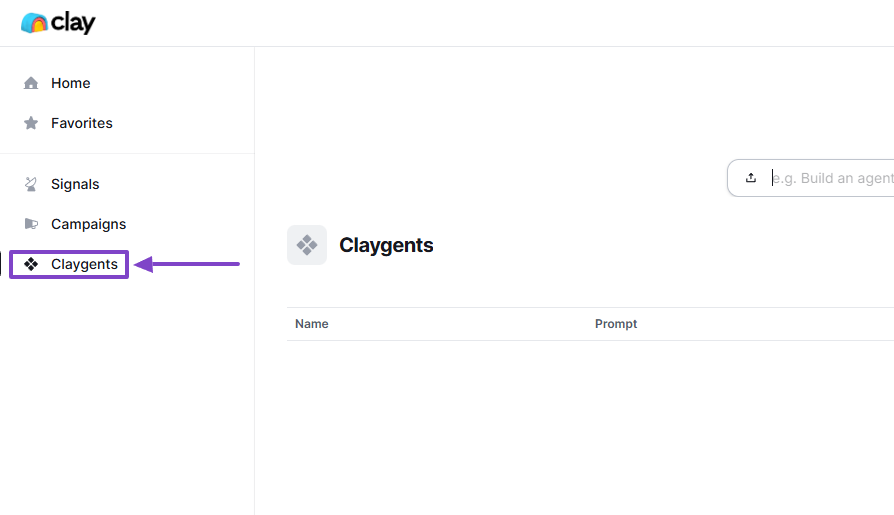
When you click “+ New’, you will see two options: create manually or from a template.
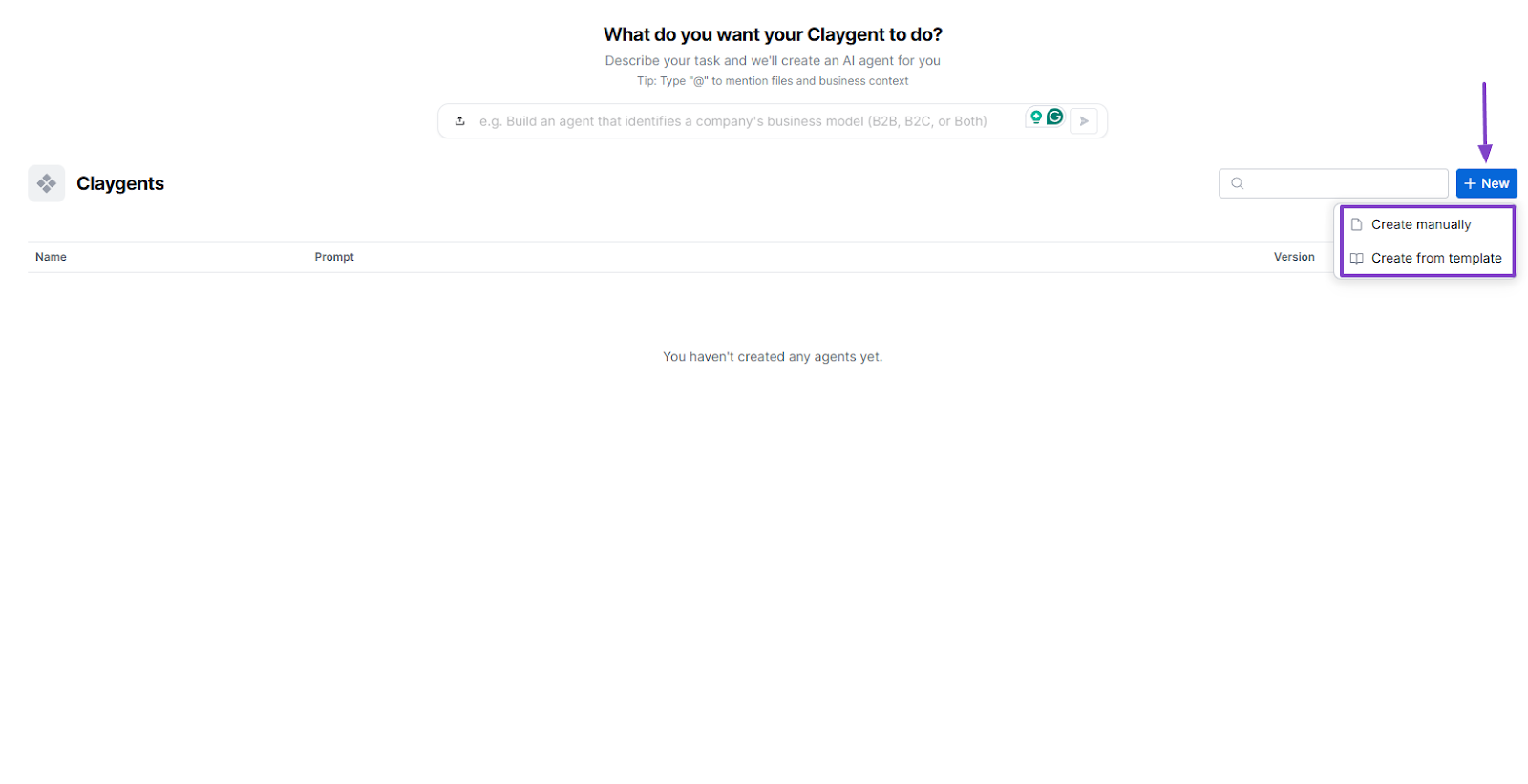
There are many templates for clayagents. I will use the “Get person’s LinkedIn profile URL” template.
The prompt will appear automatically on the right side, and I can still edit it.
Now, click “Apply”.
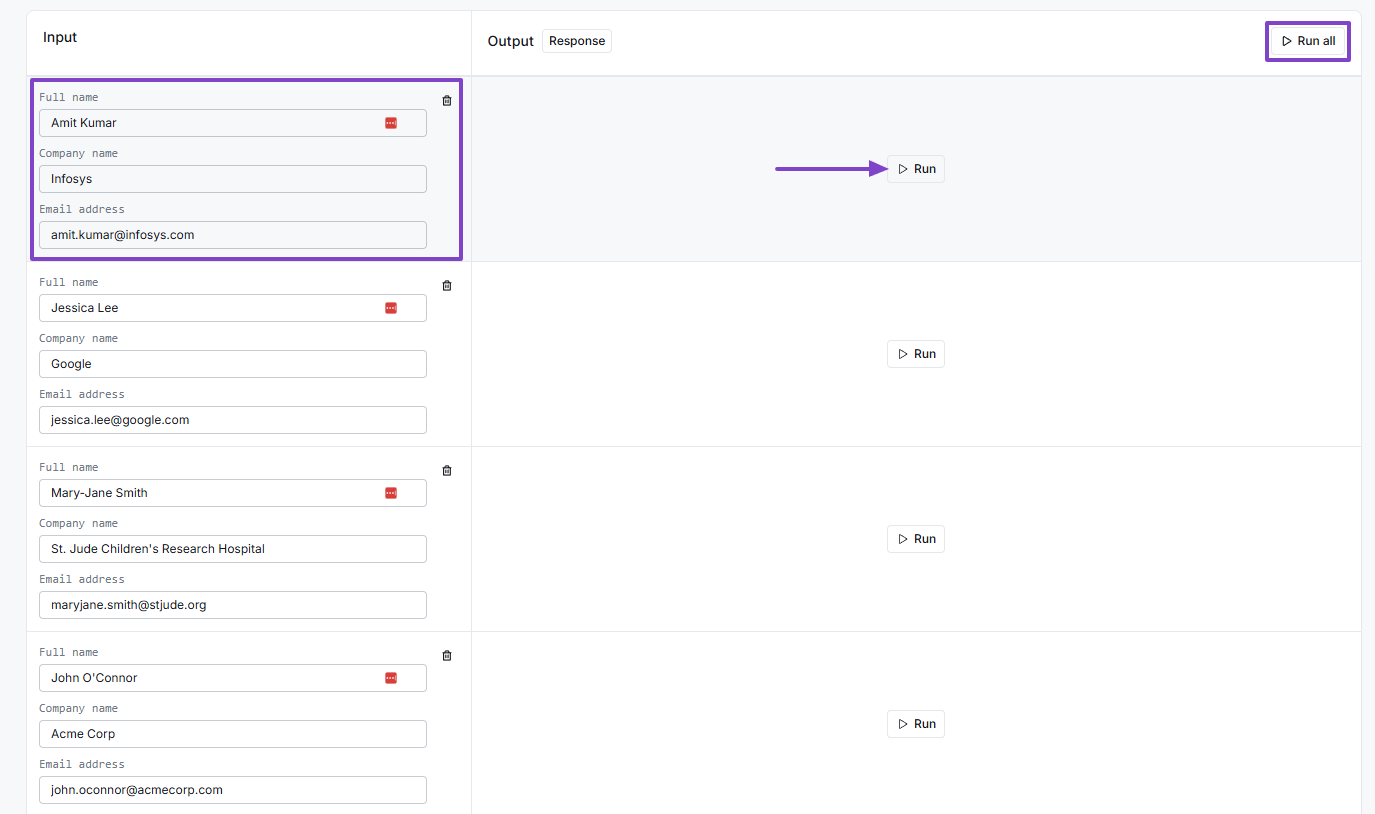
That’s it! To run it, you can enter a prospect’s full name, company name, and email address. You can also do that for many prospects at the same time and click ‘Run all.
3 . Campaigns
When sales teams want to send outreach emails to their prospects, they use the Campaigns feature. Clay lets you do that.
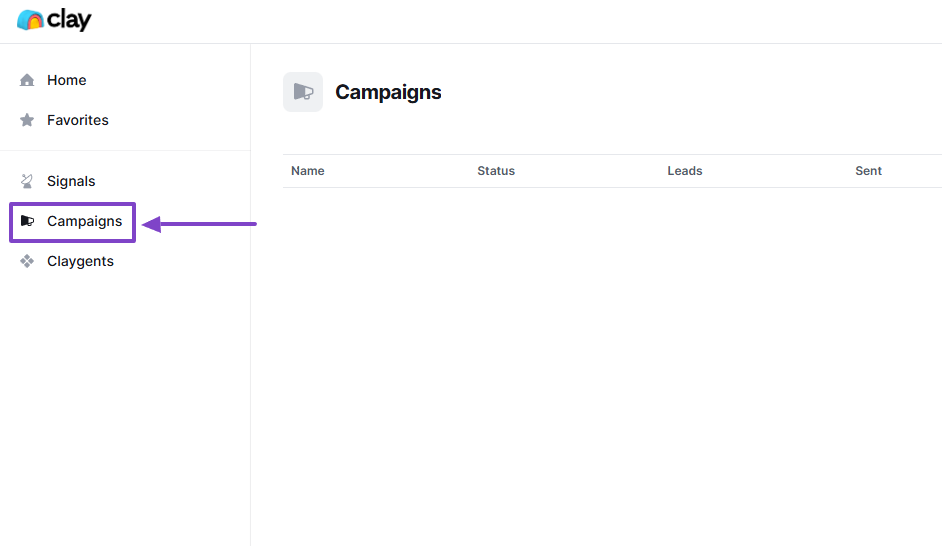
First, go to Campaigns.
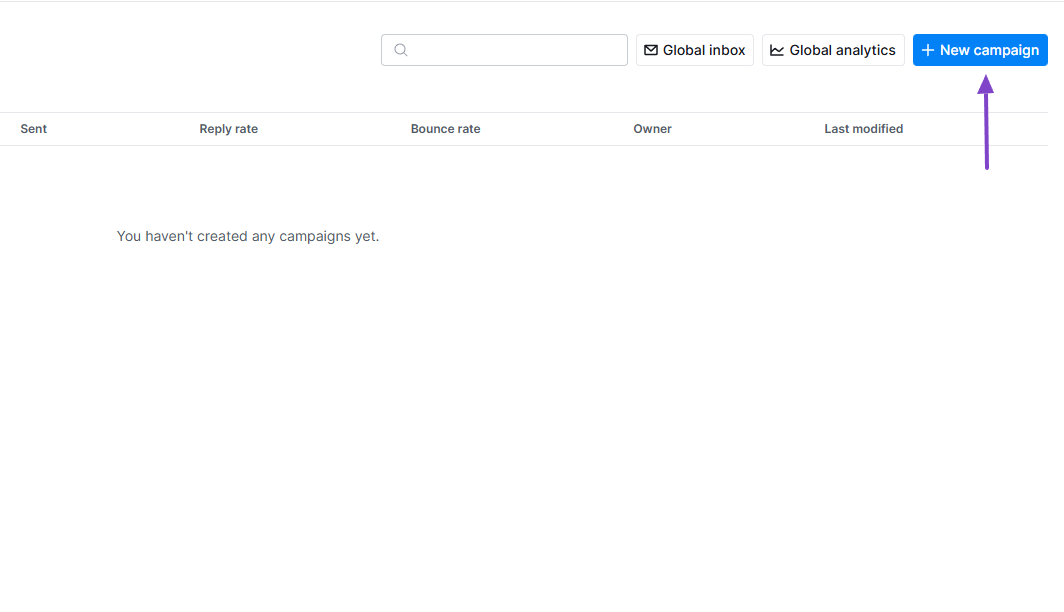
Click “+ New campaign.”
The last step in the builder. You will first identify your leads, then enrich them with email addresses, and simply launch your campaign.
What impressed me vs What fell short
| What impressed me 👍 | What fell short 👎 |
|---|---|
| ✅ Looks simple to use, and the clean interface makes it easy to locate the features | ❌ The Campaign feature is not really intuitive, so it may take some time for you to understand it |
| ✅ Offers many templates to create your personal Claygent | |
| ✅ Comes with an AI assistant that can build tables or troubleshoot anything in your way | |
| ✅ Allows you to specify your search limits |
Best for
- Recruiting professionals and sales teams wanting to automate data enrichment and personalize outreach at scale
Pricing
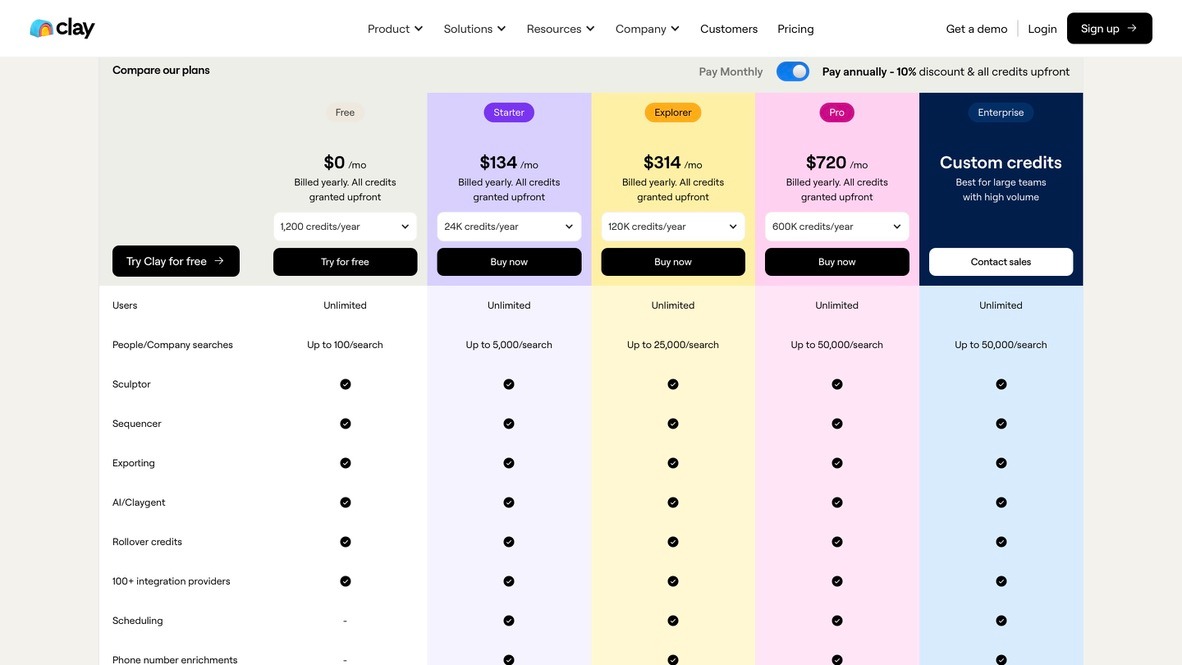
- Free: $0/month
- Starteer: $134/month
- Explorer: $314/month
- Pro: $720/month
- Custom: Contact for pricing
4. Lusha
| Category | Details |
|---|---|
| Personal Rating | ⭐⭐⭐⭐ (4/5) |
| Ease of Use | ⭐⭐⭐⭐✨ (4.5/5) |
| Starting Plan Inclusions | 40 credits per month, 1 seat |
| Data Accuracy | 95% for email, 85% for phone |
| Data Coverage | Global, 280M+ verified B2B contacts |
Moving on with Lusha, our next prospecting tool. It helps sales and marketing teams quickly discover and manage contact data.

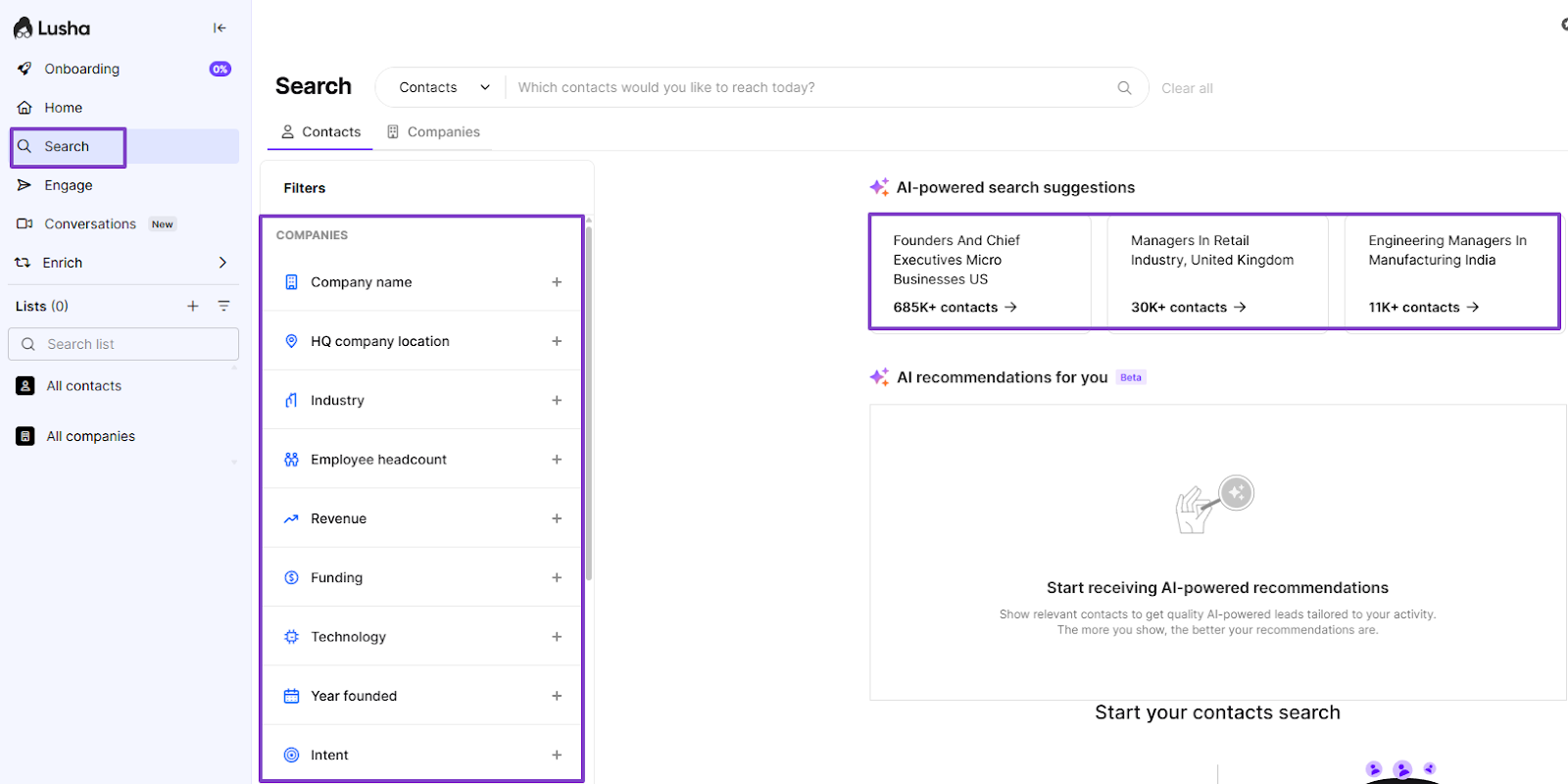
When you search for contacts or companies on Lusha, aside from using filters, the platform offers a few AI-powered search suggestions. It also has recommendations based on your profile.
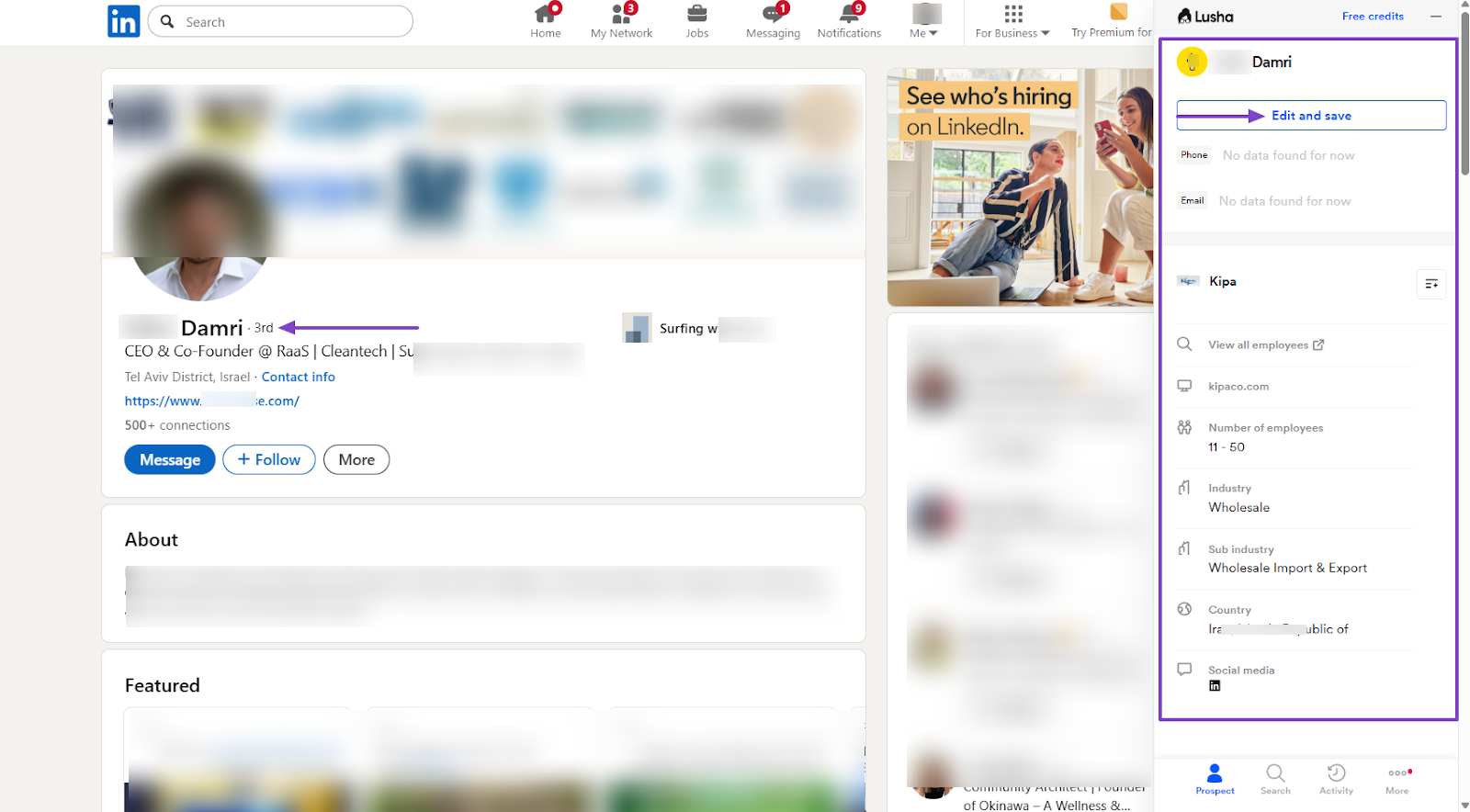
If you’re browsing on LinkedIn and you want to know more about a profile, you can use the platform’s extension. When opened, it displays all the information of the profile you open.
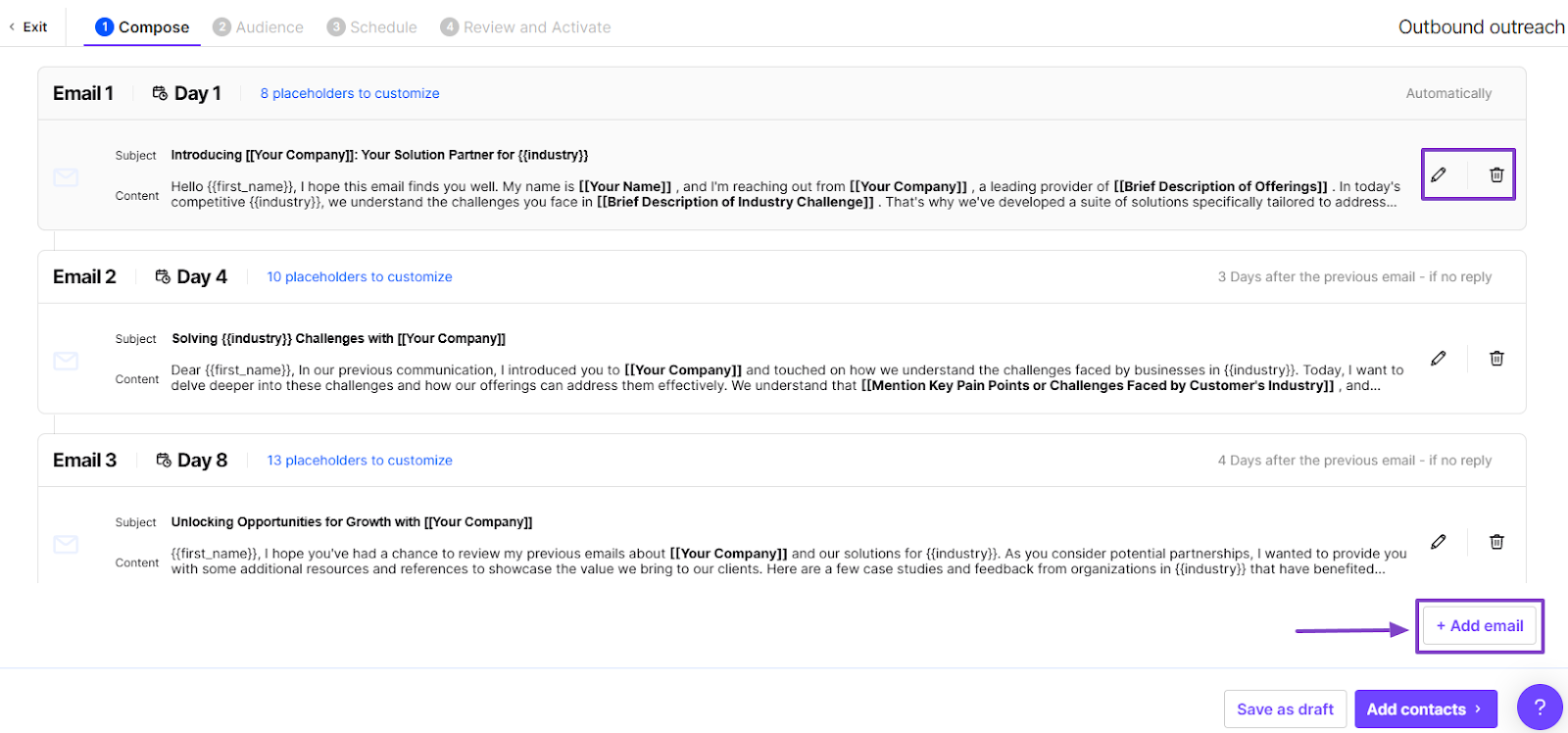
But say you want to engage with your leads using emails, you can create a sequence. You will compose, for example, one email for day 1, another for day 4, and one more for day 8.
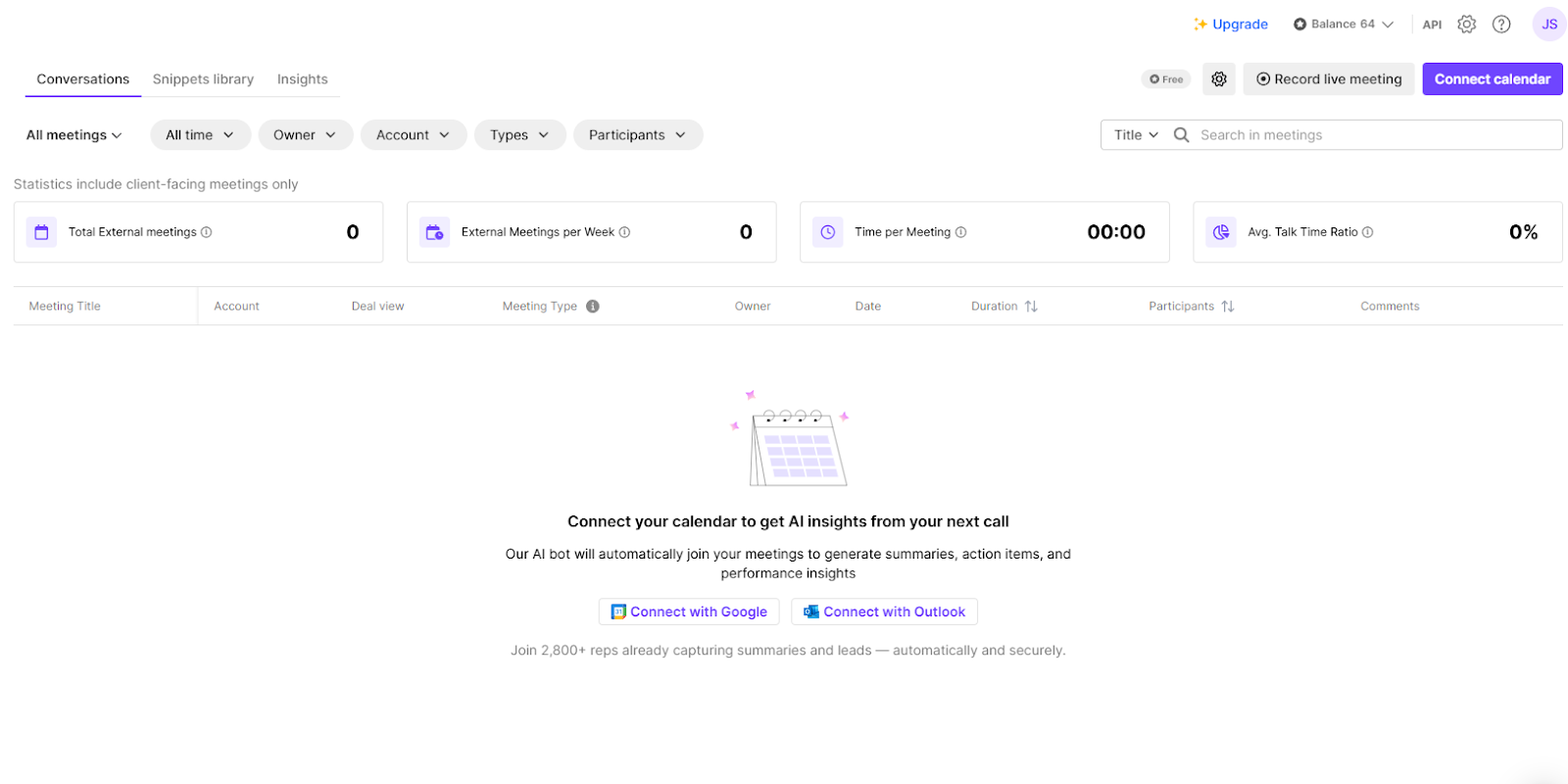
If you connect your calendar, you can get more AI insights from your calls. It can generate summaries, action items, and performance insights.
Features I admired
1 . Search
On Lusha, you use the Search feature to look for contacts or companies after you enter your preferred filters. However, it has AI-powered suggestions you can start your search from.
You could search for founders and chief executives of micro businesses in the US. Or managers in the retail industry in the United Kingdom and engineering managers in manufacturing in India.
To test the tool, I chose the first AI suggestion: founders and chief executives of micro businesses in the US.
The list came out with people’s names. I noticed I could click Show details.
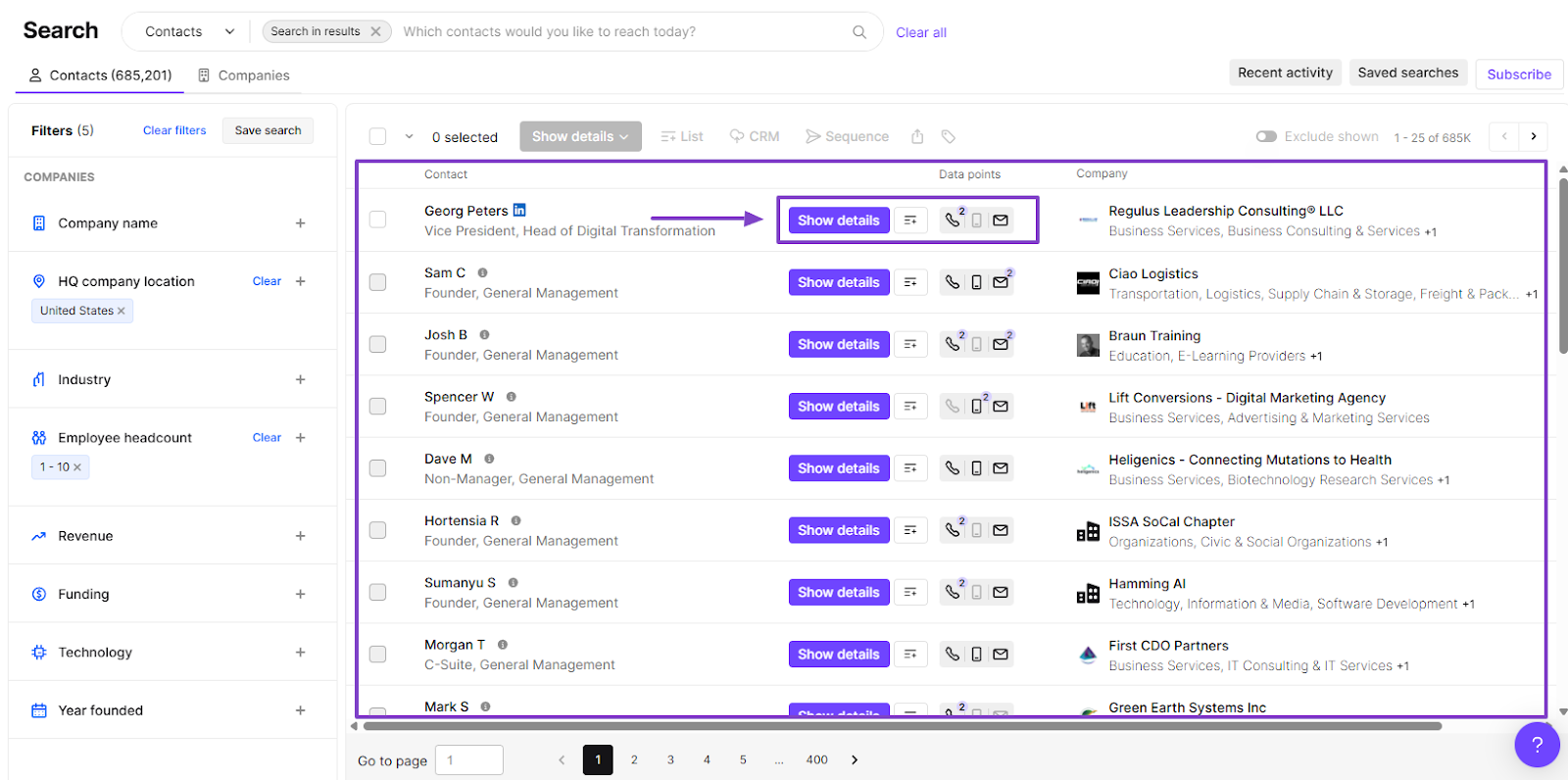
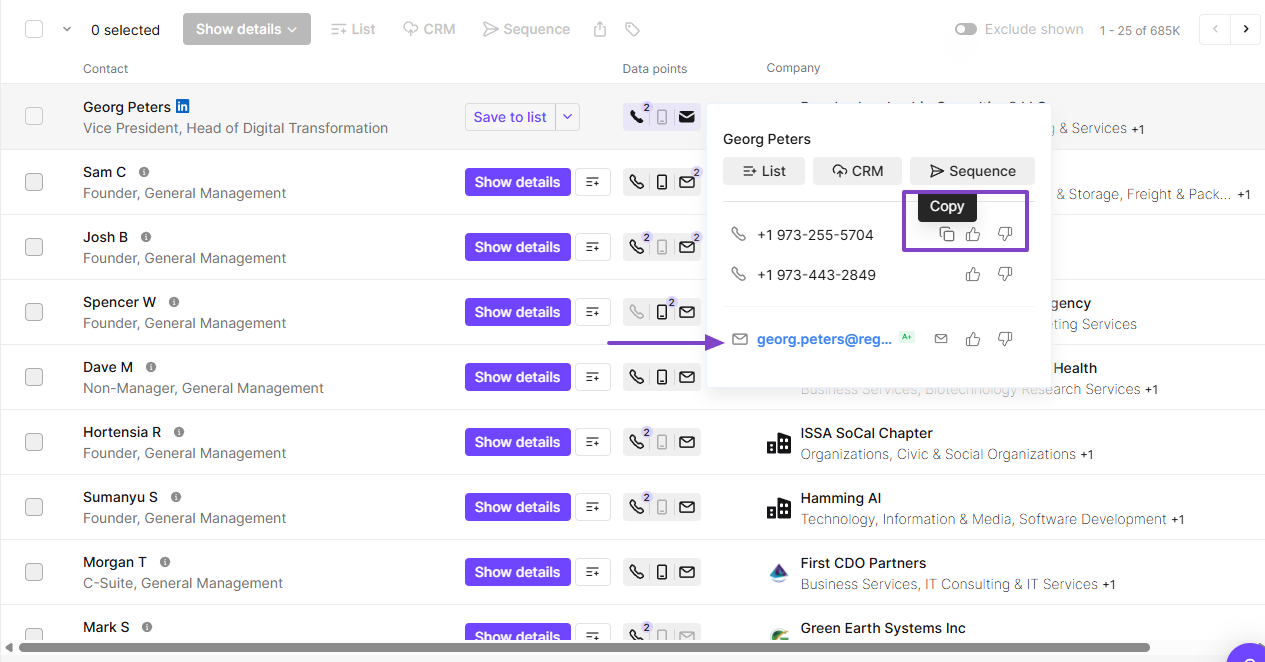
When I clicked, it showed more details like the full name, different phone numbers, and email address.
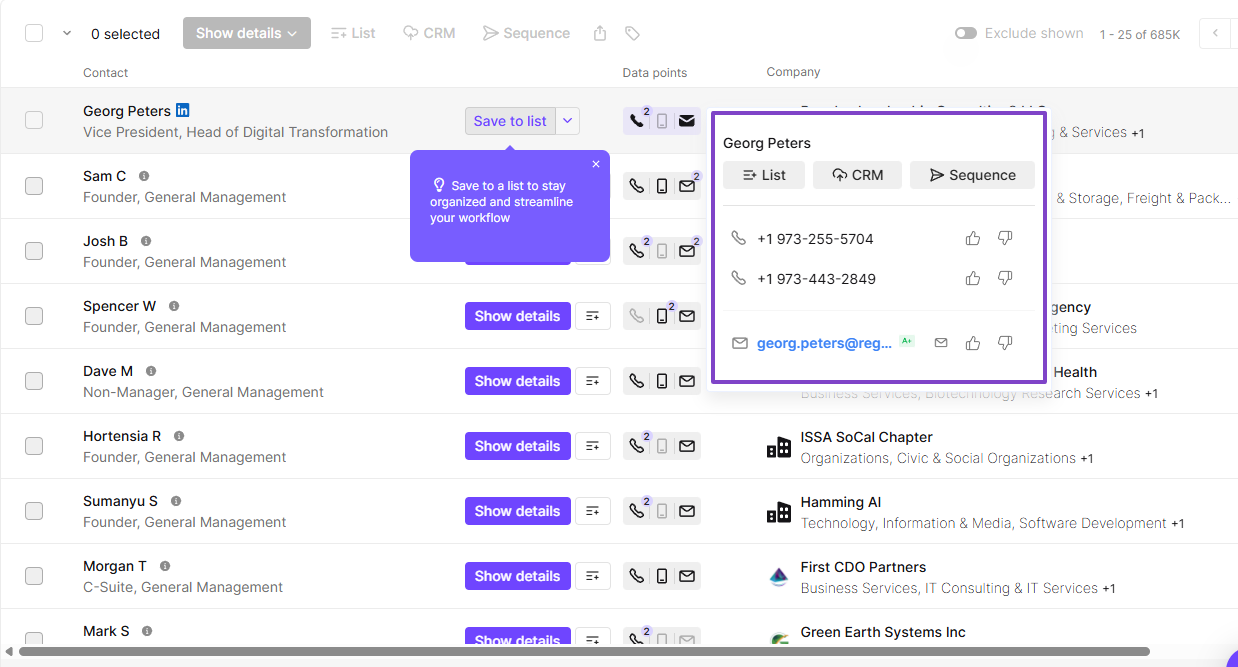
I could copy these phone numbers and also email them.
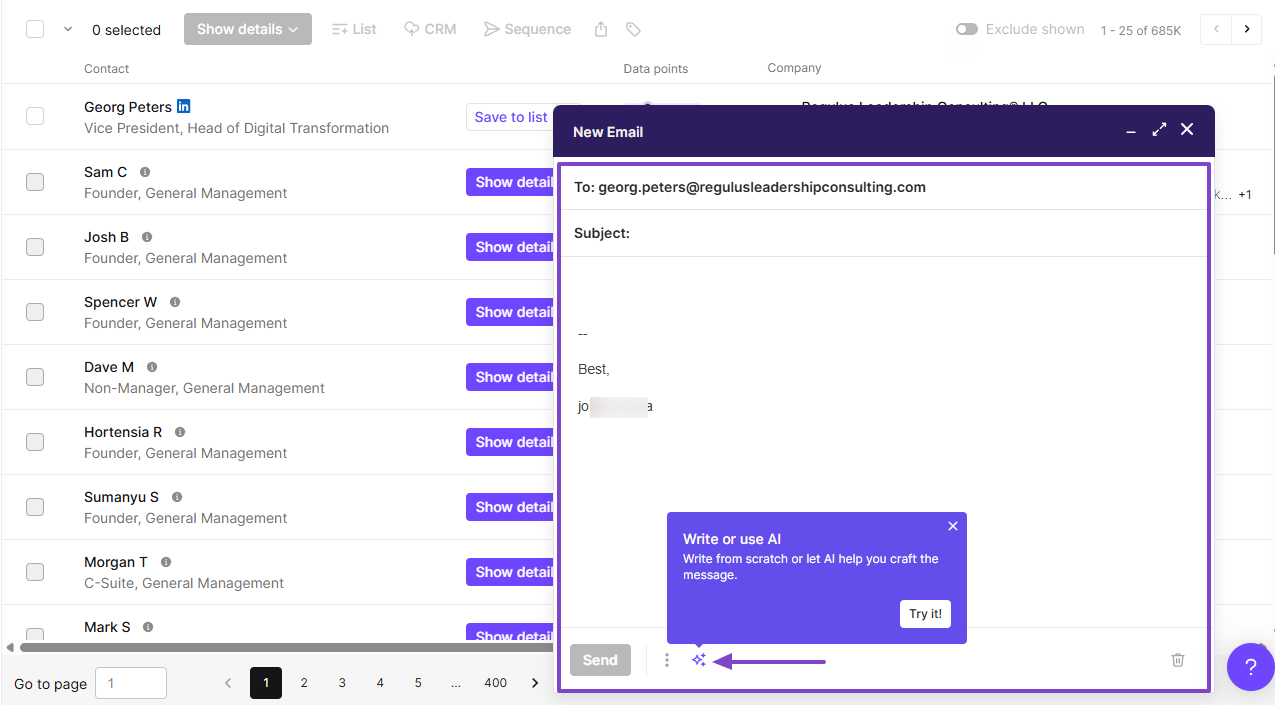
I clicked on the email, and I could directly send them an email. I could even write the email with AI.
2 . Engage
The Engage feature on Lusha is what helps you engage directly with your contacts. You can generate emails with AI and automate your outreach.
Let’s see how it really works.
After you locate the feature on the sidebar menu, go to Build your first sequence.
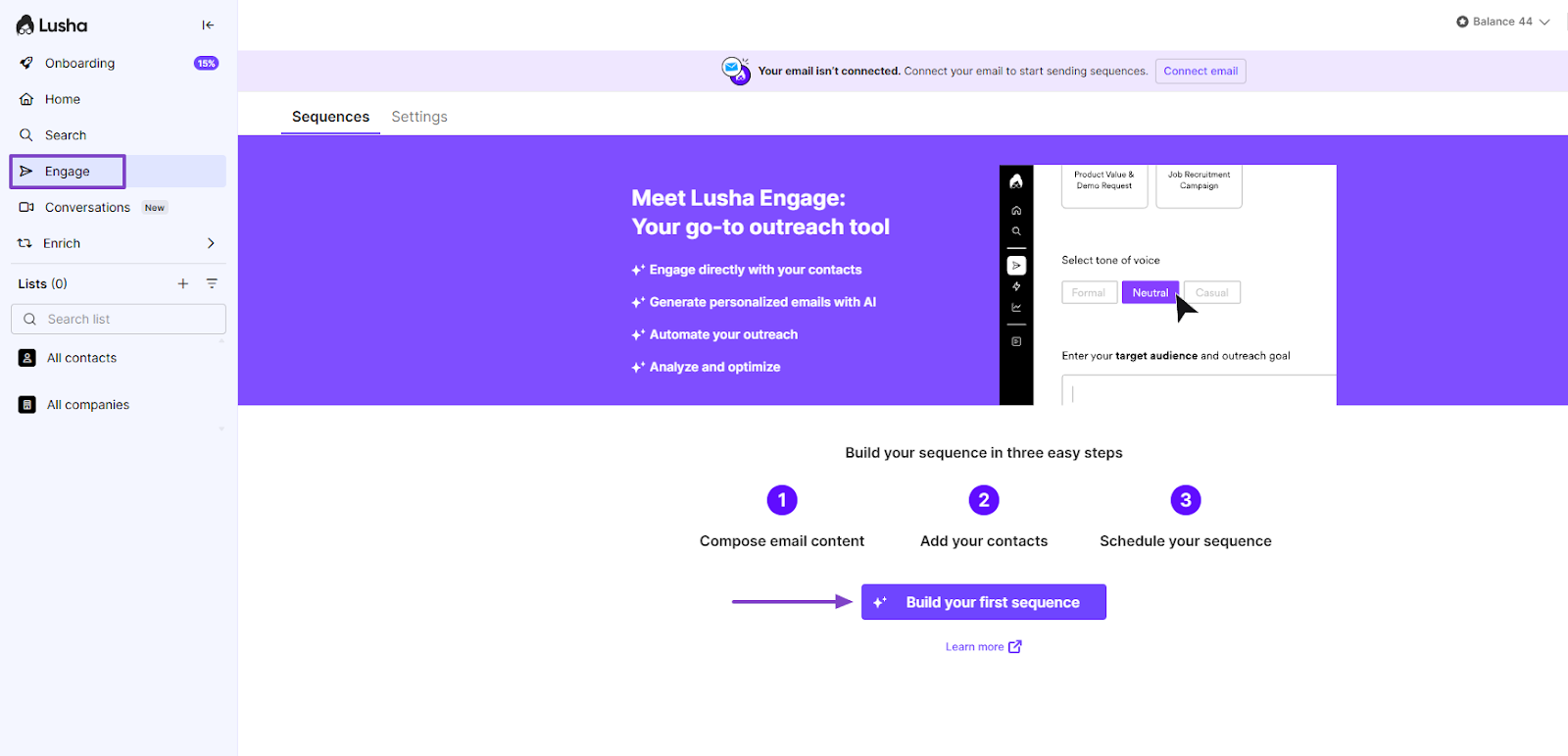
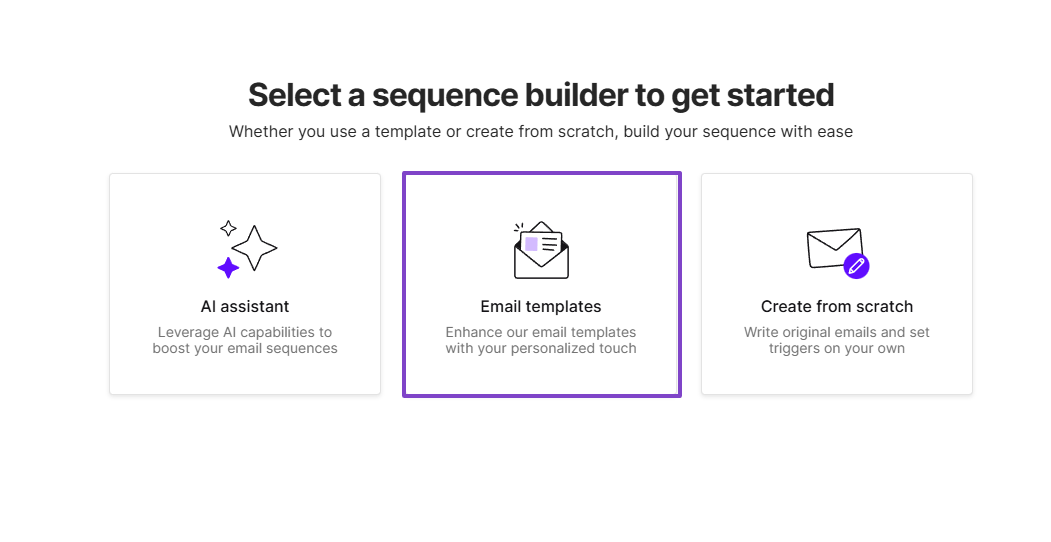
Next, select a sequence builder to get started. It could be an AI assistant, email templates, or create from scratch.
We will use the Email templates.
Among the templates, I went with “Outbound outreach”. Then I clicked “Customize template”.
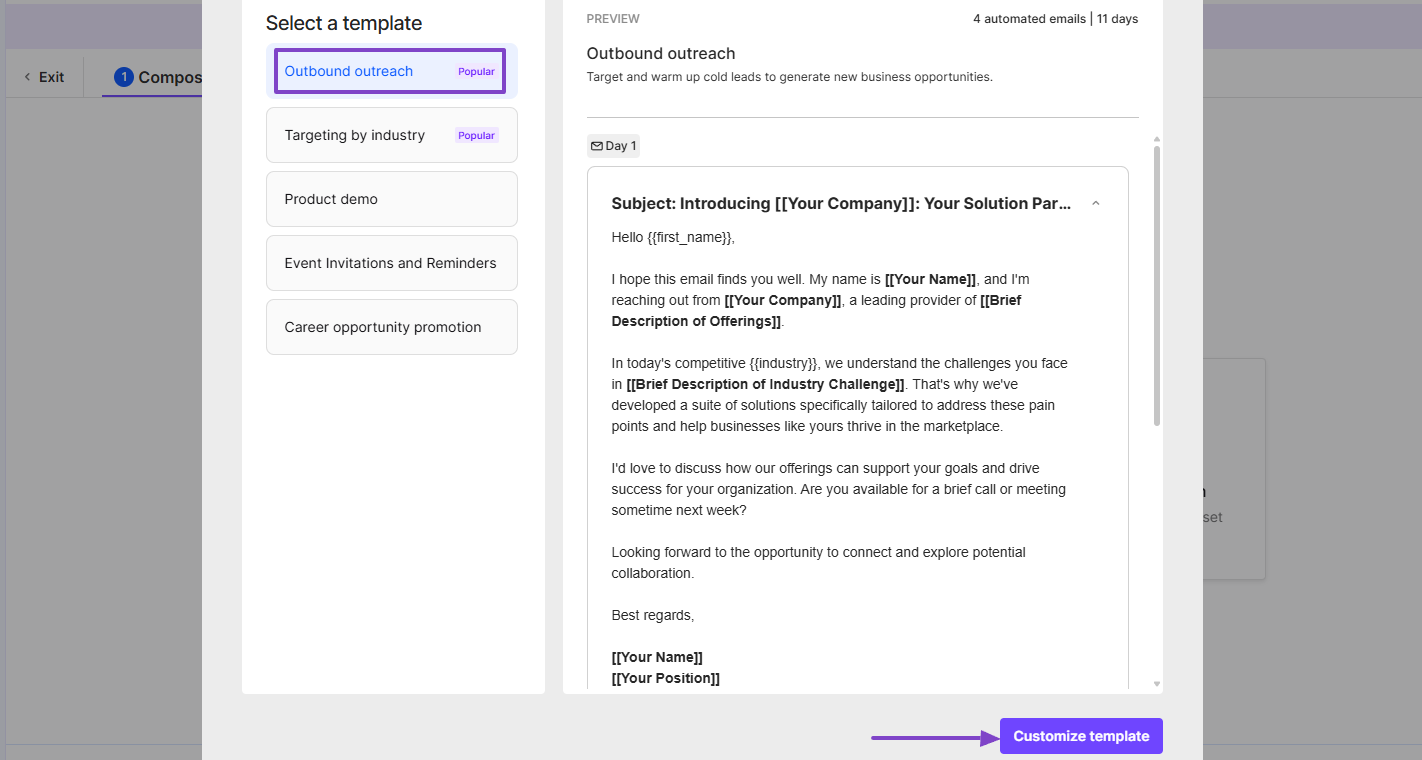
There were different series of emails. I could edit or delete the ones I wanted.
And in case the emails are not enough, you can still add more.
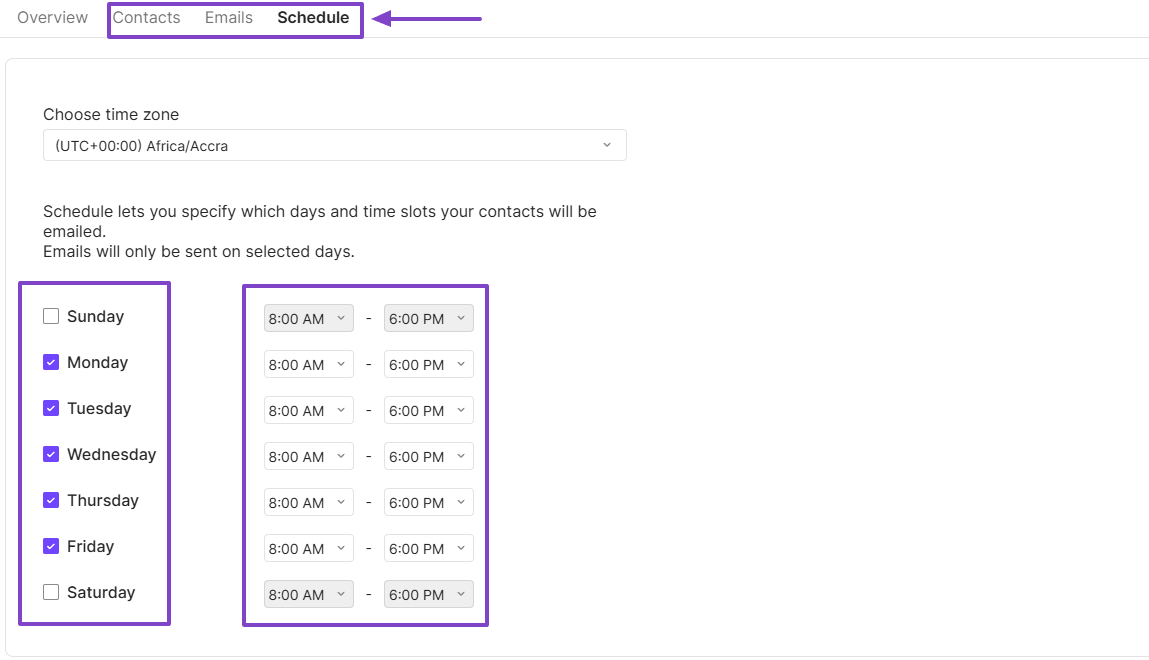
Then, I could add my contacts, email addresses, and schedule when Lusha will send the emails.
3 . Onboarding
Lusha designed this feature to help sales teams reach decision-makers. It helps you use a LinkedIn extension that reveals contact information for any profile you open.
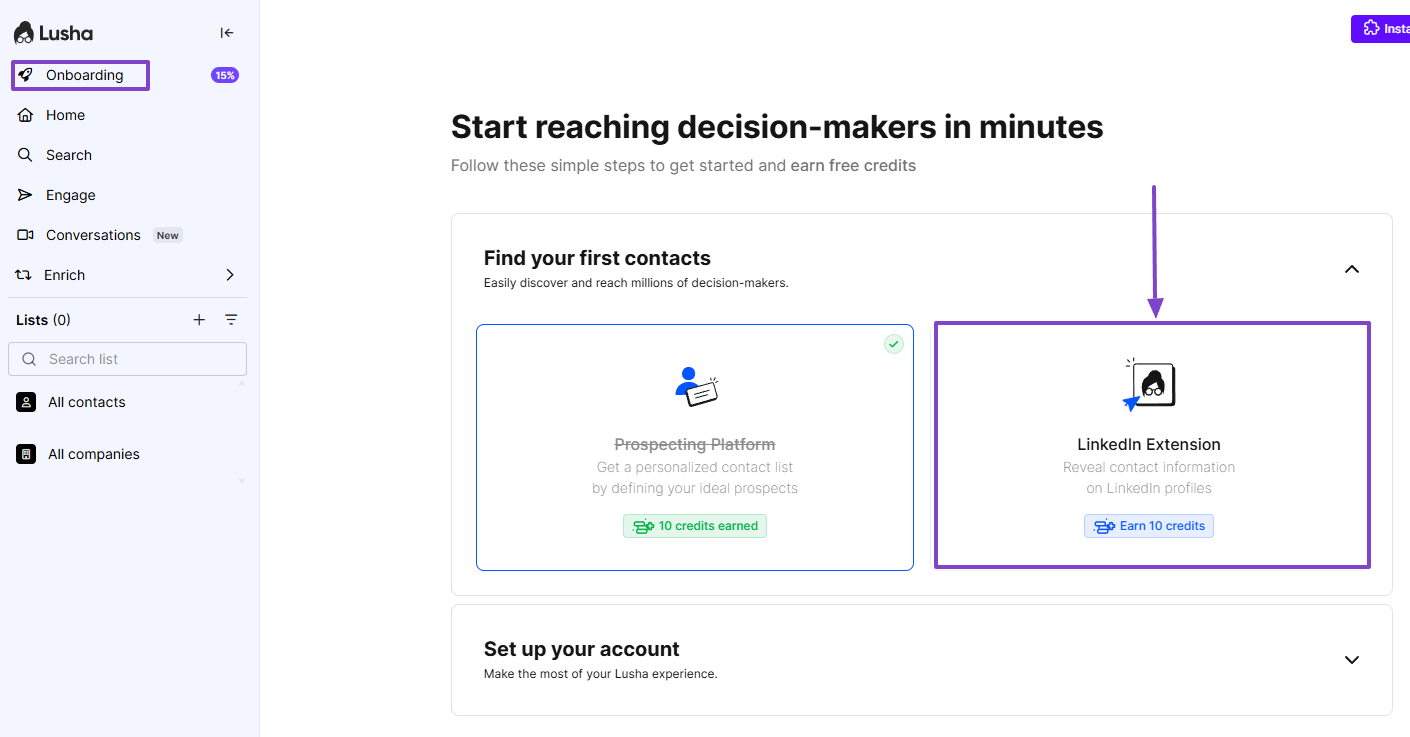
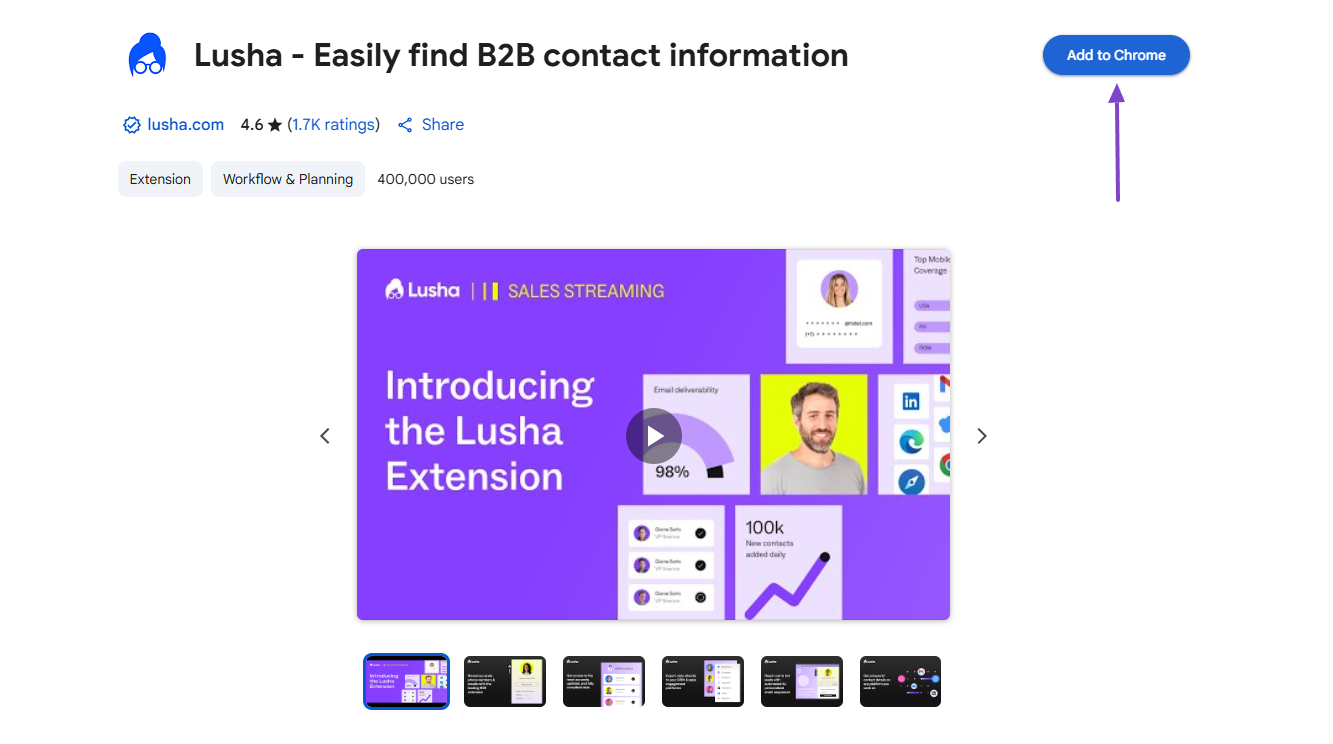
I went ahead and added the extension to Chrome.
Now this is how it works:
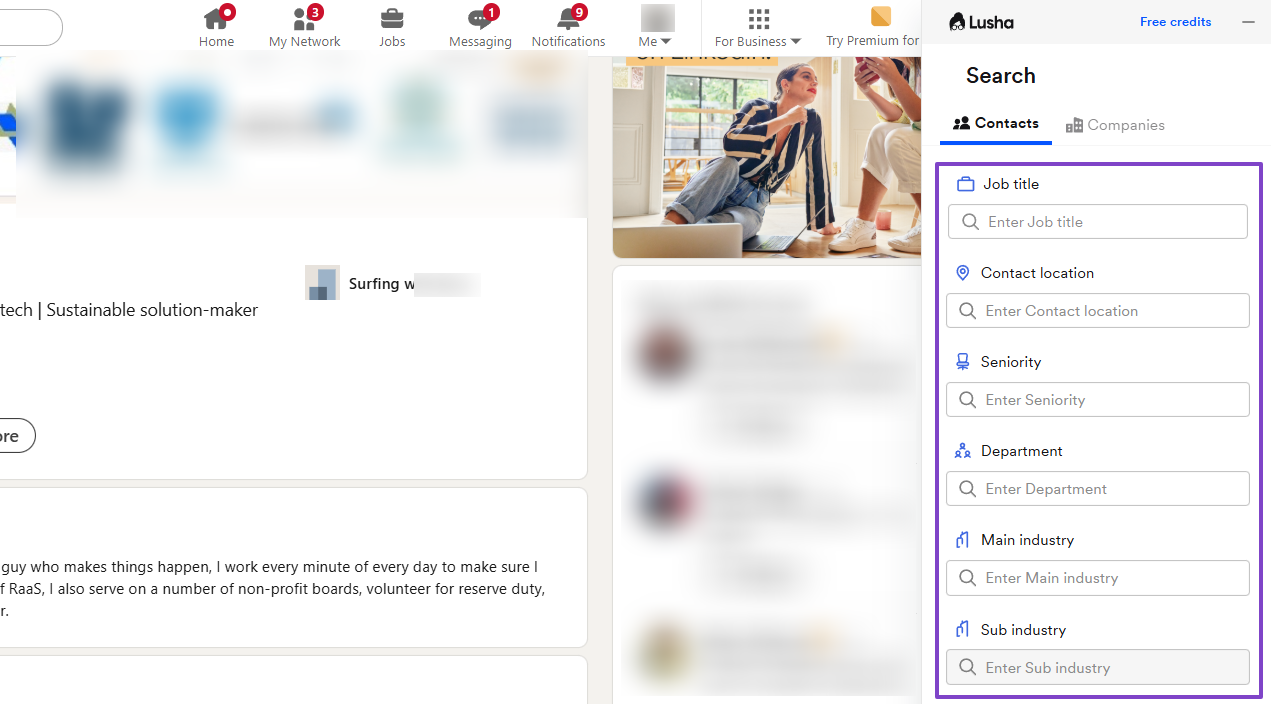
Open any profile, and the extension will pop up with all the person’s information.
You’ll also see their industry, number of employees, country, and social media. You can then edit and save.
The extension also lets you search contacts. You can specify the job title, contact location, seniority, department, and main industry.
What impressed me vs What fell short
| What impressed me 👍 | What fell short 👎 |
|---|---|
| ✅ Offers AI recommendations based on your profile | ❌ Uses a credit-based pricing model, which may not be enough for work needs, forcing you to upgrade |
| ✅ Comes with an extension that helps you capture information from LinkedIn profiles | |
| ✅ Allows you to customize your email sequences after generating them for you |
Best for
- Marketing and sales teams who need to find and verify B2B contact information and send sequences.
Pricing
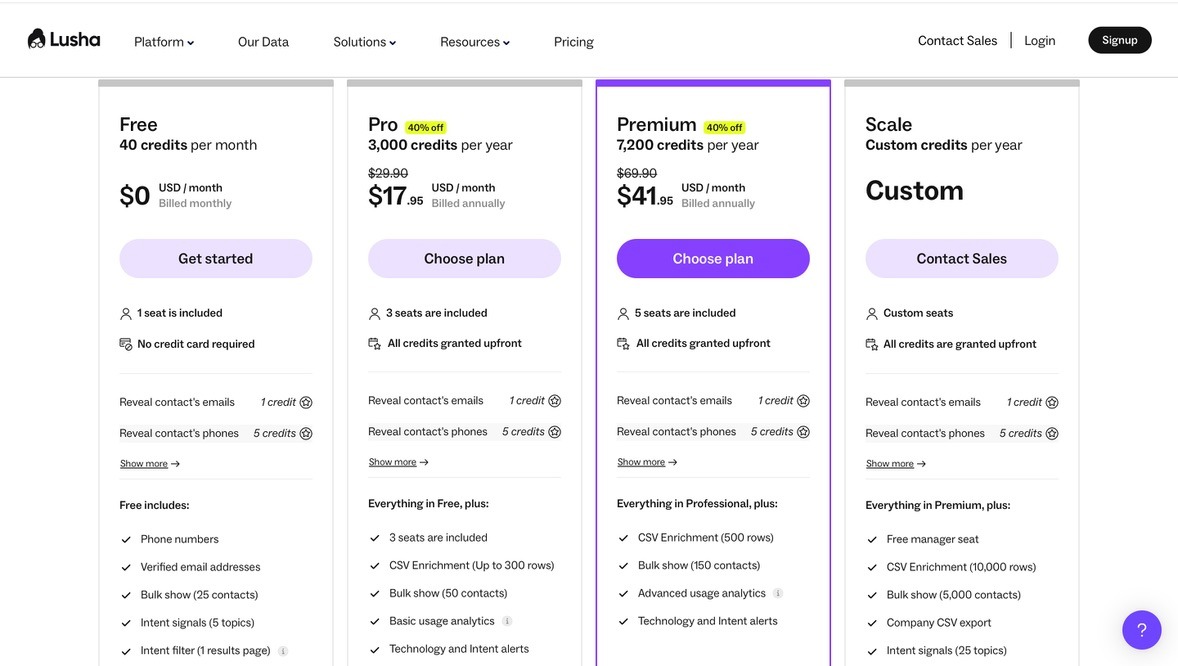
- Free: $0/month or 40 credits/month
- Pro: $17.95/month or 3,000 credits/year
- Premium: $41.95 or 7,200 credits/year
- Scale: Contact for pricing
5. Instantly AI
| What impressed me 👍 | What fell short 👎 |
|---|---|
| ✅ Offers AI recommendations based on your profile | ❌ Uses a credit-based pricing model, which may not be enough for work needs, forcing you to upgrade |
| ✅ Comes with an extension that helps you capture information from LinkedIn profiles | |
| ✅ Allows you to customize your email sequences after generating them for you |
The next best sales prospecting tool we will review is Instantly AI. It helps businesses automate and scale cold email campaigns.
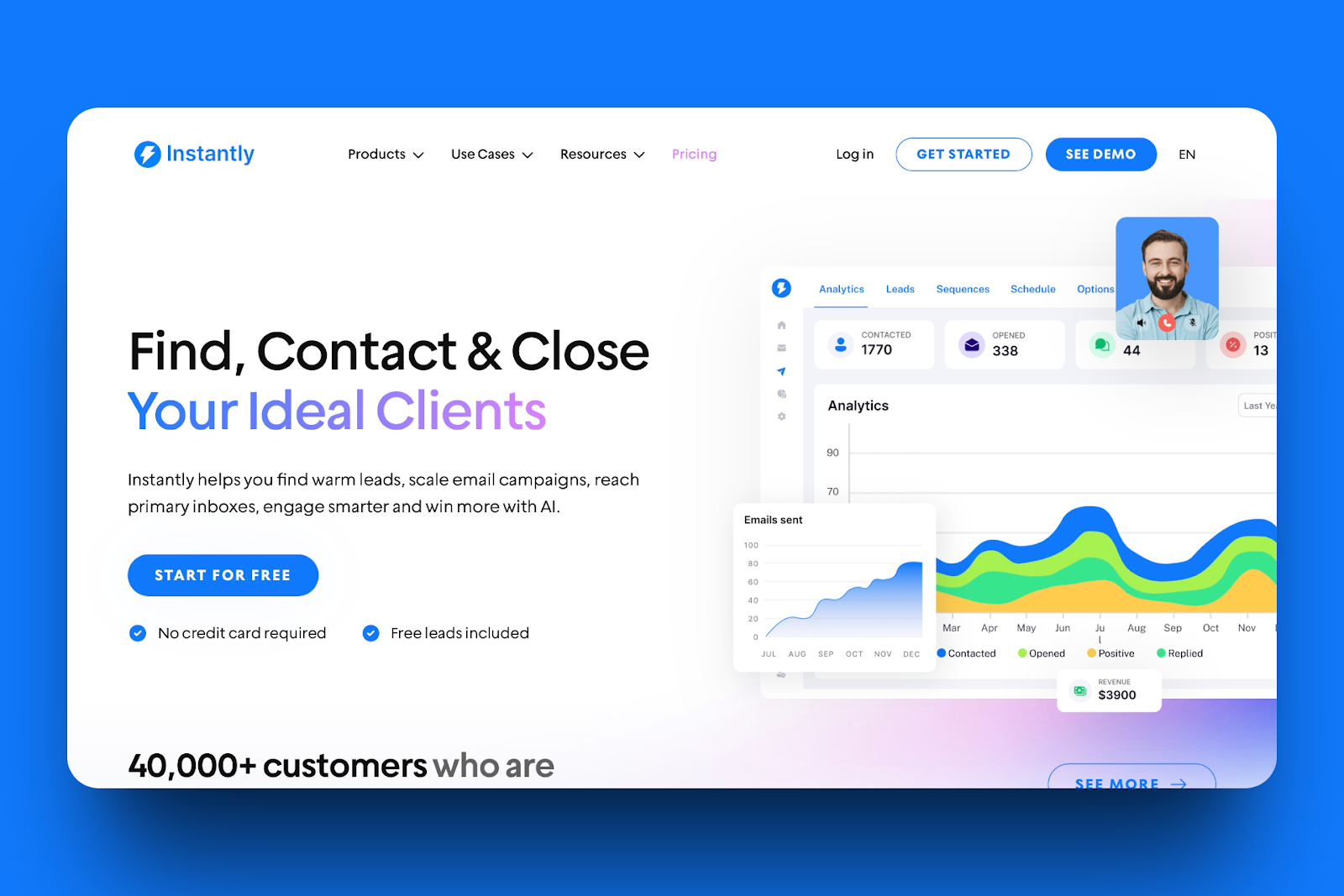
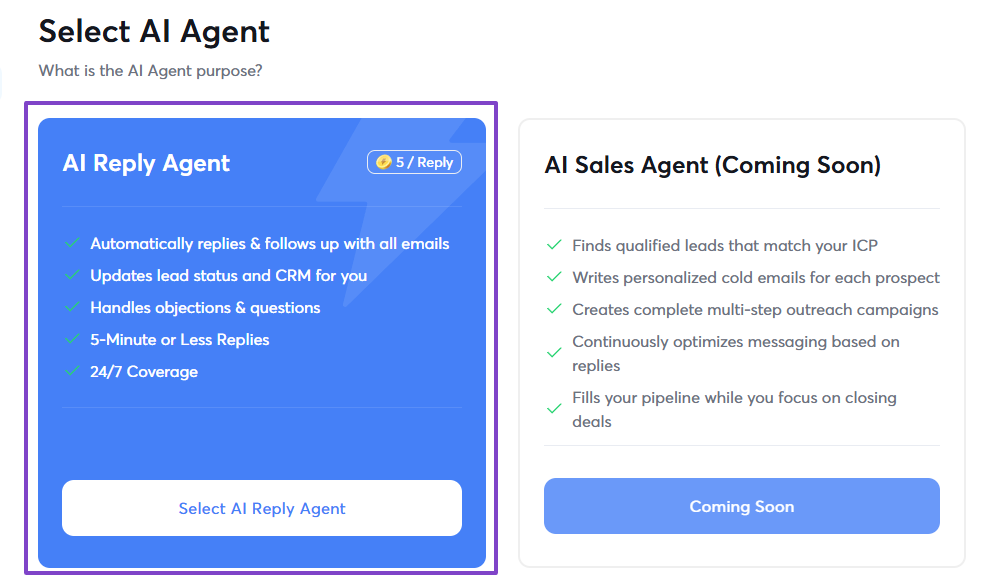
With Instantly AI, I can create an AI reply agent that automatically replies and follows up with all my emails.
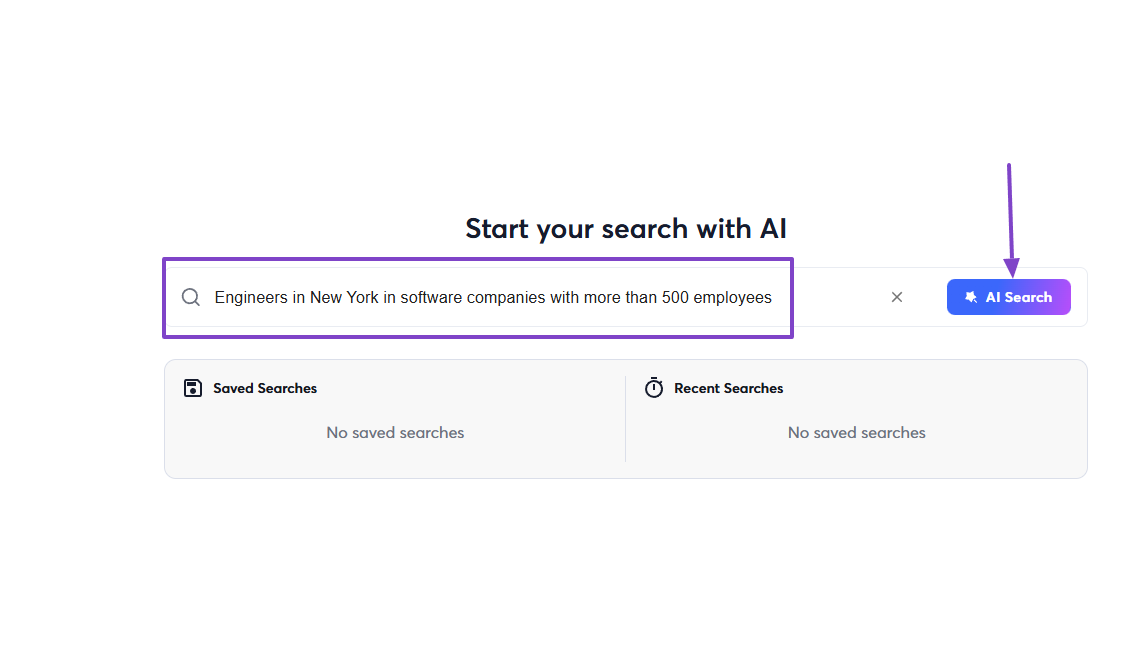
And I can use the AI search when I want to find prospects. I simply make sure I enter all the necessary details in the search.
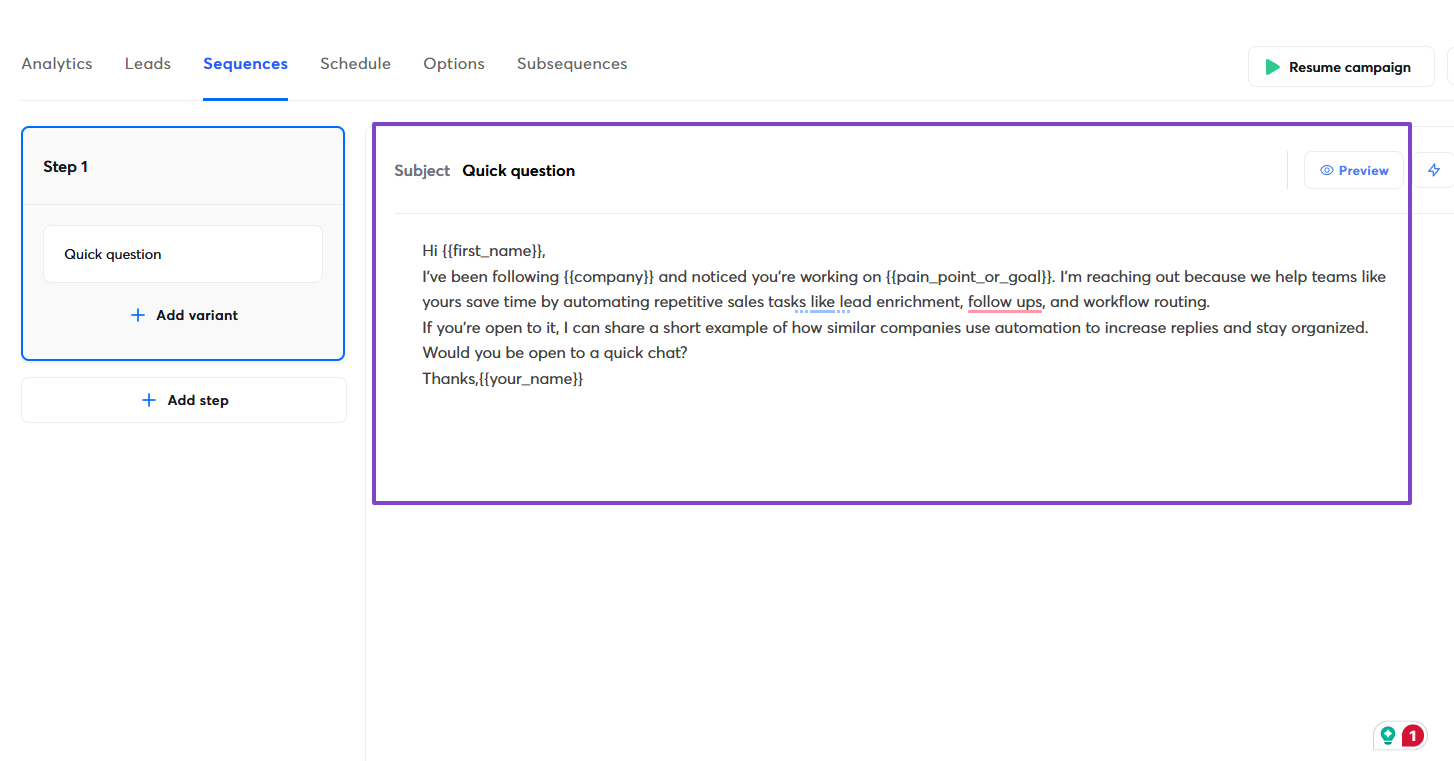
Then I can send cold emails to the prospects I find in the form of sequences.
Features I admired
1 . SuperSearch
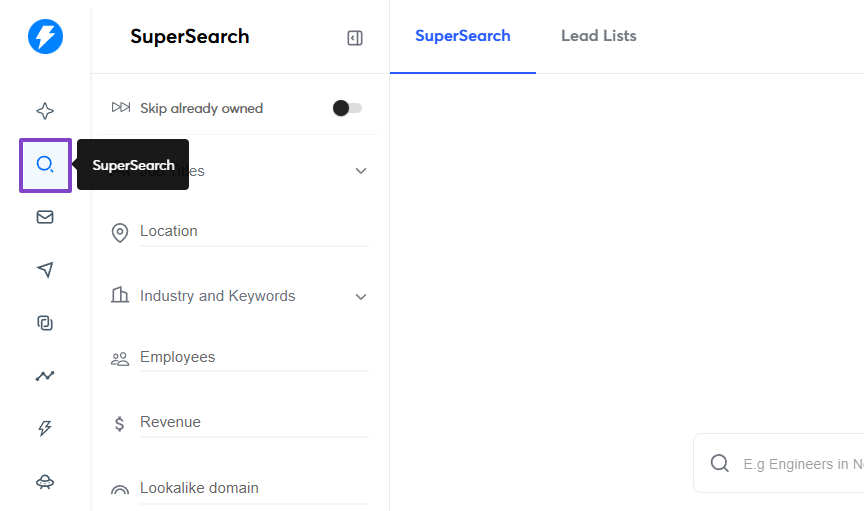
Since we’re still discussing sales prospecting tools, I’d have to review the Supersearch feature because it helps you search prospects on Instantly AI.
The feature is in the sidebar menu.
This time, instead of using filters, I decided to try something different.
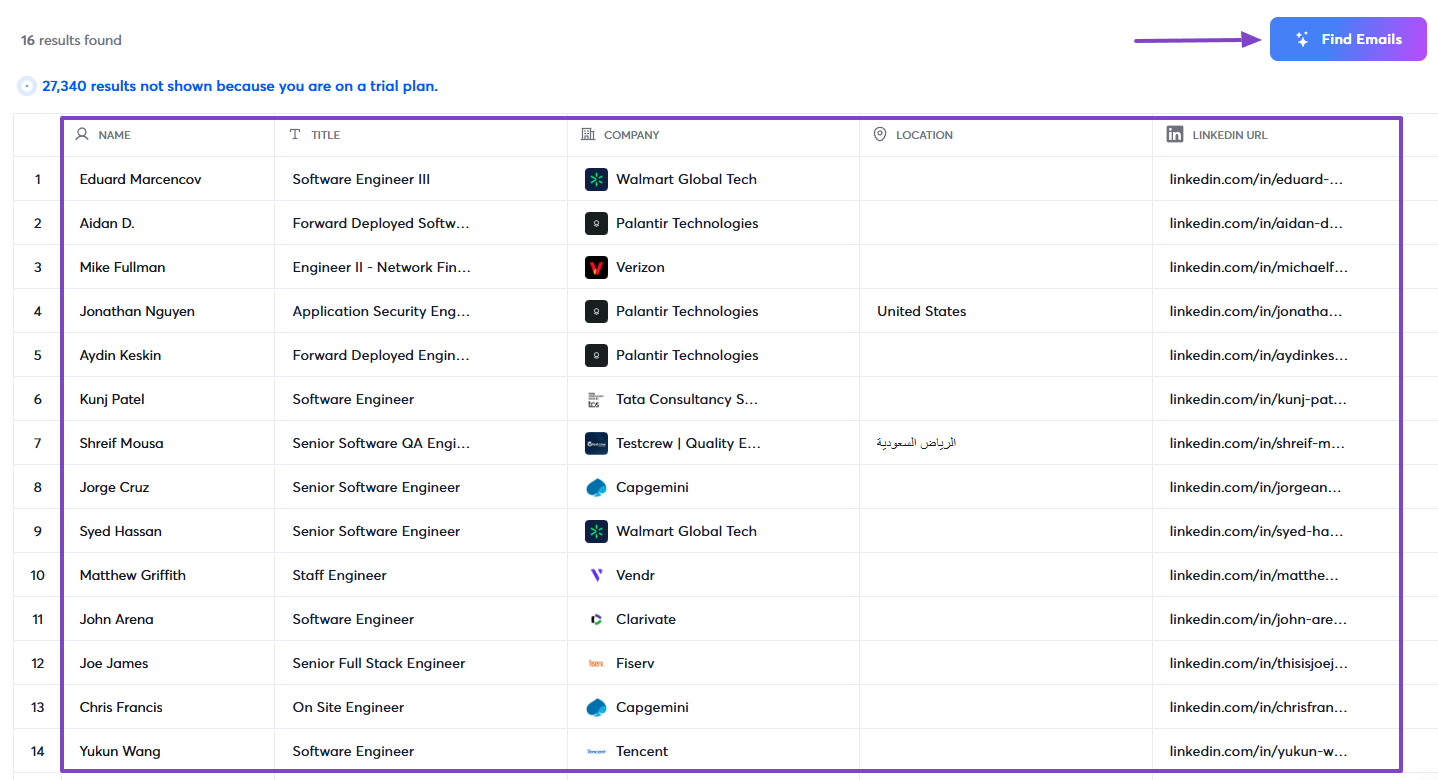
I went straight to the AI search and entered: “Engineers in New York in Software companies with more than 500 employees.”
There were about 27,340 results. Then, I clicked on “Find emails.”
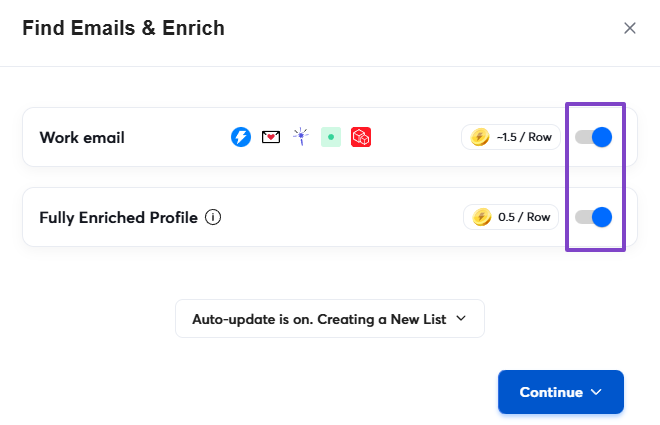
Next, I toggled the switches to turn on the “Work email” and “Fully Enriched Profile” options.
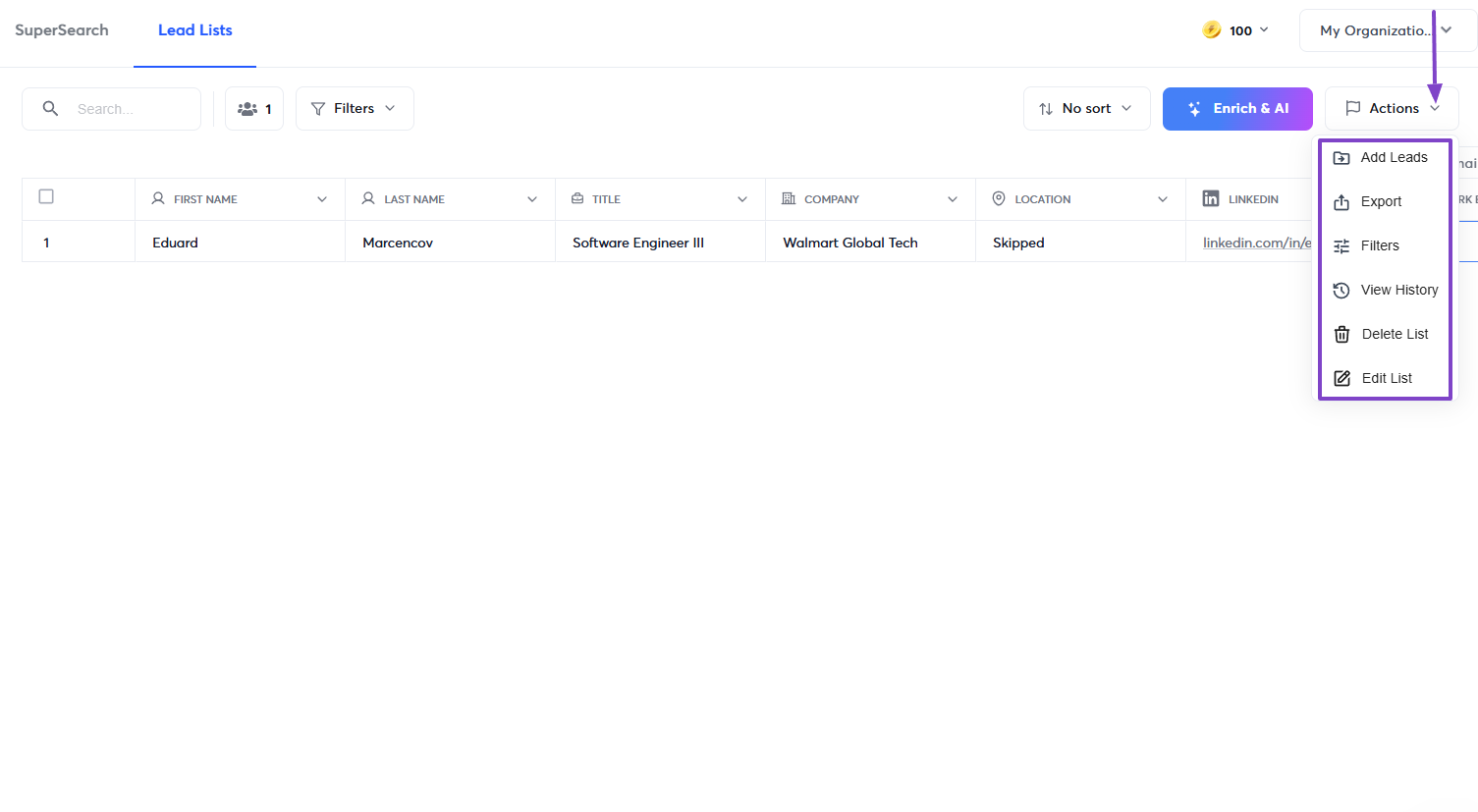
And that’s not all! By clicking “Actions,” I could then add them to my leads, export, delete, or edit the list.
2 . AI agents
When discussing AI agents, I mentioned earlier that they can help you or your team do the work faster. On Instantly AI, you can create your agent that automatically replies and follows up on emails.
I don’t want to say much, so let’s just add our new agent.
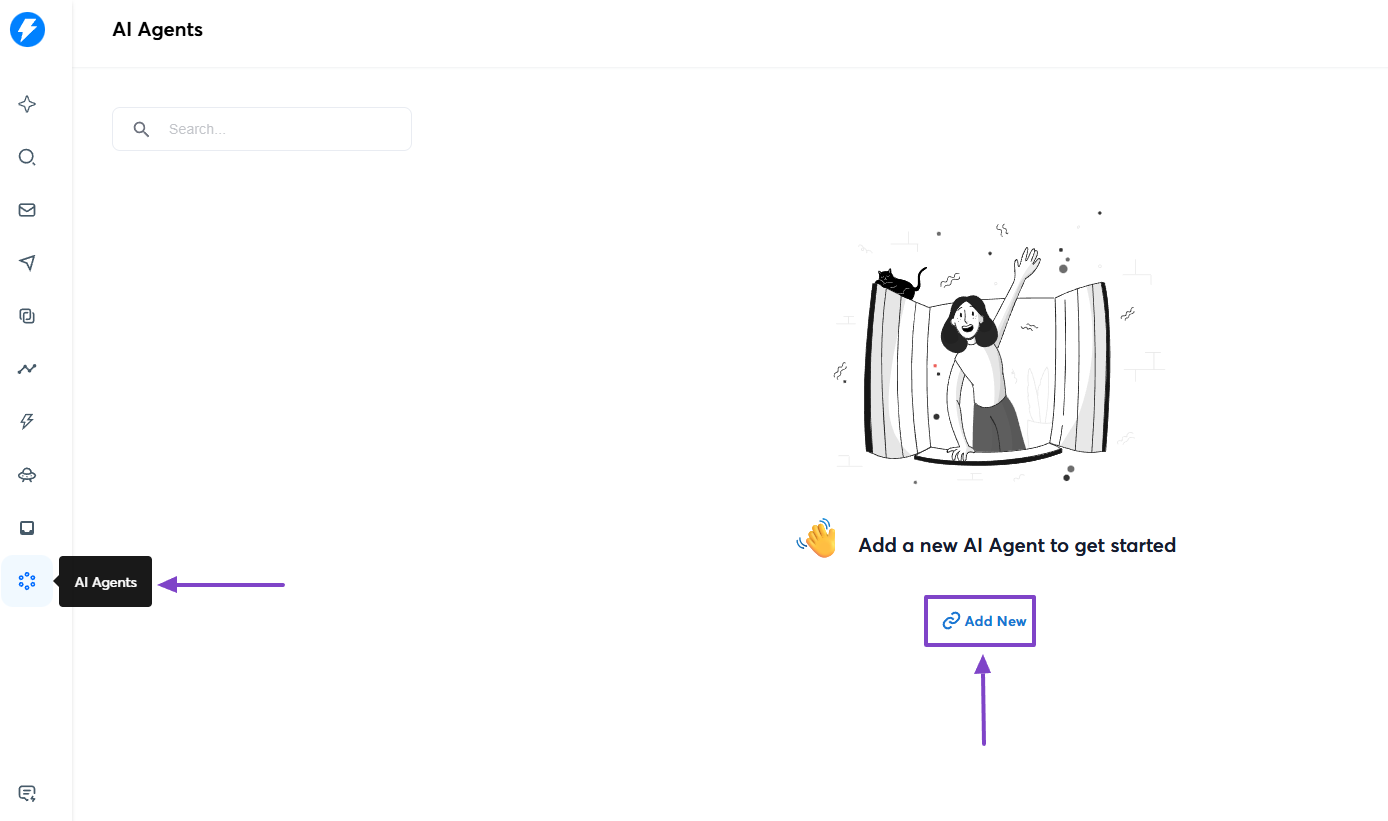
When you create a new agent, you give it a name.
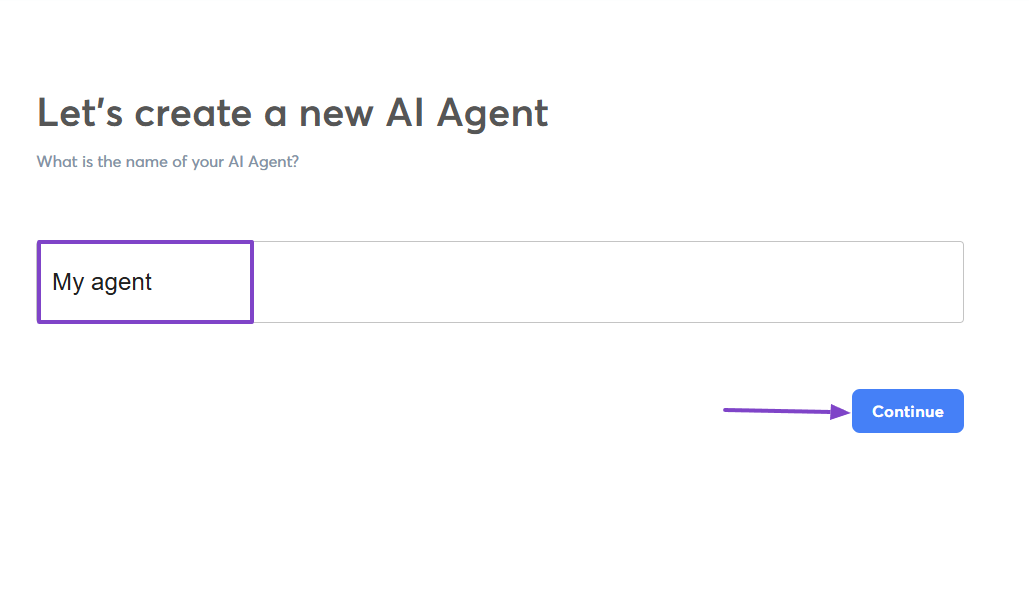
Then, you select the AI agent's purpose. The one available is the AI reply agent.
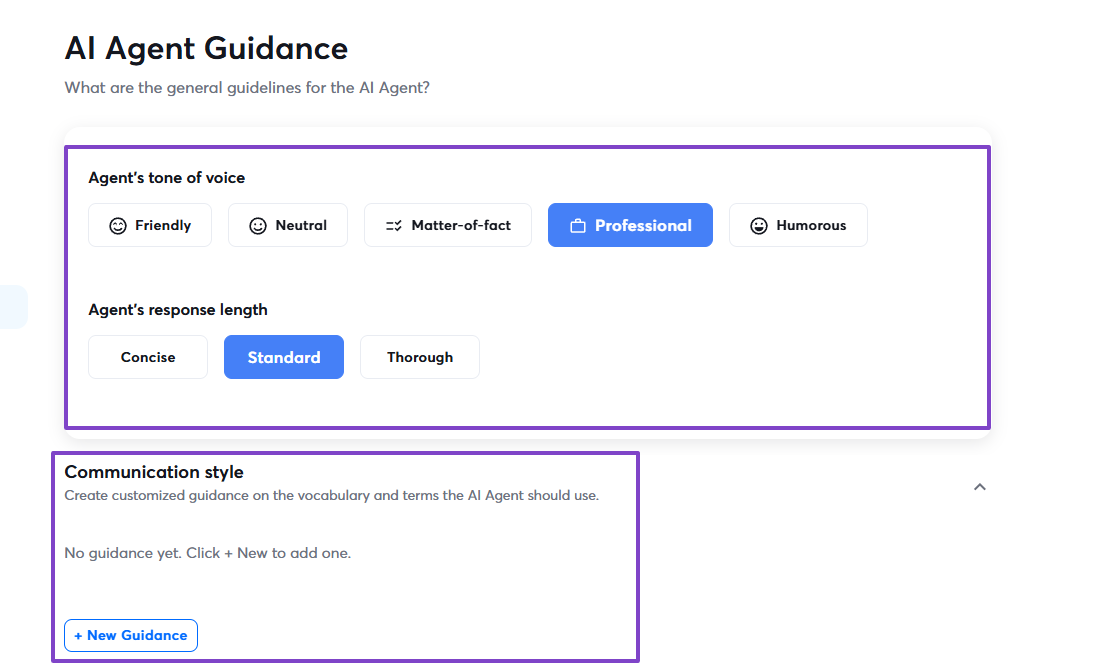
Next, choose the agent’s tone of voice, response length, and you can also adjust its communication style.
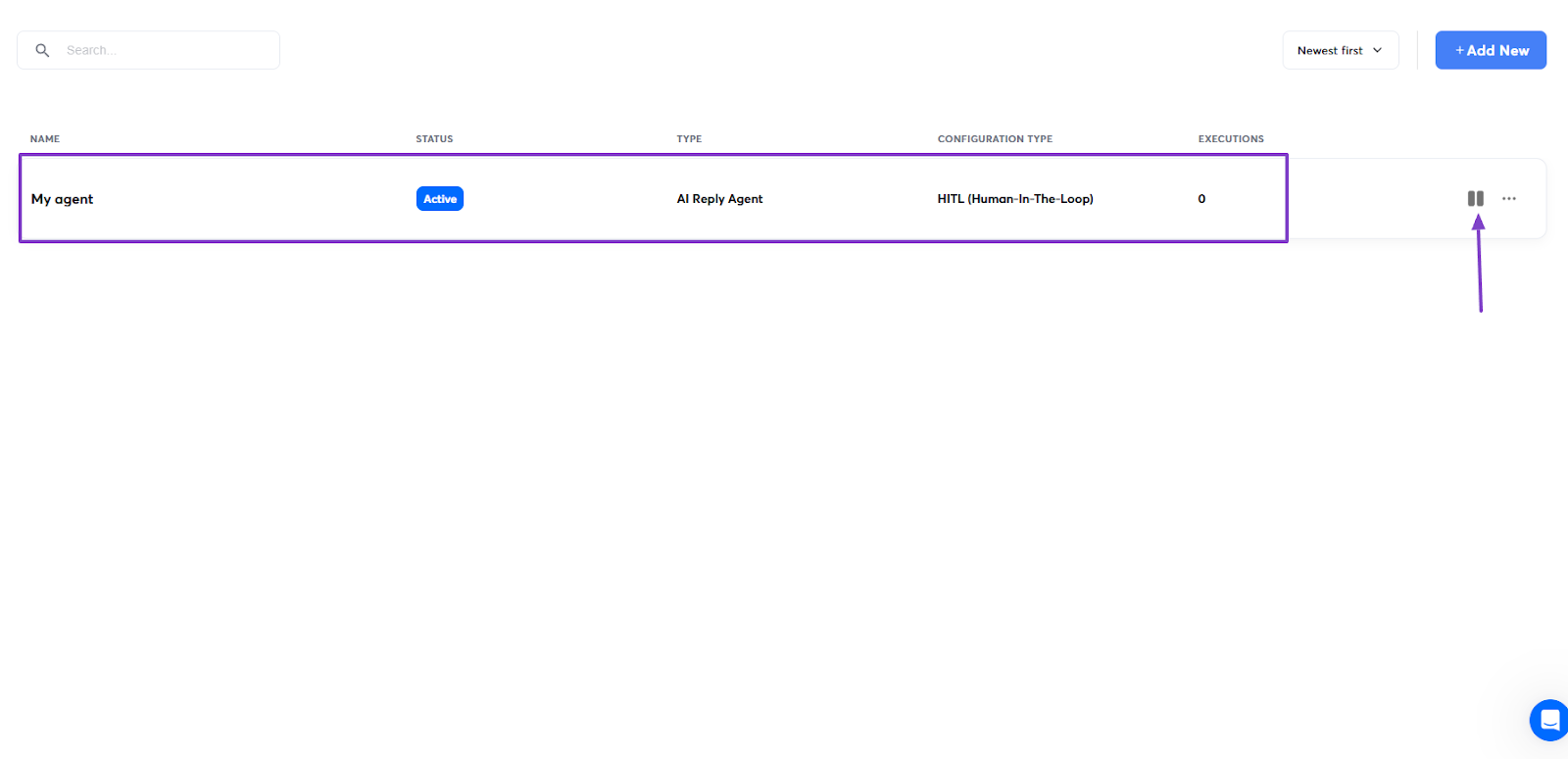
That’s it! Your AI agent is ready and well-functioning. You can pause it at any moment.
3 . Campaigns
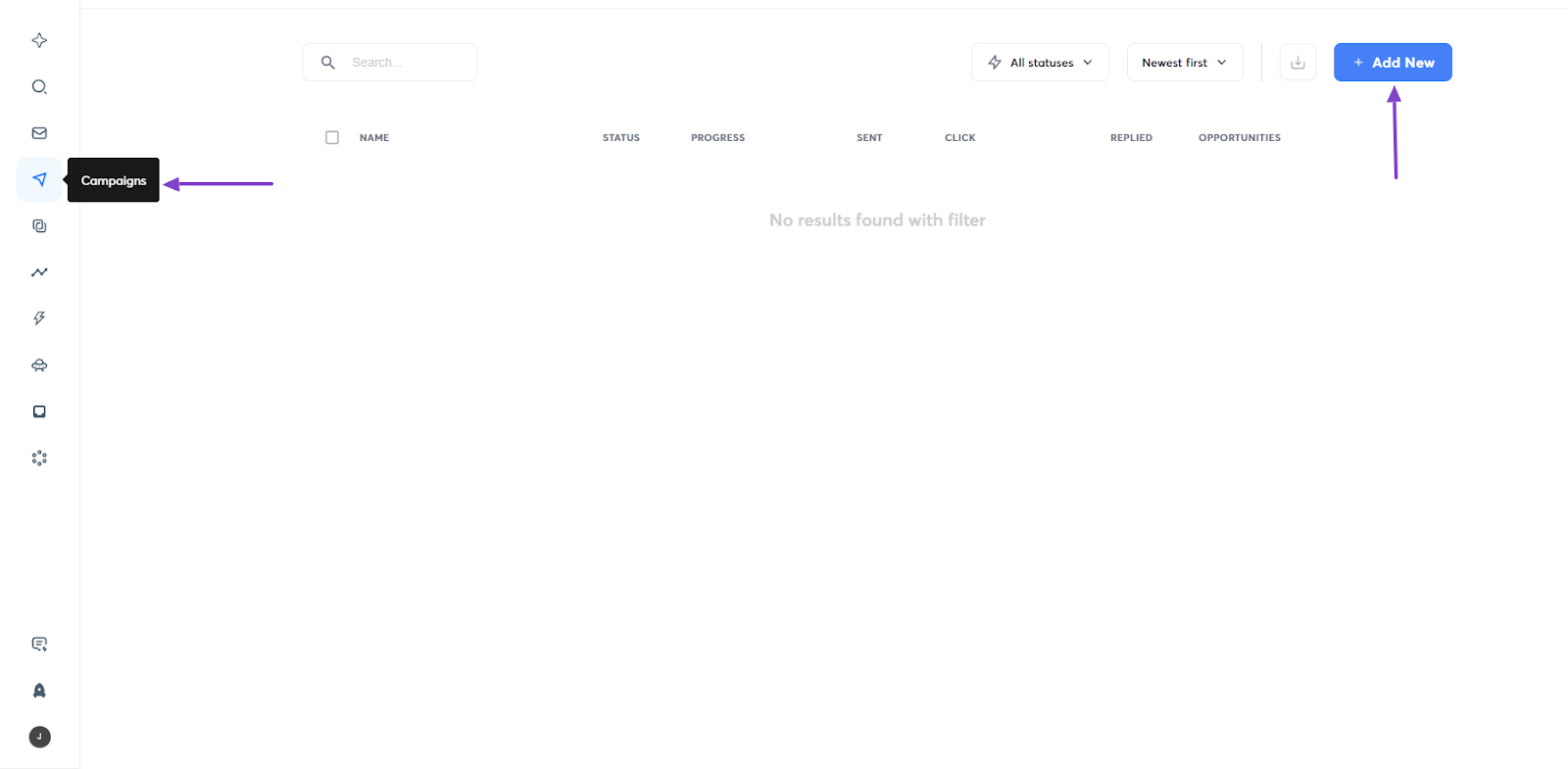
Another interesting feature that Instantly AI offers is the Campaigns. A feature I’m sure you’re already familiar with. Let’s quickly review it.
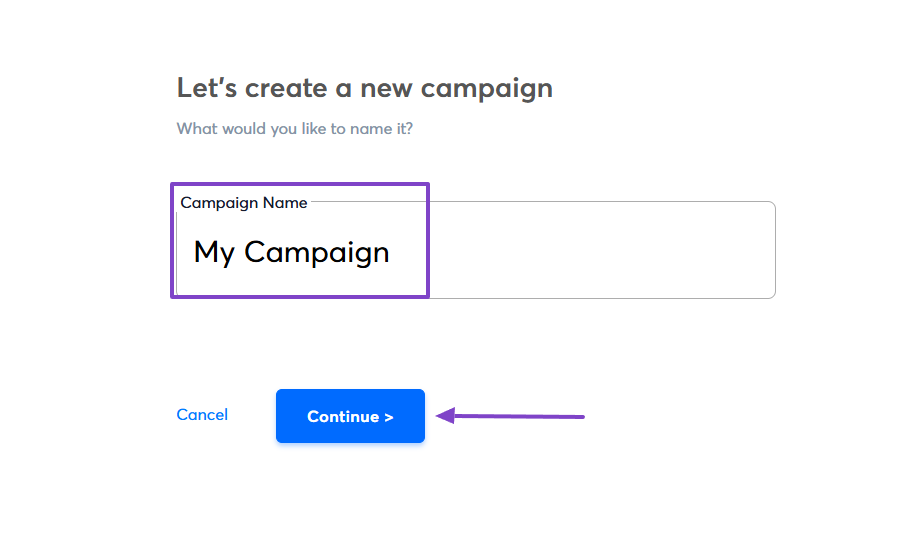
First, click Campaigns on the sidebar, then go to Add new.
Now, enter your campaign name.
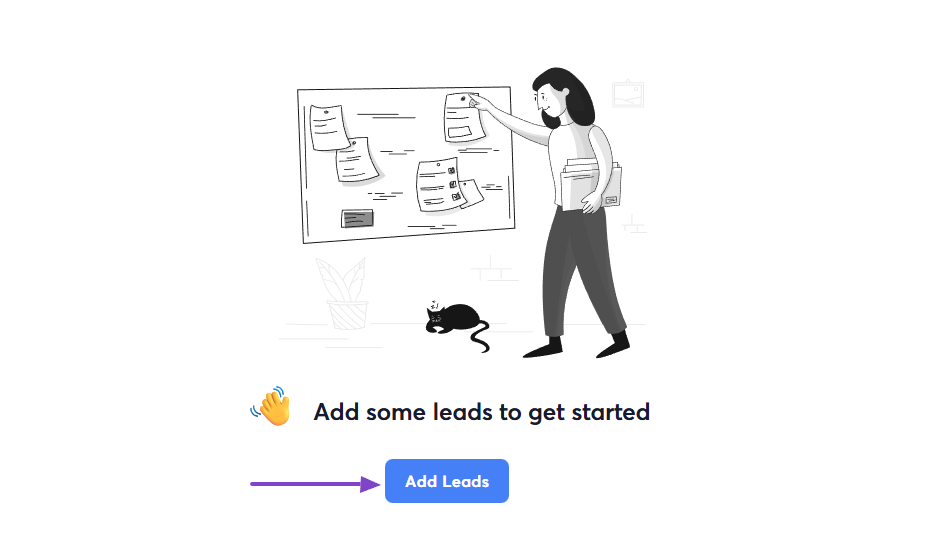
Next, you will add your leads.
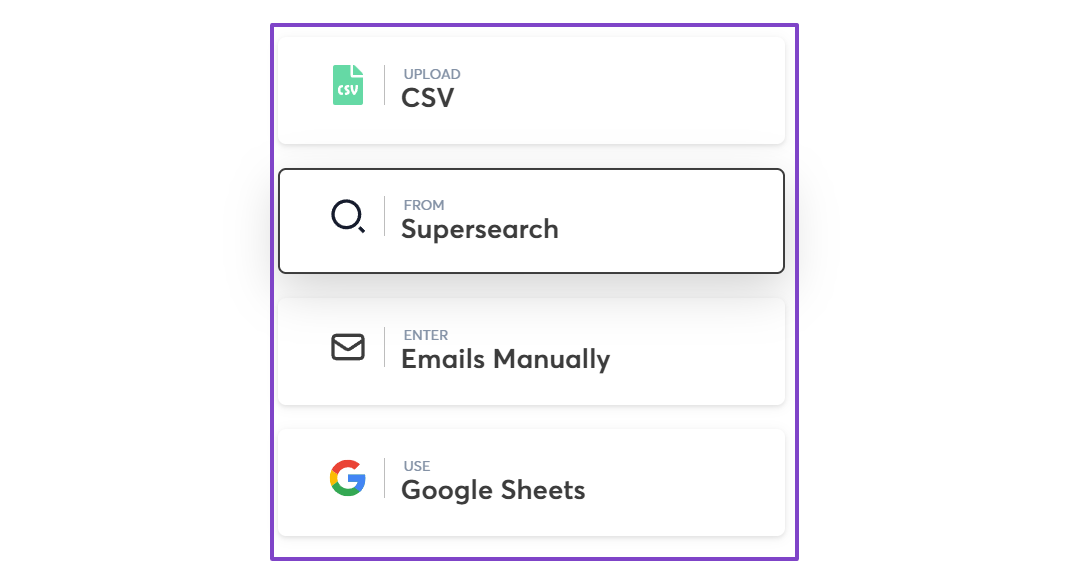
You can upload a CSV file, add them from SuperSearch, Google Sheets, or enter emails manually.
That’s all! You will then customize your message and send it.
What impressed me vs What fell short
| What impressed me 👍 | What fell short 👎 |
|---|---|
| ✅ Allows you to create an AI reply agent that automatically responds to and follows up on your emails | ❌ AI sales agent is not yet operational |
| ✅ Shows your saved searches and recent searches | |
| ✅ Finds emails and automatically updates profiles | |
| ✅ Allows you to add leads to a campaign from CSV files, SuperSearch, Google Sheets, or manually |
Best for
- B2B startups and agencies seeking a tool for cold email outreach and scaling email campaigns.
Pricing
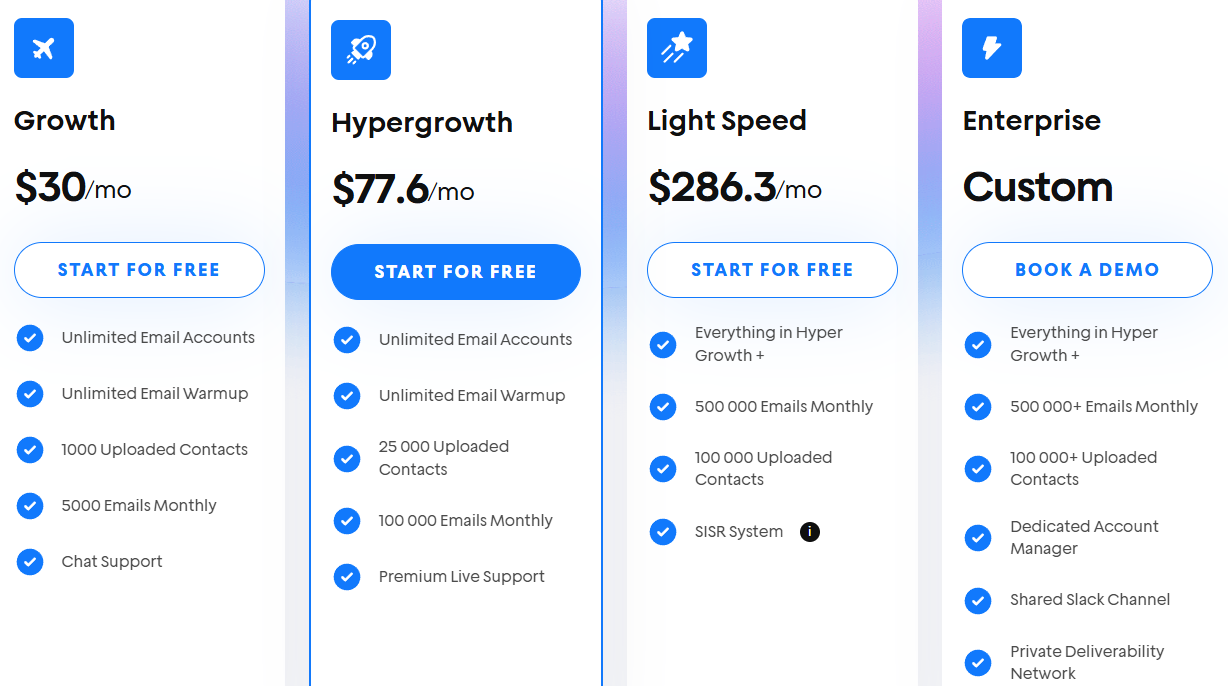
- Growth: $30/month
- Hypergrowth: $77.6/month
- Light Speed: $286.3/month
- Enterprise: Contact for pricing
6. LeadIQ
| Category | Details |
|---|---|
| Personal Rating | ⭐⭐⭐⭐ (4.4/5) |
| Ease of Use | ⭐⭐⭐⭐✨ (4.5/5) |
| Starting Plan Inclusions | 50 credits per month, 1 user |
| Data Accuracy | 92% for email and 90%+ for phone |
| Data Coverage | Live dataset of 750M+ professional profiles updated monthly |
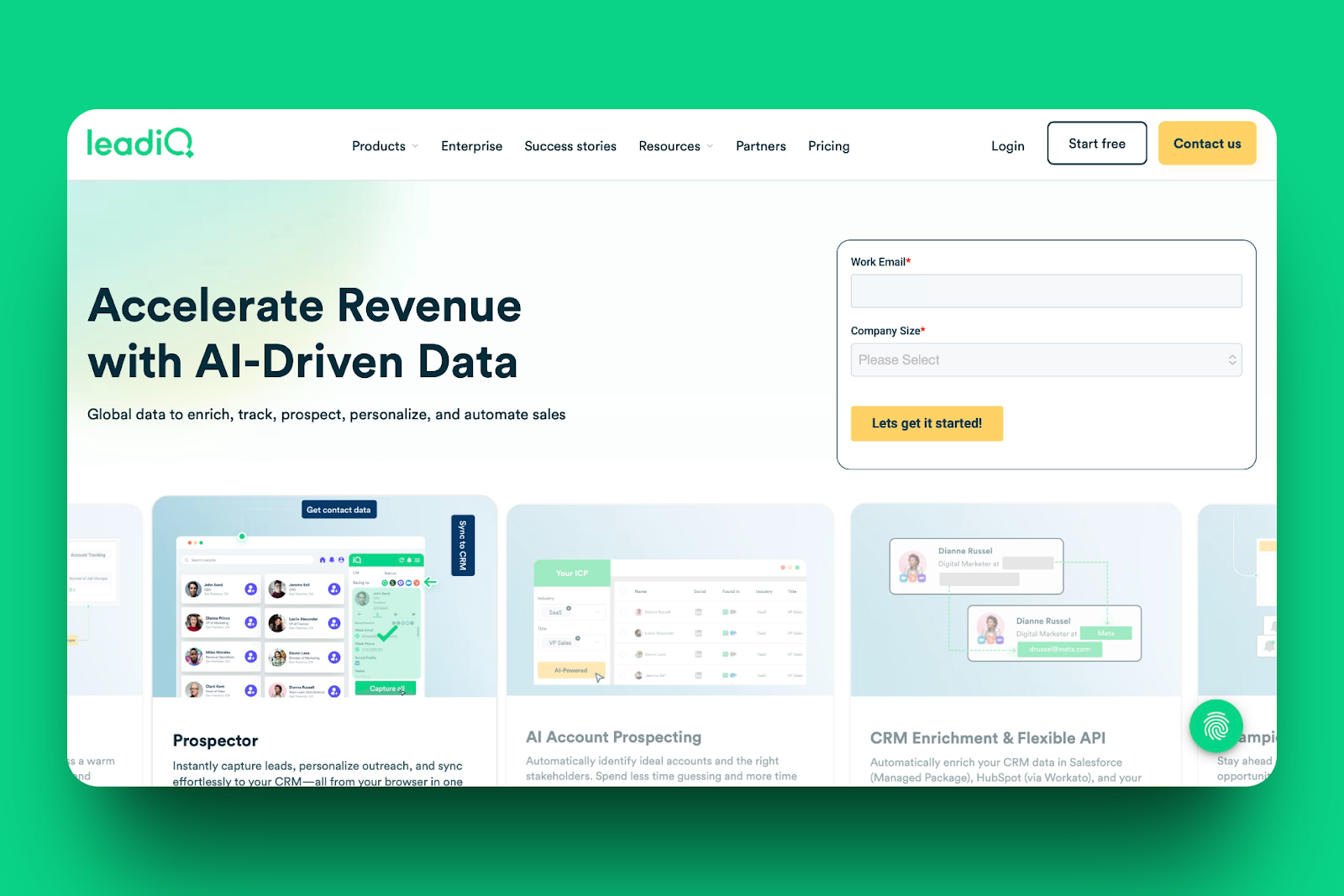
The list of the best sales prospecting tools continues with LeadIQ. B2B sales teams use it to build prospecting lists and automate workflows.
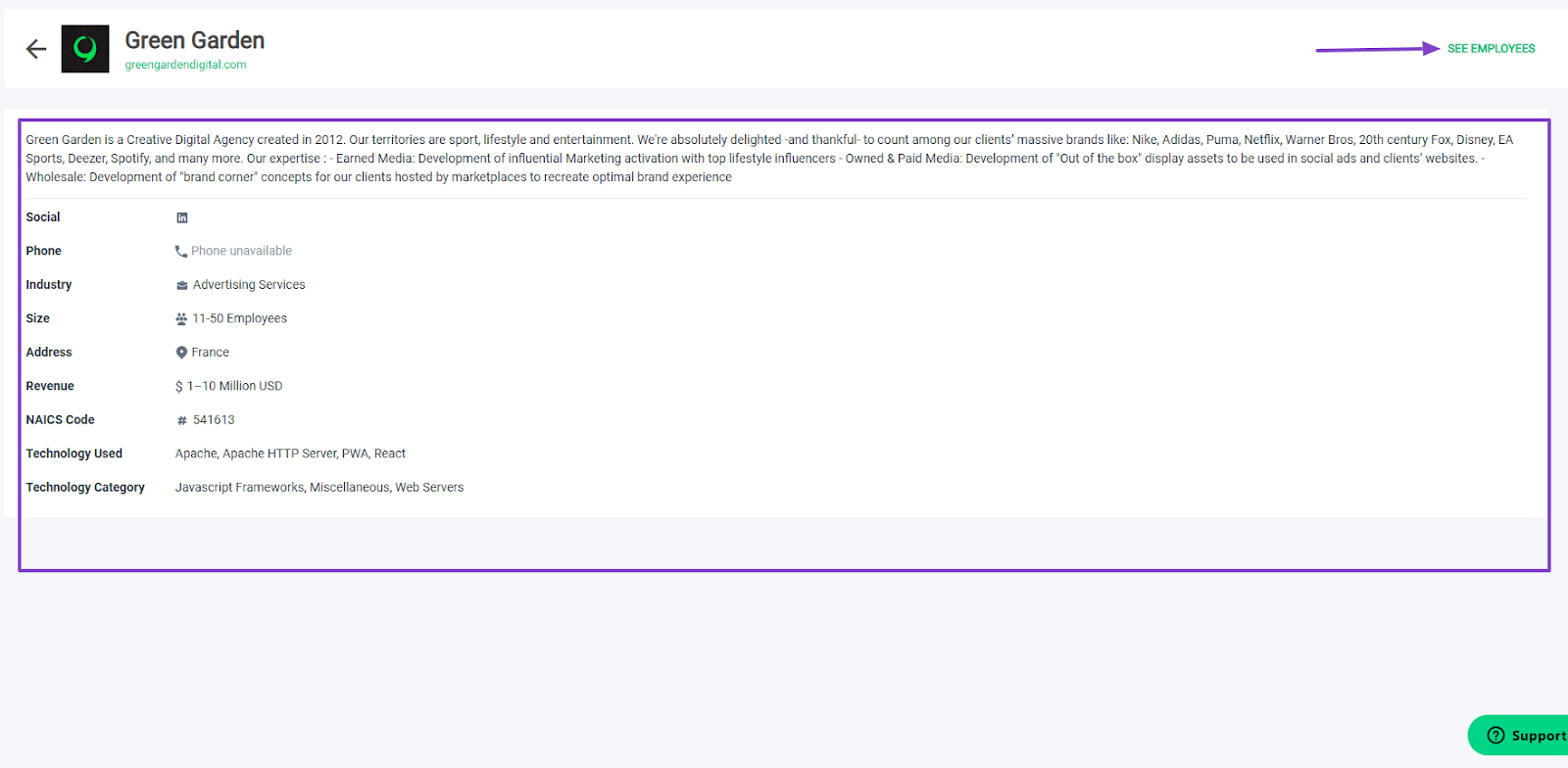
Sometimes when you search for companies, you may get their name and contact information, but without their full description.
LeadIQ lets you see the company's full page.
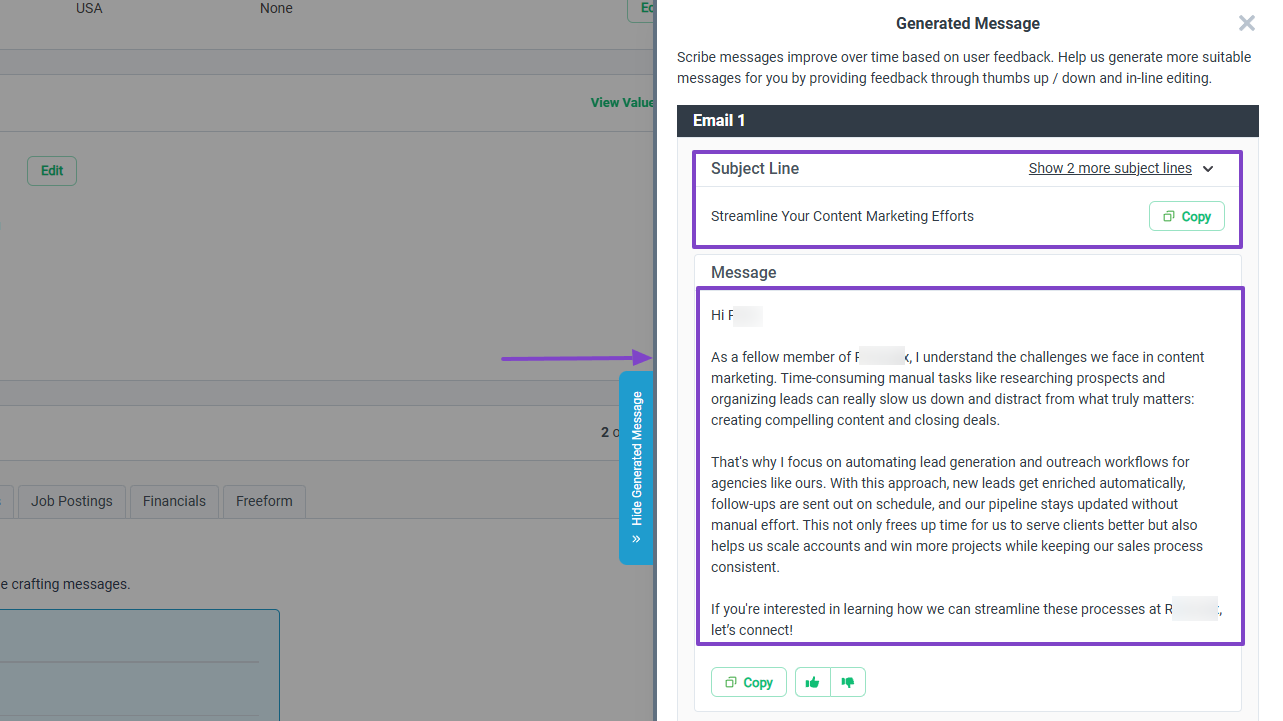
You can generate personalized emails using their Scribe feature.
When generating, the platform will propose at least 3 different emails.
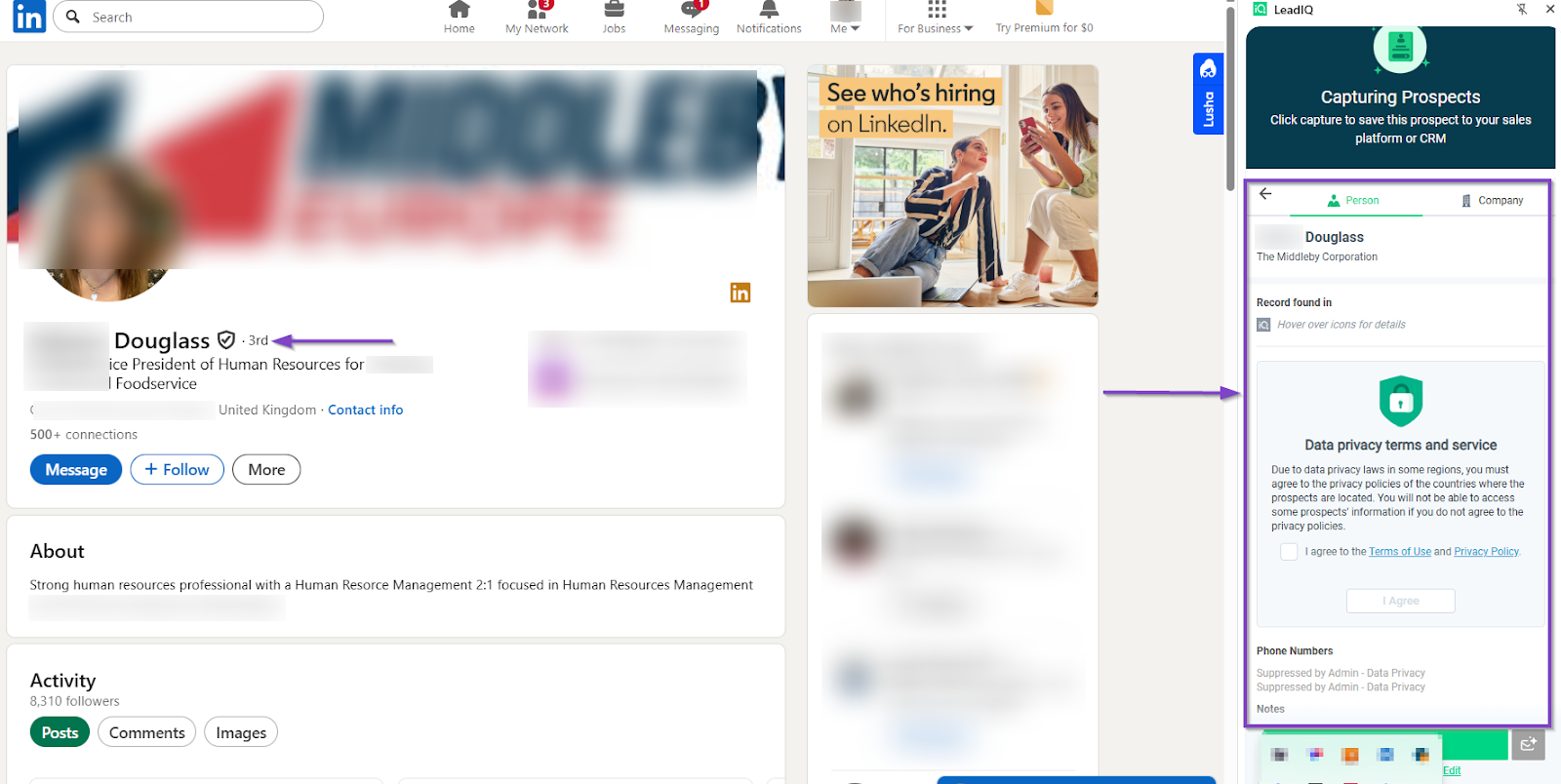
And with the extension, you can pull lots of information from any LinkedIn profile.
Features I admired
1 . Search
When you want to find targeted companies and people on LeadIQ, you must use the different filters it offers: company name or domain, revenue range, industry, technology used, location, and others.
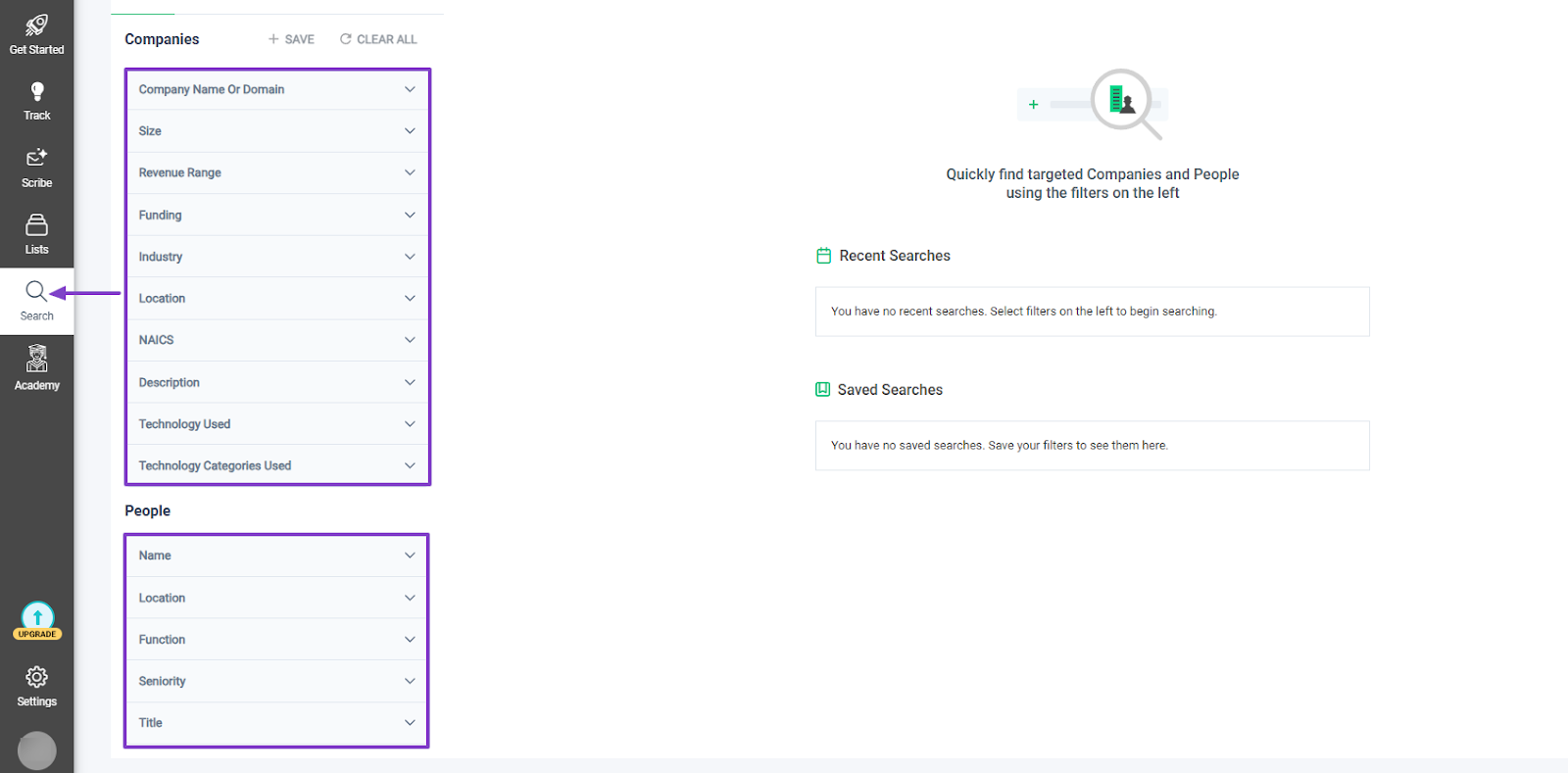
I used a couple of filters like size, revenue range, industry, and location, and the results appeared on the right side of the interface.
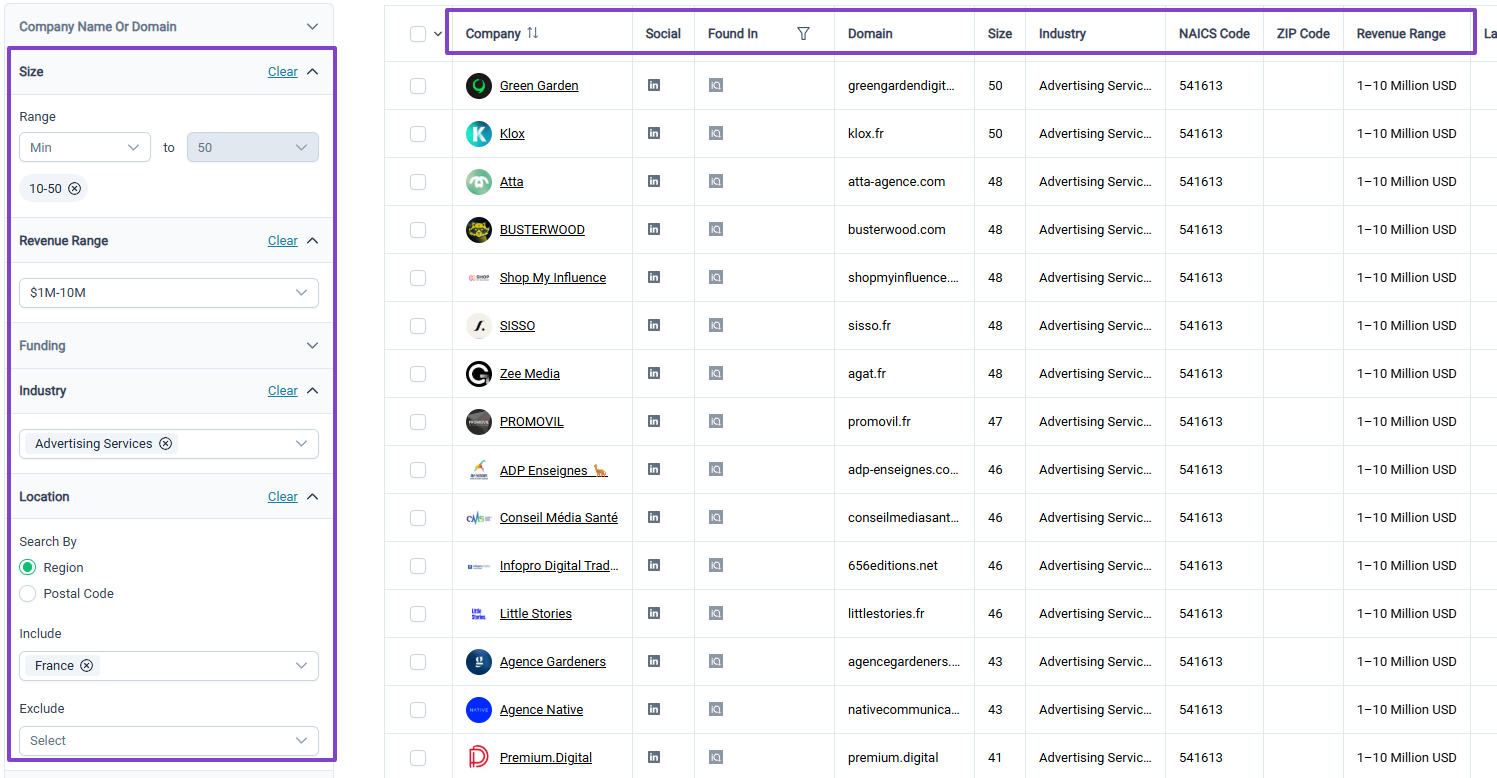
If you click on a company name, you will see more details such as the company’s description and information based on the filters you select.
You can even directly open the company page.
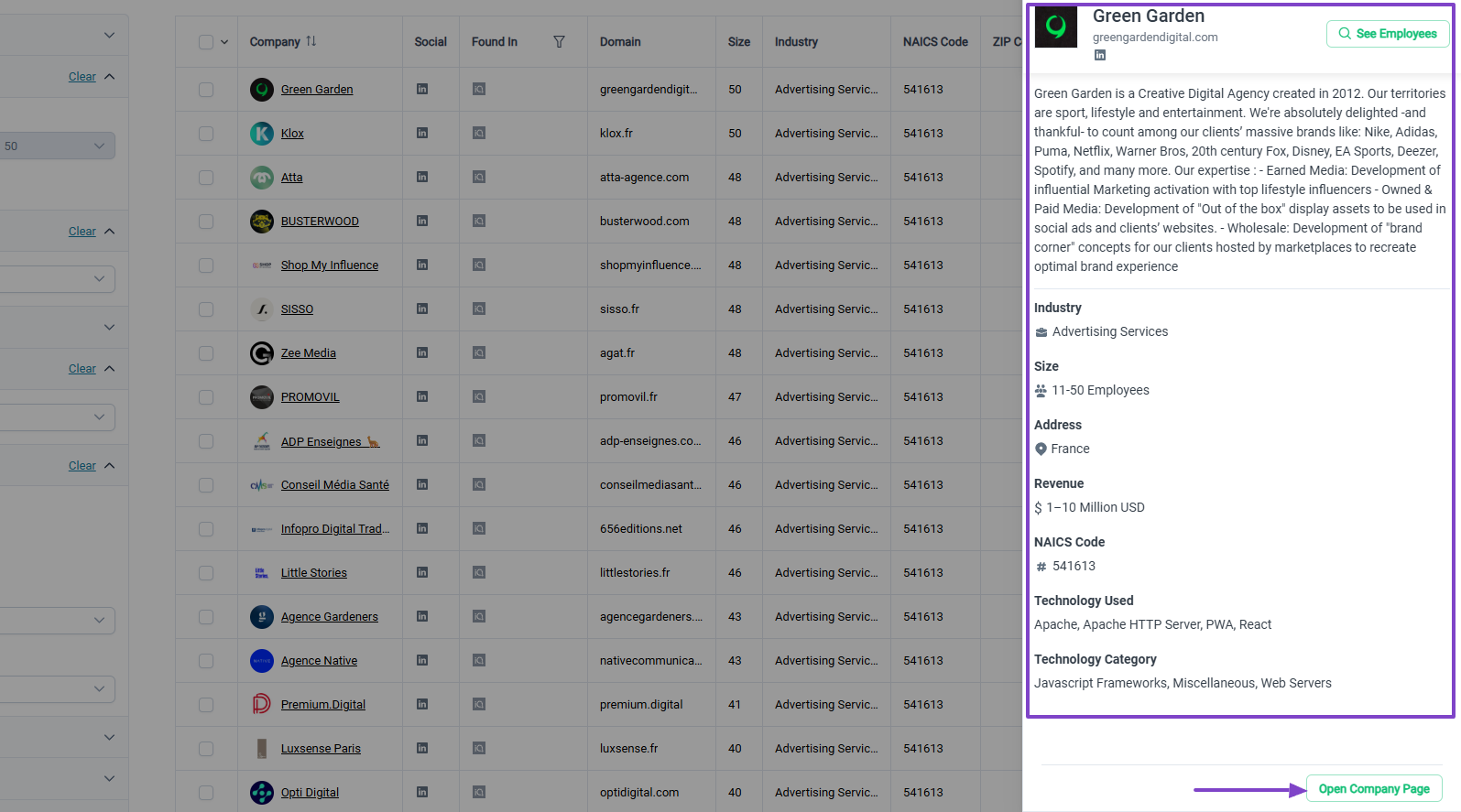
It’ll show the same details with the option to let you see employees.
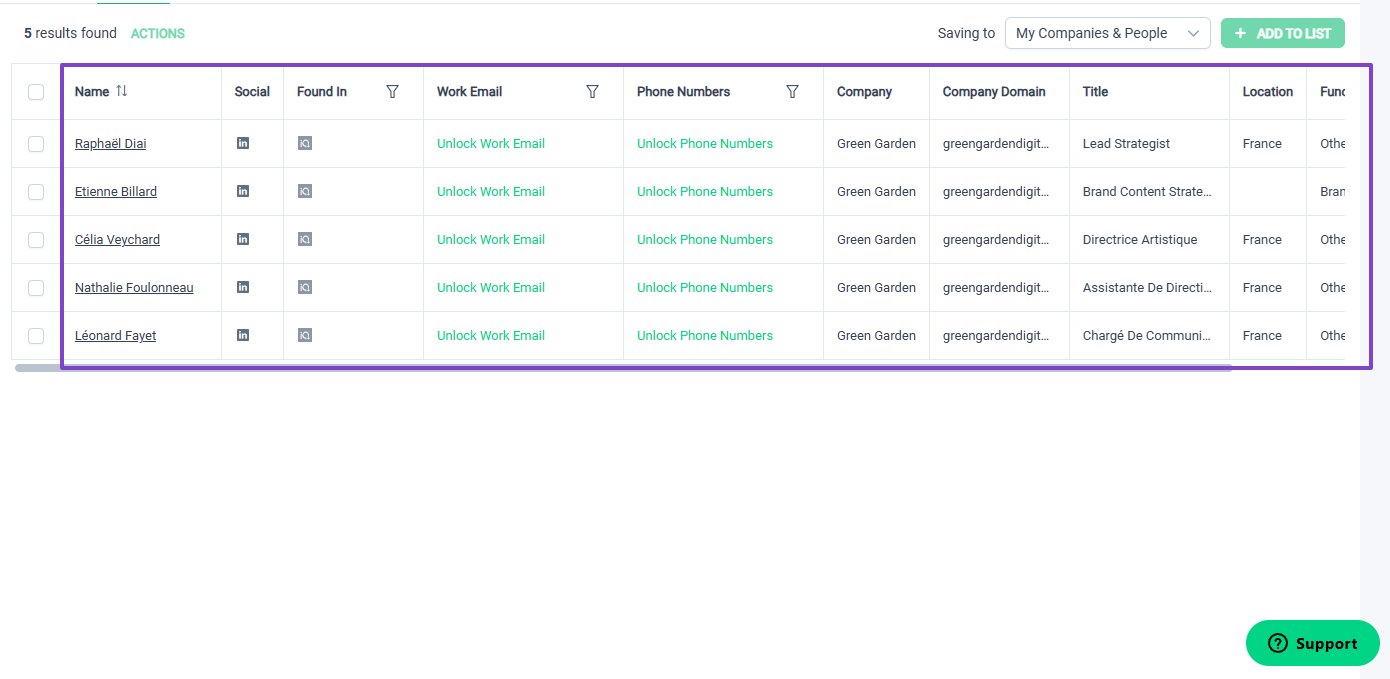
I clicked on it and saw all the employees of the company with their names, social, title, location, and function. I could still unlock their work email and phone number.
2 . Scribe
The Scribe feature on LeadIQ acts as an AI-powered cold email writer that generates outreach messages based on your style and research.
After you click Scribe in the sidebar menu, the next step is to install the extension.
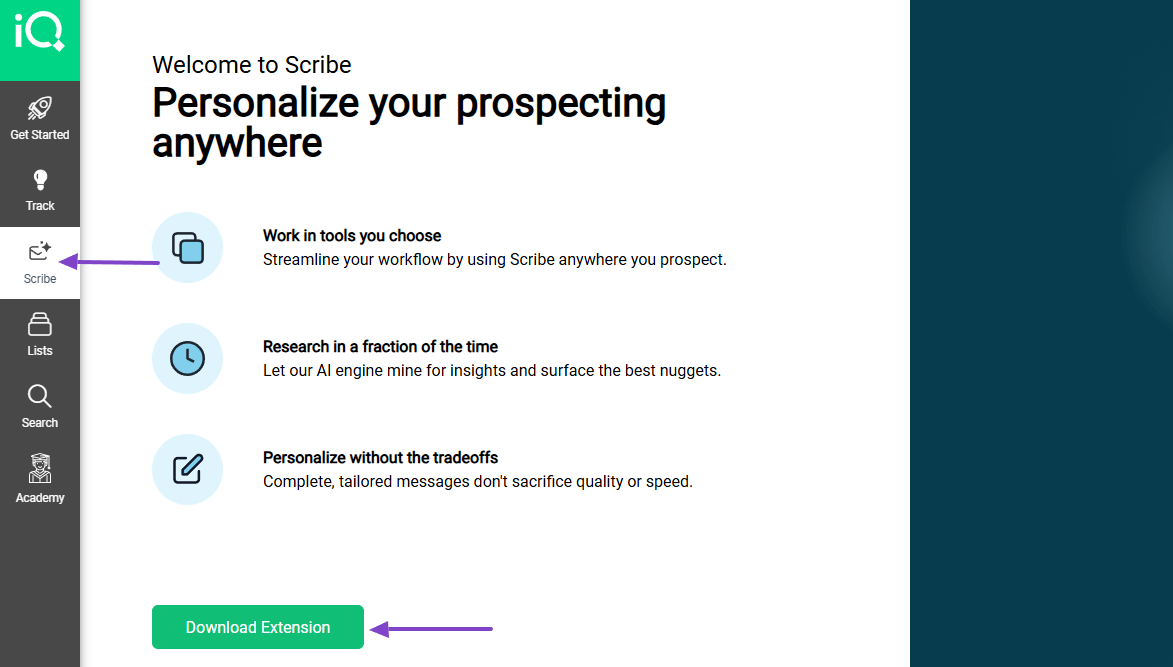
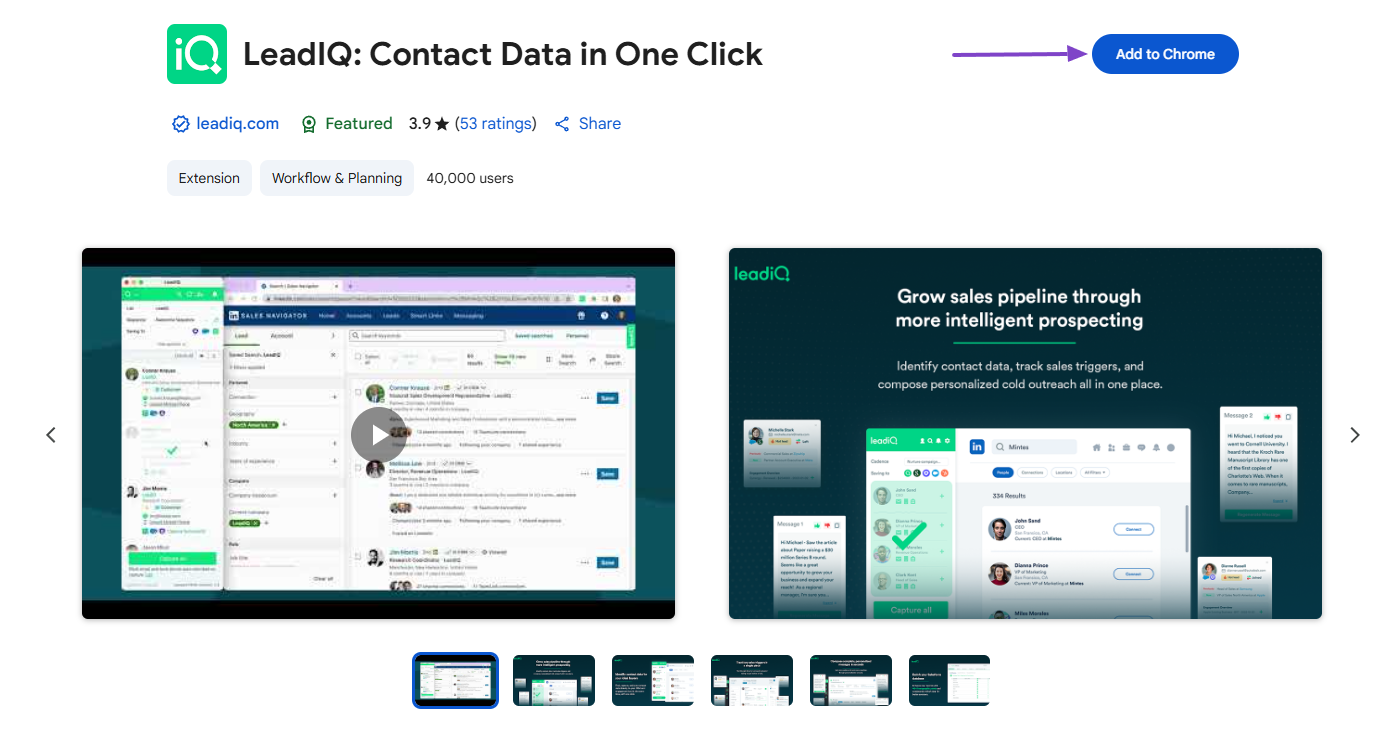
Let’s add the extension.
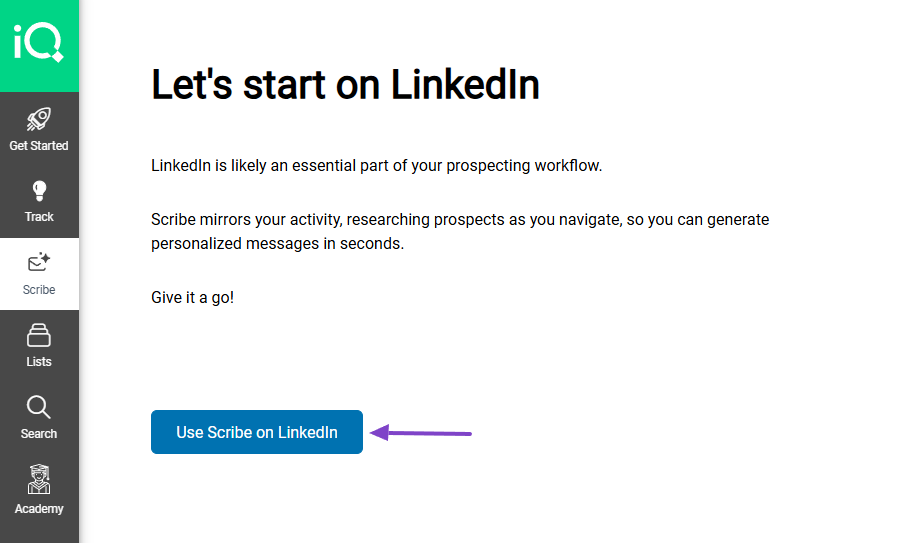
You can agree to use Scribe on LinkedIn.
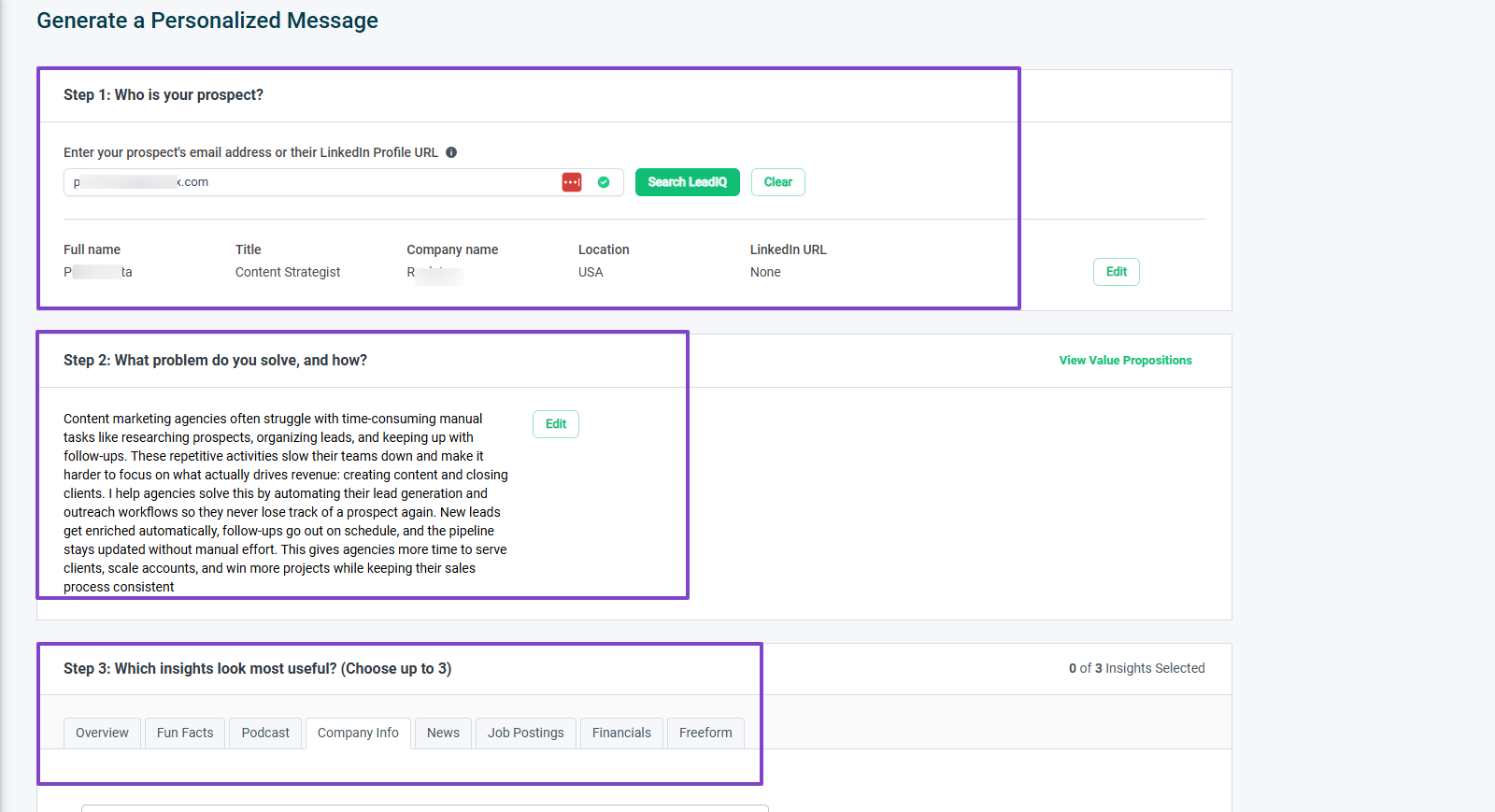
Now, to generate your personalized message, you can enter the prospect’s email address or LinkedIn profile URL.
You will then briefly explain the problem you want solved and how you want AI to go about it. The last step is to choose the insights that look the most useful (this will help the AI tailor its message).
The AI will generate 3 different subject lines and messages. Once you see the one you like, you can simply copy it.
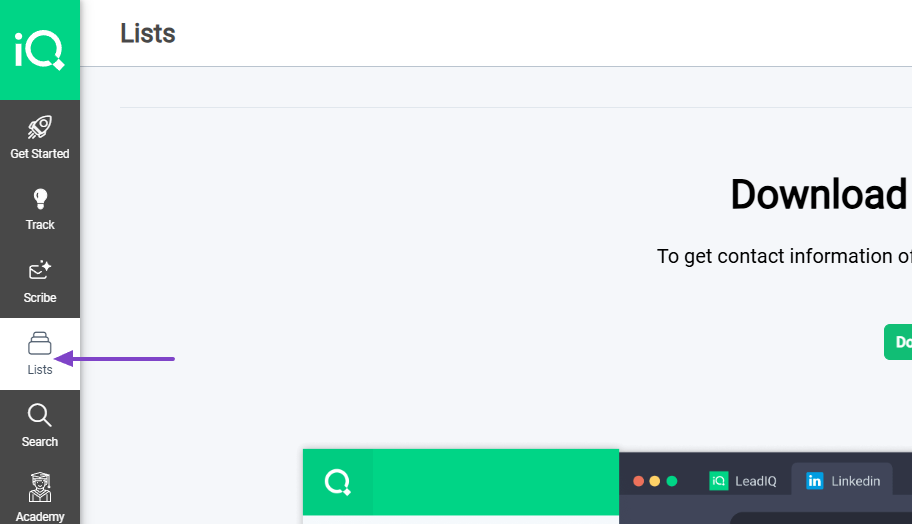
3 . Lists
The Lists feature helps you capture leads, organize, and manage them. You can use the extension we downloaded earlier to capture those leads on LinkedIn.
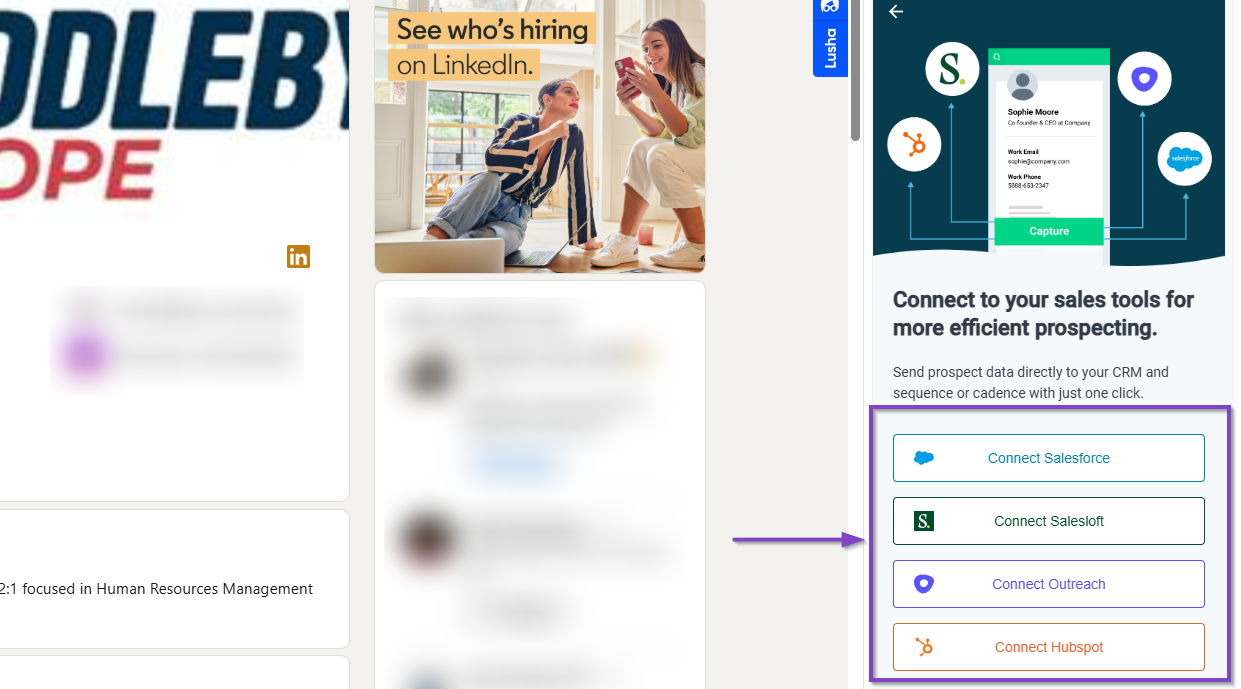
Once on a LinkedIn profile, click the extension. Information about the profile will appear inside the extension box.
You can also send your prospects directly to your different sales tools like HubSpot, Salesforce, Outreach, or Salesloft.
What impressed me vs What fell short
| What impressed me 👍 | What fell short 👎 |
|---|---|
| ✅ Allows you to view the company’s full page in your search | ❌ The List feature can be a bit confusing, especially if it’s your first time using it |
| ✅ Generates up to 3 different emails per request for cold emailing | ❌ You can’t access some prospects’ information unless you agree to the data privacy terms and service |
| ✅ Comes with an extension that pulls data from prospects’ LinkedIn profiles | |
| ✅ Connects with Salesforce, Outreach, HubSpot, and Salesloft |
Best for
- B2B sales teams seeking to build prospecting lists and automate workflows.
Pricing
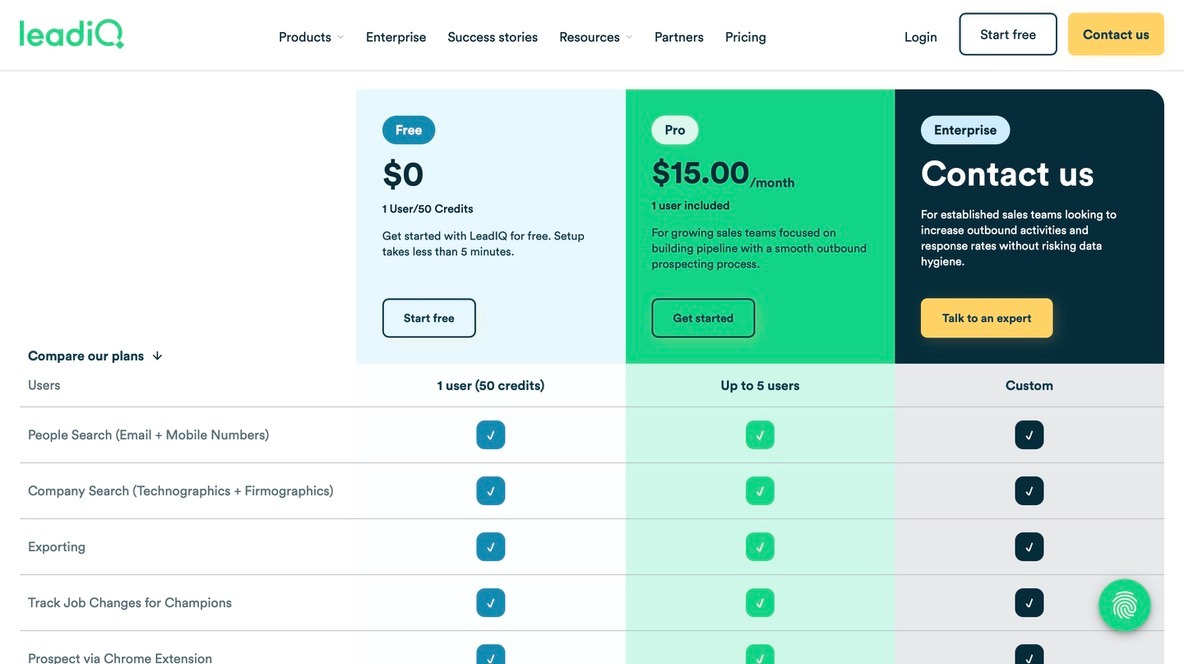
- Free: $0
- Pro: $15/month
- Enterprise: Contact for pricing
7. UpLead
| Category | Details |
|---|---|
| Personal Rating | ⭐⭐⭐⭐✨ (4.5/5) |
| Ease of Use | ⭐⭐⭐⭐ (4/5) |
| Starting Plan Inclusions | 5 free credits, Chrome extension, real-time verification |
| Data Accuracy | 95% (money-back guarantee) |
| Data Coverage | 160M+ verified B2B contacts, 16M+ companies globally |
Our next pick is UpLead, a B2B contact and company database built around one core promise: every email it hands you gets verified in real time before it lands in your list, so you're not stuck cleaning bounces after the fact.

Features I admired
1. Prospector search and filters
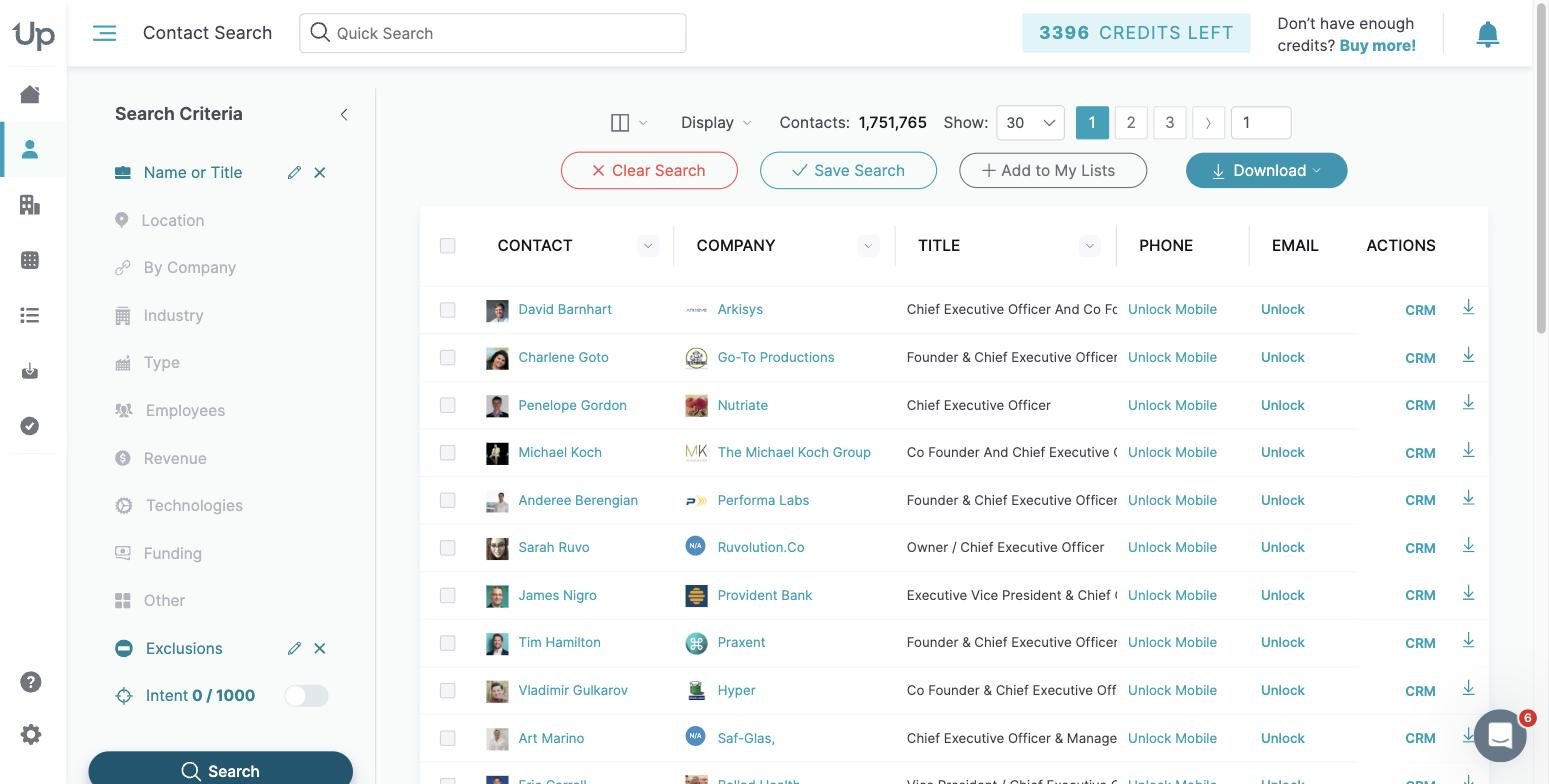
UpLead's Prospector lets you build a list from 50+ filters (job title, seniority, industry, company size, revenue, technographics, intent signals) and see a live match count update as you narrow it down. Instead of exporting a raw dump and hoping for the best, you can eyeball exactly how big your segment is before spending a single credit.
2. Real-time email verification
This is UpLead's signature feature: emails are checked against live mail servers at the moment you pull the contact, not against a static database that goes stale in weeks. UpLead backs this with a 95% accuracy guarantee and refunds credits on any bounce, which took the guesswork out of list quality for me.
3. Chrome extension
The browser extension surfaces verified contact and company data directly on LinkedIn profiles and company websites, so you can prospect without tabbing back and forth into a separate app. It's a small thing, but it noticeably sped up manual research sessions.
What impressed me vs What fell short
| What impressed me 👍 | What fell short 👎 |
|---|---|
| ✅ Real-time verification catches bad emails before you pay for them | ❌ No built-in sequencing or outreach automation, since it's a data layer, not a sender |
| ✅ Technographic and intent filters help prioritize accounts that are actually in-market | ❌ Free plan is capped at 5 credits, so testing depth is limited |
| ✅ Chrome extension makes in-the-moment prospecting fast |
Best for
- Sales and marketing teams that prioritize data accuracy over built-in outreach automation, and want to plug verified contacts into whatever CRM or sequencer they already run.
Pricing
- Free: $0/month (5 credits)
- Essentials: $99/month
- Plus: $199/month
- Professional: Custom pricing
What is a Sales Prospecting Tool?
A sales prospecting tool is any software that helps teams identify, research, and find potential customers efficiently.
If you are testing the category before committing budget, there are 18 free prospecting tools you can run today without a card.
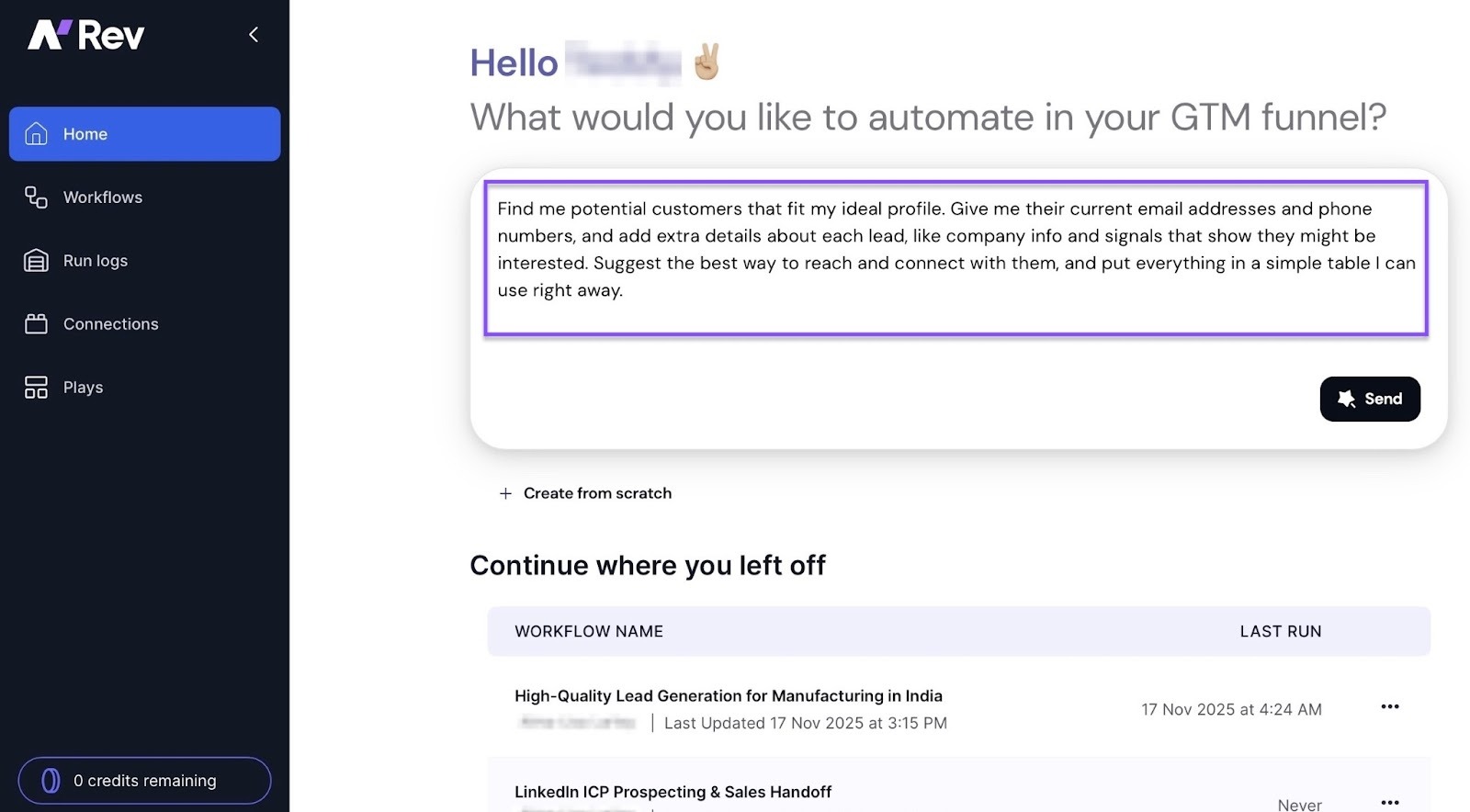
Simply put, it finds people who match your target profile or the individuals and companies you want to reach, attract, and sell to. Then it pulls data from various sources, provides accurate contact information, and automates outreach.
Software like Apollo, nRev, Clay, Instantly AI, Lusha, and LeadIQ are all sales prospecting tools. And they are used by sales reps, business development teams, founders, and small business owners.
Some sales prospecting tools have data coverage of 250M+ verified B2B contacts, so of course, it’s used by B2B companies.
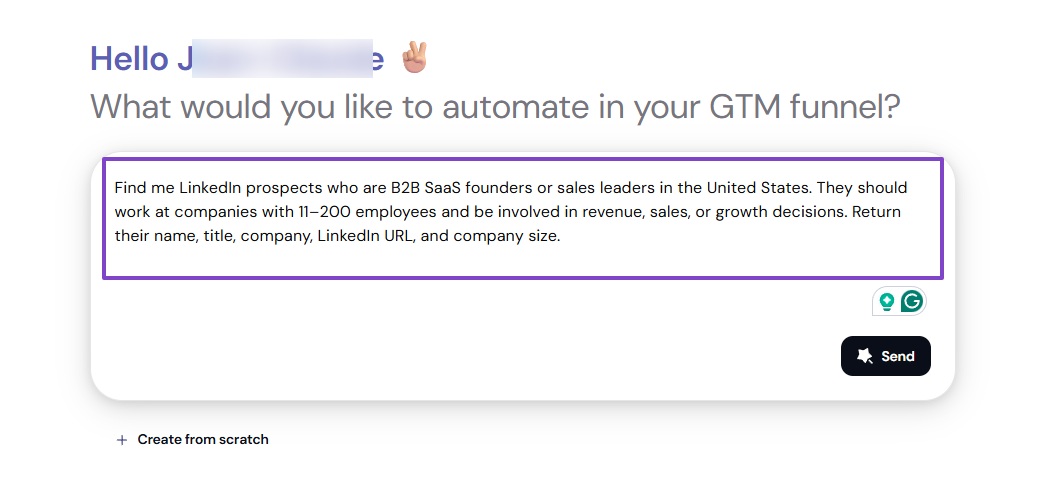
But sales prospecting tools aren’t created the same. For example, with nRev, you can describe what you want to achieve in plain English and let the AI build your workflow.
Apollo lets you search for people using various filters like name, job title, location, or company.
And you can generate personalized messages on LeadIQ for cold emails.
Now, let’s say you’re selling a productivity app to marketing teams, and you want to find them on LinkedIn. This is what it looks like without a sales prospecting tool.
You will probably use the search bar on LinkedIn and manually type “Marketing managers”.
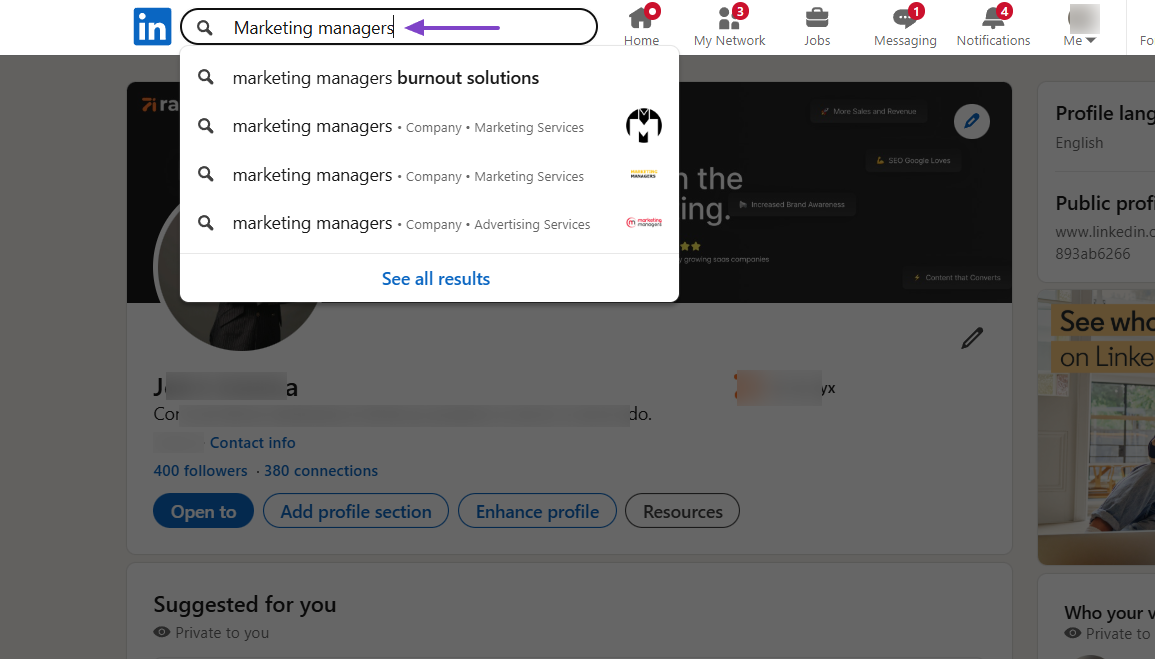
Then, you will see a list of marketers, but that’s just the beginning. You will then need to filter them out by location, companies, size, and more.
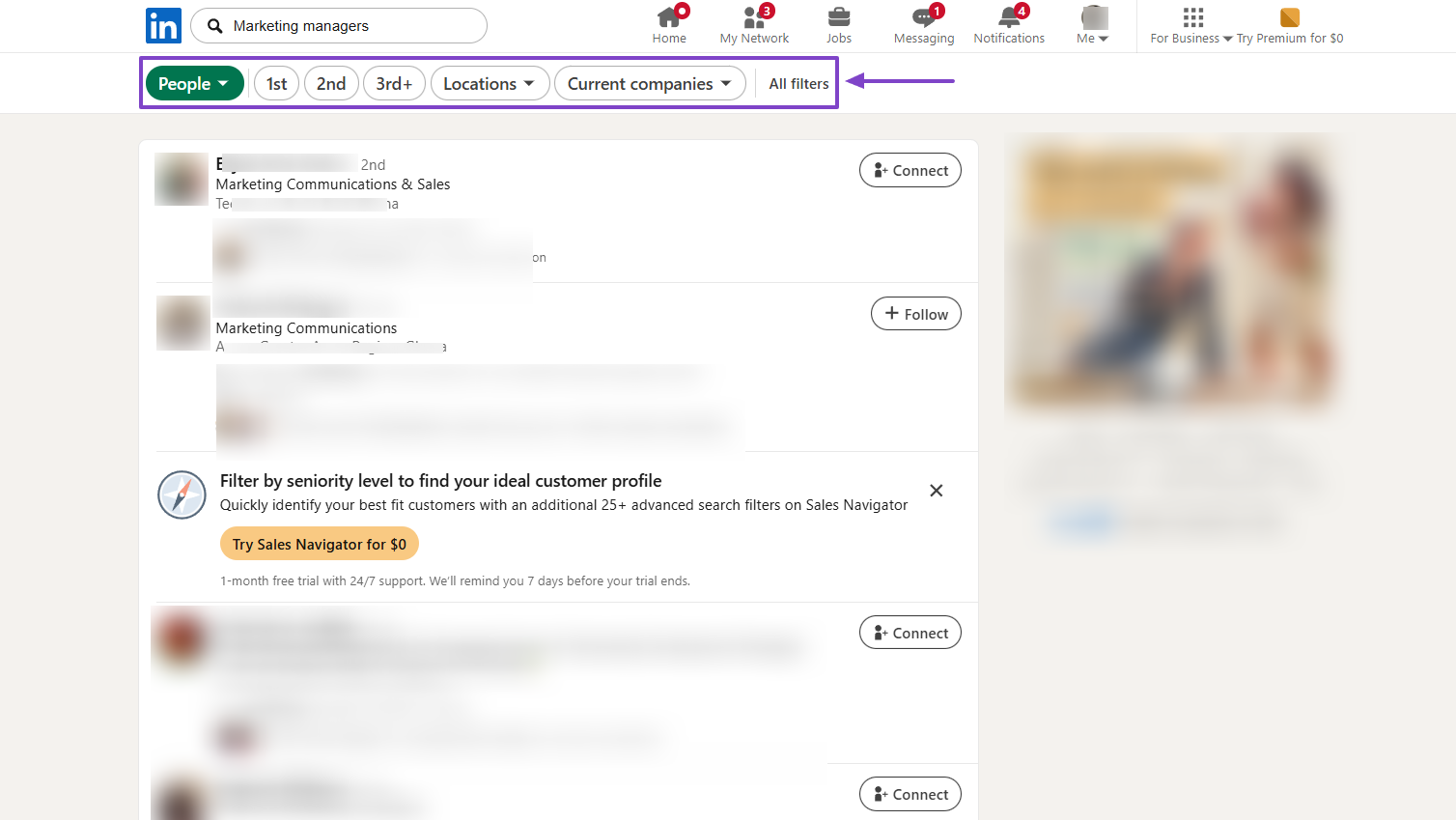
After that, you will look at each one individually, check their profile, and decide whether to engage with them or not. This whole process will take you hours.
On the other hand, with a sales prospecting tool, you can simply enter a prompt like:
“I want you to act as a LinkedIn sales assistant. Your job is to search LinkedIn for potential prospects based on these filters:
- Job titles: Marketing Director, Head of Sales, VP of Growth
- Industry: SaaS, B2B, Tech
- Location: United States or Europe
- Company size: 11–200 employees
When you find a relevant prospect, extract their:
- Full name
- Job title
- Company name
- LinkedIn profile link
Then, email me a short notification summarizing the new lead.”
The AI builder will organize your prompt into nodes.
Then it’ll create a perfect workflow.
This is way more efficient than doing all of this manually.
And one interesting thing about sales prospecting tools is that they often connect with each other. For example, nRev integrates with Apollo, Instantly AI, and Lusha.
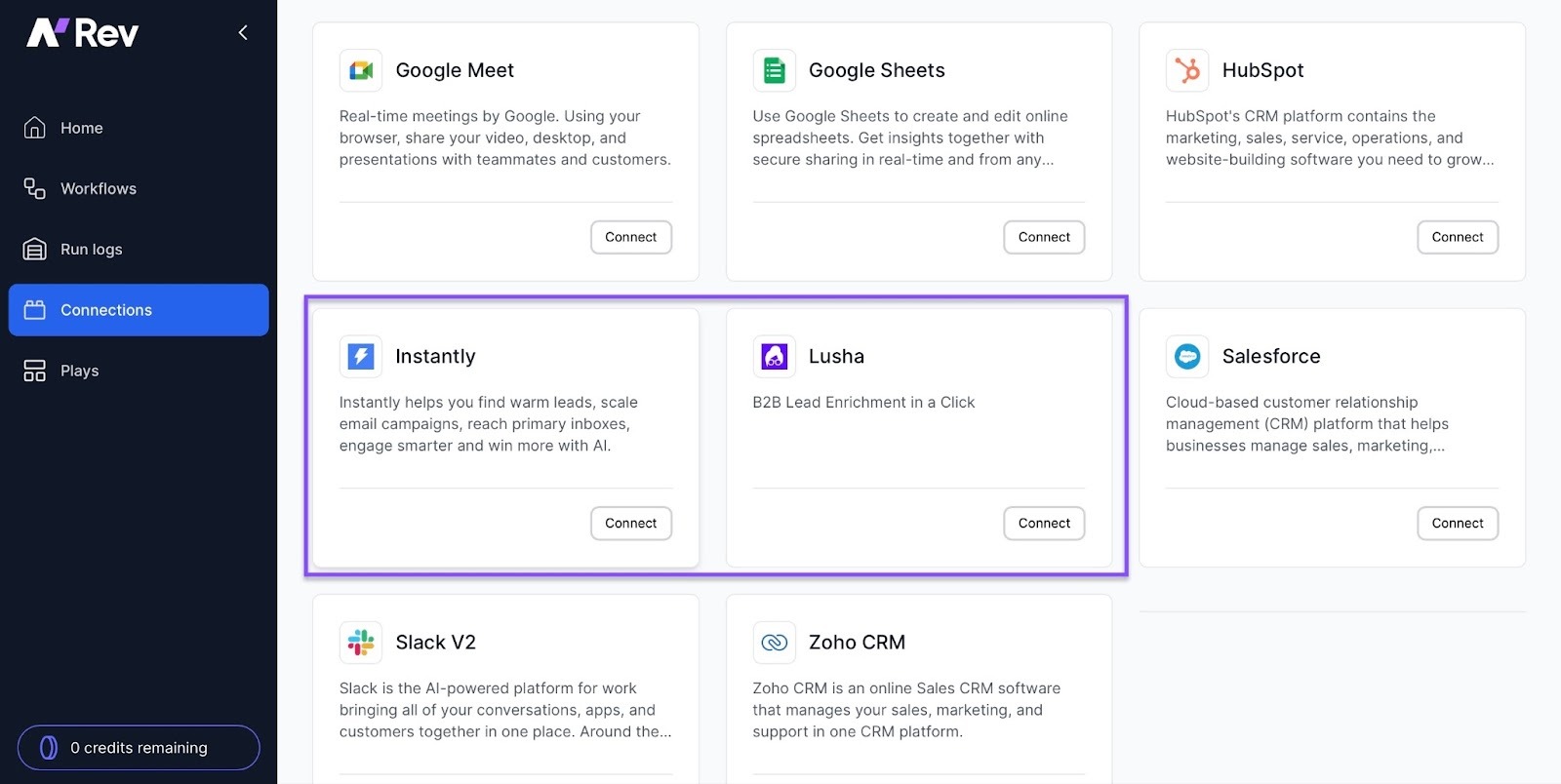
This means your GTM team doesn't have to transfer data between tools. They can also run sales campaigns without juggling many platforms.
Clearly, the best sales prospecting tool will make your workflow smooth, help you make quick decisions, and improve lead targeting.
Eventually, that will be good for your revenue.
Best Enterprise Sales Prospecting Tools
The best enterprise sales prospecting tools are nRev, Apollo.io, Clay, and LinkedIn Sales Navigator.
They have the features enterprises need, like data enrichment, automation of GTM/ RevOps workflows, people & company search filters, integration with CRMs, and enterprise systems.
Here are their main use cases:
nRev AI: Enterprises use it for GTM or RevOps automation, like building workflows and automating lead/enrichment processes.
The best part is that to conduct enterprise-level automation, you could further integrate nRev with Lusha or Apollo. That instantly gives you access to global data coverage without switching tools.
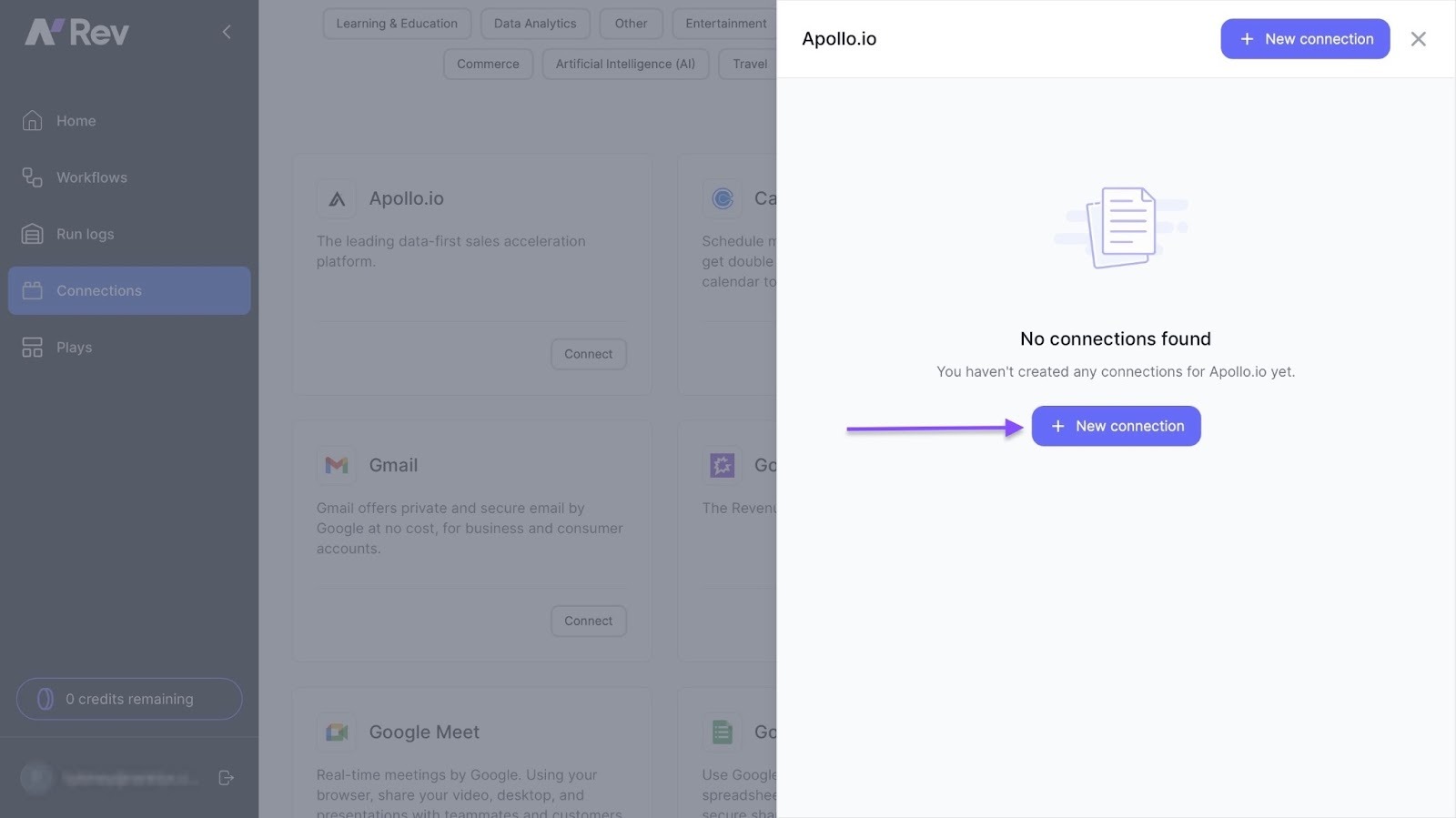
Apollo.io: Mainly used for lead generation and sales engagement with outreach automation. You can access verified B2B contact data and run automated outbound sequences.
Clay: Enterprises use it for data enrichment and workflow automation. It can build customized lead lists and enrich them automatically.
LinkedIn Sales Navigator: Mostly used by B2B sales professionals to find leads via LinkedIn’s network through advanced search filters. Sales Nav also shows you real-time insights on job changes and post updates.
Let’s compare each of them thoroughly in a table.
| Feature | nRev AI | Apollo.io | Clay | LinkedIn Sales Navigator |
|---|---|---|---|---|
| Core Use Case | GTM and RevOps automation: building workflows and automating lead and enrichment processes | Lead generation and sales engagement: database of contacts and accounts with outreach automation | Data enrichment and workflow automation: build lists, enrich contacts, and trigger workflows | Finding leads through LinkedIn’s network: advanced search filters, lead recommendations, and CRM integrations |
| Key Strengths | Automates complex GTM operations with data-model-aware, drag-and-drop workflows | Huge B2B contact and company database, outreach automation, and integrations with CRM, email, and phone sequences | Deep enrichment from many sources, effective list refinement, AI-led research, and flexible workflows | Strong professional network and relationship graph, making it effective for finding decision-makers and building lists |
| Key Limitations | Possibly less proven, may require you to define workflows yourself, and may be more suited to operations than pure SDR outreach | Some users report bounce-rate and data-quality issues during bulk outreach | May require more setup and refinement to use workflows effectively and may not offer outreach automation as deep as dedicated tools | Does not always provide complete contact details by default, has a higher cost, and comes with a significant learning curve |
| Ideal For | RevOps teams, GTM engineers, and companies that want to automate end-to-end workflows beyond list building | Sales teams that want to find and engage leads through emails and calls within one tool | Teams focused on list building, enrichment, intent signals, and custom workflows before outreach | Sales professionals and teams focused on LinkedIn, relationship-driven prospecting, and network leverage |
| Pricing and Entry Cost | Free tier for new workspaces with 1,000 free credits | Freemium available, with paid upgrades for full features | Pricing is not clearly standardized publicly, with value focused on enrichment workflows | Core plan starts at around $99.99 per month |
| Best Fit for Your Stack | Best when you want to connect internal GTM systems and automate the data and operations behind content-to-sales pipelines | Best when you want to generate leads and run outreach for blogs, lead magnets, and client campaigns | Best when you need rich, clean lead lists and enrichment before outreach | Best when you want to use professional networks, build relationships, and target C-suite decision-makers for SaaS clients |
Best Sales Prospecting Tools for Small Businesses
The best sales prospecting tools for small businesses are nRev AI, Apollo.io, Instantly AI, and Clay. They offer features appropriate for small businesses, such as AI agents, workflow automation, email sequences, and CRM integrations, among others.
nRev AI: Small businesses use it to automate go-to-market workflows, especially for revenue operations (RevOps).
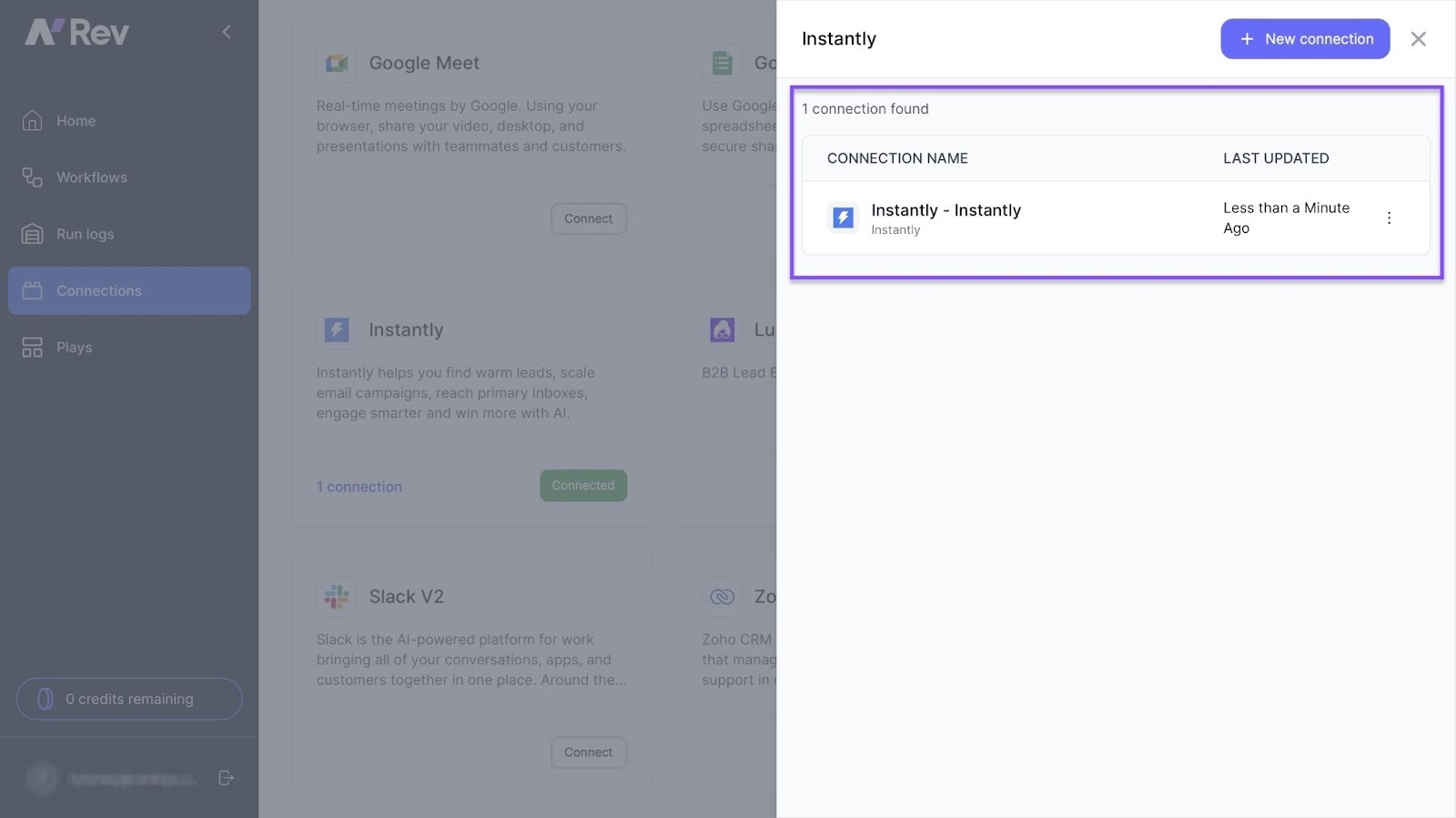
It integrates with Instantly AI, allowing you to automatically warm up inboxes and keep your cold email campaigns running smoothly.
Apollo.io: They use it for broad prospecting and outreach sequences. With Apollo’s rich contact database and advanced filters such as Persona, they can find prospects.
Instantly AI: Used for cold email outreach, scaling email campaigns, and sending AI-driven sequences.
Clay: Data enrichment and workflow automation. Small businesses can enrich contact and company profiles.
They can also use Clay’s AI assistant, Sculptor, to build lead lists.
Here’s a table for a better view.
| Sales Prospecting Tool | Primary Strength | Core Features | Pricing / Suitability for Small Business | Things to Watch |
|---|---|---|---|---|
| nRev AI | Automating go-to-market workflows, especially for revenue operations | AI-driven agents, workflow automation, enrichment, and CRM and operations integrations | Free tier with 1,000 credits to start and usage-based scaling. Suitable for businesses with operational workflows to automate | Might be overkill if you only need simple prospecting or outreach. It is more operations-heavy than a pure outreach tool |
| Apollo.io | Broad prospecting database and outreach sequences, making it a strong all-rounder | Contact database, advanced filters, email sequences, and CRM integrations | Free plan available for testing. Basic plan costs around US $49 per user per month when billed annually, making it suitable for small teams | The credit-based system means costs can rise as you scale. Data quality and filtering also matter for small teams |
| Instantly AI | Cold email outreach, deliverability, and scaling email campaigns | Lead finder, email warm-up and deliverability tools, outreach automation, and AI-driven sequences | Starts with affordable plans, making it suitable for small businesses running outbound campaigns | Focuses more on email outreach than full-funnel workflows or data richness. It requires a strong ICP and effective messaging |
| Clay | Data enrichment and workflow automation for cleaning lead lists and preparing them for outreach | Contact and company enrichment, signals and triggers, list building, and integrations with existing tools | Suitable when you already have leads and need better data. Pricing varies, so you may need to define a budget | Offers limited outbound sequencing, so you will need another outreach tool when using Clay independently |
How to Choose the Right Sales Prospecting Software
To choose the right sales prospecting software, you should:
- Assess Your Sales Needs and Goals
- Evaluate Key Software Features
- Consider Sales Automation
- Check Data Security
Let’s look at each one more carefully.
1 . Assess Your Sales Needs and Goals (Budget, Team Size, Goals)
If you want to choose the right sales prospecting software, you should first assess your sales needs and goals.
If I were you, I would ask myself this question:
“What exactly do I want this sales prospecting software to help me achieve?”
This, when answered, will lead me to consider three major aspects: budget, team size, and goals.
1 . Budget
Sales prospecting tools offer different price ranges, and most of them start from free tiers, and others even offer 1,000 credits to start with.
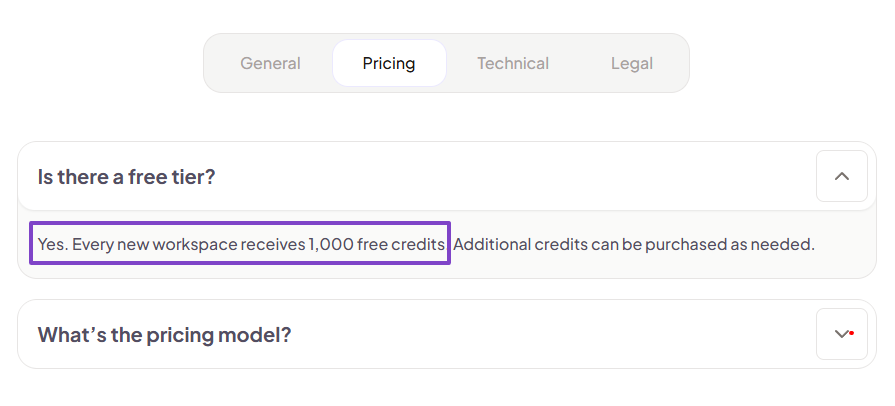
For as little as $15 per month you can get 2,500 credits.
You must consider the budget, bearing in mind that it should match the tool’s value.
I’m not asking you to choose the cheapest option, but the sales prospecting tool that will really be worth your money.
2 . Team size
If you’re a solo sales professional or run a small team, of course, your needs and goals are different from those of a very large sales team.
You will probably be looking for a sales prospecting tool with a minimalist and clean interface, with the ability to enter your prompts easily.
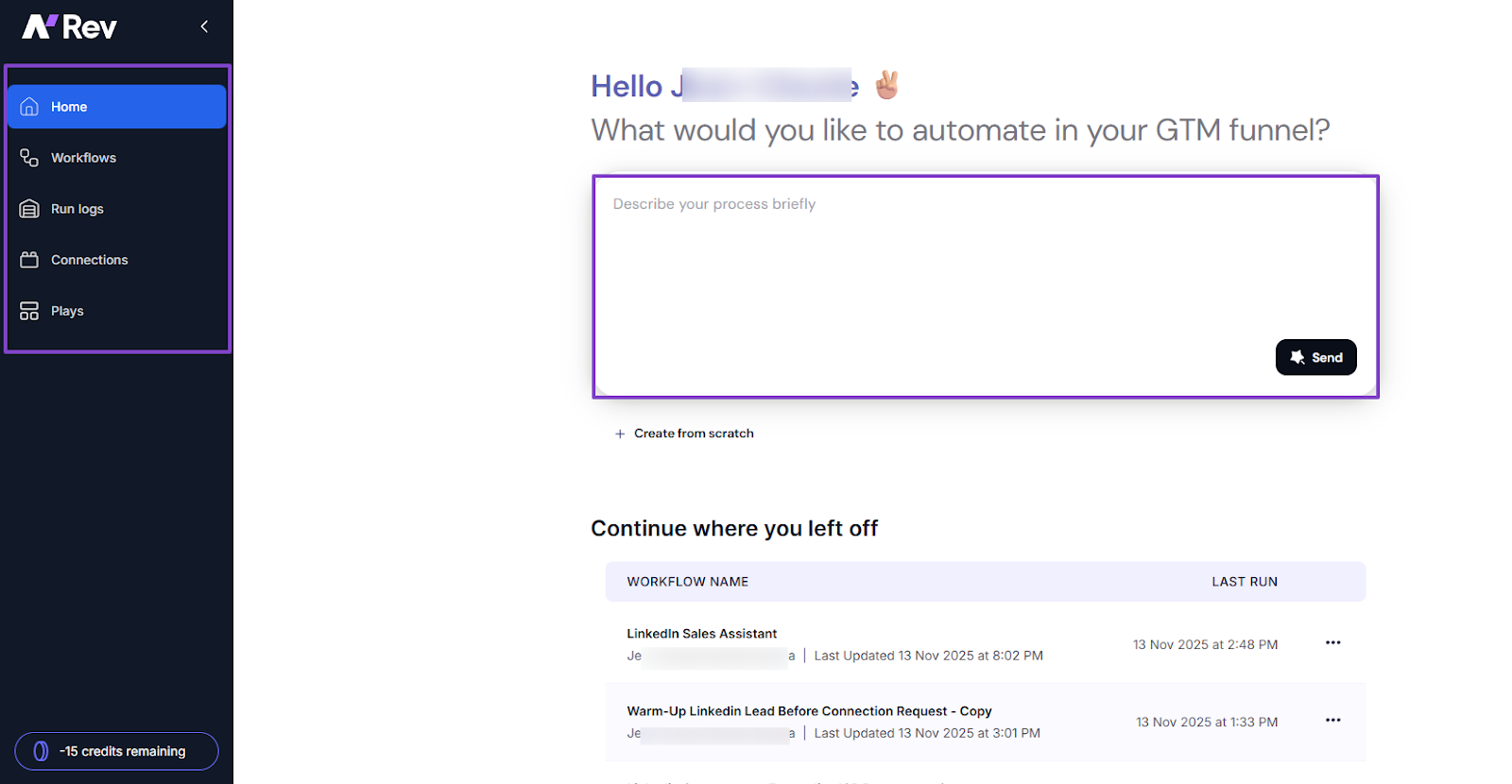
You won’t need complex dashboards or an interface with an endless list of features you may never use.
3 . Goals
Now, when it comes to goals, they vary from one business to another.
For Startup A, the goal might be to increase the number of qualified leads, while for Startup B to speed up outreach. And perhaps Startup C wants to improve follow-ups.
Once you clarify your goals, choosing the right sales prospecting tools becomes much easier. You will choose the right one, and it will reflect on your team’s performance and ultimately, your revenue.
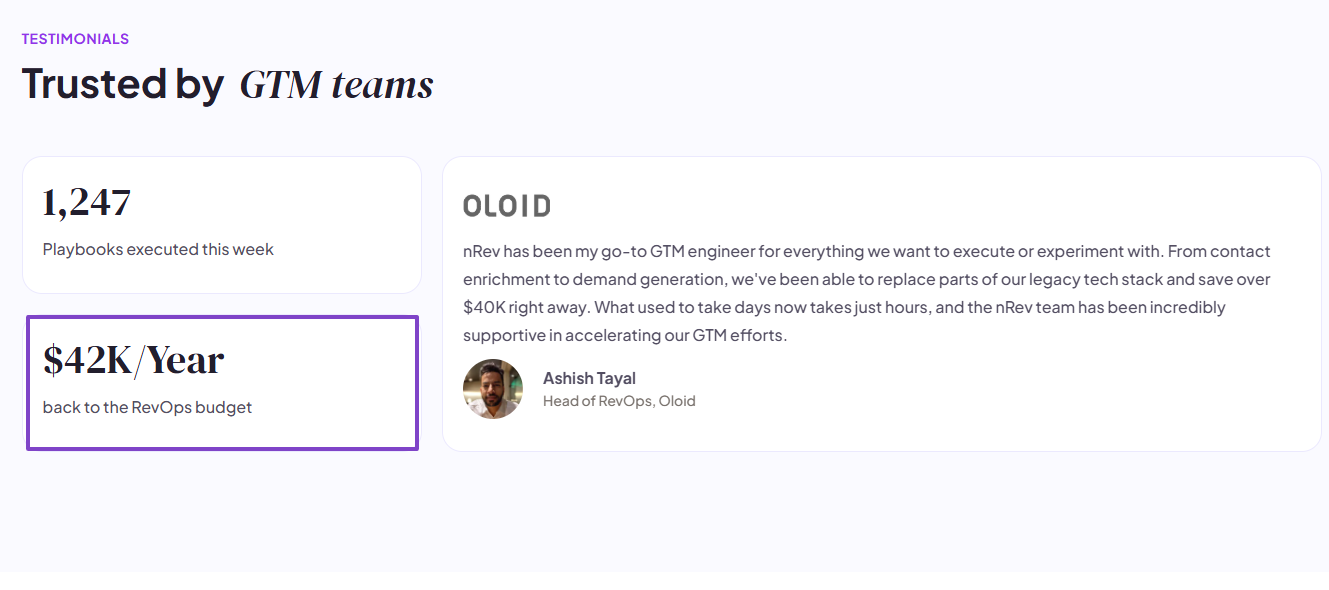
This is exactly what happened to Ashish Tayal, one of our clients. He is the Head of RevOps, Oloid.
After assessing their sales needs and goals, they chose nRev as their software and replaced parts of their tech stack. The good news? They saved over 40k instantly.
2 . Evaluate Key Software Features
You can’t choose the right sales prospecting tool if you don’t evaluate its key features.
For instance, data quality is non-negotiable. The software you choose must provide accurate data. You must be intentional about checking it.
Let me take an example of the data accuracy of some of the tools I listed earlier in this article.
Apollo, for instance, though user reviews put it at 65% to 85%, claims on its website a 91% email accuracy rate.
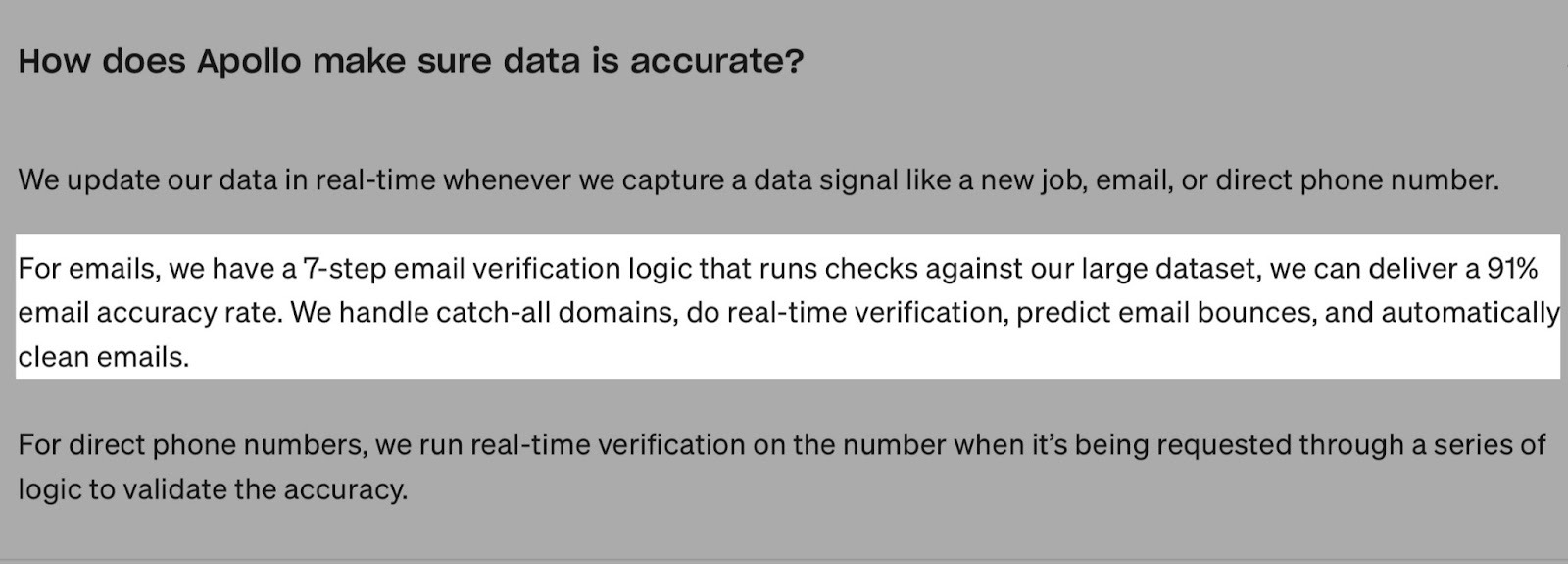
After testing this platform, I can gladly put it at 85% to 90%.
But my research on Lusha reveals it has a 95% email accuracy and 85% phone accuracy.
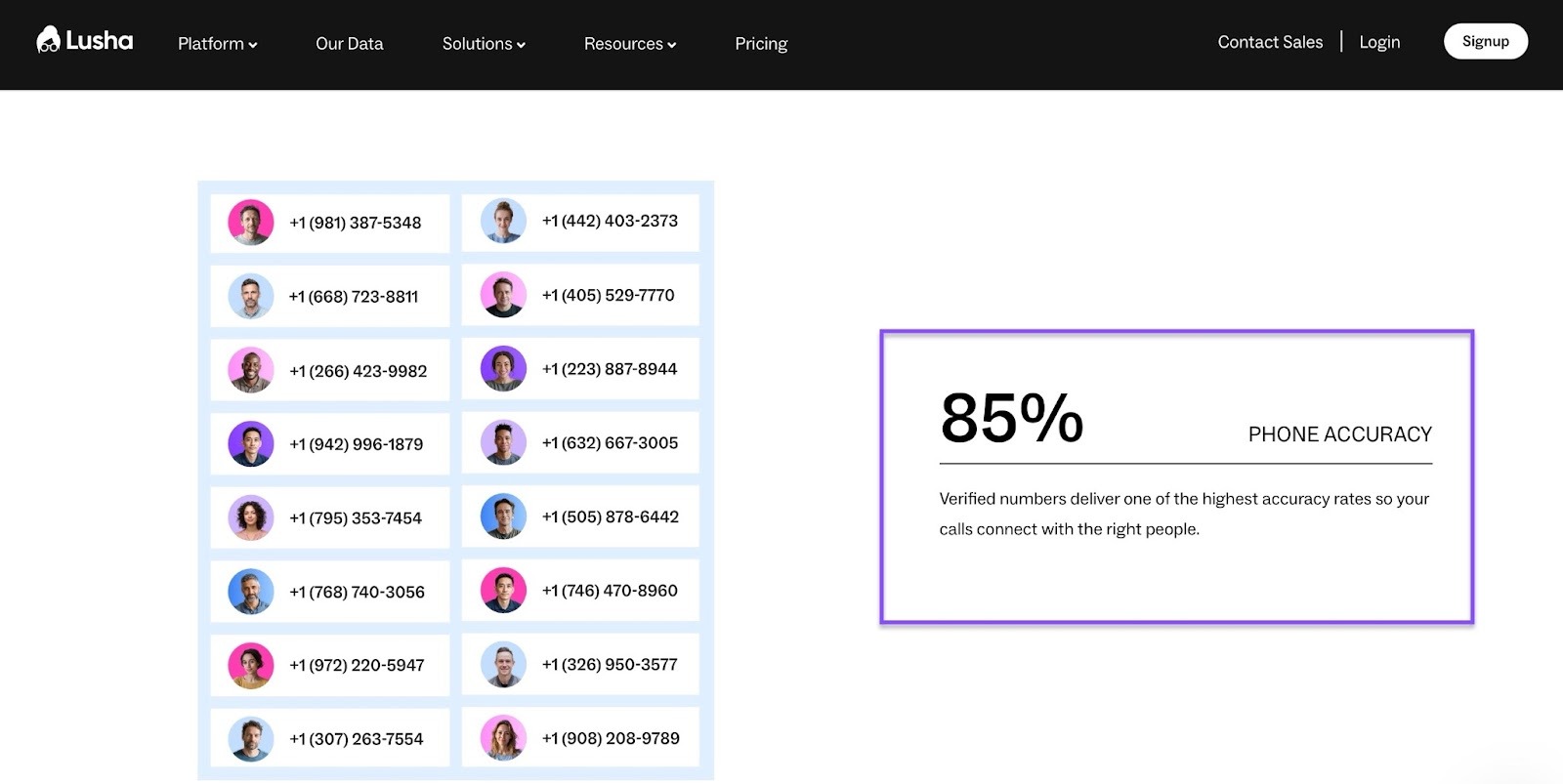
Customers typically put Lusha’s data at 70% to 80%. If I could rate their overall data accuracy, I’d give it 90%.
Now, at nRev, our sole focus is on using AI for RevOps strategies and GTM automated workflows, so we’re not primarily a data provider.
But because nRev integrates with Apollo, Lusha, and Instantly, you can access high-quality data through our tool.
The sales prospecting tool you choose should provide top-notch data quality. It should give you accurate data when you search for people, contacts (phone numbers and emails), companies, and locations.
This will save you the trouble.
Aside from that, the right sales prospecting tool should integrate with popular CRMs like HubSpot, Salesforce, or Zoho CRM.
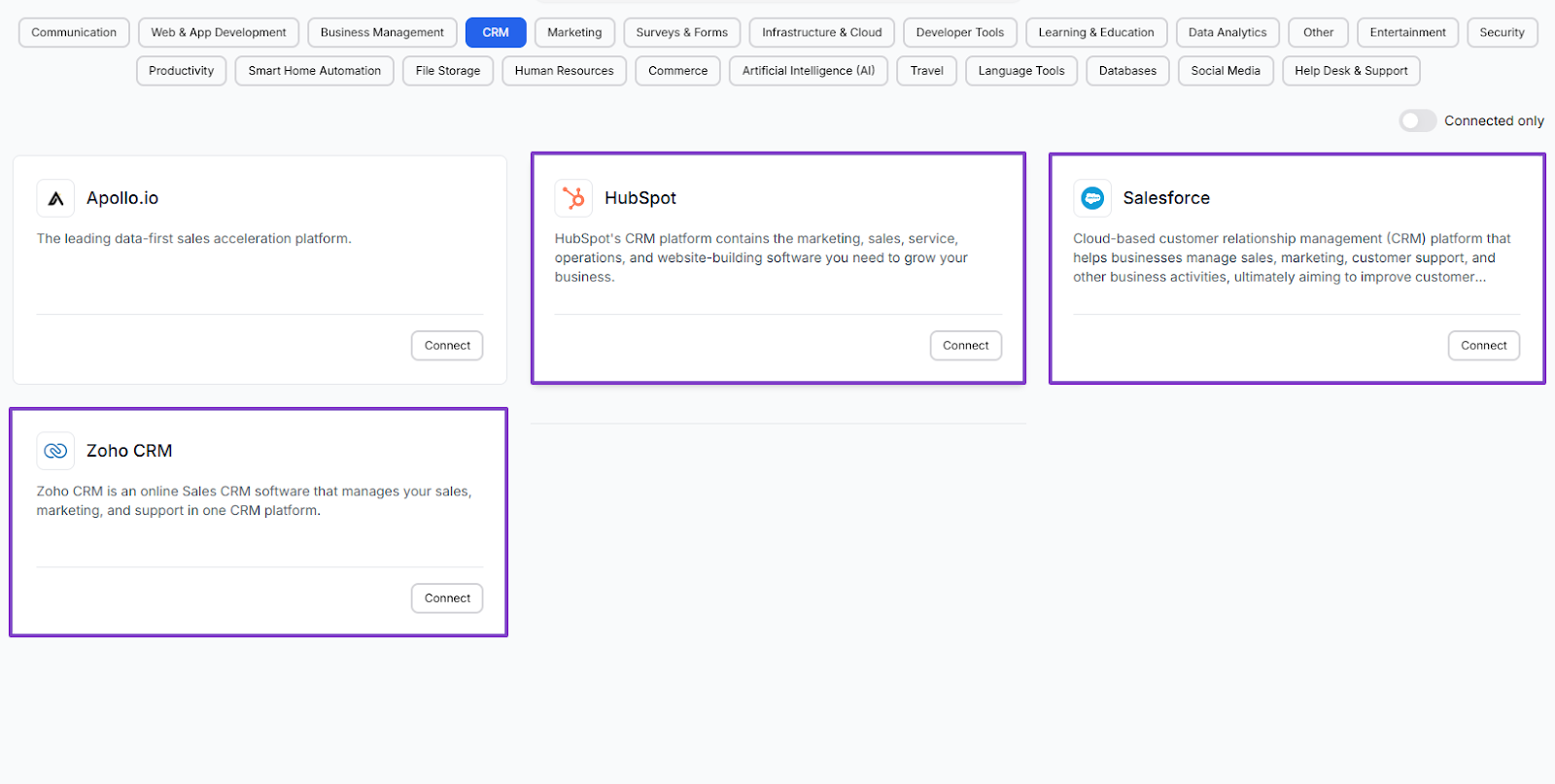
This way, you won’t need to manually update your lead information every time. It automatically does that.
And with the Email integration, you can centralize your outreach by sending, receiving, and tracking emails.
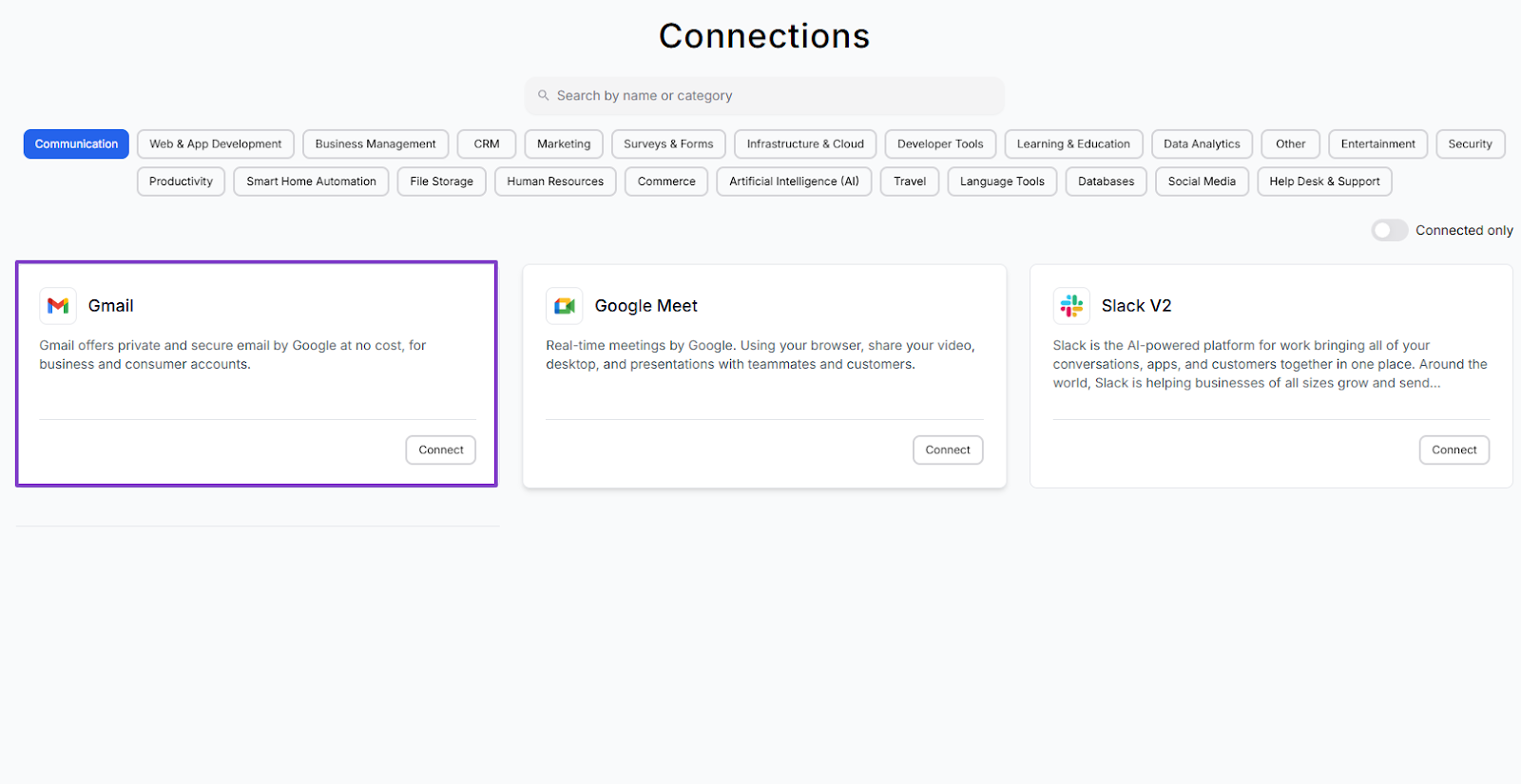
We can't talk of sales prospecting tools without the above-mentioned features.
3 . Consider Sales Automation
Next, you must consider sales automation before you choose the right sales prospecting tool.
Bill Gates once gave his first rule of any technology used in business. Here’s what he had to say: Automation applied to an efficient operation will magnify its efficiency. He understood that automation, when done well, will help you save time and boost your performance.
If you’re a sales professional, just think about how much time your team spends:
- Sending follow-up emails
- Adding new contacts to your CRM
- Scoring leads based on engagement
- Updating lead statuses
But with a good sales prospecting software, you can automate all these steps.
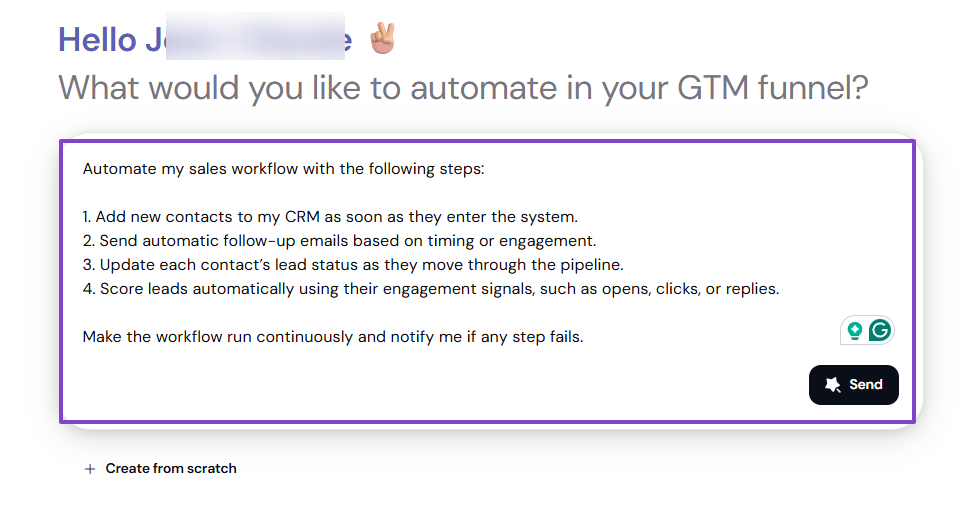
Automating your sales using a prospecting tool is a great way to save time, also because of its AI capabilities.
In fact, research shows that you can save more than 2 hours a day when you integrate AI with your automation.
For example, building a workflow from scratch may take you longer. As compared to using an AI builder in a sales prospecting tool.
In just a matter of minutes, you will simply type in your prompt.
The AI builder will generate a whole workflow based on that prompt.
You need to consider automations and AI capabilities before choosing a sales prospecting tool. So your sales team can focus on closing deals.
4 . Check Data Security
Lastly, you should check data security when choosing the right sales prospecting tool.
Data security is very crucial when choosing a sales prospecting tool.
The reason is, this is software that will help you find leads, contacts, and even customer information. Because of that, you need to be sure your data stays safe.
So choose the sales prospecting tools that are compliant with major data protection regulations like SOC 2, GDPR, or CCPA.
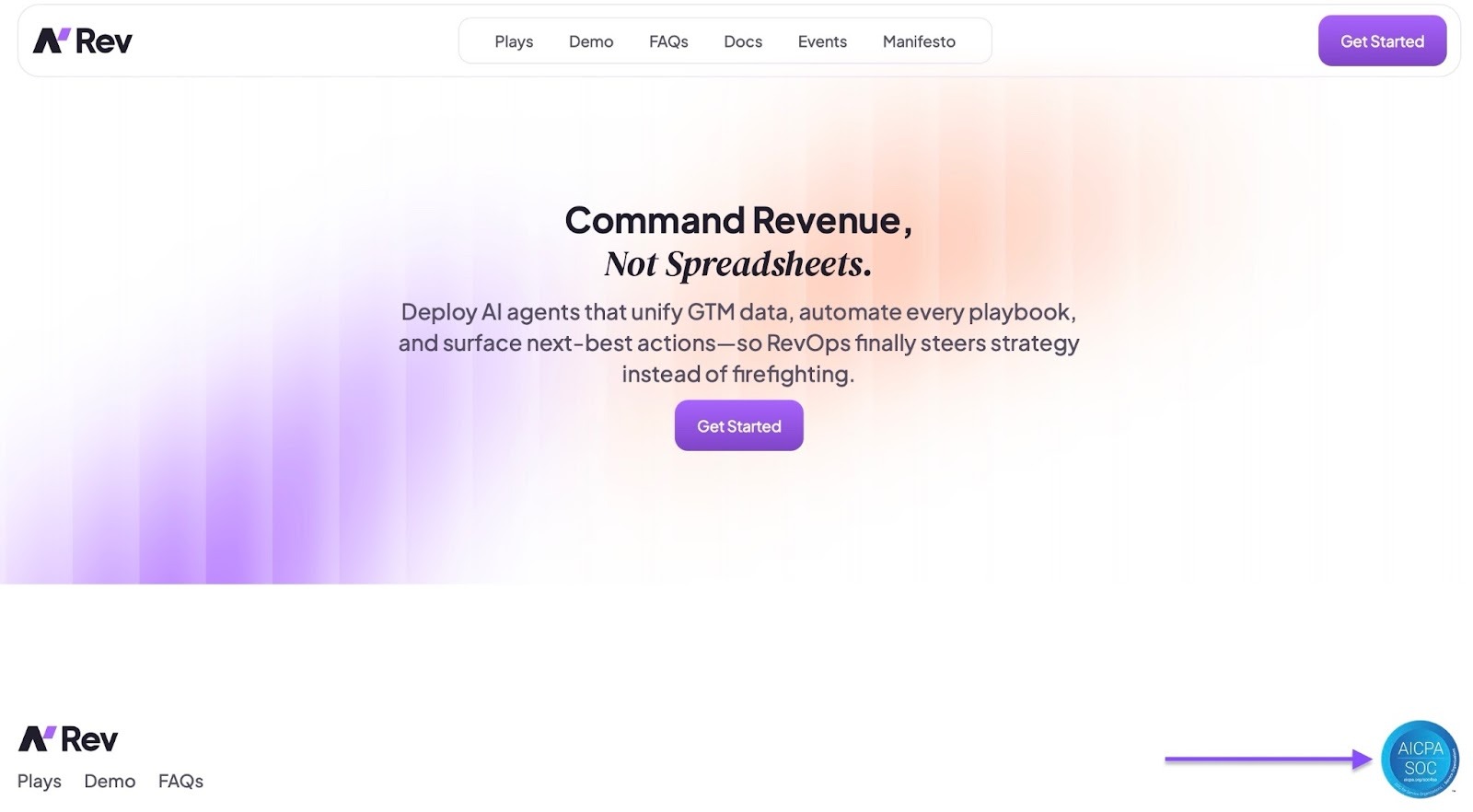
But what exactly do all these abbreviations mean?
SOC 2 stands for System and Organization Control 2. It’s a US compliance framework that checks if a company securely manages and protects customer data.
It does so by auditing five trust service criteria: security, availability, processing integrity, confidentiality, and privacy.
Only licensed CPA (Certified Public Accountant) firms or accredited accounting/auditing organizations can certify a company as SOC 2.
Now there are two types of SOC 2:
SOC 2 Type I, which basically verifies if the security systems of a company to protect data are in place. And the SOC 2 Type II checks if the systems work consistently over time.
That’s why our sales prospecting tool, nRev, is SOC 2 Type II compliant.
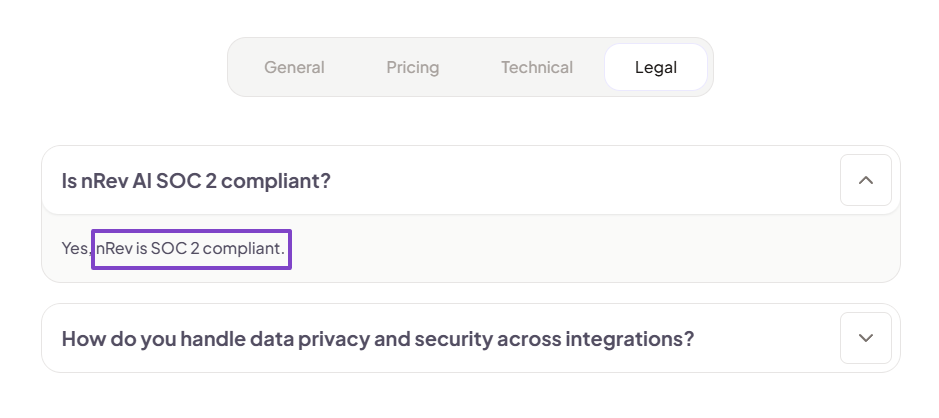
The General Data Protection Regulation (GDPR) is the European Union data protection law that sets strict rules on how organizations collect, store, use, and share personal data.
Then you have the California Consumer Privacy Act (CCPA). It’s a California privacy law that gives end users control over their personal data.
They basically have the right to know what data is being stored, processed, and collected. They can also delete their personal data and prevent its sale.
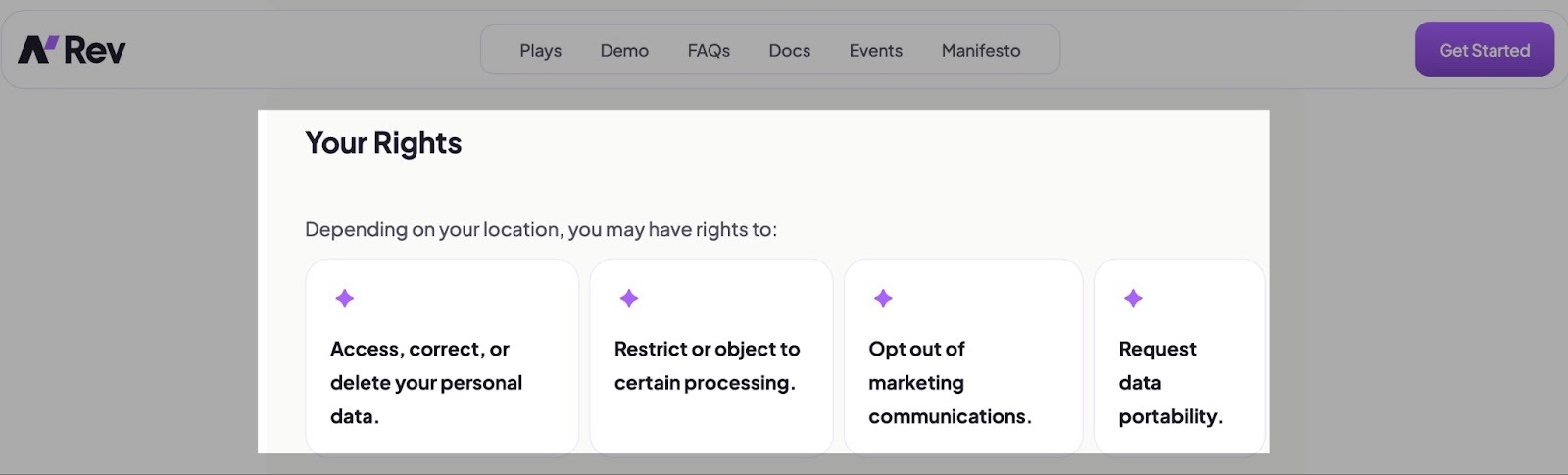
These data protection regulations have established laws that protect personal data. They make sure companies handle customer information securely and, most importantly, ethically.
And sales prospecting tools that don’t comply with regulations face many risks, such as:
- Data breaches and security vulnerabilities
- Legal penalties and fines
- Loss of customer trust
- Sales outreach problems
- Damage brand reputation
The list could be longer, but I’m sure you get the whole picture.
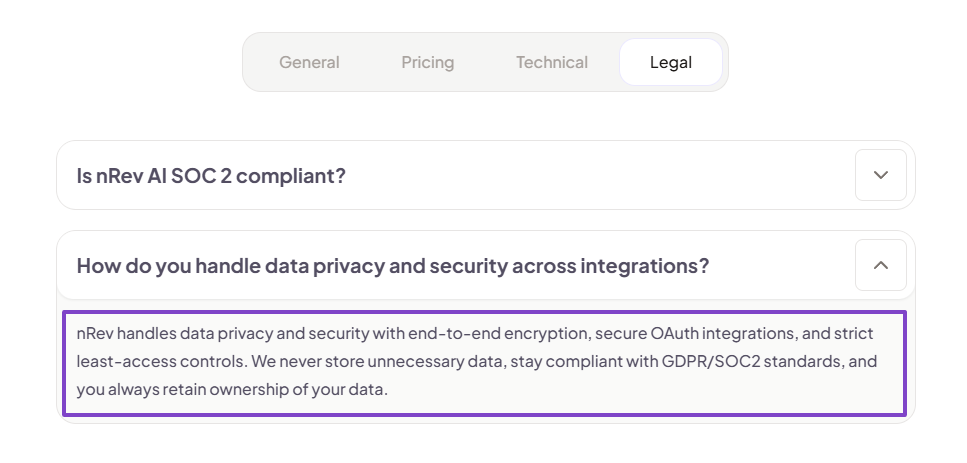
And we’re aware of these risks. So we make sure nRev handles data privacy and security with end-to-end encryption, secure OAuth integrations, and strict least-access controls.
And the most interesting thing is that you always retain ownership of your data.
Remember, your data security should come before everything else. So, take that into account when choosing the right sales prospecting tool.
Choose the Best Sales Prospecting Platform
And that brings us to the end of this article!
After testing and reviewing my top sales prospecting tools, I shared with you the ones ideal for enterprise and the ones for small businesses.
Then, I explained that you need to assess your sales needs and goals and evaluate key software features.
I also said you should consider sales automations and check data security before choosing the right sales prospecting tool.
Now you can do so!
FAQs
What are the best sales prospecting tools?

The best sales prospecting tools are:
- Apollo: A sales prospecting tool that helps you find leads and engage with them.
- nRev: Ideal for sales professionals and startup founders who want an advanced GTM AI-powered tool.
- Clay: Used by RevOps teams to automate data enrichment and personalize outreach at scale.
- Lusha: Best for sales teams that need to find and verify B2B contact information.
- Instantly AI: Used by B2B startups and agencies for cold email outreach.
- LeadIQ: Used by B2B sales teams to build prospecting lists and automate workflows.
Which sales prospecting software is best for lead generation?
The best sales prospecting software for lead generation includes:
- Apollo: Popular for its large B2B database of 275M+ contacts and built-in lead scoring.
- LinkedIn Sales Navigator: Known for offering data insights that help sales professionals focus on specific accounts.
- Clay: Commonly used by RevOps and GTM teams to enrich lead data and orchestrate workflows.
How much does sales prospecting software cost?
Can the best sales prospecting tools handle multi-channel outreach (email, LinkedIn, SMS)?
Are there sales prospecting tools specifically for GTM workflow automation?
Do sales prospecting software offer free trials or demos?