

.webp)
Revenue teams should focus on driving actual revenue. Not spending hours fixing data, stitching tools together, or routing leads.
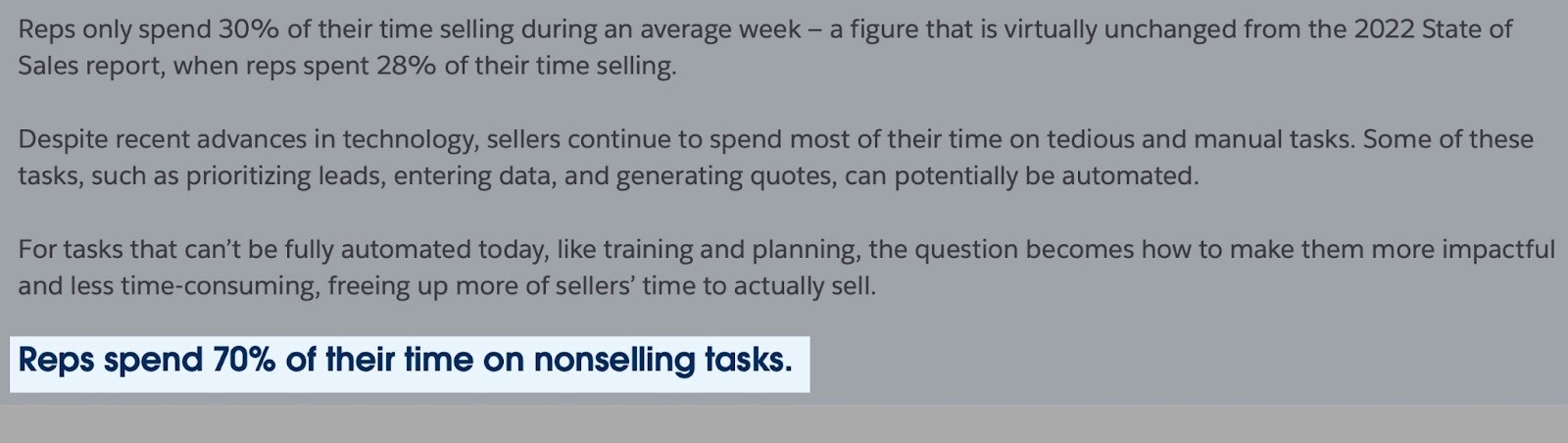
Sadly, the 6th edition of Salesforce State of Sales Report found that sales representatives spend 70% of their time on “nonselling” activities.
This is why we built nRev AI. RevOps teams, GTM teams, SDR managers, startup CEOs, and SaaS founders all use it to automate their revenue processes.
If you are also interested in driving more revenue for your company or business, then you should consider reading this article thoroughly.
I’ll show you why sales professionals, GTM teams, and RevOps choose nRev AI. Then, I will give you a thorough guide and complete tutorial of nRev.
Keep reading.
Key Takeaways
- nRev is an AgentOS designed to orchestrate fully automated GTM and RevOps workflows. It does this by investigating competitor strategies, then suggesting actionable steps teams can take to achieve intended outcomes.
nRev is SOC 2 Type II compliant, so your data is secure and protected by the highest standard.
- You can use nRev AI to build automated workflows that will help you
- Track revenue performance of your company, or startup, etc, to get a clearer picture of those activities.
- Monitor real-time pipeline health so that you don’t lose important deals.
- Improve forecasting and reporting, so the team is kept in the loop. Reporting is easier since you can send updates to Slack and Google Sheets.
- nRev AI vs n8n vs Zapier vs Gumloop: Unlike nRev AI, which focuses on very deep integrations with your GTM, the other tools (n8n, Zapier, Gumloop) are complex and are made for general use cases. In other words, nRev AI is built specifically for GTM workflows.
- Thanks to nRev AI:
- RevOps, GTM teams, managers, CEOs, and founders can automate workflows to improve lead conversions and make their sales processes better.
- Teams can customize their workflows to solve challenges specific to them because nRev gives them tailored insights to reduce guesswork.
- You don’t have to write complex code to build automated workflows or get detailed recommendations and reports. So your team moves faster and makes decisions with more confidence.
What is nRev AI?
nRev AI is the Agent Operating System (AgentOS) built for modern RevOps teams, GTM leaders, sales leaders, startup CEOs, and SaaS founders.
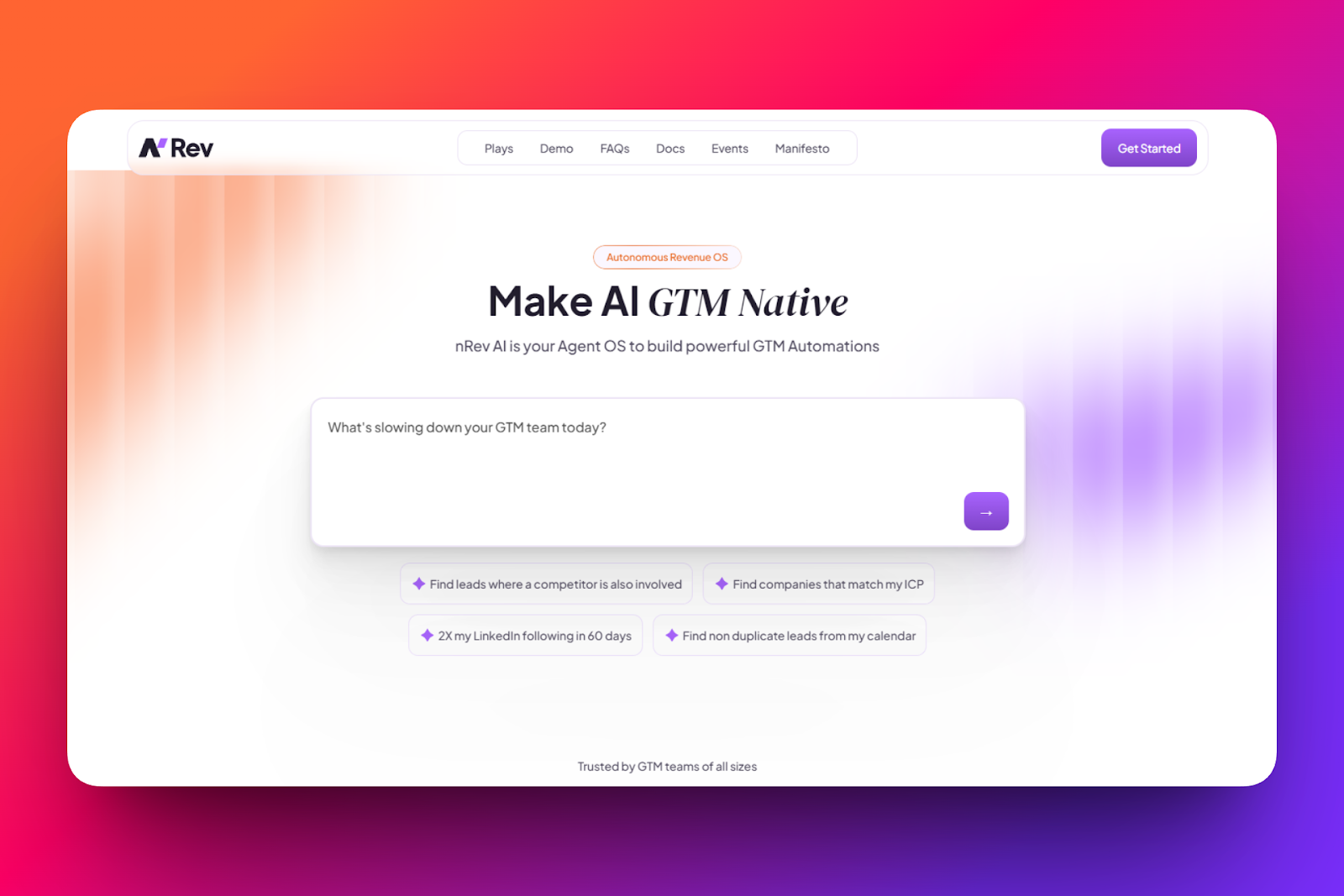
It helps teams automate repetitive tasks like finding prospects, scoring leads, or sending automated LinkedIn reminders.
nRev AI also helps enrich and route both inbound and outbound leads. So you can define your ICP’s industry, role, or company size.
You can also route by country, region, time zone, and more. Then, nRev will send that information to SDR teams, RevOps, or customer success.
Plus, you can clean CRM data and run complex revenue workflows without writing code.
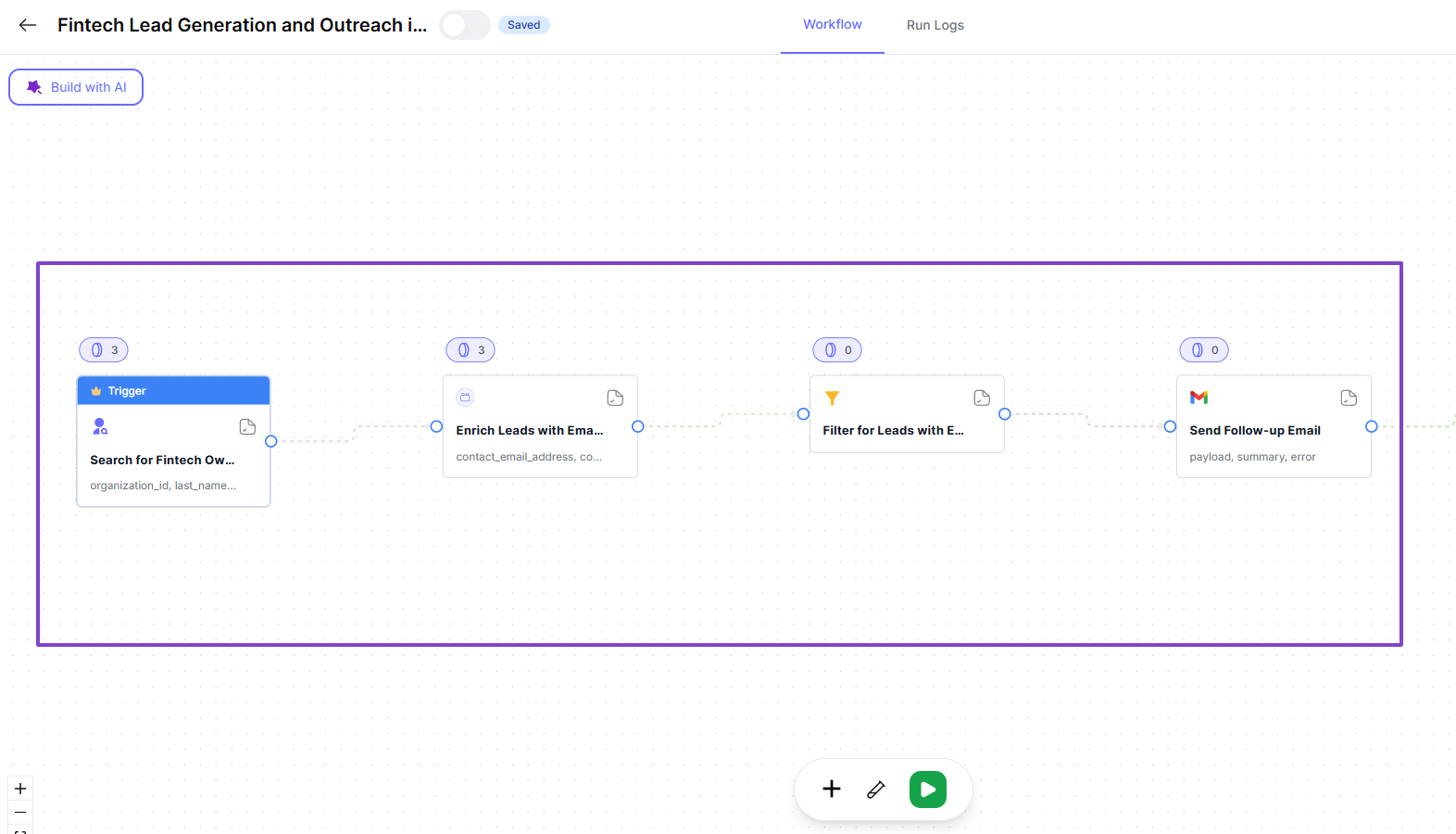
For instance, you can use nRev to find top fintech business owners in Germany, new leads, save their data, and send follow-up emails.
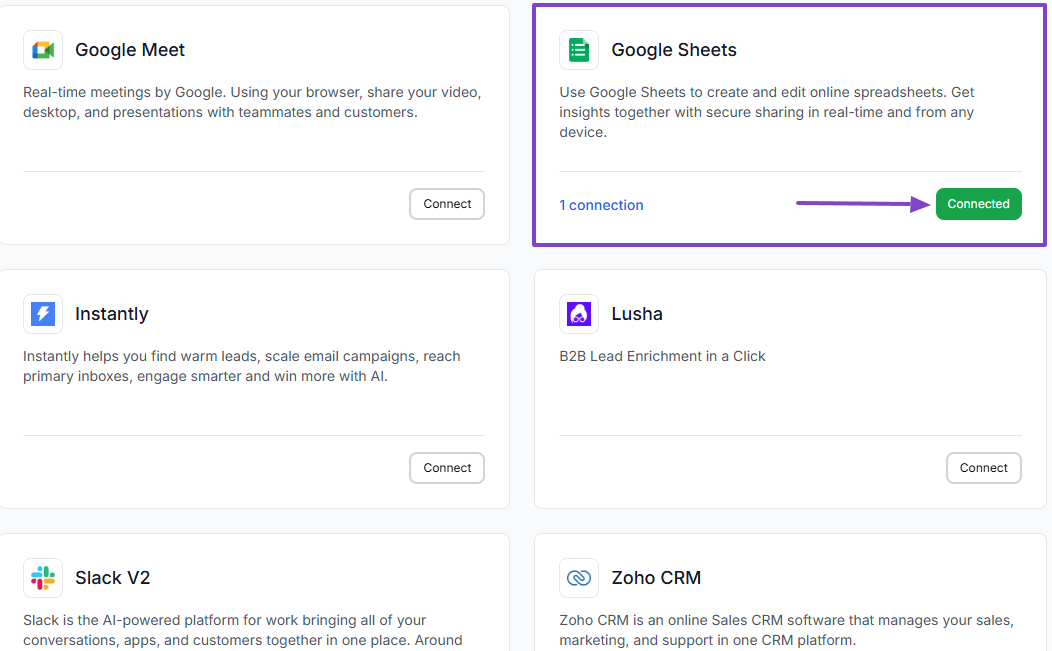
Some revenue teams still use tools like Google Sheets to keep important lists, lead data, or quick reports. nRev integrates with it so that it can pull that data in, upload it automatically, and use it inside workflows.
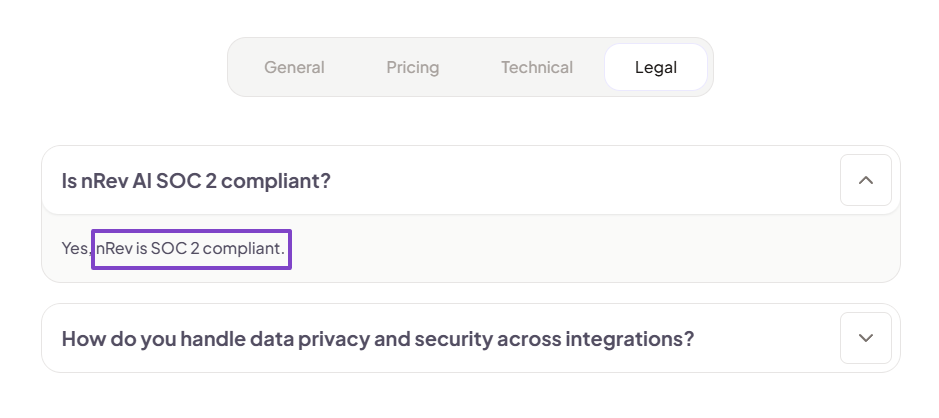
Now, in terms of security and data protection, we are very intentional about it. That’s why nRev is SOC 2 Type II compliant.
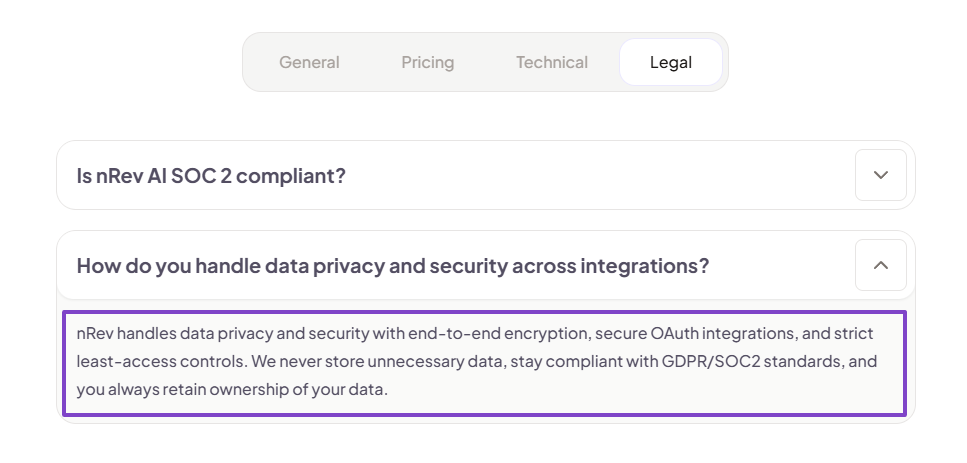
Our software handles data privacy and security with end-to-end encryption, secure OAuth integrations, and strict least-access controls.
And you are the complete owner of your data 100%
How Does nRev AI Work?
Using nRev AI, you can create workflows to automate various tasks for you, allowing you to sit back and relax. Let’s see an example of it.
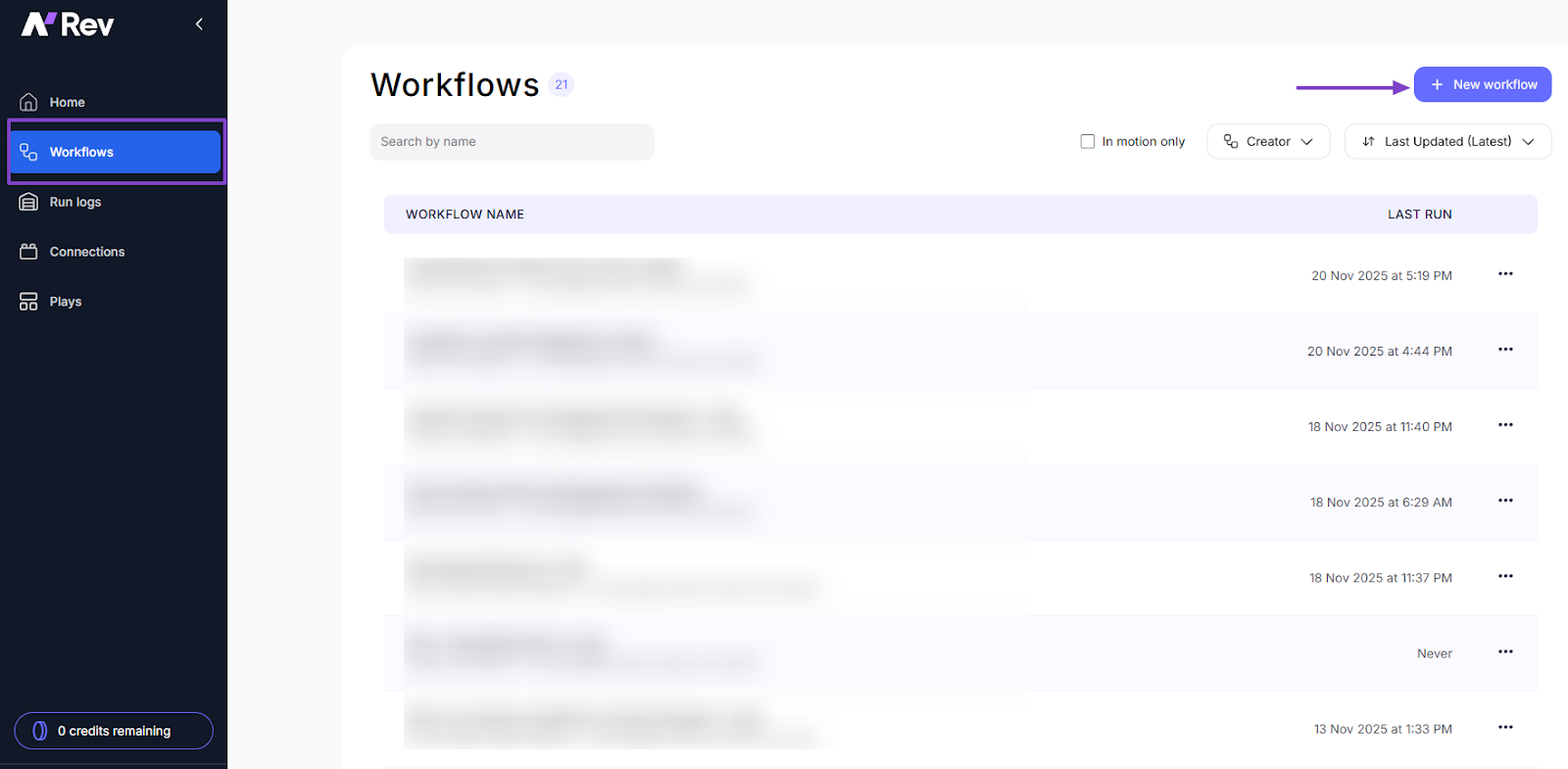
First, navigate to Workflows in the sidebar menu.
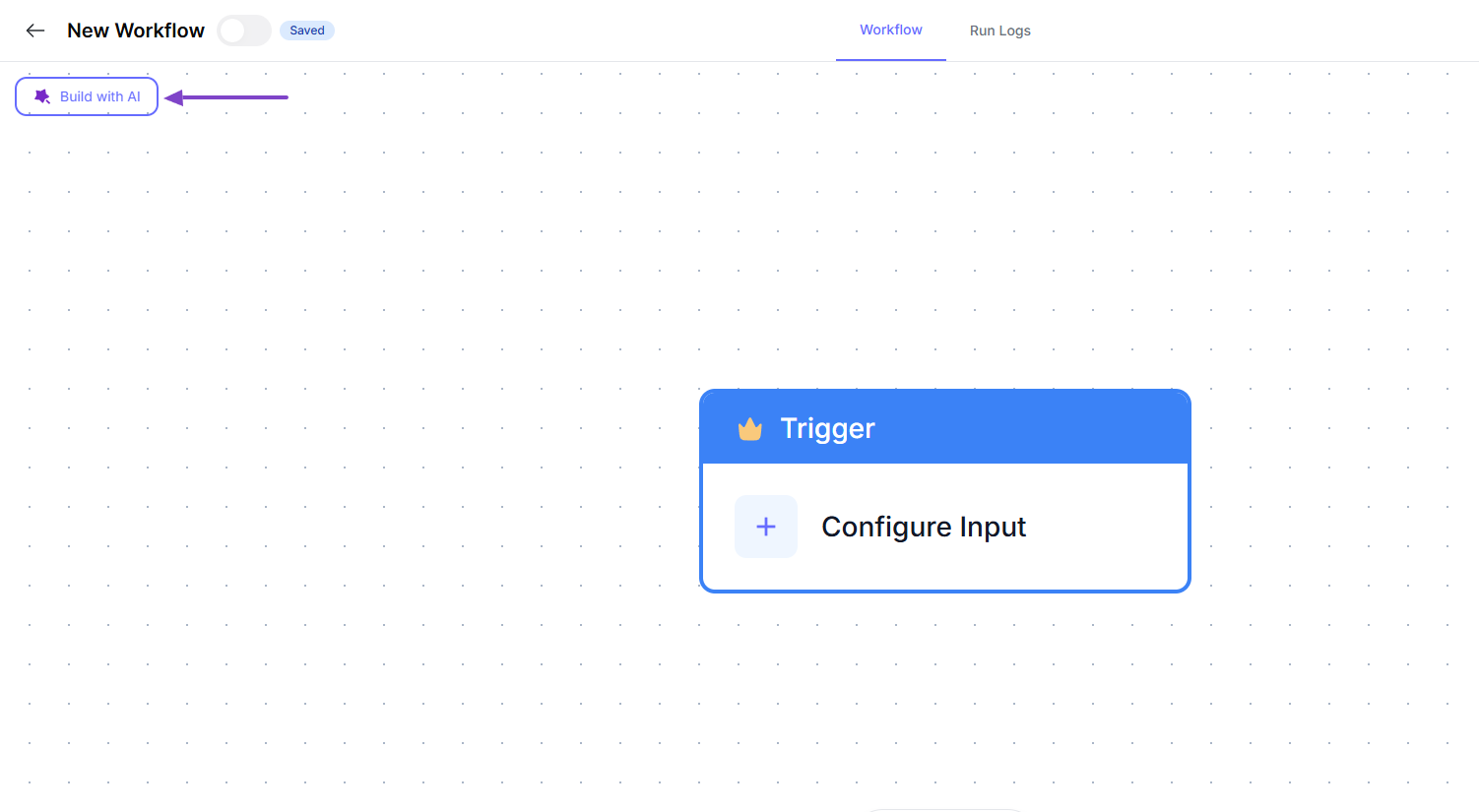
To go faster, you can build your workflow with AI, and that’s what we will do.
Here’s the prompt we will use to build our first workflow: “Create a workflow that finds leads on LinkedIn based on my ICP, pulls their profile details, and sends me a daily list of the best matches.”
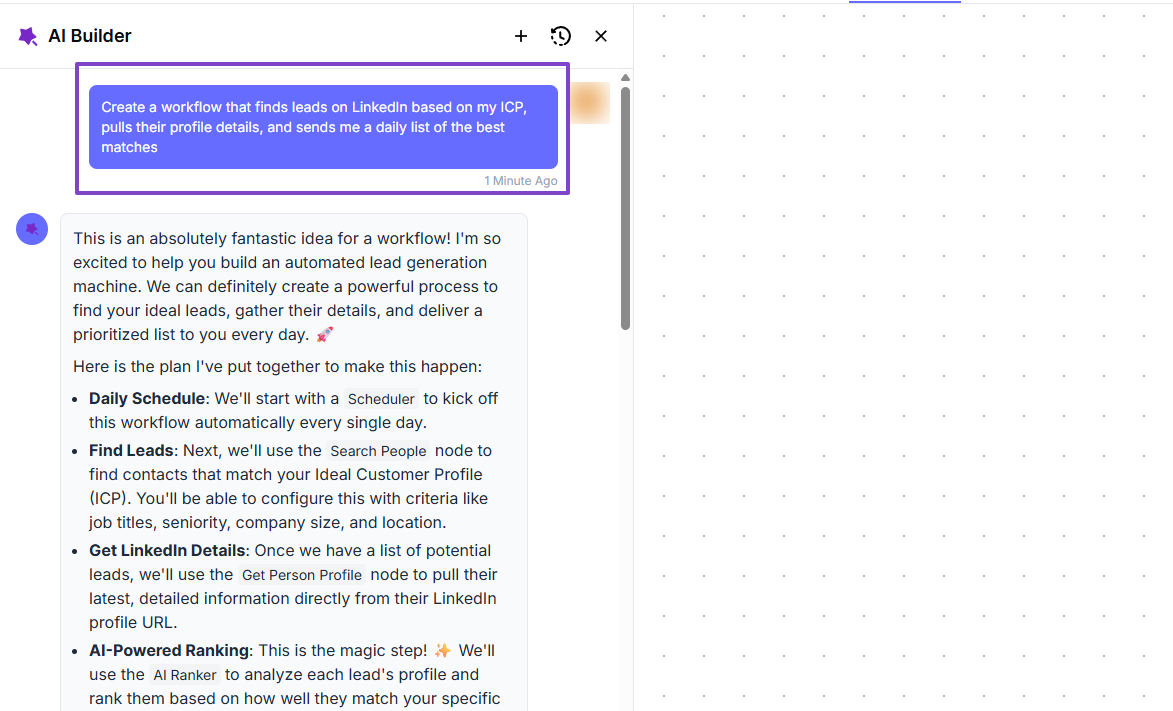
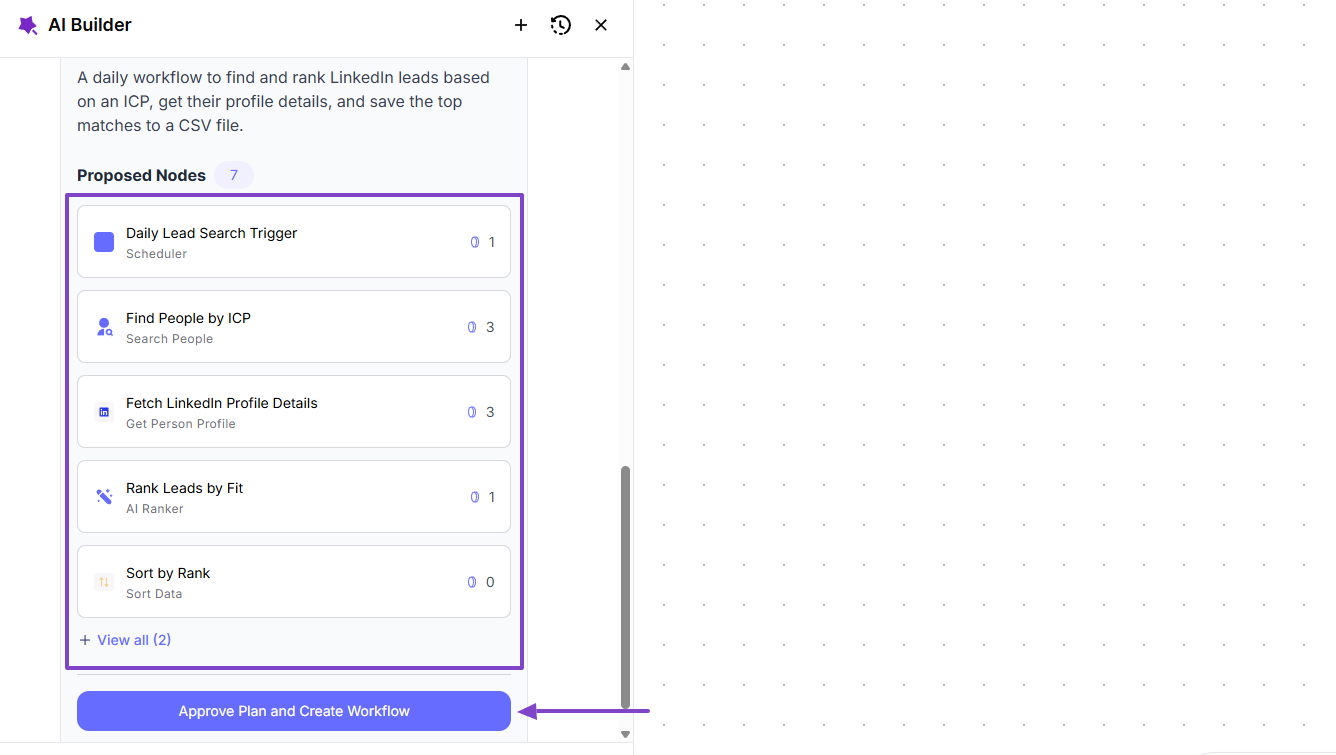
nRev AI Builder will propose the different steps of your workflow. And if you’re satisfied with it, you can approve.
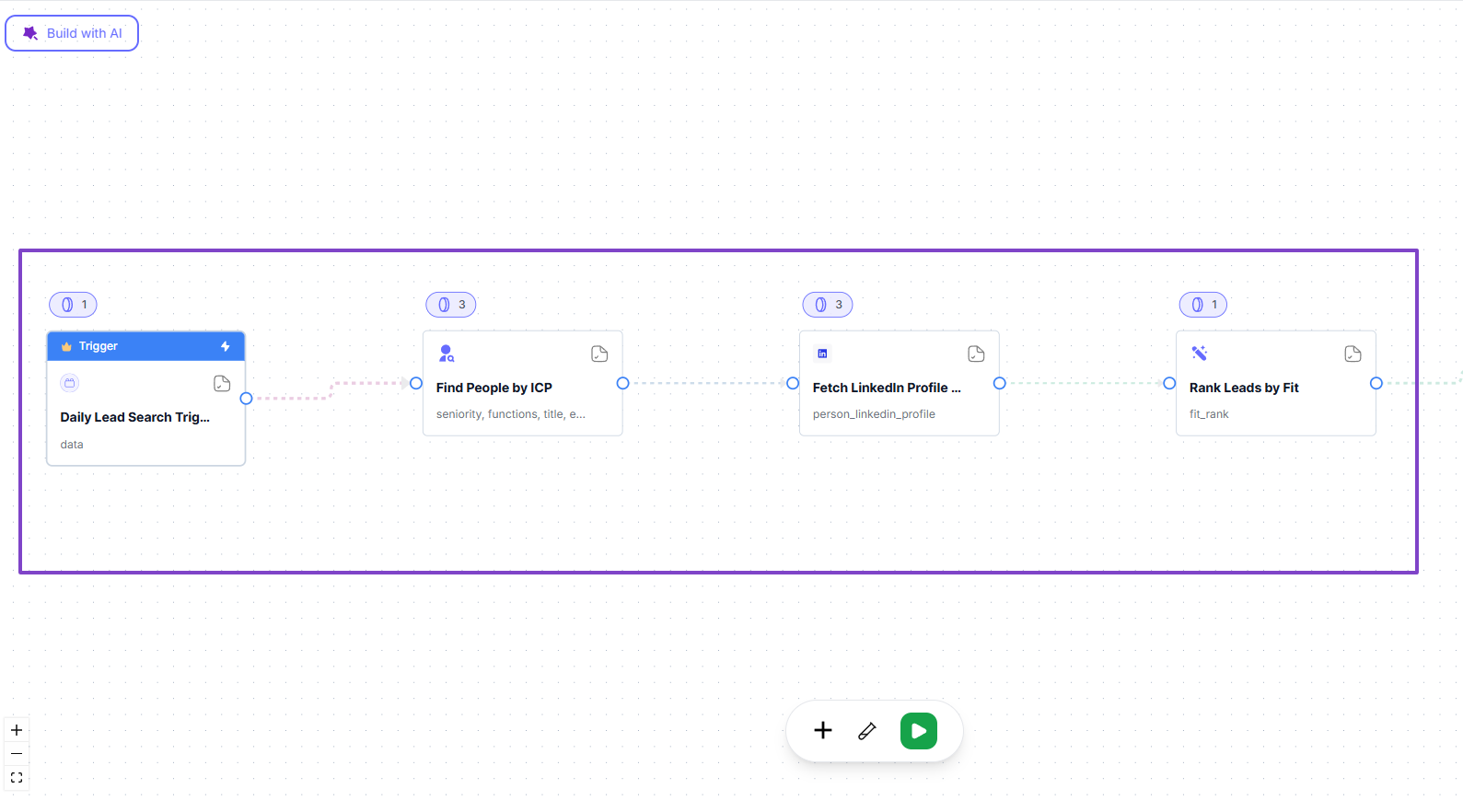
The AI Builder will create your new workflow in less than 2 minutes.
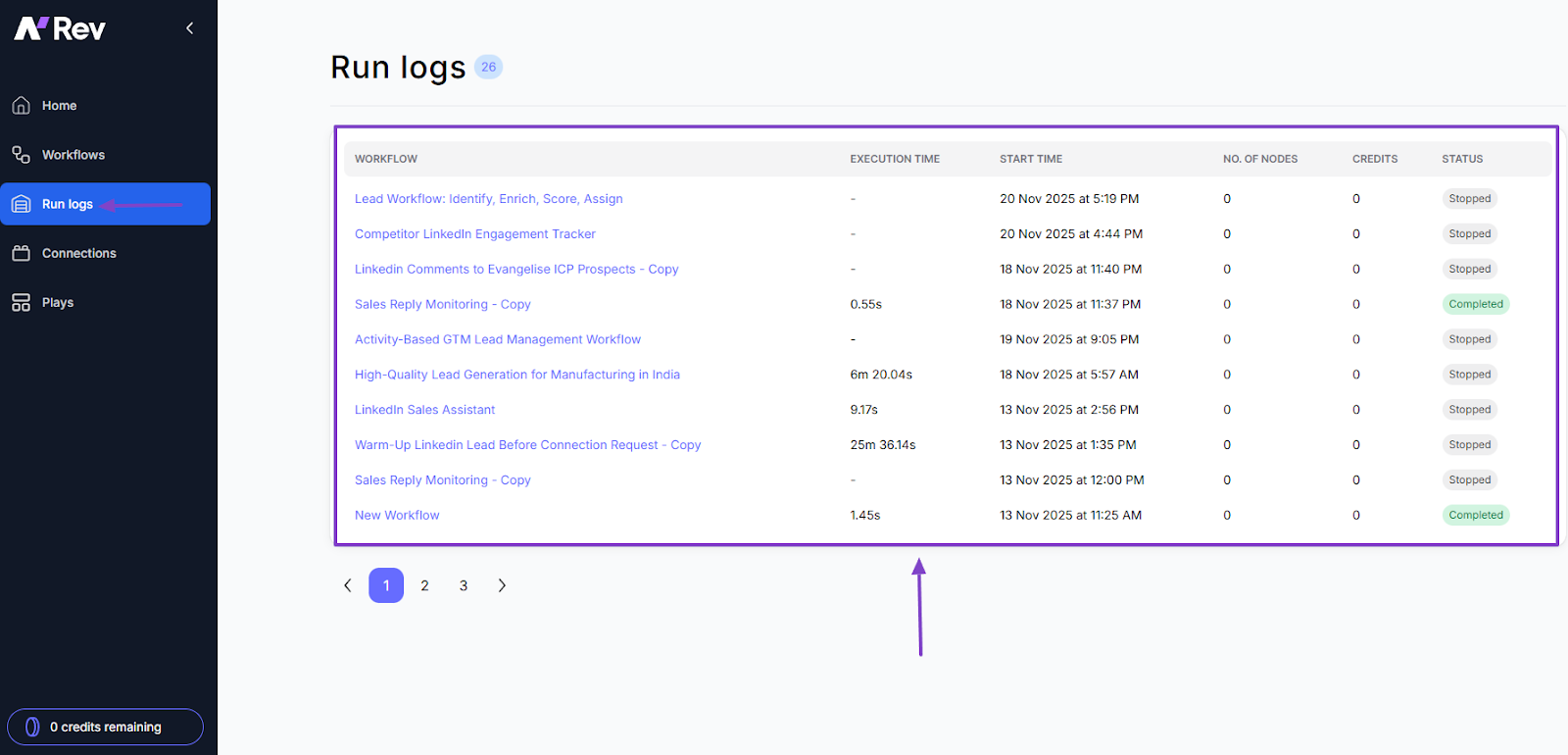
nRev also lets you track all the workflows you create through its Run logs. It shows the workflow name, the execution time, the start time, and the status of that workflow.
Common nRev AI Use Cases
Now, let’s look at some common nRev AI use cases:
- Use Case 1: Founders tracking revenue performance
- Use Case 2: Sales leaders monitoring real-time pipeline health
- Use Case 3: RevOps teams improving forecasting and reporting
I will go a little deeper with each use case.
Use Case 1: Founders Tracking Revenue Performance
Checking five tools to track revenue performance for founders is a waste of time. But they can avoid it when using nRev.
There are a few things a founder might want to know every morning:
- Revenue closed
- New pipeline added
- Churn or downgrades
- Key product usage signals
- Deals at risk
Using nRev AI, they can simply create one workflow that looks at all these sources and then sends feedback.
This is an example of the prompt: “Create a daily revenue summary that pulls pipeline from HubSpot, and investor metrics from Google Sheets, and send me one simple report every morning in Slack”.
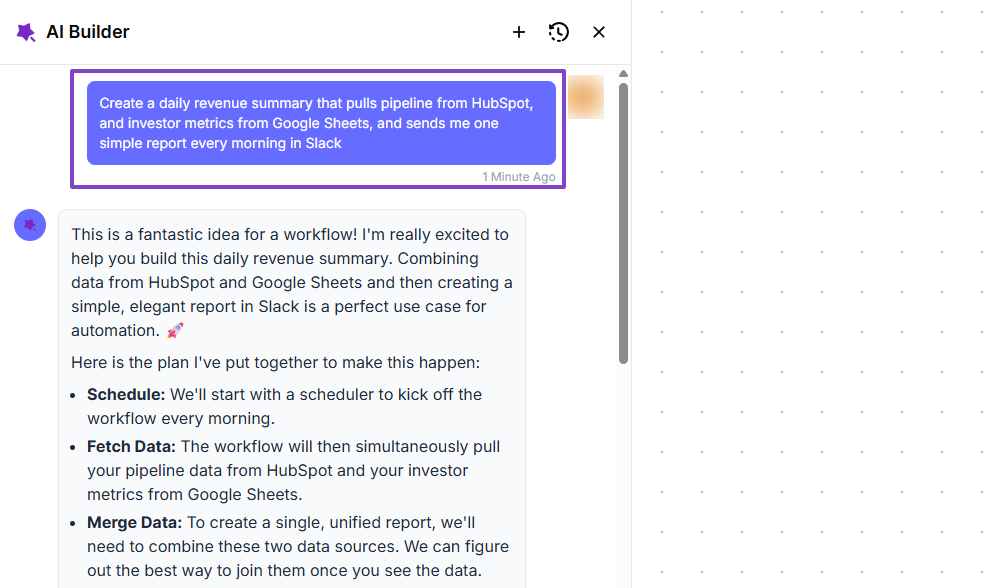
nRev will first propose a workflow plan, and if you like it, you can simply approve it.
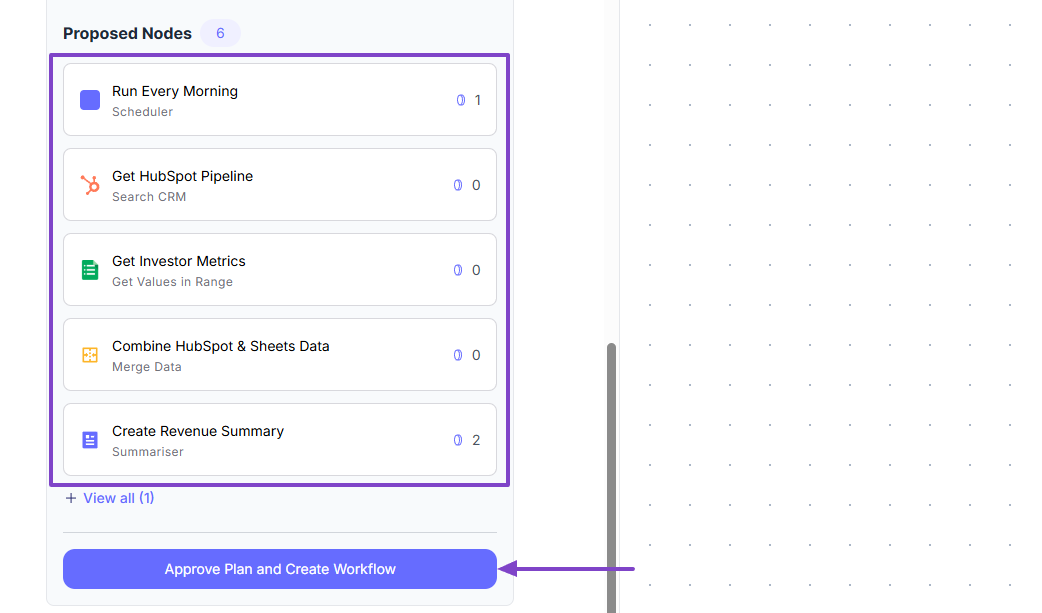
https://drive.google.com/file/d/1nnxPGx19XCfSX5l99uNtl6PIMqLTFM3R/view?usp=sharing
The workflow is ready! Founders can now track revenue performance.
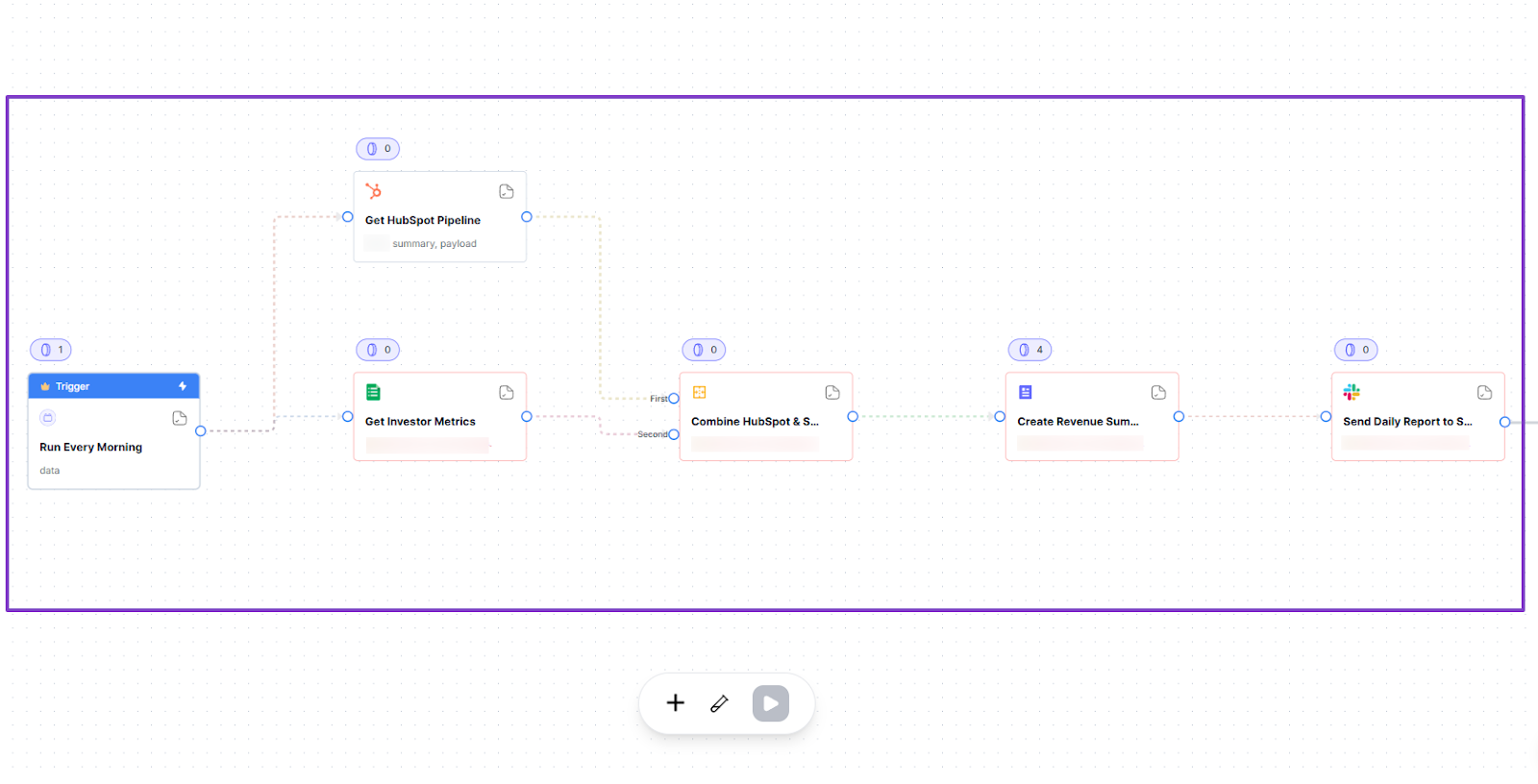
Use Case 2: Sales Leaders Monitoring Real-time Pipeline Health
Sales leaders who want to monitor real-time pipeline health can use nRev AI to build a workflow that prevents deals from getting stuck.
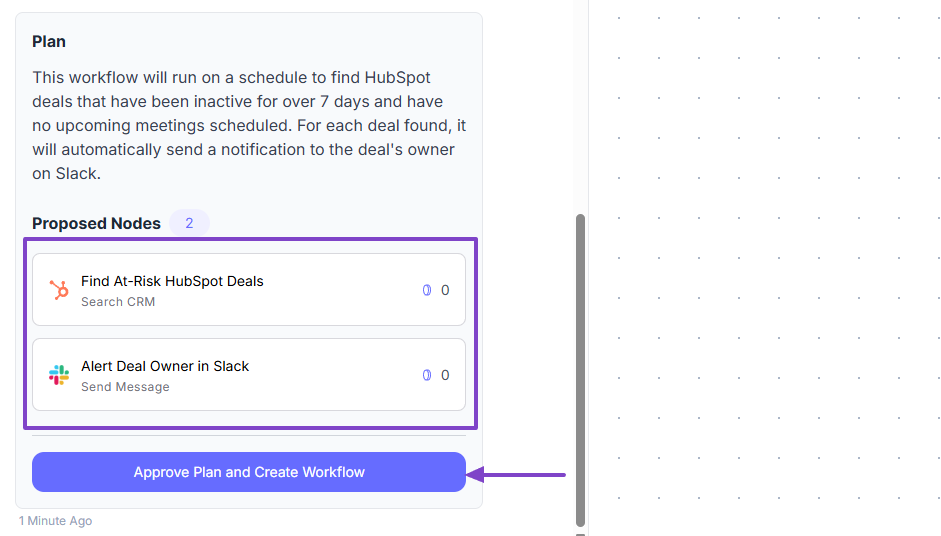
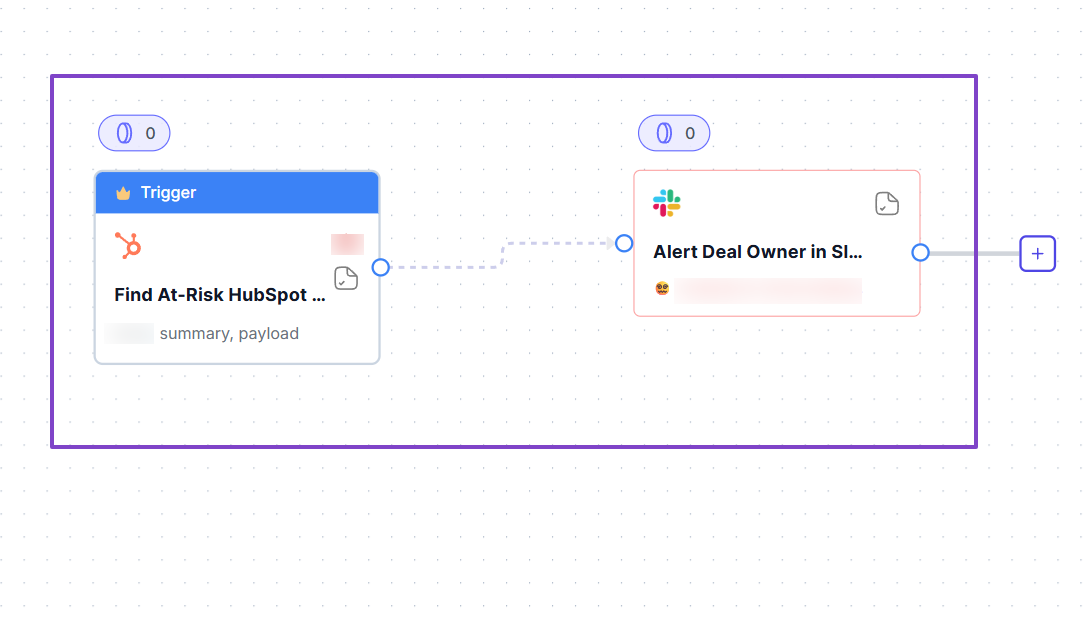
For example, the workflow can check open deals every hour, find deals with no activity, look for deals with no meeting scheduled, alert the rep, and even notify the manager if the deal is high value.
An example of the prompt could be: “Create a workflow that checks HubSpot for deals with no activity for 7 days, verifies if a next meeting is booked in Google Calendar, and alerts the rep in Slack if the deal needs attention.”
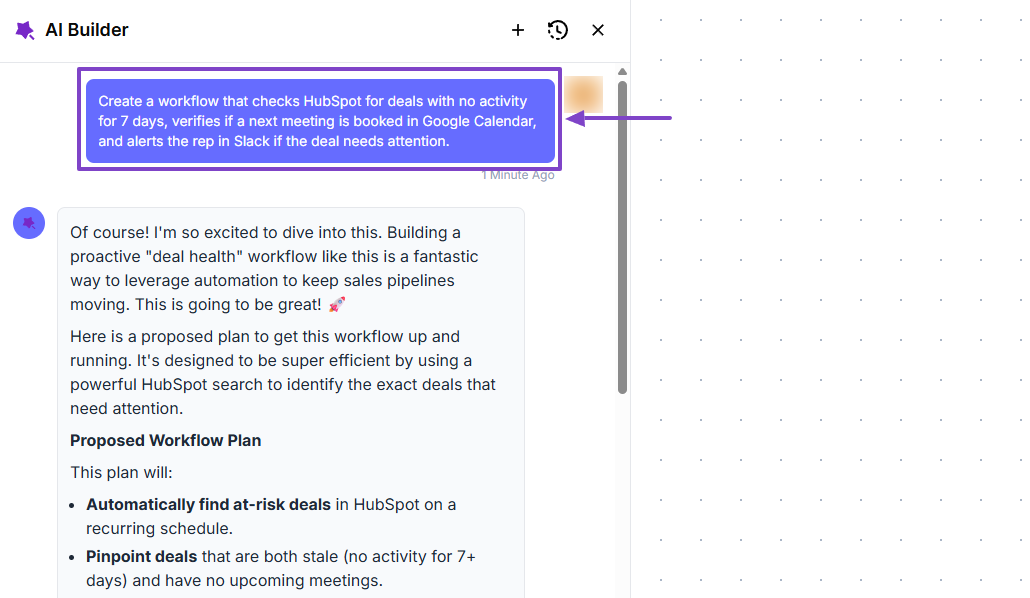
Here’s the plan.
Sales leaders now have a workflow to monitor the real-time pipeline.
Use Case 3: RevOps Teams Improving Forecasting and Reporting
In this last use case, we will see how RevOps teams can use nRev AI to improve forecasting and reporting.
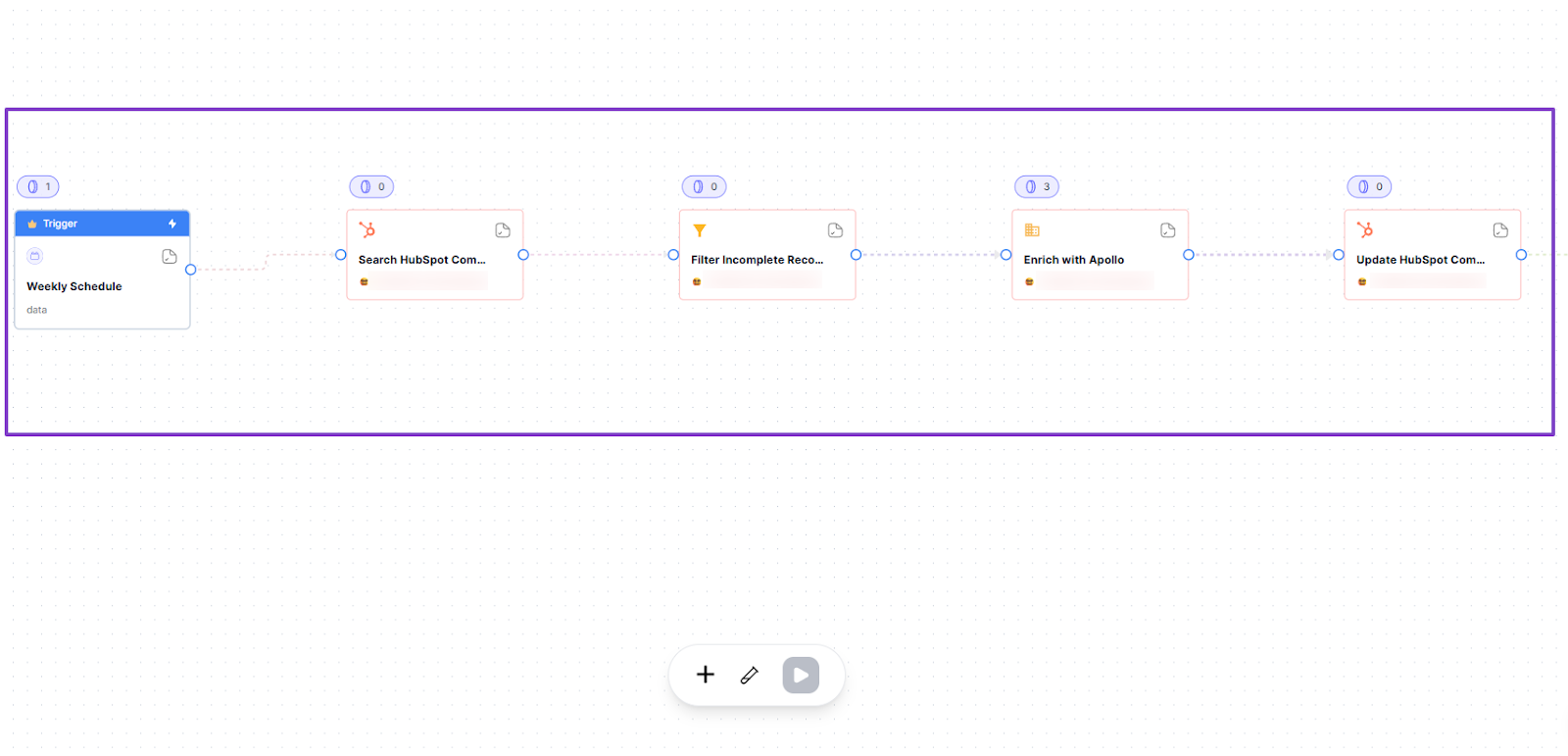
The workflow they build can check CRM for missing info, enrich it, fix bad records, update forecasts, or even send a weekly report forecast update.
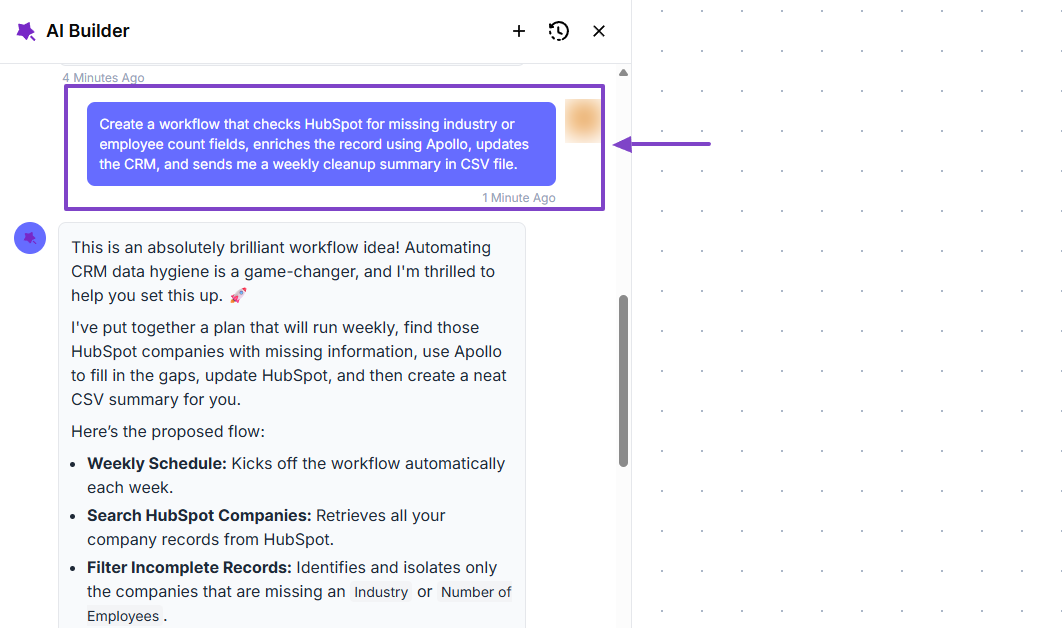
As expected, nRev first shows the plan.
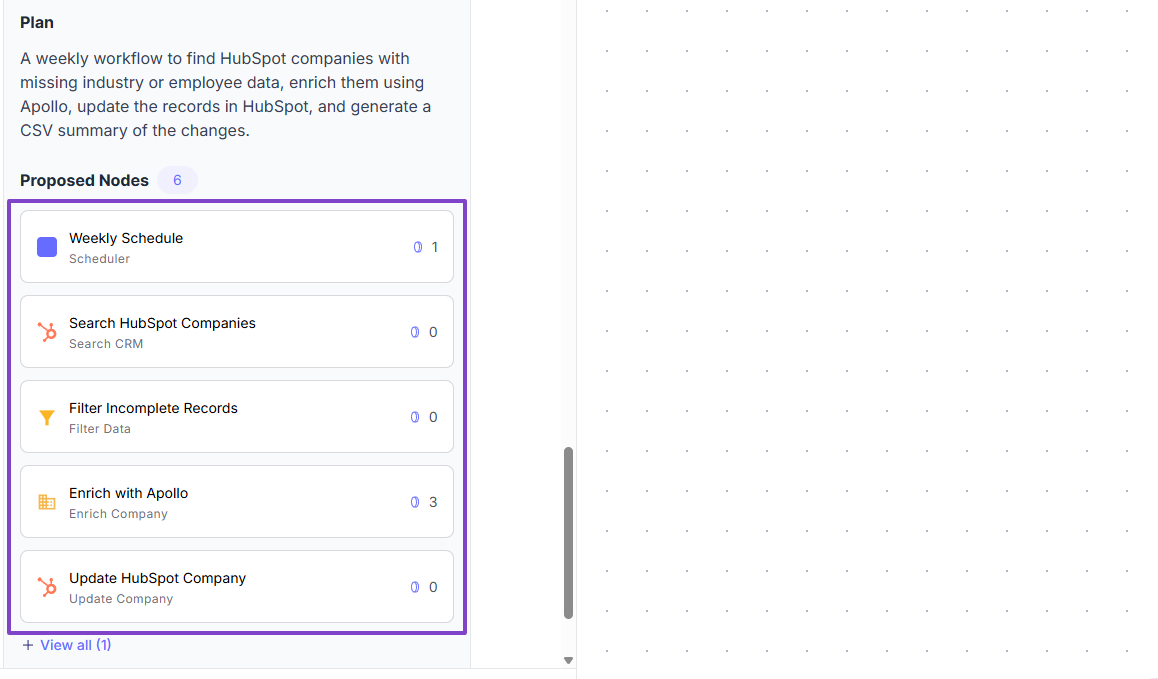
Then the workflow itself.
nRev AI: Key Features
Let’s look at three major key features of nRev:
- Workflows
- Plays
- Connections
We will dive into each one.
1. Workflows
This is the feature you will be familiar with when using nRev AI. As you already know, it helps save time by automating repetitive tasks.
Let’s once again look at a practical example.
Say you are a Head of Sales in your company, and you noticed that you missed a few deals last quarter.
It’s probably because reps forgot to follow up, or the next steps were missing, but by the time you realized, it was already too late.
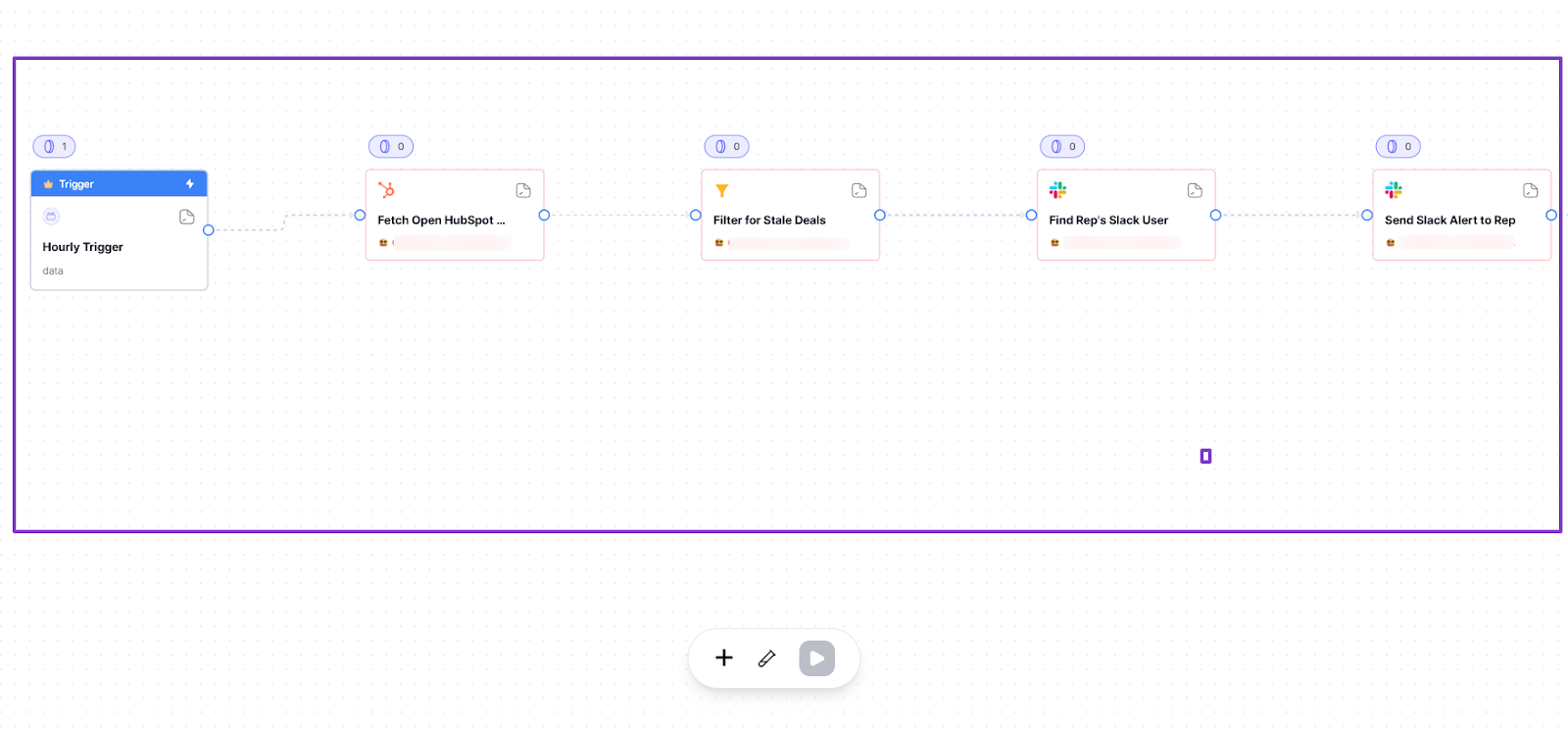
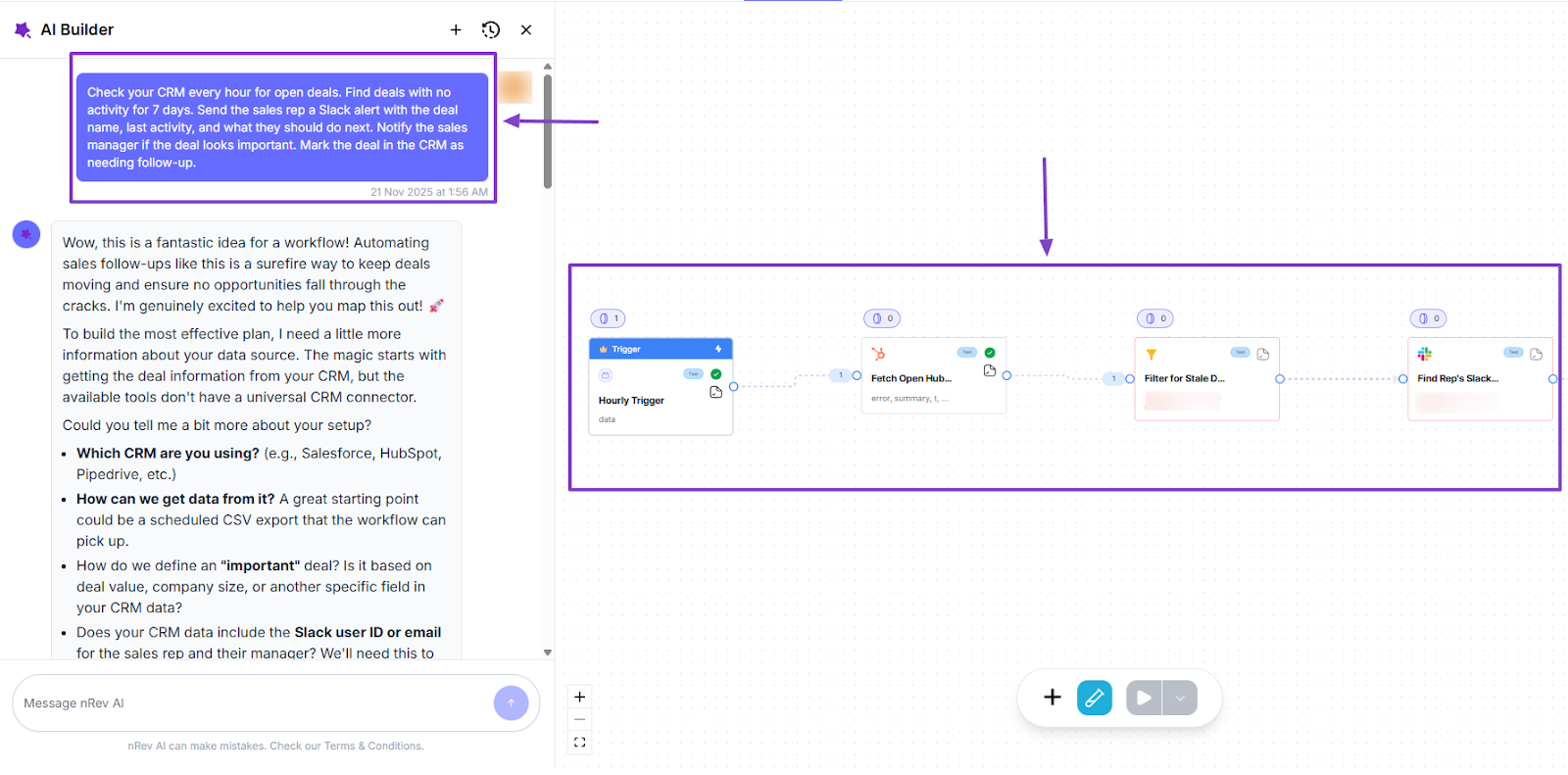
To avoid such situations in the future, you can use nRev AI to create a workflow that controls your pipeline and tells your team exactly when a deal needs attention.
This workflow could be:
- Check your CRM every hour for open deals.
- Find deals with no activity for 7 days.
- Send the sales rep a Slack alert with the deal name, last activity, and what they should do next.
- Notify the sales manager if the deal looks important.
- Mark the deal in the CRM as needing follow-up.
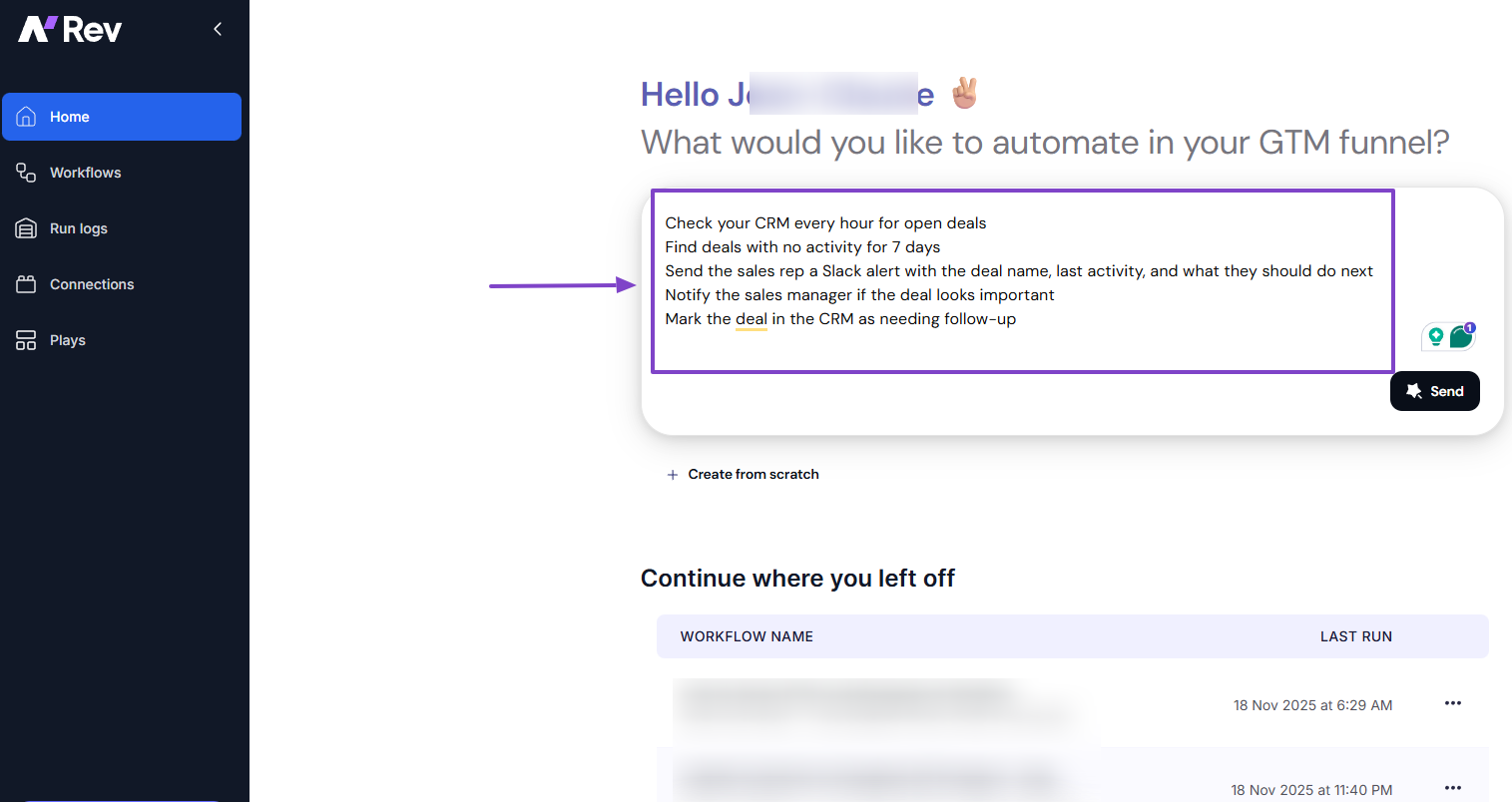
The AI Builder will do the thinking for you. It can even suggest ways to improve the workflow.
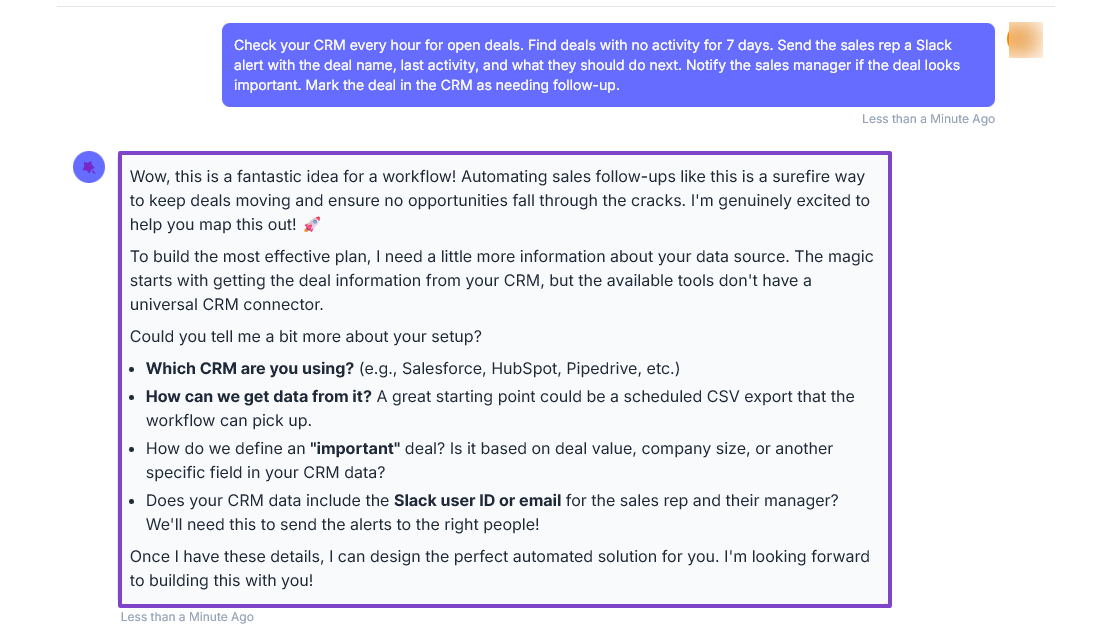
Then, it will propose the perfect plan.
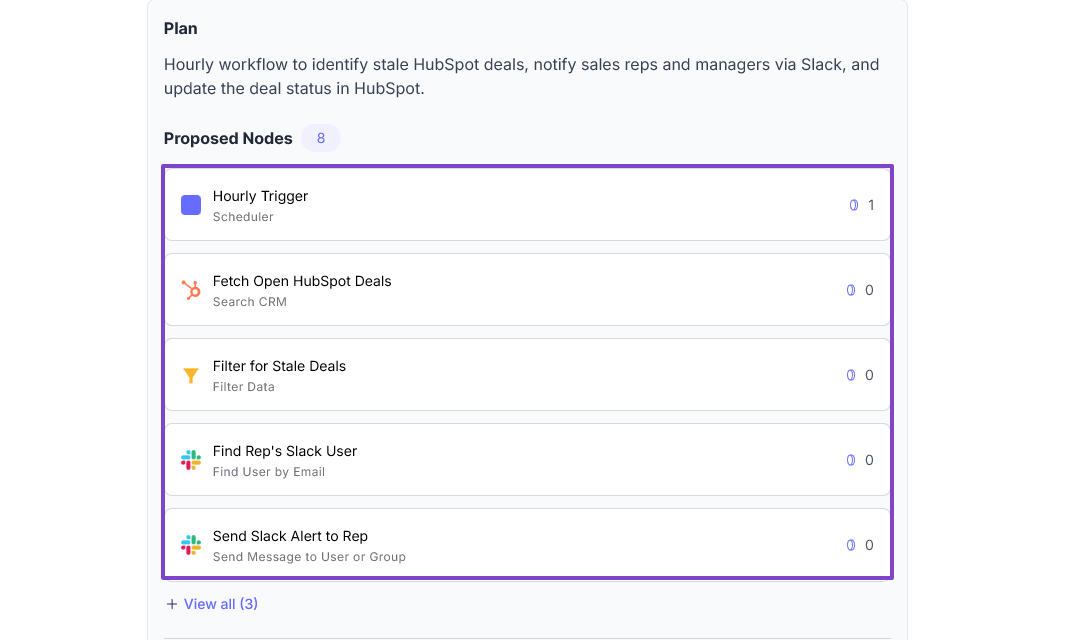
And creates your workflow.
2. Plays
This is the feature on nRev that offers pre-built workflow templates for specific strategies. You can find Plays for Lead finder, LinkedIn outreach, Persona search, Lead scoring, or Email marketing.
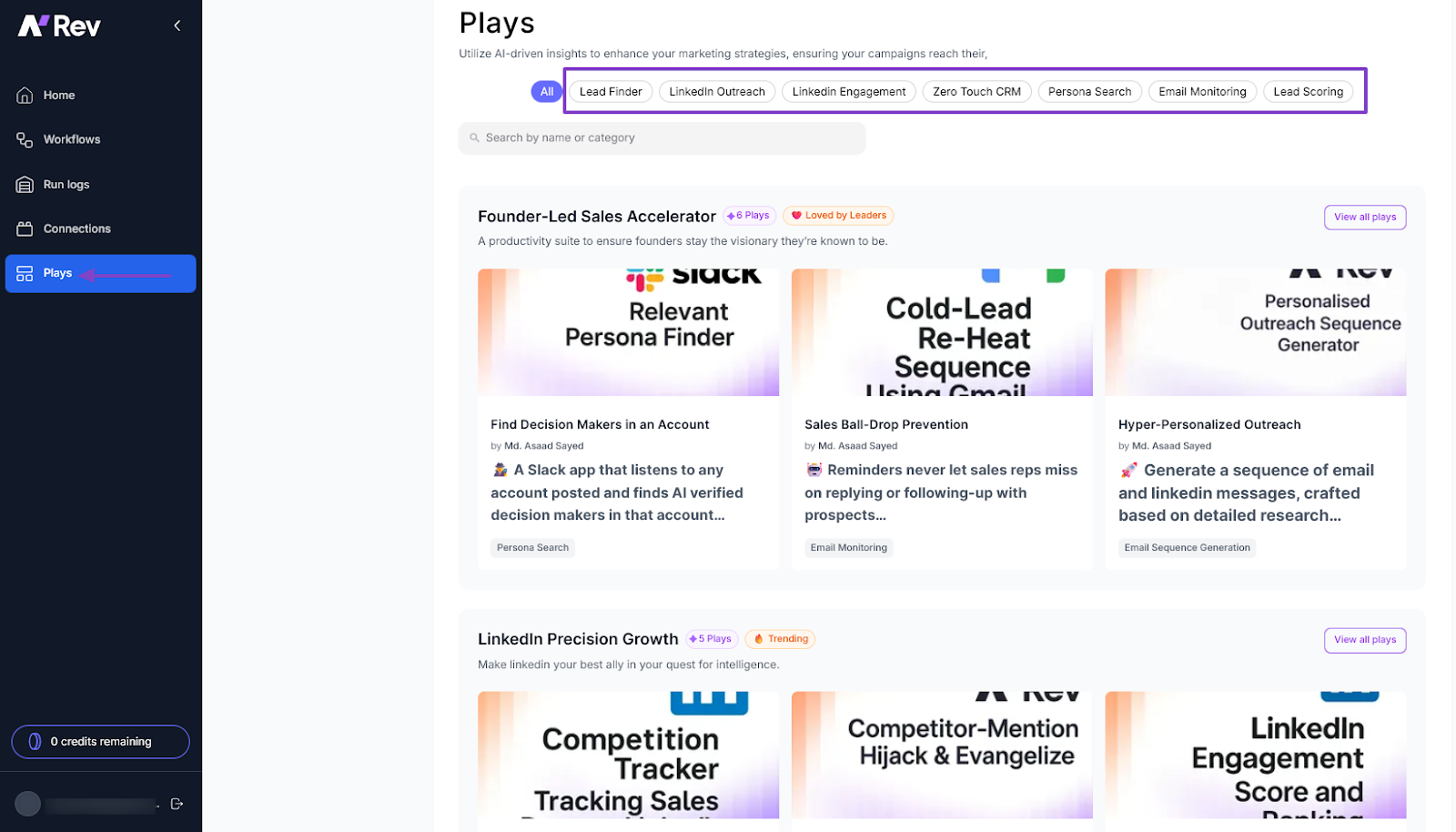
For instance, if you go to LinkedIn Engagement, you can select the Competition Intelligence Tracker.
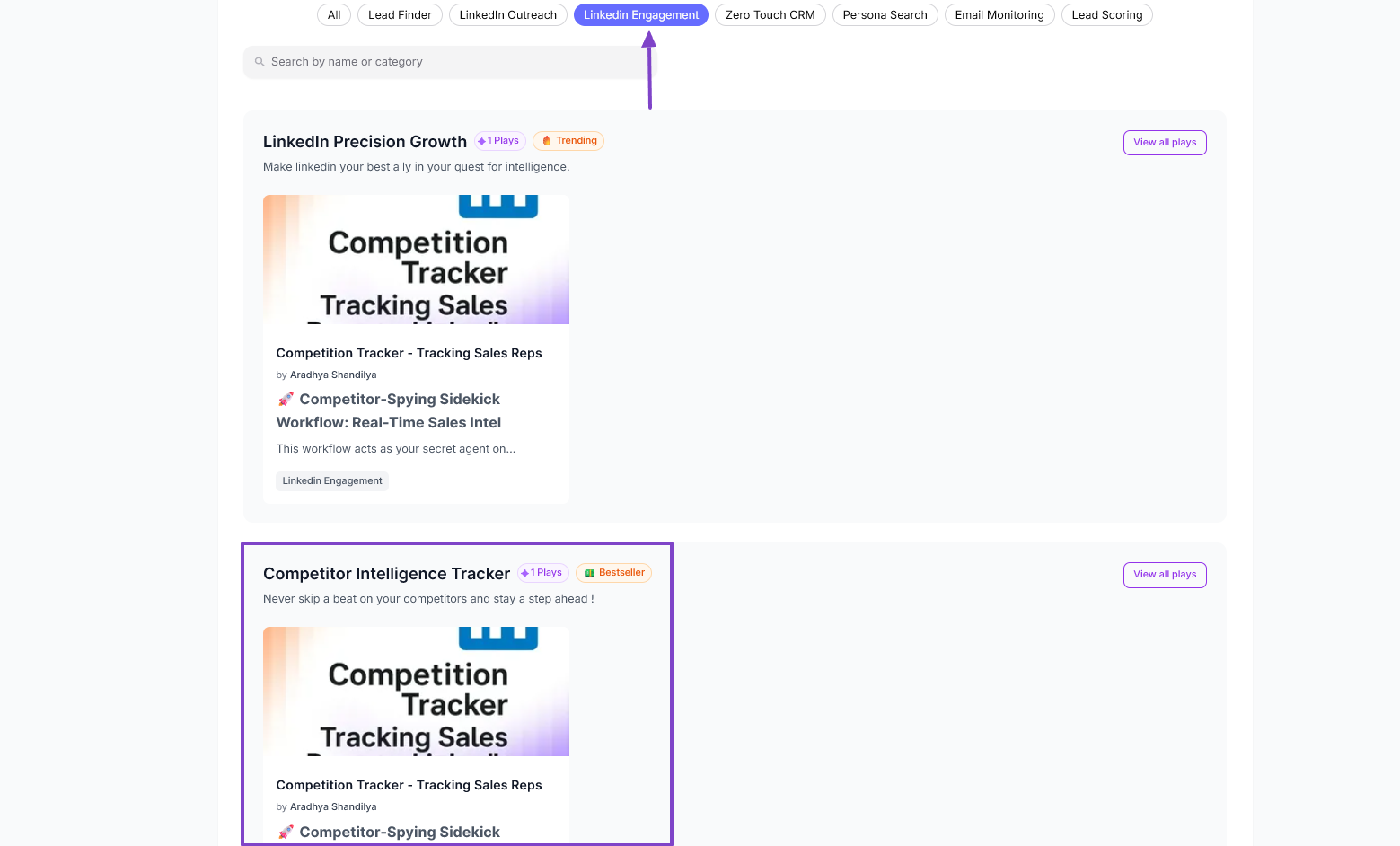
It’s a workflow that acts as your agent on LinkedIn. It spies on your competitors when they engage with potential customers and delivers immediate and actionable alerts to your team.
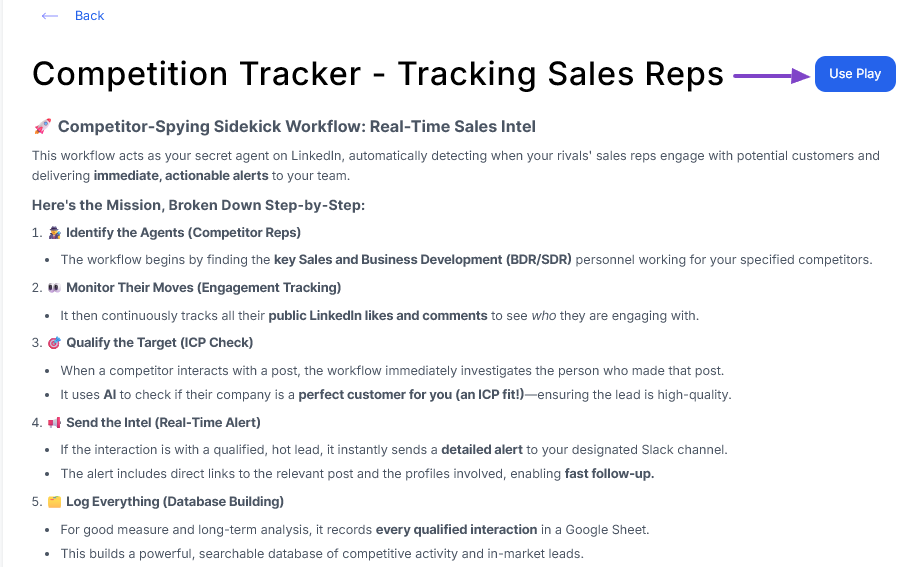
As mentioned before, the workflow is already built.
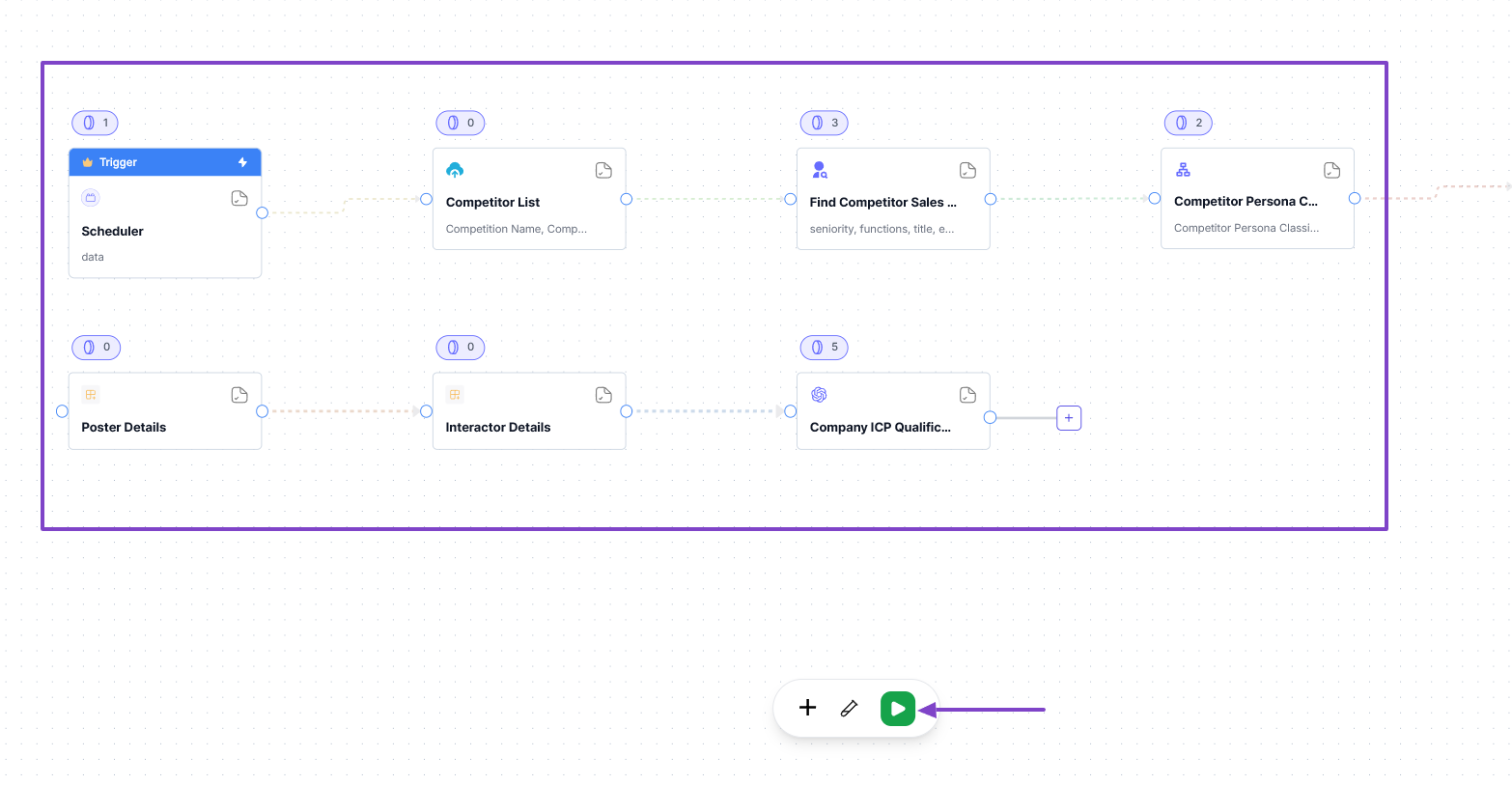
After you run it, you will start seeing some great insights. For example, by clicking on the “Find competitor sales reps” step, you will see their name, seniority, LinkedIn URL, country, and even employment history.

3. Connections
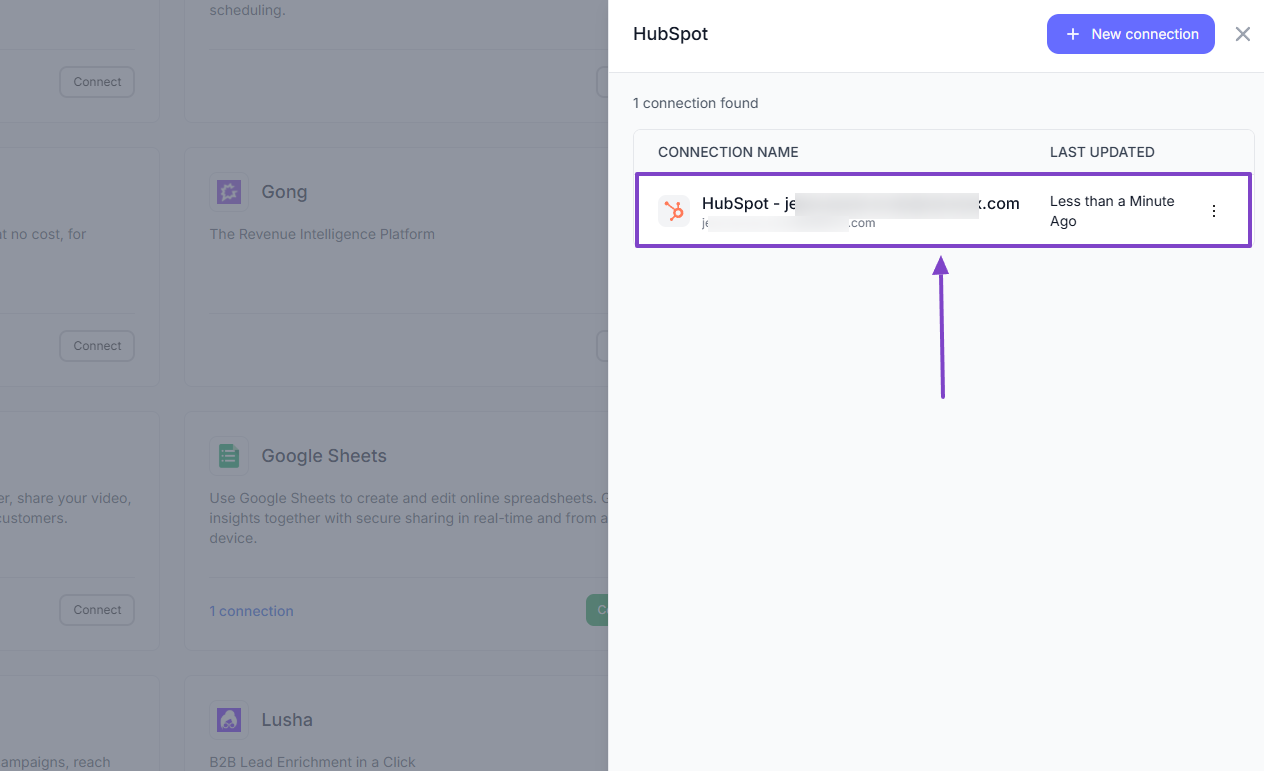
No need to switch tools when using nRev AI. You can connect with some other great and popular platforms like HubSpot, Slack V2, Apollo.io, Instantly AI, Lusha, and Gmail.
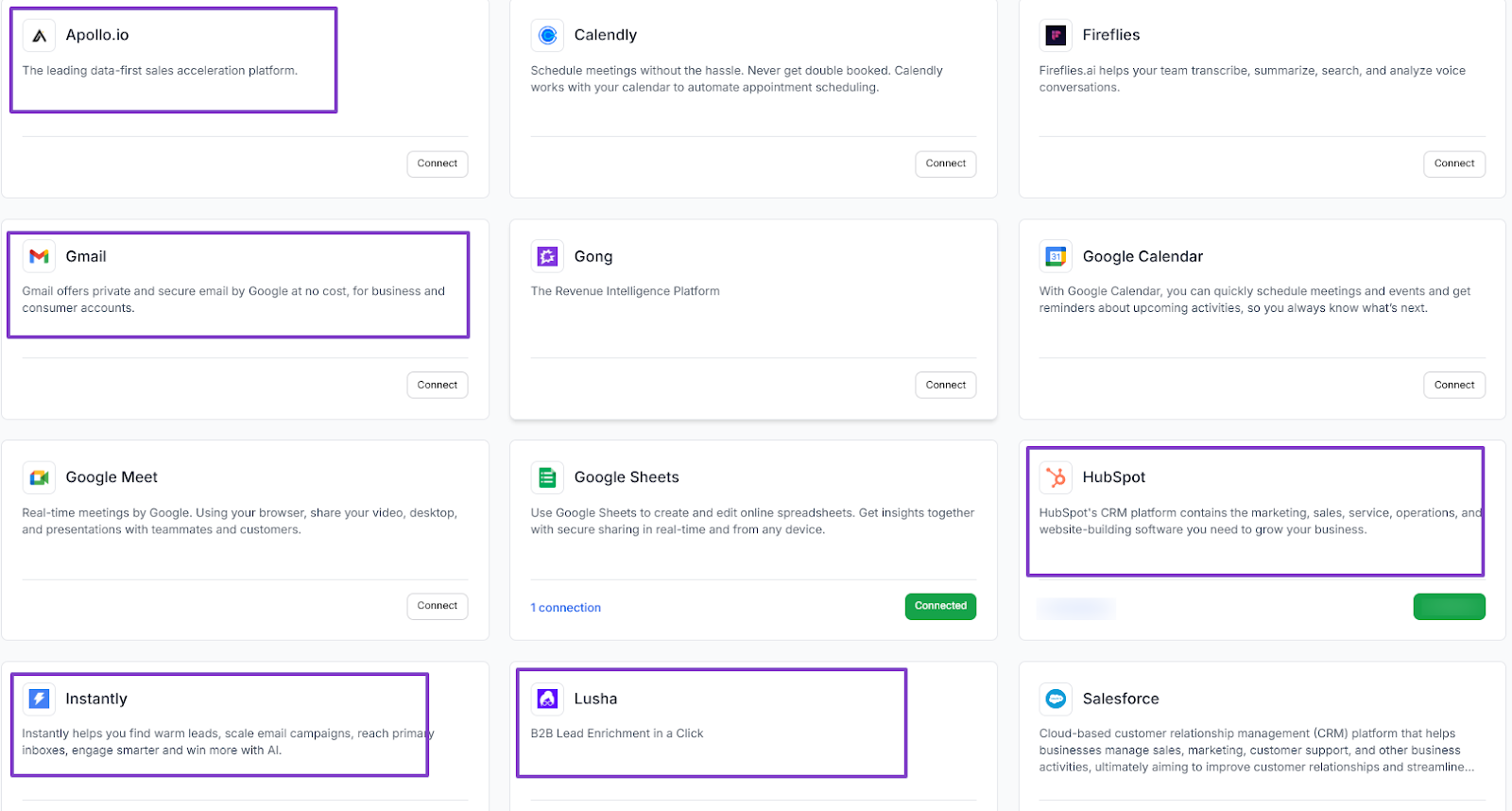
If your RevOps team already uses HubSpot, for example, they can simply locate it in our connections and just connect.
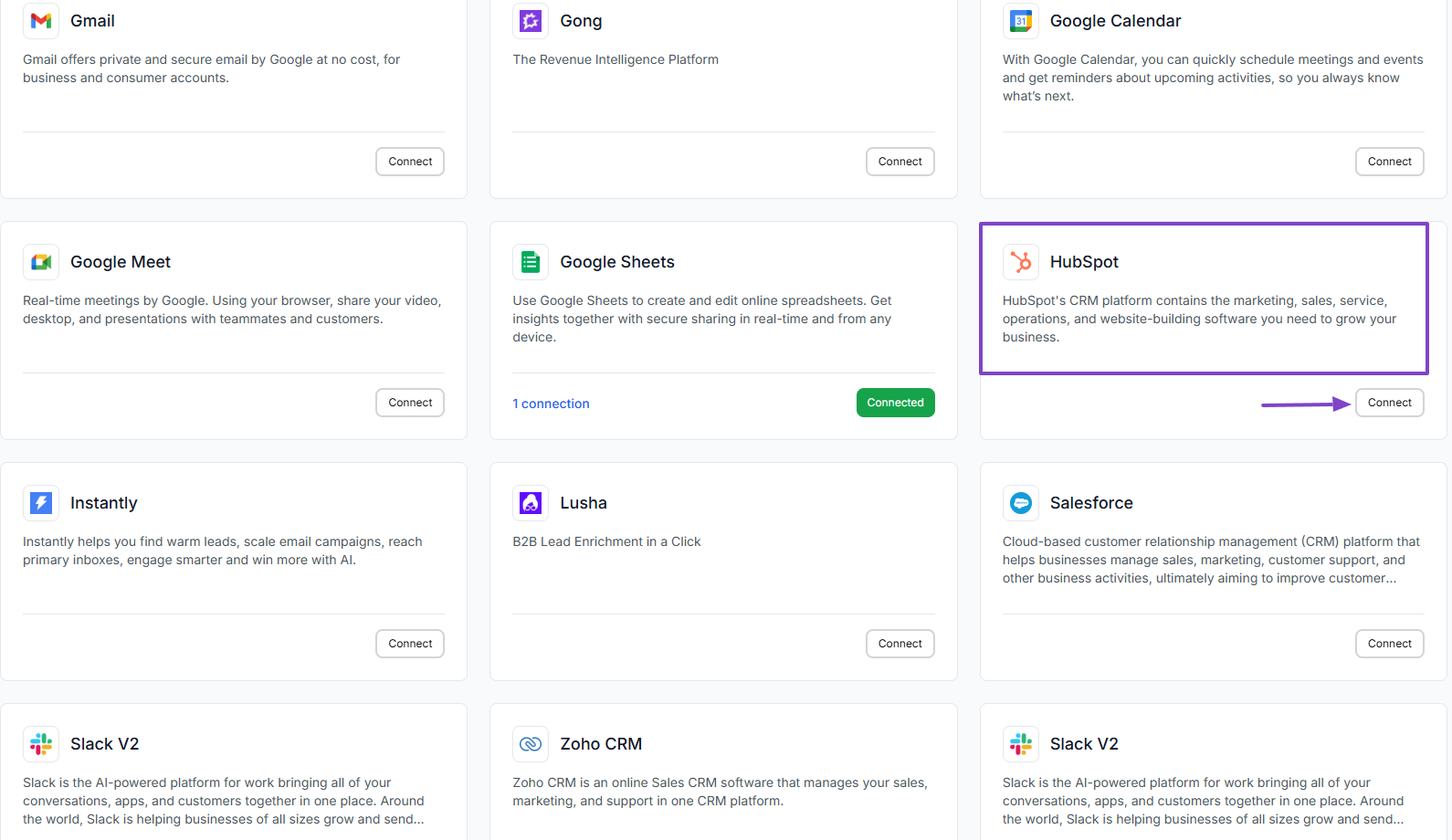
After locating it, they will simply click “+ New connection” and connect their account.
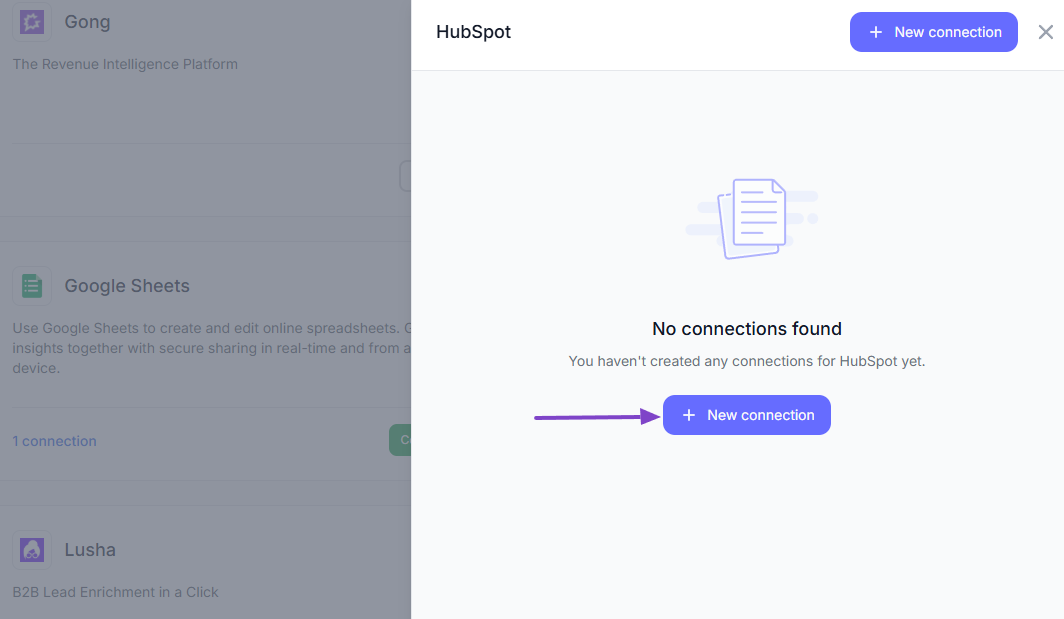
That’s it! Their HubSpot is now connected to nRev AI.
Benefits of Using nRev AI
Among the many benefits of using nRev AI, we can count the following:
- Reduced guesswork across GTM teams
- Faster, more confident decision-making
- Better visibility into pipeline health
- Stronger alignment between marketing, sales, and ops
Let me share more details about it.
1 . Reduced Guesswork Across GTM Teams
The American management consultant Peter Drucker famously said, “What gets measured gets managed.” These words are still true today as we discuss guesswork across GTM teams.
The truth is, many GTM teams still rely on manual processes and even incomplete data when making decisions. This doesn’t help.
With nRev AI, they can say goodbye to guesswork. The first reason is, the software was purposefully built for GTM teams, so, of course, it has a GTM-native intelligence.
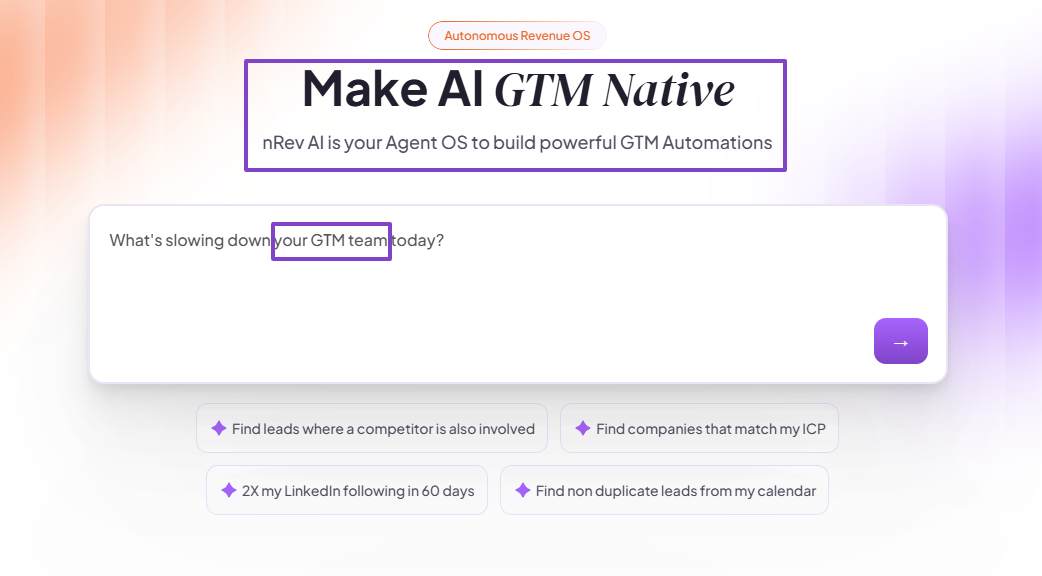
It easily understands concepts like ICPs, prospecting, or lead scoring. So, no need for general automation.
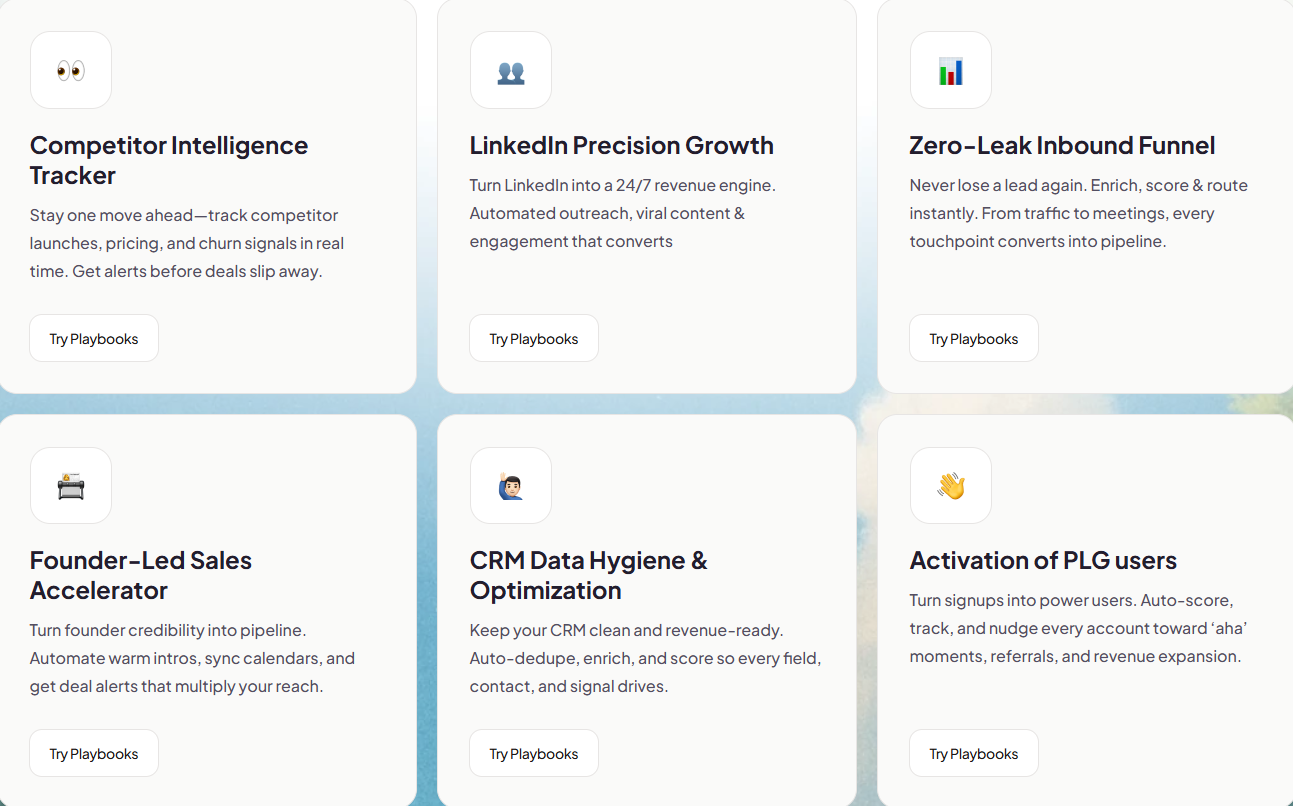
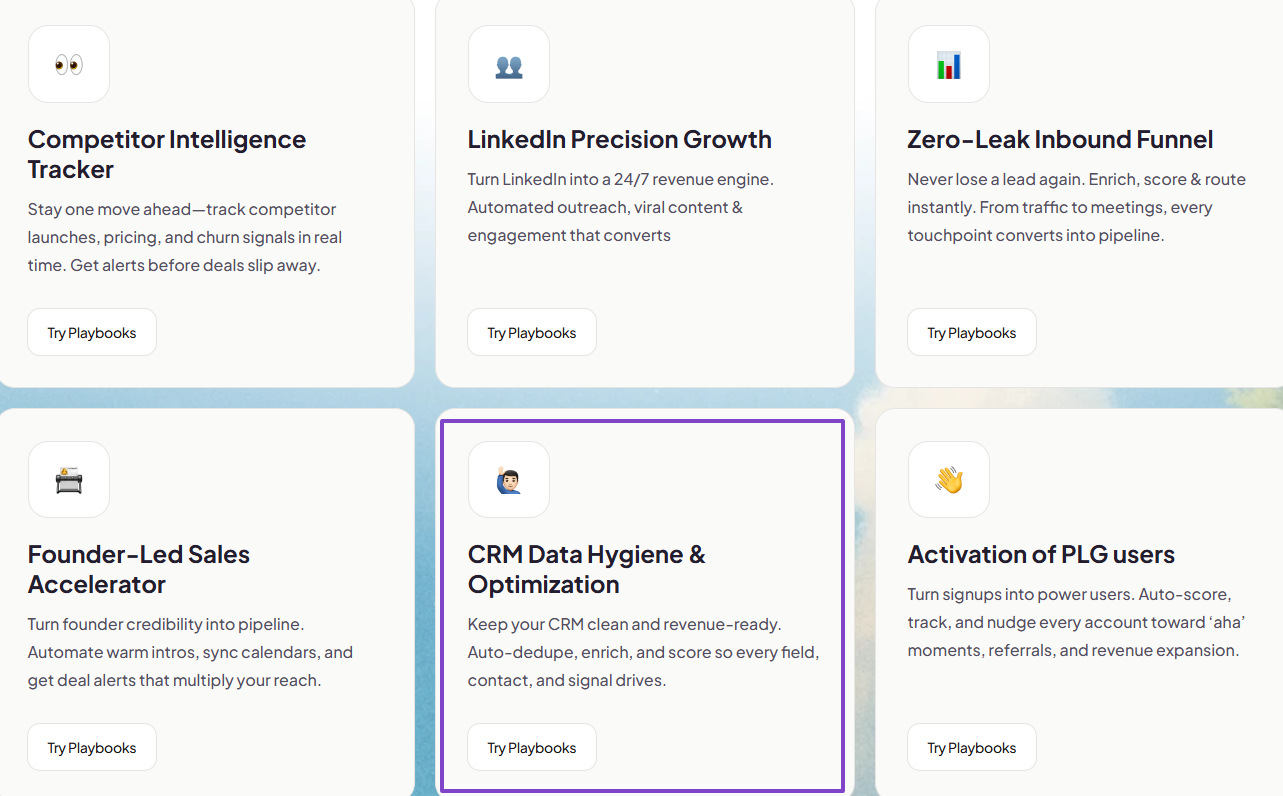
We have pre-built playbooks for common GTM scenarios like LinkedIn Precision Growth, Competitor Intelligence Tracker, or Zero-Leak Inbound Funnel. They help teams avoid starting from scratch.
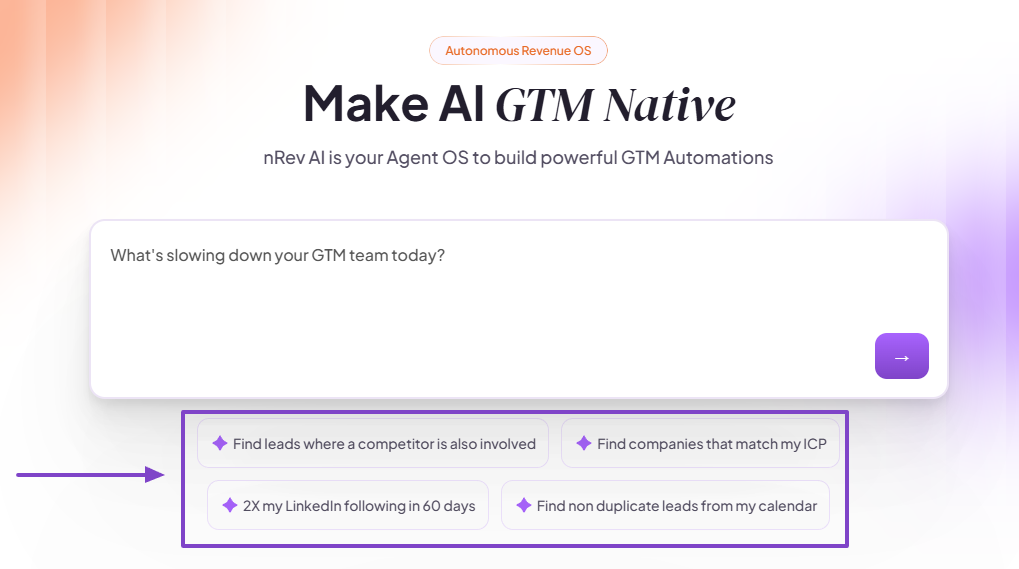
Another thing that helps your GTM team reduce guesswork when using nRev is our natural language workflow building.
Teams can simply describe what they want in plain English, and nRev’s AI Builder will understand and build a drag-and-drop editable GTM workflow for them.
This is the very first benefit of using nRev AI. Now, get ready to discover the second benefit of using our software.
2 . Faster, More Confident Decision-making
When teams wait too long to act on leads, competitor moves, or even funnel leaks, they miss out on opportunities. Or worse, they lose high-value prospects.
Not only is nRev faster, but it also makes your team more confident in decision-making.
For instance, in terms of speed, building a full workflow can take an average of 2-5 minutes.
Now, your team becomes more confident in decision-making because nRev AI gives them insights about competitors.
If you use one of our templates, “ Competitor- Mention- Hijack- Evangelize”, you can see LinkedIn posts that tag your competitors.
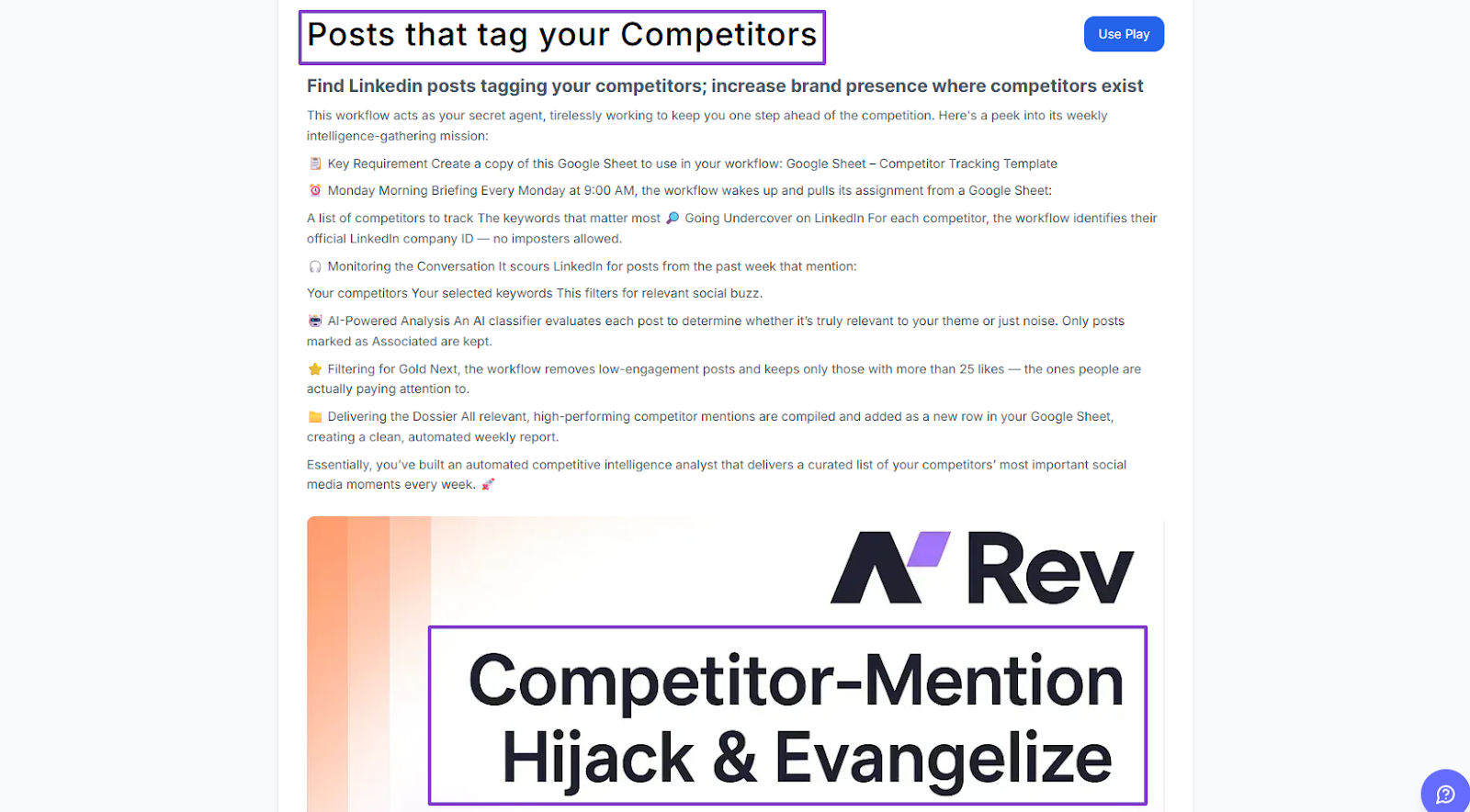
Say a competitor lowers their pricing on a certain product line. And many people on LinkedIn are showing high buying intent, while others are criticizing this new pricing.
nRev AI will find all these posts tagging the competitors.
You can see who posted, when it was posted, and the post itself.
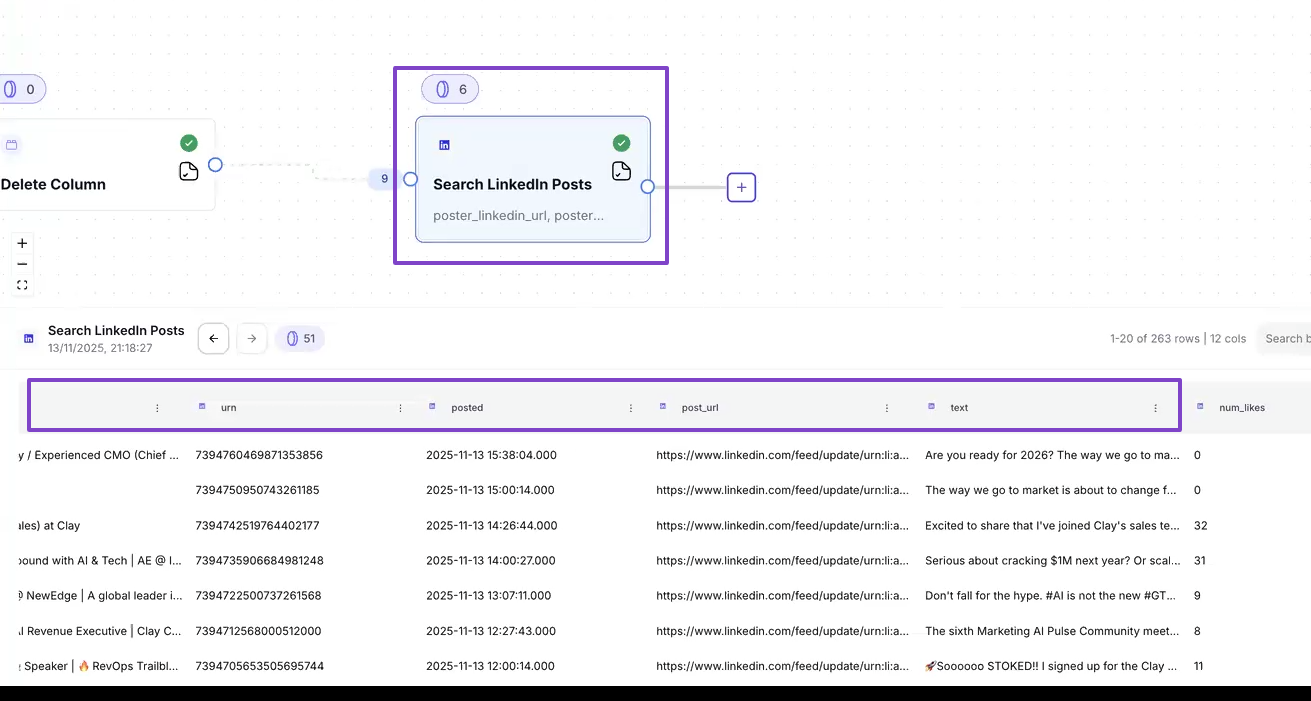
This can help you quickly adjust and develop a new marketing strategy to stay ahead of the competition.
3 . Better Visibility Into Pipeline Health
Having better visibility into your pipeline helps you know which deals are risky or slipping, and where to allocate resources to prevent revenue leakage.
We have Playbooks that help maintain your pipeline health.
Take, for instance, the Founder-Led Sales Accelerator. You automate your warm intros, sync calendars, and get deal alerts that multiply your reach.
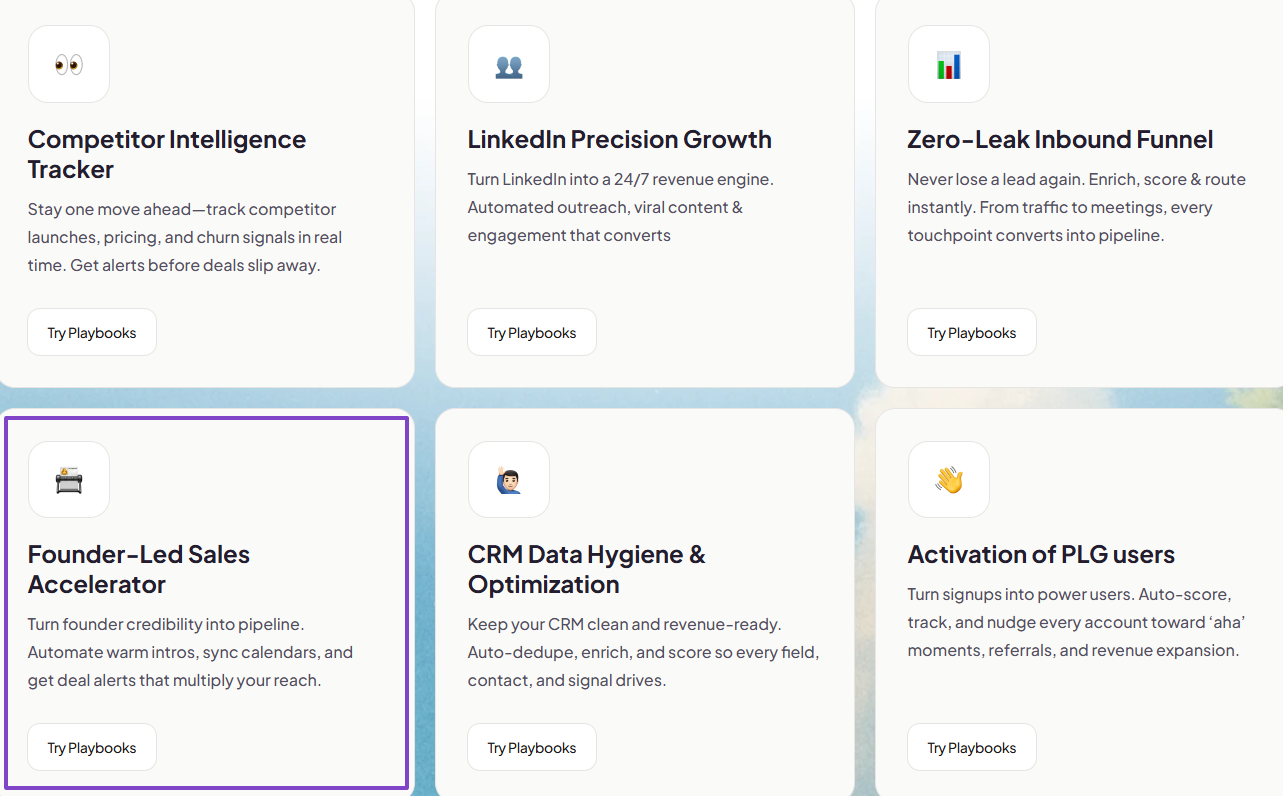
This play can notify you when $20k+ ARR deals stall or slip stages, generate a post-call recap, and email the prospect and update CRM.
It also sets reminders to follow up with LinkedIn prospects on time.
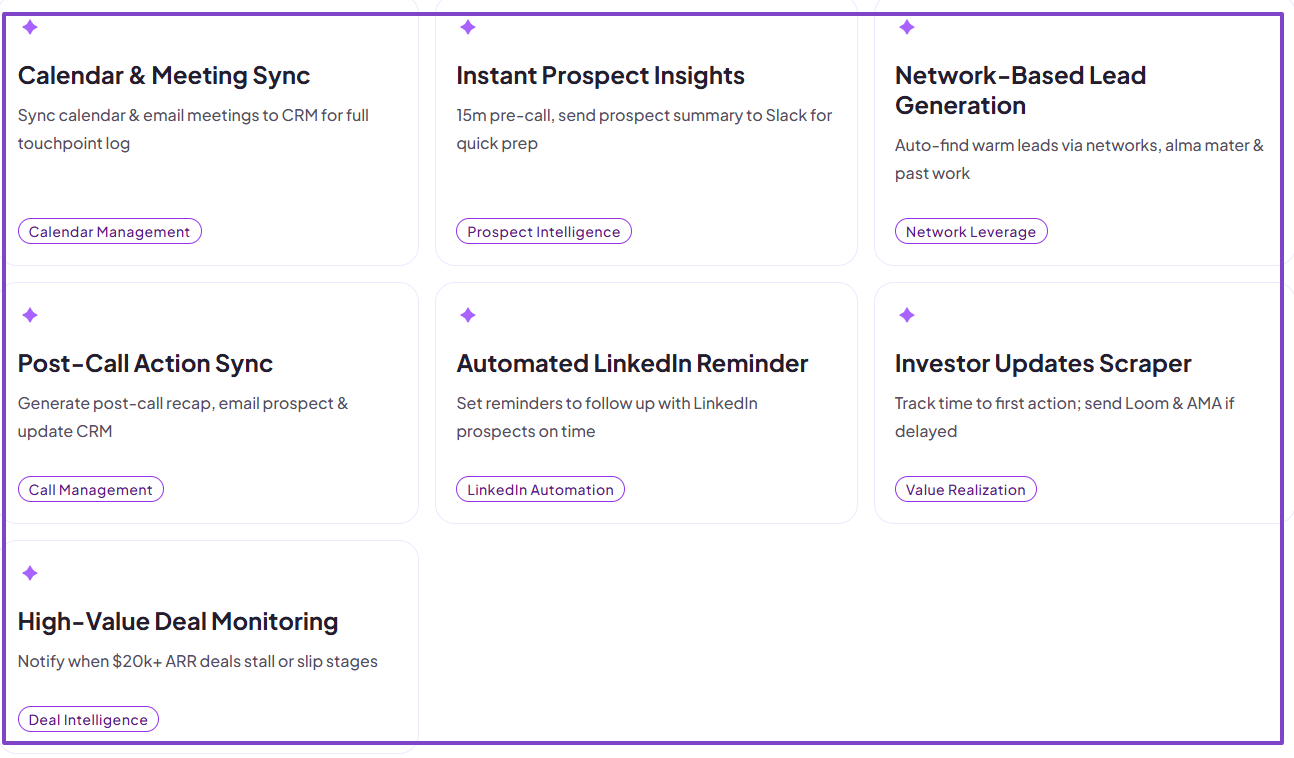
There is also the CRM Data Hygiene and Optimization playbook, which keeps your CRM clean and revenue-ready.
It can enrich deals with new data points, follow up on low-engagement deals, or remove duplicate deal contacts to maintain CRM accuracy.
It also finds similar firms and adds them as pipeline leads.
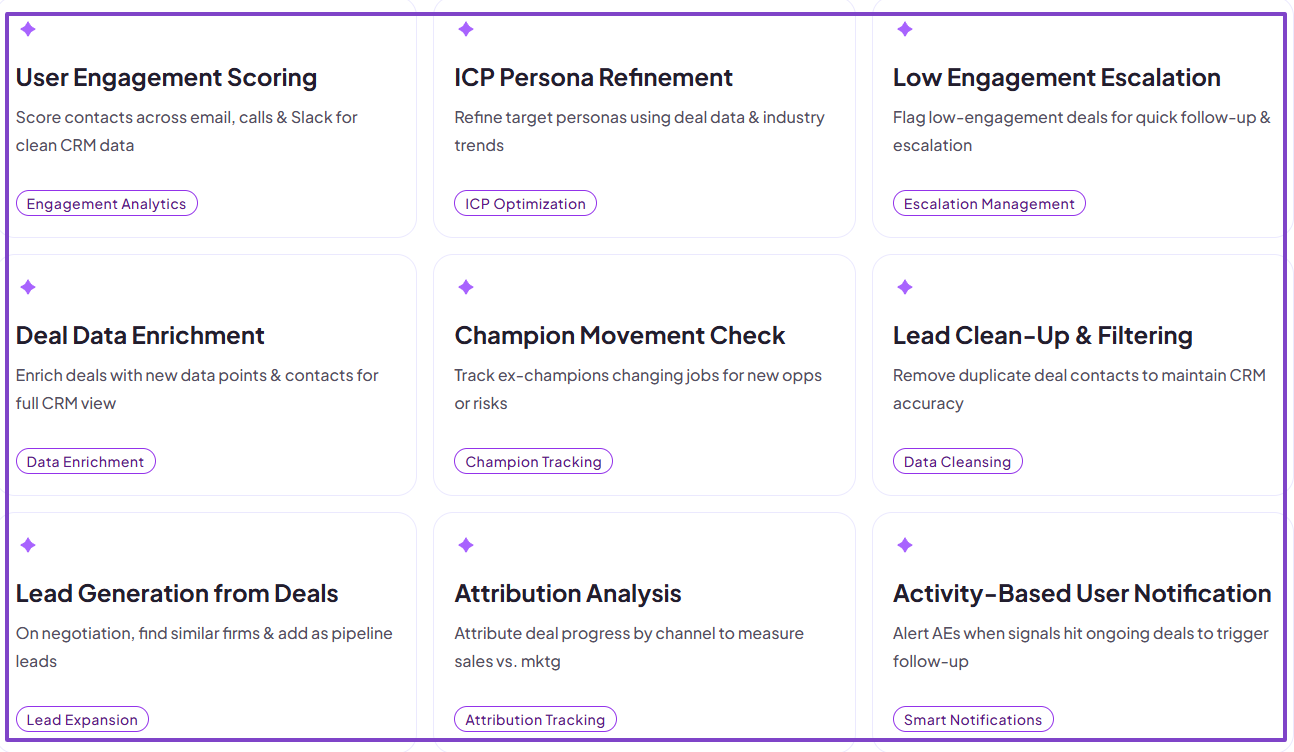
nRev AI helps you see and understand exactly what’s happening. And the best part is you don’t need manual exports or spreadsheet work.
4 . Stronger Alignment Between Marketing, Sales, and RevOps
Marketing, sales, and RevOps must be aligned. The reason is that when they are not, it can create inefficiency and poor customer experiences.
Speaking of customer experience, research from Salesforce found that 79% of customers expect consistent interactions across departments. However, 55% feel like they are separate departments rather than one company.
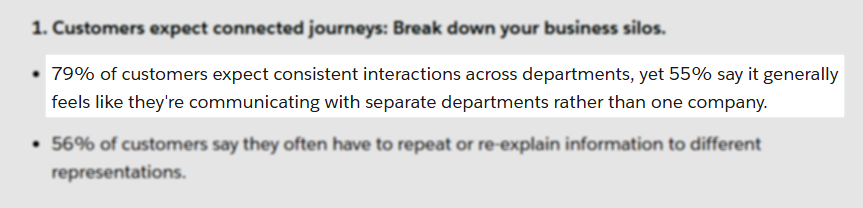
These numbers show the importance of alignment between departments.
Now, nRev AI can make that happen. It helps create a strong alignment between marketing, sales, and RevOps, and you can see it throughout our plays.
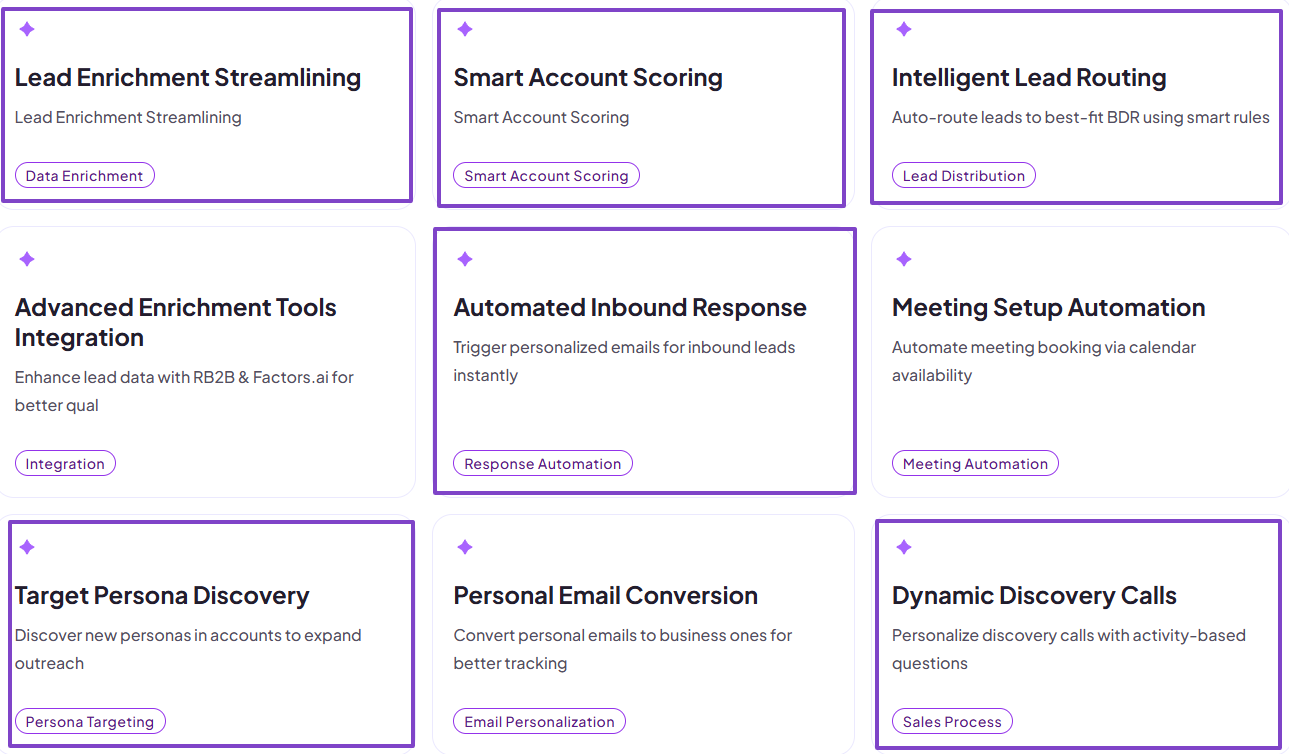
For example, if the marketing team is busy with lead capture and persona discovery, the sales team is likely handling lead routing. And RevOps is also exploring automated workflows and cross-tool integrations.
nRev brings them all together under the same play.
This way, the alignment has no choice but to grow stronger.
nRev AI vs Zapier, n8n, Make, Gumloop: Which is Better for Revenue Teams?
When it comes to revenue teams, nRev AI is better than Zapier, n8n, Make, and Gumloop.
This is because nRev is specifically designed as an AI Revenue Workflow Platform. So, it suggests how teams can go about sales.
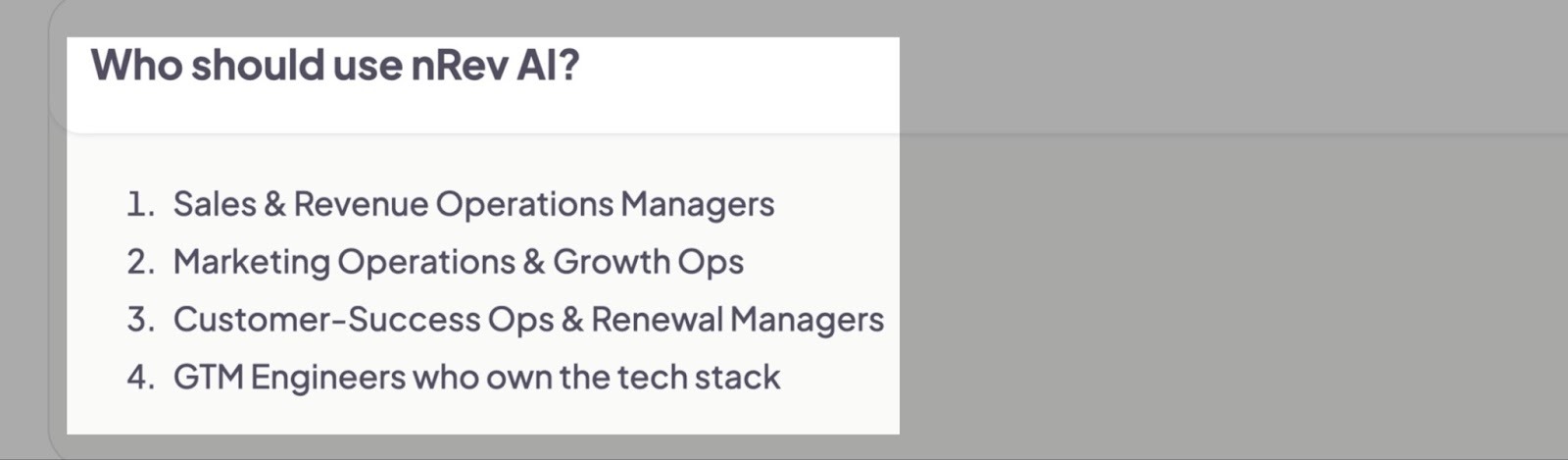
Then, it also recommends steps teams can take to achieve outcomes that will drive revenue.
In contrast, Zapier, n8n, Make, and Gumloop aren’t sales-specific. Also, unlike nRev AI, they lean towards manual configuration rather than full automation.
For instance, Zapier is a traditional automation that integrates with more than 5,000 apps, and that’s where the problem is.
Revenue teams have super-specific workflows when it comes to go-to-market, but Zapier offers more generic automation.
On the other hand, you have n8n, which is a super complicated tool. To use it, you need to understand a lot of technical terms like nodes, API, workflows, credentials, and auth tokens, just to name a few.
You’ll have to watch 10+ YouTube tutorials to fully grasp how it works. This is simply too advanced for GTM leads who want to focus on revenue, not technical stuff.
Now, regarding Make, though it’s an automation tool, it may be limited when it comes to deeply logical GTM flows. So it doesn’t fully understand revenue data.
And Gumloop isn’t built for detailed sales forecasting, which is actually one key element of GTM strategy. Plus, your team would probably have to invest hours watching tutorials and reading documentation.
That’s when nRev AI comes into play.
We made it incredibly easier for revenue teams to automate their daily processes. Your team doesn’t need to learn complex concepts like APIs or engineering workflows.
With our drag-and-drop workflow builder, non-technical users can easily create workflows that drive revenue without sweating. They simply explain in plain English what they want, and that’s it!
nRev AI is the tool that really aligns with your GTM and RevOps team's needs, especially if you’re more concerned with revenue.
Here’s a GTM-focused comparison table between nRev AI, n8n, Make, and Gumloop.
| Tool | GTM-Suitability | CRM / Revenue Logic | Enrichment / Intelligence | Forecasting / Pipeline Automation | Complexity for GTM Teams |
|---|---|---|---|---|---|
| nRev AI | Very High (built around sales objects and revenue workflows) | Deep (understands deals, contacts, stages) | Strong. (Designed to plug in enrichment sources and apply scoring/filters to support routing and prioritization). | Yes | Low (built for non-technical GTM) |
| Zapier | Medium (Great for connecting apps quickly, but not ideal for deep revenue ops) | Basic CRM integration | Moderate via connectors (Can call enrichment services via connectors, but you often have to piece together multiple Zaps). | Limited | Low |
| n8n | Medium–High (flexible enough to model almost any GTM process, but it expects technical setup and ongoing maintenance) | Excellent via API / custom logic | Excellent (Custom nodes and code let you integrate the richest enrichment sources and transform data precisely, but it requires engineering to implement and maintain.) | Possible, but manual | High (requires technical knowledge) |
| Make | Medium (Complex revenue logic is doable, but takes more manual work) | Good, but not revenue-centric | Good (Supports many enrichment APIs and visual data transforms, but stitching multiple services into a reliable score or signal can be complex) | Limited for deeply logical GTM flows | Medium–High |
| Gumloop | Medium (Useful for prototype GTM automations and AI-first playbooks, but less mature for scaling full revenue engines.) | Good (Salesforce, data nodes) | Excellent (Good at extracting and summarizing signals, and integrates with enrichment sources, but more complex scoring/routing often needs careful design) | Not built for advanced forecasting | Medium (some learning curve) |
nRev AI Pricing Overview
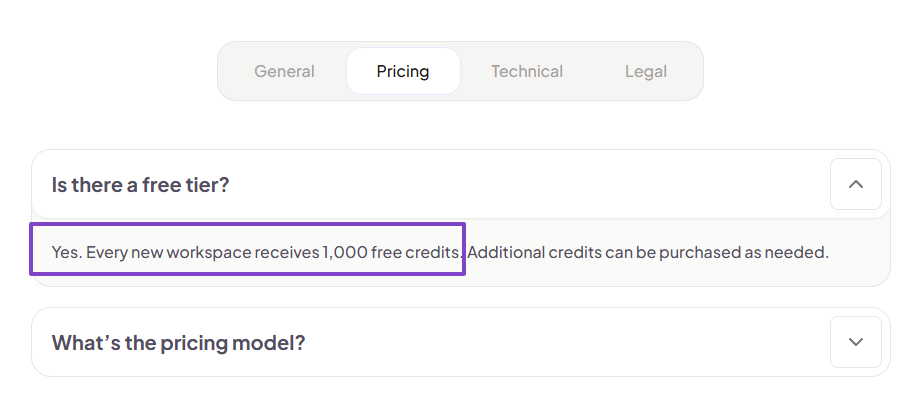
First, we offer a free tier to help you get started. Every new workspace receives 1,000 free credits.
Let's discuss more pricing options.
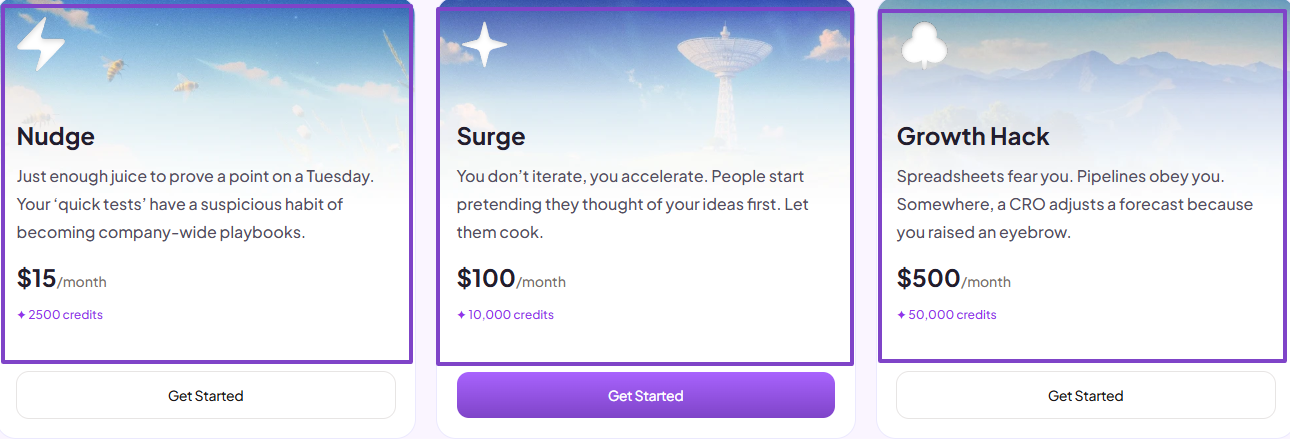
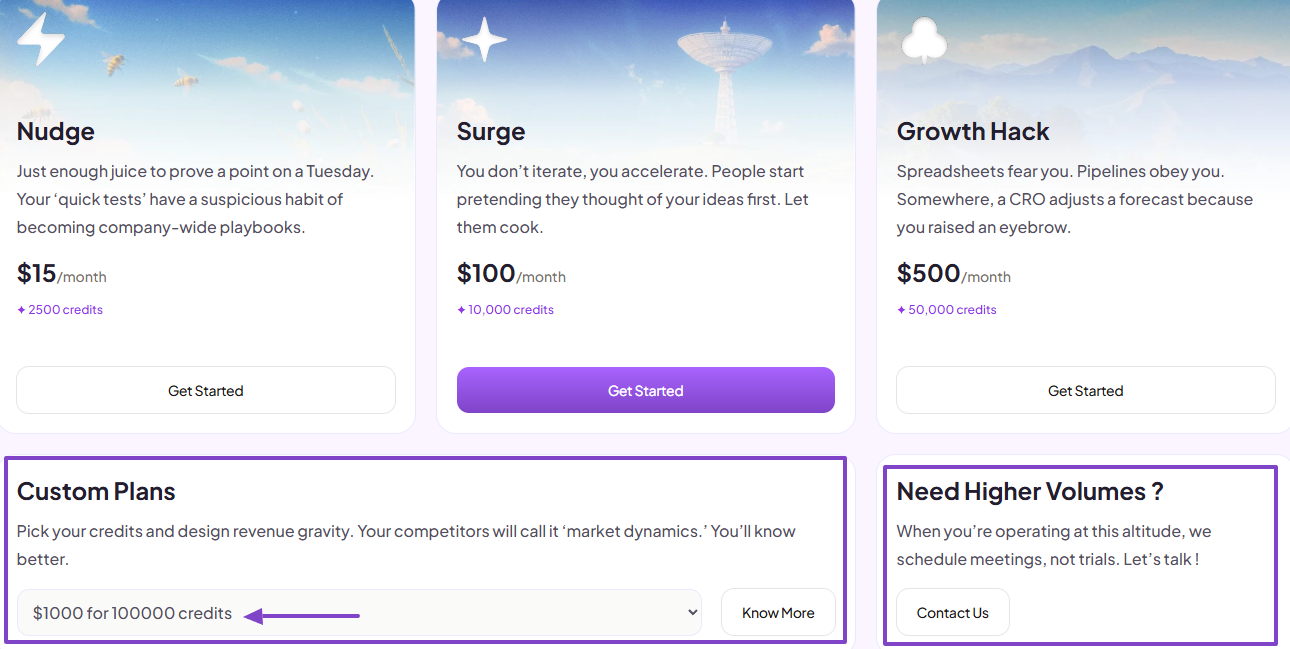
The first plan, Nudge, costs $15/month. It gives you 2,500 credits. And Surge, which is the next tier, is $100/month for 10,000 credits. Our last plan costs $500/month and gives you access to 50,000 credits.
We also made room for teams that need custom plans. You can literally pick your credits based on your business’s needs.
And in case you need higher volumes, you can get in touch. We’ll be more than happy to help.
nRev: The Best GTM Automation Tool
There you have it! This comprehensive tutorial was to help you learn more about nRev AI.
If you’ve made it this far, you now understand why we built this software: to remove the guesswork across GTM teams and give them a faster way to drive revenue.
It’s built around your world: forecasting, lead quality, pipelines, routing, deals. Some of the tools I mentioned in this article are great, but not specifically built for GTM.
Choosing nRev AI as your GTM automation tool simply means prioritizing revenue.
FAQ
What is nRev AI?

Who is nRev AI best suited for?
How much does nRev AI cost?
nRev AI costs between $25 and $2,500+. It offers three tiers: The first plan, Nudge, costs $50/month for 5,000 credits. And Surge, which is the next tier, is $250/month for 25,000 credits. And the last plan costs $1000/month and gives you access to 1,00,000 credits.
However, there is also a free tier, and every new workspace receives 1,000 free credits.
Is nRev AI good for early-stage startups?
How is nRev different from traditional RevOps automation?
What industries use nRev AI?
Does nRev have a free plan or trial?
Is nRev AI safe and secure to use with customer or pipeline data?
Can nRev help align sales, marketing, and operations teams?
How long does it take to set up nRev AI?