


It’s no secret that automation has become a major support system for many modern revenue teams.
About 88% of B2B organizations, for example, use automation in at least one business function. This means work tasks like reporting, lead routing, and CRM are no longer done manually.
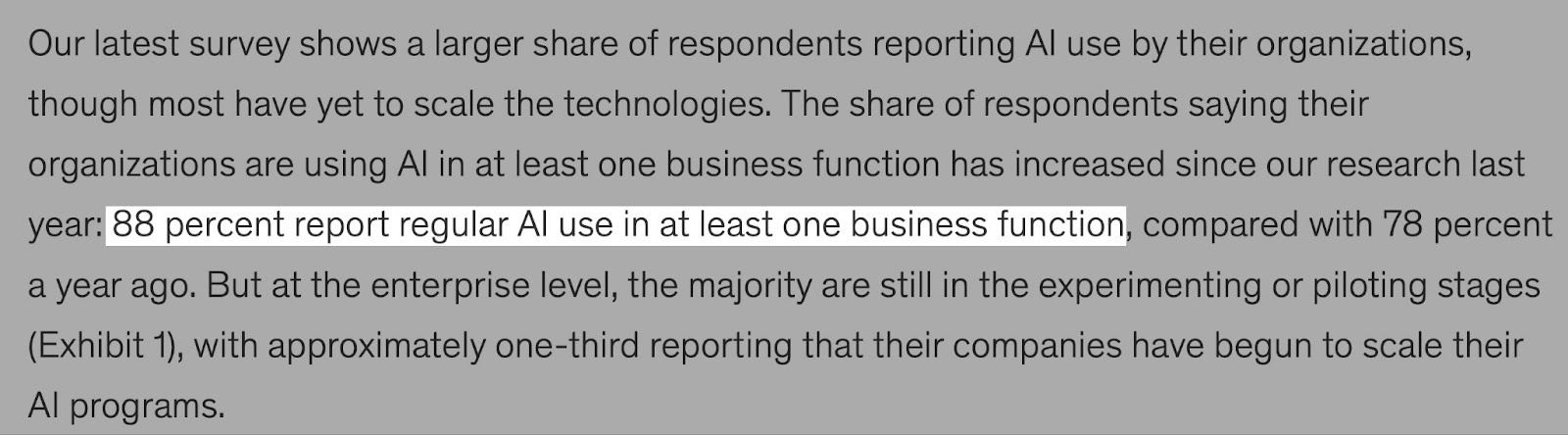
And when automation works well, it can create a positive impact on your bottom line.
But as revenue teams expand and add more tools, automations can start to feel limiting. Teams may ask whether the automation tool they use is still the right fit for work today.
That’s where the n8n vs Zapier conversation comes in. Both tools promise to connect your work apps and automate repetitive tasks, but they have very different ways of doing that.
In this guide, we’ll break down Zapier vs n8n, so you can understand which platform is best for your workflows in 2026.
TL;DR
- Automation tools are platforms that connect apps and systems, move data automatically, and help teams save time and reduce errors.
- n8n is a flexible, multi-step automation tool with branching logic that’s best for building complex workflows.
- Zapier is an easy-to-use automation tool with pre-built integrations that’s best for building simple, linear automations.
- You can choose the right automation tool by considering setup and ease of use, integrations with revenue data sources, workflow complexity and flexibility, lead routing, enrichment and qualification, multi-step deal desk automations, and revenue data pipelines.
- Zapier is the best fit for early-stage or lean revenue teams with simpler workflows.
- n8n is the best fit for scaling and advanced teams with complex, multi-step workflows.
- nRev combines the ease of Zapier and the complexity of n8n, giving teams the best of both worlds.
n8n vs. Zapier: Quick Comparison
| Tools | Zapier | n8n |
|---|---|---|
| Features | ||
| Prospecting & Lead Sourcing | Works best with basic integrations and simple lead capture flows | Can pull data from multiple sources with custom workflows |
| Sequences & Workflows | Workflows are linear and easy to set up | Supports multi-step workflows with branching logic and conditional rules |
| Data Accuracy | Automatically shares data across apps, so errors from one app can carry through workflows | High data accuracy. Regular maintenance ensures data is correct before workflows are updated. |
| Database Coverage | Works well with common apps but is less flexible for niche databases or multiple sources | Can connect to CRMs, analytics, marketing tools, internal databases, and custom APIs |
| AI Capabilities | AI-assisted workflow builder helps generate simple, linear workflows quickly | AI-assisted workflow builder helps build multi-step, complex workflows |
| Integrations | 10,000+ pre-built integrations. Zapier automatically updates integration changes | 1,323+ integrations. Requires more custom setup and regular maintenance as tools change |
| Pricing & Credits | Free plan with features like unlimited Zaps, Tables, and Interfaces, and Zap Copilot (AI). Users have 100 tasks per month | Starter plan at $20/month with features like unlimited users, 20 AI workflow credits/month, 5 concurrent executions, and 1 shared project |
| Data Security | Supports enterprise-grade security and compliance (SOC 2 Type II, GDPR Compliant, GDPR UK Compliant) | Offers flexible, self-hosted security under Business Plan, which gives teams more control but needs more setup. Starter and Pro Plans are hosted on n8n’s cloud. Also, SOC 2, SOC 3, and GDPR compliant. |
| Best Use Case | Quick automations for simple and repeatable tasks | Complex and technical workflows |
n8n vs. Zapier: Which Is Better for Revenue Operations?
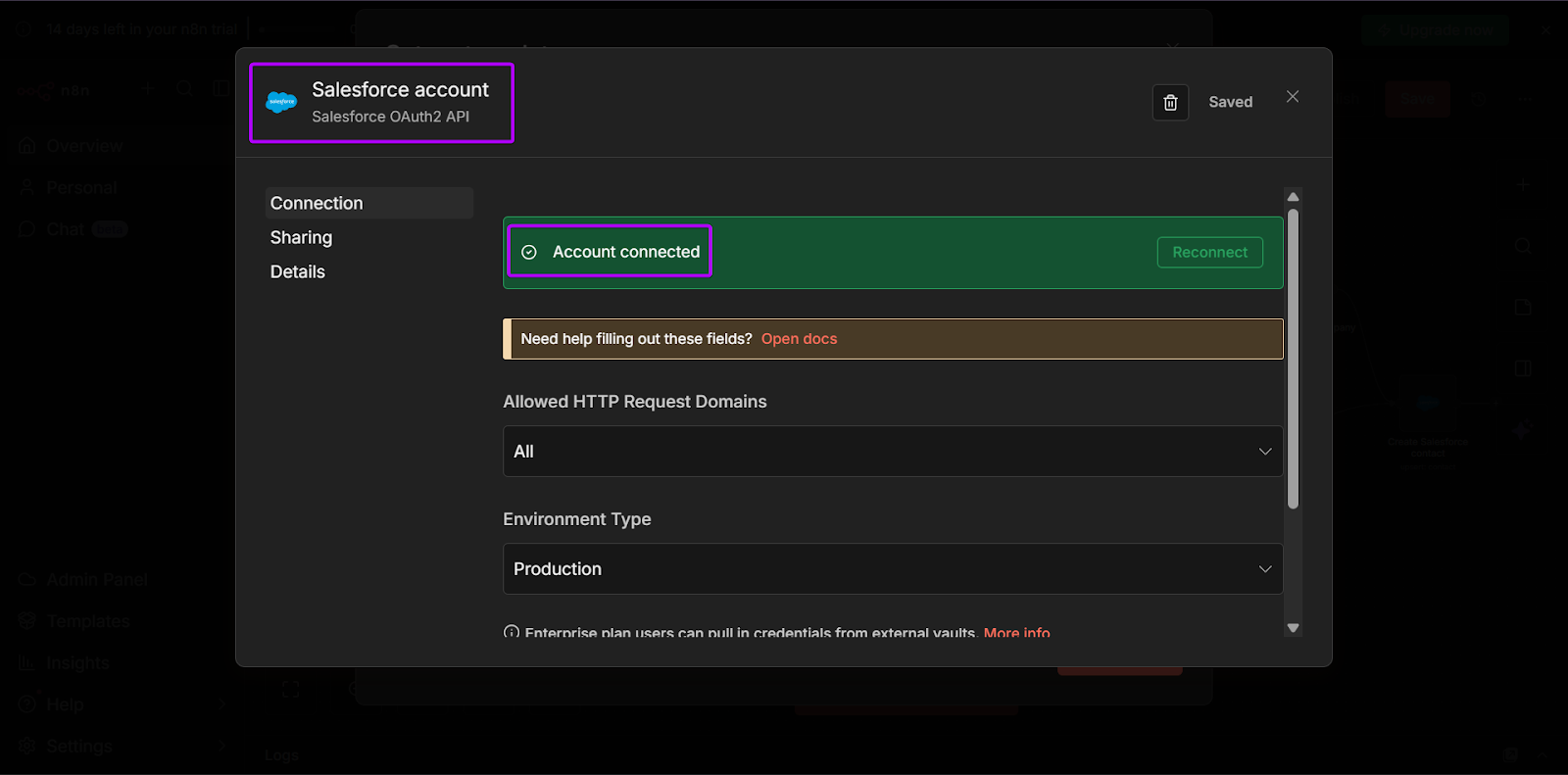
n8n is usually a better choice for RevOps teams that want more control over how their tools work together. It connects well with major revenue apps like Salesforce, Affinity, Phantombuster, Microsoft Dynamics CRM, HubSpot, and more.
That control matters because with n8n, integrations require custom setups. As your tools update or your RevOps expand, you’ll need to make small tweaks to keep your workflows running smoothly.
n8n also supports using AI inside workflows, which can help speed up tasks.
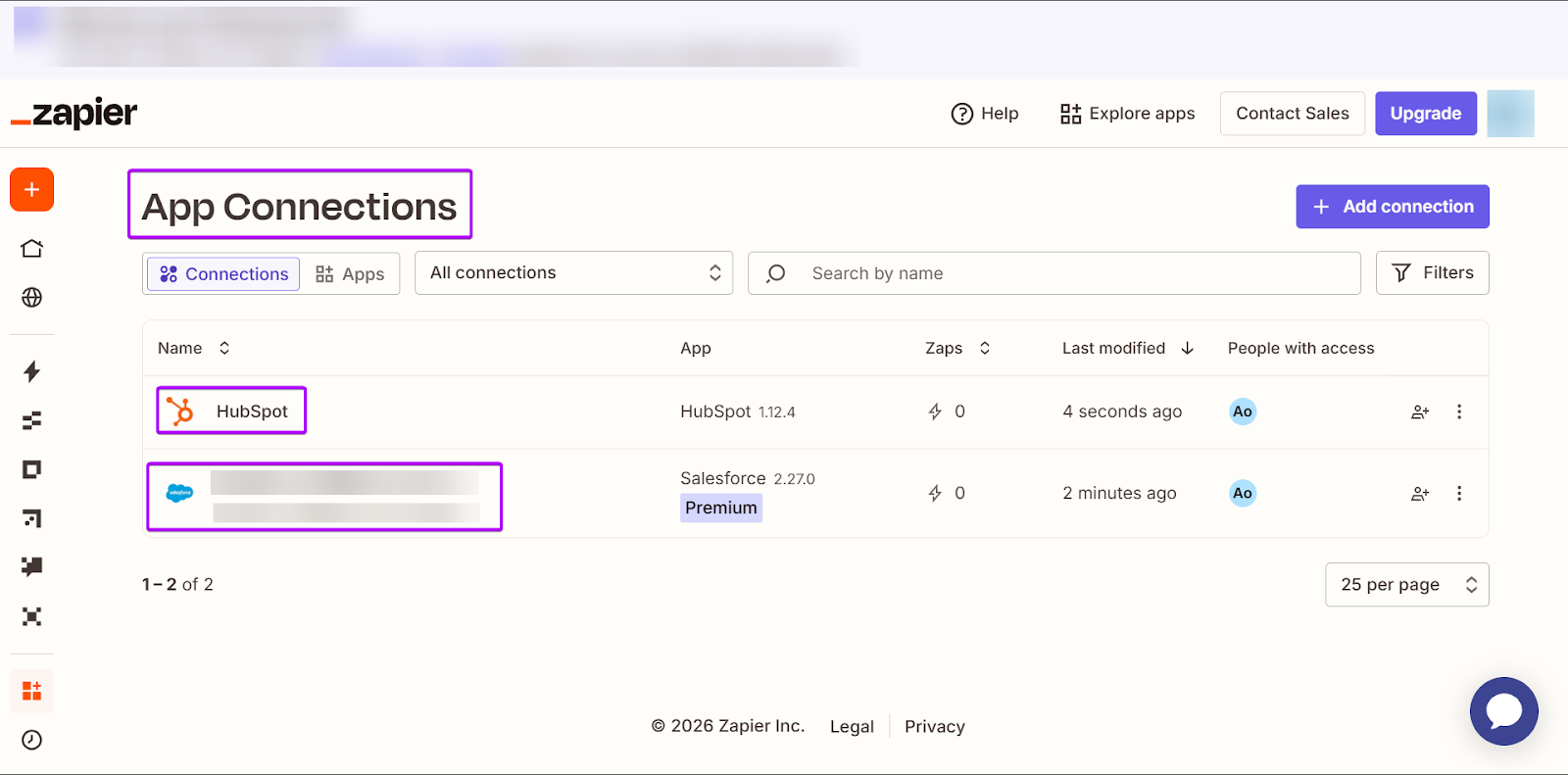
On the other hand, Zapier is known for its speed and ease of use. It has over 8,500+ of prebuilt integrations with popular revenue tools like HubSpot, Pipedrive, Lofty, and Attio.
Unlike n8n, Zapier automatically updates any integration changes. So when you set up an automation, you don’t have to worry about making changes later on.
This makes it perfect for sales and marketing teams that want to automate tasks like triggering follow-ups and updating records. But, as revenue workflows get more complex, RevOps teams may find their simplicity limiting.
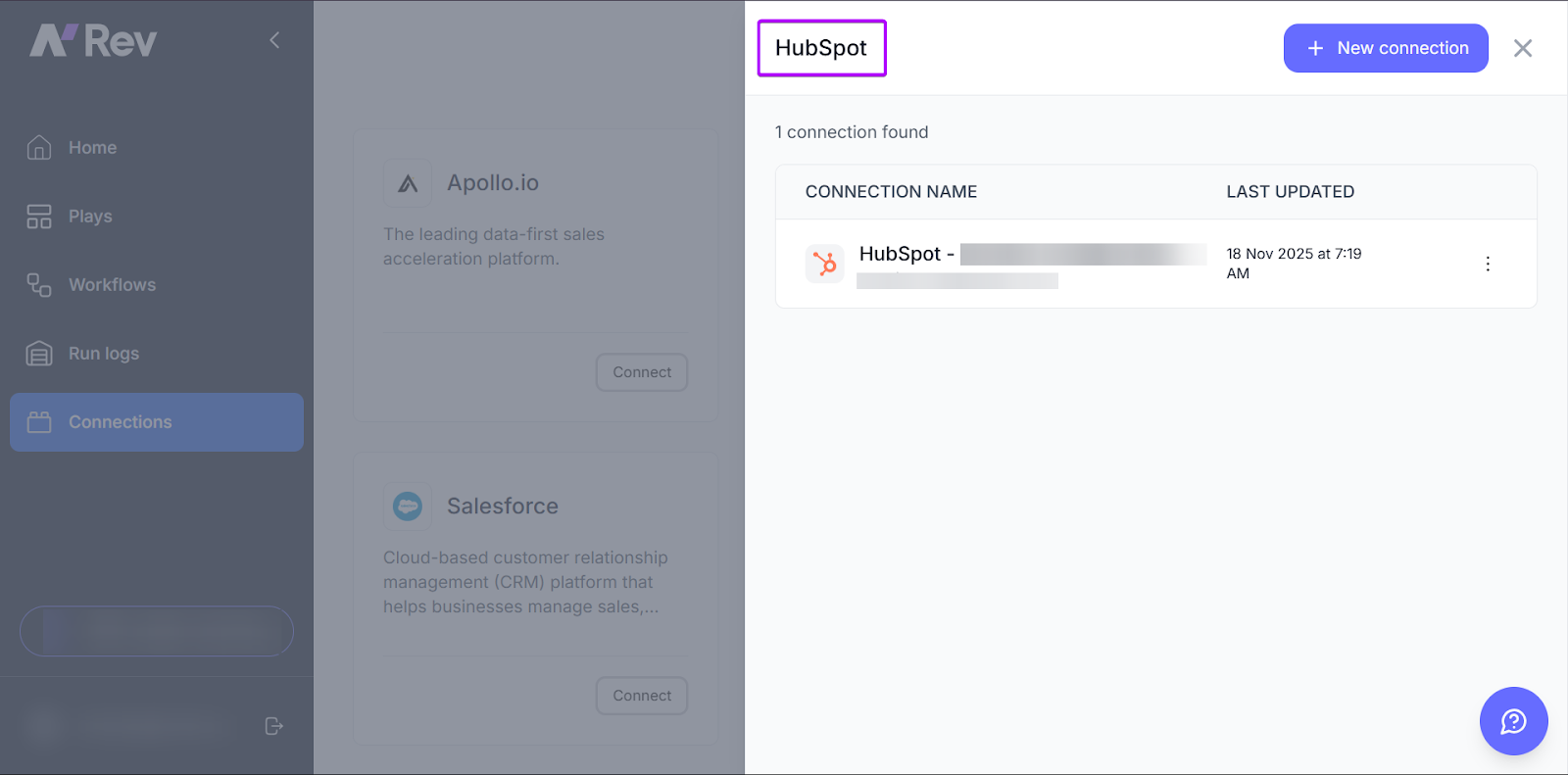
nRev is the strongest choice, especially for teams that want a platform built specifically for revenue operations.
It brings together the best of what general automation tools have to offer. Which means it’s easy to set up like Zapier, and it also lets you connect deeply with your revenue tools like n8n.
For RevOps teams that want long-term scalability and simplicity, nRev offers a more revenue-first approach.
Zapier vs. n8n: Which Is Better for GTM Automation?
When it comes to go-to-market (GTM) automation, n8n is a better option for teams that need something more than simple task automations.
It can extract data from connected CRMs and analytics tools into one view. This allows you to easily spot trends, focus on leads, and predict customer behavior.
n8n’s workflow builder is flexible and lets you create workflows that can grow as your RevOps expands. The only trade-off is that you will need to manage setup, updates, and maintenance.
But if you put in the time, n8n can become a powerful platform that keeps all your automations aligned.
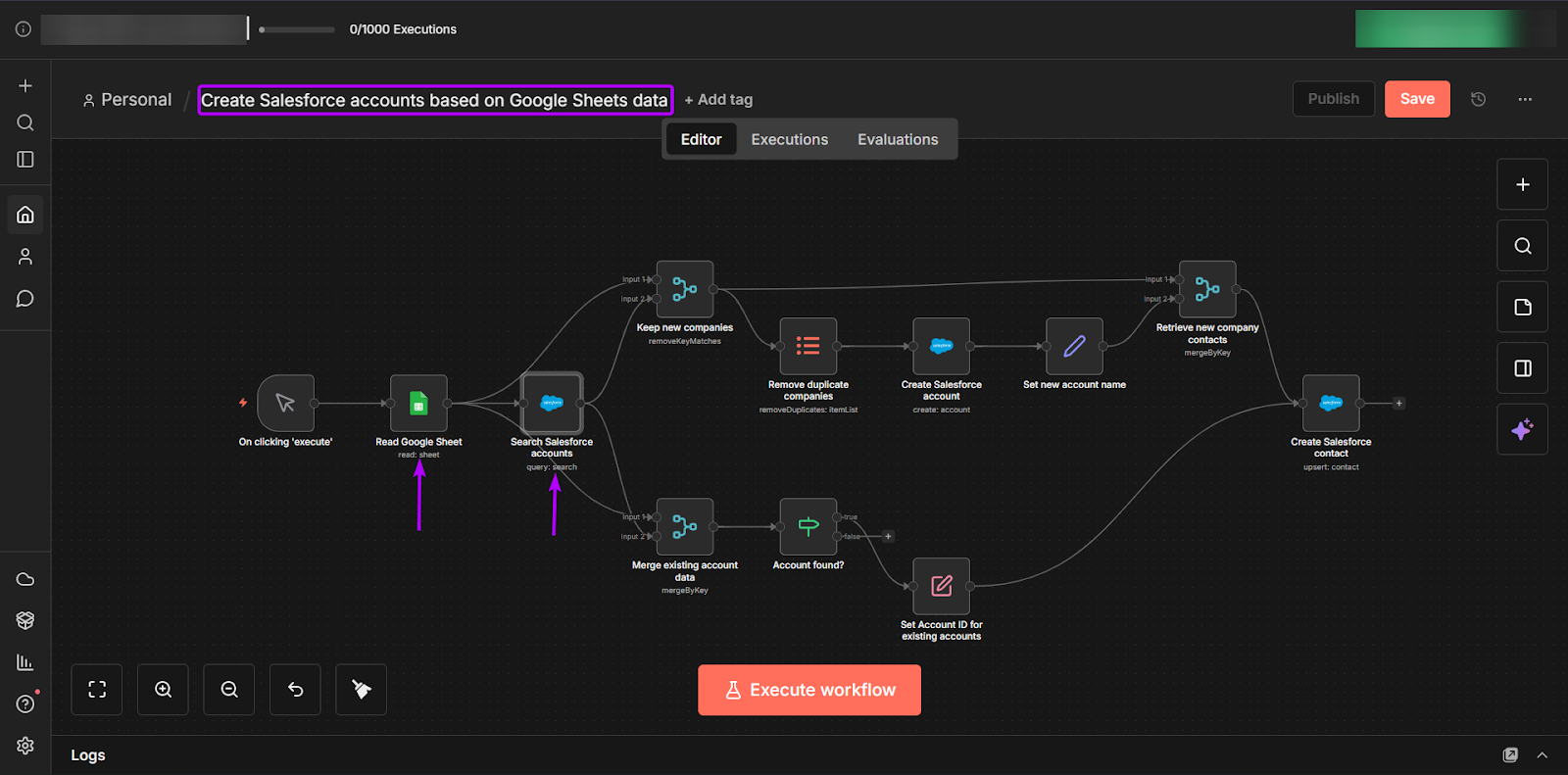
Alternatively, Zapier also works well for GTM teams by integrating with email tools, Salesforce, Google Ads, and more. It’s extremely efficient, especially for tasks like quickly capturing new leads, sending alerts to teammates, or automating follow-ups.
Unlike n8n, Zapier is best used for linear workflows that follow a straightforward path. It’s a reliable choice for keeping GTM automations running smoothly, as long as you don’t need deeper analysis.
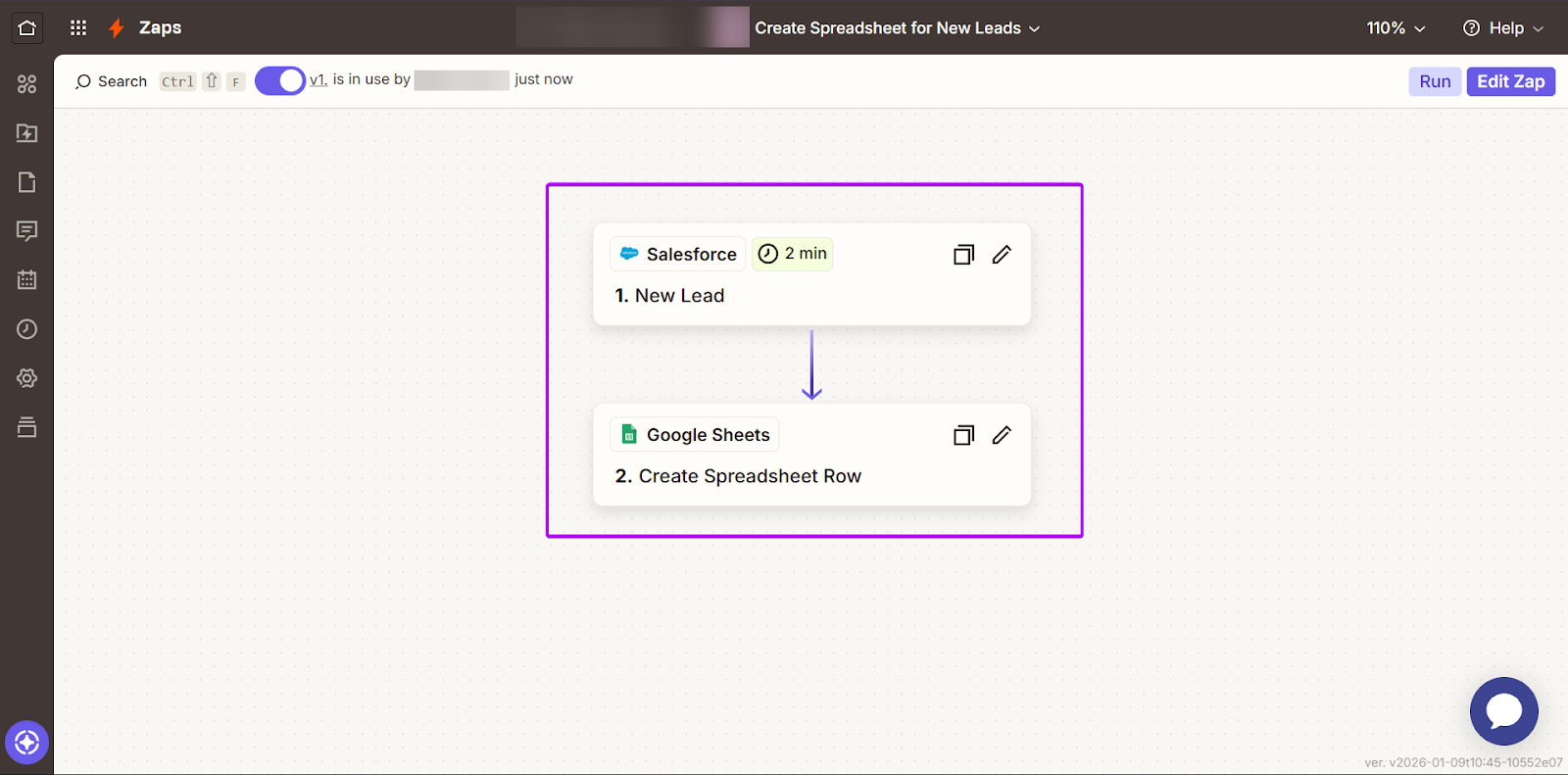
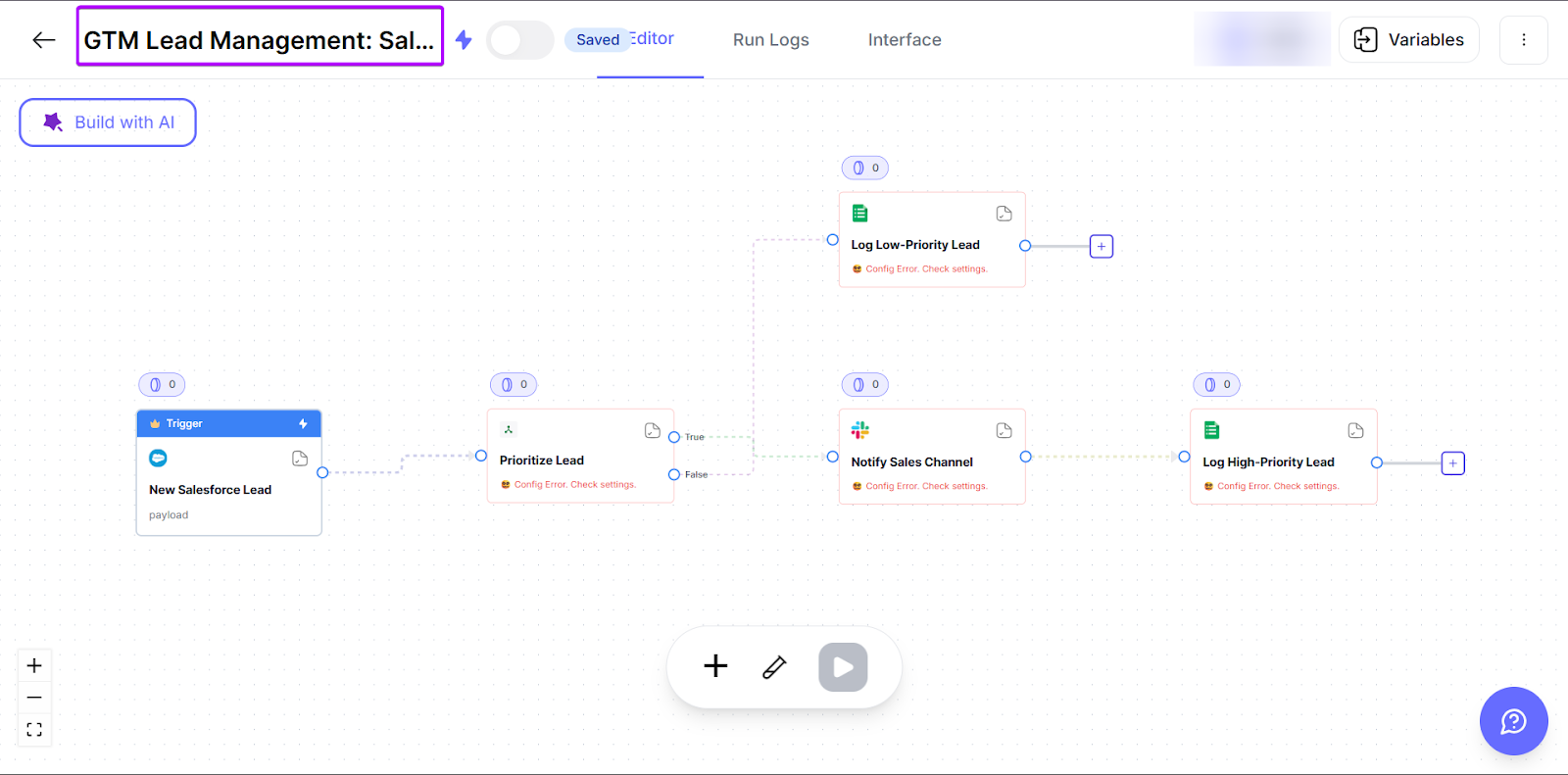
nRev is the most practical tool, especially for GTM teams that don’t want to spend their time constantly tweaking their automations or working around tool limitations.
It automates GTM tasks like lead routing and enrichment while keeping your data aligned across your tools. That way, your team always knows what’s happening in your workflows.
What is n8n?
🔍 Platform Overview: Open-source, self-hosted automation tool with full code control and 7,842 customizable workflow templates | 👥 Ideal Users: Developers, technical founders, engineering-led teams | 🎯 Primary Purpose: Building complex, customizable automations across APIs and internal systems | ⚙️ Automation Style: Node-based with API-first and JavaScript support, and also code-friendly | 🧠 Skill Level: Intermediate–advanced, because building and maintaining workflows needs some technical know-how
n8n is a workflow automation platform built for teams that want total control over how their tools and data interact with each other.
Unlike other simple, plug-and-play automation tools like Zapier, n8n lets teams create highly customized workflows. You can use application programming interfaces (APIs), logic, and self-hosted infrastructure to do this.
Now, let me explain what these mean.
- APIs are like bridges that connect your work apps, like Salesforce and Google Sheets, so they can interact with each other.
- Logic is the set of rules that tells your automation what to do. For example, you can set up a workflow to send high-priority leads to your sales team.
- And self-hosted infrastructure means that n8n runs on your own servers or cloud environment, giving your team more control over data and security.
But it also means you’ll have more responsibility for setup and maintenance. So, instead of the platform handling everything behind the scenes, your team would have to manage how it’s secured and updated.
So what does that actually look like in practice? Let’s take a closer look at n8n’s features and who it’s best for:
1. Key features of n8n
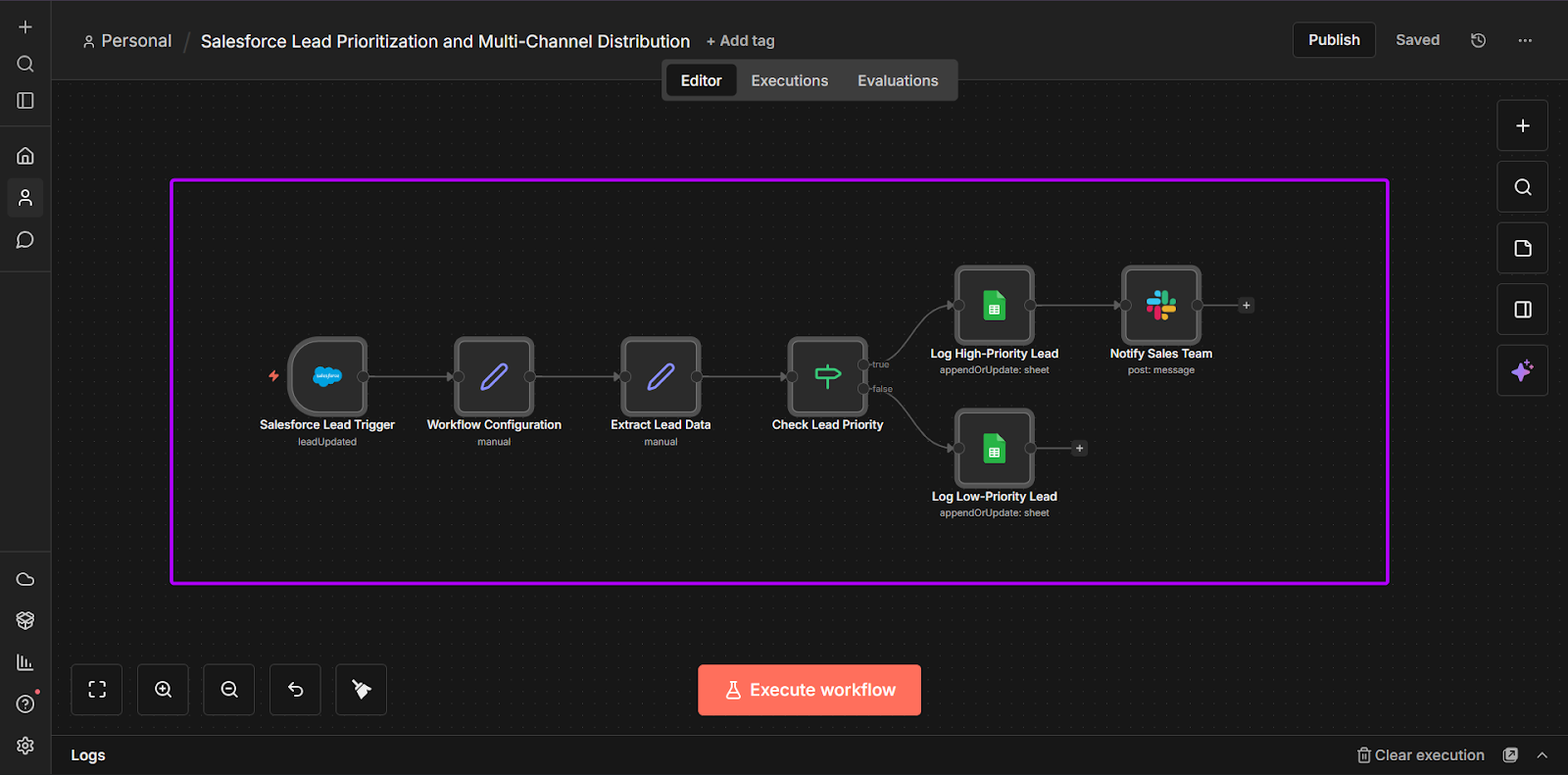
One of n8n’s main features is its workflow builder.
Teams can create workflows using branching logic. This simply means that automations can make decisions based on the data and instructions given to them.
For example, you can set a workflow that can bring high-value leads directly to sales teams while sending lower-focus leads into a nurturing flow.
With this instruction, your automations can adapt to different scenarios instead of following a single path.
Another feature is n8n’s AI chat, which lets you interact with your workflows using natural language.
For example, you could use the prompt “Based on common GTM signals, how would you prioritize inbound leads for a B2B sales team?”
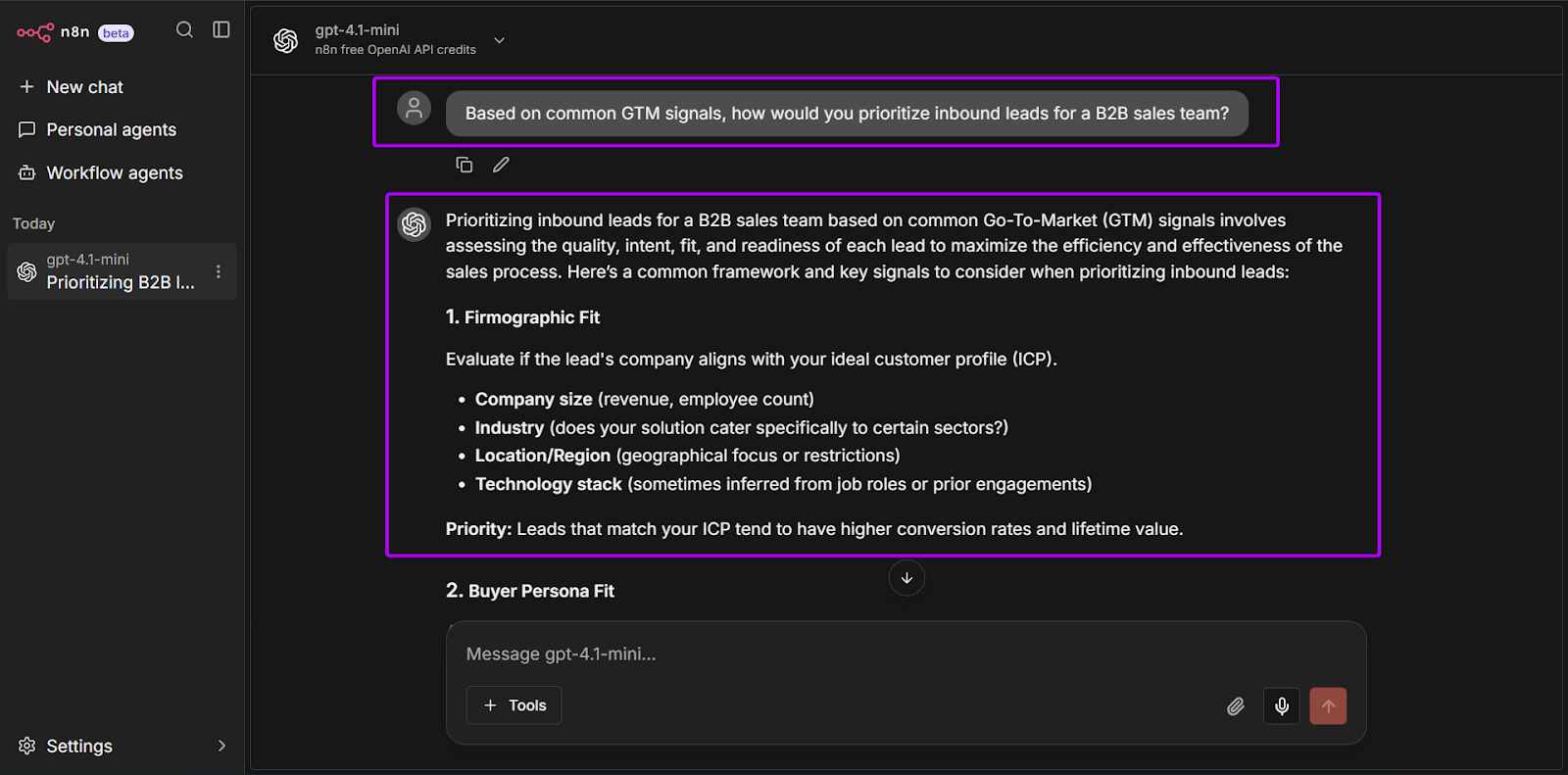
Sales, RevOps, and marketing teams can use natural language prompts to ask questions or trigger actions, such as qualifying leads.
n8n also supports 1,323+ integrations and has 7,842 workflow automation templates. This is a huge library of apps and ready-to-go workflows for teams.
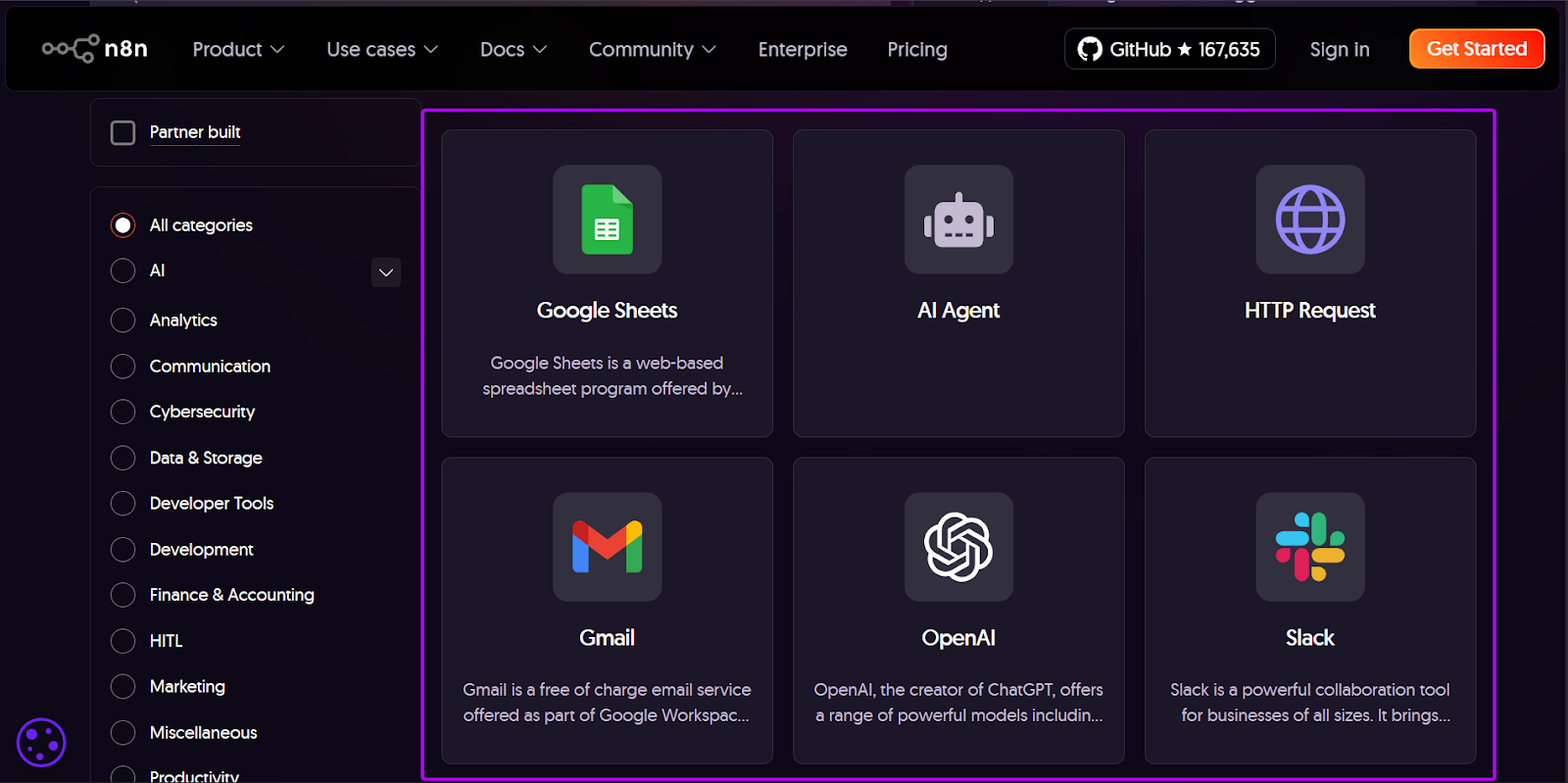
Teams can customize these workflow templates for more control over how their data moves between different tools.
But, unlike Zapier, which automatically updates any integration changes, you’ll need to keep an eye on your workflows. So that you can manually update them as the tools change over time.
2. Who n8n is best for
n8n is the best choice for RevOps and GTM teams that need deep customization. It works well for teams handling complex workflows that are constantly changing.
Because of its API management, logic, and self-hosting options, you’ll need to have intermediate to advanced technical knowledge.
It might be a bit of a learning curve, but in return, you’ll have full control over your GTM processes that simpler tools can’t offer.
What is Zapier?
🔍 Platform Overview: Cloud-native workflow automation tool that connects 10,000+ apps without code | 👥 Ideal Users: Marketers, founders, RevOps, and non-technical teams | 🎯 Primary Purpose: Automating repetitive tasks like lead routing, CRM updates and email workflows | ⚙️ Automation Style: No code, trigger-and-action “Zaps” | 🧠 Skill Level: Beginner-intermediate; simple setup and easy to use, with room for advanced automation as you grow
Zapier is a no-code automation platform designed to help teams connect tools and automate everyday tasks quickly and seamlessly.
It works following a clear flow based on the logic that “when one thing happens, another action follows.”
For example, a sales team can use Zapier to automatically send a Slack message when a high-intent lead fills out a form. These automations help teams move faster and reduce the amount of time they spend on manual work.
It’s built for speed and ease of use, making it a popular tool choice among marketing, sales, and operations teams.
Unlike more complex platforms like n8n, Zapier focuses on simplicity. Most workflows can be set up in minutes using pre-built integrations.
Let’s explore some of its key features and who this tool is best suited for:
1. Key features of Zapier
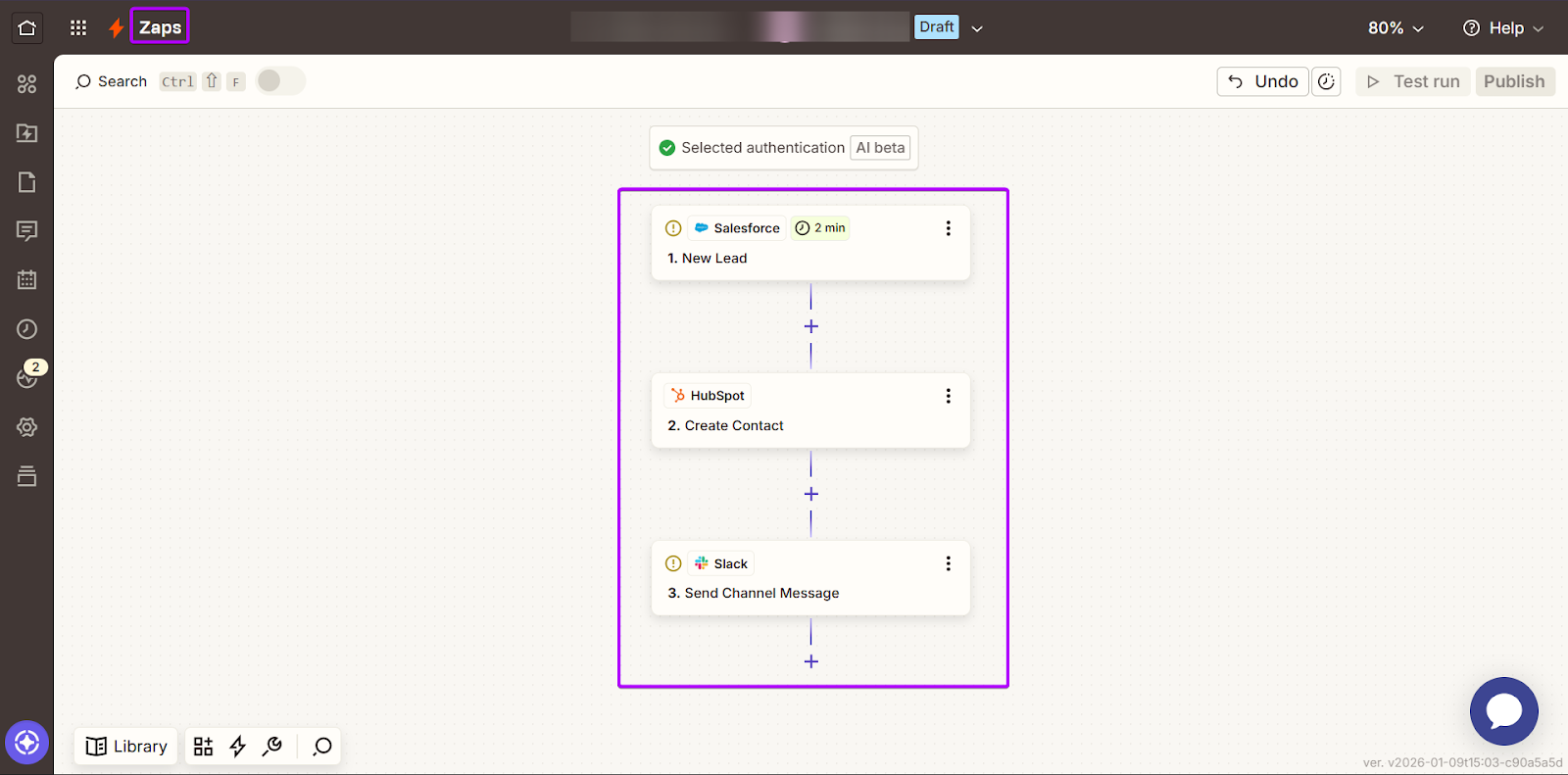
The main feature of Zapier is Zaps, which is just another name for workflows.
You can build Zaps using simple trigger and action instructions.
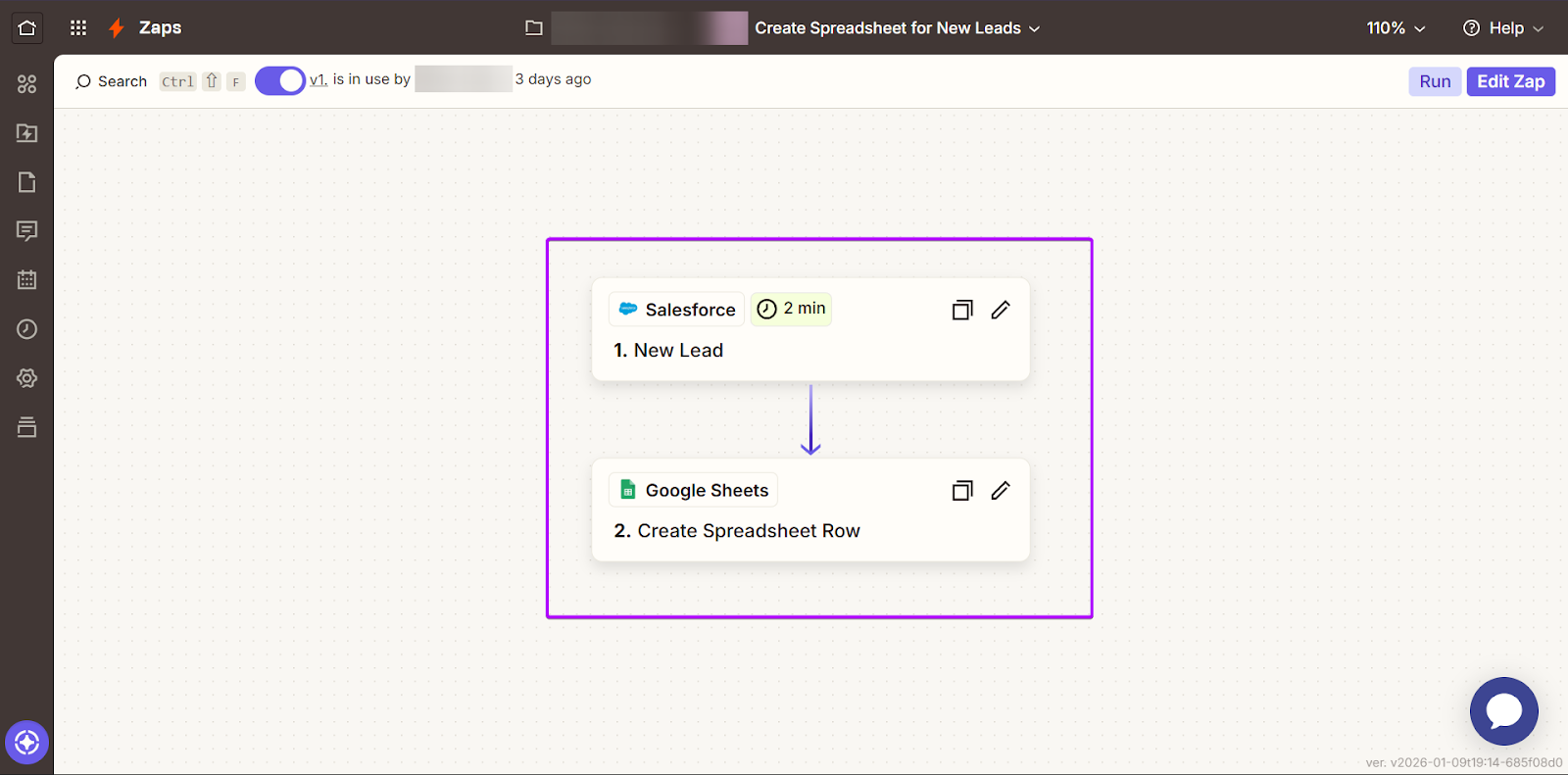
For example, when a new lead is added in Salesforce, Zapier can automatically add them to a Google Sheet document or alert sales teams in Slack.
Zapier also offers a very large integration library, with 8,500+ standard apps across sales, marketing, support, and productivity tools. It also connects with 477+ AI apps.
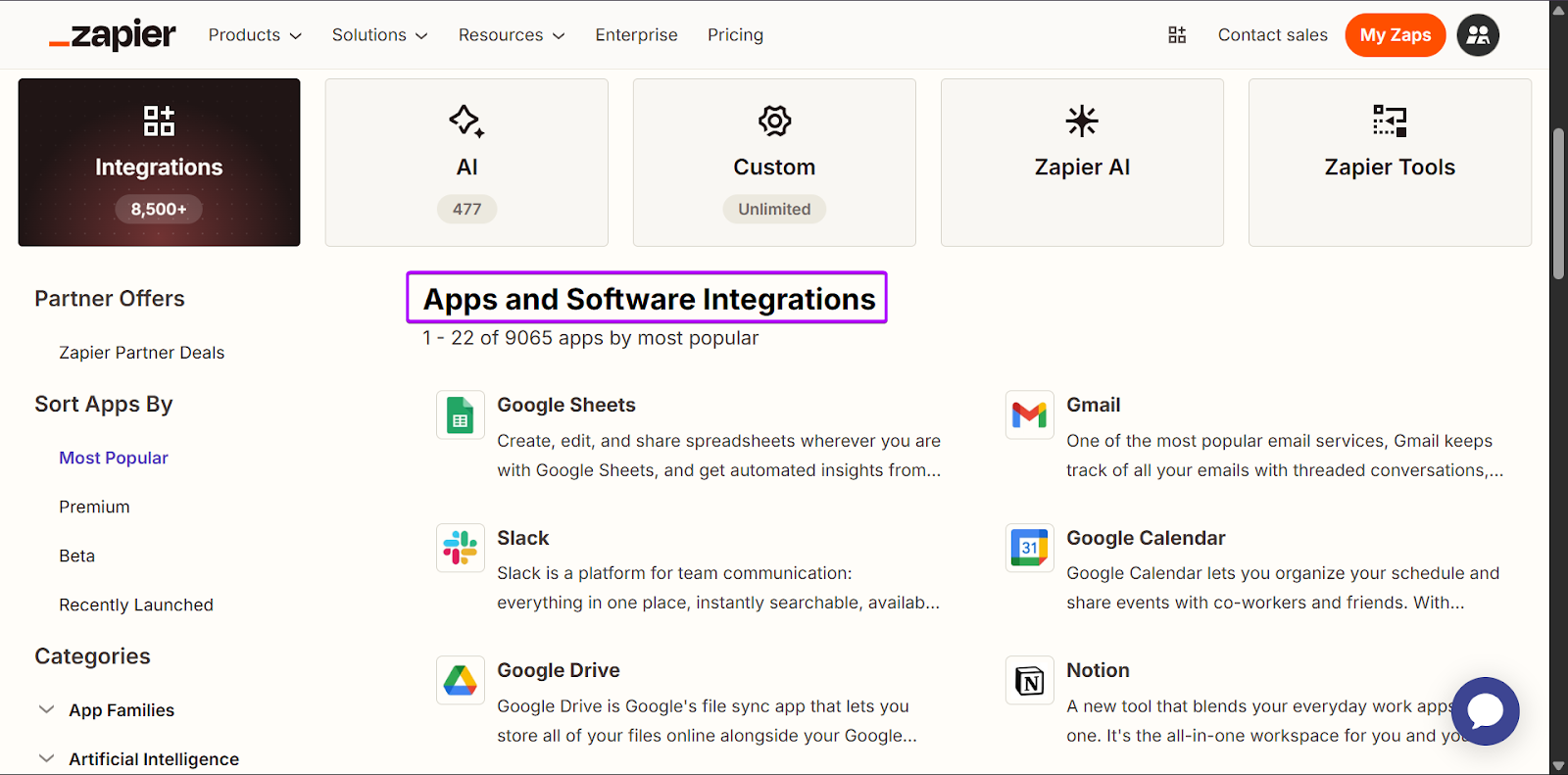
This makes it easy for RevOps, sales, marketing, and GTM teams to connect with popular platforms like Salesforce, HubSpot, Slack, Attio, and more.
Another helpful feature is Canvases, which lets teams visually map out their workflows before turning them into automations.
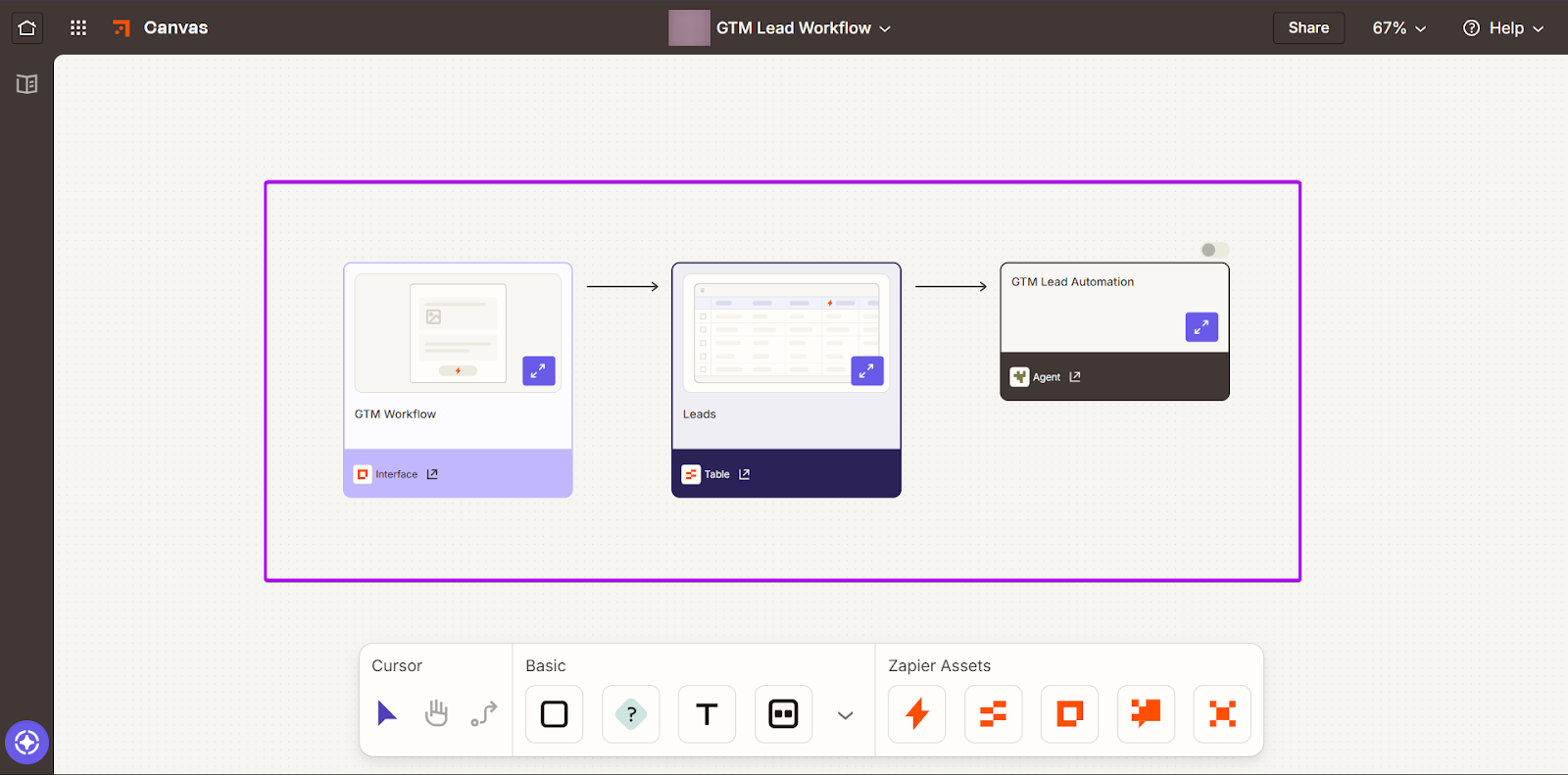
For example, GTM teams can use this feature to plan lead capture and follow-up flows across tools like CRMs, email, and Slack. This makes it easier to see how each step connects and spot any potential errors before anything goes live.
2. Who n8n is best for
Zapier is best for sales, marketing, and GTM teams that value speed and also work with repeatable workflows that don’t need regular customizations.
Because of this, it’s considered beginner-friendly. It’s a great starting point for growing revenue teams.
Zapier vs. n8n: In-Depth Comparison
Zapier vs n8n is one of the most common comparisons revenue teams make.
Both tools help automate workflows, but they have different approaches to setup, flexibility, and scalability.
In this section, we’ll break down n8n vs Zapier based on the following use cases:
- Set up and ease of use
- Powerful integration with revenue data sources
- Workflow complexity and flexibility
- Lead routing, enrichment, and qualification
- Multi-step deal desk automations, and
- Revenue data pipelines
We’ll also check out how more purpose-built revenue automation platforms, such as nRev, often offer better options for teams.
1. Setup and Ease of Use
When comparing n8n vs Zapier, setup and ease of use are usually the main factors most teams consider.
n8n is designed for flexibility, which is why it feels more technical right from the start. Building a workflow usually means thinking through every step.
For example, you can pull new leads from Salesforce, checking whether they meet your criteria, and then deciding where that data should go next.
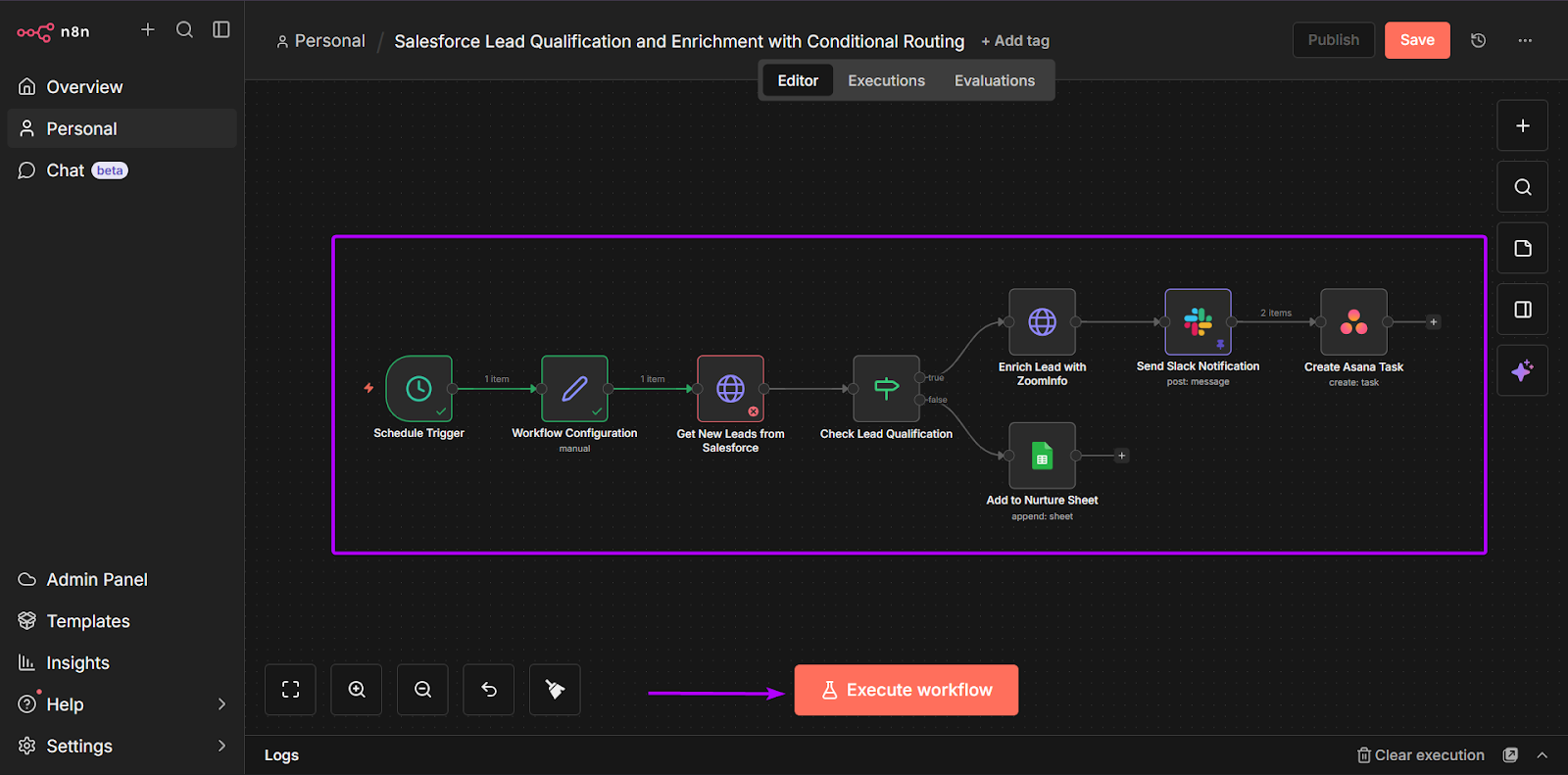
In some cases, you might not have a ready-made integration. When that happens, you’ll need to connect directly to the tool’s API and set up how data flows between the tools.
This gives you more control, but it also means workflows take longer to build and are usually maintained by more technical RevOps teams or engineers.
On the other hand, Zapier is designed to be simpler and faster. What makes this tool stand out is how quickly Zaps can go live.
That’s because most automations follow one path using pre-built triggers. That allows sales, RevOps, and marketing teams to build and manage automations without needing a lot of technical support.
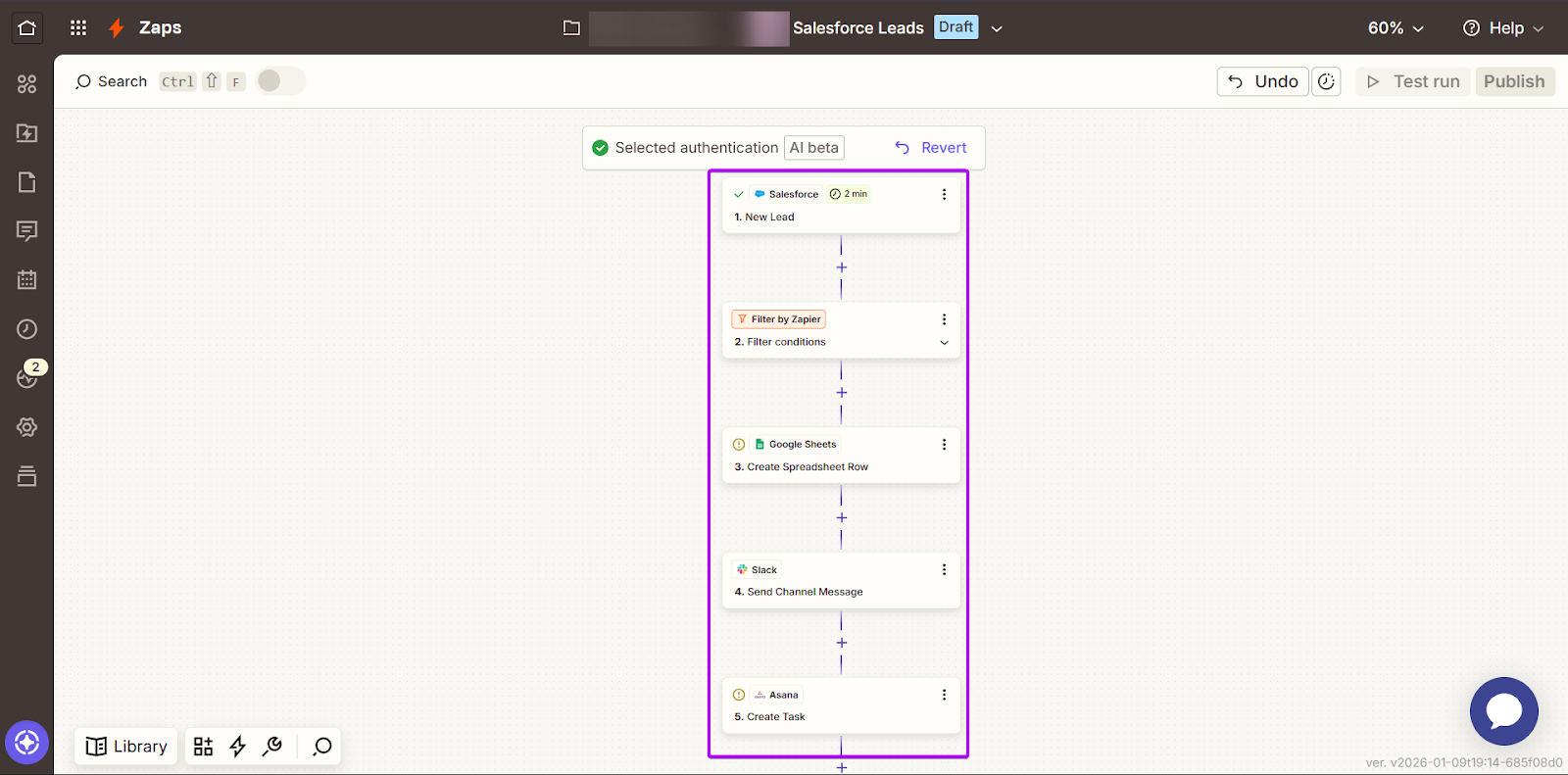
While Zapier is relatively easier to use and more beginner-friendly, it works best when workflows are simple and predictable.
But if you don’t want to sacrifice speed over structure (or vice versa), nRev gives you a different direction to take.
Because it’s built specifically for revenue workflows, you can launch automations quickly. Then you can manage them without needing expert technical skills.
This also means you can expand your workflows as your business grows.
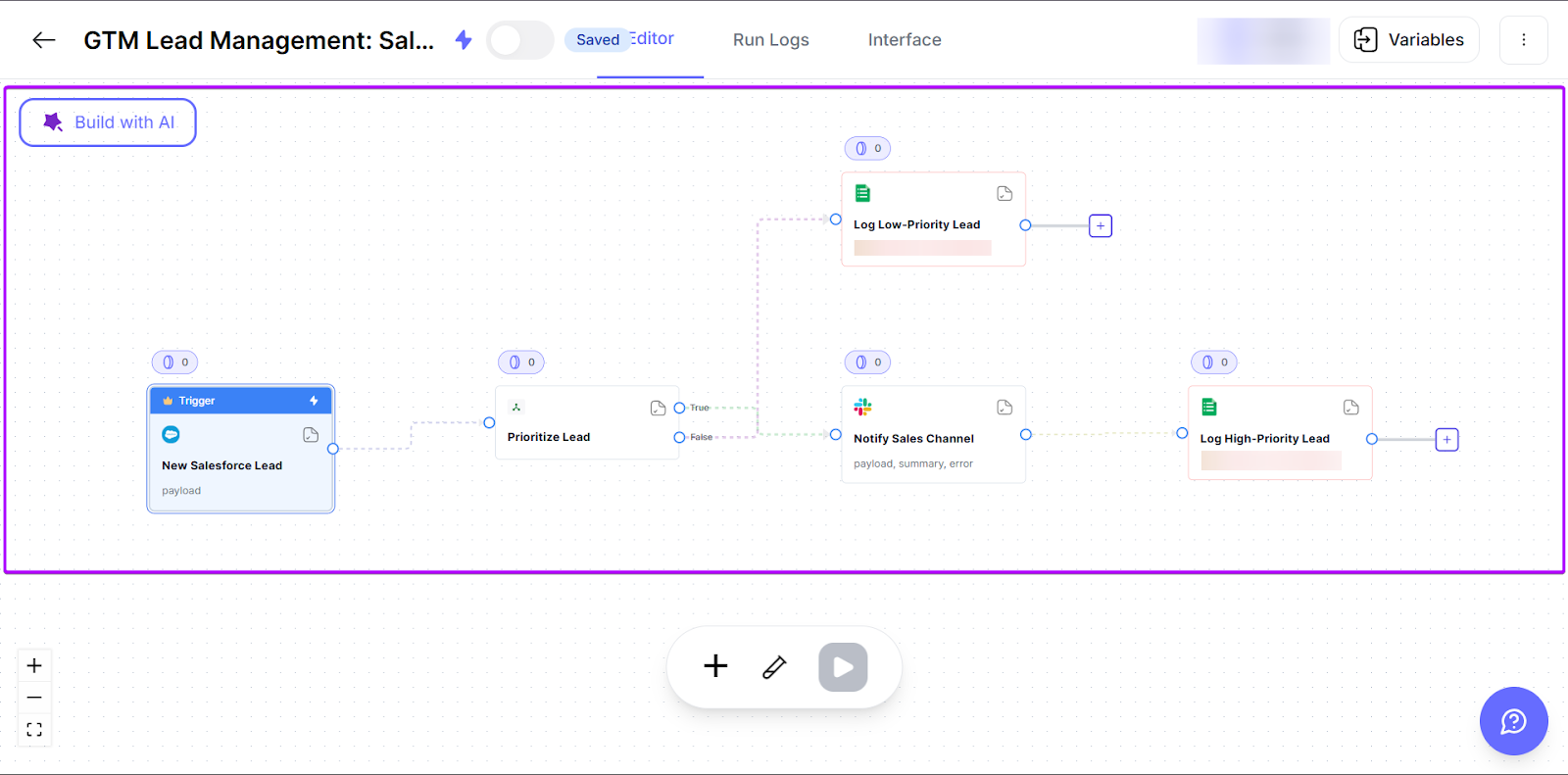
And what’s best is that you don’t have to spend hours regularly updating workflows or working around platform limitations.
2. Powerful Integration With Revenue Data Sources
RevOps teams need to have their automation platforms connected to revenue data sources.
That way, they can route leads and trigger follow-ups at the right time. It also keeps data centralized, so every team member has access to the same records.
Most importantly, it helps them get the full picture of what’s actually driving revenue.
n8n offers users over 1,323 integrations and API-level connectivity for custom workflows. It can pull data from revenue-generating tools, like Salesforce, HubSpot, Phantombuster, Clearbit, Affinity, Uplead, and more.
The main advantage is that you can build workflows that bring these tools together in one place.
But each tool comes with its own rules for how data is shared or updated. So, the automation connecting them doesn’t update automatically.
For example, if a tool updates its API, the workflow may need to be adjusted so that data continues to flow correctly. And when it’s more complex, it requires more work.
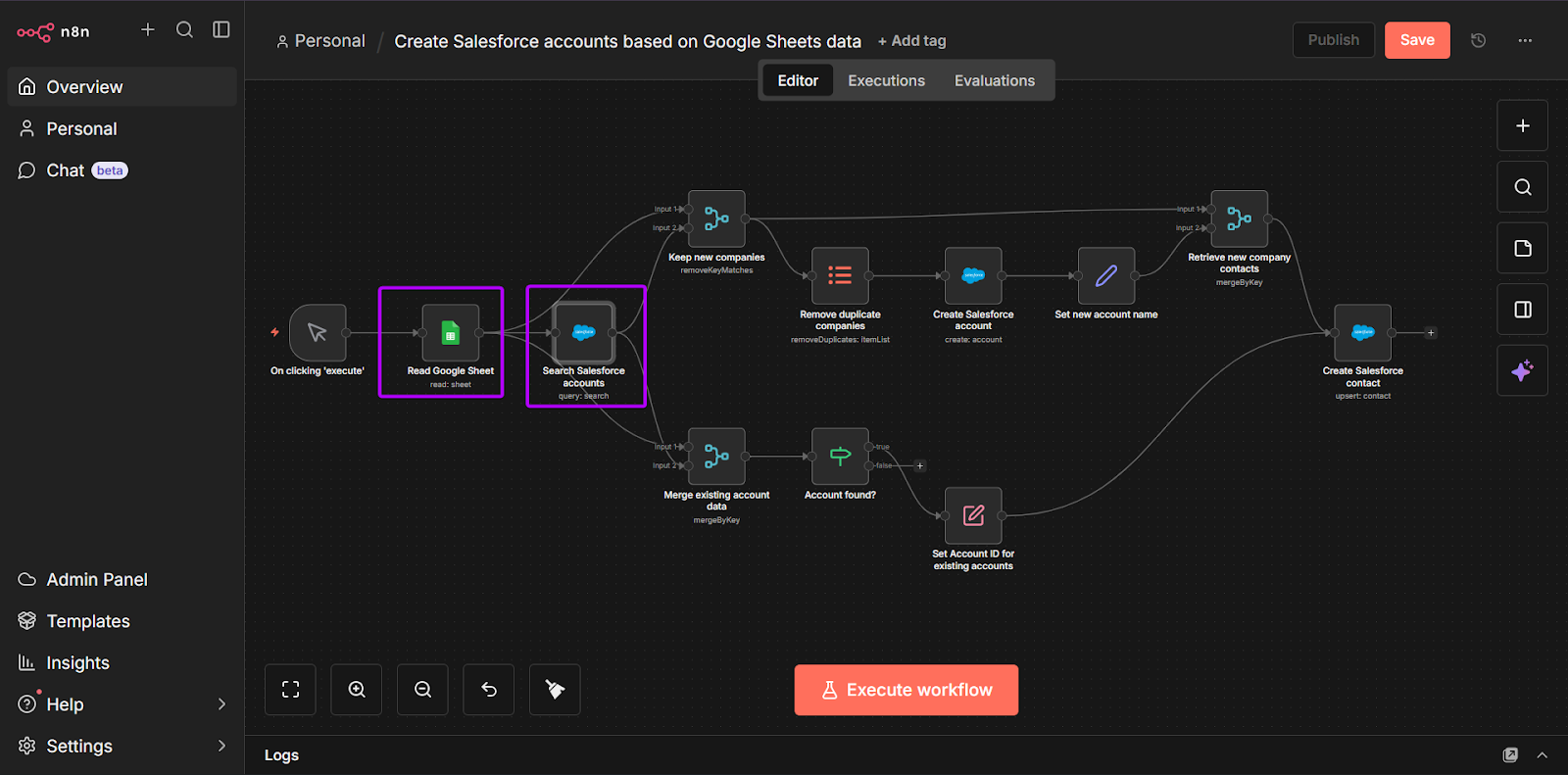
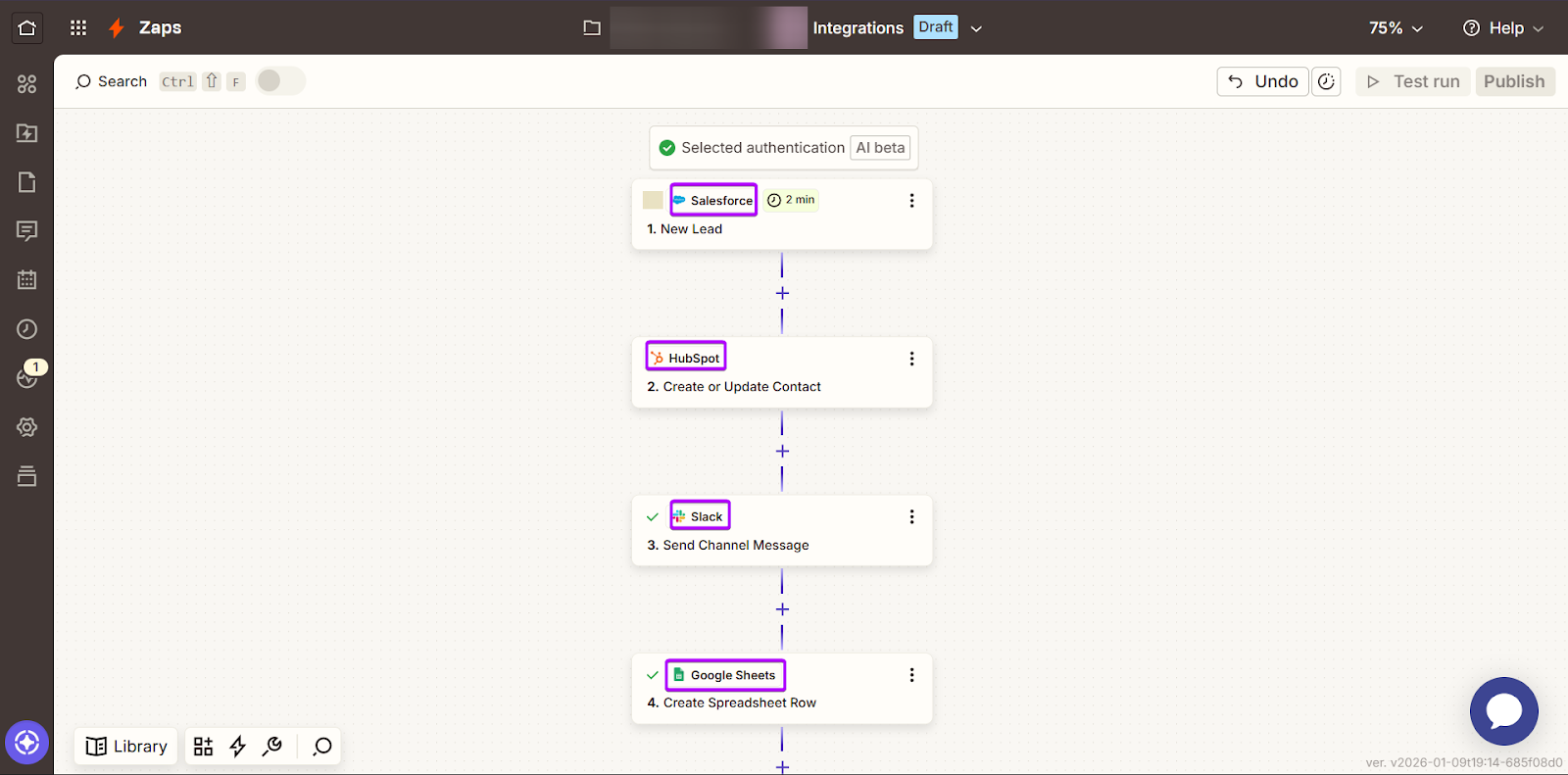
By contrast, Zapier has pre-built connections to over 8,500+ standard apps, including Pipedrive, ThriveCart, Keap, Attio, and Dubsado.
This means that Zapier has already done the work of figuring out how these tools interact with each other, so you don’t have to. It handles all updates in the background.
That’s why workflows can be created quickly, and you don’t need to have high technical skills.
But these integrations follow a set path. They work best for routine tasks, but offer less flexibility for workflow conditions that change regularly.
If you’re looking for a more practical option, nRev brings together GTM workflows and revenue data in one place. It connects directly with the major revenue tools, so you don’t have to worry about manual setups or managing APIs.
RevOps teams have a clearer understanding of leads and closing deals without needing to manage complex integrations.
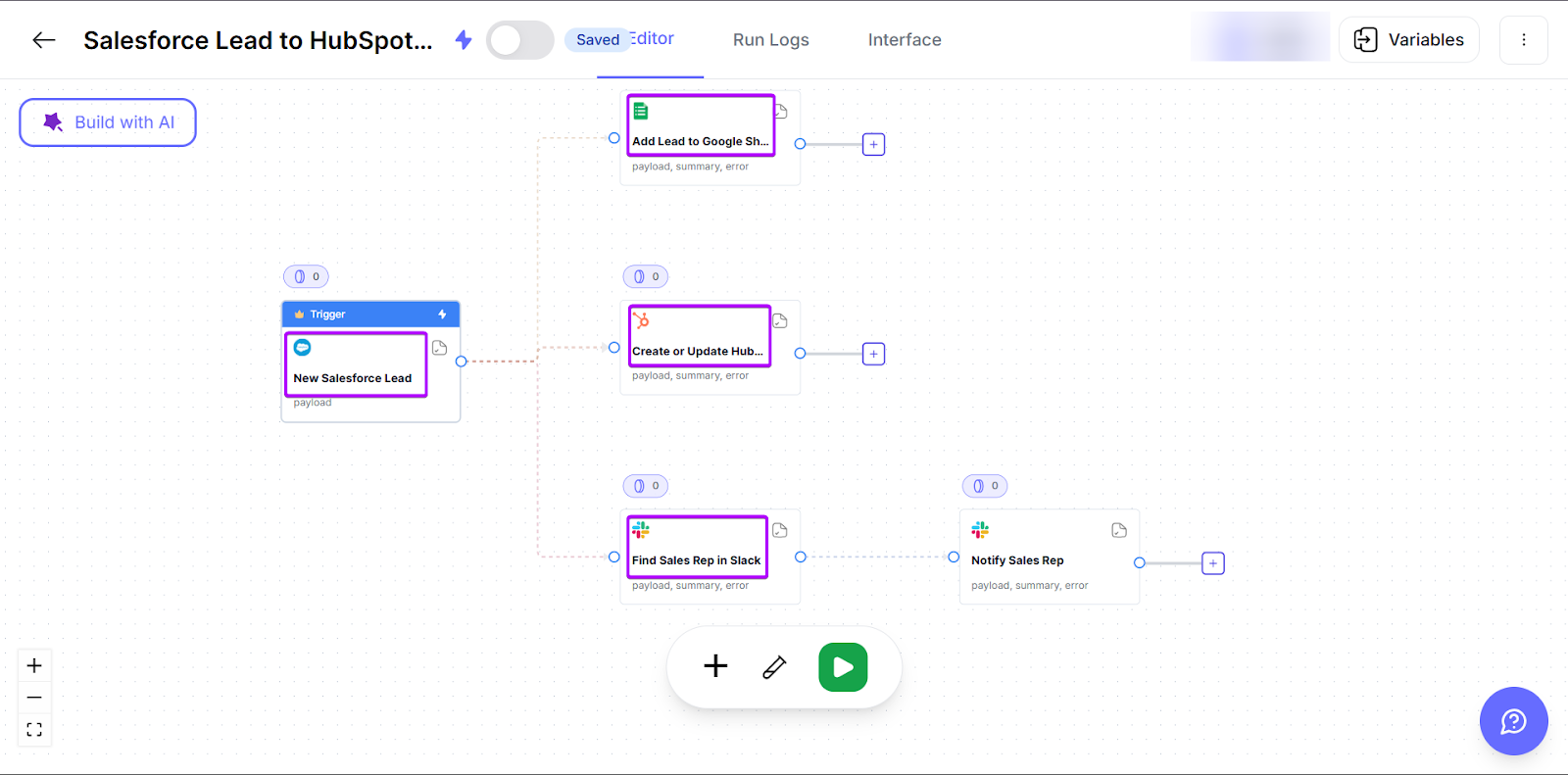
3. Workflow Complexity and Flexibility
One of the biggest differences in the n8n vs Zapier comparison is how each tool handles workflow complexity and flexibility.
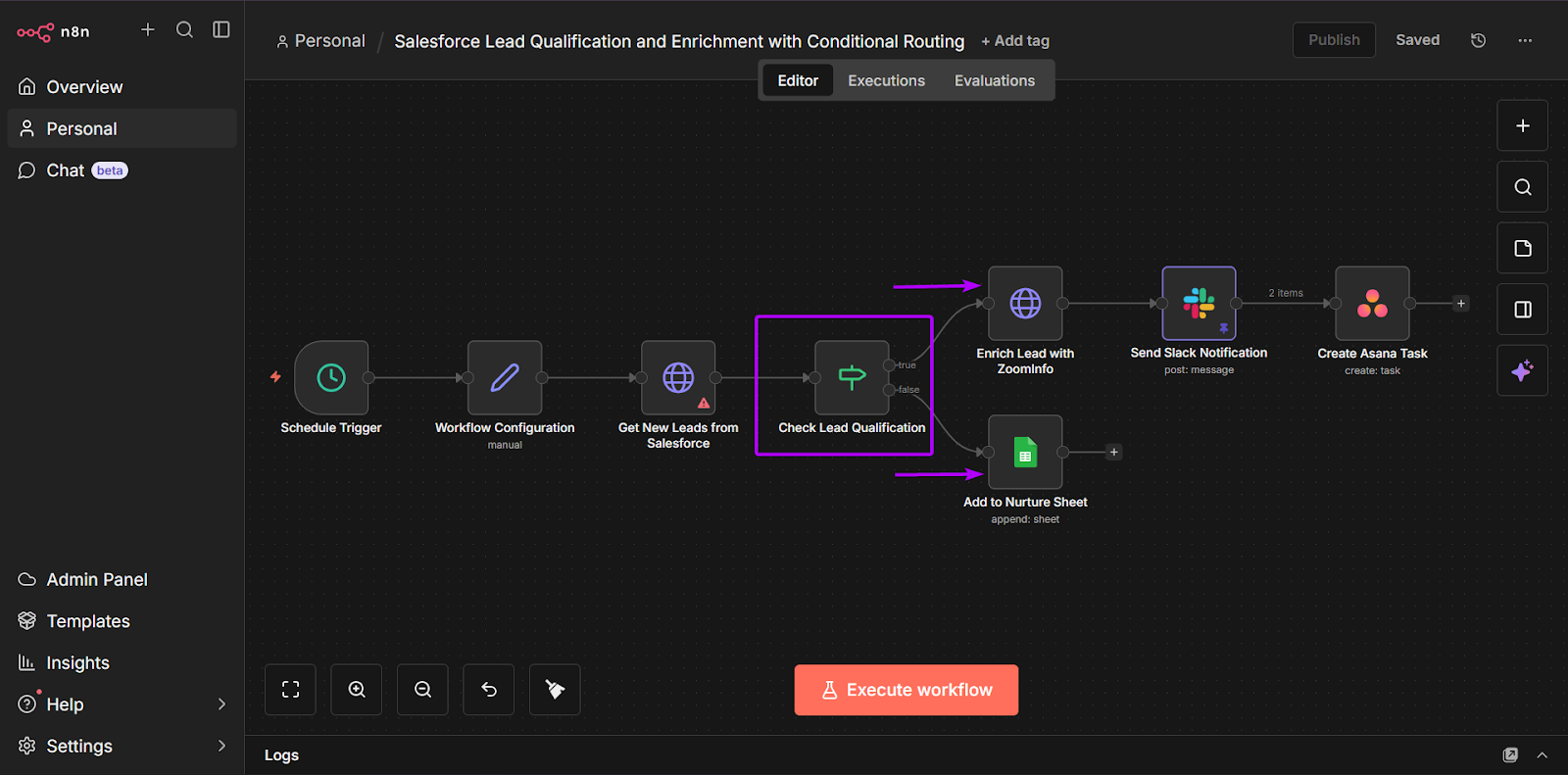
n8n is designed for more complex automations. Unlike Zapier, which follows a single path, workflows can branch based on different conditions.
For example, you can route a lead depending on factors like company size, region, or intent score. And as the data changes, you can adjust the workflow in real time.
Alternatively, Zapier is built around simple automations. Like: a new lead is created → notify a sales rep → update the CRM → log the activity.
This “if this, then that” approach works for many GTM teams whose workflows are straightforward and predictable.
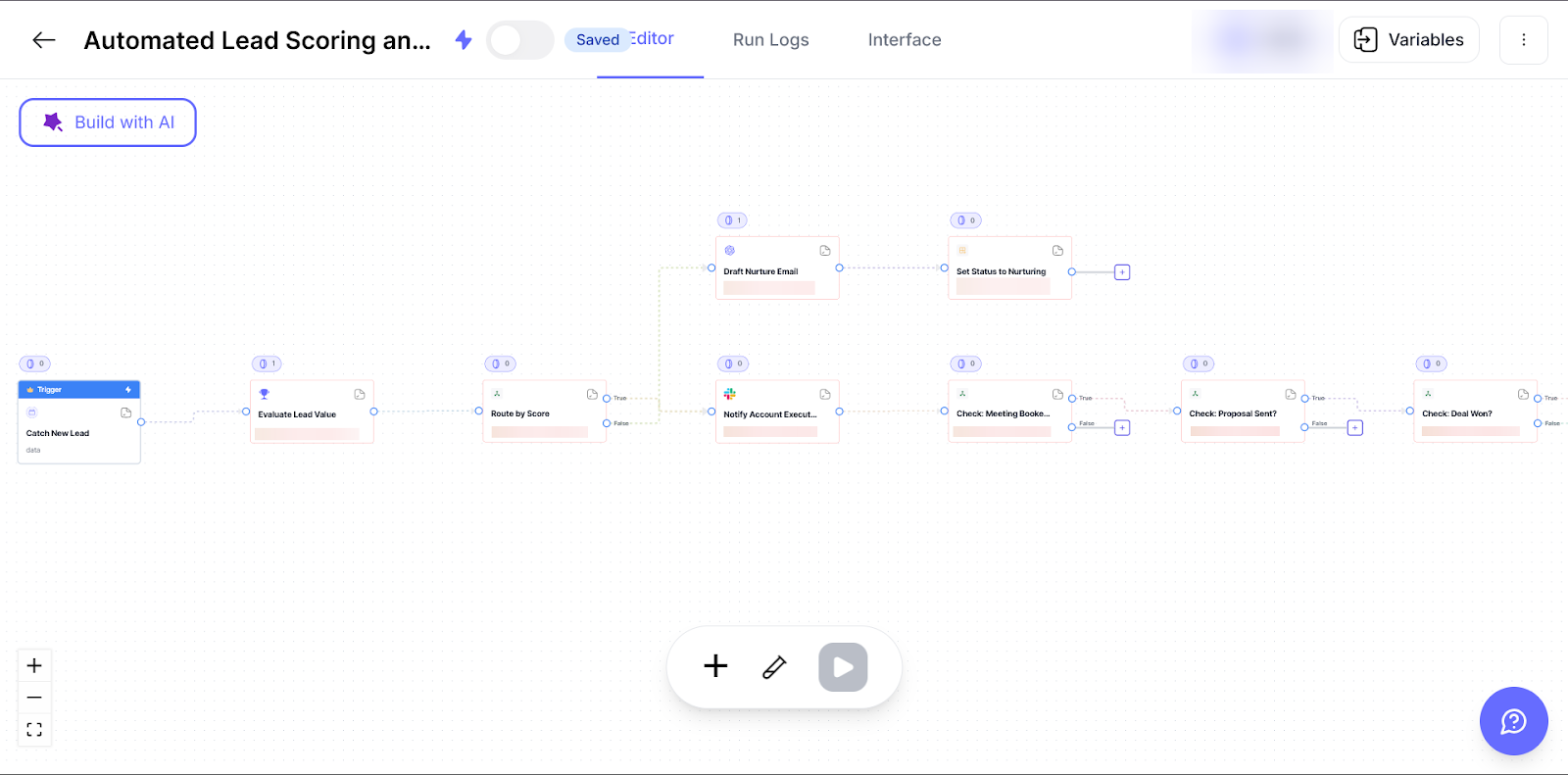
Scale is the major point of difference between n8n and Zapier. As your workflows grow, you’ll need to create more conditions.
In Zapier, these steps can start to feel hard to maintain, especially when Zaps become too long.
n8n offers more flexibility here with its branching logic, but that also comes with complexity. You’ll need to do more testing and upkeep over time.
But if you want that advanced workflow without the complexities, nRev uses a different approach.
Instead of building too simple or complex rules, nRev’s workflows already understand revenue data like leads and deal stages.
For example, when a new lead comes in, nRev can automatically route it to the right sales rep and update the CRM, all without teams having to maintain complex branching paths themselves.
So you get the perfect mix of complexity and flexibility.
4. Lead Routing, Enrichment, and Qualification
Lead routing, enrichment, and qualification is the process of:
1. taking a new lead,
2. filling in missing details (like job role or industry),
3. checking if it’s a good fit,
4. and then sending all that information to a sales rep to act quickly and close a deal
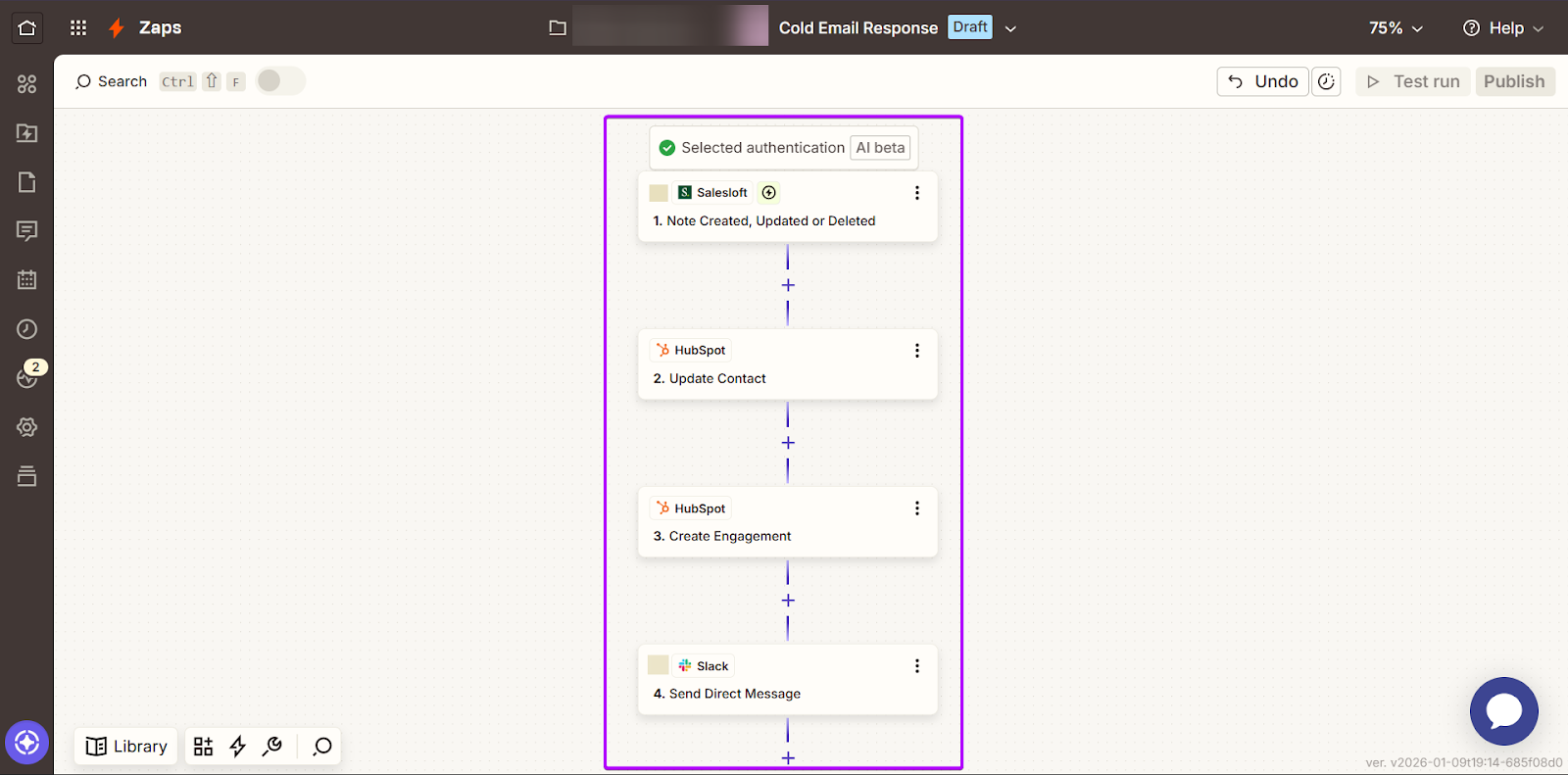
Let’s check out this cold email response workflow:
1. A lead replies to a cold email in Salesloft.
2. HubSpot updates the lead’s status automatically.
3. A task is created for an assigned sales rep to follow up.
4. Slack sends a notification to alert the sales rep immediately.
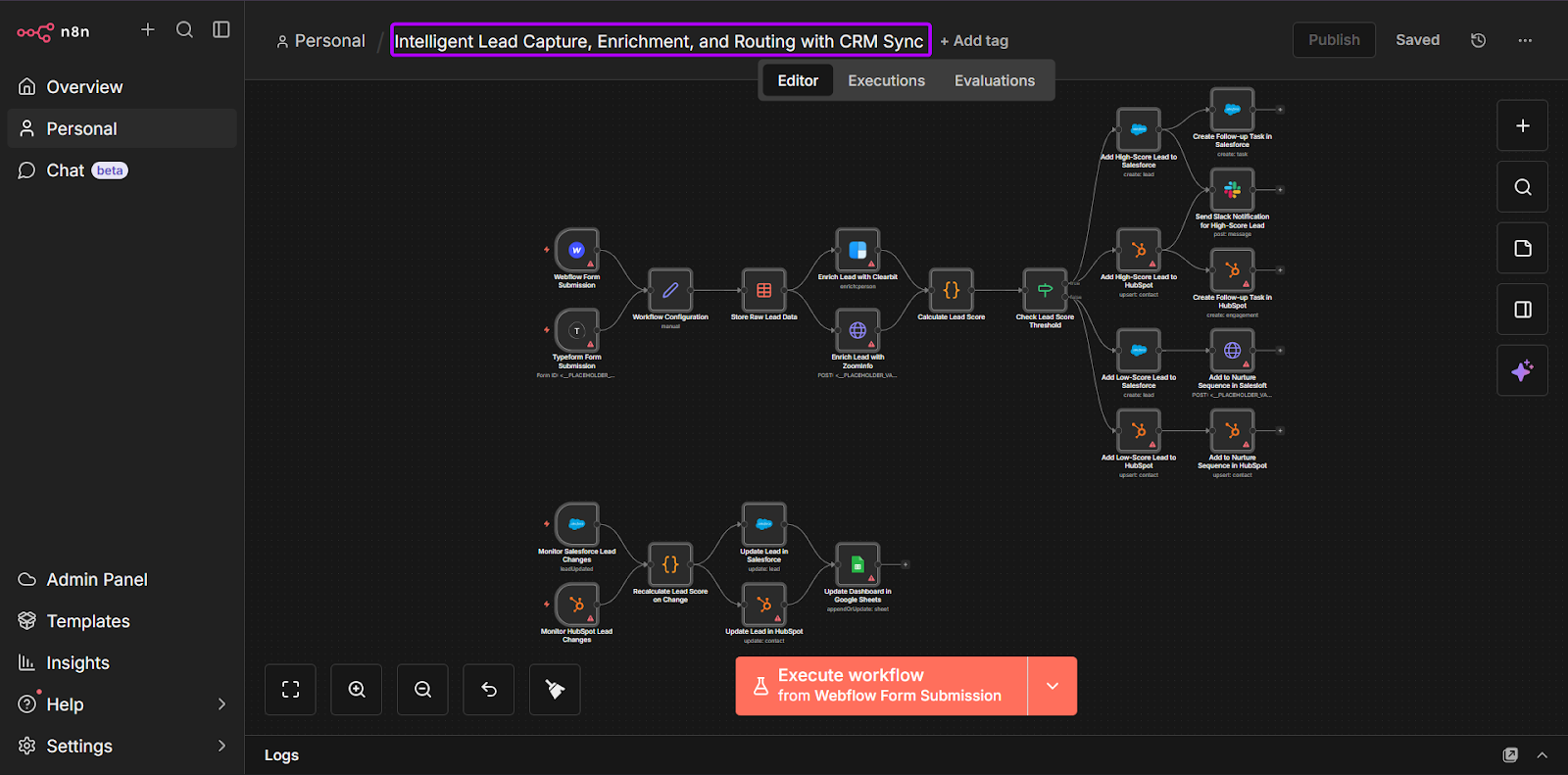
Or this web lead nurturing workflow example:
1. A visitor fills out a contact form on the company website via Typeform.
2. The lead is enriched through ZoomInfo to complete company and role information.
3. The lead enters HubSpot, where it’s scored based on engagement and fit.
4. Leads that pass the scoring criteria are routed to a sales rep automatically. The others are added to a nurture list.
5. Slack sends notifications for high-priority leads.
For lead routing and enrichment, Zapier works best when you need to set up a standard flow quickly and keep it running without much maintenance.
On the other hand, you’ll realize n8n’s full potential when the workflow gets busier.
If you have multiple enrichment sources and branching rules like “if this, do x; if that, do y”, n8n can handle it. It only requires more time to set up and maintain.
One more thing to remember.
As your workflows get longer, costs can easily rise, especially with tools that charge per step or action. So, even if the workflow is running smoothly, having more steps means more attention to making sure everything is efficient.
5. Multi-step Deal Desk Automations
As deals get bigger, it also makes managing approvals more complicated.
Revenue teams often need sign-offs for discounts, special contract terms, security reviews, or unusual pricing requests.
And when there’s no clear approval process in place, these requests can stall or get lost in endless Slack threads or your email inbox.
Deal desk automation solves this problem by creating a structured workflow. This helps teams make sure that every approval is tracked and all changes are recorded.
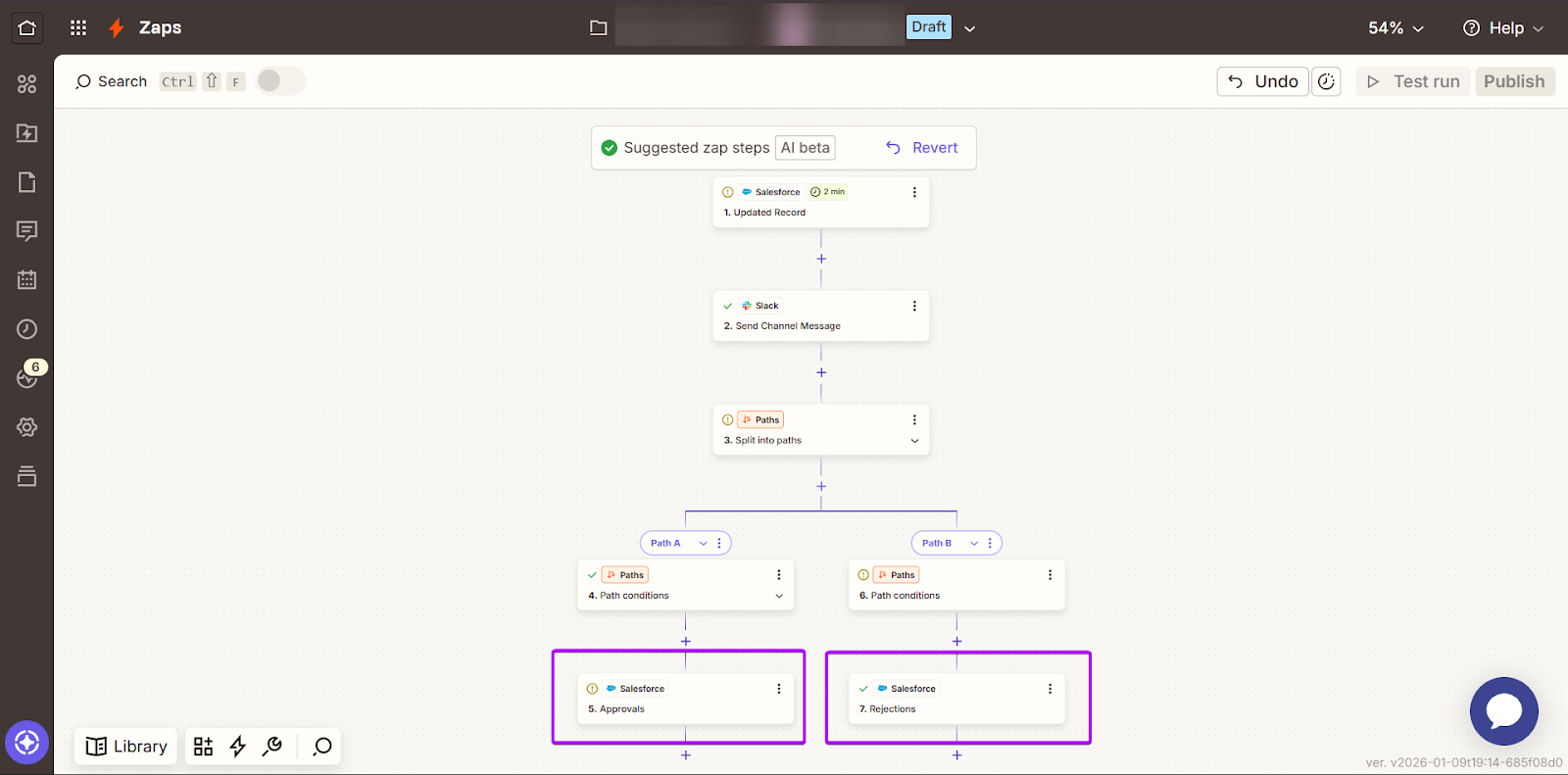
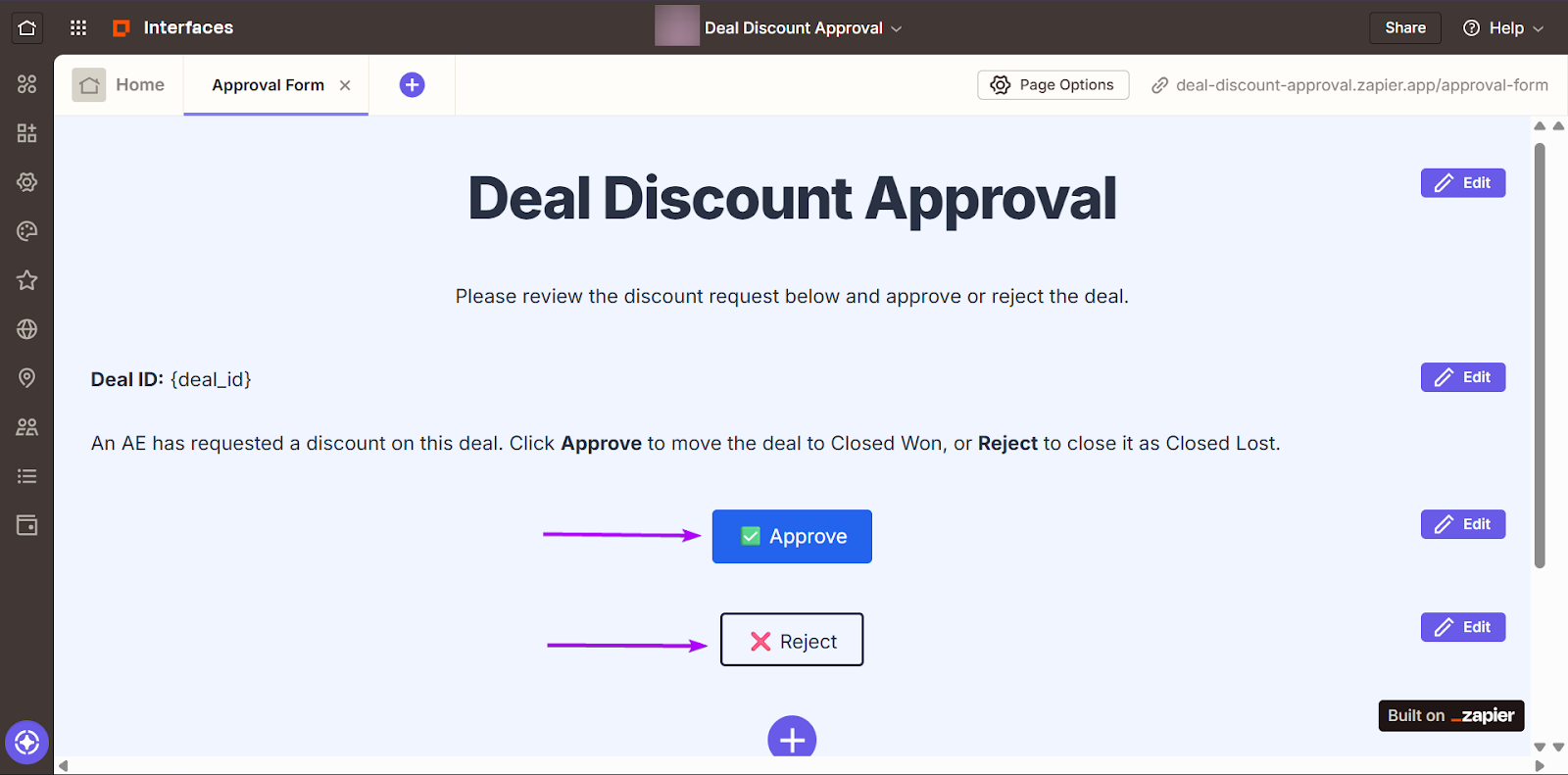
Let’s check out this discount approval workflow example:
1. An account executive updates a deal in Salesforce with a discount request.
2. Slack sends a message to the deal desk channel notifying the approver.
3. The approver clicks “Approve” or “Reject.”
4. The deal record in the CRM automatically updates based on the decision.
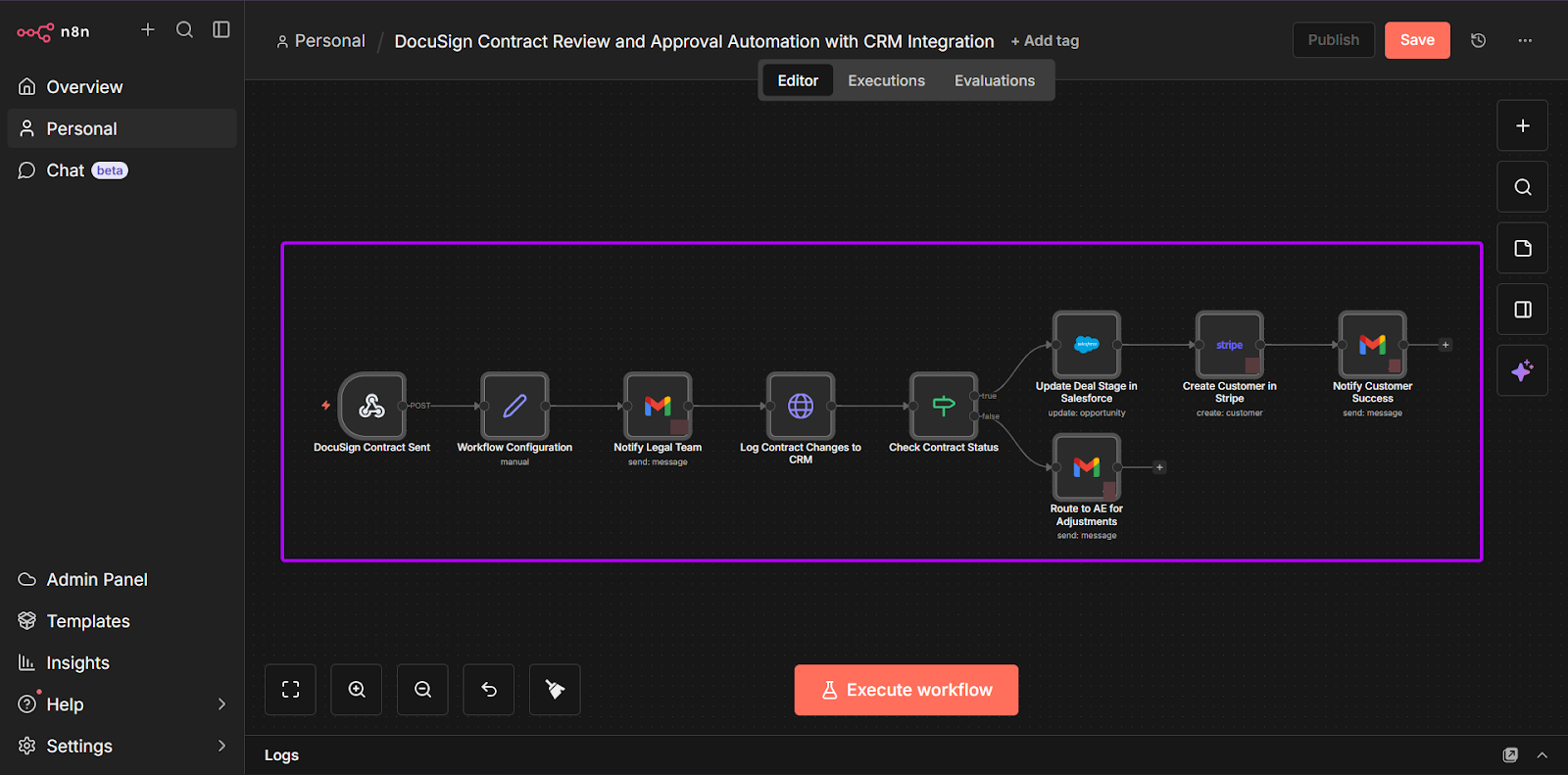
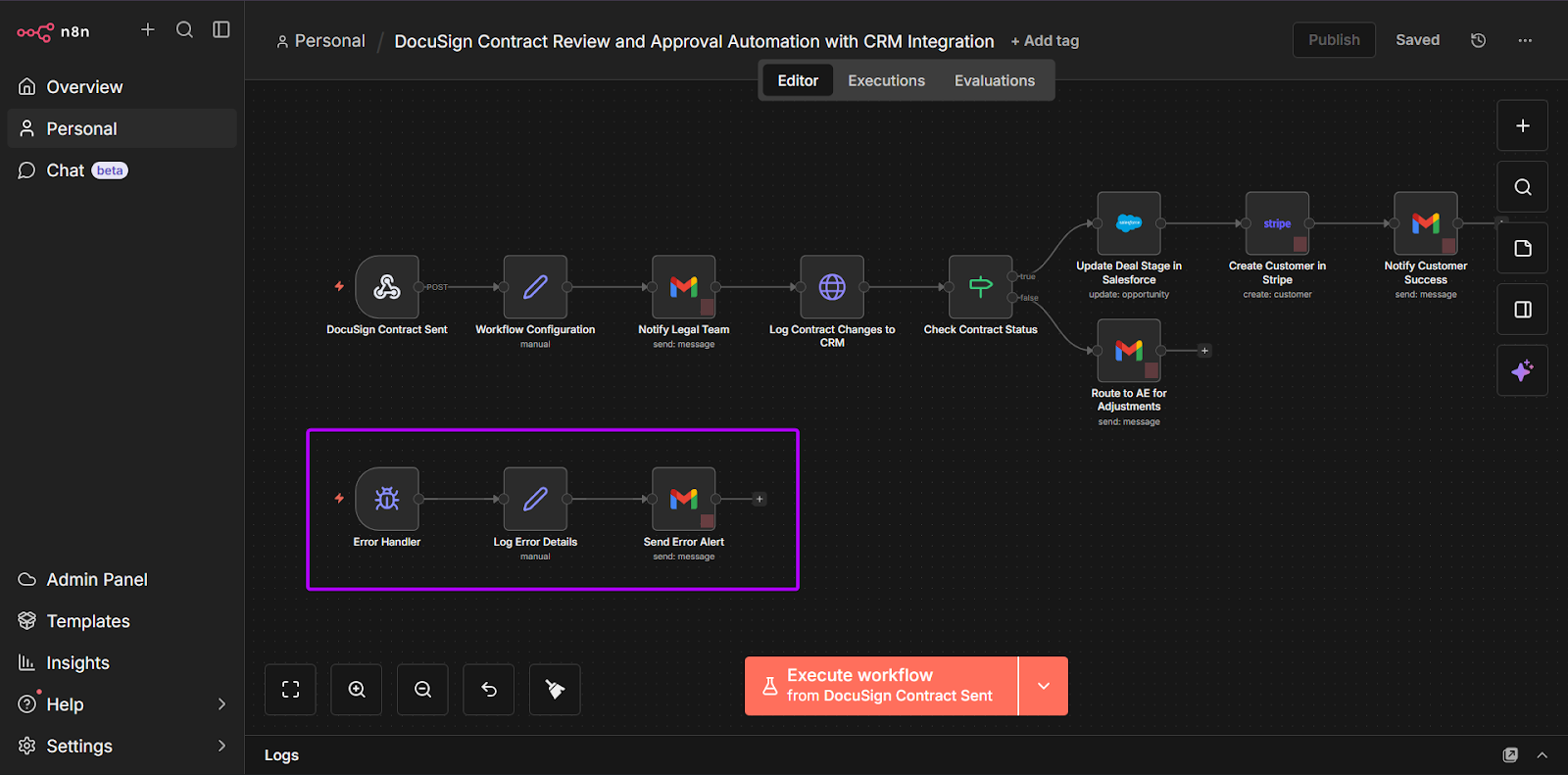
And this contract review workflow example:
1. A contract is sent through DocuSign.
2. Legal gets notified automatically for review.
3. Any changes are tracked and recorded in the contract platform.
4. Once the contract is signed, the CRM updates the deal stage.
5. The customer is then created in Stripe.
6. Customer success gets notified to start onboarding.
For deal desk automations, Zapier is excellent for fast approval flows, like sending a discount request to Slack and updating the CRM.
n8n performs better when approvals are more complex, with multiple steps and conditions based on deal size, region, or contract type.
It also handles errors and automatically tries to fix them, so deals don’t get stuck in the pipeline.
Deal desk automations reduce back-and-forth communication, speed up approvals, and create a record of who approved what and when.
6. Revenue Data Pipelines
As sales and marketing teams grow, they connect with more tools so that leads, customer updates, and product usage data automatically move between systems.
But these automations can get long and messy as you add more steps, tools, and conditions.
Keeping these pipelines is important. If not, it becomes easier for your workflows to break or for your data to get out of sync.
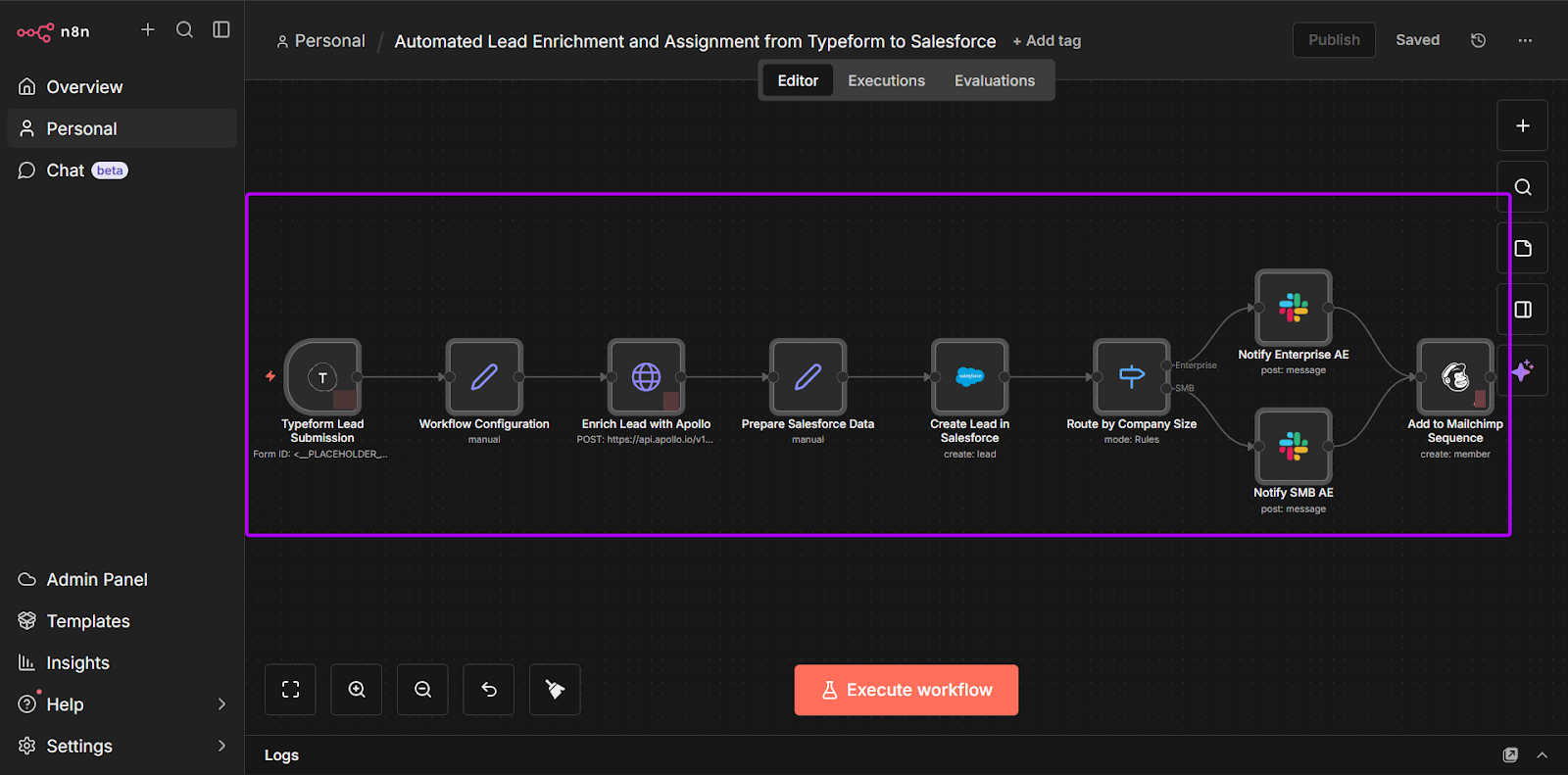
For example, you’re an n8n user who wants to create a workflow for a new lead pipeline:
1. A lead submits a form on Typeform.
2. The lead is enriched with company and role data using Apollo.
3. The lead is created in Salesforce.
4. Routing rules assign the lead to an account executive.
5. A Slack alert notifies the account executive.
6. The lead enters an outreach sequence in Mailchimp.
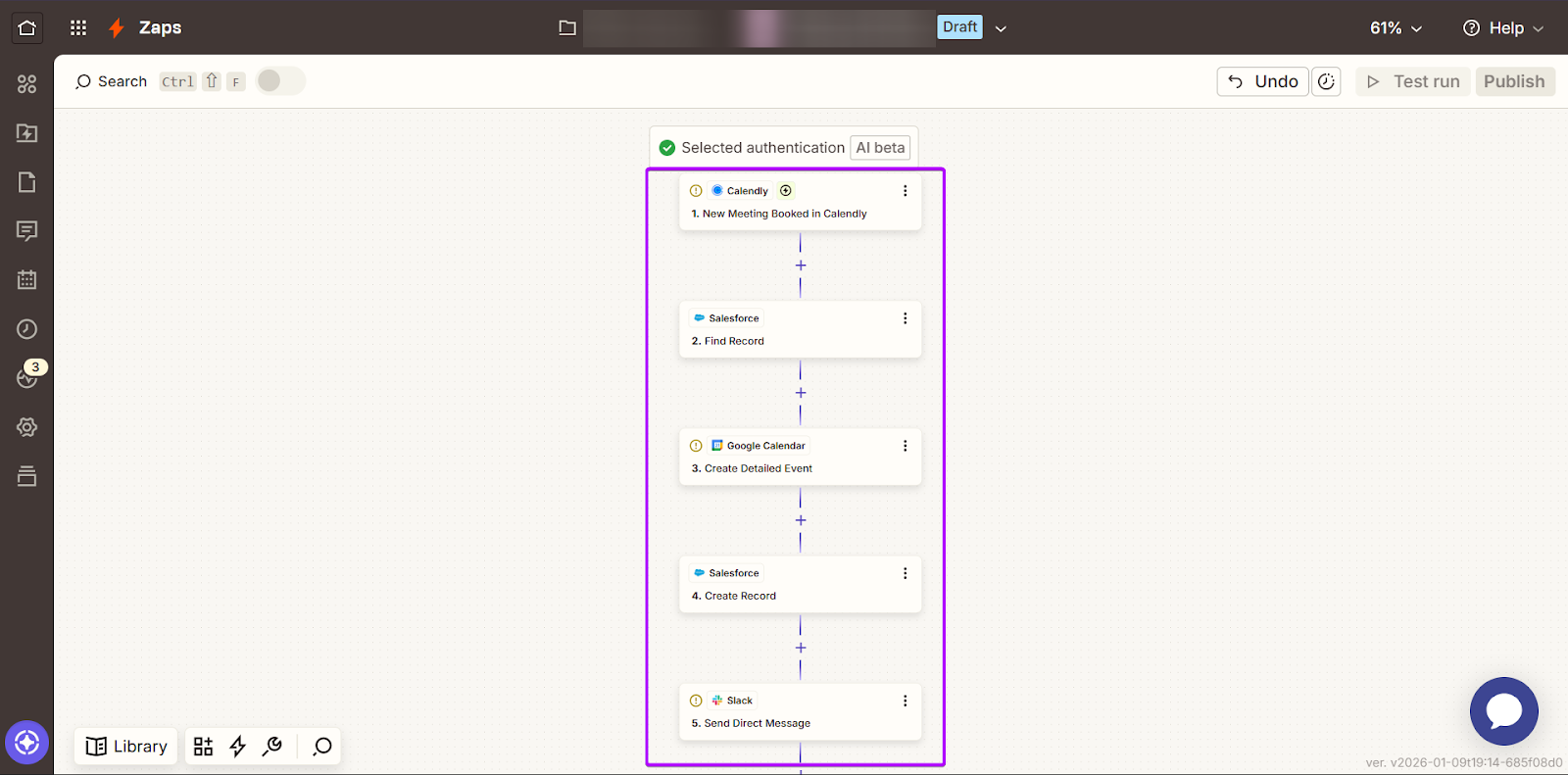
Let’s check out another example on Zapier and build a meeting booking workflow:
1. A lead books a meeting in Calendly.
2. Salesforce is updated automatically.
3. The meeting is added to Google Calendar.
4. A deal is created in Salesforce.
5. Slack notified the account executive about the booked meeting.
Every lead update matters down the revenue pipeline. If a sales prospect starts a trial or becomes a paying user, these updates must flow automatically across these tools.
For example, when a lead starts a trial, it can follow this cycle: update in CRM → trigger customer email → alert account executive in Slack.
This helps teams stay connected and act quickly at all points in a customer’s journey.
For workflows like these, Zapier is easier to set up, especially if you want to keep things simple. There’s more focus on quick updates without customizations.
But with n8n, you’ll get to see more of its functionality when the pipelines get longer. When workflows have many steps and “if this, then that” conditions, their flexibility gives teams more control as their RevOps grows.
n8n vs. Zapier: Pricing Comparison
Pricing can get tricky quickly with automation tools, especially for revenue teams running long workflows across different departments.
In this section, we’ll check out the following:
- Zapier’s Task-Based Pricing
- n8n’s Execution-Based Pricing
- How nRev’s Pricing Bridges the Gap
1. Zapier’s Task-Based Pricing
Zapier uses a task-based pricing model.
A “task” is counted every time you run an action in a workflow.
For example, if a lead comes in and your Zap creates a CRM record, sends a Slack message, and adds the lead to an email tool, that’s already three tasks for a single lead.
Zapier’s pricing plans are:
- Free: $0/month and 100 tasks per month
- Professional: $19.99/month billed yearly
- Team: $69/month billed yearly
- Enterprise: Contact for pricing
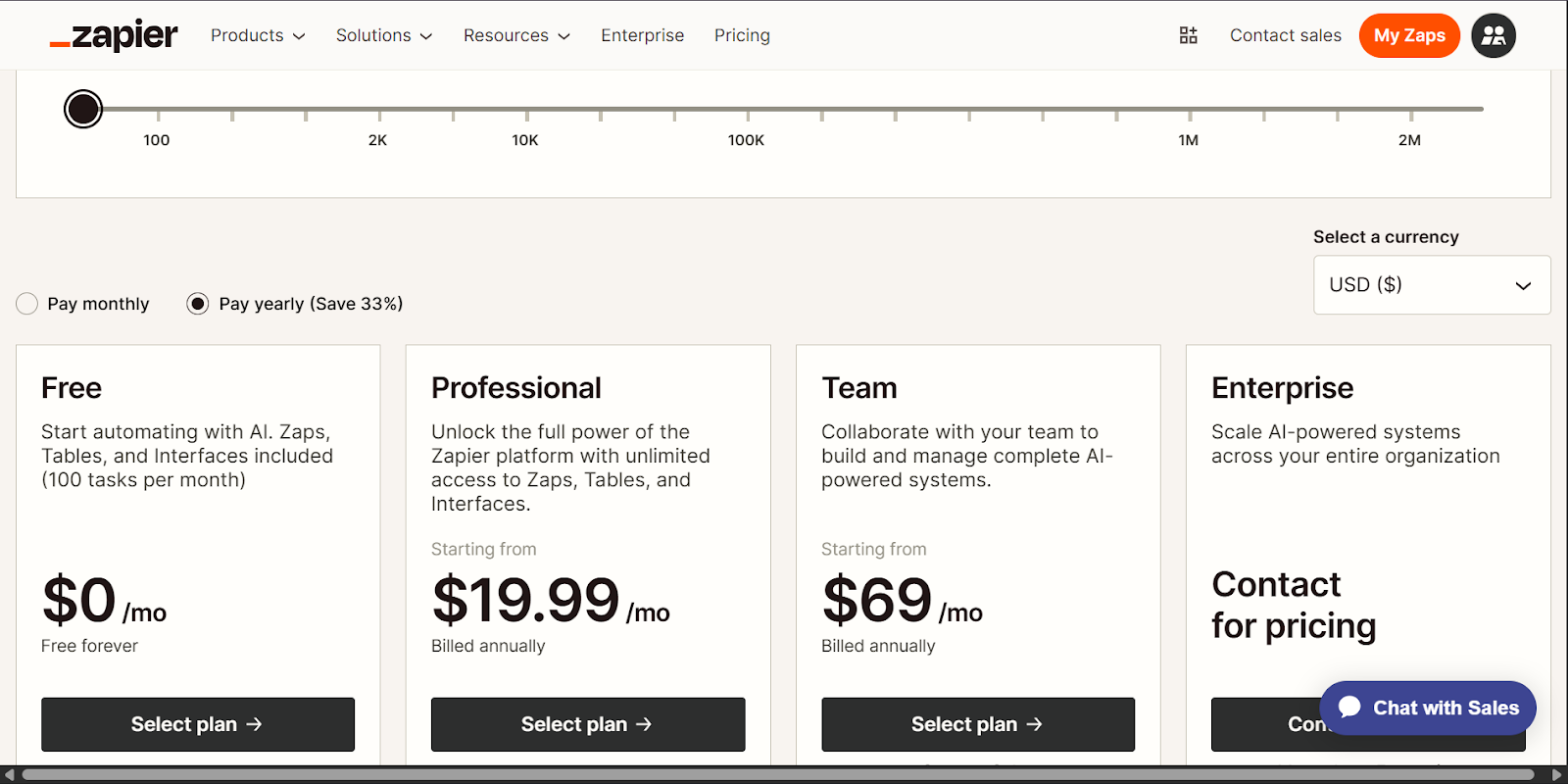
And as you continue to grow your workflow, so do your tasks. Zapier’s paid plans are based on how many tasks you run either monthly or yearly.
Let’s increase the number of tasks to 100k on a yearly plan. Now,
- Free: $0/month and 100 tasks per month
- Professional: $489/month billed annually
- Team: $599/month billed annually
- Enterprise: Contact for pricing
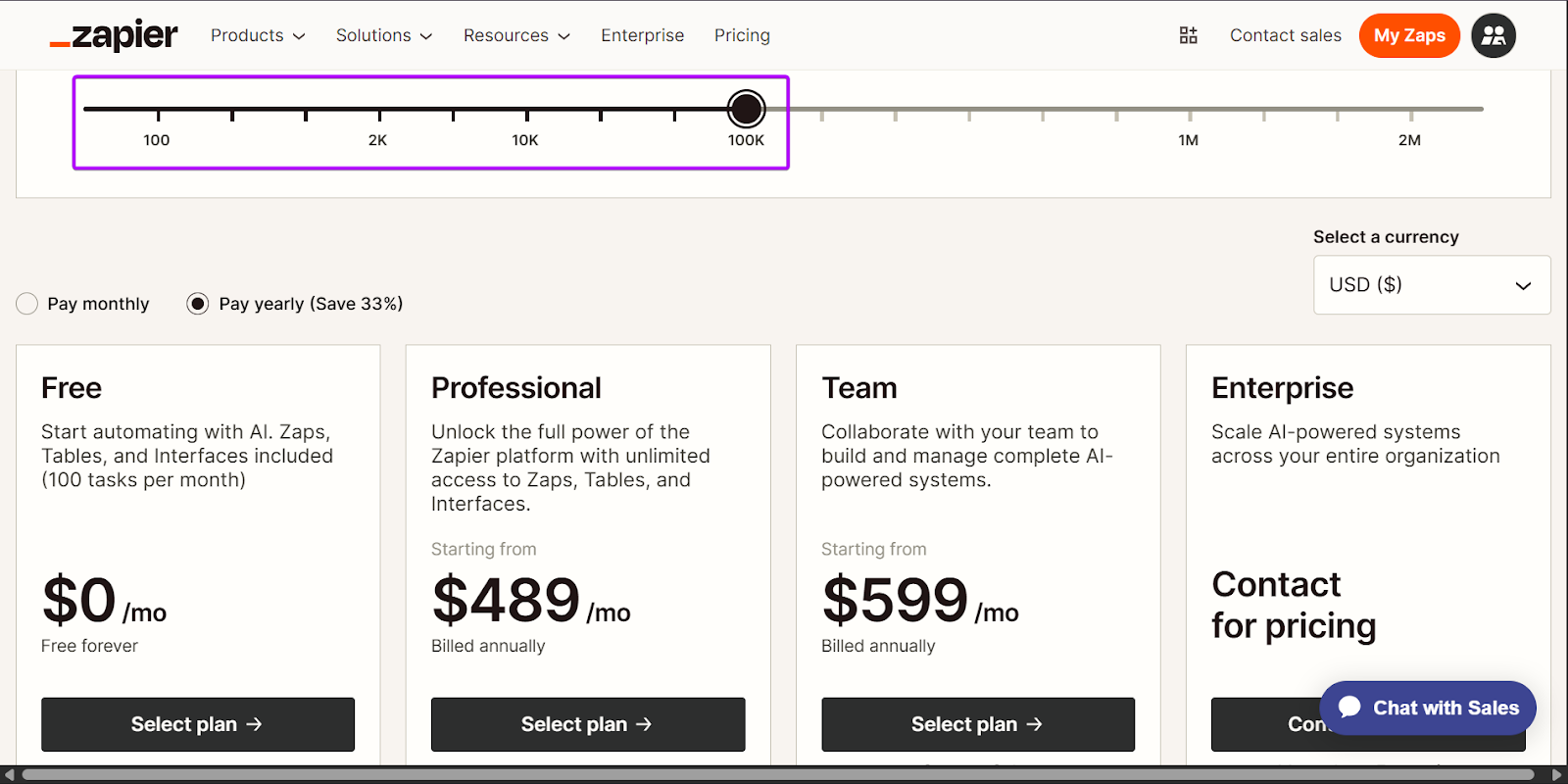
This model works best with simple automations, but it can get harder to estimate costs once workflows grow more complex.
2. n8n’s Execution-Based Pricing
n8n uses an execution-based pricing model.
That means that instead of charging per step, it counts how many times a workflow runs from start to end. It doesn’t matter if a workflow has five steps of twenty; it still counts as one execution.
Here’s n8n’s pricing plans:
- Starter: $20/month billed annually for 2,500 workflow automations
- Pro: $50/month billed annually for 10,000 workflow executions
- Business: $800/month billed annually, and for 40,000 workflow executions
- Enterprise: Contact for pricing
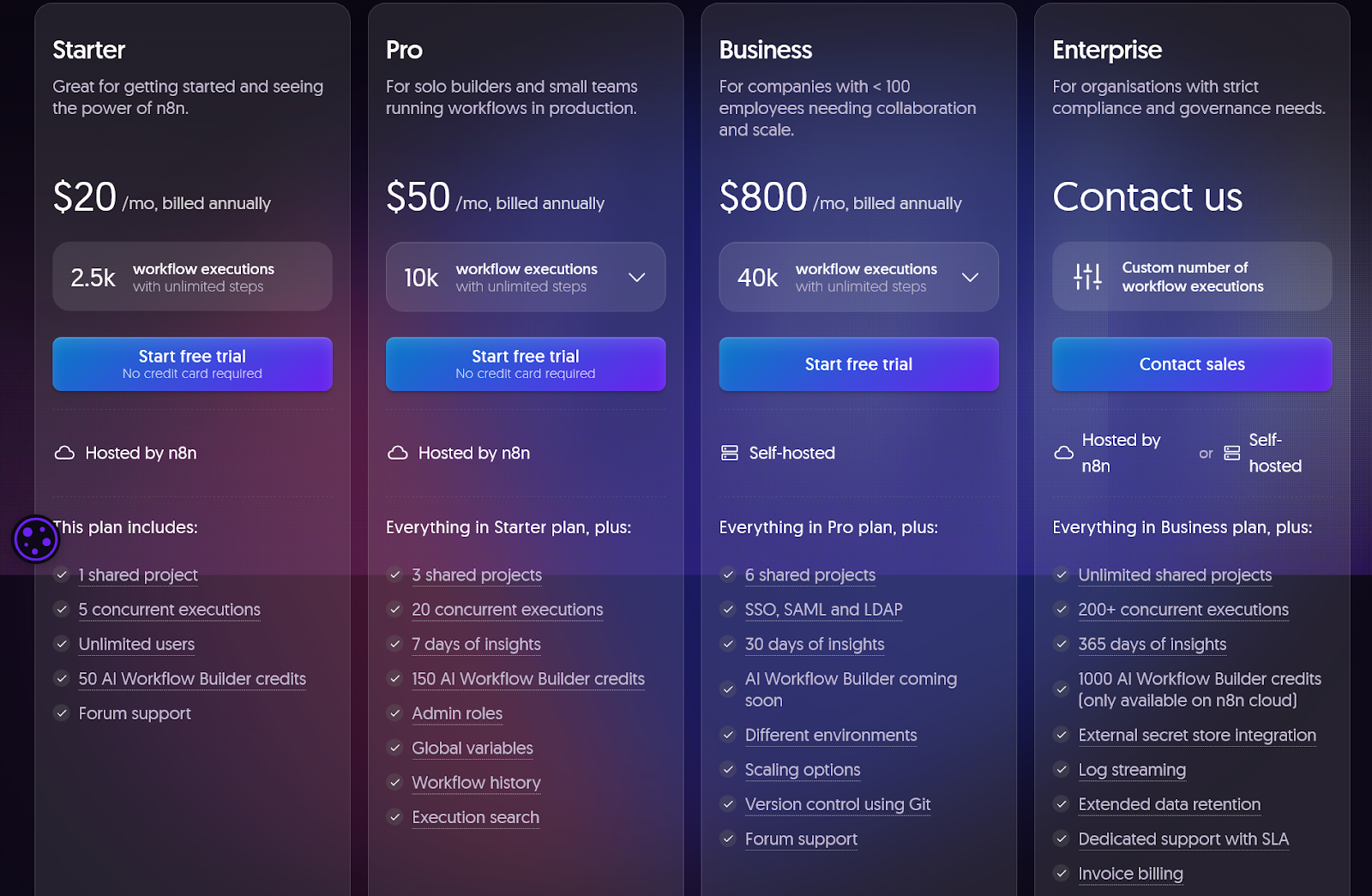
This makes n8n’s pricing more transparent and predictable than Zapier.
And it’s also a better choice for teams that build longer or more detailed automations.
However, it’s important to note that n8n involves more manual setup and maintenance, especially for custom integrations.
While the pricing aligns better with scalability, you will still need to have the technical know-how to manage your workflows.
In short, the main difference between these two tools is that Zapier gets more expensive as workflows grow. On the other hand, n8n’s pricing model is more cost-efficient but needs more technical effort.
3. How nRev’s Pricing Bridges the Gap
nRev uses a usage-based pricing model, which is different from Zapier and n8n’s.
You start with 1,000 free credits, and you can scale up based on factors like volume, users, or workflows.
Here’s nRev’s pricing plans:
- Nudge: $50/month for 5,000 credits
- Surge: $250/month for 25,000 credits
- Growth Hack: $1,000/month for 100,000 credits
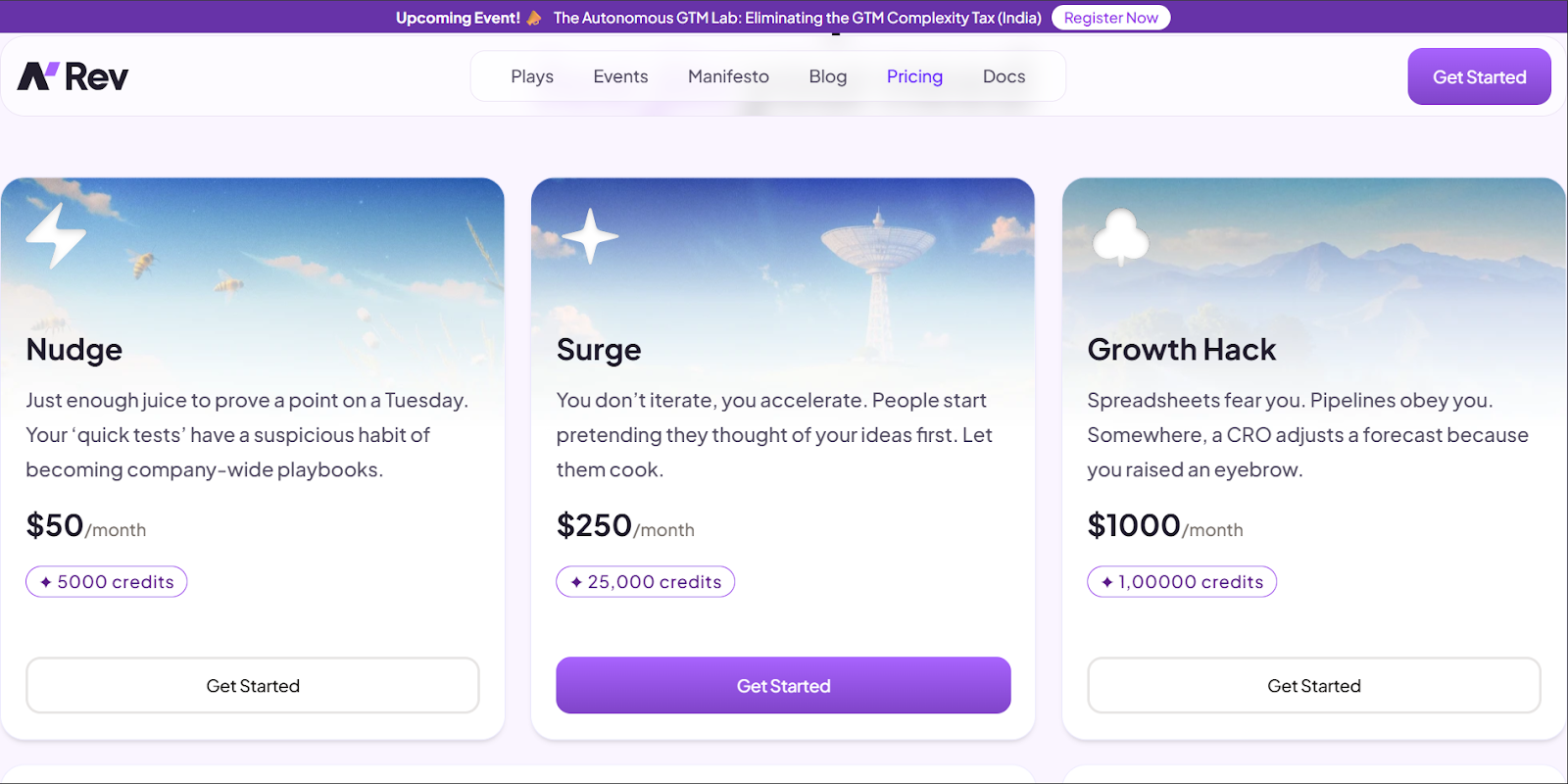
With this model, you choose a credit bundle based on how much automation your team needs.
And you can use these credits across your GTM workflows, without charging you extra for connecting more tools or adding more steps.
nRev also offers flexible, custom plans.
Teams can start small, with plans as low as $25/month for 2,500 credits. As they scale up, they can choose options like $1,000/month for 100,000 credits.
Or if they need 100,000+ credits, then you should contact nRev’s sales team.
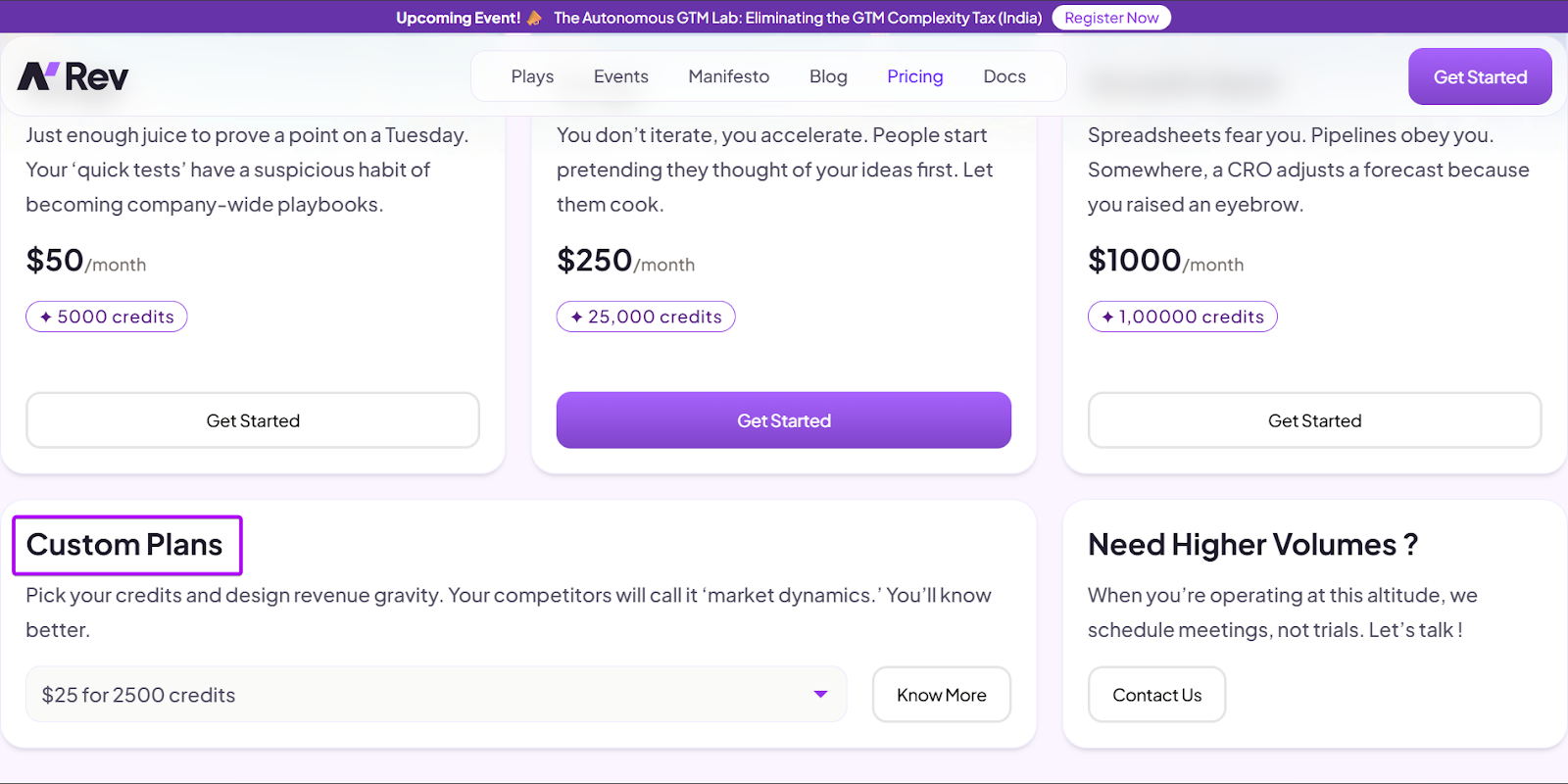
This pricing model helps RevOps match usage to pricing more accurately, instead of guessing how many tasks or executions they’ll need each month/year.
For starting or growing GTM teams, it is usually the best choice. Why?
Well, this pricing only increases based on how much value you gain from your automations. Not on how complicated your workflows become.
n8n vs Zapier: Best Fit by Revenue Team Type
Choosing between n8n and Zapier comes down to the kind of revenue team you have and how complex your workflows are.
Different teams need different levels of speed, control, and scalability.
Let’s check out how each tool fits across common revenue team levels and where nRev falls as the strongest alternative:
1. Early-stage or lean revenue teams
After working with both tools, I’d say that Zapier is the better choice for early-stage or lean revenue teams.
It’s quick to set up, easy to understand, and doesn’t require having high technical expertise to keep automations running smoothly.
Plus, you can connect with over 10,000+ tools and get value almost immediately.
n8n, while more powerful, can feel too heavy for early teams to use because of its complex workflow setup and management.
nRev shines here by offering specific revenue-based automations without complex setups or regular maintenance.
2. Scaling teams with growing automation needs
For scaling teams, I’d say n8n handles this stage better.
That’s because as teams grow, so do their workflows. It goes beyond the simple conditional automations.
For example, you start to pull data from multiple sources, and n8n is built for that kind of complexity.
Zapier works well, but costs and limitations increase as workflows get longer. What starts as a simple workflow can become expensive and harder to manage over time.
That said, nRev stands out by giving scaling teams advanced automations without forcing them to manage complex workflows themselves.
3. Teams with complex processes or technical support
For teams with complex processes or technical support, I’d choose n8n as the stronger choice.
It offers more control and flexibility for handling custom workflows.
Zapier can feel extremely restrictive at this level. That’s because advanced RevOps teams need workflows with multiple paths.
It handles basic conditions well, but building branching workflows can quickly get expensive and difficult to manage.
nRev, however, gives you the best balance. It offers enterprise-grade automation, clean data orchestration, and GTM workflows without the technical hassle.
To Sum Up
In this article, I broke down n8n vs Zapier to help you decide which automation tool best fits your workflows.
I compared them across six factors: setup and ease of use, powerful integrations, workflow complexity, lead routing and enrichment, multi-step deal desk automations, and revenue data pipelines.
Finally, we looked at which tool is the best fit by team type.
Zapier is best for early-stage or lean revenue teams that want quick, simple workflows.
n8n is great for scaling and advanced teams that need flexibility and control over their workflows.
But for revenue teams looking for a revenue-first platform, nRev gives you the best of both worlds.
It simplifies automation while reducing setup, maintenance, and complexity. This makes nRev an ideal choice for teams at any stage.
FAQ
Which is better, Zapier or n8n?

Can n8n replace multiple Zapier workflows for GTM teams?
Is Zapier good for revenue automation?
What can n8n automate that Zapier can’t?
Does Zapier offer AI-powered prospecting features?
How much does Zapier cost?
Does n8n integrate with CRMs like HubSpot and Salesforce?
Can Zapier handle enterprise-level workflow volume?
Does either offer a free trial?
Which one is best for advanced GTM automation?