

.jpg)
Salespeople and teams have tools to help them work. AI sales agents that never sleep, never forget, and never lose track of a lead.
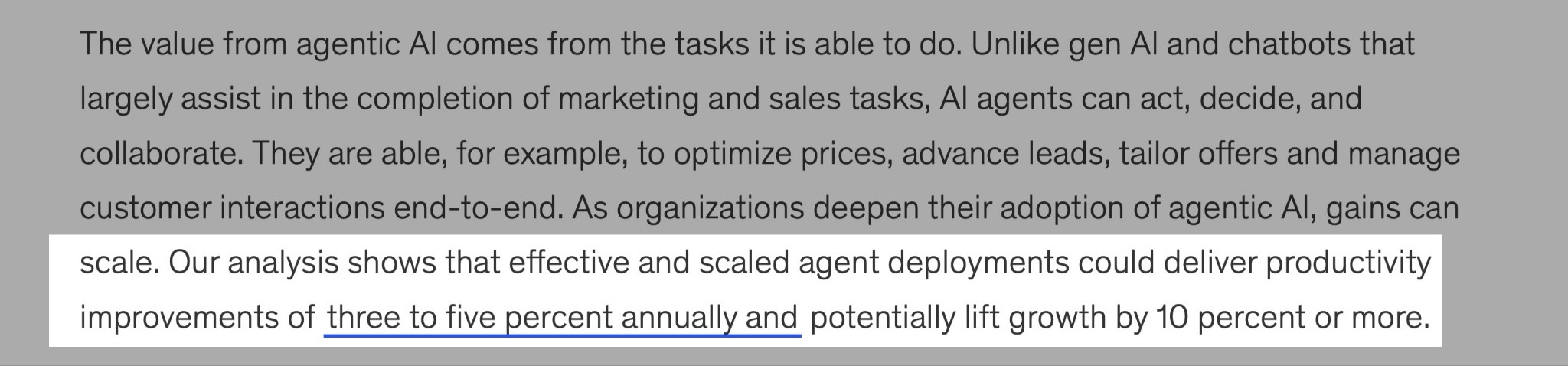
McKinsey even says that companies using agentic AI effectively could grow by 3% to 5% each year. And potentially increase growth by 10% or more.
But with many AI sales agents on the market, you may be wondering which one is the best choice for you.
To help you answer this question, I have tested several AI sales agents. I now have 5 that are worth your time.
I’ll talk about them and also discuss six factors to help you choose the right AI sales agent.
Let’s take a look at them, shall we?
TL;DR
- AI sales agents are tools that use artificial intelligence to automate some aspects of the sales process. For example, they can help companies find leads, send personalized outreach messages, and qualify leads. They also follow up automatically if leads haven’t replied. Lastly, they can handle meeting or demo bookings and analyze conversations with leads.
- The best AI sales agents are
- nRev AI - Best for go-to-market automation
- Jeeva AI - Best for outbound sales automation
- Dripify - Best for LinkedIn lead generation and automated outreach
- Lindy - Best for custom AI workflows
- Avoma - Best for AI meeting insights and sales team coaching
- To choose the right AI sales agents, you should:
- Identify whether your main goal is outbound, inbound, or lead qualification
- Look for CRM and email integration
- Test personalization accuracy
- Check human handoff workflows
- Focus on tools with data compliance and lead source transparency
- Check cost and return on investment (ROI)
Comparison of the Best AI Sales Agents
| AI Agent | Features | Ease of use | My Score | Starting price | Ideal for |
|---|---|---|---|---|---|
| nRev AI | Workflows (create, view, and track automations) Connections (link CRMs, email, schedulers, apps) Plays (ready-made automation templates) |
Very Easy - All features on the left side can be assessed in a single click. AI Builder works with a natural language prompt | 9/10 - You can automate end-to-end revenue workflows while working with the tools you already use. | Nudge: $149/month + 15,000 credits | Go-To-Market automation |
| Jeeva AI | Campaigns (create, manage, and track outreach) AI Inbox & Calendar AI Chat Agent "Ada" Unibox (smart message tracking) AI Notetaker |
Moderate - Setup is straightforward for prospecting and outreach, but configuring campaigns and integrations can take some time | 8.5/10 - It helps you automate sales outreach and prospect engagement, but its free plan is quite limited. | Free: $0/month | Outbound sales automation |
| Dripify | Campaign builder for LinkedIn outreach Leads page for prospect tracking Inbox for LinkedIn conversations Team collaboration tools Detailed analytics & reports |
Easy - It has a clean dashboard with a simple setup for LinkedIn automation. Most actions can be configured with a few clicks | 8/10 - It's great if your company relies heavily on LinkedIn for prospecting. | Basic: $39/user/month | LinkedIn lead generation and sales automation |
| Lindy | Build custom AI agents Prebuilt templates Chat with AI agents Upload files (CSV, PDFs, images) My Agents dashboard |
Moderate - It's flexible to build AI agents, but you'll need some trial and error to set up workflows and prompts correctly | 8/10 - I could automate repetitive tasks like meeting coordination, follow-ups, and internal workflows. | Plus: $49.99/month | Custom AI workflows |
| Avoma | Automatic meeting recording & transcription Ask Avoma AI assistant Coaching & performance analytics Conversation insights & summaries Integrations with Zoom, Meet, etc. |
Easy - Your sales meetings are automatically recorded and analyzed. Also, insights are clearly organized on the dashboard. | 7.5/10 - It focuses on sales meetings and insights, and not on automating the broader sales process. | Startup: $19/month | AI meeting insights and sales team coaching |
5 Best AI Sales Agents
1. nRev - Best for Go-To-Market Automation
| Score | 9/10 - You can automate end-to-end revenue workflows while working with the tools you already use. |
| Starting plan | Nudge - $149/month + 15,000 credits |
| Integrations | HubSpot, Gmail, Slack, Calendly, LinkedIn, Instantly AI |
| Ideal for | Sales and marketing teams automating go-to-market workflows |
Number one on our list of the best AI sales agents is nRev AI.
nRev is an Agent Operating System (AgentOS) that helps businesses, startups, and go-to-market teams manage their operations more efficiently.
If you use tools like Mailchimp, HubSpot, and Zapier, and you’re tired of running between all these tools, nRev AI brings all these together for you in a single workflow.
So, you can automate tasks like sending outreach emails, tracking sales, and converting leads.
nRev AI for sales and marketing teams looking to automate their entire GTM (Go-to-Market) funnel.
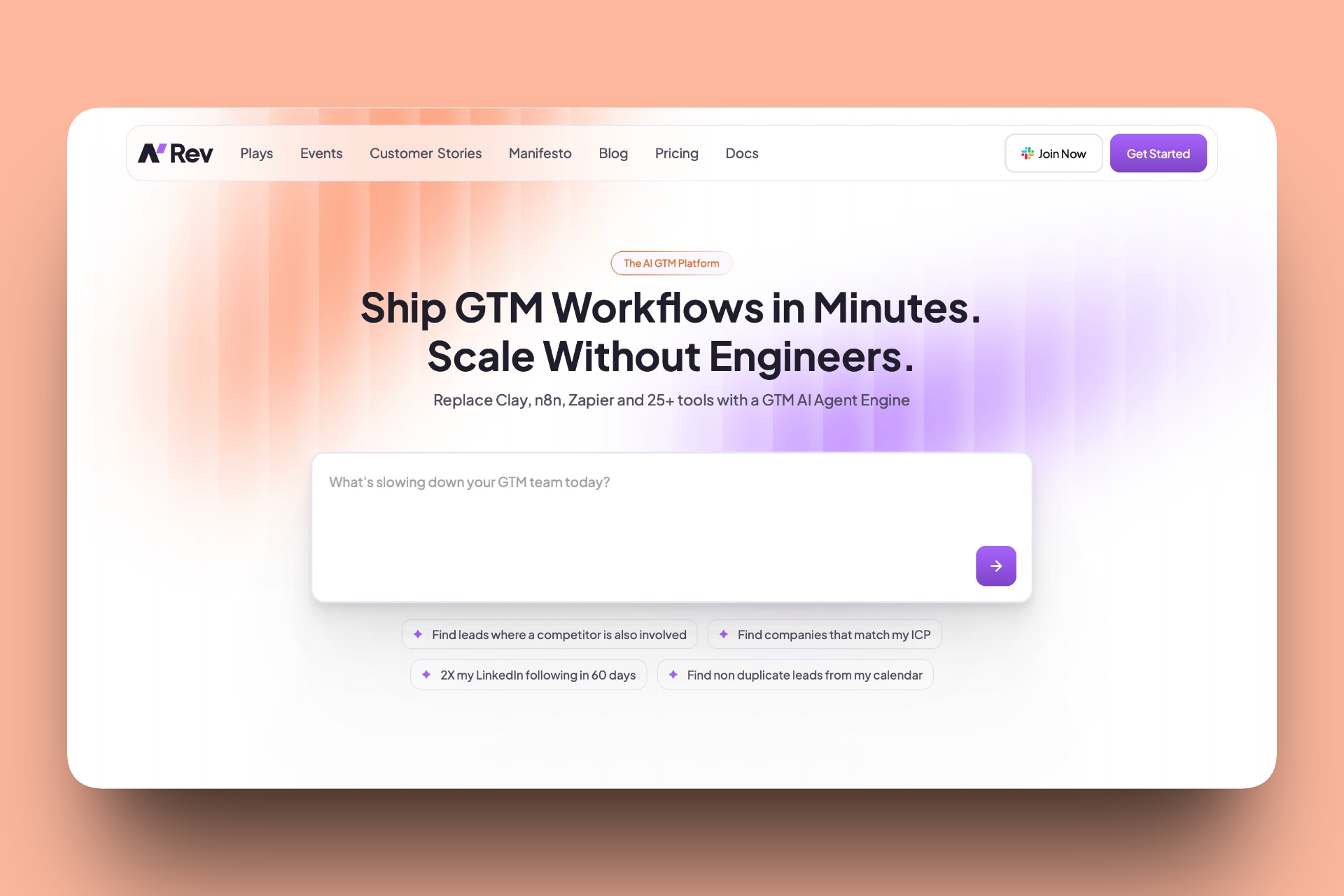
My favorite nRev AI feature is Workflows. If you’re managing multiple outreach campaigns or you’re a sales manager running dozens of follow-ups, this is where you’ll spend most of your time.
Just imagine: you can create a workflow that sends a welcome email to every new LinkedIn lead. Then, it waits 2 days and follows up with a personalized demo invite, all automated.
And it is so visual. You can watch each step or node of your automation.
So if your team manages many clients or campaigns, it makes tracking and catching errors incredibly easy.

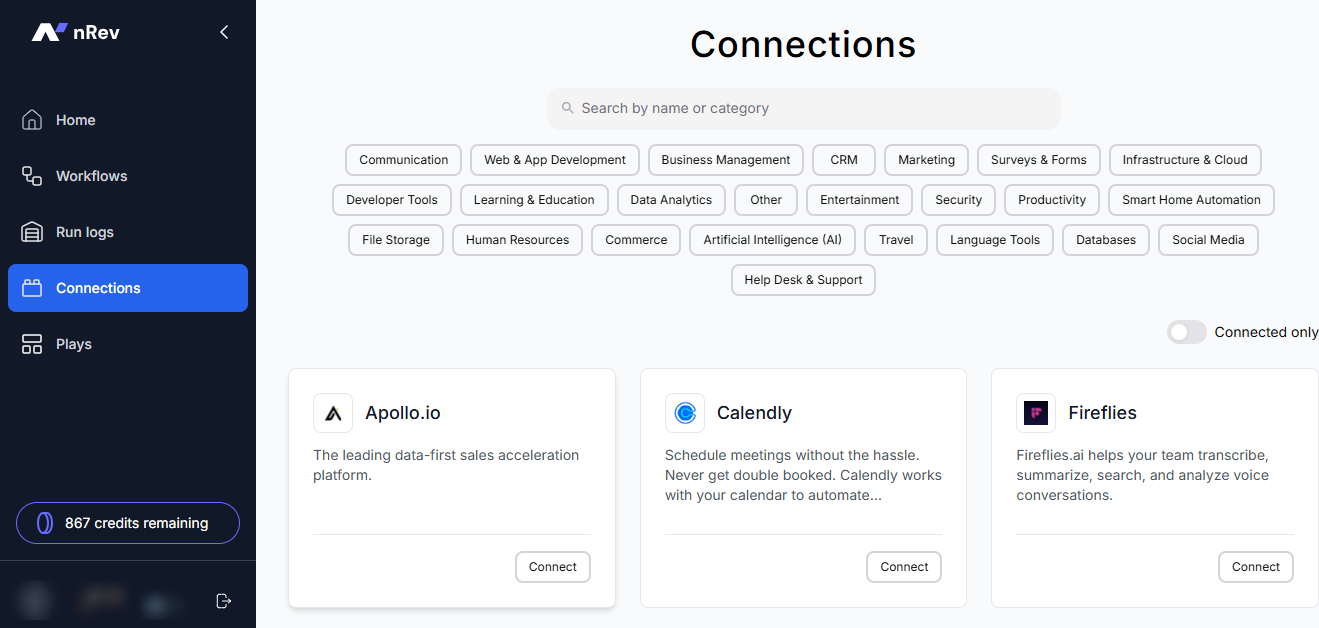
I also liked nRev AI’s Connections feature.
If you’ve ever wasted hours switching between tools, your CRM, email platform, calendar, and chat apps, then this feature will feel like a breath of fresh air because it brings all your external tools together.
The integrations are seamless. With a few clicks, you can connect tools like HubSpot, Gmail, Google Calendar, and more.
When a deal is updated in your CRM, your sequence in nRev AI adapts instantly. For busy sales and marketing teams, this kind of automation will save you hours each week.
Another feature I really enjoyed exploring was Plays. These are prebuilt automations.
Each “play” handles a specific sales or marketing task. From tracking competitor engagement on LinkedIn to warming up leads before outreach.
Or capturing leads from Google Calendar into HubSpot.
What I liked most is how practical and customizable these plays are. You don’t need to be a tech expert.
You can just pick a play that fits your goal, customize it slightly to match your workflow, and you’re good to go.
This feature is especially useful for teams that want quick results. Because why bother to build automations manually when you can rely on proven plays that are already optimized?

While nRev AI has some amazing features, I found some favorites, like Workflows for sales automation.
Let’s see how we can use nRev AI for this.
Key Features
1. Workflows
As an AI tool, nRev can easily handle your sales-related workflows for you thanks to the Workflows feature.
You don’t need to do the manual work. All you have to do is create the workflow, and nRev AI will handle the rest.
Let me show you how to create a workflow in nRev.
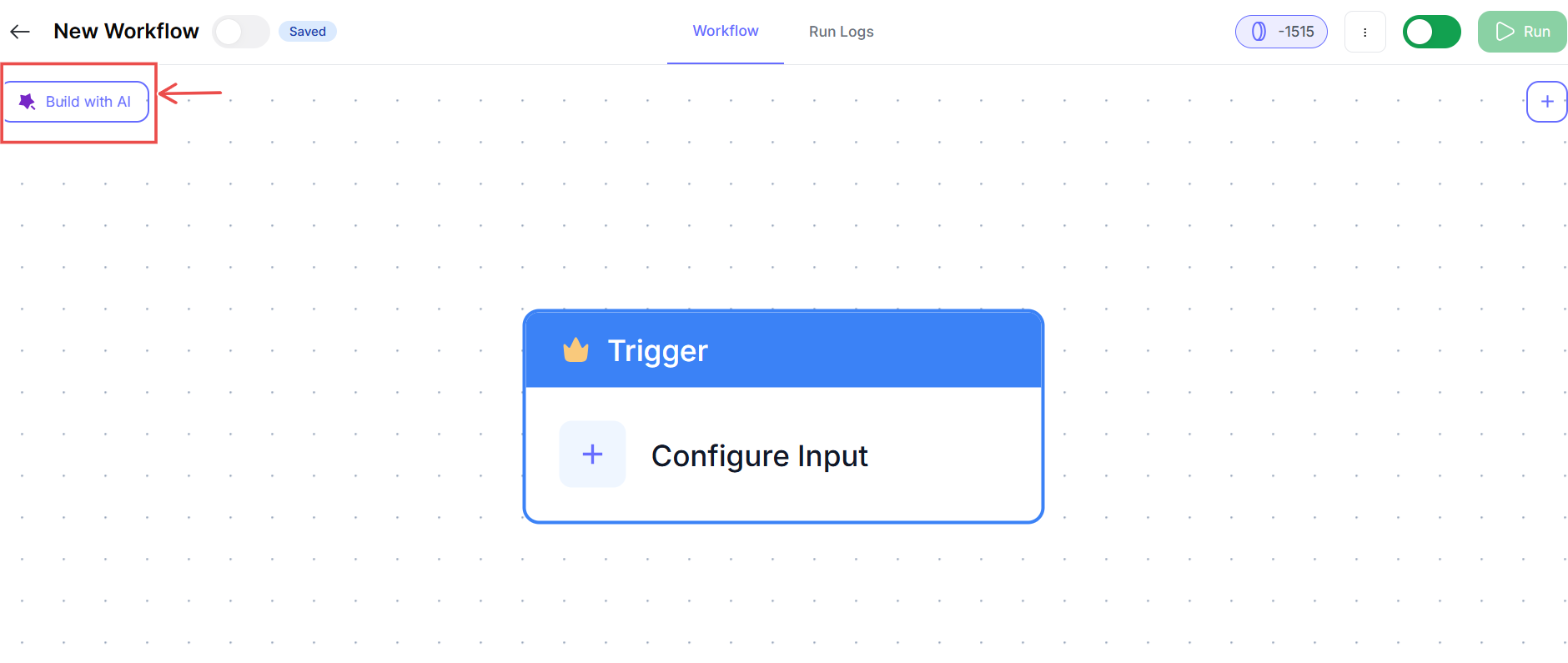
First, select the Workflows tab and then click ‘New Workflow.’

On the new workflow board, you can either build with AI or create it from scratch. I’ll use the AI builder to create my workflow in this example.
In the AI builder chat, describe what you want in plain English, and nRev will figure out the rest. For example, you could say, ‘Find top fintech business owners in Germany, new leads, save their data, and send follow-up emails.’
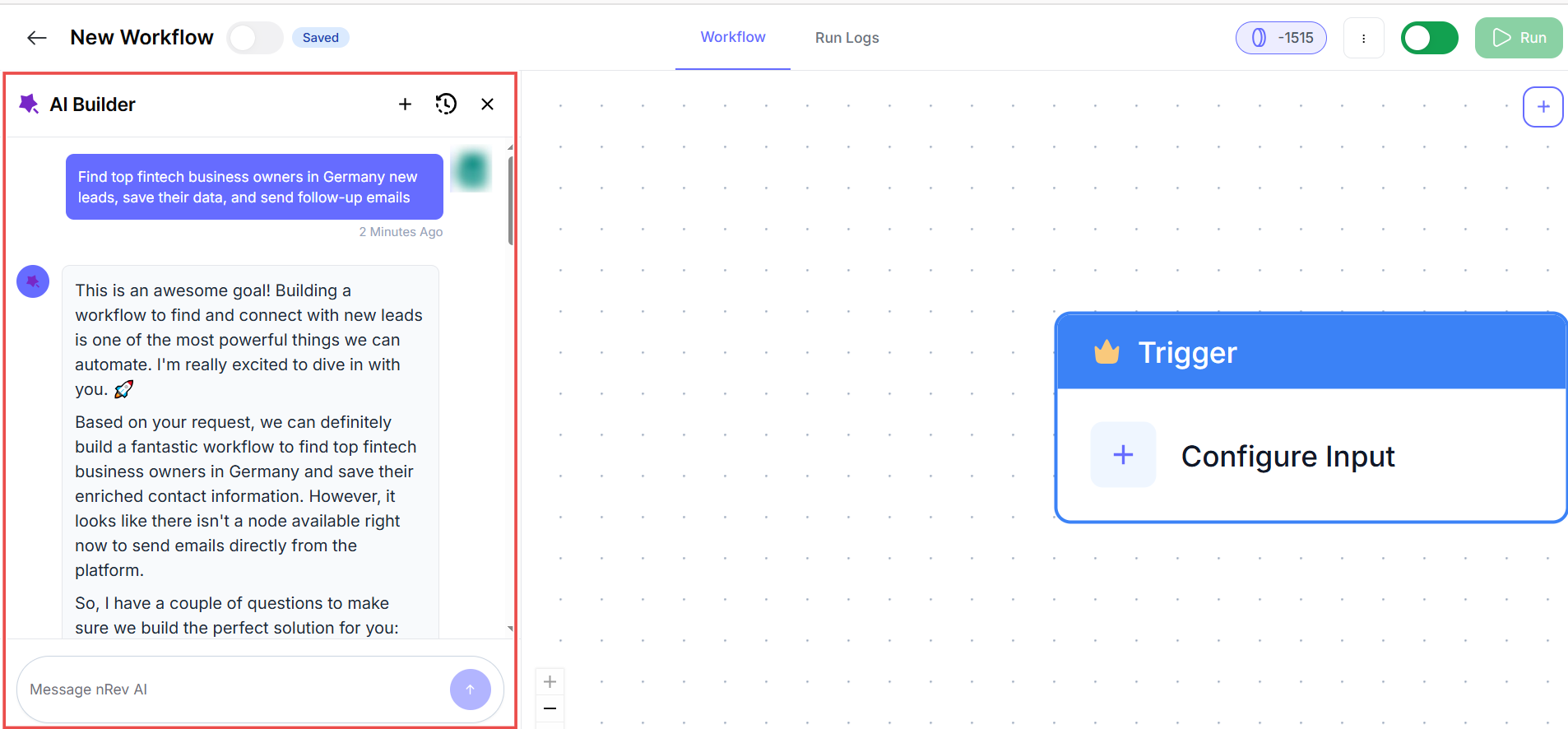
nRev will recommend a workflow plan. You can have further conversations so the AI can tweak the workflow plan it proposed, based on your preferences.
Once you are satisfied, click on ‘Approve plan and create workflow.’

In only a matter of minutes, you have a simple, well-structured workflow ready to run. Click ‘Run’ to start your workflow.

You’ll also have control over how your workflow behaves during each run.
Every node includes runtime preferences. This means you can add settings, such as whether to keep a fixed value or allow user input at runtime.
You can even set a review step that confirms before the workflow proceeds.

2. Connections
The Connections tab in nRev AI lets you integrate external apps you already use. So, it’s easier to run your workflows.
Some tools that can connect with nRev include Gmail, HubSpot, Slack, Calendly, and more.

You can search, scroll, or filter to find the app you need to integrate, and connecting an app is as simple as clicking “Connect” and signing in.

Once the application is linked, you’ll see a “Connected” label appear on the card.
If you only want to see your active integrations, you can toggle the view to “Connected Only”.
That way, you can focus on managing only your current connections.

Now, when you’re building a Play or Workflow, you’ll notice that each connected app appears as a selectable option in the builder.
You can choose whether the app should act as a workflow trigger or as an action after the trigger. For example, adding a new row in Google Sheets could trigger a Slack notification action.
Each connection also has its own settings page, so you can rename it or remove it if you no longer need it. This is helpful if you use multiple accounts or workspaces.

3. Plays
A Play in nRev is a prebuilt automation you can use without having to set up anything from scratch.
While Workflows let you build custom automations step-by-step, Plays are plug-and-play and already optimized.

For example, the Zero-Touch CRM Lead Capture Play finds, qualifies, and adds new leads from your Google Calendar into HubSpot.

Click ‘Use Play,’ and nRev AI will instantly insert the workflow for you. Every Play starts with a trigger node that ensures your automation runs at the right time.
You can preview and test Plays before running them live using Node-Level testing (which checks each step individually) or Play-Level Test Mode (which runs the full Play).

Once satisfied, you can save your Play or publish it for your team.

It’s worth noting that nRev allows you to have several plays running at the same time.
What Impressed Me vs What Fell Short
| What Impressed Me | What Fell Short |
|---|---|
| Super easy to use, everything (workflows, plays, and connections) is well-organized on the dashboard. | Doesn't include an AI chat agent you can embed on your website, but it connects with many tools to make your workflow smoother. |
| You can build automations visually, so you don't need coding skills. | |
| Pre-built Plays save time because you can choose a template and edit it. | |
| Integrates well with CRMs (HubSpot), emails, schedulers, and other sales tools. |
Best For
Sales teams that want to automate workflows and connect all their tools without spending hours setting things up.
Pricing
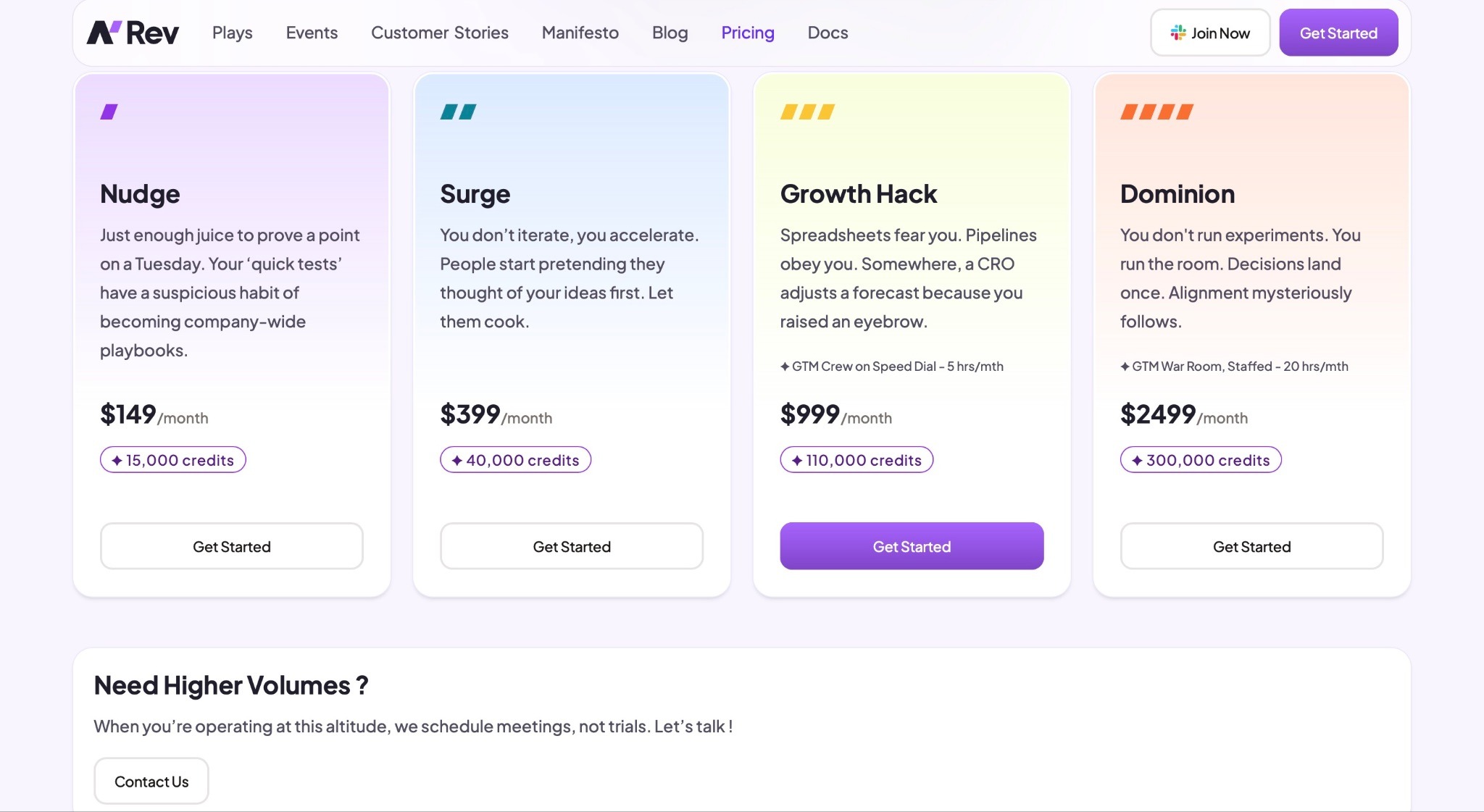
- Nudge: $149/month + 15,000 credits
- Surge: $399/month + 40,000 credits
- Growth Hack: $999/month + 110,000 credits
- Dominion: $2,499/month + 300,000 credits
2. Jeeva AI - Best for Outbound Sales Automation
| My Score | 8.5/10 - It helps you automate sales outreach and prospect engagement, but its free plan is quite limited. |
| Starting plan | Free - $0/month |
| Integrations | Gmail, Google Calendar, HubSpot, Notion, Zapier |
| Ideal for | Businesses managing outreach, scheduling, and follow-ups in one platform |
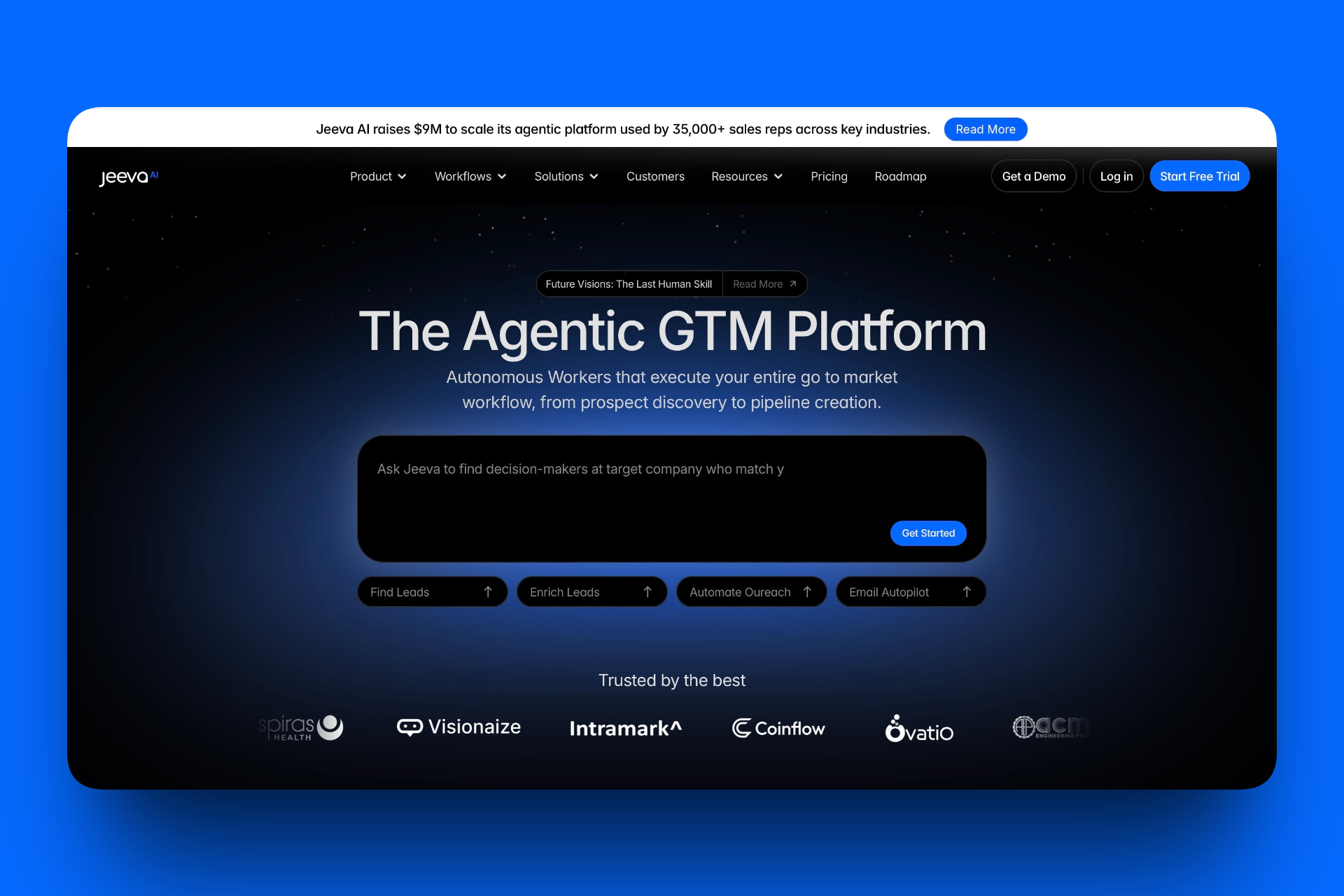
Next on our list for the best AI sales agents is Jeeva AI.
Jeeva is ideal for sales teams and entrepreneurs who want to automate lead generation, enrichment, and outreach.
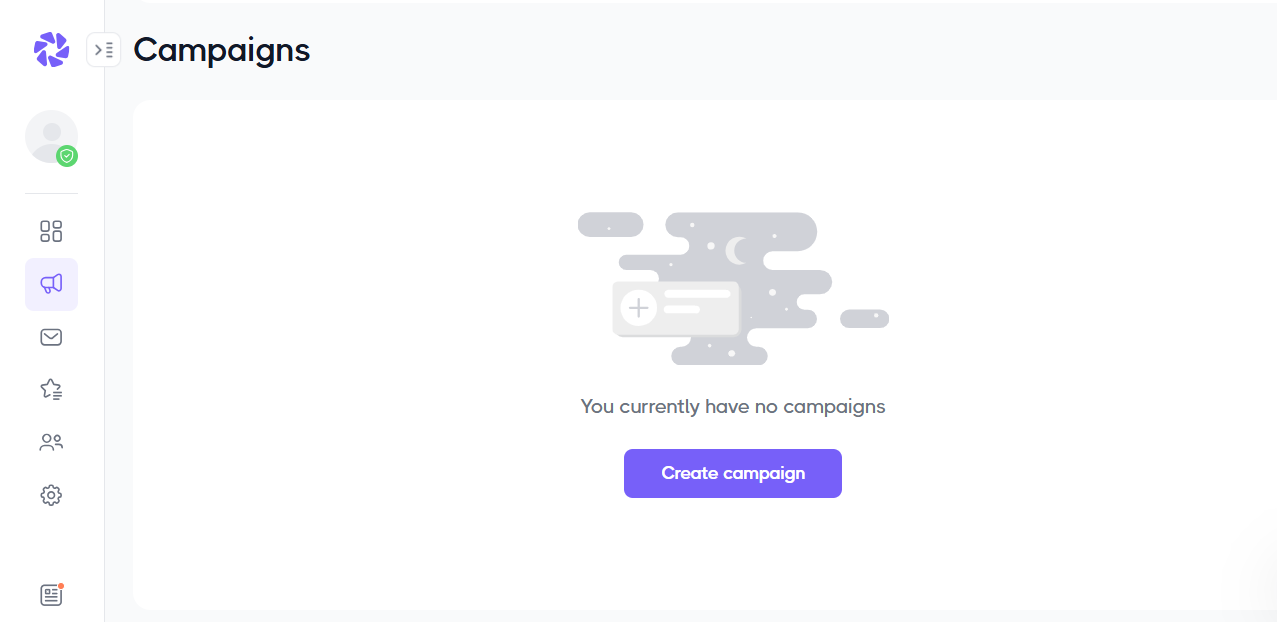
Let’s start with the Campaigns page. I really liked how clean and organized the layout is. You can see all your ongoing and sent campaigns here. You can also create, manage, and track your AI-powered outreach campaigns.

But Jeeva doesn’t stop there. It has an AI Inbox & Calendar page that makes it easy to view and reply to messages, manage your meetings, and synchronize your email and calendar.

It gets even better with the AI Chat feature, which introduces Ada, a customizable AI chat agent.
Just feed it with information like your company name, website, and description to help it learn about your business.
It instantly turns your website into a 24/7 lead-generation assistant that engages visitors and captures leads.

And once your campaigns are active, you’ll find the Unibox feature especially useful. It pulls all your messages and replies into one view.
It also includes smart tools like AI labels, reply tracking, and meeting prep.
These come along with helpful AI command suggestions that guide you to take the next step. That could be finding new leads or starting a new campaign.

Key Features
1. Campaigns
To help you set up and run outreach campaigns, Jeeva AI has a campaign feature. Let’s take a look at how it works. On the sidebar, click ‘Campaigns’ and then go to ‘Create New Campaign.’
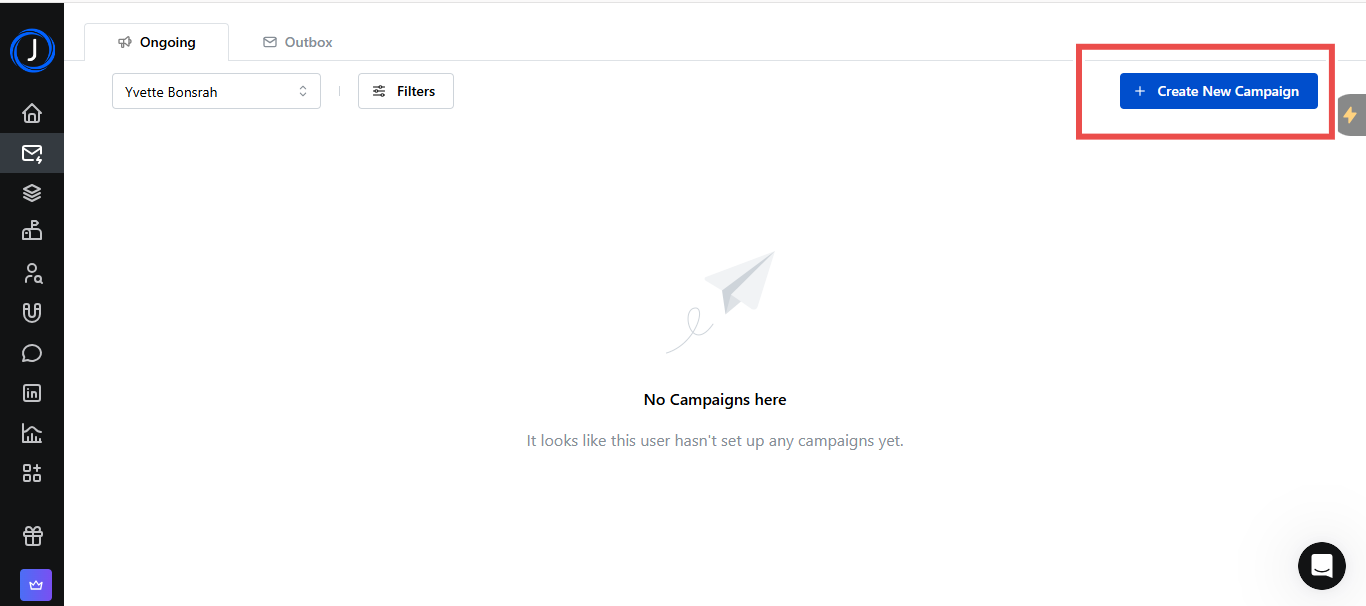
This opens a campaign page where you can define your ideal customer profile (ICP). So here you’re telling Jeeva AI who your outreach should target.
Add job titles, industries, locations, and any exclusions. Of course, you can also import leads directly from your CRM.
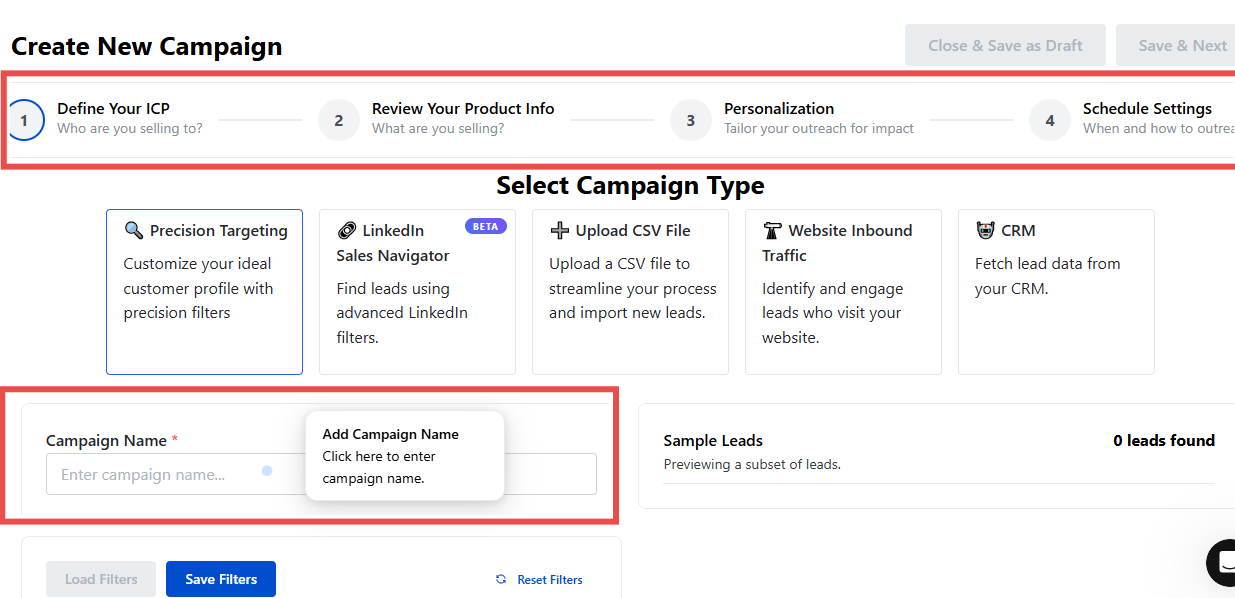
Next, tell Jeeva what you’re offering.
You can describe your product or service, highlight its value, and create your first outreach template. The AI will use this information to personalize your campaign messages.

Now add variables like names, company, or recent events, so the AI can craft message templates that feel personal.

Once your templates are ready, choose your outreach schedule.
You can decide when Jeeva should send messages, how many per day, and at what intervals. It’s all automated.
Click on “Activate” to get your campaign up and running.

From this dashboard, you’ll see your campaign’s progress, how many messages were sent, replies received, and meetings booked.
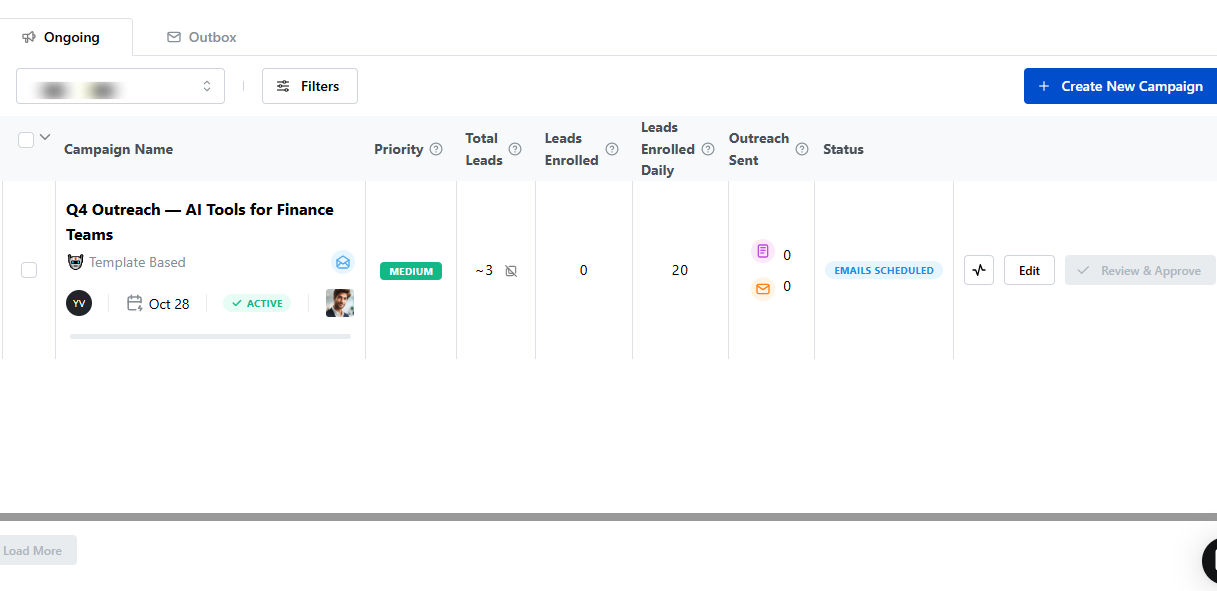
2. AI Chat
Now, let’s move to setting up the AI Chat Agent, Ada.
Jeeva describes Ada as a virtual assistant that engages website visitors, answers questions, and even books meetings.
On the setup page, you first see an interface that welcomes you to Jeeva AI Chat Agent and prompts you to start setting up Ada.
Let’s enter a company name, website address, and add a short company description.
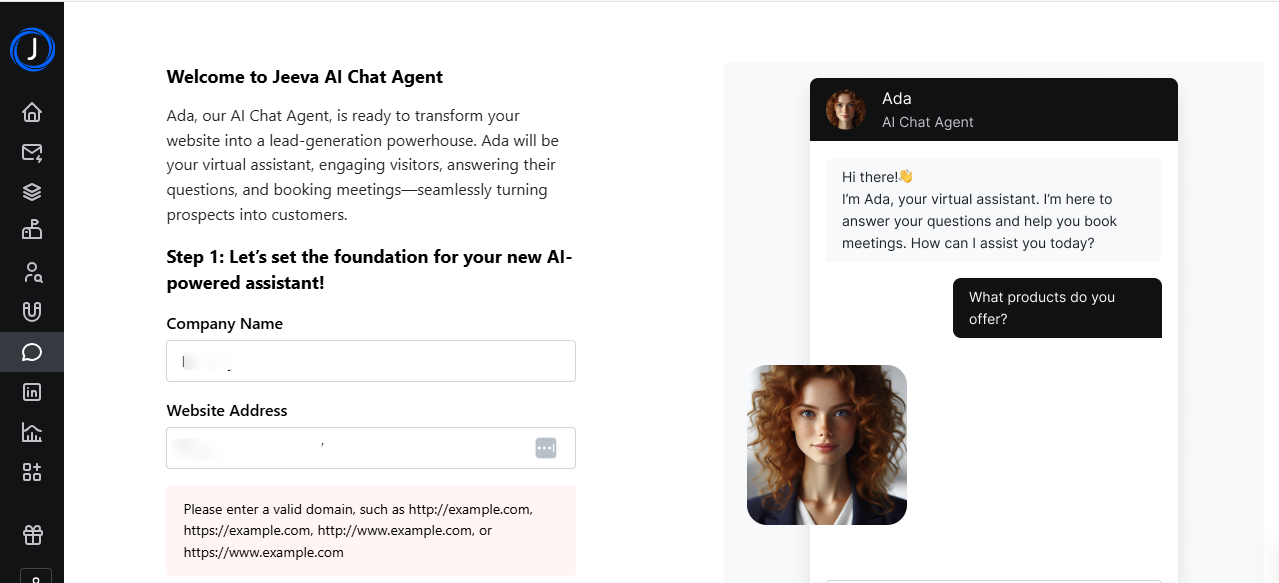
You can set up the contacts the chatbot will use when visitors request a meeting, including details like full name, job title, and the scheduling link.
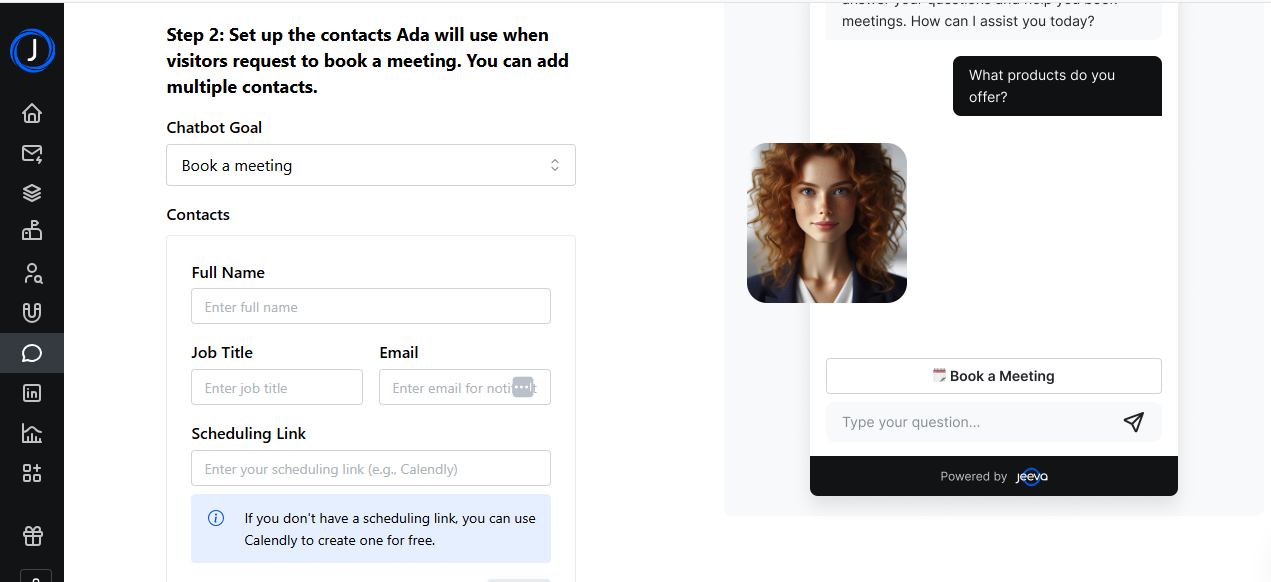
You can also personalize the chatbot by changing its name and icon, and editing its greeting message to fit your brand image.
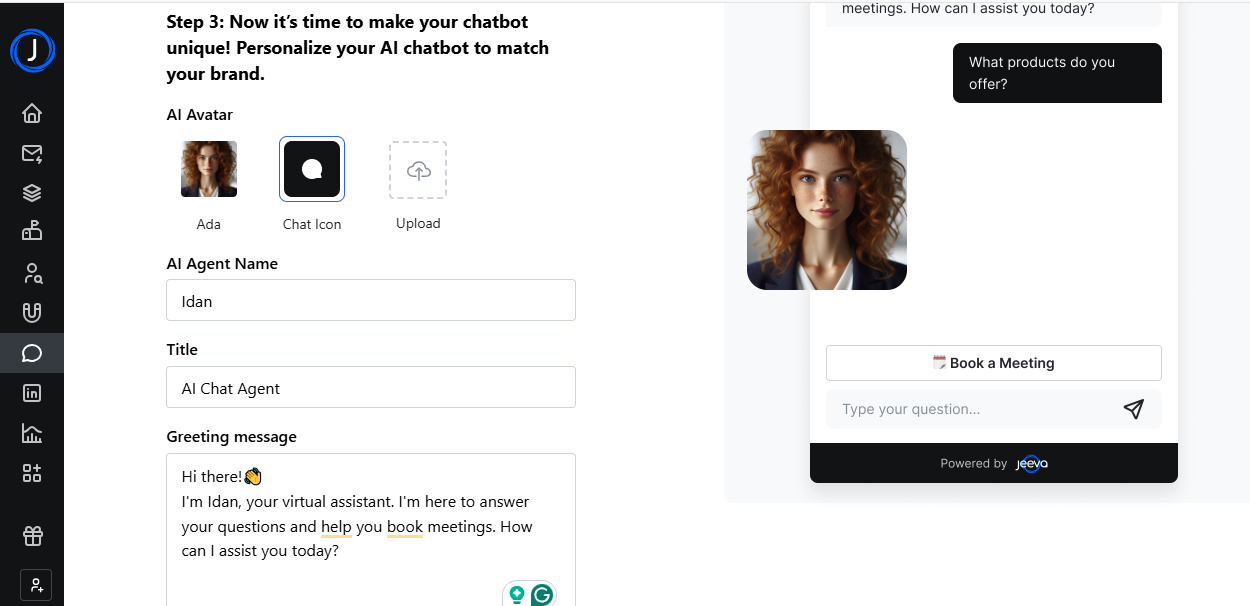
Moreover, you can upload files to build an advanced knowledge base, enabling the chatbot to better train and help customers.
Next, click on ‘Skip & Create.’

Soon, your chatbot will have all the information it needs, and you can embed the code on your website.

3. AI Inbox & Calendar
The AI Inbox & Calendar is where you’ll find all your messages and invites neatly grouped under labels like “Need Your Attention,” “Awaiting Reply,” and “Meeting Update.”
This way, you can easily tell what needs your attention without having to read every email.

Jeeva automatically tags important emails and links upcoming meetings with important details, so you can review them before you take a call.
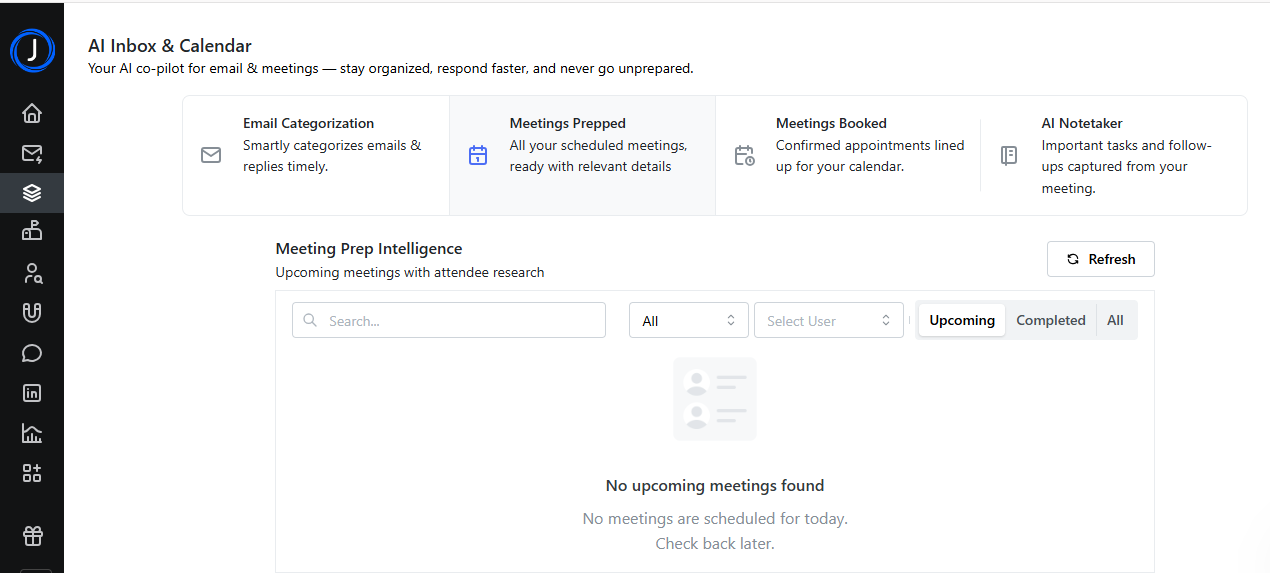
It even has an AI Notetaker that can record your meeting, capture key topics, and follow up on tasks.

What Impressed Me vs What Fell Short
| What Impressed Me | What Fell Short |
|---|---|
| Has all features in one place: campaigns, inbox, calendar, and even an AI chat agent. | The dashboard can feel a bit packed since it houses many tools. |
| The Unibox feature helps you easily track and manage all your messages. | |
| Comes with an AI Notetaker that can automatically record key meeting details once you activate it. | |
| Great for both outbound and inbound communication. |
Best For
Businesses that want an all-in-one AI sales assistant to manage outreach, scheduling, and follow-ups in one platform.
Pricing
- Free: $0/month
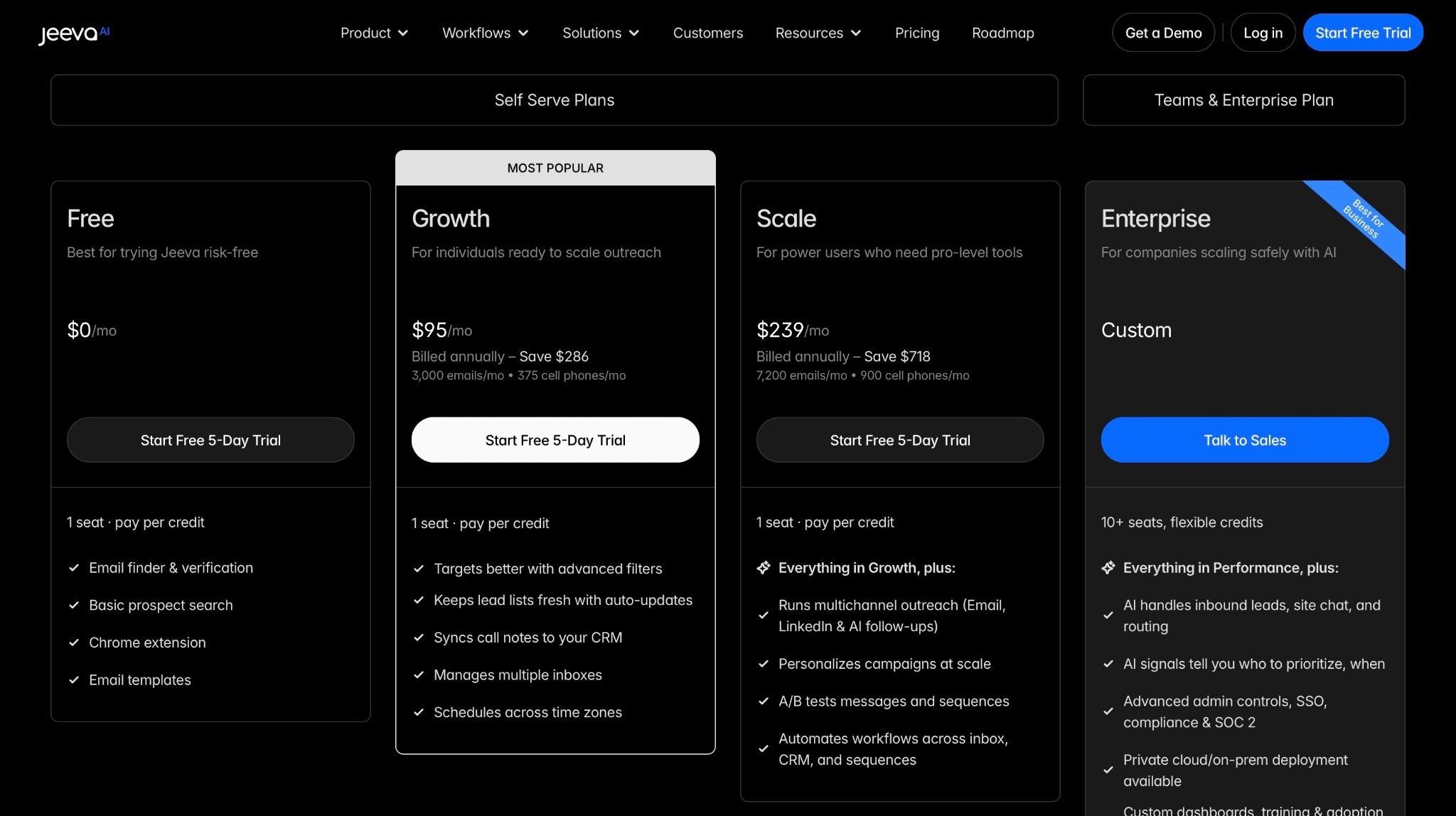
- Growth: $95/month
- Scale: $239/month
- Enterprise: Contact for pricing
3. Dripify - Best for LinkedIn Lead Generation and Automated Outreach
| Score | 8/10 - It's great if your company relies heavily on LinkedIn for prospecting. |
| Starting plan | Basic - $39/user/month |
| Integrations | LinkedIn, Gmail, HubSpot, Google Sheets, Zapier |
| Ideal for | Sales professionals automating LinkedIn lead generation and outreach |
The next best AI sales tool on our list is Dripify.
I recommend Dripify for sales professionals and teams who want to automate their LinkedIn prospecting and scale outreach without the manual work.
You can use it to create LinkedIn campaigns that send connection requests, follow-up messages, and emails.

Dripify comes with a Campaigns feature that lets you create, manage, and automate LinkedIn campaign sequences. You can plan your entire sequence and let the system run it.
The Leads page lets you view all the prospects you’ve engaged with through your campaigns.
You can also track, manage, follow up, and create new campaigns.

The Inbox is where you go to manage all your LinkedIn conversations. It lets you reply to and organize leads directly within Dripify.

Dripify’s Team feature makes collaboration easier by letting you invite teammates, share leads, and run campaigns together. This way, your entire team stays on the same page, both literally and metaphorically.
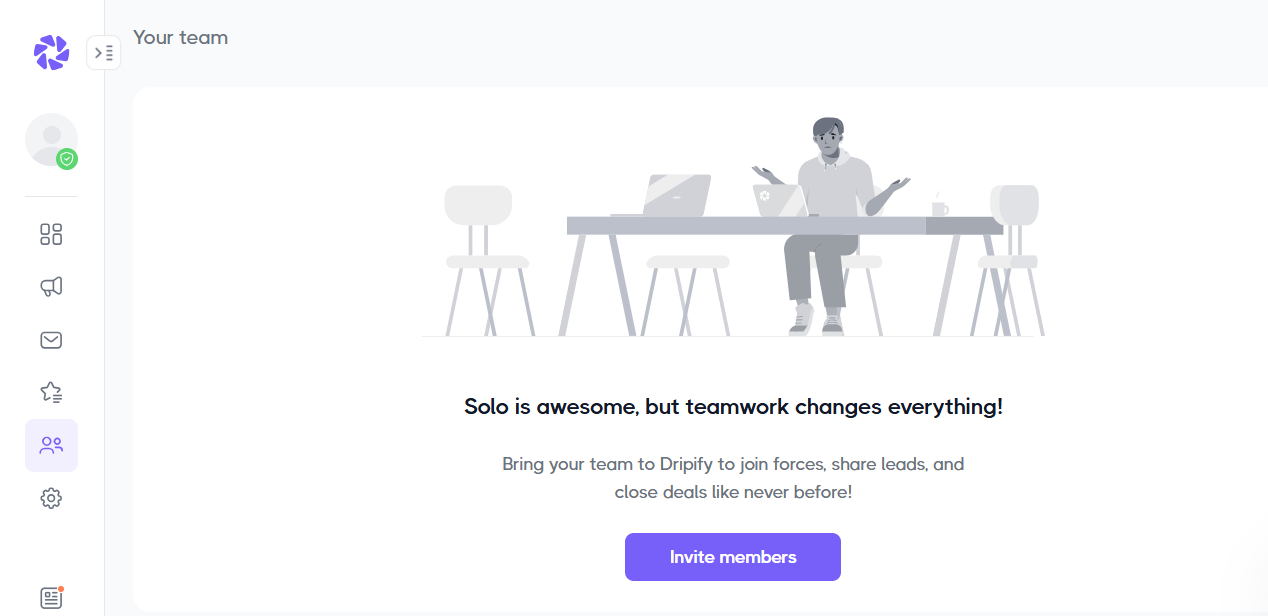
Let’s take a closer look at some of my favorite Dripify features.
Key Features
1. Campaigns
If you want to run a fully automated campaign on LinkedIn, this feature is your best bet. You’ll notice here that you can ‘Add Leads’ and ‘Create a Sequence.’
Click on ‘Add leads’ to begin.

This will lead you to a page where you can select the leads you want to work with. You can either add them manually, from a pre-existing list, or upload them from a CSV file.
Add your leads and click ‘Next.’

Now it’s time to create your campaign sequence. You set up a custom campaign and add all your sequences one after the other.
Let’s go with a template.

The thing about these templates is that you can add or delete sections if they don’t fit your campaign goal.
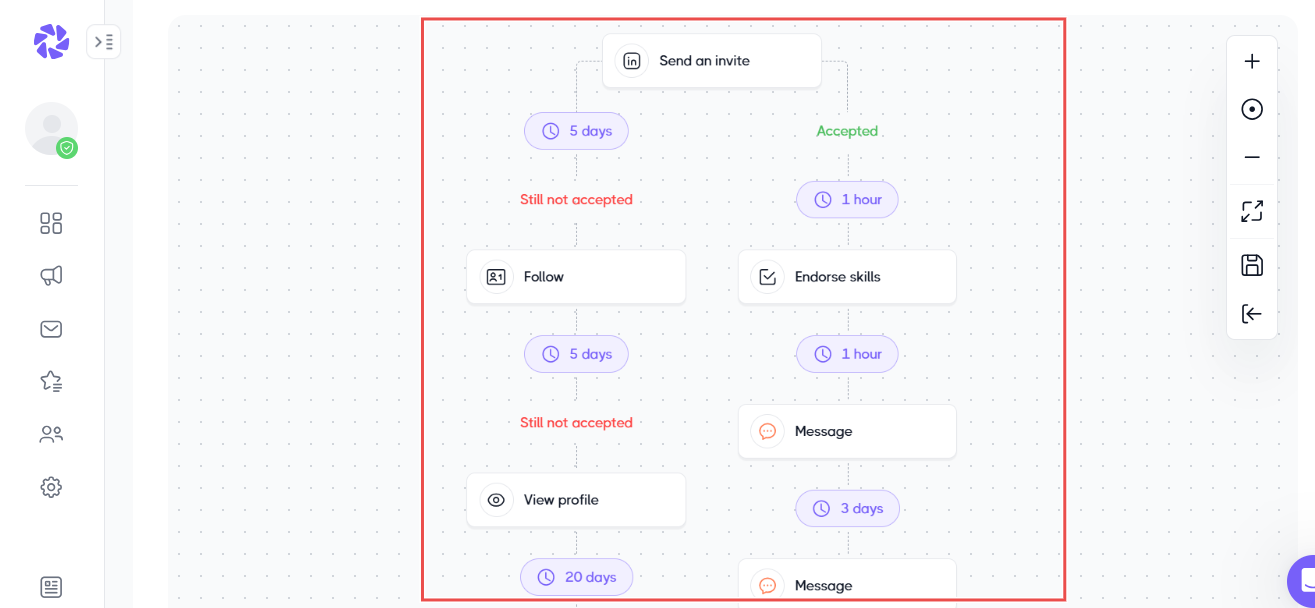
Next, name your campaign. Click ‘Save & Launch,’ and your campaign is ready to run.

2. Leads
Running a campaign will be impossible without leads. That’s where the Leads feature is important.
You can add leads either from a LinkedIn search or by uploading a CSV file. You can also add them by pasting profile URLs individually or by transferring leads from your network.
You can even get your leads from a LinkedIn event.
Let’s try using this feature to generate leads from LinkedIn search results.
To start, click on “Basic LinkedIn Search” and then ‘Next.’

This will take you to a tab where you can open your LinkedIn profile and run a search.

Copy the URL of the search results and paste it into the Basic LinkedIn Search. This will return the details of all people who match your search criteria.
In this example, my search returned 1,000+ LinkedIn profiles. Then, click ‘Next.’
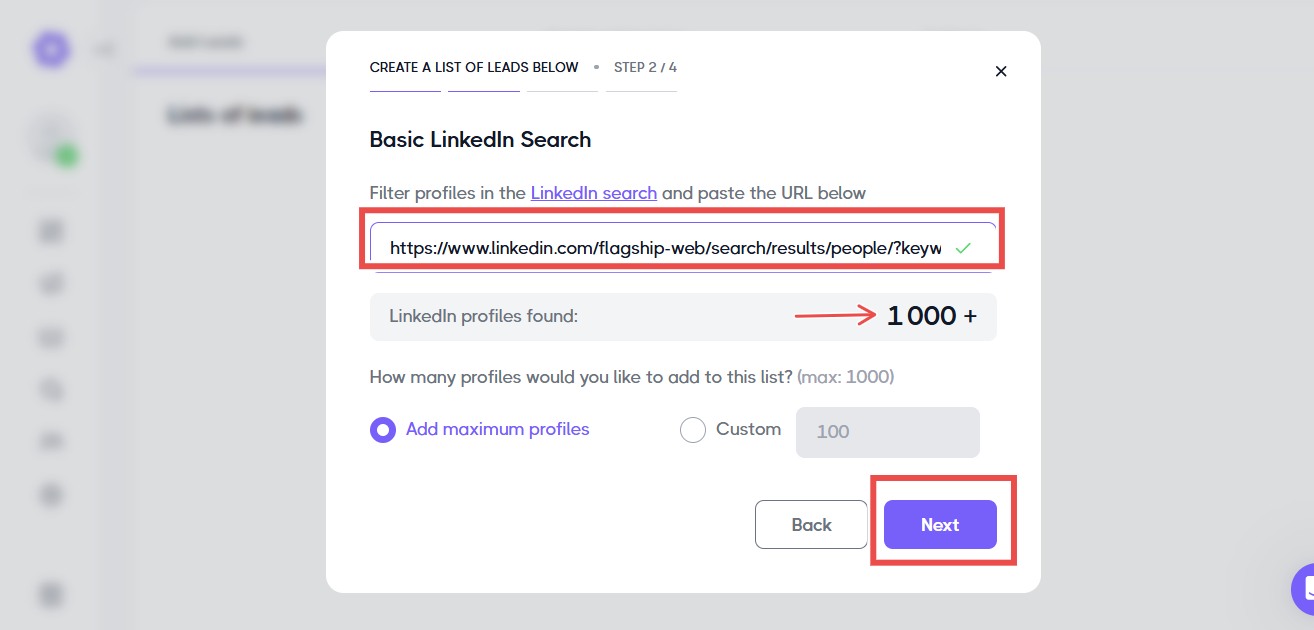
After naming your list of leads, it should appear on your Leads dashboard. Now you can use these leads to create a campaign sequence.

3. Team
If several team members want to collaborate on a lead generation task, the Team feature lets you invite them to do so.
All you need to do is click on ‘Invite members’

Then enter their email addresses and position. Click ‘Invite.’
This step sends invitations to everyone whose address you added. Once they accept the invitation, they can join your Dripify team.
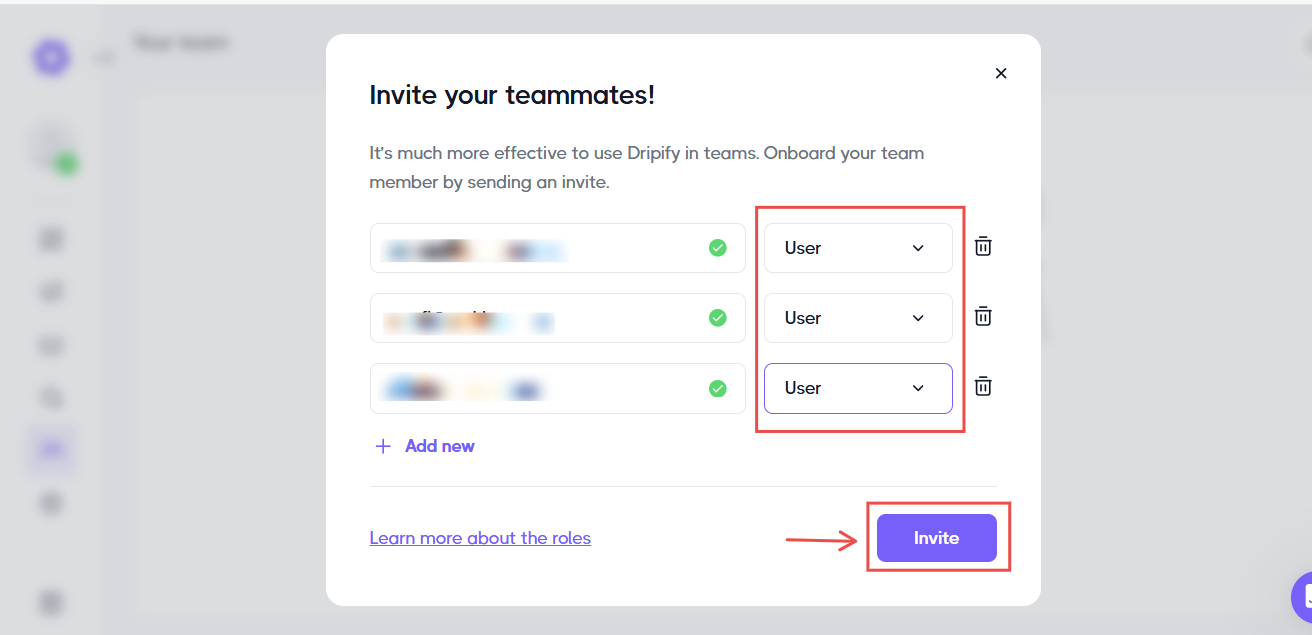
Now, name the team and click on “Create a team”.
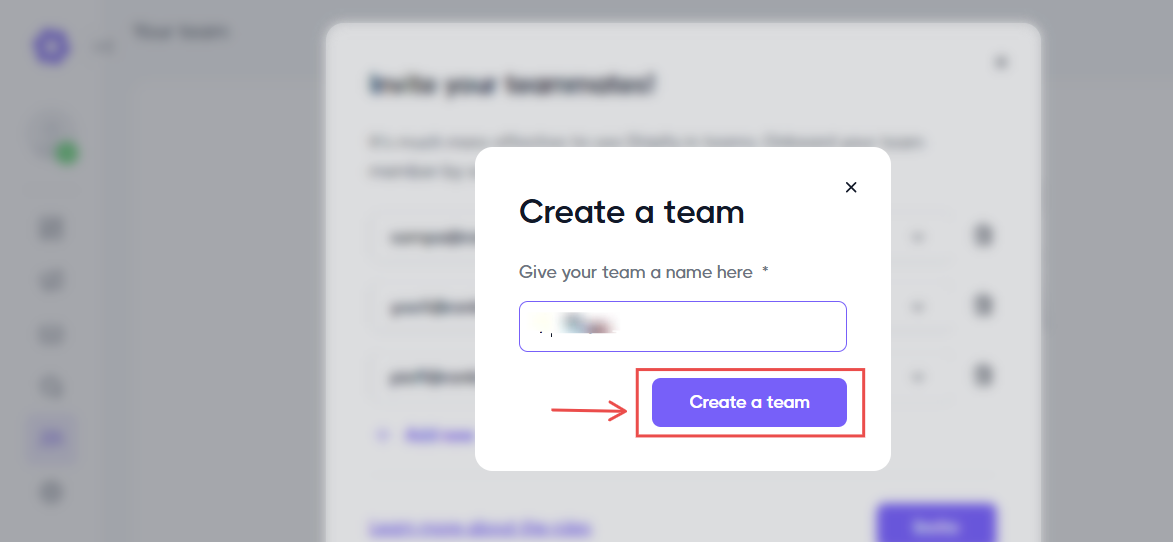
At this point, your team will be ready for all collaborative tasks!
All members can now track active campaigns and messages from the dashboard.

What Impressed Me vs What Fell Short
| What Impressed Me | What Fell Short |
|---|---|
| Has an easy-to-use Campaign builder you can use to automate connection requests, follow-ups, and emails in minutes. | Only works with LinkedIn data, so it's not ideal if your leads come from multiple sources. |
| Comes with pre-built and customizable sequence templates that save time and effort. | Limited campaign actions in the Basic plan. You'll need to upgrade for full automation. |
| Has built-in LinkedIn protection to keep your account safe while running automation. | |
| Uses detailed analytics and reports for tracking campaign performance and engagement. |
Best for
- Sales professionals automating LinkedIn lead generation and outreach.
Pricing
- Basic: $39 per user/month
- Pro Plan: $59 per user/month
- Advanced Plan: $79 per user/month
- Enterprise Plan: Contact for pricing

4. Lindy - Best for Custom AI Workflows
| Score | 8/10 - I could automate repetitive tasks like meeting coordination, follow-ups, and internal workflows. |
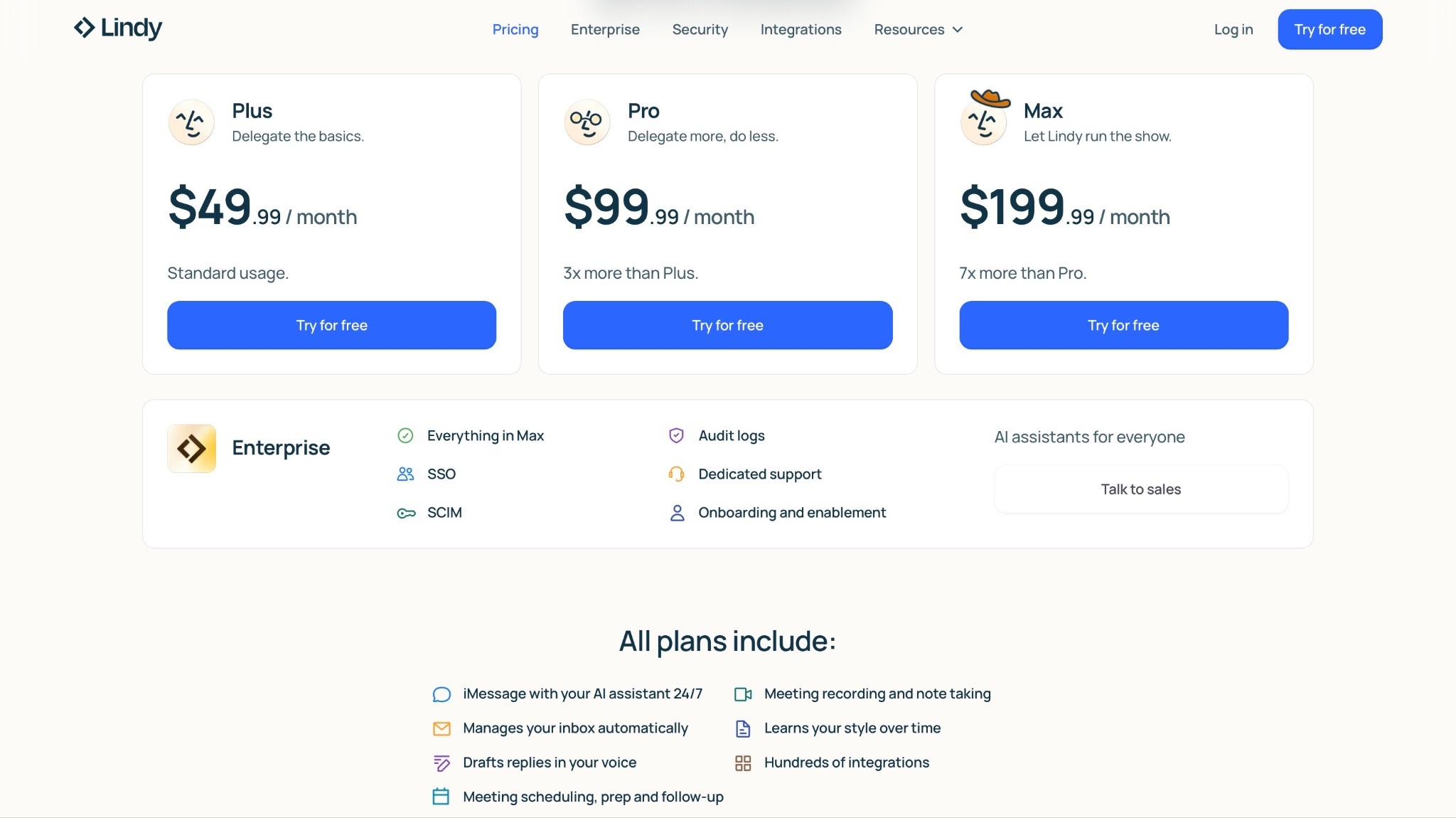
| Starting plan | Plus - $49.99/month |
| Integrations | Gmail, Slack, Google Sheets, Notion, APIs |
| Ideal for | Developers and teams building custom AI agents and workflows |
Another tool on my list of best AI sales agents is Lindy AI.
It’s for teams, business owners, and creators who want to build their own AI agents for business workflows like sales, marketing, recruiting, or support.
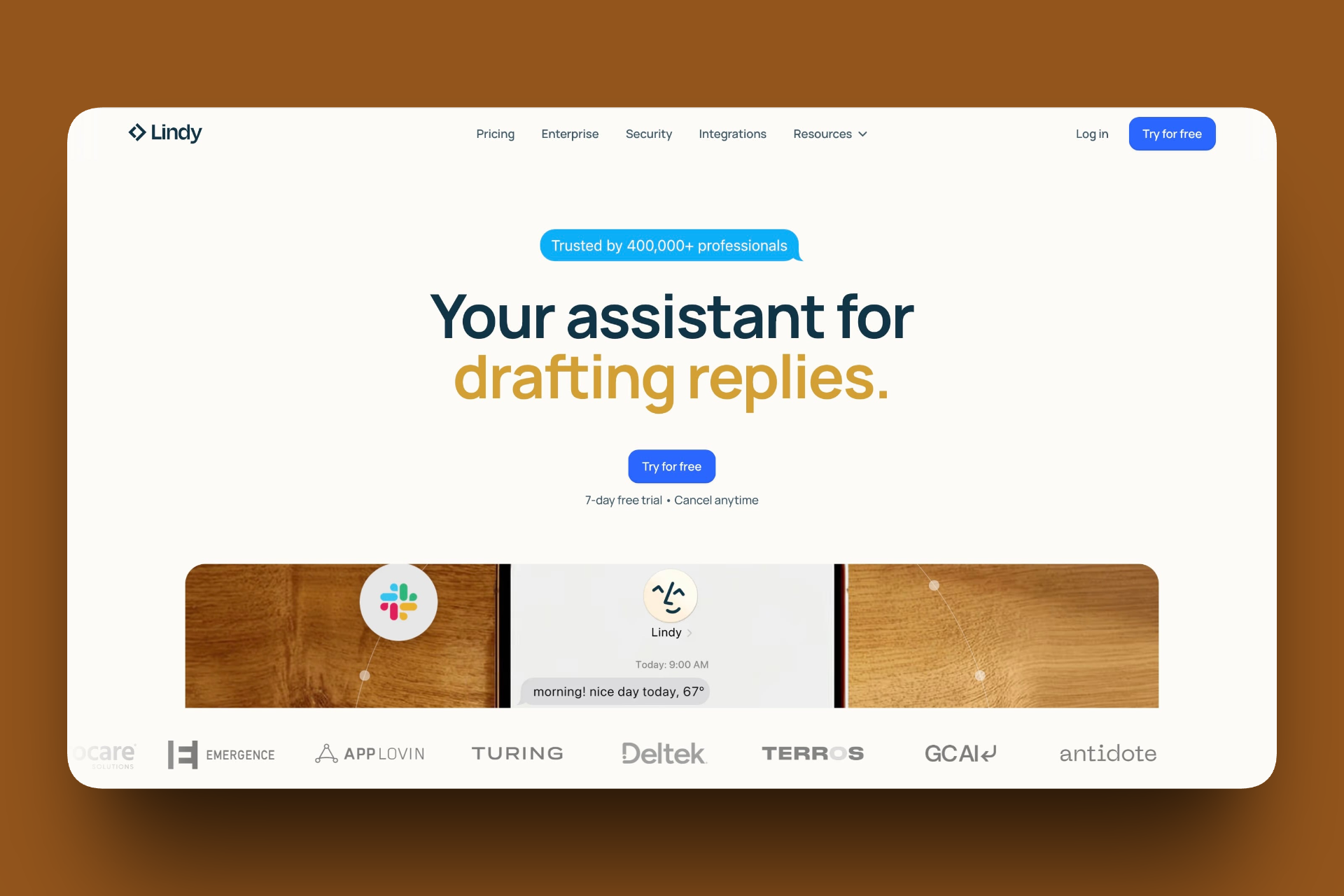
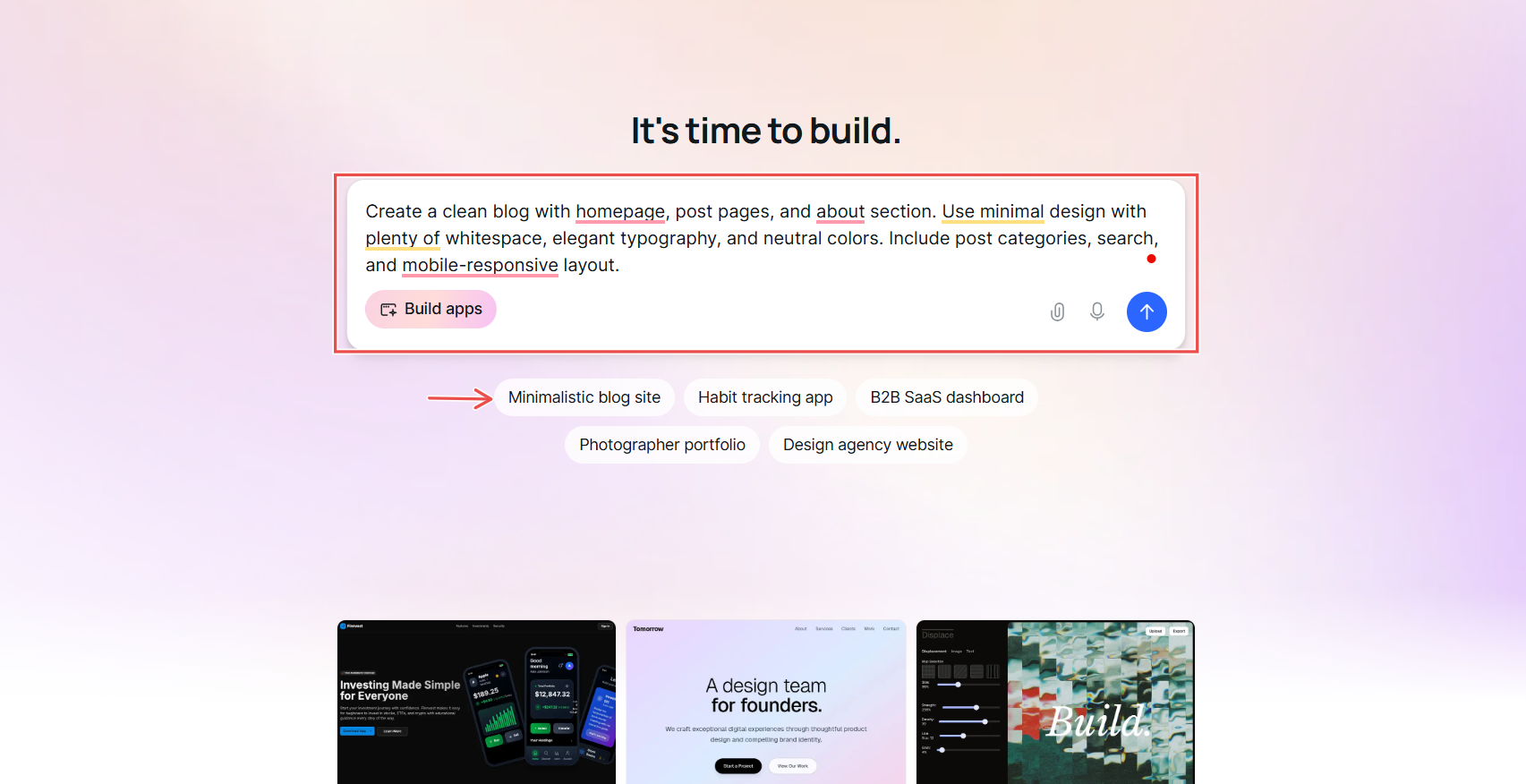
The “Build apps” feature on the homepage allows you to design your own AI-powered apps and agents.
Or if you’d rather skip the setup, you can choose from pre-built templates like Finnvest, Lean AI, Resume Scanning and ATS, and SaaS Dashboard.
These templates give you a strong starting point to customize instead of building apps manually.

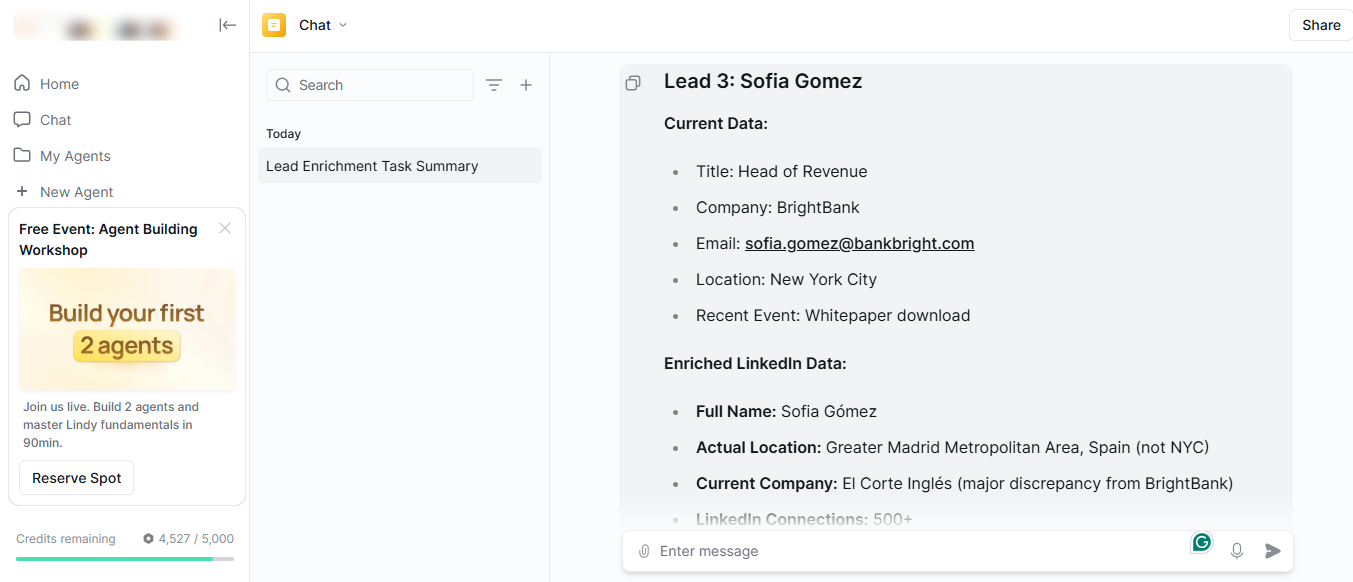
Moving on to the Chat page, this is where you can talk directly with your AI agents, upload files like CSVs, PDFs, or images, and assign new tasks.
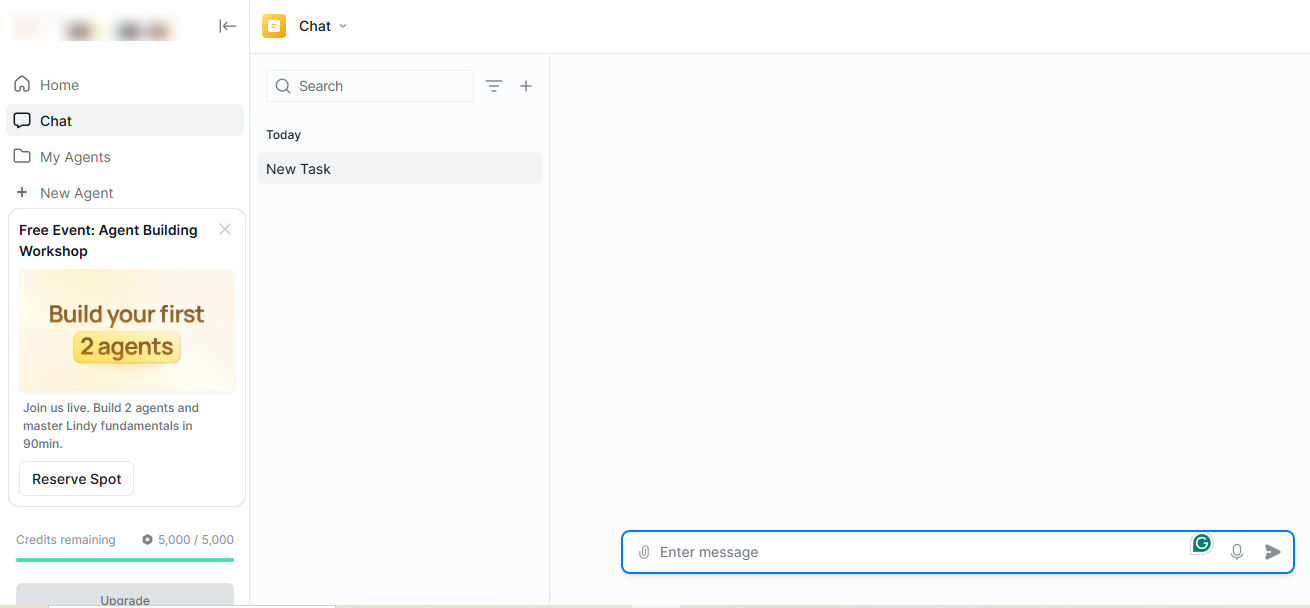
Then there’s the My Agents page, which is where all your created agents live.
You’ll find every agent you’ve ever created listed with details like their names, integrations, and last activity. This makes it easy to organize, edit, or create new agents right from this page.

Lindy AI gives you complete creative control and flexibility.
You can build an agent from the ground up, start from a pre-built template, or even connect your own APIs and data sources. It’s perfect for creators who want full control over how their AI agents work.
Let’s take a closer look at some of my best features.
Key Features
1. My Agents
AI agents, as we know them, can carry out specific tasks to save you time. In Lindy, you can build agents for various tasks.
For instance, you can have an agent for lead generation, another for lead enrichment, a third for lead outreach, and a last one for meeting note-taking.
To create an agent, click on ‘New agent’ in the ‘My Agents’ window.

You’ll see preset templates you can choose from, and you can also enter a custom idea.
I decided to build a “Lead Outreacher” agent using a pre-existing template.

Select the apps you want to use, like Gmail, Google Sheets, Slack, and click ‘Add.’

Next, you can add logic, triggers, and conditions so your agent can act exactly the way you want.

With the right prompts, you should have an AI staff that will use your enriched leads to start a campaign for you.
2. Chat
The Chat feature is very helpful when you need to ‘talk’ to your AI team. Every task, lead search, or automation can begin in the chat box with a simple message.
Suppose you want to start a new task. You can type, ‘Find 20 fintech startups in Germany.’
The AI will start a lead generation task.
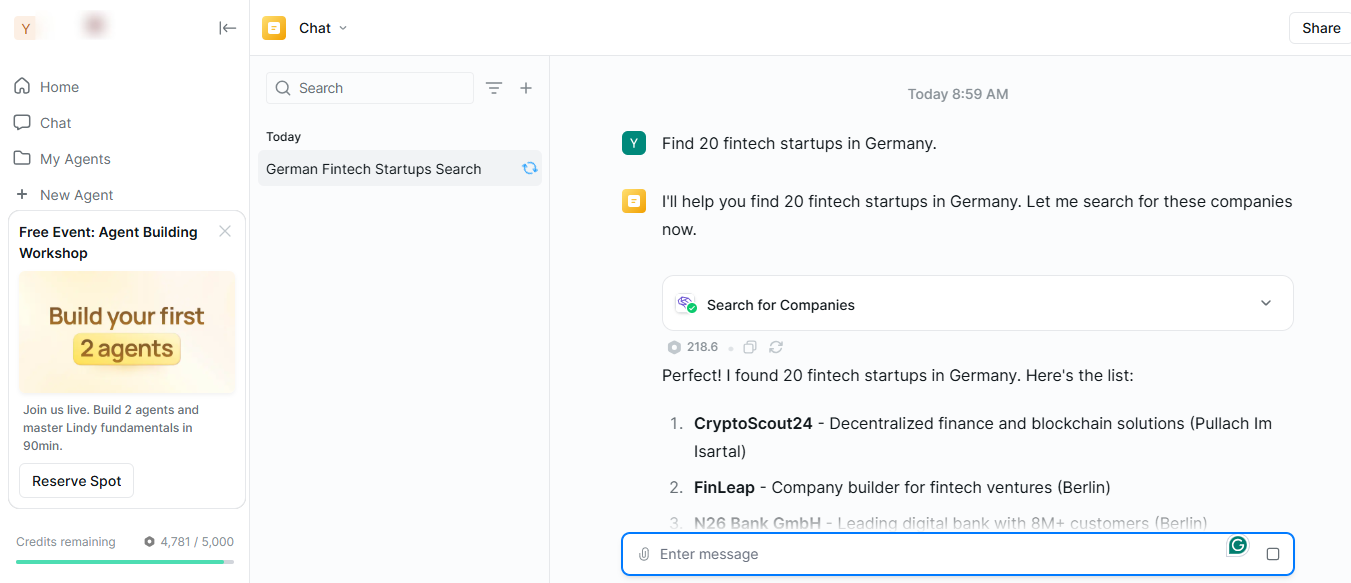
Now you can say, ‘Enrich these leads,’ and it will do that in the same chat.
If you want to upload a file (CSV, PDF, etc.), just upload it. Then, add a prompt like ‘Start a lead enrichment task using this file.’
Lindy AI will preview the data, confirm the field, and start work.

You can also refine your results with instructions like, ‘Show me only leads in Berlin’ or ‘Summarize the main findings.’
Your work is simplified because you will get all these answers without clicking through endless menus, looking for who did what and where.
3. Build Apps
Another interesting feature of Lindy AI is ‘Build Apps.’ You can access it on the main dashboard inside the chat box.
You can click on any of the app types under the chat box or type the kind of app you want to build and press ‘Enter.’
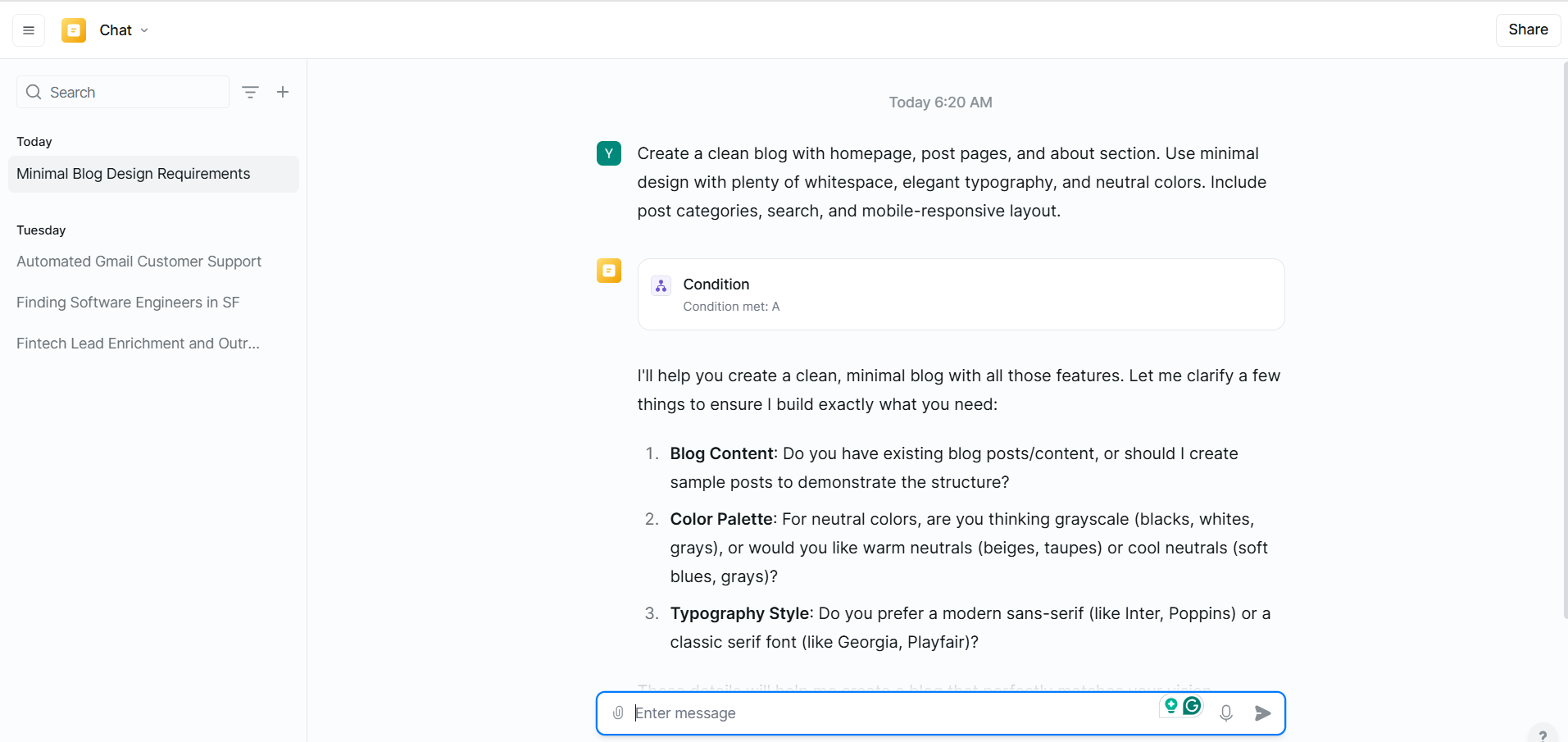
The AI tool will confirm the structure and content you want for your app. If you like what it gives you, you can approve it to construct the app.
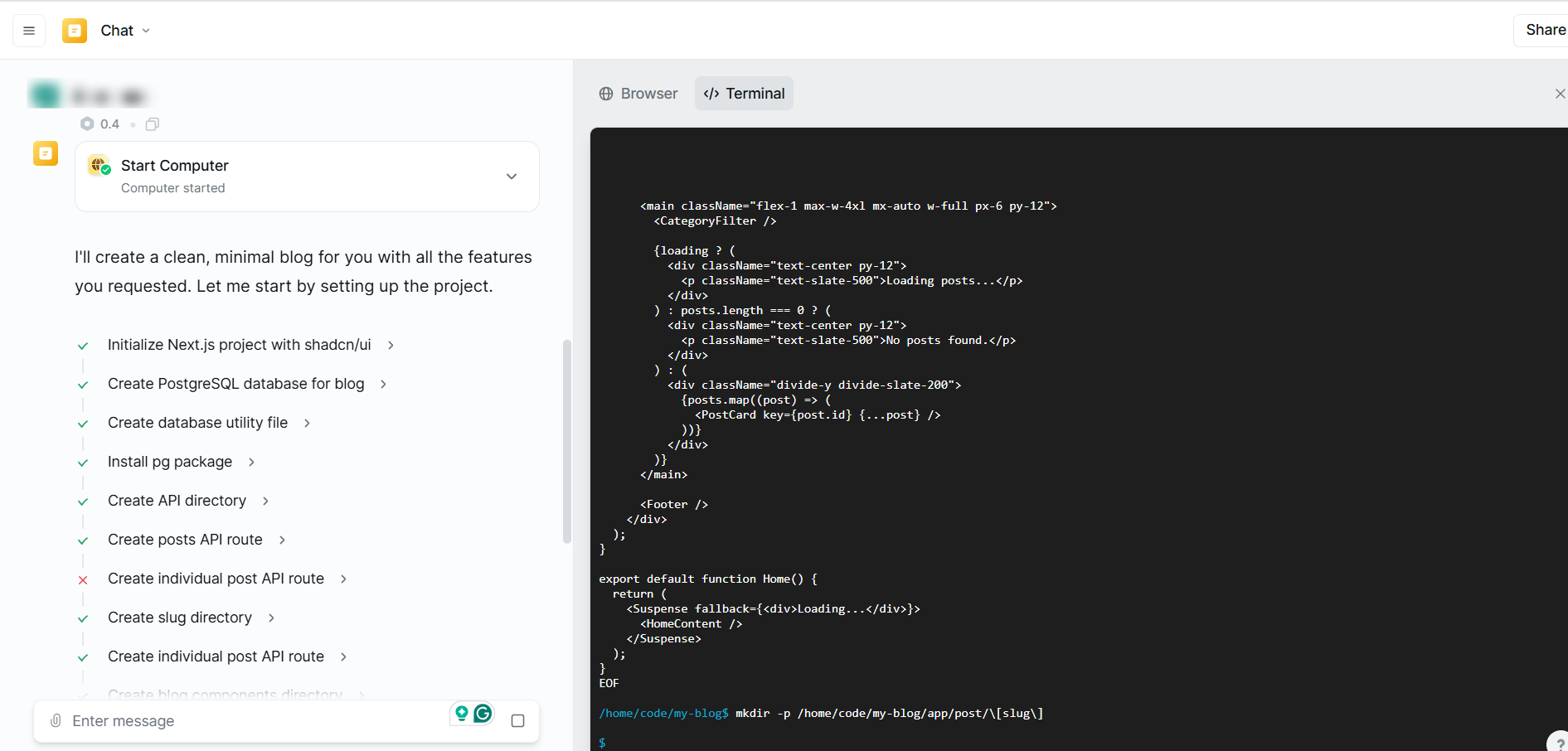
It will build all aspects of your app instantly, without you having to write a single line of code.
From there, you can customize it however you want. You may want to rename it, adjust the data it uses, or change its appearance.
You can do all that and even test how your app runs before saving or publishing it.

What Impressed Me vs What Fell Short
| What Impressed Me | What Fell Short |
|---|---|
| You can build your own AI agents. | Takes a bit of time to set up if you're new to building AI agents. |
| Comes with ready-made templates, so you can get started faster. | Doesn't include marketing or campaign features; it's more focused on automation and data. |
| You can upload CSV, PDF, or image files to train your agents or extract info. | |
| The My Agents dashboard makes it easy to track and manage multiple agents. |
Best For
- Developers or tech-savvy teams that want to design, train, and manage AI agents for custom workflows or to handle data.
Pricing
- Plus: $49.99/month
- Pro: 99.99/month
- Business: $199.99/month
- Enterprise: Contact for pricing
5. Avoma AI - Best for AI Meeting Insights and Sales Team Coaching
| Score | 7.5/10 - It focuses on sales meetings and insights, and not on automating the broader sales process. |
| Starting plan | Startup - $19/month |
| Integrations | Zoom, Google Meet, Google Calendar, HubSpot, Slack |
| Ideal for | Sales, customer success, and marketing teams that want to capture every meeting detail, analyze conversations, and automate post-meeting follow-ups |
Last but not least on this list of the best AI sales agents is Avoma.
Avoma AI is a meeting assistant and revenue intelligence platform that automatically records, transcribes, summarizes, and analyzes your meetings and calls.
Avoma AI is great for sales, customer success, and marketing teams looking to capture customer conversations, gain actionable insights, and leverage AI analytics to close more deals.

Let’s start with the Meetings feature, which is the heart of Avoma AI. It lets you schedule, record, and manage meetings and calls. You can also find playlists and coaching tools to train your team.
What’s great is that Avoma records your calls and gives you access to conversation insights, performance metrics, and revenue trends. With these, you can see exactly how your meetings contribute to business outcomes.

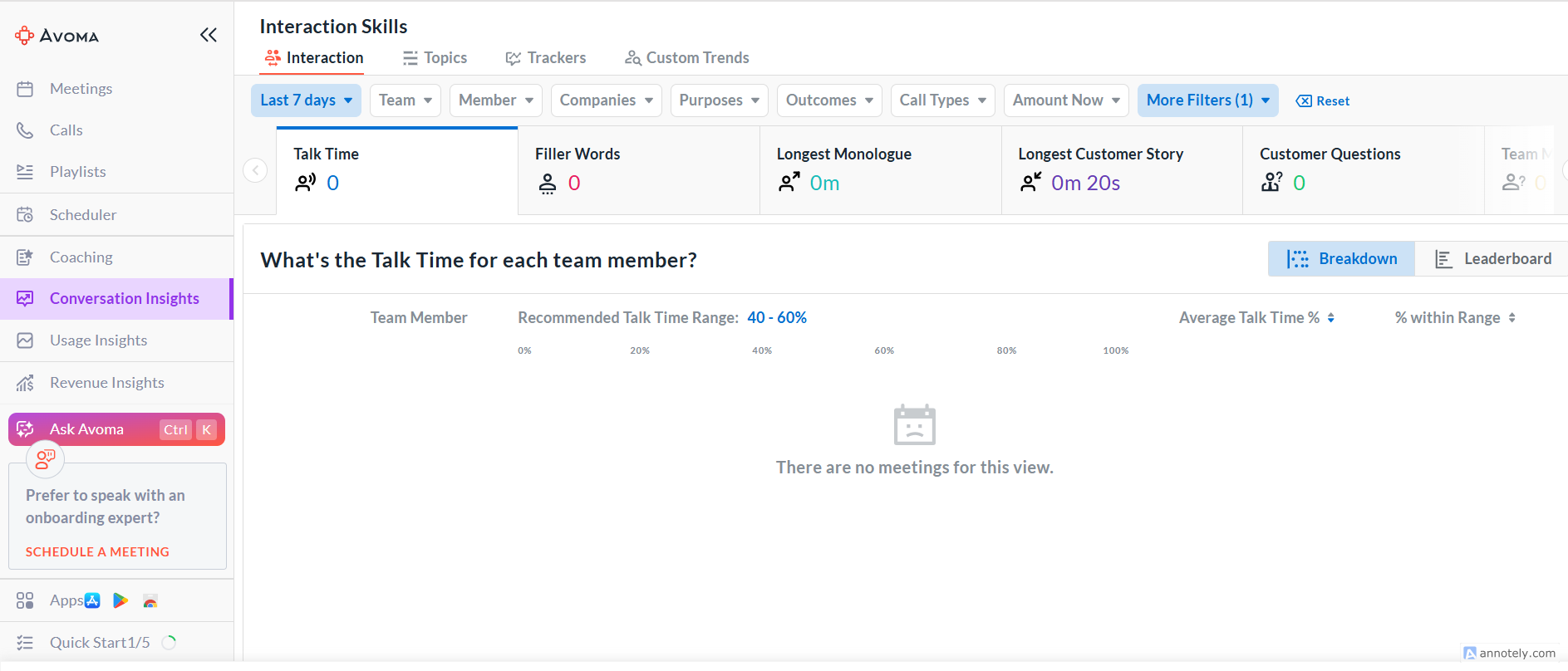
That’s not all, the Interaction Insights page gives you a deeper look at how your team communicates during meetings.
It tracks talk time, important topics, and conversation trends.
This data helps leaders identify coaching opportunities and build stronger, more effective sales conversations.
Since we’re talking about AI sales agents, the Ask Avoma page is a great feature to consider.
You can ask it to summarize key points, extract action items, identify conversation trends, and even generate follow-up emails.

Finally, the Coaching feature helps managers track and measure team performance. You can view how often meeting objectives were achieved and compare results over time.
This is a great way to measure growth and identify weak spots so you can provide specific, personalized feedback to your team.

Key Features
1. Meetings
To use this tool, you need to make sure it syncs with your calendars first. If, for instance, it says “Google Calendar is disconnected,” click the “Connect Google Calendar” button.
Then, follow the pop-up prompt to sign in to your Google account and give permissions.

Once your calendar is connected, your upcoming meetings will appear under ‘Upcoming’ or ‘My Meetings.’
When you join a meeting like a Zoom or Google Meet link, Avoma’s meeting assistant will automatically join as a recorder.

If you click on ‘Past,’ you can see old meetings that have been recorded, transcribed, and summarized.
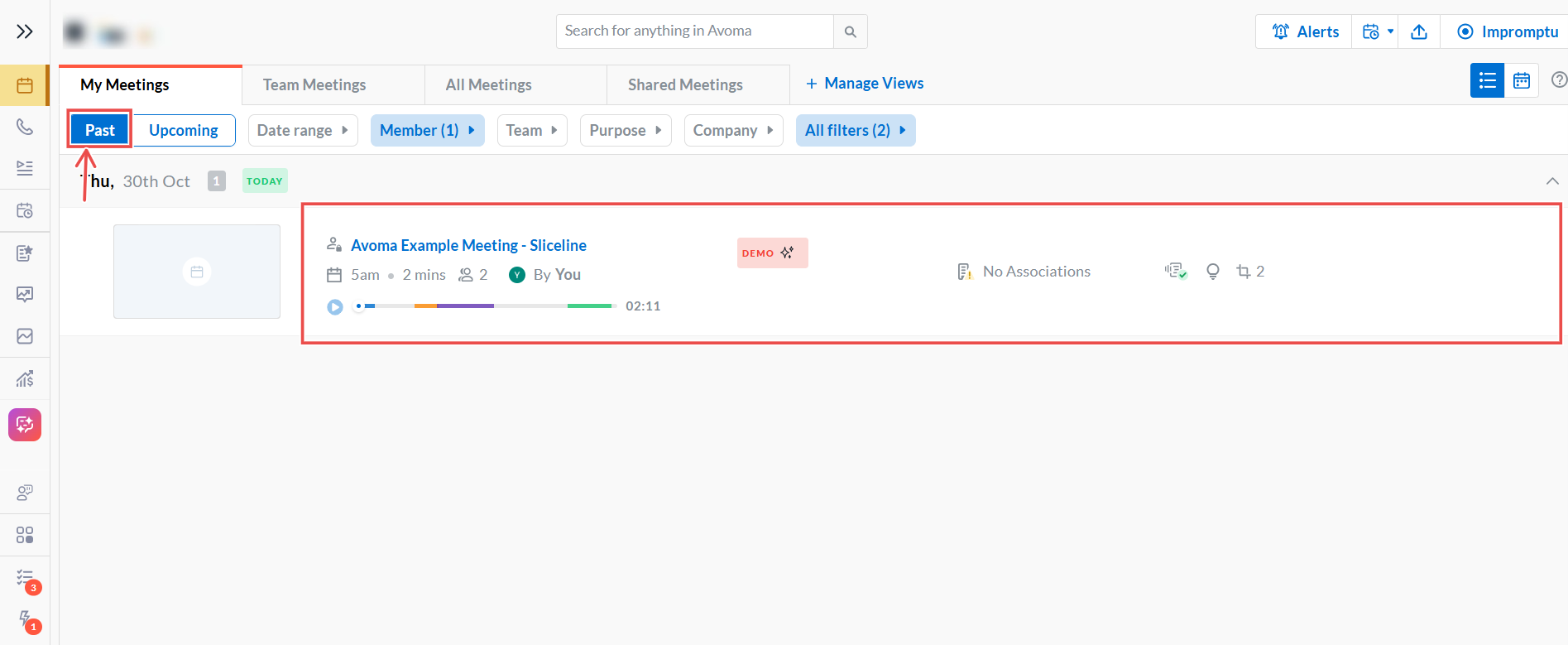
Click the meeting to get a full recording and view specific details, including insights, chapters, questions, keywords, and a transcript.
The transcript is not a mass of words that you need to sort through to understand. It’s in perfect order.
It even goes a step further by showing the meeting participants, key takeaways, and action items so you know the next step.
So the Meetings feature is a transcription and recording tool optimized to improve your sales process with insights.

Suppose you just got out of a meeting with a client, no scribbling, no frantic writing, no trying to remember anything.
Just open your past meetings and gain insights you probably didn’t consider before.
Whenever you have a meeting, you get to be present in the moment and focus on your main goal: making a sale.
2. Coaching
The next feature I’ll discuss is Coaching.
It’s great for a sales manager or team lead who needs help tracking their team's performance.
You can identify which team members are performing well and which ones are performing poorly, so you can provide targeted coaching.
Use the filters at the top to select the period or person you want to analyze. Then you can check each person’s average score, times scored by AI / Others / Self, to see who’s performing well.

Under Coaching, there is the Requests tab.
If a team member wants you to review their sales call or you want someone else to review yours, you can make a request here.
And with the ‘Go to Meetings’ tab right there in the middle, it is easy to book a meeting with any team member to discuss performance and offer coaching.

Identifying your team members' specific needs and providing support will increase your productivity.
3. Ask Avoma
Now let’s talk about Ask Avoma. It is a built-in AI assistant inside Avoma that helps you analyze meetings, calls, and customer conversations.
It can:
- Summarize meetings
- Find action items or next steps
- Identify customer pain points or objections
- Spot trends in feedback or sales performance

The best part is that you can use Ask Avoma with any of the other Avoma features. For example, in Meetings, you can click on Ask Avoma and ask, ‘Summarize my last meeting with Giovanni.’
Without having to go through the transcript or scroll to find any information, Ask Avoma answers your question in detail, right there in the chat.

You can also use Ask Avoma to draft a follow-up email. In the prompt box, type something like:
‘Generate a detailed follow-up email for my meeting with Giovanni, confirming next steps and assigned tasks.’
Ask Avoma will provide a customized email draft based on the meeting notes.

Once the draft looks good, copy and paste it into your email tool and send it to your customer.
What Impressed Me vs What Fell Short
| What Impressed Me | What Fell Short |
|---|---|
| Automatically records, transcribes, and summarizes meetings so you never miss a detail. | The dashboard can feel overwhelming for first-time users. |
| Ask Avoma instantly generates summaries, action items, and even follow-up emails from your meetings. | AI-generated follow-up emails may need light editing before sending. |
| Coaching tools help managers track team performance and provide targeted feedback. | Can't send emails directly from Avoma yet, so you have to copy and paste them. |
| Transcripts are clean, organized, and include speakers, keywords, and next steps. | |
| Integrates with tools like Zoom, Google Meet, and Google Calendar. |
Best For
- Sales, customer success, and marketing teams that want to analyze conversations and automate post-meeting follow-ups to close deals faster.
Pricing
- Startup: $19/month
- Organization: $29/month
- Enterprise: $39/month

What is an AI Sales Agent?
An AI sales agent is like a digital employee that handles sales or business tasks you’d normally do yourself.
You can set up different agents to handle different tasks.
For example, a Lead Generator finds potential clients. A Lead Outreacher sends follow-up emails. A Competitor Prospect Tracker lets you know who’s talking to your ICP.
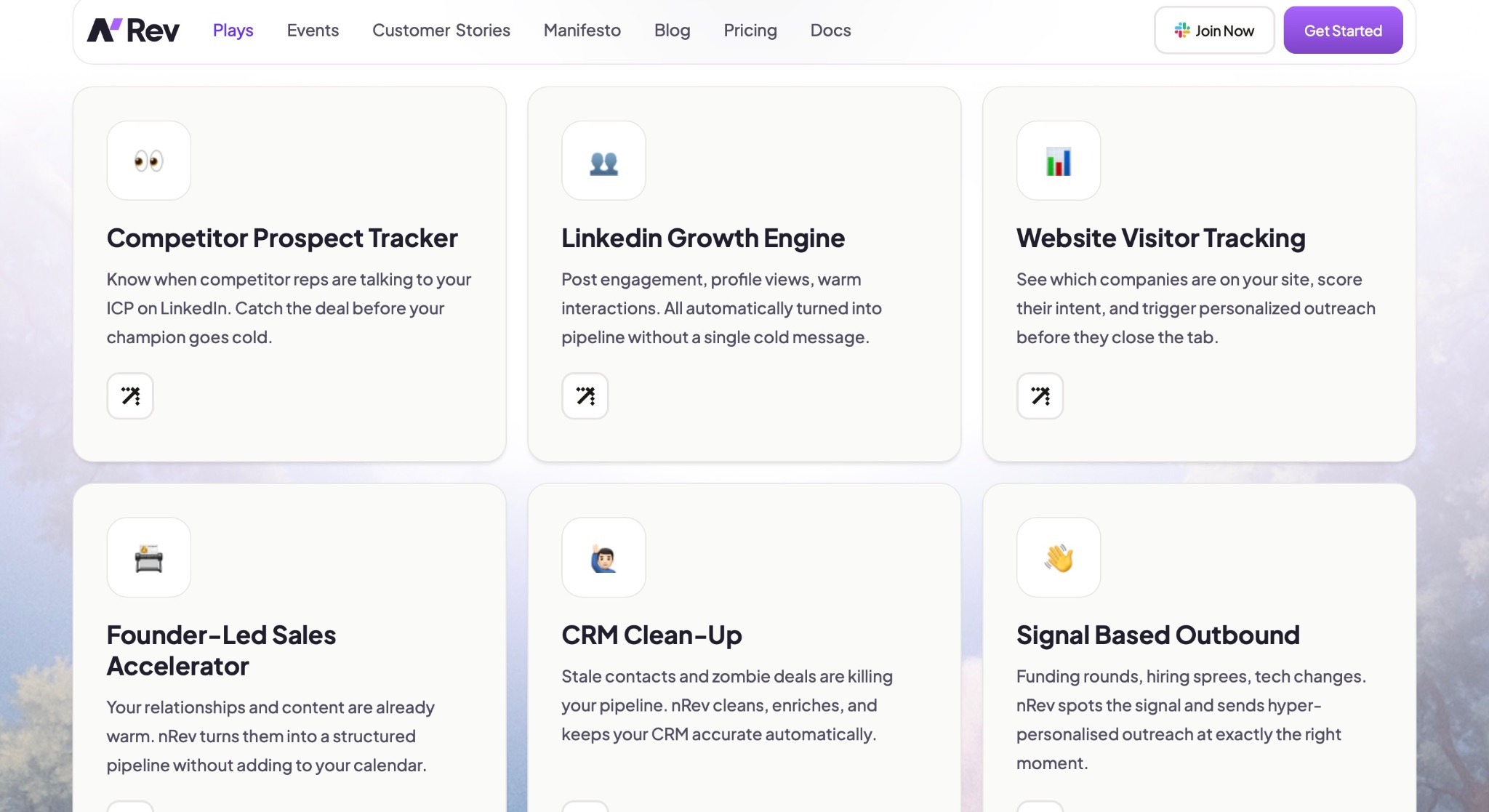
A Meeting Notetaker records and summarizes calls, and a Recruiting Agent sources candidates for jobs.
When you use an AI sales agent, you no longer need to go find clients on LinkedIn, then send them emails and book meetings. The agents handle those tasks.
You don’t have to code them either. You only provide them instructions, similar to how you’d communicate with a human assistant.
Every agent follows the same three-step logic:
- It takes an input (such as a list of leads or an instruction)
- Performs an action (such as sending emails or finding company data)
- Produces an output (such as a report or a CRM update)
How to Choose the Best AI Sales Agents
Choosing the best AI sales agent will save you time and money.
An agent is only as useful as what wakes it up, so pair the tool choice with a signal library that triggers the agents.
Understanding the following points can help you make the right choice;
- Identify Your Main Goal: Outbound vs Inbound vs Qualification
- Look for CRM and Email Integration
- Test Personalization Accuracy
- Check Human Handoff Workflows
- Prioritize Tools with Data Compliance and Lead Source Transparency
- Check Cost and ROI
Let’s start with the first one.
Identify Your Main Goal: Outbound vs Inbound vs Qualification
Your goal here refers to the business outcome you need most right now. That will determine which AI you’ll use.
Outbound is when you reach out to prospects, contacting people who have not reached out to you.

Since you’re reaching out, you need outbound agents like a lead generator, a lead enricher, and a lead outreacher.
These agents will help you find prospects, enrich their profiles, and then send personalized outreach.
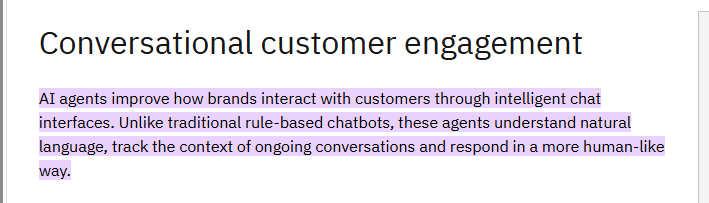
Inbound is when prospects come to you. You use these agents when you already have a fair amount of traffic and want to convert visitors into meetings and paying clients.
It’s very important to use inbound agents, like chatbots and conversational AI, that can answer visitors' questions in real time and book meetings.
Qualification is a separate goal altogether.
You can fish for leads and engage in conversations with them, but qualification agents will help you score these leads and transfer sales-ready prospects to a human representative.
Here’s a quick way to identify which tool might be best for you based on the unique problem you want to solve
| Problem | Solution | Recommended AI sales agents |
|---|---|---|
| High inbound traffic and interest | Use chatbots and website agents to capture, qualify, and convert visitors | nRev AI, Jeeva AI |
| Slow pipeline growth | Focus on outbound automation to find, contact, and follow up with new prospects | nRev AI, Lindy |
| Low-quality leads | Apply AI enrichment and lead scoring to identify and prioritize high-quality prospects | nRev AI, Gong |
Look for CRM and Email Integration
You sit at your desk on a Monday morning, coffee in hand, ready to start work. You take a look at your inbox, and your head starts to spin.
There are emails from new leads, meeting notes from last week, and follow-up emails you meant to send on Friday.
So you spend the next hour copying names, updating contact info, and trying to remember who replied to what. By the time you’re done, you’ve lost valuable selling time, and maybe even a few potential clients.
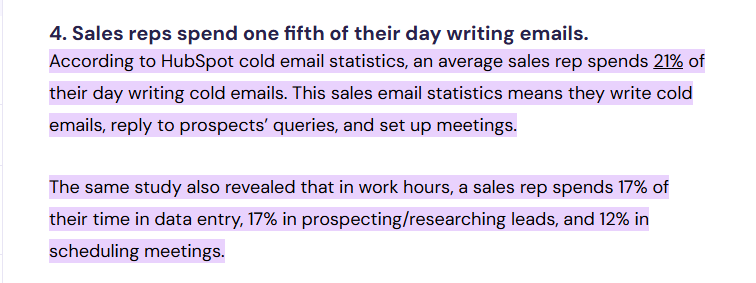
Research shows that sales reps spend over 21% of their day writing emails and another 17% updating data in their CRM. 21% of a standard 8-hour working day is 1.68 hours, which is about 1 hour and 41 minutes!
Now, imagine that same morning, but with AI sales agents that are fully connected to your CRM and email.
When a new contact fills out your website form, the AI enriches their profile by finding their company size, LinkedIn profile, and recent news.
Then it assigns them to the right sales rep. You’ve saved all that time and effort!
That’s the power a tool like nRev AI gives you. The workflows and plays are so powerful and efficient that all you need to do is set them up and let them run.

Test Personalization Accuracy
Let’s imagine you work at a SaaS company that sells project management software to different types of businesses. You’ve set up an AI sales agent to send cold outreach emails to potential clients.
You upload two leads:
- Sarah is a marketing manager at a creative agency.
- David is an operations director at a construction firm.
If both Sarah and David receive the same message, something generic like, “Hi, we help businesses manage projects efficiently,” that’s a sign the AI isn’t personalizing based on role or industry.
If the AI works correctly, it should write messages that sound different and fit each person’s title and business context.
That kind of personalization brings results and is nice to have. Personalized emails deliver transaction rates 6 times higher than generic ones.

To have greater control over your personalization, use nRev AI’s Workflows. It lets you set conditional rules inside an outreach sequence.
For instance, you can build a workflow with conditions that say:
“If the job title contains ‘marketing,’ use Message A. If industry is ‘construction,’ use Message B.”

That way, every lead receives a personalized email without you having to manually do anything.
Check Human Handoff Workflows
Your AI sales agent is working smoothly. It’s reaching out to leads, answering basic questions, and even booking meetings.
Then, one afternoon, a potential client replies, “I’m interested, but before we go further, can someone explain your data security policy?”
Followed by silence. The message sits unanswered because the AI doesn’t know it’s supposed to pass the conversation to a human, and you lose a hot lead.
That’s why good AI sales workflows include how and when your AI agent should step back and alert a human representative to take over.
In fact, 81% of customers prefer complex issues to be handled by a human agent rather than self-service tools, so missing or delaying the handoff can cost you the deal.

With nRev AI, you can easily automate this process using Workflows.
For example, you can create a rule that says: “If the lead mentions security, pricing, or a demo request → assign the conversation to a sales rep → send an automatic Slack or email alert.”

By setting the right rules and conditions, nRev AI makes the AI-to-human handoff smooth and easy.
Prioritize Tools with Data Compliance and Lead Source Transparency
Your AI sales agent just delivered a list of 200 new leads. Everything looks great, names, emails, and company roles. You’re ready to launch your outreach campaign.
Then your manager asks two questions: “Where did this data come from?” and “Are we legally allowed to contact these people?”
You suddenly realize you don’t actually know where the AI found the leads.
Were they scraped from LinkedIn? Collected from public databases? Or bought from a third-party site with no clear consent?
This uncertainty isn’t just risky, but it can be legally and financially disastrous.
In May 2025, the French Data Protection Authority (CNIL) fined SOLOCAL Marketing Services €900,000 for carrying out prospecting campaigns using data obtained from brokers without valid consent.

How to Know if an AI Tool Is Data-Compliant
- Look for badges like GDPR, CCPA, SOC 2, HIPAA, or ISO 27001 on the website.
- Every compliant AI tool should have a clear Privacy Policy and a Data Processing Addendum (DPA) that explains how data is collected, stored, and shared. Missing or vague documents are red flags.
- Tools should state where data is stored and track lead sources and consent status (e.g., opt-ins or public data).
- Avoid tools that hide data origins or offer mass “verified leads” with no proof of consent; they often rely on scraping and can get your company penalized.
Check Cost and ROI
AI tools are everywhere right now, and most claim to “boost productivity.” But unless you measure what that means in numbers, you’re just buying software, not results.
A good AI sales agent should save more money or generate more revenue than it costs to run. In effect, the AI sales agent should be so efficient that it pays for itself.
According to the AI journal, more than 36% of businesses say automation has reduced their costs by at least 25%, and 12.7% report it’s cut costs by more than 50%. That’s the kind of impact you want to see from your AI sales tool.

Think about it this way: if your AI agent costs $200/month but helps you close just two new deals worth $500 each, the ROI is clear. But if it costs $150/month and only fills your CRM with data you never use, that’s money wasted.
A tool like nRev AI gives you a fully automated workflow, and the best part? Its pricing grows with you. Because they have no fixed plans or high scaling costs, anytime you buy more credits, you only pay for what you actually need.
Choosing the Best AI Sales Agent
The best AI sales agent is the one that saves you time and fits smoothly into your sales process. It should help you find leads, qualify them, and keep your pipeline active without adding complexity.
If you want a simple, all-in-one option, nRev AI is a great pick.
It automates lead generation, outreach, and follow-ups. This way, you can focus on other aspects of your work while still closing deals with ease.
FAQs
What are the best AI Sales Agents?

Are AI sales tools suitable for small businesses?
Do AI sales agents replace human sales reps?
Are AI sales tools safe and compliant with data privacy laws?
Can AI sales agents integrate with third-party software?