

Intro
Three tools that answer a narrower question well: is this account actually worth a look right now. Tech stack, active hiring, and hiring history, each one a real signal on its own, and each one answers a different version of the same question a GTM leader asks before committing rep time to an account: is this a good guess, or is there actual evidence. None of these three require guessing at intent from the outside. They read what a company is actually doing, what it runs, who it's hiring, and let that stand in for a phone call you haven't made yet. Third of four deep-dive posts behind 18 Real AI Workflow Examples, full diagram legend is over there.
Hiring-Signal Prospector
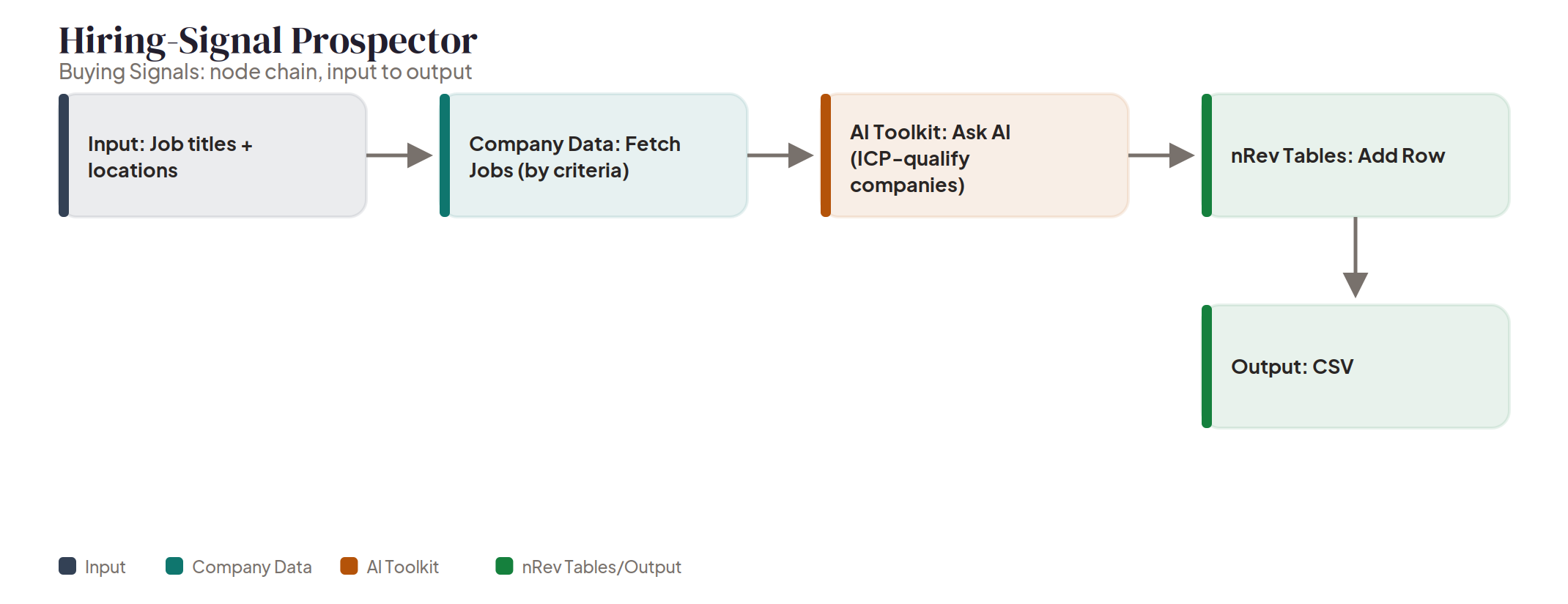
Feed it job titles and locations and a Company Data node fetches companies actively hiring against that criteria, then Ask AI qualifies the results against your ICP before everything lands in an nRev Table. A hiring signal is a concrete, timely reason to reach out, a role opening that implies the need your product fills, not a guess about whether an account might be in-market. Run this as a standing weekly list rather than a one-time pull, a job posting is only a live signal for as long as the role stays open. Usually whoever builds the outbound target list each week owns it. Try it now
Tech-Stack Detector
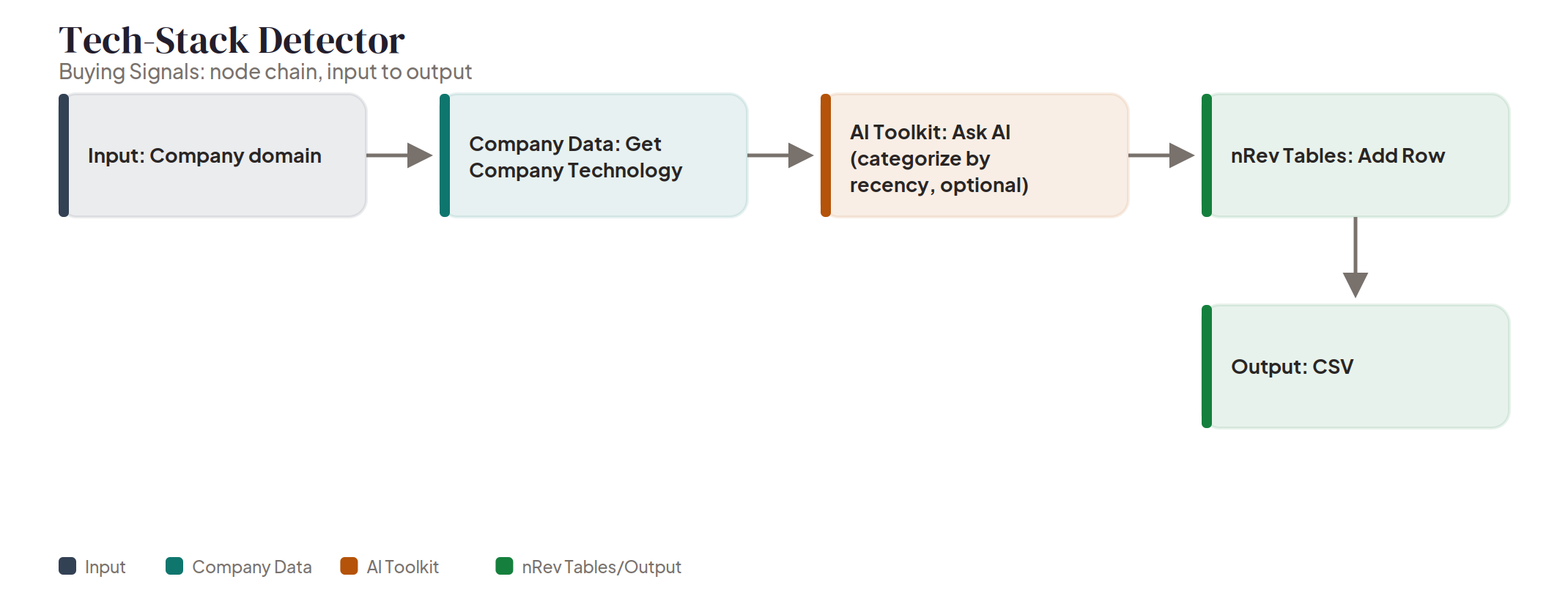
This is nRev's tech stack checker, and it's about as short a chain as this whole series gets. Point it at a company domain and a Company Data node pulls every technology it detects on that company's site. Ask AI can optionally pass over the list once to flag anything picked up recently, then everything lands in an nRev Table. Three real steps for a question that used to mean digging through page source by hand: what does this account actually run, and did they just switch something. Two natural triggers for this one: qualifying a deal where what they already run matters, an integration play or a displacement play, and building a segmented target list around a specific stack rather than firmographics alone. Try it now
Historical Jobs Tracker
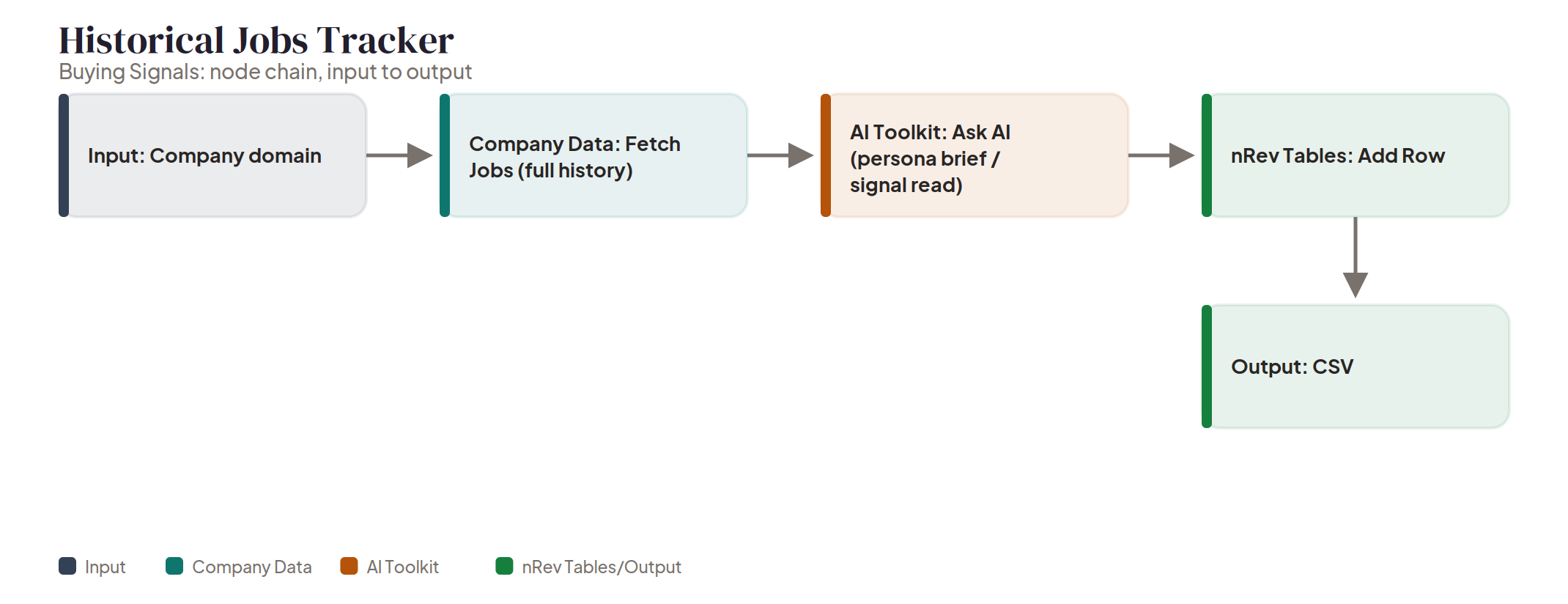
Same starting point as Tech-Stack Detector, a company domain, different Company Data pull. This one fetches a company's full hiring history instead of its tech stack, and Ask AI turns that history into a short signal read, growing, shrinking, or shifting focus, before it lands in an nRev Table. A trajectory read grounded in real job-posting data, not a guess from the outside. Most useful paired with one of the other two rather than run alone: trajectory tells you direction, tech stack or active hiring tells you what to actually say once you reach out. Try it now
FAQ
Do these three signals matter equally, or should one carry more weight?
