

Intro
Five ways to go from a company or a person you already know to the ones you don't. Buying committees, alumni networks, former employees, lookalikes, and re-checking contacts you already have for a job change. These tend to be AE and SDR tools first, the moment a named account needs named people attached to it. Second of four deep-dive posts behind 18 Real AI Workflow Examples, full diagram legend is over there.
Buying Committee Finder
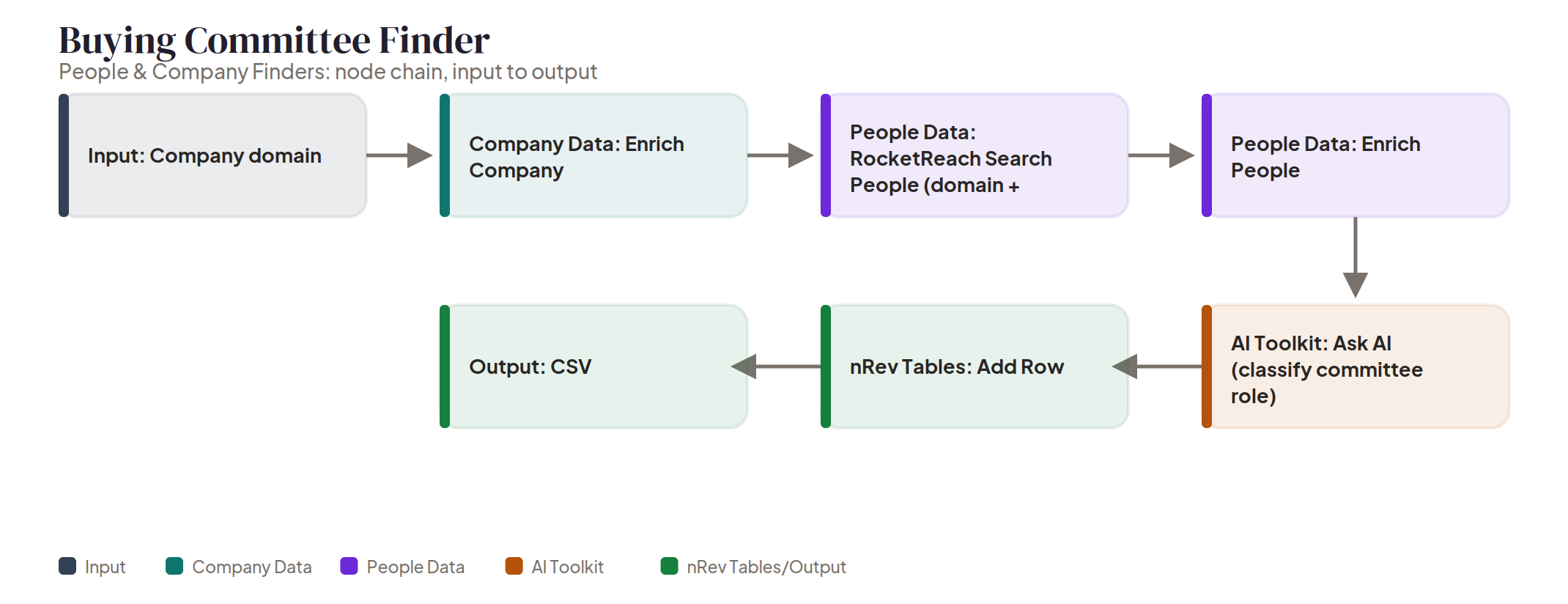
Give it a company domain and it maps who actually matters in the deal. A Company Data node enriches the company first, then a People Data node searches for people at that domain filtered by seniority and title, a second People Data step enriches each person it finds, and Ask AI classifies everyone into a buying-committee role, economic buyer, champion, influencer, and so on. Everything lands in an nRev Table. Not just a list of who works there, a list of who matters and why. Run this the moment a deal goes from one contact to real, before you find out the hard way that the person you've been talking to isn't the one who signs. There's a short video on nRev's YouTube channel, GTM Play: Relevant Persona Finder (youtube.com/watch?v=iaI0_7_9Pn0), that covers a closely related motion, worth a watch even though the tool names don't map one to one. Try it now
Alumni-Based Role Finder
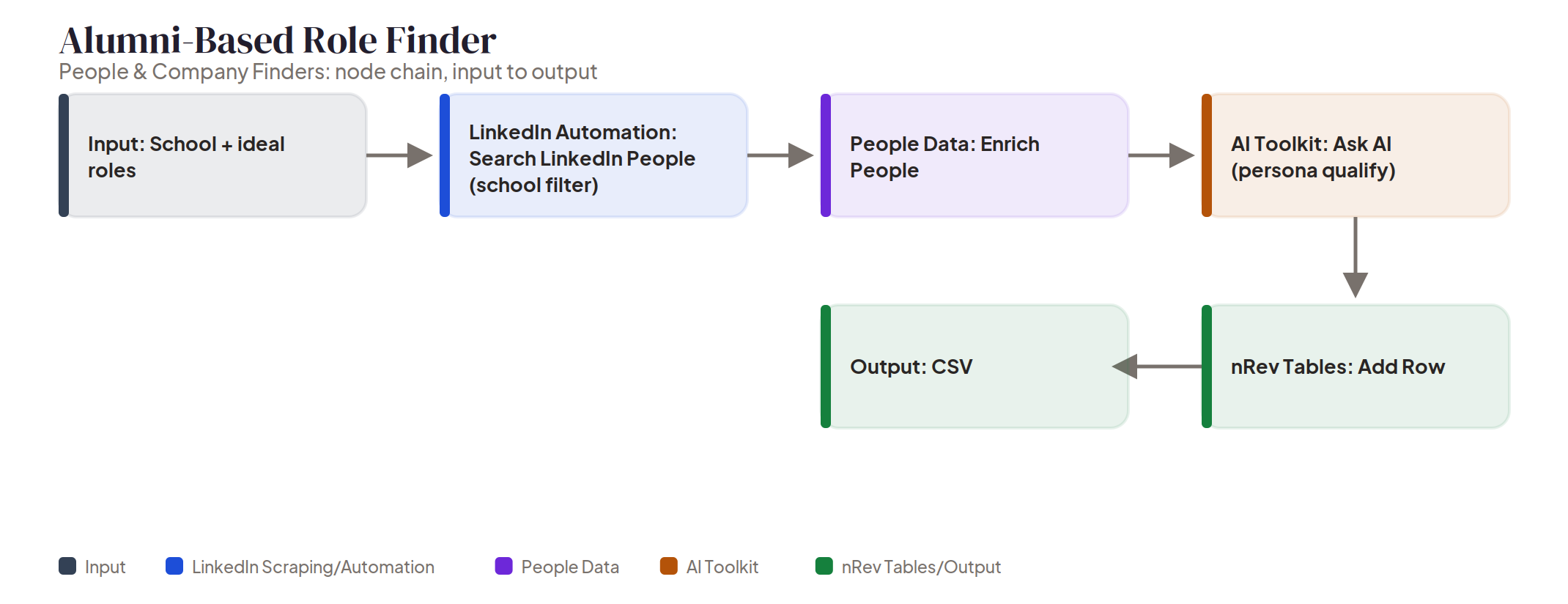
This is nRev's alumni finder: name a school and a target role and it searches LinkedIn people directly, filtered by that school, then a People Data node enriches every match, and Ask AI qualifies the list against the persona you're after. Results land in an nRev Table. A warm-intro list built on shared background instead of cold outreach. Natural fit for building a target list ahead of a school-affiliated event, or any time an SDR wants an opener that isn't just a value prop in the first line. Try it now
Ex-Employees Role Finder
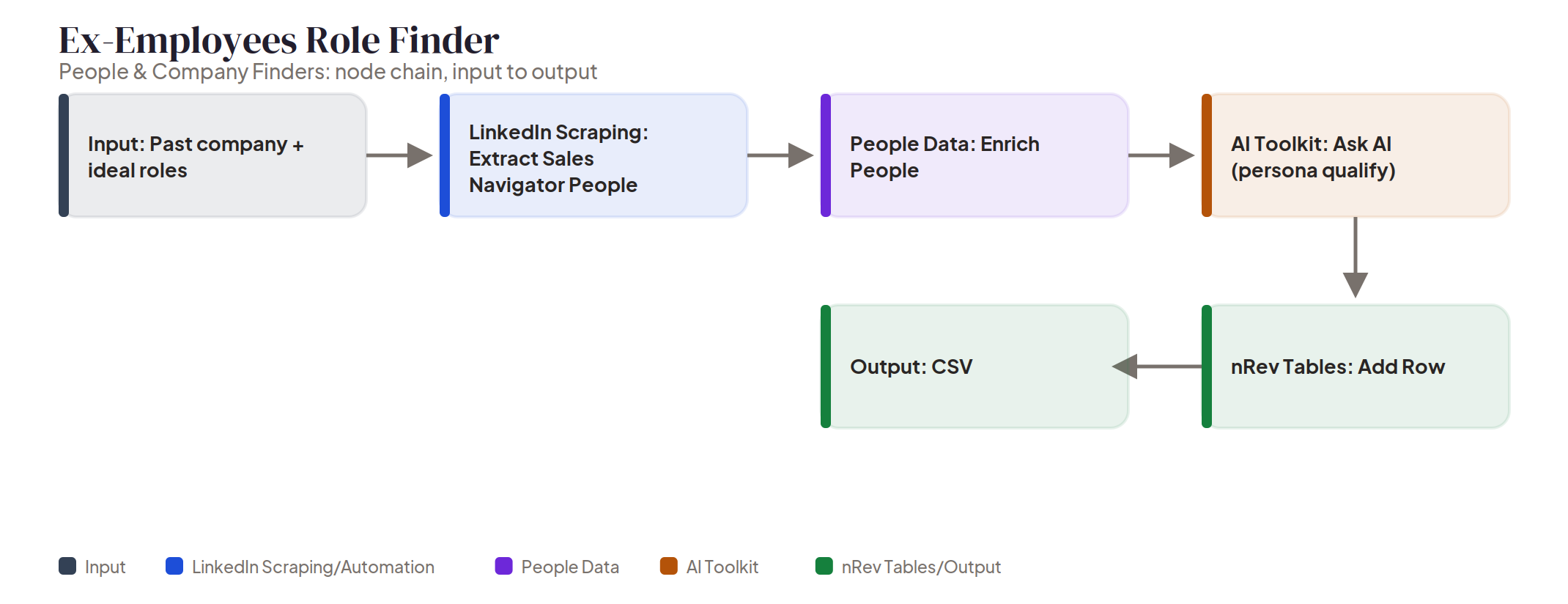
Same shape as the alumni finder above, different filter, and worth an honest note. There's no single node built specifically to filter people by "past company," so the closest real match is a Sales Navigator people search, which does support that filter natively, and that's what runs here. Give it a past company and target roles, it extracts matching people through that Sales Navigator search, a People Data node enriches each one, and Ask AI qualifies against the persona you set. Everything lands in an nRev Table, an alumni-network-style list for boomerang plays or warm referrals into an account. Reach for it when a target account has a former employee at a company you already have a relationship with, that's the boomerang play this is actually built for. Try it now
Lookalike Company Generator
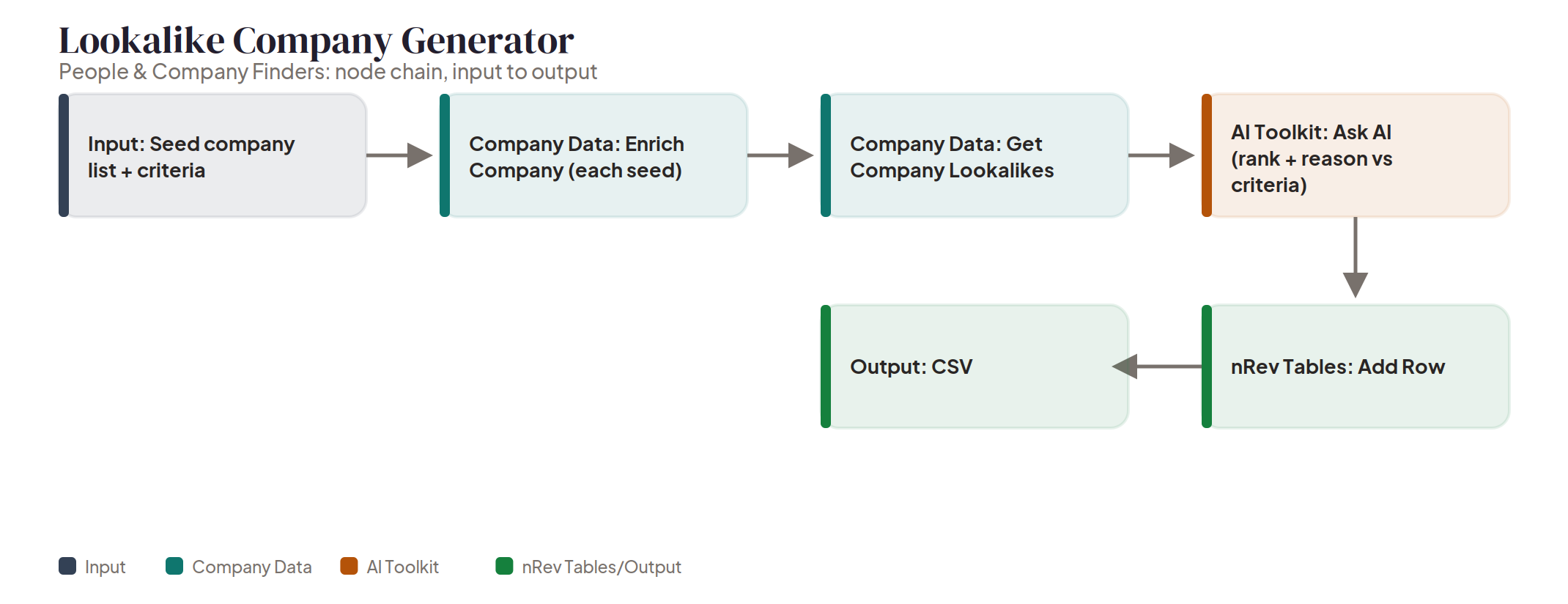
Supply a list of your best customers plus what makes a good match, and a Company Data node enriches each one in that seed list, then a second Company Data step pulls similar companies for each. Ask AI ranks the results and states a reason for every match against your criteria, and everything lands in an nRev Table. An expanded target list with a reason attached to every row, not just a black-box similarity score. Best run quarterly, whenever the target account list needs to grow and the fastest honest way to do that is to point at accounts that already convert well. Try it now
Past Champion Lookup
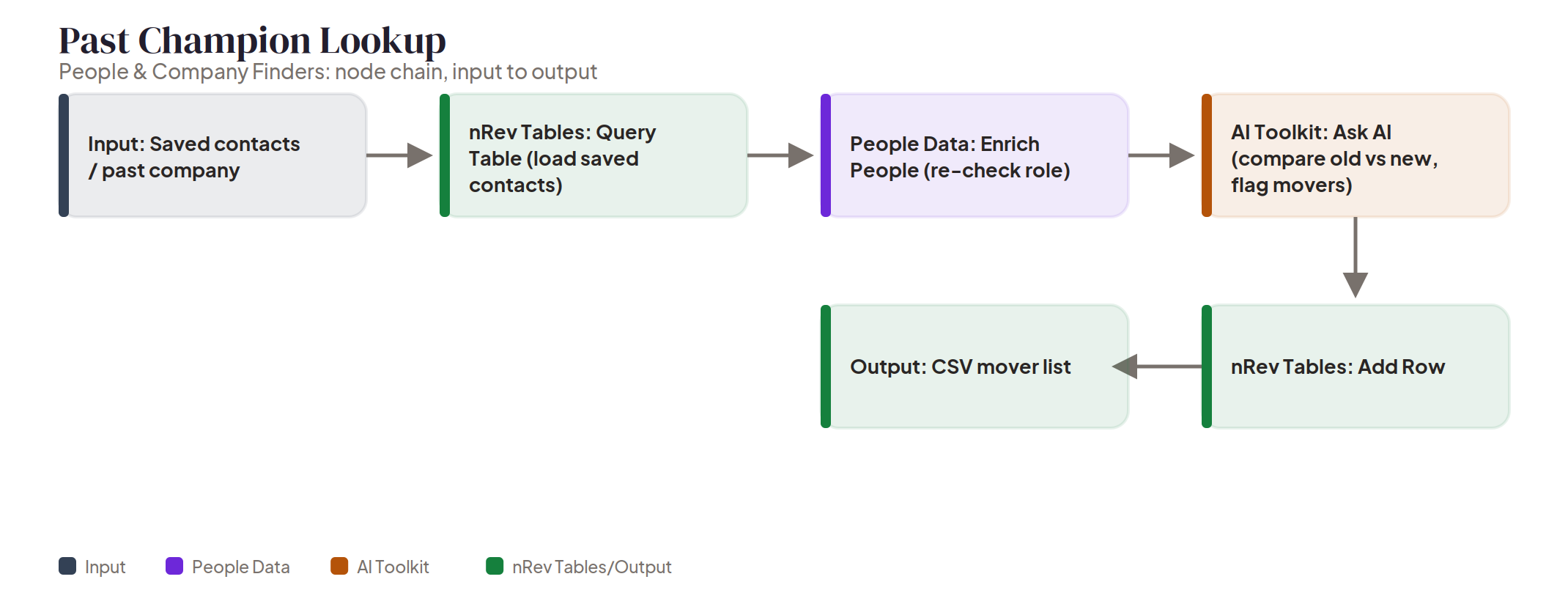
This one runs backwards from the rest of the category: it starts by pulling from an nRev Table instead of writing to one first. Give it a saved contact list or a past company and it loads those contacts, a People Data node re-checks each person's current role, and Ask AI compares old against new and flags anyone who's moved. The result lands in a new nRev Table as a mover list. Worth being straight about the mechanism here too: there's no dedicated "job change" trigger node behind this, it's Enrich People run again and diffed against what was there before. Simple pattern, useful result: people who already know and trust you, now sitting at a new account with a new budget. Set it up as a standing monthly check across every closed-won contact in the CRM instead of a one-time lookup, a champion moving is a signal with a short shelf life once it happens. Try it now
FAQ
Do these five tools work together, or are they meant to be used one at a time?
