


Sales today is all about effort, efficiency, and time-saving tools.
For example, the head of RevOps at Oloid, Ashish Tayal, said their team saved $40,000 after implementing our AI sales tool, nRev AI.

I’m sure you’re also exploring different options to find the right fit for your needs.
You are in the right place.
My team and I tested over 30 AI sales tools over the past 3 weeks and carefully selected the top 15.
In this guide, I’ll discuss their features, pricing plans, and pros and cons. I’ll also help you choose the right AI sales software for your business.
Keep reading.
TL;DR
- AI sales tools use artificial intelligence to automate sales processes. So AI sales tools find leads, send them personalized messages, and follow up automatically if they don’t reply.
- The best AI sales tools are:
- 1. nRev AI - Best for automating end-to-end revenue workflows
- 2. Apollo.io - Best for prospecting and outreach
- 3. Instantly AI - Best for cold emails with AI agents
- 4. Dripify - Best for LinkedIn sales outreach automation
- 5. Avoma - Best for analyzing sales calls and meetings
- To choose the right AI sales software, evaluate automation features, assess data accuracy, consider integration with your existing sales stack, and review pricing and scalability.
Best AI Sales Tools Compared
| Tool | AI Features | Lead Generation | Sales Automation | Integrations | Starting Plan | Ideal For |
|---|---|---|---|---|---|---|
| nRev AI | Autonomous GTM agents AI workflow orchestration Pre-built Plays Intelligent data enrichment and scoring Predictive forecasting GTM-native intelligence |
Yes ✅, through active research, live enrichment, and automated workflows. | End-to-end workflow automation Pipeline monitoring CRM updates Personalized outreach Follow-up reminders |
Salesforce, Hubspot, Pipedrive, Slack, Gmail, Microsoft Teams, Google Meet, Calendly, WhatsApp Business, Zoho Campaigns, Zoho CRM, Attio, Apollo.io, Instantly AI, Lusha, Gong, Supabase, Webflow | Nudge: $149/month + 15,000 credits | Automating end-to-end revenue workflows |
| Apollo.io | AI prospecting AI email generation Conversation intelligence Automated lead scoring AI assistant |
✅ Yes, it has a large database of 200M+ contacts and 30M+ companies. | Lead prospecting Lead routing Multi-channel outreach sequences CRM updates Pipeline analytics |
Salesforce, HubSpot, Gmail, Outlook, Hunter.io, Albato, Claude, Adobe Marketo, Clay, Dropcontact, LeadMagic, Nooks, Salesloft, SMARTe, Twilio SendGrid, upcell, Chili Piper, Gumloop | Free: $0 + 900 credits | Prospecting and outreach |
| Instantly AI | Instantly copilot AI-powered warmup AI agents AI-powered lead search AI Reply detection and management |
✅ Yes, Supersearch provides access to 450 million B2B contacts. | Cold email outreach Personalized emails Email deliverability Lead search A/B testing |
Zapier, Calendly, HubSpot, Salesforce, n8n, Clay, Pabbly, Slack, Pipedrive, HighLevel, RB2B | Growth: $47/monthly + Unlimited email accounts | Cold emails with AI agents |
| Dripify | AI personalization AI-powered message assistant Smart inbox Behavioral simulation Campaign optimization |
⚠️ Limited, no native database, but finds leads via LinkedIn Sales Navigator or other LinkedIn searches. | LinkedIn outreach Multi-step drip campaigns Lead enrichment Personalized LinkedIn messages |
Make, Google, Zapier | Basic: $39/user/month + 1 drip campaign | LinkedIn sales outreach automation |
| Avoma | AI meeting transcription Conversation intelligence AI coaching Deal insights AI copilot |
❌ No, it focuses on calls and deals. | Automated call summaries Deal tracking Pipeline insights CRM updates Follow-up emails |
Salesforce, HubSpot, Zoom, Google Meet, Microsoft Teams, Slack, GoToMeeting, Copper CRM, ClickUp, Aircall.io, BlueJeans, Dialpad, Groove, Highfive, Pipedrive, Outreach, Zendesk Sell, Kixie, Zoho CRM | Startup: $19/per recorder seat/month + unlimited real-time transcription | Analyzing sales calls and meetings |
Best AI Sales Tools
1. nRev AI - Best for Automating End-to-End Revenue Workflows
| Personal Rating | ⭐️⭐️⭐️⭐️ 4.7/5 - It automates both simple and complex end-to-end workflows with so much ease. |
| Sales Automation | GTM workflows, lead enrichment, scoring and routing, CRM updates, pipeline monitoring, personalized outreach. |
| Key Advantage | Connects all stages of the revenue lifecycle into a single workflow system. |
| Starting Plan | Nudge - $149/month + 15,000 credits |
nRev AI is first on my list of the best AI sales tools.
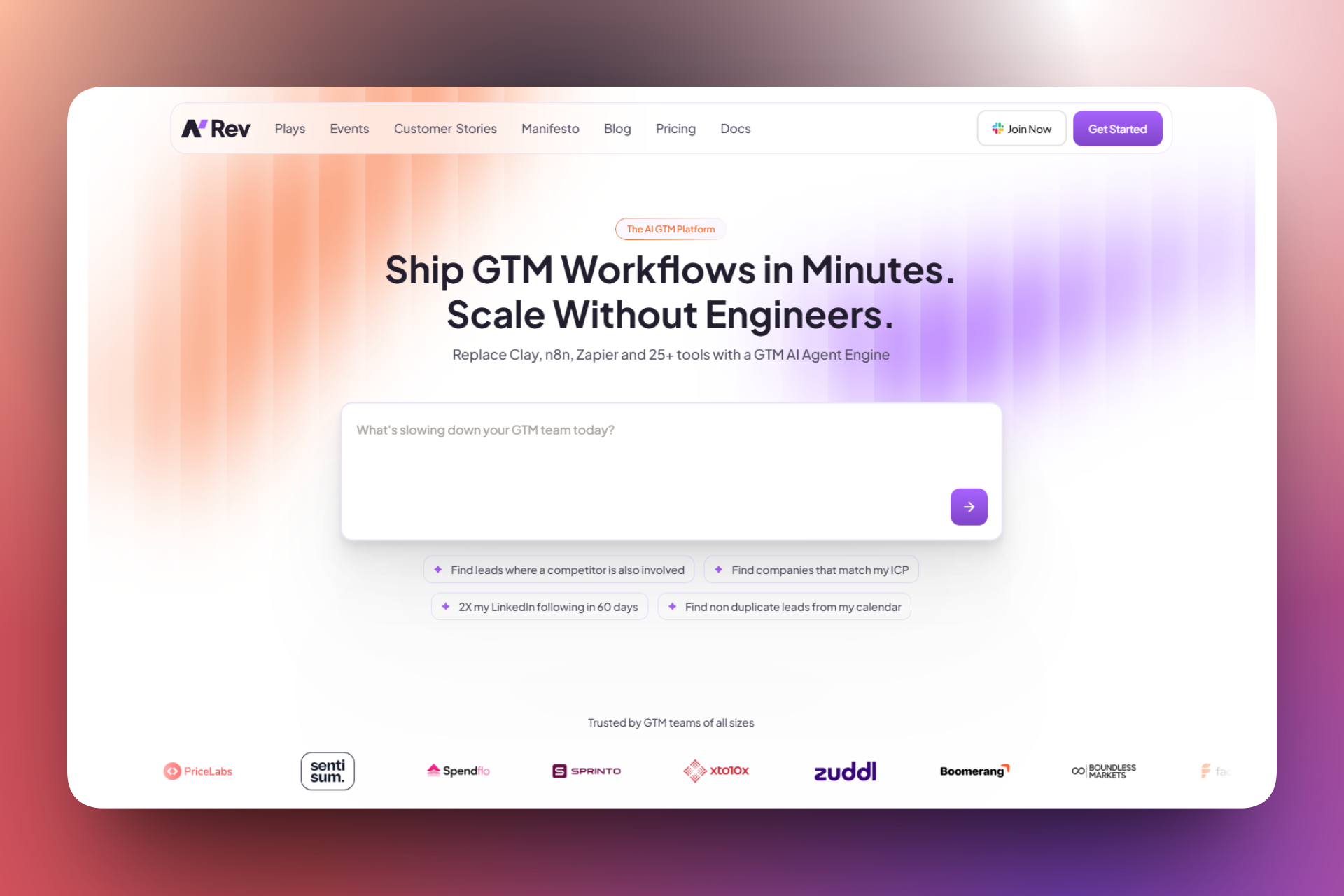
It is the agent operating system (OS) designed for Go-To-Market (GTM) and RevOps teams to automate lead enrichment, scoring, CRM management, and outreach without coding.
You can build end-to-end workflows using natural language.
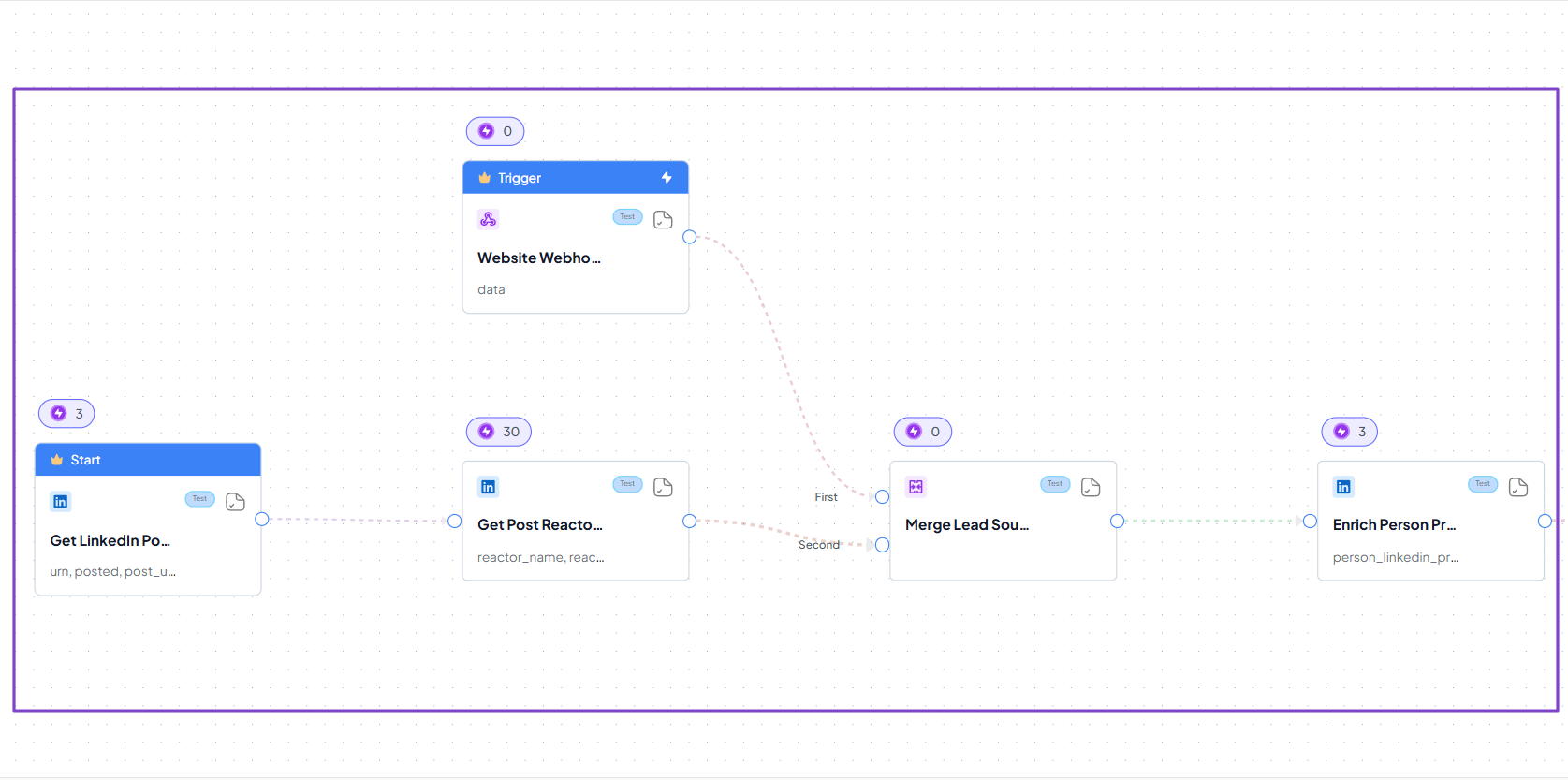
The AI Builder always lets you review the workflow before it builds it.

Then, it builds it in a matter of minutes.
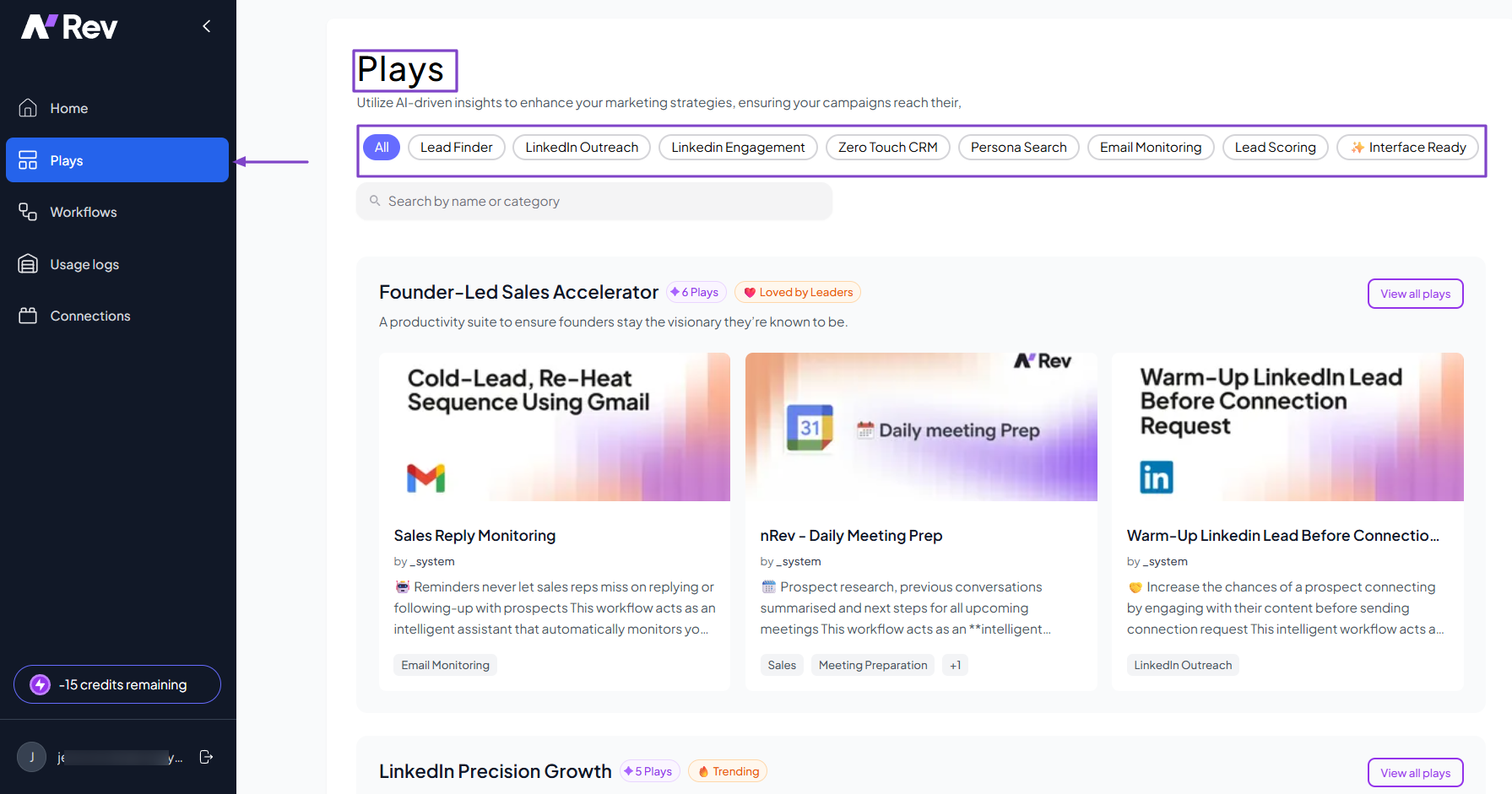
We offer many pre-built workflows called Plays. You can use them for lead scoring, LinkedIn outreach and engagement, or email monitoring.
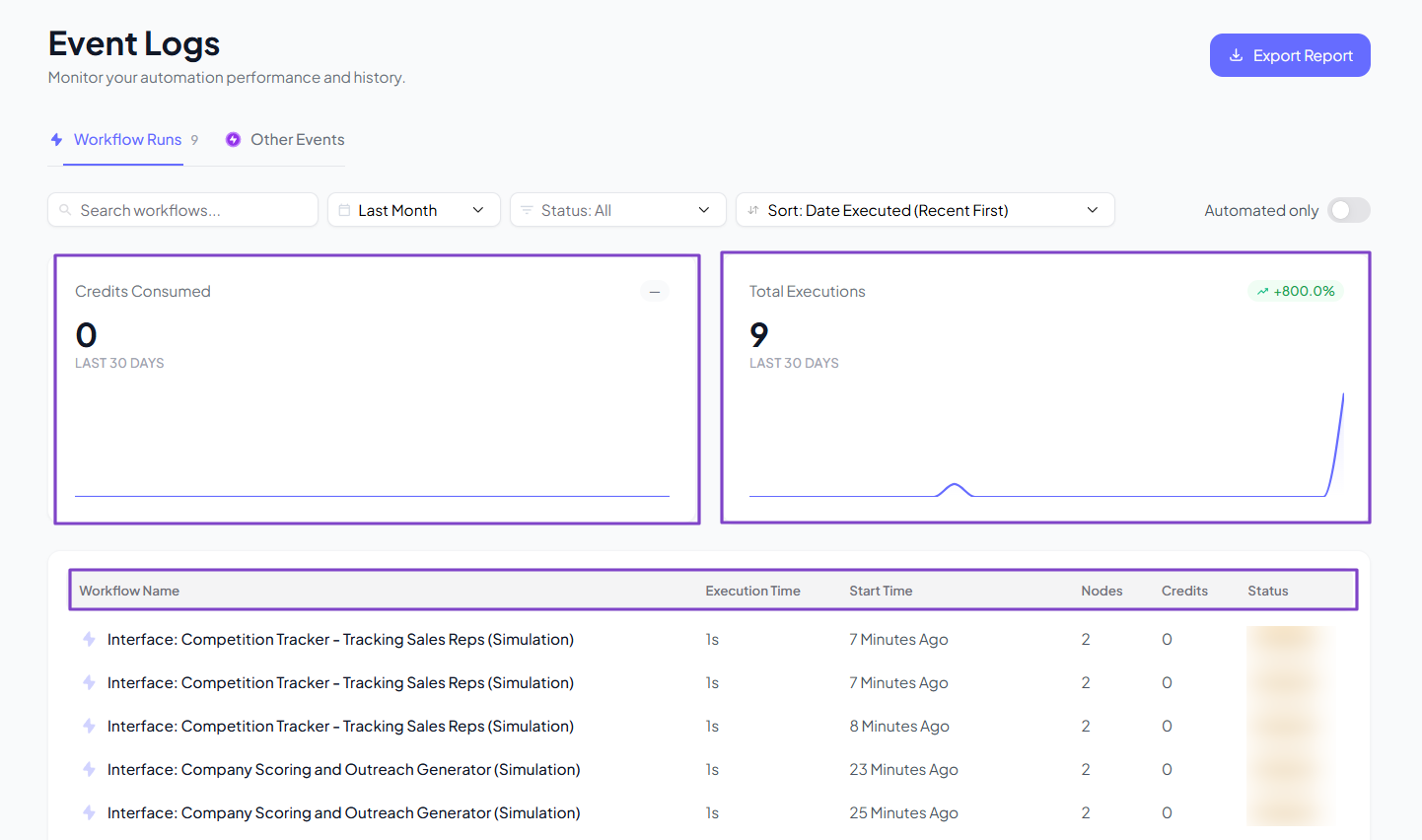
And anytime you create many workflows, the platform tracks the credits consumed and total executions.
That’s not all! nRev AI integrates with many popular platforms.
You can add to your existing sales stack, including Slack, HubSpot, Salesforce, Microsoft Teams, Google Meet, Calendly, and more.

What I Loved About nRev AI
1. Workflows
Thanks to nRev AI’s Workflows feature, you can build and automate end-to-end workflow revenue without using code.
The process is simple.
You first click Workflows in the sidebar menu.
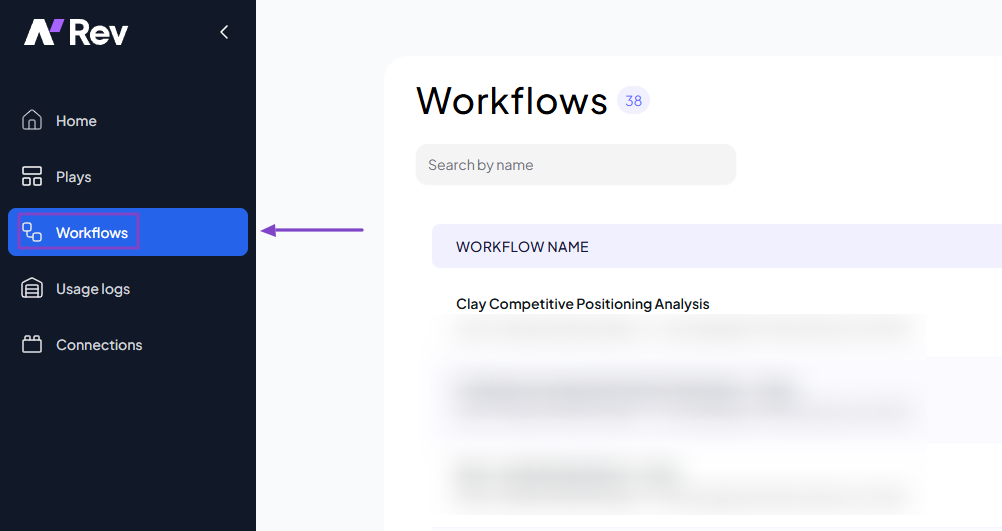
If you are a bit technical, you can create a workflow manually by connecting nodes in sequence.
Or you can simply use the AI Builder and describe in plain English what kind of workflow you want. Here’s an example:
“Monitor new leads from my website and LinkedIn, enrich each contact with company and role data, score them based on ICP fit, assign high-quality leads to the right SDR, and send a personalized outreach email automatically.”

Here’s the interesting thing about using AI. It will propose a workflow structure and may even ask structural questions to better understand what you're building.
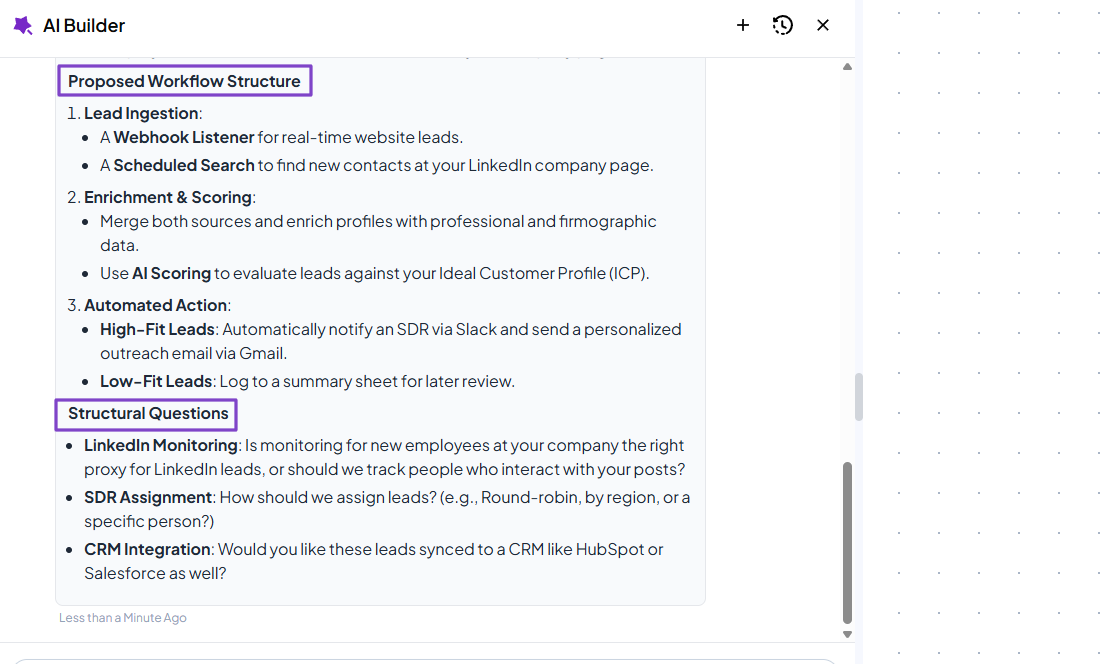
Once everything is ready, the AI Builder will ask you to review the plan before building.
That’s it! The workflow is ready.
2. Plays
Plays on nRev AI are pre-built workflows powered by agents that you can launch instantly. It includes lead finder, lead scoring, LinkedIn engagement, LinkedIn outreach, and email monitoring, among others.
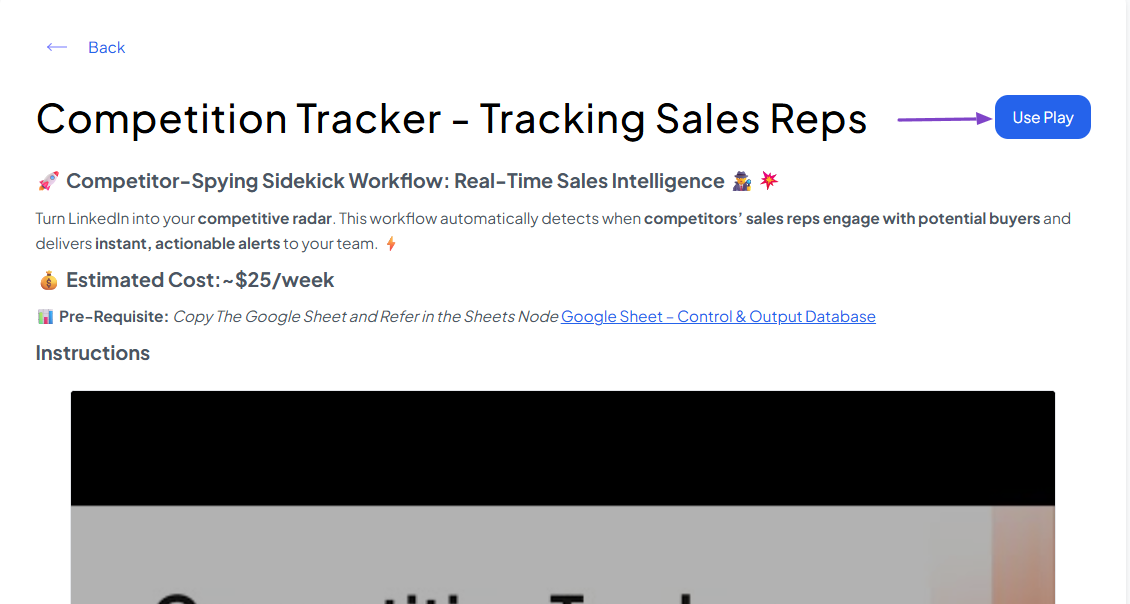
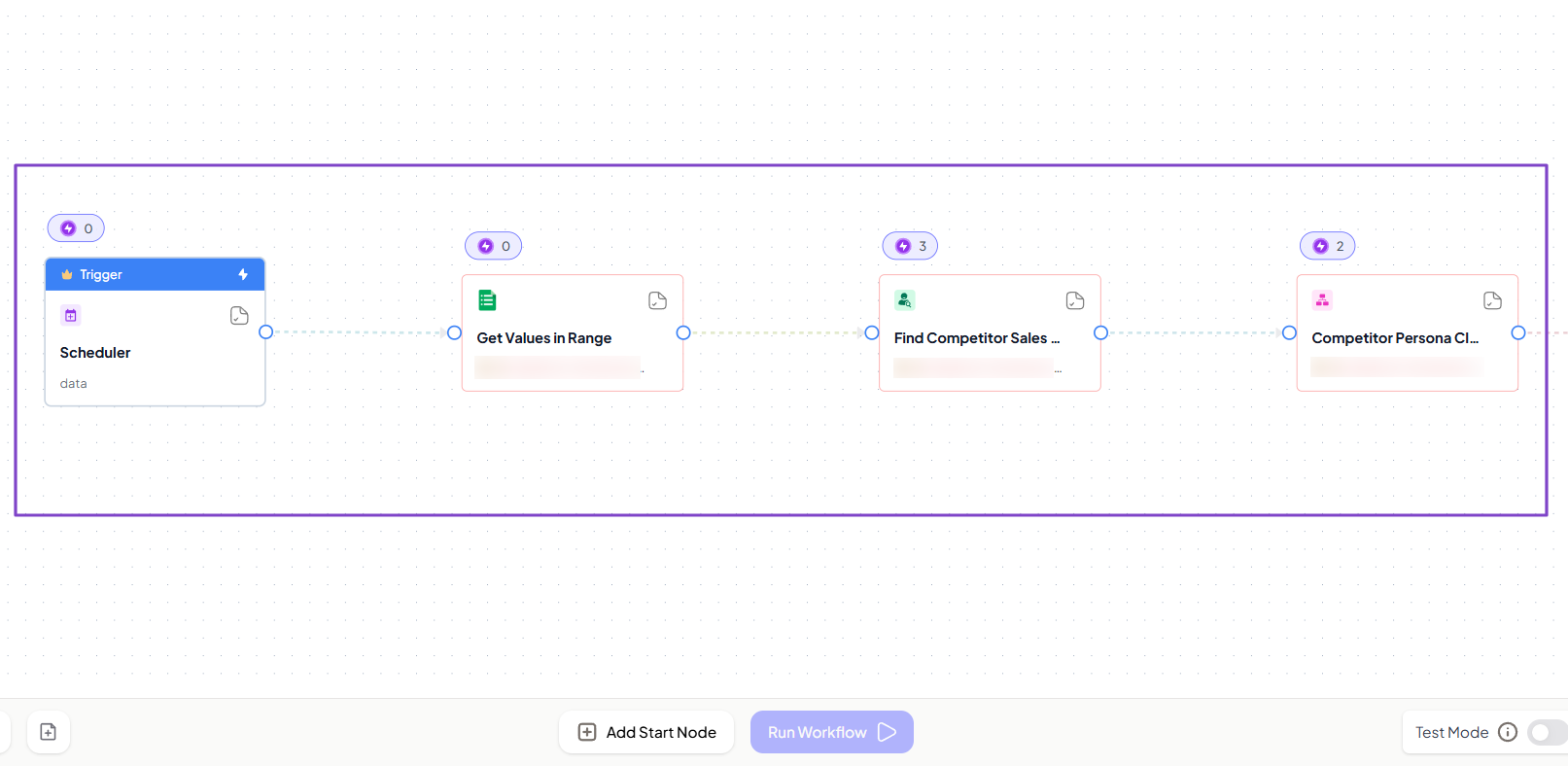
For instance, let’s choose the competition tracker play.

This workflow automatically detects when competitors’ sales reps engage with potential buyers and delivers instant, actionable alerts to your team.
To launch it, simply click “Use Play.”
The AI will need you to add a few specific details before finalizing the workflow.
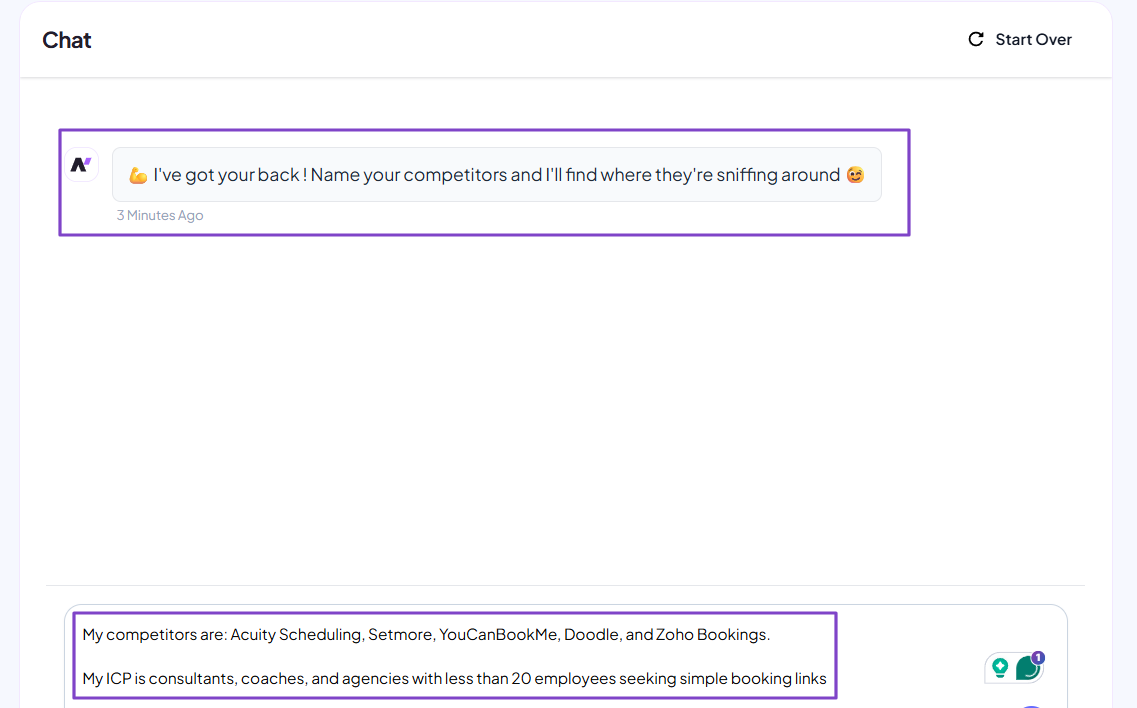
There you go! You have your competitor tracker workflow ready.
3. Usage logs
nRev AI lets you track all your workflow runs and other events via the Usage logs feature. It basically monitors your automation performance and history.
For more details, head to Usage logs.
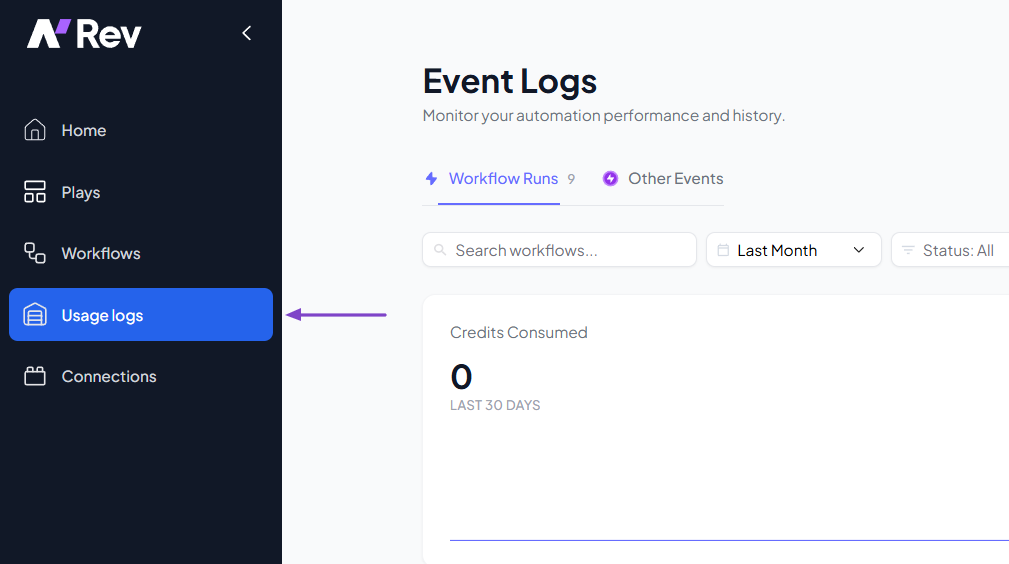
You will first see the number of credits consumed and the total number of executions within a certain period.
Below that, it shows all the different workflow names, their execution time, start time, number of nodes, and status.
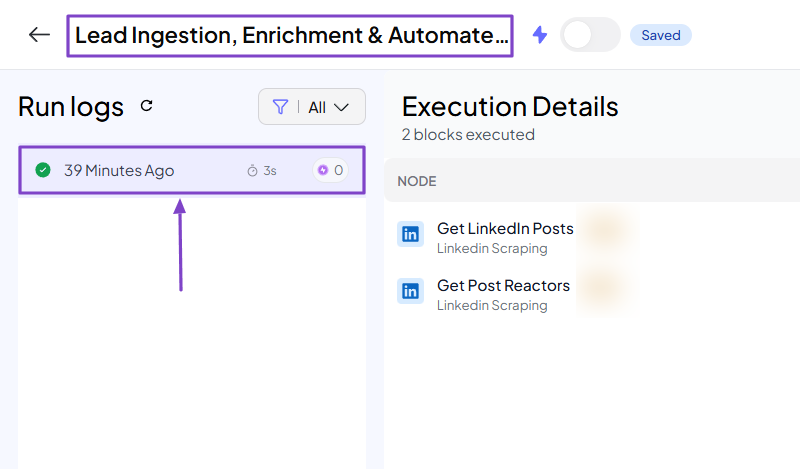
By clicking on a workflow, you will see the last time it was run.
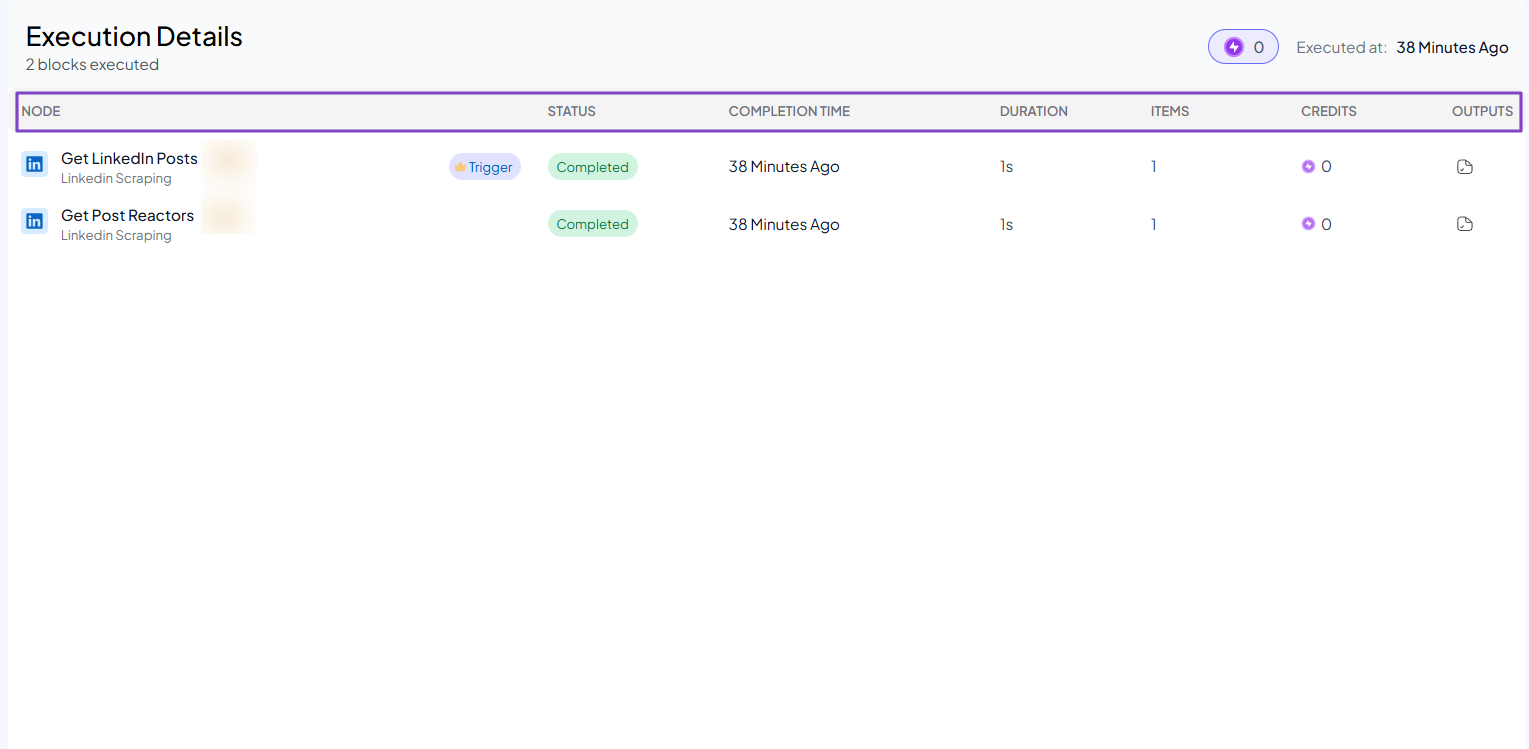
It displays the nodes, status, completion time, duration, items, credits, and outputs.
What I Loved vs What I Struggled With
| What I Loved 👍 |
| ✅ Builds workflows from a single description in plain English. |
| ✅ Offers many pre-built workflows to automate revenue so you don't have to start from scratch. |
| ✅ Provides clear instructions to help set up pre-built workflows. |
| ✅ Allows you to chat with the AI Builder and suggest edits instead of doing them manually. |
| ✅ Monitors all your workflows and the credits used to build each one. |
| What I Struggled With 👎 |
| ❌ Requires some technical skills for more complex workflows, but the support team can gladly assist you. |
Best For
- B2B sales teams, RevOps teams, and small businesses seeking to automate end-to-end revenue workflows.
Pricing
- Nudge: $149/month + 15,000 credits
- Surge: $399/month + 40,000 credits
- Growth Hack: $999/month + 110,000 credits + 5 hours of GTM engineering support
- Dominion: $2,499/month + 300,000 credits + 20 hours of GTM engineering support

2. Apollo.io - Best for Prospecting and Outreach
| Personal Rating | ⭐️⭐️⭐️⭐️ 4.4/5 - Although the interface is overwhelming, you can take actions like prospecting in 5 steps. |
| Sales Automation | Lead prospecting, multi-channel outreach sequences, CRM updates, pipeline analytics. |
| Key Advantage | 275M+ million contact database. |
| Starting Plan | Free - $0 + 900 credits |
Next on our list of AI sales tools is Apollo.io. It is a B2B sales intelligence platform that helps businesses prospect and enrich people or companies, and create personalized sequences.
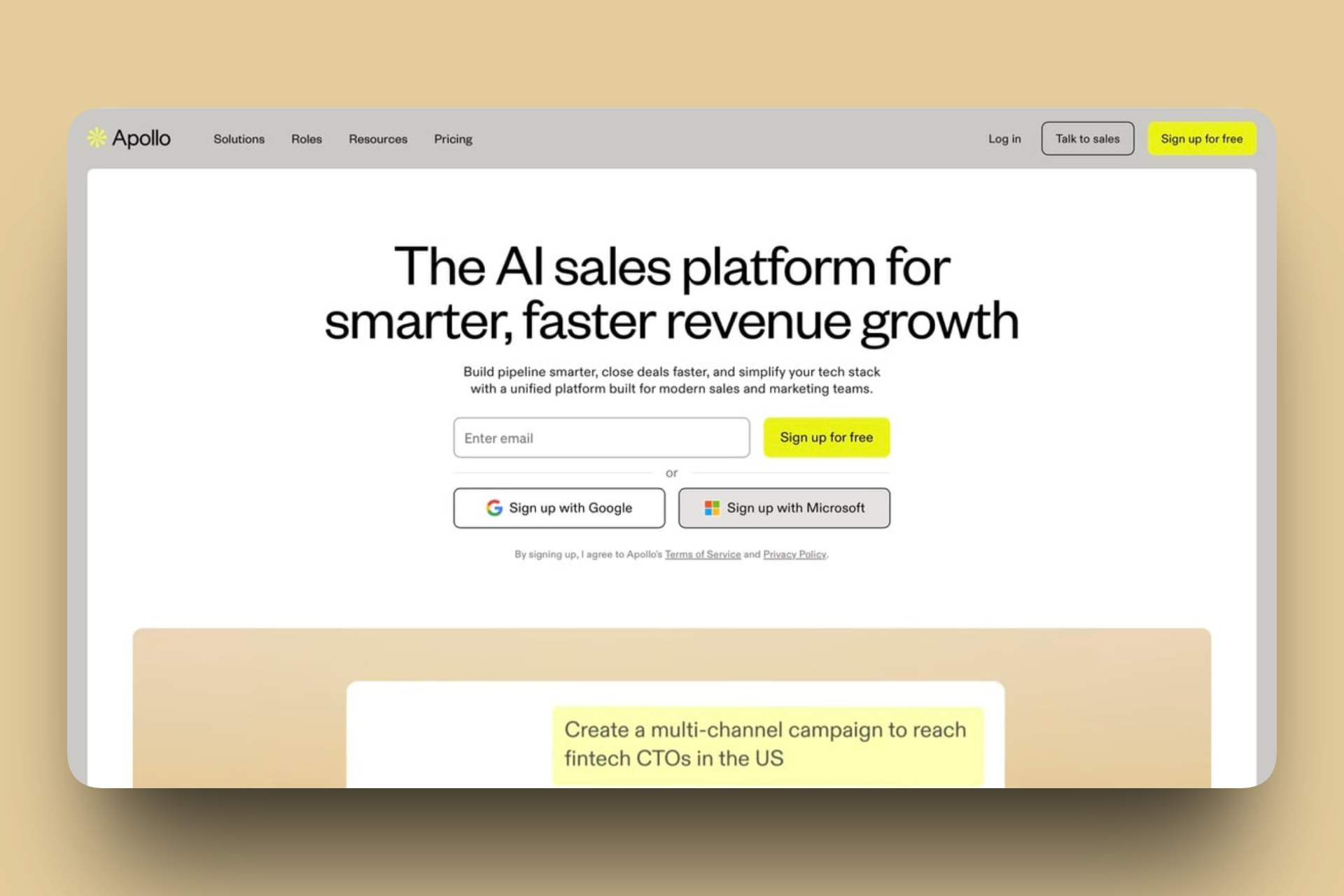
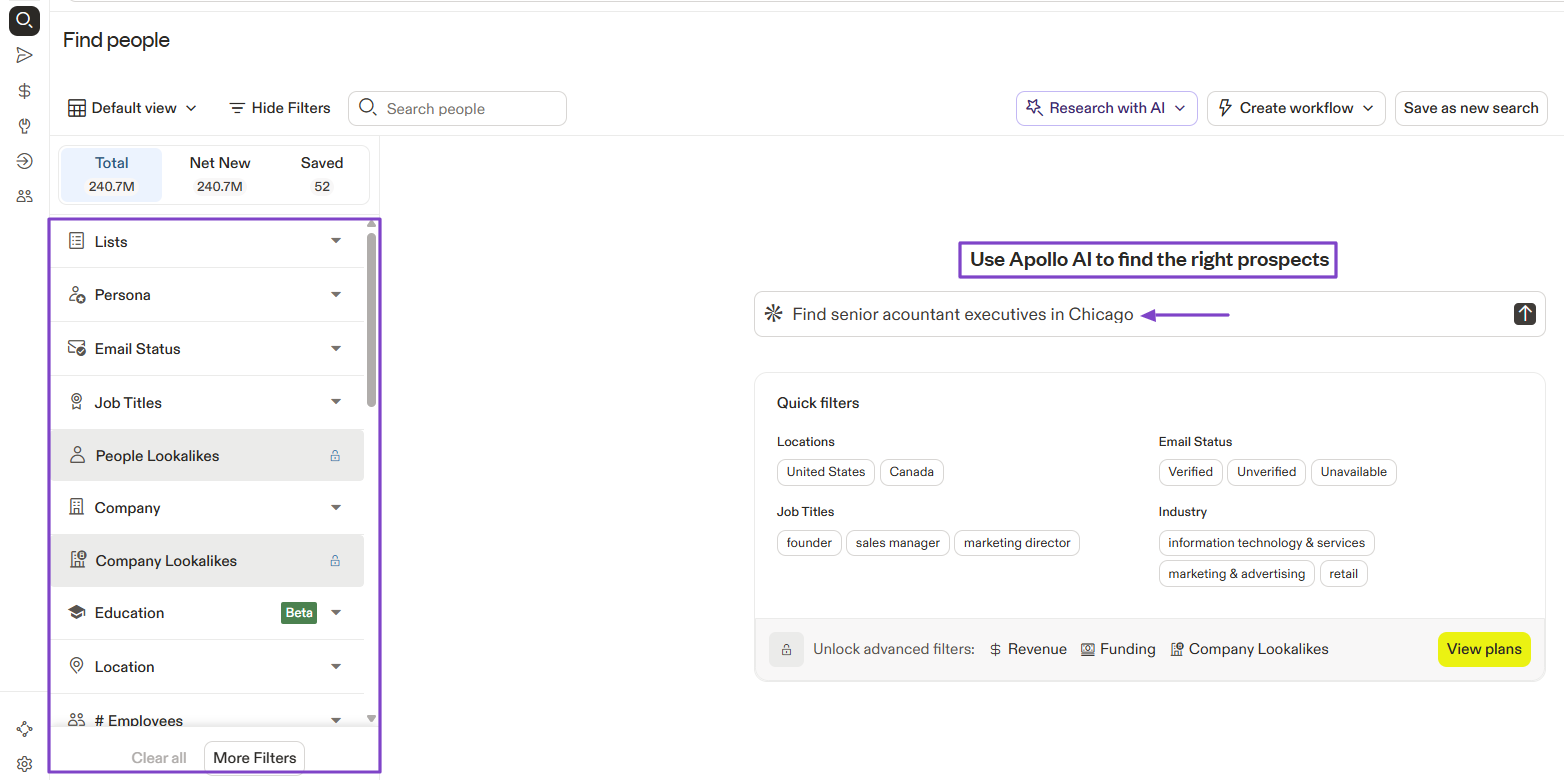
To find people or companies on Apollo, you either use filters or the AI.
After finding leads, the AI can help you save them to a list, add them to a sequence, or enrich them with emails.

You can create a sequence by selecting a list, adding contacts, and simply scheduling it.

In case you want to create a workflow, you must specify the trigger and the actions.

What I Loved About Apollo.io
1. People
The People feature on Apollo.io lets you prospect and enrich leads.
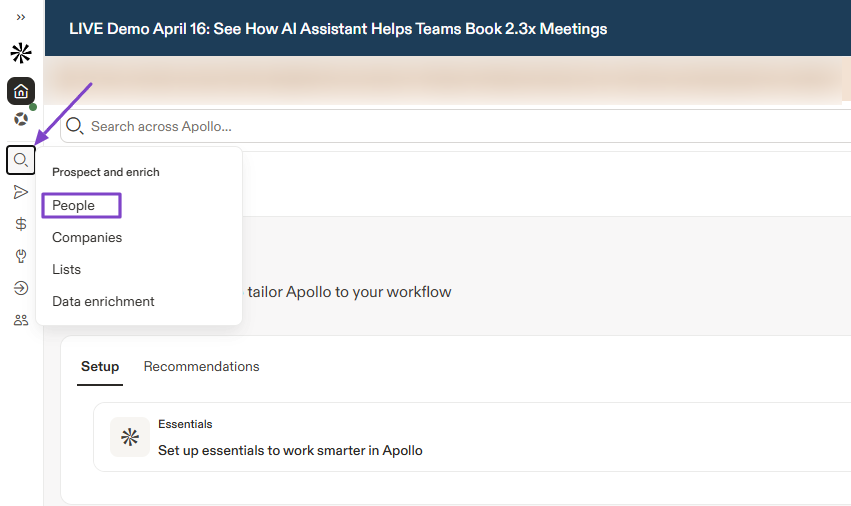
To use it, go to “Prospect and enrich” in the sidebar menu and click “People.”
There are many filters you can use to find prospects, including job titles, company, education, location, persona, and more.
The other option is to use Apollo AI. You simply describe your prospect:
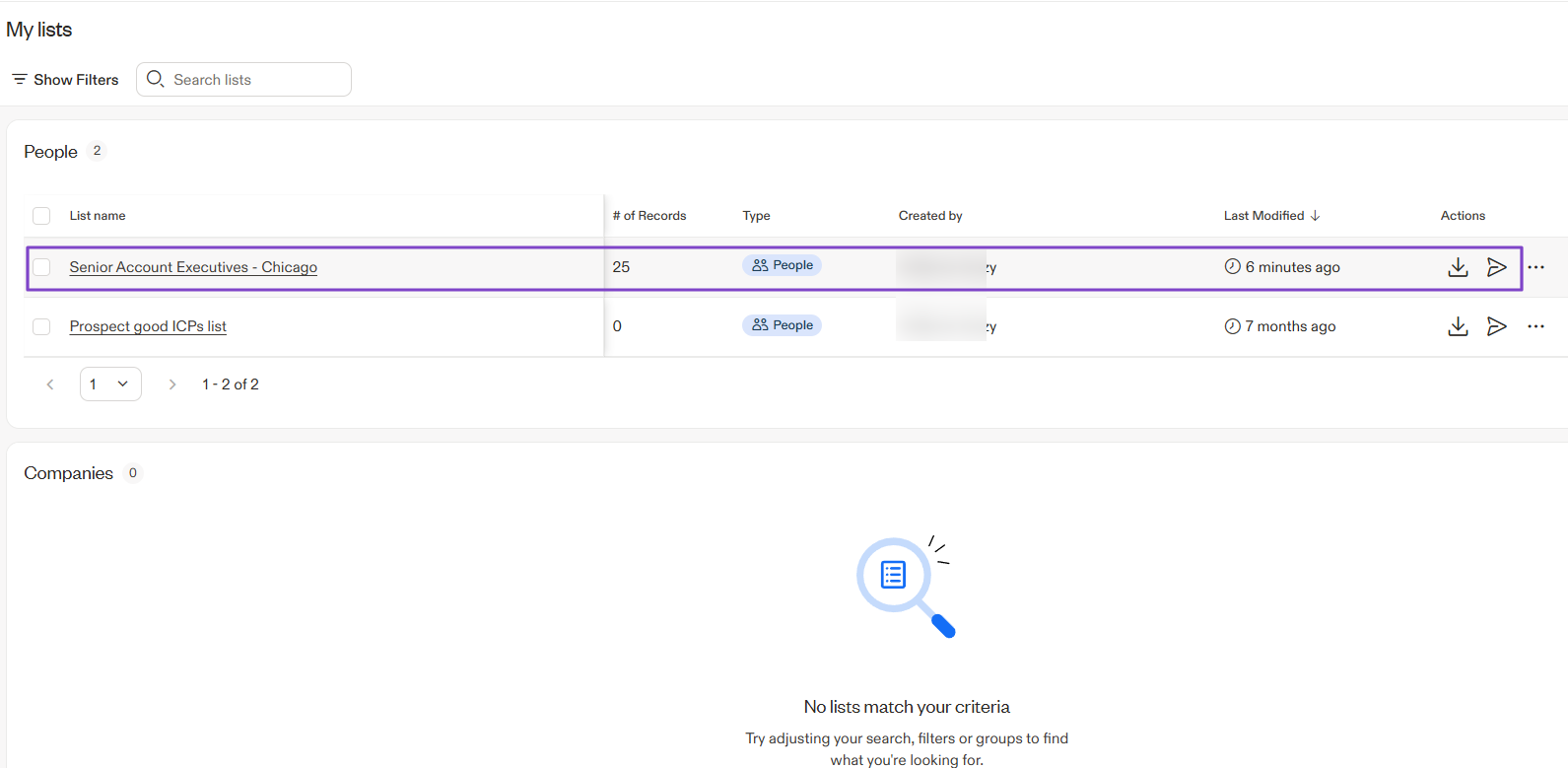
“Find senior accountant executives in Chicago.”
You will have their names, job titles, companies, email addresses, and phone numbers, among others.
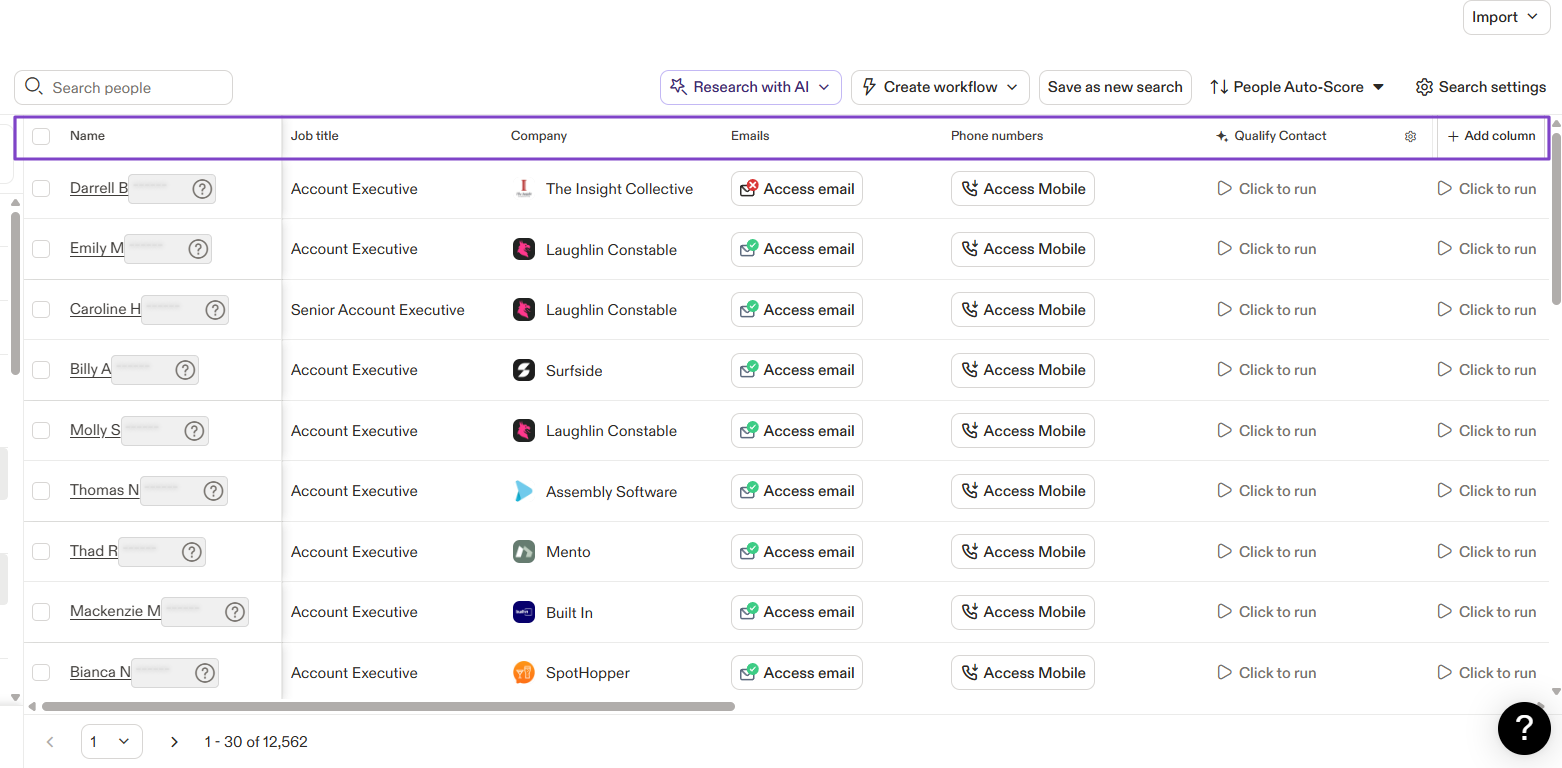
With Apollo AI, you can take the next actions, which are:
- Refine the search
- Save to a list
- Add to a sequence
- Enrich with emails
If you decide to save to a list, it will be saved automatically.
2. Sequences
The next feature we will look at on Apollo.io is Sequences. When you want to engage with leads, you create sequences, which are a series of automated emails.
We will create one. Go to “Engage” in the sidebar menu and click “Sequences.”

You can clone a sequence, create from scratch, use a template, or use AI assistance. Let’s choose “AI-assisted.”

The AI will prepare each email in the sequence based on the information it has about your business. You can review and edit all those emails.

Next, select a list, choose the recipients, and schedule the sequence.
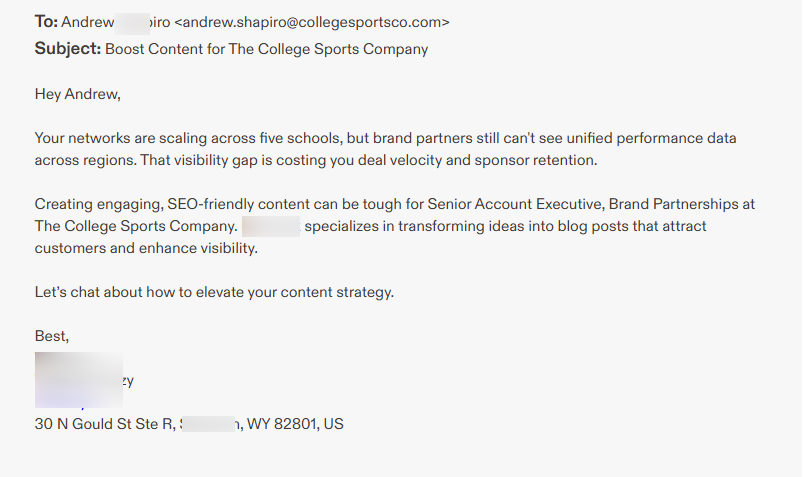
Below is an example of the email your leads will receive.
3. Workflows
You can also create workflows in Apollo.io to automate tasks, like identifying website visitors, automatically adding ICP to a list, and sending them to a sequence.
You can click “Workflows” in the sidebar menu if you want to use it.

Let’s use a template: Engage companies researching your category with AI outreach.
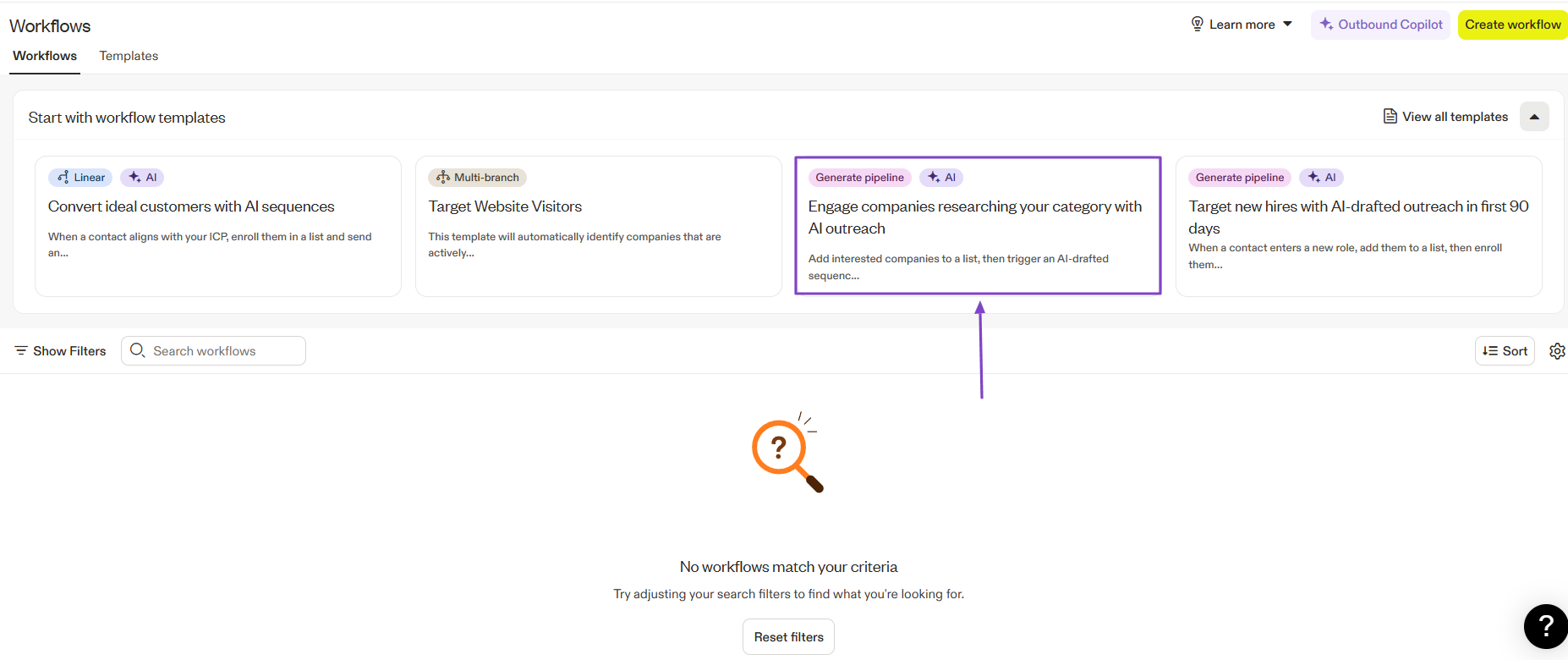
In the AI Builder, you will see the trigger (when this happens). It’s up to you whether to edit it.
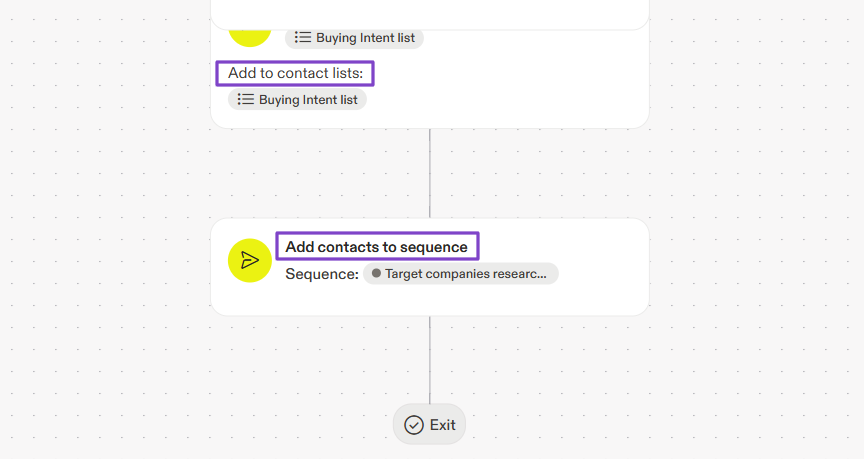
Then the following actions: Add to contact list(name) → Add contacts to sequence(name).
What I Loved vs What I Struggled With
| What I Loved 👍 |
| ✅ Allows you to prospect with AI and take the next actions, like saving to a list or refining the search. |
| ✅ Creates full sequences in less than 5 minutes with AI, which helps you work faster. |
| ✅ Verifies contacts before adding them to a sequence so you're sure of data accuracy. |
| What I Struggled With 👎 |
| ❌ Steep learning curve because it has an overwhelming interface, which makes it difficult to understand at first. |
Best For
- Small-to-Mid-sized Businesses (SMBs) and startups seeking an all-in-one prospecting and outreach solution.
Pricing
- Free: $0 + 900 credits
- Basic: $49/user/month + 30,000 credits
- Professional: $79/user/month + 48,000 credits
- Organization: $119/ 3 users min/month + 72,000 credits

3. Instantly AI - Best for Cold Emails with AI Agents
| Personal Rating | ⭐️⭐️⭐️⭐️ 4.5/5 - You can create an AI sales agent to handle sales-related tasks. |
| Sales Automation | Cold email outreach, personalized emails, email deliverability, and lead search. |
| Key Advantage | High-volume cold email outreach. |
| Starting Plan | Growth - $47/monthly + Unlimited email accounts |
We continue the list of the best AI sales tools with Instantly AI. It’s a B2B sales engagement and cold email automation platform designed to help send personalized emails at scale.

Instantly also lets you create an AI sales agent. But you need to add your website URL or include manual instructions to provide context.

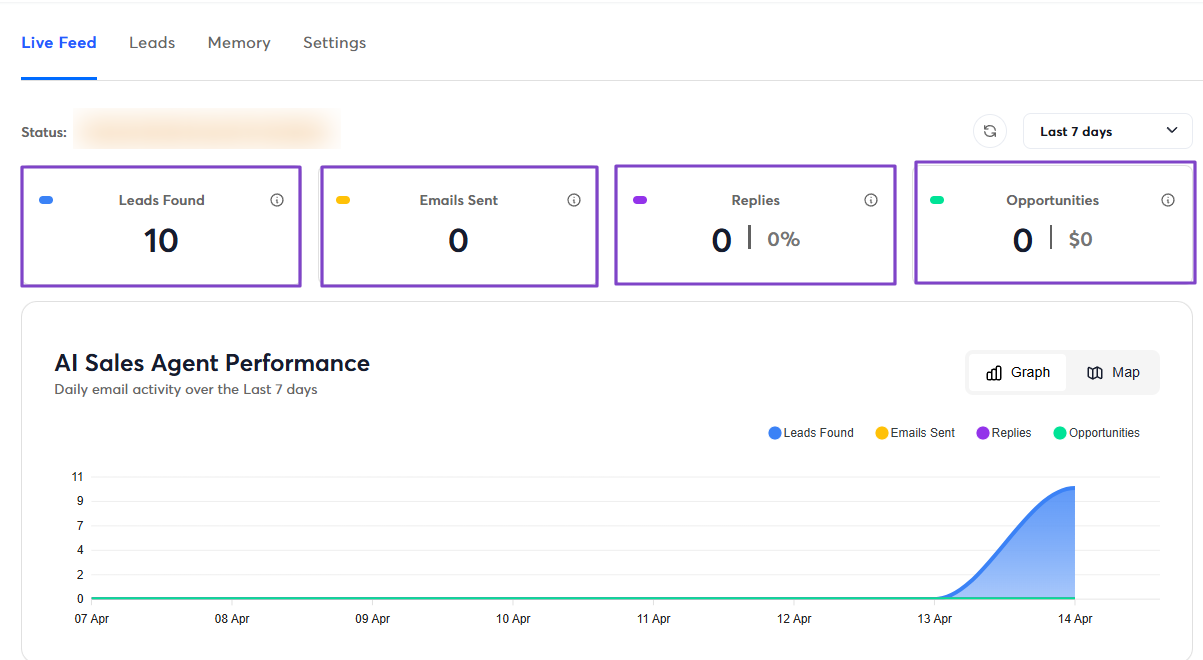
Your AI sales agent has a dashboard that shows the number of leads found, emails sent, replies, and opportunities.
You can use AI to craft the email. Or you can simply use any available template and edit it to your liking.

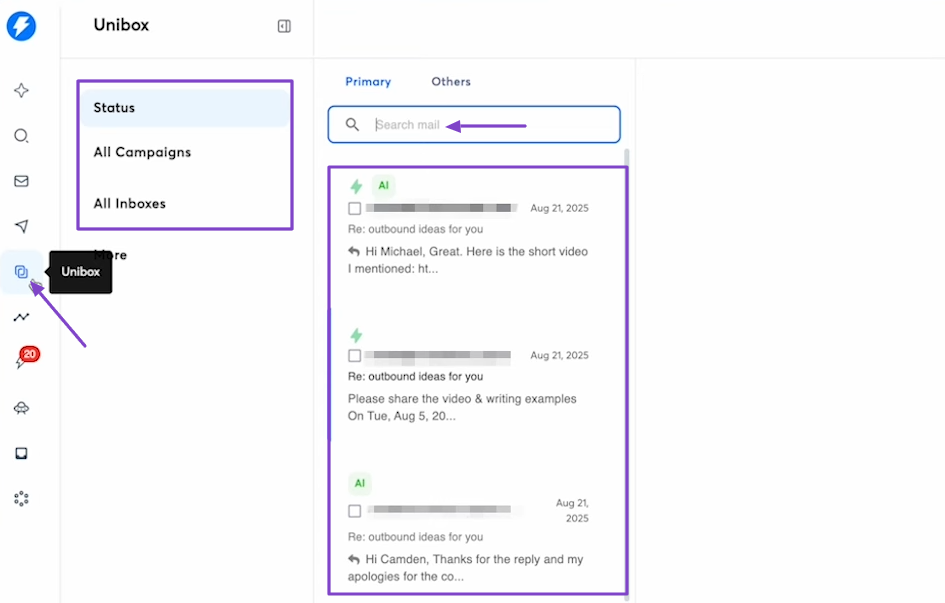
What’s more, you go to Unibox when you want to see all the campaigns and replies.
What I Loved About Instantly AI
1. AI Agents
Instantly AI lets you build two types of agents: an AI sales agent and an AI reply agent. Each one has a different purpose that you can specify.
Now, let’s create one agent. Click “AI agents” in the sidebar menu.

Go to “AI Sales Agent.”
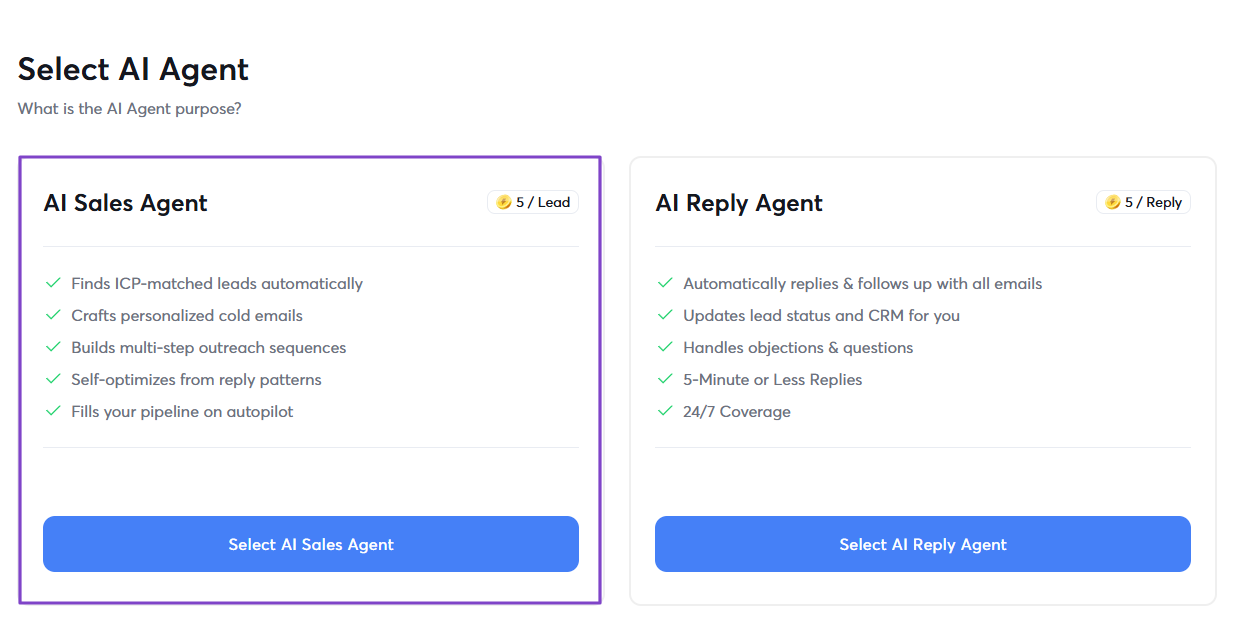
Here, you can either enter your website URL so the AI can analyze it or add manual instructions.
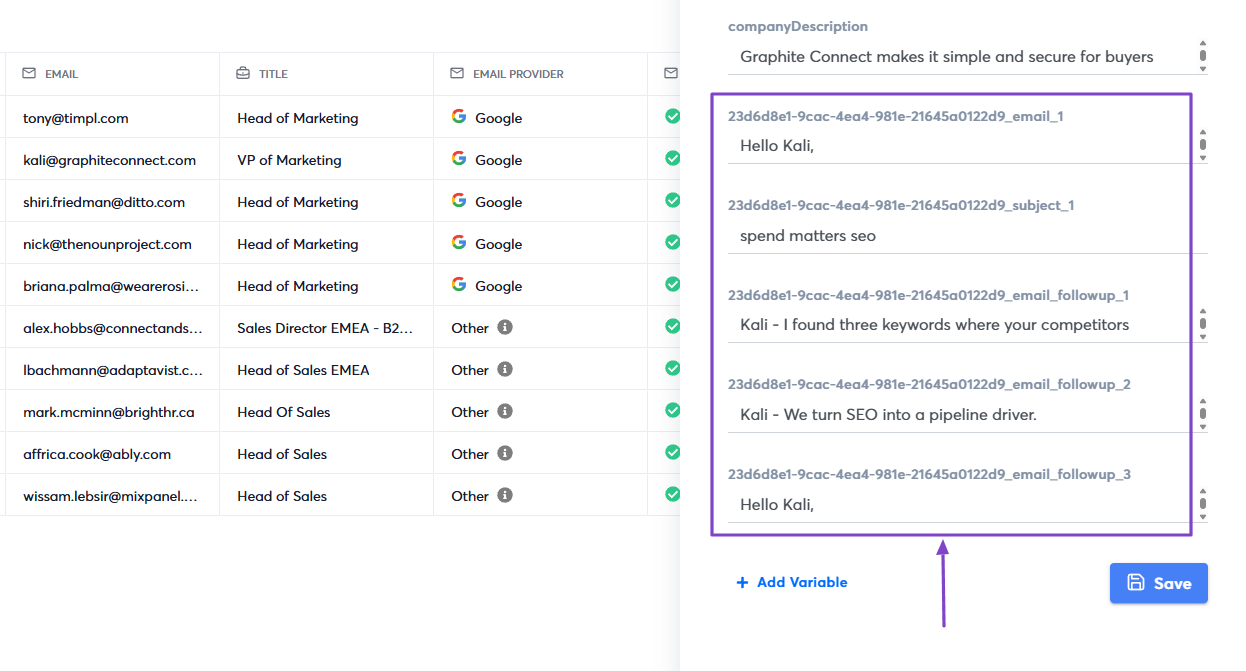
The AI sales agent will automatically find leads. You will see their first and last name, email, title, and company.
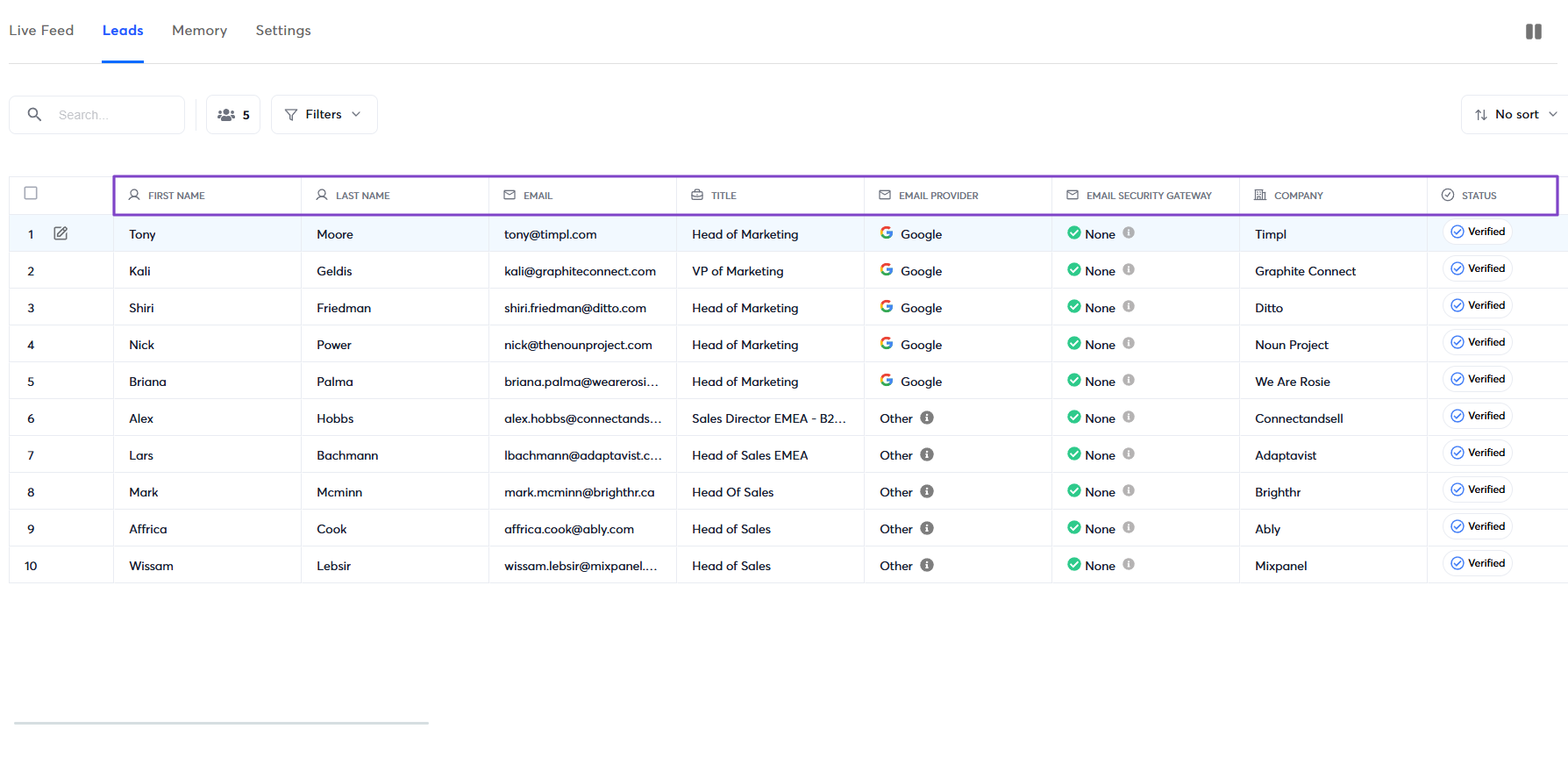
If you click on any lead, the AI sales agent will generate personalized emails on the spot.
2. Campaigns
With Instantly’s Campaigns feature, you can send automated cold email outreach by creating multi-step sequences and personalizing them with AI.
Let’s see a quick example.
Click Campaigns in the sidebar menu and go to “+ Add New” on the right side of the interface.

First, name the campaign.

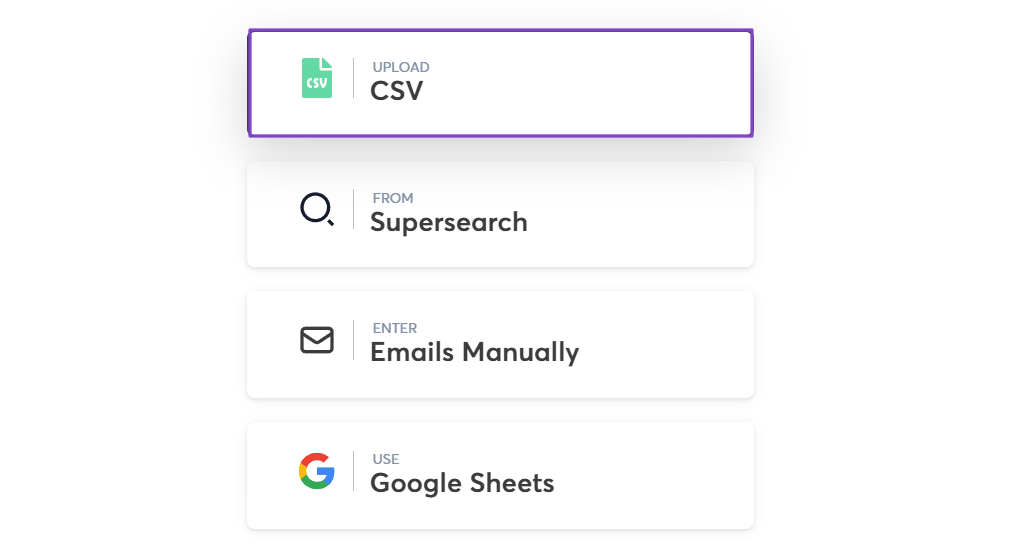
Then, choose your lead list. It can be from CSV, Supersearch, Google Sheets, or manually.
Next, you craft the email and subject, or let AI do it for you. You can choose a template, add files or links to the email.
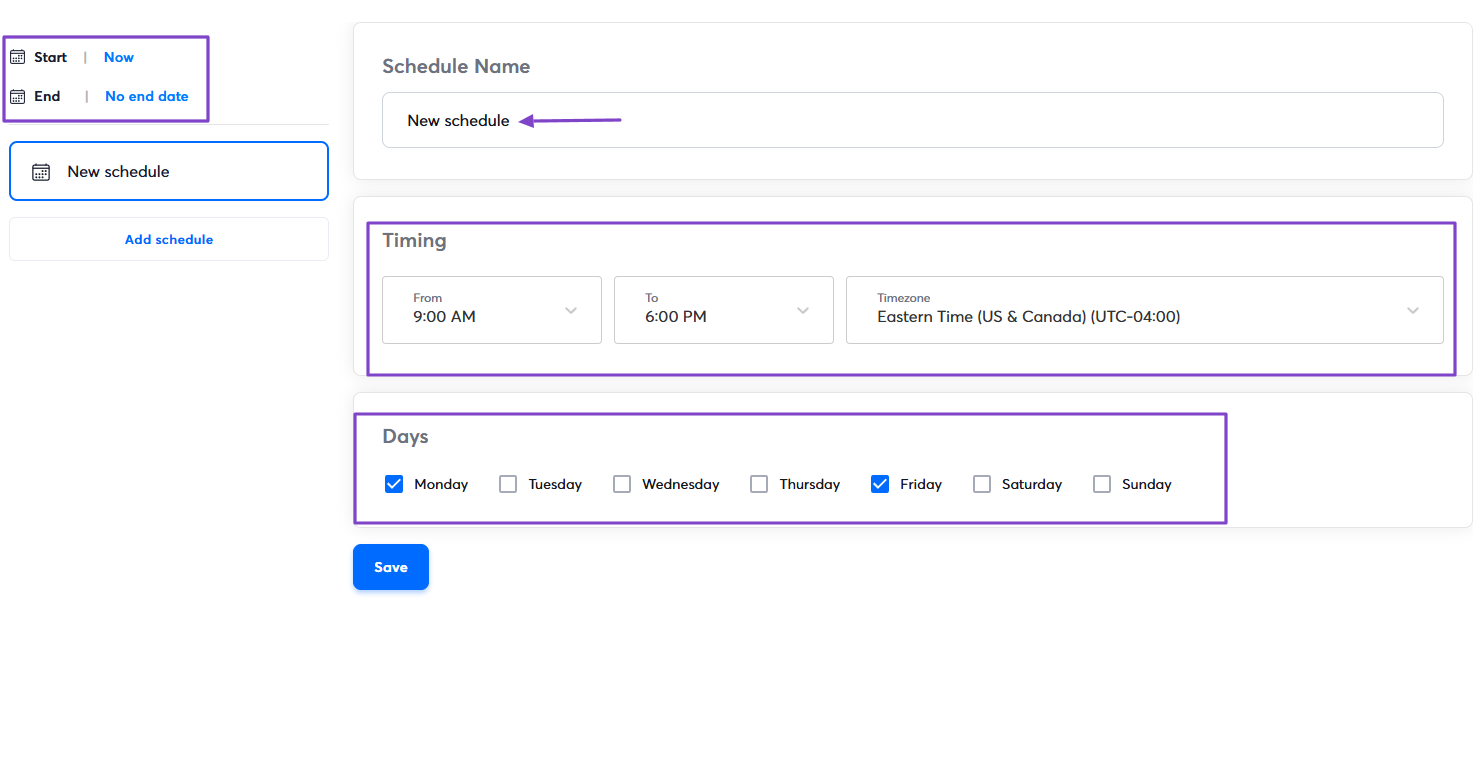
You can choose when the campaign starts and ends. You can select the exact timing and days.
3. Unibox
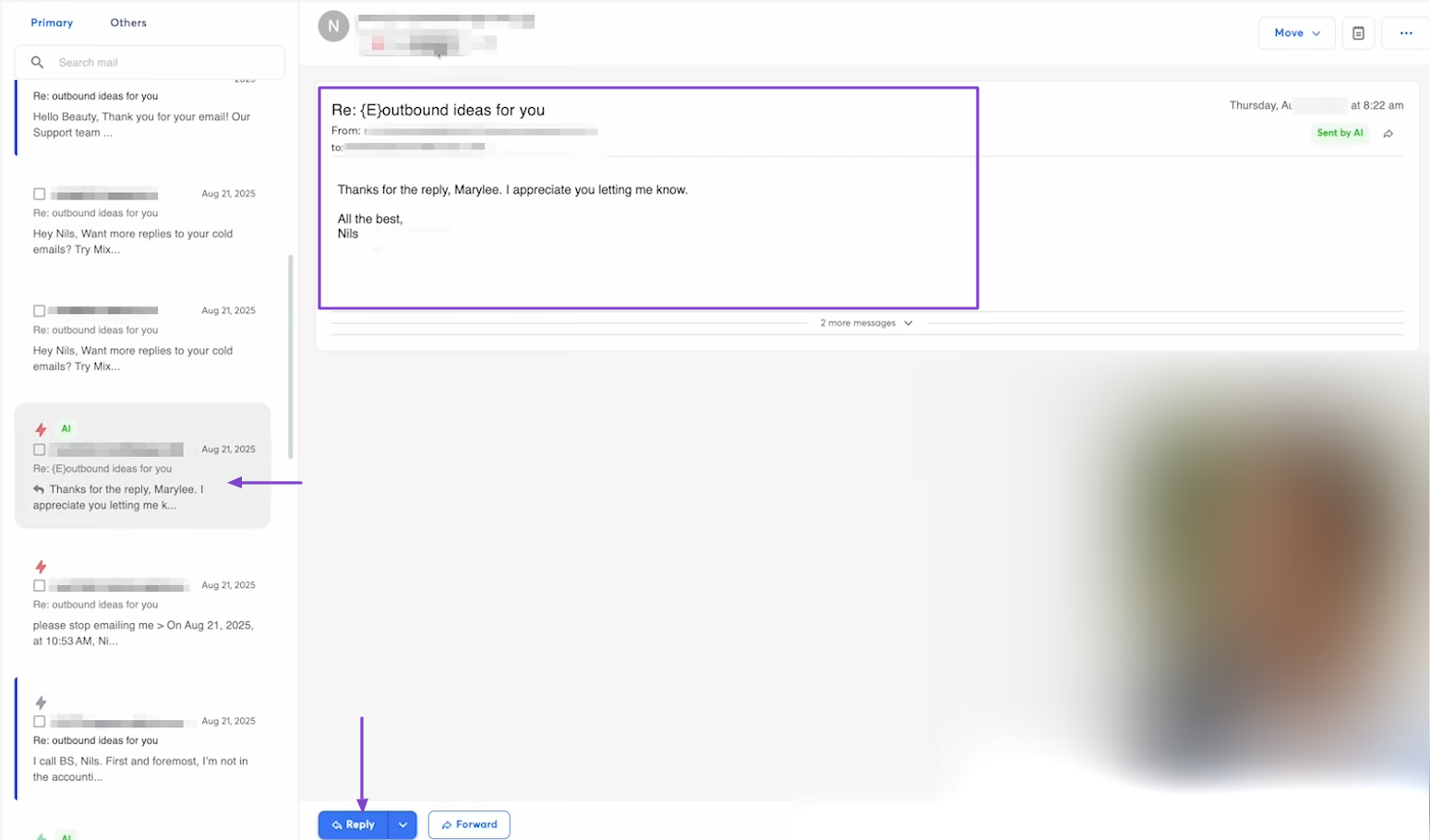
The Unibox on Instantly is where all the emails you create and the replies appear. It shows the different statuses, all the campaigns, and boxes.
If you are looking for a particular email, you simply use the search box.
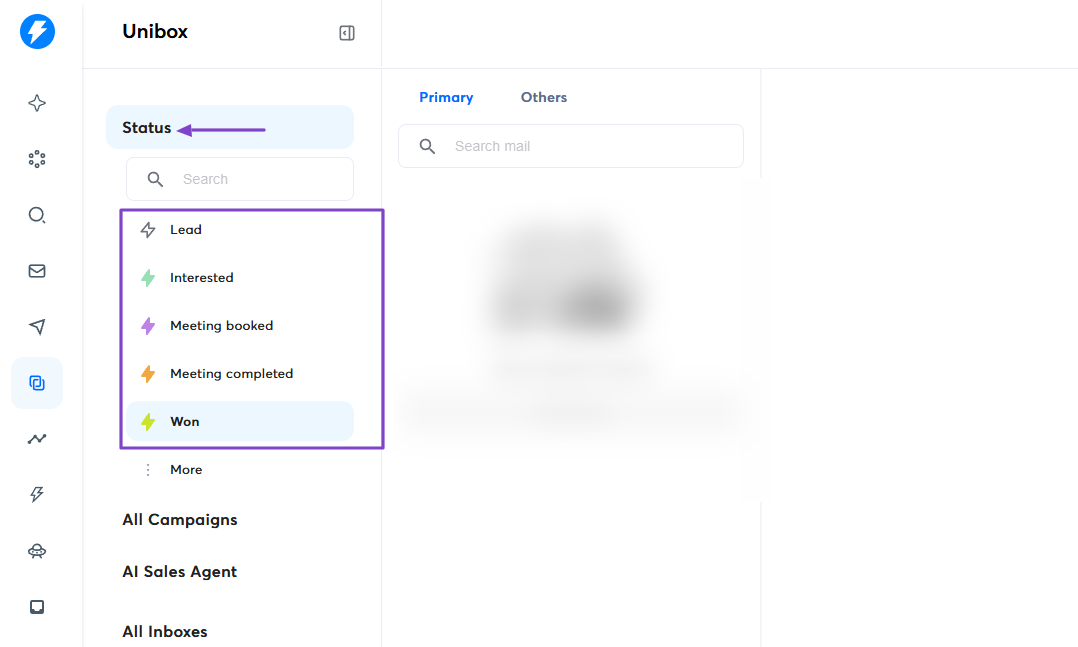
You can arrange the emails by status: lead, interested, meeting booked, meeting completed, and won.
You can click an email to have a bigger view and reply right from there.
What I Loved vs What I Struggled With
| What I Loved 👍 |
| ✅ Allows you to create AI agents for sales and replies, so you don't have to do the work manually. |
| ✅ Connects Unibox feature to phone through QR code, so you can track your cold outreach on the go. |
| ✅ The AI can score and arrange messages in the Unibox by status after analyzing sentiment. |
| What I Struggled With 👎 |
| ❌ Lacks multi-channel capabilities like LinkedIn automation since it's strictly focused on cold email. |
Best For
- B2B marketers and agencies with a strong focus on cold email.
Pricing
- Growth: $47/monthly
- Hypergrowth: $97/month
- Light Speed: $358/month
- Enterprise: Contact for pricing

4. Dripify - Best for LinkedIn Sales Outreach Automation
| Personal Rating | ⭐️⭐️⭐️⭐️ 4.2/5 - After connecting a LinkedIn profile, you can start launching your first campaign. |
| Sales Automation | LinkedIn outreach, multi-step drip campaigns, lead enrichment, personalized LinkedIn messages. |
| Key Advantage | Specialized LinkedIn automation |
| Starting Plan | Basic - $39/user/month + 1 drip campaign |
Dripify is also among the best AI sales tools we will review.
It’s a LinkedIn automation tool designed for prospecting and lead generation. It also offers drip campaigns.
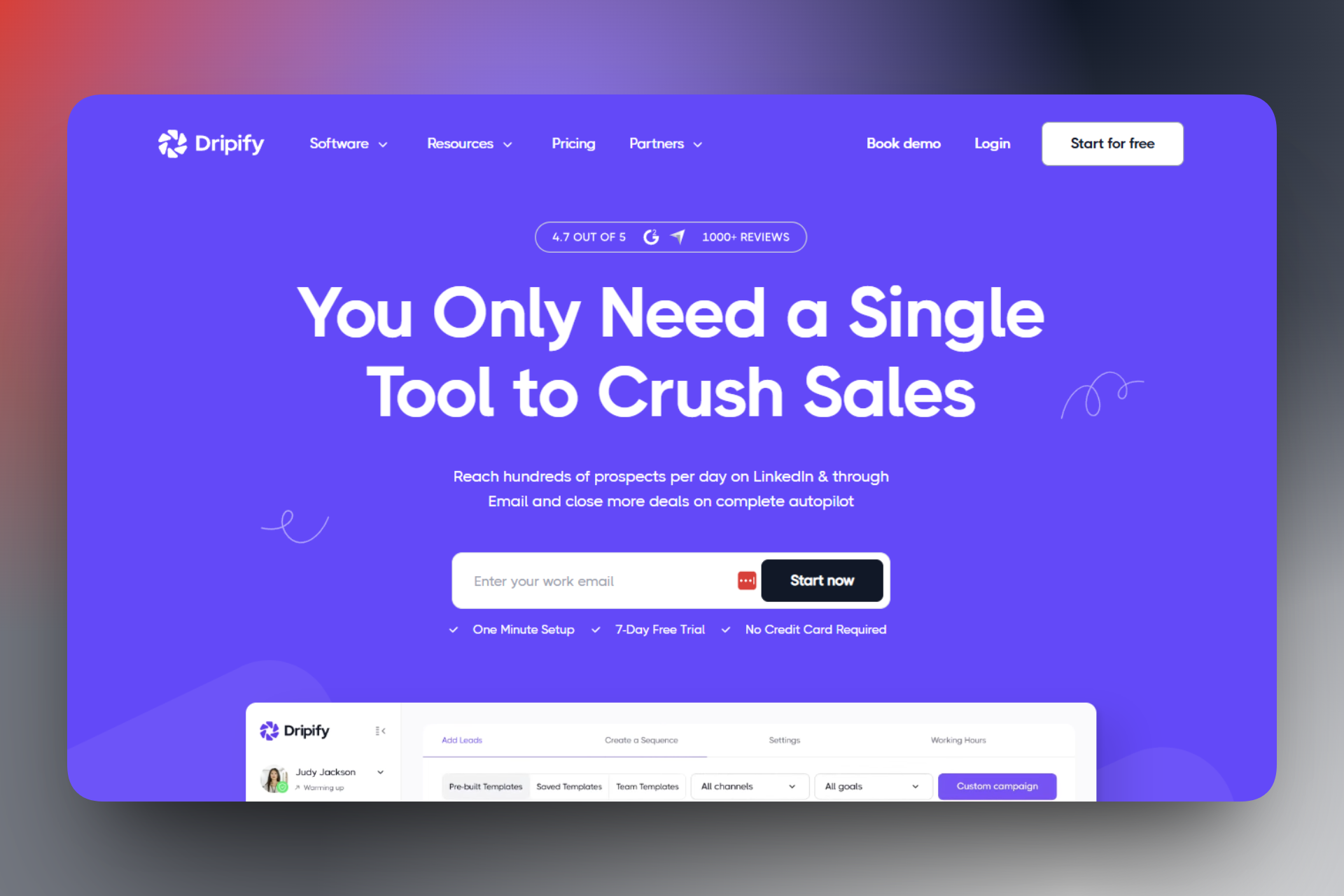
Dripify offers many sequence templates you can use to generate leads, build connections, or engage with your network.

It has an inbox keeping all your chats.

Its dashboard showcases your campaign performance and also your recent activity.

What I Loved About Dripify
1. Campaigns
The Campaigns feature on Dripify lets you create outreach sequences with customizable delays, actions, and conditions.
To create one, click “Campaigns,” then select “Create campaign.”

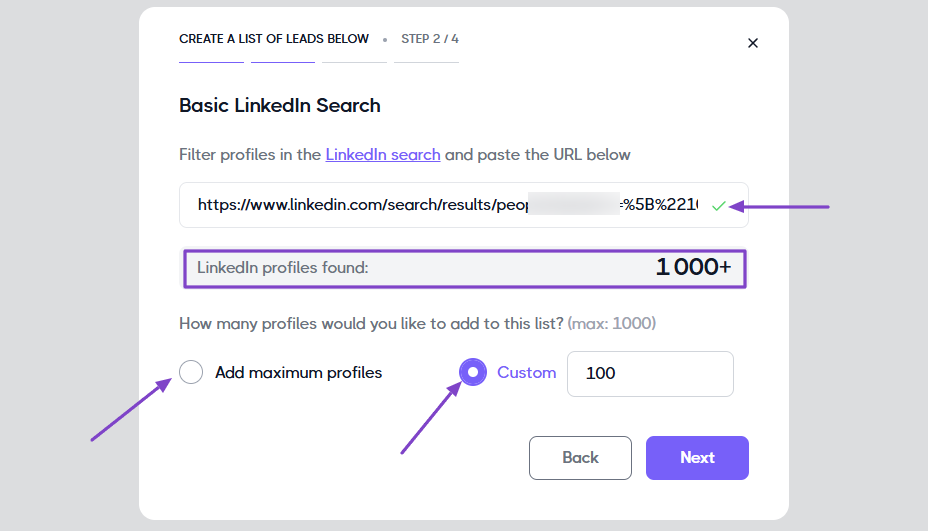
There are many ways to add leads: basic LinkedIn search, my network, upload a CSV file, or paste profile URLs, just to name a few.
Let’s go with the very first one.

Once on LinkedIn, you can filter your search by industry, location, language, job title, and keywords.

When you are done with the search, copy and paste the link on Dripify. After the platform finds all the LinkedIn profiles, you can decide the number you want to add to the list
Next, you can choose a sequence template from the available list. Let’s go with “Balanced outreach.”
That’s it. You just have to edit your campaign.

2. Inbox
Dripify has an Inbox feature that lets you see all messages, including unread, important, and archived ones.
Inside a chat, you can reply, add emojis, and links. You can also start the chat, delete it, or send a direct email.
On the far right, you can even add notes.

You will simply add your note for future reference.

3. Dashboard
The Dashboard on Dripify shows your campaign statistics, including invites sent, messages sent, emails sent, and profile views. It also shows your pending messages and unread messages.
The far right side of the dashboard also displays all your recent activities.
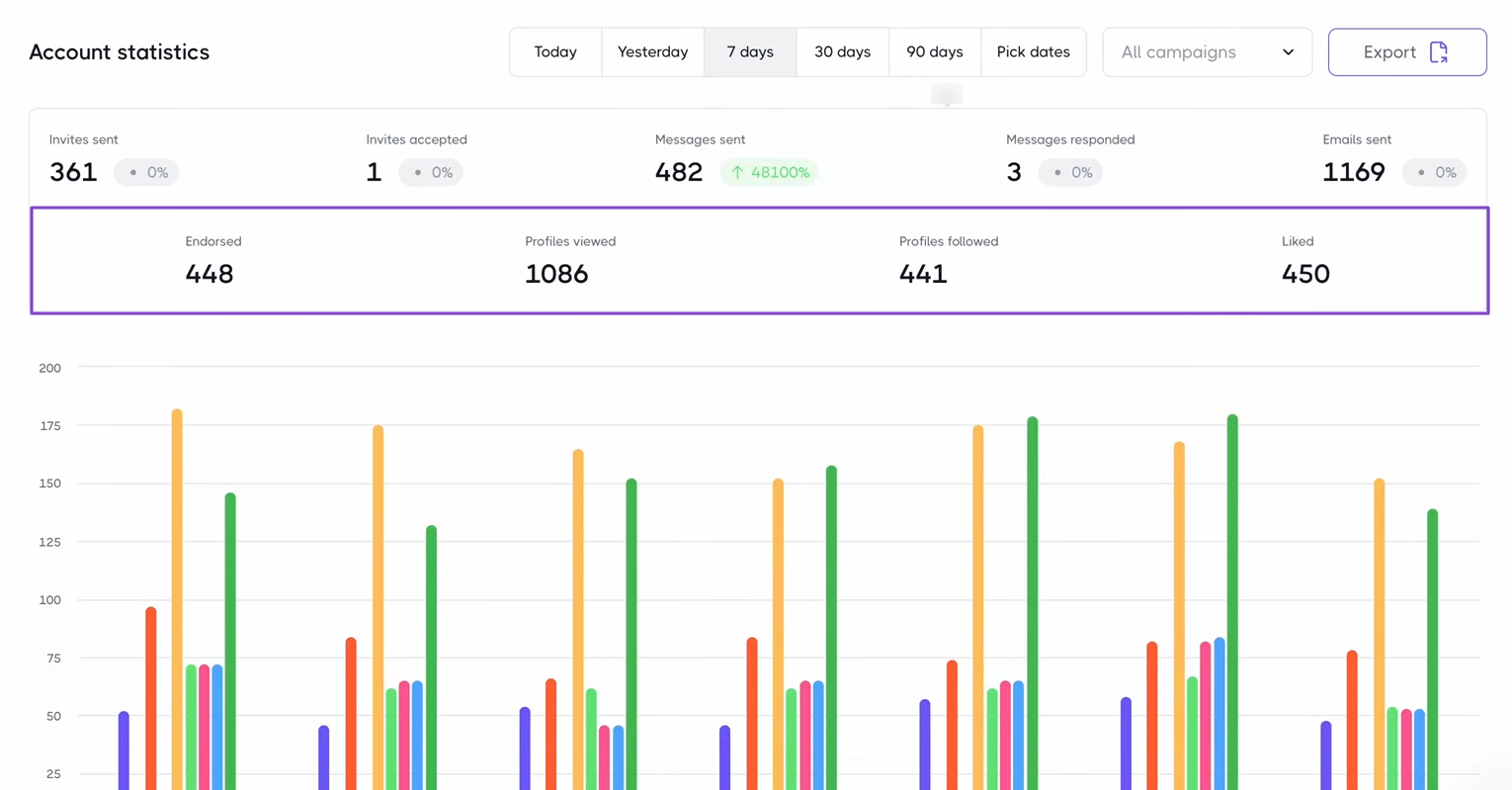
By clicking “See more,” you will see in-depth statistics, including the number of profiles viewed, followed, liked, and endorsed.
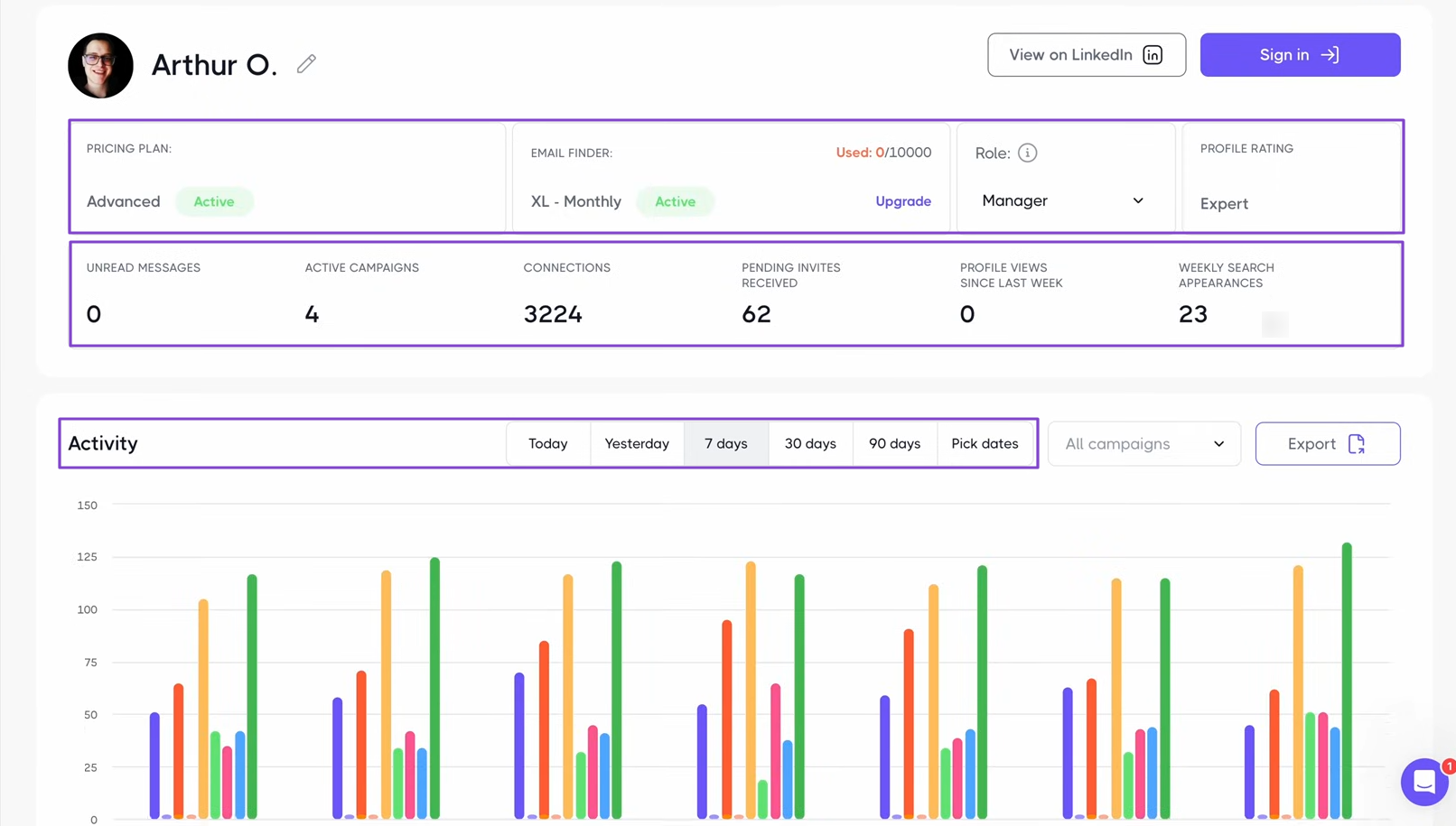
You can also see how each team member performs. You can even see individual performance by selecting a team member and clicking “View profile.”

You will see their role, profile rating, number of active campaigns, connections, pending invites, profile views, and weekly search appearances.
You can also track their activity over a specific period.
What I Loved vs What I Struggled With
| What I Loved 👍 |
| ✅ Offers many sequence templates like lite prospecting, balanced outreach, intensive targeting, attention builder, and others. |
| ✅ Lets you specify the number of profiles you'd like to add to the list. |
| ✅ Tracks team members' activity on LinkedIn and campaign performance. |
| What I Struggled With 👎 |
| ❌ The only focus of the platform is LinkedIn, which may be limiting. |
| ❌ Subscription is limited to only one LinkedIn account, which means you will pay double if you want to add a second account. |
Best For
- Agencies seeking a solution with a strong focus on LinkedIn sales outreach automation.
Pricing
- Basic: $39/user/month
- Pro: $59/user/month
- Advanced: $79/user/month
- Enterprise: Contact for pricing

5. Avoma - Best for Analyzing Sales Calls and Meetings
| Personal Rating | ⭐️⭐️⭐️⭐️ 4/5 - It identifies speakers and captures conversations with good accuracy. |
| Sales Automation | Automated call summaries, deal tracking, pipeline insights, CRM updates, follow-up emails. |
| Key Advantage | Deep conversation intelligence and coaching. |
| Starting Plan | Startup - $19/per recorder seat/month + unlimited real-time transcription. |
Avoma also makes it to my list of the best AI sales tools.
It’s an all-in-one AI meeting assistant and conversation intelligence platform used by organizations to record and analyze calls and meetings with a focus on coaching and forecasting.

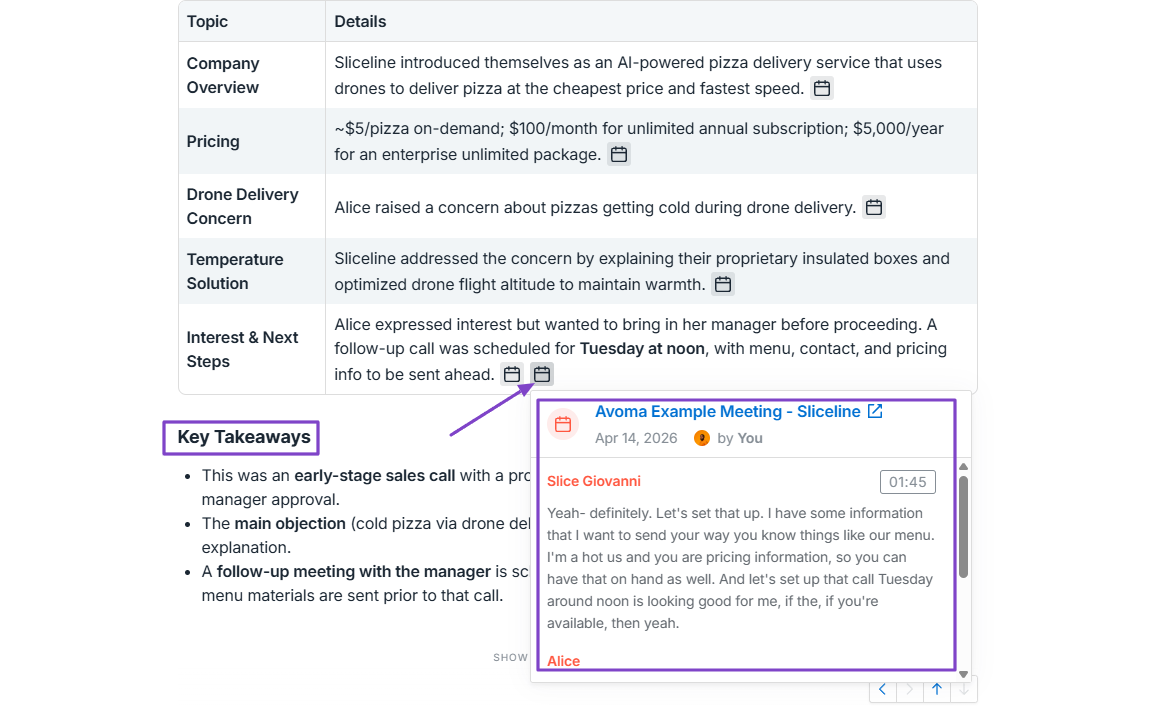
After the platform records a call or a meeting, it summarizes the notes, turning them into key takeaways and action items.

If you have a team, you can track their Interaction skills and view insights like talk time and the number of filler words.

Also, the platform has an AI that lets you ask questions and receive answers at the same time.

What I Loved About Avoma
1. Meetings
I will now review Avoma’s Meetings feature. It helps you record meeting notes, summarize them, and add action items.
Let’s see how this works.

You can upload a recording or record your meeting on the spot by clicking on the “Impromptu” button.

After recording, you will see the exact date and time the meeting was recorded, who recorded it, and the meeting duration.
The meeting notes will appear on the right side of the interface. It’ll show the key takeaways and action items.
You can also go to “Transcript” to see the full conversation. You can copy it or even translate it into different languages.
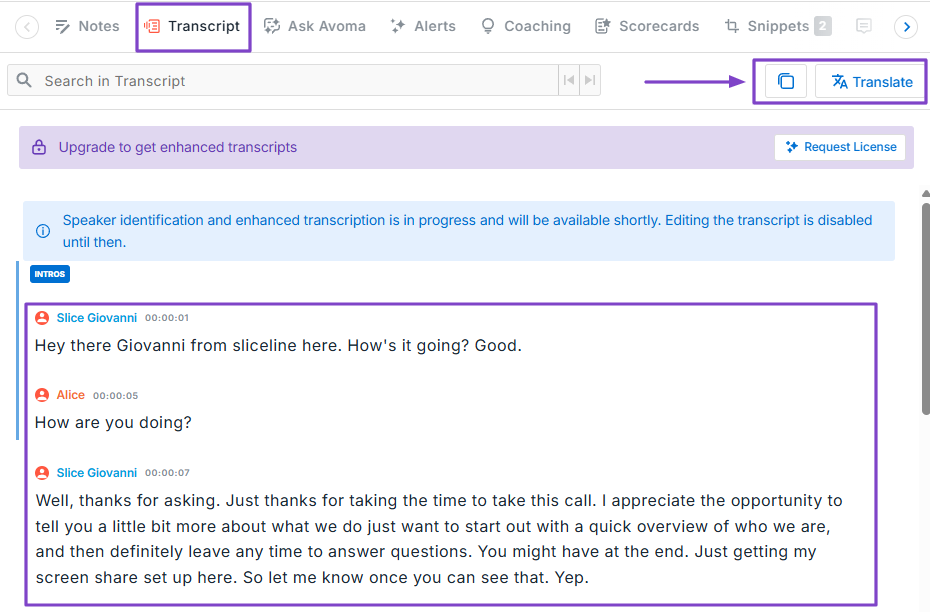
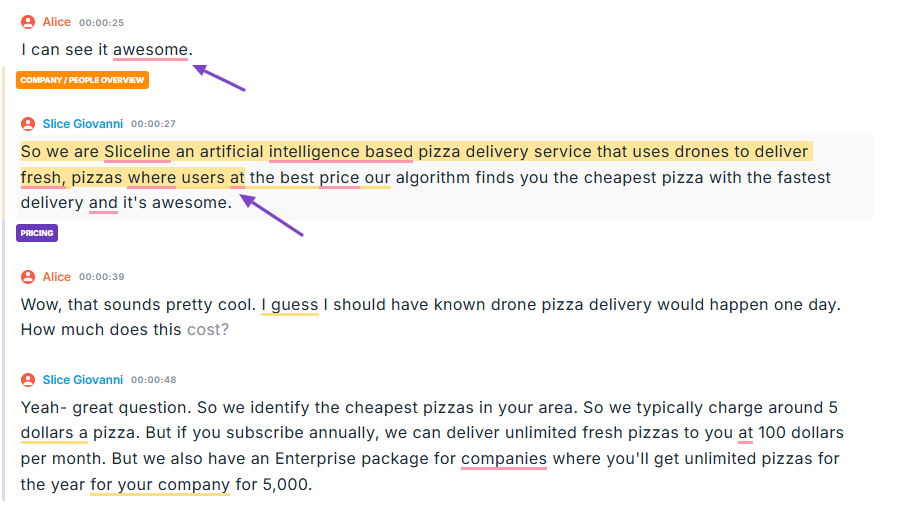
Still on the transcript, you can check it and manually correct the mistakes you spot.
2. Conversation Insights
The Conversation Insights feature, as its name suggests, provides insights into all conversations. It helps teams analyze talk patterns, competitor mentions, and customer sentiment.
We will focus on the interaction aspect.

It has a dashboard that shows the team’s talk time, filler words used, customer questions, the longest monologue, and the longest customer story.
You can also see each team member's average talk time.
Interestingly, if you click the “filler words” box, you will see the number of filler words the team uses on average and also the actual words.

3. Ask Avoma
Avoma’s AI assistant is called Ask Avoma. You can ask questions about your past conversations, deals, or companies.
Let’s review it!

There are suggested prompts you can use to ask questions. But if you have a specific question, you can simply enter it.
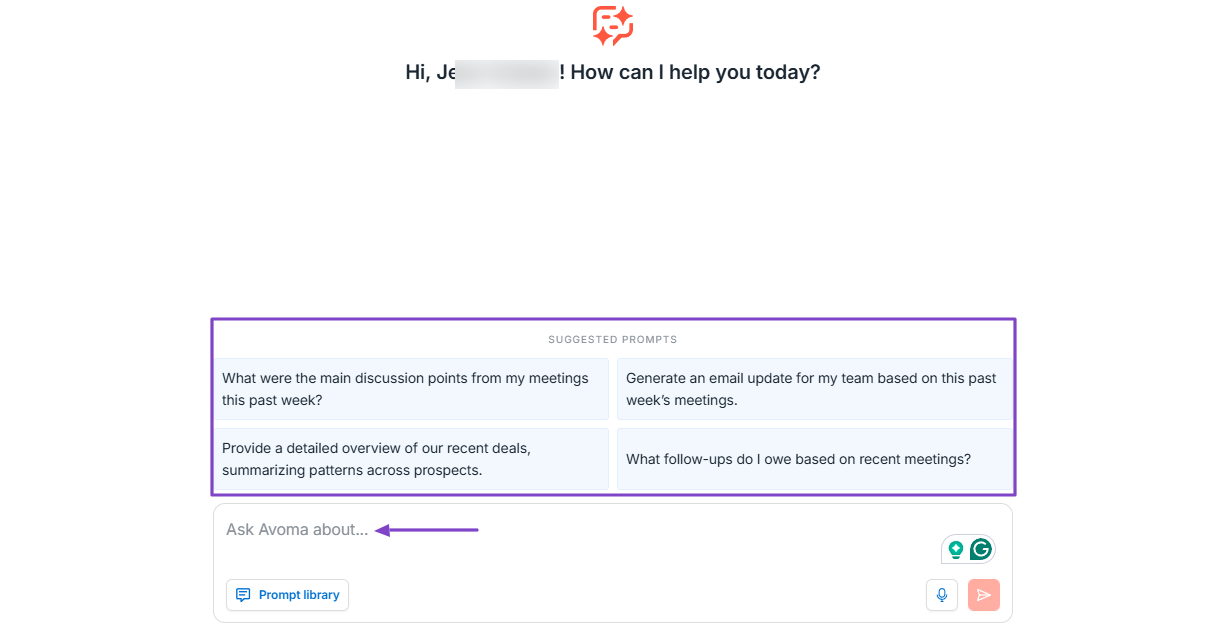
Say you ask a question like “What were the main discussion points from my meetings this past week?” Ask Avoma will provide the meeting summary and the detailed discussion points.
It’ll also add key takeaways. Aside from that, all the answers include the source you can verify.
What I Loved vs What I Struggled With
| What I Loved 👍 |
| ✅ Analyzes calls and meetings in depth, monitoring factors like talk time, filler words, customer questions, and more. |
| ✅ Identifies key areas for improvement, helping you to focus on things that matter. |
| ✅ Allows you to speak to the AI instead of typing, which saves time. |
| ✅ Can translate meeting notes in 75+ languages, and that's ideal when you work in a multinational corporation. |
| What I Struggled With 👎 |
| ❌ Almost all the features are impossible to use unless you request a license from the company. |
Best For
- RevOps and sales organizations seeking an advanced tool to analyze their sales calls and meetings.
Pricing
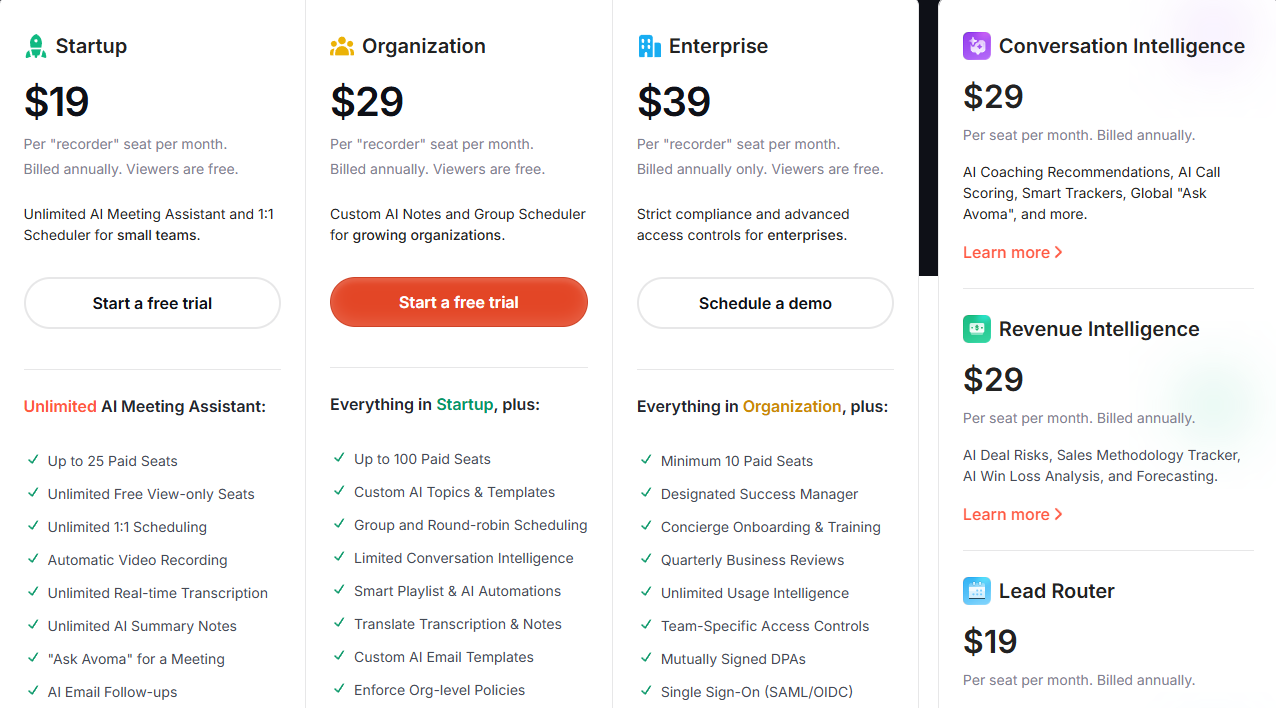
- Startup: $19/per recorder seat/month
- Organization: $29/per recorder seat/month
- Enterprise: $39/per recorder seat/month
Additional AI Sales Software
Apart from the 5 AI sales tools that I have already discussed, here are an extra 10:
6. Lindy - Best for building custom AI sales agents
7. HubSpot Sales Hub - Best for sales automation and CRM
8. Clari - Best for sales forecasting and pipeline visibility
9. Gong - Best for conversation intelligence and deal insights
10. Lavender - Best for improving sales email performance
11. Outreach - Best for automating multi-channel outreach campaigns
12. Salesloft - Best for managing sales communications workflows
13. Freshsales - Best for AI-driven lead scoring and pipeline management
14. People.ai - Best for sales activity tracking and performance insights
15. Jeeva AI - Best for prospecting, outreach, and follow-ups
What is AI Sales Software?
AI sales software is any tool that uses artificial intelligence to automate sales processes. Think of it as a smart assistant.
It helps sales teams, for example, find the best leads, suggest what to say to customers, or even predict which deals are most likely to close.
I reviewed a few of them earlier.
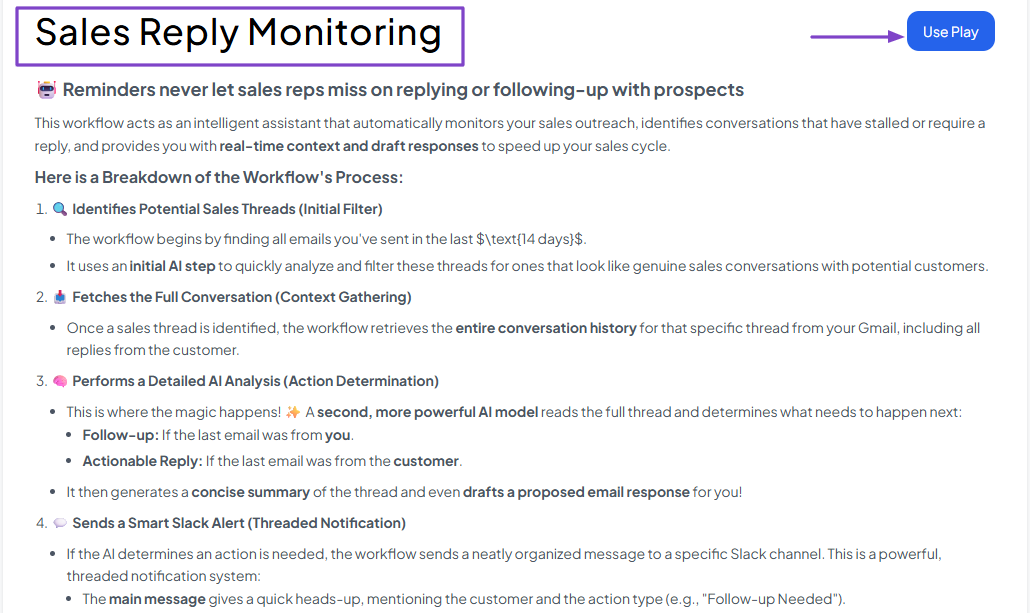
With nRev AI, you can launch a workflow that automatically monitors your sales outreach, identifies stalled or reply-required conversations, and provides real-time context and draft responses to speed up your sales cycle.
Avoma records your meetings and calls, then provides key takeaways and action items.

Using Apollo.io, you can send email sequences to your contacts.
All the actions I mentioned above are sales-related, depending on the business needs.
The advantage is that sales teams no longer need to do the work manually. They get to focus more on building relationships and less on repetitive work.
How to Choose the Right AI Sales Software
To choose the right AI sales software, you should:
- 1. Evaluate Automation Features
- 2. Assess Data Accuracy
- 3. Consider Integrations With Your Existing Sales Stack
- 4. Check Pricing and Scalability
I’m going to dive into each of the factors I listed above.
1. Evaluate Automation Features
Choosing the right AI sales software is only possible if you start by evaluating automation features.
Before going any further, here’s a list of important automation features to look for.
| Automation Feature | What it does | Why it matters |
|---|---|---|
| Lead capture automation | Collects leads from forms, ads, or websites automatically | Ensures no lead is missed |
| Lead scoring | Ranks leads based on fit and behavior | Helps reps focus on high-converting prospects |
| Lead routing | Assigns leads to the right sales rep | Speeds up response time |
| Data enrichment | Adds missing details (role, company, industry) | Improves targeting and personalization |
| Email sequencing | Sends automated, personalized email follow-ups | Saves hours of manual outreach |
| Meeting scheduling | Automatically books meetings based on availability | Reduces back-and-forth emails |
| CRM updates | Logs activities and updates records automatically | Keeps data clean without manual input |
| Task automation | Creates reminders for follow-ups and actions | Prevents deals from slipping through the cracks |
| Pipeline tracking | Monitors deal stages and progress | Gives real-time visibility into sales performance |
| Conversation intelligence | Analyzes calls/emails and suggests next steps | Improves sales conversations and outcomes |
In fact, this is the main reason why businesses, startups, sales, marketing, and success teams invest in AI sales tools.
The idea is to reduce manual work so they can focus on other important tasks, like selling or building customer relationships.
Take PriceLabs, for example. They needed to scale their outbound outreach without sacrificing personalization, quality, or brand voice.
They automated their entire system after implementing our software, nRev AI. As a result of that, the tool now:
- Enriches 500 new prospects weekly
- Sends hyper-personalized sequences daily
- Learns from feedback
- Maintains quality control
- Scales without increasing headcount

Not only are they saving tremendous time using nRev’s automation capabilities, but they are also scaling without any struggle.
Now, I recommend choosing a platform that goes beyond basic task automation, like email sending. It should handle end-to-end workflows, including lead generation, lead scoring, CRM updates, enrichment, outreach, and follow-ups.
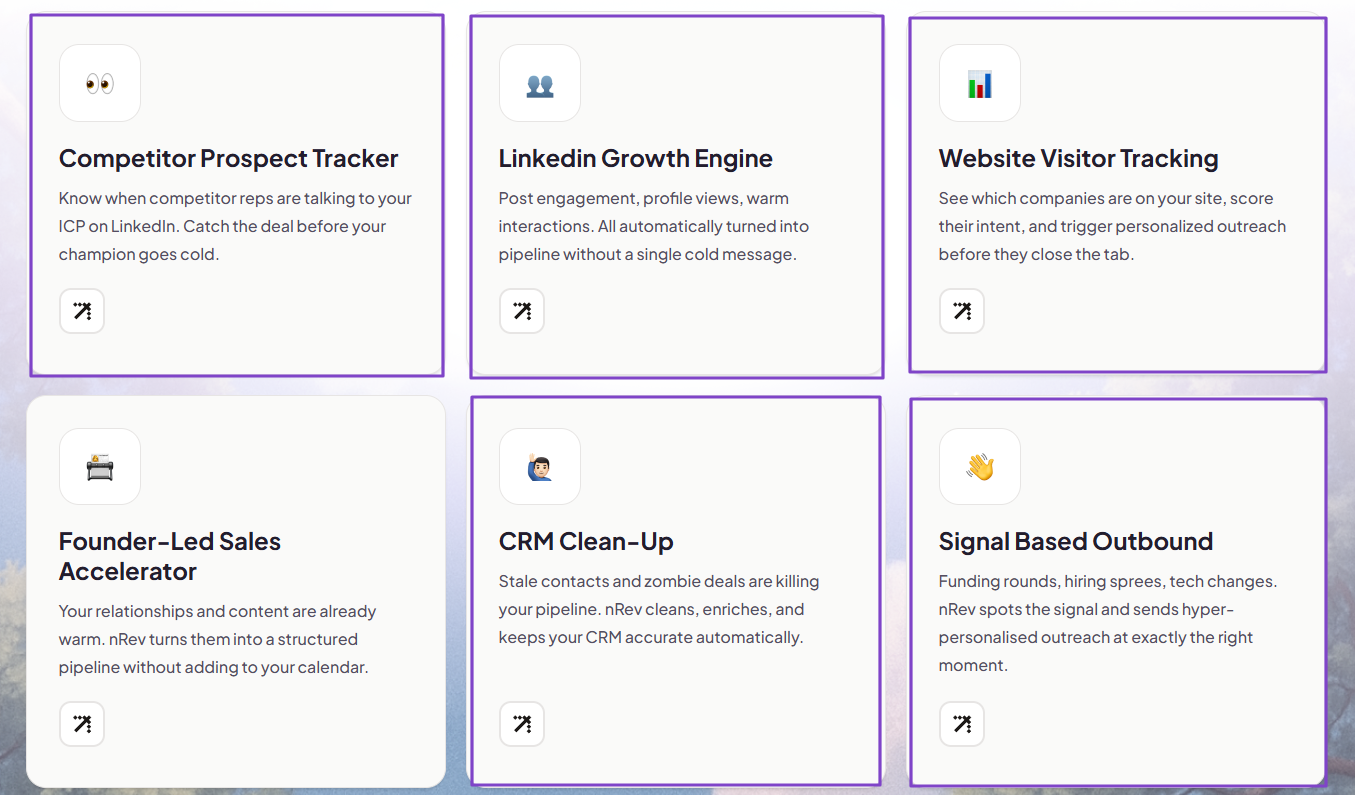
I’m not saying you should choose a tool with 100+ automation features. But you should know that some tools automate only basic tasks while others go much deeper.
For instance, tracking website visitors is very common in many AI tools. The question is, how deep can it go?
Some AI sales platforms will track those visitors and unveil their names and companies, and that’s simply it.
Other advanced AI sales tools like nRev AI go much deeper and provide:
- Visitor identification and ICP scoring
- Page intent scoring and sequence routing
- Return visitor alert and re-engagement
- LinkedIn + Website multi-signal trigger
- Instant Slack alerts with full context
- Visitor-to-pipeline attribution

This is what we call advanced automation.
To evaluate a tool’s automation capabilities, you should ask yourself this question:
Does this tool eliminate enough manual work, or just assist with it?
The more it automates, the greater the impact on productivity and revenue. But that’s only the first factor.
2. Assess Data Accuracy
After evaluating automation features, the next factor to consider when choosing the right AI sales software is assessing data accuracy.
You can have the most advanced automation features, but if the tool provides inaccurate data, it will cause you more harm than good.
According to Gartner, poor data quality costs organizations at least $12.9 million a year.
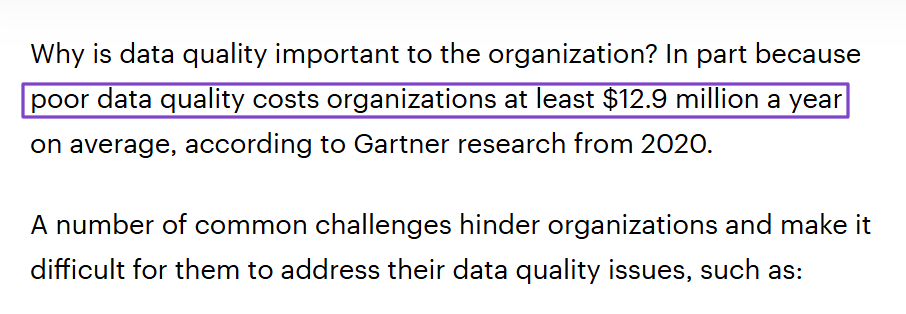
That research shows that choosing an AI sales software can directly affect your revenue.
Now, let me shed more light on why data accuracy matters.
You see, AI sales software mostly relies on data to:
- Score leads
- Personalize messages
- Predict deal outcomes
- Recommend next actions
For that reason, if your data is incomplete or outdated, the AI will make wrong assumptions.
Imagine you are targeting a marketing manager at a certain SaaS company. Without great AI sales software, you may send a generic email to someone who changed roles or jobs weeks ago.
That would be bad!
The good news is you simply can’t find yourself in such situations when using the right AI sales tool. You’ll, for example, build a workflow that detects job changes, discovers updated company, title, and email information.
This way, you are sure to never go wrong when sending personalized emails.
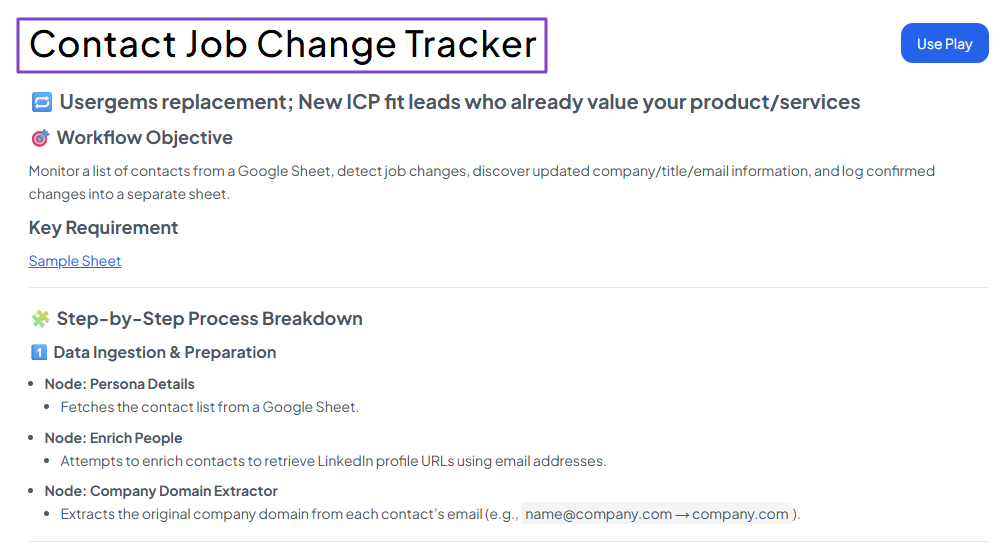
The AI sales software you choose must provide data enrichment and real-time updates.
It should also help you monitor CRM health, automate a full audit across CRM data, and detect duplicates.

Pro tip: Before committing to any tool, test it with real leads from your market. Check whether the job titles are accurate, whether the company data is up to date, and whether the recommendations are actually relevant.
There are still two other aspects to discuss.
3. Consider Integrations With Your Existing Sales Stack
Even the best AI sales tool will fail if it doesn’t fit into your existing workflow. You should consider integration capabilities before choosing your tool.
Sales teams typically use multiple tools.
For CRMs, look for integrations with popular ones, including HubSpot, Salesforce, Pipedrive, Attio, and Zoho CRM.

For communication and video conferencing, Slack, Gmail, Microsoft Teams, Google Meet, and even WhatsApp Business are a must.
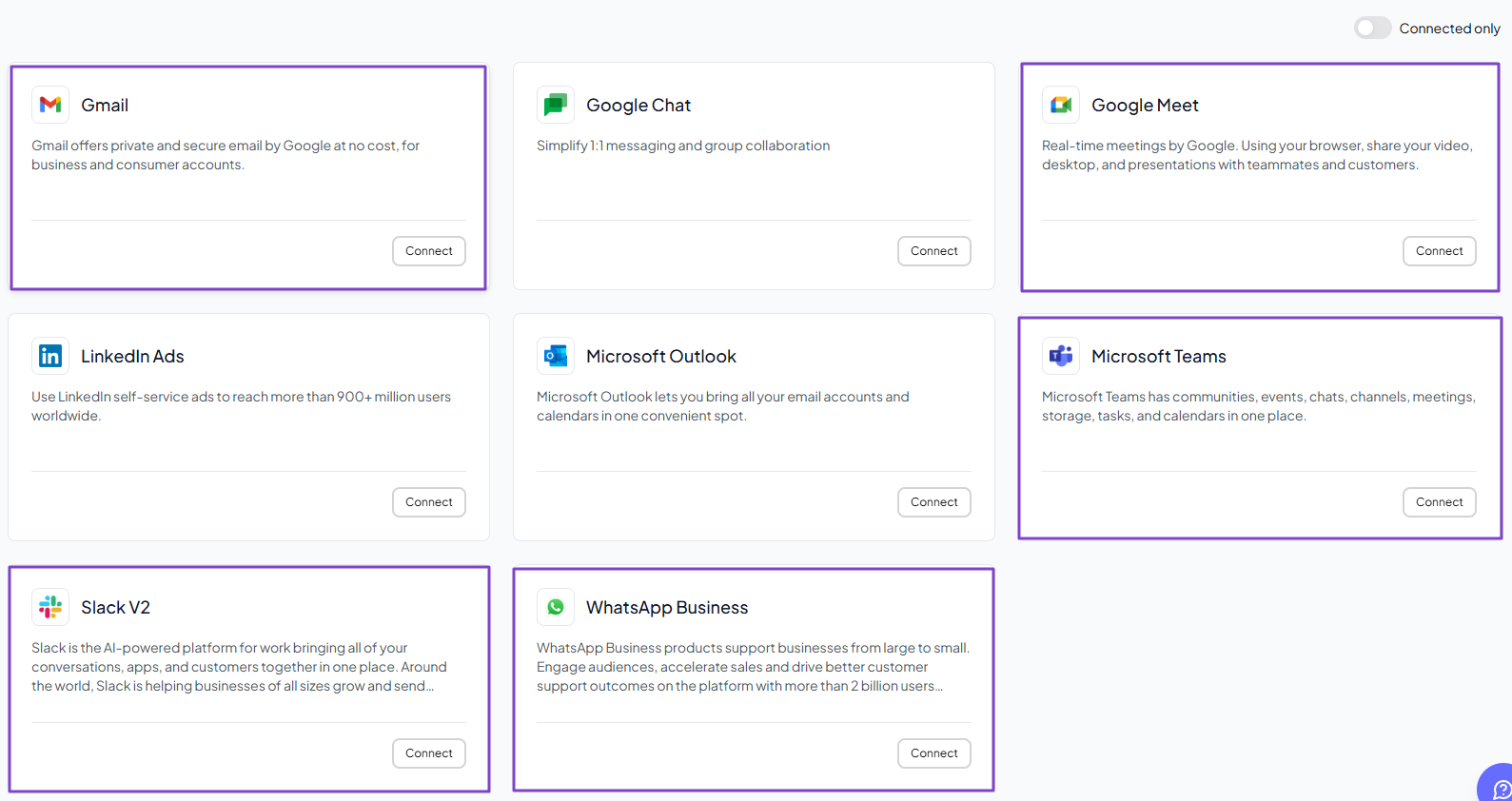
Other nice-to-have integrations include Calendly for scheduling and routing meetings, and Fireflies for taking meeting notes.

Of course, there are many other tools sales teams need, but the ones I mentioned are essential. Make sure the platform you choose has them.
4. Check Pricing and Scalability
The last aspect to consider before choosing an AI sales tool is checking pricing and scalability.
At first glance, some tools may look cheaper than others, but they can cost more as you scale.
This is the case of Dripify. It costs:
- $39/month on its basic plan
- $59/month on its Pro plan
- And $79 on its advanced plan
But you should know that the platform uses a per-seat pricing model, meaning the more users you add, the more you pay.
So, a team of 5 on a Pro plan will pay $295/month ($59 × 5). What about a team of 10? 15?

Aside from that, Dripify may be good at LinkedIn automation. If we consider this use case, then we can say that the tool is indeed cost-effective.
However, its cost will increase if you expand beyond LinkedIn.
Also, you may need multiple tools to cover your entire sales process: CRMs for pipeline tracking, lead data tools, reporting tools, automation tools, and more.
All these tools come at a fee. By the time you realize it, you’ll be spending way more than the most expensive AI sales software in the market.
This might be a problem, especially if your goal is to scale. You don’t choose a tool to limit your growth.
That’s where nRev AI comes in.
Instead of paying separately for:
- Lead generation and scoring
- Lead enrichment
- Workflow automation
- Reporting
- Pipeline monitoring
- CRM updates
You are building everything in one place. nRev AI replaces all these tools with a single unified workflow system.

That’s why I said earlier that you should think “long-term” before you choose a tool. It may be cheap today, but what happens when you scale?
It’s better to choose a platform that you can grow with instead of one you are likely to abandon in the next 6-12 months.
A “cheap” tool may end up very expensive in the long term. A more expensive solution can also dry your pockets.
It’s all about value and balance.
Choose the Best AI Sales Tools
Choosing the best AI sales tool is not about chasing the most advanced software or the cheapest solution.
You do not have to start with a paid seat. A set of free AI GTM tools will tell you quickly whether the workflow is worth automating.
You should find one that fits your workflow, provides accurate data, offers the right integrations, and scales with your growth.
I have already helped you in this article with a great list of AI sales tools, starting from nRev AI, Apollo.io, Instantly AI, Dripify, and Avoma.
After reading this guide, you are ready to choose the platform that best suits your business.
FAQs
What are the best AI sales tools?

- nRev AI - Best for automating end-to-end revenue workflows
- Apollo.io - Best for prospecting and outreach
- Instantly AI - Best for cold emails with AI agents
- Dripify - Best for LinkedIn sales outreach automation
- Avoma - Best for analyzing sales calls and meetings
Are AI sales tools suitable for small businesses?
Do AI sales tools replace salespeople?
Are AI sales tools useful for outbound sales?
How much do AI sales tools cost?
How accurate are AI sales tools?
Can AI sales tools help improve conversion rates?
What are the best AI sales tools for startups?
Is nRev a good AI sales software?
Are AI sales tools worth the investment?