

Did you know that the global revenue operations software market is projected to reach $15.9 billion by 2033?
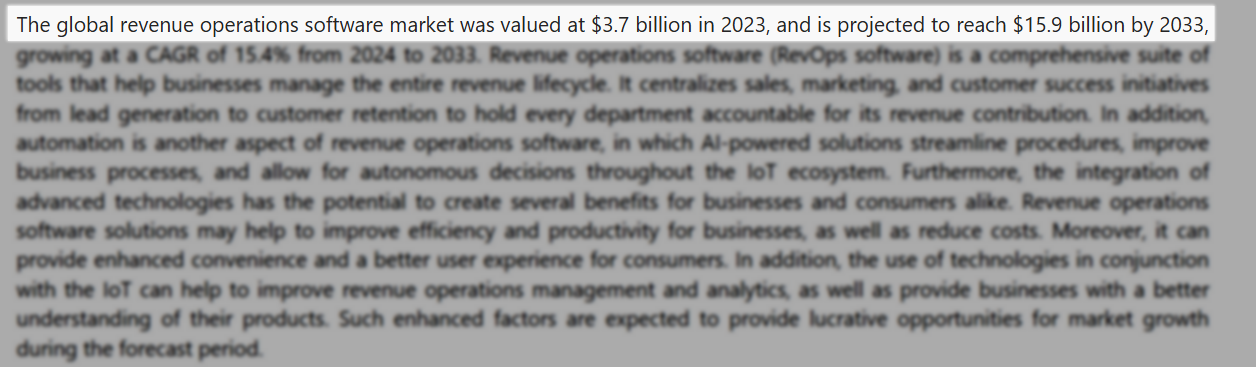
That’s right! And the fact that its value is growing this fast shows that these tools have become a necessity in business.
SaaS companies, sales and marketing teams, and startups all use revenue operations software to manage their entire revenue lifecycle.
But you’d agree that there are many tools out there that claim to deliver such an experience. So, how do you identify the right fit for your business?
After testing 20 tools over the past three weeks, I have handpicked my top 6 revenue operations software. I’ll review each one thoroughly and help you choose the most suitable option.
If you’re ready to scale your GTM strategy, I suggest you keep reading!
TL;DR
- The best revenue operations software are:
- nRev AI - Best for AI-powered revenue intelligence
- HubSpot Data Hub - Best for data sync and workflow management
- Folk - Best for sales pipeline management
- Dock - Best for customer onboarding and collaboration
- Zendesk - Best for retention and customer success tracking
- Firmable - Best for B2B data and prospecting
- Revenue operations software is a tool that aligns sales, marketing, and customer success teams to manage the entire revenue lifecycle.
- To choose the right revenue operations tool, you should define your revenue goals and bottlenecks, assess core features, evaluate ease of use and onboarding time, and prioritize integration with sales, marketing, and support tools.
Best Revenue Operations Software Compared
| Software | Core RevOps Function | Integrations | Automation level | Ideal Business Size | Starting Plan | Best for |
|---|---|---|---|---|---|---|
| nRev AI | Automation, Insights, Prospecting, GTM Optimization | CRM (HubSpot, Salesforce), GTM tools, and communication tools. | Fully automated; AI analyzes pipeline, suggests actions, and optimizes workflows | SMB to Enterprise | Nudge: $149/month + 15,000 credits. | AI-powered revenue intelligence |
| HubSpot Data Hub | Data sync, automation, and data quality management | 1000+ integrations via the HubSpot ecosystem + APIs (Salesforce, Slack, Stripe). | Semi-autonomous; workflow automation, data sync, programmable automation | Startup to Enterprise | Free: $0/month + data syncing | Data Sync and workflow management |
| Folk | Automation, Data management | CRM integrations only through Zapier, communication tools, and automation tools. | Assistive; manual pipeline management with light automation | Startup to SMB | Standard: $24/member/month + Pipeline management. | Sales and pipeline management |
| Dock | Customer onboarding, deal rooms, collaboration | HubSpot, Salesforce, Slack, Notion, Google Drive. | Semi-autonomous; automates onboarding workflows and deal collaboration | SMB to Mid-market | Free: $0/month + 50 workspaces | Customer onboarding and collaboration |
| Zendesk | Customer support, service operations | 1000+ integrations via marketplace + APIs. | Semi-autonomous; ticket routing, workflows, and AI-assisted support | SMB to Enterprise | Support Team: $19/agent/month + Email and ticketing support. | Retention and customer success tracking |
| Firmable | Prospecting, data sync | CRM integrations(HubSpot, Pipedrive, Salesforce), LinkedIn data, sales tools. | Assistive – provides enriched data but requires manual execution | SMB | Individual: $55/user/month + AI prospect search. | B2B data and prospecting |
6 Best Revenue Operations Software
1. nRev AI - Best for AI-powered Revenue Intelligence
| Personal rating | Ease of use | AI capabilities | Key Features | Starting Plan |
|---|---|---|---|---|
| ⭐⭐⭐⭐⭐ 4.8/5 | ⭐⭐⭐⭐⭐ 4.9/5 | Automation, insights, tracking, data enrichment | AI Builder, Workflows, Prospecting, Lead enrichment, Lead routing | Nudge - $149/month + 15,000 credits |
We are starting this list of the best revenue operations software with nRev AI.
It’s a GTM-native Agent Operating System (OS) used by RevOps teams and GTM leaders. It’s mostly used to automate revenue workflows, including lead enrichment, scoring, and CRM synchronization.
It has many pre-built GTM workflows powered by agents that you can launch instantly without tools or complexity.
For instance, you can use nRev AI to track competitor prospects and website visitors, automatically clean and enrich your CRM, and keep it accurate.
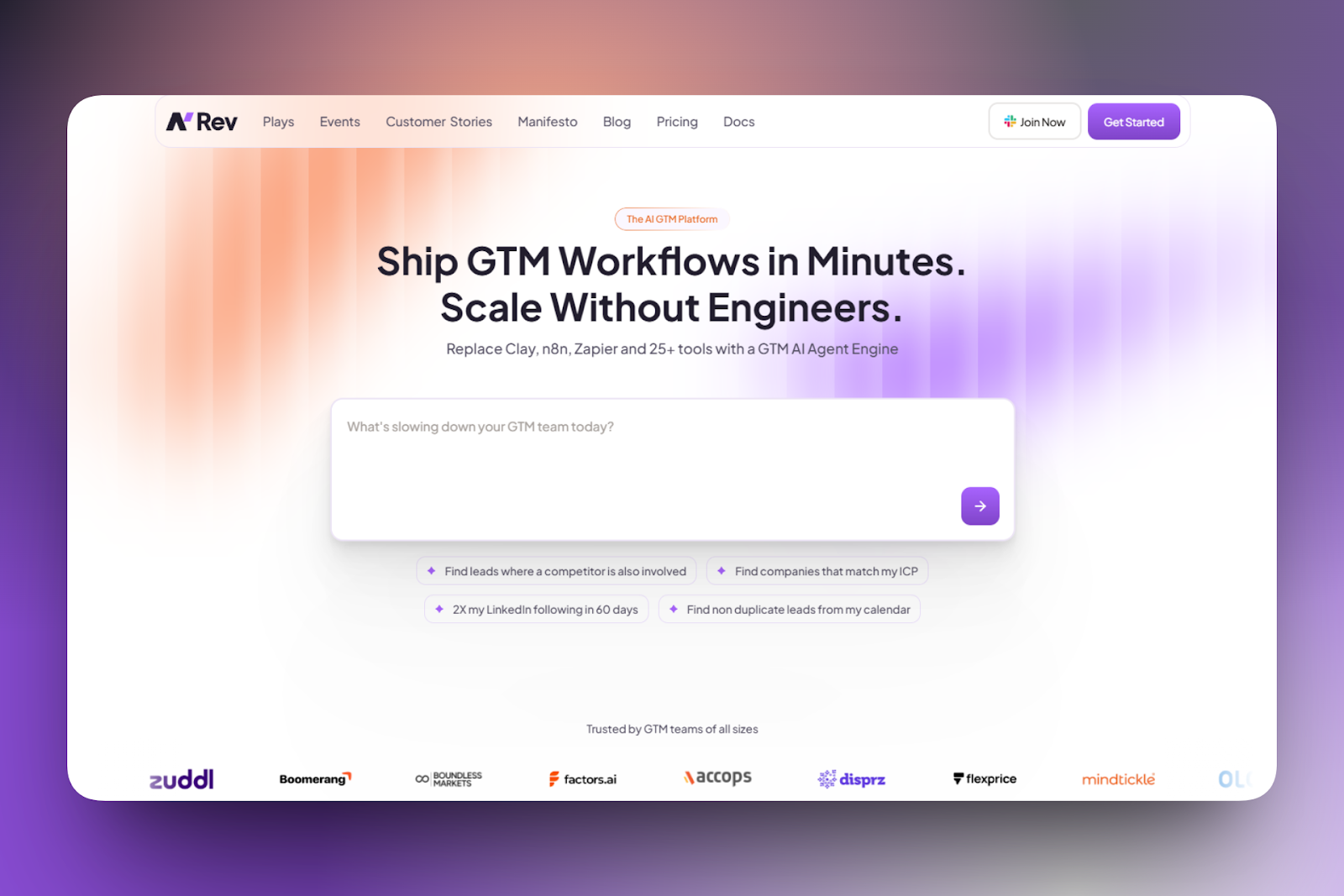
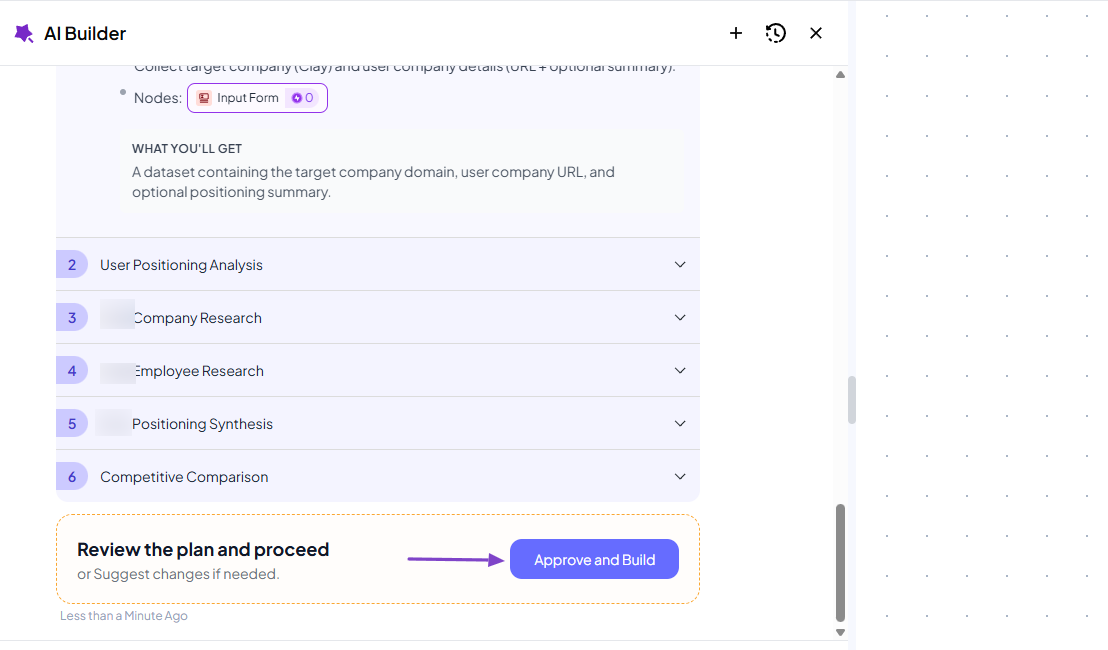
Building a workflow is very simple on nRev AI. You can briefly describe the process, then relax as the AI takes over.
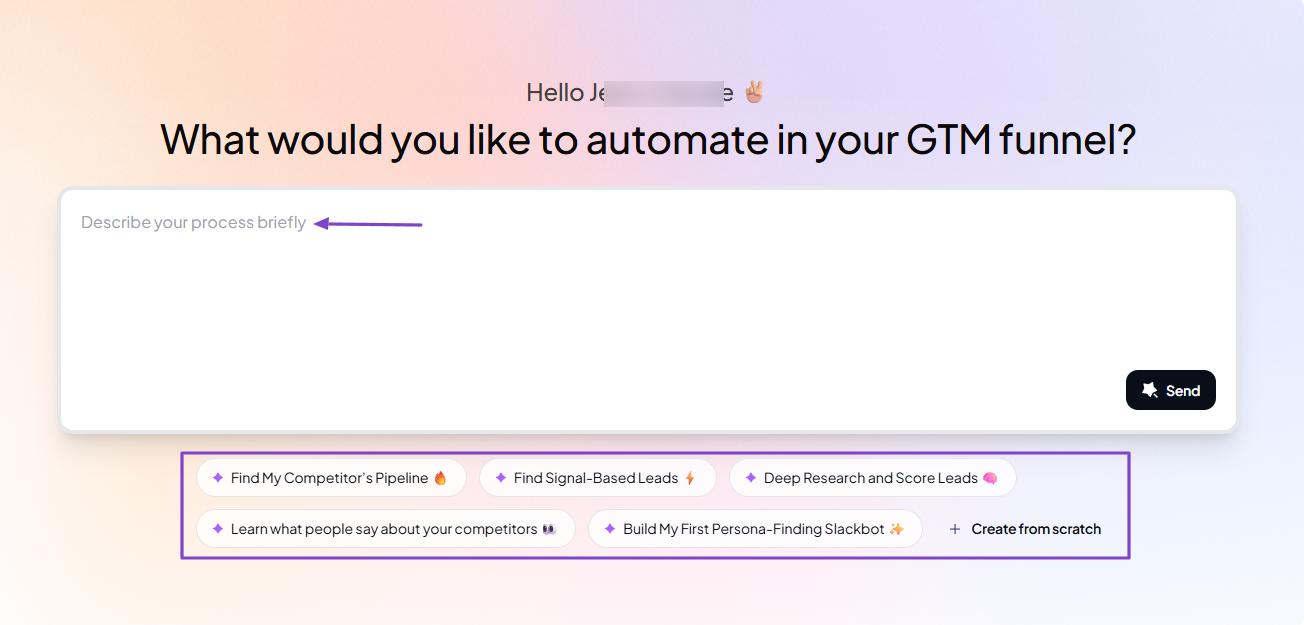
The AI will do the whole job, but still let you have the final say. It only moves when you approve.
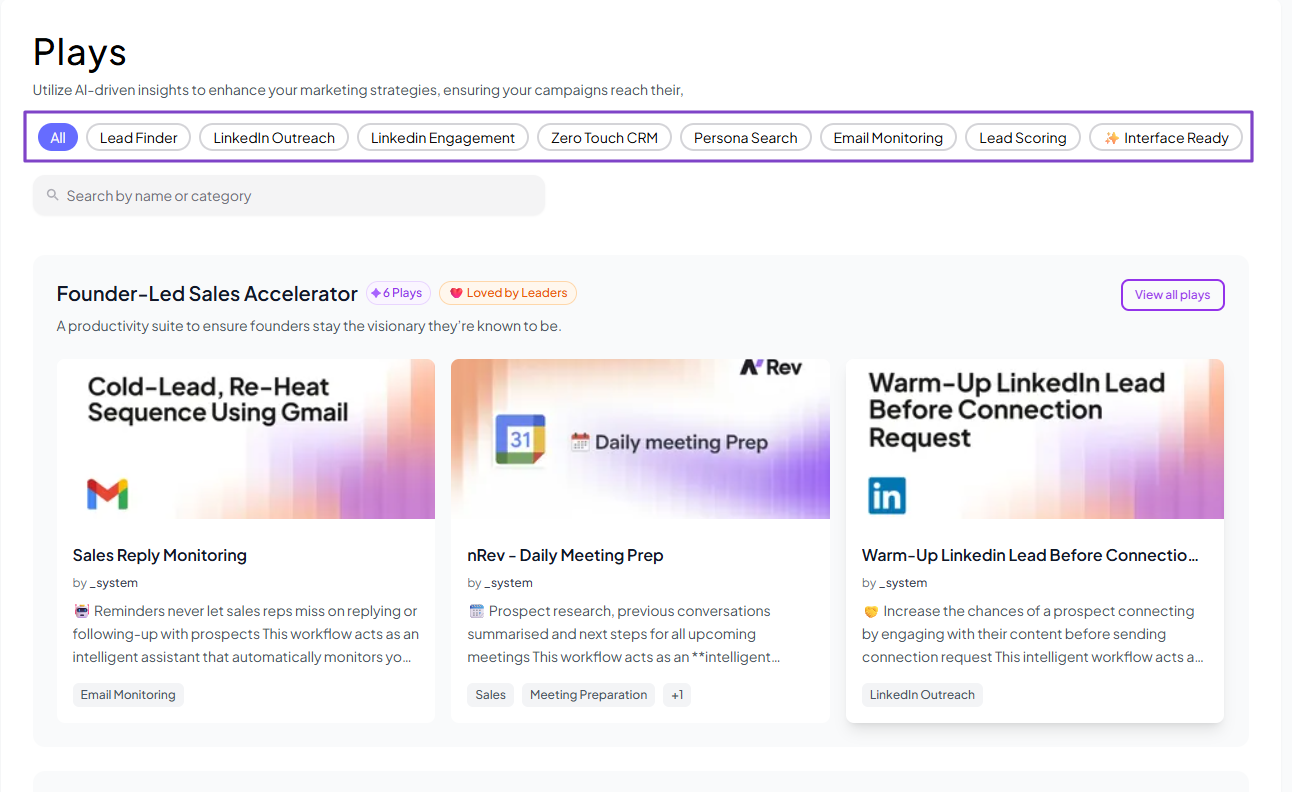
The platform also comes with many pre-built workflow templates. These are templates for lead finder, lead scoring, LinkedIn Outreach, LinkedIn engagement, Email monitoring, just to name a few.
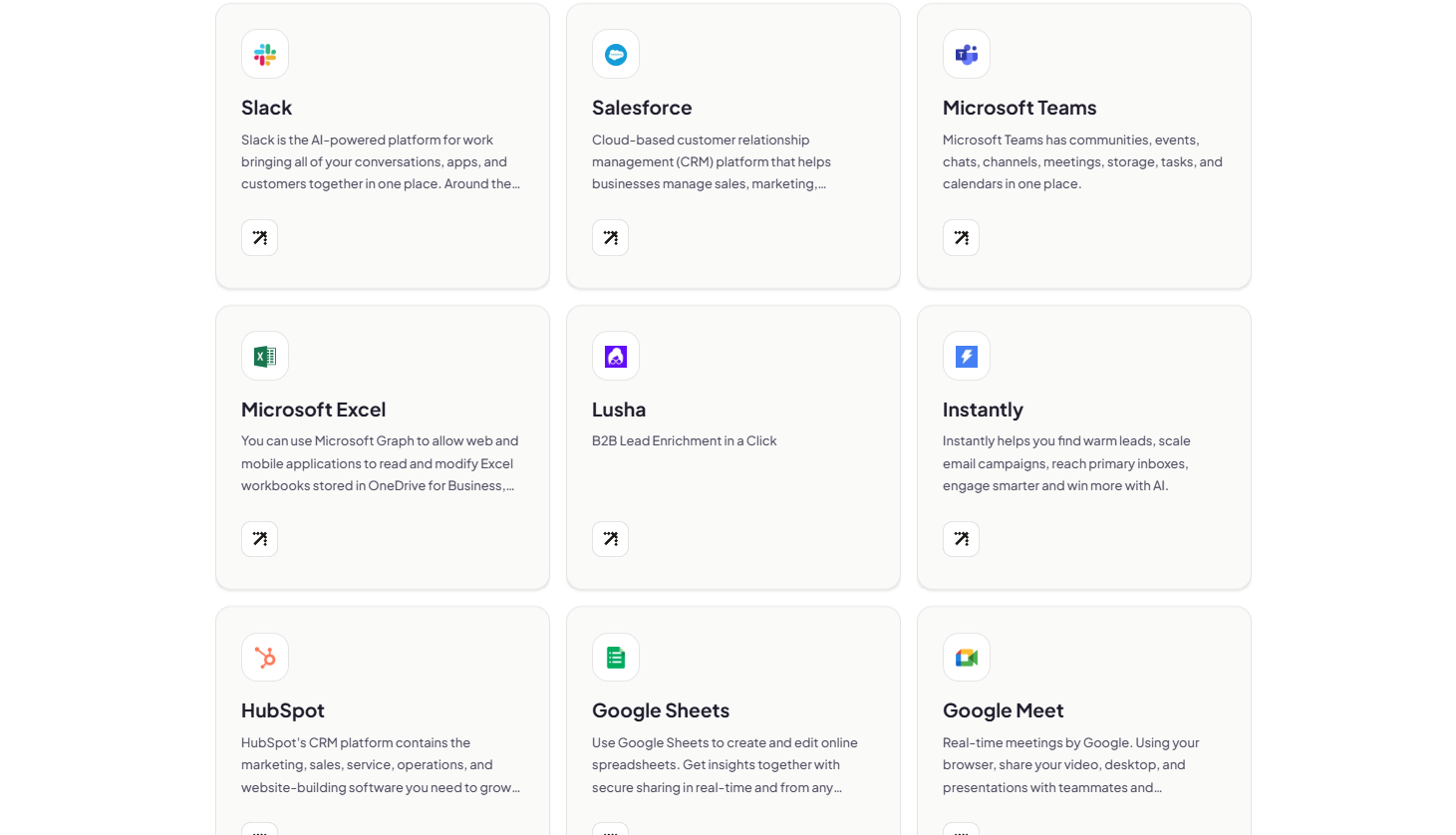
But that’s not all. nRev AI integrates with some of the most popular tools, like Slack, HubSpot, Salesforce, Microsoft Teams, Google Sheets, and Instantly AI.
Features I Admired
1. Workflows
Thanks to the Workflows feature, you can save time by automating repetitive tasks. What’s good is that once you create an automation, you can reuse it as many times as you like.
Let me show you a clear example.
After signing up, go to Workflows in the sidebar menu, then click “New workflow” on the far right.
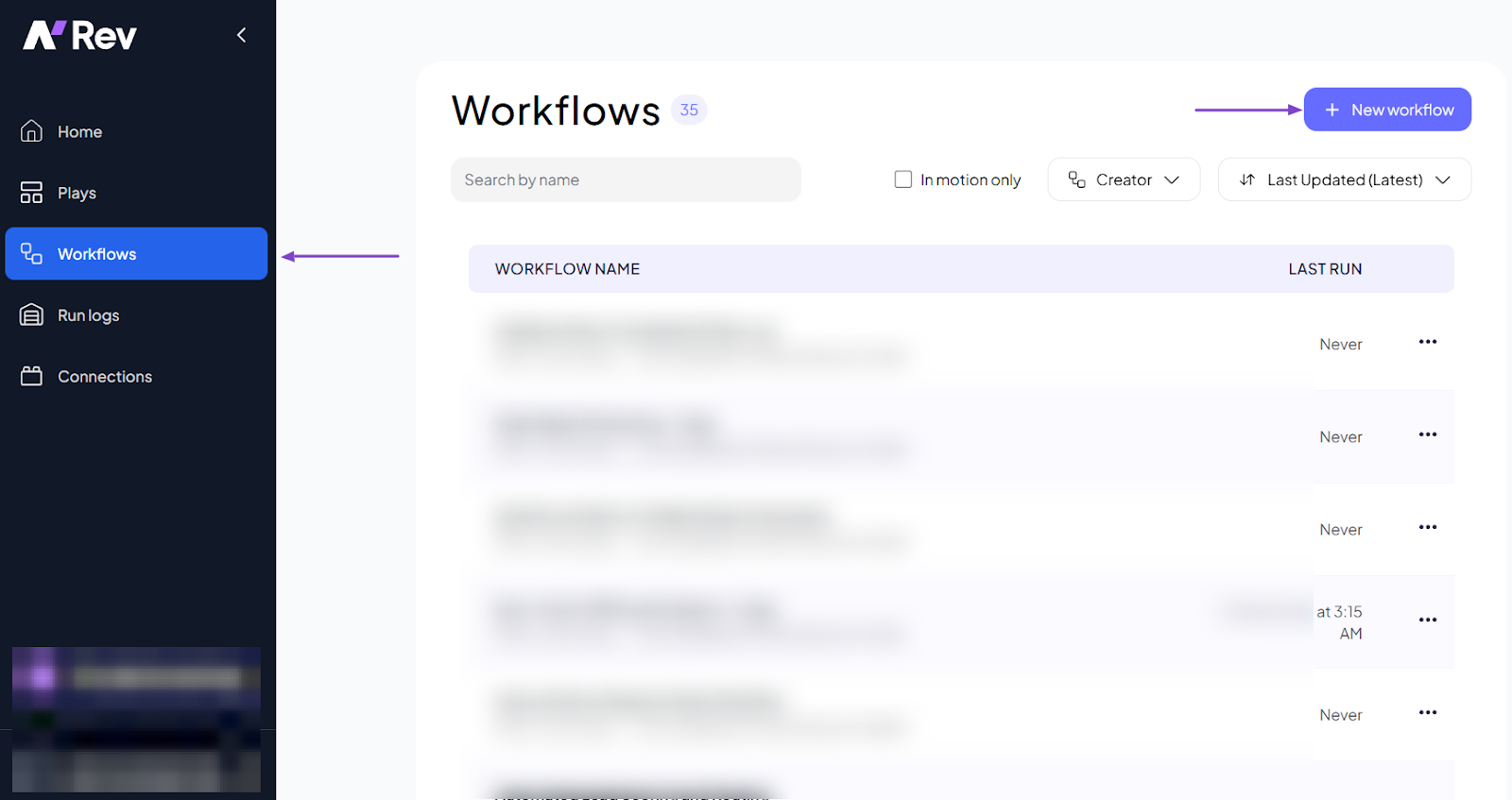
You can build your workflow manually by connecting the different nodes. But to go faster, you can simply use the AI Builder.
You will simply describe what you want to build in plain English. Here’s an example:
“Review [Competitor Name]'s LinkedIn posts, company page, and employee activity. Extract their core messaging, value propositions, and differentiators. Identify recurring themes in how they position their product or service. Compare this positioning with ours and highlight opportunities to differentiate.”
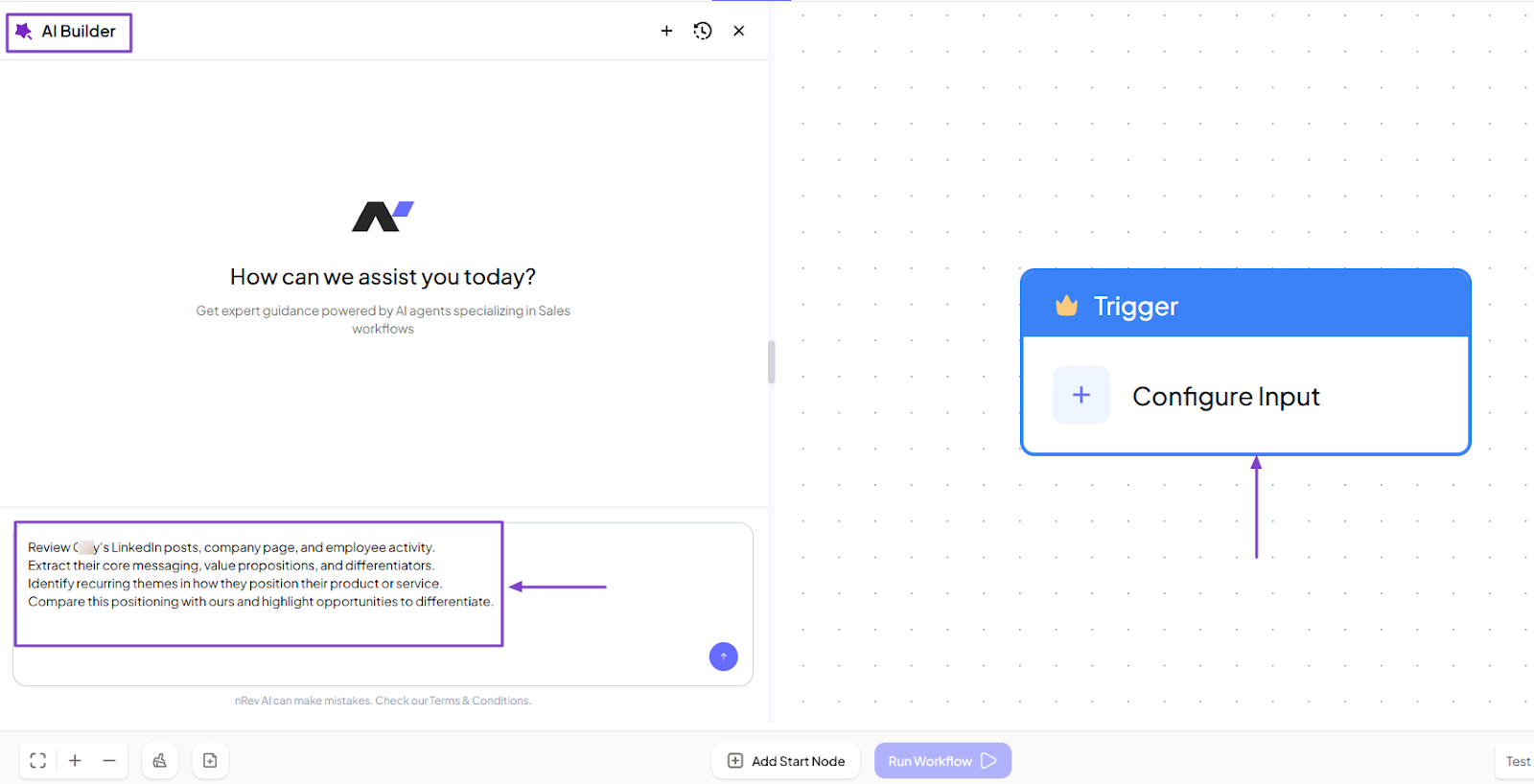
The AI Builder will propose the plan and ask for your approval before building it.
Once you approve, nRev’s AI Builder will build the entire workflow in minutes.
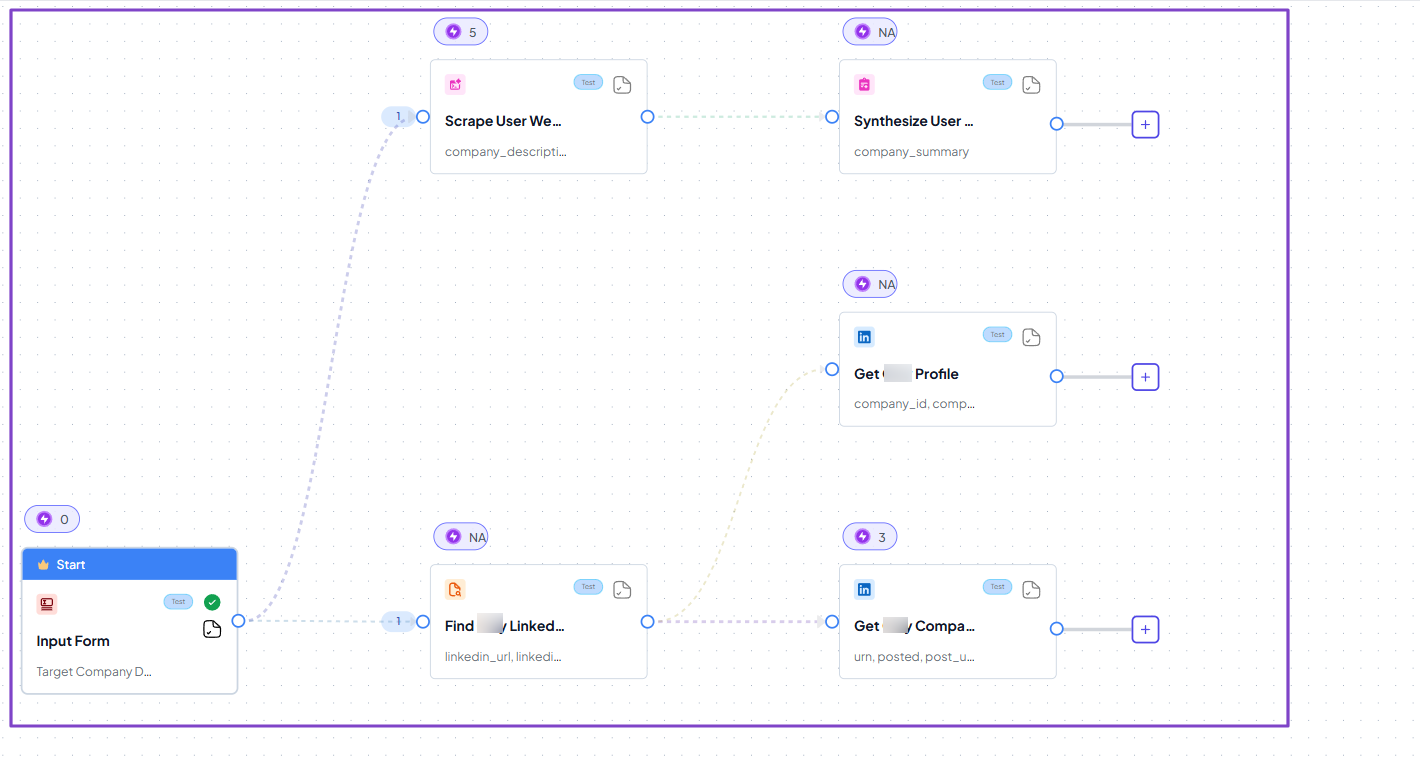
Once you turn on the workflow, you will see the different results and can even download them.
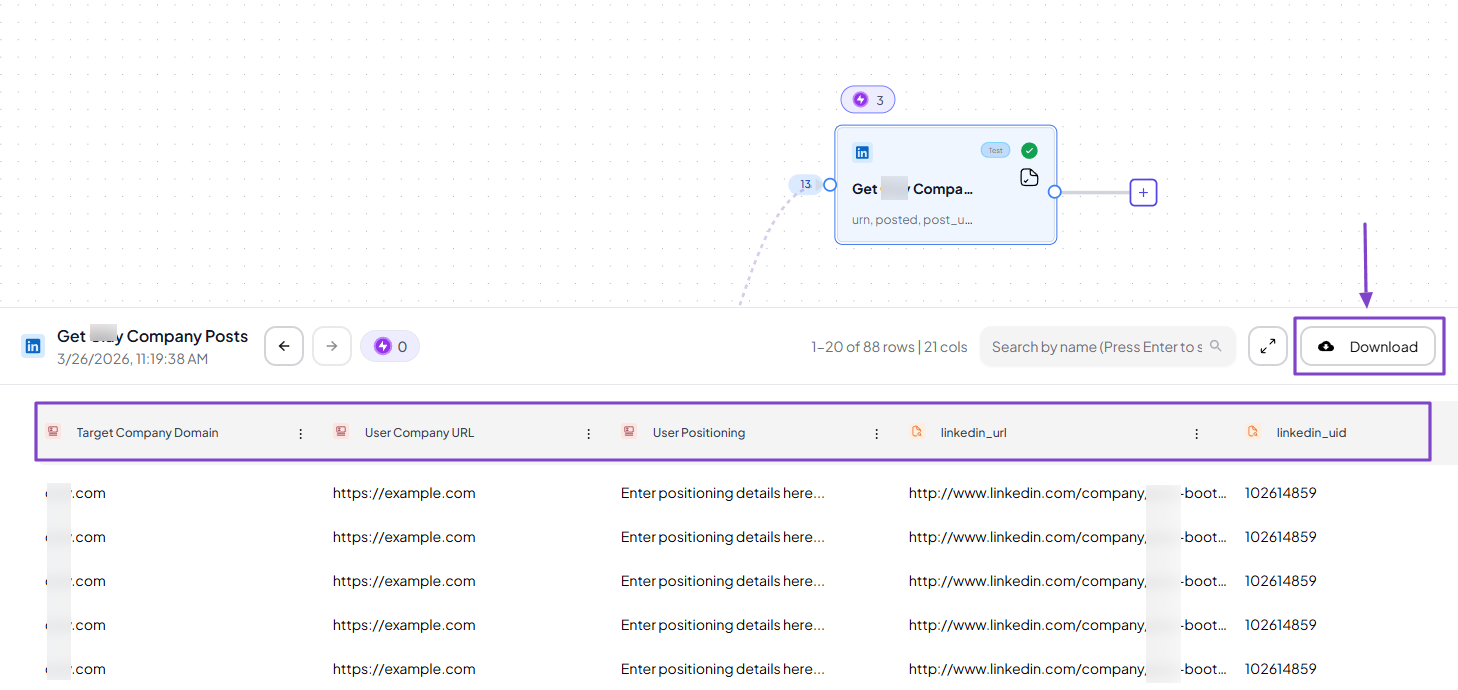
2. Plays
Plays are pre-built GTM workflows powered by AI agents. You don’t need to create a workflow from scratch since there are many available.
To explore the feature, first find it in the sidebar menu.
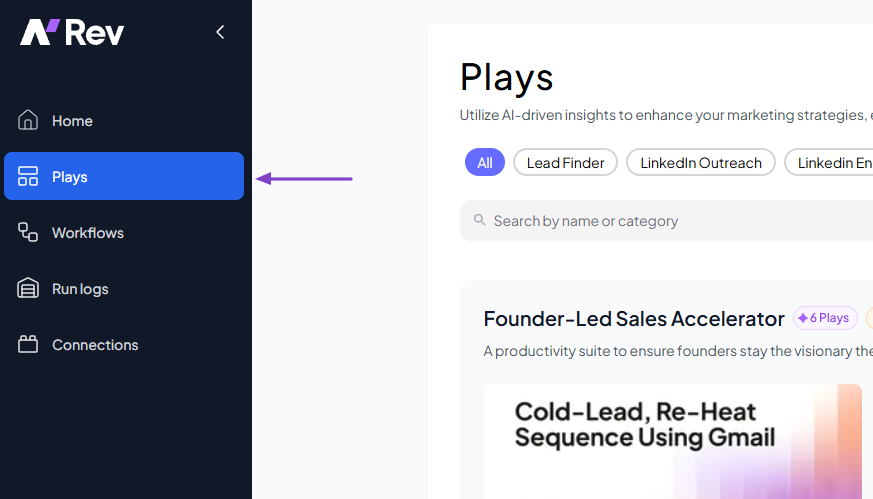
There are pre-built workflows under Lead Finder, LinkedIn Outreach, LinkedIn Engagement, Lead Scoring, Email Monitoring, Persona Search, and many more.
Let’s choose the “nRev - Daily Meeting Prep” play.
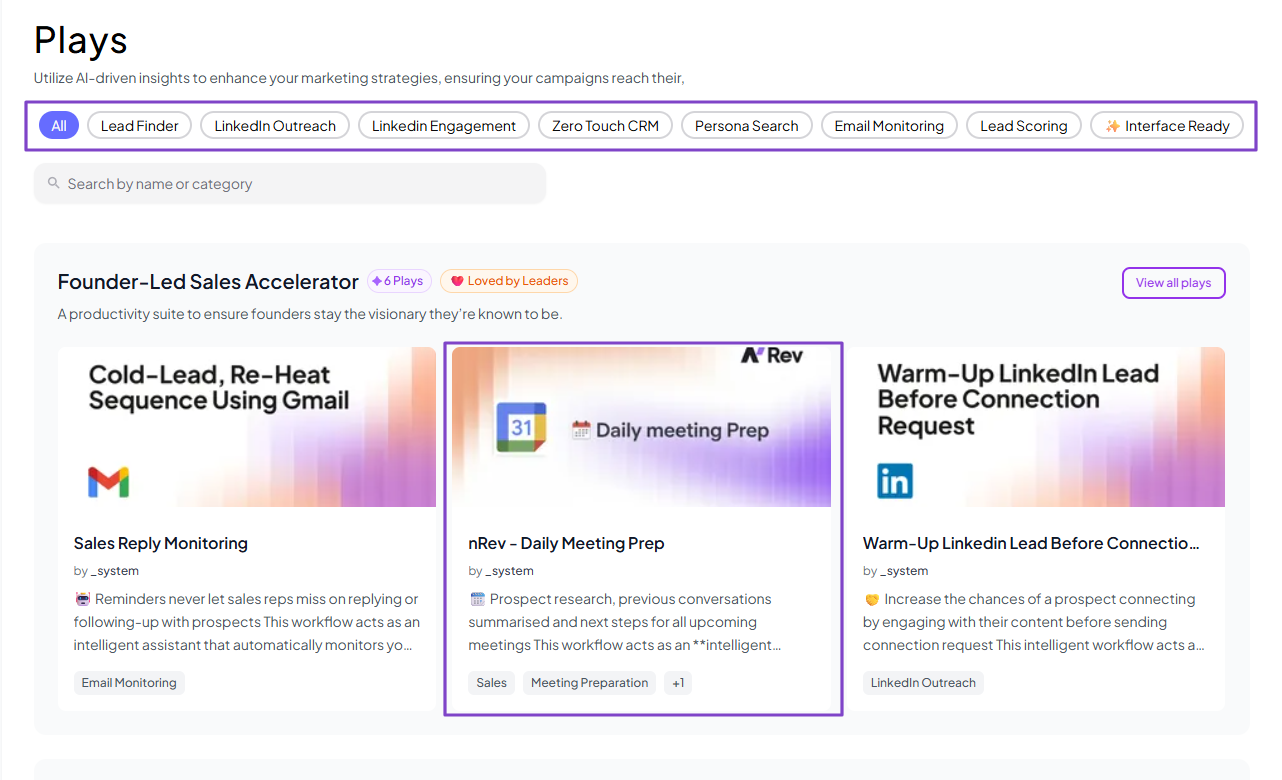
It’s a workflow that acts as an intelligent meeting preparation assistant. It’ll automatically scan the user’s calendar for the day’s events.
Then filter for external sales calls and generate a comprehensive briefing for each.
To use it, simply click “Play.”
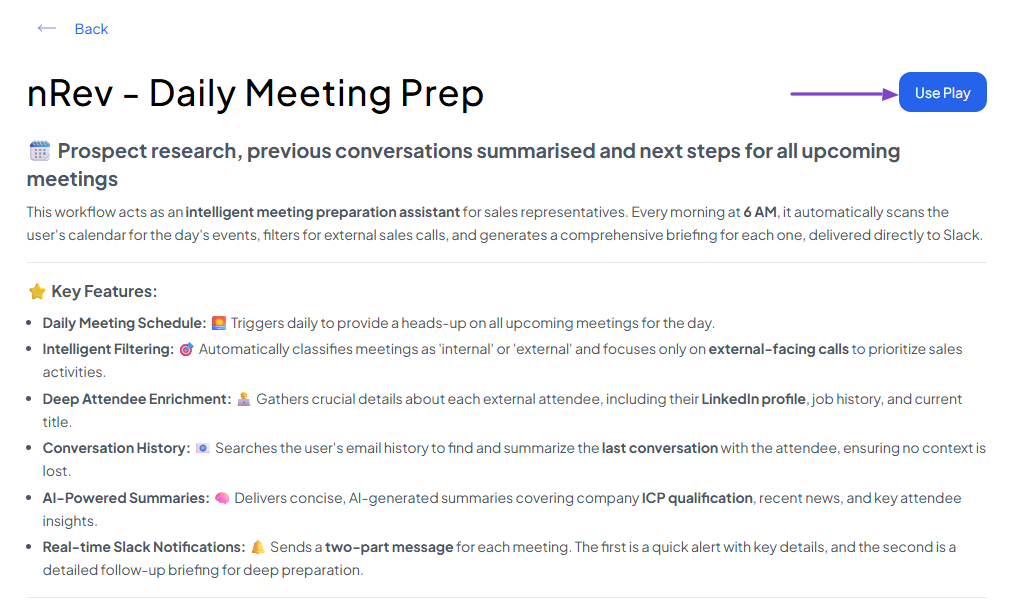
That’s all you need to do! And like I said, it’s already pre-built.
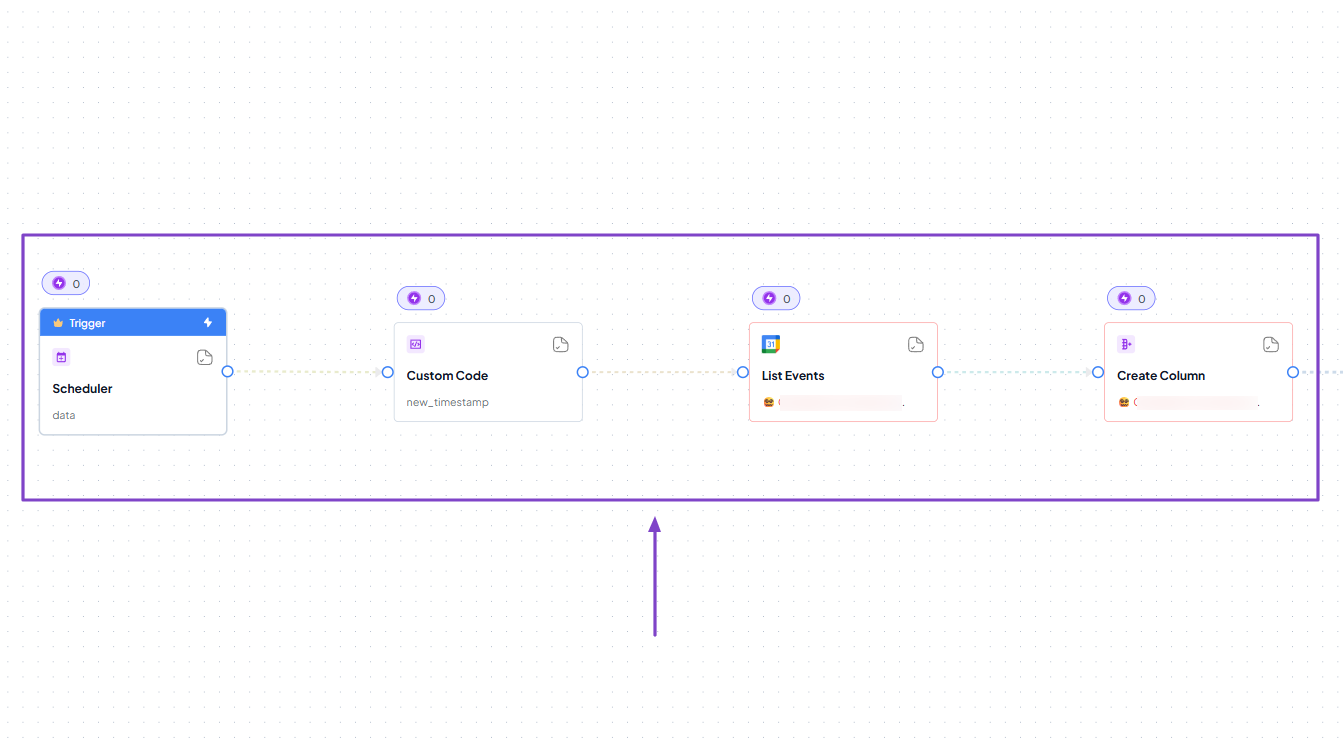
3. Run logs
There is also the Run logs feature. It keeps track of every workflow you run on nRev AI. This means you can always go back and check your latest or even first workflow.
Click Run logs in the sidebar menu.
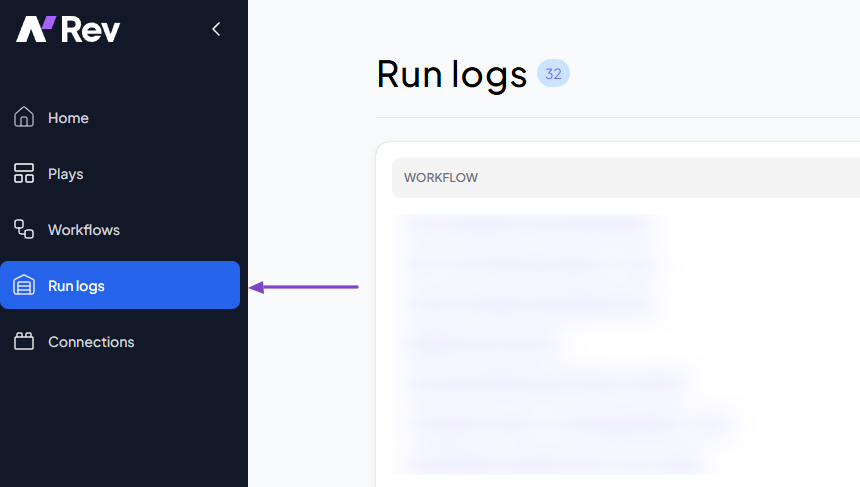
You will see all the workflows, their execution time, when they were first started, the number of nodes, credits, and their status.
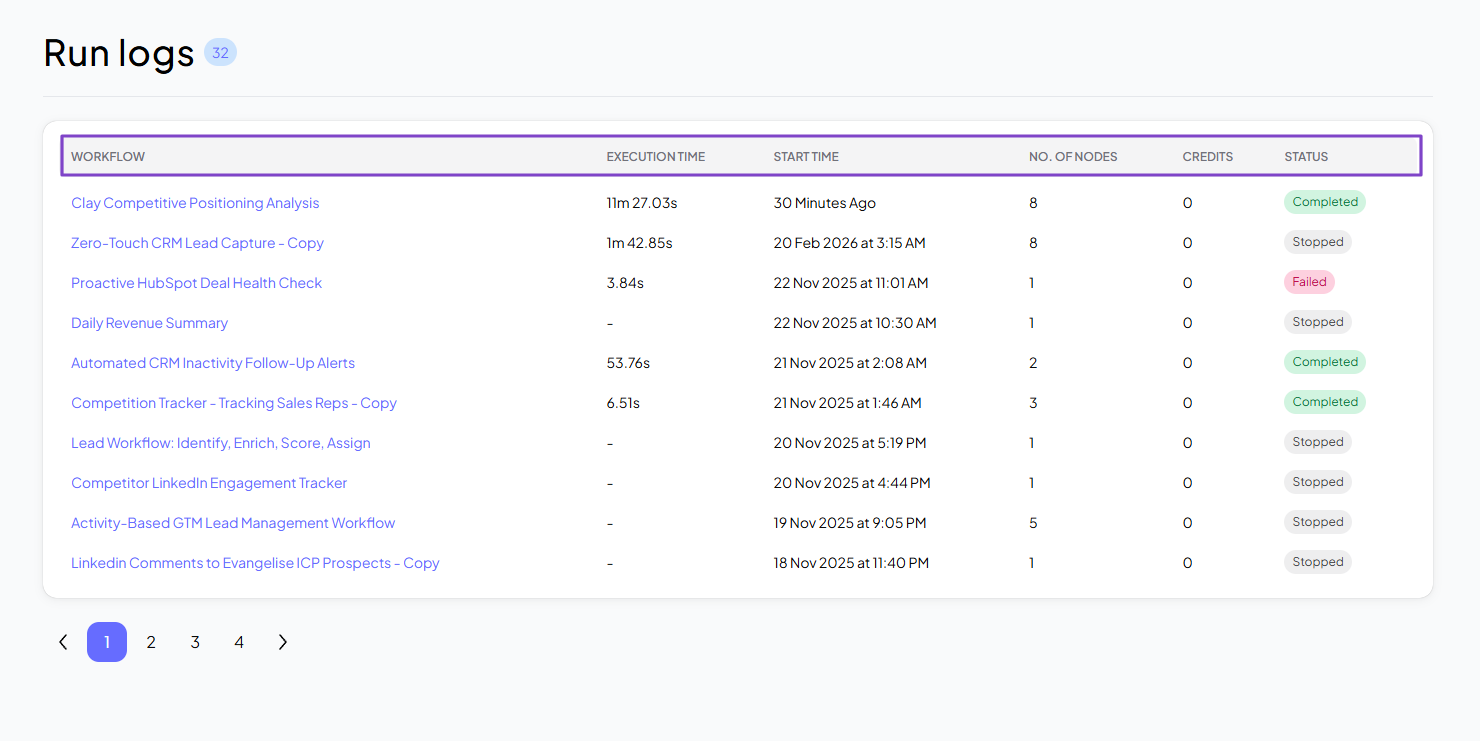
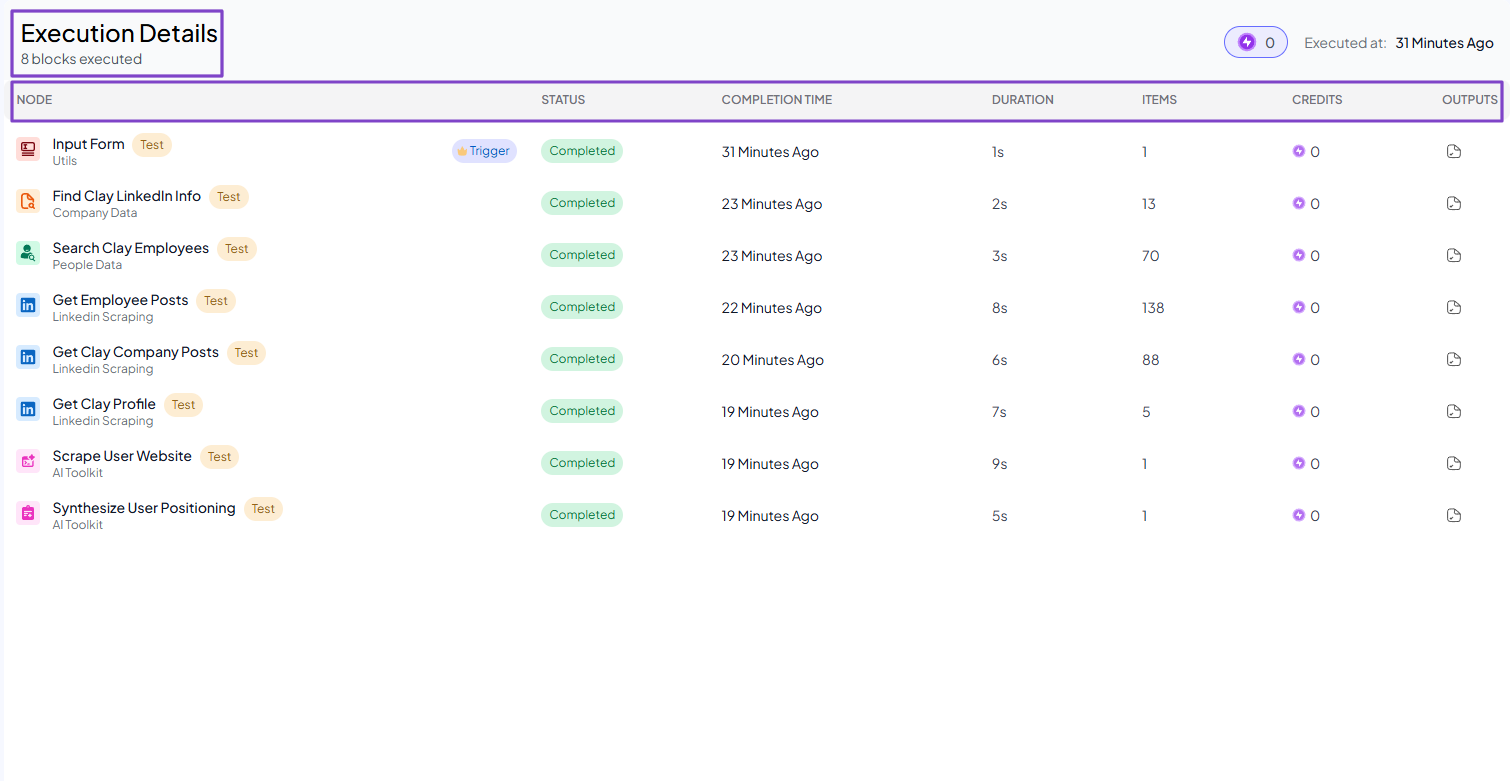
You can click a workflow to see more execution details. Like the exact nodes used, their status, completion time, duration, items, credits, and outputs.
| What Impressed Me 👍 | What Fell Short 👎 |
|---|---|
| ✅ The AI Builder can create fully structured workflows in less than 5 minutes. | ❌ Manually building workflows may require some technical skills, but you can simply use the AI Builder to avoid it. |
| ✅ There are many pre-built workflows you can use, from lead finder, scoring, to LinkedIn outreach and engagement. | |
| ✅ Has a simple, clean interface, making it easy for teams to understand and use its features. |
Best For
- RevOps leaders, GTM teams, and SaaS companies who want a platform to help scale their GTM strategy.
Pricing
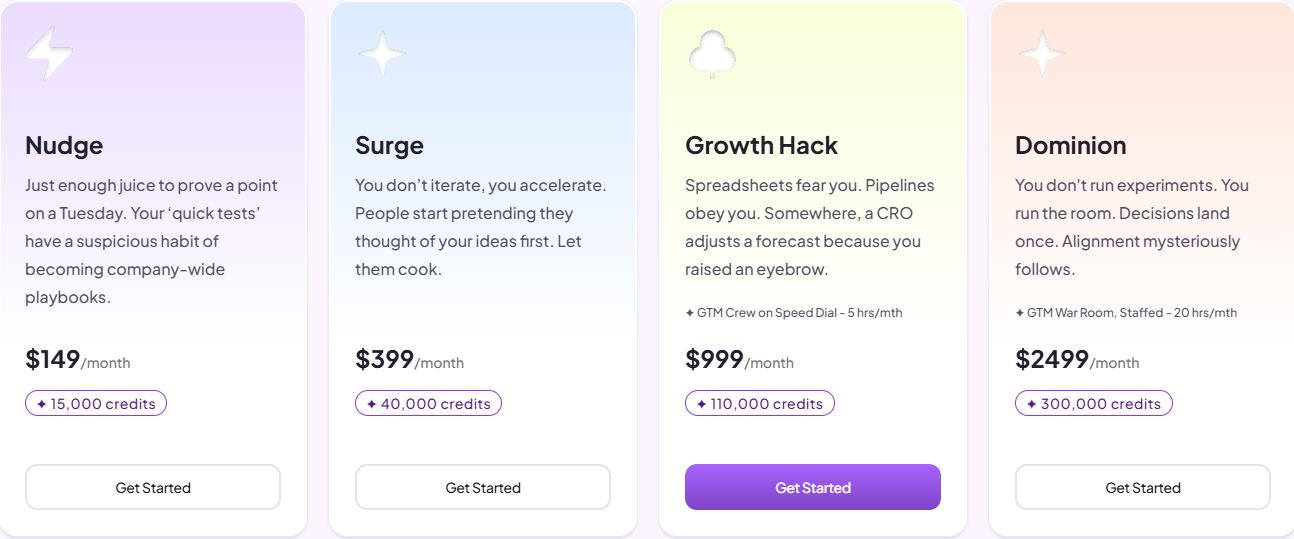
- Nudge: $149/month for 15,000 credits
- Surge: $399/month for 40,000 credits
- Growth Hack: $999/month for 110.000 credits
- Dominion: $2499/month for 300.000 credits
2. HubSpot Data Hub - Best for Data Sync and Workflow Management
| Personal rating | Ease of use | AI capabilities | Key Features | Starting Plan |
|---|---|---|---|---|
| ⭐⭐⭐⭐⭐ 4.5/5 | ⭐⭐⭐⭐ 3.8/5 | AI insights, Automation, Enrichment | Data Studio, Data enrichment, Data Sync, Data Integration | Free - $0/month + data syncing |
The next revenue operations software we will look at is HubSpot Data Hub.
It is an AI-powered data management platform that helps unify, clean, and sync customer data from various sources into HubSpot CRM.
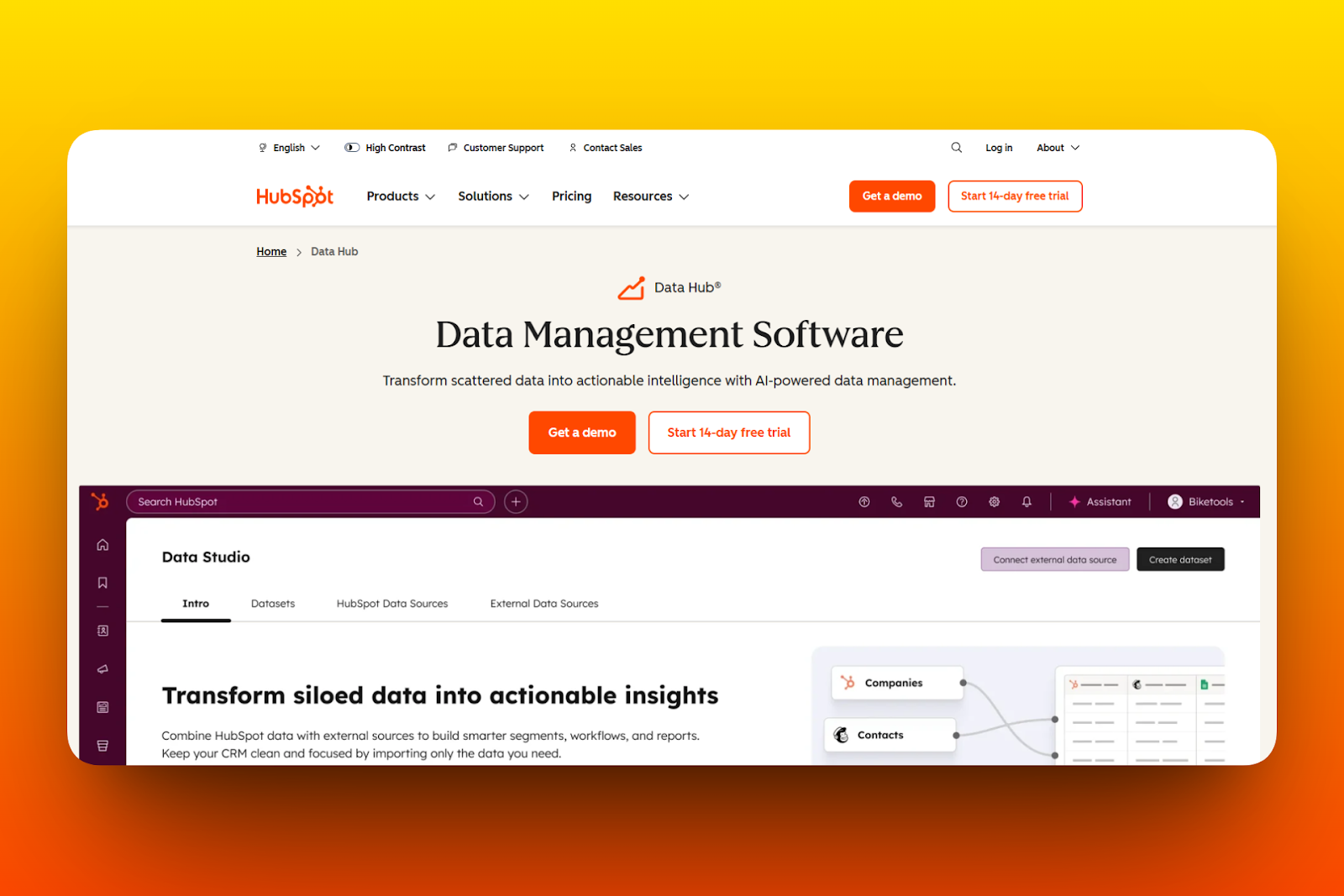
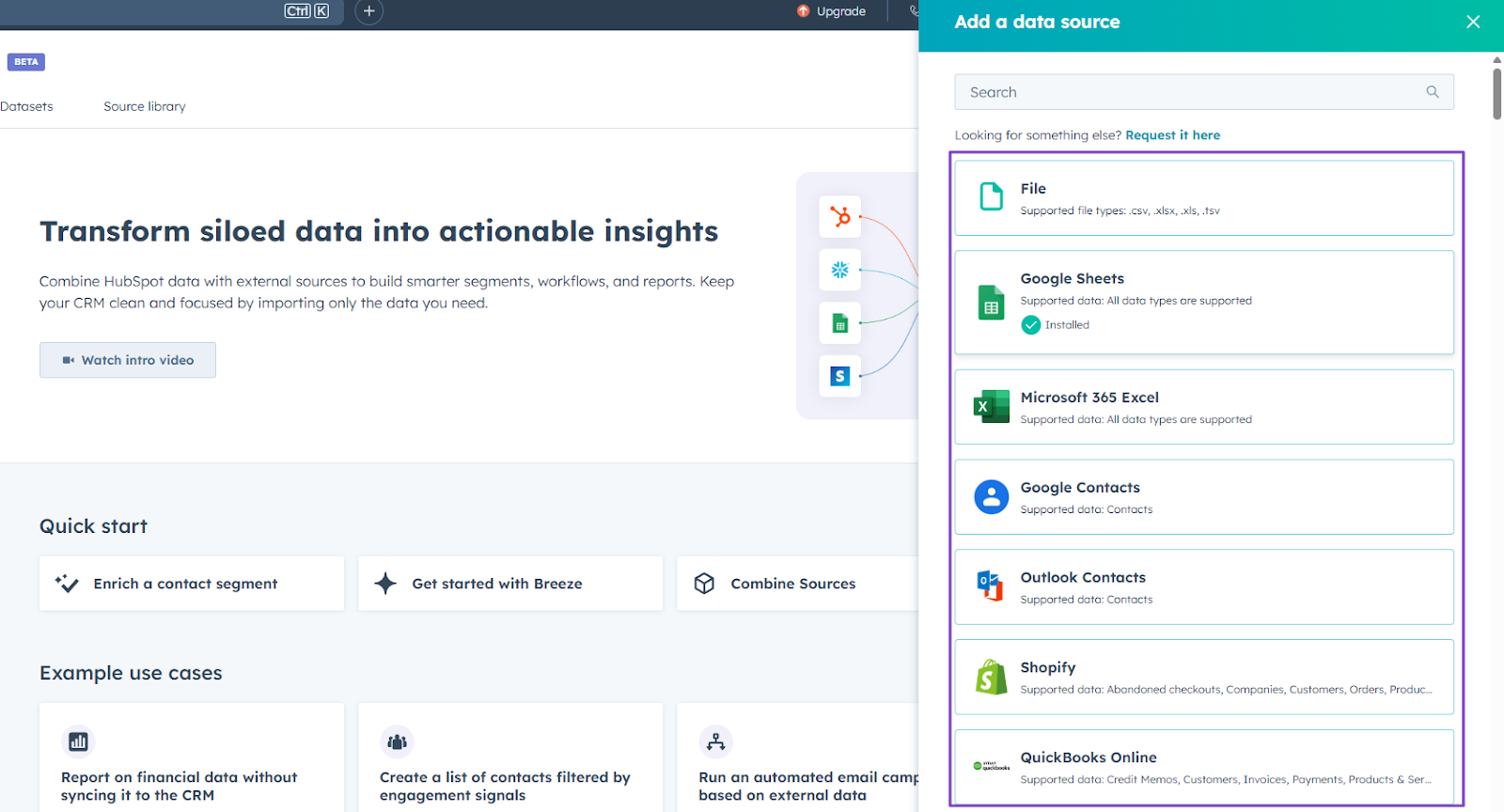
You can add many external data sources, like Google Sheets, Outlook Contacts, Shopify, or QuickBooks Online. You can also add file formats like .csv, .xlsx, .xls, and .tsv.
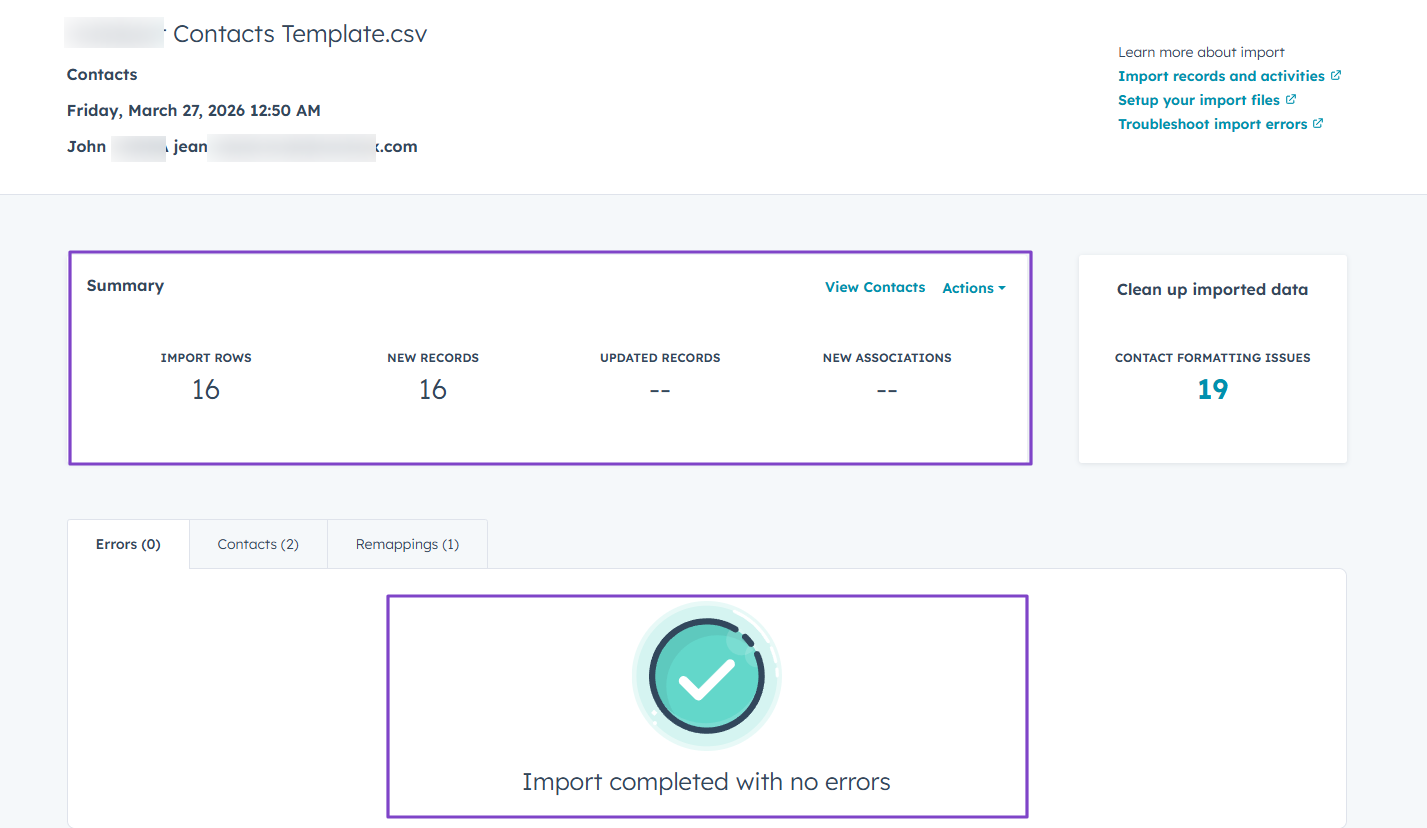
But say you import a file, HubSpot scans it for errors, and then provides a summary of the results.
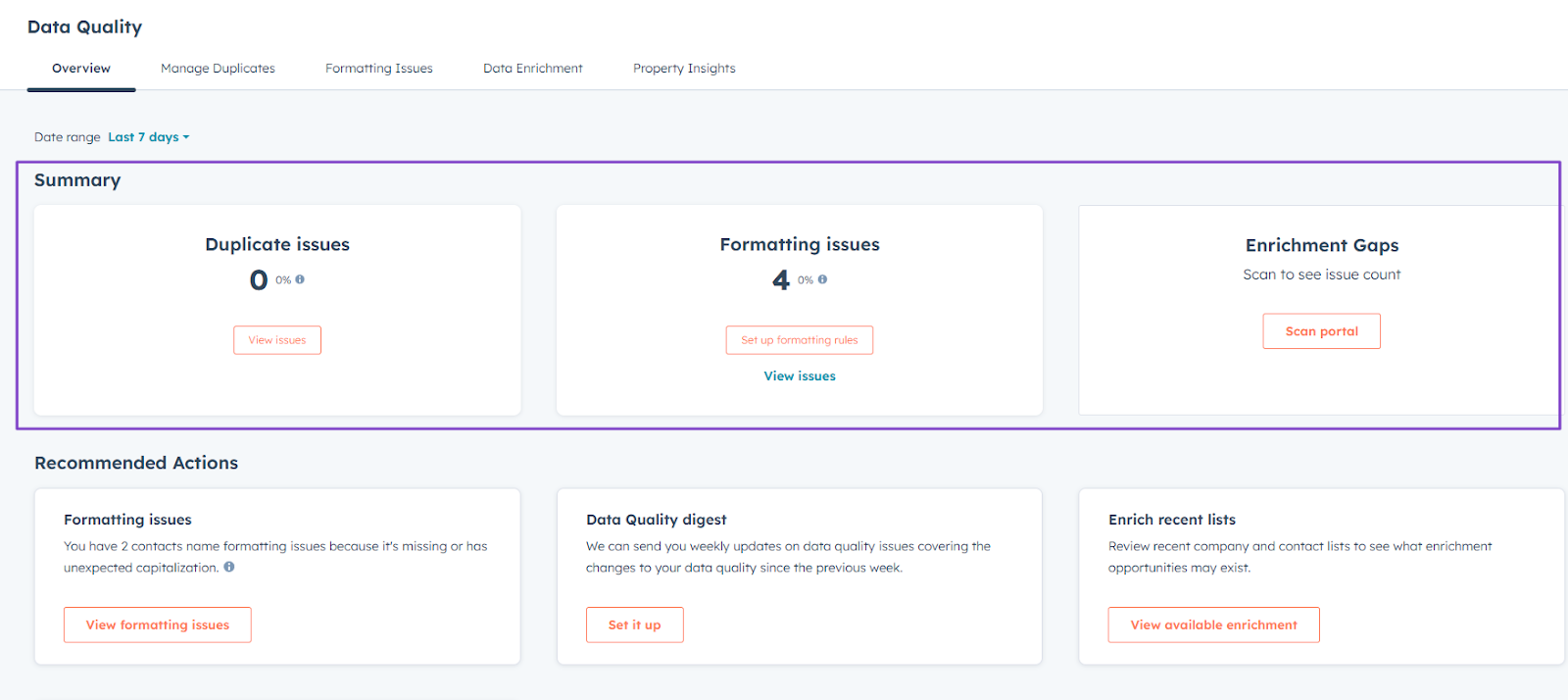
Thanks to the data quality, you can see all your duplicate, formatting, and enrichment issues.
Features I Admired
1. Data Studio
This feature in the HubSpot data hub lets you combine data with external sources to build reports, workflows, or segments.
To use it, you will first find it under Data Hub.
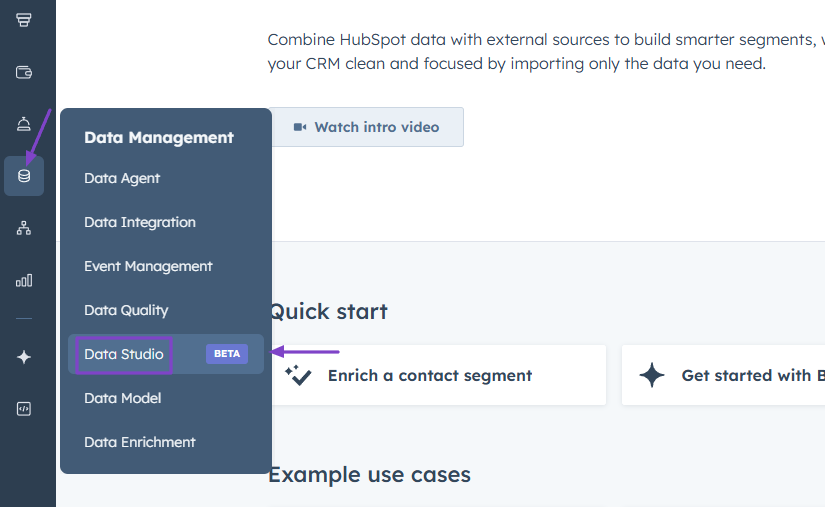
Next, you can either connect to external data sources or create a dataset.
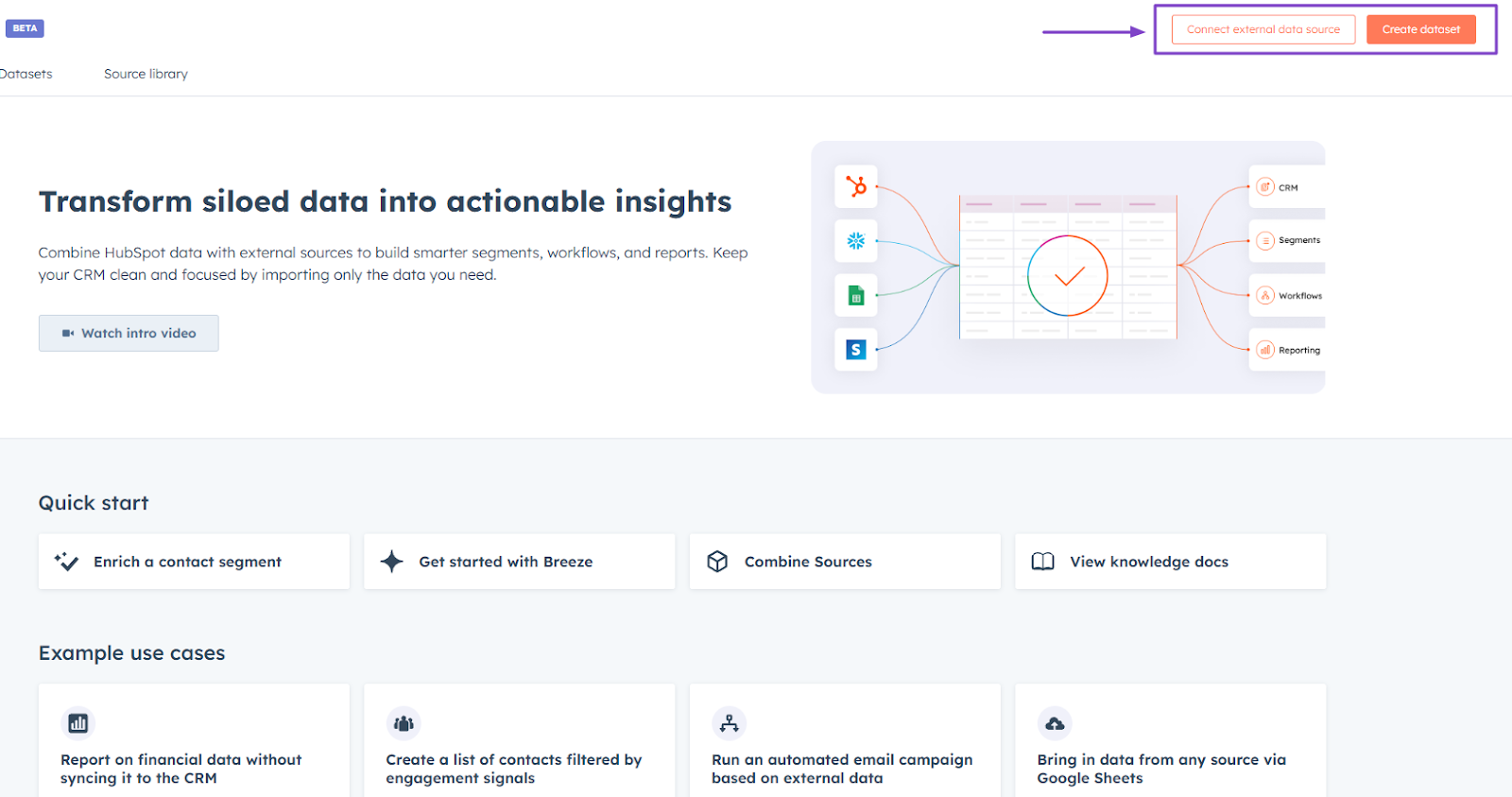
If you choose to connect, you will have to select your preferred data source. It could be a file, Google Sheets, Google Contacts, or Shopify.
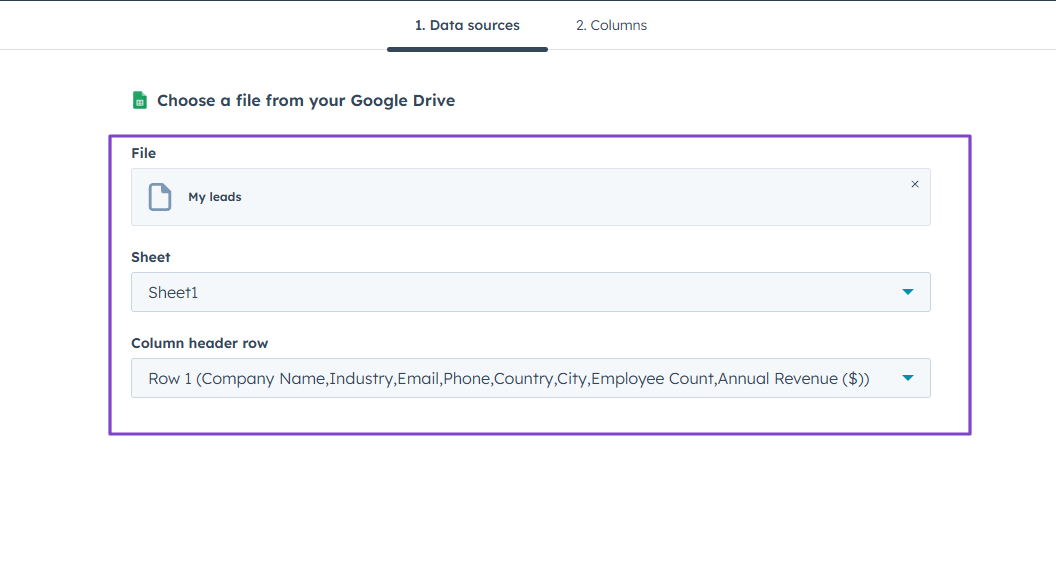
Say you select Google Sheets, you will need to choose a specific file for HubSpot to import. It’ll show the file name, sheet, and column header row.
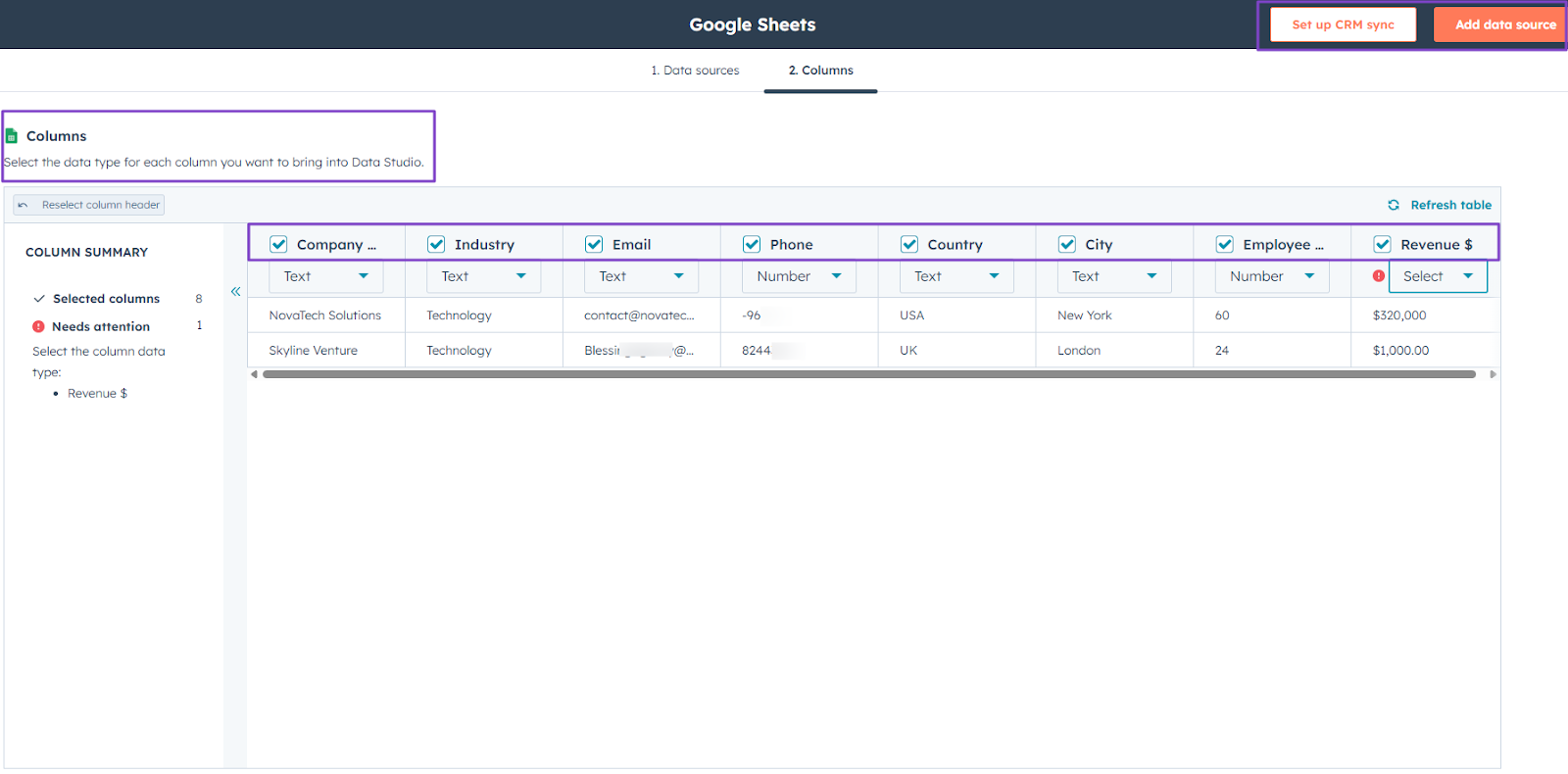
That’s it. You can now see all the details of the files you connected, in the same format as in Google Sheets.
You can also decide to set up a CRM sync or add a data source again.
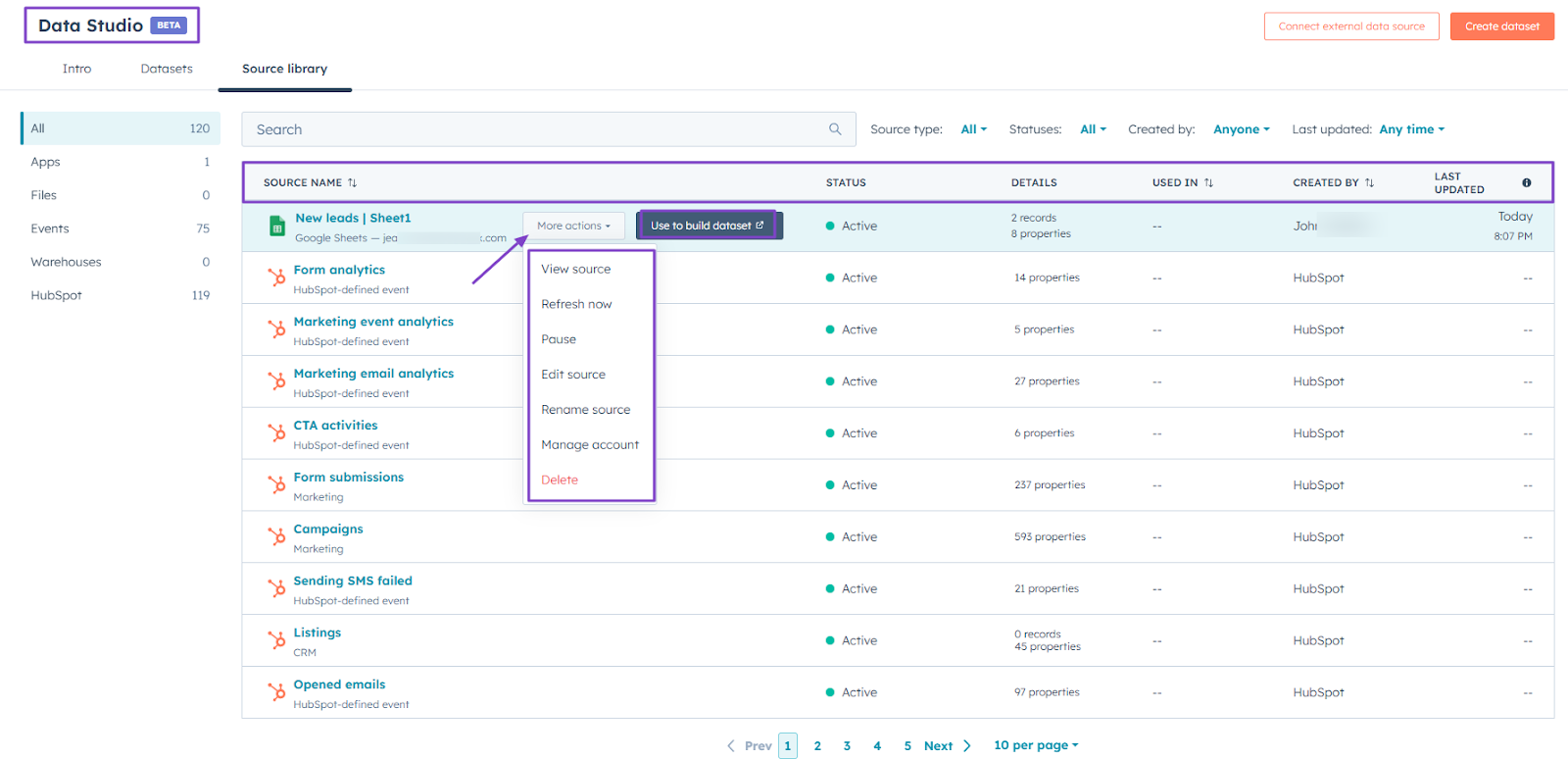
In the Data Studio window, you will see the source name, status, details, where it was used, who created it, and when it was last updated.
There are still more actions to take, like view, rename, edit source, pause, refresh, or delete.
2. Data Quality
The Data Quality feature helps you view property insights, detect record issues, and use AI to automatically resolve them.
Let’s see how it works!
Still under “Data Hub,” click “Data Quality.”
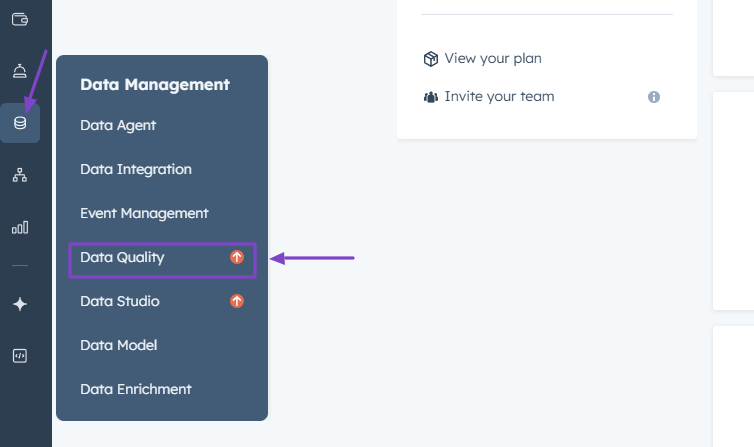
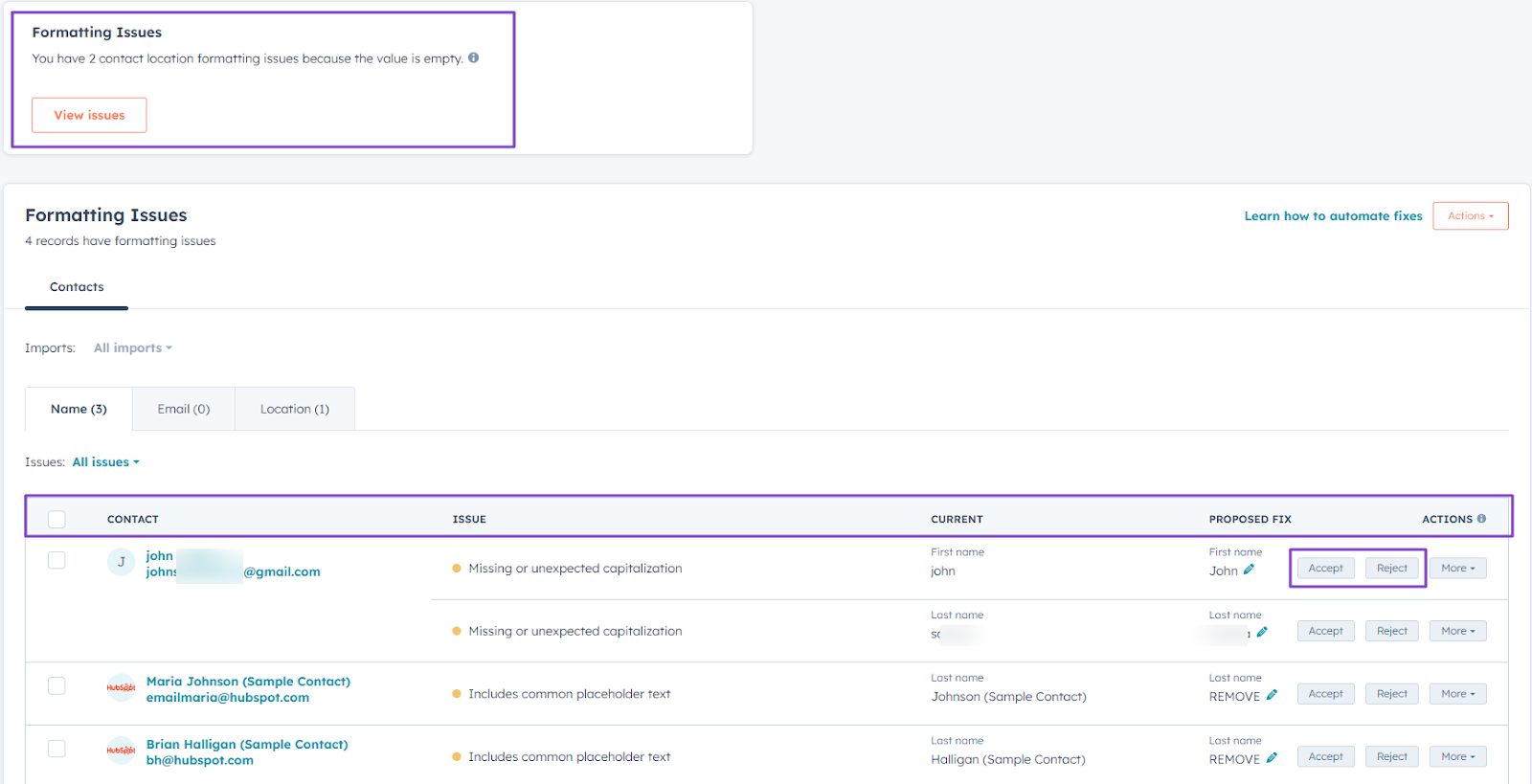
You will have an overview of your data quality: number of duplicate issues, formatting issues, and enrichment gaps.
For instance, if you click “Formatting Issues,” you will see more details, like the contact, issue, and proposed fix (which you can accept or reject).
3. Data Integration
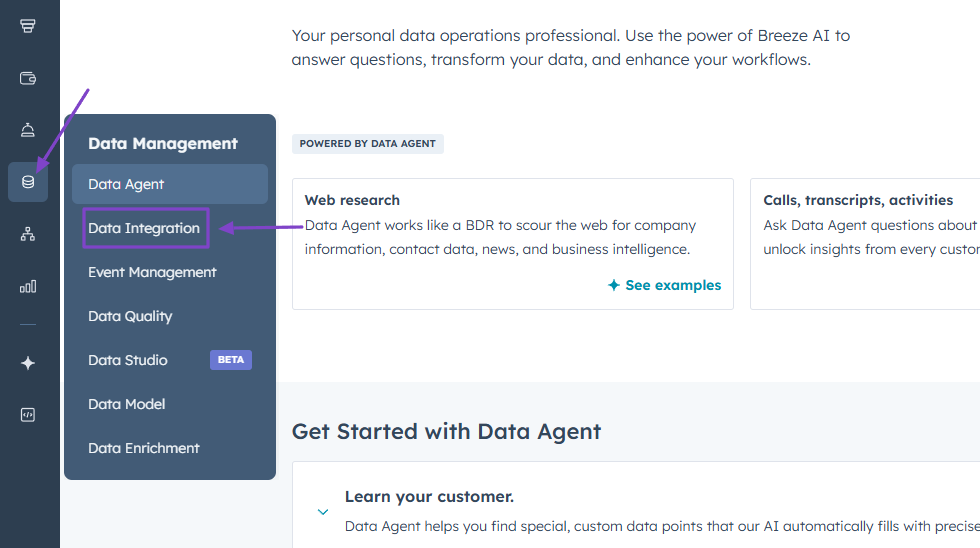
As its name suggests, Data Integration is the feature that helps you import files, sync from apps, transfer data, or transform data.
Here’s how it works.
Click “Data Integration” located in “Data Hub.”
Let’s import a file.
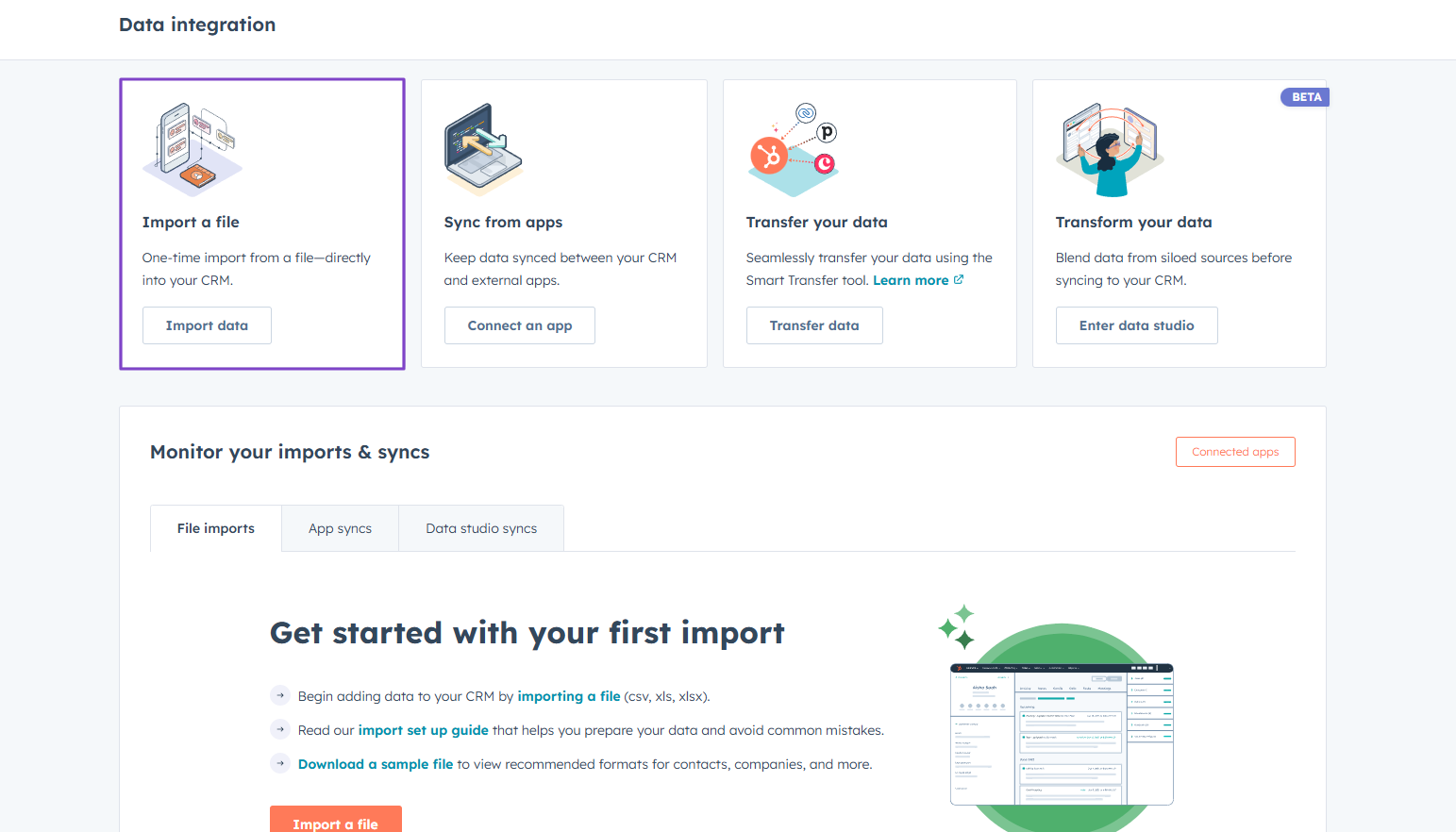
We are going to do a quick import, which means “contacts only.
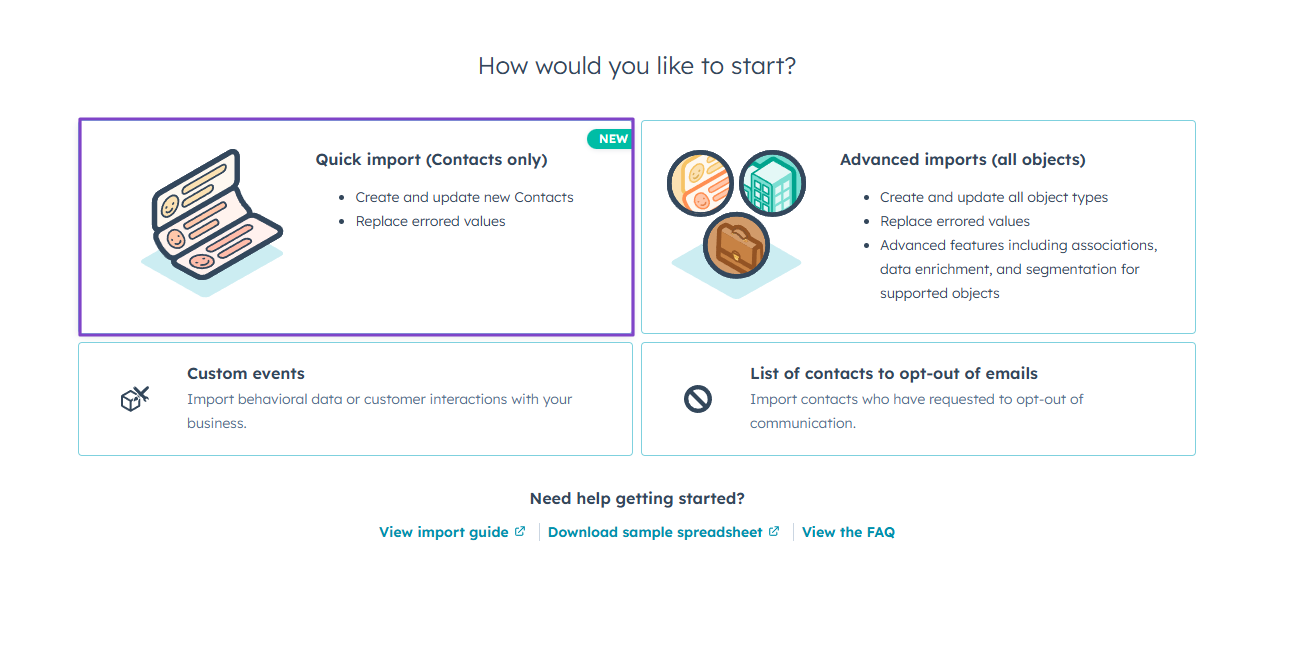
Next, give your import a name.
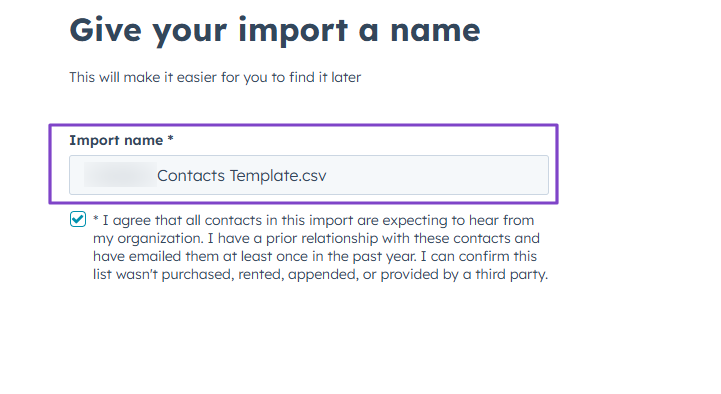
Then you will select the file. HubSpot will import it and detect any errors.
You will also see the file summary, like the number of import rows, new records, updated records, and new associations.
What Impressed Me vs What Fell Short
| Personal rating | Ease of use | AI capabilities | Key Features | Starting Plan |
|---|---|---|---|---|
| ⭐⭐⭐⭐⭐ 4.5/5 | ⭐⭐⭐⭐ 3.8/5 | AI insights, Automation, Enrichment | Data Studio, Data enrichment, Data Sync, Data Integration | Free - $0/month + data syncing |
Best For
- SMEs and Enterprises seeking software to automate data management and scale processes.
Pricing
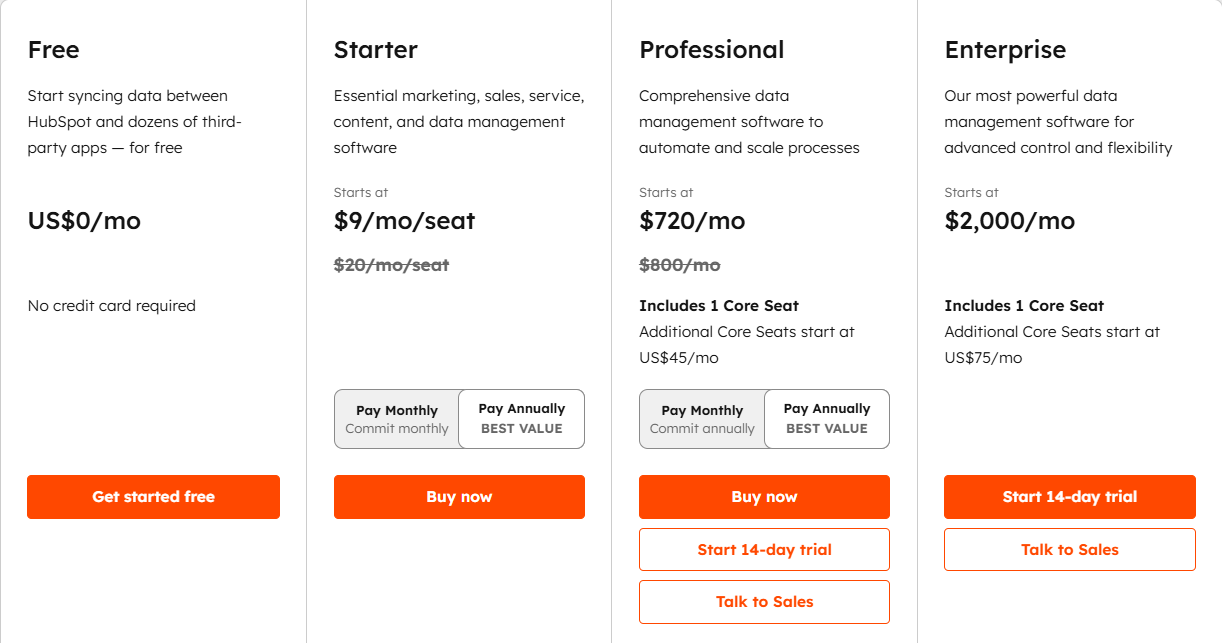
- Free: $0/month
- Starter: $9/month/seat
- Professional: $720/month
- Enterprise: $2,000/month
3. Folk - Best for Sales Pipeline Management
| Personal rating | Ease of use | AI capabilities | Key Features | Starting Plan |
|---|---|---|---|---|
| ⭐⭐⭐⭐⭐ 4.5/5 | ⭐⭐⭐⭐ 4.5/5 | Automation, Data management, AI content generation | Pipeline, Leads, Client management, Message | Standard: $24/member/month + Pipeline management |
Next on our list of the best revenue operations management is Folk.
It’s an AI-powered customer relationship management (CRM) used by 4,000+ companies to capture and enrich contacts and centralize data from Gmail, LinkedIn, and WhatsApp.
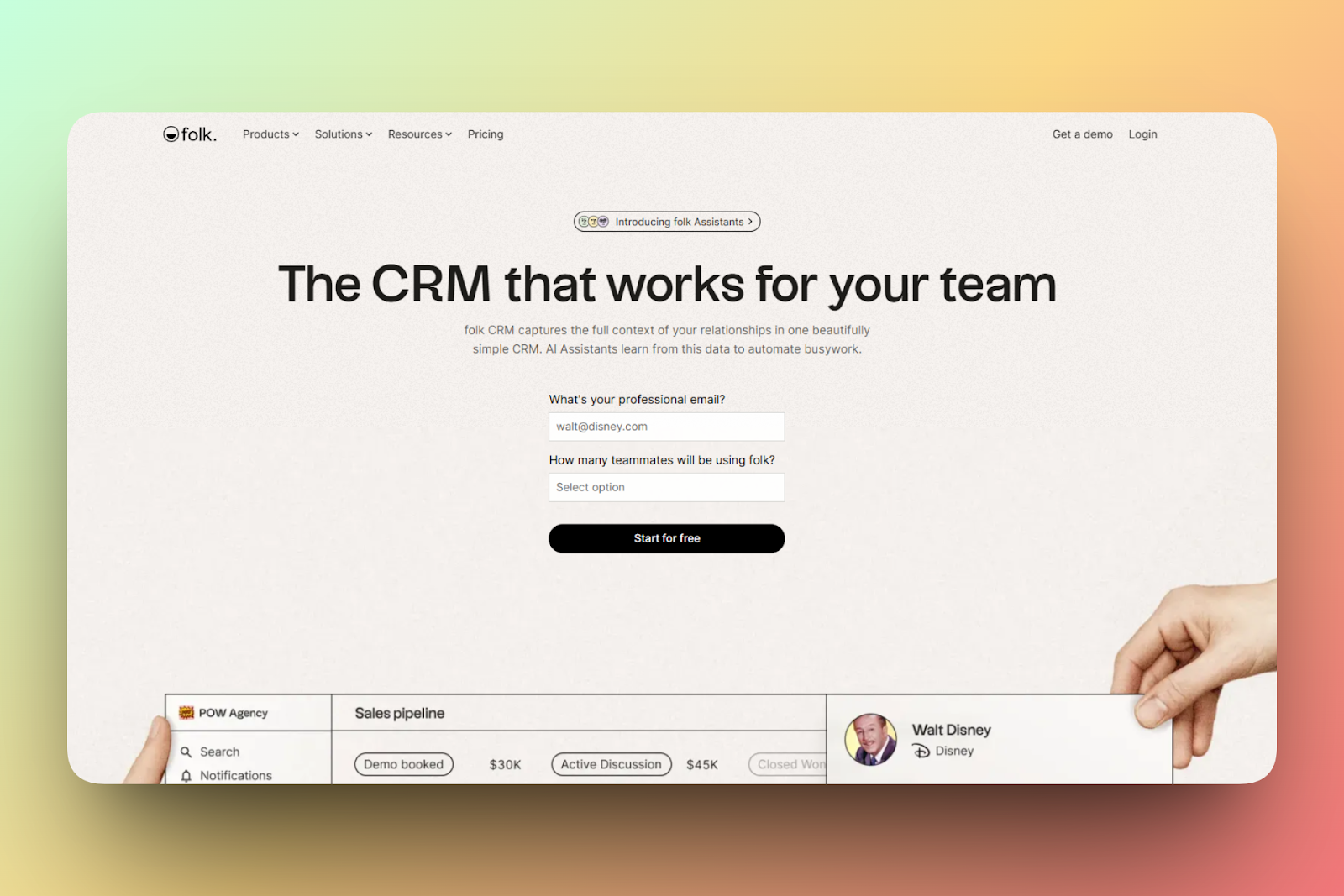
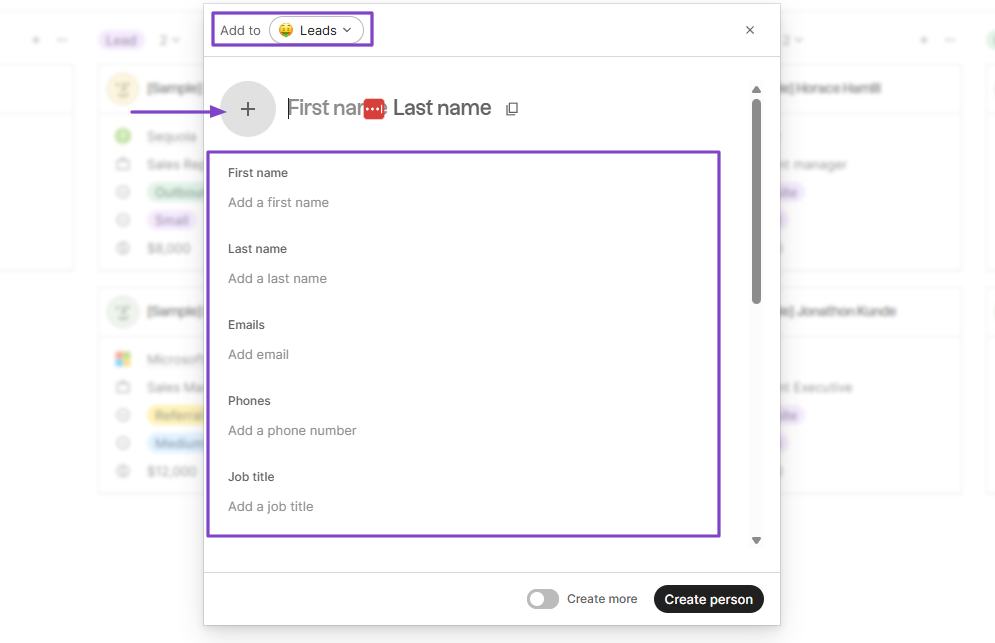
Folk also allows you to add contacts manually. You simply enter their first and last name, email, phone number, and job title.
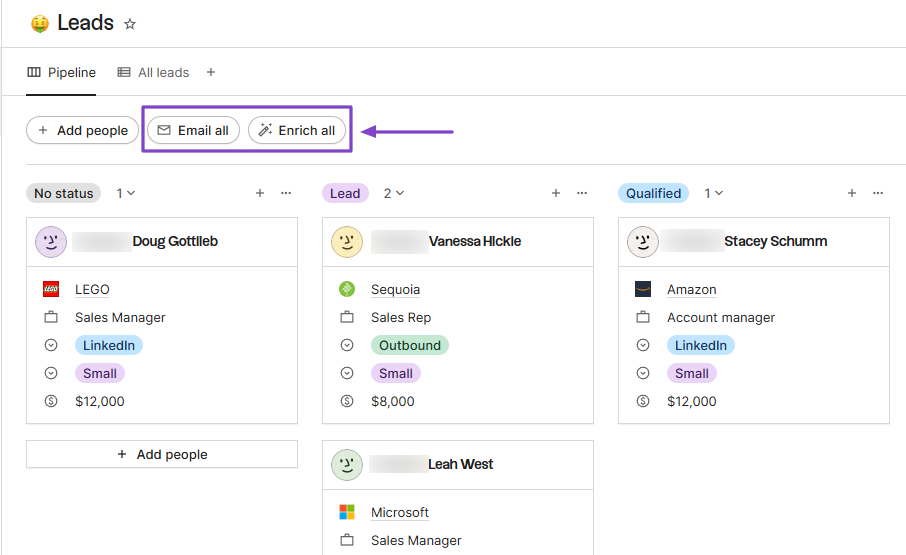
And when you have many of them, you can decide to email or enrich them all at once.
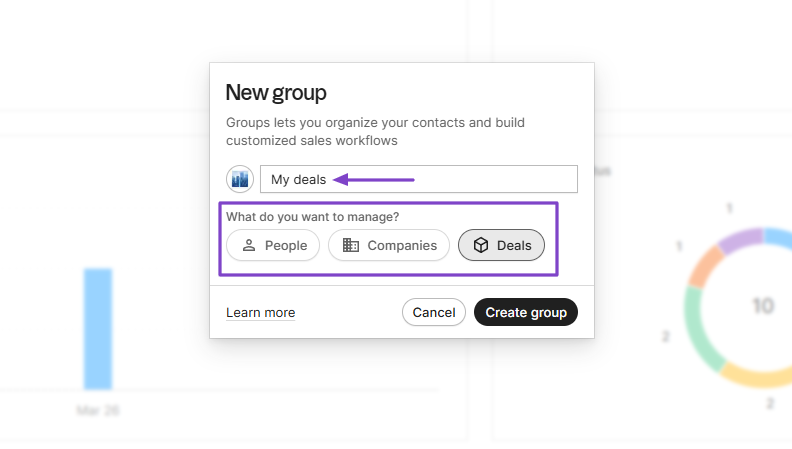
You can also create groups to manage people, companies, or deals.
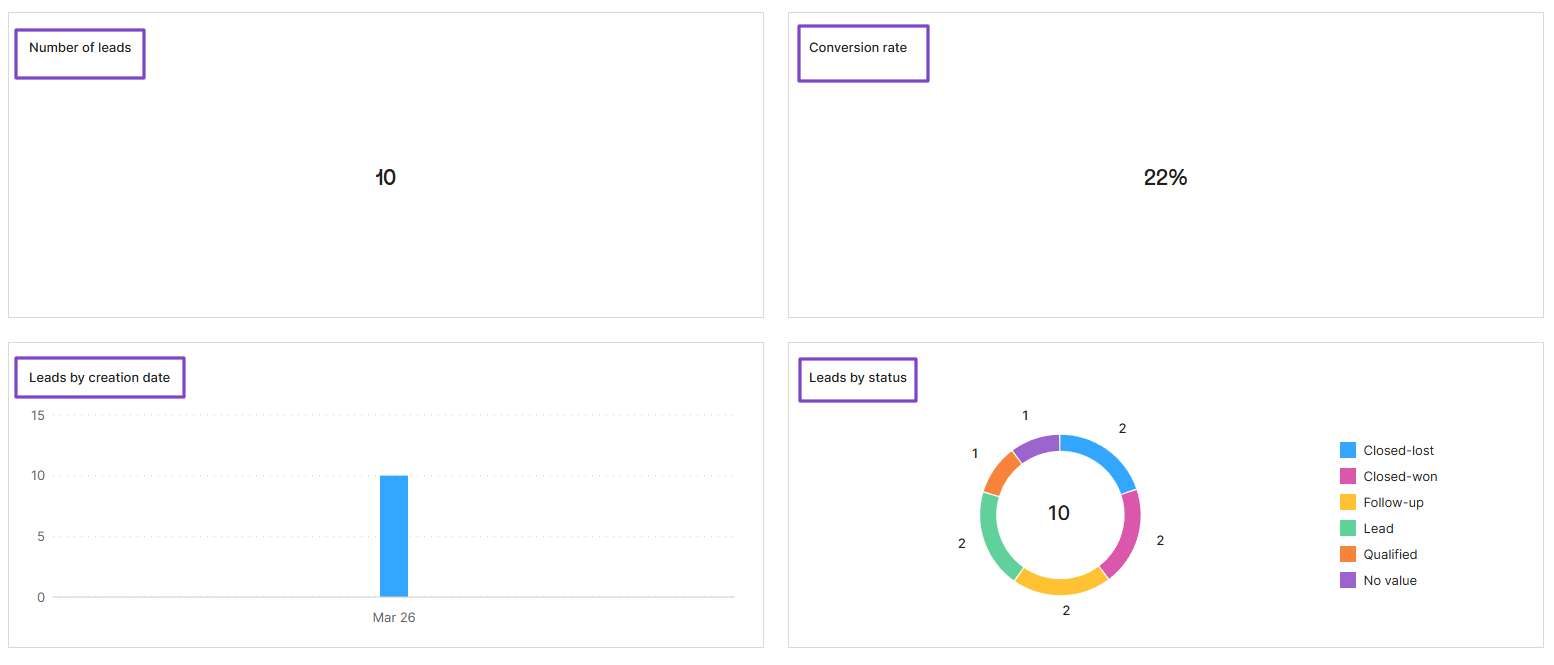
If you access Folk’s dashboard, you will see the number of leads and the conversion rate. It will also show the leads by creation date and by status.
Features I Admired
1. Leads
With the Leads feature, you can manage your sales pipeline. It shows all your contacts with their different statuses.
It’s worth noting that before you use the platform, you need to connect your Google account so your contacts sync automatically.
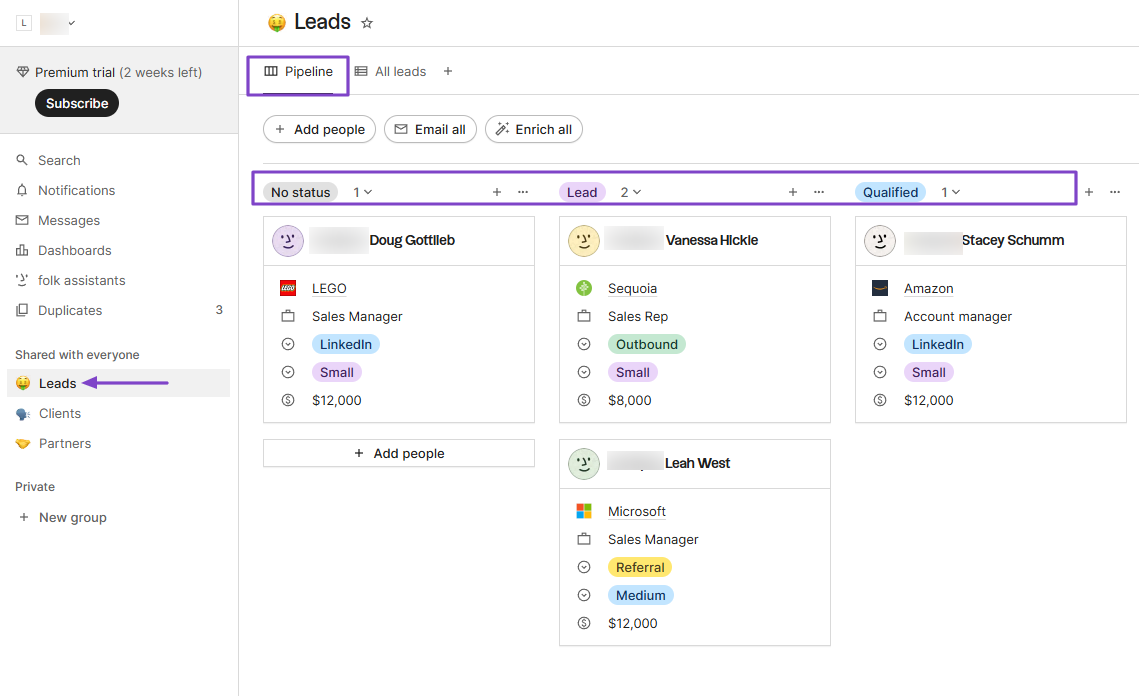
Once your contacts are synced, you can manually add the people you consider “leads.” Alternatively, you can create them yourself.
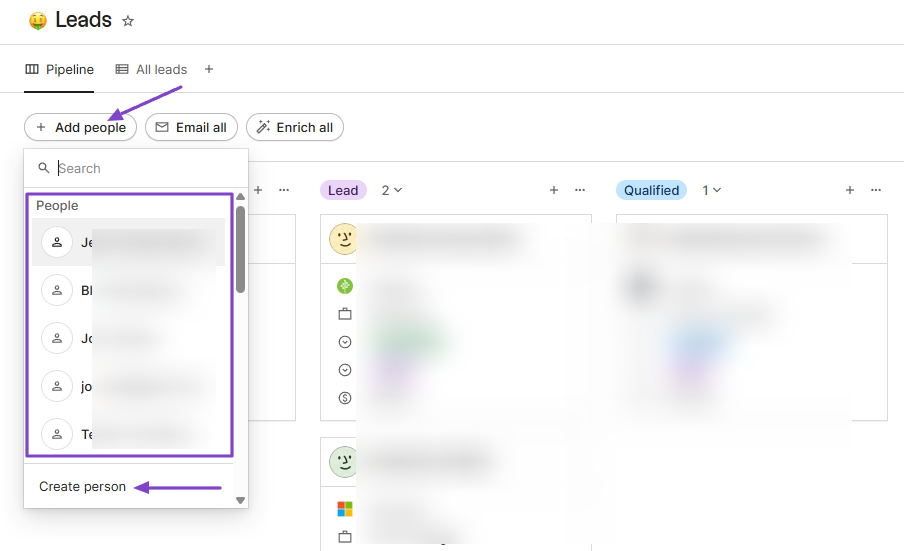
To create one, add an image, first and last name, email address, phone number, and job title. Then, at the top, you can decide where to add the new contact.
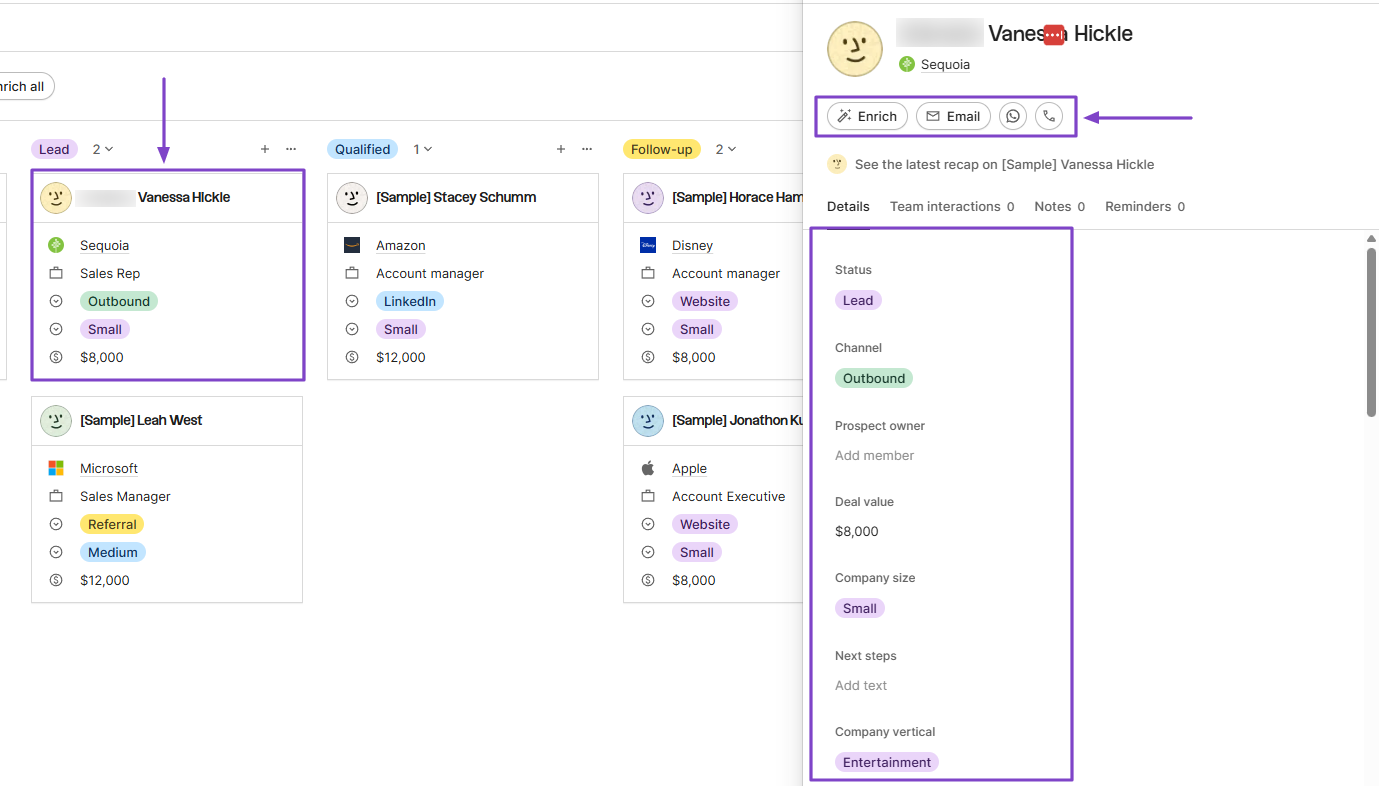
When you click on a contact, you will see more details (that you can still edit) such as status, channel, deal value, company size, and next steps.
You also have more options, like calling, enriching, emailing, or using their WhatsApp to reach out to them.
2. Group
Folk helps you create groups to organize your contacts and also build structured sales workflows. This prevents data from being scattered all over the platform.
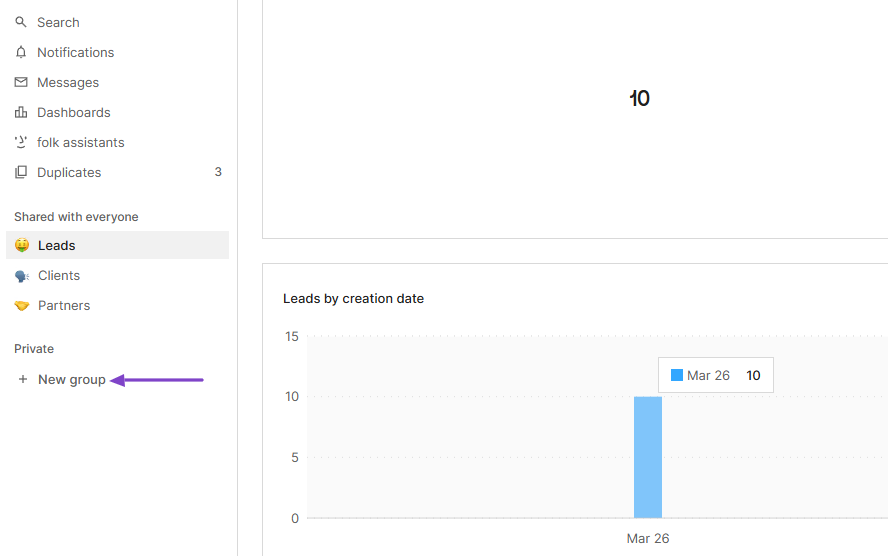
To create one, head to the sidebar menu and click “New group.”
Next, name your new group and choose what you want to manage. There are three options: people, companies, or deals.
Let’s go with “Deals.”
Now, you can import from a file, an integration, or a CRM, or simply create manually. That’s what we will do.
So, in the new window, click “+ Create.”
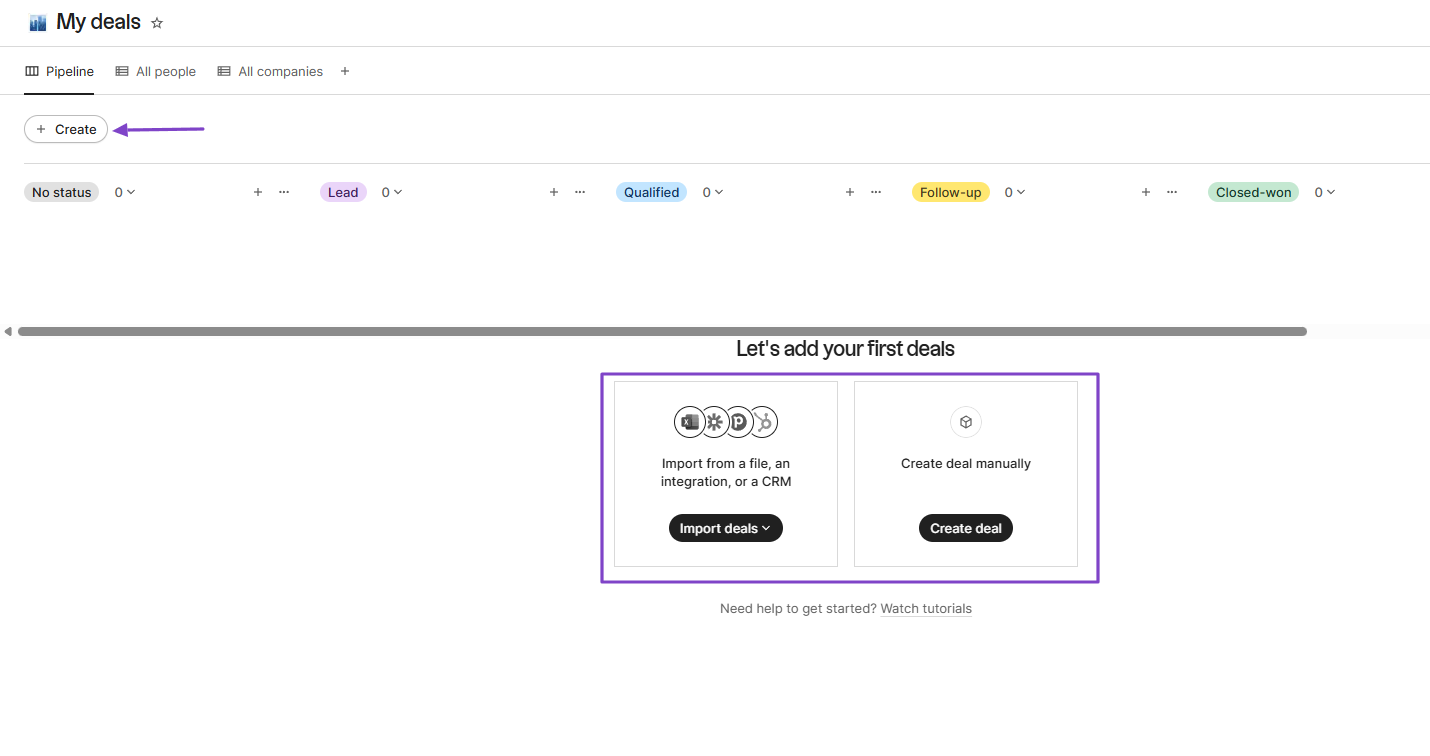
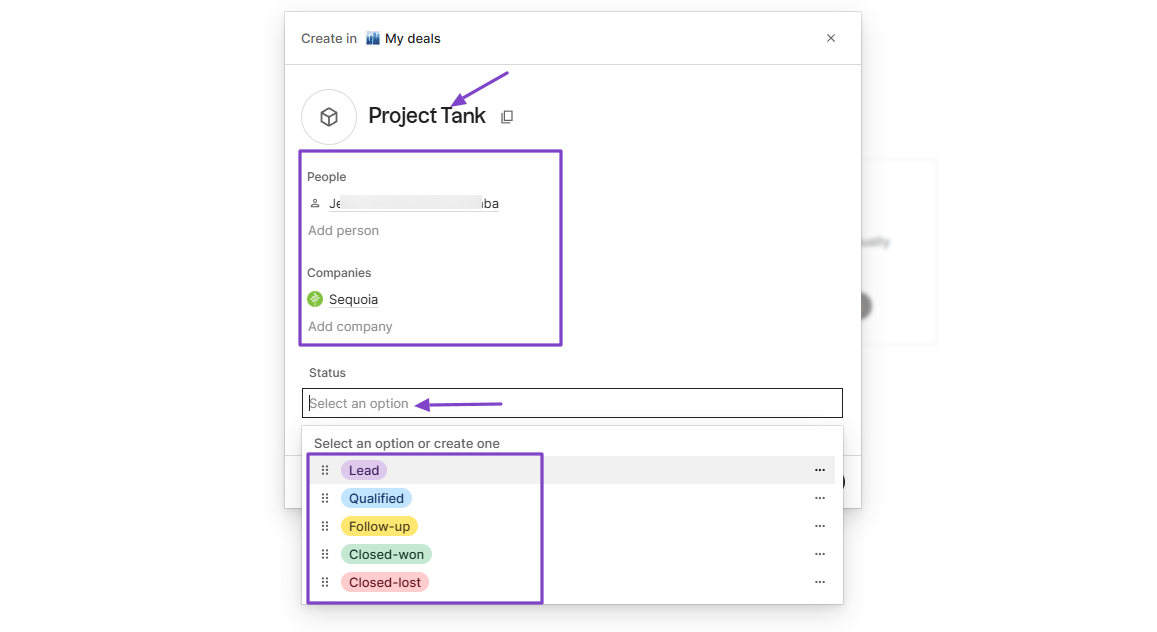
Name the deal, choose the contact you’re having the deal with, add the company, and specify the deal status.
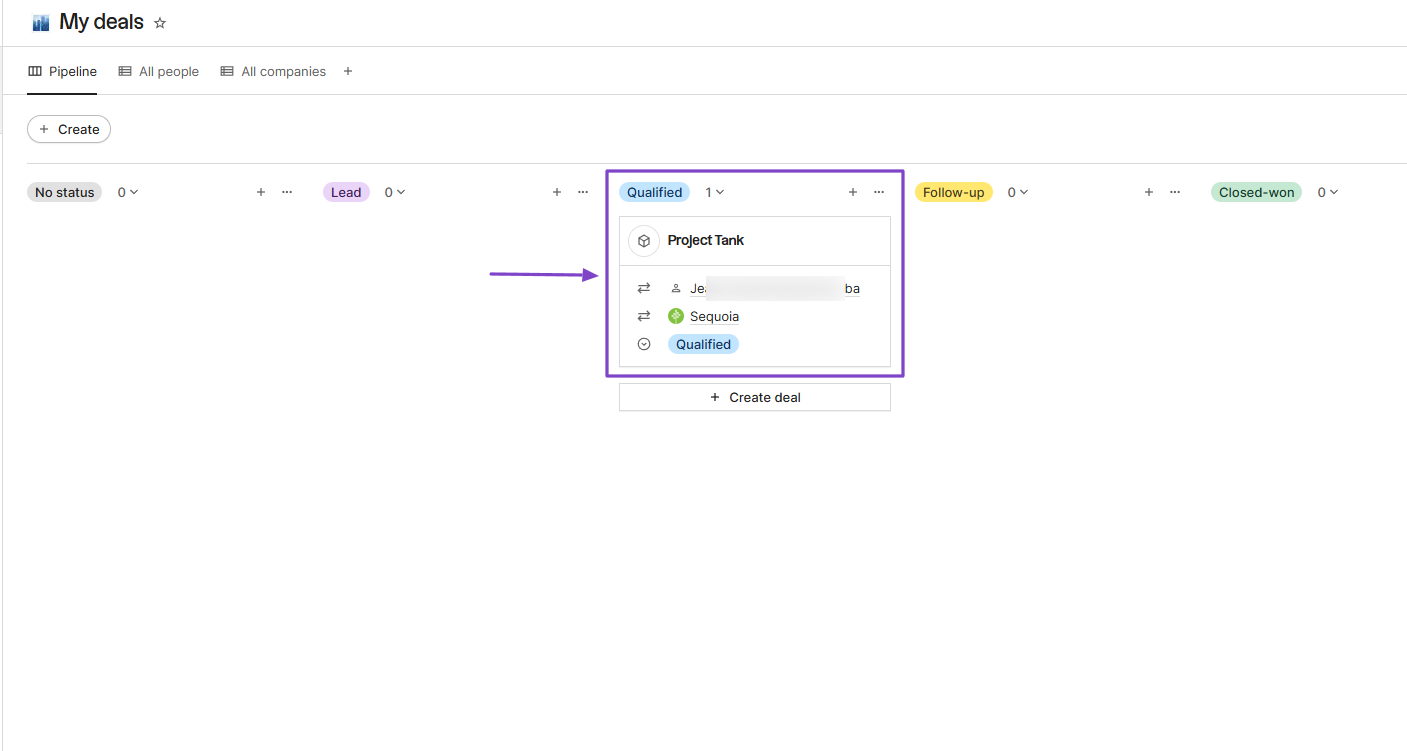
There you go! The deal will appear under the status category you choose.
3. Dashboards
The Dashboards feature helps you track your business performance and health in a single customizable view.
I will show you an example. Click Dashboards in the sidebar menu and then Leads dashboard.
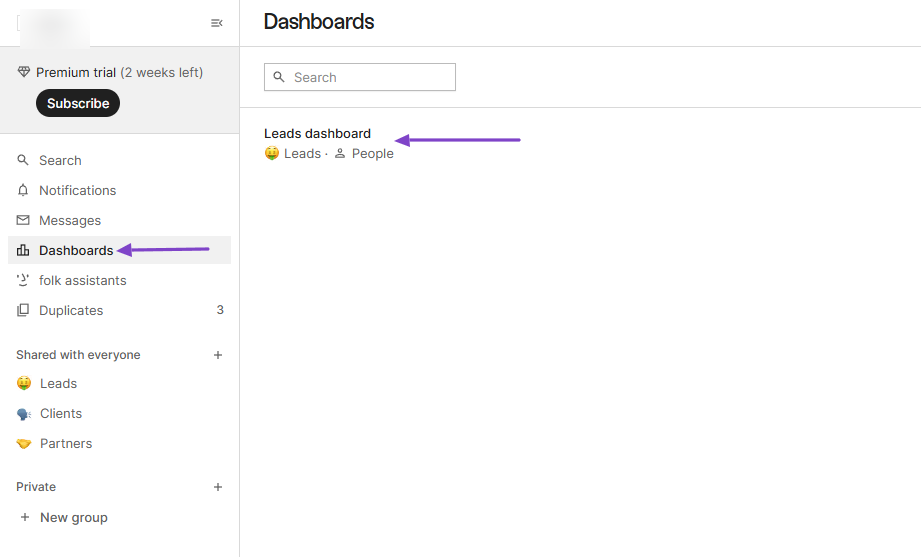
It displays your number of leads, conversion rate, leads by creation date, and leads by status.
You will also see the number of deals closed and the generated revenue. You can even add another chart to the dashboard.
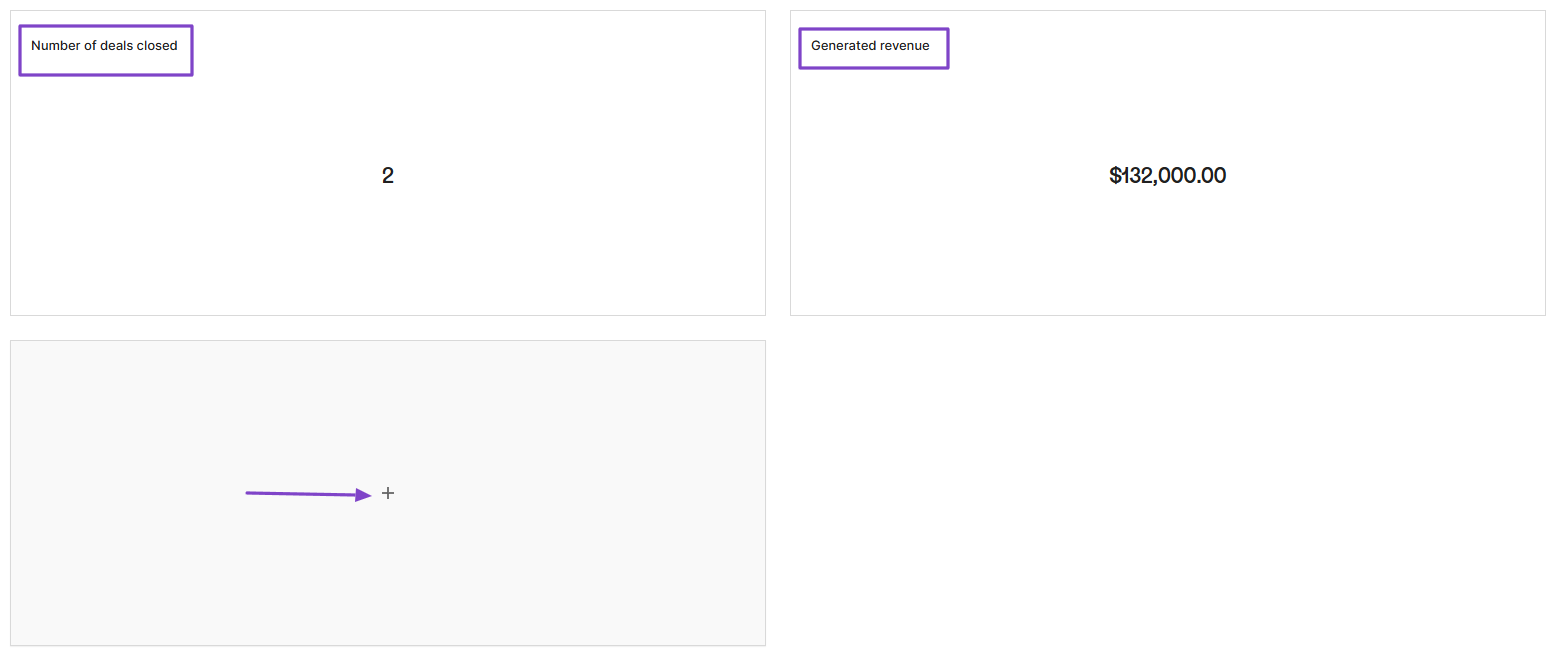
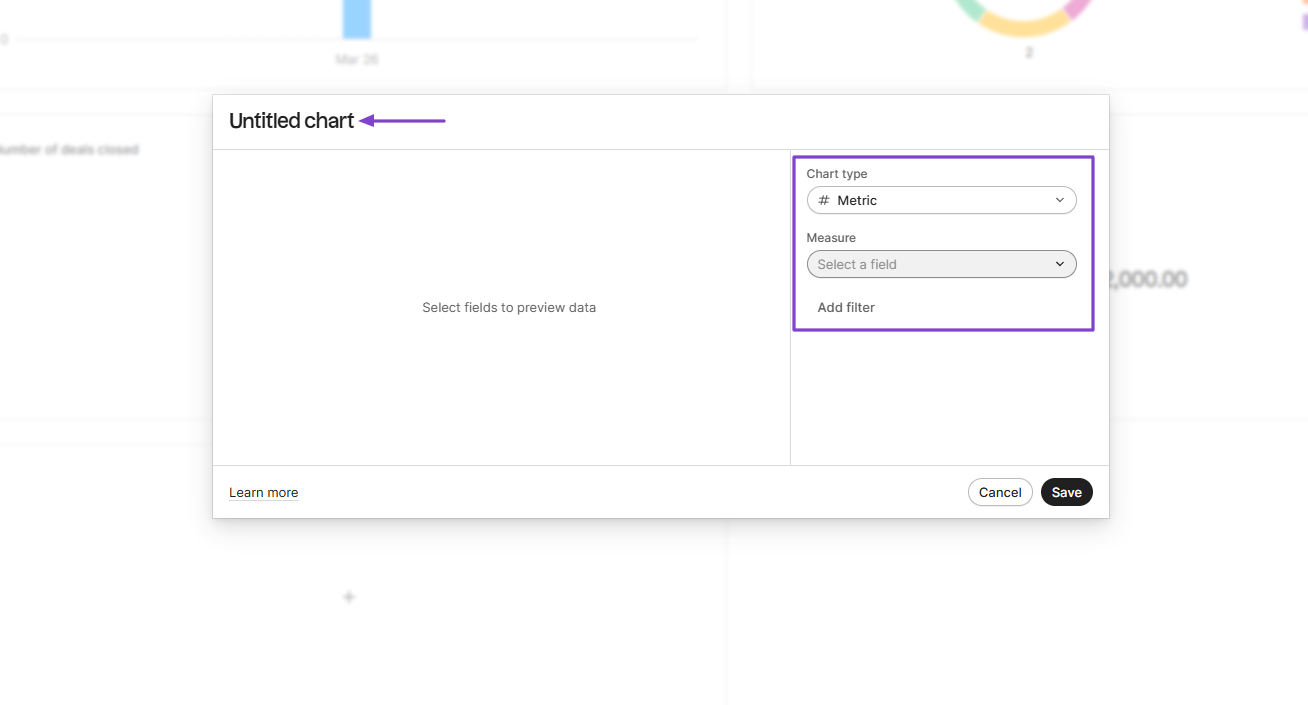
To add one, name the chart, select the chart type, and measure.
| Personal rating | Ease of use | AI capabilities | Key Features | Starting Plan |
|---|---|---|---|---|
| ⭐⭐⭐⭐⭐ 4.5/5 | ⭐⭐⭐⭐ 3.8/5 | AI insights, Automation, Enrichment | Data Studio, Data enrichment, Data Sync, Data Integration | Free - $0/month + data syncing |
Best For
- Small to mid-sized B2B teams seeking to manage sales pipeline
Pricing
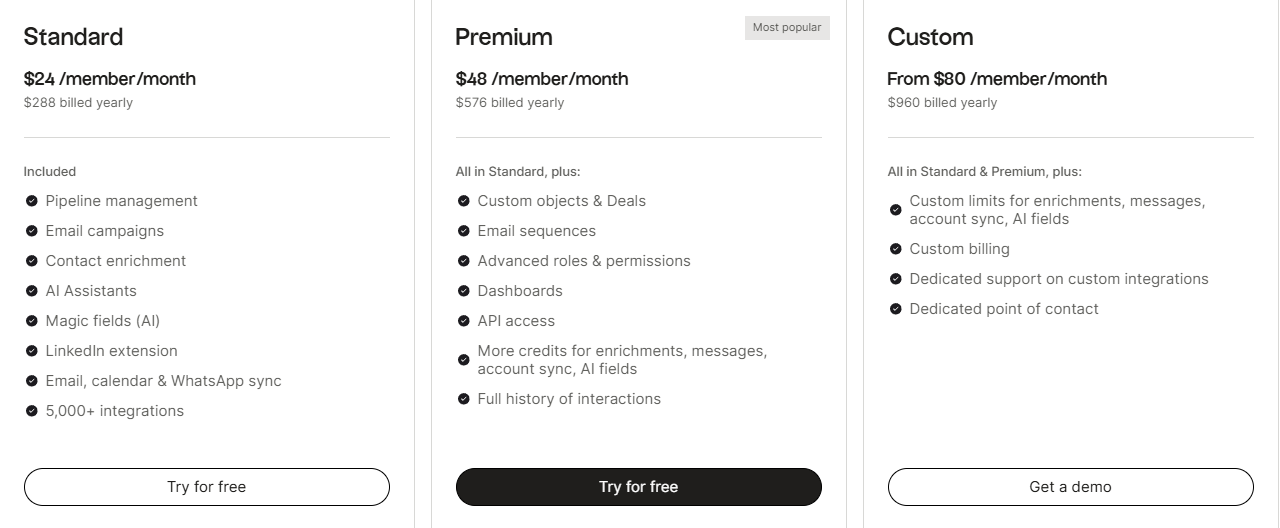
- Standard: $24/member/month
- Premium: $48/member/month
- Custom: From $80/member/month
4. Dock - Best for Customer Onboarding and Collaboration
| Personal rating | Ease of use | AI capabilities | Key Features | Starting Plan |
|---|---|---|---|---|
| ⭐⭐⭐⭐ 4.3/5 | ⭐⭐⭐⭐ 3.8/5 | AI summaries, AI documents, AI agent | Workspaces, Tasks, Library, Templates | Free - $0/month + 50 workspaces |
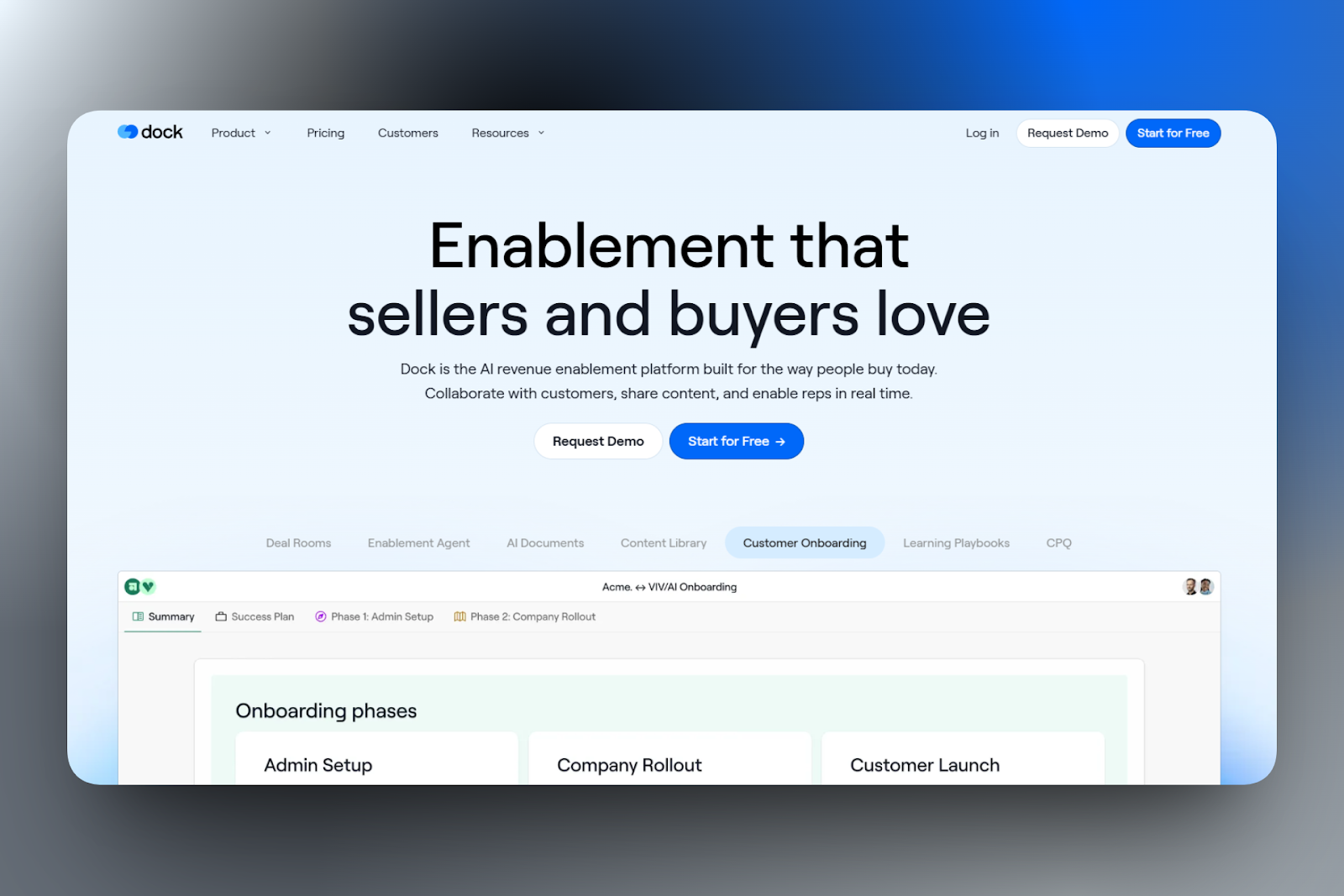
Dock is also on this list of the best revenue operations software.
It’s an AI revenue enablement platform that helps businesses manage the client journey from sales proposal to onboarding to customer success.
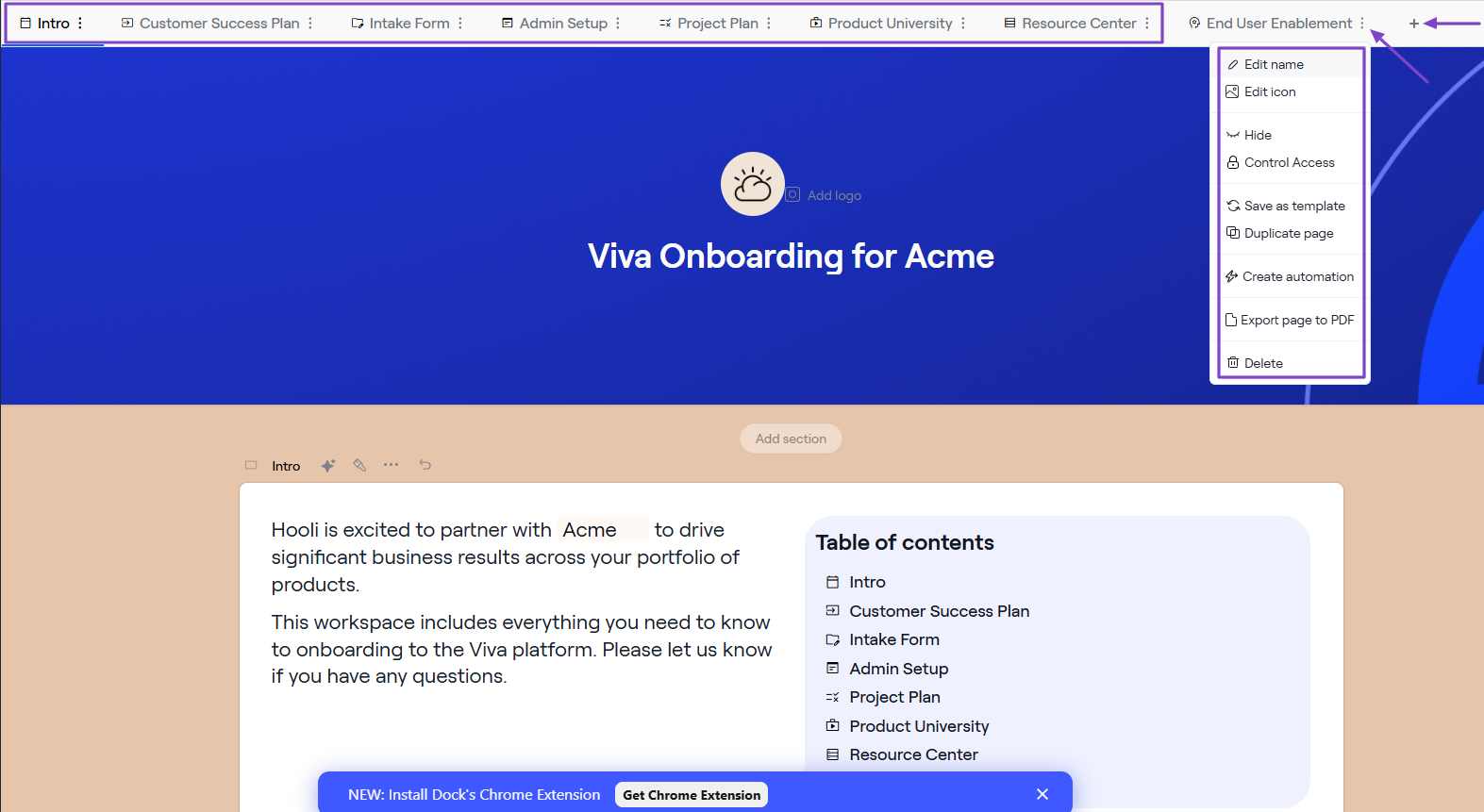
It offers templates that you can edit and fully customize. For instance, you can add new sections, pages, change the name, duplicate a page, create automation, or delete.
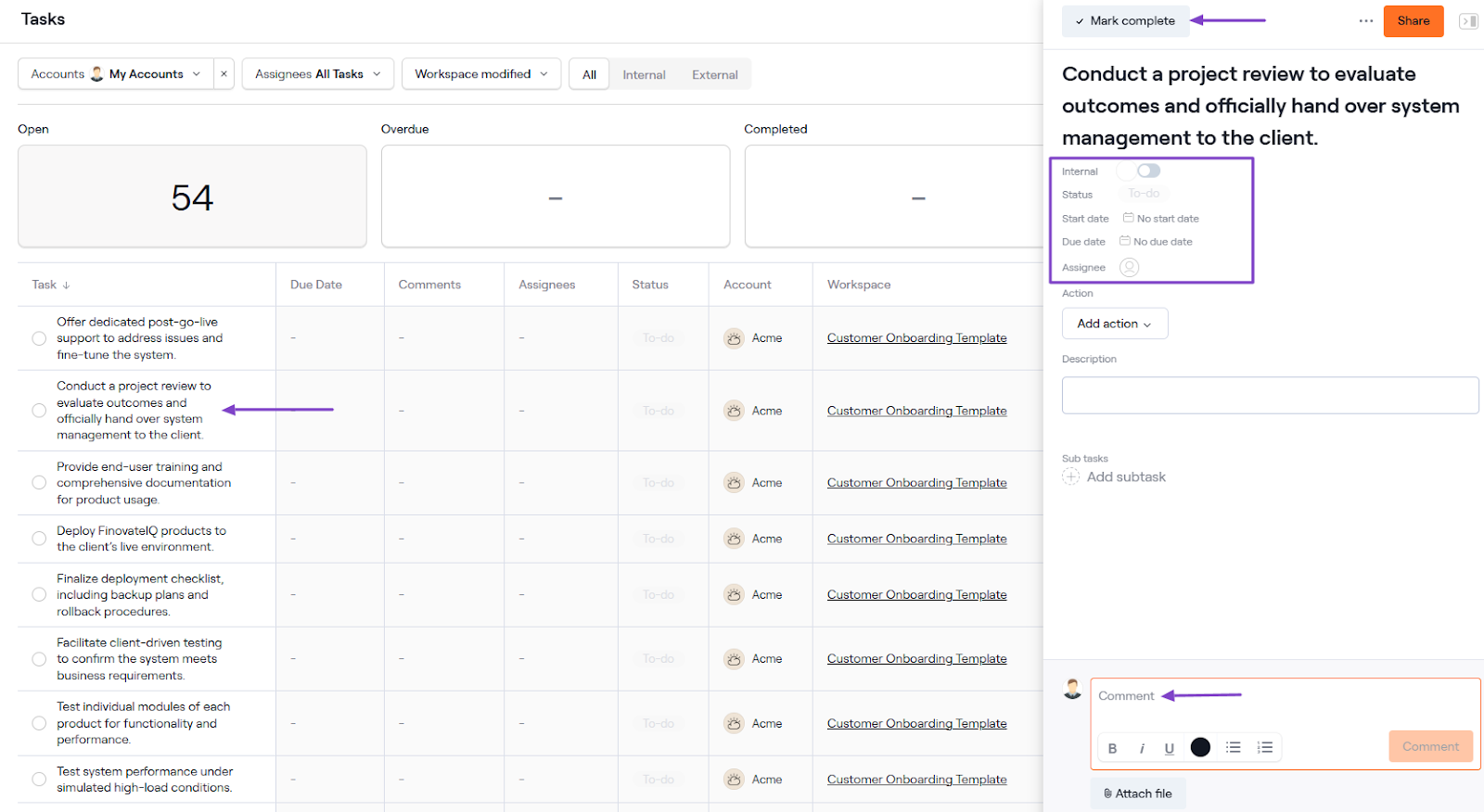
When it comes to tasks, you can choose their status, set start and end dates, assign an assignee, and even leave a comment.
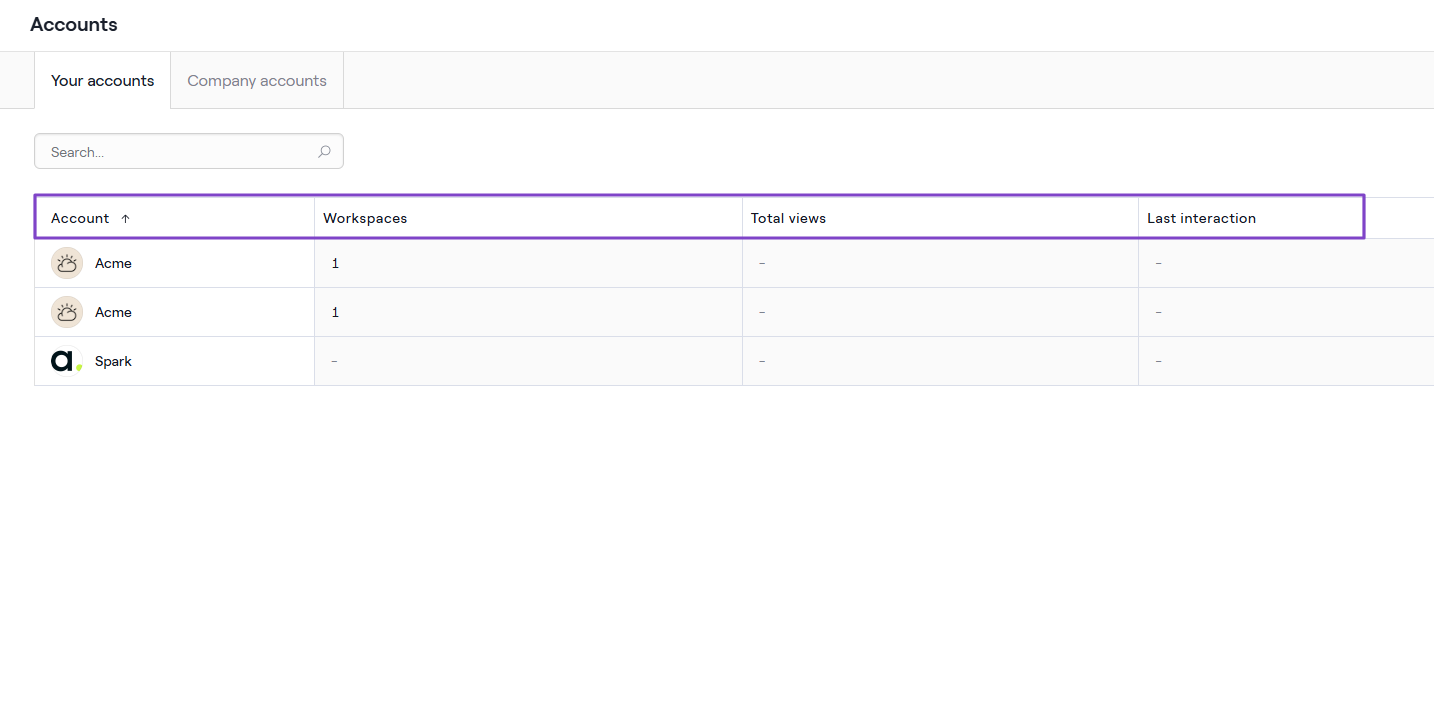
Dock lets you manage multiple accounts for more organization. Once you start launching workspaces, you will see the total views and last interaction.
Features I Admired
1. Templates
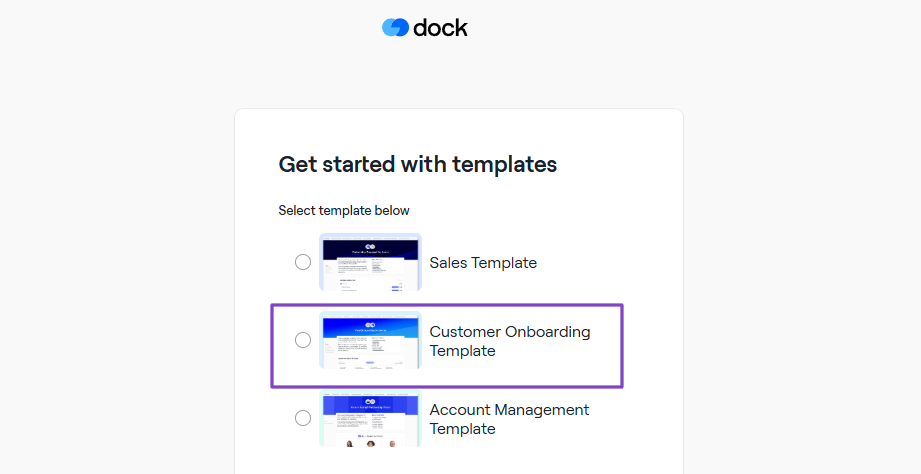
You use the Templates feature to create your workspace, and there are three available templates: Sales, Customer Onboarding, and Account Management.
We will use the Customer Onboarding Template.
Since it’s a template, you can customize it to your liking. You will, for instance, find the section on the left side of the interface.
You can edit each name, duplicate sections, enable collaboration, or create automation.
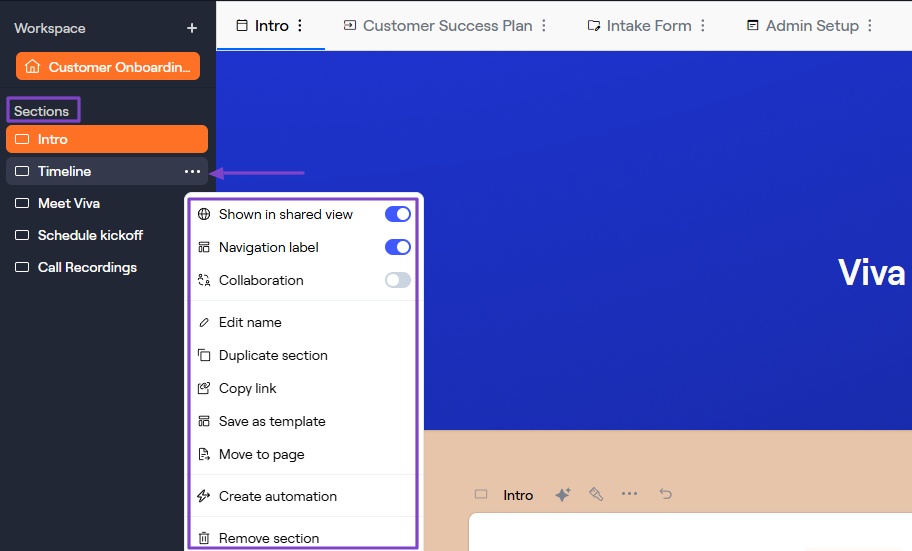
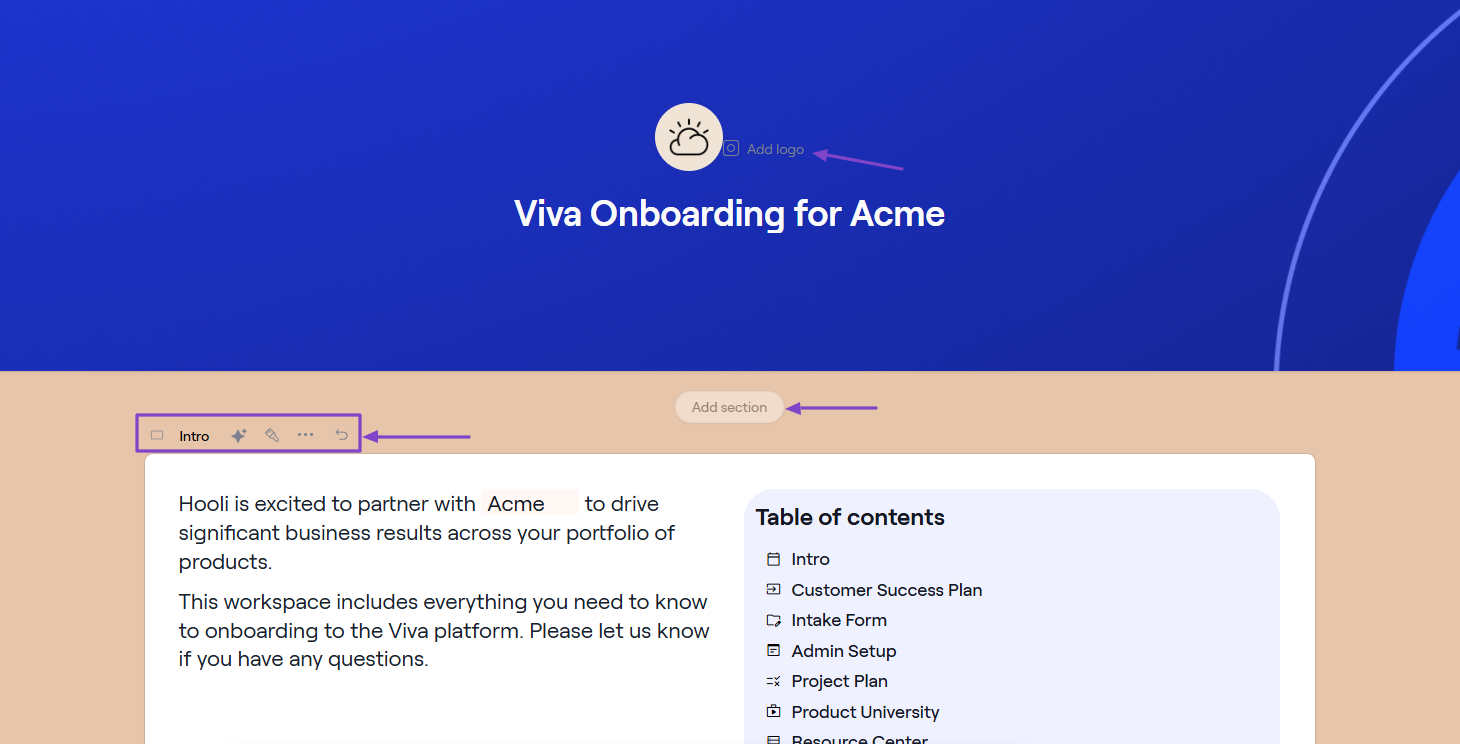
You can edit the text and logo, and add other sections. You can also use AI to make some of those changes.
Since the onboarding template has other pages, you can also go ahead and edit them. Add your logo, and sources like CSV, Zoom, HubSpot Marketing, or Gong.
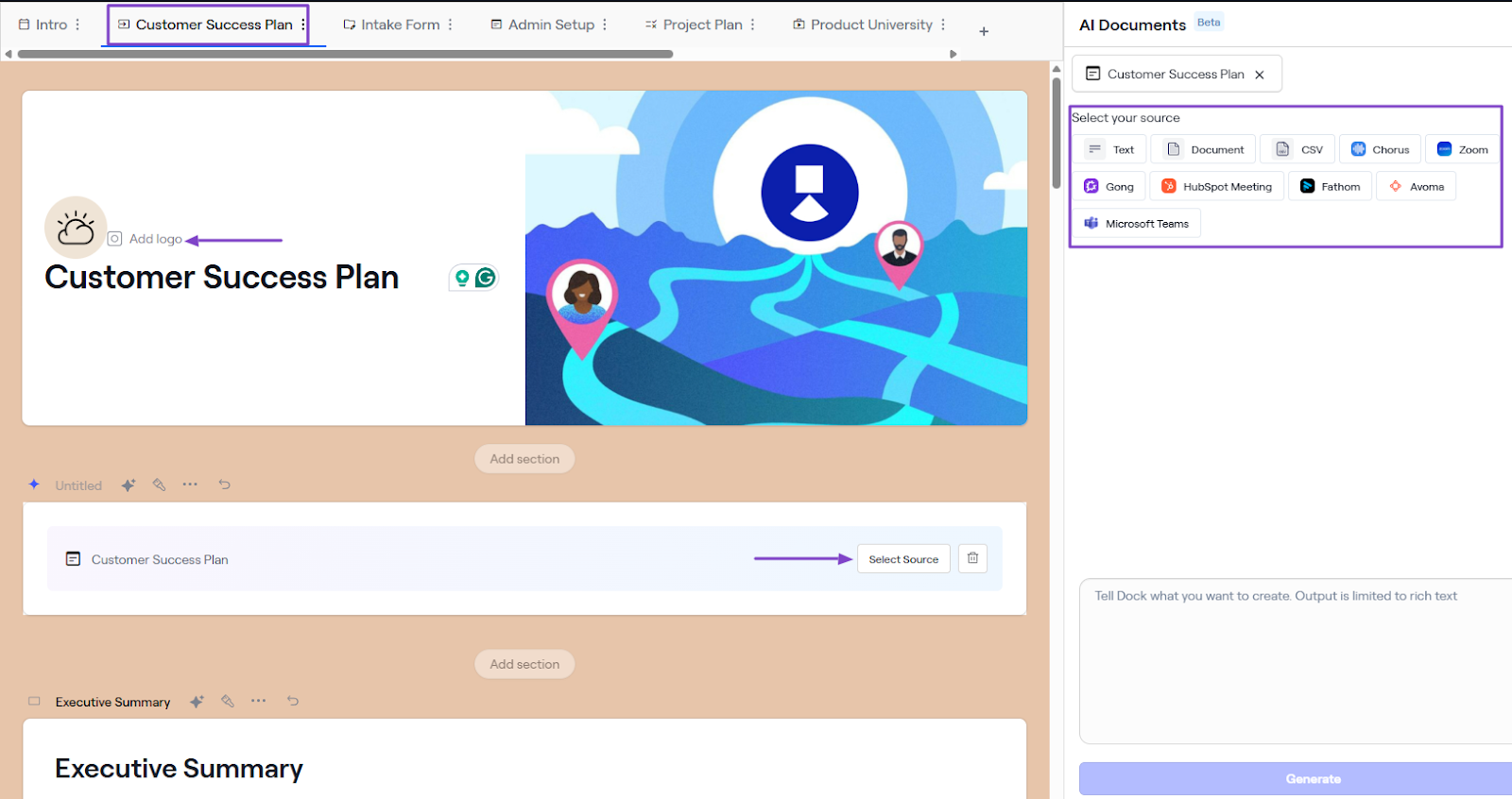
You can add or remove pages, edit the name, icon, control access, or delete. Once everything looks good to you, you can save it and publish it.
2. Tasks
Under Collaboration, you have the Tasks feature. It helps you create or track all the tasks you have in your workspace.
To see how it works, click Tasks in the sidebar menu.
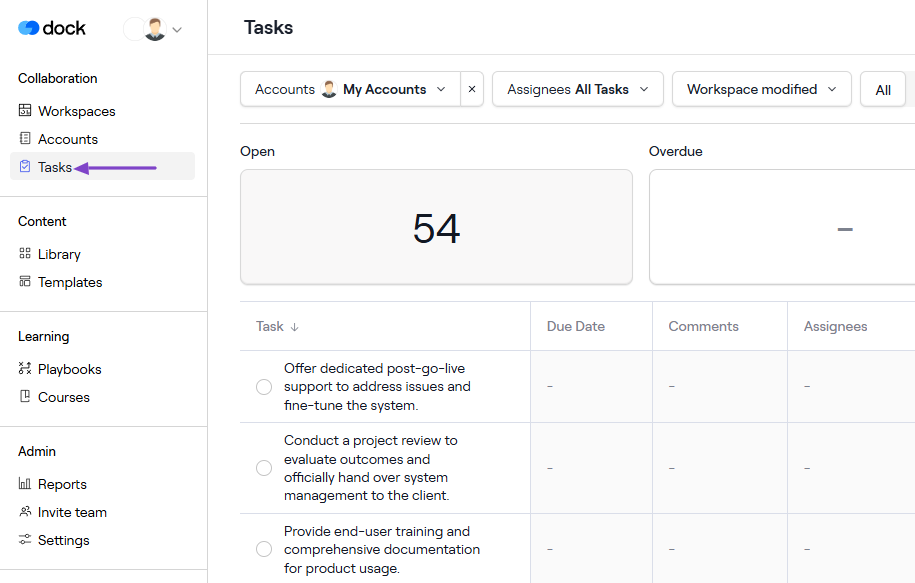
You can see the number of open, overdue, and completed tasks. Below that, it also shows the different tasks, their due date, comments, assignees, workspace, and status.
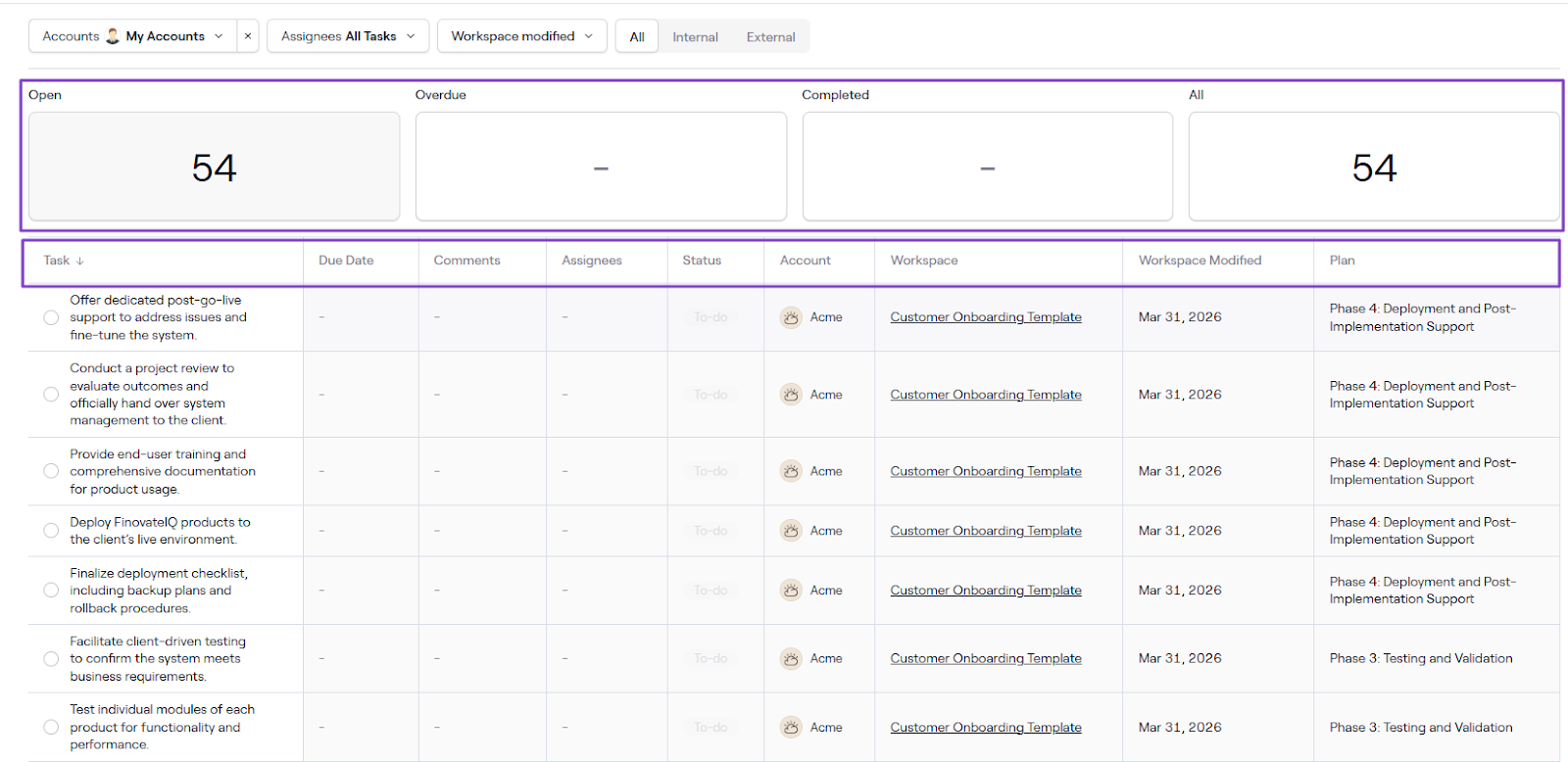
Click a task to change or specify its details, like status, start and due dates, and assignee. You can also add a comment or mark it complete when it is.
3. Accounts
There is another feature under Collaboration called Accounts. Dock lets you create multiple accounts, both personal and company.
You don’t need to run multiple workspaces with the same account.
Click “Accounts.”
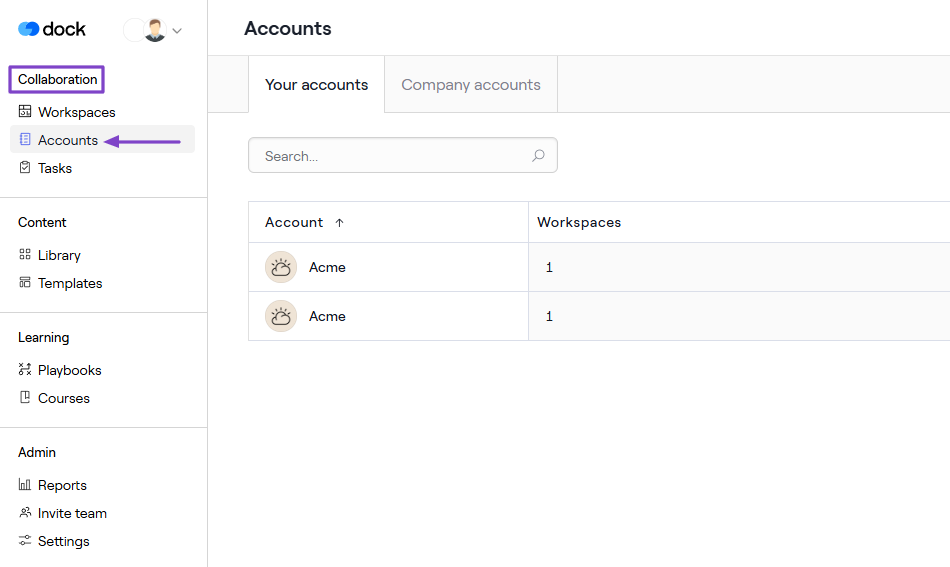
Simply add the new account name and website. Dock will find a logo you can still change.
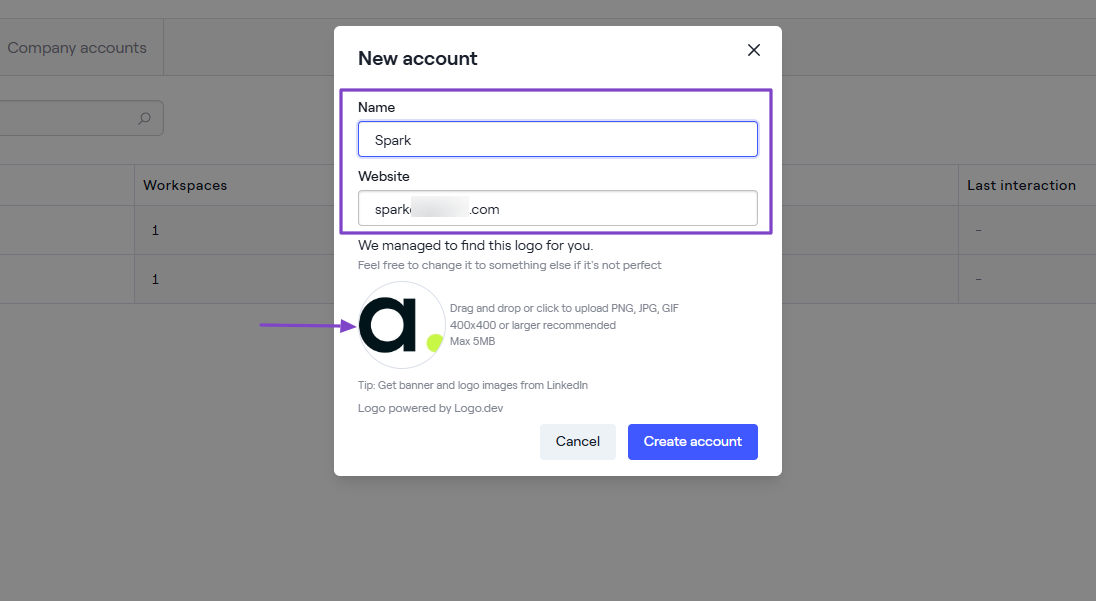
That’s it! You can connect it to a workspace. Once it’s published, you can track total views and the last interaction.
| What Impressed Me 👍 | What Fell Short 👎 |
|---|---|
| ✅ The Onboarding template is very rich with many sections and pages. | ❌ The Workspace feature seems complex due to its many settings. |
| ✅ Lets you assign tasks to members and track status. | ❌ The templates available for quick setup are limited (less than 5). |
| ✅ Can enable collaboration right within the workspace. |
Best For
- B2B companies seeking software for customer onboarding and collaboration.
Pricing
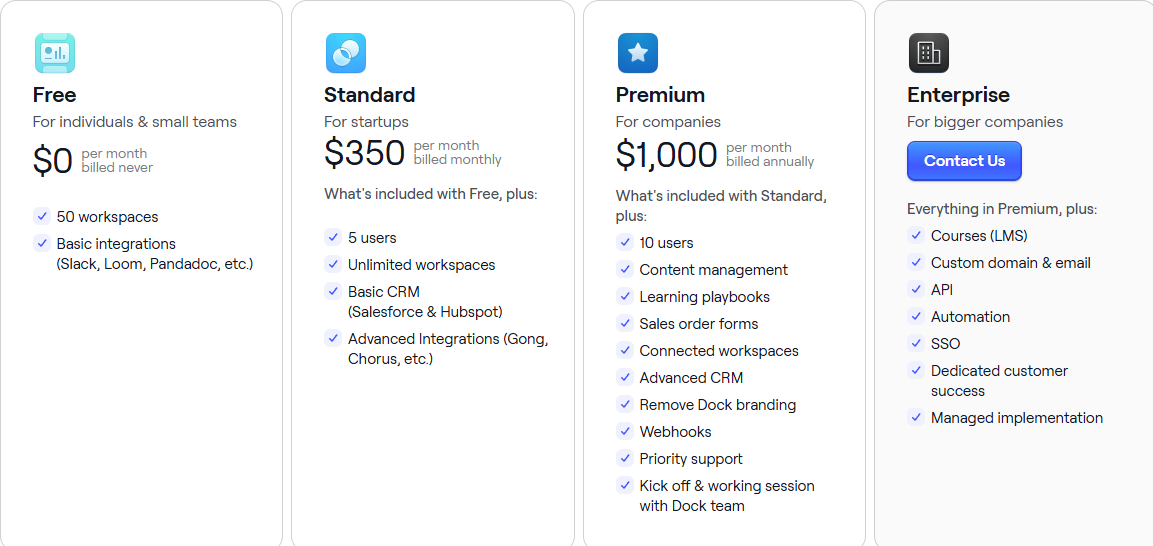
- Free: $0/month
- Standard: $350/month
- Premium: $1,000/month
- Enterprise: Contact for pricing
5. Zendesk - Best for Retention and Customer Success Tracking
| Personal rating | Ease of use | AI capabilities | Key Features | Starting Plan |
|---|---|---|---|---|
| ⭐⭐⭐⭐⭐ 4.7/5 | ⭐⭐⭐⭐ 4/5 | Automation, AI-powered responses, and insights | Customer management, Ticket views, AI agent, Analytics | Support Team - $19/agent/month + Email and ticketing support |
We can’t ignore Zendesk when discussing revenue operations software.
It’s a customer service software platform used by 100,000+ companies to support requests and manage customer interactions through an advanced ticketing system.
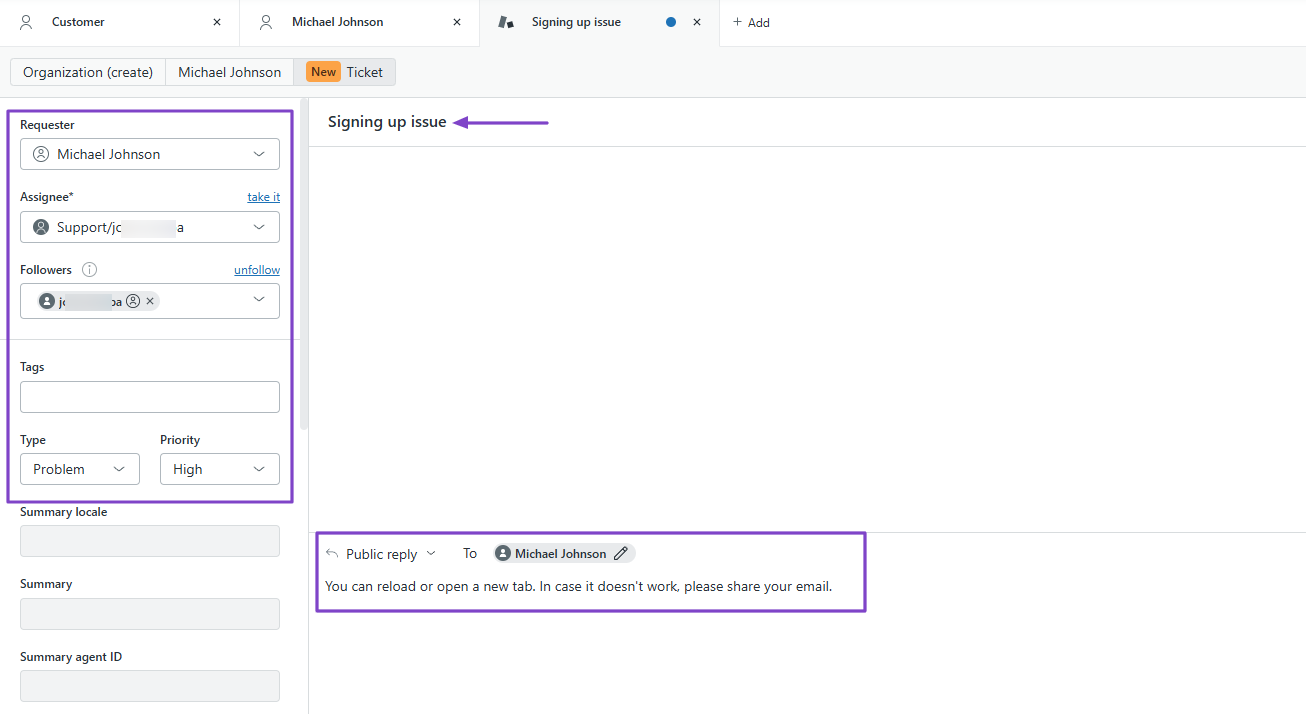
When you add a customer, you can specify their issue and the priority level. Then you simply reply, and it goes straight to the customer’s email address.
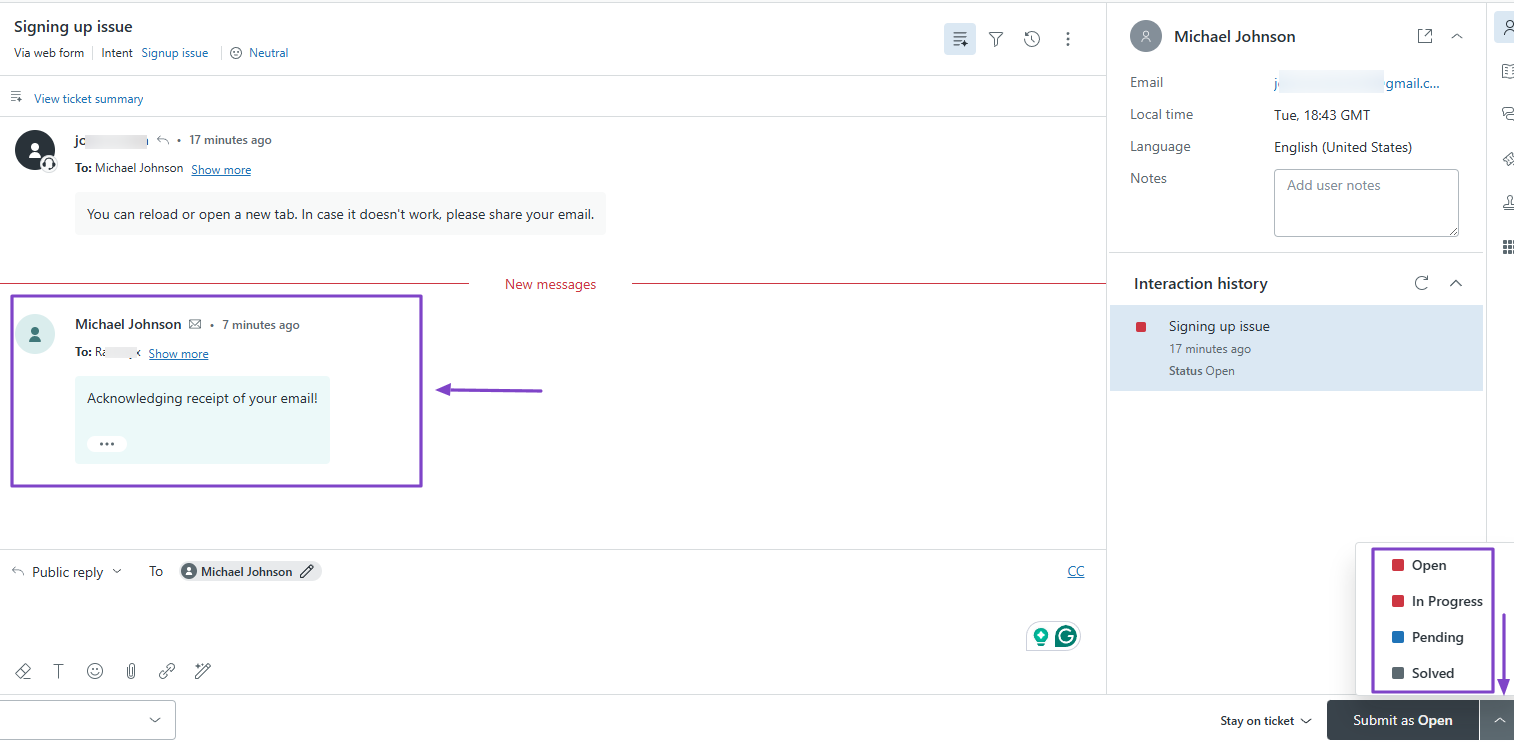
When the customer replies to your email, it will appear on the platform. You can then adjust the priority level based on the reply.
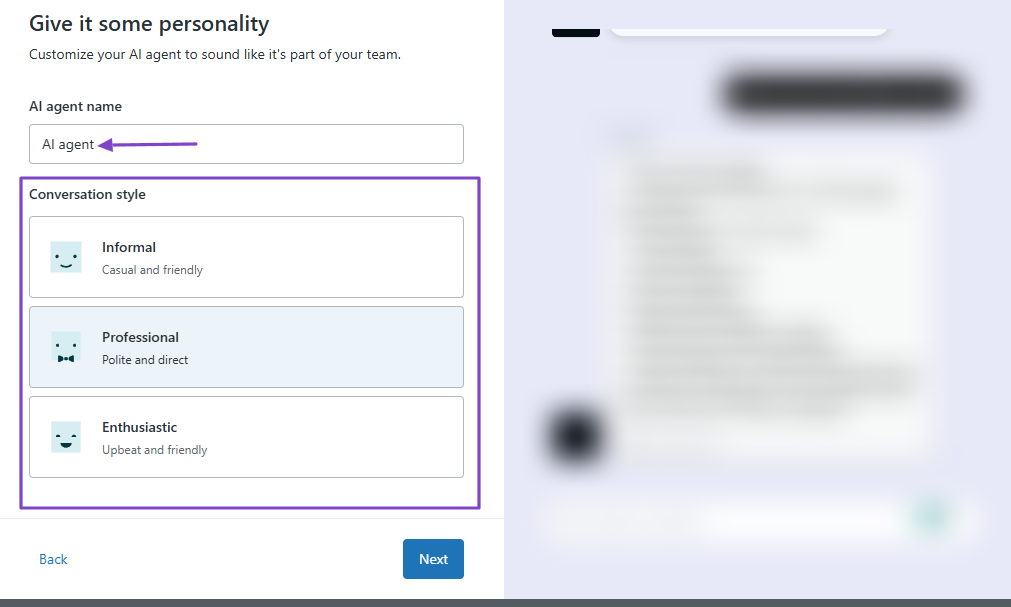
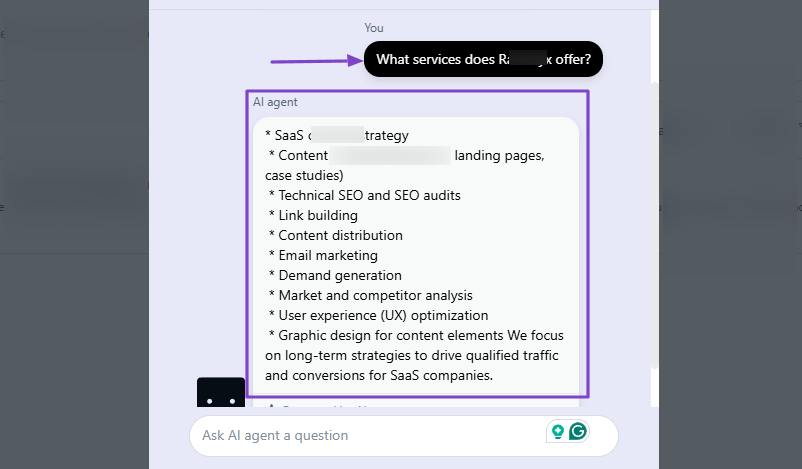
What’s more, you can create an AI agent to assist customers. You simply have to name the agent and choose a conversation style.
The AI agent answers based on the knowledge on your website.
Features I Admired
1. Customers
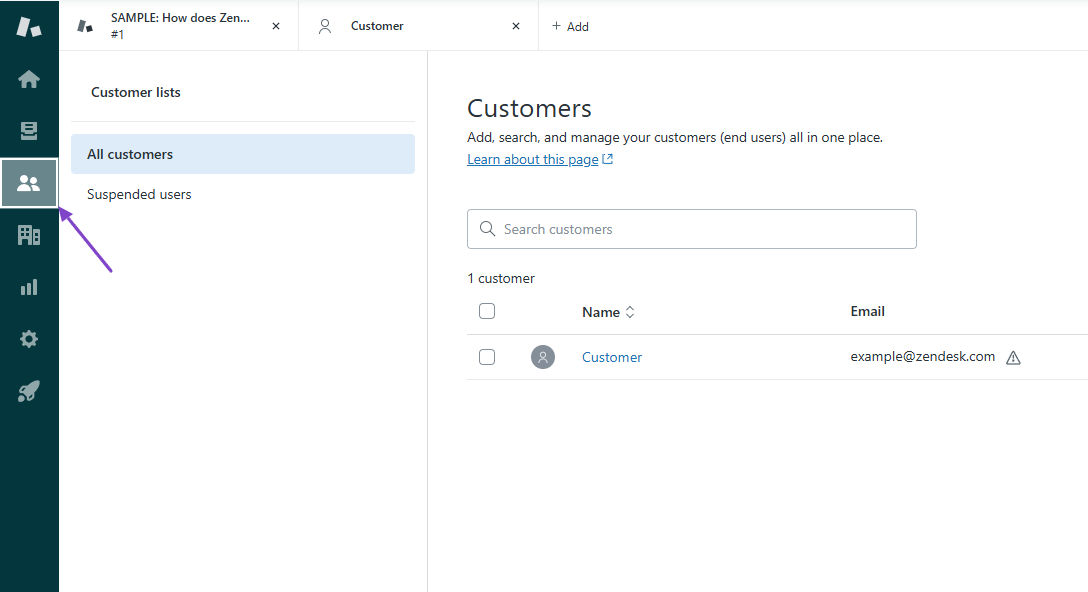
In Zendesk, the Customers feature lets you add, search for, and manage customers in one place. This is where you will solve their issues, which can help retain them.
This is how it works. Click “Customers” in the sidebar.
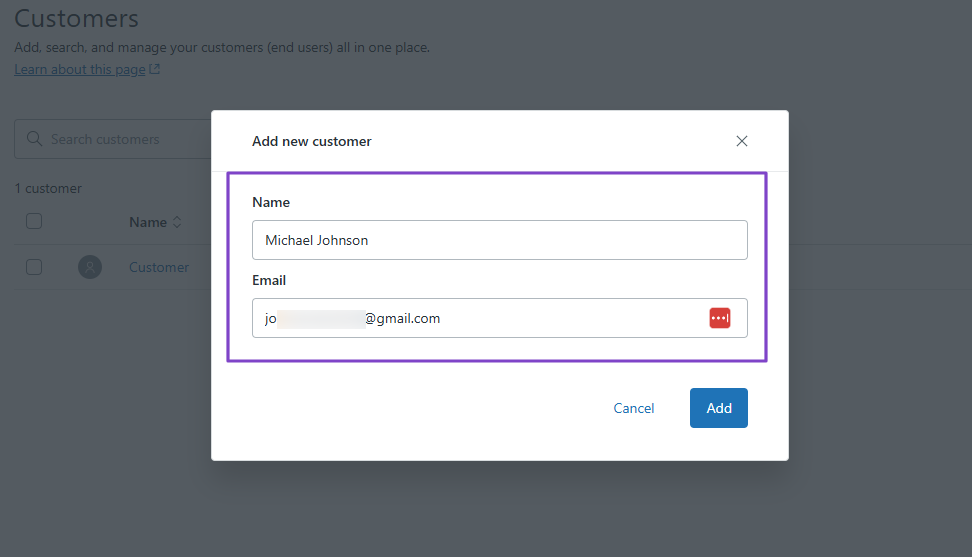
Next, add the customer’s name and email address.
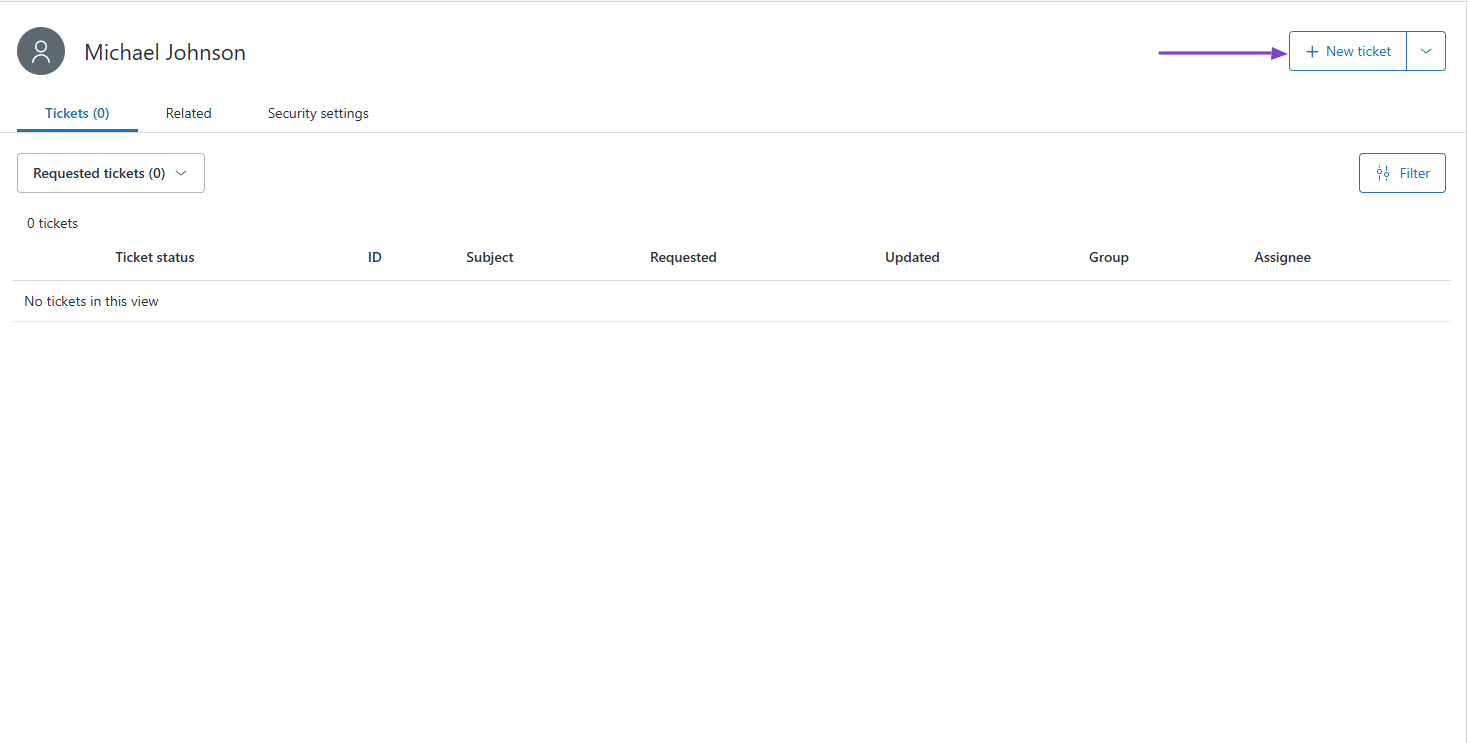
Now that you’ve added the customer, you can click “+ New ticket.”
First, on the left side, enter the customer’s name, choose an assignee and a follower, then select the type and priority level.
After that, under “Tickets,” specify the customer’s problem, and below, add a public reply that solves the problem.
Once done, go to “Submit as New.”
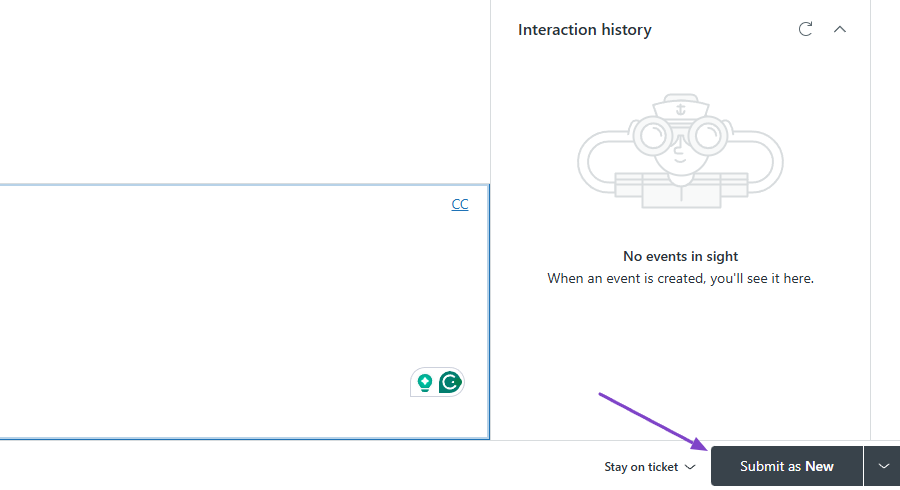
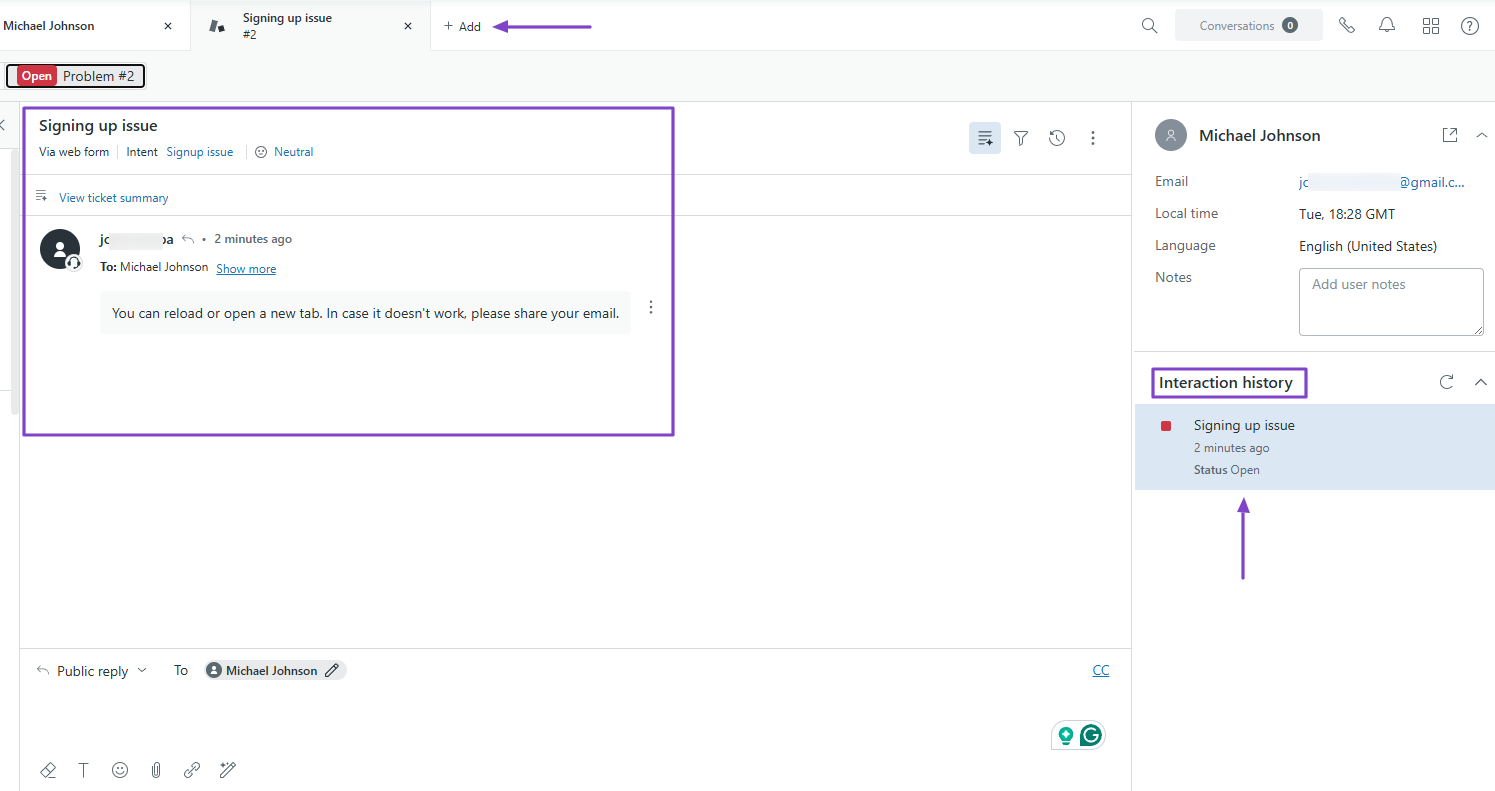
You can still add other tickets. On the far right side, you can view interaction history.
2. Views
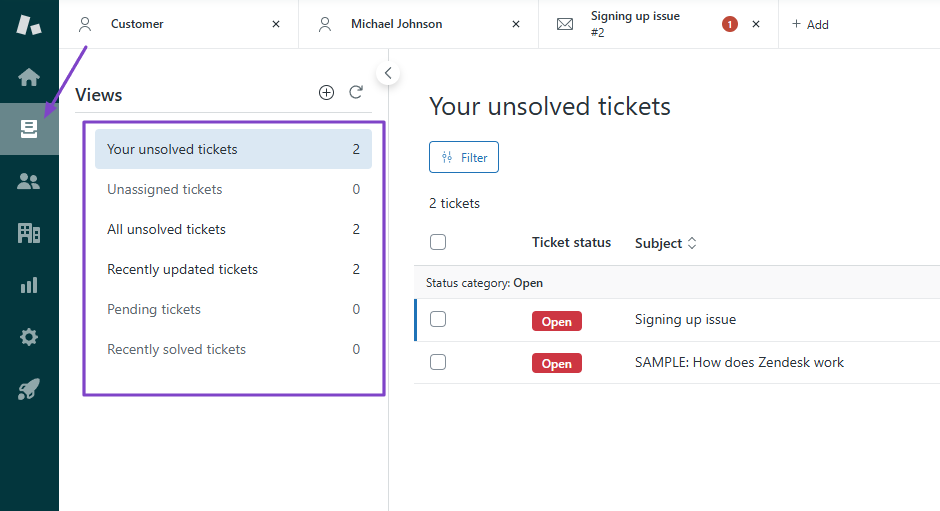
The Views feature shows your unsolved, unassigned, all unresolved, recently updated, pending, and recently solved tickets.
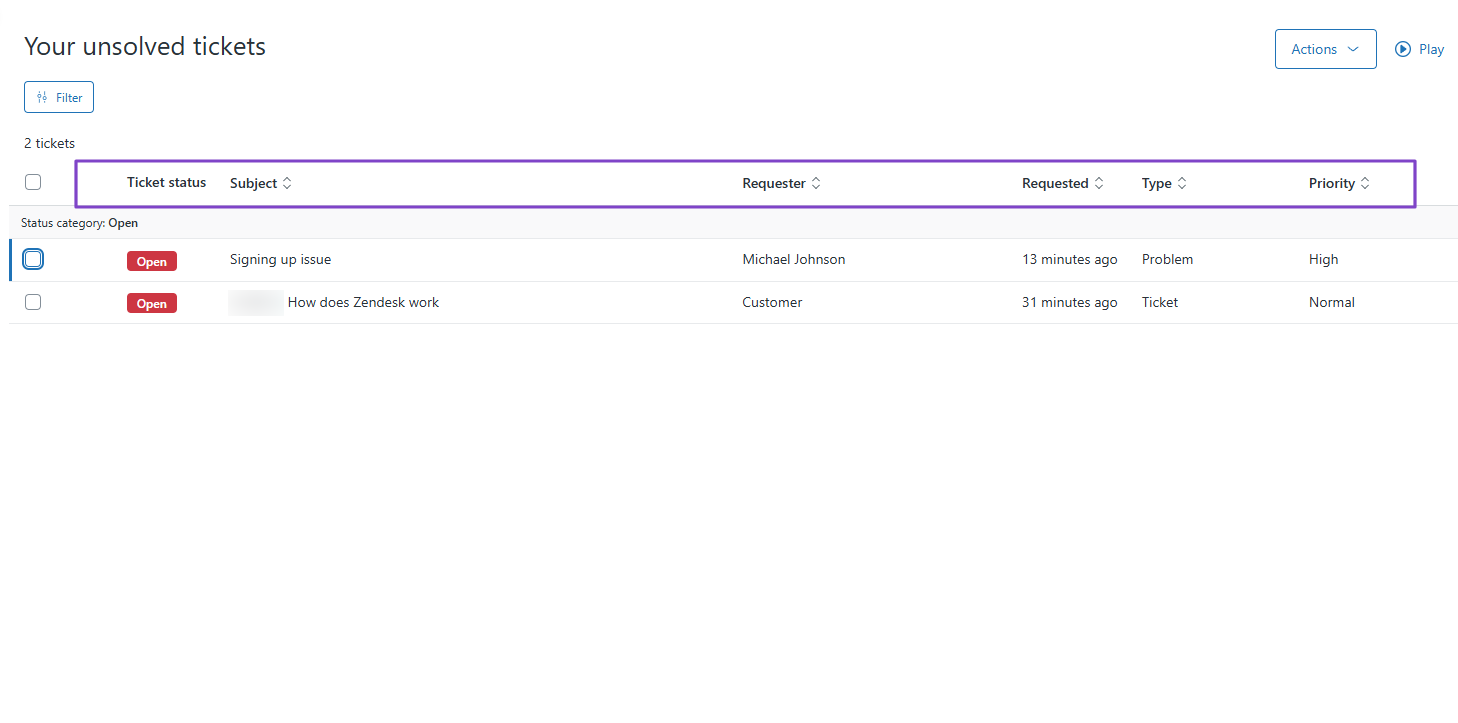
If, for instance, you go to “Your unsolved tickets,” you will see the ticket status, subject, requester, type, priority, and when it was requested.
By hovering closer to a ticket, you will see the problem and the reply.
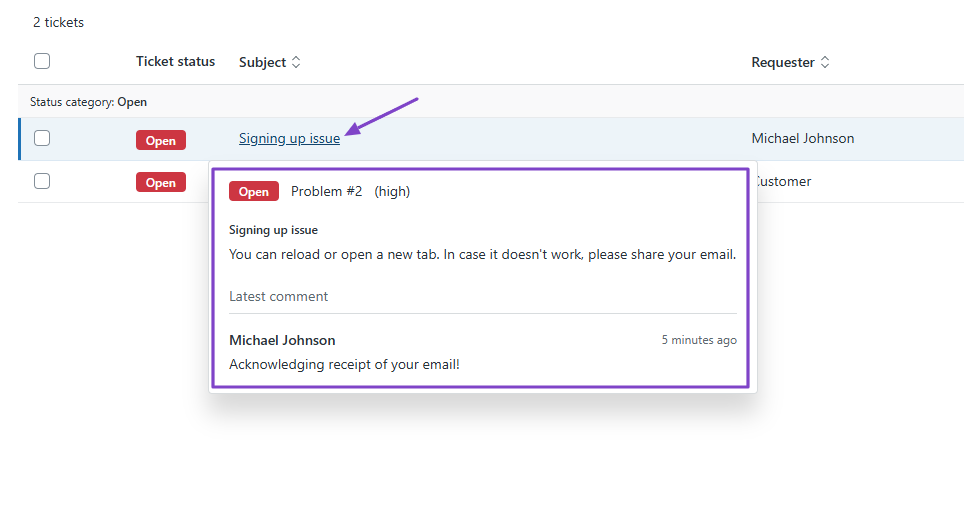
But if you click it, you will see the full conversation, and you can determine the ticket status again. It can be open, in progress, pending, or solved.
3. AI Agent
Zendesk also lets you set up your own AI agent to automatically resolve common customer questions.
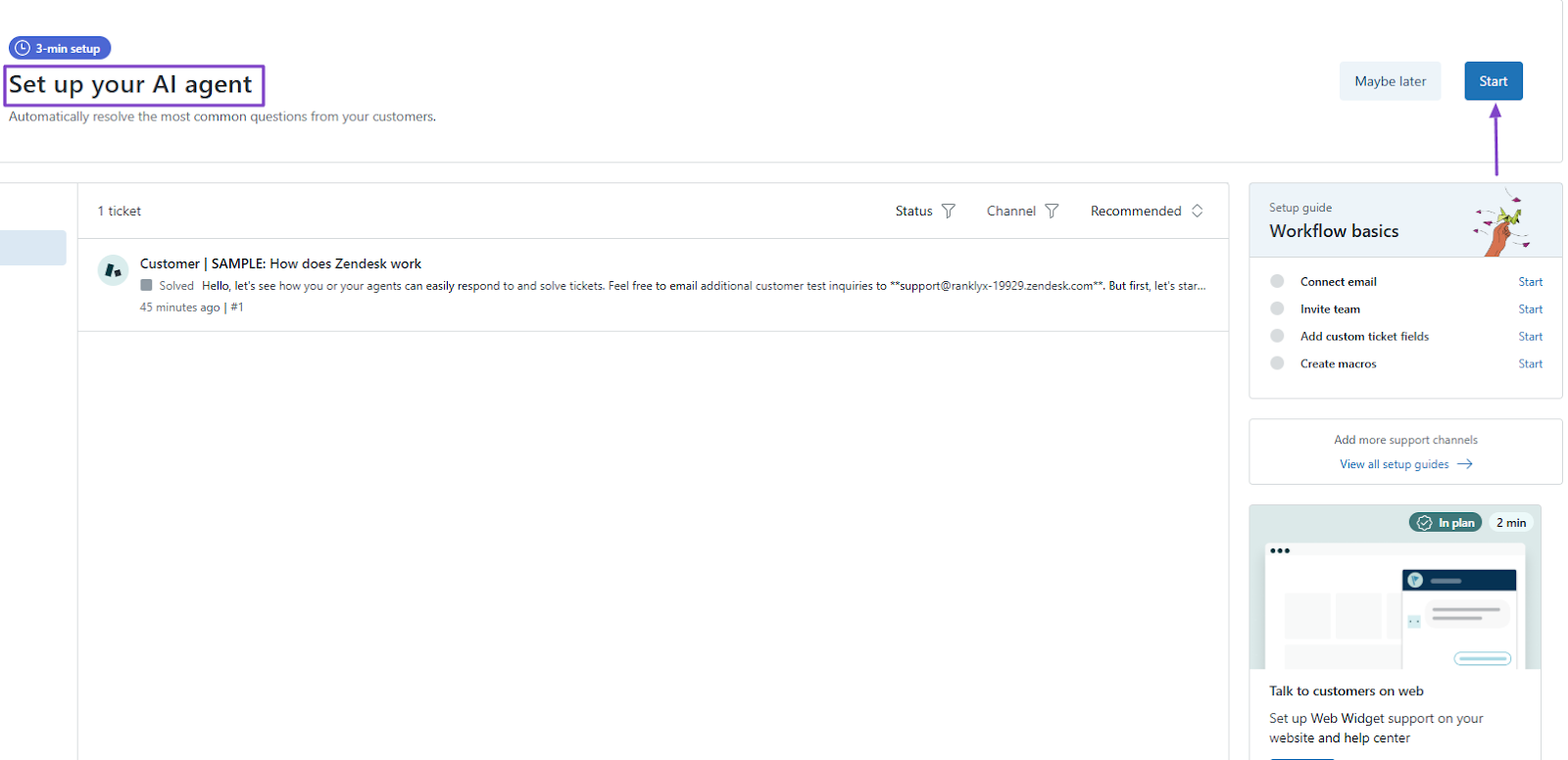
To get started, add your website address. The AI agent will use the info from your website to build knowledge.
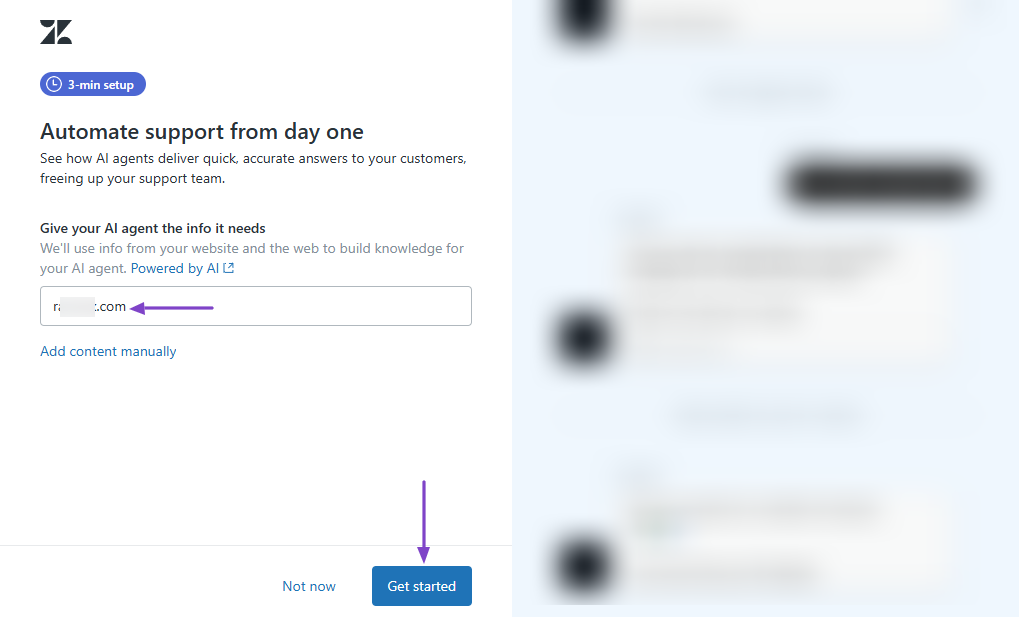
Then, name your agent and choose its conversation style.
That’s it! When customers ask questions, your AI agent will answer based on the website's knowledge base.
| What Impressed Me 👍 | What Fell Short 👎 |
|---|---|
| ✅ Lets you add customers, their problems, and solutions, all in one place. | ❌ There is a steep learning curve. Might require you to watch a few videos to understand how the features work. |
| ✅ Allows you to create your own AI agent and feed it with your website info. | |
| ✅ Its clean interface makes it easy to locate all features. |
Best For
- Small to large businesses seeking a platform to manage customer interactions across multiple channels.
Pricing
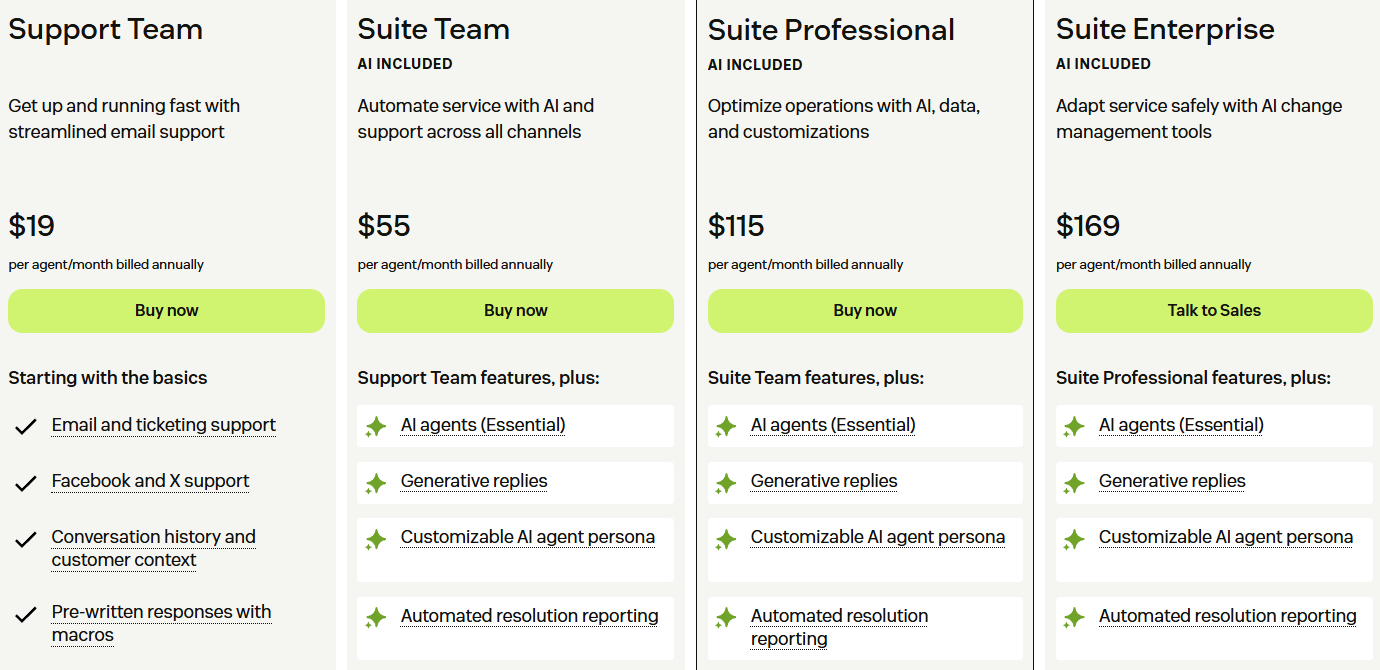
- Support Team: $19/agent/month
- Suite Team: $55/agent/month
- Suite Professional: $115/agent/month
- Suite Enterprise: $169/agent/month
6. Firmable - Best for B2B Data and Prospecting
| Personal rating | Ease of use | AI capabilities | Key Features | Starting Plan |
|---|---|---|---|---|
| ⭐⭐⭐⭐⭐ 4/5 | ⭐⭐⭐⭐ 4.5/5 | AI insights, AI agents, Search optimization | Prospecting, Signals, List building, LinkedIn Chrome Extension | Individual - $55/user/month + AI prospect search |
Firmable also makes it to this list of the best revenue operations software.
It’s a B2B sales intelligence platform used by 1,000+ companies to define and search for their ideal customer profile (ICP) and automatically monitor buying signals.
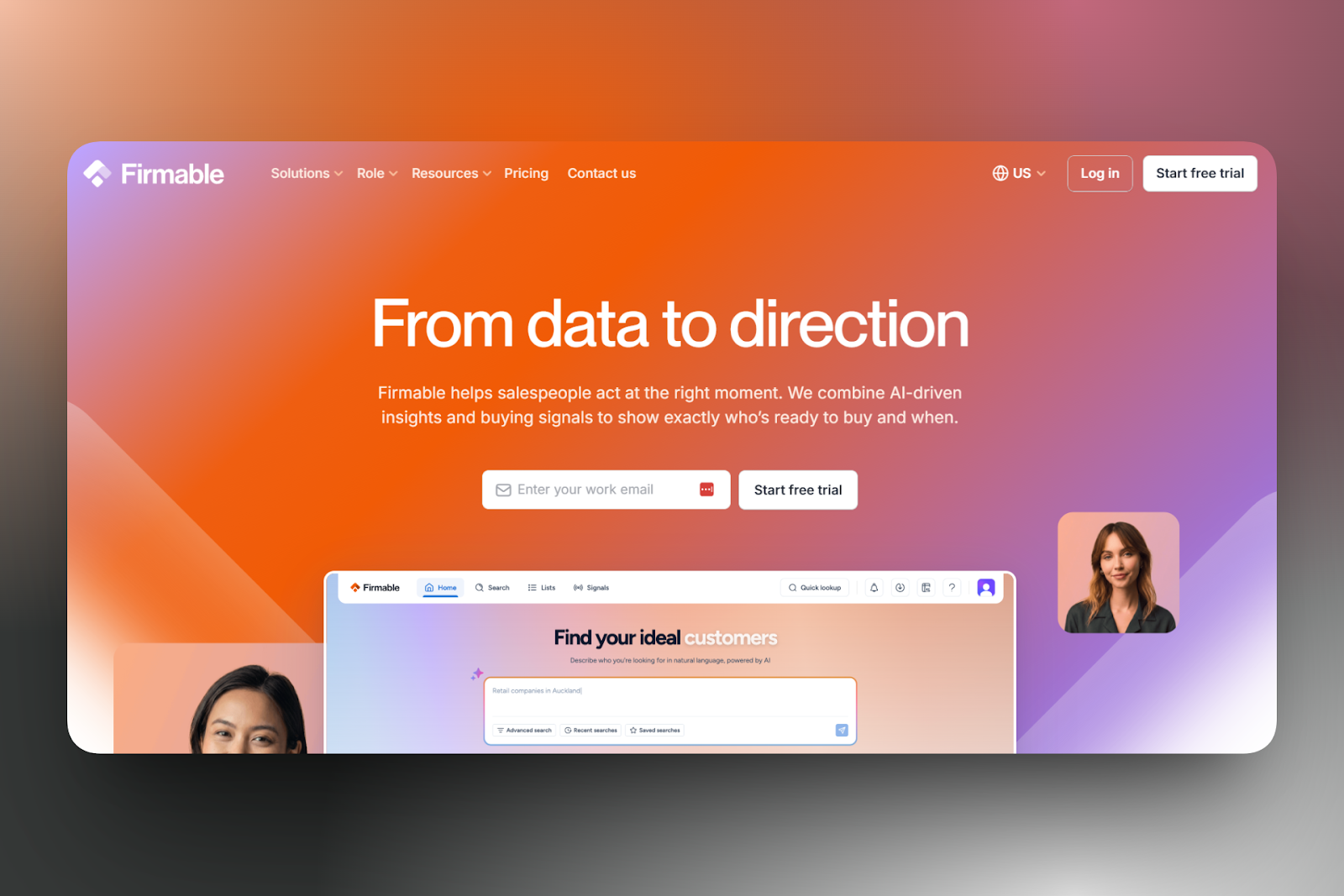
You can either search manually or use AI to describe your ideal customer.
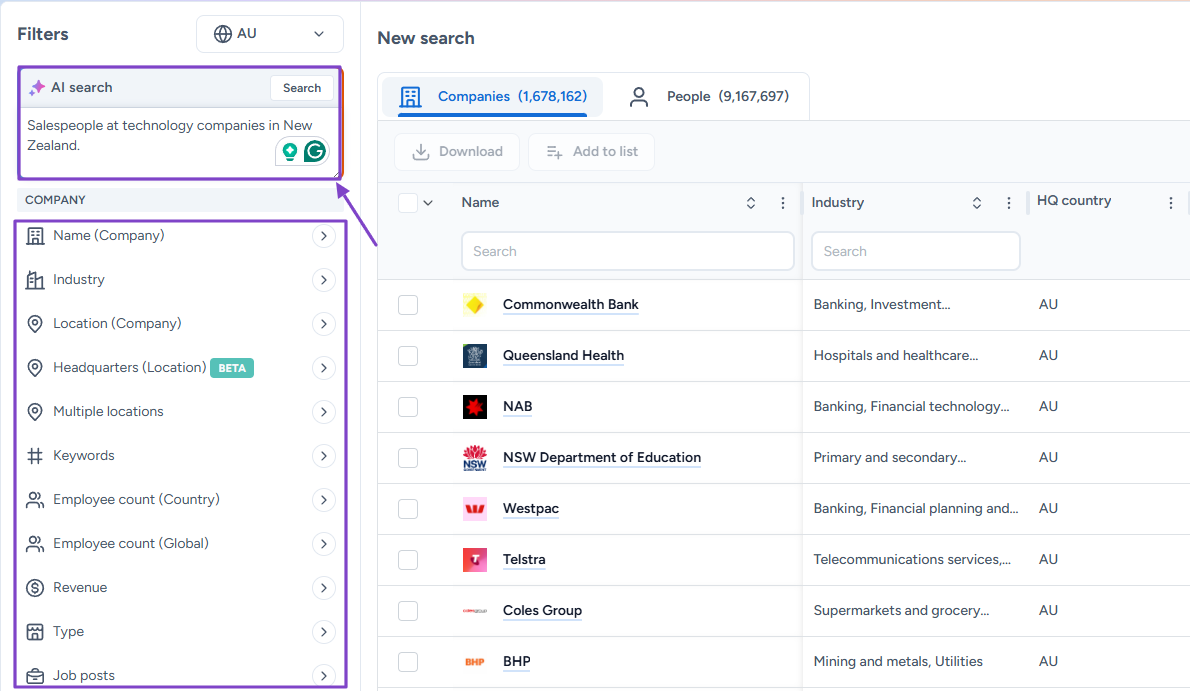
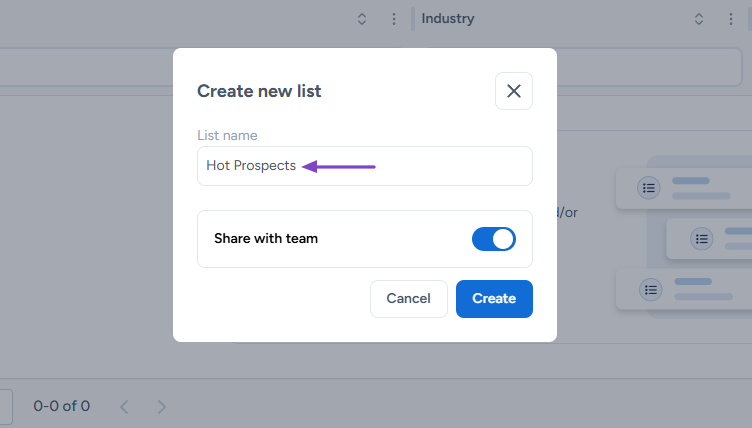
And you can also create a list and name it, for example, “Hot prospects.” Then, you can add people to this list.
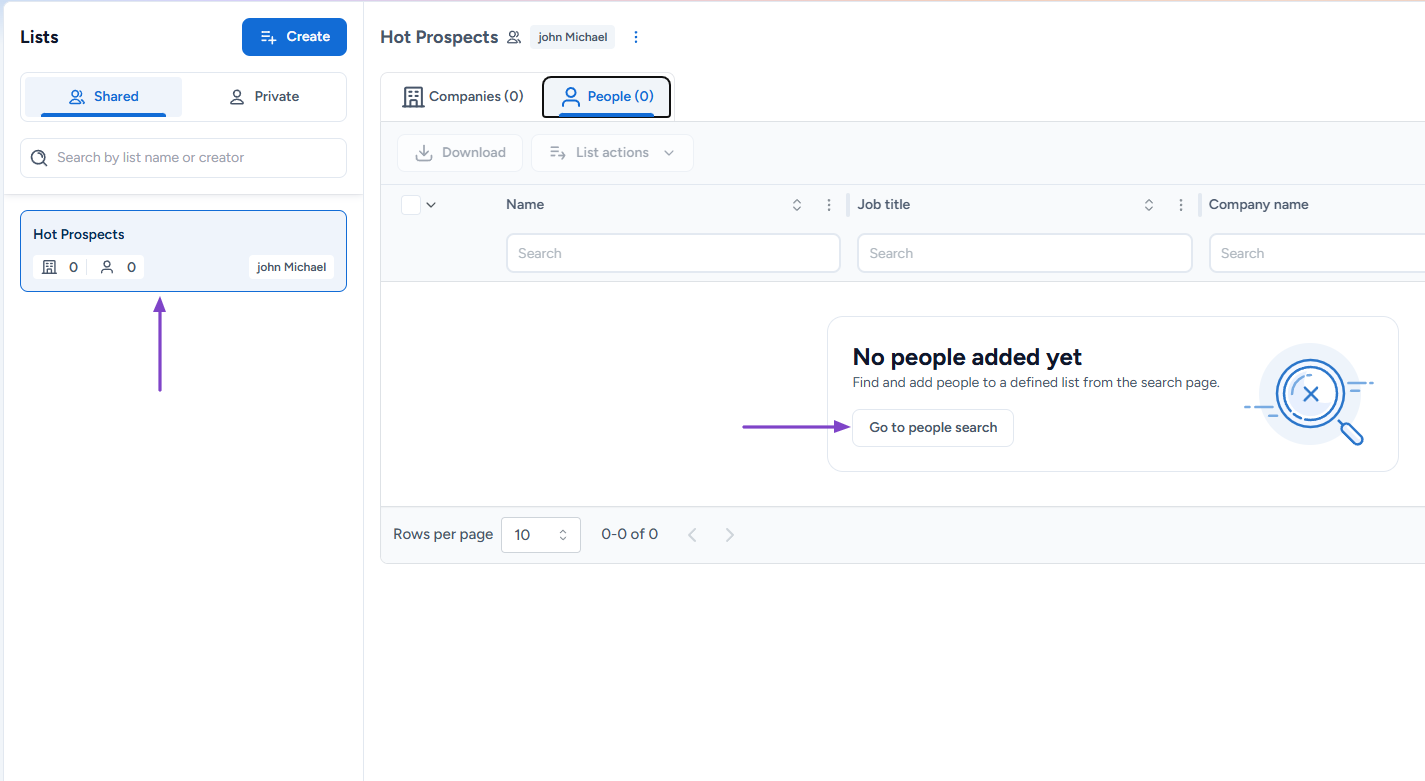
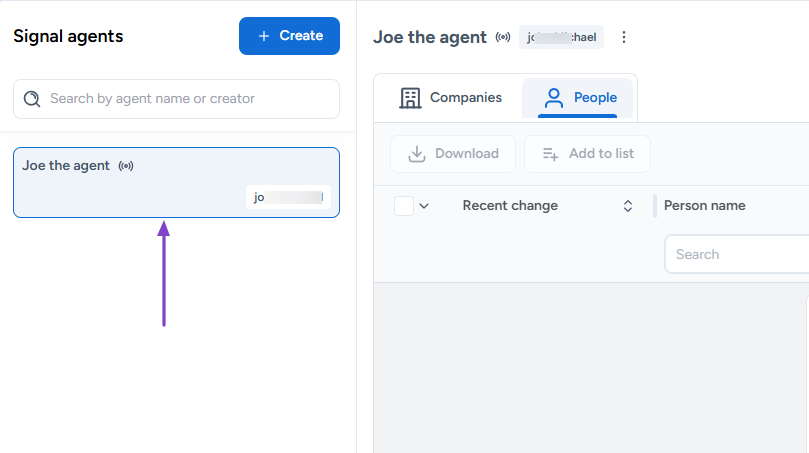
The platform also lets you create a signal agent that will monitor changes for companies and people.
Features I Admired
1. Search
This is the feature you use to search for your ideal customer profile. It could be companies or people. I will show you how to use it.
Click “Search” in the navigation bar.
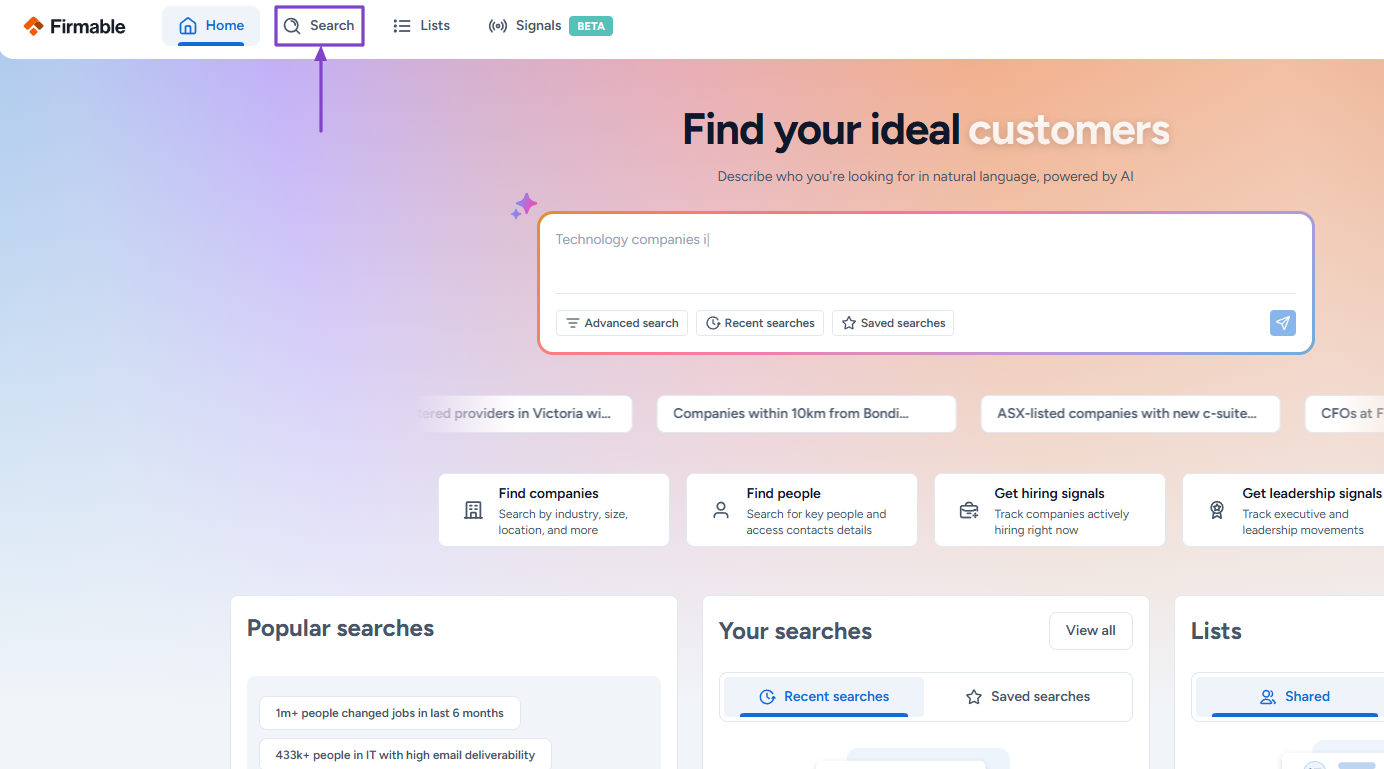
Before launching your search, you can adjust the filters like name, industry, location, company size, and revenue.
The other option is to directly describe who you’re looking for in the AI search box
For example, you can write: “Salespeople at technology companies in New Zealand.”
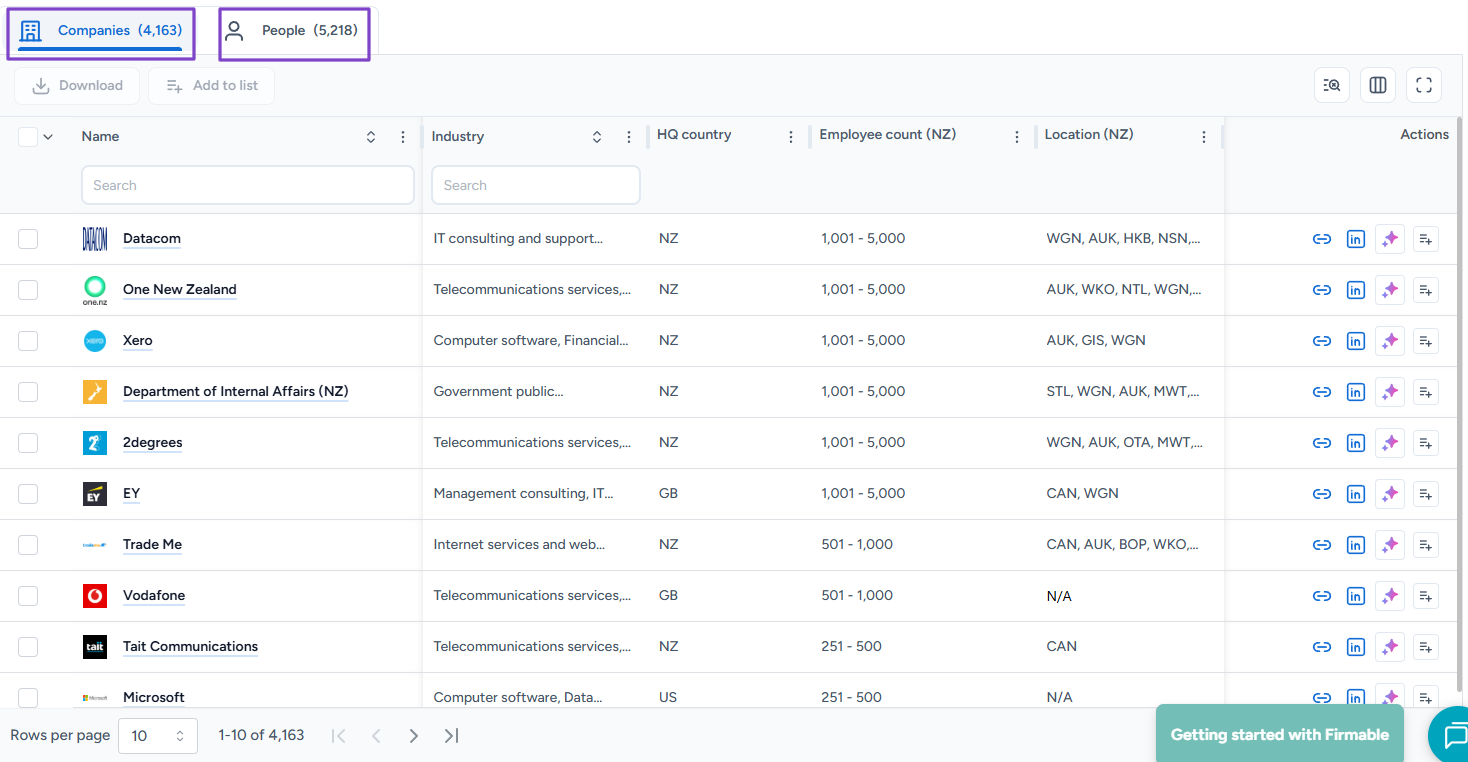
You will see the number of results of both companies and people. Go through it.
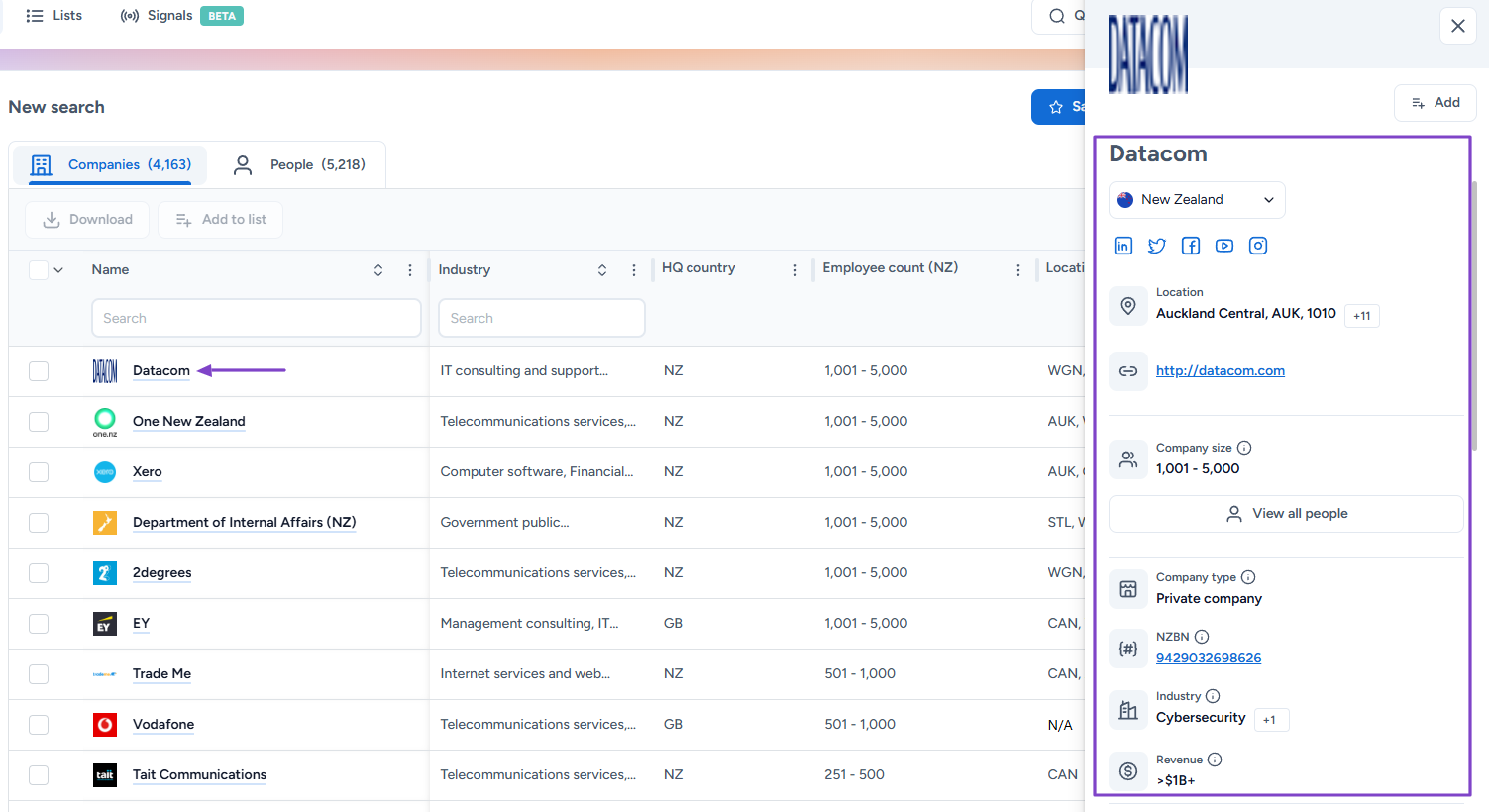
By clicking a result, you can view more details, like the exact company location, website link, company size, and revenue, among others.
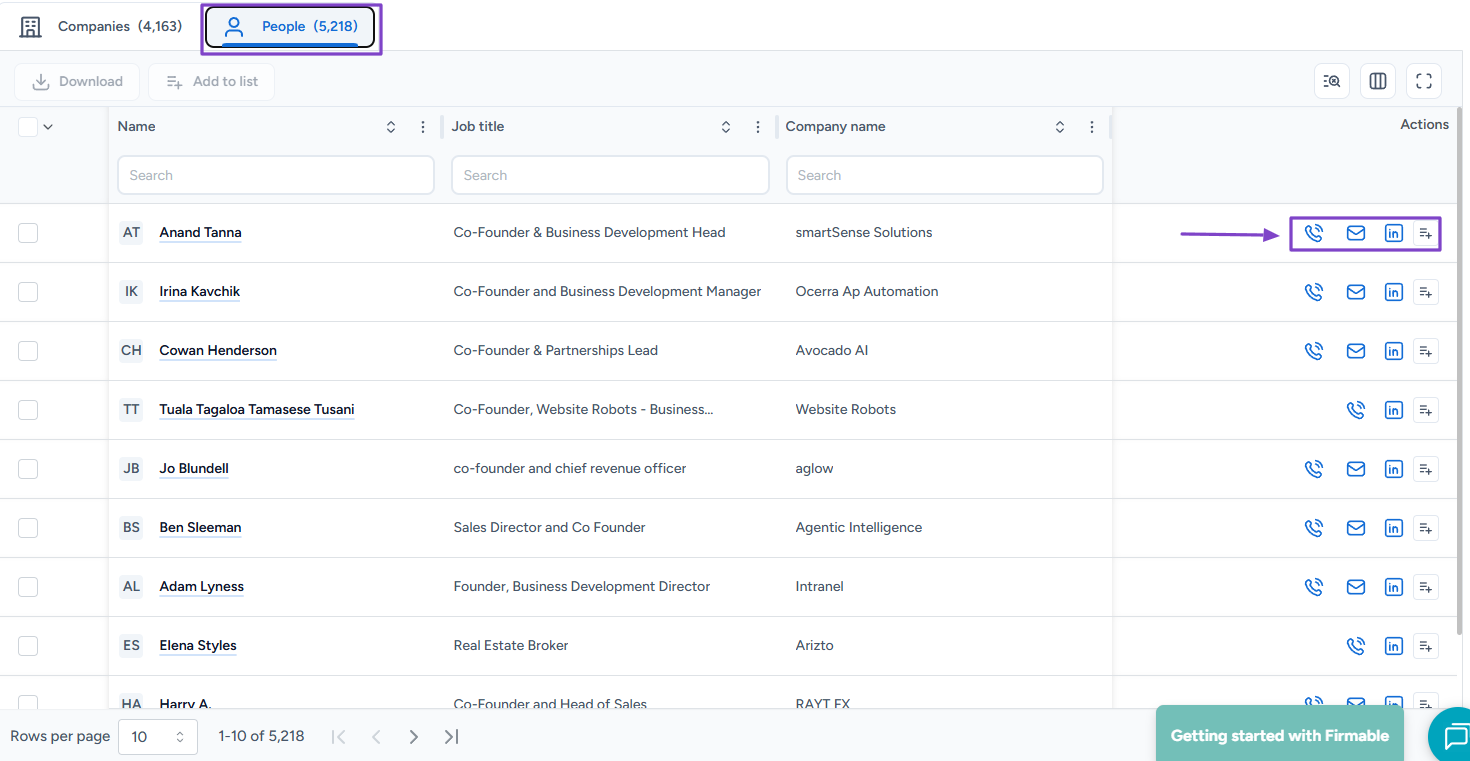
With People, you can call or email them directly. You can also reach out to them via LinkedIn.
2. Lists
The Lists feature helps you group and manage prospects, competitors, and key contacts in one place so you can access them easily at any time.
Let’s try it out. First, click “Create new.”
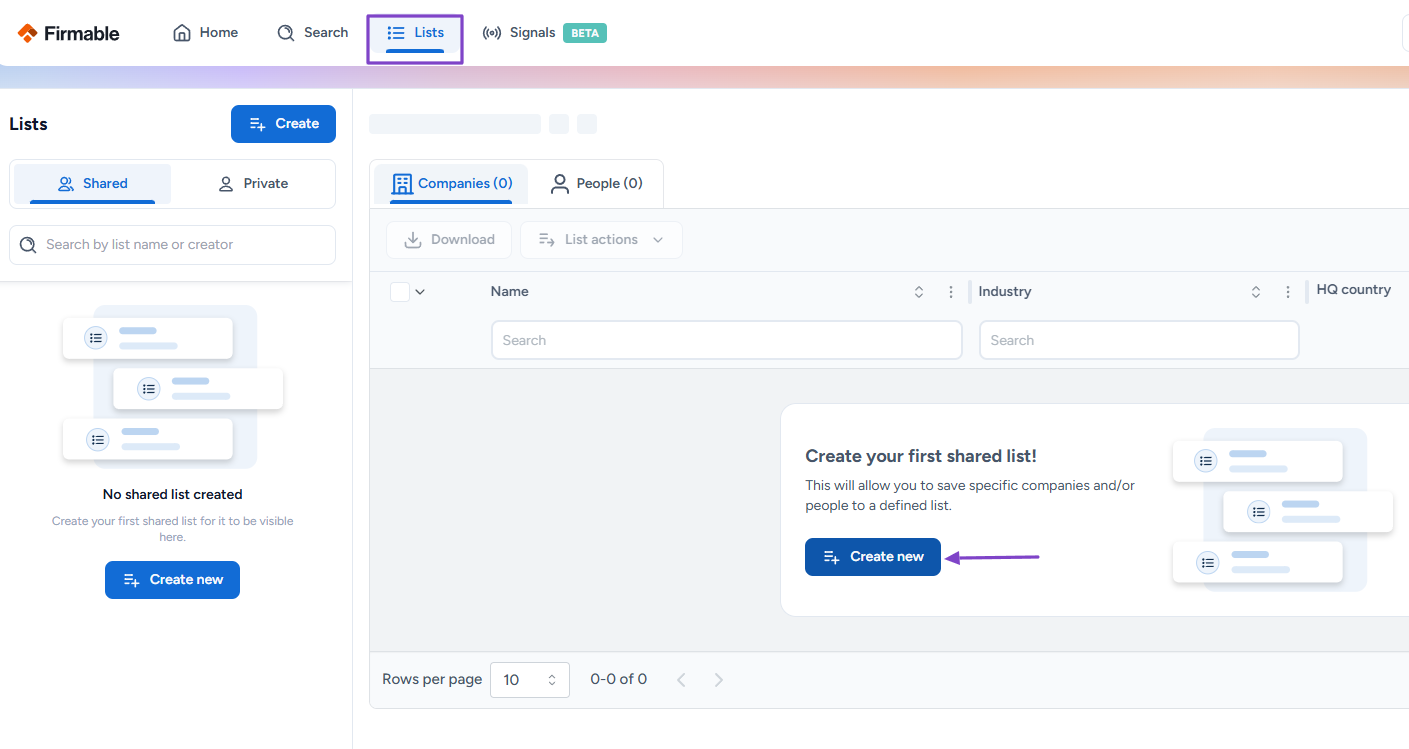
Then, name the list and toggle the button to share it with the team. Finally, hit “Create.”
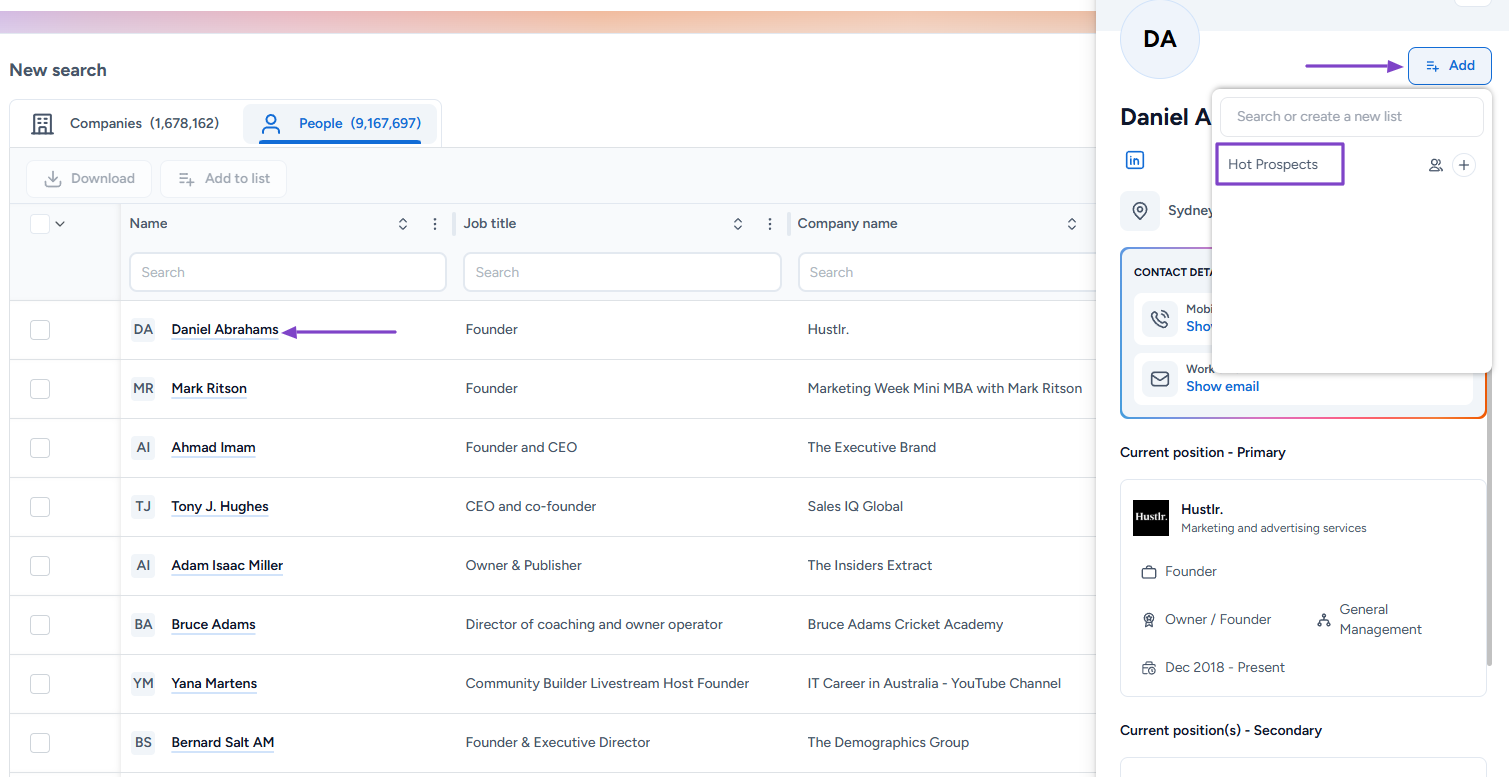
The list is ready. You can now add people to it.
Click “Go to people search.”
After choosing your preferred prospect, click “Add” and select the list you’ve just created!
3. Signals
Thanks to the Signals feature, you can set up signal agents to monitor changes for companies and people.
This is how to do it! Click “Create agent.”
Next, you will name the agent, select the lists, and the company signals to track.
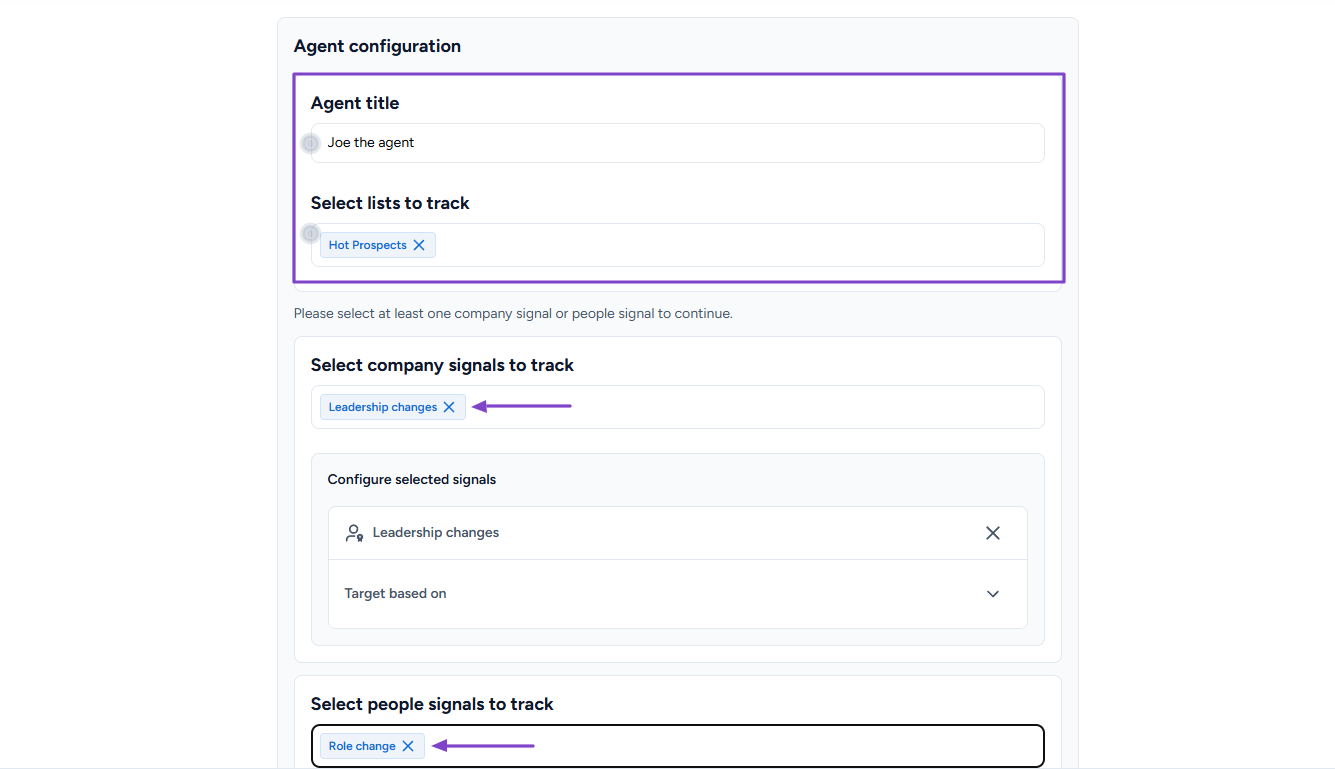
The signal agent is ready!
What Impressed Me vs What Fell Short
| What Impressed Me 👍 | What Fell Short 👎 |
|---|---|
| ✅ Allows you to reach out to prospects via call, email, or LinkedIn. | ❌ Limited to the Australian, New Zealand, and Singaporean markets. |
| ✅ Lets you use AI search to find your ideal customers. | |
| ✅ Allows you to create an AI agent that monitors all changes for companies and people. |
Best For
- B2B sales and marketing teams seeking a solution for prospecting and accessing B2B high-quality data.
Pricing
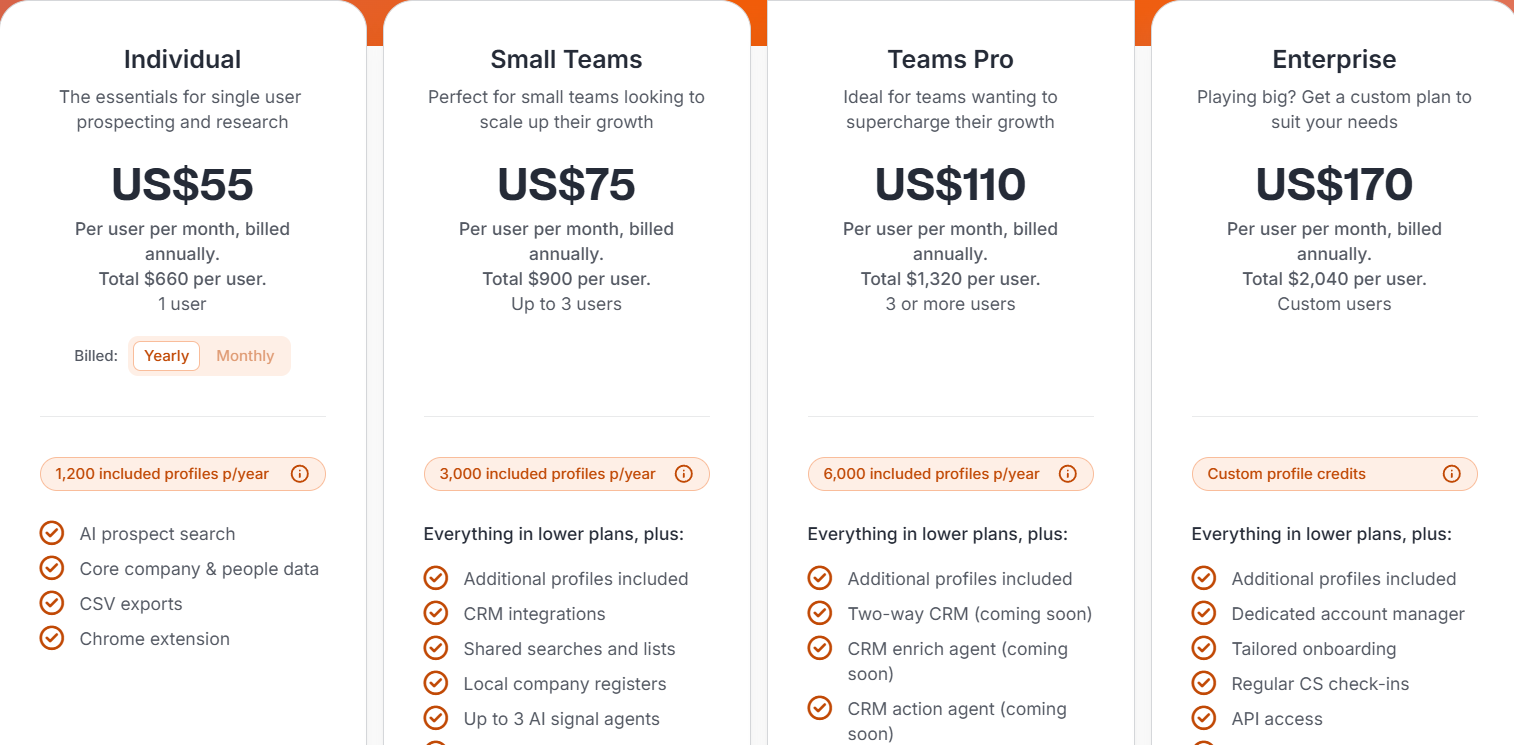
- Individual: $55/user/month
- Small Teams: $75/user/month
- Teams Pro: $110/user/month
- Enterprise: $170/user/month
Additional Revenue Operations Tools
Aside from the tools I reviewed above, I would like to share additional revenue operations software.
7 . Gong – Best for conversation intelligence and deal insights
8 . Clari – Best for revenue forecasting and pipeline visibility
9 . Chorus (ZoomInfo) – Best for sales call analytics and coaching
10 . People.ai – Best for automated activity tracking and sales insights
11 . Apollo.io – Best for outbound sales and prospecting automation
12 . Outreach – Best for sales engagement and workflow automation
13 . Salesloft – Best for sales engagement and pipeline execution
14. 6sense – Best for intent data and account-based revenue intelligence
15 . Cognism – Best for high-quality B2B data and compliance
16 . Guideflow – Best for interactive demos and buyer intent tracking
17 . Oliv AI – Best for AI-native revenue orchestration
18 . InsightSquared – Best for revenue analytics and reporting
19 . Chili Piper – Best for inbound lead routing and scheduling
20 . Segment (Twilio Segment) – Best for customer data unification
How to Choose the Right Revenue Operations Tool
If you want to choose the right revenue operations tool, you must consider the following:
Before you compare feature lists, decide which CRM signals you want the tool to surface. That is what separates a reporting layer from something that drives action.
- Define your revenue goals and bottlenecks
- Assess core features
- Evaluate ease of use and onboarding time
- Prioritize Integration with sales, marketing, and support tools
Let’s take one step at a time!
1. Define Your Revenue Goals and Bottlenecks (Data, Sales, Analytics)
Choosing the right revenue operations tool starts with clarity. This means you should define your revenue goals and bottlenecks.
Let’s start with revenue goals. You should know what they are:
- Are you trying to increase new customer acquisition?
- Improve conversion rates?
- Increase average deal size?
- Reduce churn?
Such questions might help set you in the right direction. I’m sure you don’t want to buy a powerful revenue operations tool that solves the wrong problem.
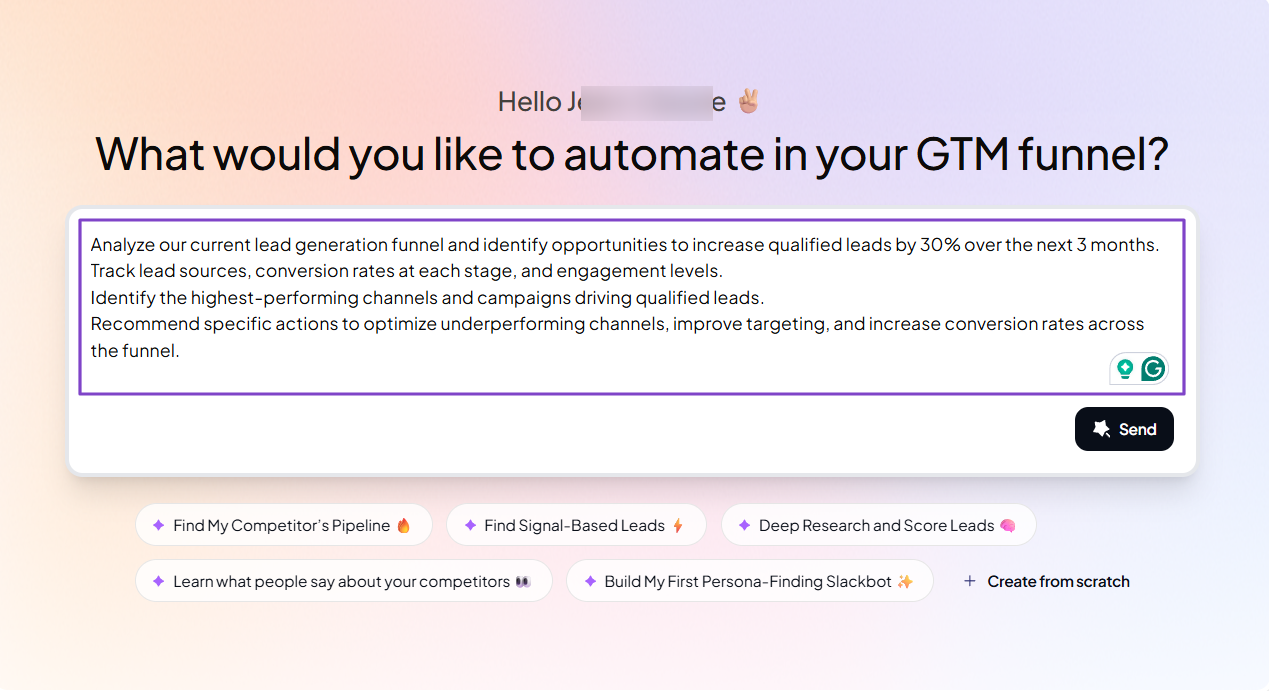
For example, if you’re a SaaS company with the goal to generate 30% more qualified leads in the next 3 months, you need a tool that provides a workflow to help you achieve that. That workflow could be:
“Analyze our current lead generation funnel and identify opportunities to increase qualified leads by 30% over the next 3 months.
Track lead sources, conversion rates at each stage, and engagement levels.
Identify the highest-performing channels and campaigns driving qualified leads.
Recommend specific actions to optimize underperforming channels, improve targeting, and increase conversion rates across the funnel.”
Pro Tip: A RevOps tool doesn’t create revenue. It optimizes the system you already have.
Now, aside from revenue goals, you should define the various bottlenecks. The platform you choose should show you where revenue is leaking, and there are 3 key areas.
1. Data bottlenecks
When it comes to data bottlenecks, common issues include:
- Data spread across many tools
- Outdated or duplicate records
- No single source of truth
- Poor reporting accuracy
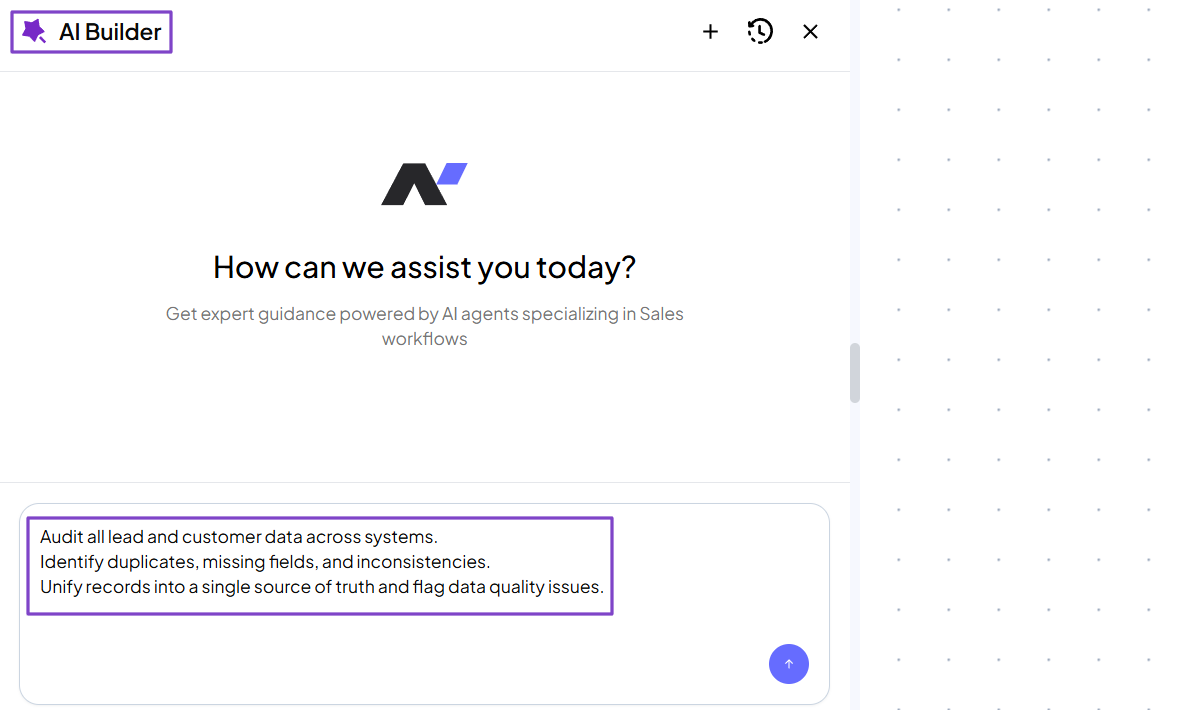
The right revenue operations tool helps you build an effective workflow to fix those issues. Here’s an example of a workflow you can use:
“Audit all lead and customer data across systems. Identify duplicates, missing fields, and inconsistencies. Unify records into a single source of truth and flag data quality issues.”
2. Sales Bottlenecks
Many businesses encounter sales bottlenecks. It could be slow follow-ups, poor pipeline visibility, or inconsistent sales processes.
To fix this, there are many workflow automations you can use with the right revenue operations tool, depending on the specific need. One is the Sales Reply Monitoring.
It helps you:
- Identify potential sales threads
- Fetch the full conversation
- Perform a detailed AI analysis
- Send a smart Slack alert
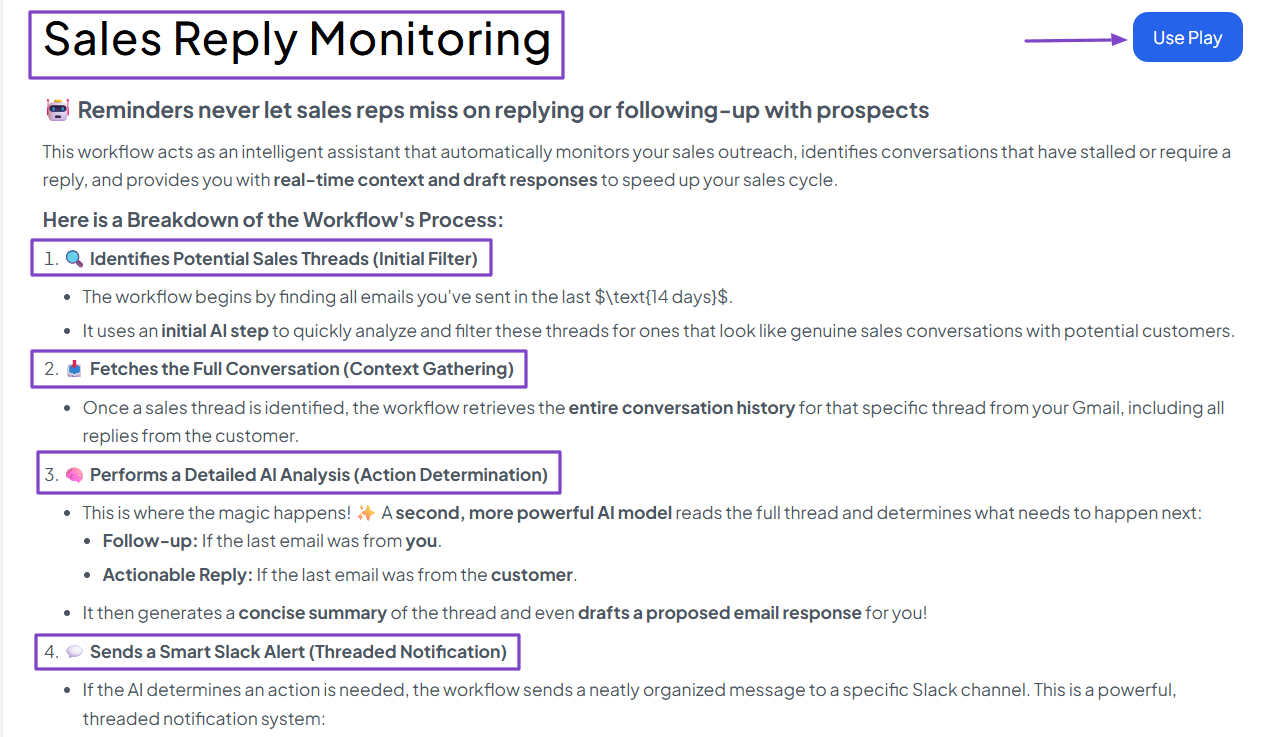
This workflow automation prevents sales reps from missing opportunities to reply or follow up with prospects.
3 . Analytics Bottlenecks
Analytics bottlenecks occur when there is no real-time reporting, inaccurate forecasts, or manual spreadsheet use.
You may even be currently using dashboards and reporting systems, but still lacking great insights.
A good revenue operations tool will provide those insights automatically from a single prompt.
“Review current reporting and dashboards. Identify gaps, delays, and manual processes. Create real-time dashboards for pipeline, conversion rates, and forecasts.”
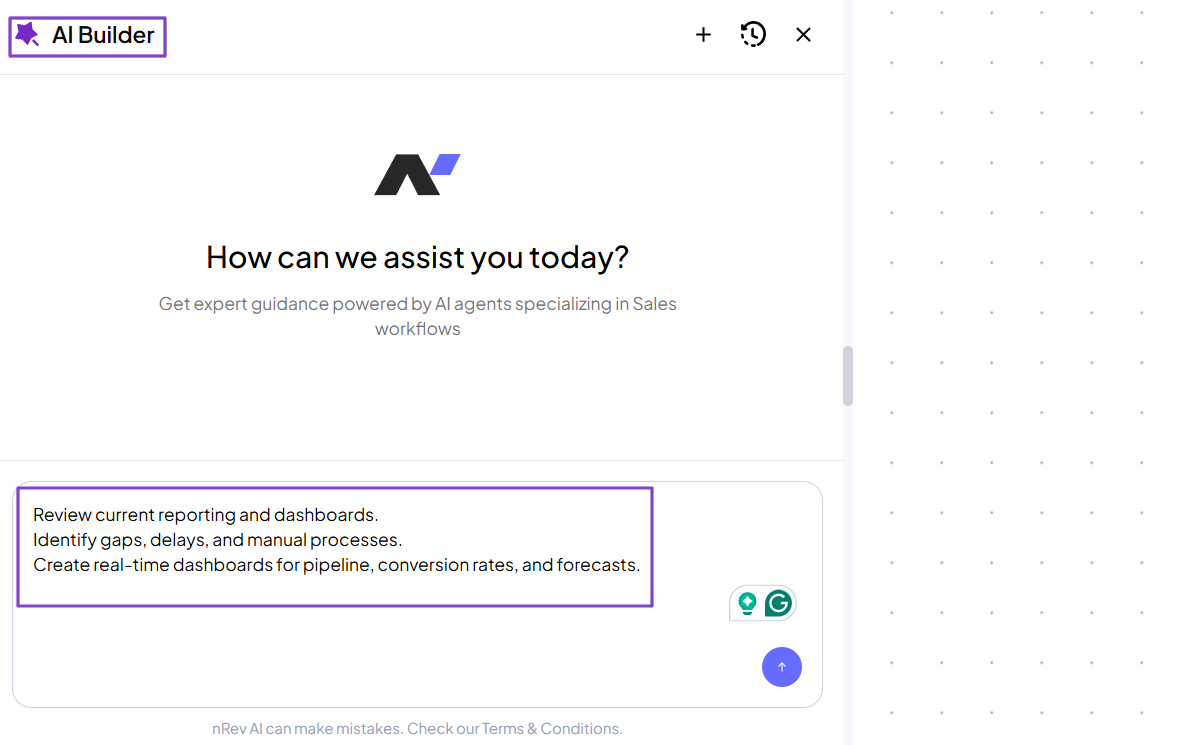
You can see that the various bottlenecks in data, sales, or analytics can all be fixed with the right revenue operations tool.
Everything I shared in this section all boils down to three actions: define goals clearly → identify where revenue is leaking → prioritize problems to solve first.
Now, let’s move on to the next step.
2. Assess Core Features
Before choosing the right revenue operations tool, you must assess the core features.
This is very important because many choose a tool based on its long list of features, only to realize they don’t even need 50% of them.
Now, you need to know that the core features mainly depend on the revenue operations software.
For instance, if it’s a sales tool, it must provide clear visibility into the pipeline and deal progression.
The features to consider may include pipeline health, revenue forecasting, deal risk alerts, deal stage tracking, customer lifecycles, and more.
Meanwhile, a marketing tool will focus on campaign performance and funnel conversion.
Its core features could be:
- Lead tracking and scoring
- Campaign performance dashboards
- Email analytics
- Conversion tracking across funnel stages
But for a customer success tool, you will need features like customer health scores, product usage tracking, ticket resolution time, churn prediction, retention, and upgrades.
This is nRev AI’s advantage. It is one of the best Go-To-Market tools right now because it combines sales, marketing, and customer success tools into a single centralized system.
You can literally describe what you want to automate in plain English and let the AI do its job.
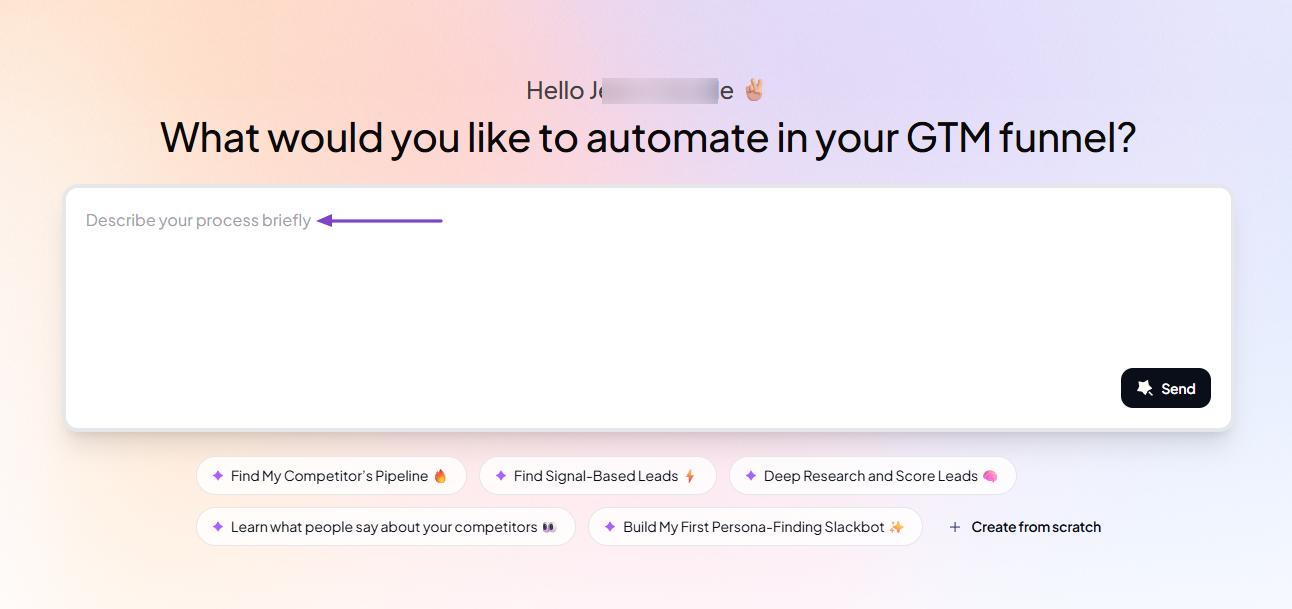
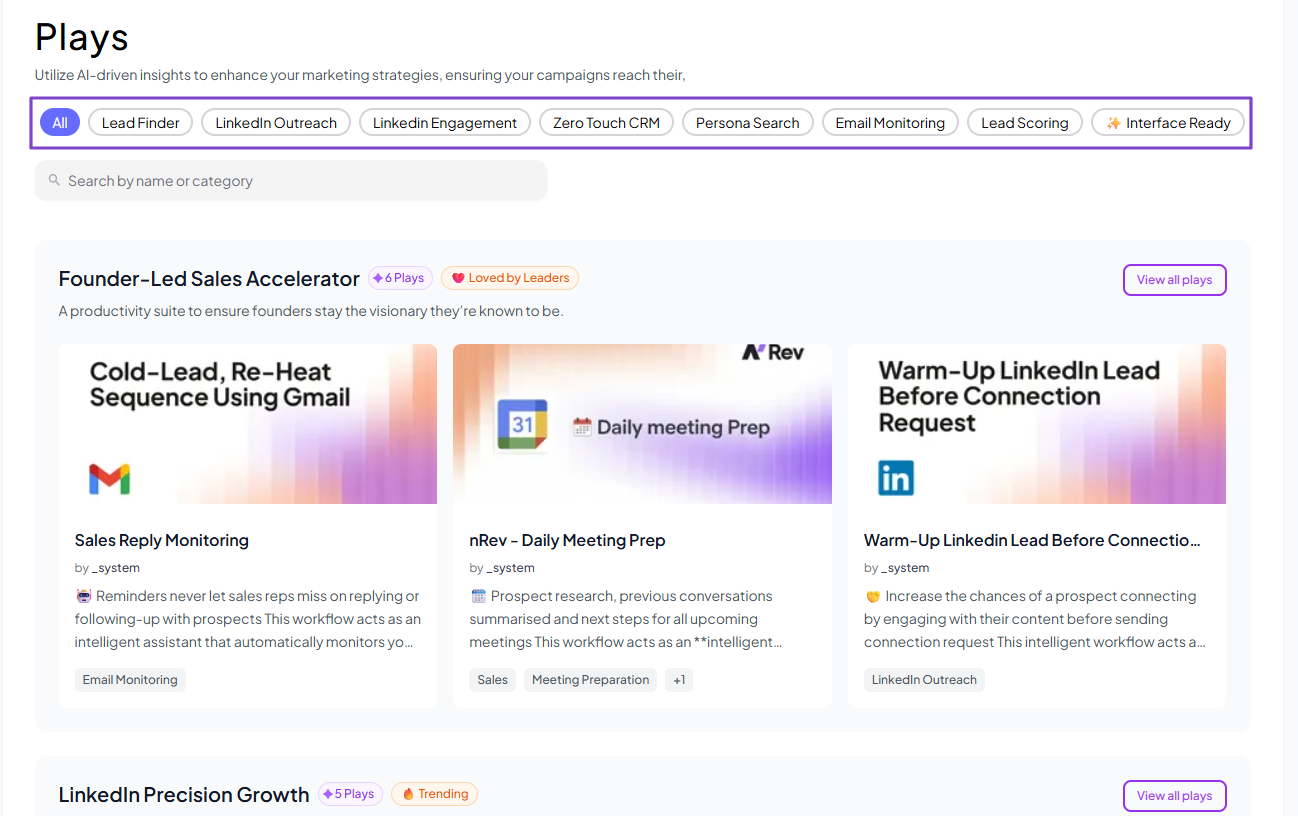
We also offer many pre-built AI-driven marketing strategies called Plays. They help you enhance your campaigns.
The list includes: lead finder, lead scoring, LinkedIn outreach, email monitoring, persona search, zero-touch CRM, and more.
You can watch this video below to learn more about nRev AI.
3. Evaluate Ease of Use and Onboarding Time
You’ve defined your revenue goals and bottlenecks and also assessed core features. Now, evaluating ease of use and onboarding time will also help you choose the right revenue operations software.
A revenue operations tool shouldn’t be too complex to use. If it is, it’ll make it difficult for your team to adapt.
That’s why checking it is important.
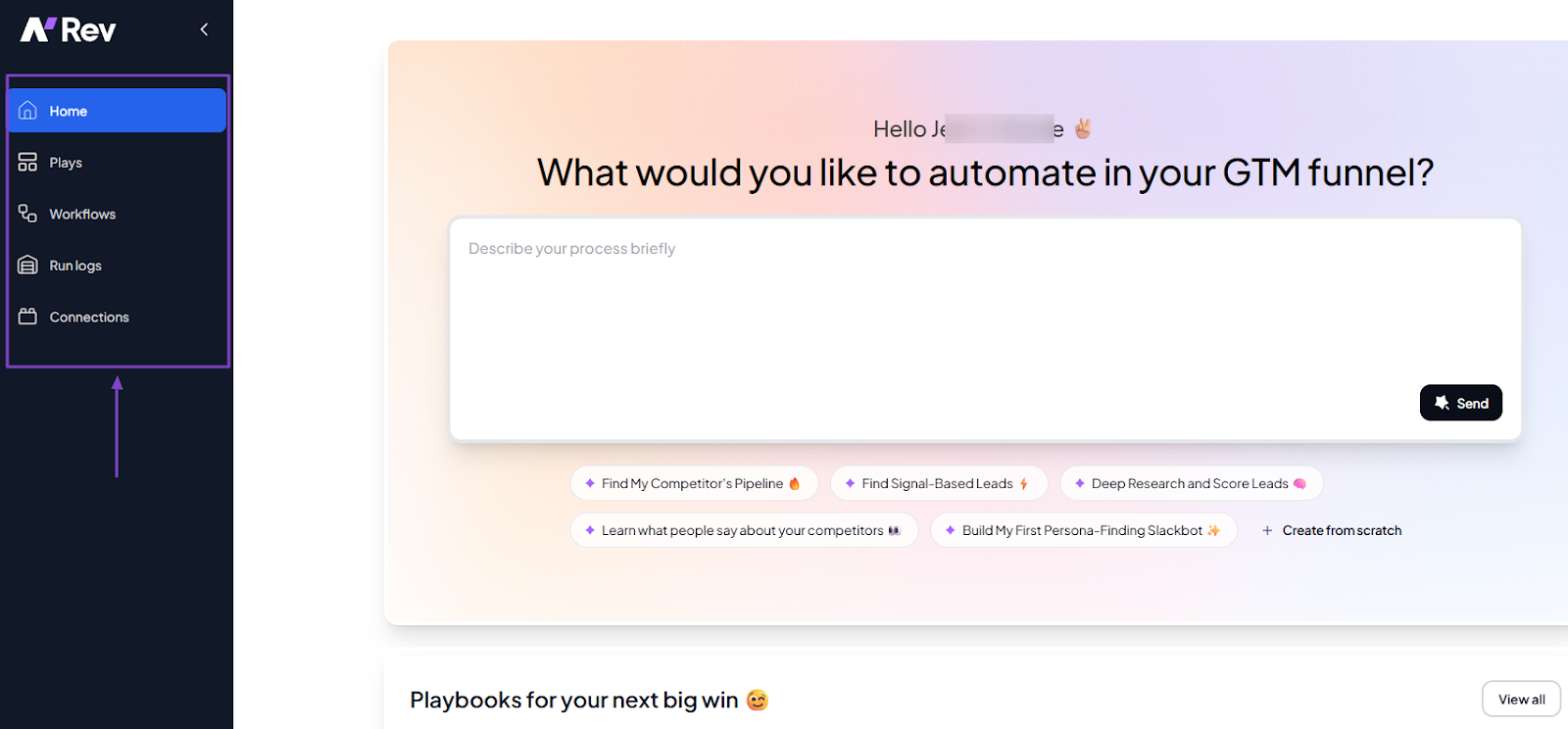
For instance, locating the tool’s features shouldn’t be a problem.
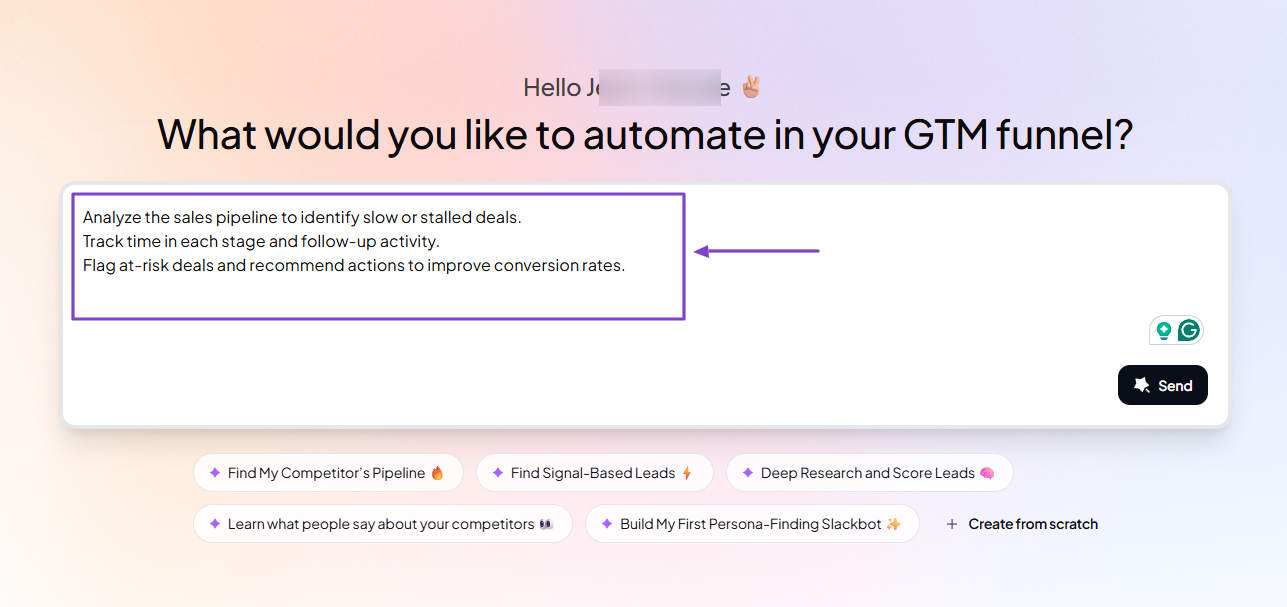
When using a revenue operations tool, the ability to clearly and easily explain what you want to achieve in there also reveals the platform’s ease of use. With this, you can create any workflow in less than 3 clicks.
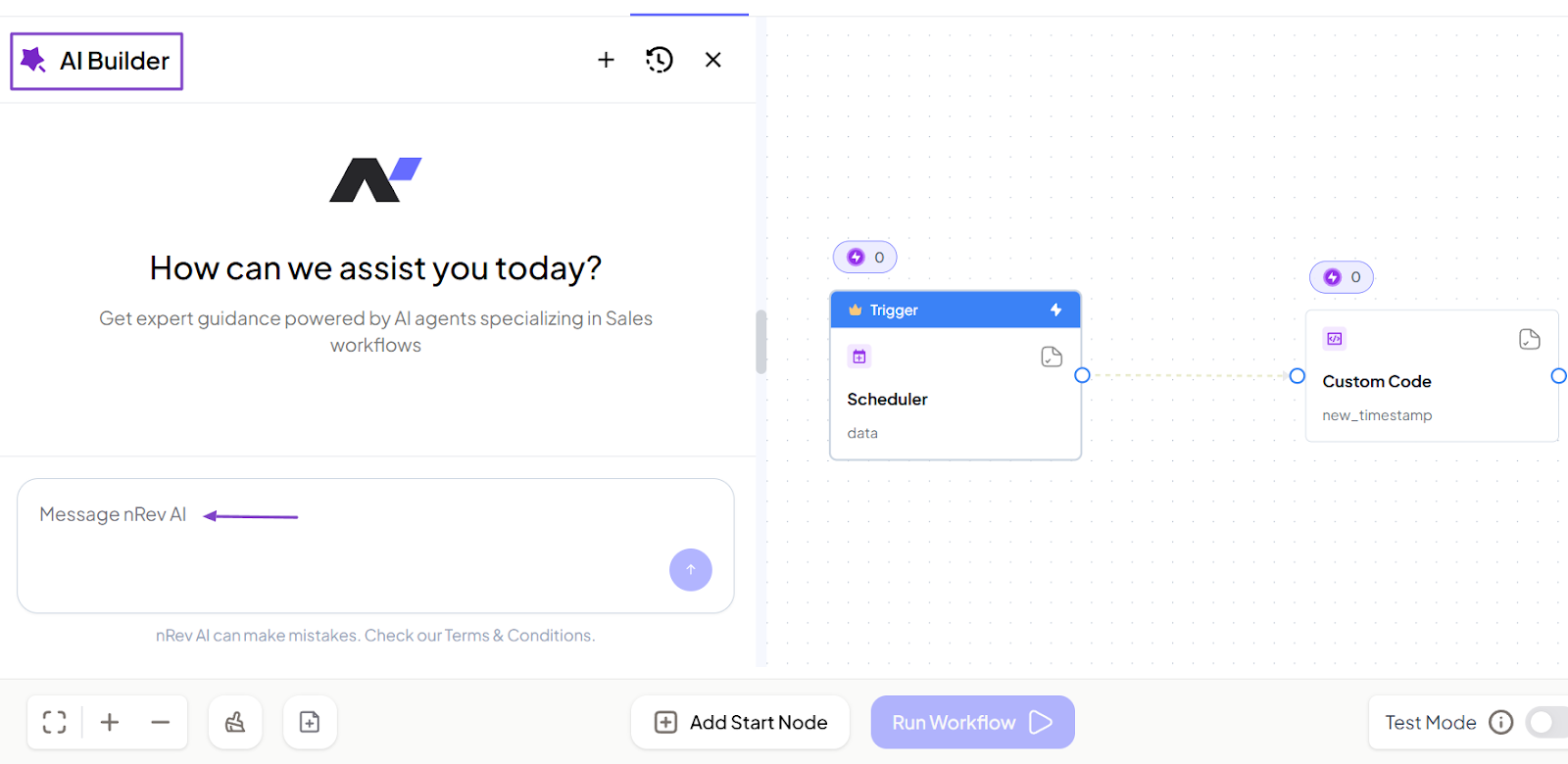
I will even add that when building a workflow, there should be an AI Builder to assist you so you don’t waste any time.
There may be a few other factors to consider when discussing a tool’s ease of use. But the point is, it shouldn’t give you headaches.
In terms of onboarding time, with the right platform, you won’t need 30+ to understand how it works. Usually, the platform will already recommend actions to help you get started.
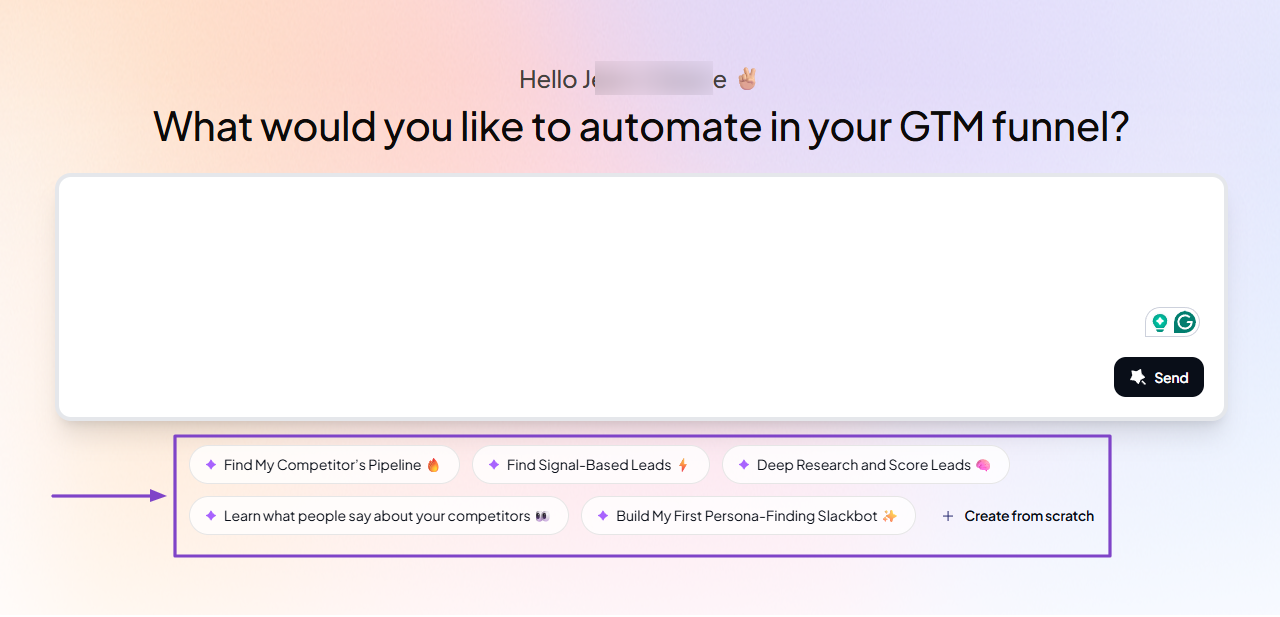
Some revenue operations software go even further, adding setup instructions to help you use their features. You may even be lucky to see videos on the platform to facilitate your onboarding.

Pro tip: Choose a revenue operations tool your team will actually use. This means prioritizing simplicity over complexity because it delivers better results.
4. Prioritize Integration with Sales, Marketing, and Support Tools
The last but not least factor to consider when choosing revenue operations software is integration with sales, marketing, and support tools.
The reason is that RevOps is all about alignment, and without integration, alignment is impossible.
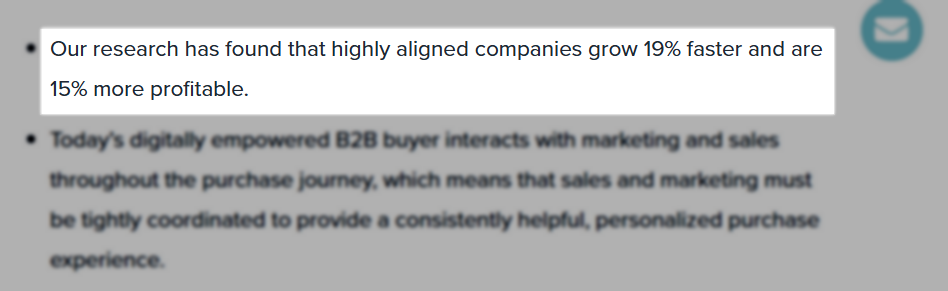
Research has shown that aligned companies grow 19% faster and are 15% more profitable.
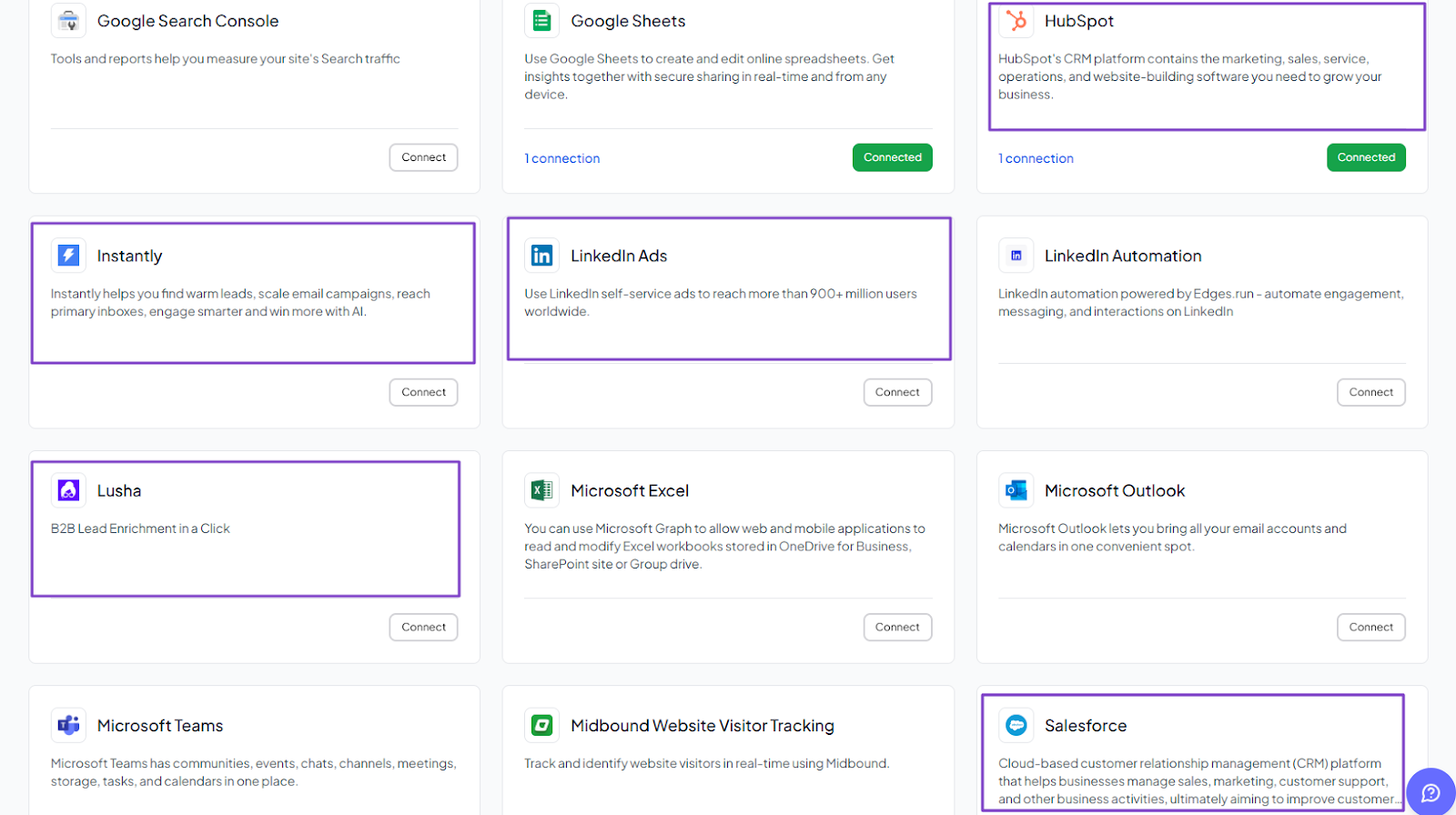
Tool integrations like HubSpot, Salesforce, LinkedIn Ads, Instantly, Lusha, and Slack help RevOps teams stay aligned.
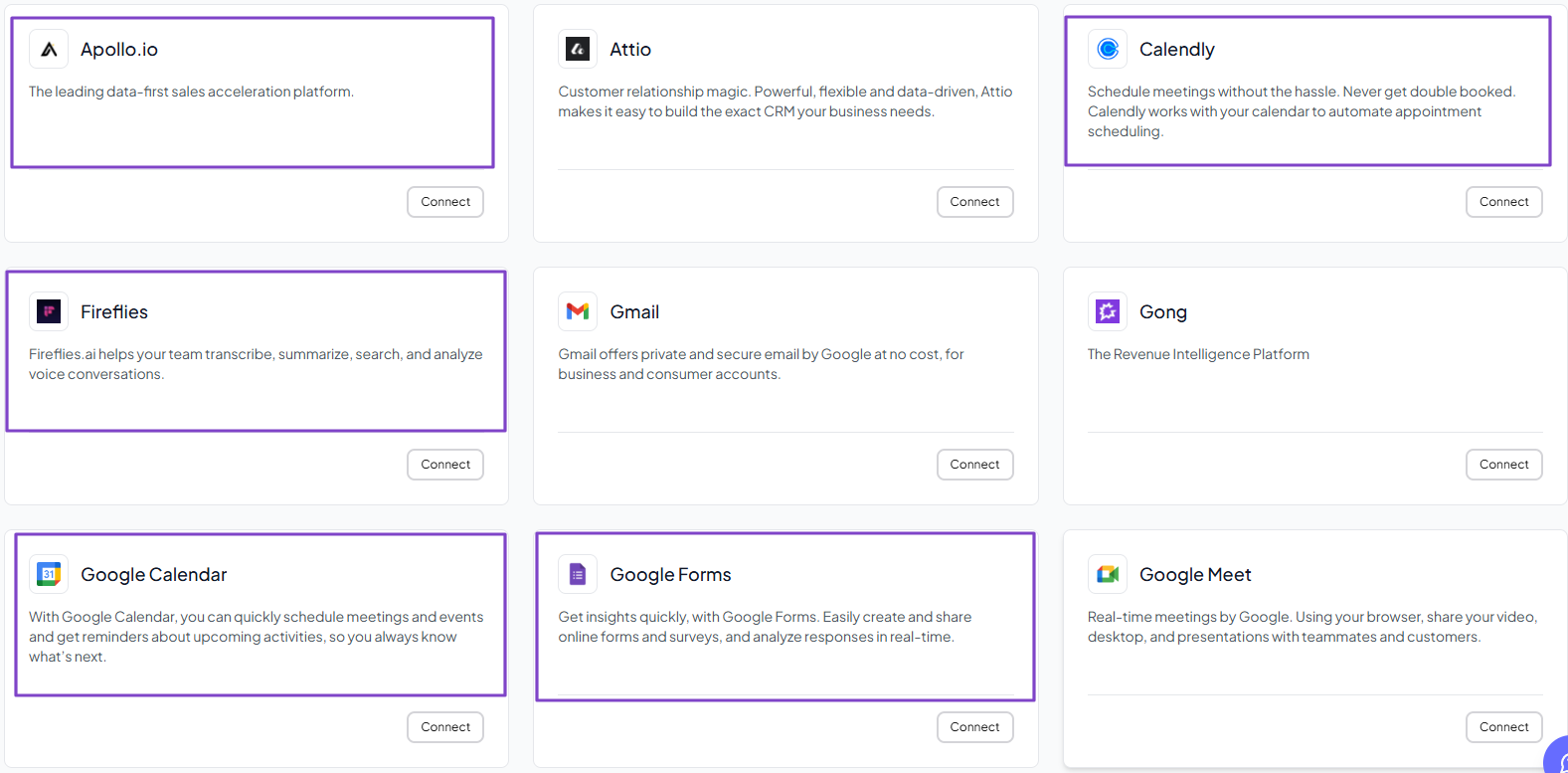
The right revenue operations software should integrate with tools like Apollo.io, Fireflies, Google Calendar, Google Forms, and Calendly.
That will help RevOps to manage leads, meetings, and customer data in one smooth workflow.
Choose the Best Revenue Operations Platform
That wraps it up! In this article, I shared the top 6 revenue operations software. We started with nRev AI, HubSpot Data Hub, and Folk.
Then, we ended the list with Dock, Zendesk, and Firmable. We explored their features and pricing plans.
Each platform has its strengths and weaknesses, but I showed you how you could choose the right one.
Choosing the best revenue operations platform can save time, money, and effort. Now that you know all of this, what are you waiting for?
FAQ
What are the best revenue operations software?

The best revenue operations software are:
- 1. nRev AI - Best for AI-powered revenue intelligence
- 2. HubSpot Data Hub - Best for data sync and workflow management
- 3. Folk - Best for sales pipeline management
- 4. Dock - Best for customer onboarding and collaboration
- 5. Zendesk - Best for retention and customer success tracking
- 6. Firmable - Best for B2B data and prospecting
Does revenue operations software use AI?
How long does it take to implement revenue operations software?
Can small businesses use revenue operations software?
How much does revenue operations software cost?
Why is revenue operations software important?
What integrations should revenue operations software support?
Who needs revenue operations software?
Is nRev a good revenue operations software?
Does revenue operations software include CRM features?