


Sales enablement can make a huge difference in a company's revenue and goals
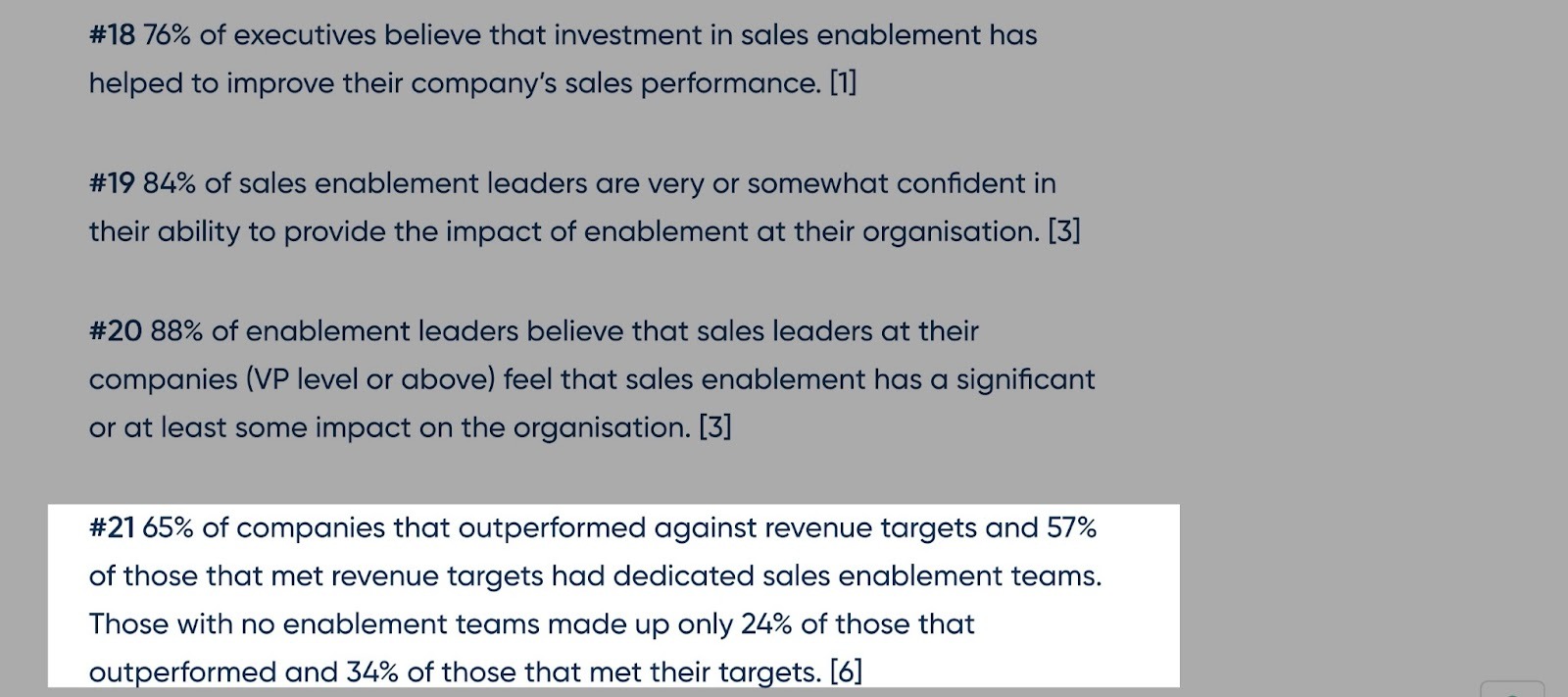
Recent research shows that 65% of companies that exceeded their revenue targets and 57% of those that hit their goals had dedicated sales enablement teams.
Of course, these teams use sales enablement tools.
Because the right tool doesn’t just organize your playbooks and workflows. Instead, it helps your sales team know what to do next to close more deals.
But the challenge is that choosing the right sales enablement tools feels like finding a needle in a haystack.
And that’s why I wrote this guide to help you cut through the clutter and choose the right tool.
TL;DR
- Sales enablement software is a tool that gives sales reps the resources, content, training, and analytics they need to improve engagement and close deals faster.
- The six best sales enablement tools are:
- 1. nRev AI - Best for AI-powered automation
- 2. HubSpot Sales Hub - Best CRM-integration
- Dock - Best for digital sales rooms and buyer collaboration
- 4. LeadIQ - Best for prospecting and lead data enrichment
- 5. Fireflies.ai - Best for flexible meeting intelligence
- 6. Notion - Best knowledge and content hub
- You can choose the best sales enablement software by considering the features you need, like automation, CRM integrations, AI capabilities, and pricing.
6 Best Sales Enablement Tools Compared
| Tool | Key Sale Enablement Features | AI Capabilities | CRM Integrations | Ideal Team Size | Starting Plan | Best For |
|---|---|---|---|---|---|---|
| nRev AI |
Sales playbooks Workflows AI Builder |
Generate workflows Predictive insights Node configuration Troubleshooting configuration errors |
Apollo.io Attio Salesforce Zoho CRM Lusha HubSpot |
Solo founders Small startups Mid-size teams Enterprise teams |
Nudge: $149/month + 15,000 credits (2,500 free credits when you sign up) |
Sales managers who want an AI-powered automation tool that helps their team capture and convert leads without manual follow-up. |
| HubSpot Sales Hub |
Email tracking Sales automation Deal pipelines Playbooks Forecasting Lead management |
Prospecting Customer agent Guided selling |
Slack Salesforce Supered Arrows Clear Synch Webflow |
Solo founders Small startups Mid-size teams Enterprise teams |
Free: $0/month Free for up to 2 users |
Sales managers who want strong visibility into the sales pipeline. |
| Dock |
Client workspaces AI enablement agent AI documents and workflows Content management and playbooks Integrations |
Create documents HubSpot and Salesforce automation Create templates Meeting summary Deal review Draft email |
Salesforce HubSpot |
Mid-size teams Enterprise teams |
Free: $0/month + 50 workspaces + basic integrations |
Account executives managing complex, multi-stakeholder deals. |
| LeadIQ |
Track Search Integrations CRM enrichment |
Emails Account prospecting |
Salesforce Gong HubSpot Salesloft Outreach Clay |
Solo founders Small startups Mid-size teams |
Free: $0/month + people search + company search + exporting + track job changes + integrations |
SDRs who run outbound campaigns by sourcing and reaching the right prospects. |
| Fireflies |
Meetings AI Apps Uploads Integrations Voice Agents |
Meeting summaries and transcriptions |
ActiveCampaign Freshsales Monday.com SuperSales Twine |
Solo founders Small startups Mid-size teams Enterprise teams |
Free: $0/month + unlimited transcription + limited AI summaries + 800 mins of storage/seat |
SDRs and AEs running frequent discovery and demo calls with prospects. |
| Notion |
Marketplace Templates Meetings |
Generate meeting summaries, transcripts, and action points Write code Ask any question Language translation |
IDB2B Whatsapp AI Agents SiteSeam Pathlit Whalesync V1CE Grapple |
Solo founders Small startups Mid-size teams |
Free: $0/per member/month + basic forms + basic sites + Notion calendar + Notion mail |
Startup operators building early sales systems. |
6 Best Sales Enablement Tools
1. nRev AI - Best for AI-powered Automation
- Personal Rating: ⭐️⭐️⭐️⭐️ 4.6/5
- Sales Funnel Stage Supported: Lead capture, qualification, closing deals, customer retention
- Automation Level: High - Orchestrates full GTM workflows across tools, triggering actions automatically at every stage of the sales process.
- Integrations: Apollo.io, Attio, Salesforce, Zoho CRM, Lusha, HubSpot
- Standout Feature: Workflows
- Starting Plan and Trial: Nudge: $149/month + 15,000 credits - 2,500 free credits when you sign up
nRev AI is number one on my list of the best sales enablement tools.
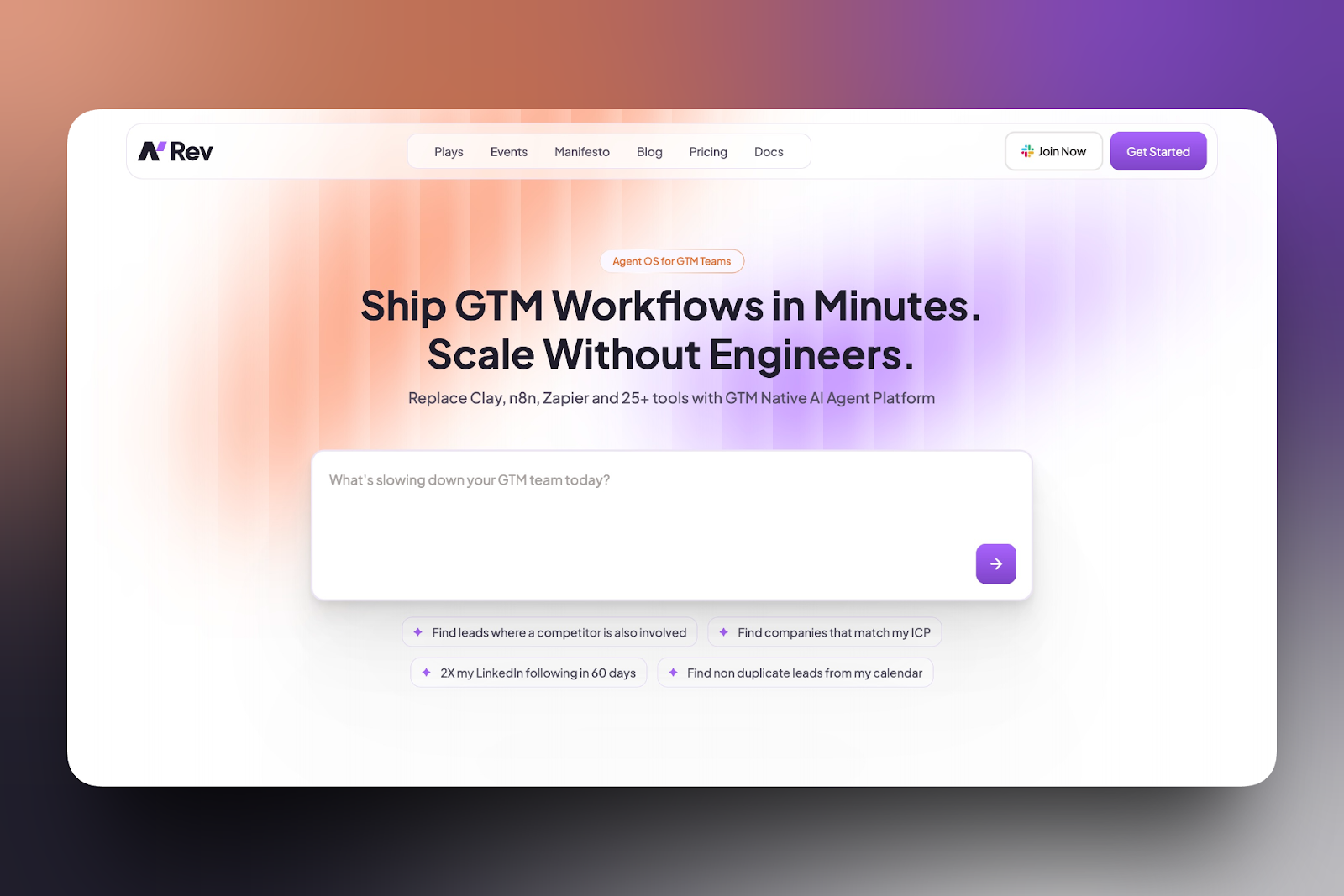
It’s an Agent Operating System (AgentOS) designed to connect your sales strategy, tools, and teams into one intelligent system that keeps deals moving without constant manual follow-up.
An AgentOS is a system that lets AI do real work inside your workflows.
Think of nRev as the middle layer between your CRM and your sales reps.
For example, your CRM records what happens → nRev structures your sales strategy into automated workflows → sales reps are able to close deals based on data and not guesswork.
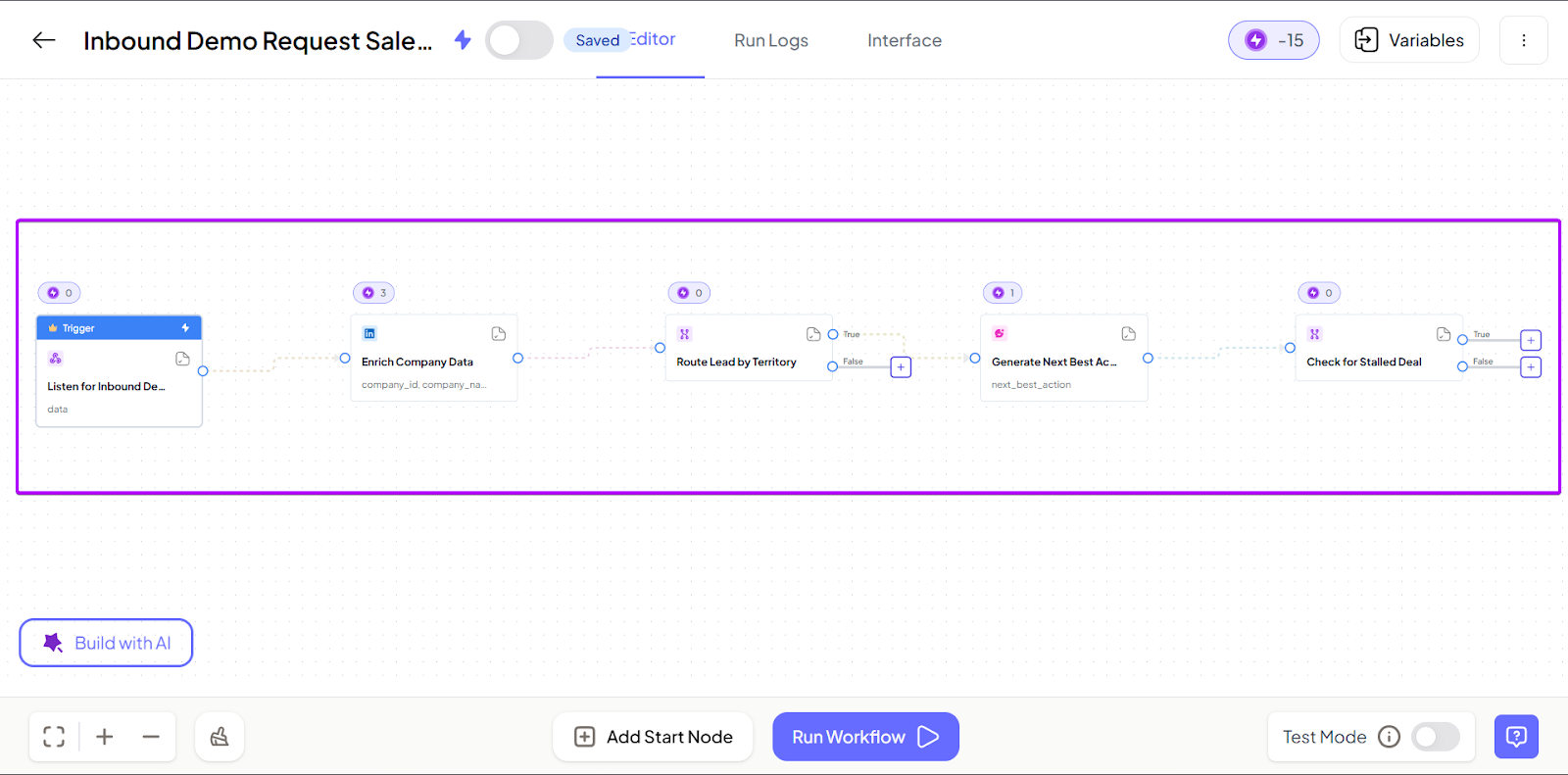
Most deals may stall because of inconsistency. But nRev’s Workflows feature comes in handy because it reduces those issues.
It lets you automate multi-step sales processes so reps follow structured paths instead of improvising.
And even better, AI can optimize workflows over time, helping sales reps refine what actually moves deals forward.
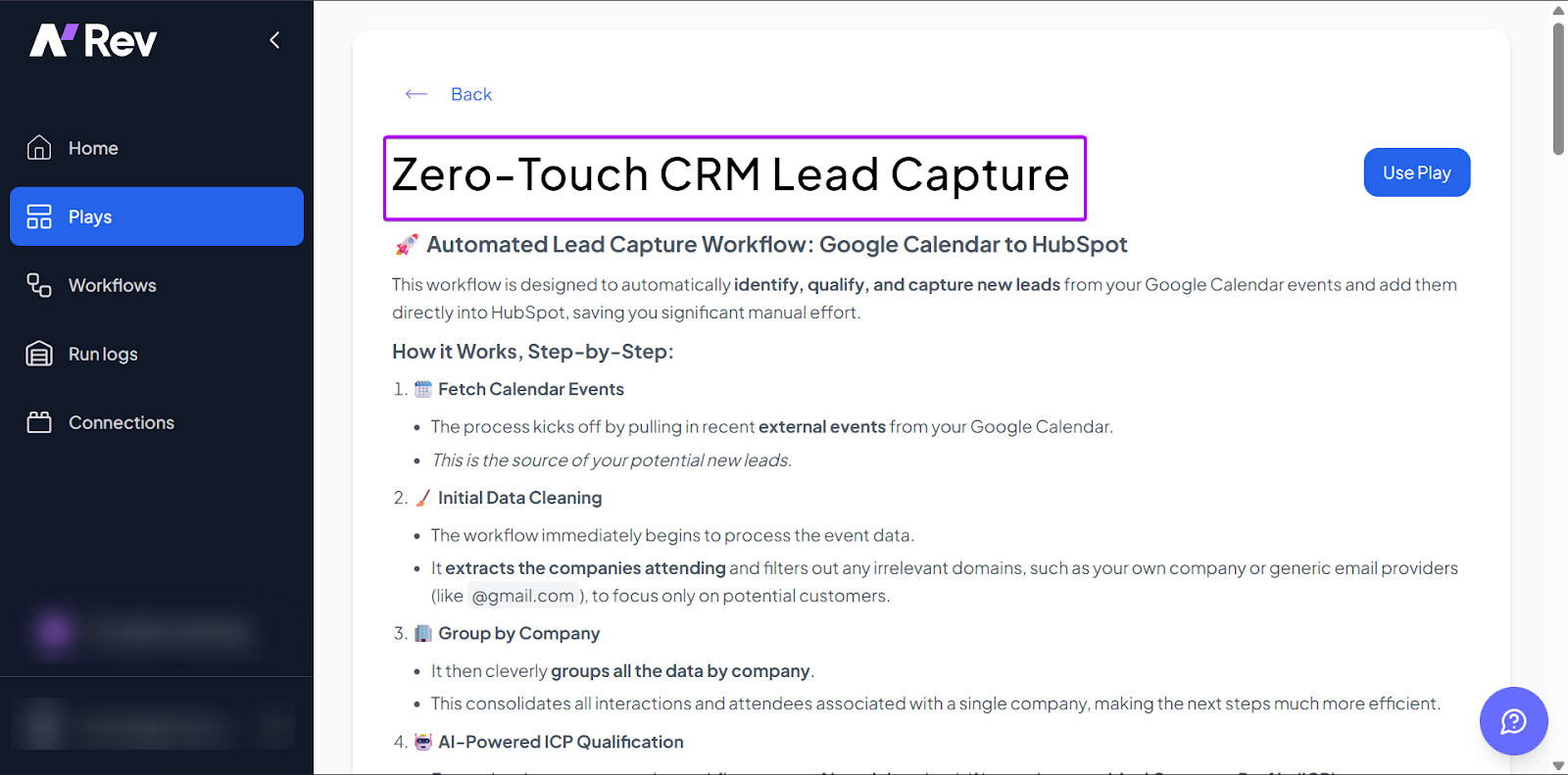
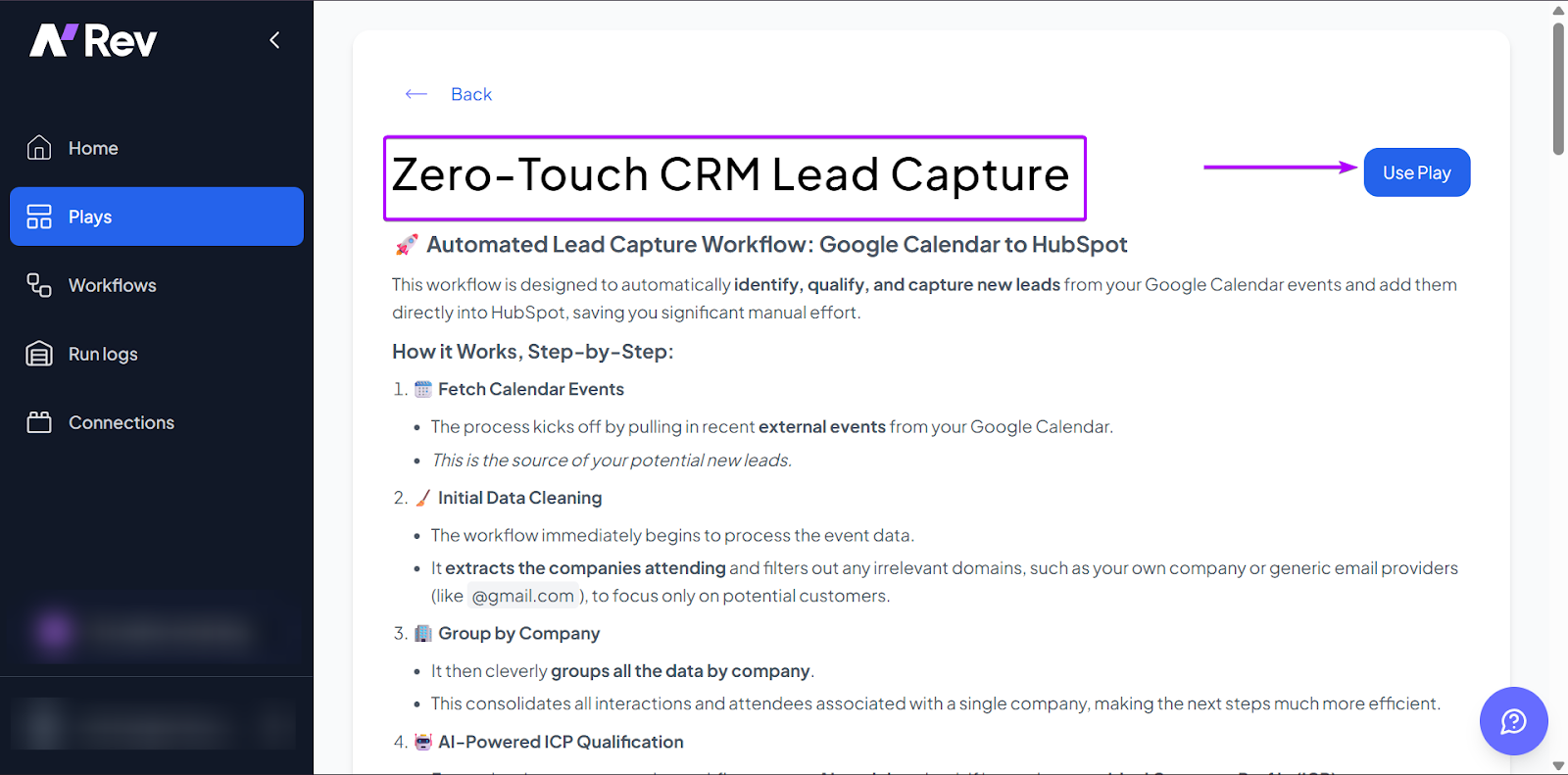
Its Plays feature is a set of pre-built go-to-market (GTM) workflows.
nRev provides teams with 14 playbooks across categories like a competitive prospect tracker, automated LinkedIn outreach, and zero-leak inbound funnel plays.
With the Connections, you can integrate nRev with your CRM, communication tools, and other parts of your tech stack.
That way, you can do every task in one platform instead of switching between tools.
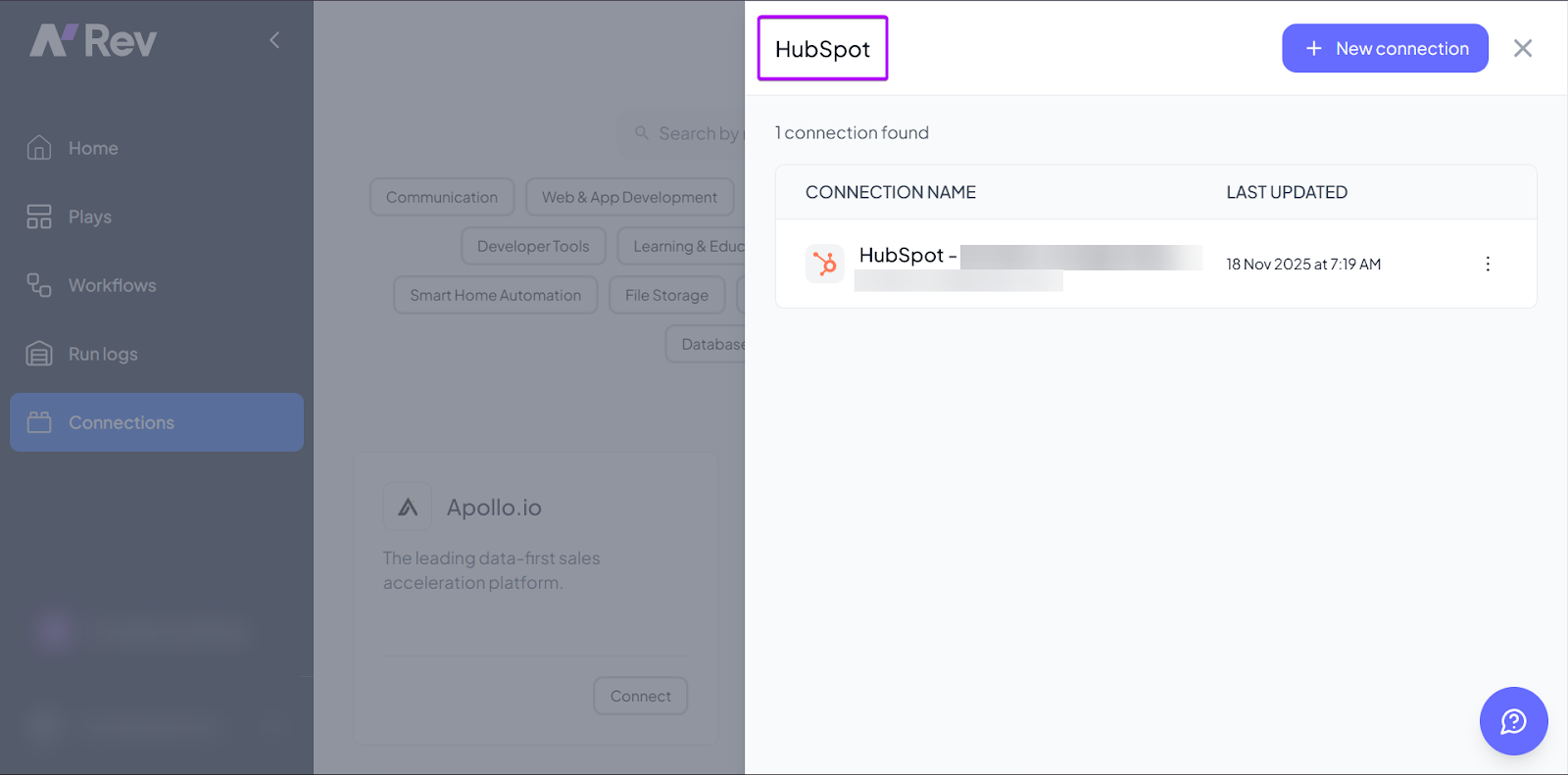
I’ll discuss how these features work in nRev in the next section.
What I Loved About nRev AI
1. Workflows
The Workflows feature lets you build structured, automated processes that keep tasks moving without manual follow-ups.
Say you’re a sales rep who needs to send a case study to a customer, book a demo, and send updates to your team via Slack.
Instead of relying on your memory, the feature handles all that work for you, running as long as you want it to.
And you can build and refine workflows with nRev’s AI tools in just a little under 10 minutes.
Let’s see how it works:
First, head to “Workflows” and click “+ New workflow.”
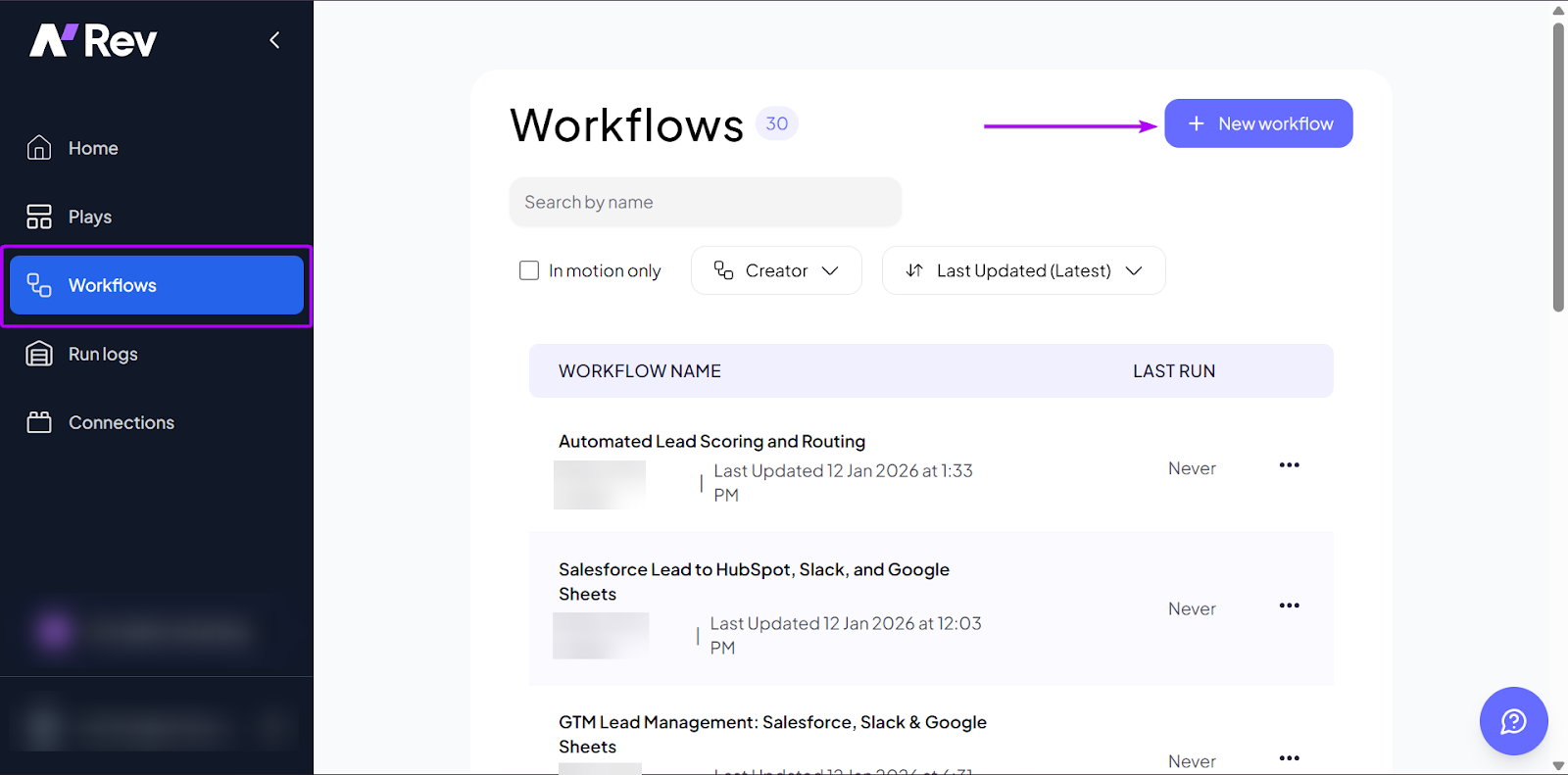
The new window then opens to the workflow editor.
nRev allows you to build your workflow from scratch or with its AI builder. If you want to build it manually, you can click “Add Start Node” to add a trigger.
A trigger is the event that basically starts the workflow.
For example: When a demo is booked → send a confirmation email.
Let’s use the AI Builder. So, type in a natural language prompt in the textbox and hit the enter icon.
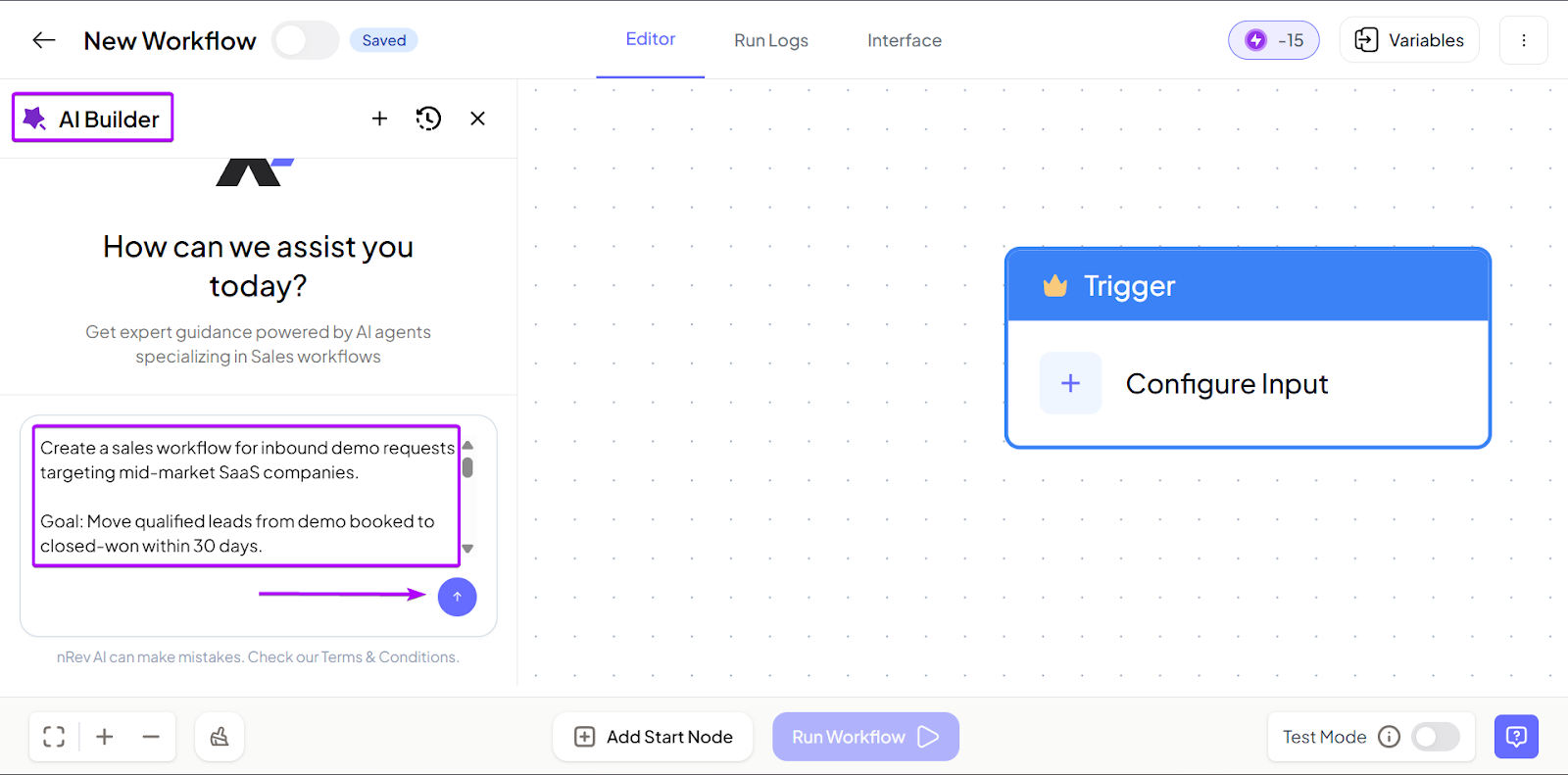
After that, AI Builder will create your workflow. Click “Run Workflow” to start executing the process.

2. Plays
The next feature is Plays. It’s a set of nRev’s pre-built go-to-market (GTM) workflows.
With Plays, you don’t have to build every workflow from scratch. You can launch a play to automate lead capture and set reminders to follow up with prospects.
For many RevOps, GTM, and sales teams, this feature makes setup quick and easy.
Let me take you through how it works:
Head over to “Plays” in the sidebar.
nRev makes it easier for you to identify the Play you want by categorizing them at the top of the window.
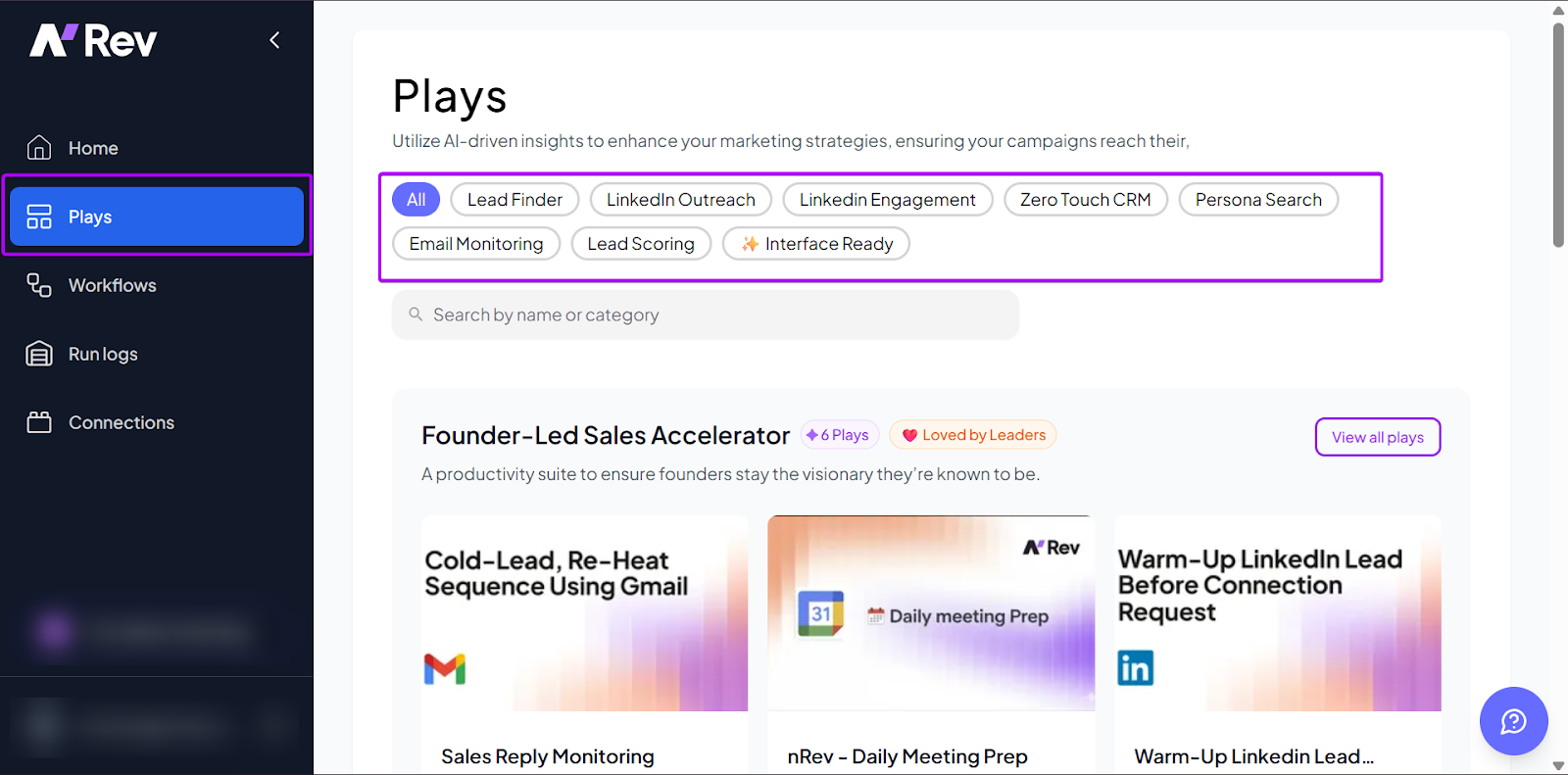
Next, select the Play that best matches your goal and click “Use Play.”
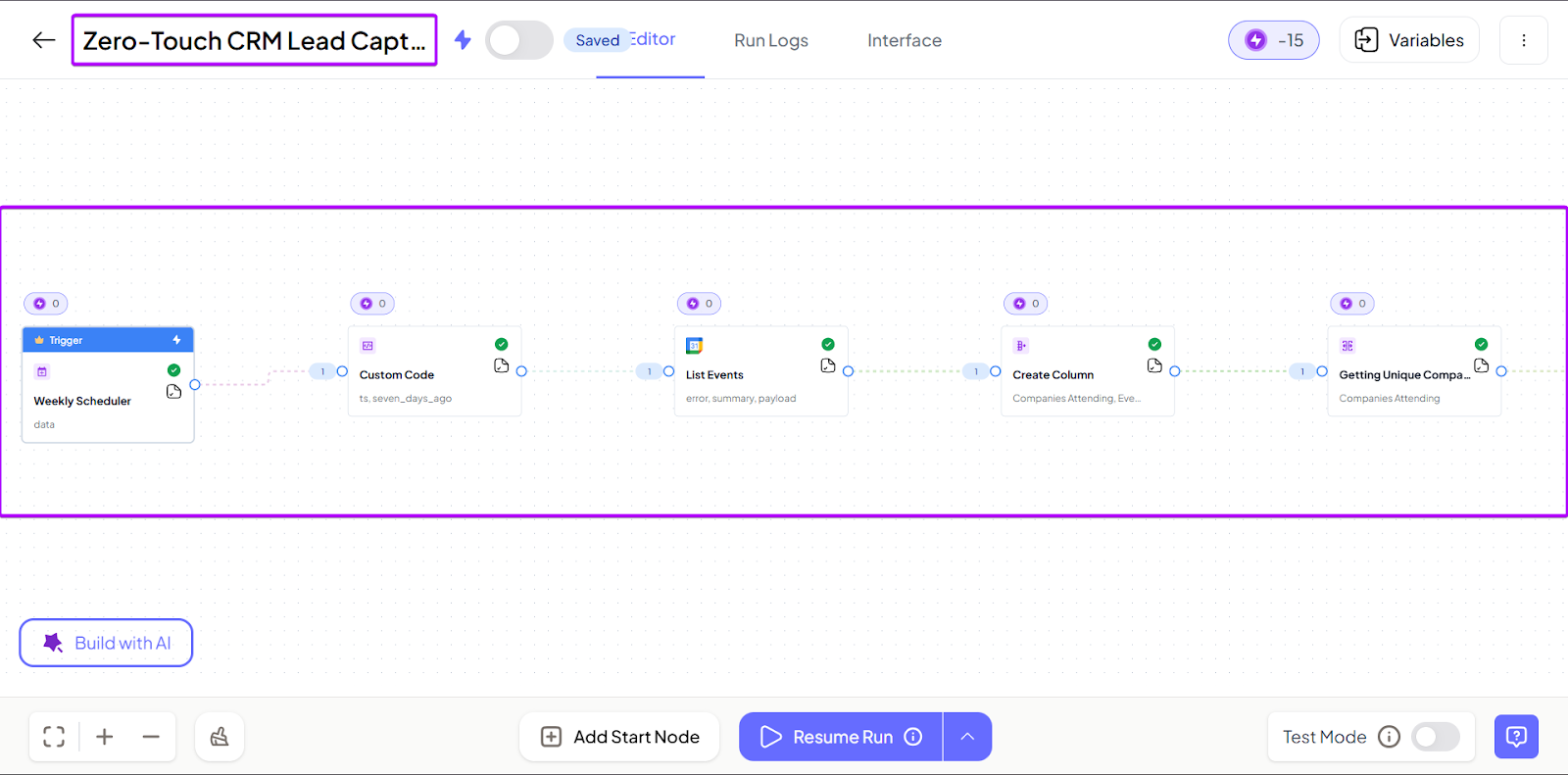
In the new window, you can edit, fix errors, and add more nodes if needed.
3. Connections
The Connections feature brings all your software and nRev together.
For example, you can integrate nRev with your CRM, GTM, and communication tools like Attio, Slack, and Gmail, so all your information is in one place.
You can connect to 20+ tools.
Let’s check it out in the walkthrough below.
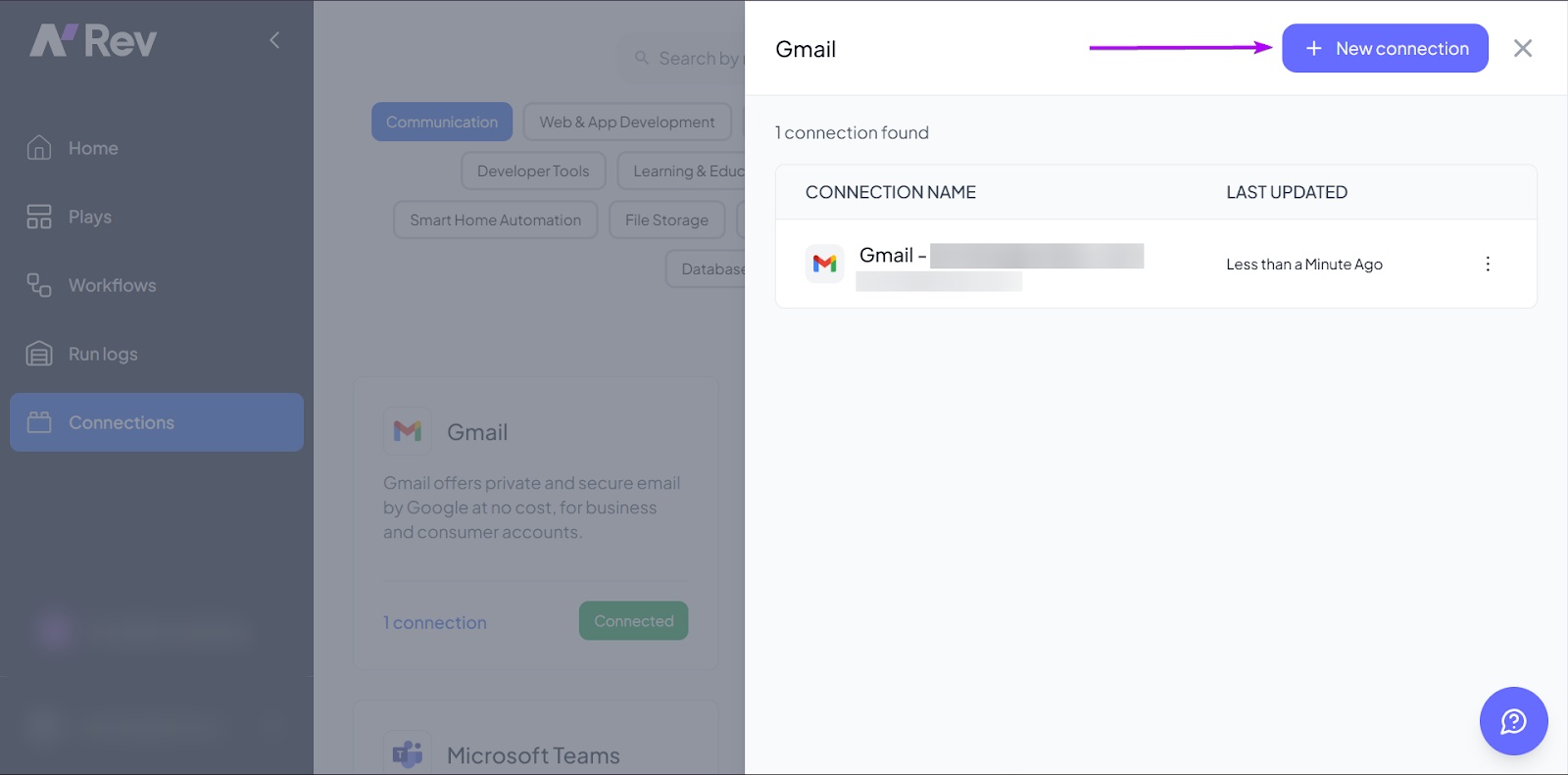
First, go to “Connections” in the sidebar.
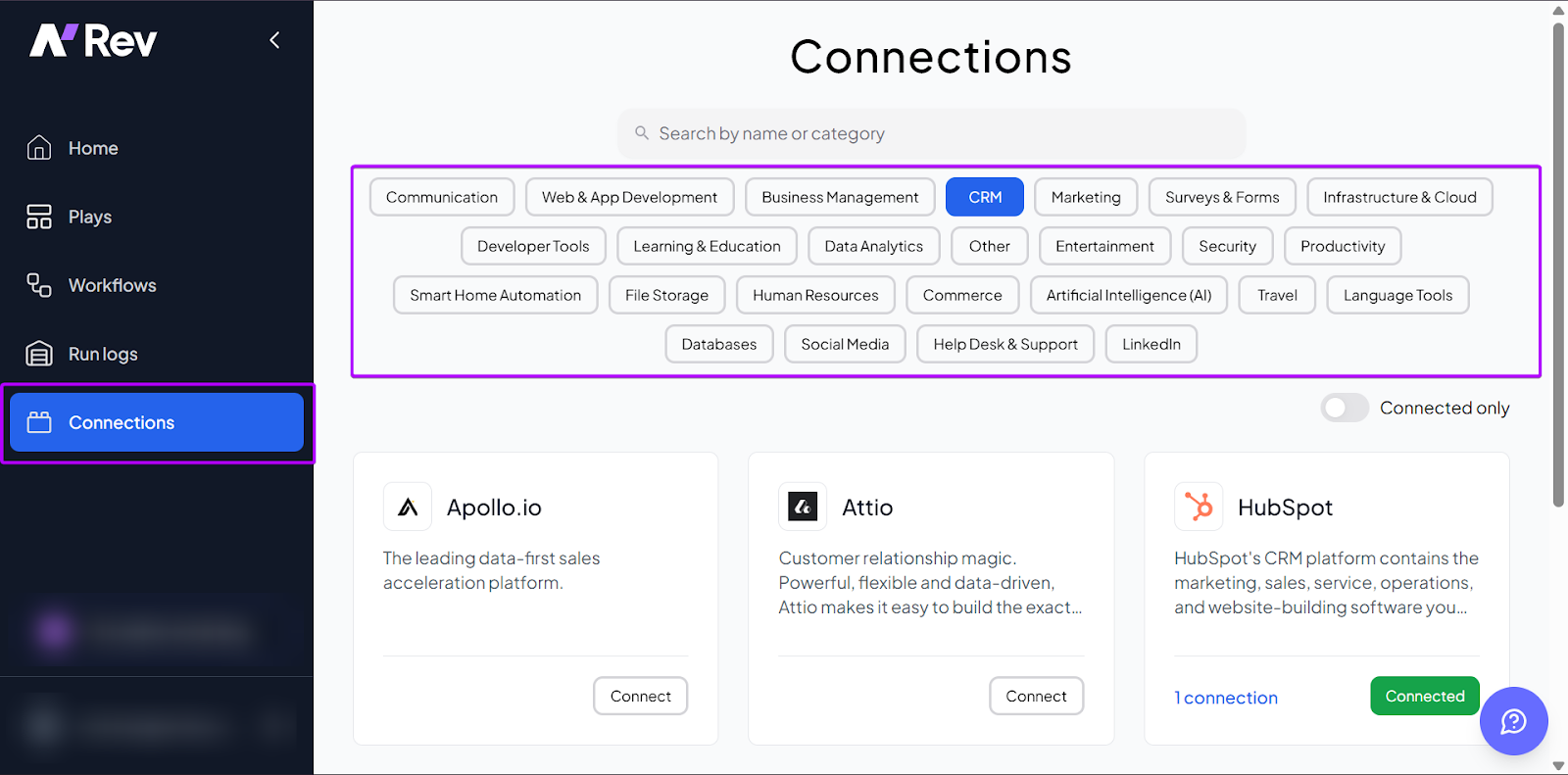
Then, select the tool you want nRev to integrate with.
Let’s go with Gmail. Click “+ New Connection.”
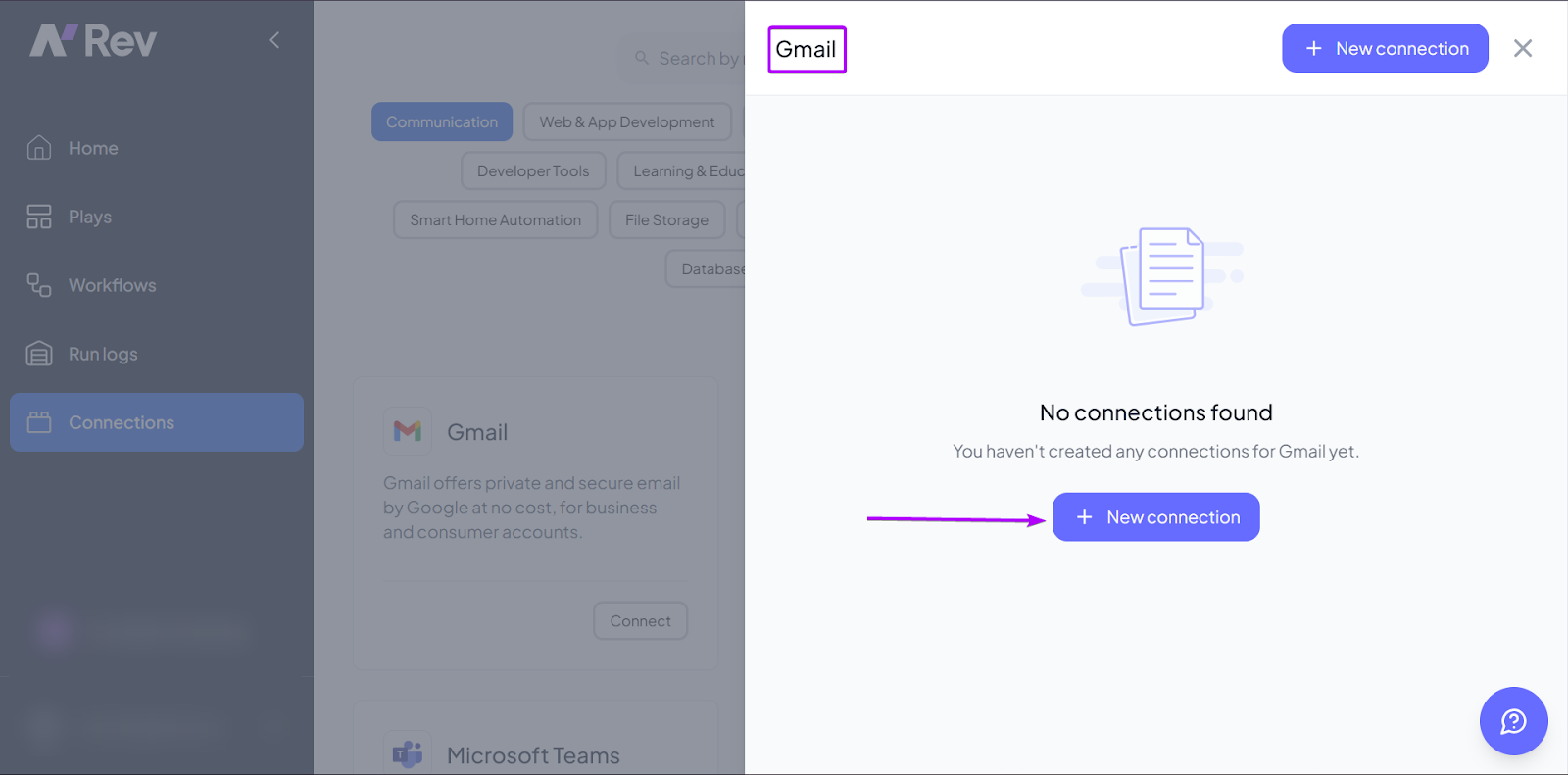
You can also add more connections.
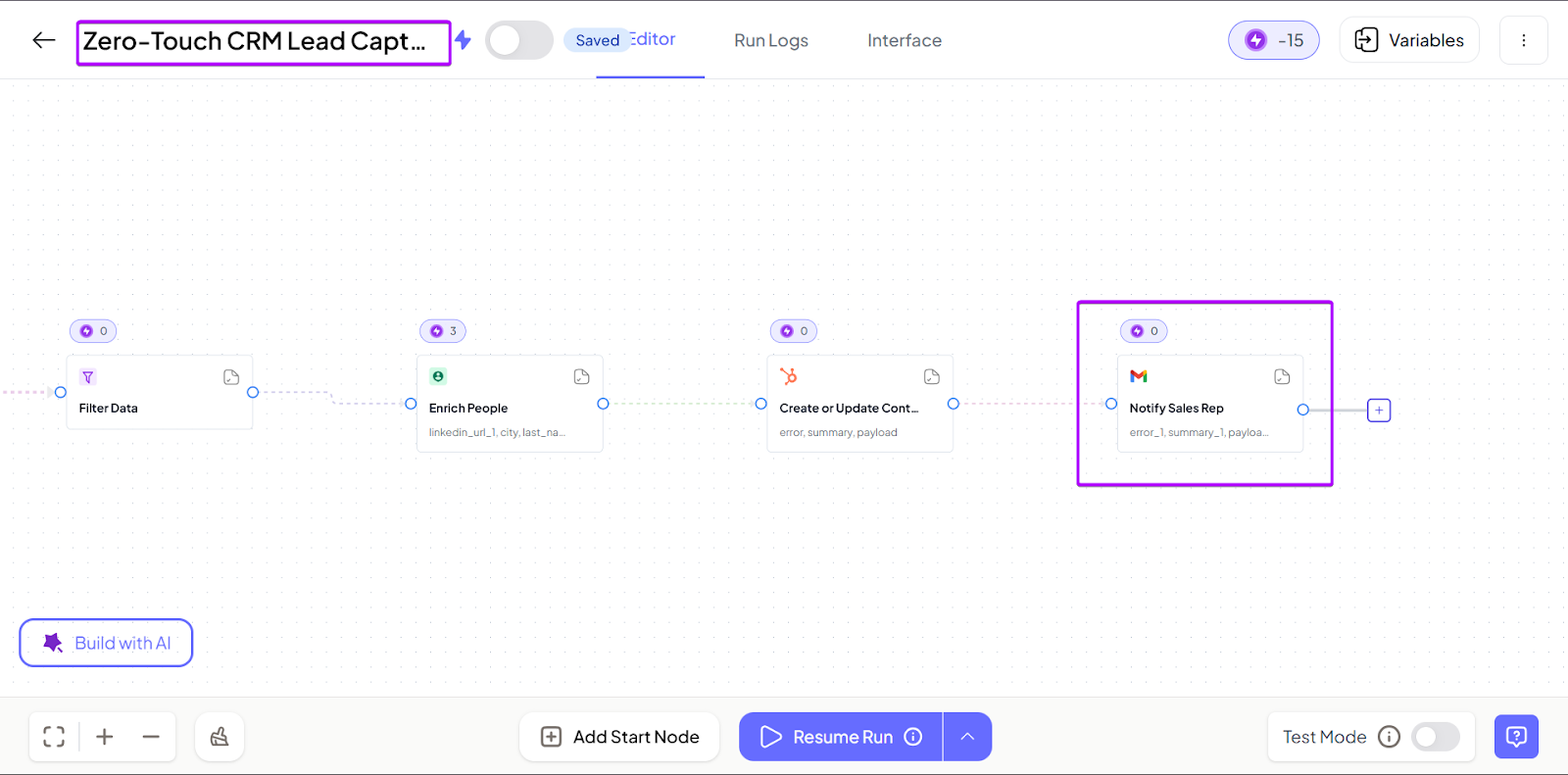
It’s also much easier to connect your existing tools directly to your workflows.
What I Loved vs What I Struggled With
| What I Loved 👍 | What I Struggled With 👎 |
|---|---|
|
✅ AI-powered automation makes setting up and running workflows faster and easier. ✅ Pre-built Plays allow teams to launch workflows quickly. It’s especially useful for non-tech teams. ✅ Strong fit for scaling teams, building repeatable tasks. |
❌ Requires more intentional setup to define workflows properly, but once it’s mapped correctly, automation runs smoothly and scales with your team. |
Best For
- Sales managers who want an AI-powered automation tool that helps their team capture and convert leads without manual follow-up.
Pricing
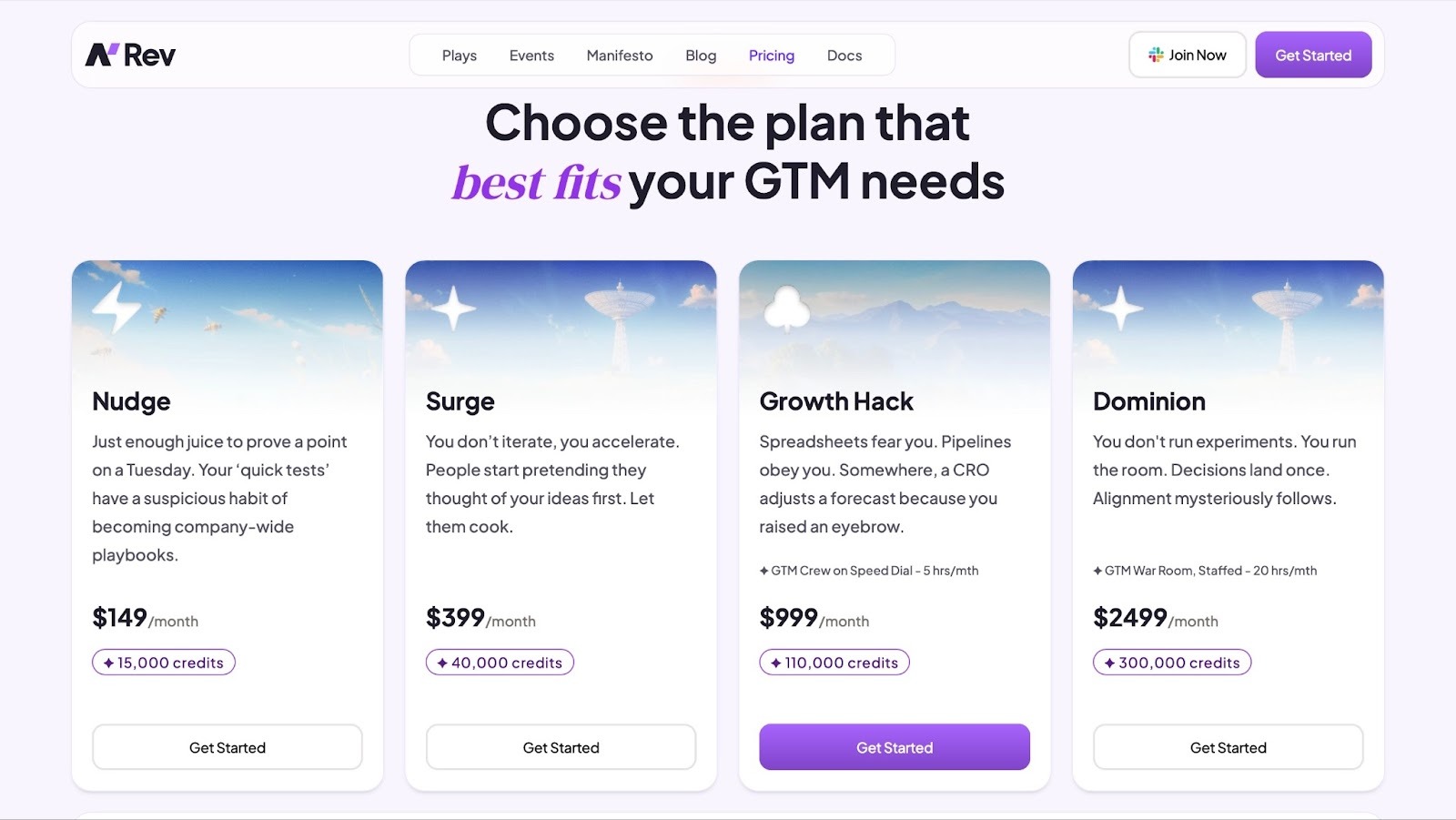
- Nudge: $149/month + 15,000 credits
- Surge: $399/month + 40,000 credits
- Growth Hack: $999/month + 110,000 credits + 5 hours of GTM engineering support
- Dominion: $2,499/month + 300,000 credits + 20 hours of GTM engineering support
2. HubSpot Sales Hub - Best CRM-integration Solution
- Personal Rating: ⭐️⭐️⭐️⭐️ 4.5/5
- Sales Funnel Stage Supported: Lead capture, qualification, demo, closing deals, customer retention
- Automation Level: Medium - high. Strong automations for emails and pipeline stages.
- Integrations: HubSpot ecosystem
- Standout Feature: Unified CRM in one ecosystem
- Starting Plan and Trial: Free: $0/month + free for up to 2 users
Second on my list of the best sales enablement tools is HubSpot Sales Hub.
HubSpot Sales Hub is a CRM-based sales platform designed to help teams manage pipelines, automate outreach, and track all deal activities in one place.
What sets it apart from other standalone sales enablement tools is that it’s deeply embedded in the HubSpot ecosystem. It’s part of a larger platform that includes marketing and operations.
That means sales don’t operate in isolation. It’s tied directly to other parts of your HubSpot account, so you can make more data-informed decisions when prospecting.
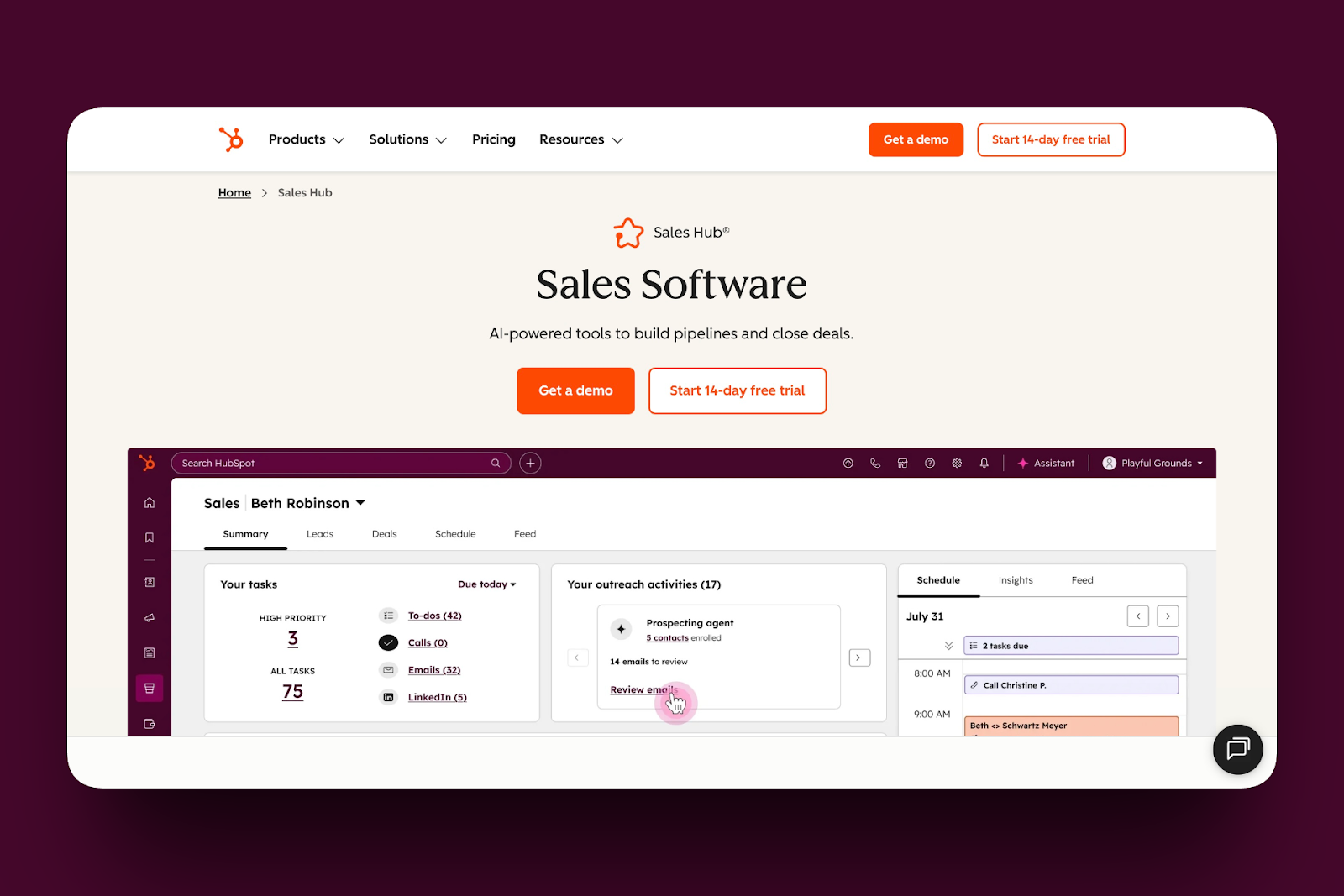
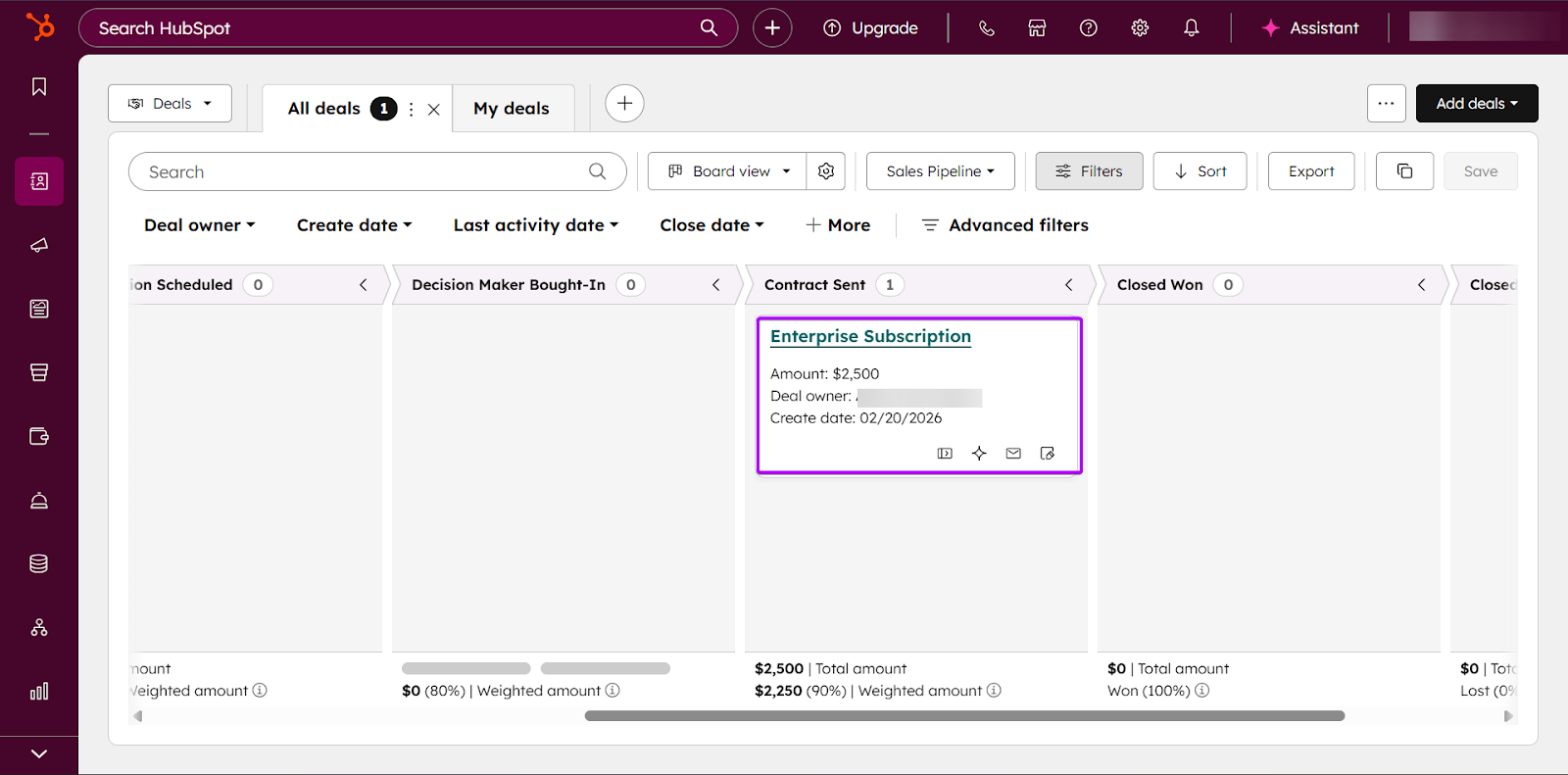
The Deals feature is one of the main focuses of Sales Hub.
You get a visual pipeline to track sales opportunities and risks across all stages of the deal.
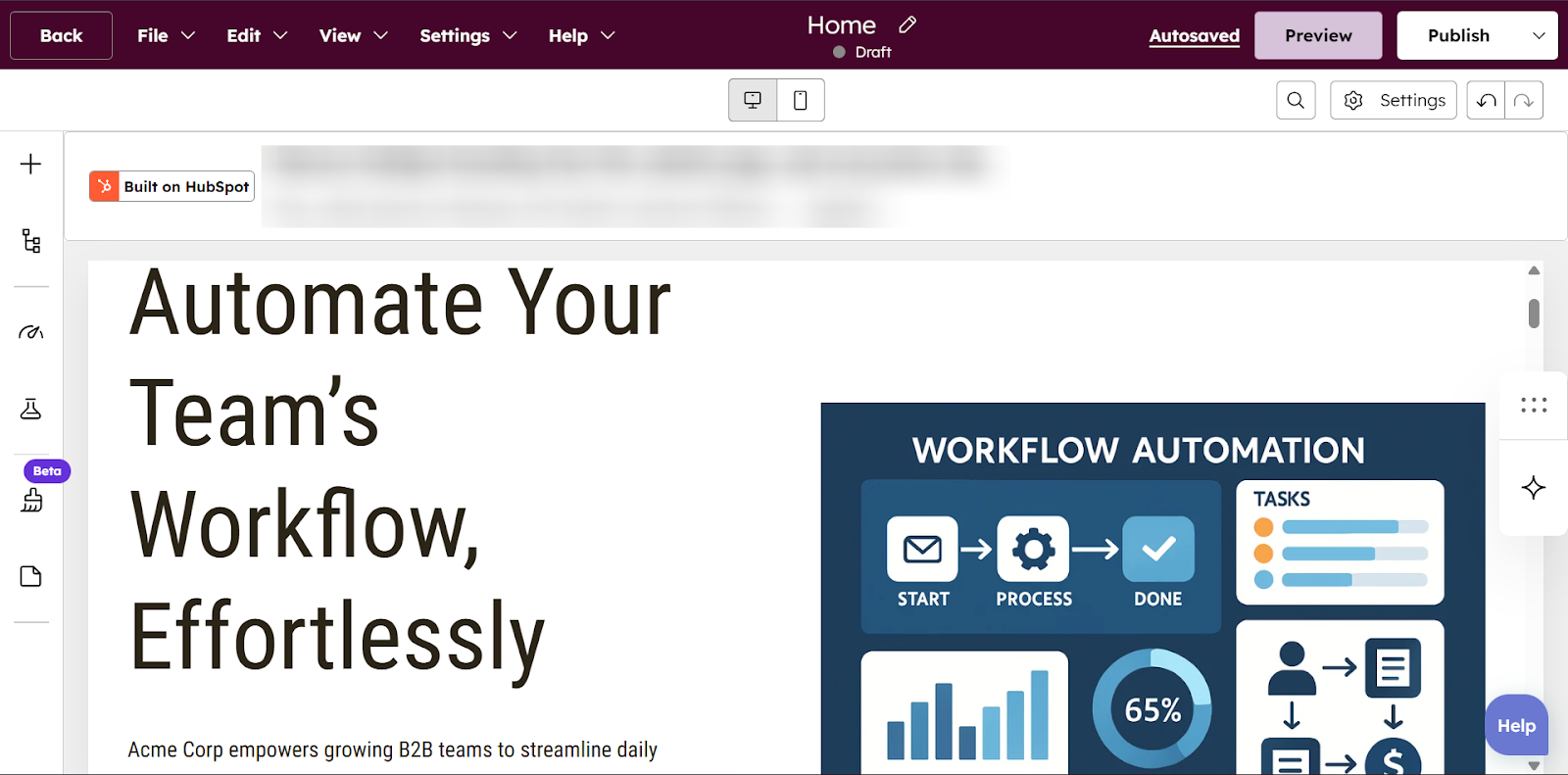
Also, because HubSpot can power your website, Sales Hub can track how prospects interact with your pages.
Sales reps can also see which sites a contact has visited, how often, and the content they engage with.
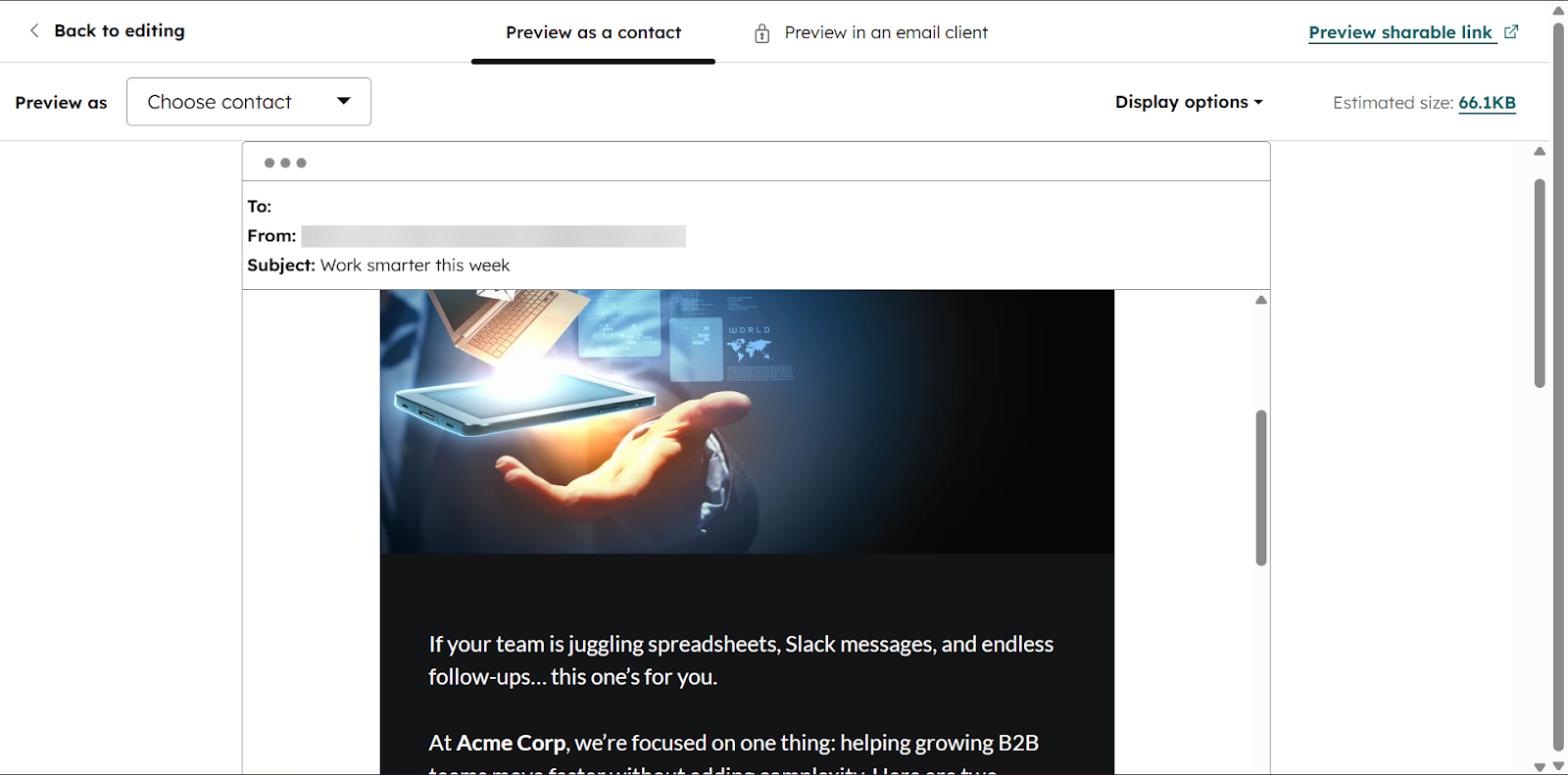
Finally, the Sales Hub Email feature lets you send emails, build automated follow-up sequences, and track opens and clicks.
Let’s check how these features work in HubSpot Sales Hub.
What I Loved About HubSpot Sales Hub
1. Deals
The Deals feature is a visual pipeline that lets sales reps track sales opportunities and risks across all deal stages. This feature helps sales managers get insights into how their pipelines are performing.
For example, they can see where deals are stuck, how long they stay in each stage, and the estimated revenue.
Let me take you through this feature:
On the sidebar, head to CRM and select “Deals.”
On the Deals page, you can either create a new deal or import one.
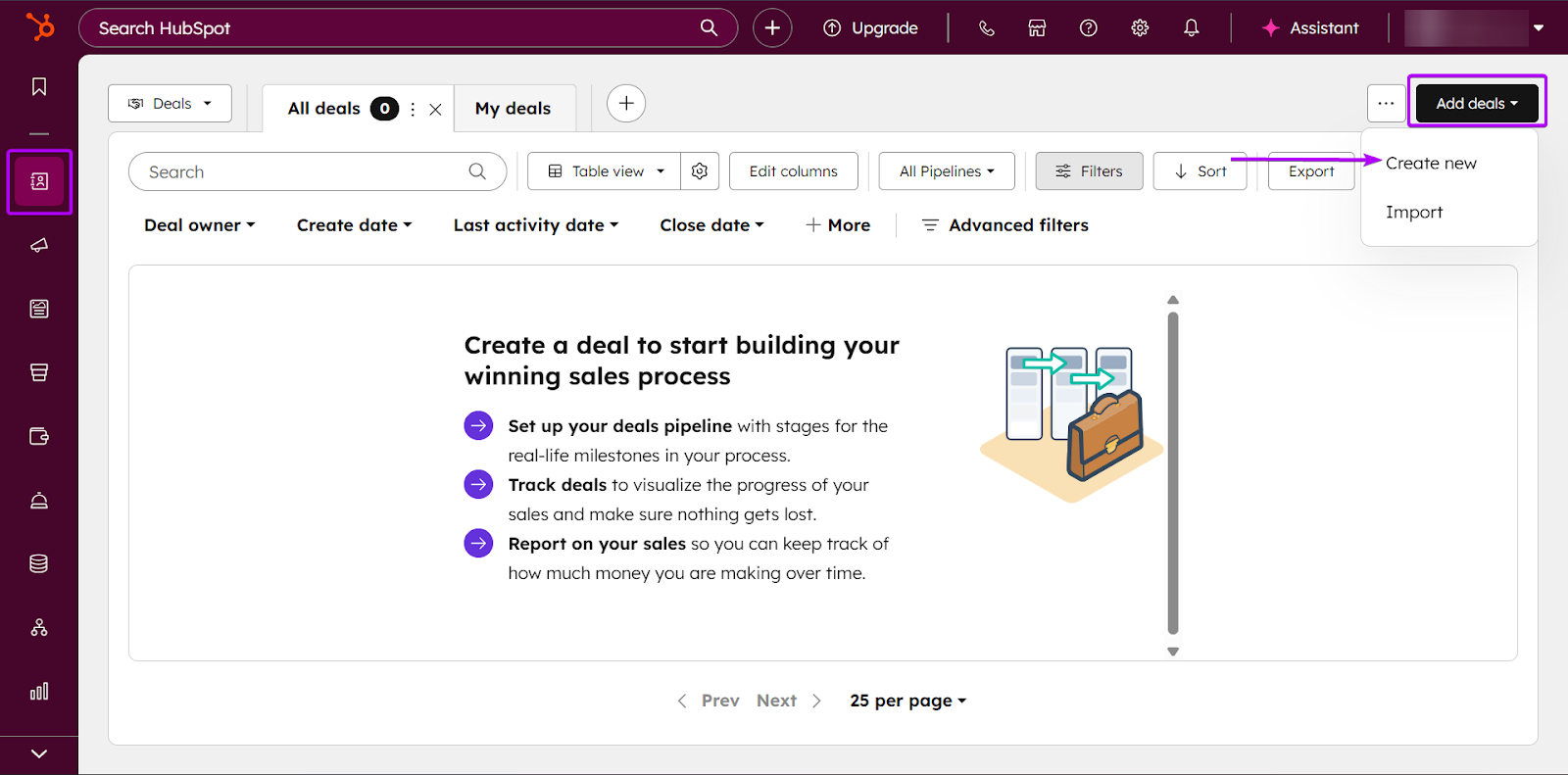
To make things easier, HubSpot can take you through creating a deal.
But if you’re more experienced, you can create one from scratch.
Either way, it doesn’t take long to set up a deal.
Once you choose, give your pipeline a name and click “Define deal stages.”
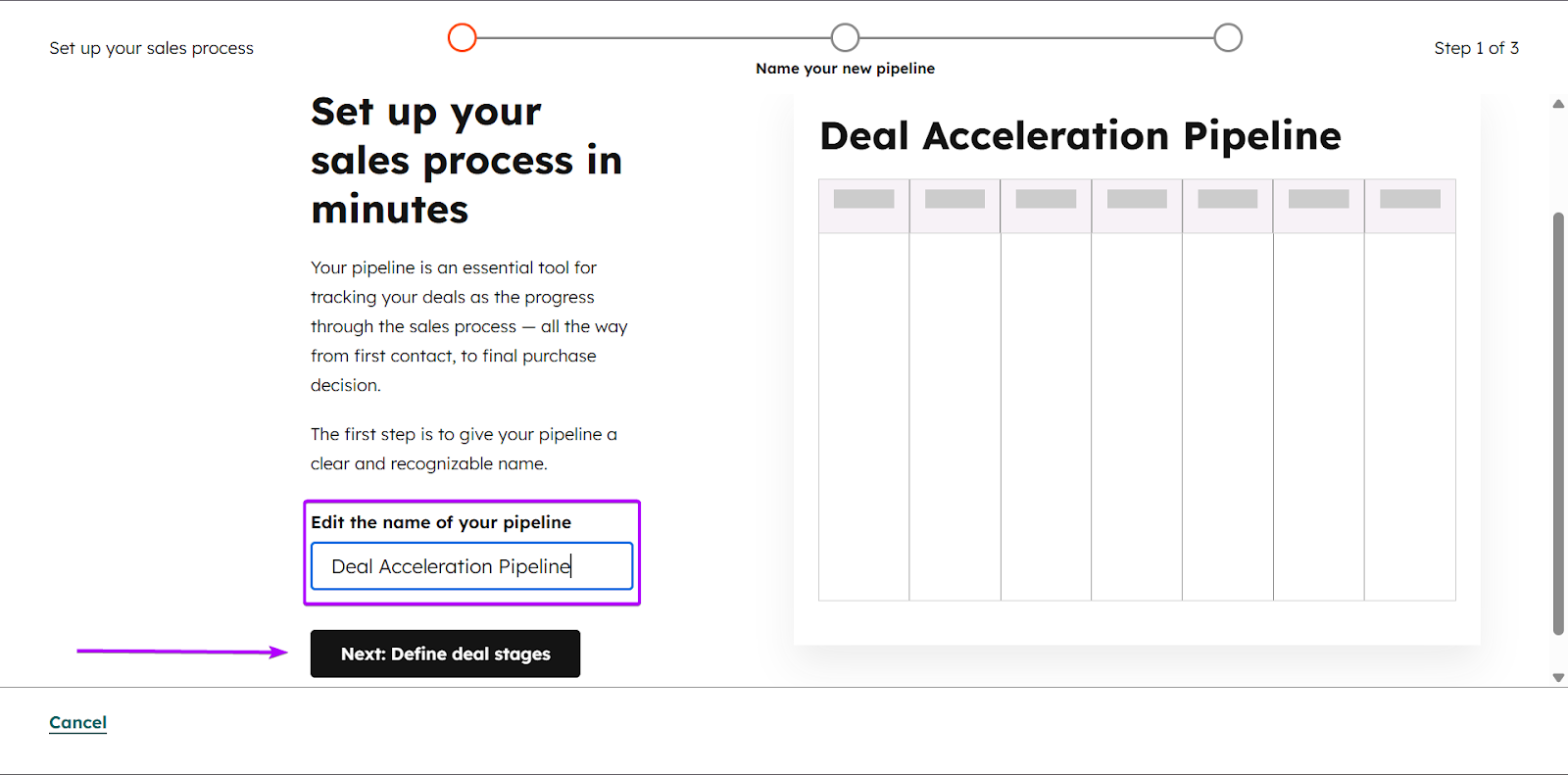
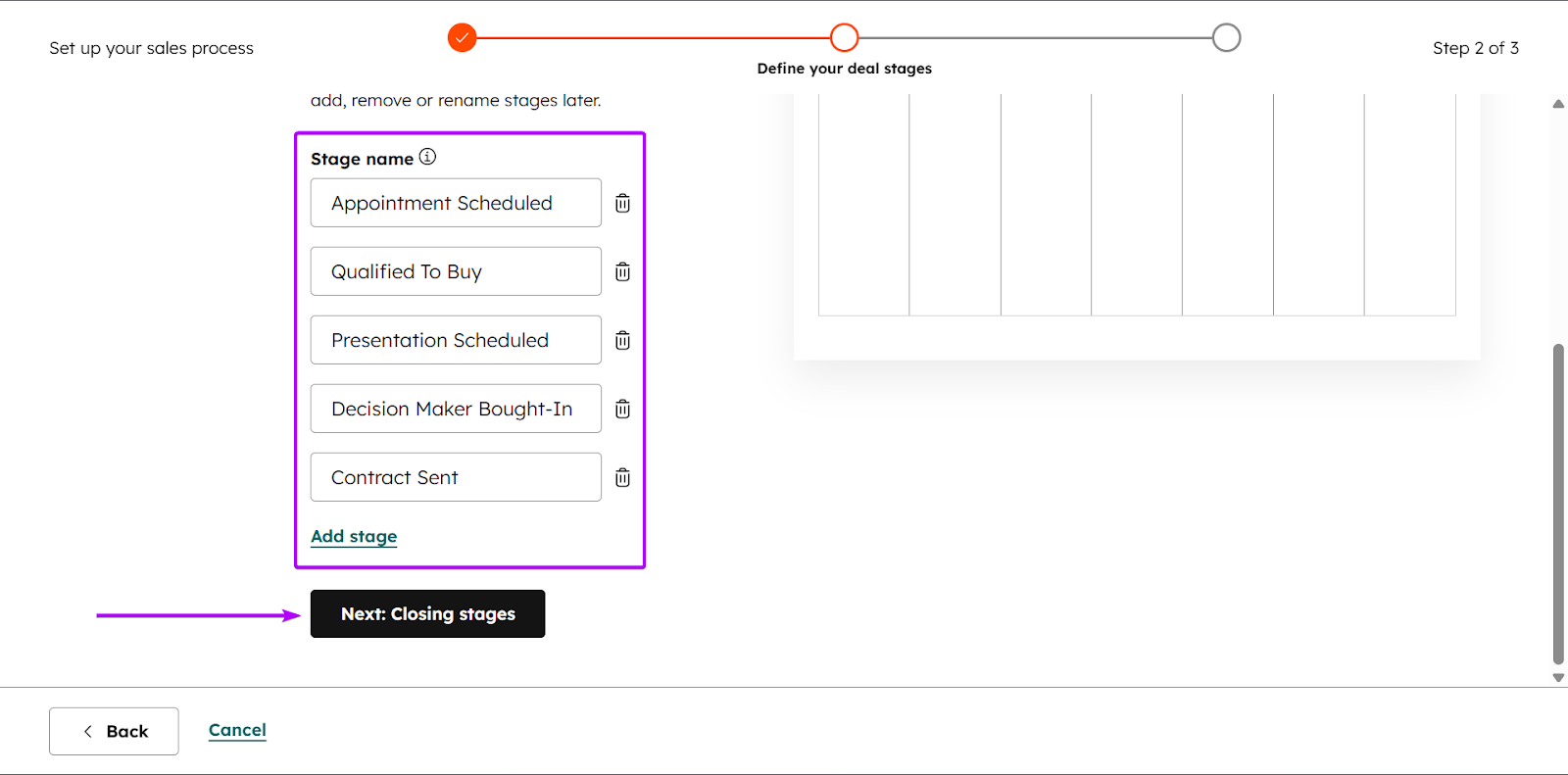
With Sales Hub’s help, it will generate a list of deal stages.
A deal stage is simply the step a sales opportunity is currently in.
You can further edit by adding or removing stages.
When you’re done, click “Next: Closing stages.”
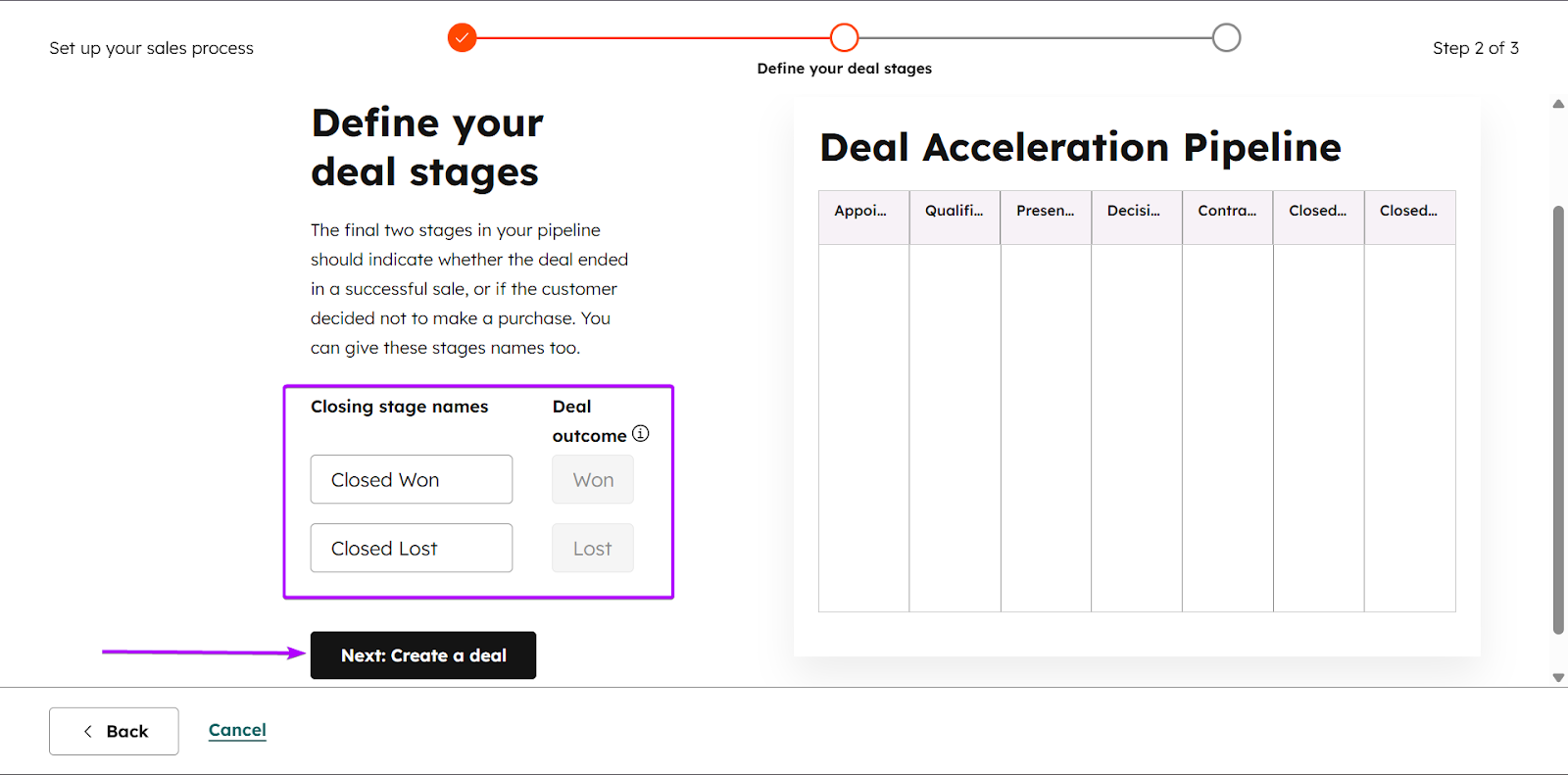
After that, define the closing stage. These are the last two stages that determine whether a deal has been won or lost.
Next, click “Create a deal.”
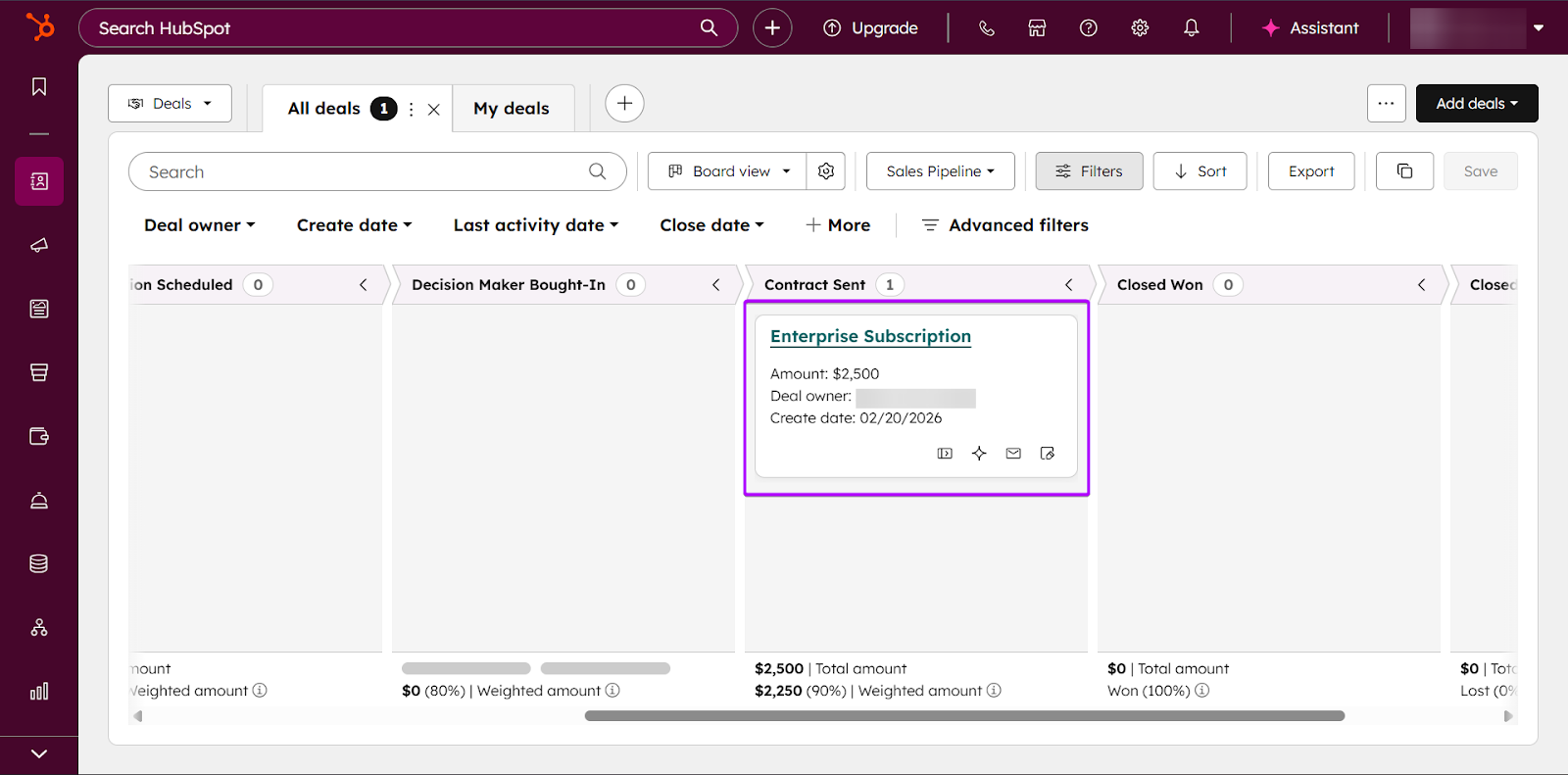
You can show which stage a deal is currently at.
So, for this example, we have a deal for an enterprise subscription service at the “Contract Sent” stage.
This lets teams know the status of a deal at all times.
And you can easily drag and drop the deal across different stages at any time.
2. Website Pages
Now, let’s talk about Website Pages. It lets you create a fully-functioning website on Sales Hub.
You can track how prospects interact with your page and the type of content they engage with.
For example, if a potential buyer keeps revisiting your pricing page or a specific product page, it can be a signal to reach out to them.
I’ll walk you through this feature:
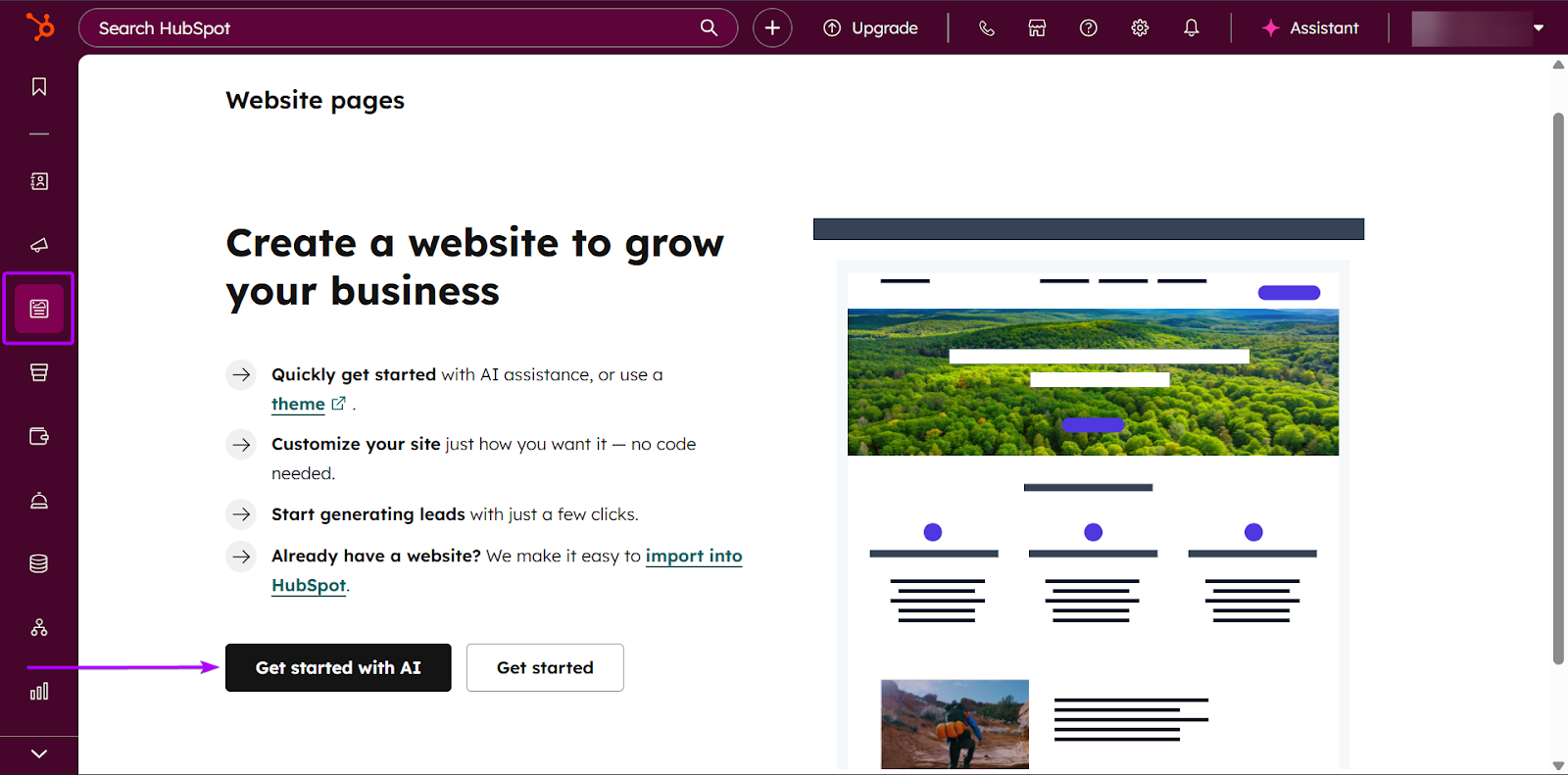
First, go to Marketing and click “Website Pages.”
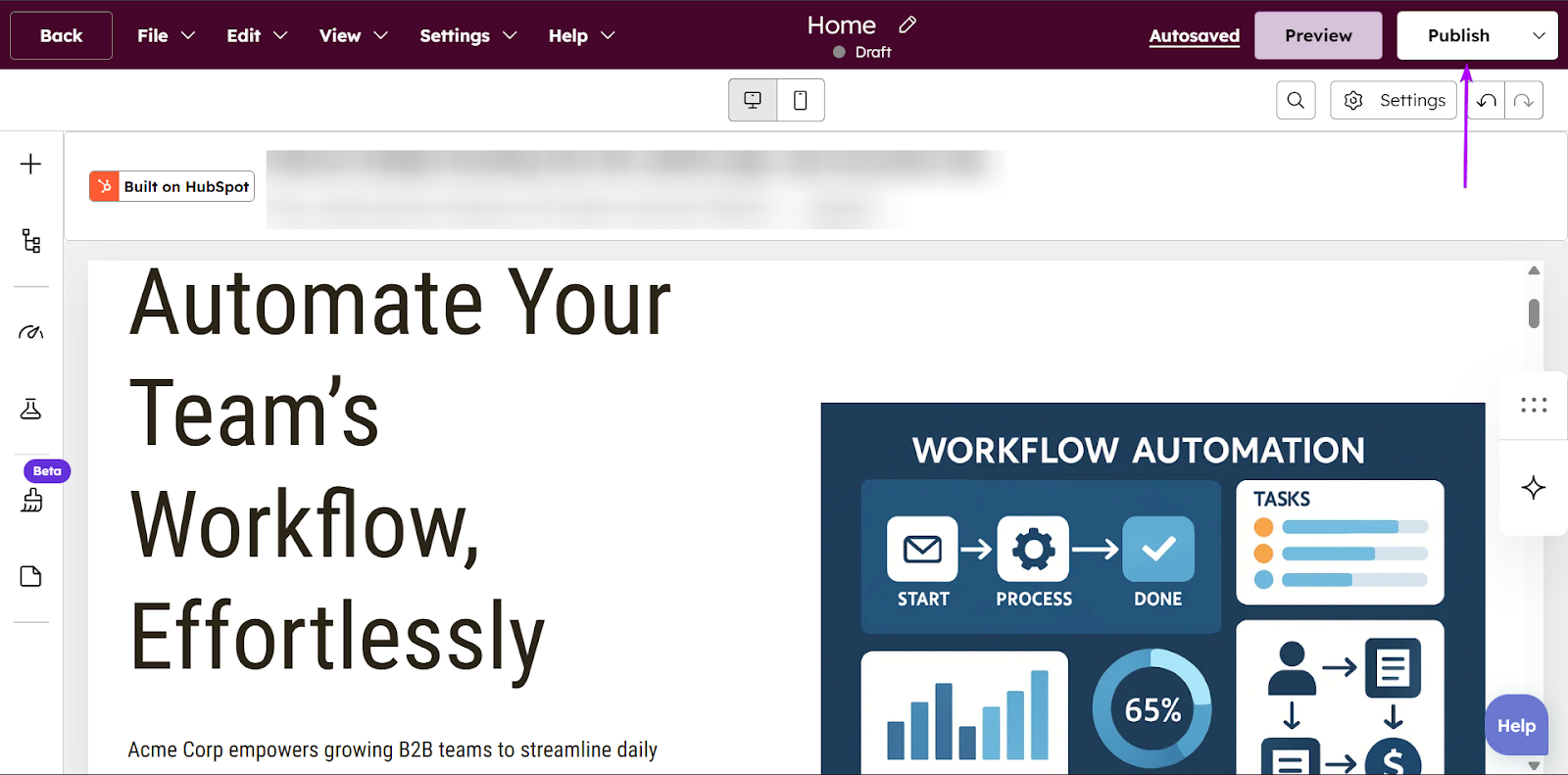
You can choose to create a website from scratch or build it with AI assistance.
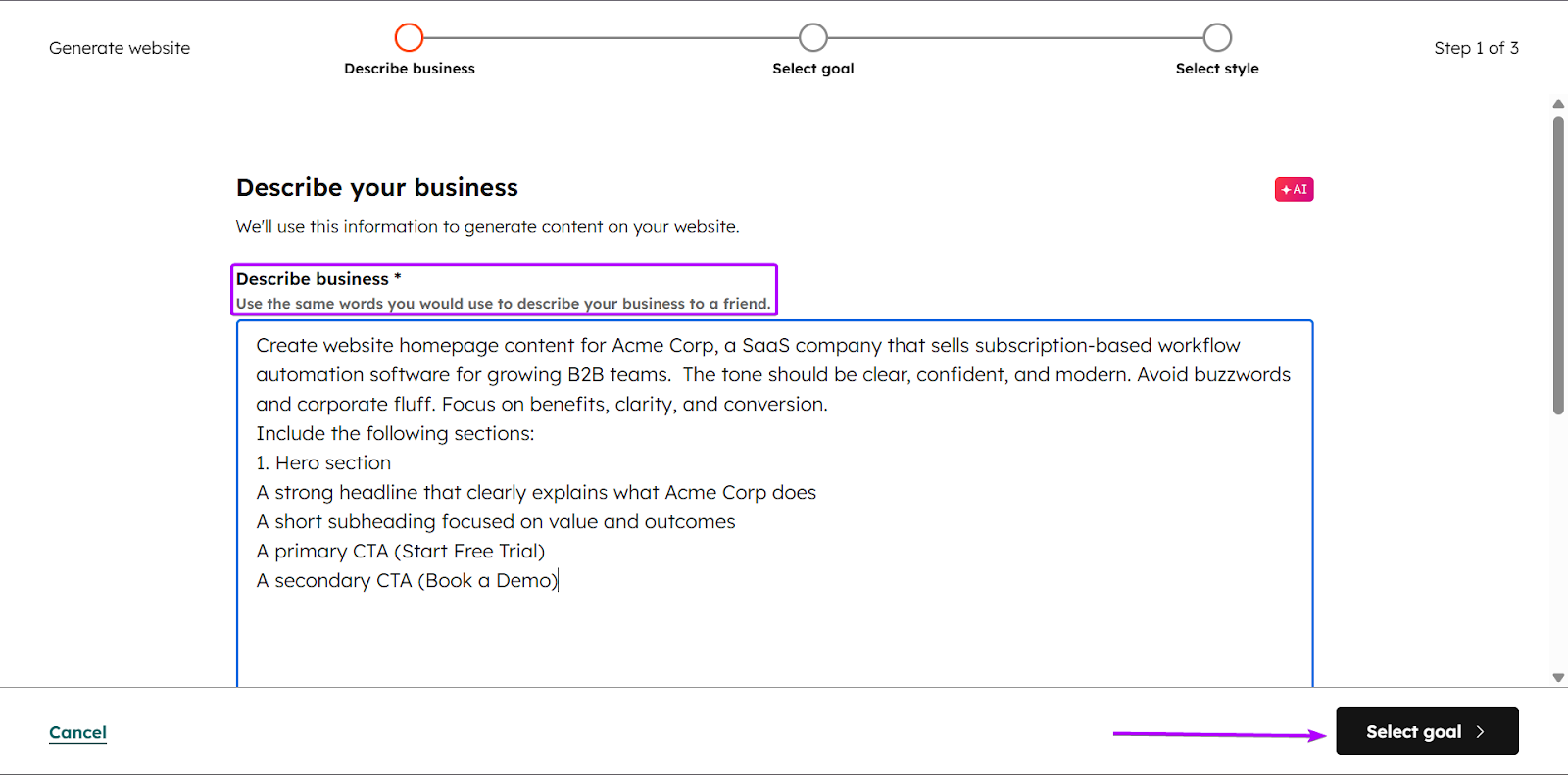
Next, with AI help, enter a prompt that best describes how you want your website to be.
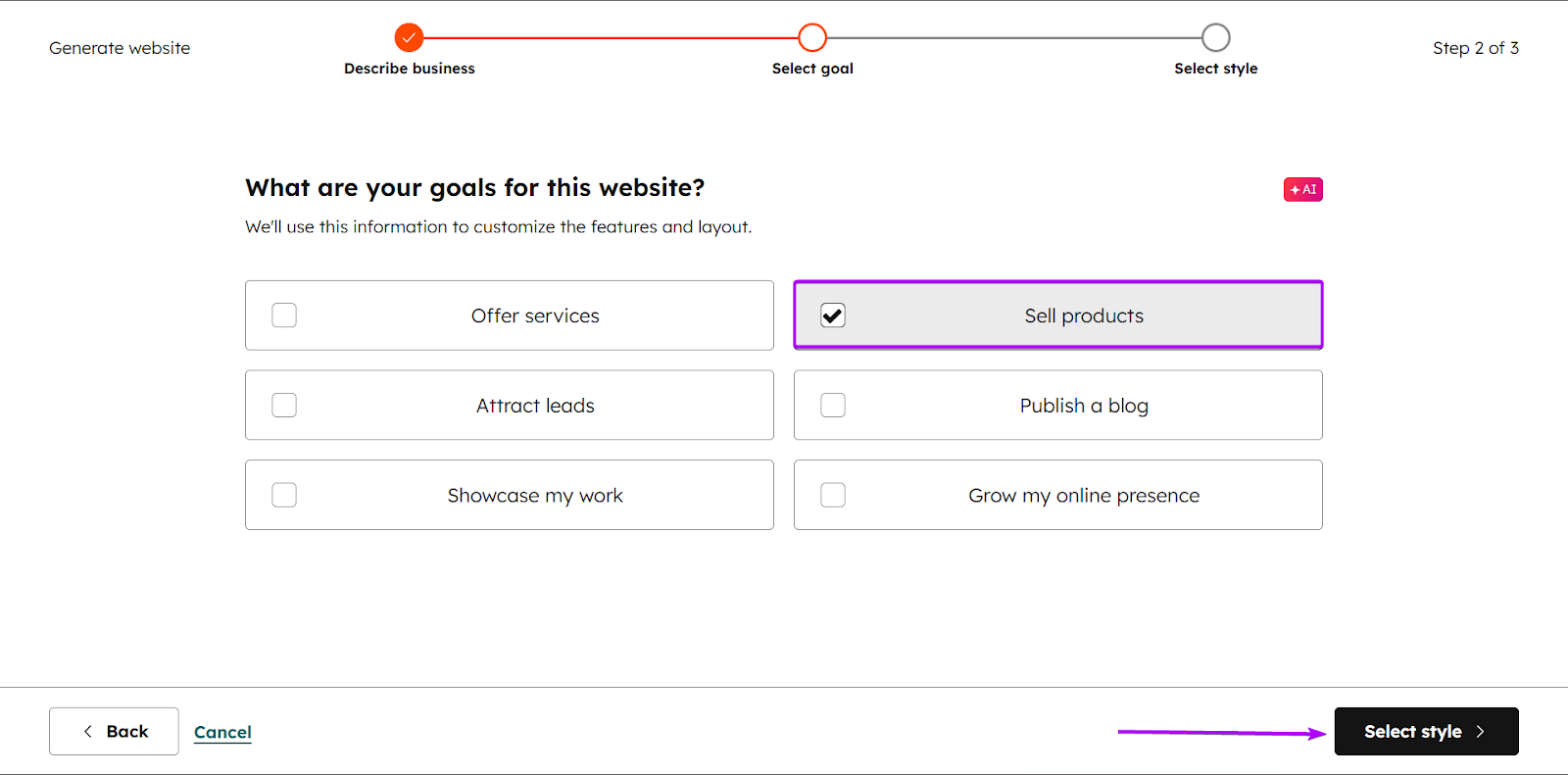
After that, select your goal. It’s basically what you want the website to do for you.
You can offer services, sell products, or even attract leads.
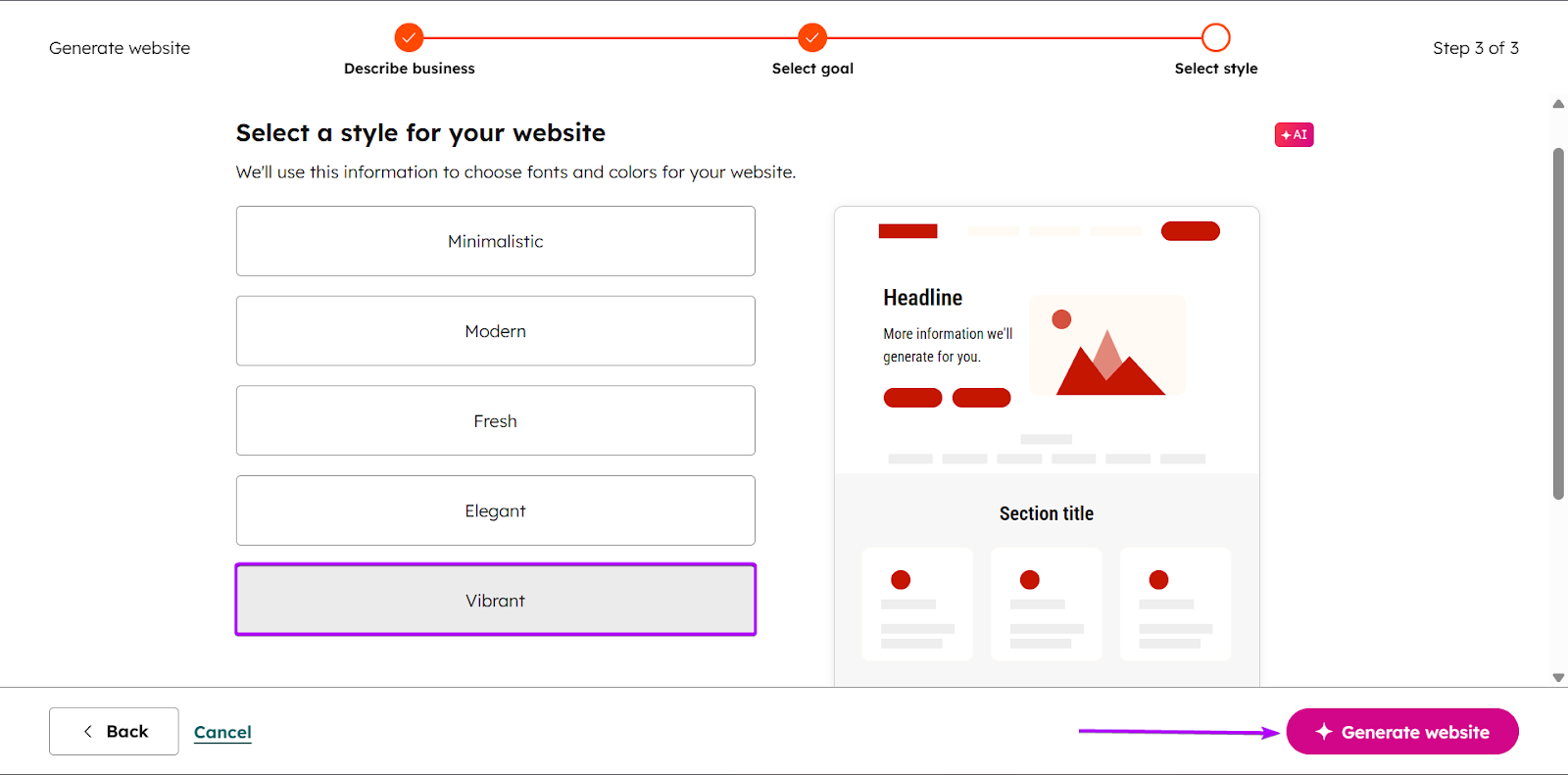
Once you’re done setting your goal, you can select a style.
Then you click “Generate website.”
It takes less than 5 minutes for Sales Hub to create your website, and you can edit it further.
Once you’re done, you can publish your website or schedule a launch time.
3. Marketing Email
Sales Hub’s Marketing Email feature lets sales reps send tracked email campaigns to customers and prospects.
It’s a great tool for outbound prospecting and structured follow-ups.
Let’s check it out:
Go to Marketing and select “Email.”
You can send a simple email, newsletter, or promotional email. Sales Hub lets you choose from 33 templates or create one from scratch.
But we’ll go with a newsletter template.
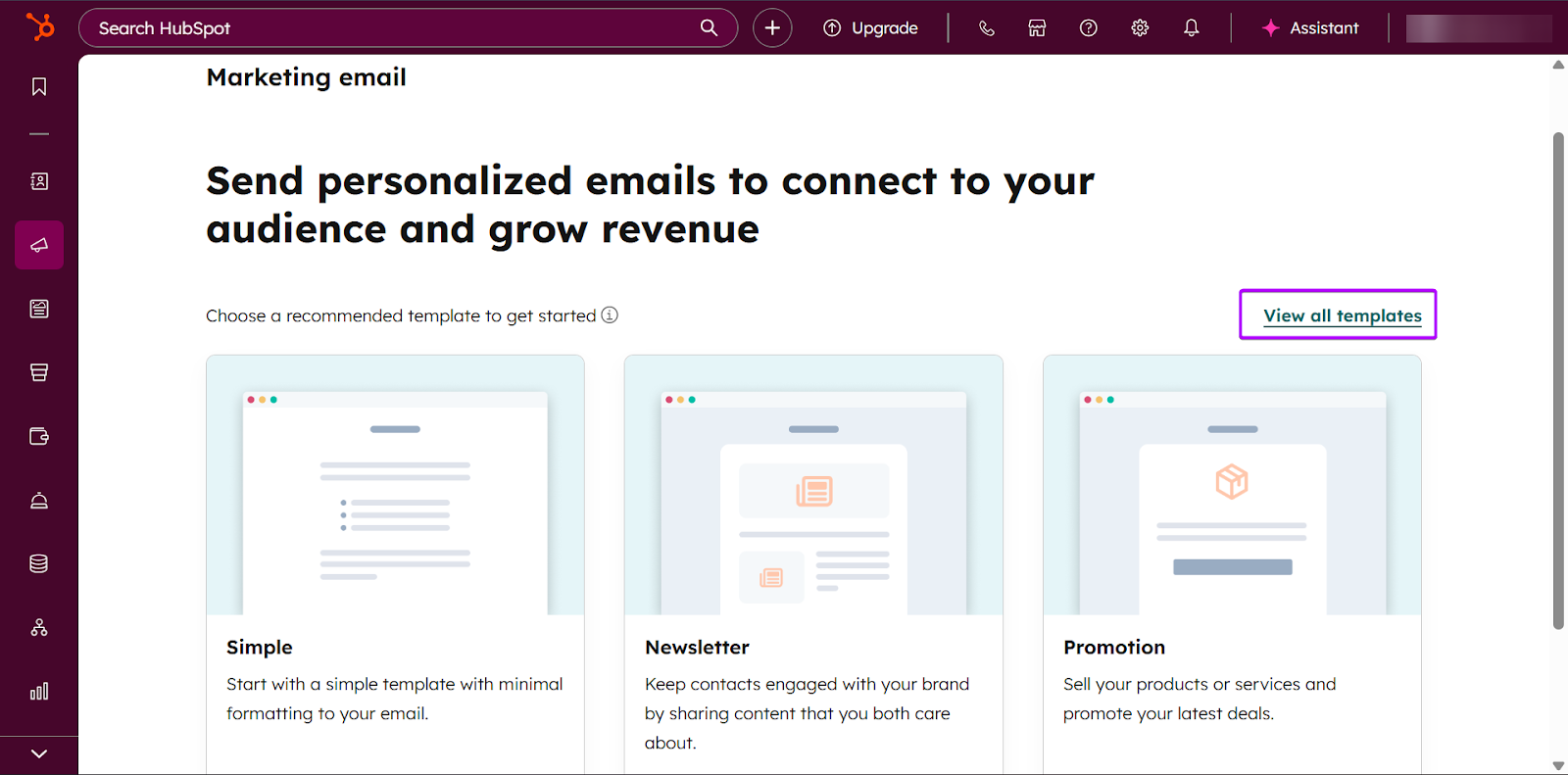
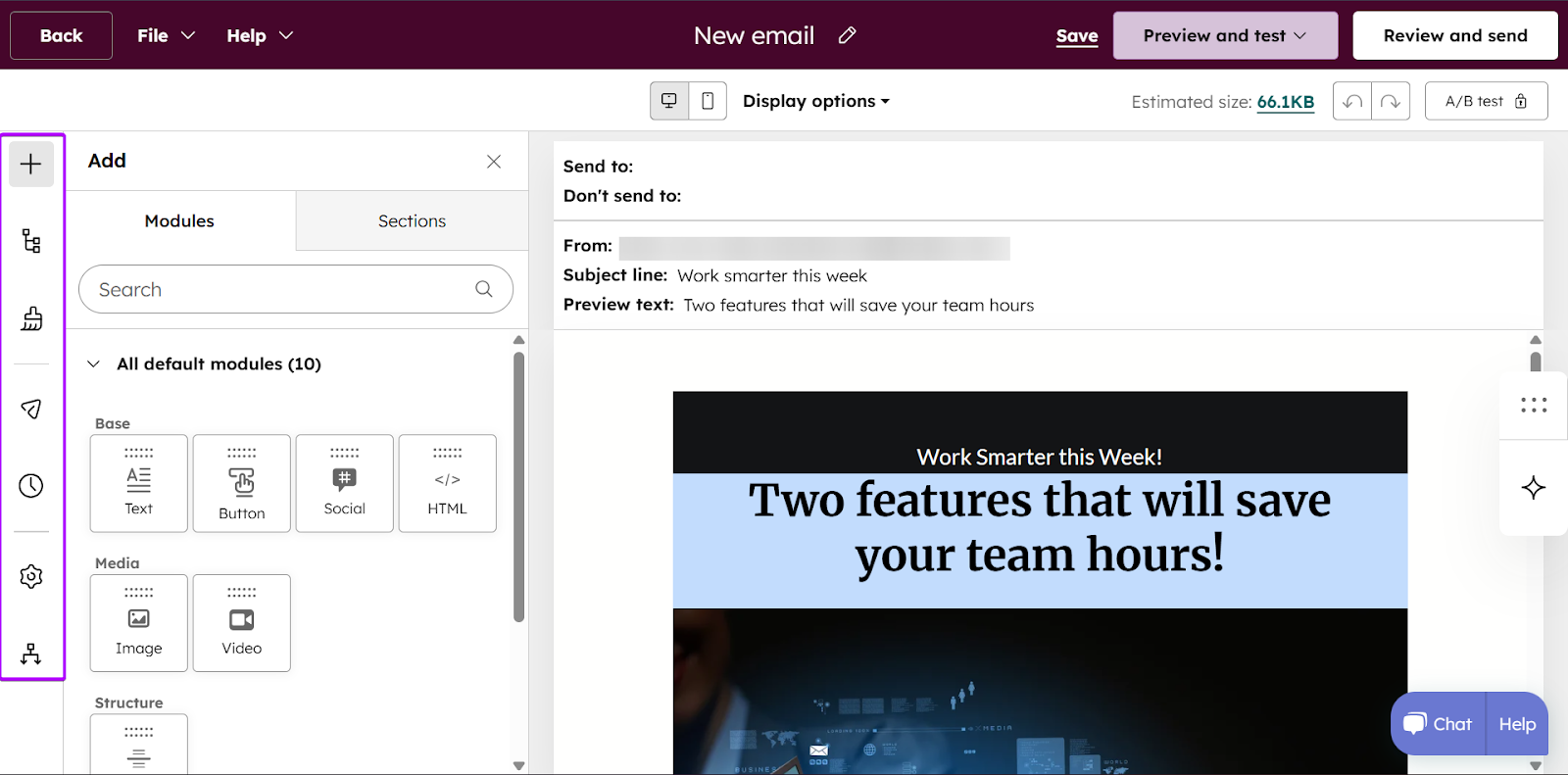
Once you select a template, you can start editing it.
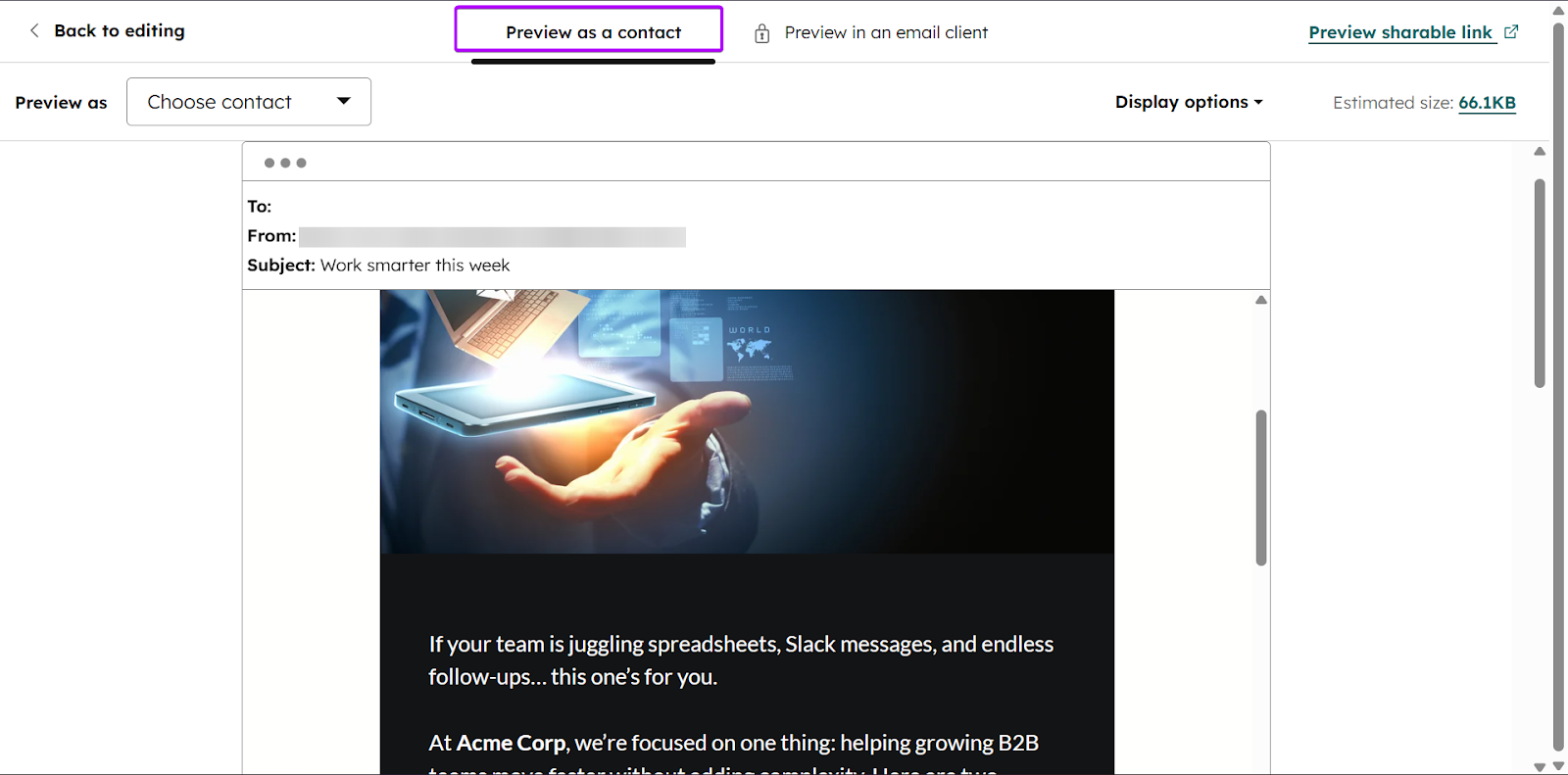
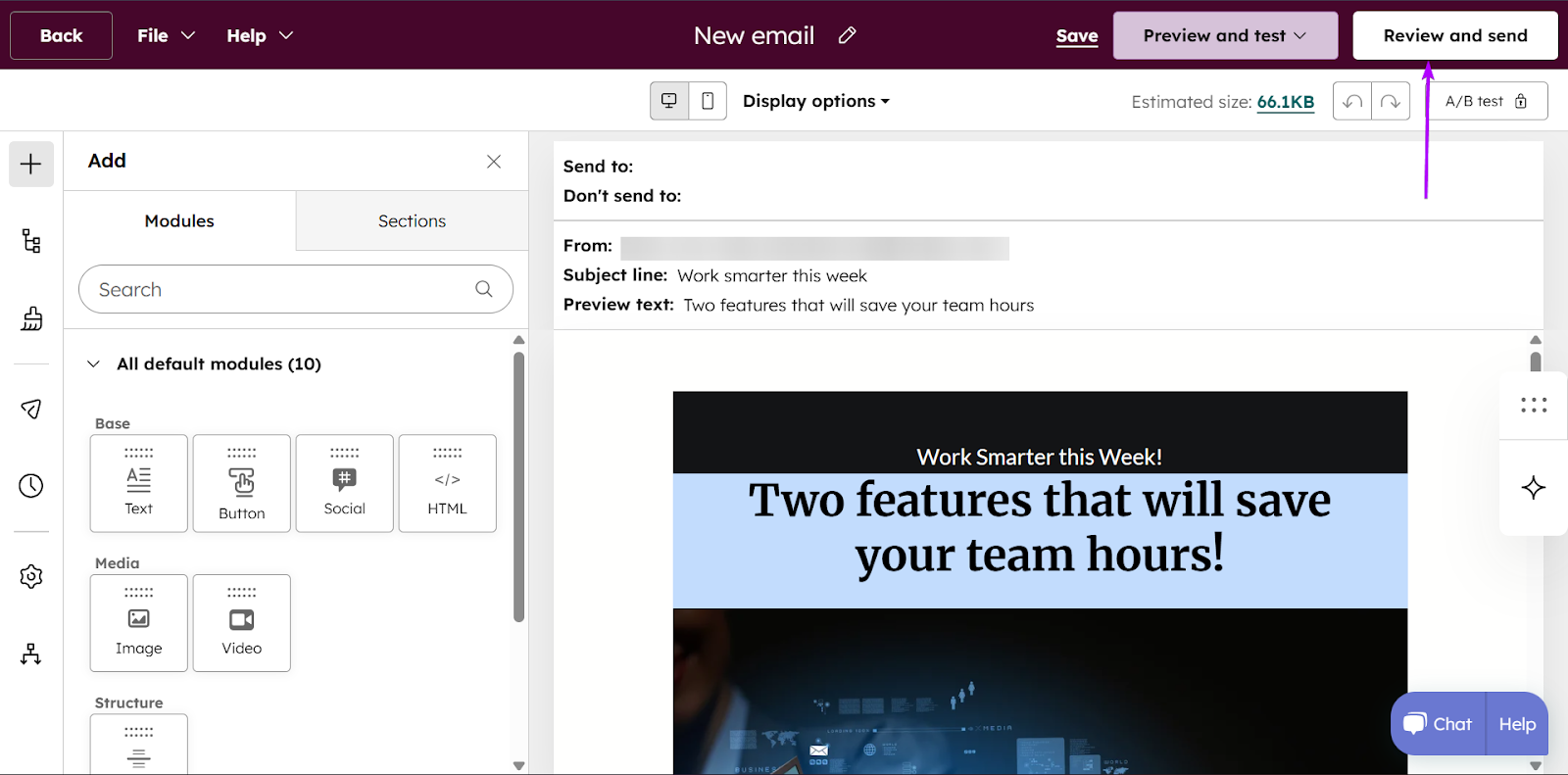
Before sending your newsletter, you can use the preview tool to see how your contacts will receive it.
Once you’re satisfied, click “Review and send.”
What I Loved vs What I Struggled With
| What I Loved 👍 | What I Struggled With 👎 |
|---|---|
|
✅ Strong and easy-to-use visual deal pipeline. ✅ Unified ecosystem if you use HubSpot across marketing and sales. ✅ Non-technical teams can create websites within minutes with AI assistance. |
❌ It is relatively expensive, especially for startups and smaller teams, because costs increase as you unlock advanced features and tiers. |
Best For
- Sales managers who want strong visibility into the sales pipeline.
Pricing
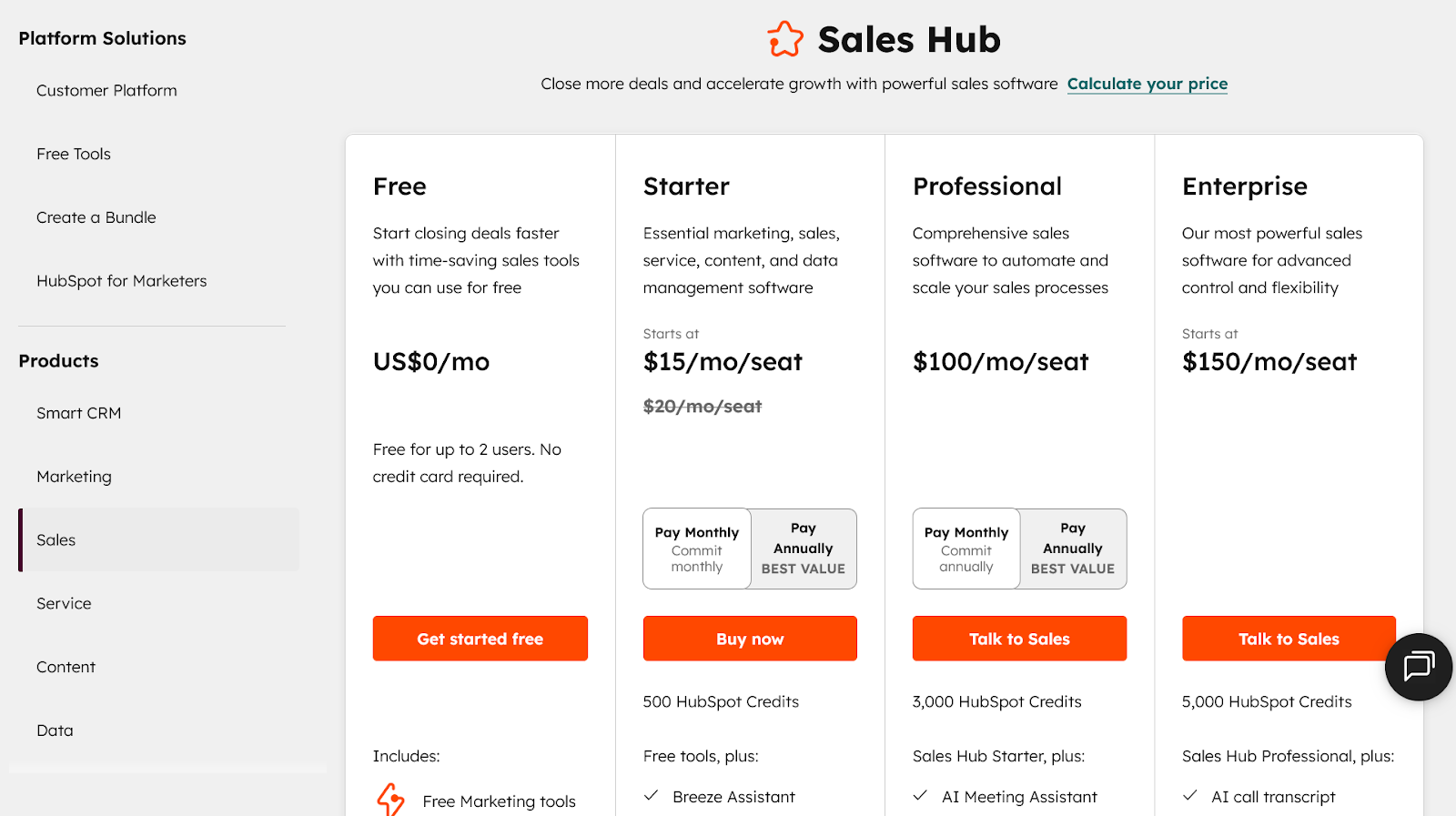
- Free: $0/month +free for up to 2 users
- Starter: $15/month/seat + 500 HubSpot Credits
- Professional: $100/month/seat + 3,000 HubSpot Credits
- Enterprise: $150/month/seat + 5,000 HubSpot Credits
3. Dock - Best for Digital Sales Rooms and Buyer Collaboration
- Personal Rating: ⭐️⭐️⭐️⭐️ 4.0/5
- Sales Funnel Stage Supported: Demo, proposals, negotiation, close, and onboarding.
- Automation Level: Medium. Structured playbooks and templates, but focused more on buyer collaboration.
- Integrations: Salesforce, HubSpot
- Standout Feature: Shared deal workspaces that create transparency and alignment between sales teams and buyers
- Starting Plan and Trial: Free: $0/month - 14-day trial
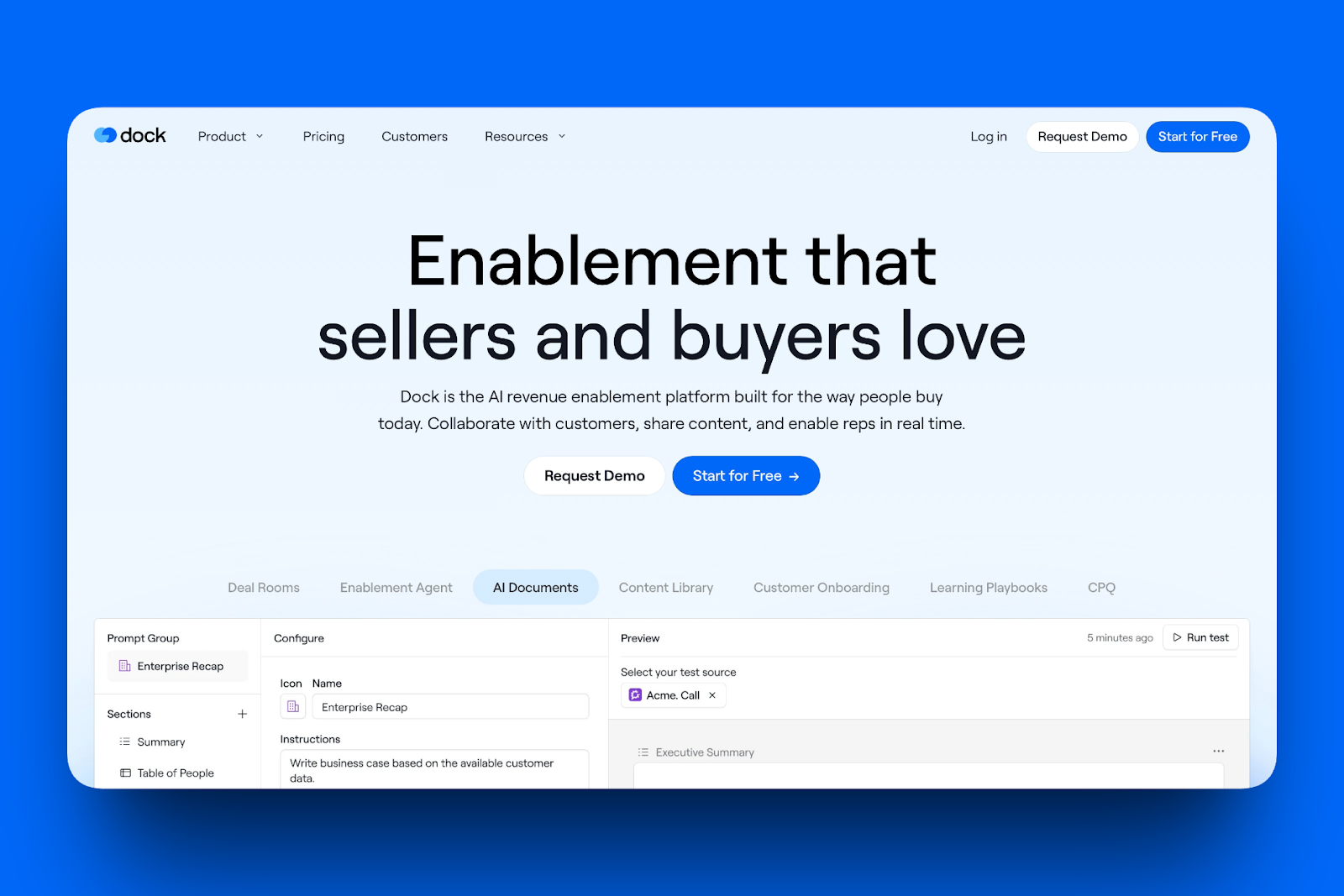
Fourth on my list of the best sales enablement tools is Dock.
Dock is a collaborative deal space where sales teams and buyers work together in real time.
Reps can share content and outline the next steps in the sales process. On the other hand, buyers can see exactly what is happening in the pipeline.
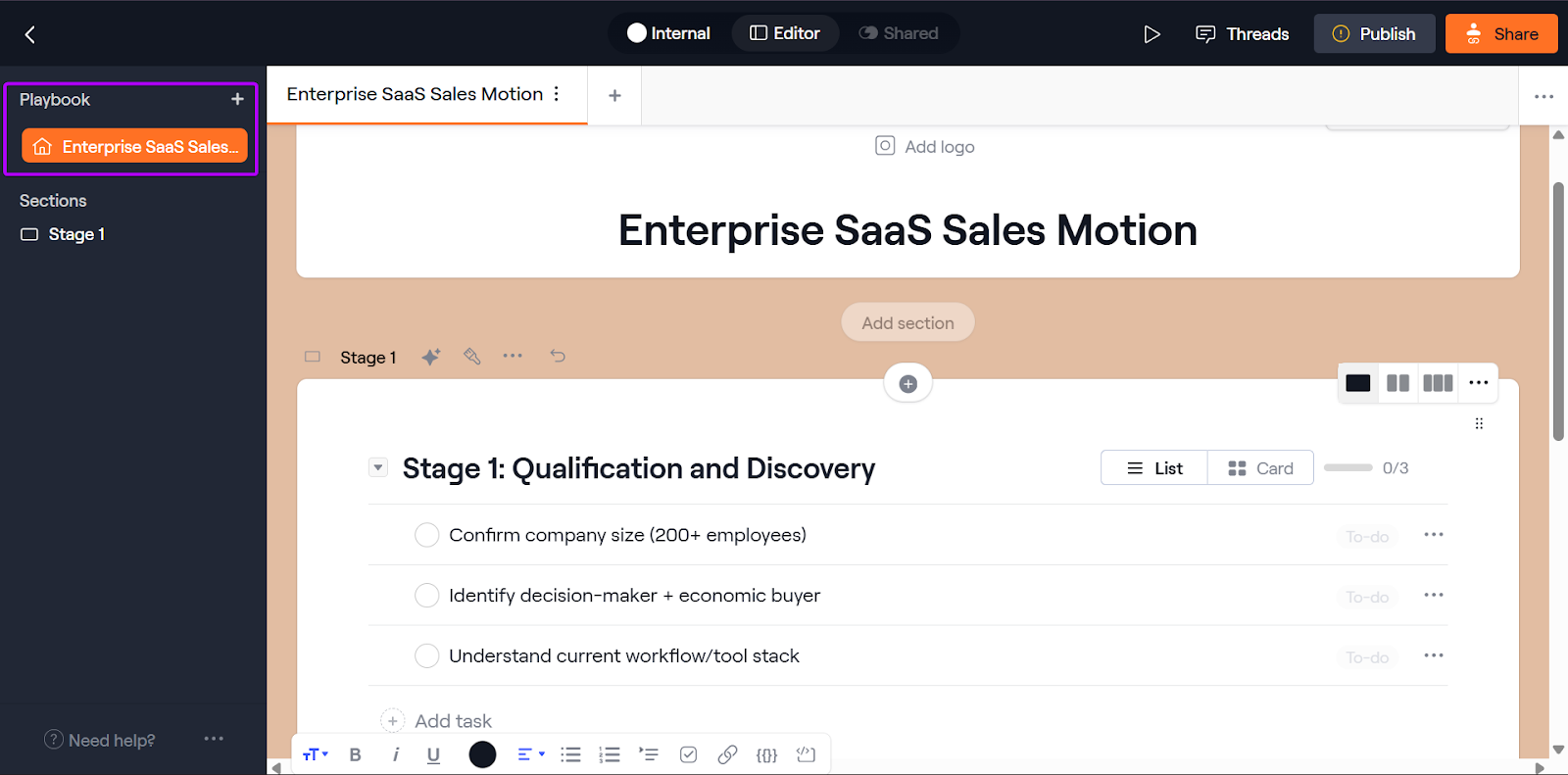
Dock’s Playbook feature gives sales enablement managers easier, trackable ways to train their teams.
With this feature, you can create and share onboarding guides, product messaging guides, and sales playbooks.
Workspaces are one of Dock’s most popular features. Each deal can have its own workspace where the buyer and seller can collaborate.
You can share important details like proposal documents, timelines, and next steps in the sales process.
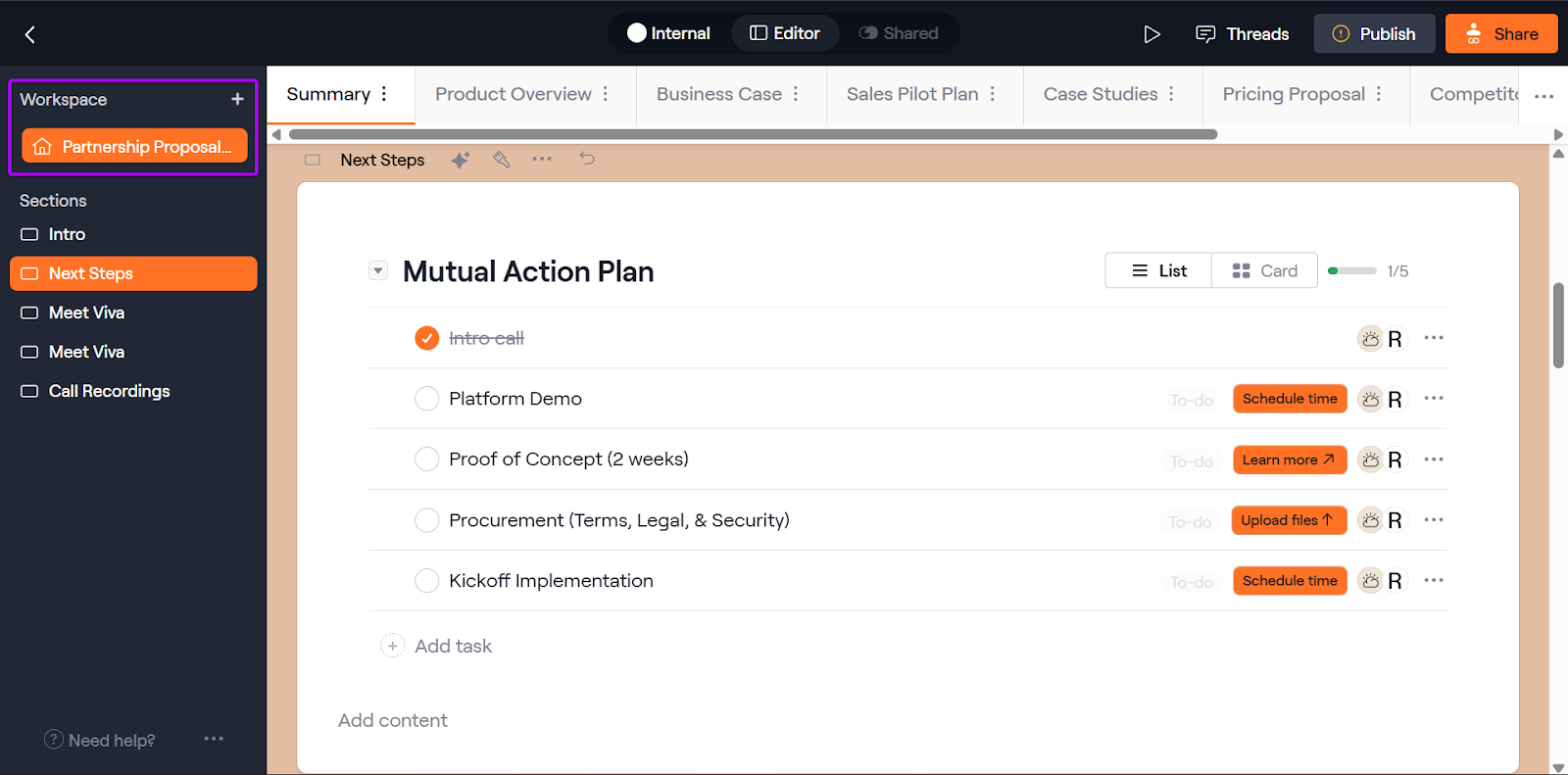
Finally, Dock has 60+ templates across categories like sales and customer success. This feature makes it easier for you to create documents quickly and reuse them anytime.
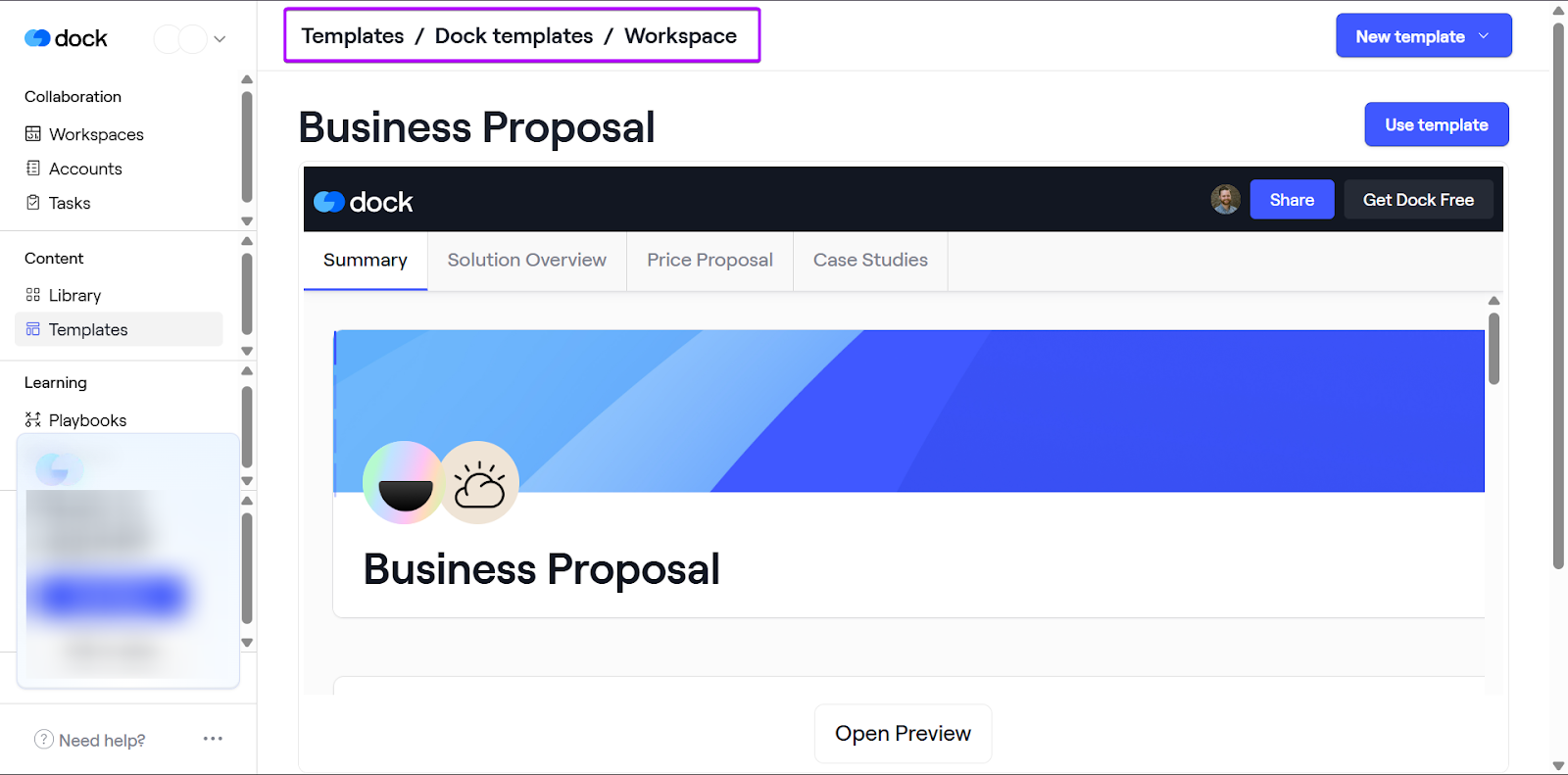
What I Loved About Dock
1. Playbook
Dock’s playbooks are internal guides that sales reps can follow to execute sales motions. This helps make the buyer experience more transparent and predictable.
With this feature, you can create and share onboarding guides, product messaging guides, and sales playbooks.
Let’s see how it works:
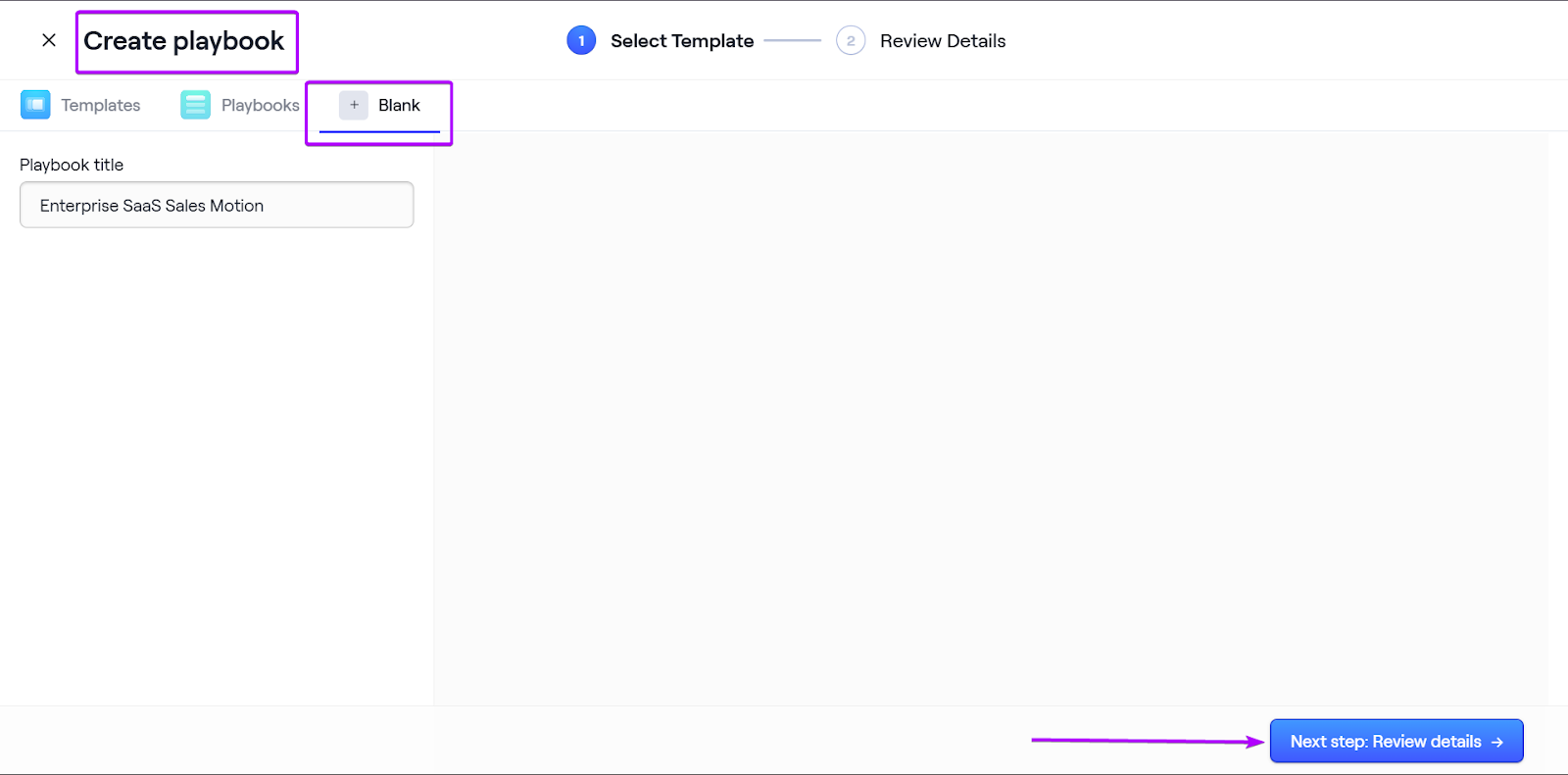
Go to “Playbooks” to create a new one.
Give it a name and then click “Review details.”
Once you’re done reviewing the details, click “Create playbook.”
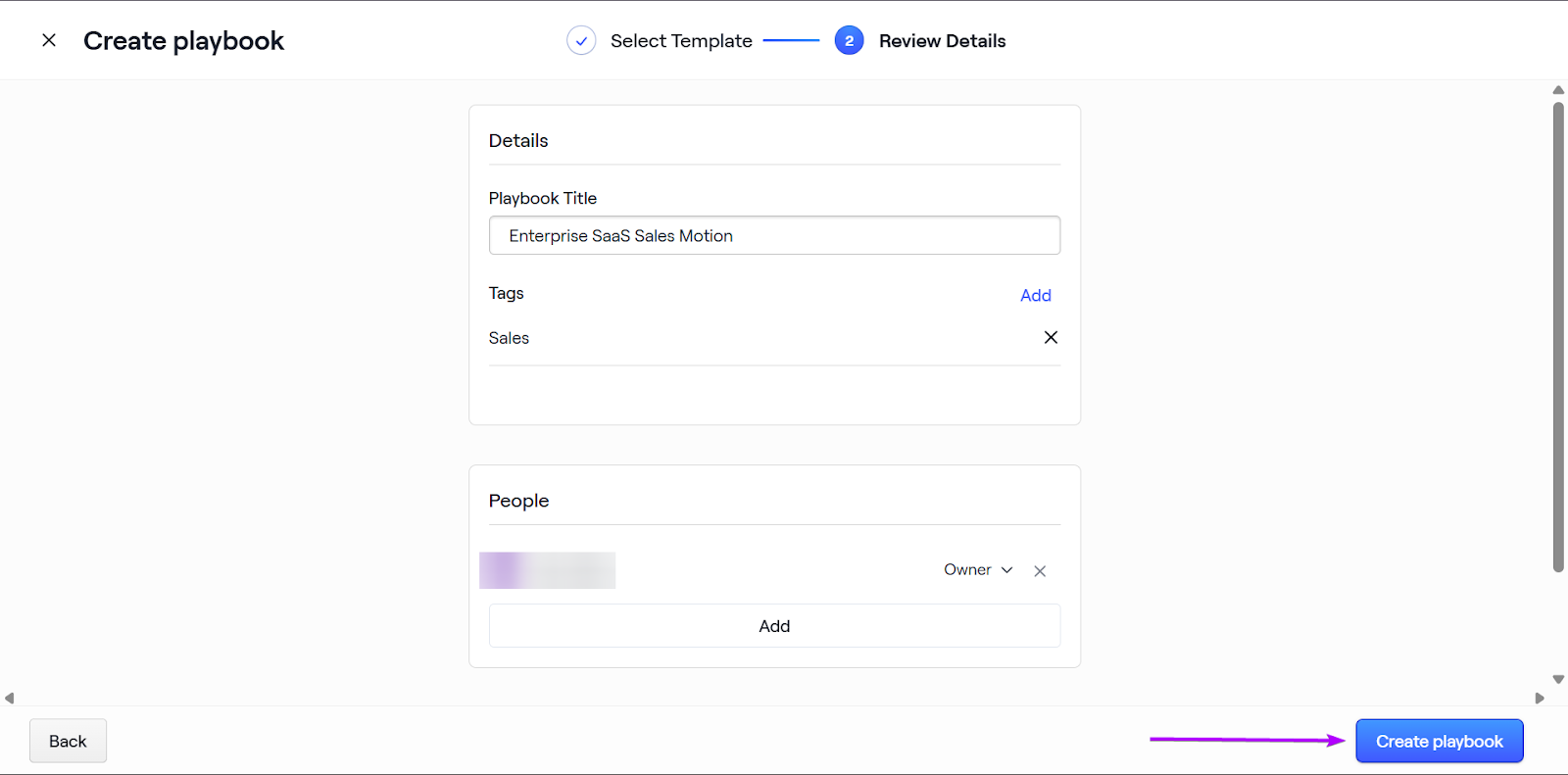
Next, in editor mode, you can start building your playbook by adding sections.
These include adding widgets like timelines, sales proposals, and contact cards.
You can also upload documents in various formats, like PDFs, videos, and images.
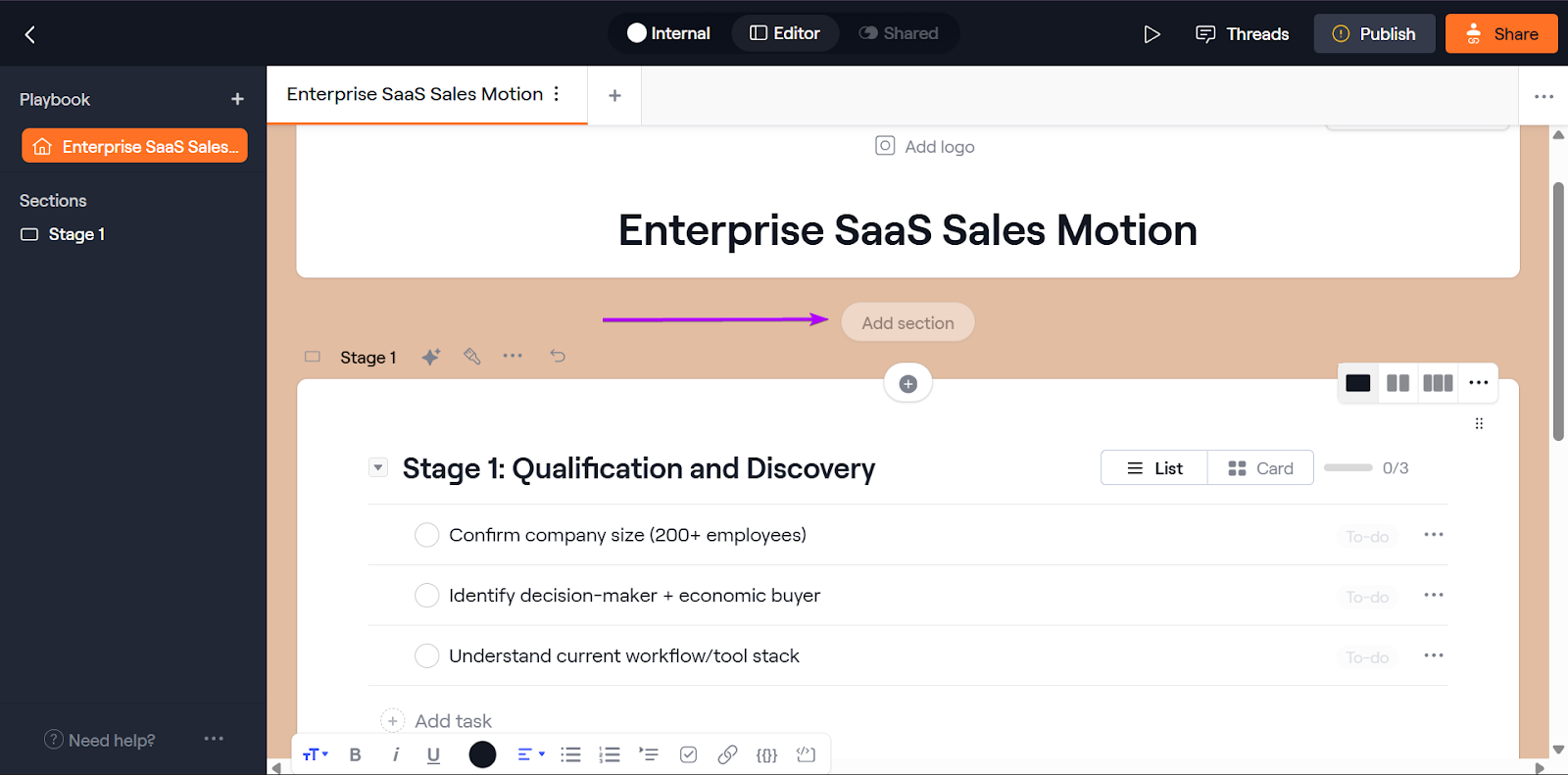
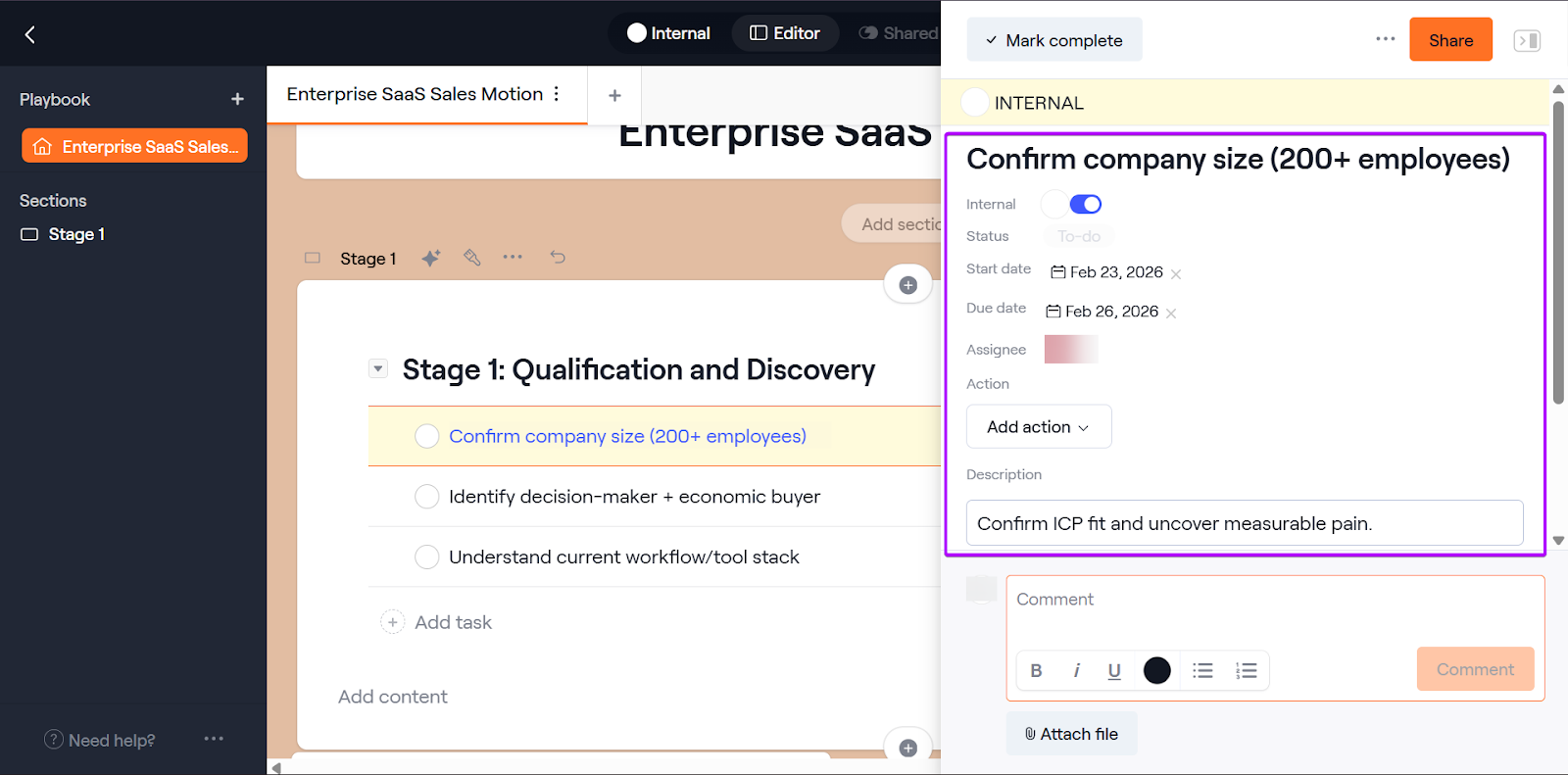
You can also create task lists in your playbook, so you can track every aspect of your pipeline at all times.
Then, you publish and share your playbook with your team.
2. Workspaces
The Workspaces feature allows each deal to have its own collaborative space for buyers. And sellers can view shared documents, track the next steps, and see timelines.
It’s great for keeping both sides aligned.
Let’s see how it works:
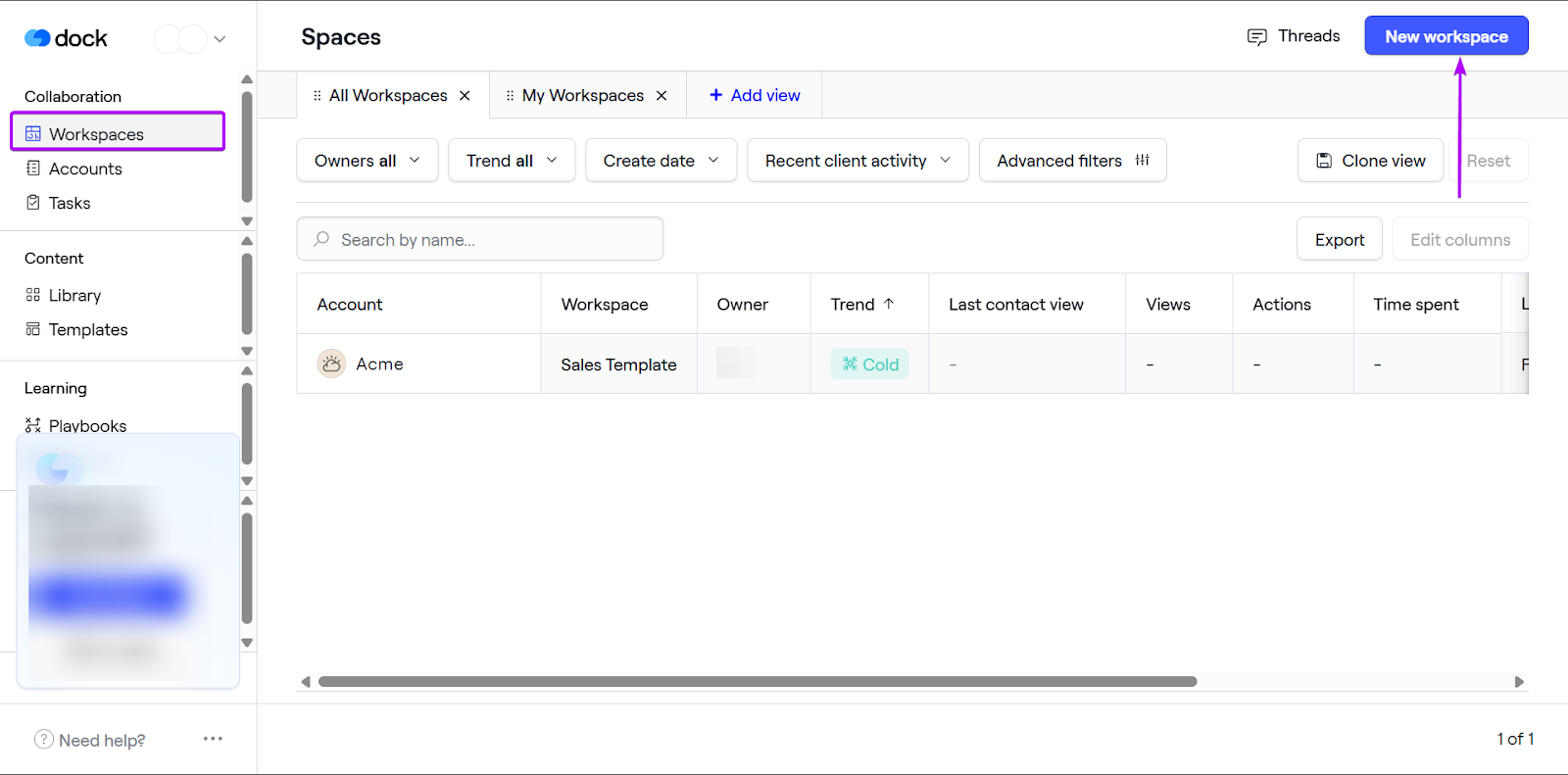
First, go to Workspaces and click “New workspace.”
You can create a workspace from scratch or use a template.
This time, I used a sales template.
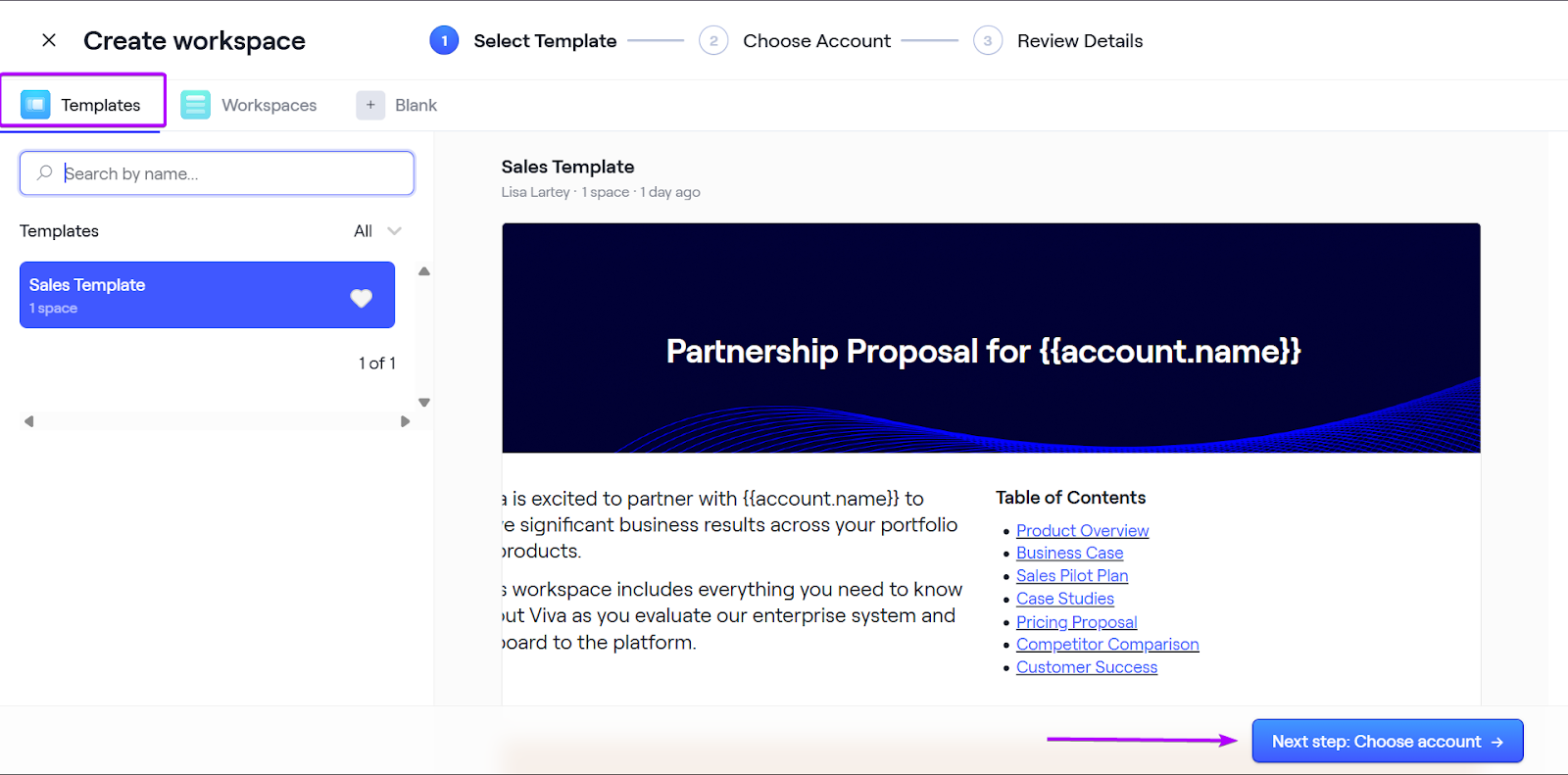
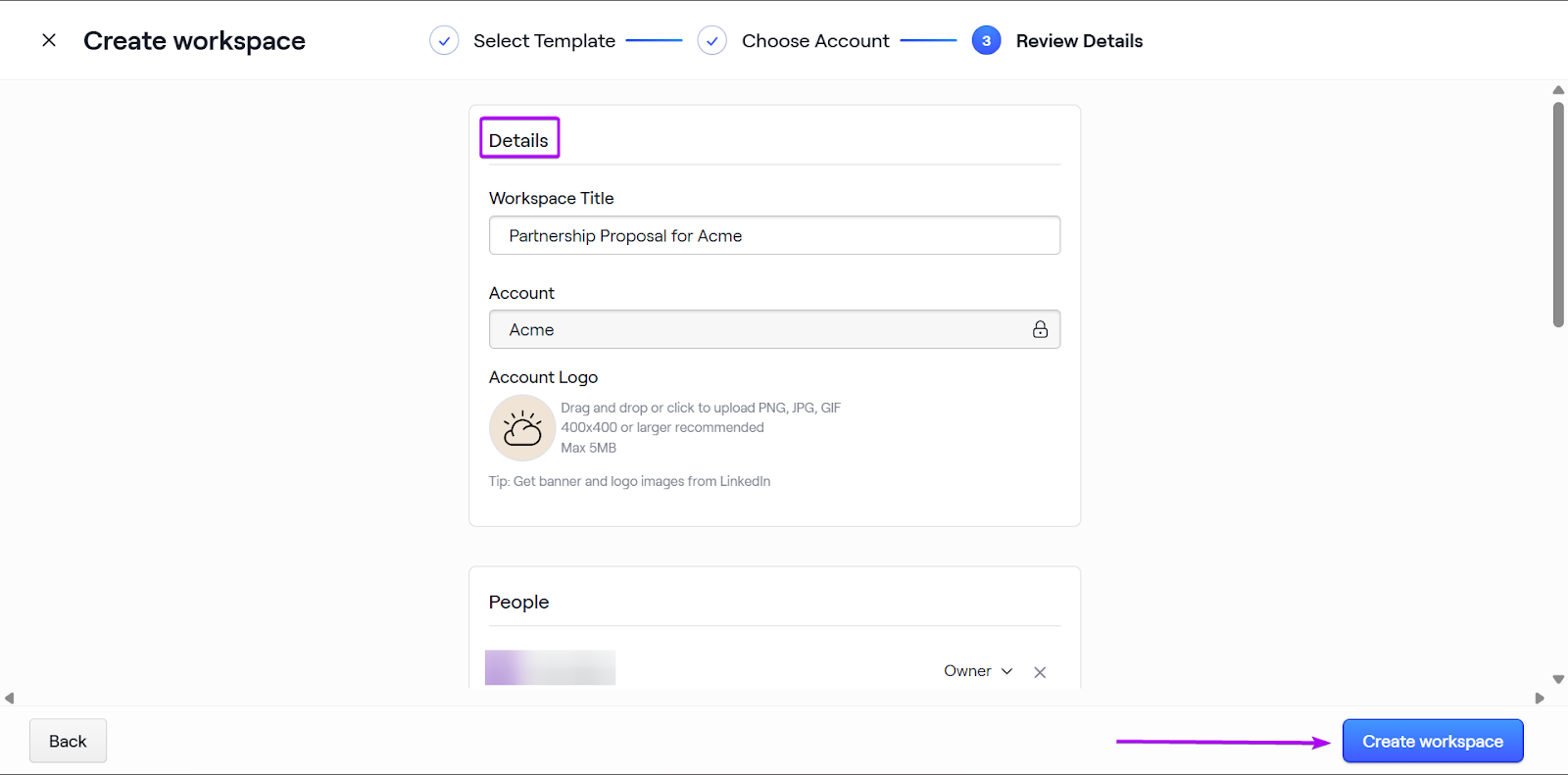
Next, fill out the details, including the workspace title and account name.
Click “Create workspace.”
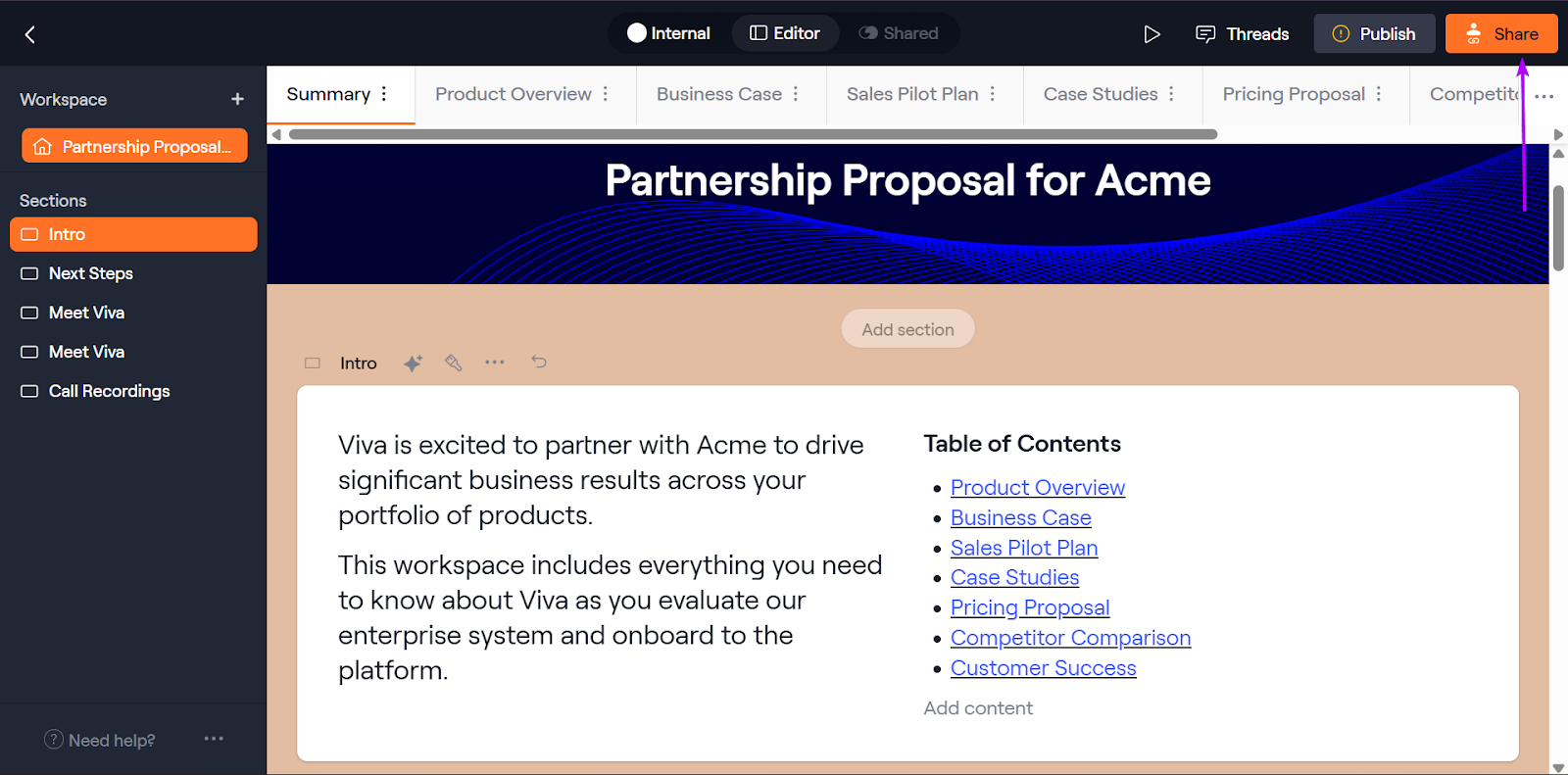
Next, edit the template with your information, then publish and share.
3. Templates
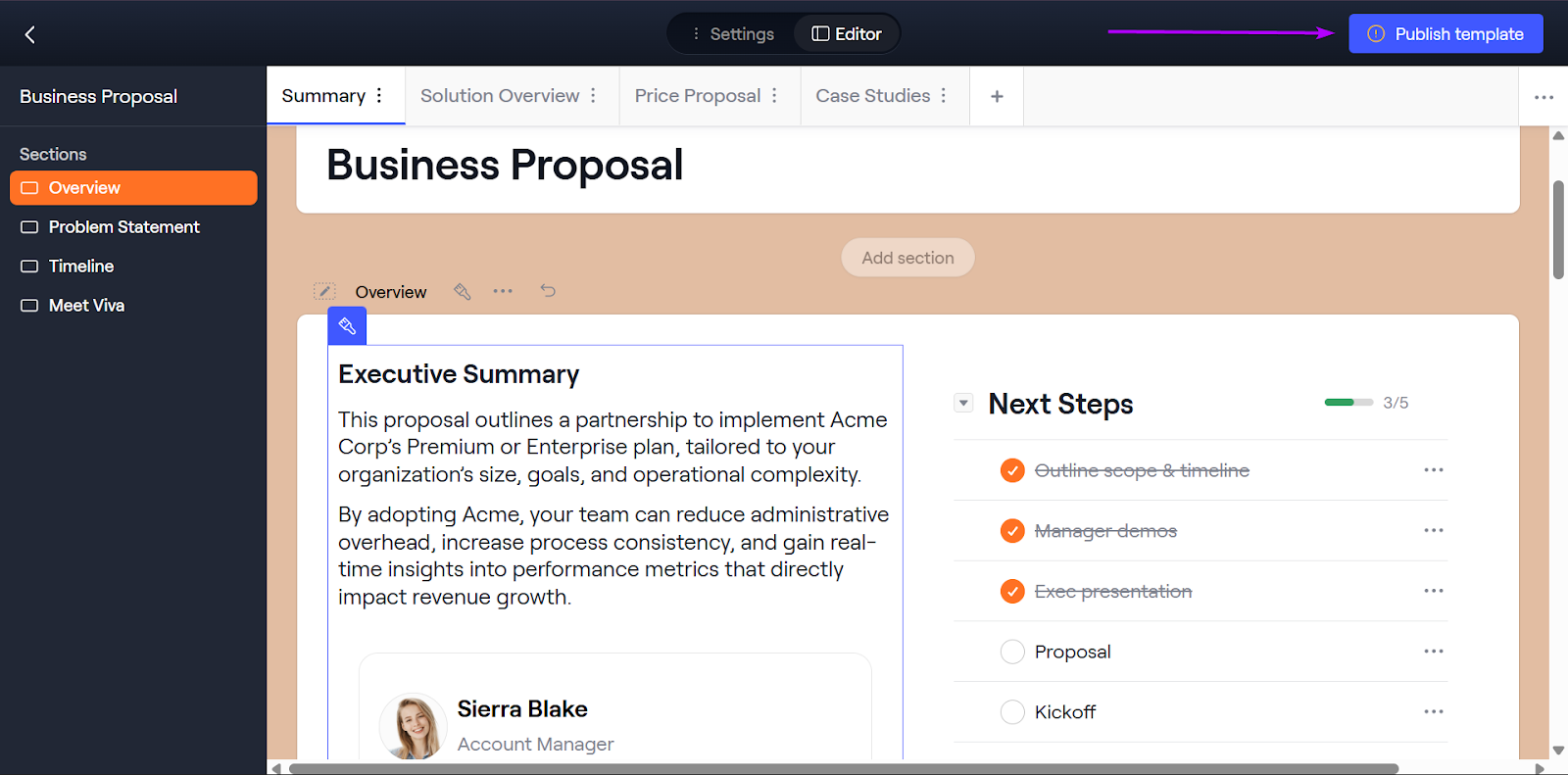
Dock’s Templates are pre-built, customizable deal experiences that sales teams can reuse across different accounts.
So instead of starting every deal workspace or playbook from scratch, you can launch a template for a specific scenario.
You can create templates for business proposals, mutual action plans, or customer onboarding hubs.
Let me walk you through this feature:
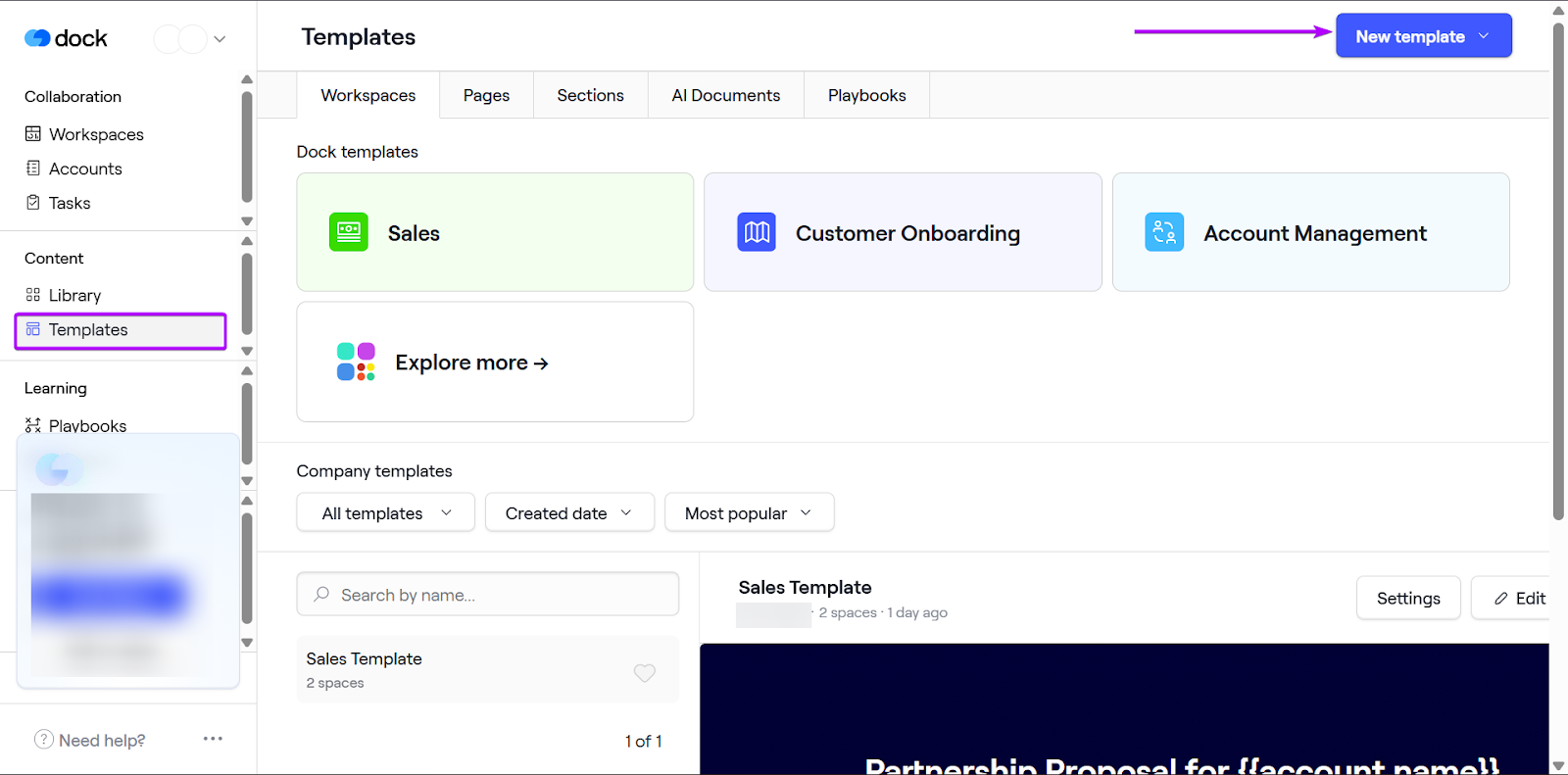
Head to Templates and click “New template.”
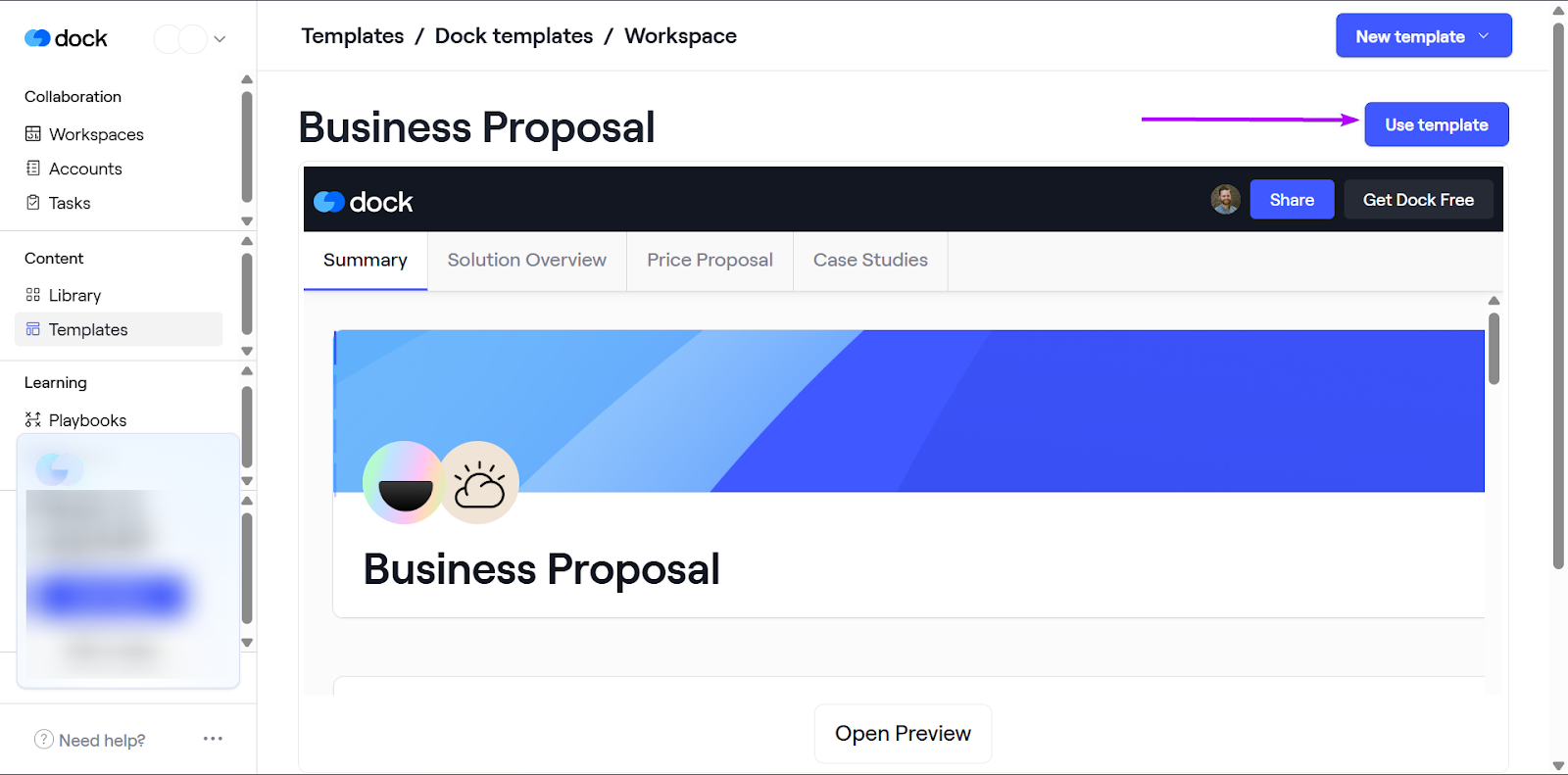
Next, select the template you want to use.
Finally, you can edit the template however you want in editor mode.
Once you’re done, click “Publish” to save that template.
You can reuse it anytime.
What I Loved vs What I Struggled With
| What I Loved 👍 | What I Struggled With 👎 |
|---|---|
|
✅ Collaboration between sales teams and buyers improves transparency and trust in deals ✅ Templates make it easy to create playbooks and workspaces ✅ Individual workspaces make it great for handling multiple accounts in one platform |
❌ Expensive, especially for smaller teams and startups |
Best For
- Account executives managing complex, multi-stakeholder deals.
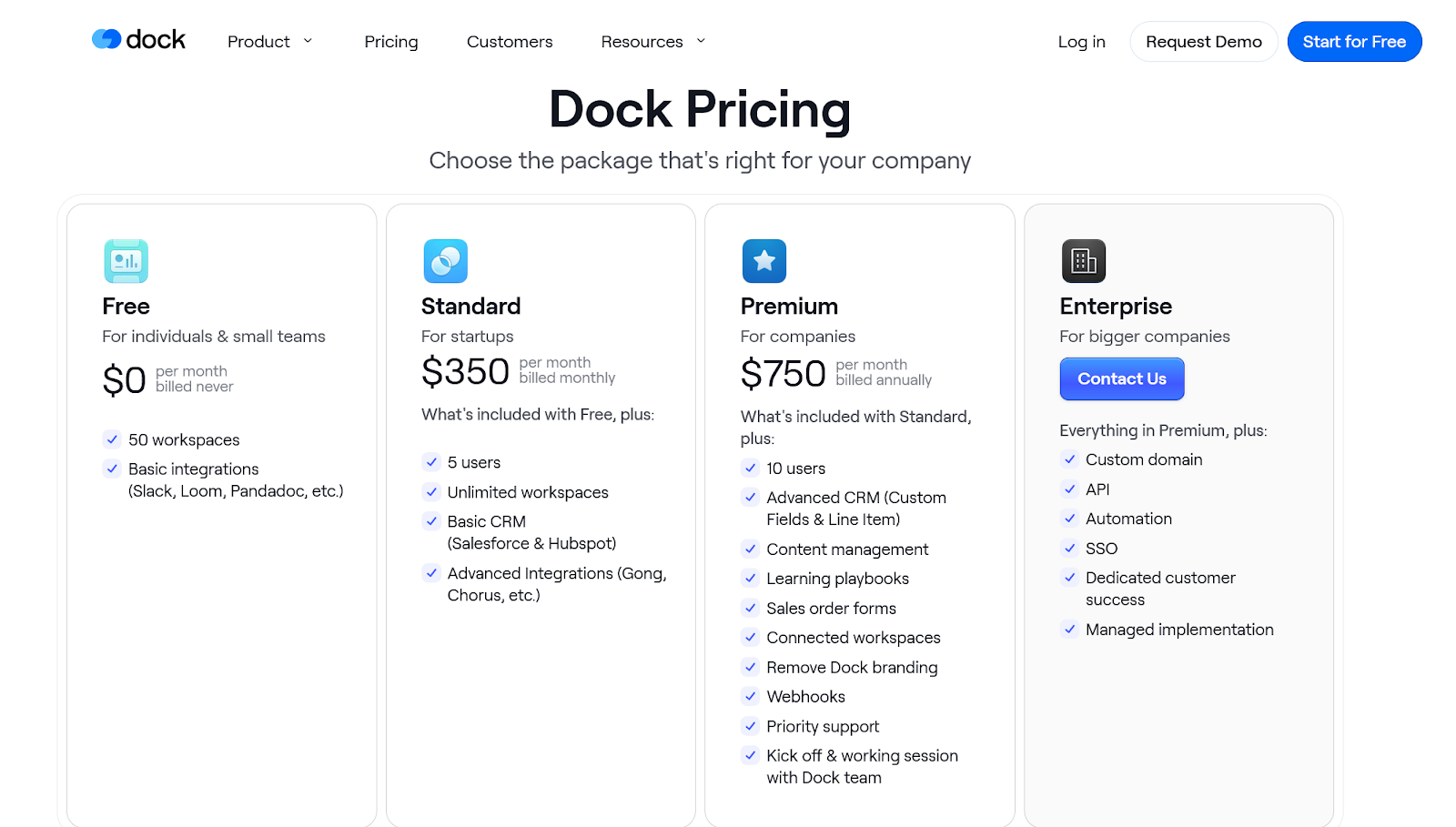
Pricing
- Free: $0/month
- Standard: $350/month
- Premium: $740/month
- Enterprise: Contact for pricing
4. LeadIQ - Best for Prospecting and Lead Data Enrichment
- Personal Rating: ⭐️⭐️⭐️ 3.8/5
- Sales Funnel Stage Supported: Prospecting, lead capture
- Automation Level: Medium - Strong for prospecting workflows and CRM
- Integrations: Salesforce, Gong, HubSpot, Salesloft, Outreach, Clay
- Standout Feature: Smarter signal tracking for prospecting
- Starting Plan and Trial: Free: $0/month - 30-day trial
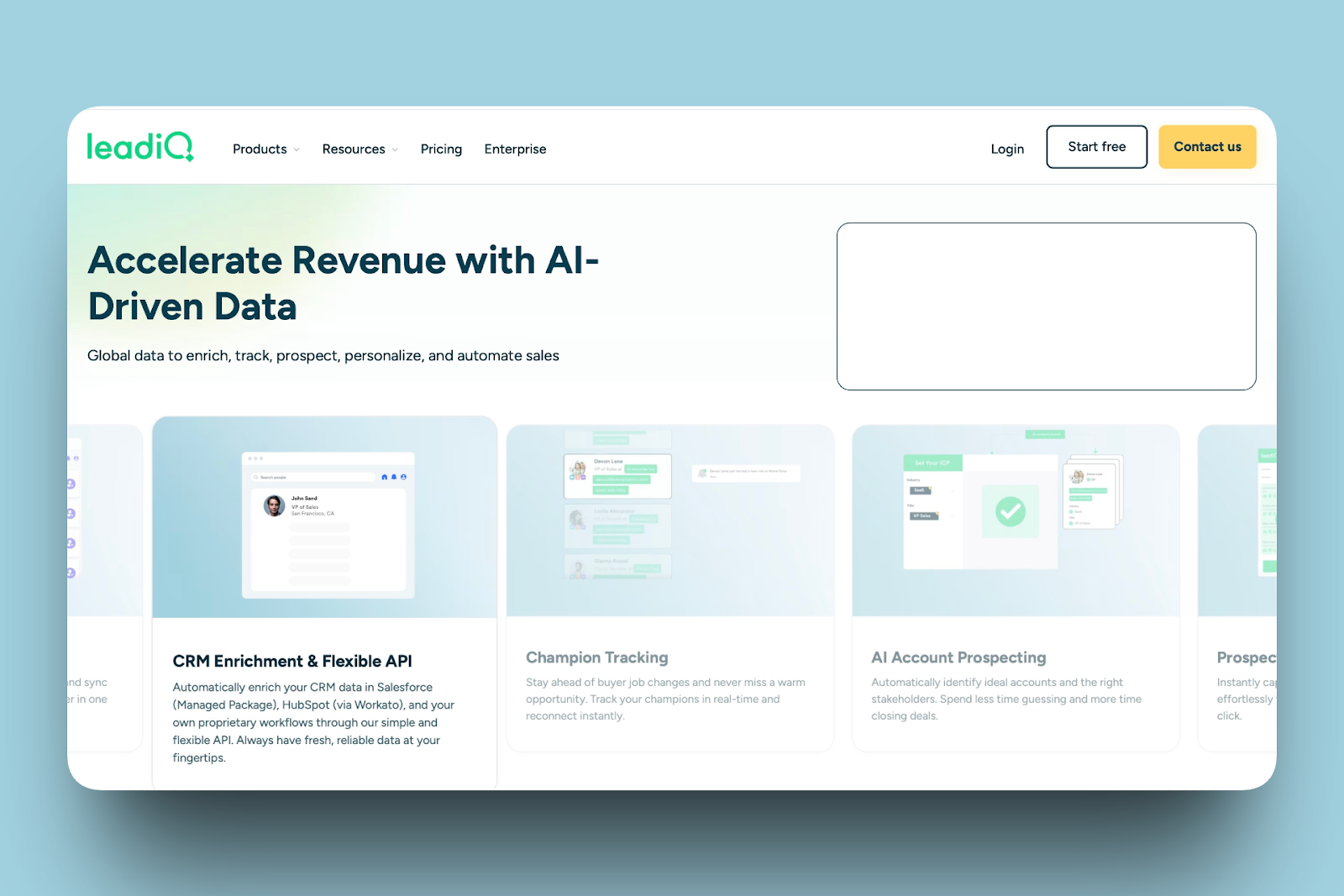
Fourth on my list of the best sales enablement tools is LeadIQ.
LeadIQ is a B2B sales platform designed to help RevOp teams identify ideal accounts and quickly and accurately build pipelines.
LeadIQ brings prospecting, verification, and workflow automation into one place. So you don’t have to work with multiple spreadsheets, manual CRM entries, and data enrichment tools.
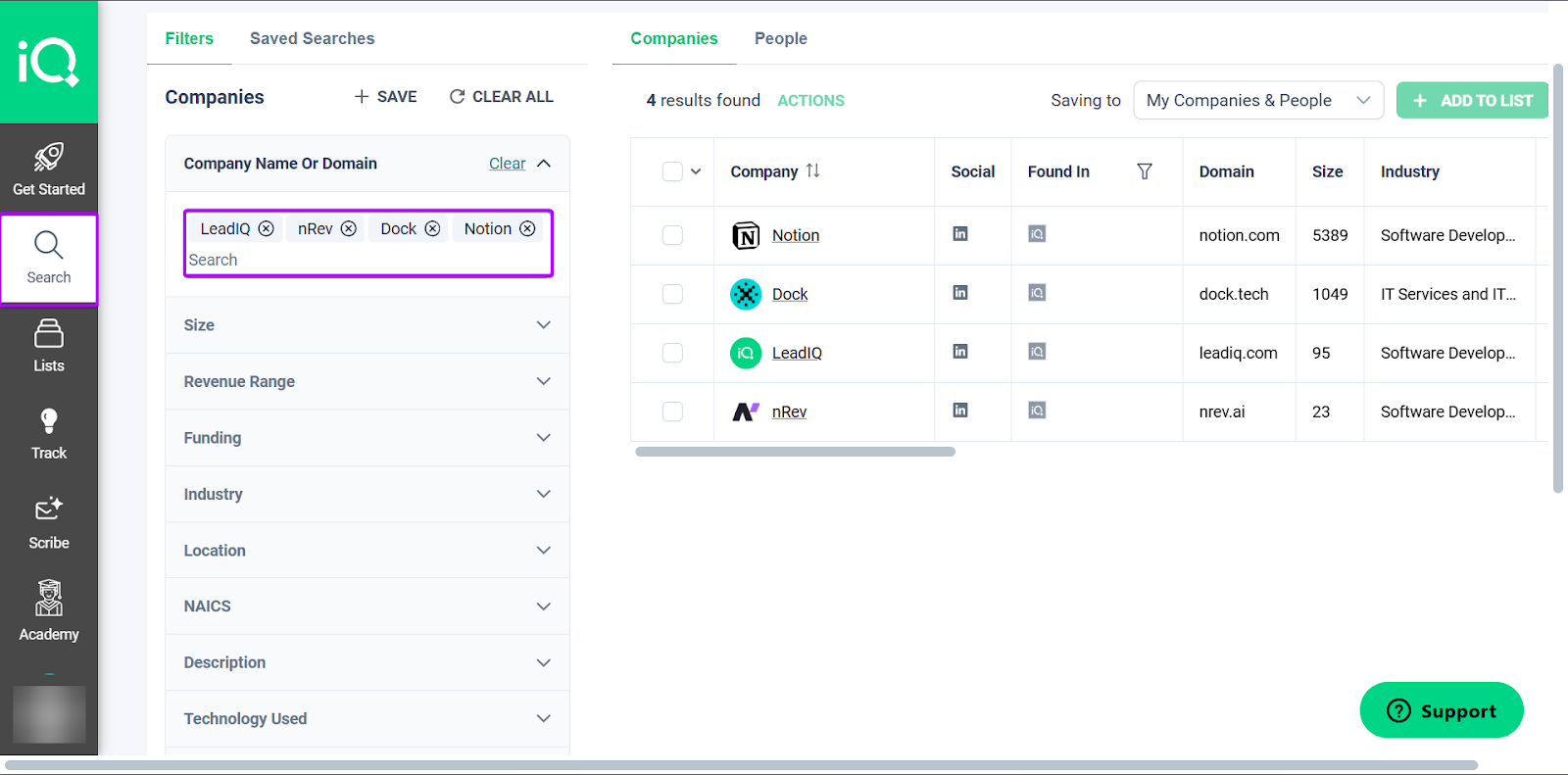
With LeadIQ’s Search feature, teams can easily find accounts that match their ideal customer profiles (ICPs).
It provides useful information, like a company’s website, LinkedIn profile, size, and revenue range.
The Integrations feature lets you connect LeadIQ directly to your CRM and sales tools.
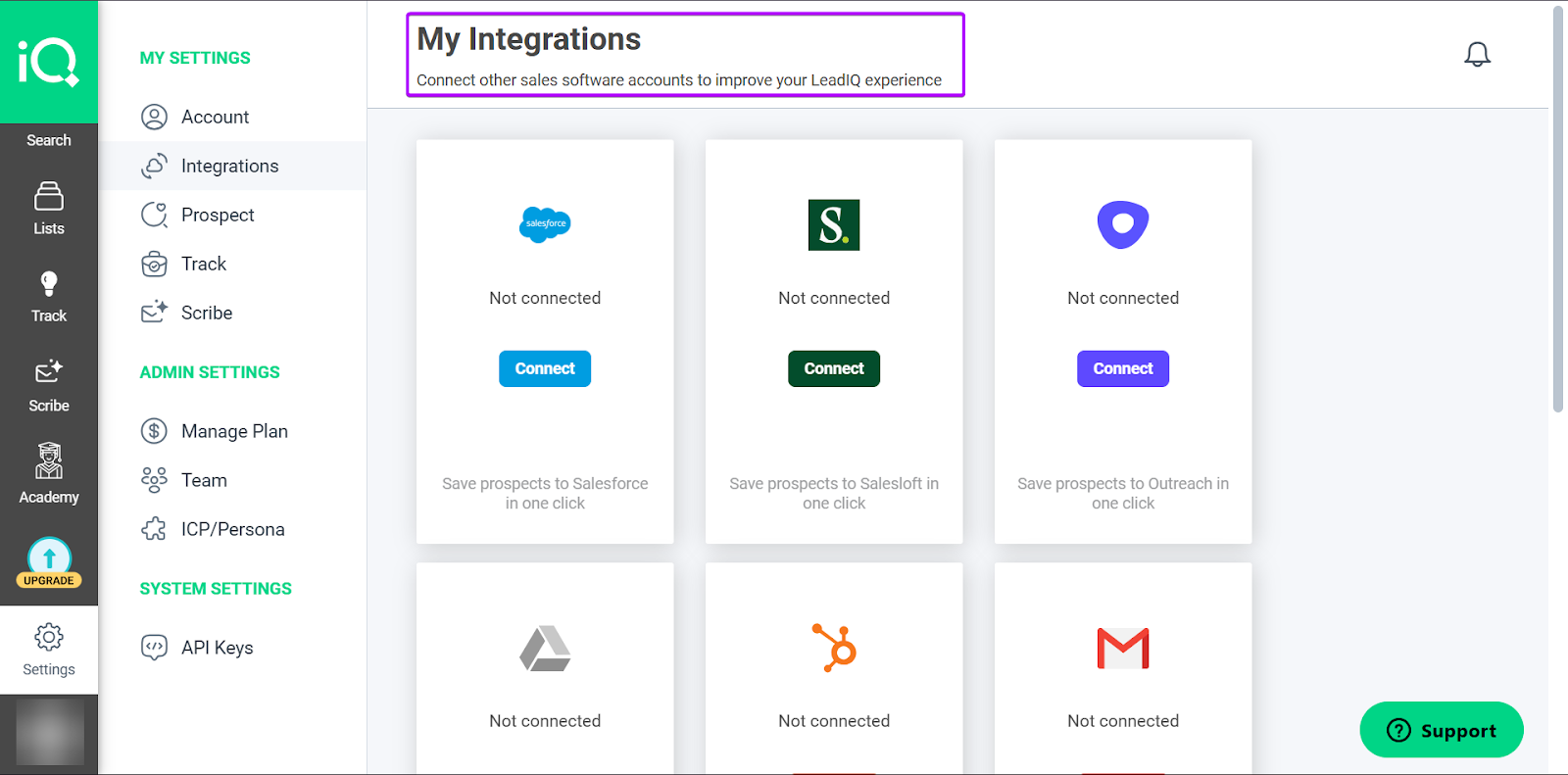
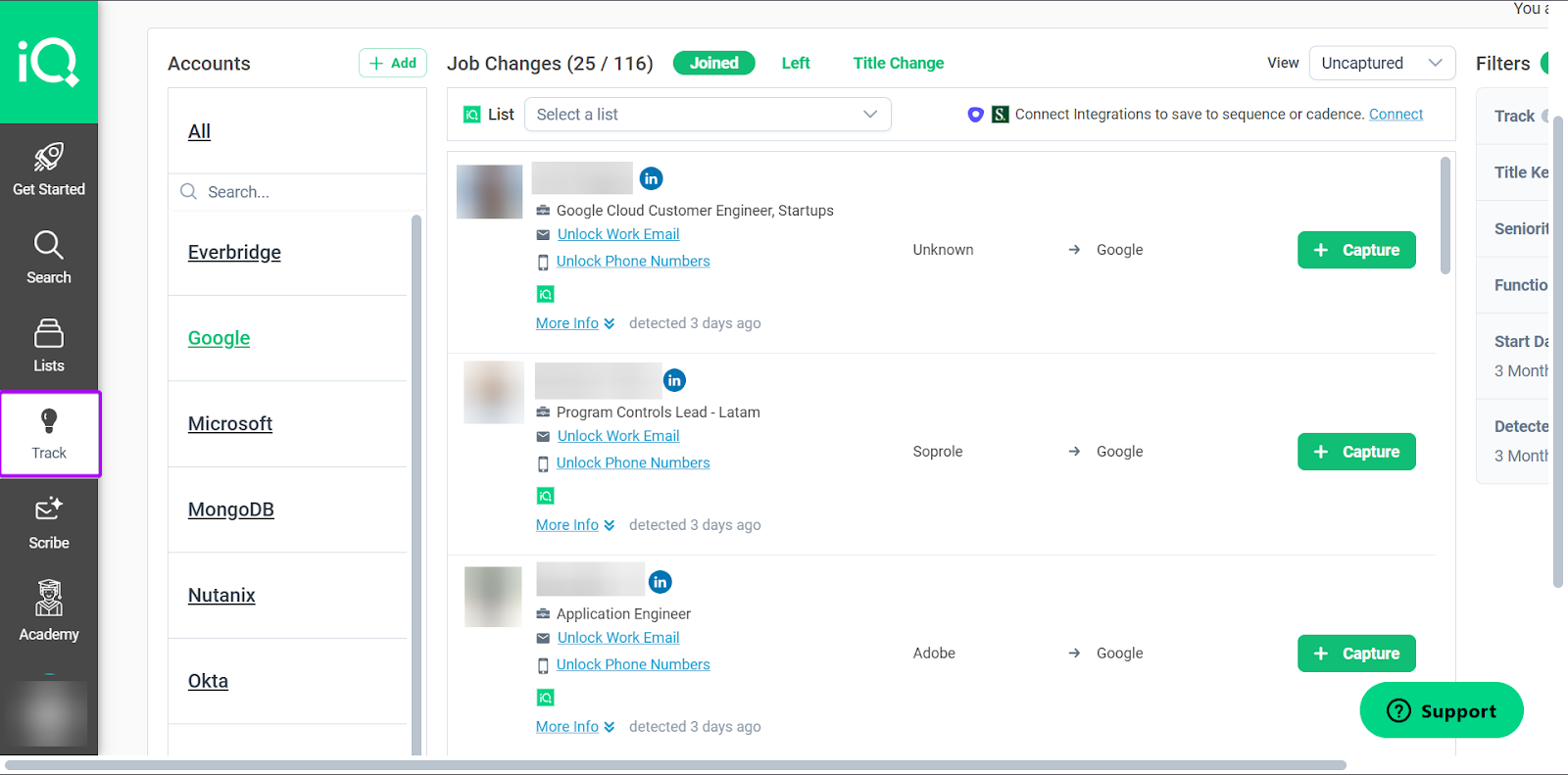
And finally, LeadIQ’s Track feature helps teams monitor buying signals and sales triggers. This helps them decide which sales outreaches to prioritize.
I’ll go more into detail in the next section below.
What I Loved About LeadIQ
1. Search
Search is one of LeadIQ’s main features that helps teams identify accounts that match their ICPs. The platform provides important details, including email addresses and phone numbers.
It’s a useful feature, especially for teams prospecting directly from LinkedIn.
Let’s see how it works:
From the sidebar, go to “Search.”
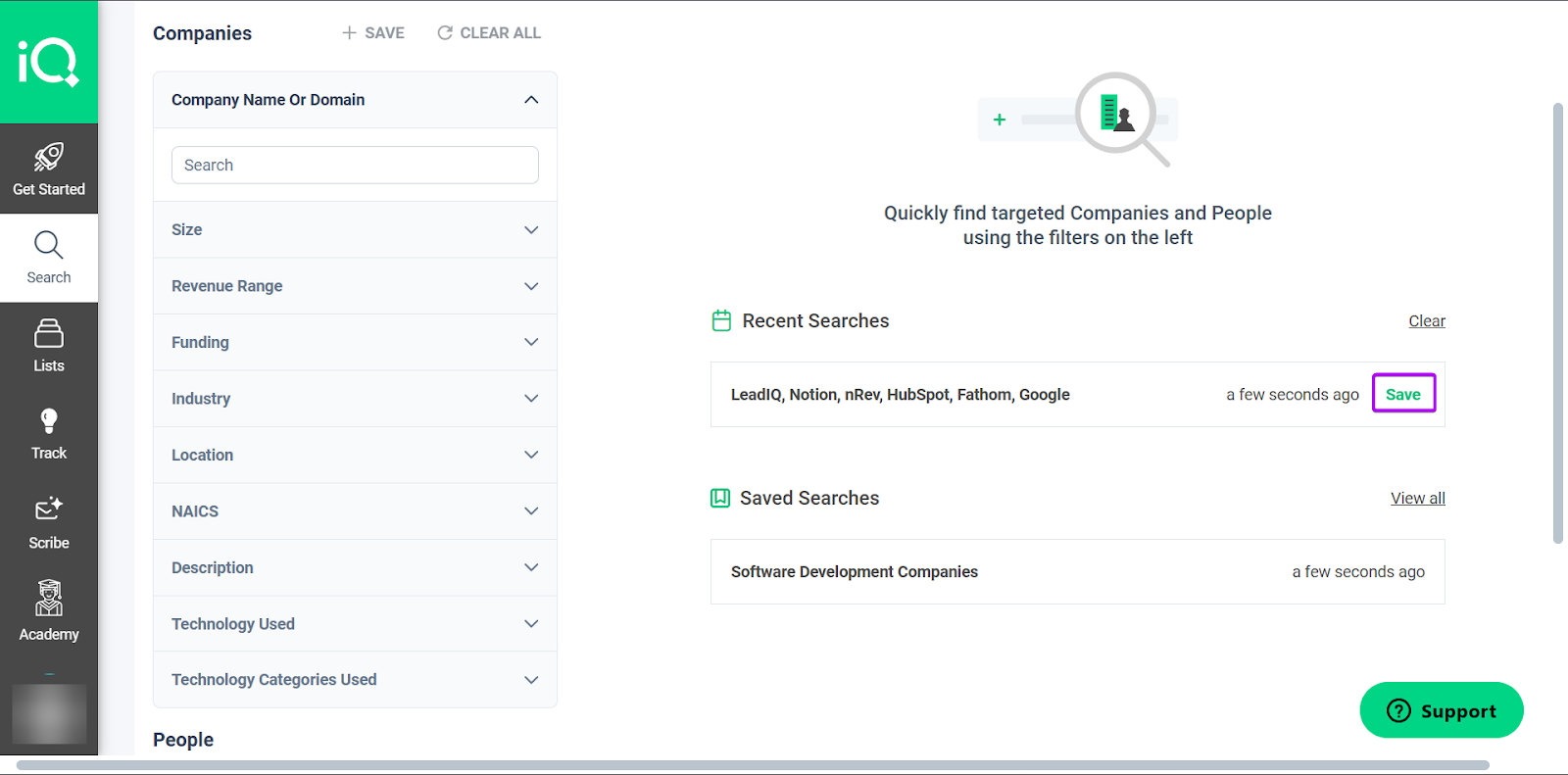
You can search by company or by people. And LeadIQ offers different filters to make your search easier.
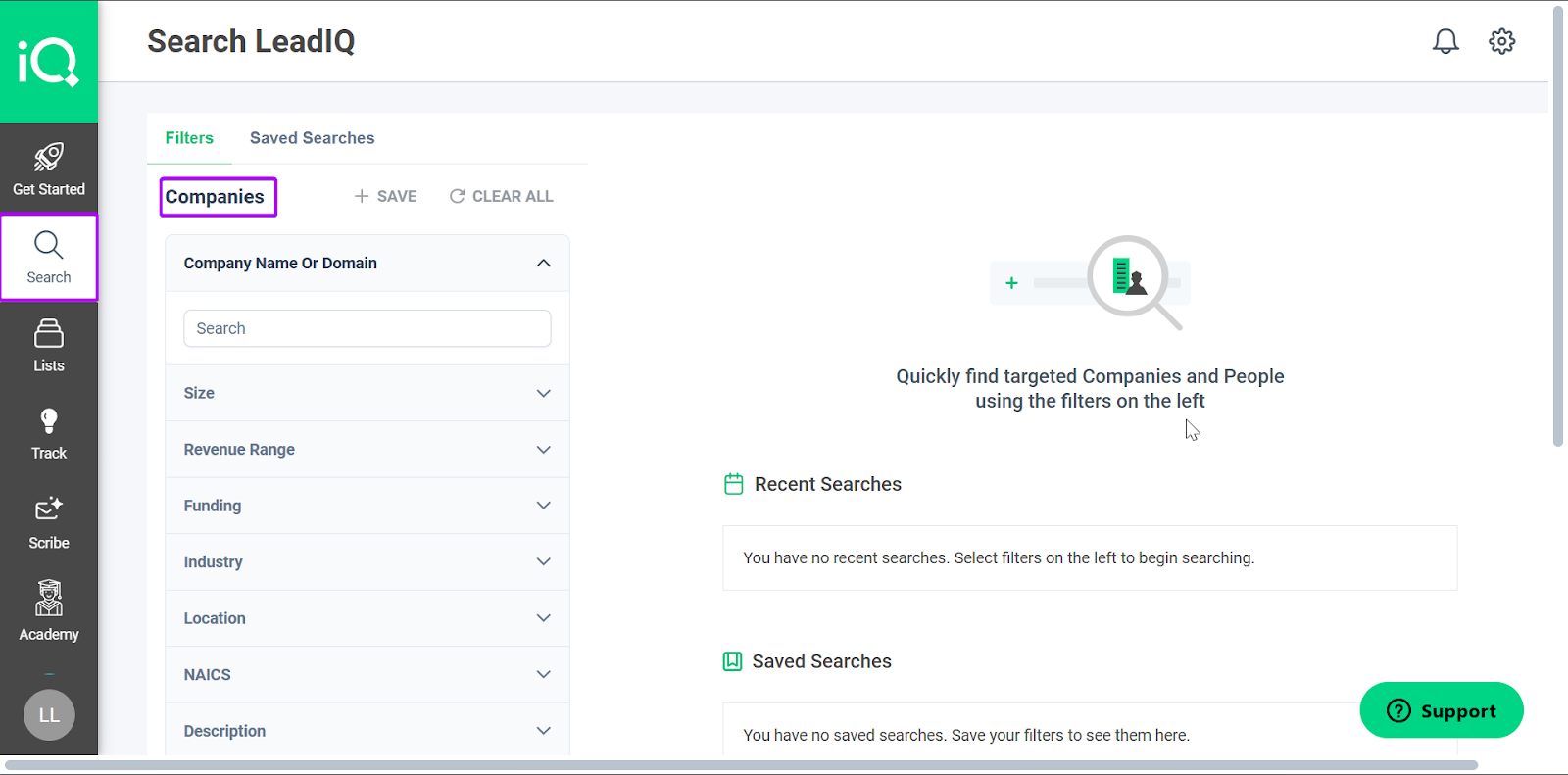
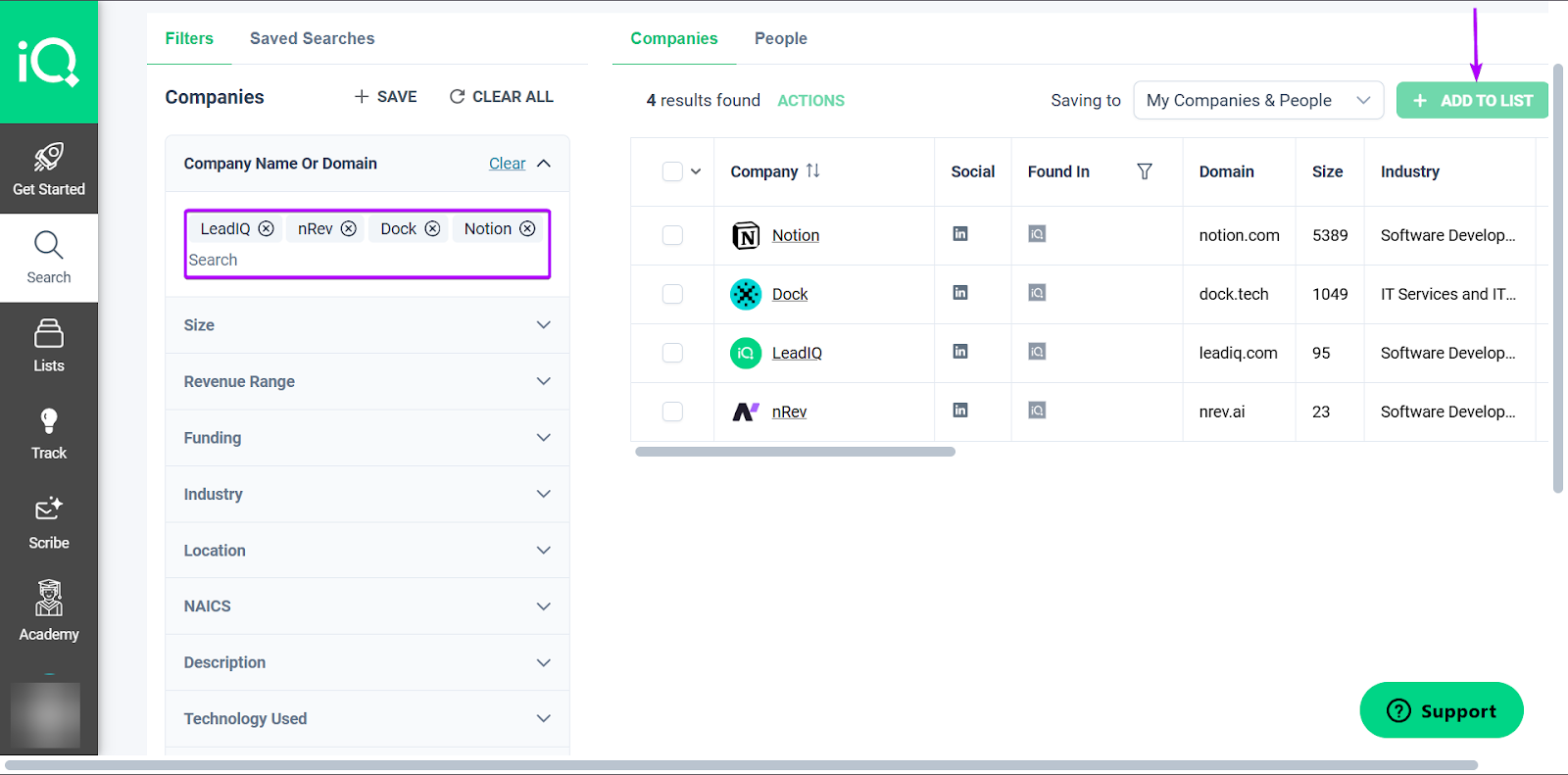
Next, you can start building your database of companies and people.
You can add data like the company's website, size, domain, revenue range, funding, and more.
And you can create a list of companies by selecting them and clicking on “Add to List.”
And finally, you can save all your searches so you don’t lose them.
2. Integrations
LeadIQ’s Integrations feature helps you connect directly with nine CRM and sales tools. These include Salesforce, HubSpot, Gmail, Gong Engage, and Groove.
Let me walk you through how it works:
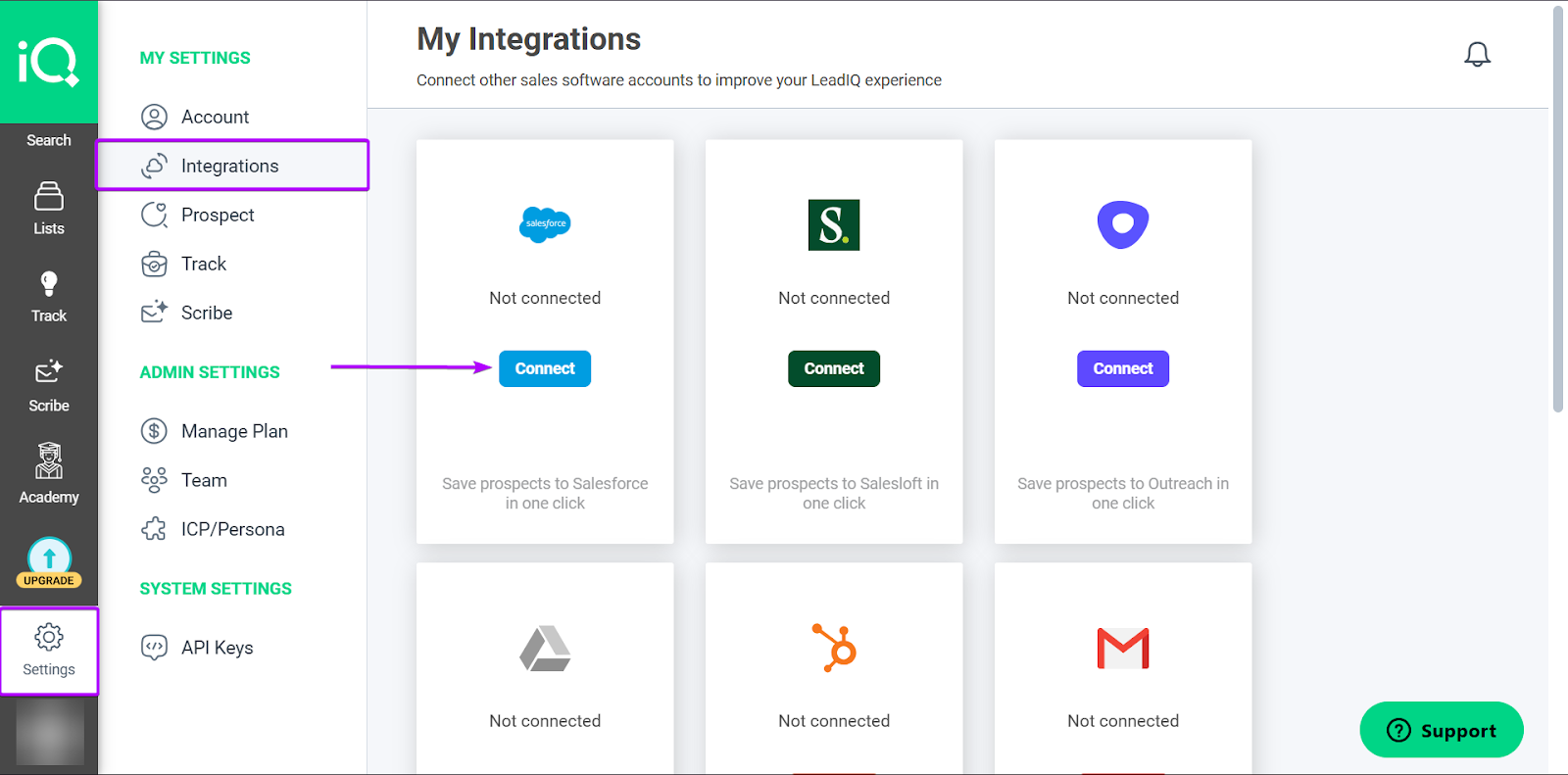
First, head to “Settings” and click “Integrations.” Then select the tool you want to sync with your LeadIQ account.
Let’s go with Salesforce.
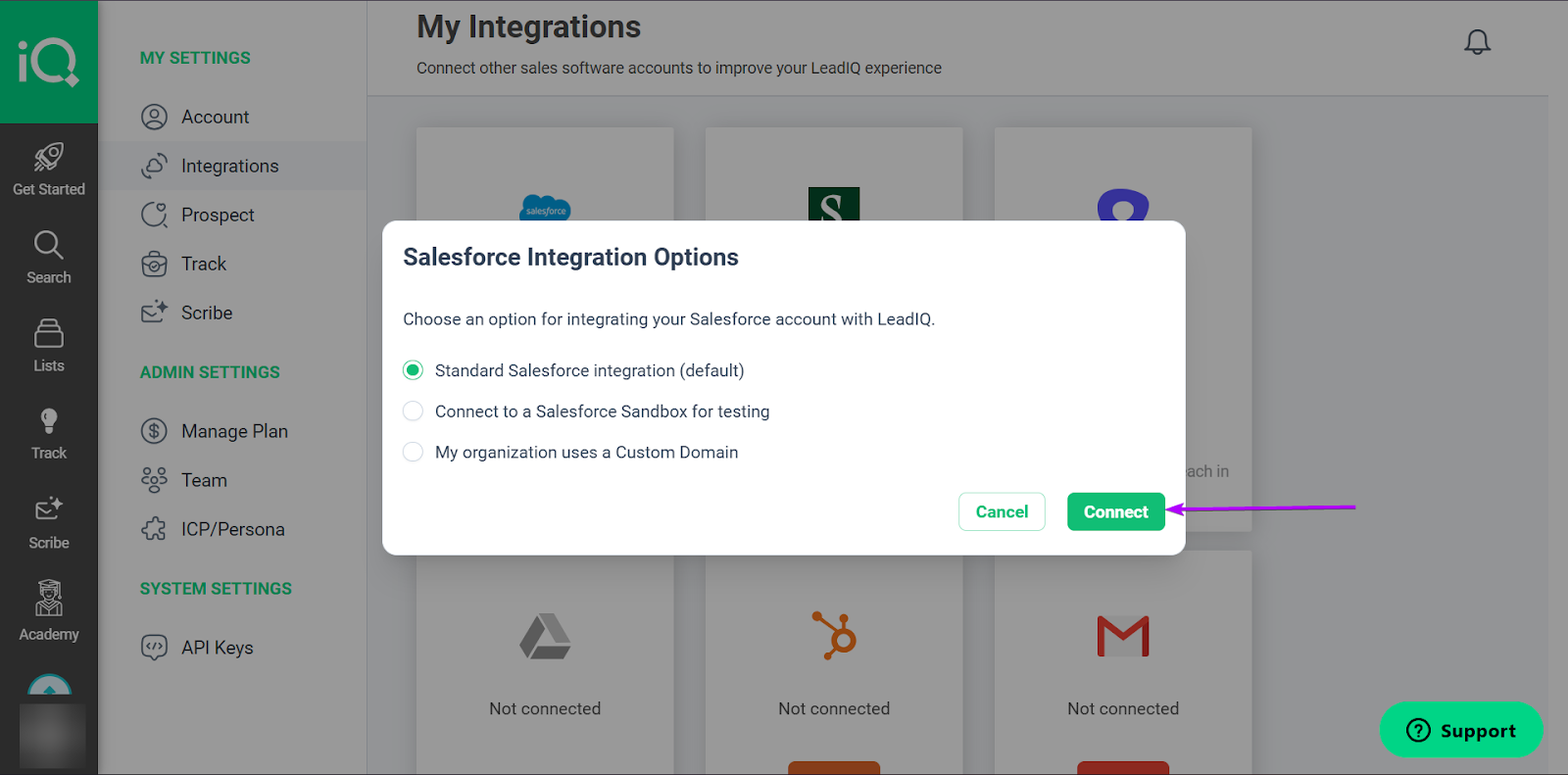
Next, choose your Salesforce integration option and click “Connect.”
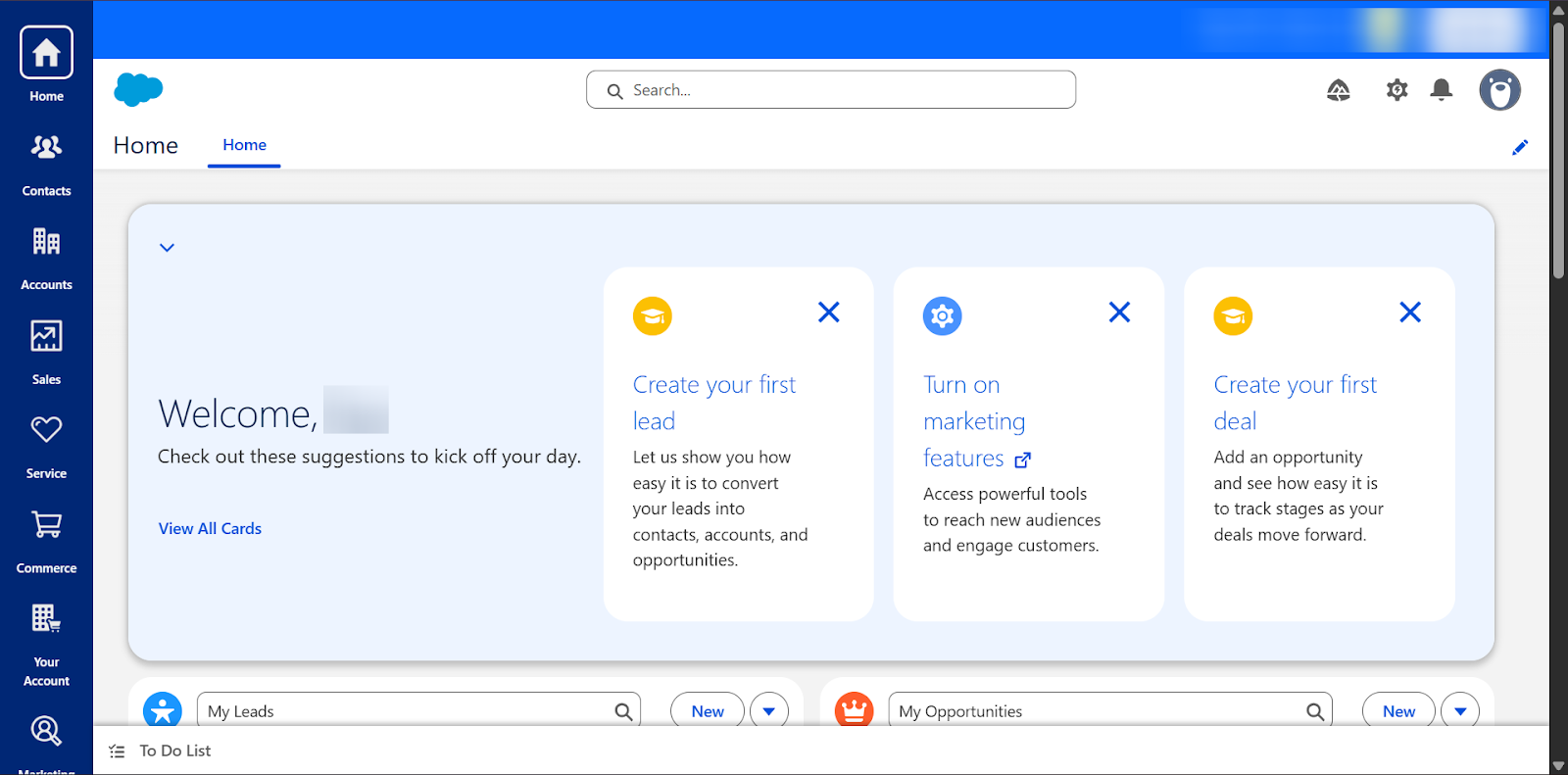
Once you sign up/sign in, you’ll be connected to Salesforce.
It’s pretty fast and seamless.
3. Track
Track is a feature in LeadIQ that lets you monitor prospect signals to prioritize outreach.
Instead of reaching out at random, sales teams can identify prospects based on signals like job changes, promotions, funding announcements, and company updates.
This is important because a company that just raised funding, for example, may have the budget to purchase your product or service.
Let’s check it out:
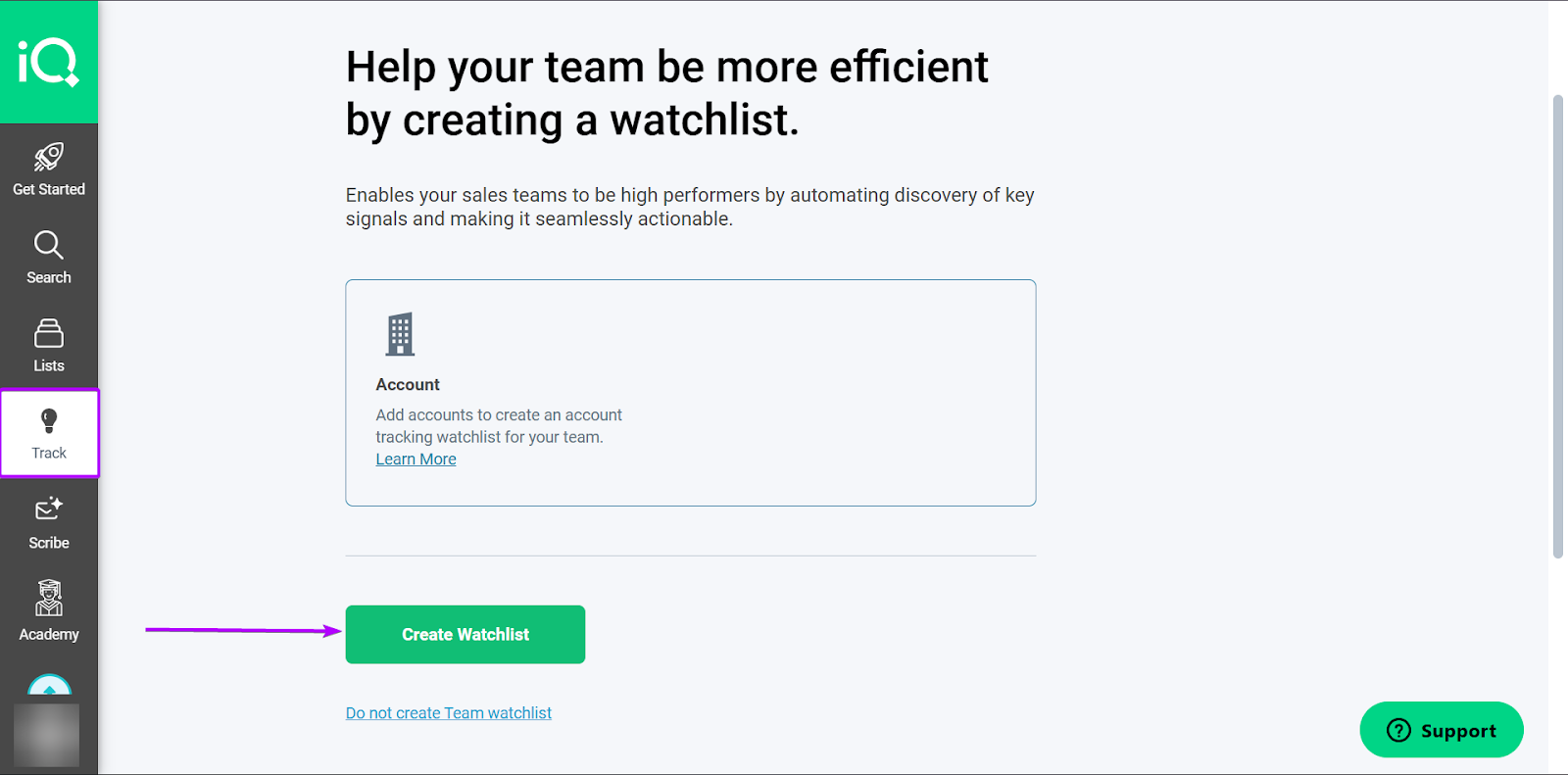
Go to “Track” and click “Create Watchlist.”
A watchlist is simply a saved list of accounts or prospects that you want to monitor for activity.
When you upload a watchlist, you’re basically telling LeadIQ to alert you to buying signals.
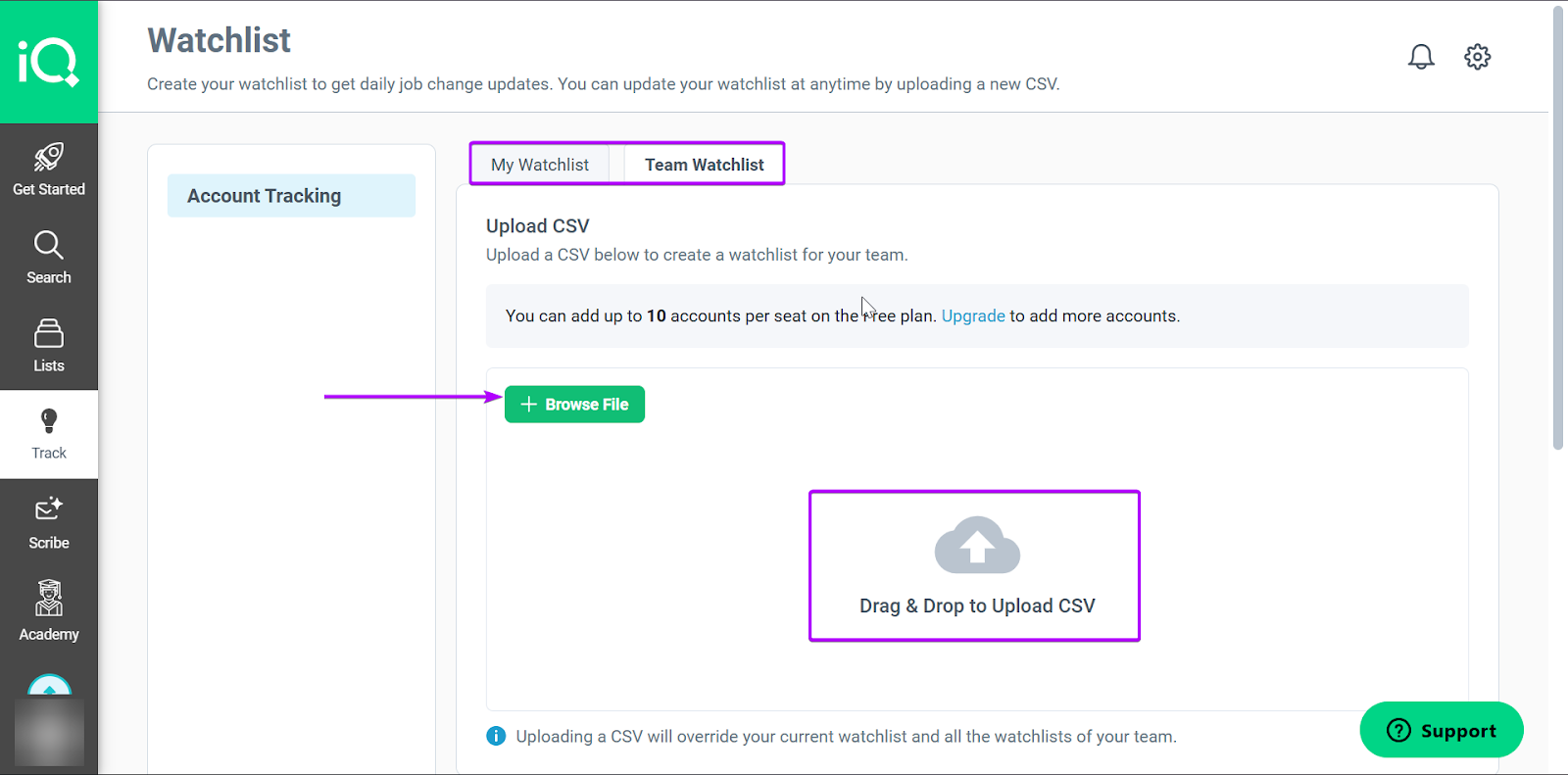
Next, upload a CSV file that contains details of your accounts and prospects.
You can create watchlists for yourself or for your team.
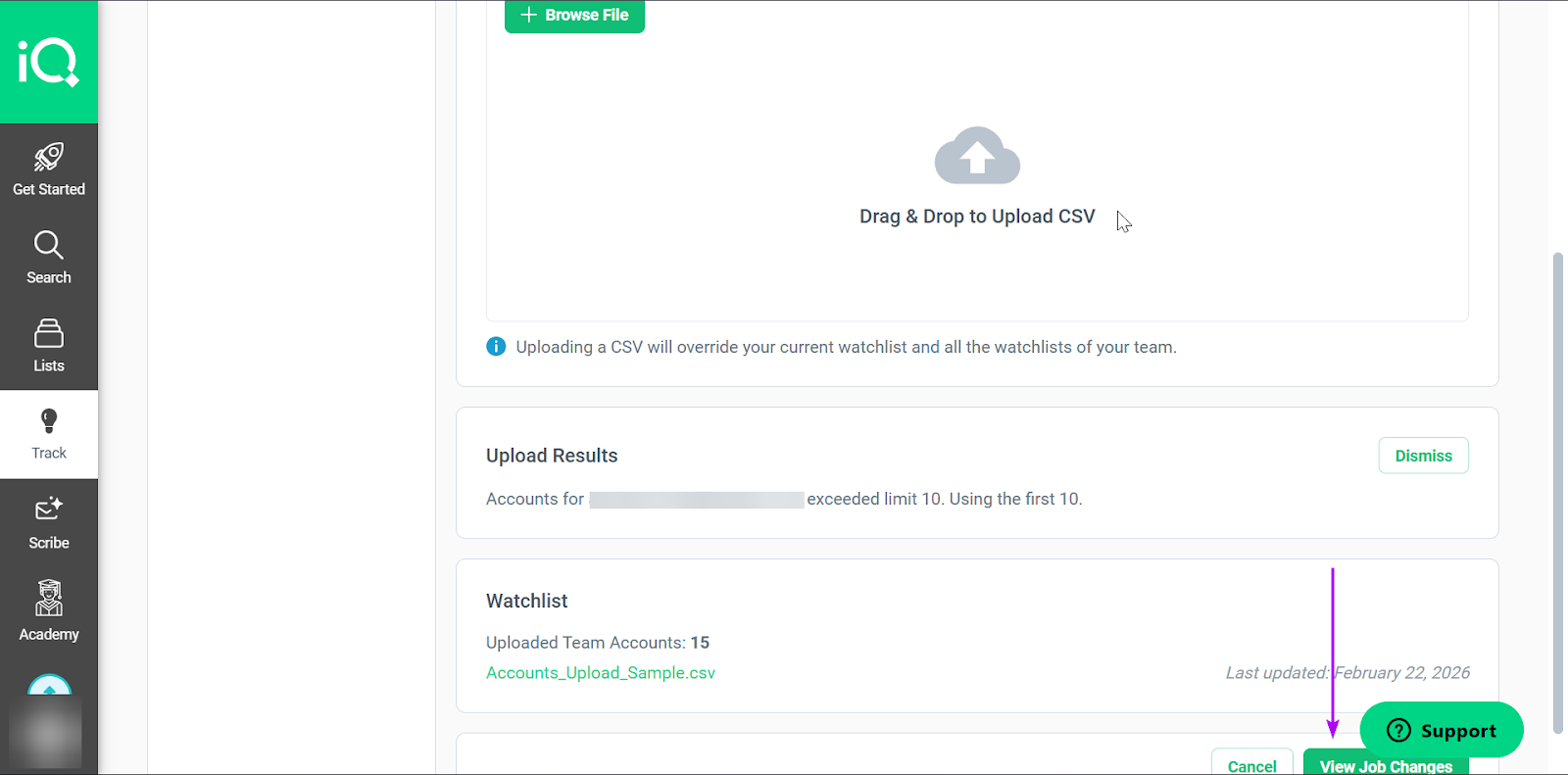
After uploading the file, click “View Job Changes.”
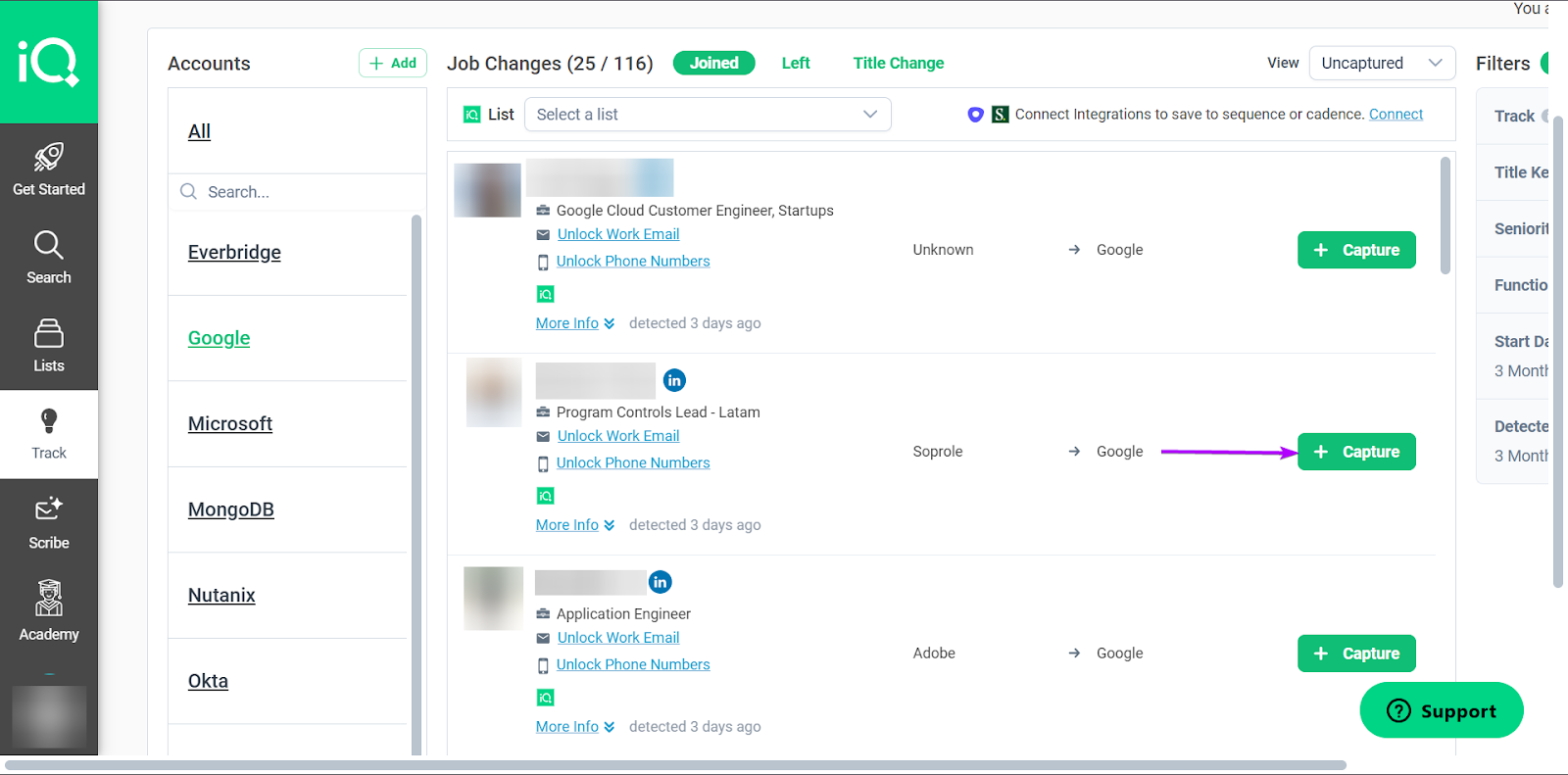
LeadIQ will generate a list of prospects who have recently had job changes based on the data you provide.
When you click “Capture”, it saves the prospect’s data.
What I Loved vs What I Struggled With
| What I Loved 👍 | What I Struggled With 👎 |
|---|---|
|
✅ Chrome extension of LeadIQ makes it easier and faster to capture leads from LinkedIn or company websites without switching tabs. ✅ Tracking feature helps sales team reconnect with warm leads by alerting them when prospects open emails or revisit content. ✅ Easy to integrate with other sales and CRM tools, keeping prospect data synced and making the workflow smooth. |
❌ You might not always get in-depth data on leads, especially those in smaller or niche companies. |
Best For
- SDRs who run outbound campaigns by sourcing and reaching the right prospects.
Pricing
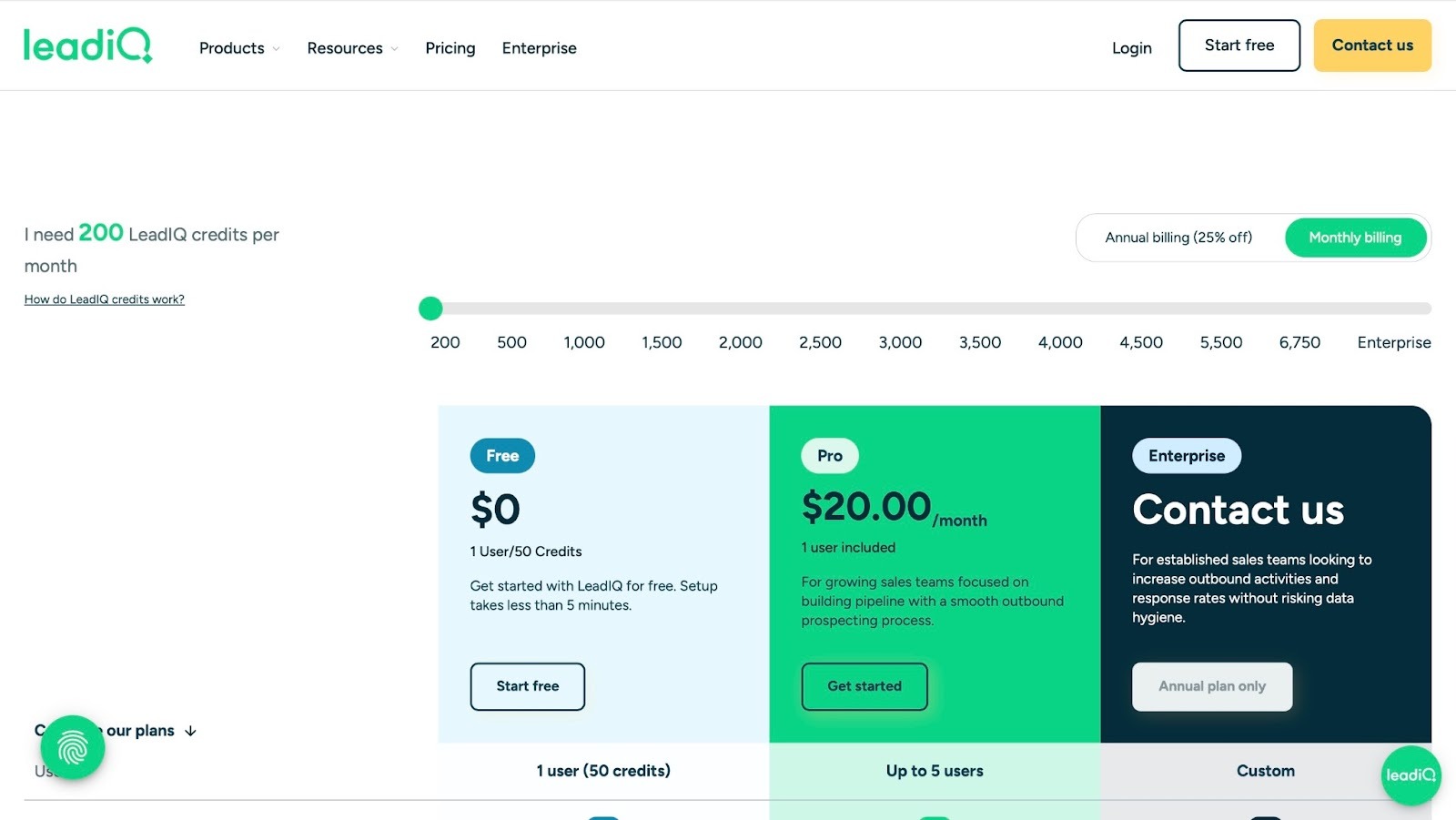
- Free: $0/month
- Pro: $20/month
- Enterprise: Contact for pricing
5. Fireflies.ai - Best for Flexible Meeting Intelligence
- Personal Rating: ⭐️⭐️⭐️⭐️ 4.3/5
- Sales Funnel Stage Supported: Cold calls, warm lead follow-ups, demo calls
- Automation Level: Low. Fireflies automates note-taking and summaries
- Integrations: Twine, Affinity, Attio, Wealthbox, Planhat, Intercom
- Standout Feature: AI Chatbot (AskFred) designed to help you generate action items and summaries from meetings
- Starting Plan and Trial: Free: $0/month +unlimited transcription + limited AI summaries + 800 mins of storage/seat
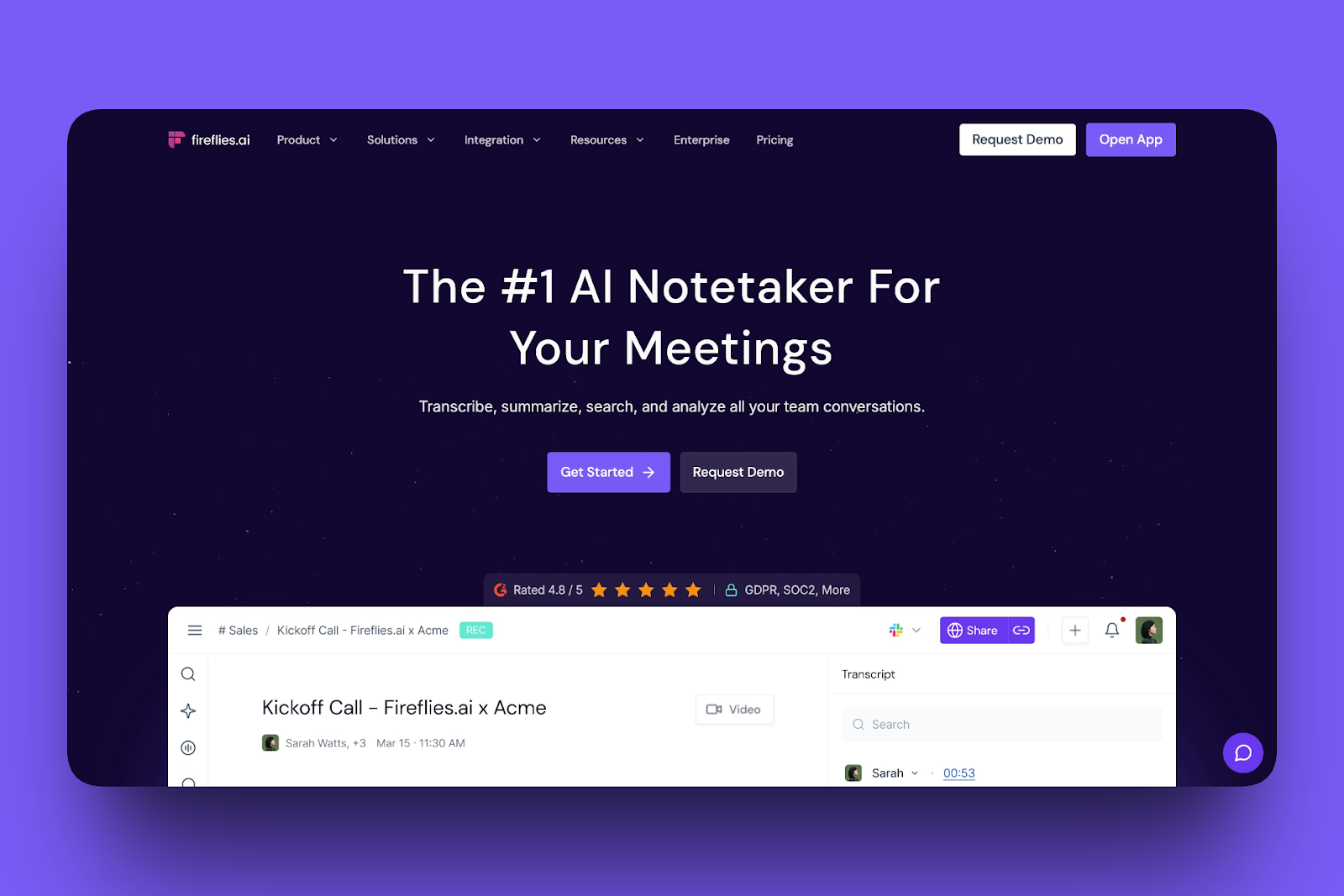
Last but not least on my list of the best sales enablement tools is Fireflies.ai.
It’s a conversation intelligence tool designed to make meetings more productive and actionable. With AI assistance, it automatically records, transcribes, summarizes, and organizes your calls.
For sales enablement teams, that means better follow-ups and cleaner notes.
With the Meetings feature, you can automatically join calls via platforms like Zoom and Google Meet, record and transcribe them.
The Integrations feature lets you connect your meeting notes and action items to CRM and other collaboration tools.
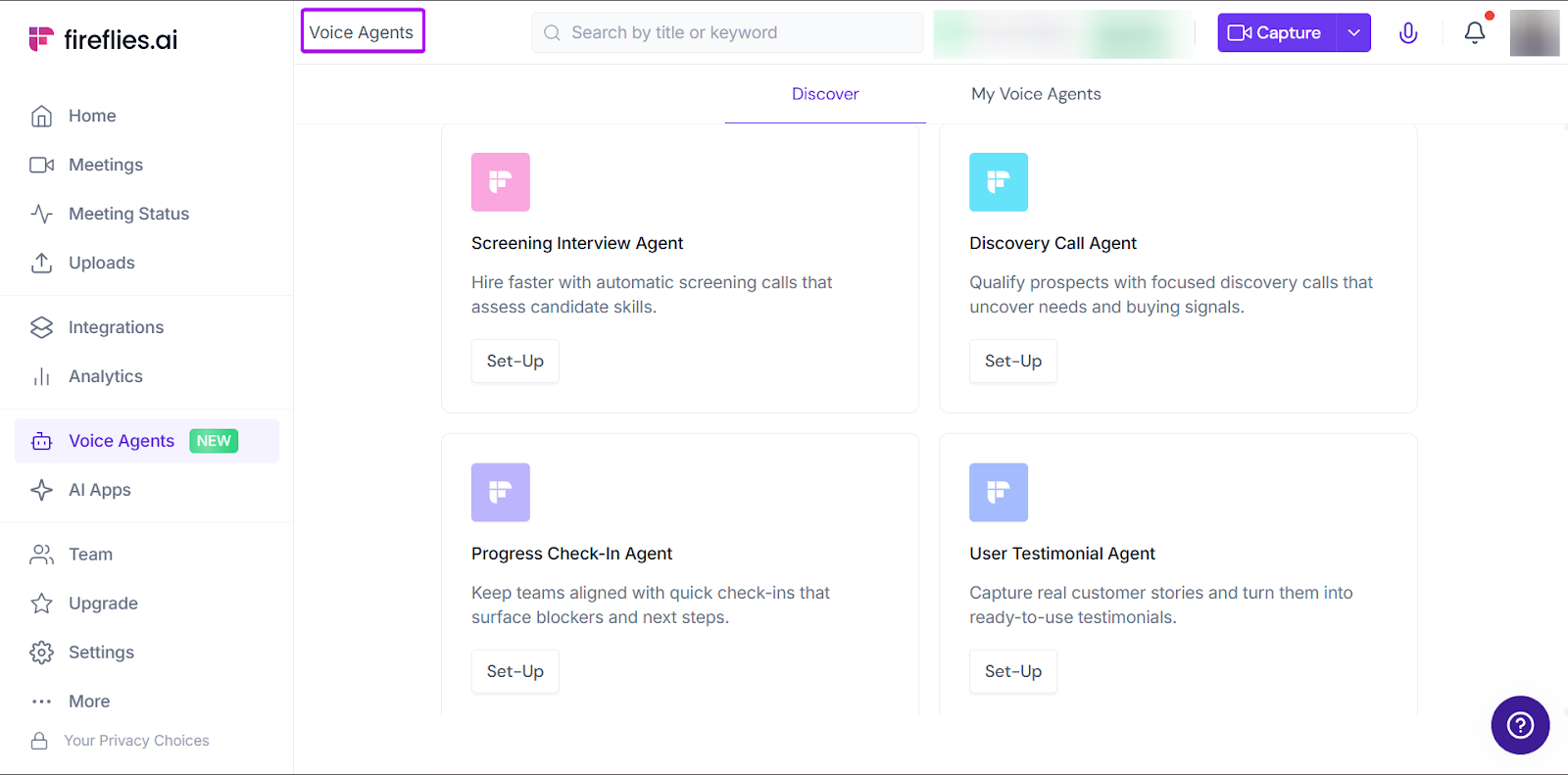
And with the AI Voice Agent, you can set up an automated assistant that can join meetings on your behalf, record conversations, and capture everything that’s said in real time.
What I Loved About Fireflies
1. Meetings
Fireflies’ Meetings feature lets you automatically join calls via platforms like Zoom and Google Meet.
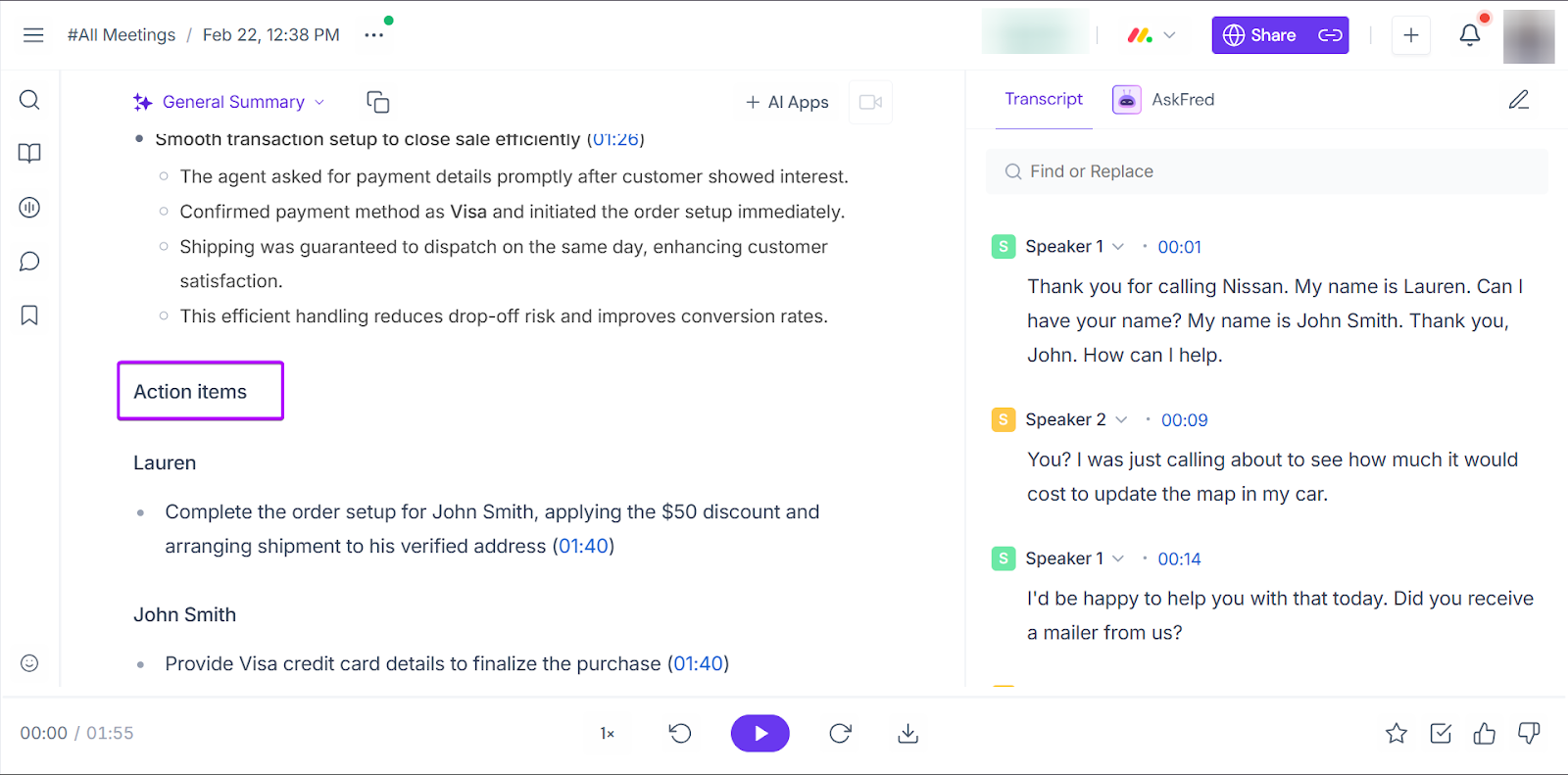
It records meetings, transcribes, and generates summaries with action items.
It’s great for the sales team because they don’t have to worry about typing while engaging clients.
Let me walk you through this feature:
Click the camera icon in the sidebar. Then, head over to “My Meetings.”
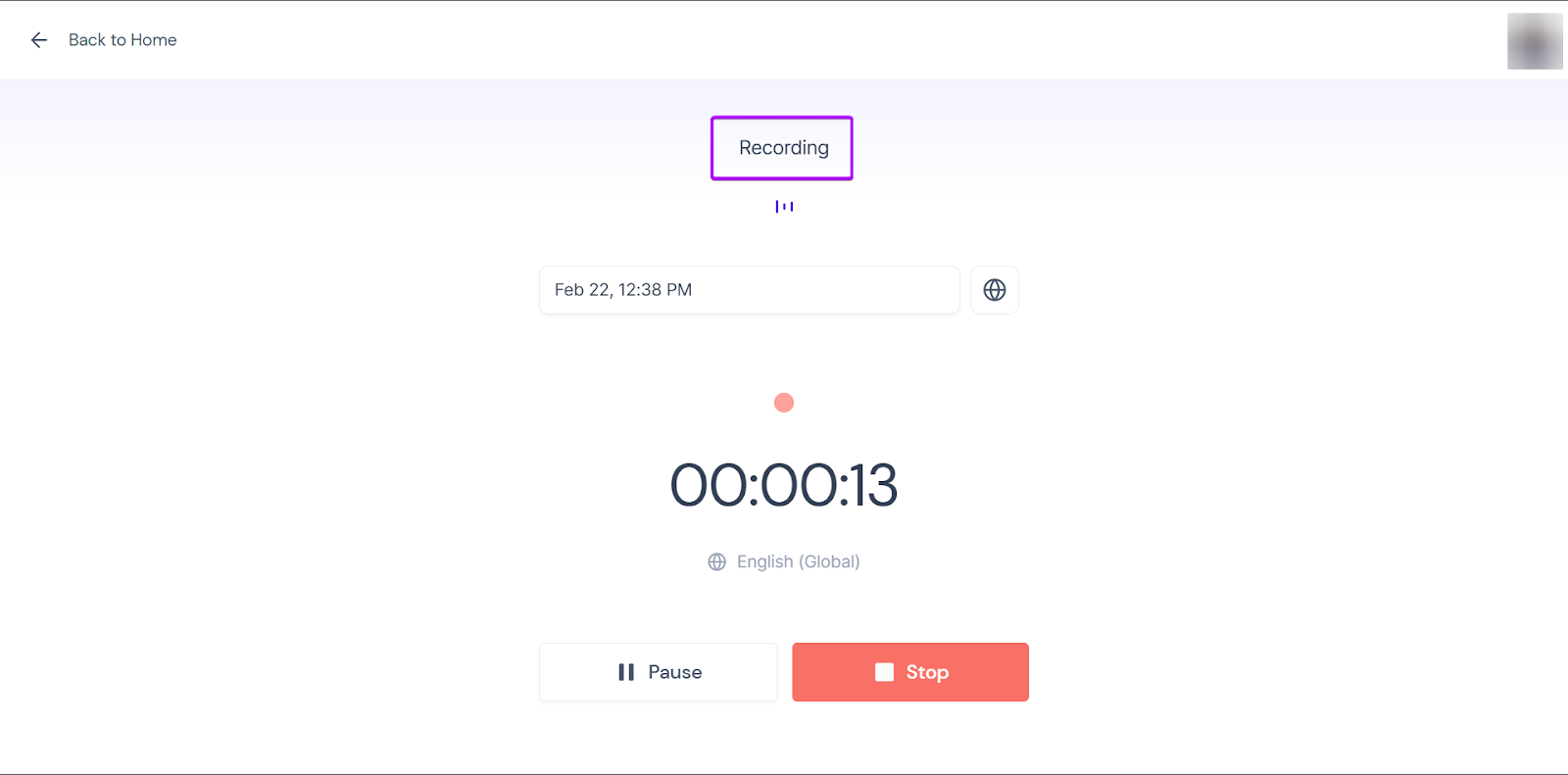
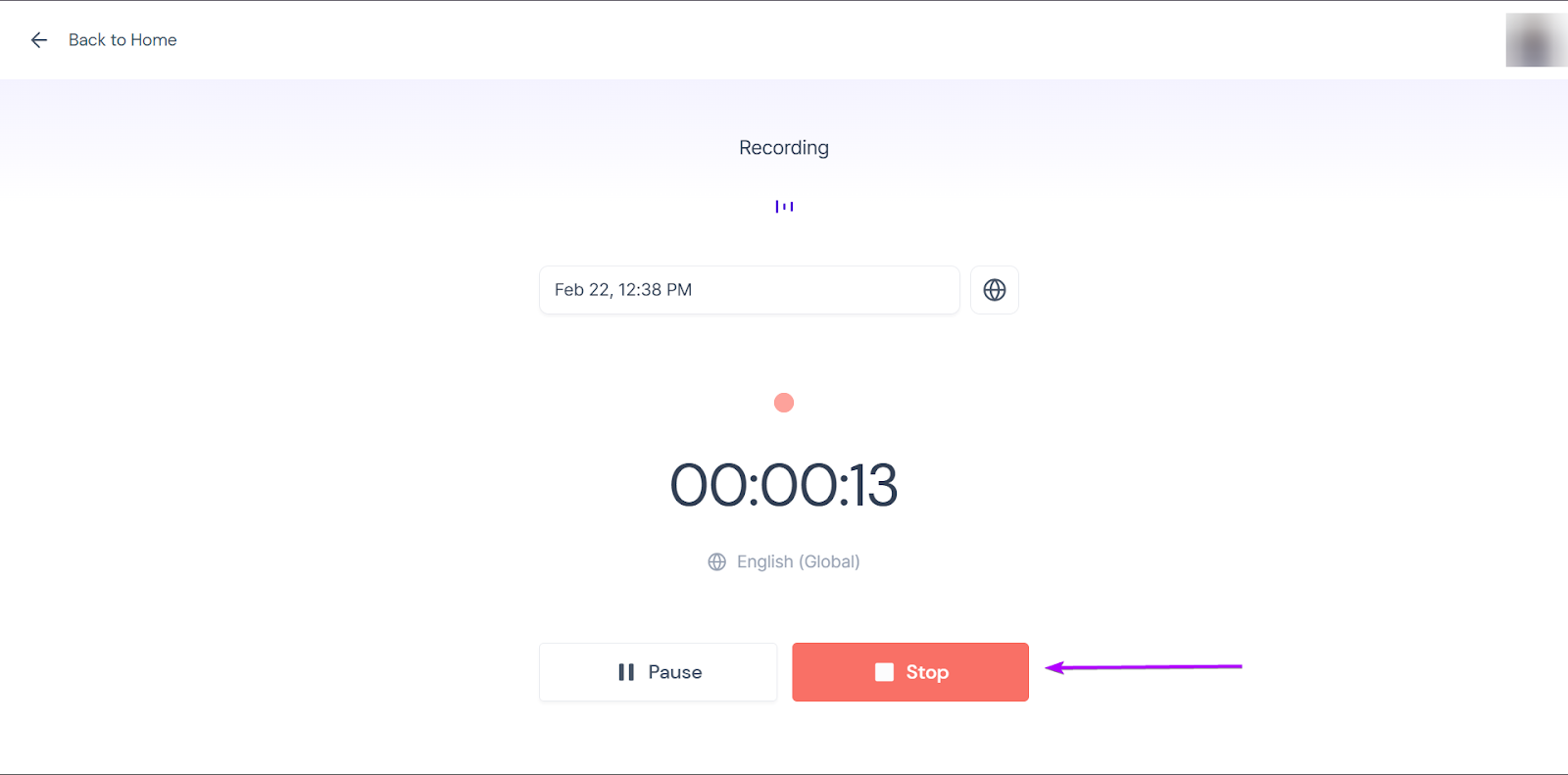
Under “Capture,” you’ll see options to invite Fireflies to join a live meeting, schedule a meeting, upload an audio or video, or start recording directly from the platform.
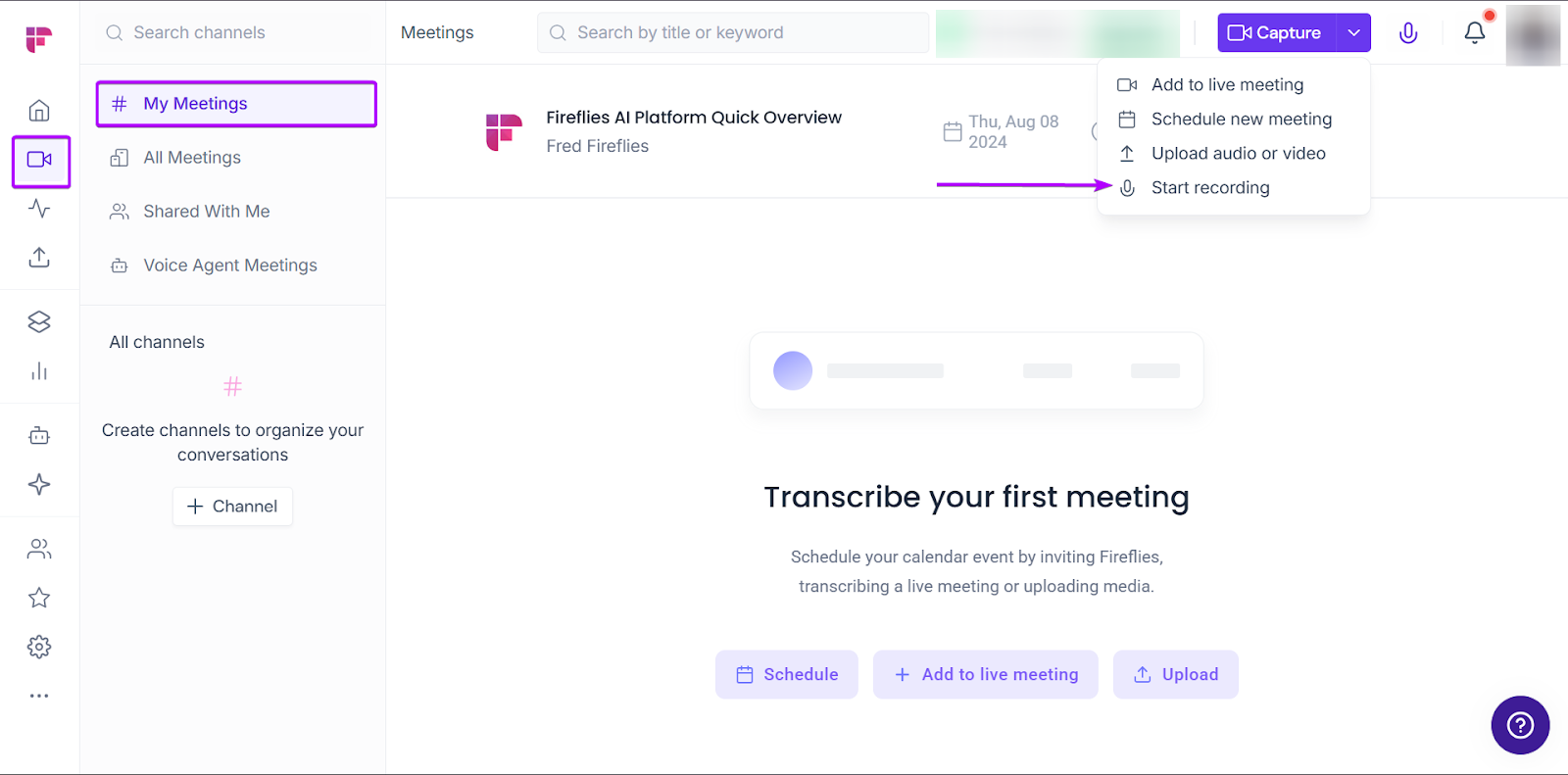
Let’s go with the built-in recorder.
Once you’re done, Fireflies will generate the meeting notes and action items for you in less than 10 minutes.
2. Integrations
Its Integrations feature lets you connect with CRMs and other collaborative tools, so calls, summaries, and action points are not isolated.
For example, meeting insights can automatically sync with your CRM, helping you keep your records clean without manual note-taking.
Integrations reduce admin work and ensure important details are captured consistently.
Let’s see how it works:
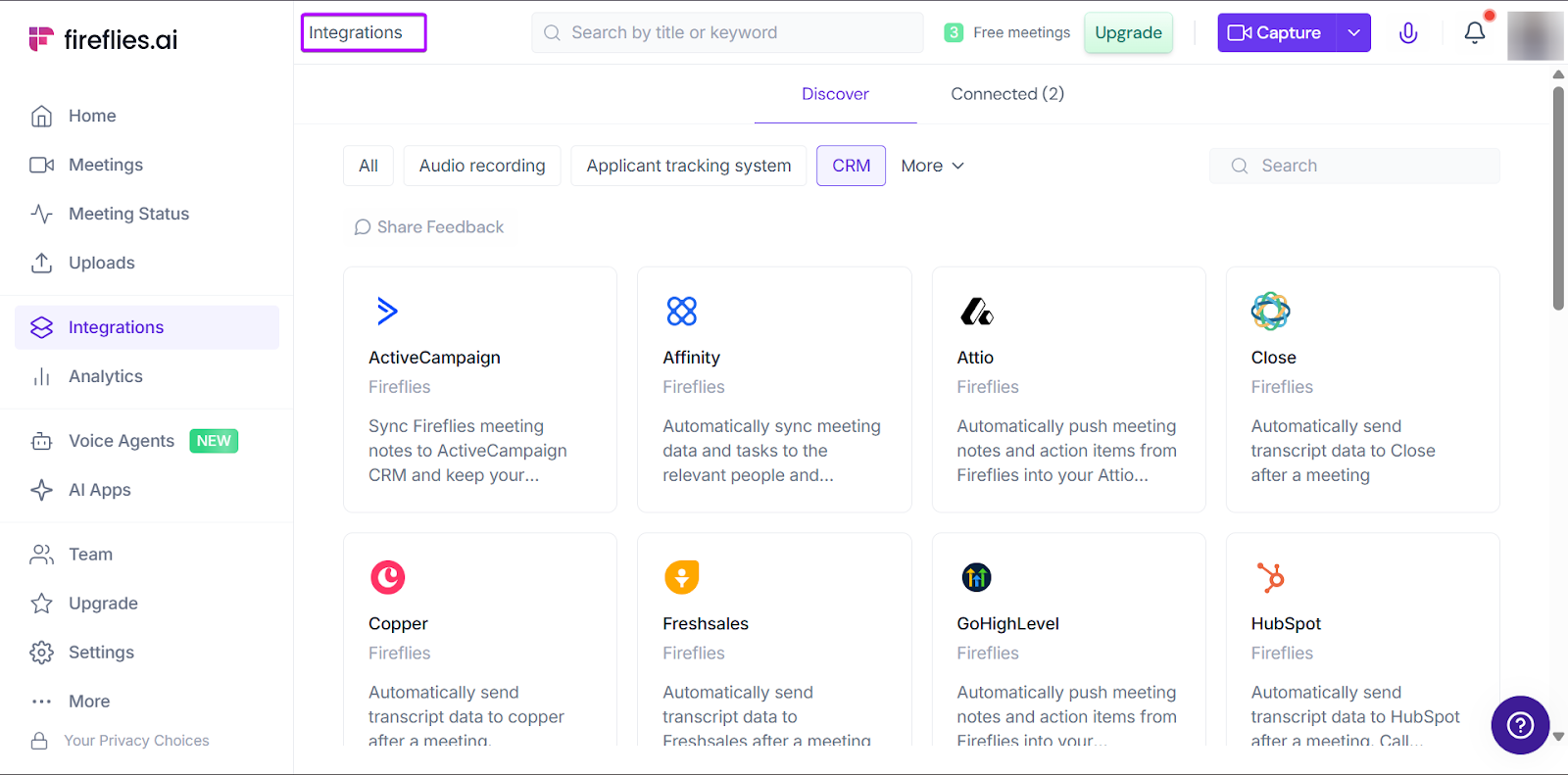
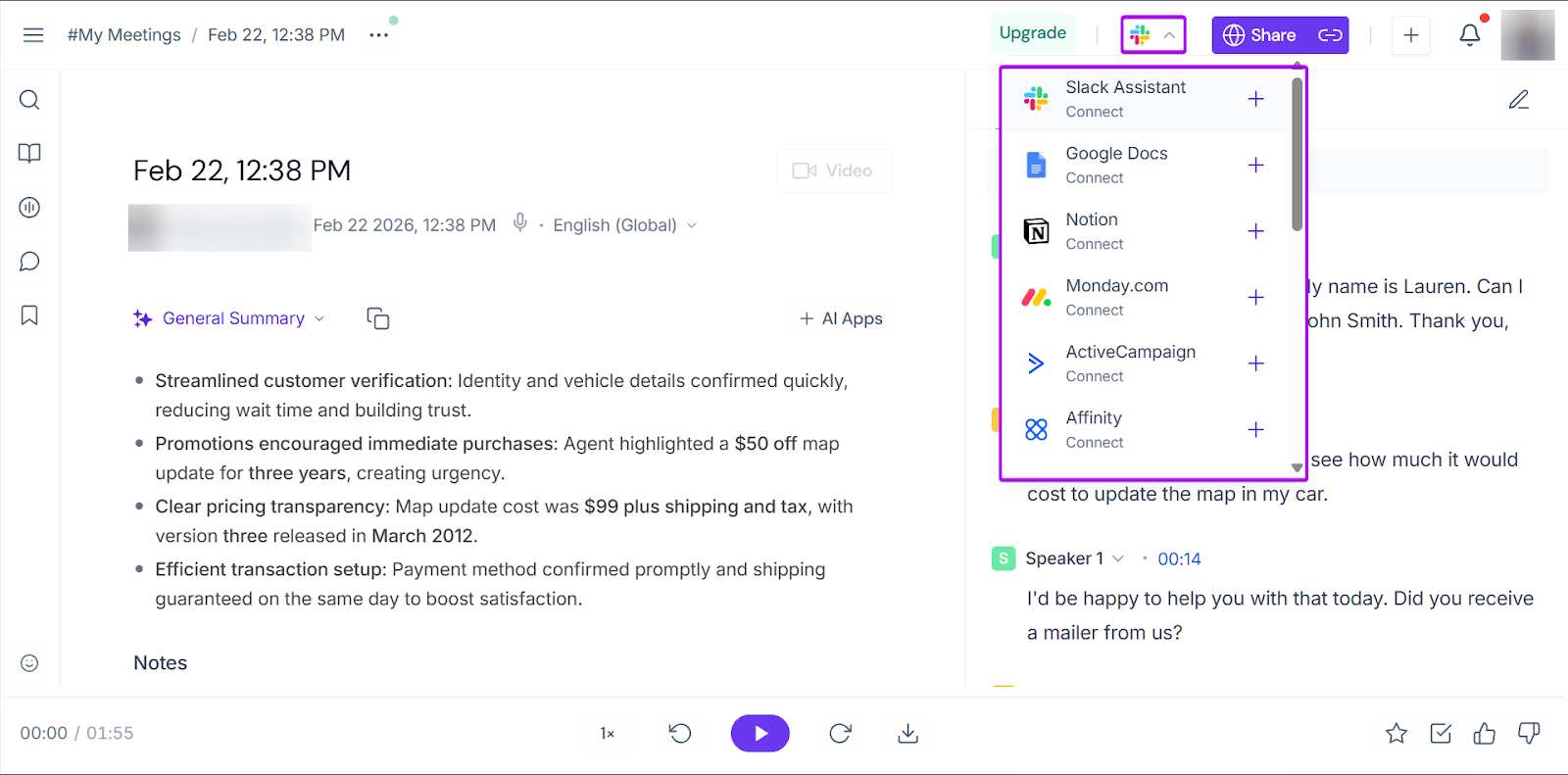
After Fireflies has generated your meeting notes, click the Integrations drop-down menu at the top right corner of the window.
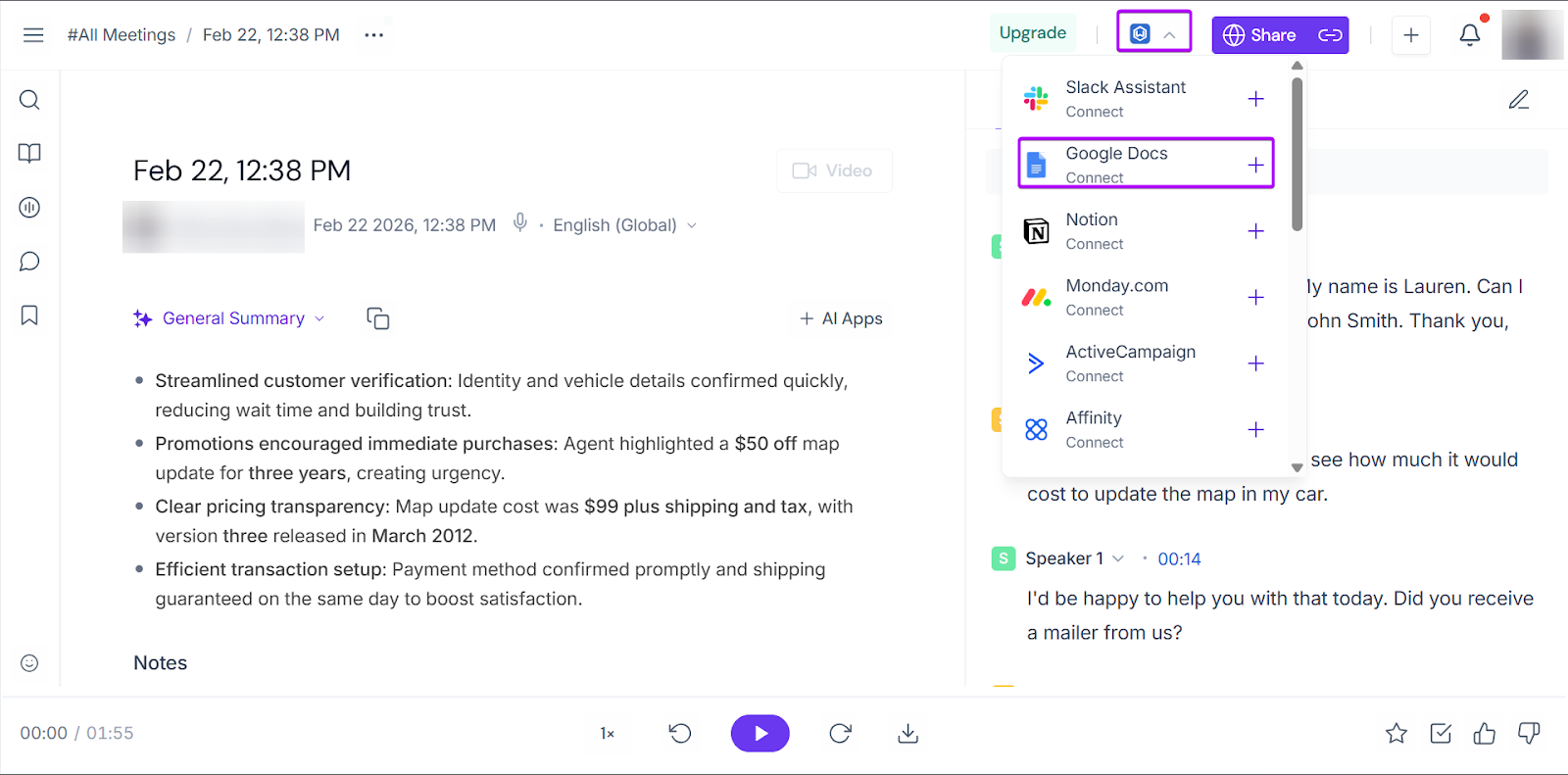
From there, you can easily connect with the tool of your choice.
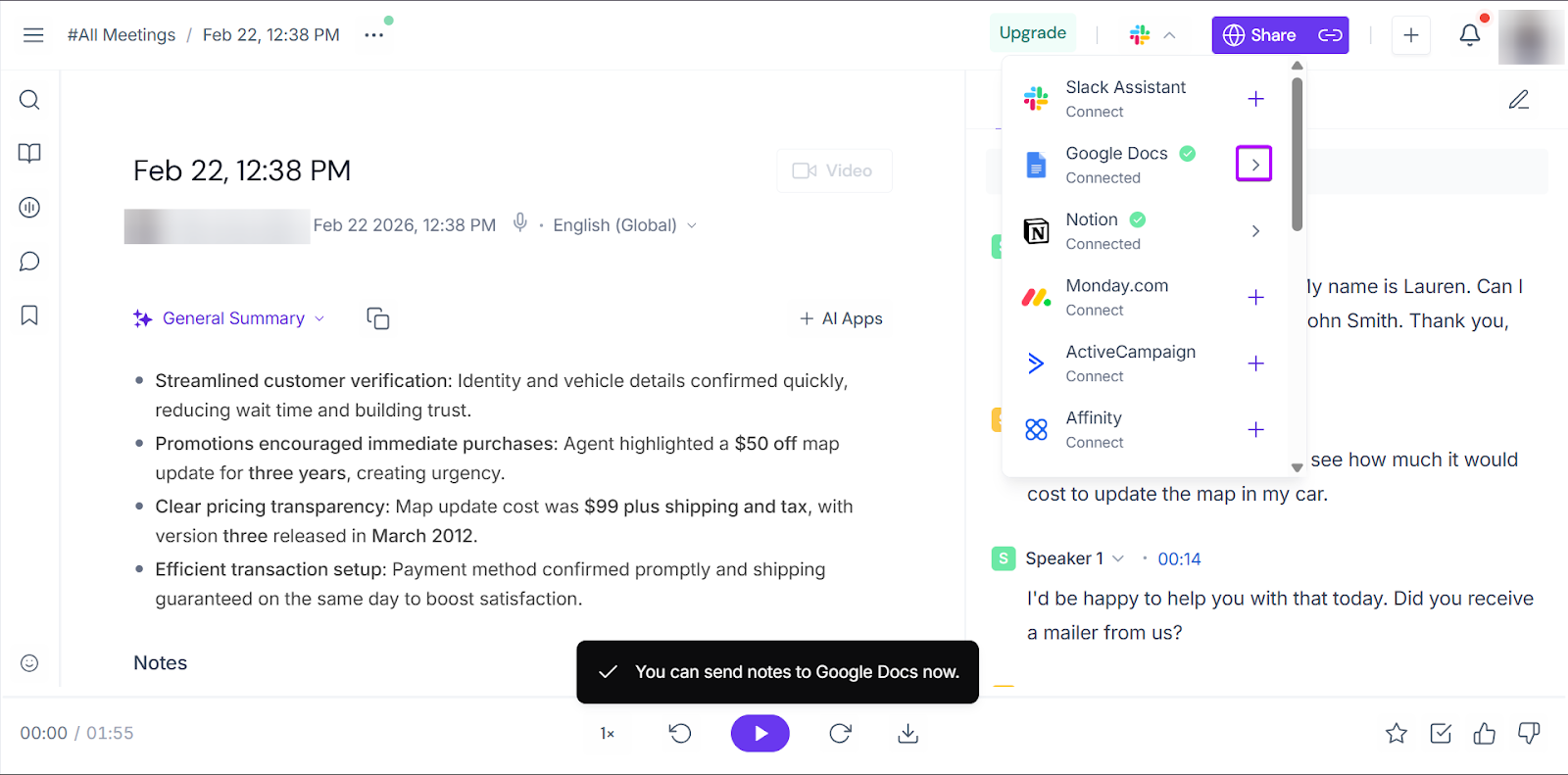
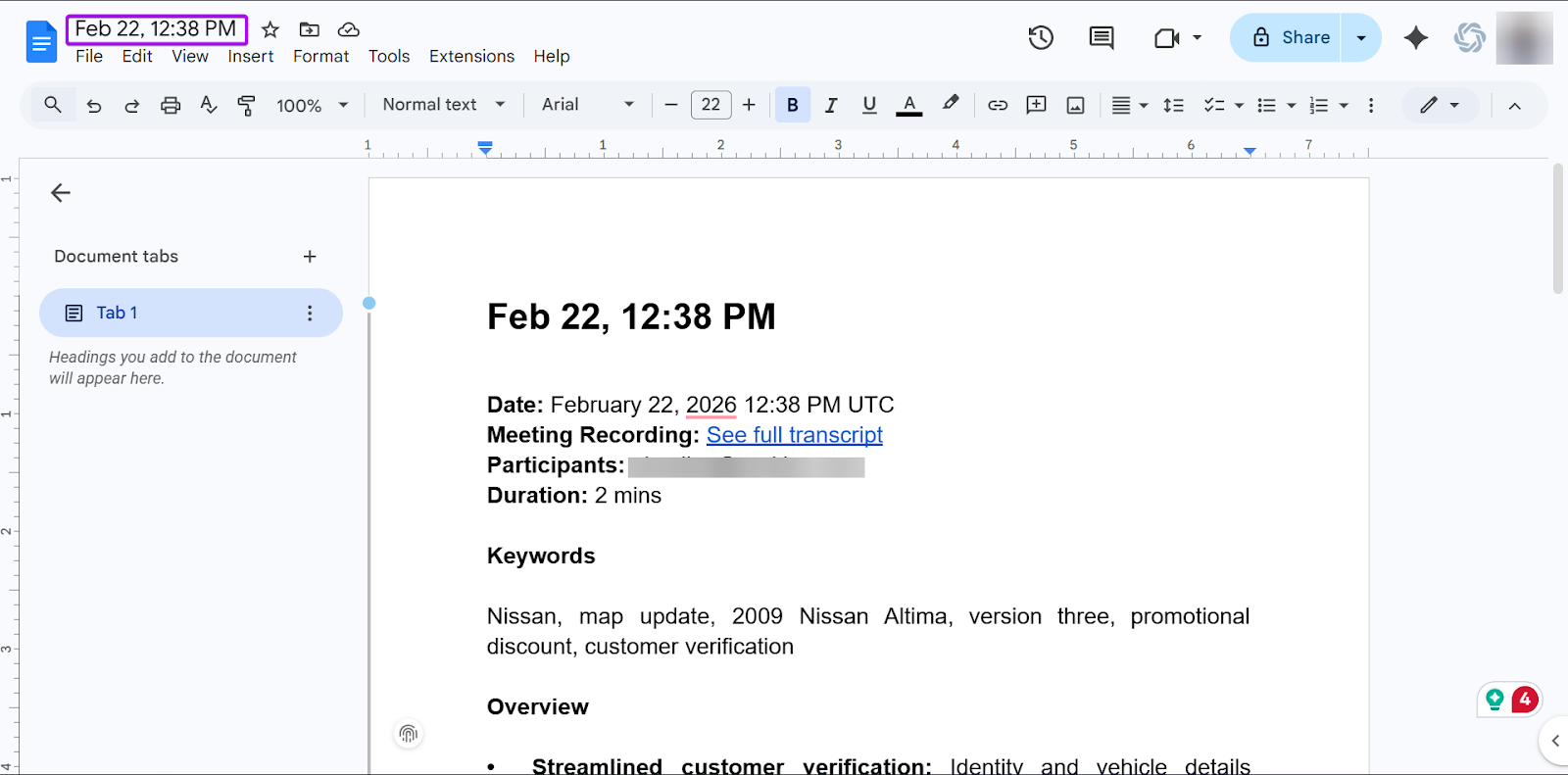
Once you’ve done that, you can automatically send your meeting notes.
3. AI Voice Agent
AI Voice Agent is an automated assistant that can join meetings on your behalf, record conversations, and capture everything that’s said in real time.
Fireflies has 7 pre-built voice agents you can set up, like a screening interview agent and a discovery call agent.
But you can also create your own voice agent.
Let’s walk through this feature:
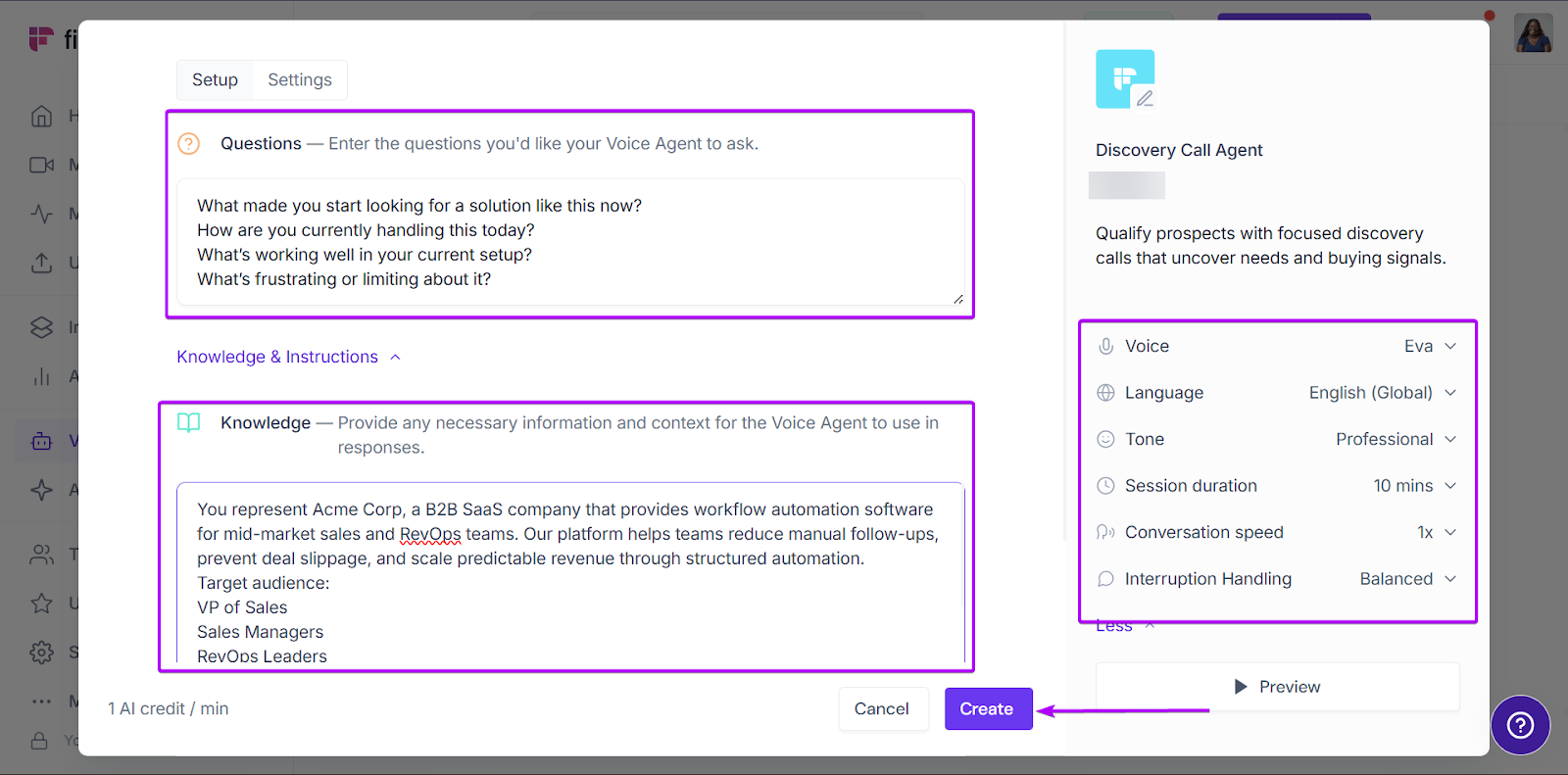
First, go to “Voice Agents.”
You can create your own voice agent or set up one from Fireflies’ seven pre-built templates.
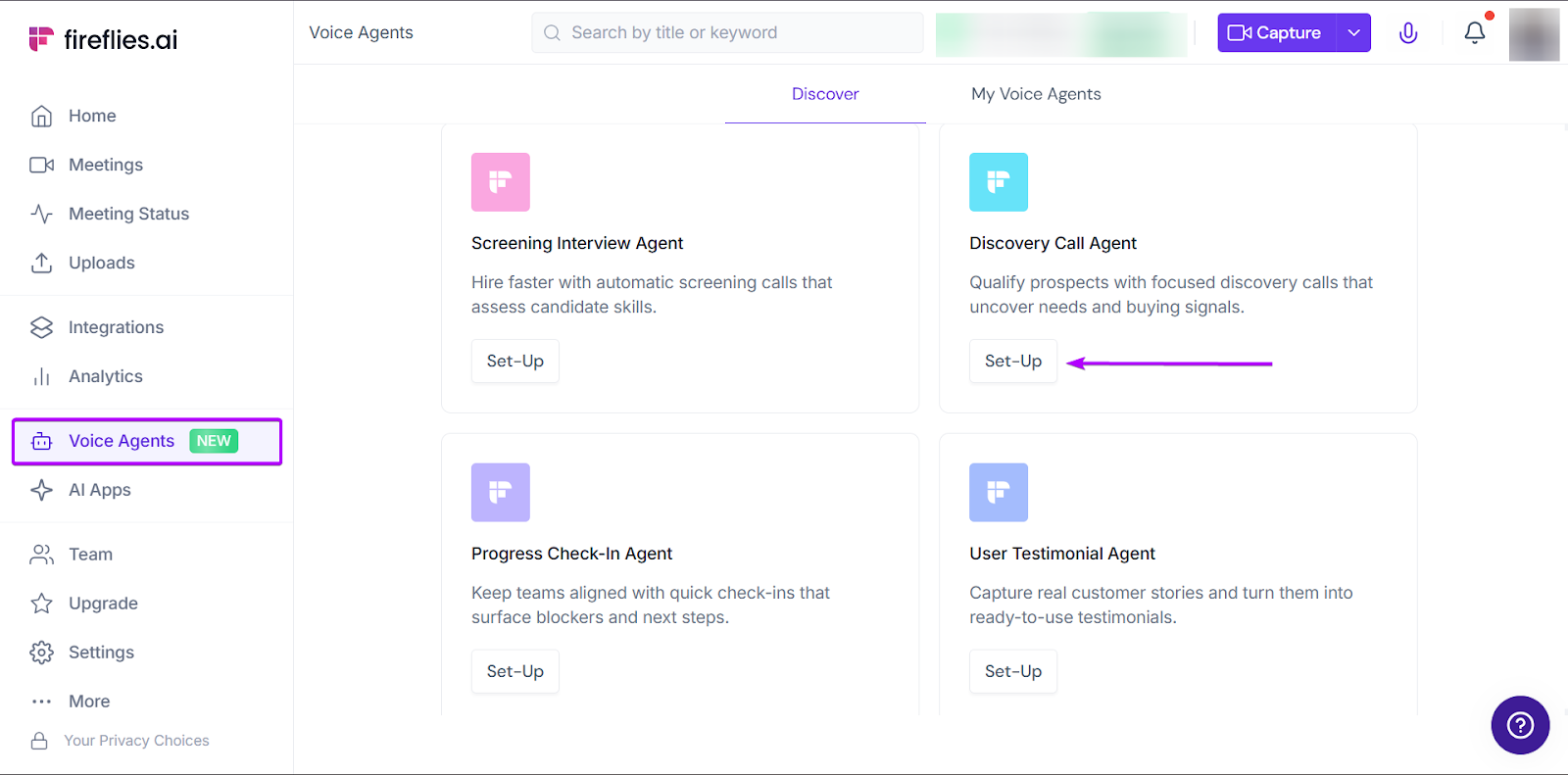
You can enter the type of questions you want it to ask during calls. And also, provide more information and context for responses.
You can also change the voice, language, and tone, and the length of your meeting sessions.
Click “Create” when you’re done.
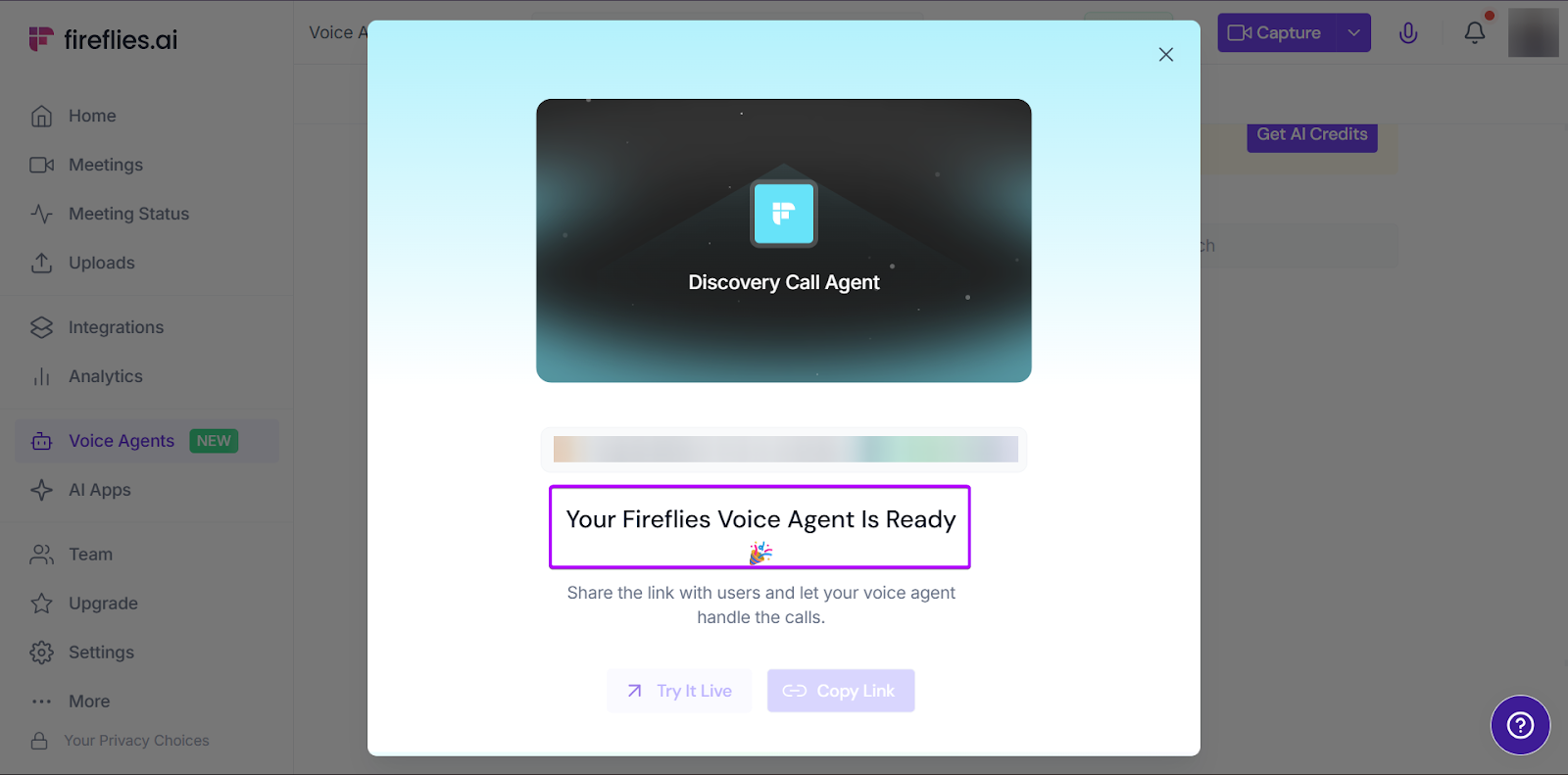
And your voice agent is ready!
What I Loved vs What I Struggled With
| What I Loved 👍 | What I Struggled With 👎 |
|---|---|
|
✅ Saves teams time during meetings because they can concentrate better instead of figuring out notes ✅ AI tools generate summaries and action items for teams with good accuracy, so you don’t lose any vital information. ✅ Works with popular meeting platforms like Zoom, Microsoft Teams, Google Meet, Weber, and more, so sales teams don’t have to switch tools just to capture conversations. |
❌ Limited only to the meeting stage and doesn’t go beyond other sales workflows ❌ Some prospects might not be comfortable communicating with an AI assistant |
Best For
- SDRs and AEs running frequent discovery and demo calls with prospects
Pricing
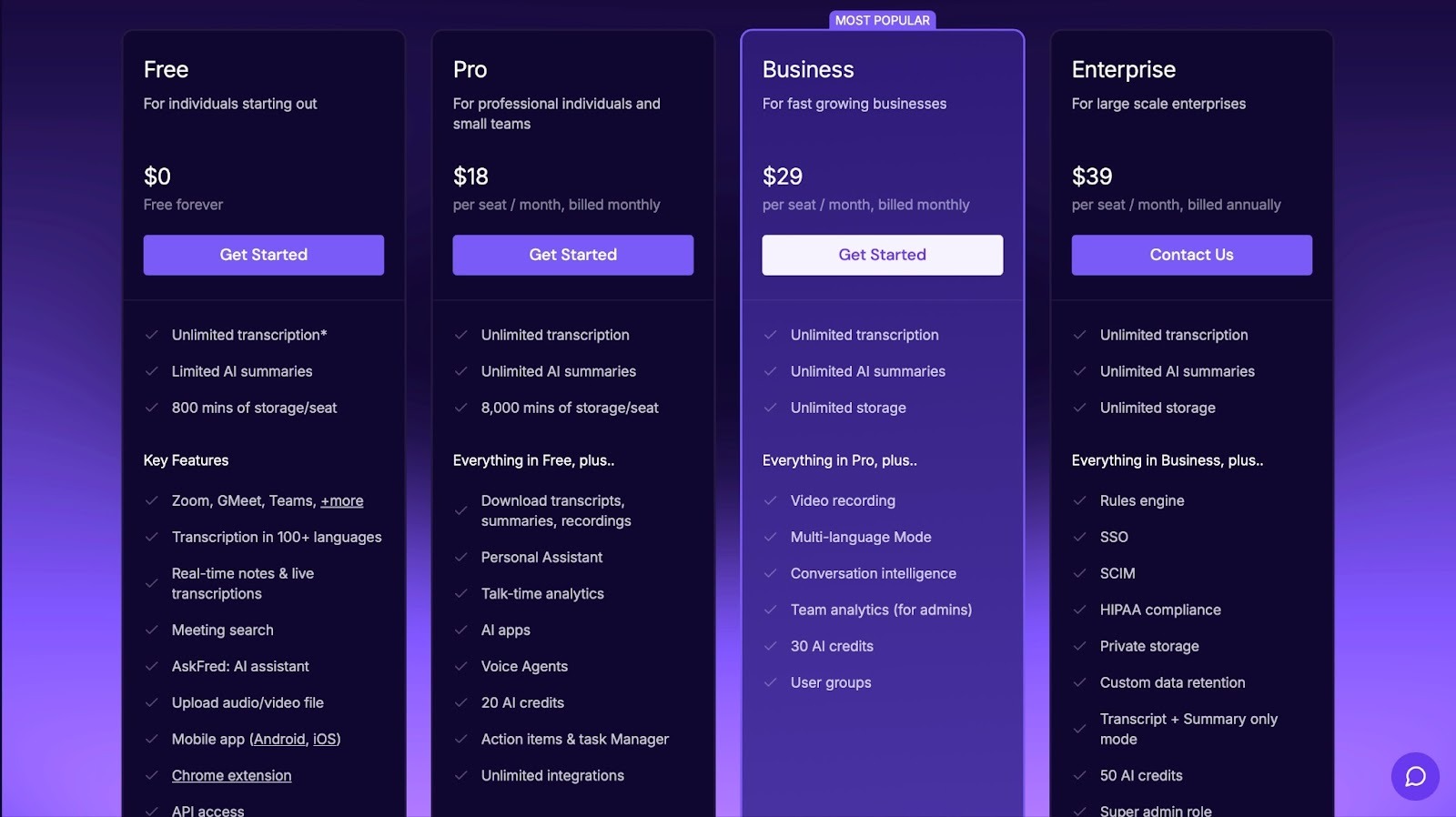
- Free: $0/seat/month
- Pro: $18/seat/month
- Business: $29/seat/month
- Enterprise: $39/seat/month
6. Notion - Best Knowledge and Content Hub
- Personal Rating: ⭐️⭐️⭐️⭐️ 4.2/5
- Sales Funnel Stage Supported: Documentation stages: discovery, demo prep, guides, internal reviews, playbooks.
- Automation Level: Low. Notion AI assists with writing and summaries, but workflow automation is limited without external tools.
- Integrations: IDB2B Whatsapp AI Agents, SiteSeam, Pathlit, Whalesync, V1CE, Grapple
- Standout Feature: Extreme flexibility. You can build anything, from guides, playbooks, wiki pages, and customer onboarding hubs
- Starting Plan and Trial: Free: $0/per member/month - 30-day free trial on paid plans
Up next on my list of the best sales enablement tools is Notion.
Notion is an all-in-one workspace where teams can write, organize, document, and collaborate. While it’s not built specifically as sales enablement software, many startups and GTM teams use it that way.
That’s because sales enablement involves a lot of documentation and operational tasks. And Notion is flexible enough to handle those tasks.
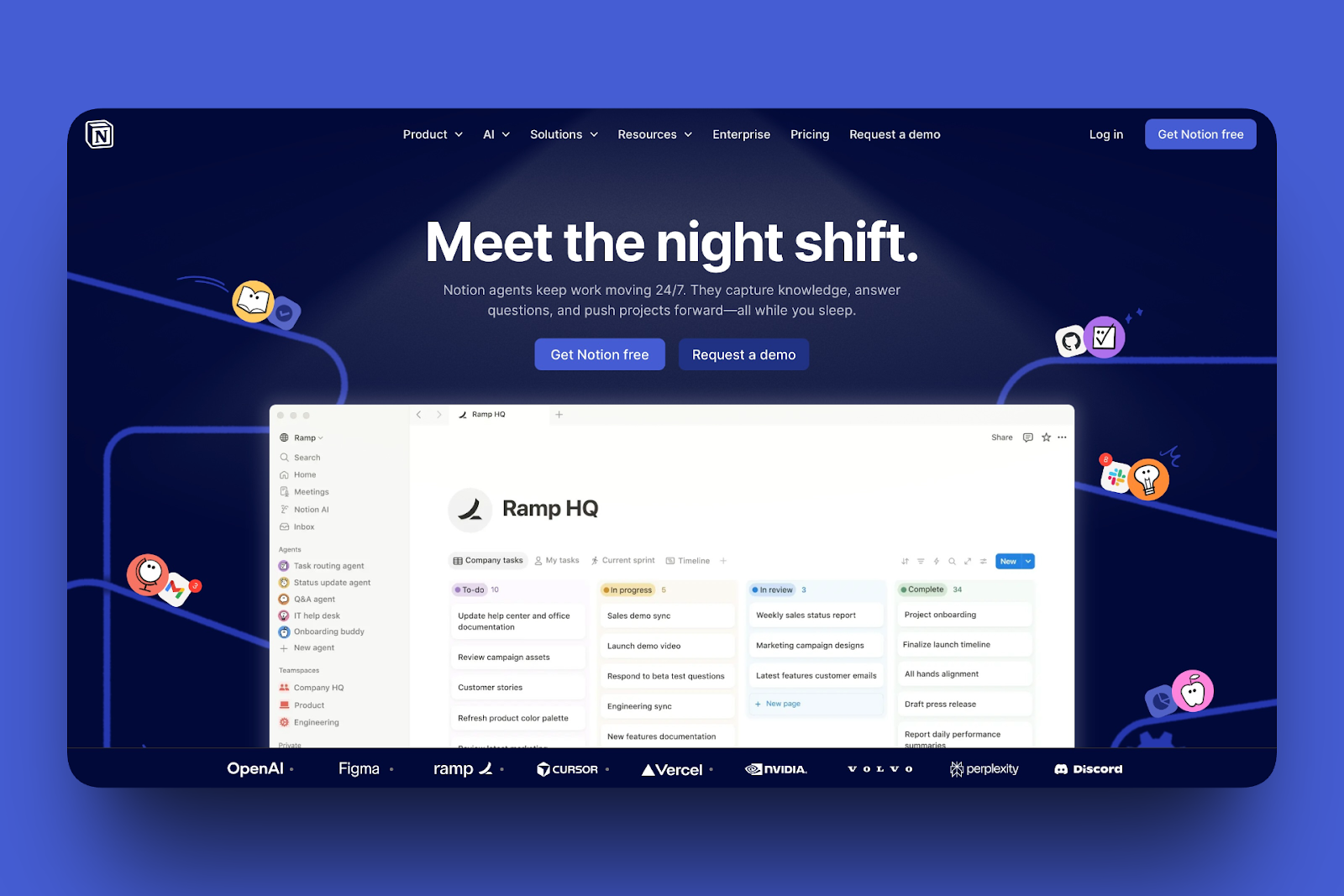
You can build playbooks, meeting notes, internal wikis, and even simple CRM systems. What’s great about this tool is that it becomes whatever you design it to be.
And it has some pretty useful features, like Notion AI. It’s a built-in AI tool that helps with writing, brainstorming, and organizing content.
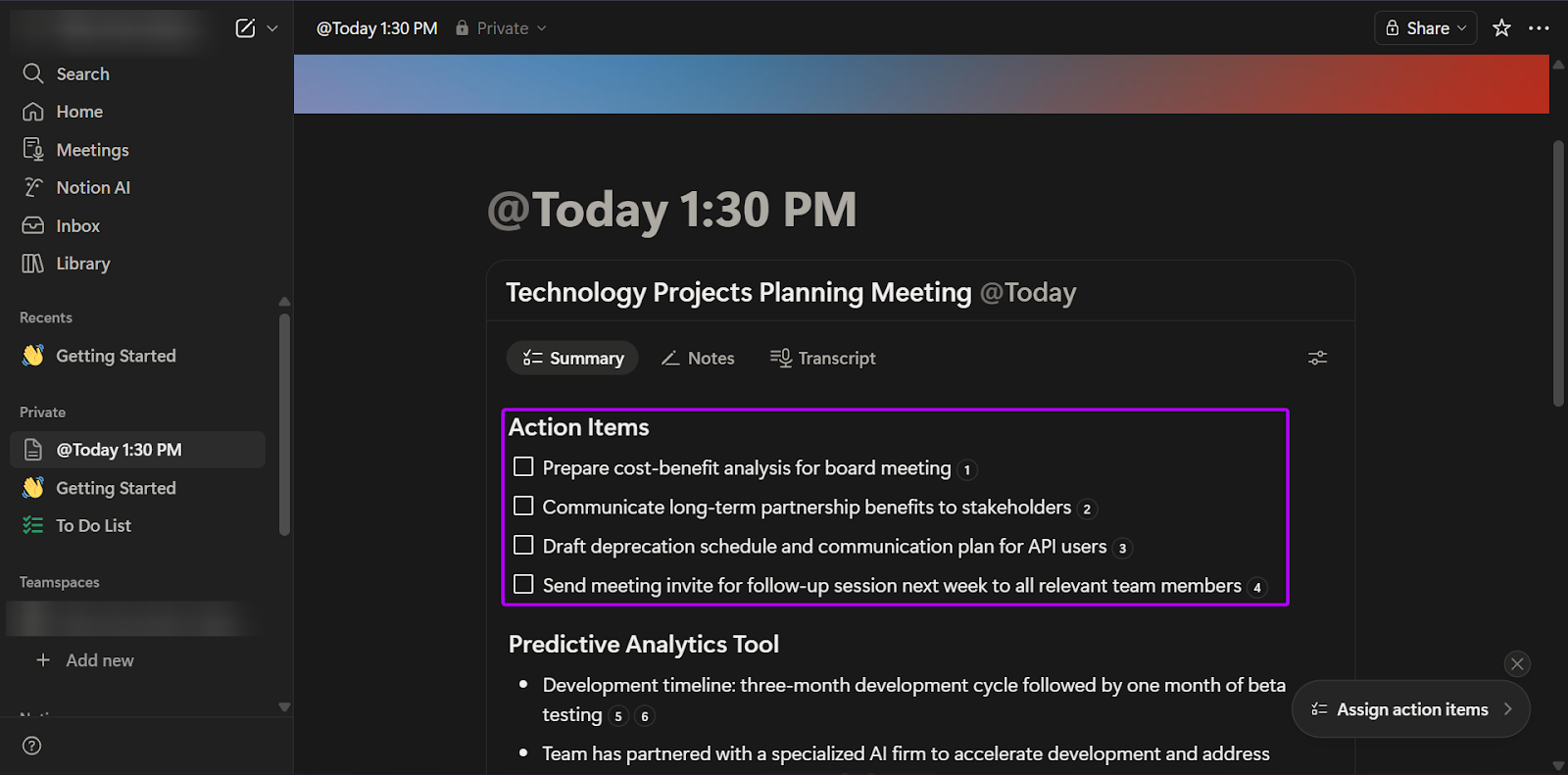
The Meetings feature is also a good choice for collaborative documentation and sharing meeting notes in a single workspace.
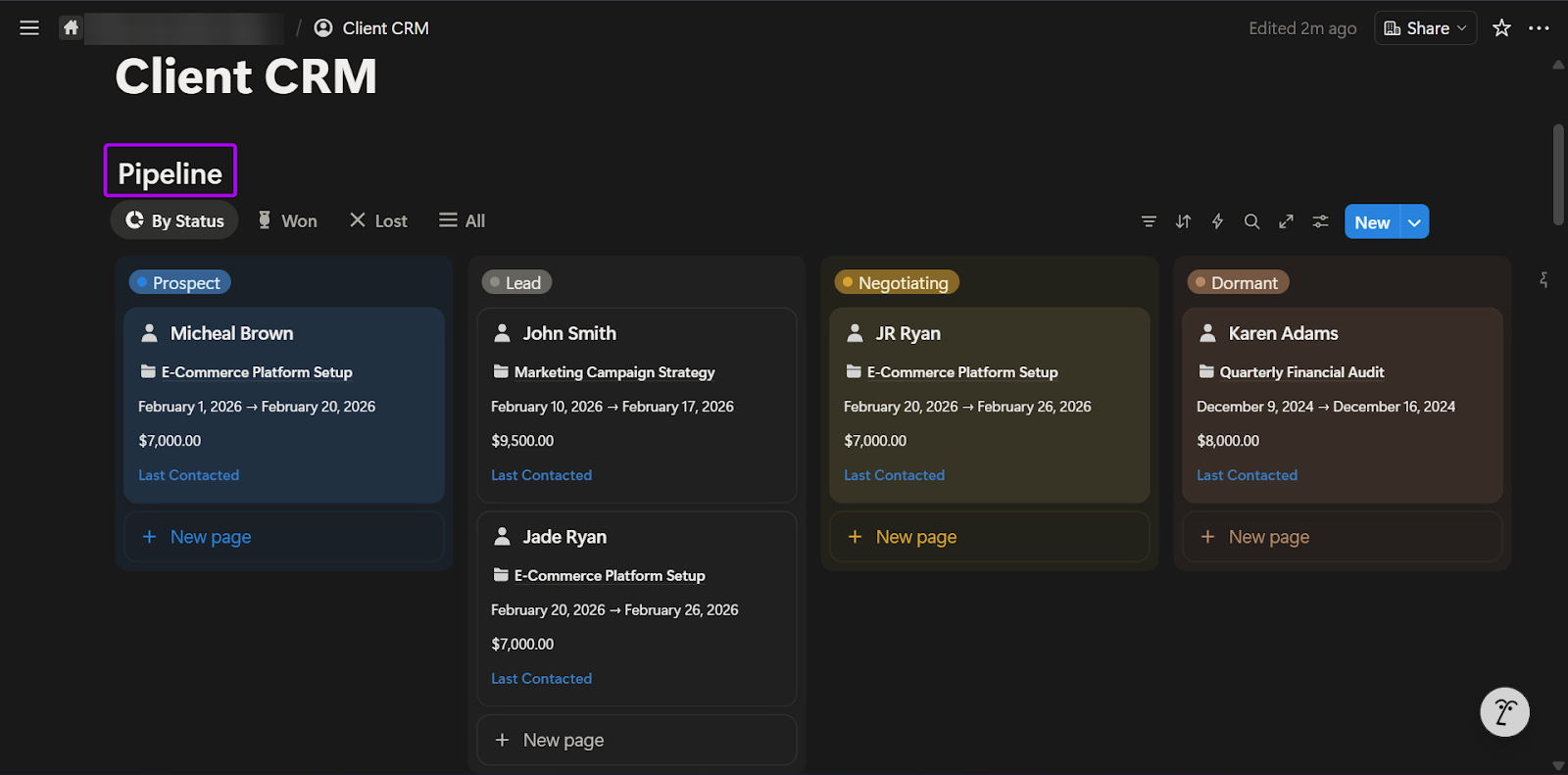
And with the Marketplace feature, you can use templates to create playbooks, CRMs, and GTM workflows.
What I Loved About Notion
1. Notion AI
Notion AI is a feature that helps teams draft content, summarize notes, extract action items from meetings, and generate documentation on the platform.
For sales teams, this could help them summarize discovery call notes, draft follow-up emails, and turn brainstorms into documents.
Let me take on a walkthrough:
On the sidebar, go to “Notion AI.”
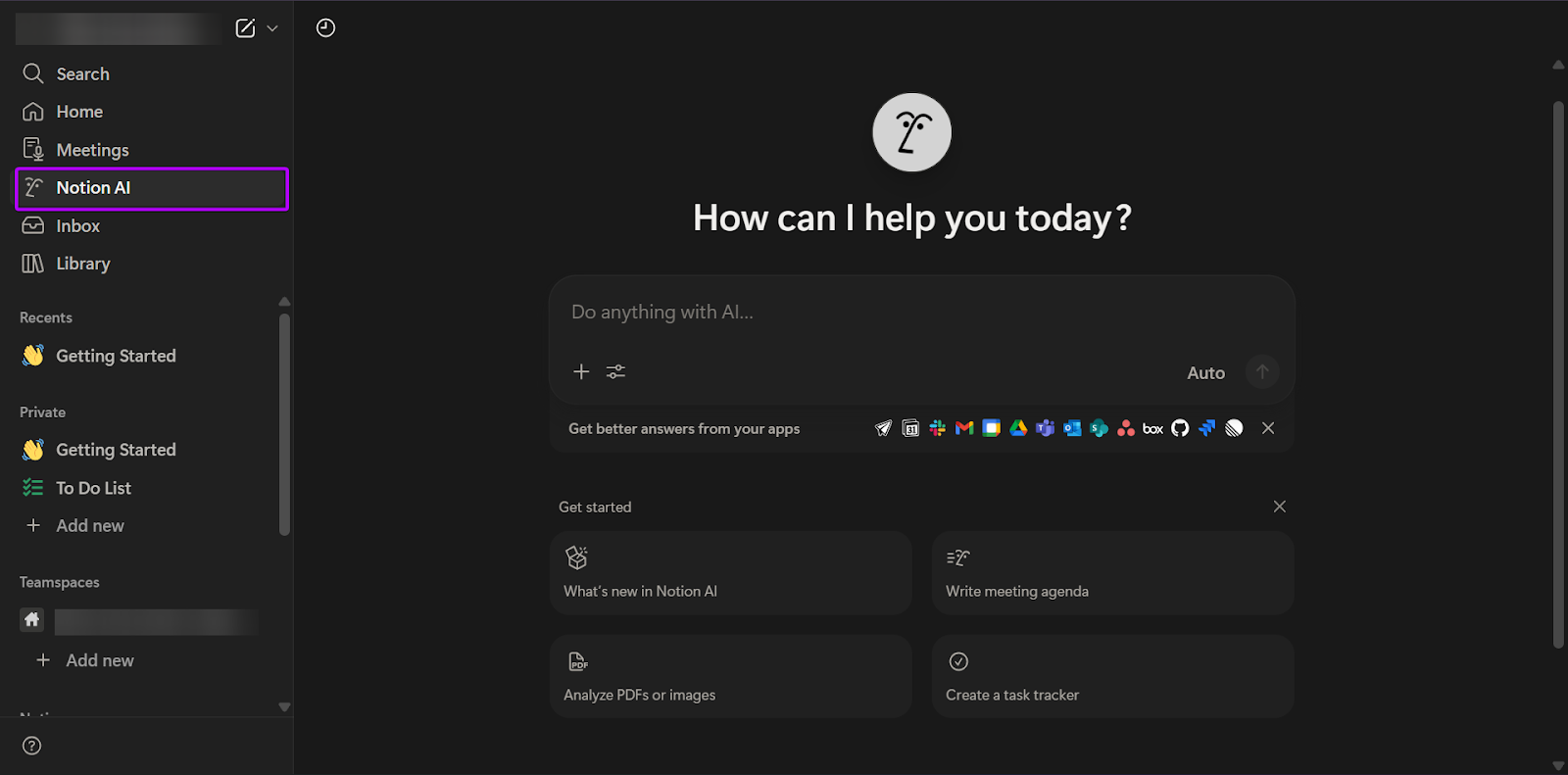
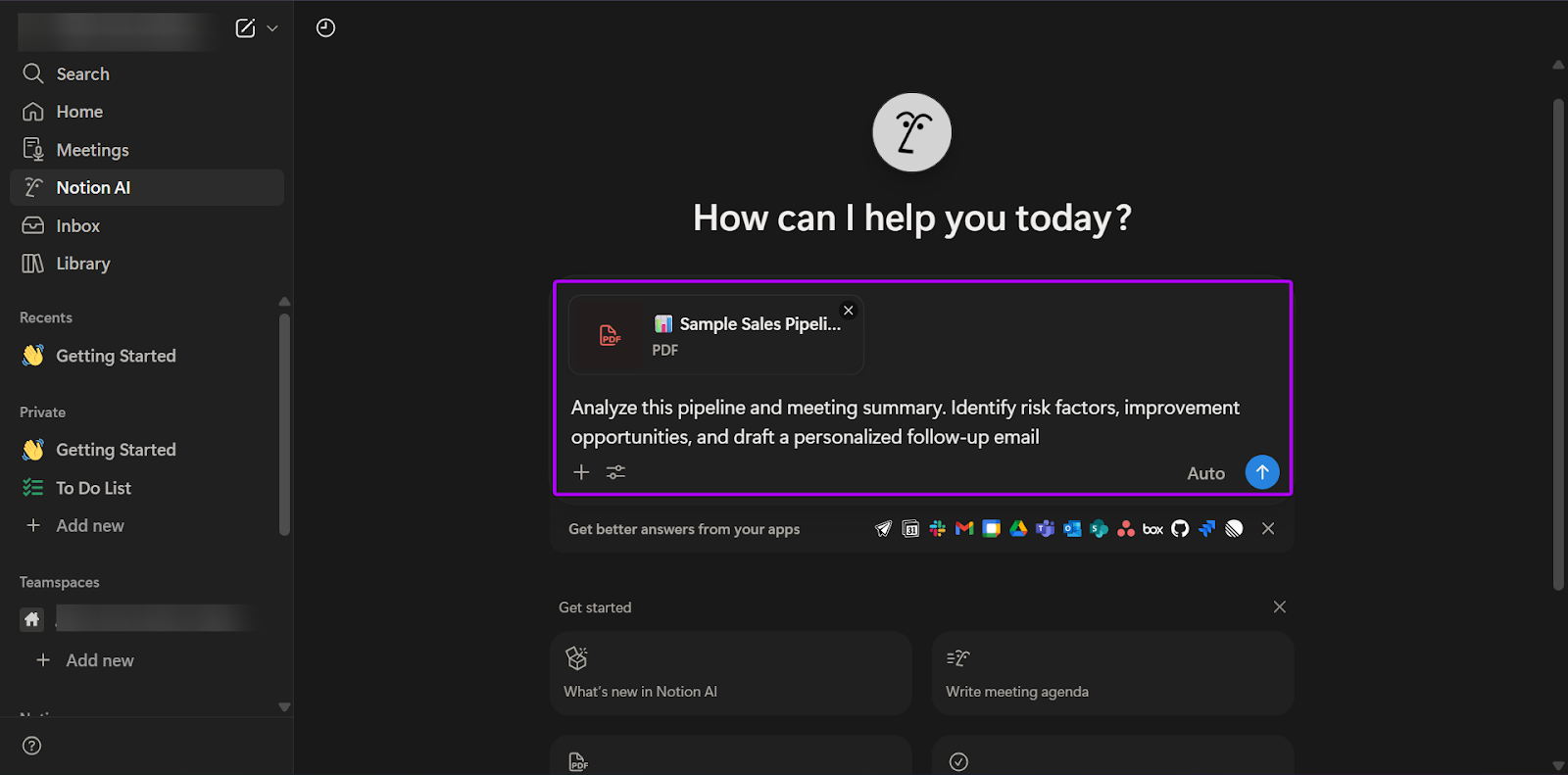
With Notion AI, you can enter a prompt or upload documents for the tool to analyze.
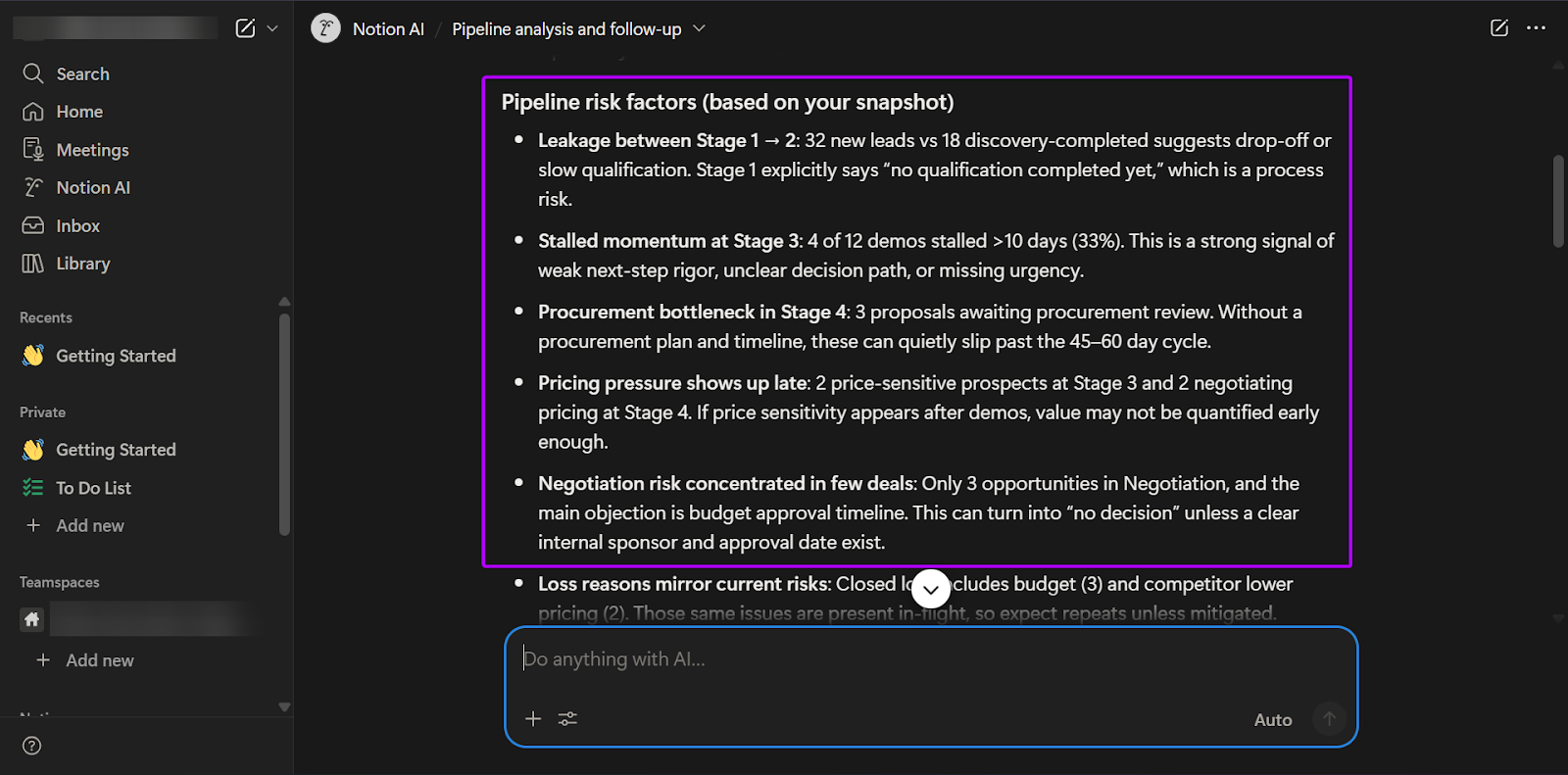
I uploaded a sales pipeline document and asked it to identify sales risk factors and opportunities for improvement.
Click “Enter.”
Notion AI will generate the information you want.
2. Meetings
Notion’s Meetings feature lets you record and transcribe meeting notes quickly and easily.
For sales and RevOps teams, this feature is especially useful for discovery calls, product demonstrations, and periodic pipeline meetings.
This reduces the number of scattered Google Docs and Slack threads, since all the notes are stored within the platform.
Let’s see how it works:
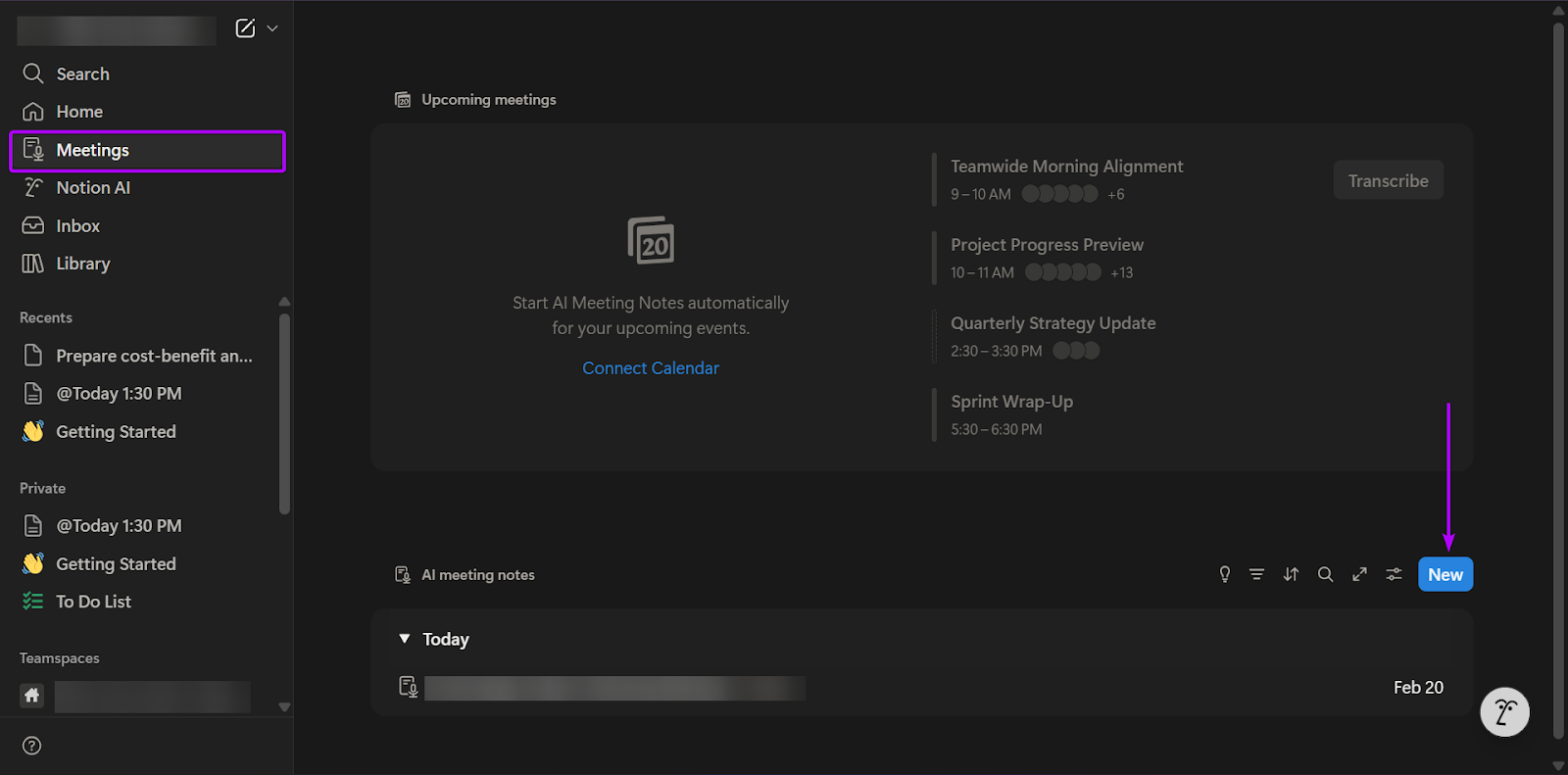
First, go to “Meetings” and click “New.”
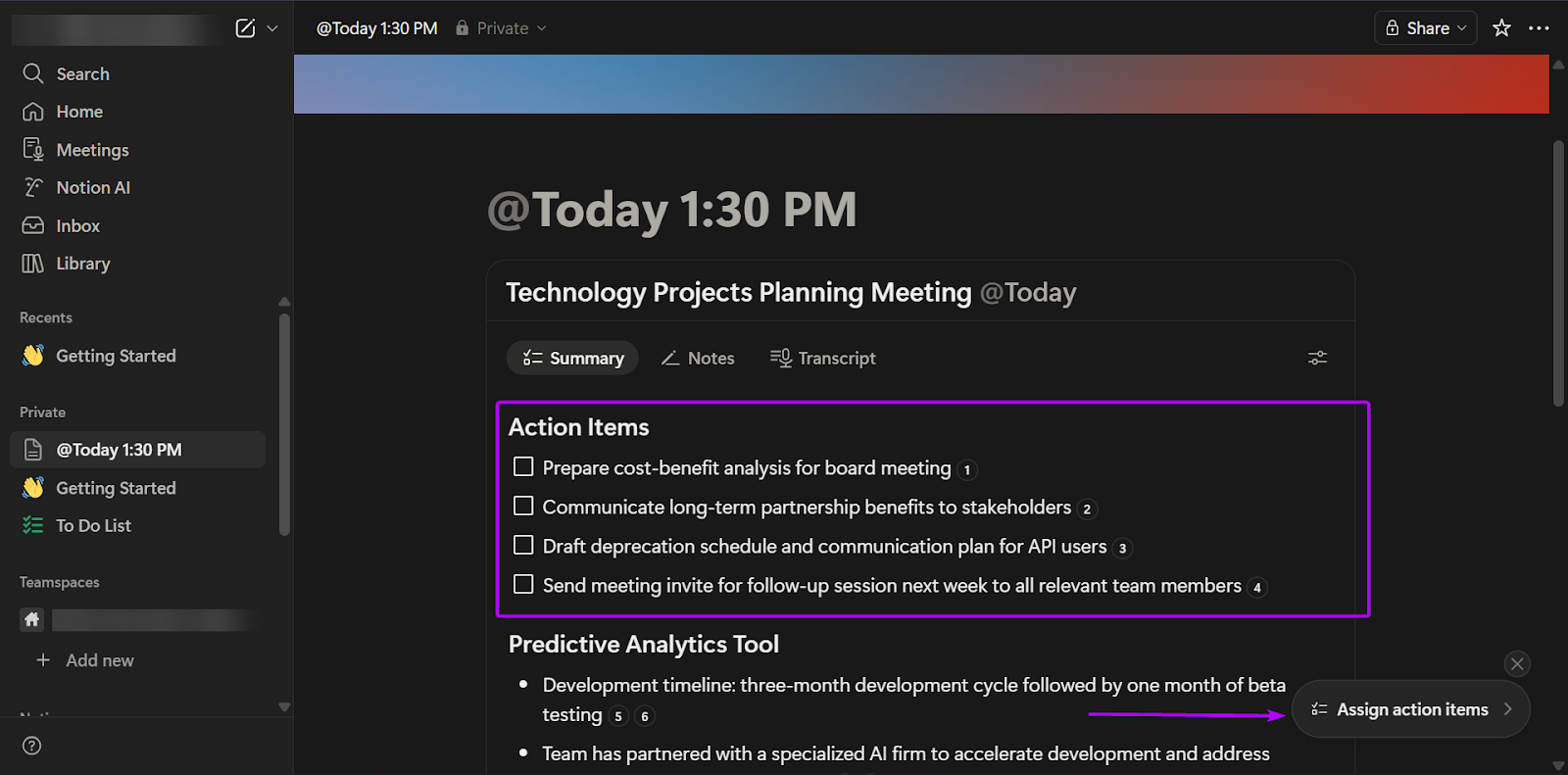
When you’re done recording, Notion’s AI assistant will analyze and transcribe the notes.
It will also generate action items for you.
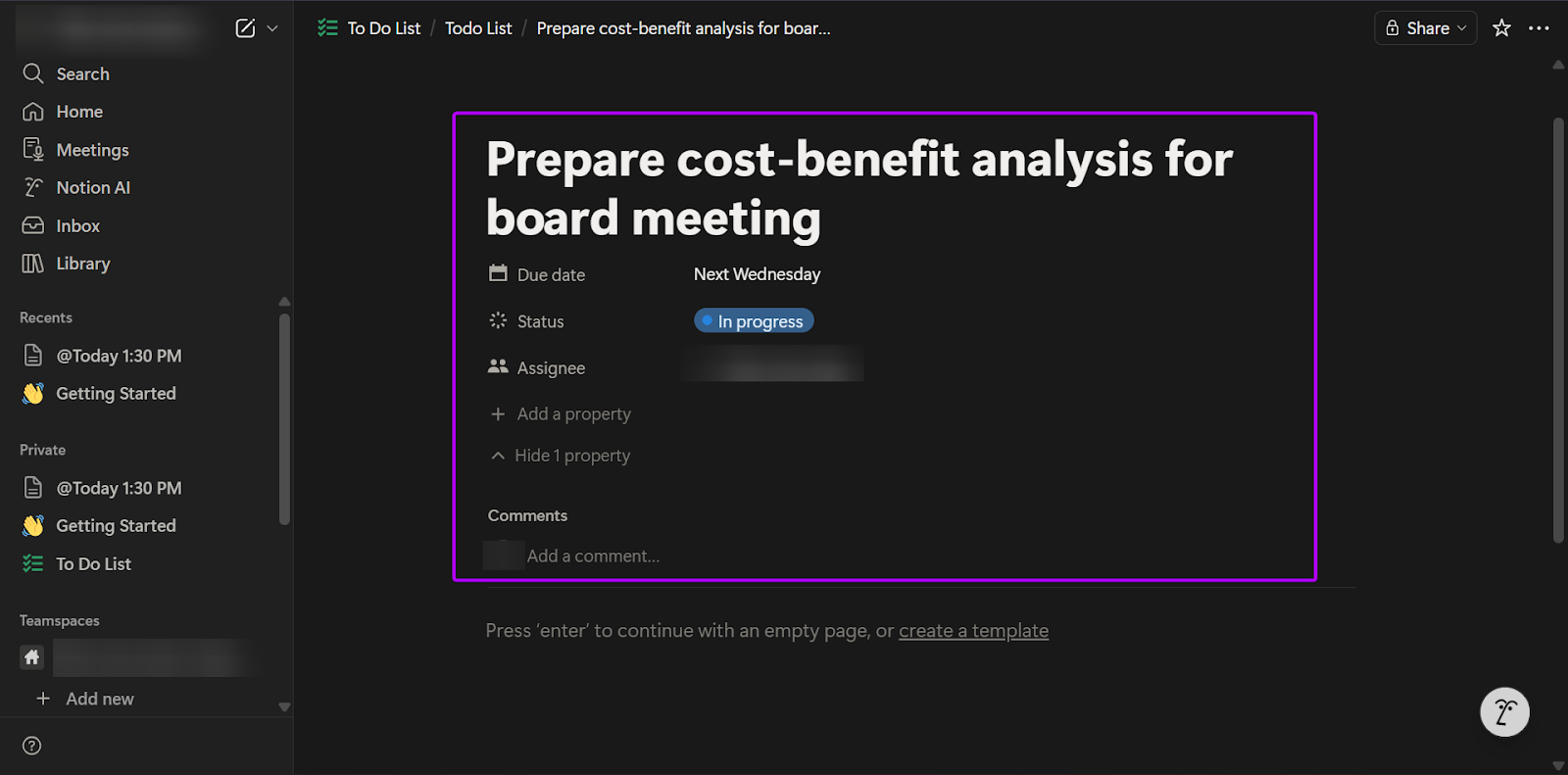
You can also use the AI assistant to create to-do lists and assign them to your team members.
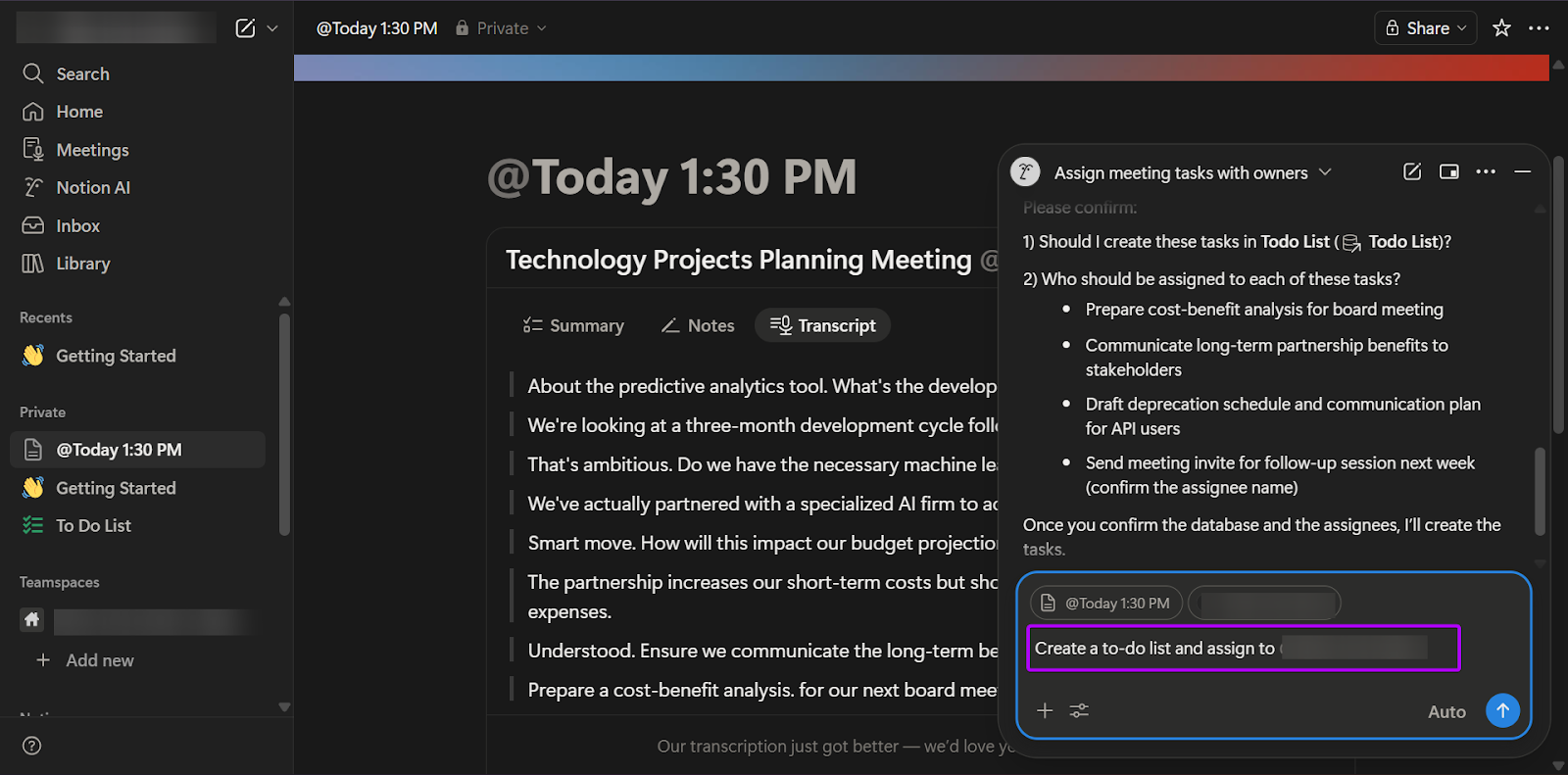
You can set the task due date, status, and assignee.
3. Marketplace
Marketplace is a feature that allows you to use templates and community-built systems to create sales playbooks, CRMs, content libraries, and GTM dashboards.
This feature is great for early-stage startups.
You can build a solid beginner sales system quickly without investing in powerful enterprise software you might not necessarily need.
Let’s check it out:
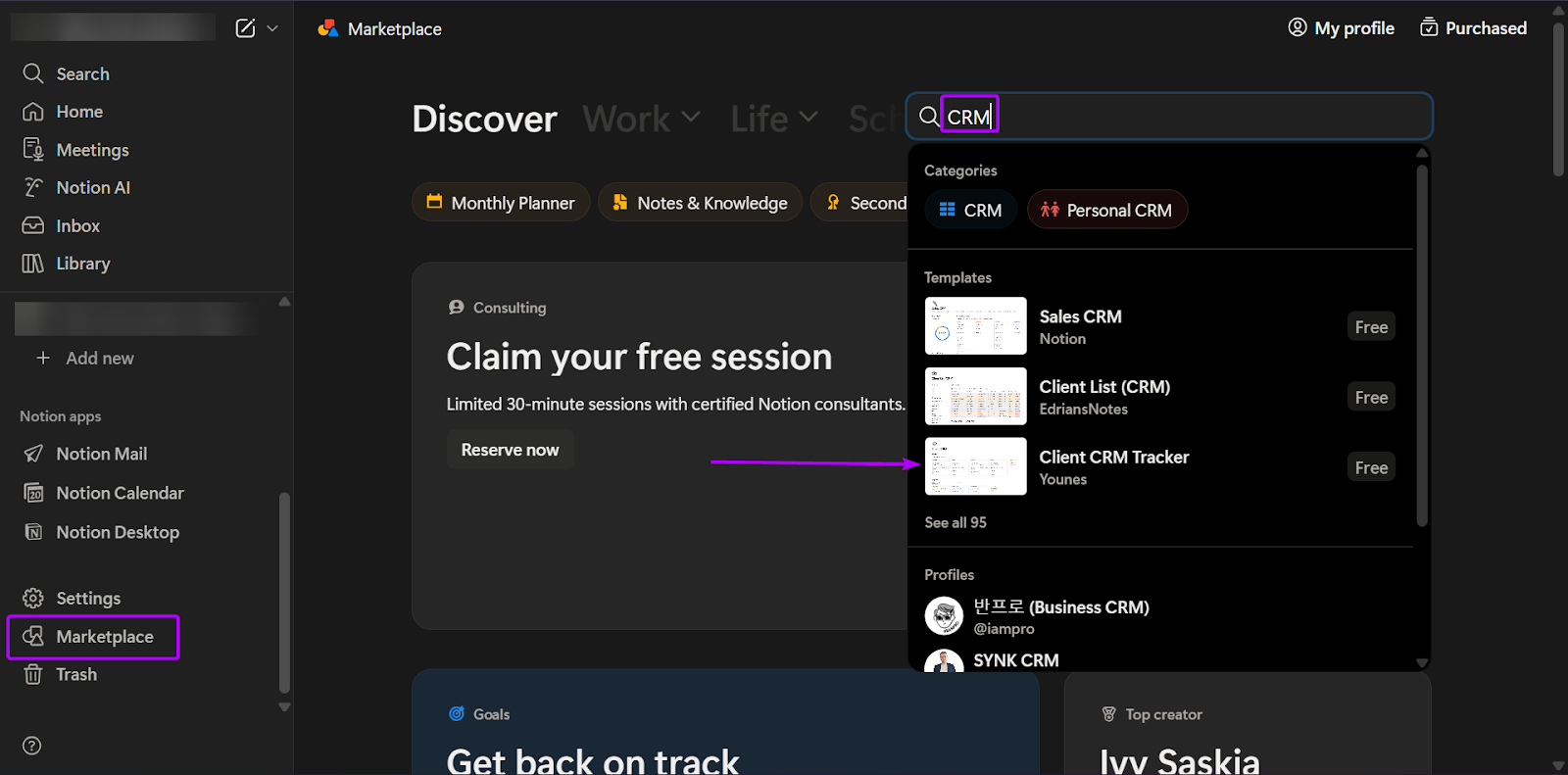
First, head to “Marketplace.”
You can use the search bar to find the template you want.
Fortunately, Notion allows creators/users to design templates, so you have access to 30,000+ templates.
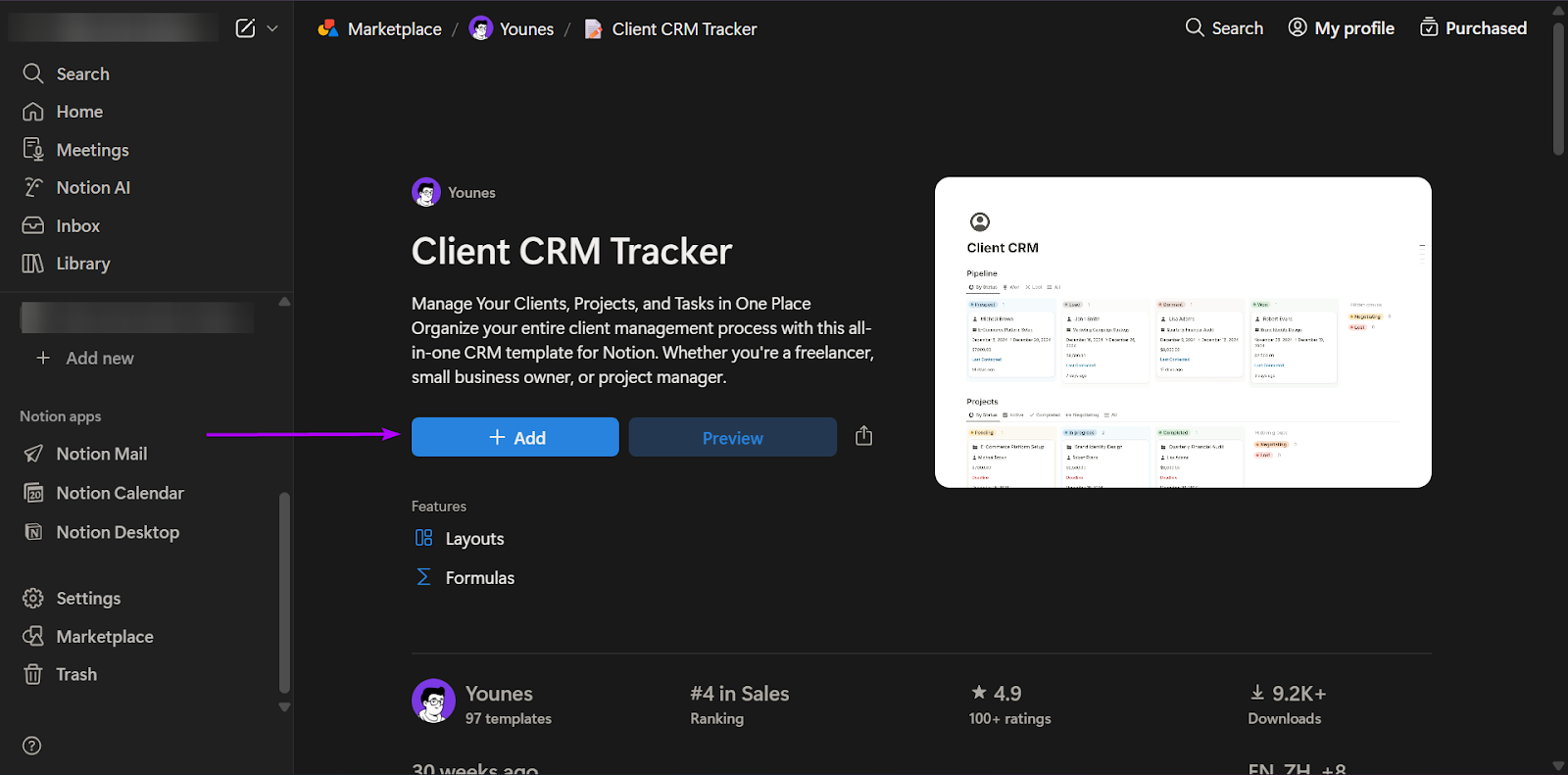
When you find the template you need, click “+Add.”
After a few seconds, Notion will add the template to your workspace.
Finally, you can edit the template however you want.
What I Loved vs What I Struggled With
| What I Loved 👍 | What I Struggled With 👎 |
|---|---|
|
✅ It’s extremely flexible and customizable, allowing you to create custom databases, templates, and dashboards all without code. ✅ Built-in AI speeds up content creation because it can generate summaries, draft sales emails, and rewrite messaging in seconds. ✅ Great choice for early-stage, non-technical, and startup environments because it doesn’t require developers to set up workflows. |
❌ Not purposely built for sales enablement. You have to design the system yourself. ❌ Limited native automation. It organizes information well but doesn’t orchestrate GTM workflows. |
Best For
- Startup operators building early sales systems.
Pricing
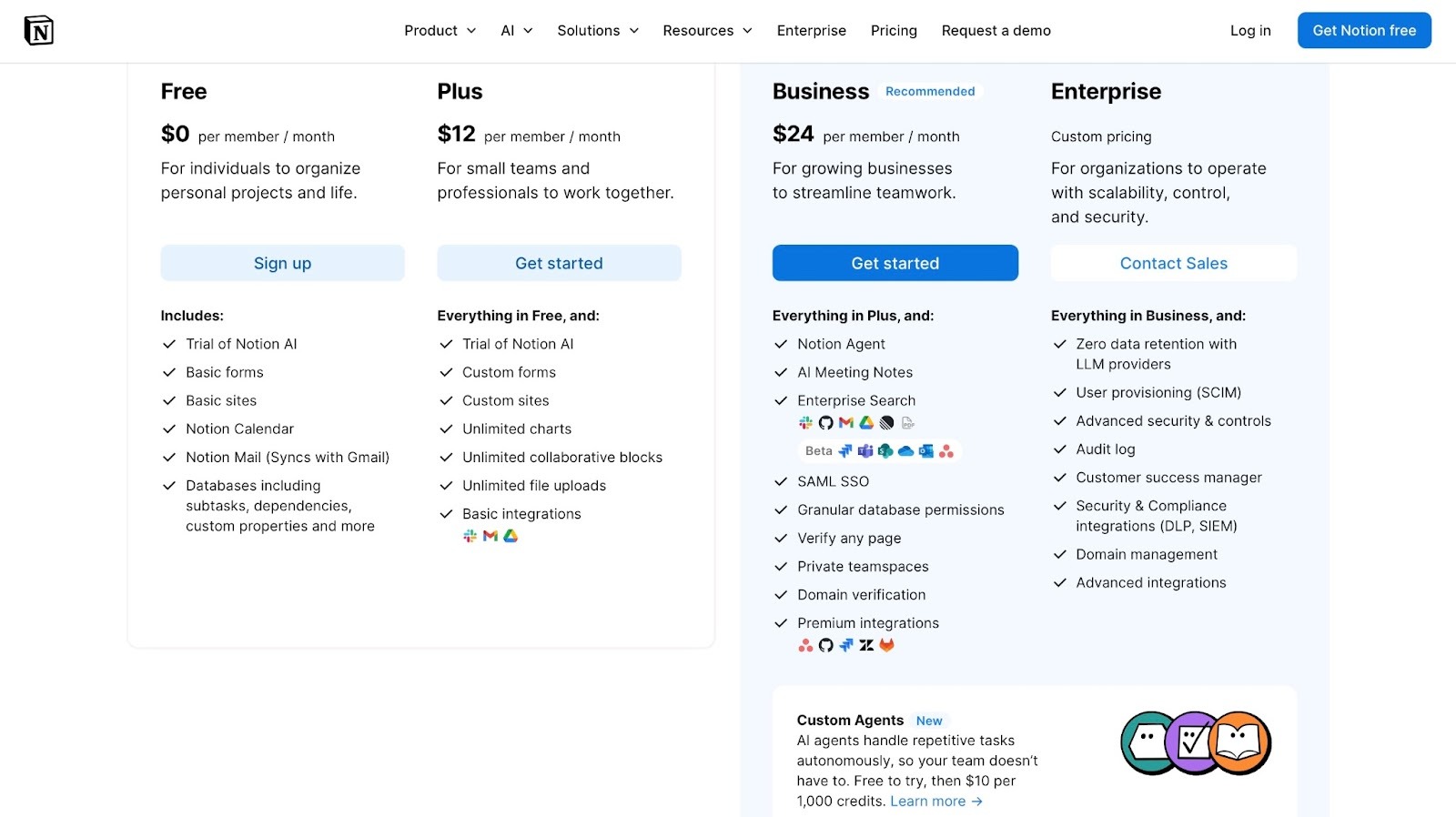
- Free: $0/per member/month
- Plus: $12/member/month
- Business: $24/member/month
- Enterprise: Contact for pricing
What is Sales Enablement Software?
Sales enablement software is technology designed to help sales, GTM, and RevOps teams sell more effectively by providing guidance and automation throughout the sales pipeline process.
Not all of it needs to be bought. A free account plan generator covers the pre-call research piece that most enablement suites charge for.
As your business and team continue to grow, your workflows become more complex. It means more customers and more sales tools.
Even the strongest teams will struggle without sales enablement tools.
Without a system in place, you get:
- Inconsistent follow-ups
- Stalled deals
- Overworked teams
- Sales managers reacting instead of proactively guiding, and
- RevOps teams are constantly cleaning messy data
Using sales enablement software has its advantages, including:
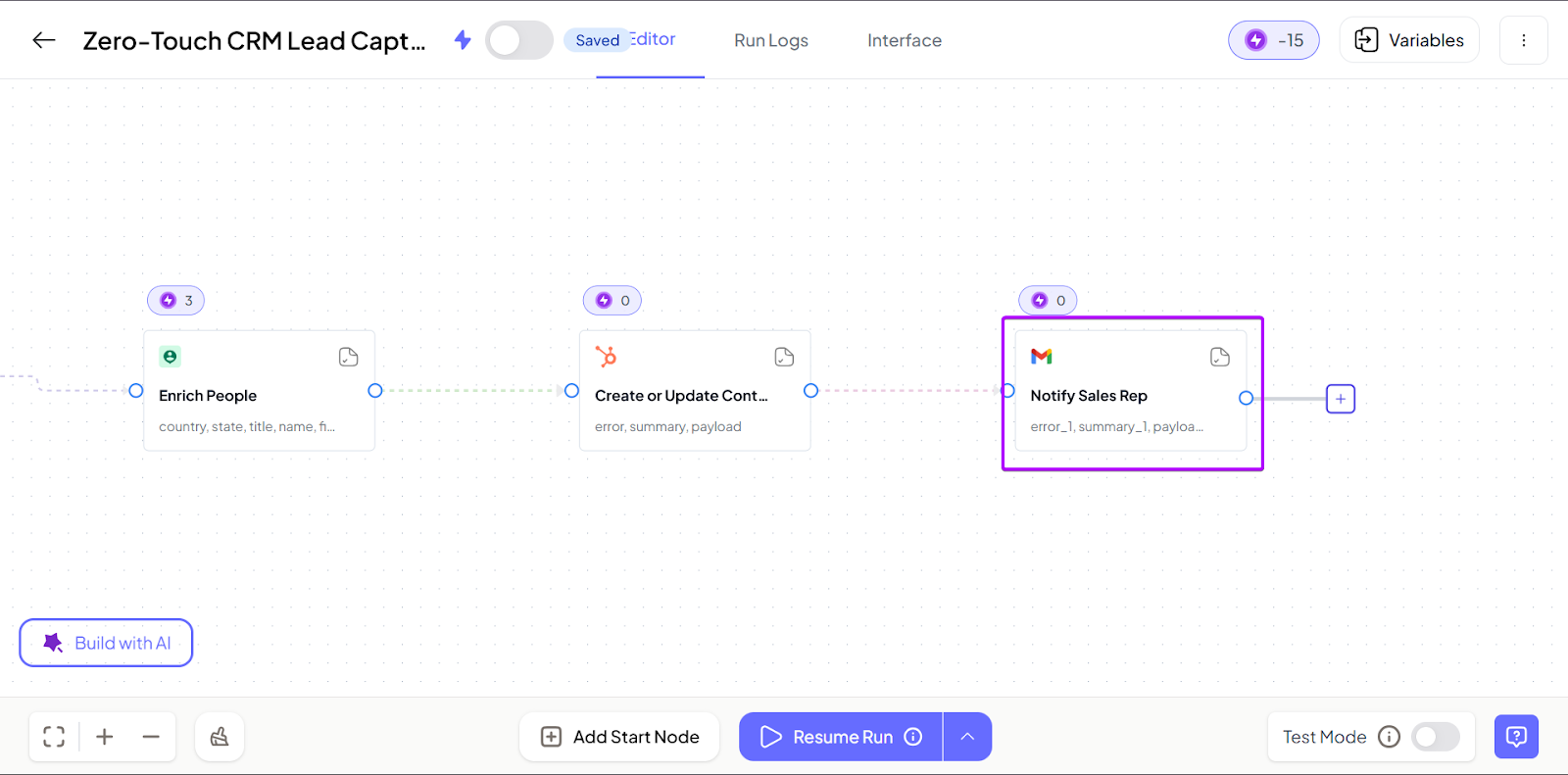
1. Organized sales execution
Sales reps run a unified sales process on a single platform.
With nRev, for example, once a workflow is defined, it runs automatically.
2. Automation that prevents deal slippage
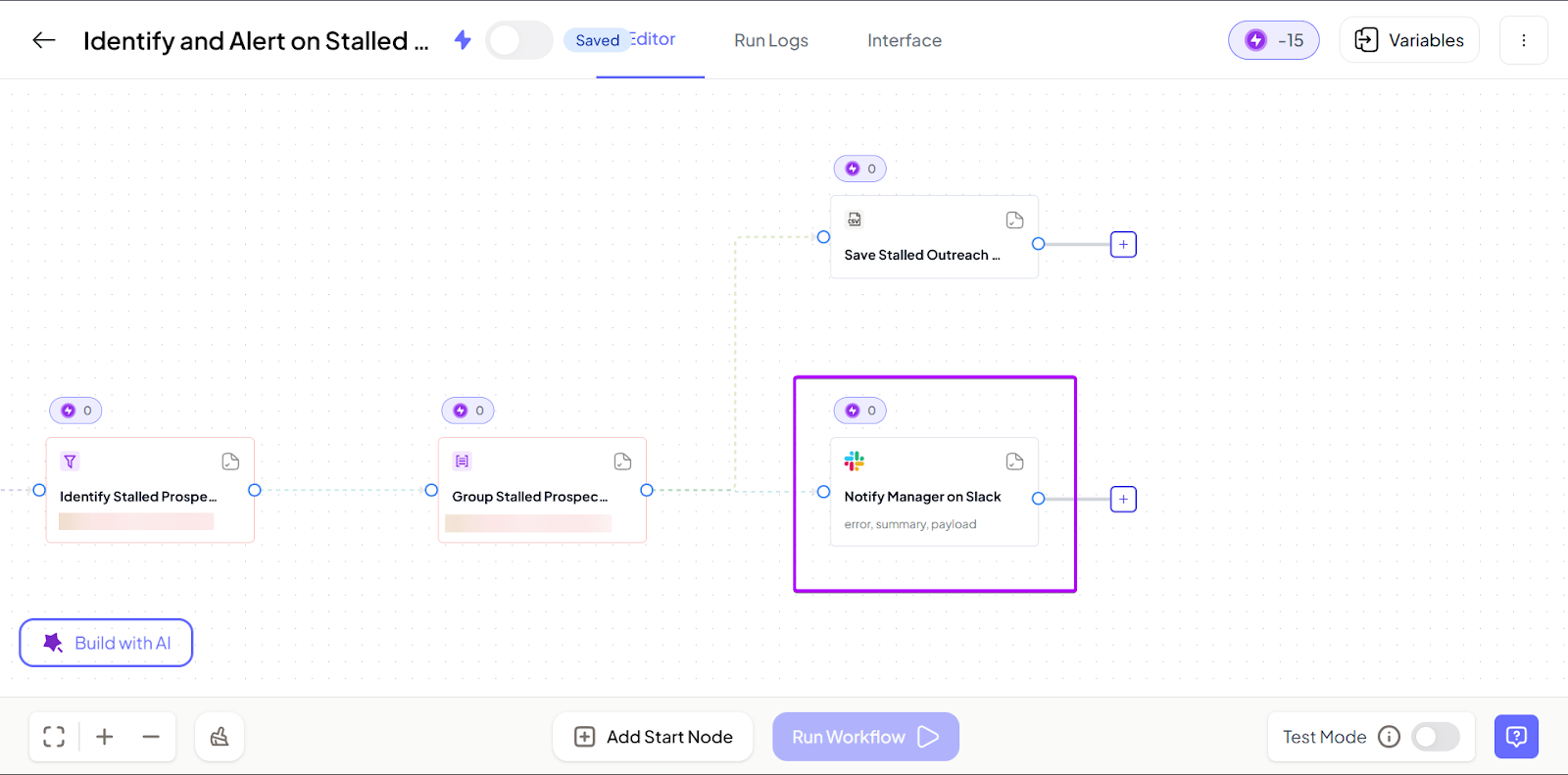
Many teams lose deals simply because their follow-ups are inconsistent.
nRev uses trigger-based workflows to automatically send follow-ups or notify managers when deals stall.
3. Repeatable workflows
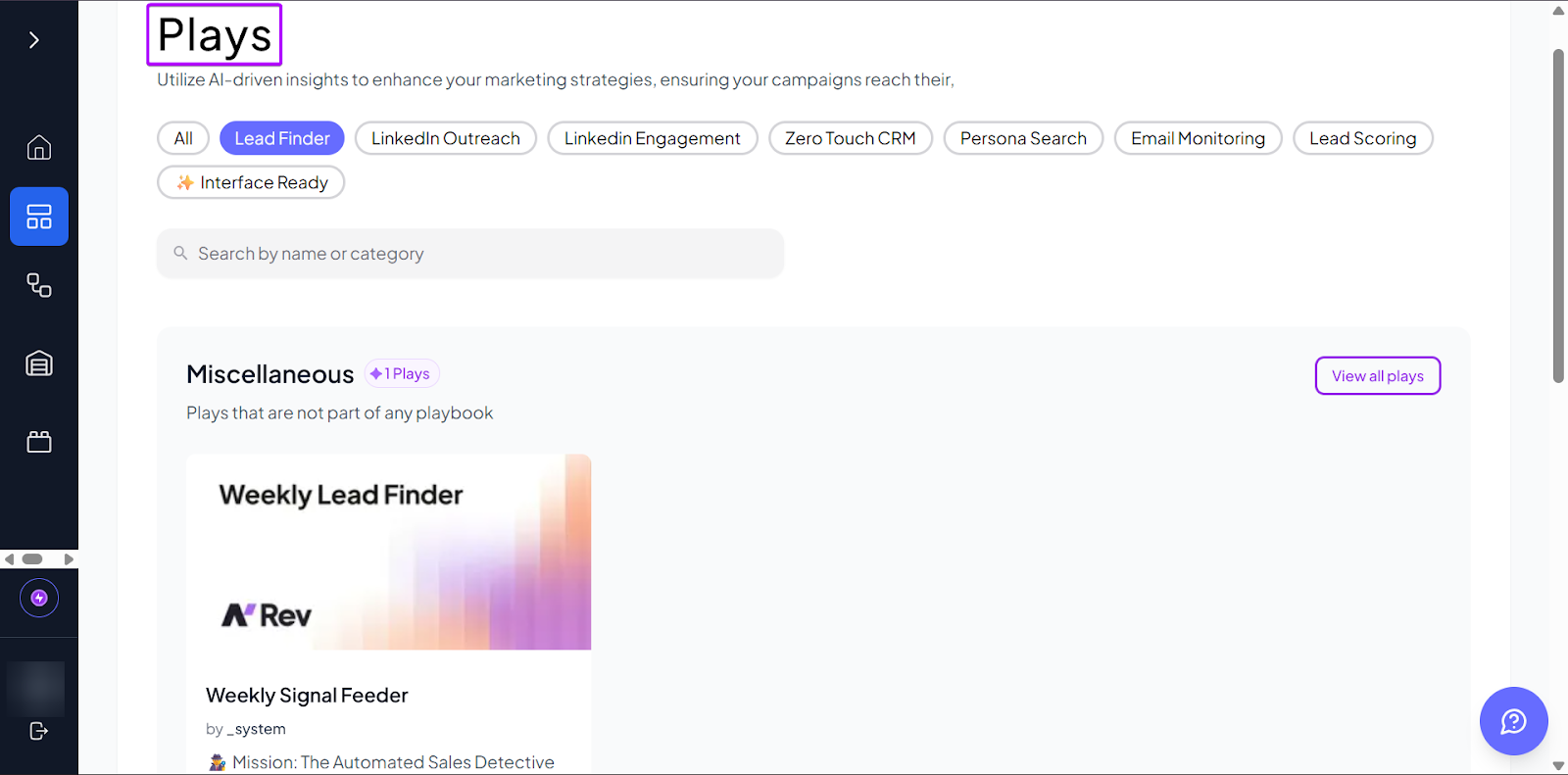
nRev’s Plays (pre-built GTM workflows) lets teams improve or depend on workflows without having to rebuild from scratch.
Now that you know what sales enablement software is, let’s look at how to choose the right sales enablement tools.
How to Choose the Right Sales Enablement Tool
To choose the right sales enablement tool, you must:
- Evaluate automation capabilities
- Assess CRM integrations
- Consider AI features
- Assess pricing and scalability
I’ll explain more in the next sub-section.
1. Evaluate Automation Capabilities
When you’re considering which sales enablement software to use, you might want to know what happens when there are changes in your sales pipeline.
This is where automation comes in.
It’s essentially how deeply a tool can run your sales process without manual input.
For example, say you used Fireflies to automatically transcribe and summarize a call.
You just had to set it up. There was no manual input during the call.
It synced your notes and action items with your other CRM tools. And that’s great for documentation and follow-ups.
But the automation mostly ended at that level. Moving forward would require some manual work.
nRev takes it a step further.
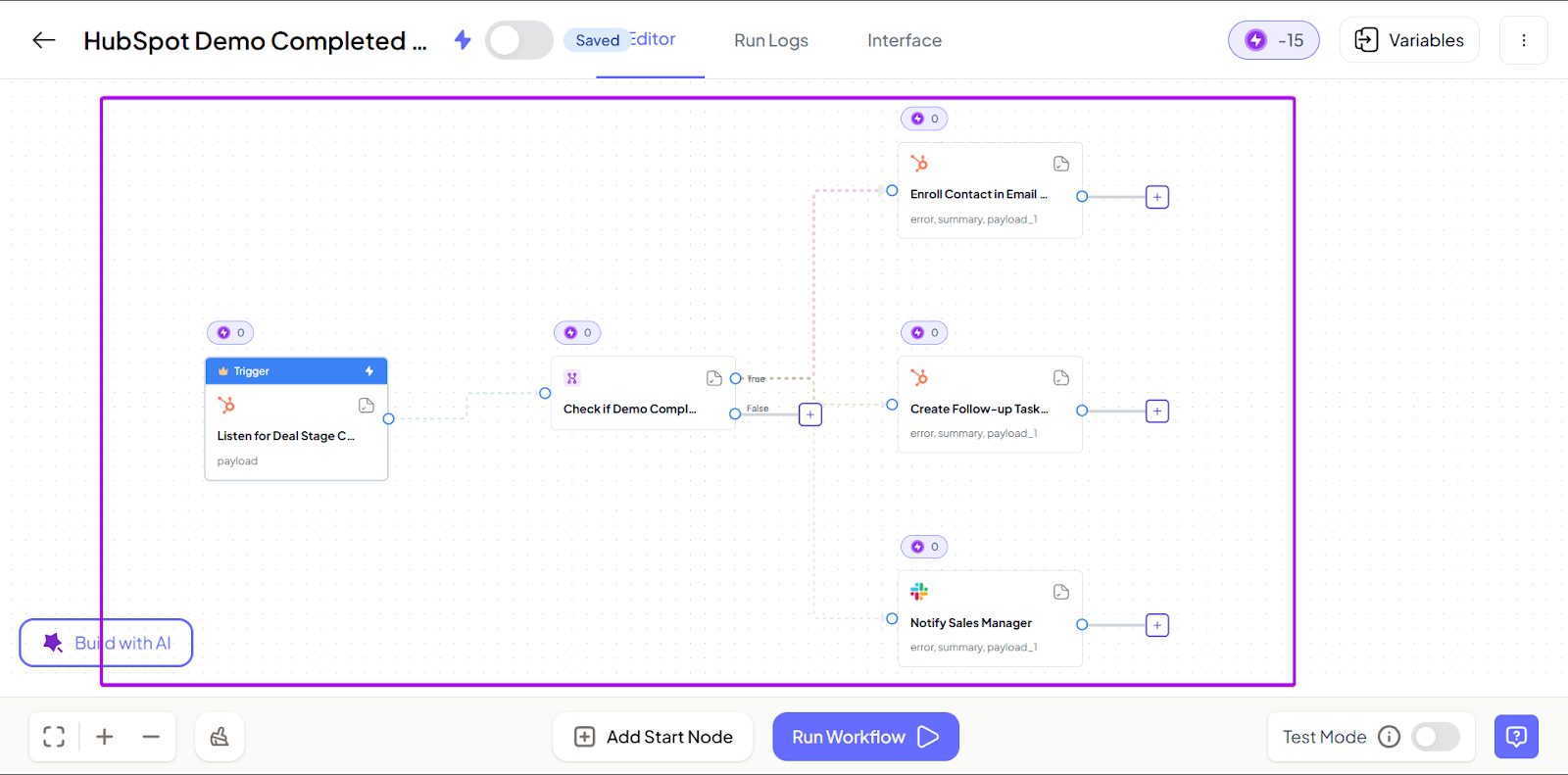
A demo trigger can launch a full automated workflow.
For example, you can send a recap to your team, assign tasks, and even flag inactivity if the deal stalls.
2. Assess CRM Integrations
Your sales enablement software should operate independently of your other CRM tools.
At best, your integrations should allow you to sync contacts, deals, and other administrative tasks automatically.
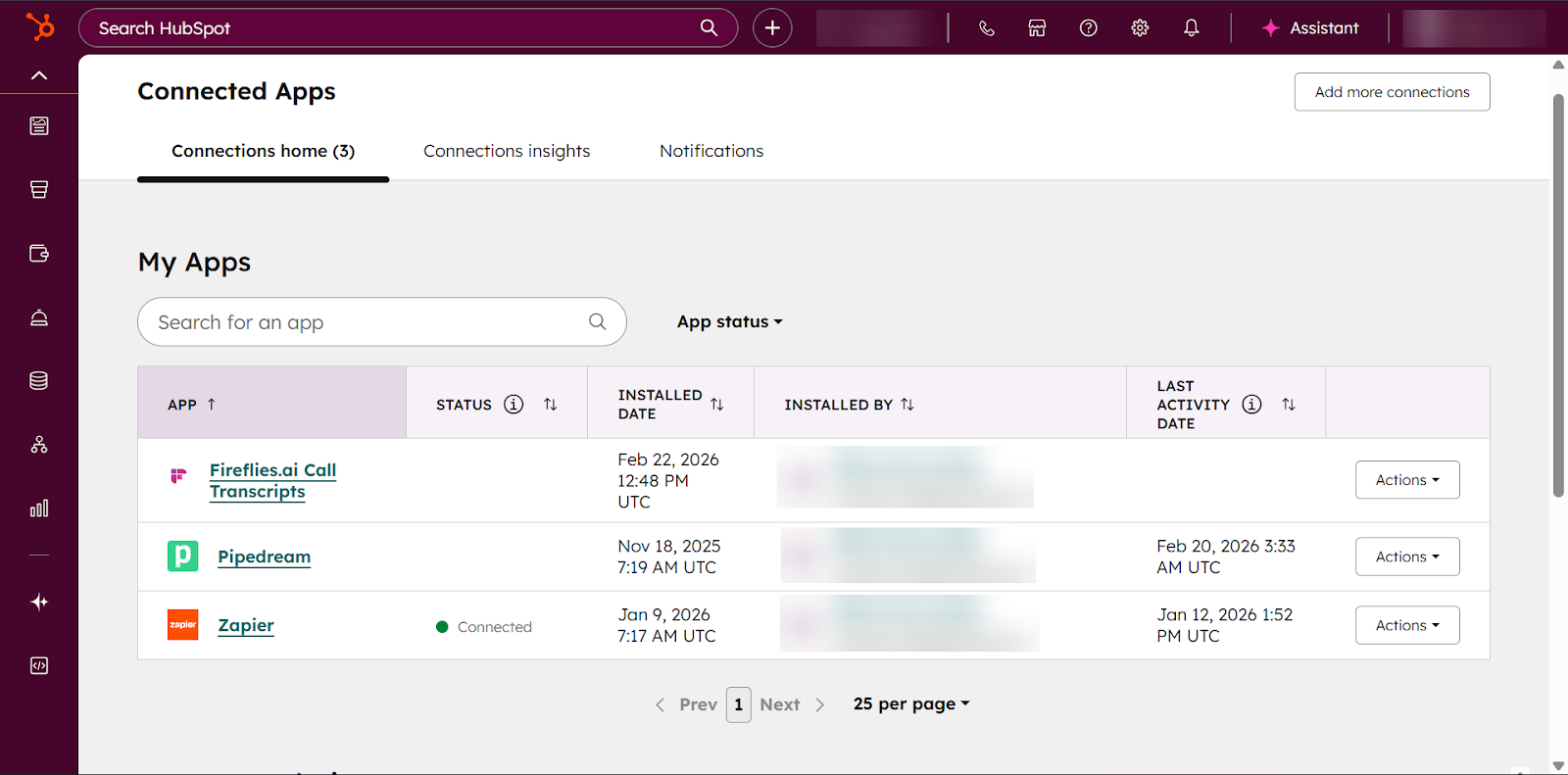
HubSpot Sales Hub does a good job with this, as its CRM is native. Everything lives within its ecosystem, making alignment seamless if you’re already using HubSpot for your sales.
And you can still integrate it into your sales platforms or meeting tools, like Fireflies.
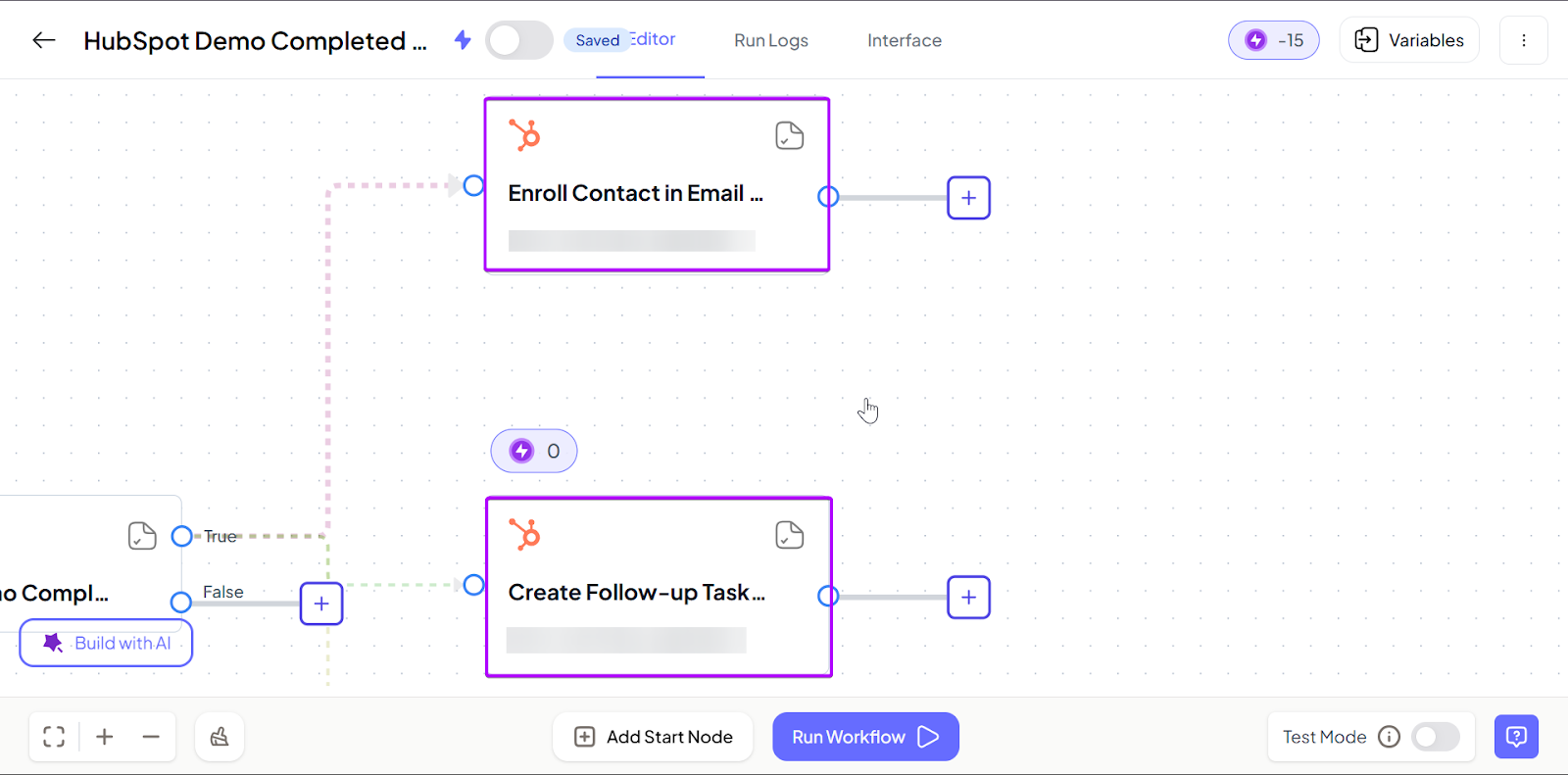
What makes nRev stand out in CRM integrations is that it does more than just sync data.
All your activities inside the CRM directly influence what happens next in your sales pipeline.
So instead of your CRM being a place where you store information, it becomes part of an active, connected workflow.
3. Consider AI features
Many sales enablement tools claim to have built-in AI capabilities.
But not all AI in sales tools are created equally.
So, they might have AI features, but do they fit your goals?
For example, with Notion, you can use AI to draft content, summarize notes, and brainstorm ideas. It’s especially useful for documentation and internal alignment.
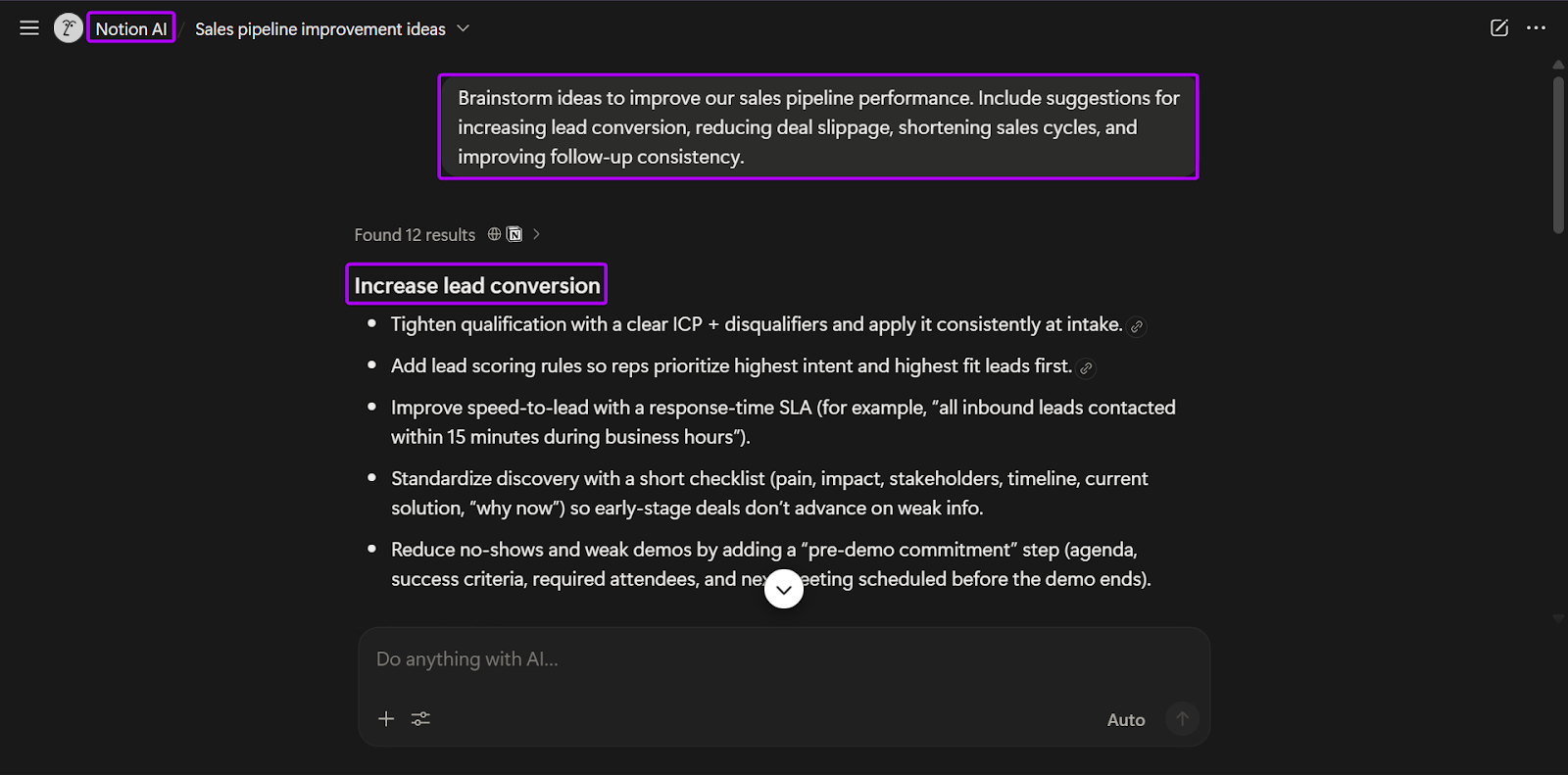
But Notion’s AI capabilities can’t perform other tasks, like prospect data enrichment or signal tracking.
So it might not be the best choice for you if that’s what you want AI to do.
But nRev uses AI at the workflow level.
And while it generates insights and is great for brainstorming, it can also structure and guide the next steps inside active sales processes.
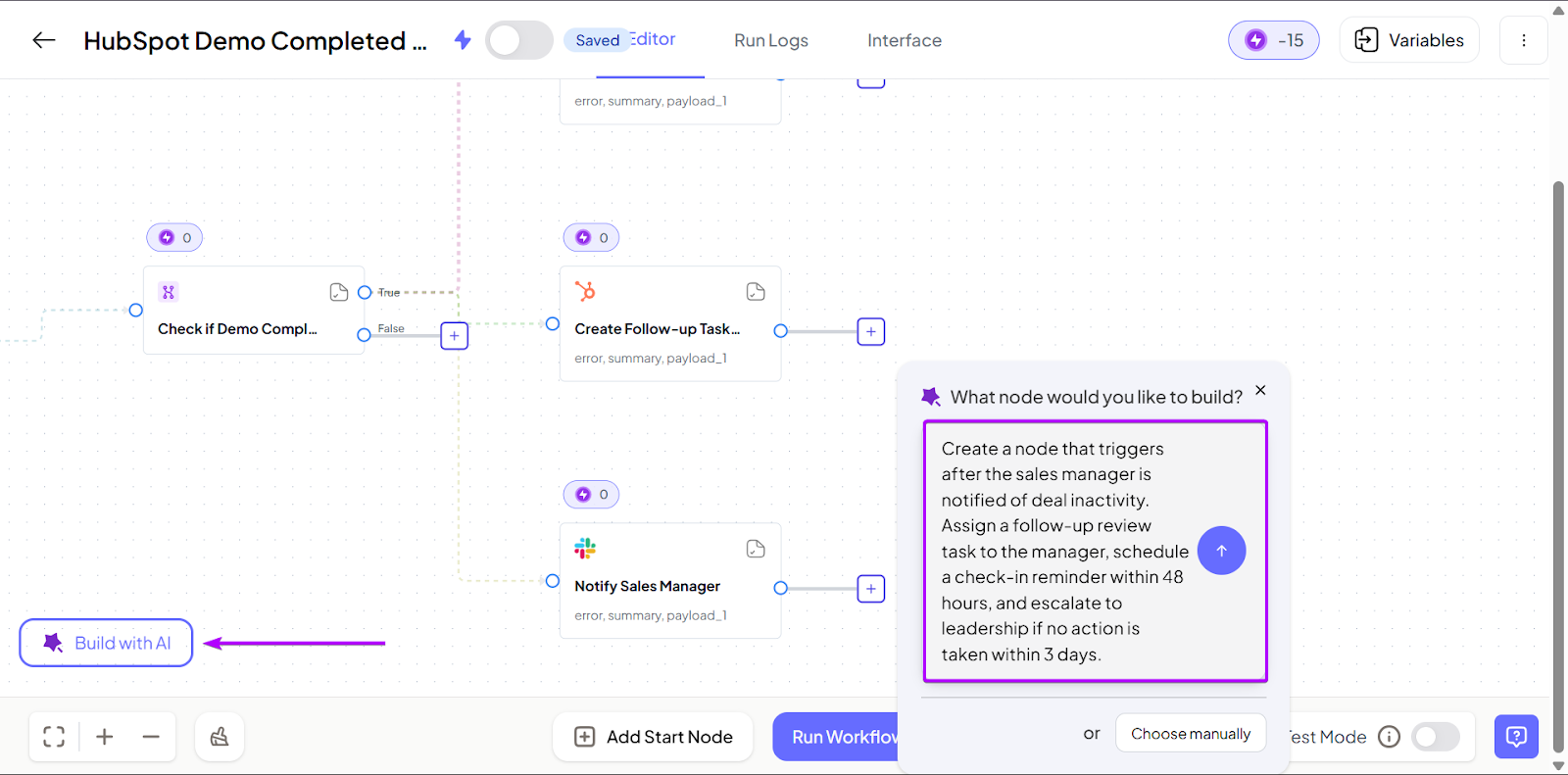
So if you’re looking for a sales enablement tool whose AI capabilities help move deals forward, nRev is your best bet.
4. Assess Pricing and Scalability
You should assess pricing and scalability to choose the right sales enablement software.
Because when it comes to that, it’s important that you consider value for money over monthly costs.
You have to look at what features you’re actually getting and whether they solve your real-time sales challenges.
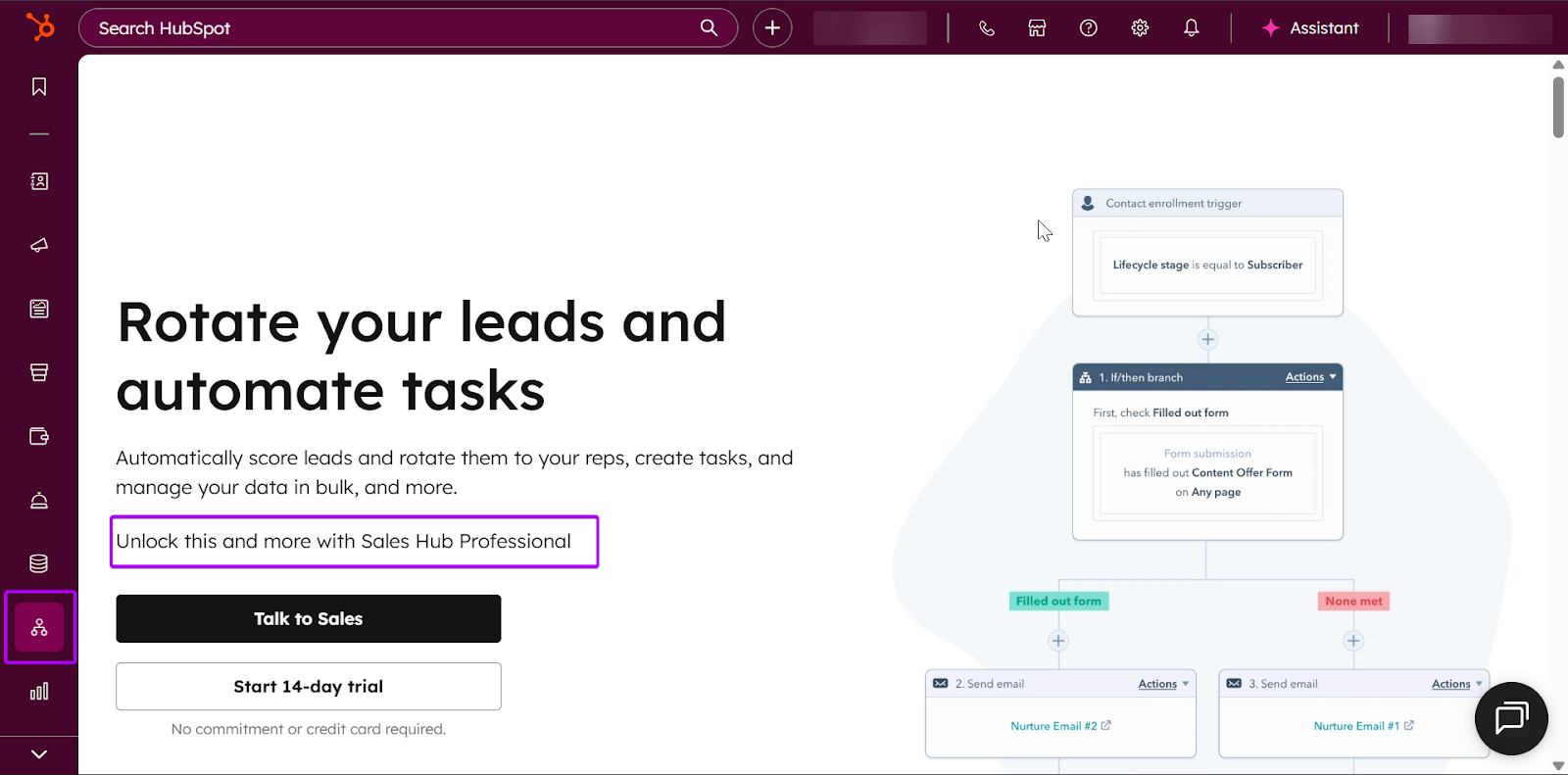
For example, HubSpot Sales Hub offers a free tier with features like free sales, marketing, and content tools.
But it’s limited to only 2 users. In terms of scalability and growth, you’re already limited.
Again, the features provided under this tier are limited. For example, if you want advanced automation or an AI assistant, you’ll need to upgrade to the next tier.
Now let’s consider nRev.
At first glance, it might look more expensive.
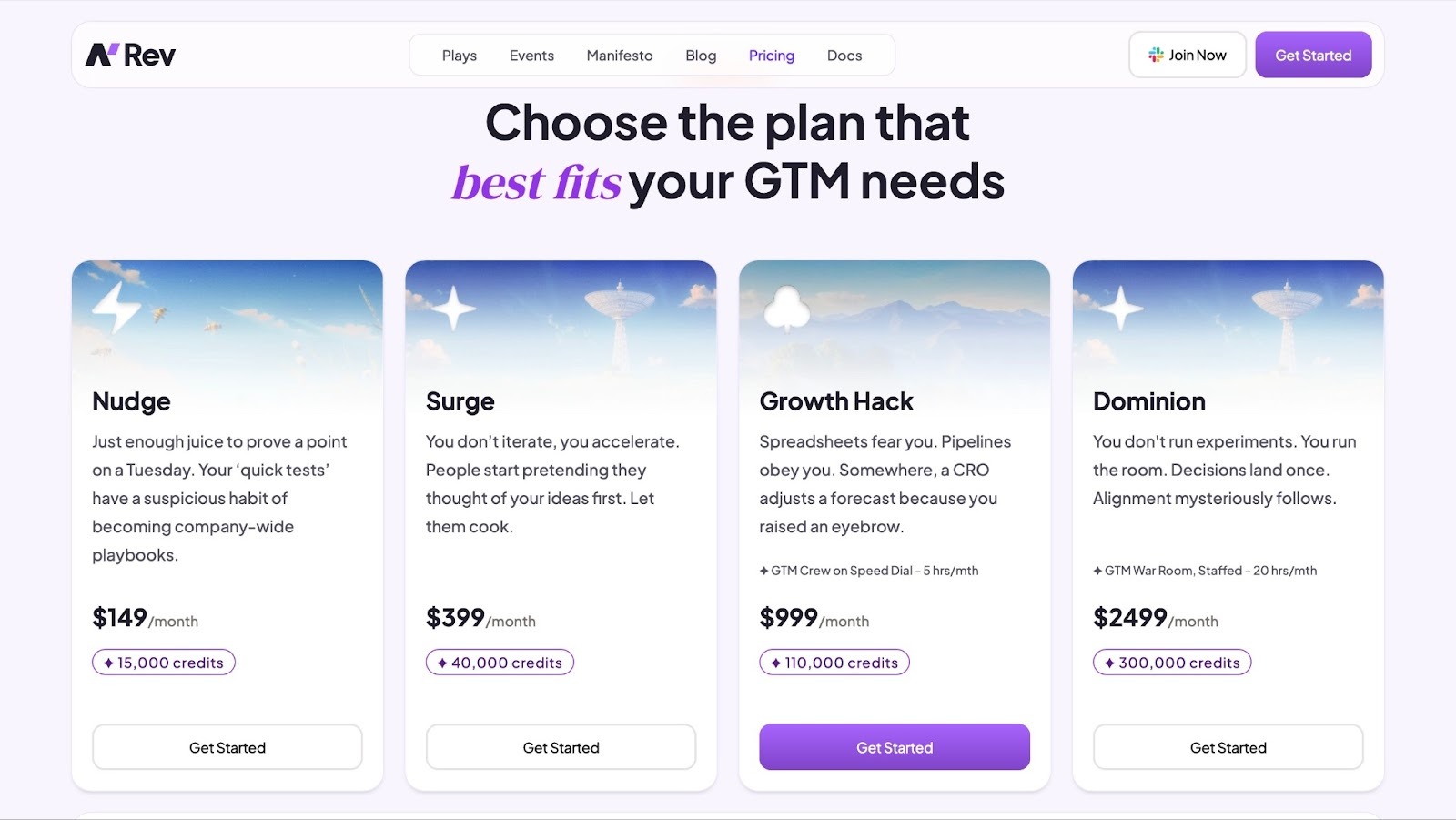
But there’s a key difference in comparison to the other tools on this list.
You’re not paying per seat.
Let’s compare that to HubSpot Sales Hub.
If you have 10 sales reps on the HubSpot Professional tier, that’s $1,000 per month for just seats. When you add more reps, the cost rises.
In contrast, nRev’s pricing is based on how you use it and the automation capacity.
Choose the Best Sales Enablement Tools
In this guide, I reviewed six of the best enablement tools: nRev AI, HubSpot Sales Hub, Notion LeadIQ, Dock, and Fireflies.
I also explained what sales enablement software is. Then I walked you through how to choose the right one based on factors like automations, CRM integrations, AI features, and pricing.
So whether your goals are prospecting, workflow automation, or meeting intelligence, you can build a system that helps your team close more deals.
FAQ
What are the best sales enablement tools?

The best sales enablement tools are:
- 1. nRev AI: An AI-powered automation tool for GTM, sales, and RevOps teams
- 2. HubSpot Sales Hub - Ideal for teams who want a CRM-integration solution
- 3. Dock - Best for digital sales rooms and buyer collaboration
- 4. LeadIQ - A prospecting and lead data enrichment platform for SDRs and more
- 5. Fireflies - An AI-powered tool for meeting transcription and summaries
- 6. Notion - Best for teams that want a knowledge and content hub
Are sales enablement tools suitable for small businesses?
What features should I look for in sales enablement tools?
The features you should look for in sales enablement tools are:
- Workflow automation
- CRM integration
- AI assistance
- Content and collaboration
- Scalability
Can sales enablement tools automate outreach?
How much do sales enablement tools cost?
Are there free sales enablement tools available?
What industries benefit from sales enablement tools?
Why are sales enablement tools important?
Sales enablement tools are important because they help teams:
- Move deals through funnels successfully
- Automate repetitive tasks
- Centralize content and information
- Improve visibility for the manager
Is nRev a good sales enablement software?
How do sales enablement tools differ from CRM software?