


Why spend quality time on manually prospecting, capturing and scoring leads, sending back-and-forth emails, and managing the pipeline?
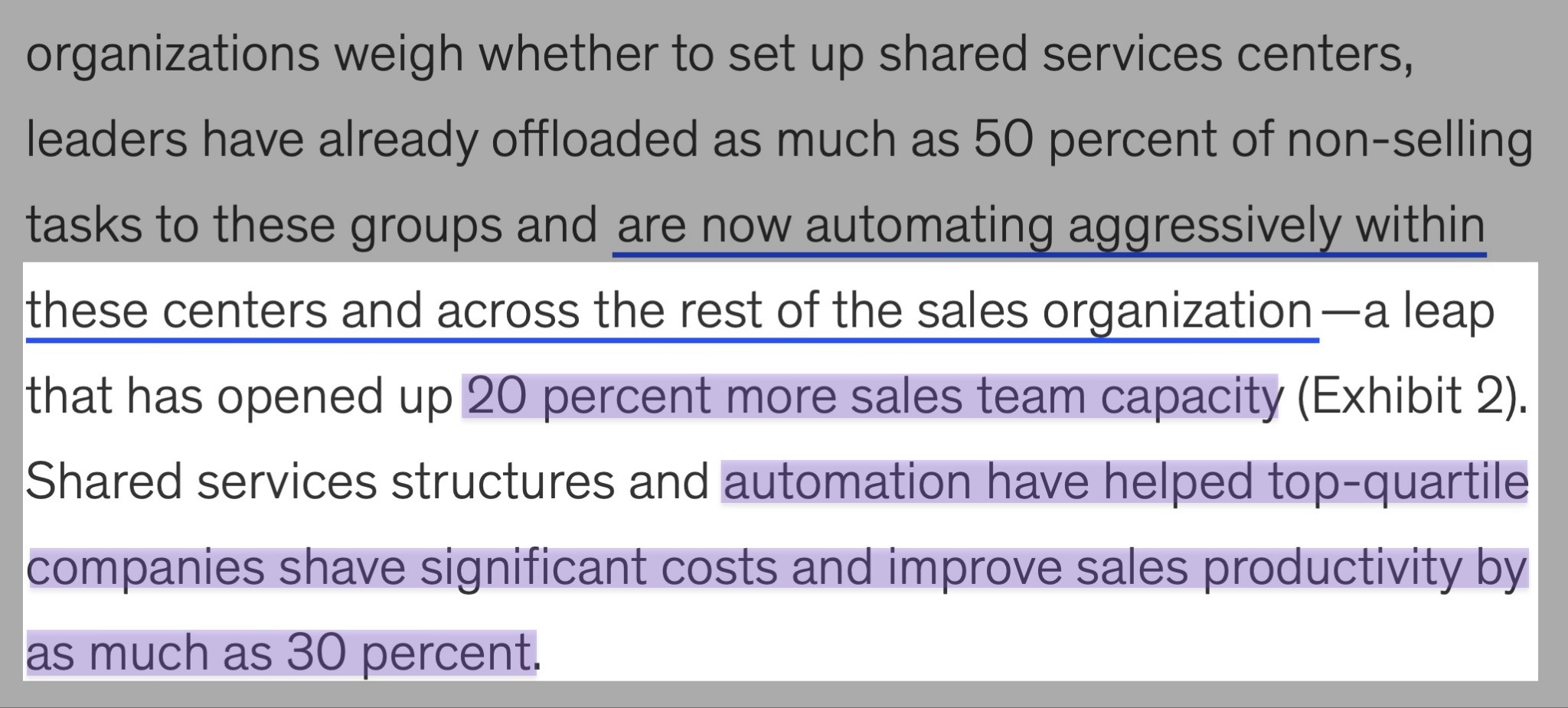
You could automate all these tasks using a good sales automation tool. According to McKinsey, automation can free up about 20% of sales teams’ capacity.
It can also improve sales productivity by 30%.
But the challenge is that the wrong software will slow down your business.
So to help you, I’ve already picked the 6 best sales automation tools available. We will look at their features, pricing plans, pros, and cons.
Let’s go.
TL;DR
- Sales automation tools are software that automate repetitive sales tasks. These include tasks like lead capture, workflow management, email follow-ups, data entry, and more. This helps sales teams work efficiently and focus on closing deals.
- The best sales automation tools are:
- 1. nRev AI - Best for AI-powered revenue workflow automation
- 2. Apollo.io - Best for prospecting and outreach
- 3. ActiveCampaign - Best for email automation and customer journey
- 4. Freshsales - Best for AI-powered lead scoring and pipeline management
- 5. Close - Best for built-in calling and automation for internal sales teams
- 6. Zoho CRM - Best for automating sales tasks
- To choose the right sales automation software, you should check its automation capabilities, assess its analytics and reporting, evaluate its scalability, and consider its integration with other tools.
Best Sales Automation Tools Compared
| Tool | Key Automation Features | Capabilities | Integrations | Ideal Business Size | Starting Plan | Best For |
|---|---|---|---|---|---|---|
| nRev AI | Workflow automation, Outbound automation, Pre-built GTM playbooks, Signal-triggered automation, multi-channel automated outreach, CRM automation workflows. | End-to-end GTM automation, lead scoring, CRM data enrichment, outreach, website visitor tracking, pipeline monitoring, forecasting | Salesforce, Hubspot, Pipedrive, Slack, Gmail, Microsoft Teams, Google Meet, Calendly, WhatsApp Business, Zoho Campaigns, Zoho CRM, Attio, Apollo.io, Instantly AI, Lusha, Gong, Supabase, Webflow | Startups + Small and mid-sized businesses (SMBs) + Enterprises | Nudge: $149/month + 15,000 credits | AI-powered revenue workflow automation |
| Apollo.io | Automated outreach sequences, Task automation, Trigger-based actions, Workflow templates, Data syncing, and Auto enrichment. | Prospecting, pipeline and deal management, email tracking, sales performance analytics, data enrichment, and cleansing | Salesforce, HubSpot, Gmail, Outlook, Hunter.io, Albato, Claude, Adobe Marketo, Clay, Dropcontact, LeadMagic, Nooks, Salesloft, SMARTe, Twilio SendGrid, upcell, Chili Piper, Gumloop | Startups + SMBs + Enterprises | Free: $0 + 900 credits | Prospecting and outreach. |
| ActiveCampaign | Visual automation builder, Behavioral-triggered email and SMS automation, Segmentation and tagging automation, and Automated CRM actions. | Advanced email marketing, campaign management, customer journey orchestration, reporting, and performance analytics | Shopify, WooCommerce, Stripe, PayPal, Facebook Ads, Google Ads, Slack, WordPress, Webhook, Zapier, Salesforce, Zoho CRM. | Startups + Small to mid-size businesses + Enterprises (limited) | Starter: $15/month + 5 actions per automation | Email automation and customer journey. |
| Freshsales | Workflow automation, Sales sequences, Auto-assignment rules, Internal alerts, and Contact enrichment automation. | Lead scoring, pipeline management, AI-driven insights, built-in phone, email, chat, and WhatsApp. | Google Calendar, Gmail, Outlook, Mailchimp, QuickBooks, Xero, Twilio, WhatsApp, Zapier, Freshdesk, Stripe, Trello. | SMBs + Mid-market + Enterprises (limited) | Growth: $9/user/month + contact lifecycle stages. | AI-powered lead scoring and pipeline management |
| Close | Automated email and call sequences, Workflow automation, Smart reminders, Automatic logging of calls, Emails, and SMS, and Built-in communication automation. | Built-in calling, SMS, and email in one system, pipeline and opportunity tracking, and real-time performance insights. | Gmail, Outlook, Zoom, Zapier, Slack, Aircall, Twilio, Stripe, Calendly, Facebook, Google Calendar, Segment. | Startups + SMBs | Essentials: $35/seat/month + unlimited contacts and leads. | Built-in calling and automation for internal sales teams. |
| Zoho CRM | Workflow rules, Assignment rules, bulk task automation, AI automation via Zia, journey orchestration, and multi-step automation workflows. | Multi-pipeline sales management, AI assistant Zia, end-to-end CRM, predictions, lead scoring, anomaly detection. | Zoho Books, Zoho Desk, Zoho Campaigns, Google Workspace, Slack, Shopify, QuickBooks, RingCentral, DocuSign, WhatsApp, Mailchimp, Microsoft 365. | Startups + SMBs + Enterprises | Standard: $9/user/month + workflows and assignment rules. | Automating sales tasks. |
6 Best Sales Automation Tools
1. nRev AI - Best for AI-powered Revenue Workflow Automation
| Personal Ratings | ⭐️⭐️⭐️⭐️ 4.7/5 - The platform lets you create workflows with ease, capture leads from multiple sources, and track the outreach funnel. |
| Ease of Use | ⭐️⭐️⭐️⭐️ 4.8/5 - You can use plain English to describe your workflows. |
| Key Automation Features | Workflow automation, pre-built GTM playbooks, signal-triggered automation, multi-channel automated outreach, CRM automation workflows. |
| Capabilities | End-to-end GTM automation, lead scoring, CRM data enrichment, outreach, website visitor tracking, pipeline monitoring, forecasting. |
| Starting Plan | Nudge - $149/month + 15,000 credits |
nRev AI is number one on the list of the best sales automation tools.
It is an autonomous GTM AI agent platform designed to automate revenue operations for sales, marketing, and RevOps teams.
It lets you build simple and complex workflows such as competitor tracking, lead enrichment, lead scoring, pipeline management, and outreach simply by having a conversation with it.

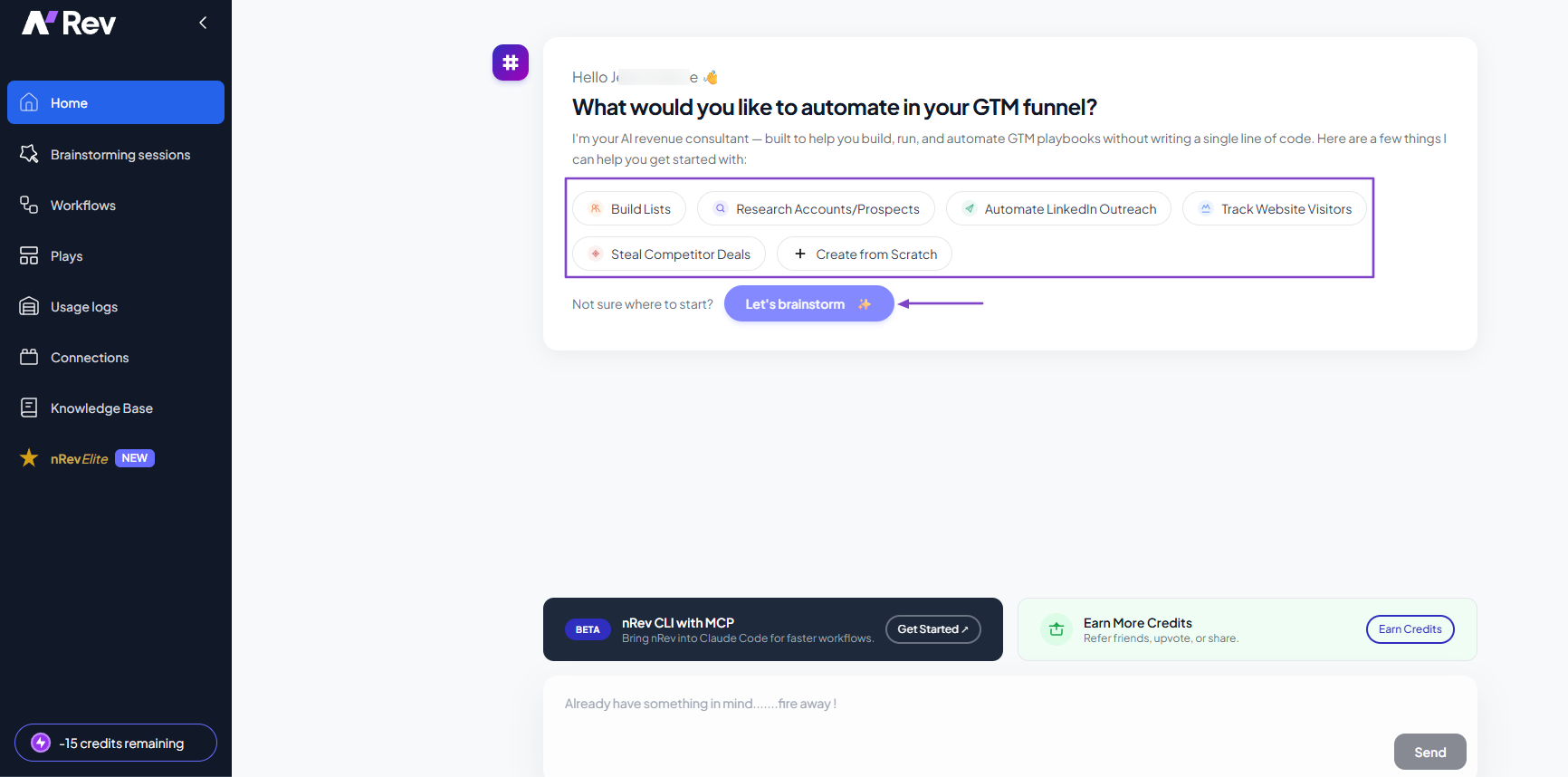
If you’re not sure where to start on nRev AI, you can brainstorm. Alternatively, there are ready-to-use actions you can take: build lists, automate LinkedIn outreach, or even track website visitors.
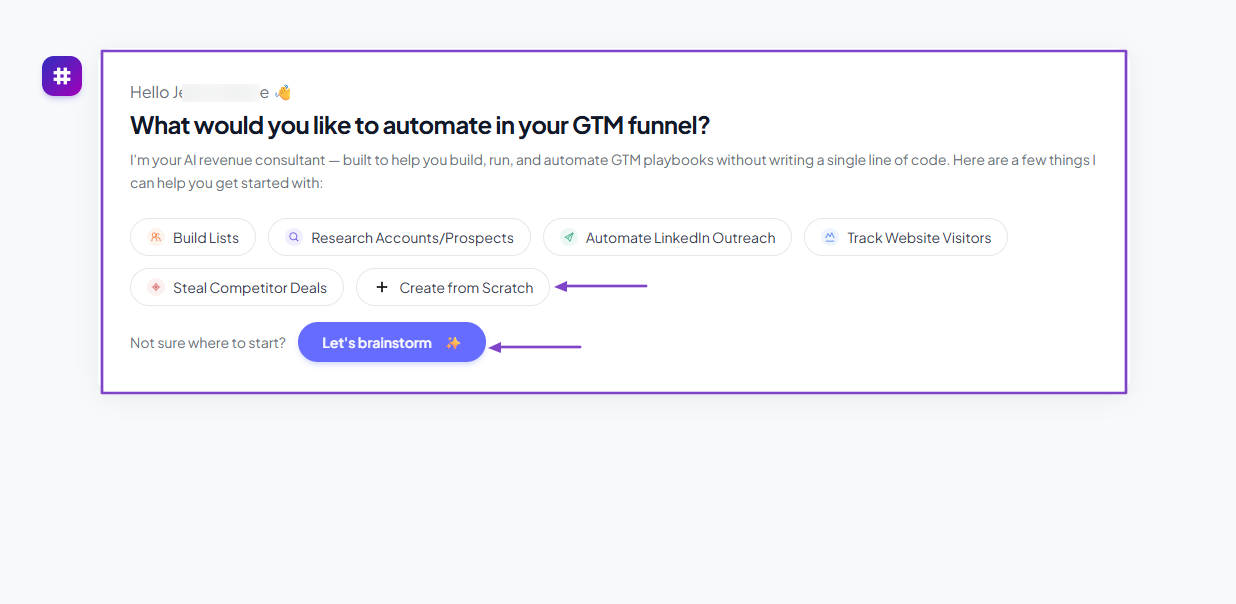
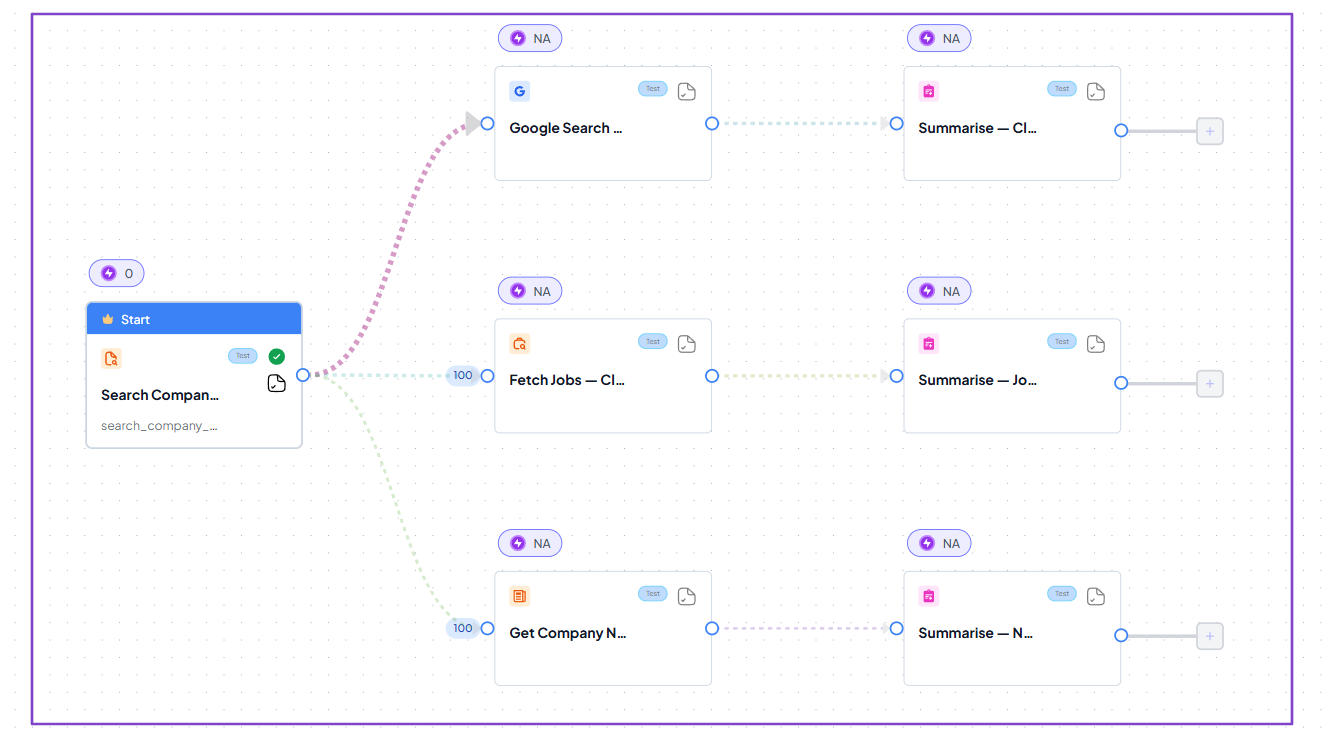
The AI Builder creates your workflows in minutes.
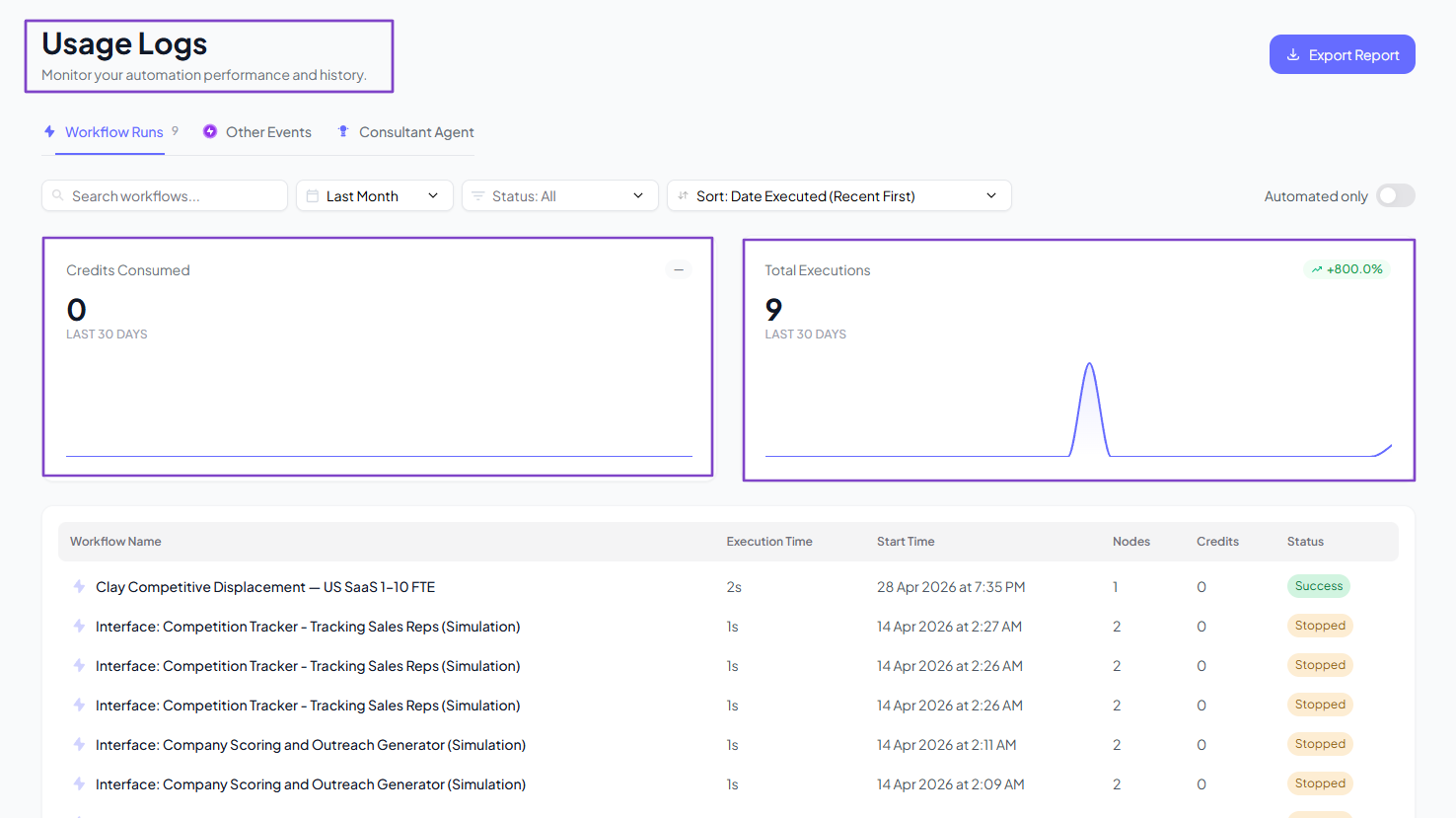
The good thing is that the platform tracks all your workflows, displays the credits consumed, and the total executions.
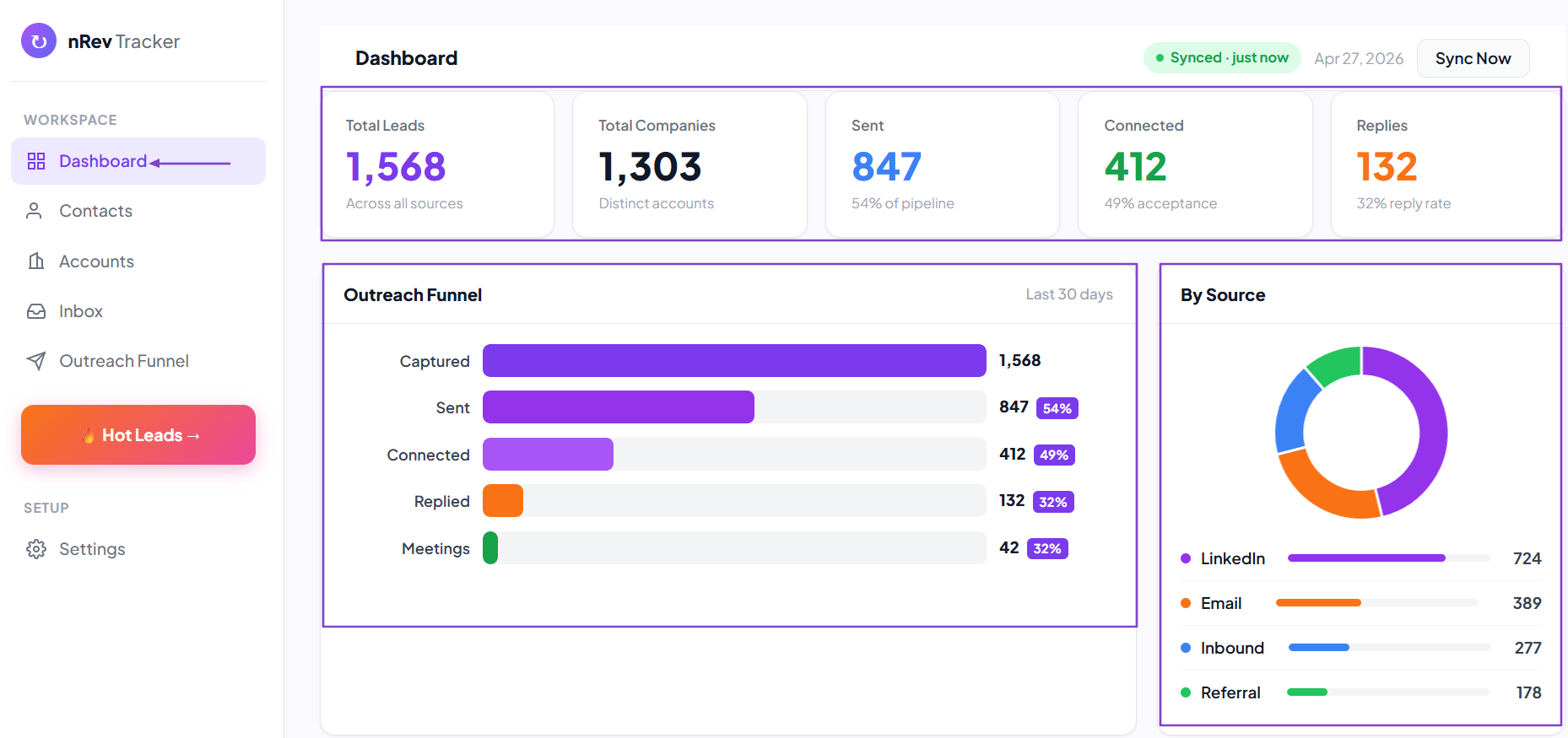
But that’s not all! Our tracker shows a dashboard with your total number of leads, their sources, and the outreach funnel.
What I Love About nRev AI
1. Workflows
You use the Workflows feature to build, run, and automate GTM playbooks without writing a single line of code.
Some actions you can take right after signing up for nRev AI include:
- Automating LinkedIn outreach
- Researching accounts or prospects
- Stealing competitor deals
- Building lists
- Tracking website visitors
But if you have no idea, you can still brainstorm.
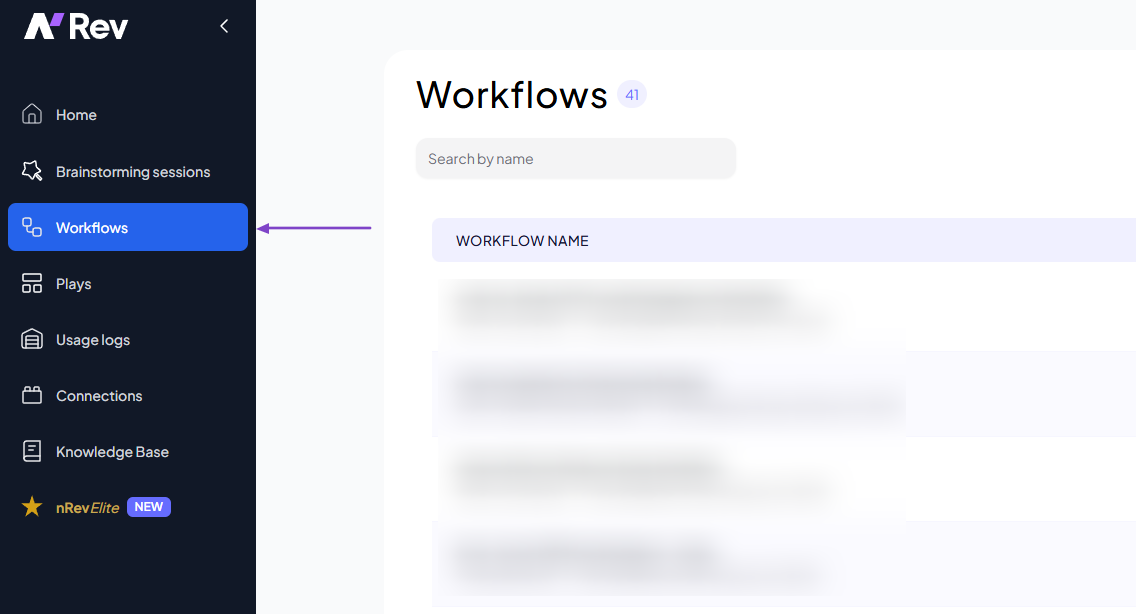
The other way is to click “Workflows” in the sidebar menu.
In the AI Builder, you can describe in plain English what you want to build. For instance:
“Build a competitive displacement workflow targeting [platform] users in US-based SaaS/software companies (1–10 employees). Identify companies likely to be using [platform] by analyzing public sources such as G2/Capterra reviews, case studies, LinkedIn posts, and job listings that mention it.
Detect displacement signals, including negative feedback, tool-switching discussions, hiring changes, or growth/funding events. Map key stakeholders (Head of Sales, RevOps) using publicly available professional data.
Focus on accounts based on likelihood to switch (recent activity, pain signals, company stage). Output a structured list of target accounts with signals, stakeholders, and recommended outreach angle.”

The AI Builder will analyze everything, then ask for a few quick confirmations to make sure you’re on the same page.
Once it’s all good, you can allow it to start building.

Your workflow is ready!
2. Plays
nRev AI offers many ready-made workflows you can use instantly, so you don’t have to start from scratch. There are workflows for LinkedIn outreach, email monitoring, lead scoring, lead finder, and LinkedIn engagement, among others.

I can, for instance, select the Sales Reply Monitoring Play.
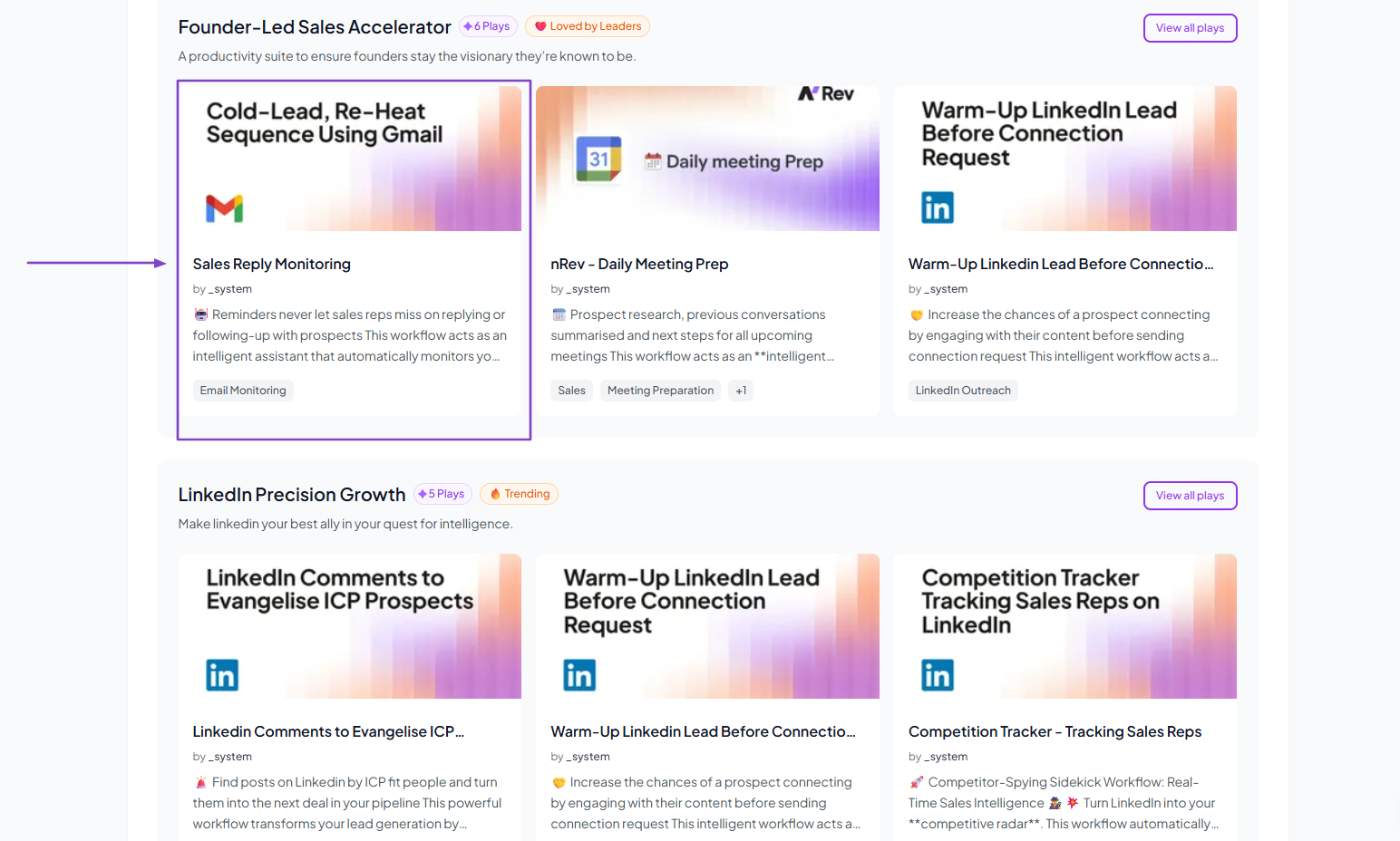
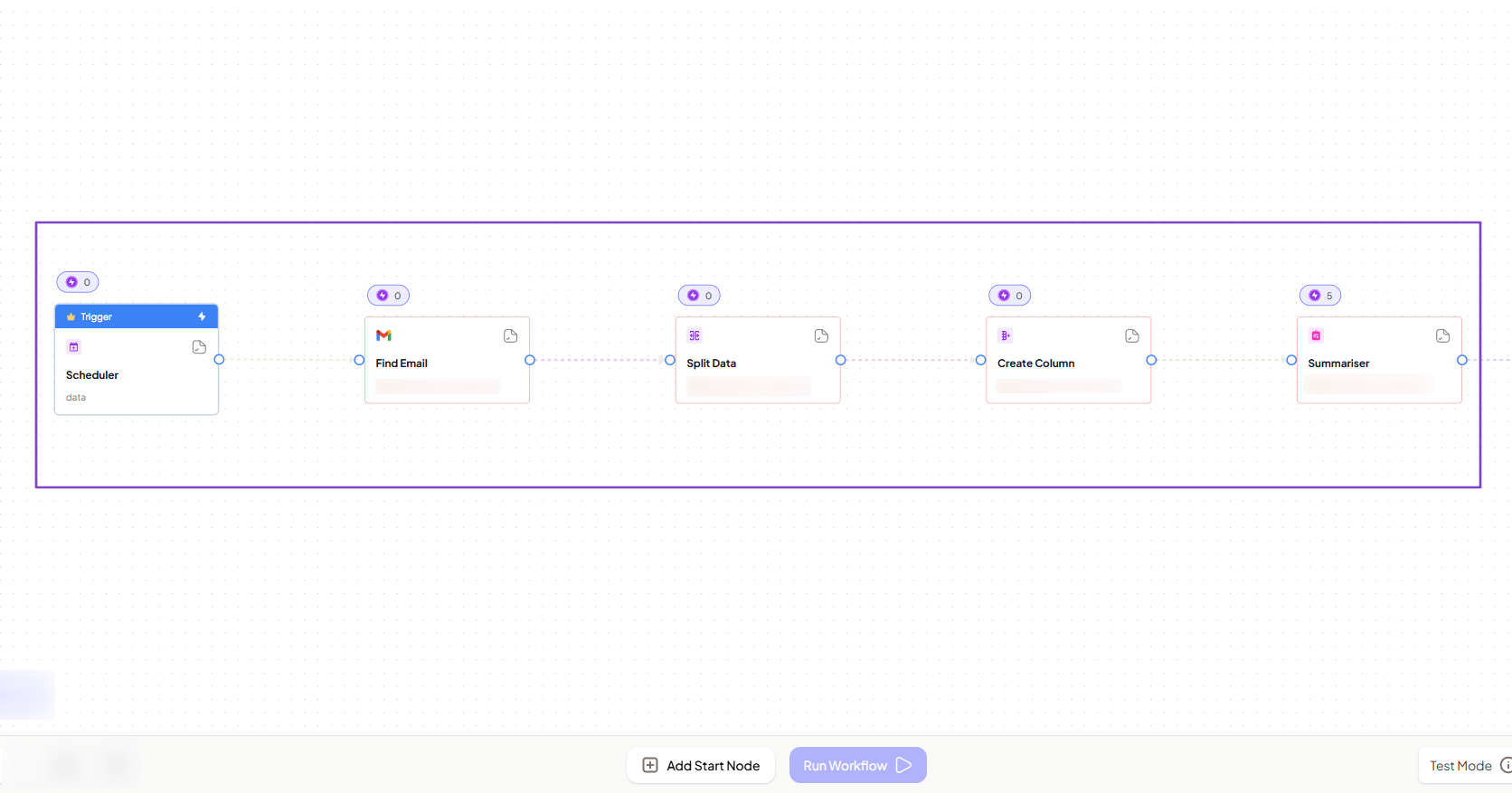
It’s a workflow that:
- Identifies potential sales threads
- Fetches the full conversation
- Performs a detailed AI Analysis
- Sends a smart Slack alert
To use it, simply click “Use Play.”
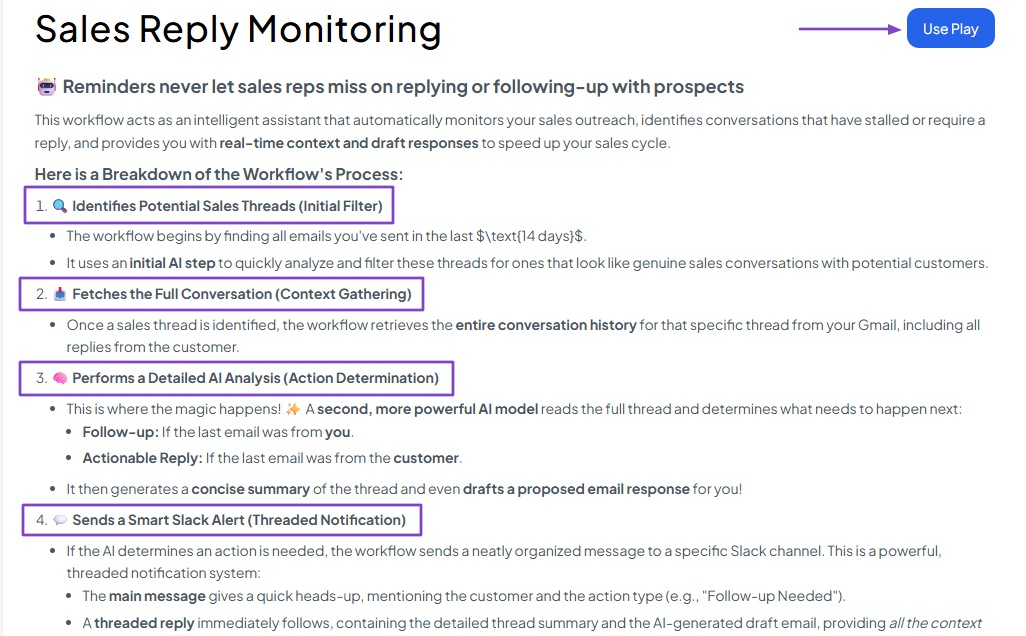
That’s all you have to do, and your workflow will just pop up.
3. nRev Elite
This is another exciting feature of nRev AI. It works like an advanced analytics and reporting system, displaying dashboards with great insights about leads and outreach funnels.
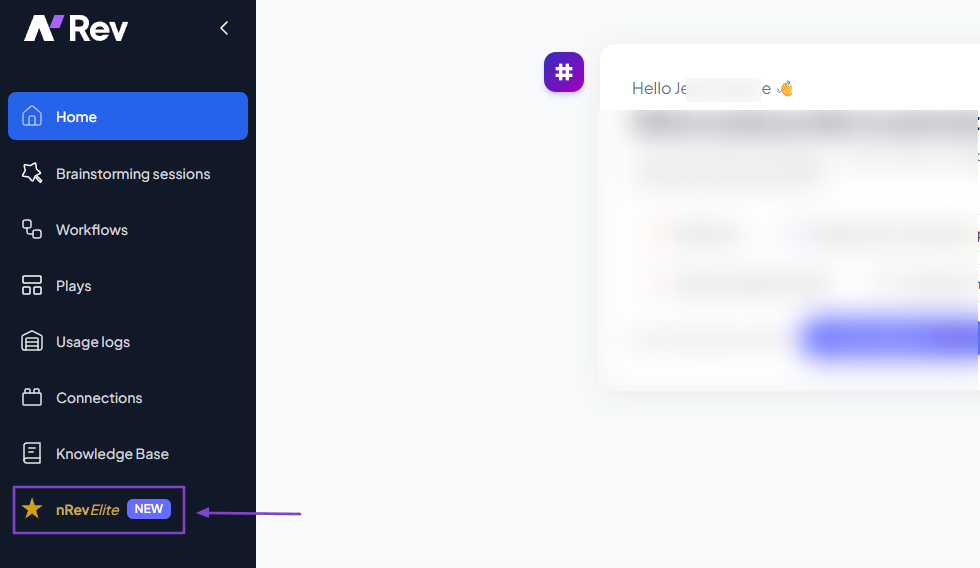
The dashboard shows your total leads, total companies, the ones you reach out to, and the replies you get. You will see your leads’ different sources and also your outreach funnel.
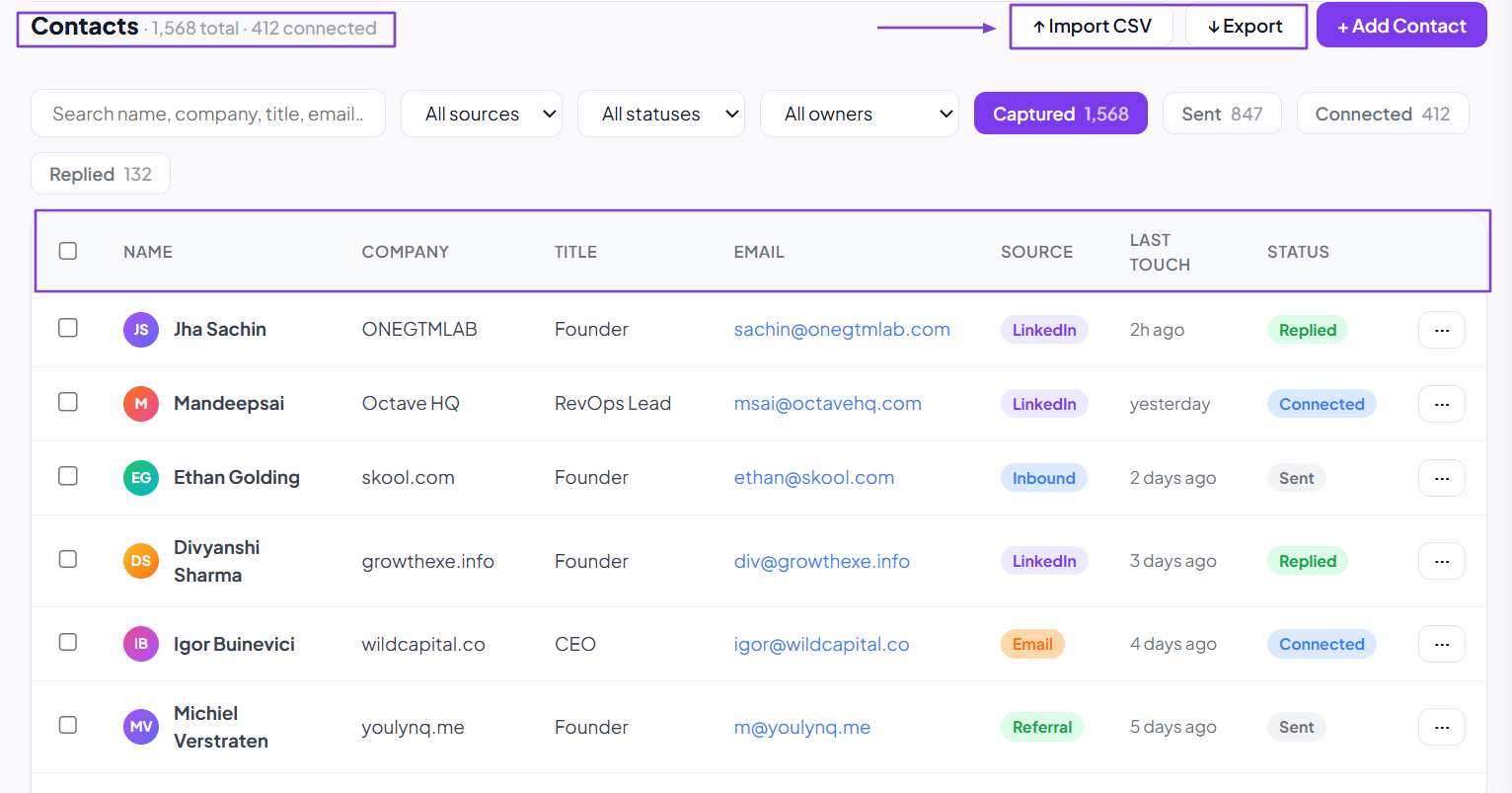
It also shows your contact list, including name, company, title, email, source, and status. You can import CSV files, export contacts, or manually add contacts.
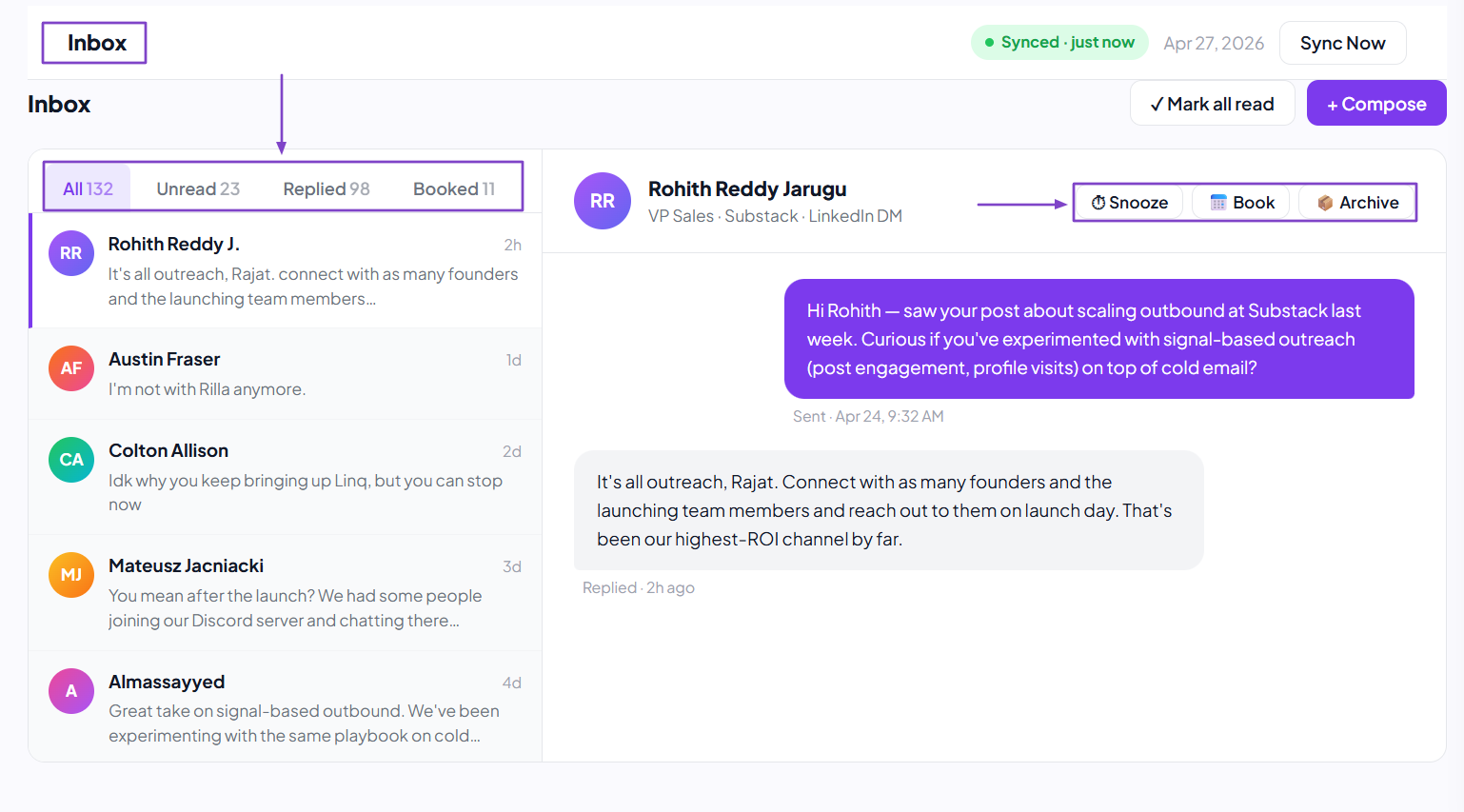
The inbox lets you view all messages, including those that are unread, replied to, and booked. You can reply from there, snooze a message, book, or archive it.
What I Loved vs What I Struggled With
| What I Loved 👍 | What I Struggled With 👎 |
|---|---|
| ✅ Offers many templates to help create automations. | ❌ Might require watching some tutorials before you can comfortably create automations. |
| ✅ Translates emails to a contact's language. | |
| ✅ Tracks when a contact clicks a link in the email. | |
| ✅ Lets you edit any templates with artificial intelligence. |
Best for
- GTM leaders and RevOps teams seeking an AI-powered revenue workflow automation solution.
Pricing
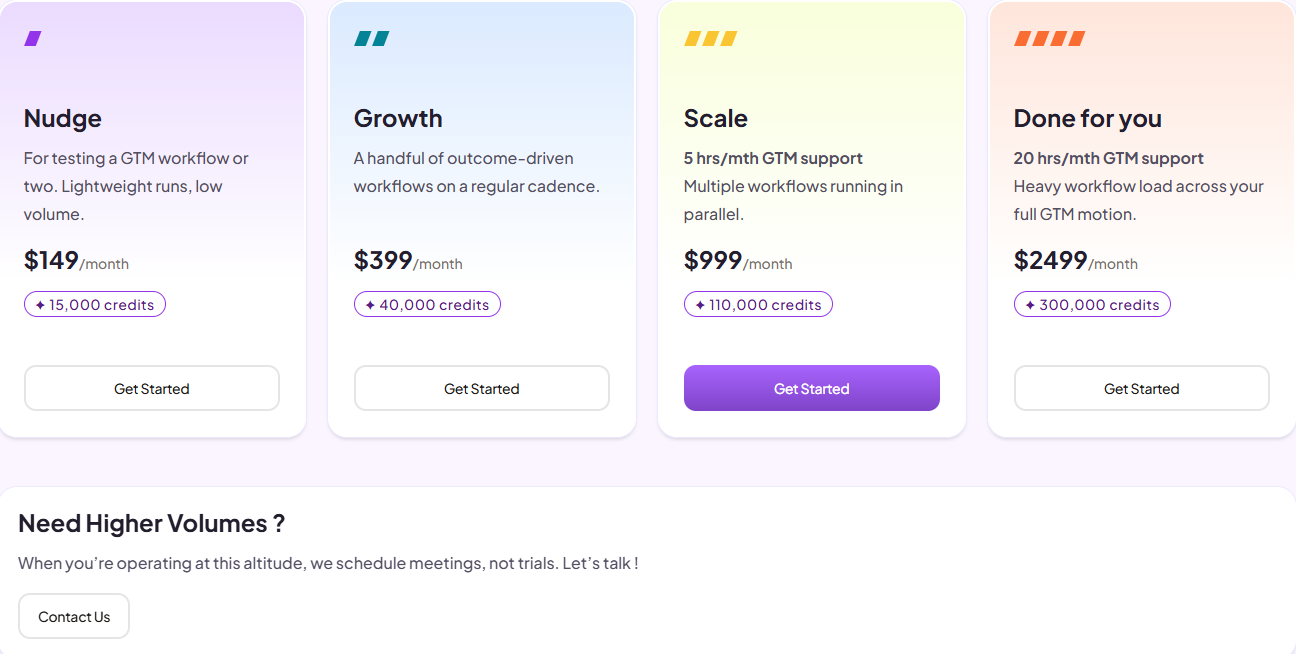
- Nudge: $149/month + 15,000 credits
- Surge: $399/month + 40,000 credits
- Growth Hack: $999/month + 110,000 credits + 5 hours of GTM engineering support
- Dominion: $2,499/month + 300,000 credits + 20 hours of GTM engineering support
2. Apollo.io - Best for Prospecting and Outreach
| Personal Ratings | ⭐️⭐️⭐️⭐️ 4.5/5 - You can prospect, send sequences, and create booking pages without much struggle. |
| Ease of Use | ⭐️⭐️⭐️⭐️ 4.5/5 - I can use Apollo AI to search for the right prospects. |
| Key Automation Features | Automated outreach sequences, Task automation, trigger-based actions, workflow templates, data syncing, and auto enrichment. |
| Capabilities | Prospecting, pipeline and deal management, email tracking, sales performance analytics, data enrichment, and cleansing. |
| Starting Plan | Free - $0 + 900 credits |
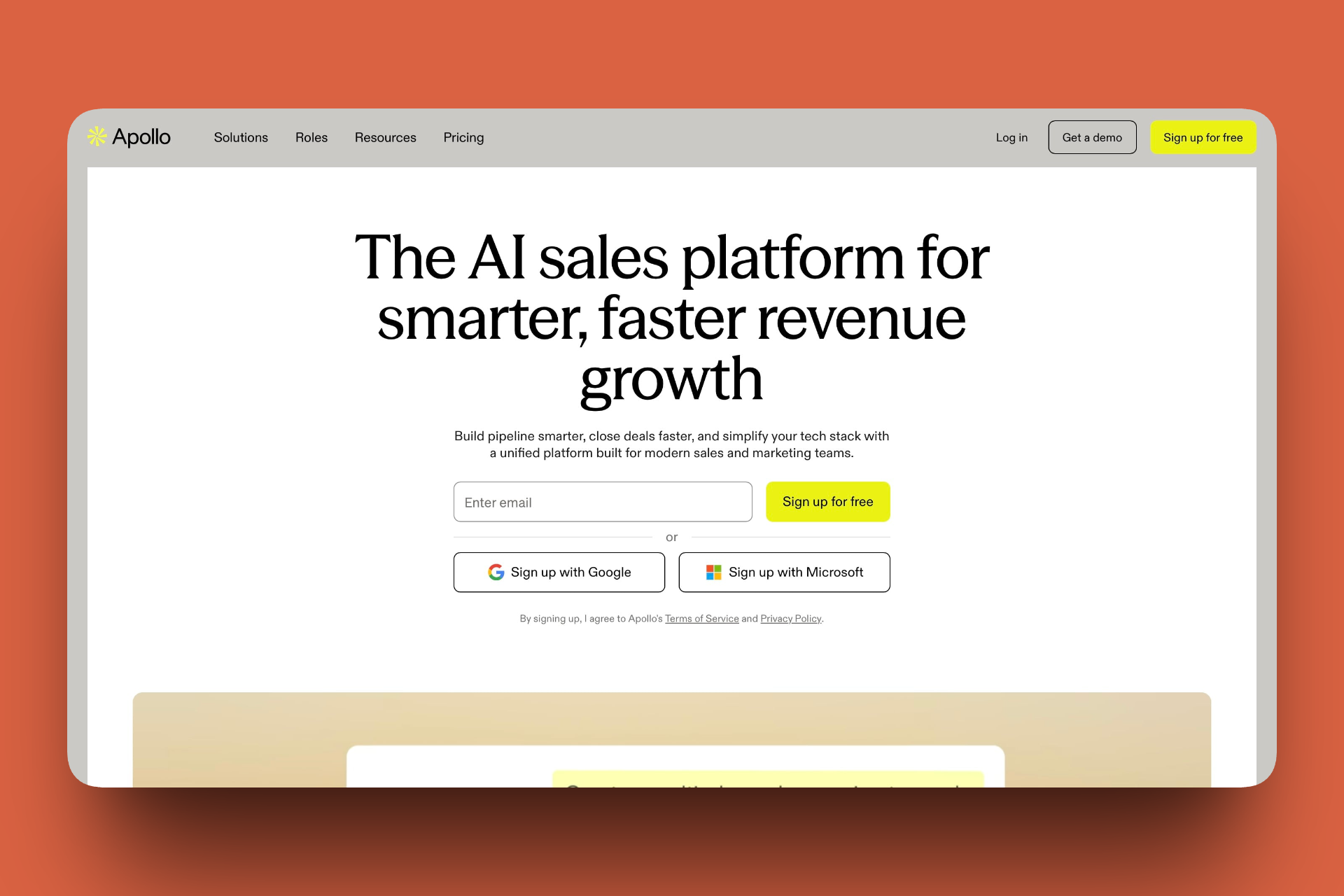
Next on our list of the best sales automation tools is Apollo.io.
It’s an AI-powered sales intelligence and engagement platform that combines a B2B database to help find and contact people or companies.
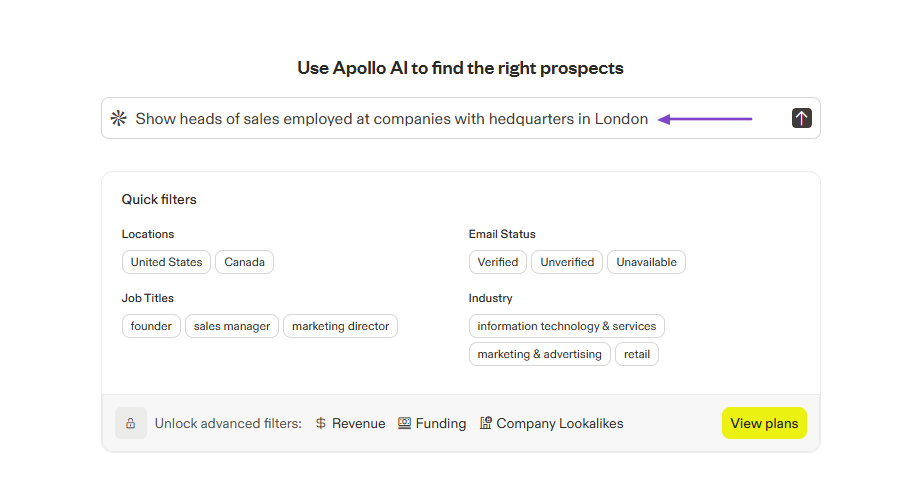
You can use Apollo AI to search for prospects.
Then, to engage with them, you send emails.
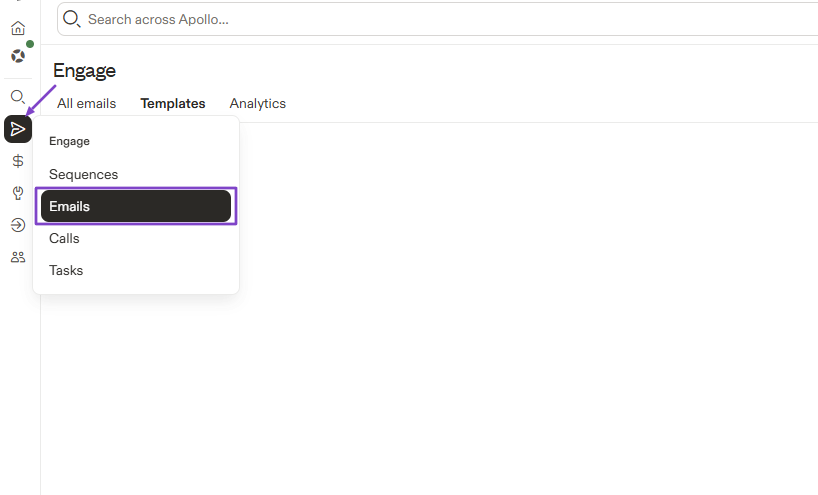
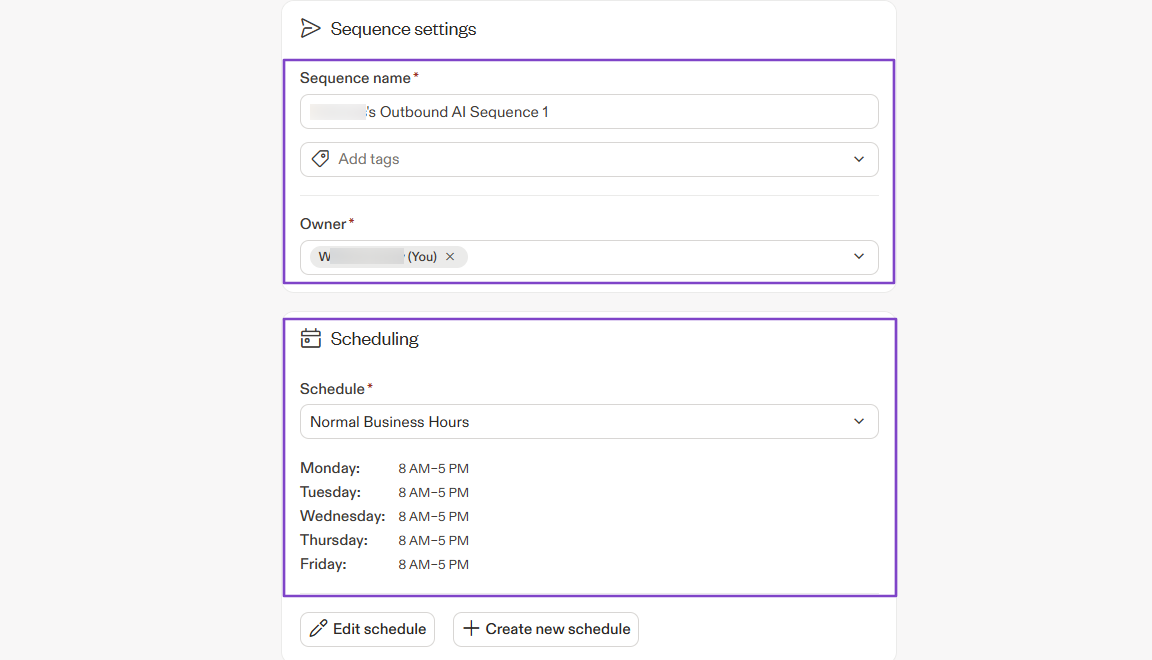
Or, you can directly create sequences. You will name them, choose an owner, and schedule them.
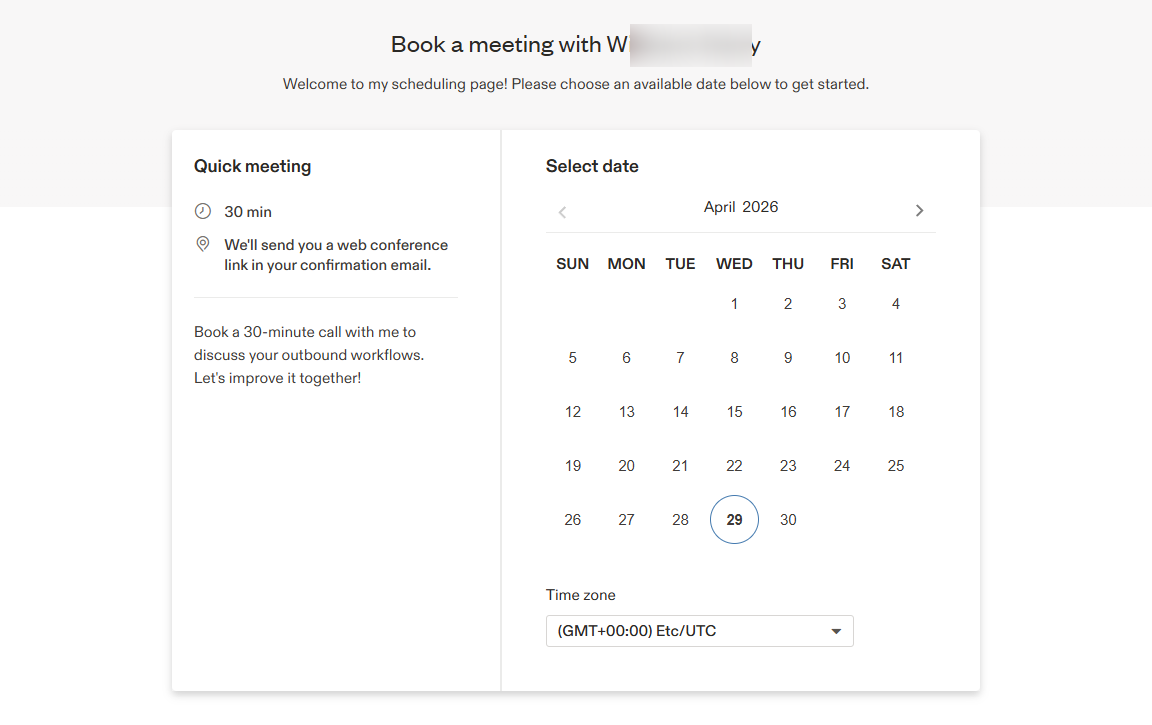
What’s more, I can create a booking page on Apollo so people can schedule meetings with me.
What I Love About Apollo.io
1. People
One of the things Apollo is known for is prospecting. Using the People feature, you can search for your ideal customer profile using a specific set of filters.
To try it, locate People in the sidebar menu.
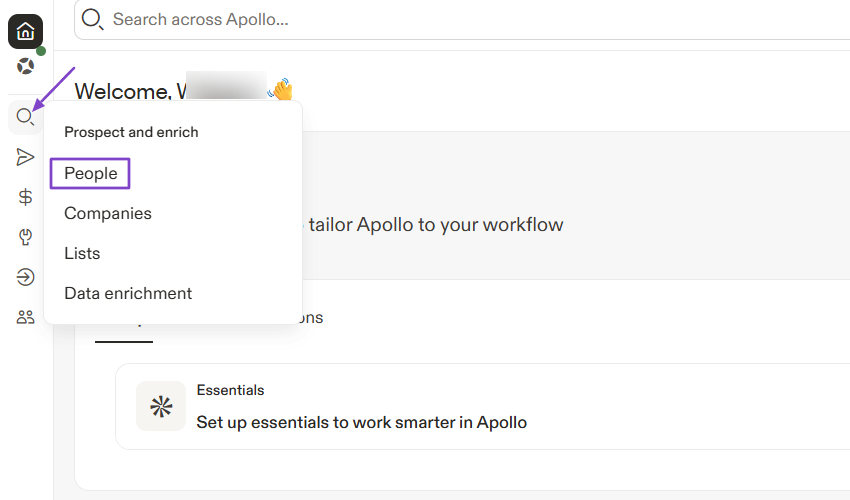
On the left, you can select your preferred filters before the search. Or, you can use Apollo AI to go faster.
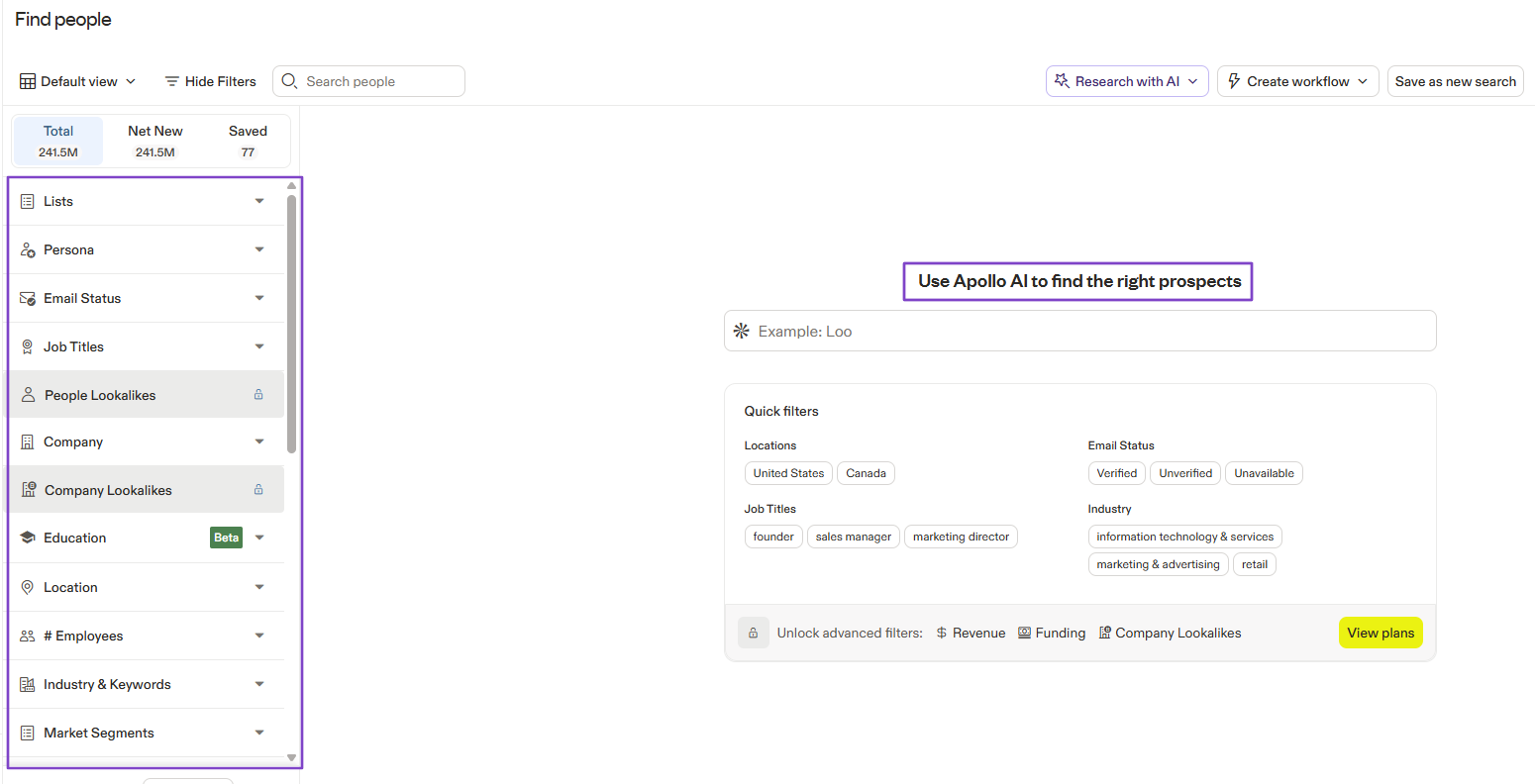
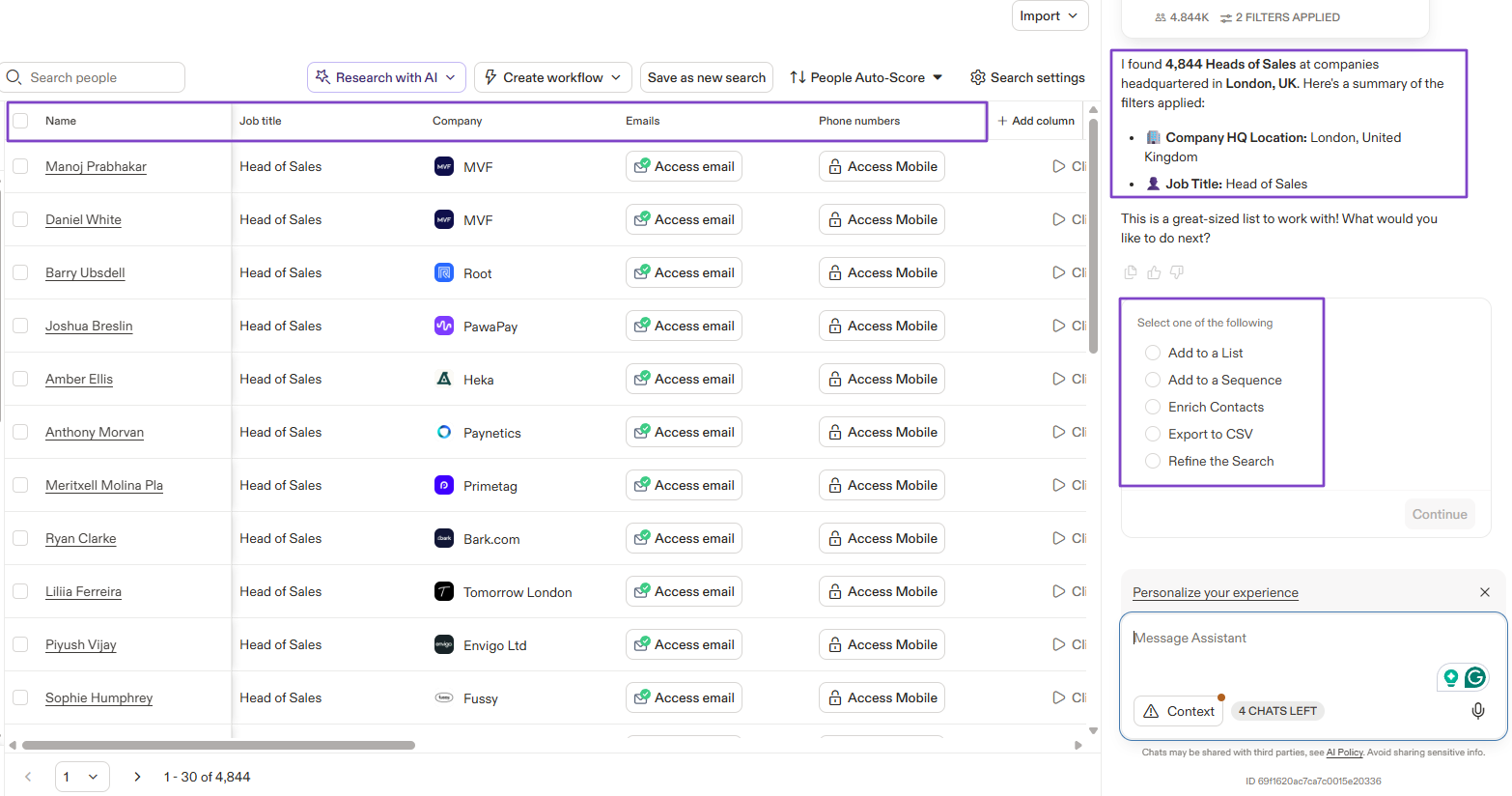
You simply have to enter the name of the person you're looking for in the search box.
Apollo AI will provide you with the total number of results and their details, like name, job title, company, email, and phone number.
You can also take other actions, such as adding to a list, adding to a sequence, enriching contacts, or exporting to CSV.
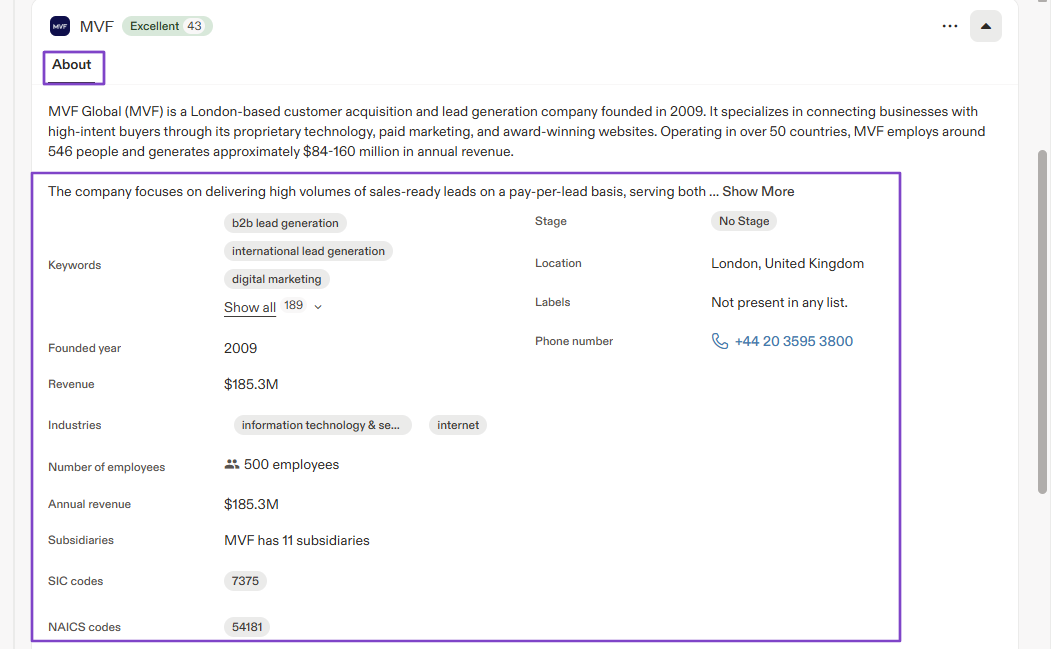
By clicking a prospect, you can view more details, such as their company, annual revenue, location, and founding year.
2. Emails
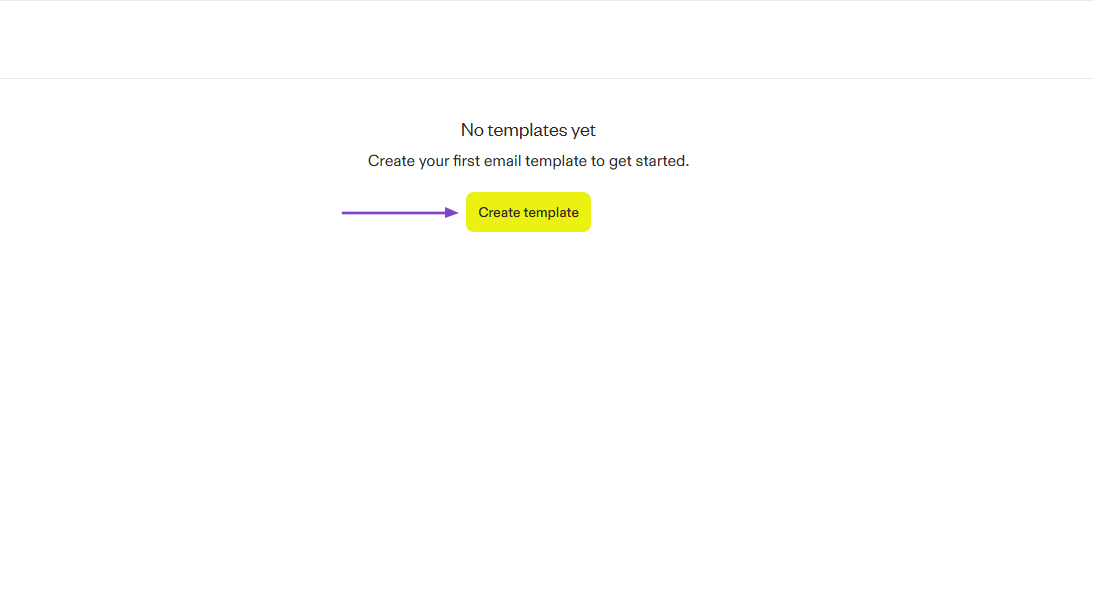
One way to engage with prospects or leads on Apollo.io is through email. You can create email templates so you don’t have to write the same thing every time you reach out.
Find “Engage” in the sidebar menu and click “Email.”
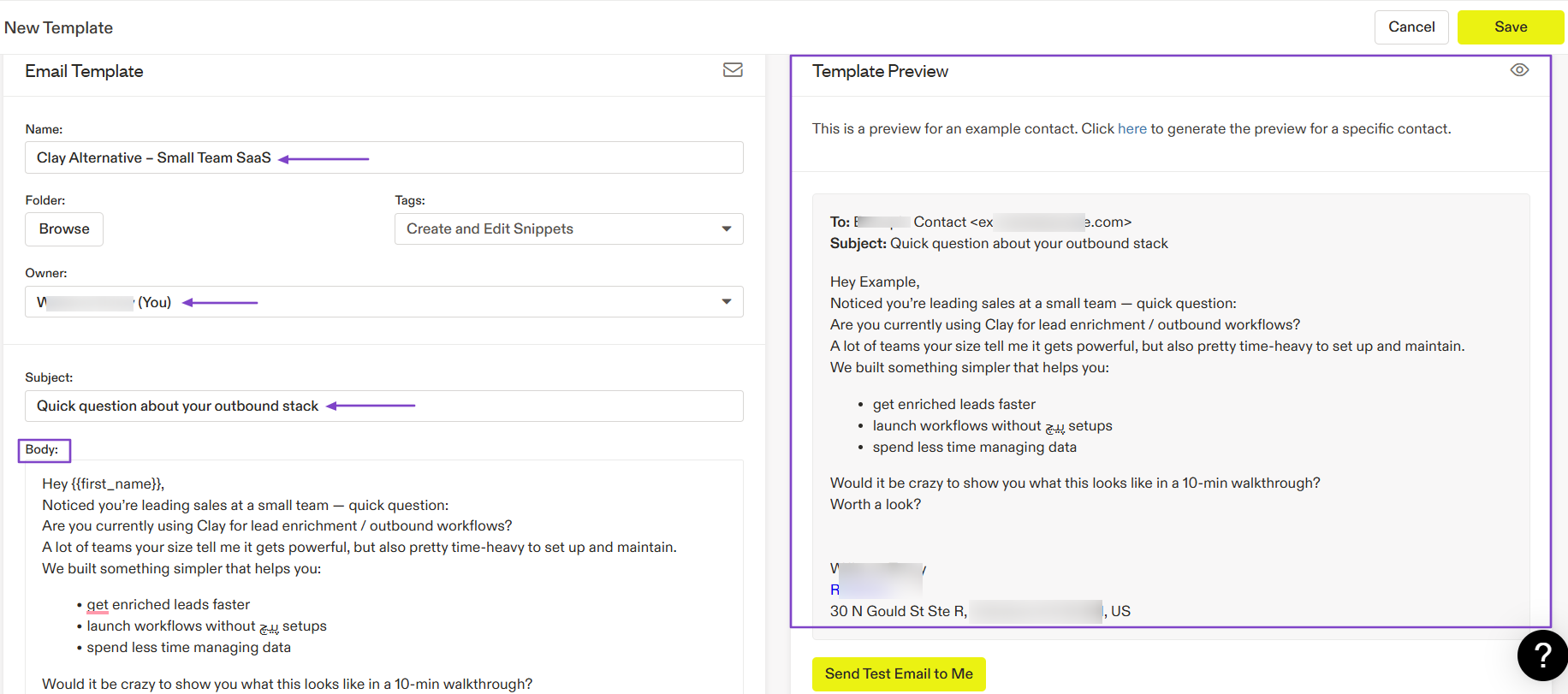
Click “Create template.”
Name the template, select the owner, add a subject, and the body. You can preview everything on the right side of the interface.
3. Meetings
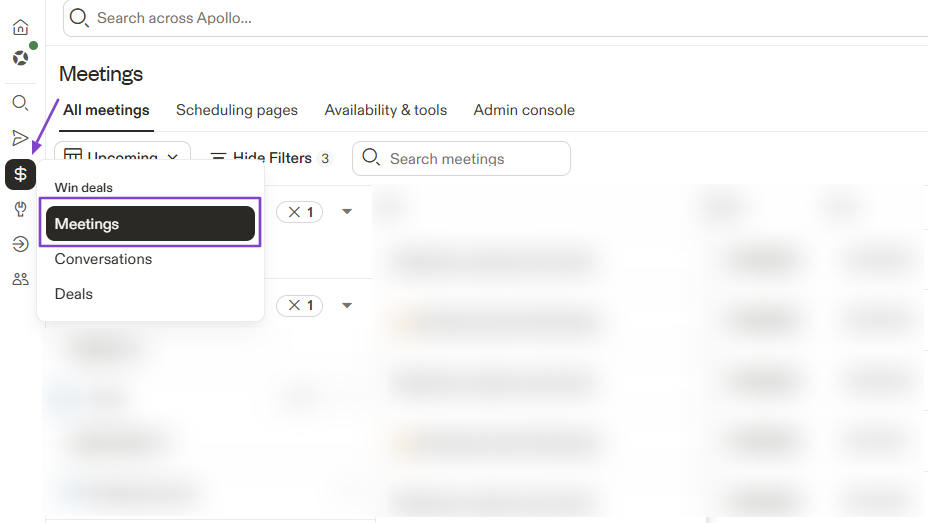
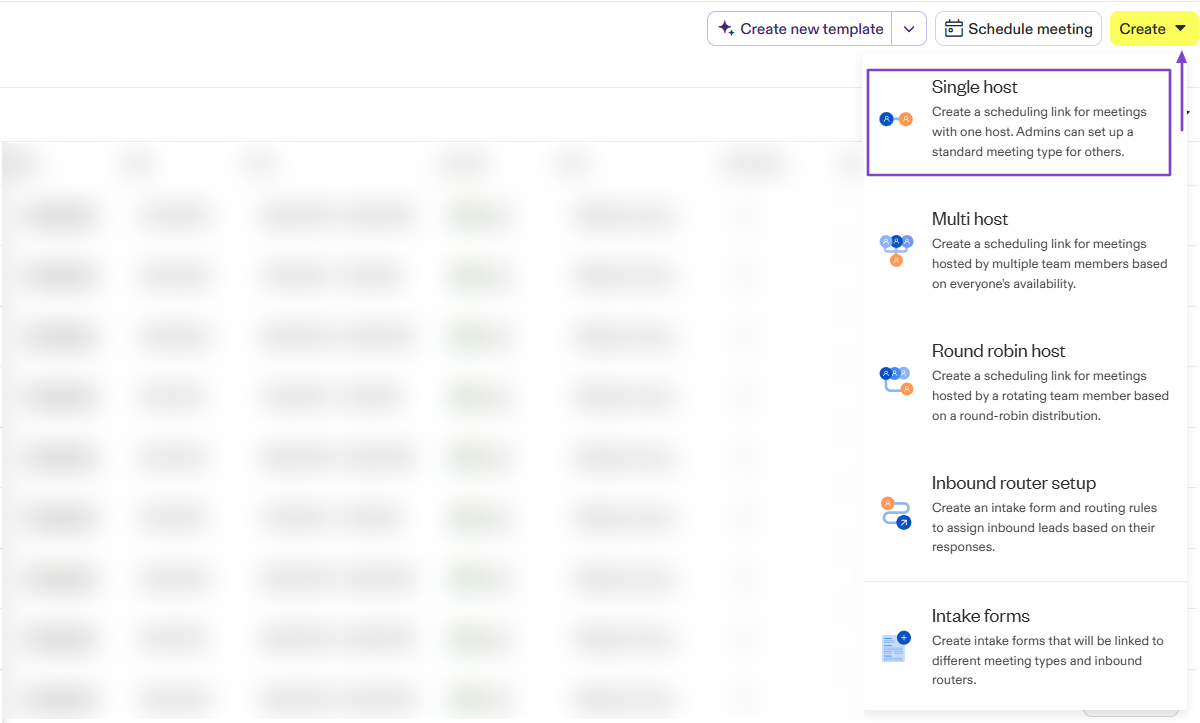
Aside from emails, Apollo also lets you create three types of meetings: single-host, multi-host, and round-robin.
To create one, you will click “Meetings” in the sidebar menu.
Click “Create” and choose any of the meeting types. Let’s go with “Single host.”
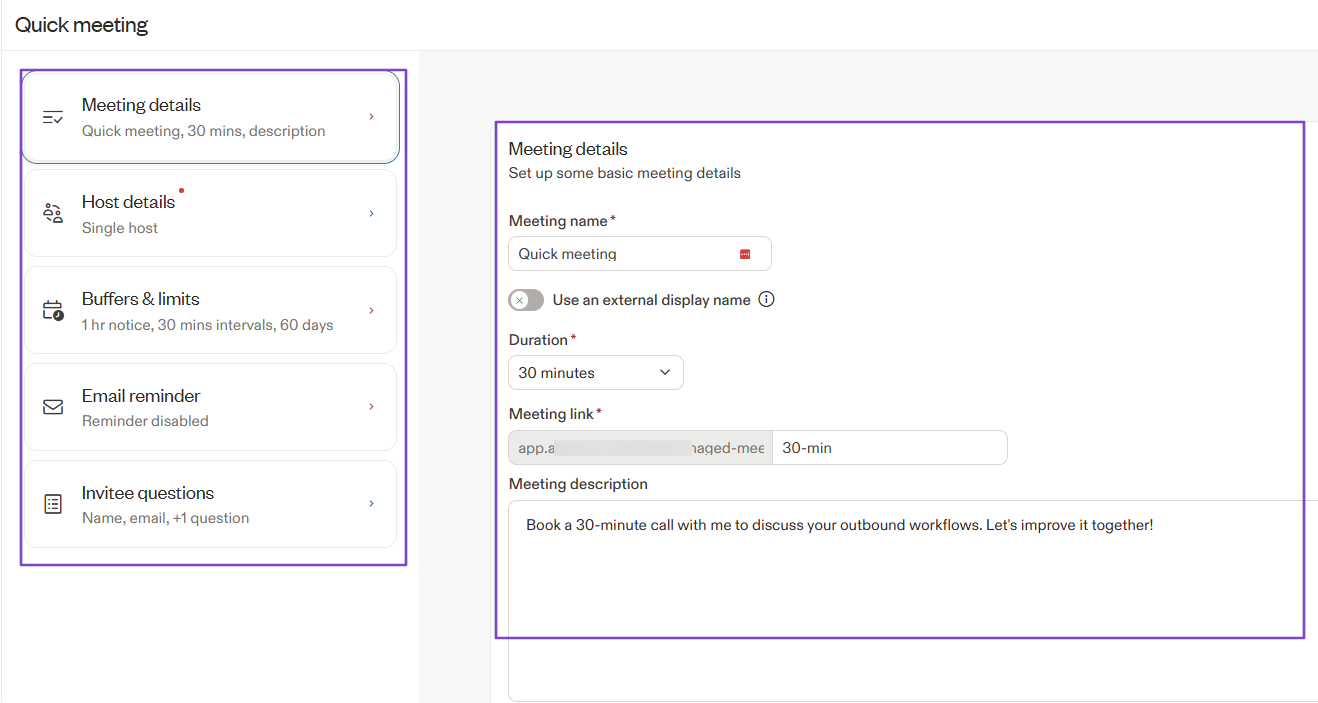
You’ll enter all meeting details, like the meeting name, duration, and description. You can also add host details, email reminders, questions, or buffers.
This is the booking page.
What I Loved vs What I Struggled With
| What I Loved 👍 | What I Struggled With 👎 |
|---|---|
| ✅ Has a large B2B database that helps in finding more prospects. | ❌ Has an interface that can feel overwhelming and complex, which can affect the user's experience. |
| ✅ Lets you create different meeting types: single host, multi-host, and round-robin. | |
| ✅ Uses artificial intelligence to create sequences. |
Best for
- SMBs and startups seeking a solution for prospecting and outreach.
Pricing
- Free: $0 + 900 credits
- Basic: $49 + 30,000 credits
- Professional: $79/month + 48,000 credits
- Organization: $119/month + 72,000 credits

3. ActiveCampaign - Best for Email Automation and Customer Journey
| Personal Ratings | ⭐️⭐️⭐️⭐️ 4/5 - I find it a bit complex, even though it offers lots of pre-built automations. |
| Ease of Use | ⭐️⭐️⭐️ 3.8/5 - I had to watch some videos before understanding the platform. |
| Key Automation Features | Visual automation builder, behavioral-triggered email and SMS automation, segmentation and tagging automation, automated CRM actions. |
| Capabilities | Advanced email marketing, campaign management, customer journey orchestration, reporting, and performance analytics. |
| Starting Plan | Starter - $15/month + 5 actions per automation |
ActiveCampaign is in third position on this list of the best sales automation tools.
It’s a customer experience automation platform that combines email marketing, marketing automation, CRM, and sales automation into one tool.
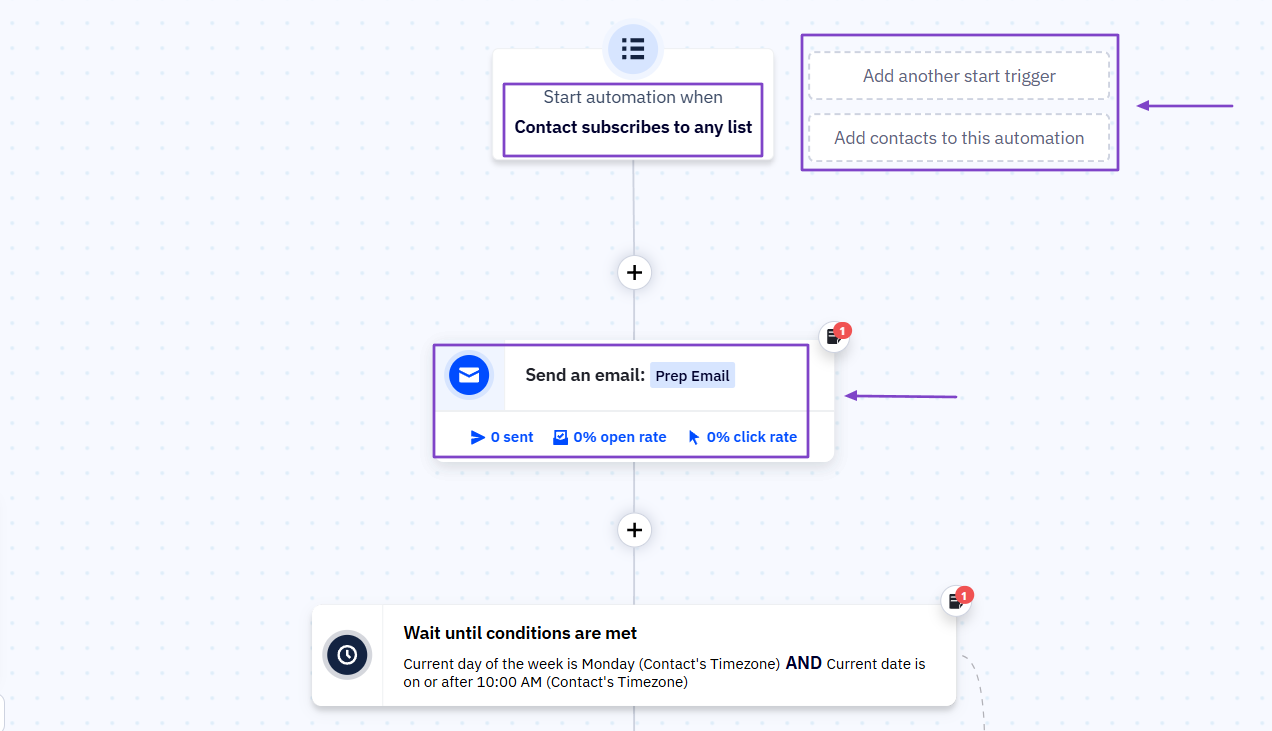
When building an automation, you must determine when it starts and what happens next.
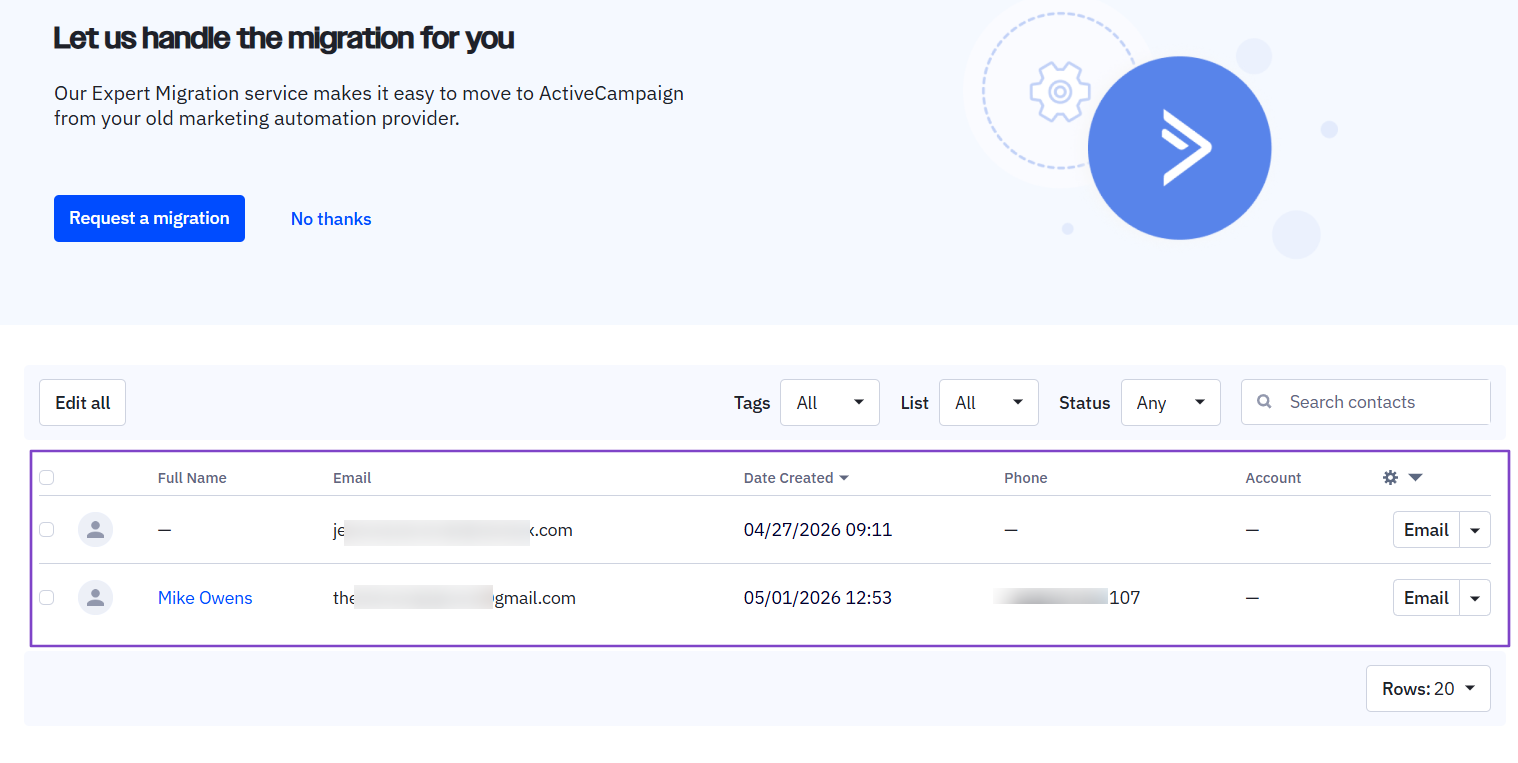
You can manually add contacts by simply providing their full name, email, phone number, and account.
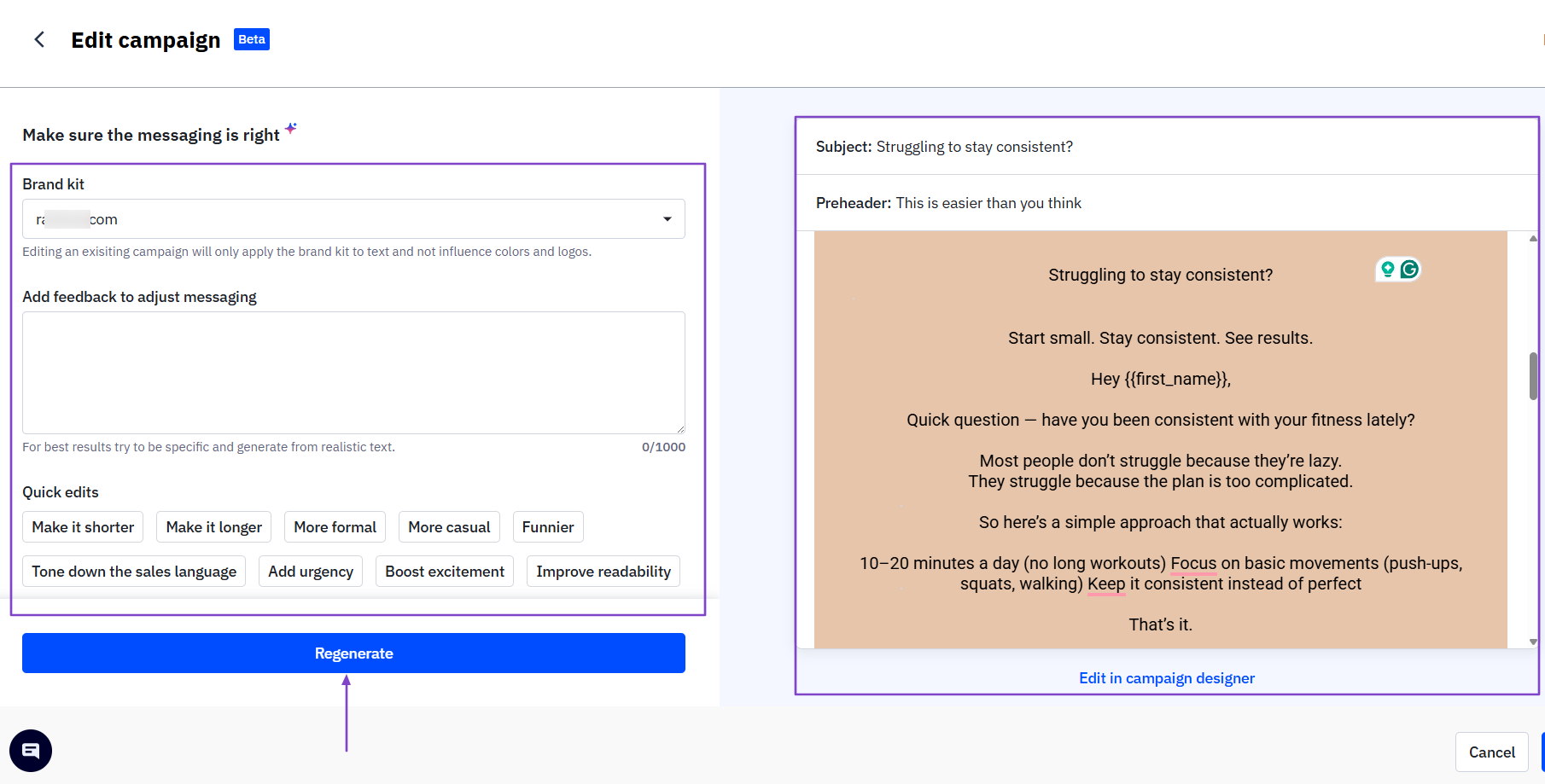
With contacts in the system, you can create email campaigns.
Then, you track the campaign performance.
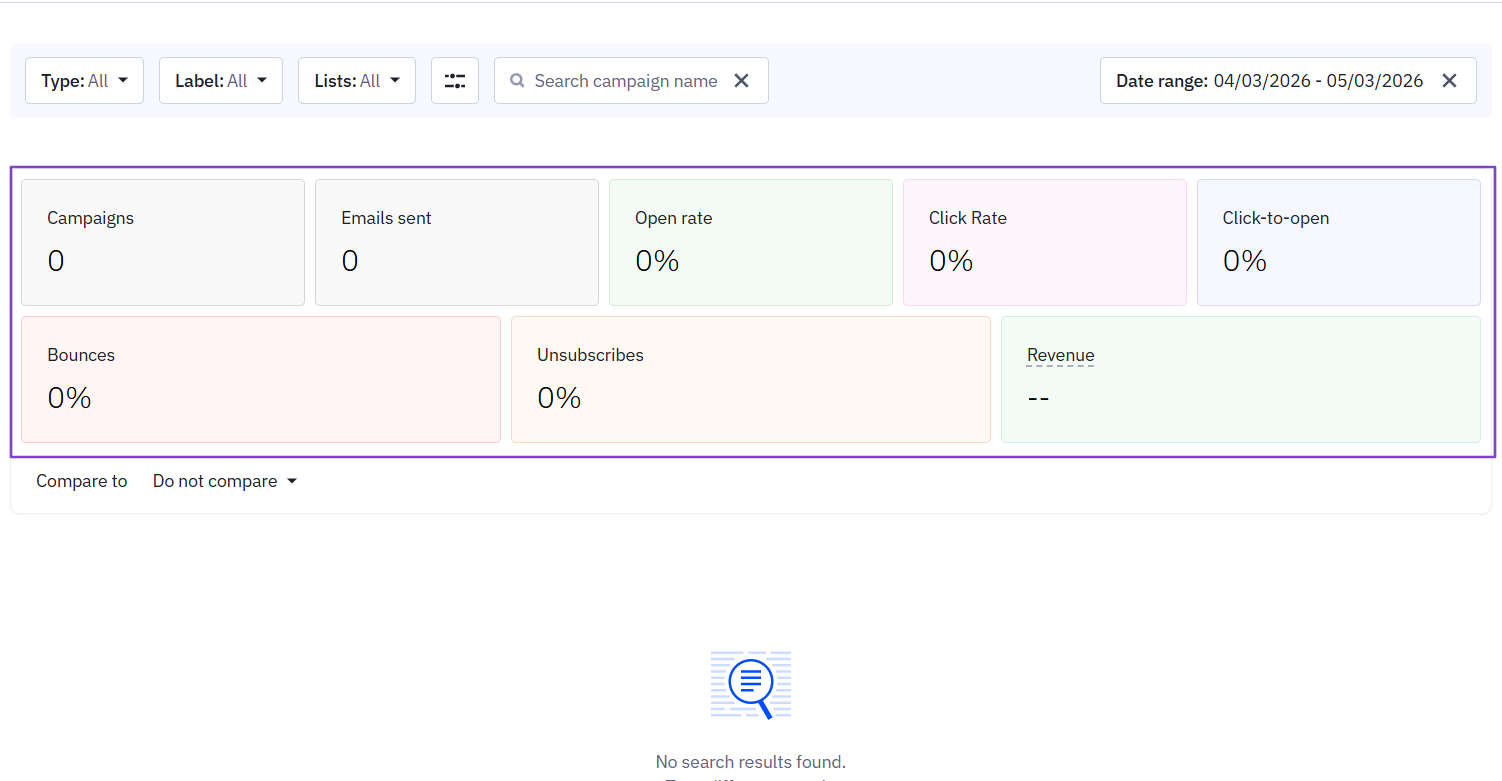
What I Love About ActiveCampaign
1. Automations
With the Automations feature, you can automate the entire customer journey. It offers categories like accounting, finance, blogging, consulting, healthcare, fitness, and more.
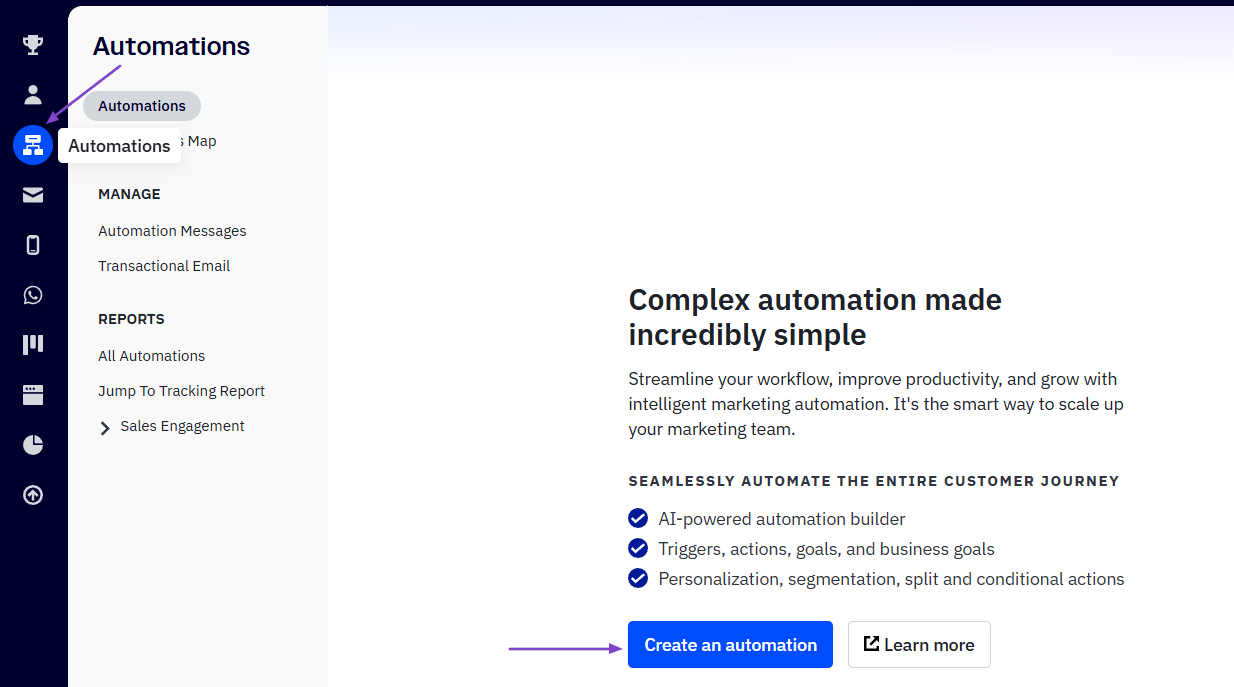
Let’s choose Fitness/Nutrition as our category. You can either start your automation from scratch or choose a pre-built one.
Let’s go with Fitness - Weekly Workout Cycle.
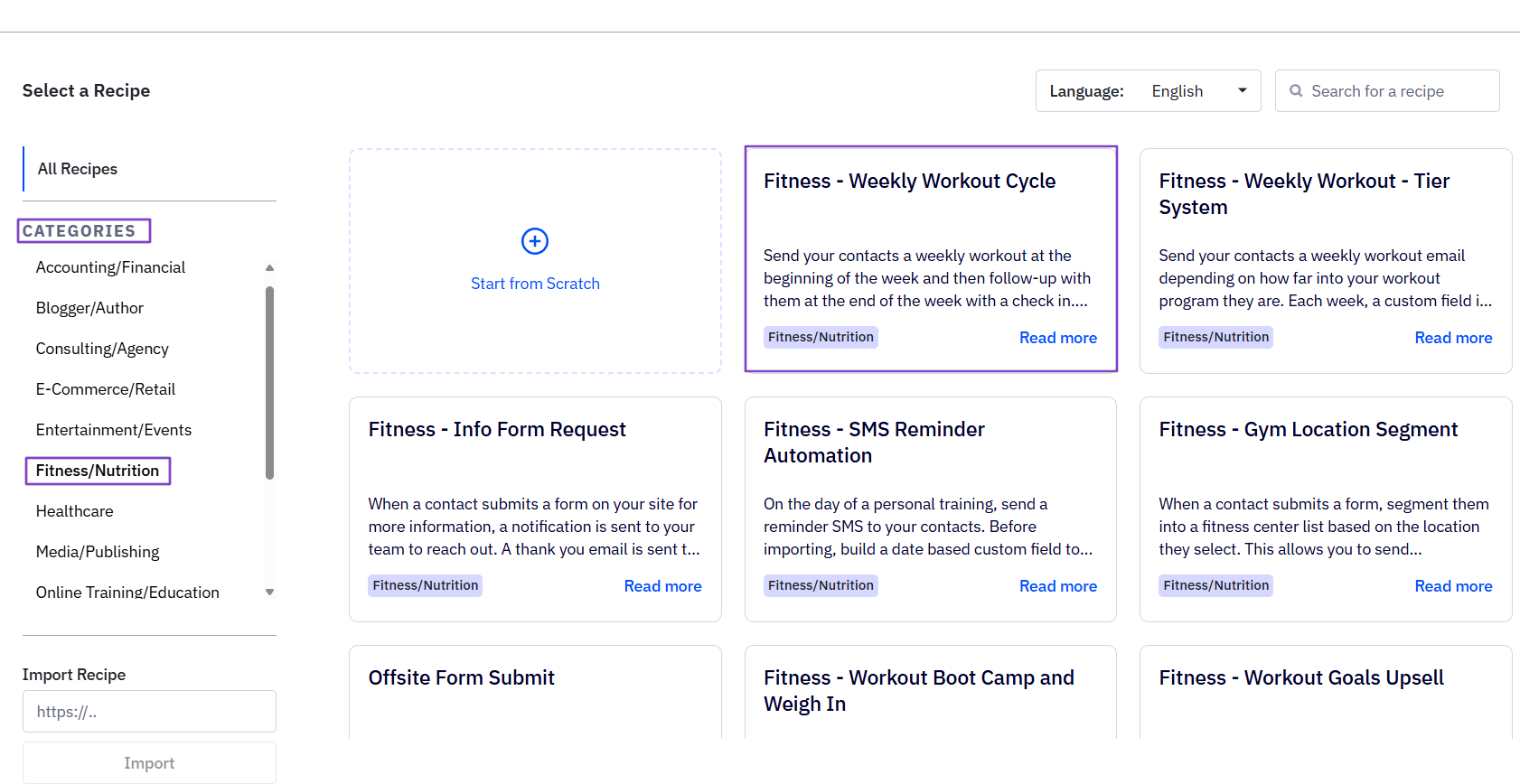
In the workflow builder, you will specify the trigger (when does the automation start?) and the action (what should happen?).
You can add another trigger and contacts to the automation.
Since you want to send an email, you can either create a new email or start from an existing one.
Then, you will select it.
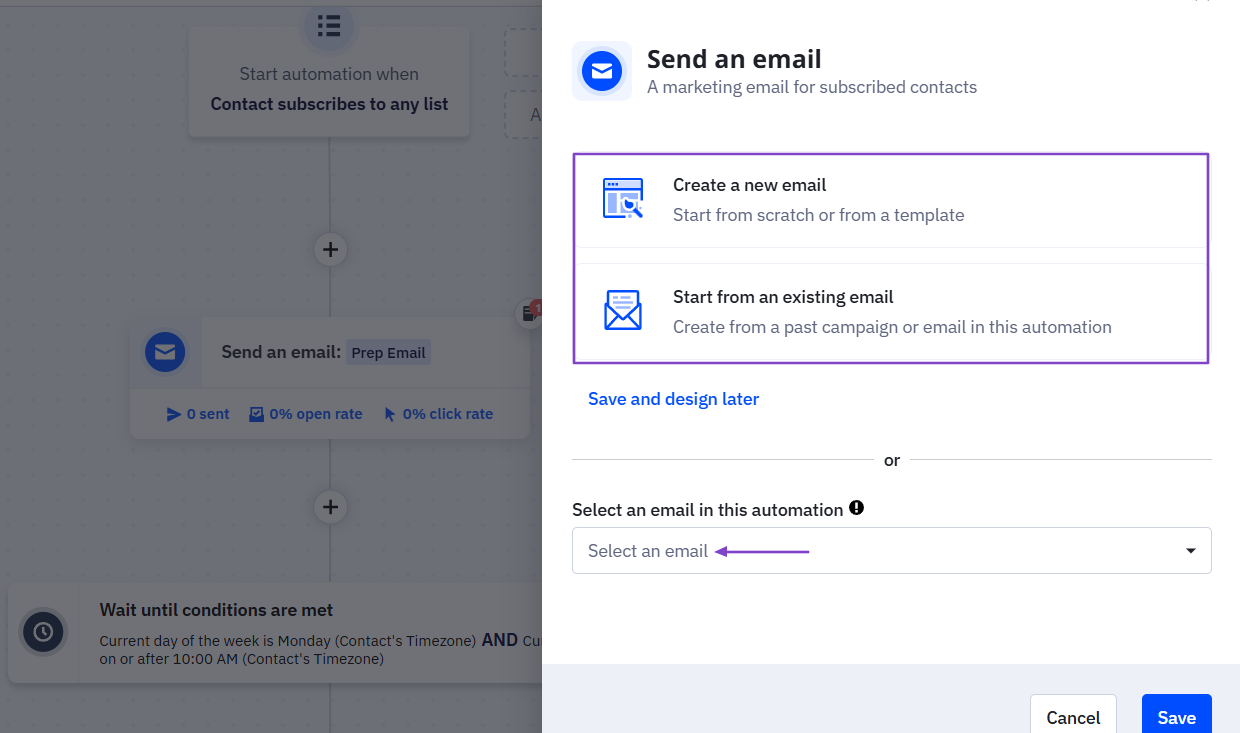
Once you’ve adjusted everything to your liking, click “Active” to start it running.
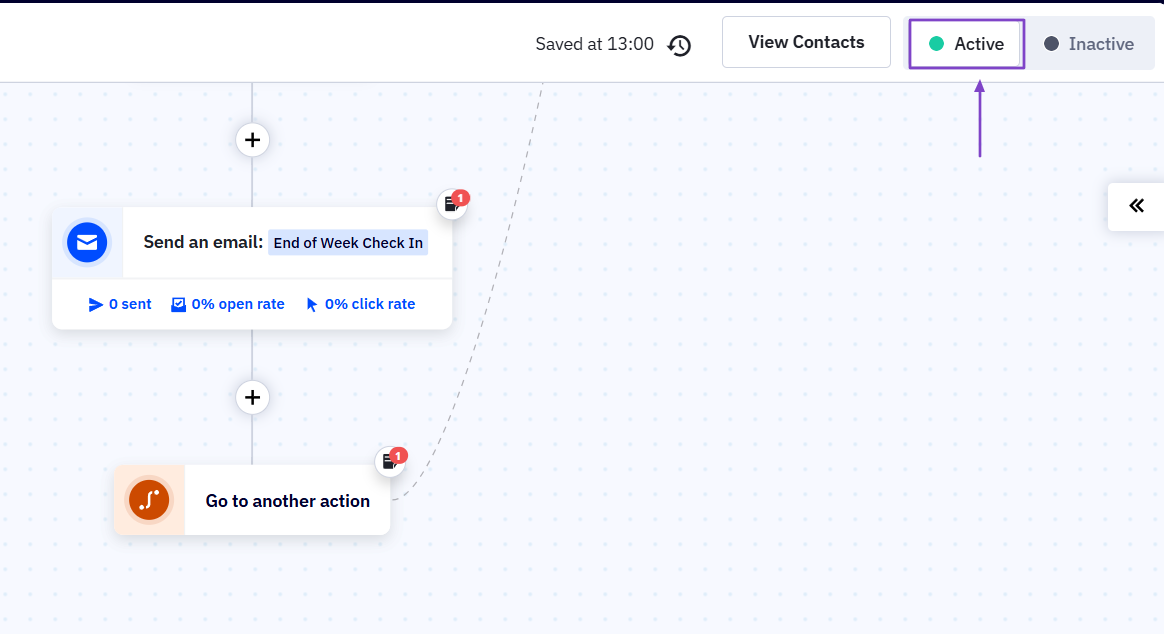
Your automation is now active.
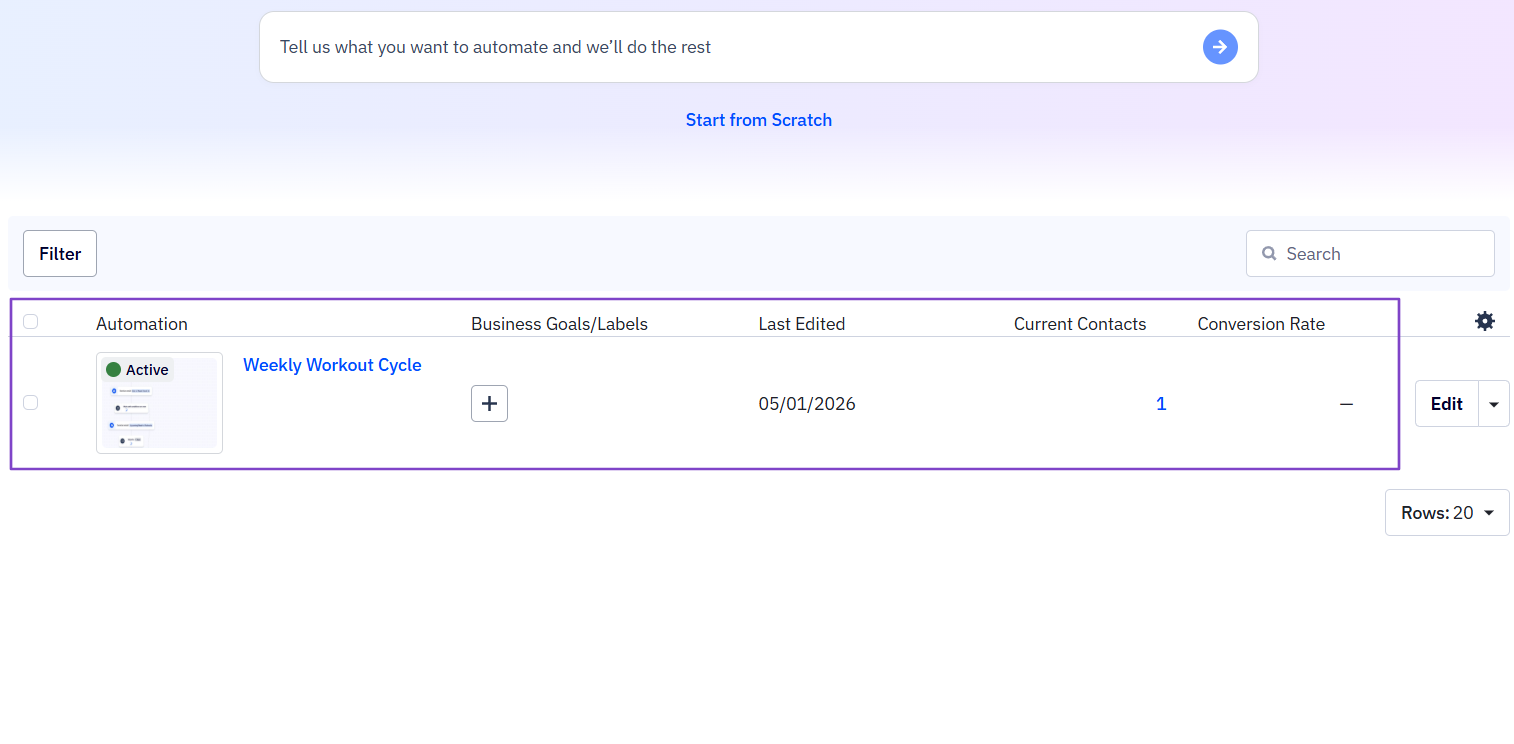
2. Email
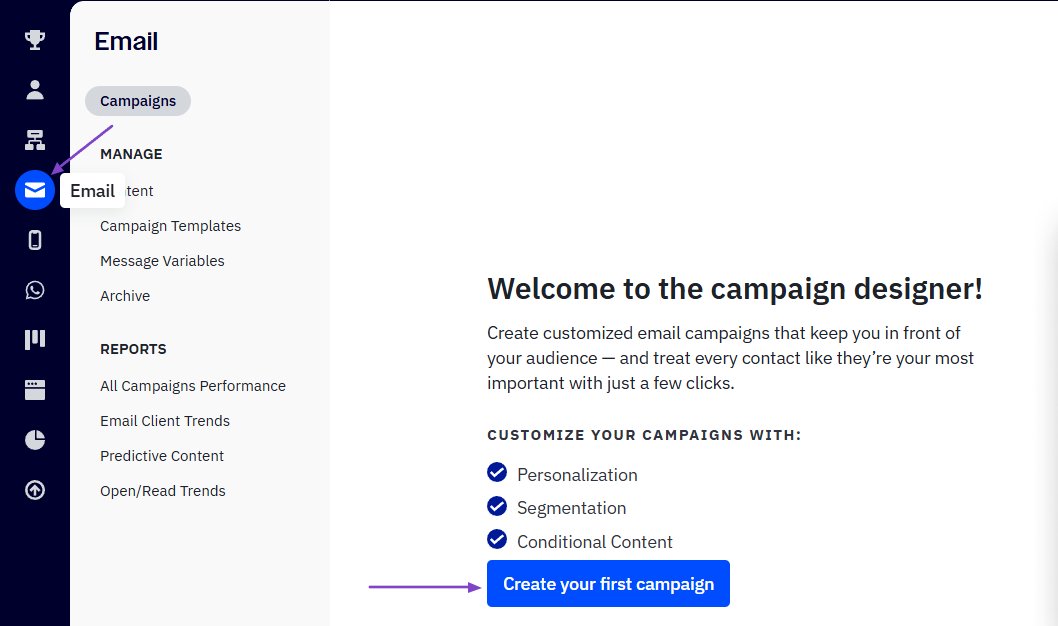
Using the Email feature on ActiveCampaign, you can create customized email campaigns for your contacts. That’s what we will do!
Click Email.
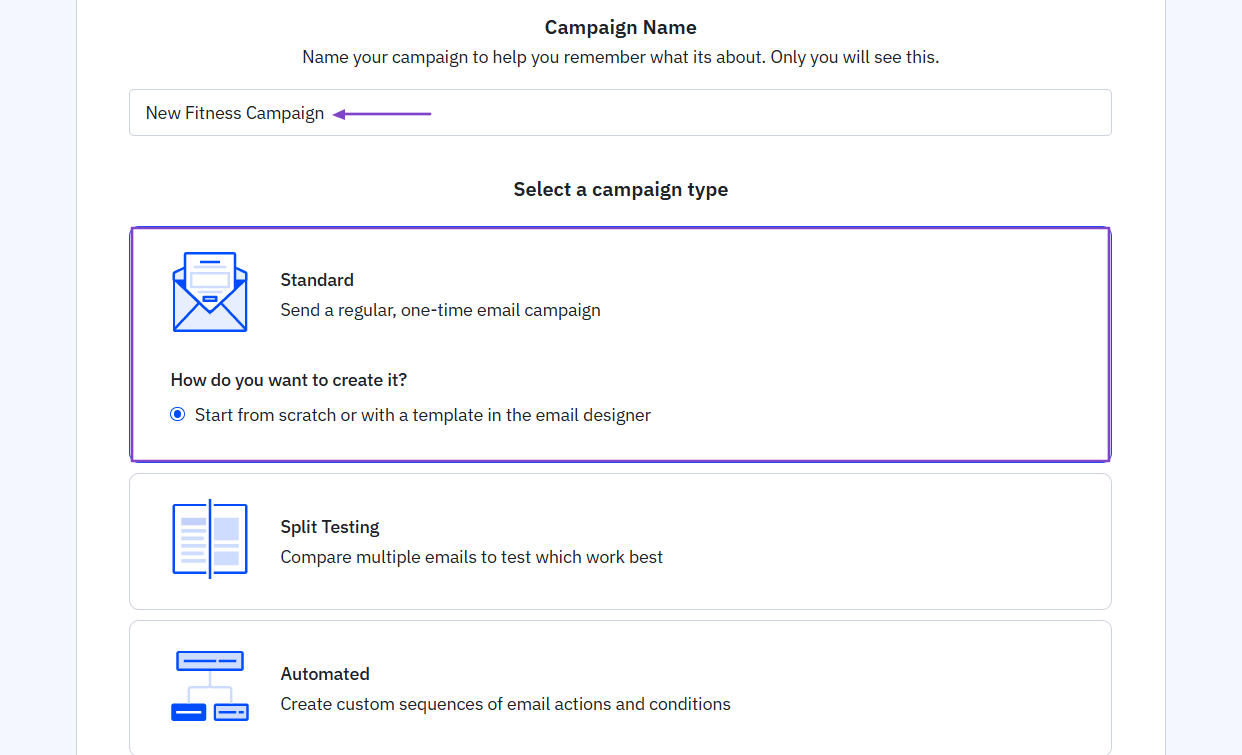
Name the campaign and select a campaign type.
Add the subject line, preheader, owner’s name, and email address. On the left, you can create your email using a designer just for that purpose.
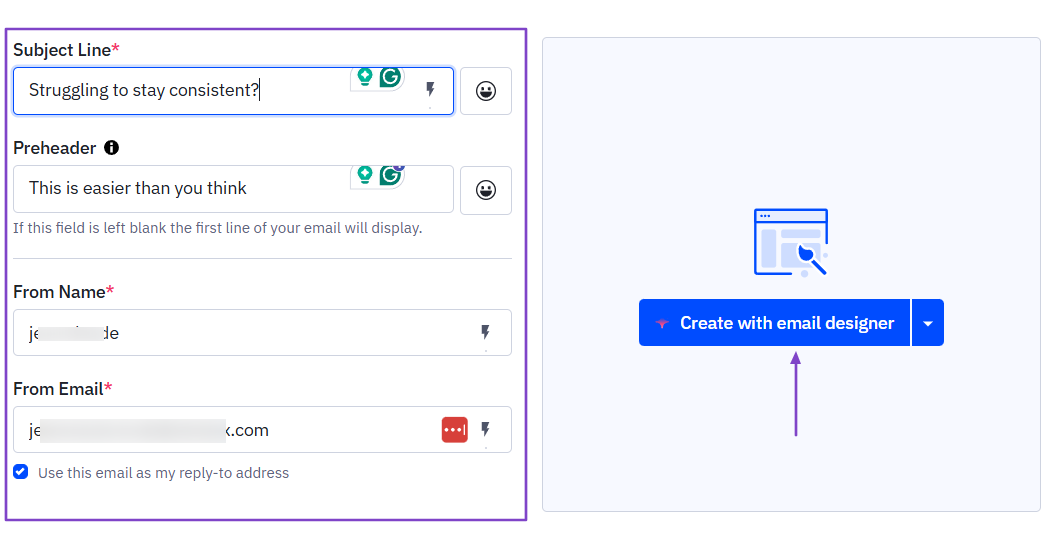
Then you can edit the campaign and preview it on the left side.
Now, you select the recipients you would like to receive the campaign and simply schedule it.

3. Reports
ActiveCampaign provides reports on marketing revenue, automations, sales engagement, contacts, and the performance of all campaigns.
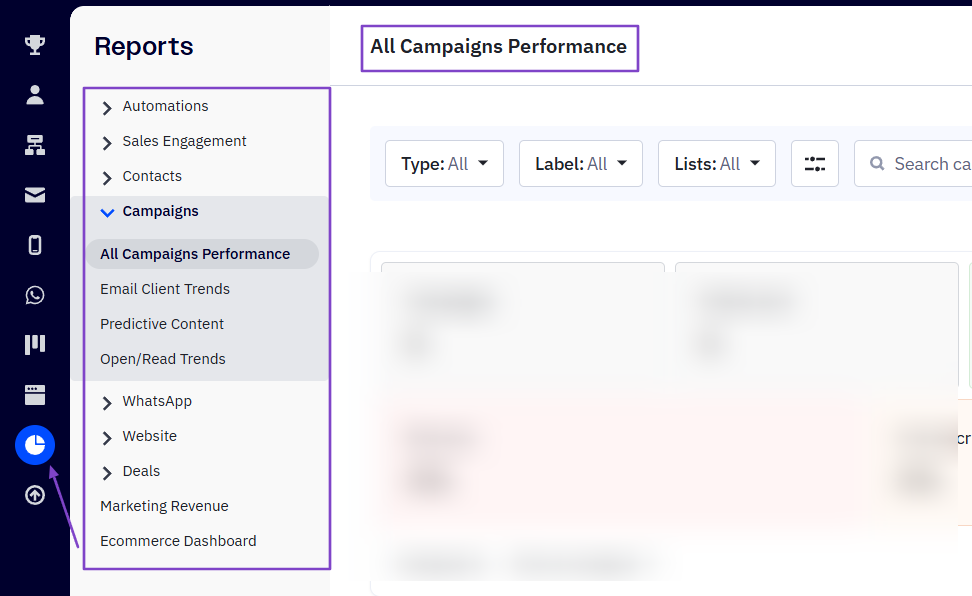
Speaking of campaign performance, you can see the number of campaigns, emails sent, opens, and click rate. It also shows the bounces, unsubscribes, and revenue.
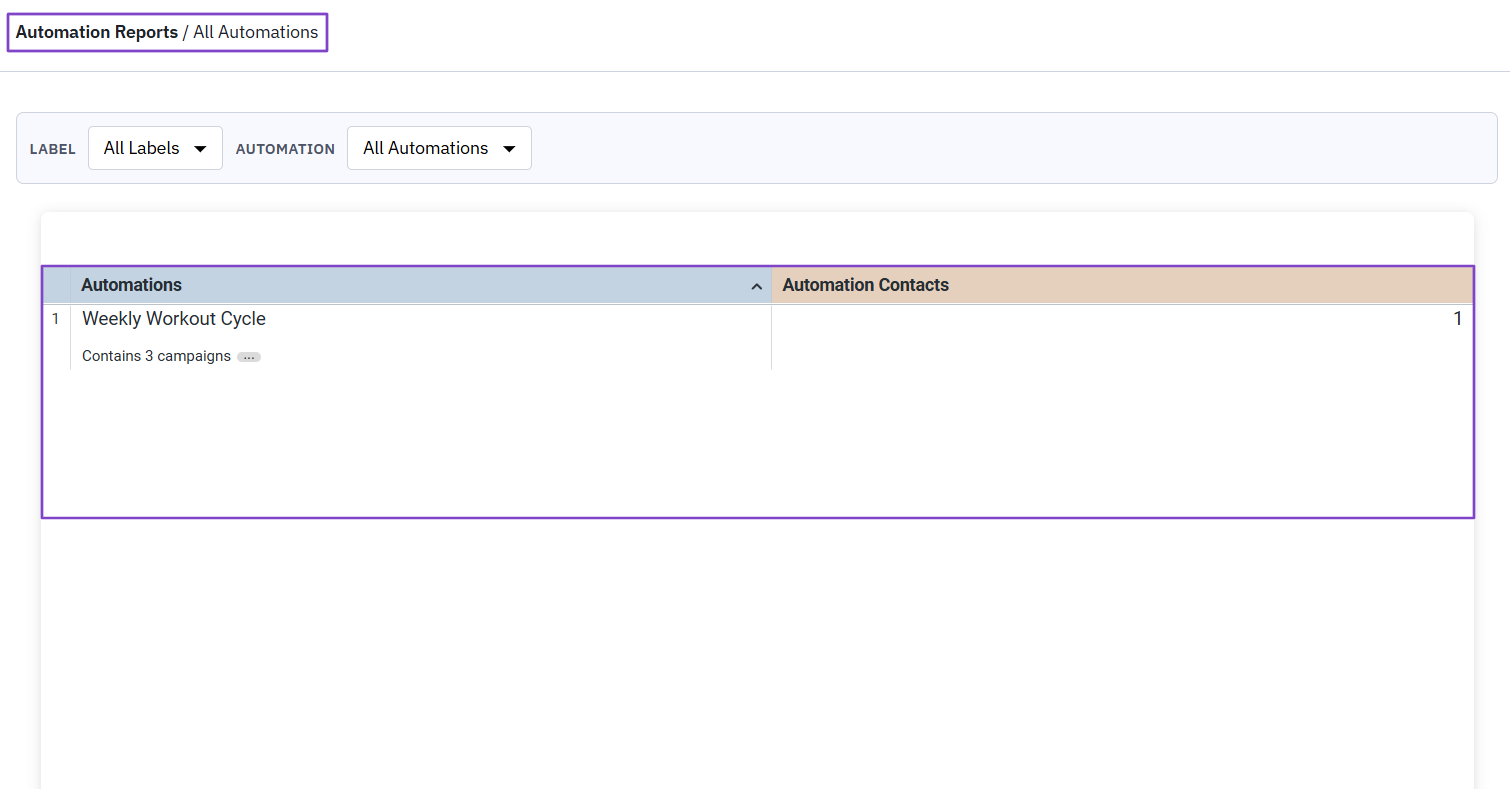
If you go to Automation reports, you will see all your automations and the number of campaigns each includes.
What I Loved vs What I Struggled With
| What I Loved 👍 | What I Struggled With 👎 |
|---|---|
| ✅ Offers many templates to help create automations. | ❌ Might require watching some tutorials before you can comfortably create automations. |
| ✅ Translates emails to a contact's language. | |
| ✅ Tracks when a contact clicks a link in the email. | |
| ✅ Lets you edit any templates with artificial intelligence. |
Best for
- B2B companies and e-commerce brands that want to handle email automation and customer journey.
Pricing
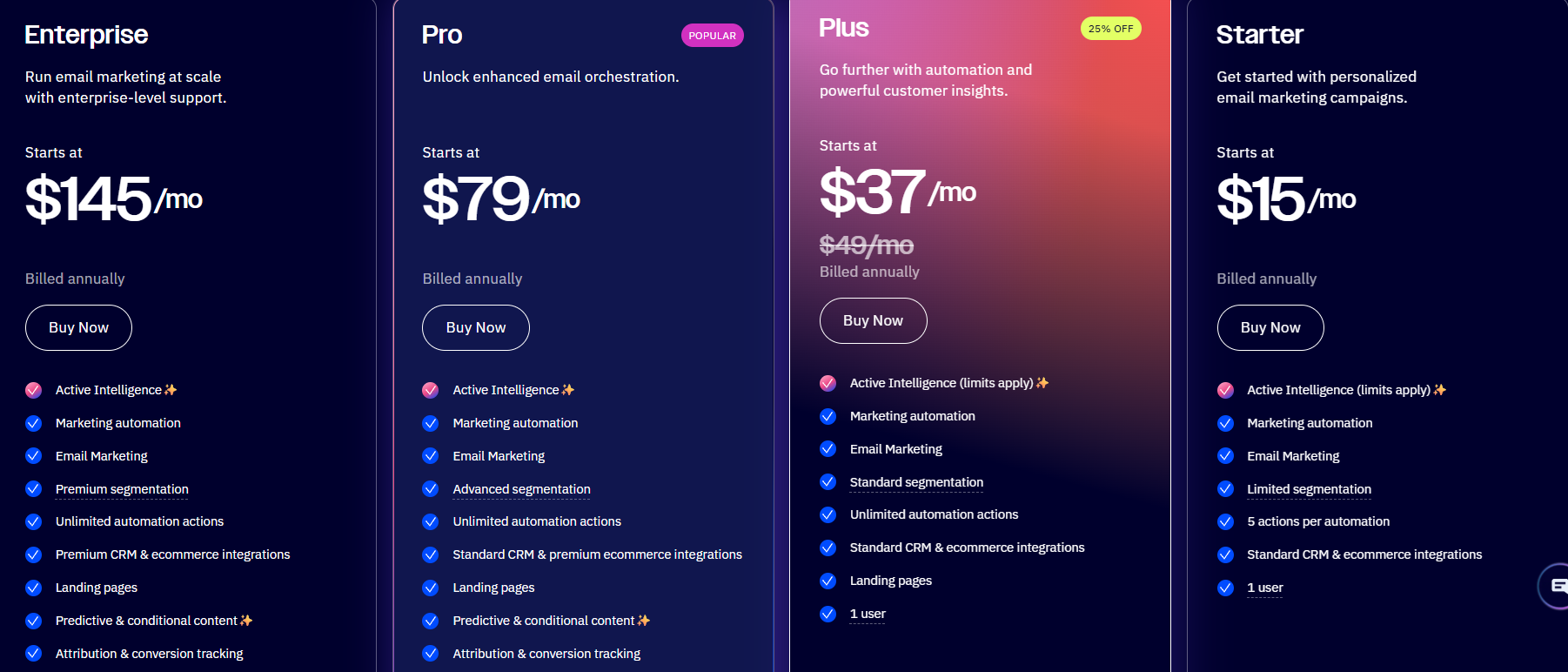
- Starter: $15/month
- Plus: $37/month
- Pro: $79/month
- Enterprise: $149/month
4. Freshsales - Best for AI-powered Lead Scoring and Pipeline Management
| Personal Ratings | ⭐️⭐️⭐️⭐️ 4.5/5 - You add contacts, and it scores them on the spot. |
| Ease of Use | ⭐️⭐️⭐️⭐️ 4/5 - Some features, like Deals, are a bit complex to grasp. |
| Key Automation Features | Workflow automation, sales sequences, auto-assignment rules, internal alerts, and contact enrichment automation. |
| Capabilities | Lead scoring, pipeline management, AI-driven insights, built-in phone, email, chat, and WhatsApp. |
| Starting Plan | Growth - $9/user/month + contact lifecycle stages. |
Another software on this list of best sales automation tools is Freshsales.
It’s a Customer Relationship Management (CRM) platform with a built-in lead scoring system that helps teams manage leads, tasks, and deals.
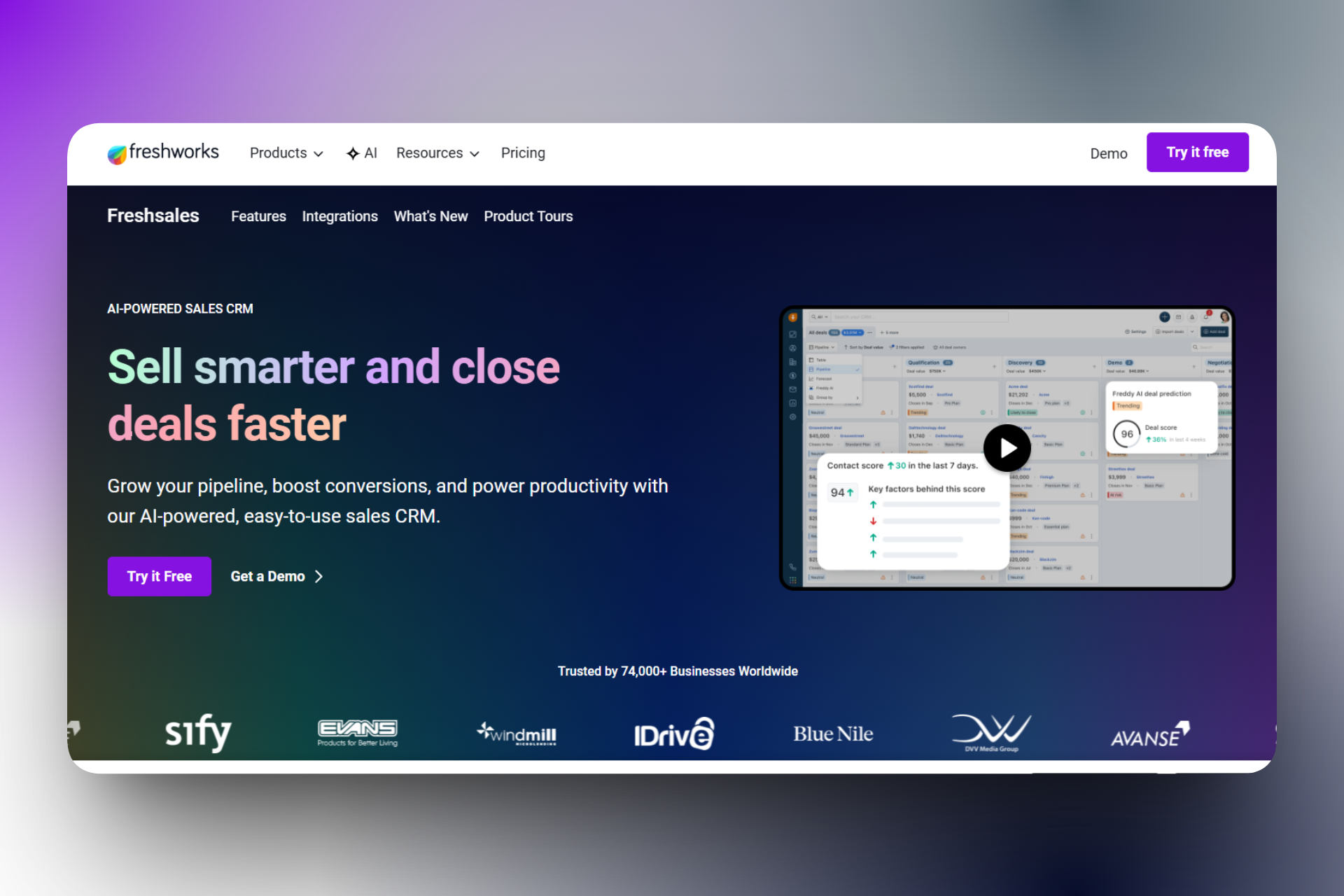
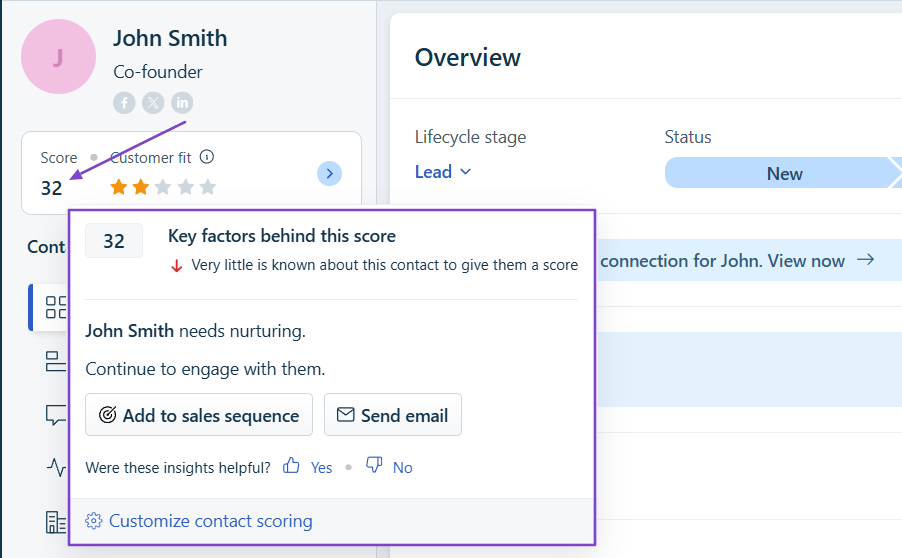
After scoring leads, it tells you what they need and what you should do next.
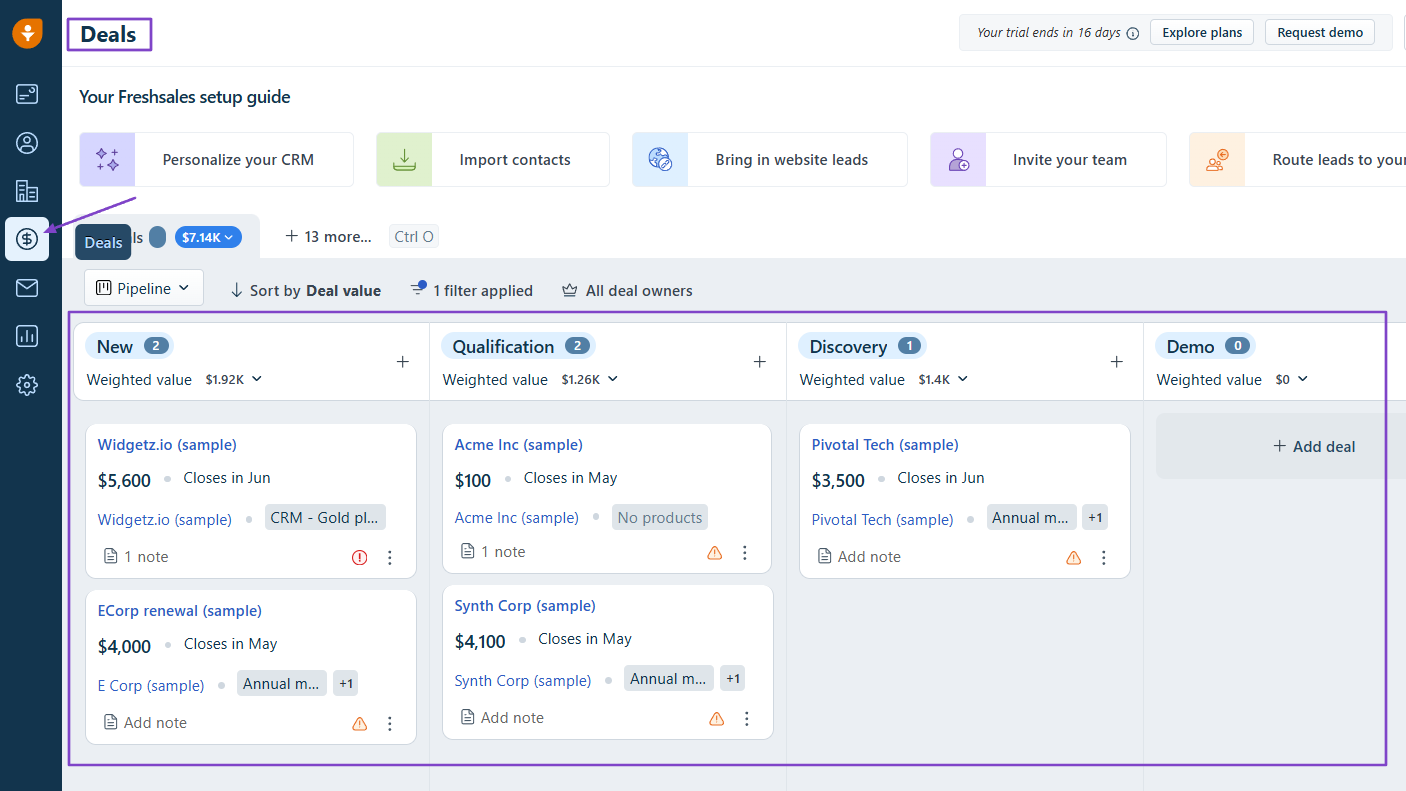
The platform lets you create and manage deals in the pipeline.
It also tracks the revenue you win or lose.

What I Love About Freshsales
1. Contacts
Let’s start with the Contacts feature. You can add contacts directly to Freshsales and let the AI score them based on the information you provide.
Let me show you how this works.
Click “Contacts” in the sidebar menu.
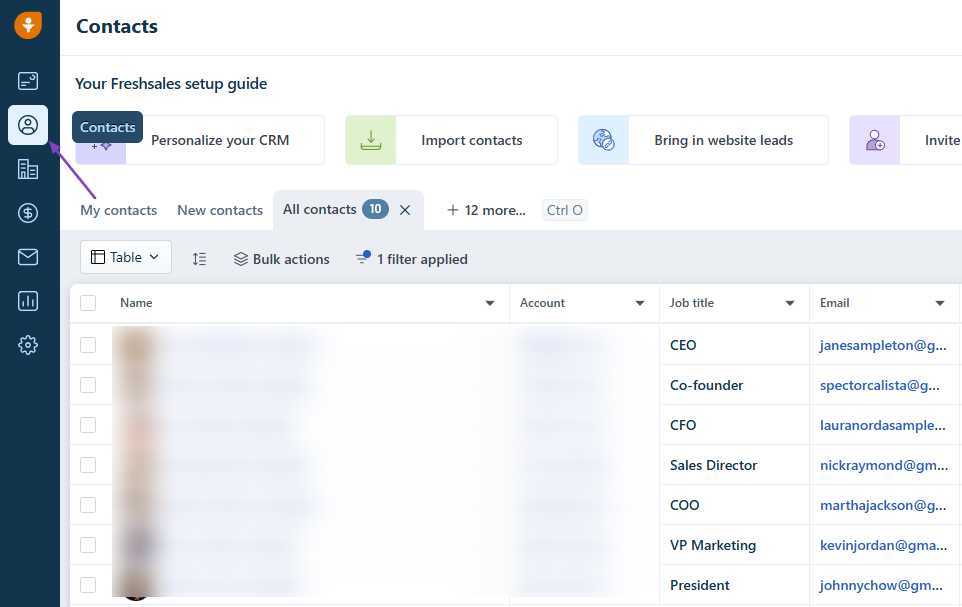
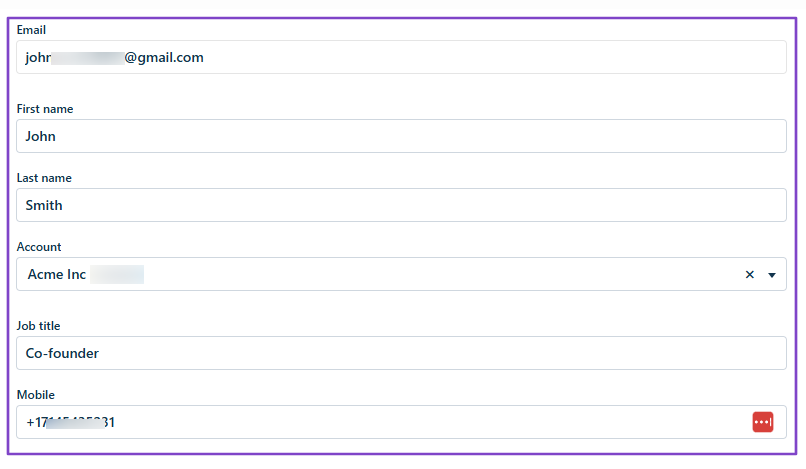
Add all the contact’s details: email, first and last name, phone number, job title, and account.
You can manually choose the lifecycle stage of your contact: new, contacted, interested, qualified, won, or churned.
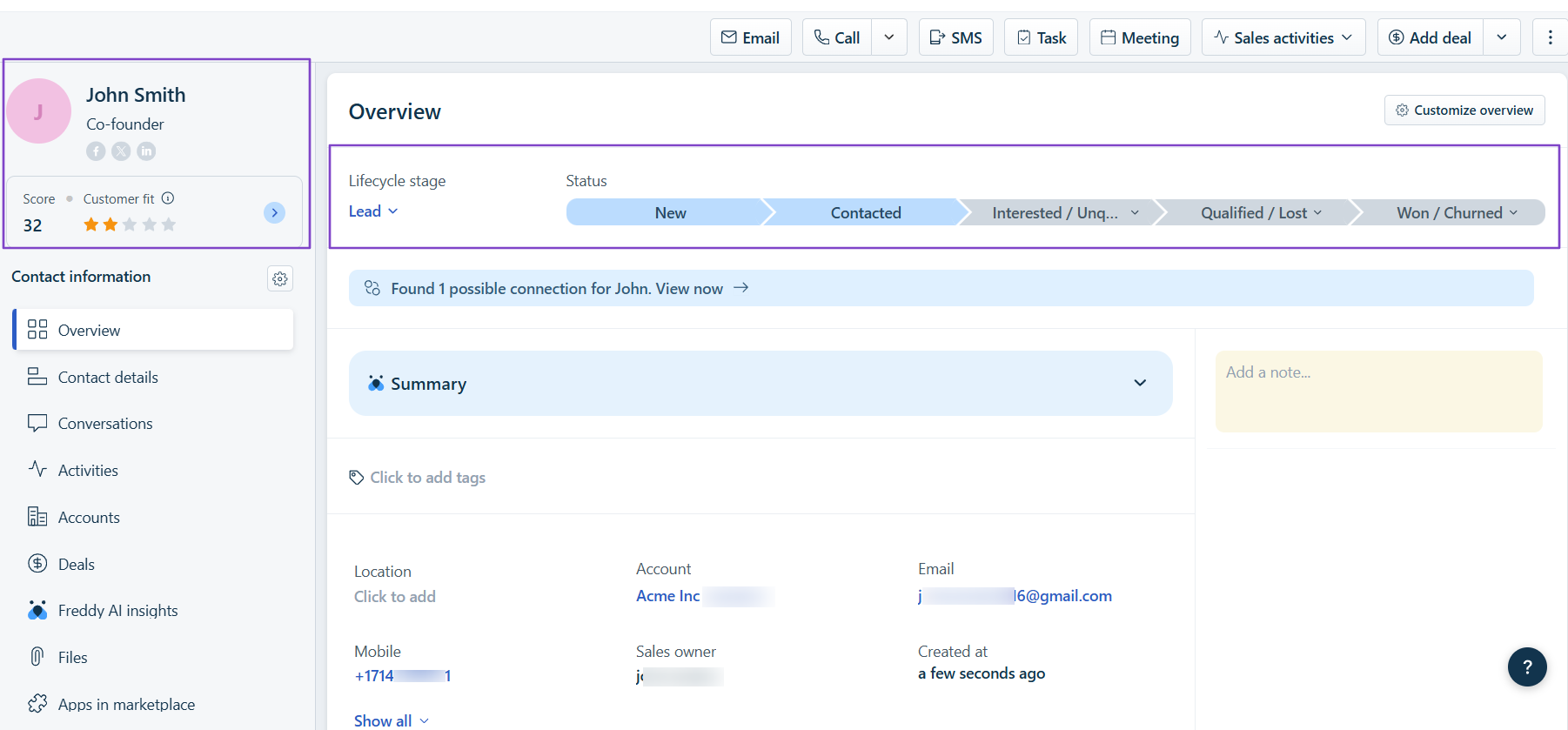
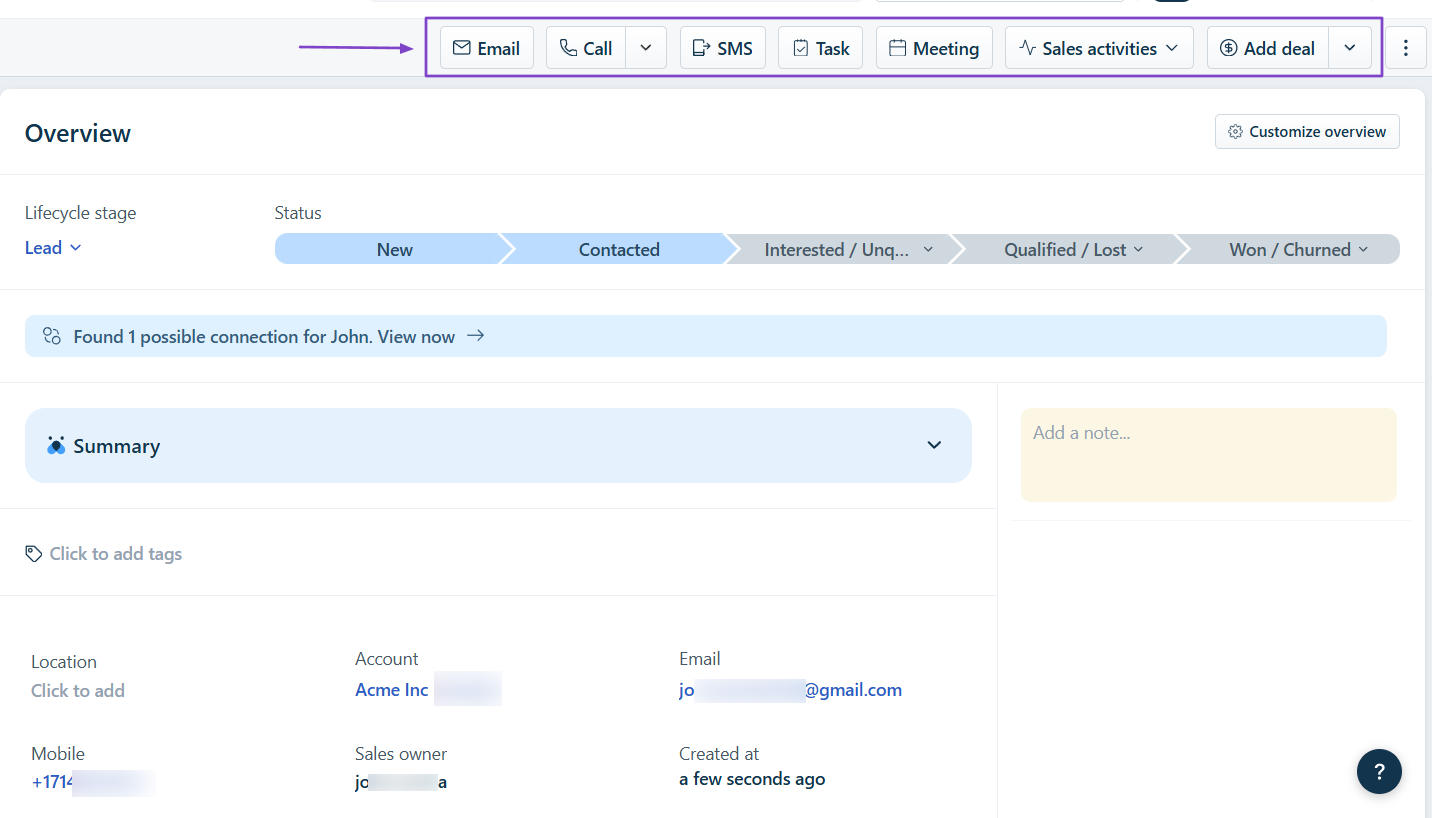
On the left side, you will see the contact’s score with the key factors behind it. You can add them to a sales sequence or send an email.
You can also call, send SMS, create a task or meeting, or add a deal.
2. Deals
With the Deals feature, you can access the entire pipeline, including all deals and their stages: new, qualification, discovery, or demo.
To add a new deal, select the contact, account, deal type, and deal name. Then, you choose a currency, deal value, and deal stage.
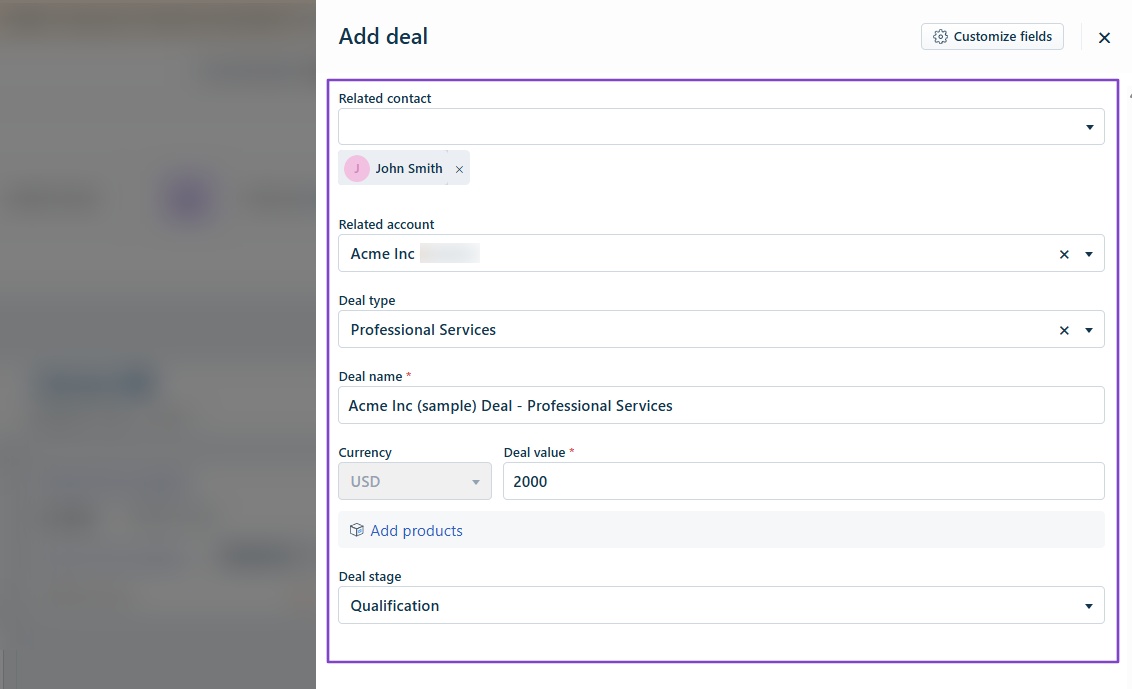
You can still add products or notes and even specify their upcoming meeting.
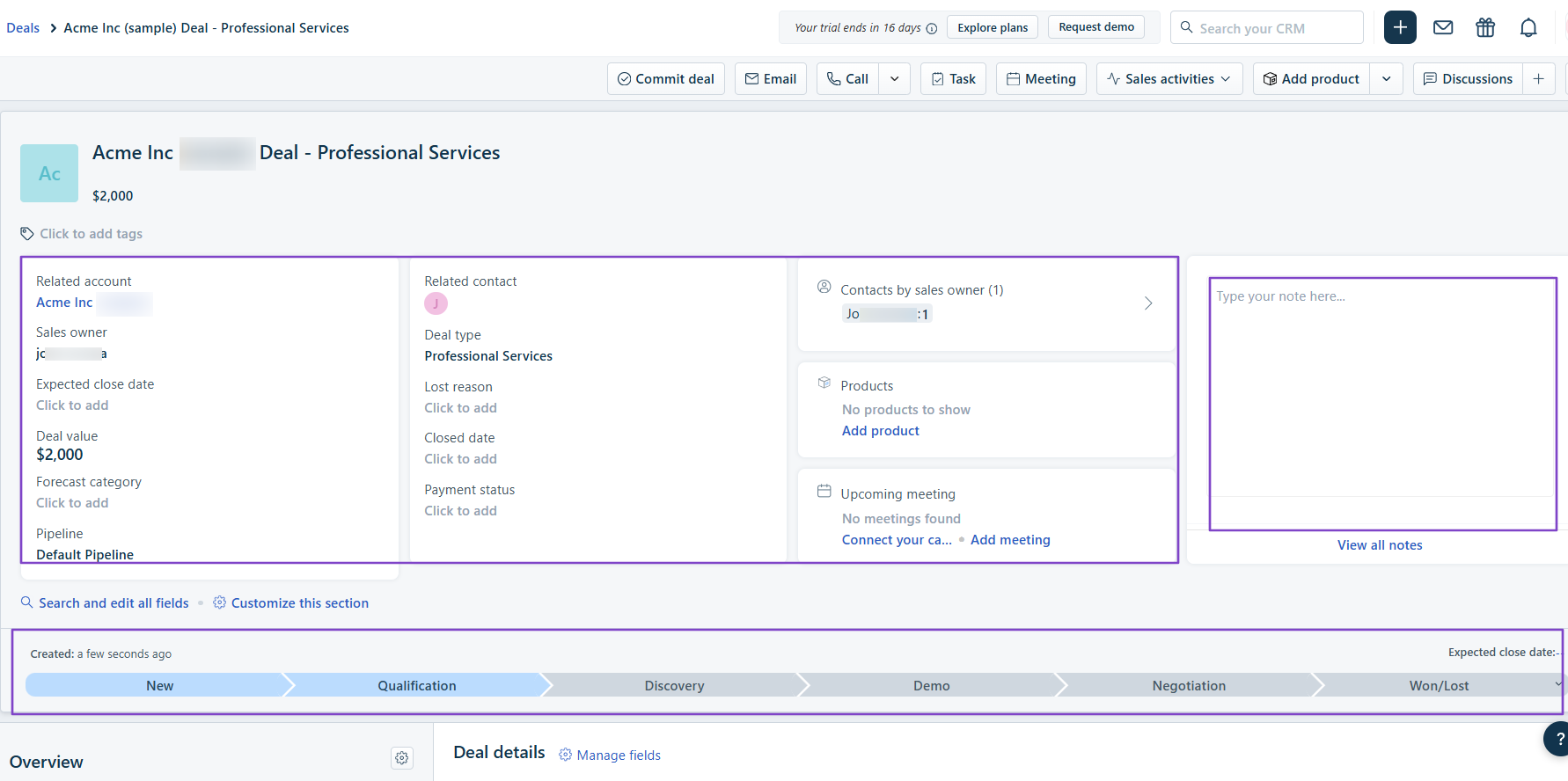
Your deal is ready! You can email the contact, call, or leave a note.
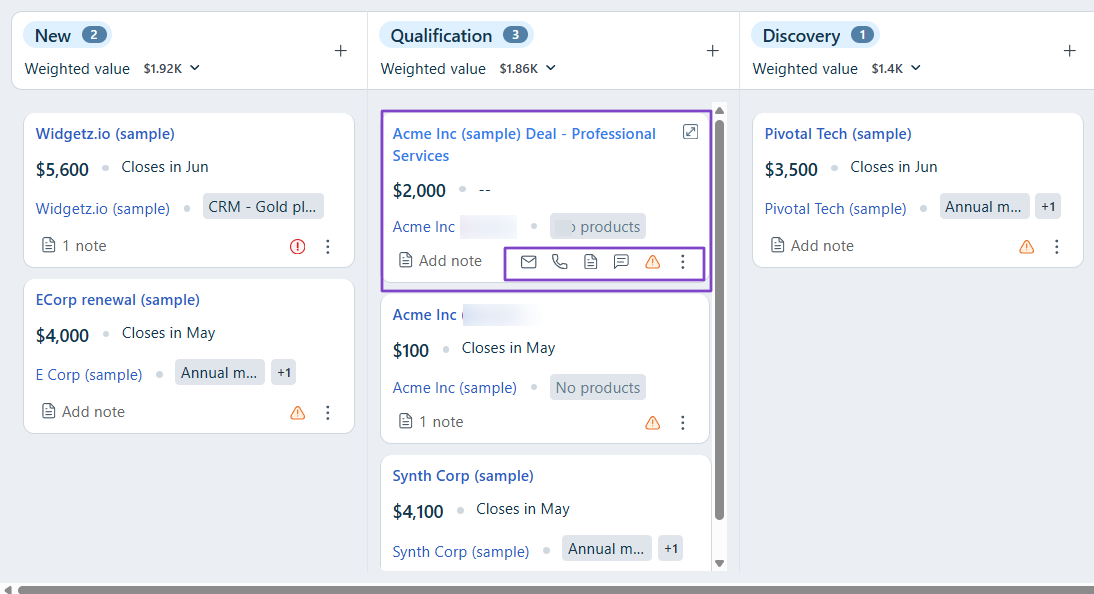
3. Dashboards
Thanks to the Dashboards feature, you can see the revenue won and lost. You can also see the deal win and loss percentages.
The dashboard displays the open deal value by stage, forecasted revenue by deal stage, contacts by sales owner, and revenue won by source.
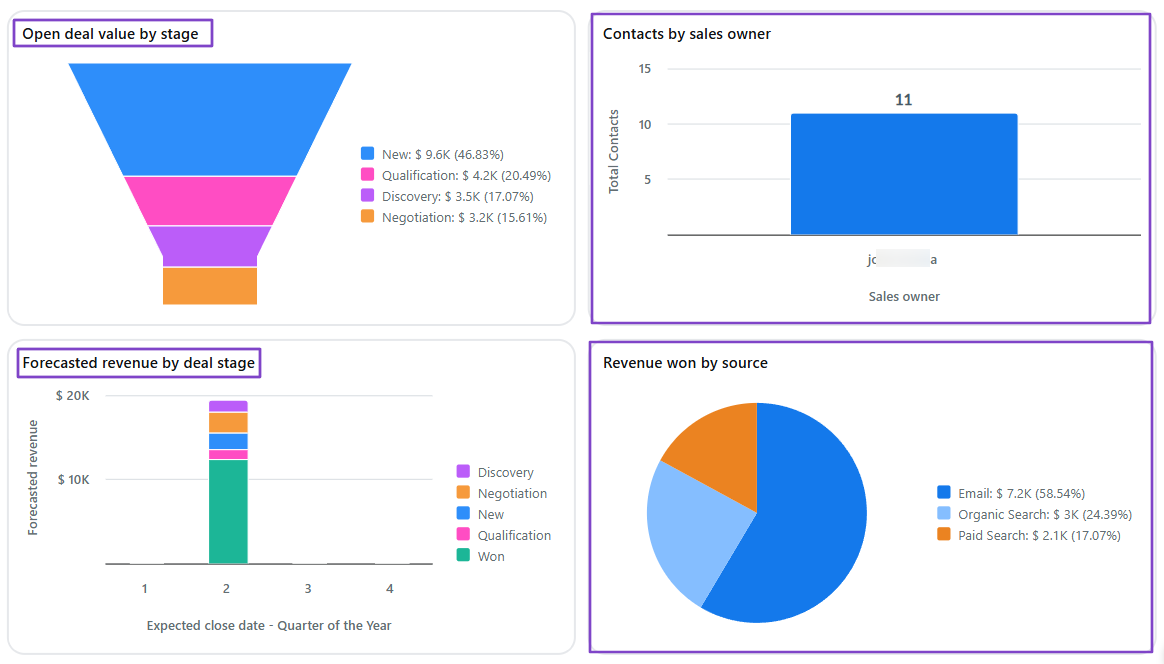
It also shows the contacts created over time, contacts by owner, and deals closed over time.
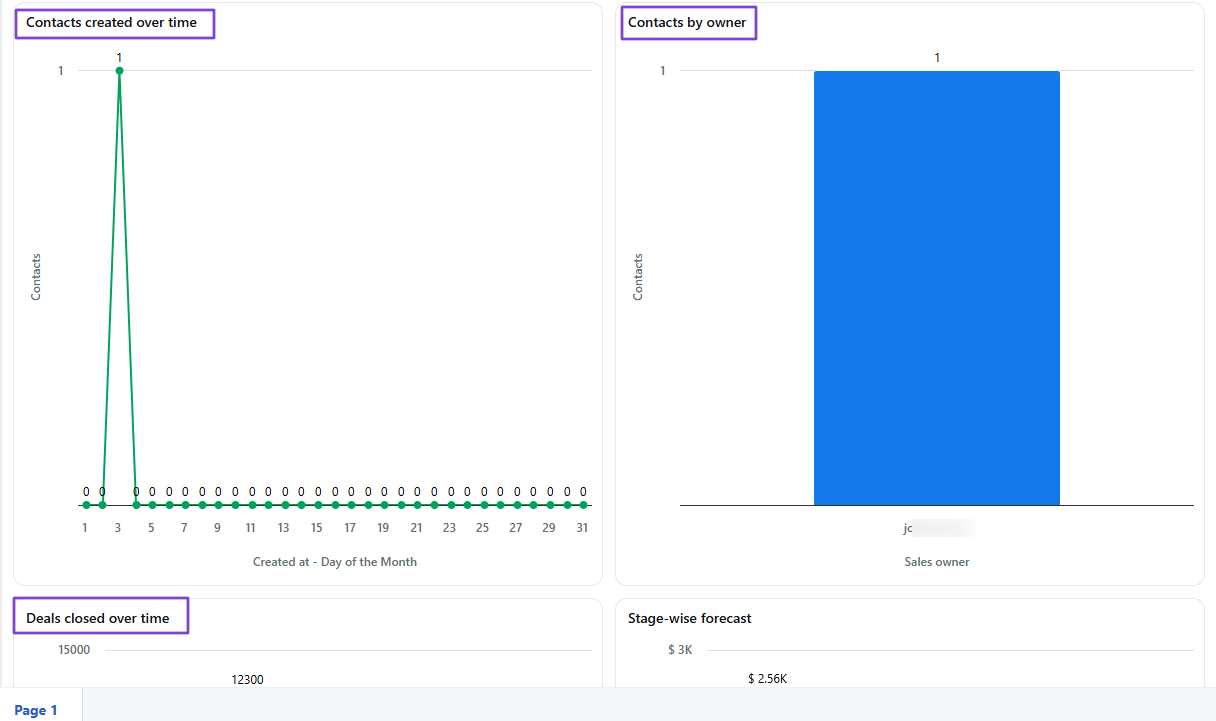
What I Loved vs What I Struggled With
| What I Loved 👍 | What I Struggled With 👎 |
|---|---|
| ✅ Uses Freddy AI to analyze and score contacts. | ❌ You may need to watch some tutorials to understand how the Deals feature really works. Otherwise, it might be confusing. |
| ✅ Lets you specify contact and deal lifecycle stage: new, interested, qualified, won, etc. | |
| ✅ Provides an AI summary for all contacts and deals. |
Best for
- Sales teams seeking an AI-powered lead scoring and pipeline management solution.
Pricing
- Growth: $9/user/month
- Pro: $39/user/month
- Enterprise: $59/user/month

5. Close - Best for Built-in Calling and Automation for Internal Sales Teams
| Personal Ratings | ⭐️⭐️⭐️⭐️ 4.3/5 - There are many ways to call customers. And the AI prepares a summary each time. |
| Ease of Use | ⭐️⭐️⭐️⭐️ 4/5 - Not really difficult to use. You can understand how each feature works on your second try. |
| Key Automation Features | Automated email and call sequences, Workflow automation, Smart reminders, Automatic logging of calls, Emails, and SMS, and Built-in communication automation. |
| Capabilities | Built-in calling, SMS, and email in one system, pipeline and opportunity tracking, and real-time performance insights. |
| Starting Plan | Essentials - $35/seat/month + unlimited contacts and leads. |
Fifth on this list of the best sales automation tools is Close.
It’s a sales-focused CRM platform that's built around built-in calling, emailing, and pipeline management.
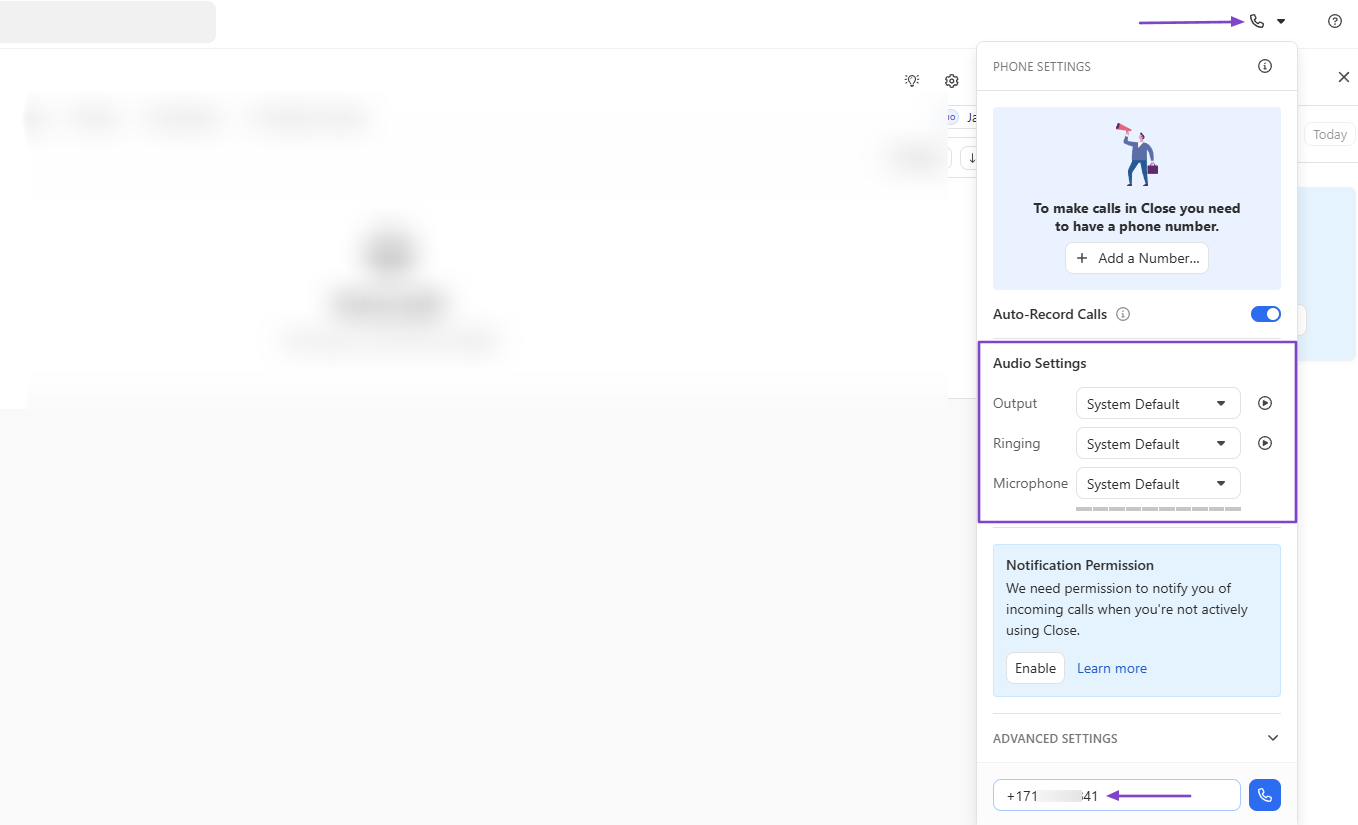
To make a call, you need to adjust your audio settings and add the lead’s phone number.
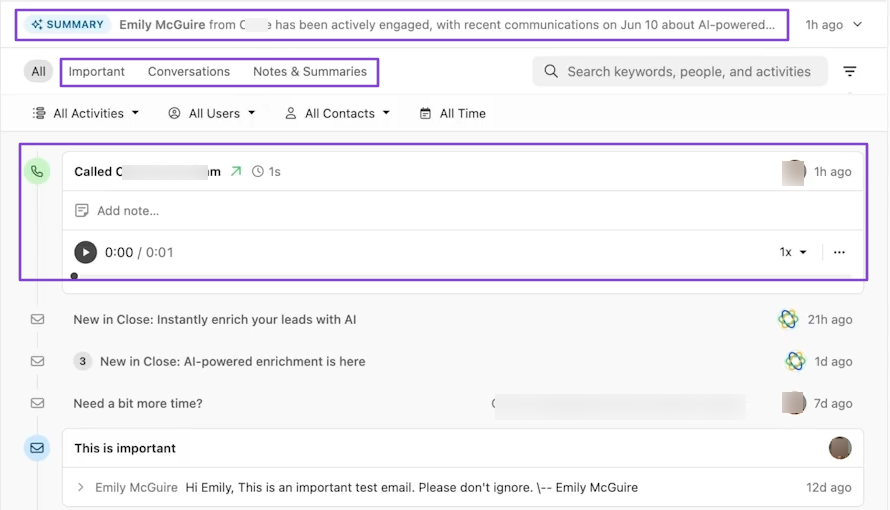
After a call, you have access to the AI summary and the full conversation.
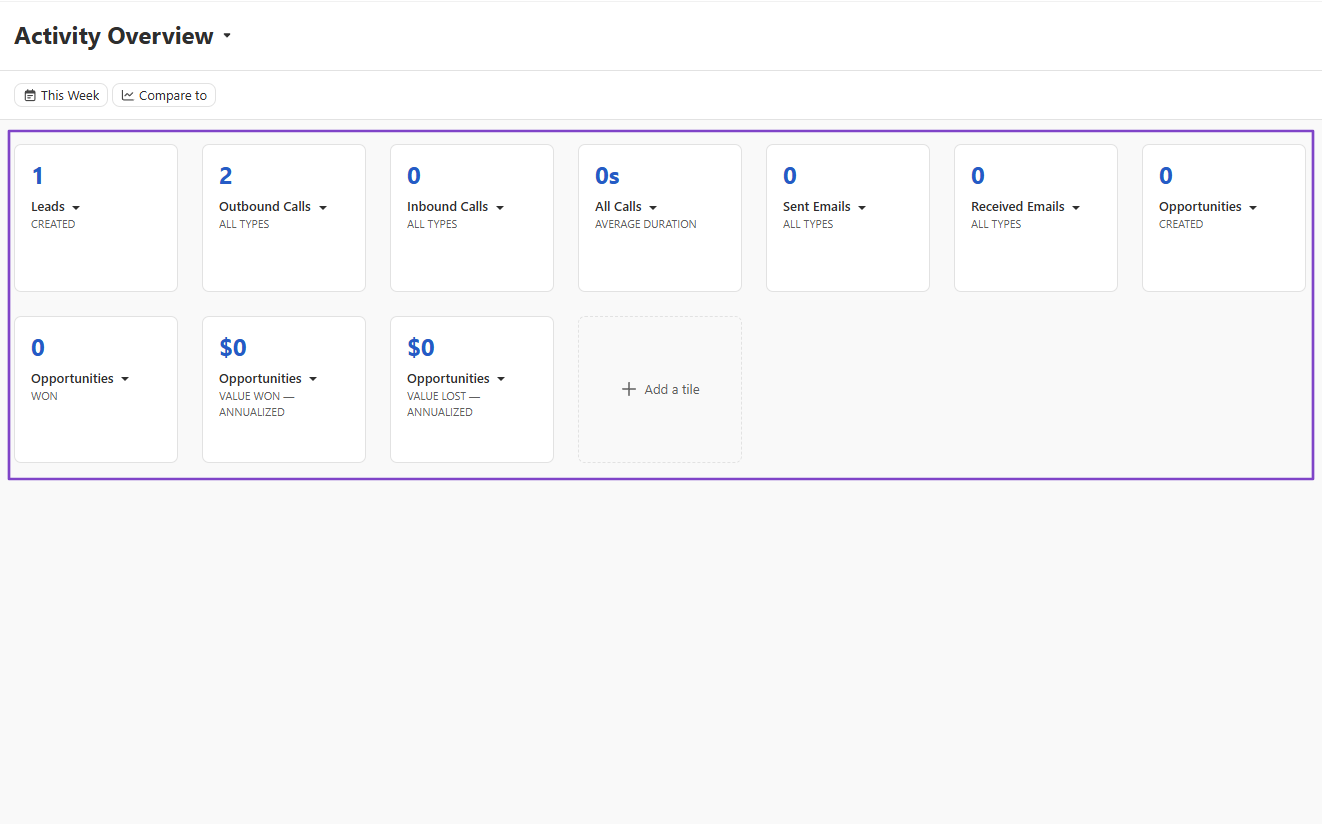
Close also has a reports interface showing an overview of your activities, from calls to emails to opportunities.
What I Love About Close
1. Leads
The reason we start with the Leads feature is that, without it, we can’t make calls. That’s why you need to add them first, then reach out via calls.
Let’s do it!
Locate “Leads” in the sidebar menu.
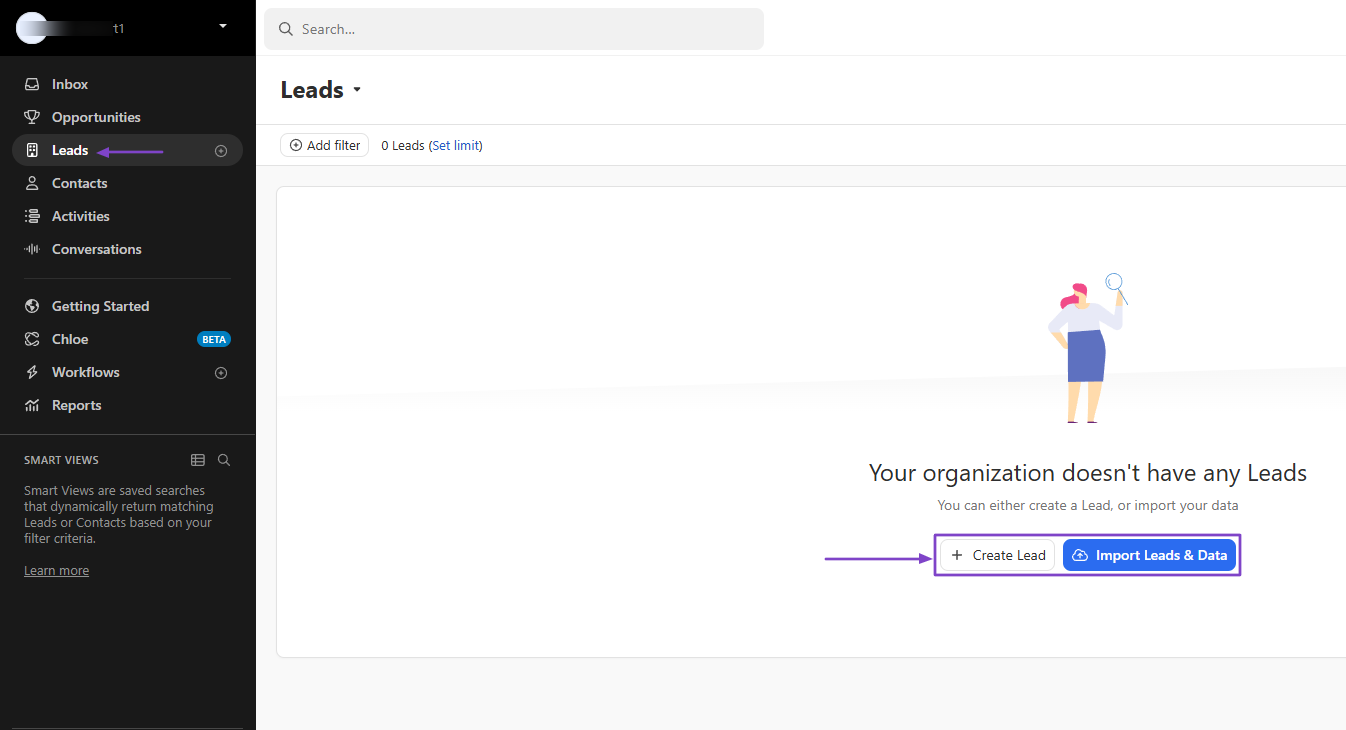
Add the company and contact name.
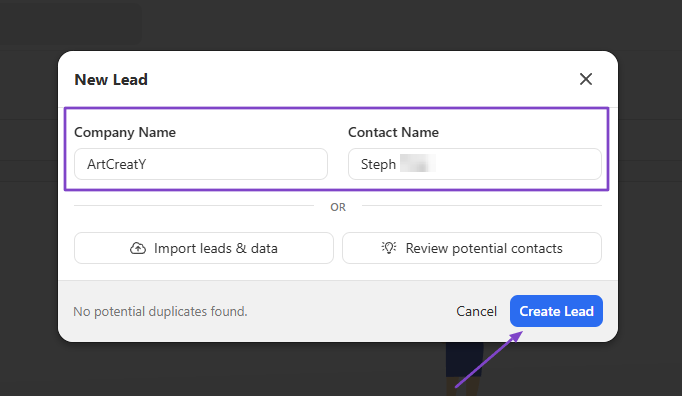
You can add more details, like address, URL, phone number, and email address.

You can now make your call.

Close will provide you with the AI summary of your call. Aside from that, you will see all the details about your call, including the duration, notes, and conversation.
2. Activities
The Activities feature on Close lets you choose among activity types such as calls, SMS, emails, WhatsApp, or meetings, and view the most relevant records.
Let’s choose “Calls.”
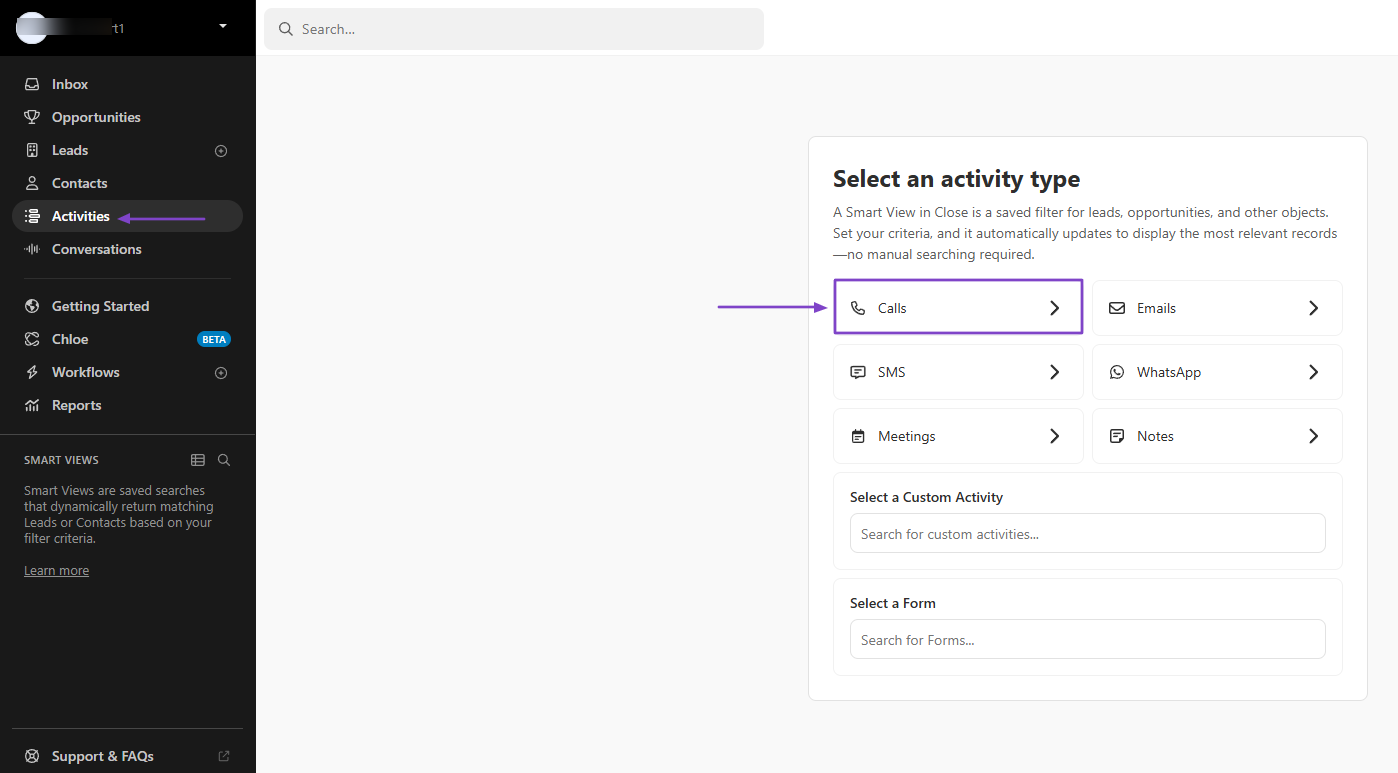
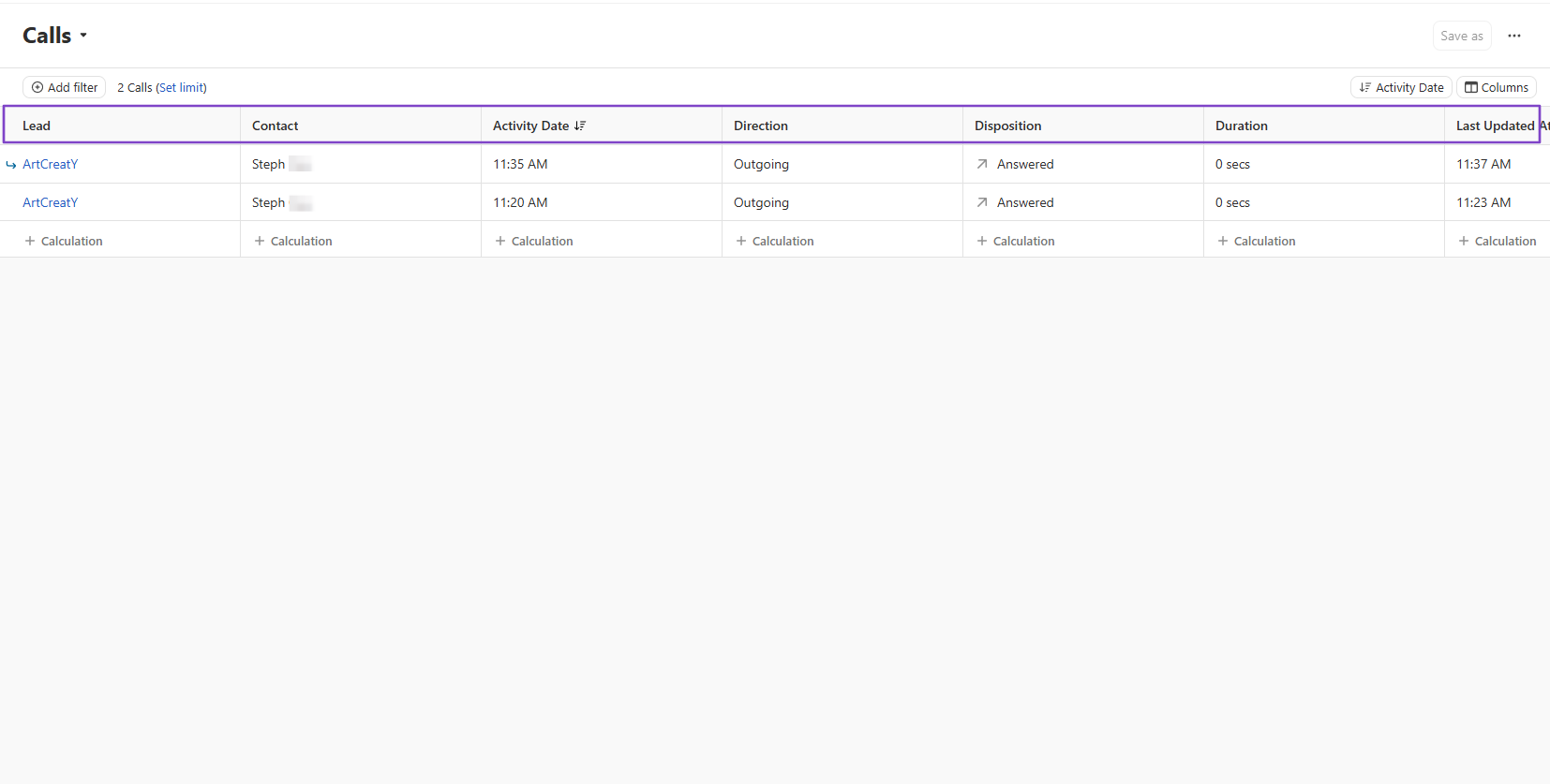
You will see the lead you’ve called, the contact, date, direction, disposition, duration, and when it was last updated.
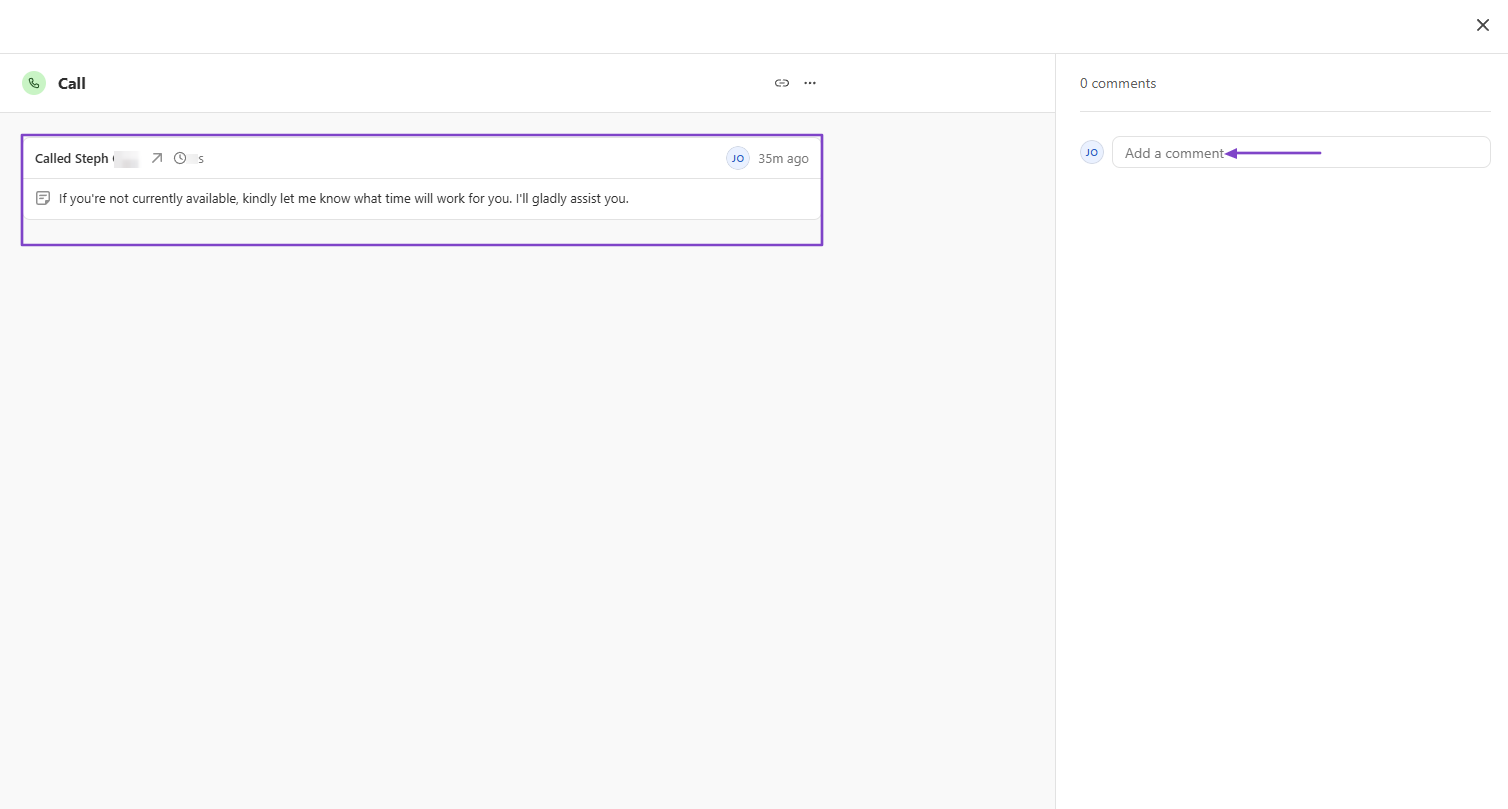
By clicking on a call, you will see the conversation. You can also add comments.
3. Workflows
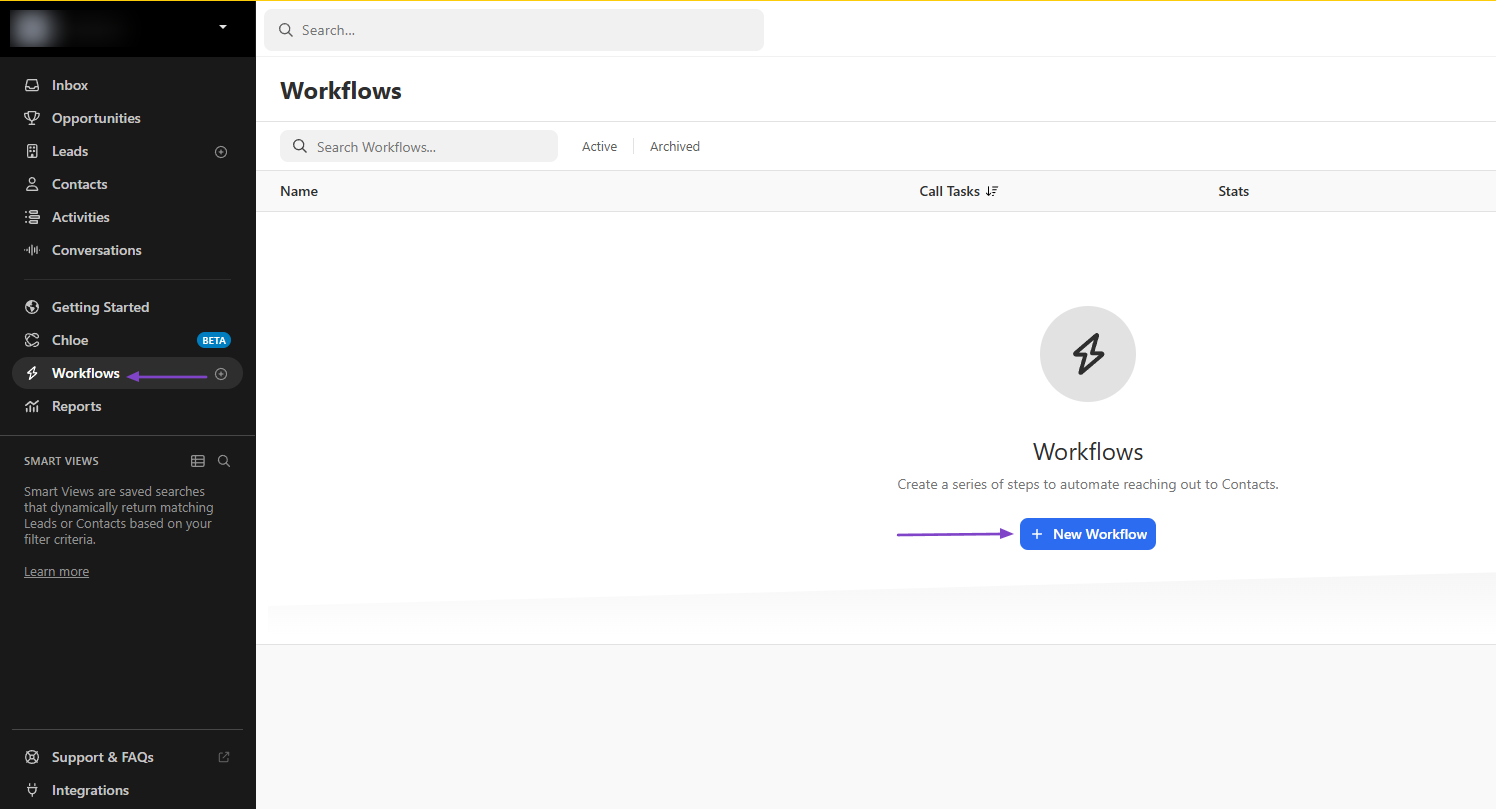
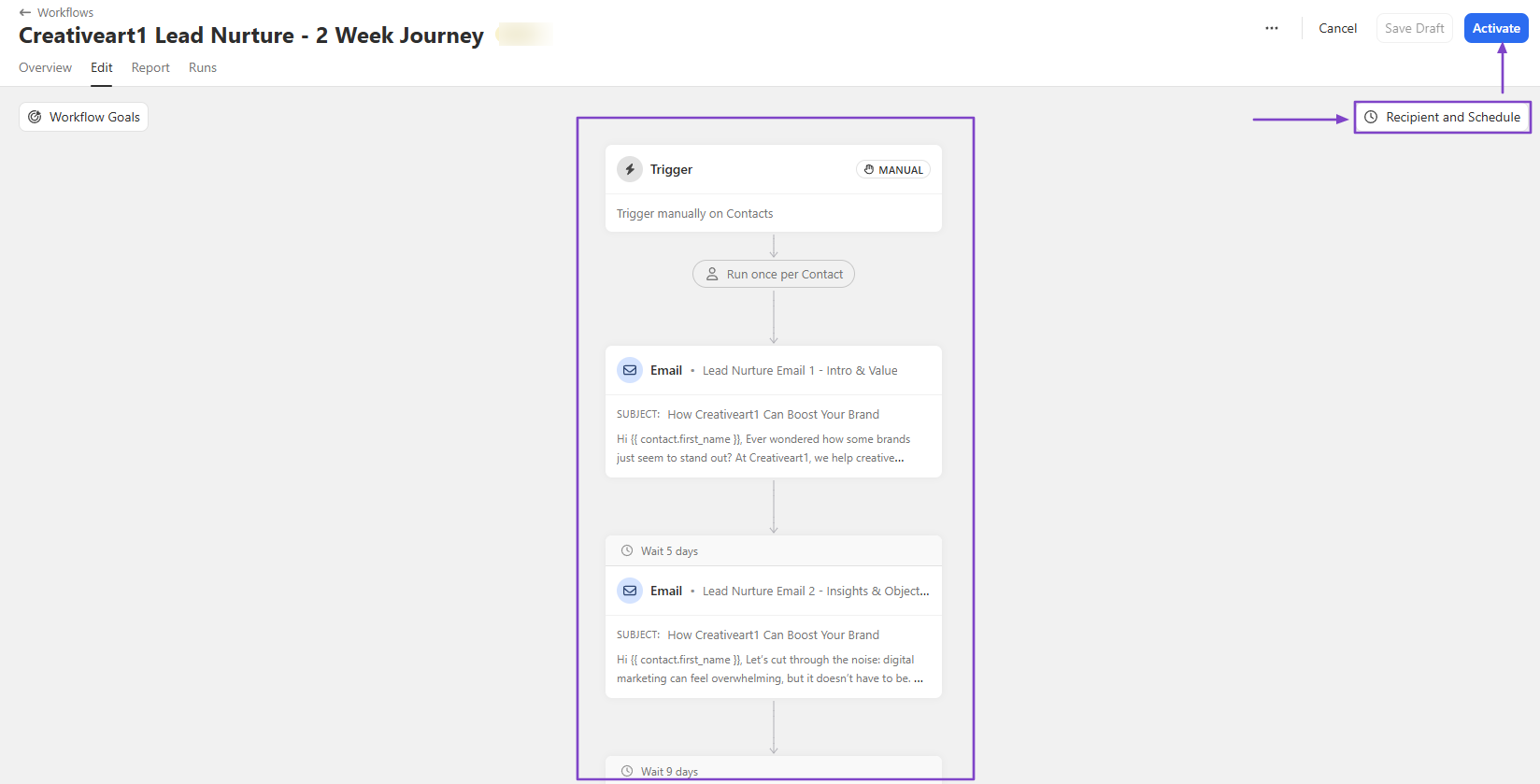
The Workflows feature on Close lets you create a series of steps to automate outreach to your contacts.
To create one, go to “Workflows,” then click “+ New Workflow.”
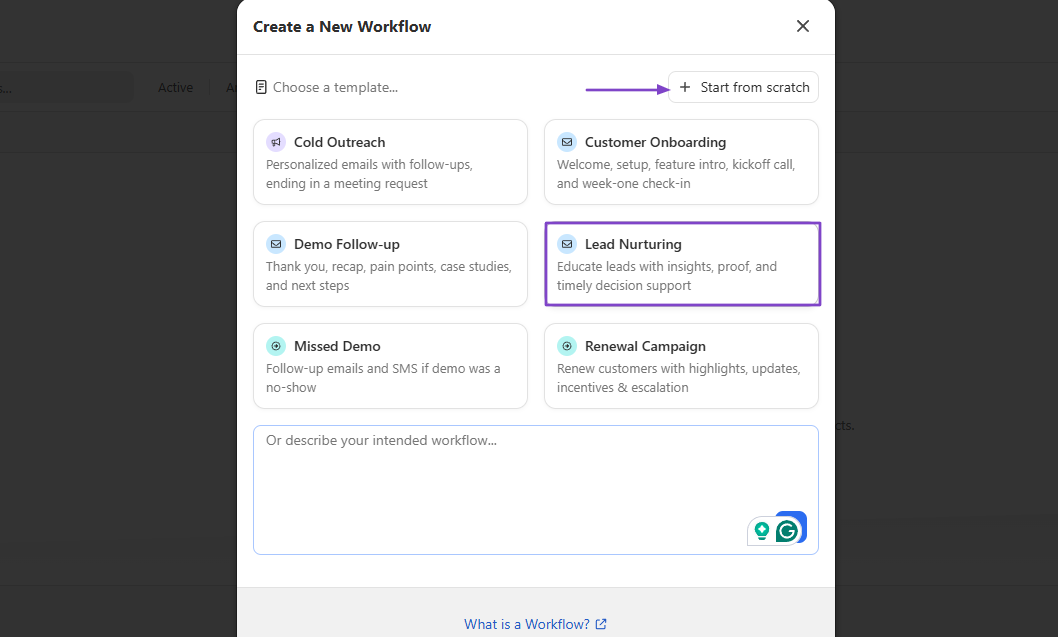
You have two options: start from scratch or with a template.
To go faster, let’s choose a template, which in our example will be “Lead Nurturing.”
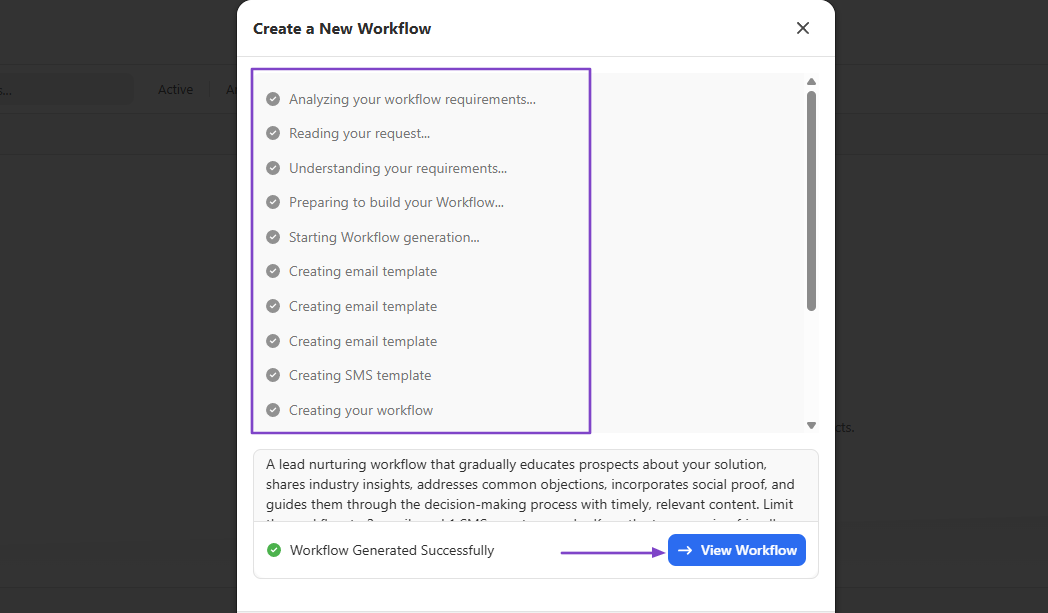
Close will analyze and generate the workflow. You can click “View Workflow.”
Your workflow is ready! You can add recipients and schedule before you hit the “Activate” button.
What I Loved vs What I Struggled With
| What I Loved 👍 | What I Struggled With 👎 |
|---|---|
| ✅ Allows you to make calls and provides a summary after each call. | ❌ Requires payment for phone number verification. |
| ✅ Offers pre-built workflows to automate reaching out to contacts. | ❌ The built-in AI, Chloe, is still in beta mode and takes time to call. |
| ✅ Comes with an inbox showing all your emails, calls, messages, tasks, and reminders, among others. |
Best for
- Small to mid-sized teams needing a platform with built-in calling and automation for internal sales teams.
Pricing
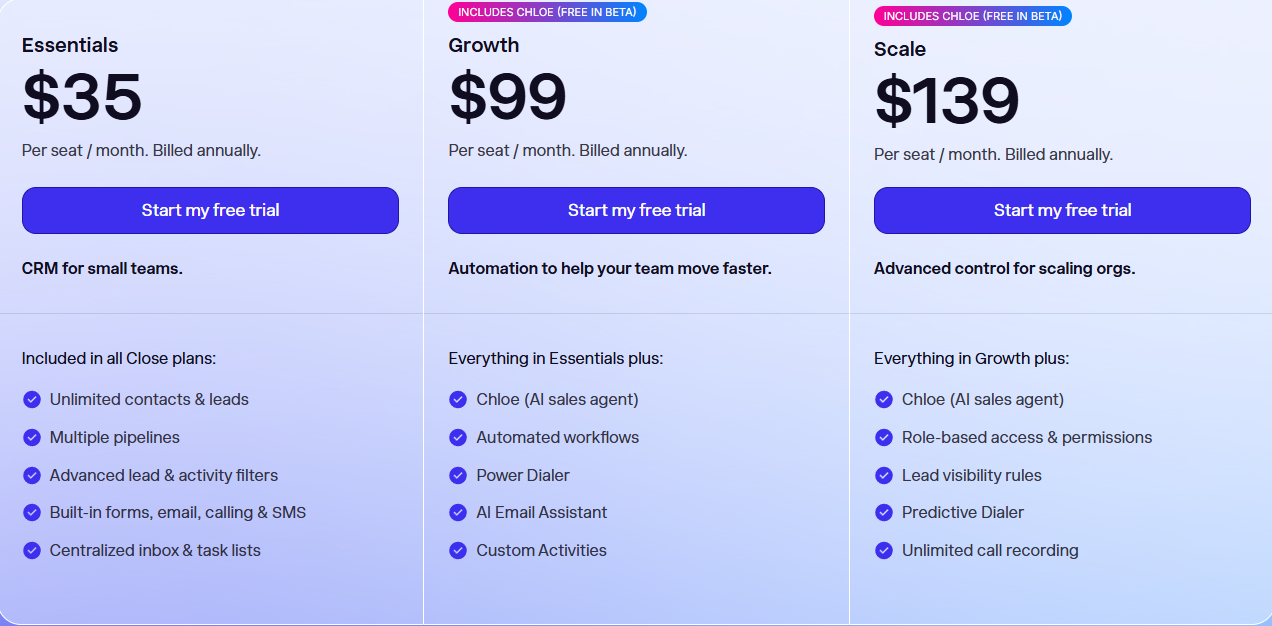
- Essentials: $35/seat/month
- Growth: $99/seat/month
- Scale: $139/seat/month
6. Zoho CRM - Best for Automating Sales Tasks
| Personal Ratings | ⭐️⭐️⭐️⭐️ 4/5 - You can create as many tasks as you want and track them all based on their status. |
| Ease of Use | ⭐️⭐️⭐️⭐️ 3.8/5 - The interface is crowded with features, making the experience a bit difficult at first. |
| Key Automation Features | Workflow rules, assignment rules, bulk task automation, AI automation via Zia, journey orchestration, and multi-step automation workflows. |
| Capabilities | Multi-pipeline sales management, AI assistant Zia, end-to-end CRM, predictions, lead scoring, anomaly detection. |
| Starting Plan | Standard: $9/user/month + workflows and assignment rules. |
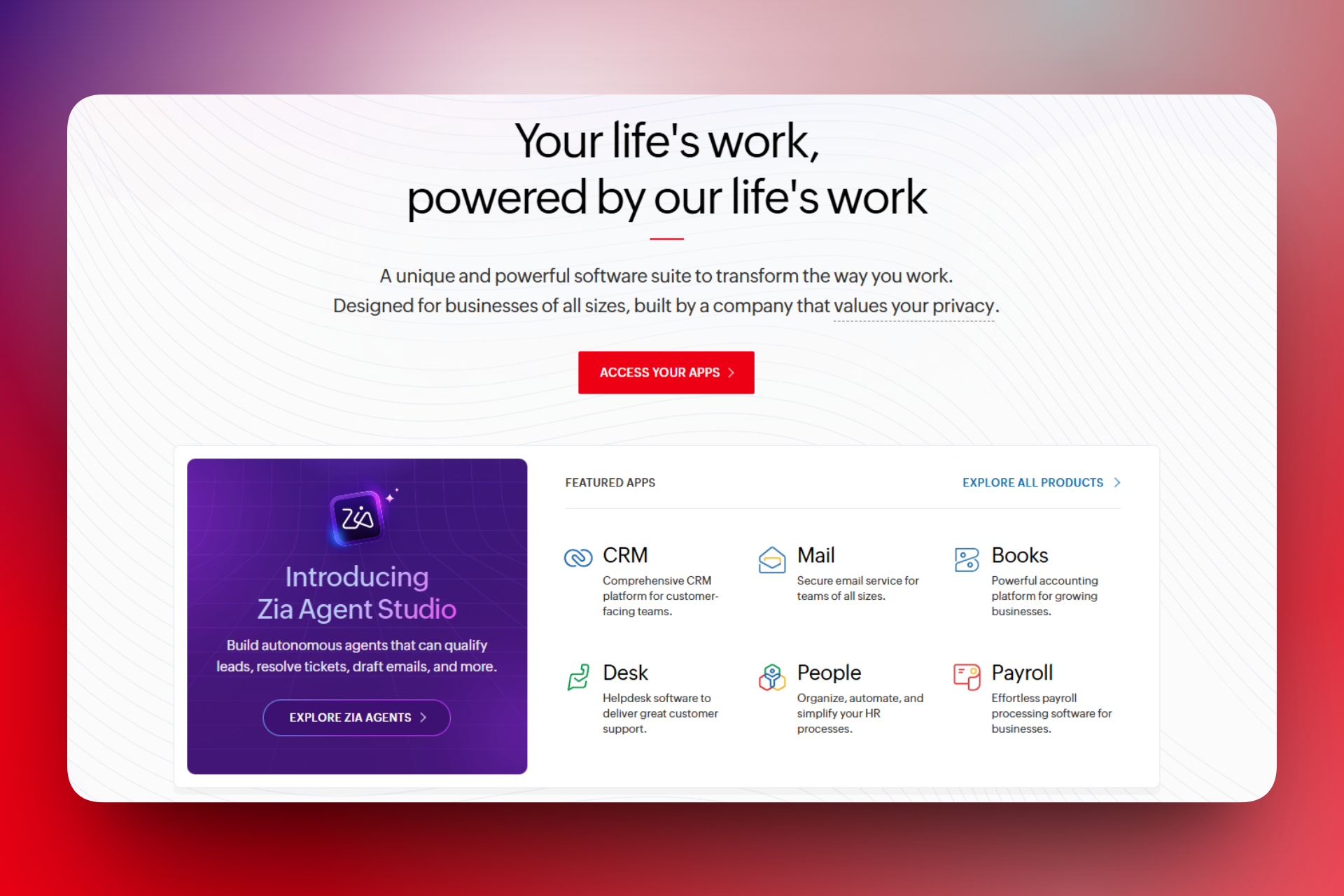
Finally, among this list of the best sales automation tools, we have Zoho CRM.
It’s an AI-powered CRM platform that helps manage sales, marketing, and customer support in one place with deep integrations across the broader Zoho ecosystem.
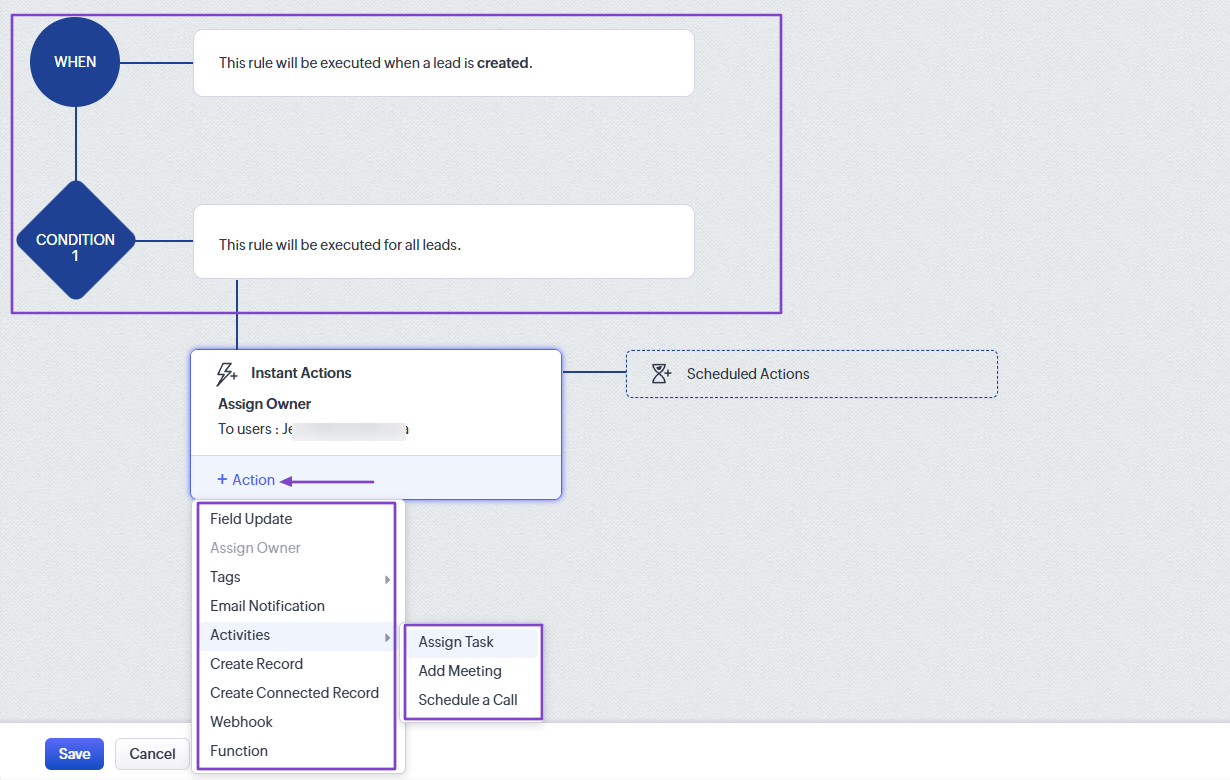
You can create an automation that only runs when a lead is created. You will determine the condition and action.
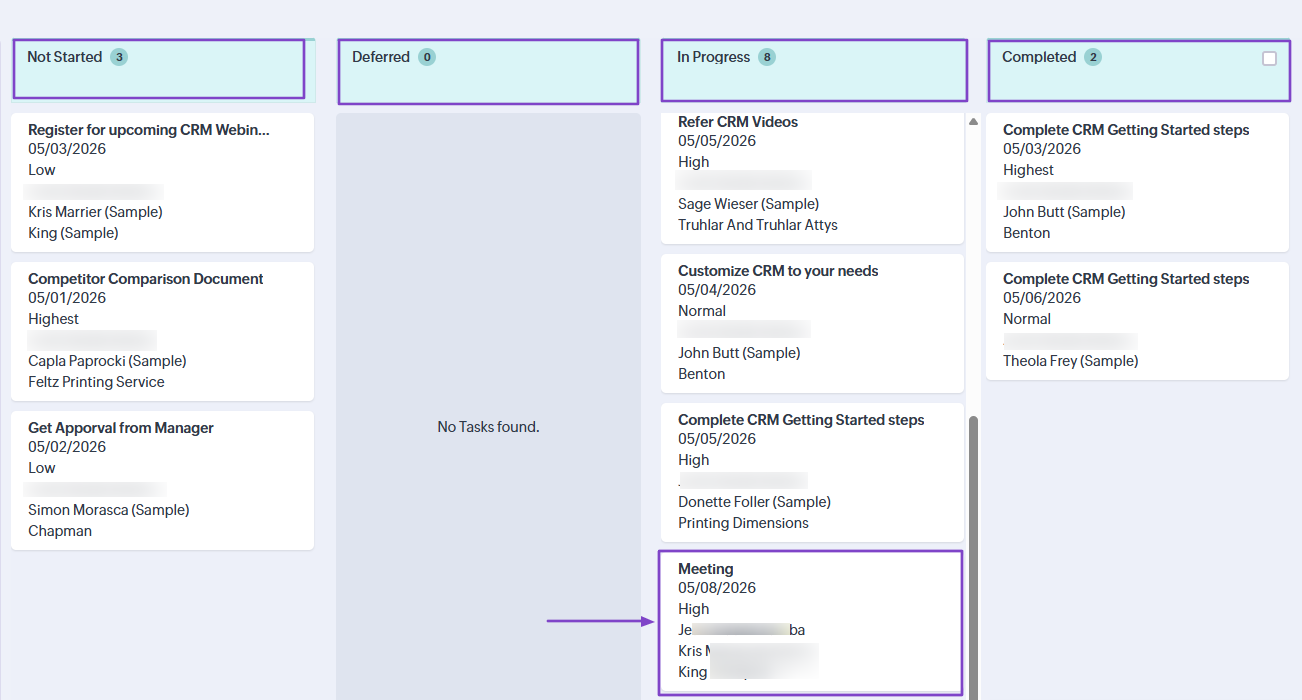
You can also create tasks and organize them by status.
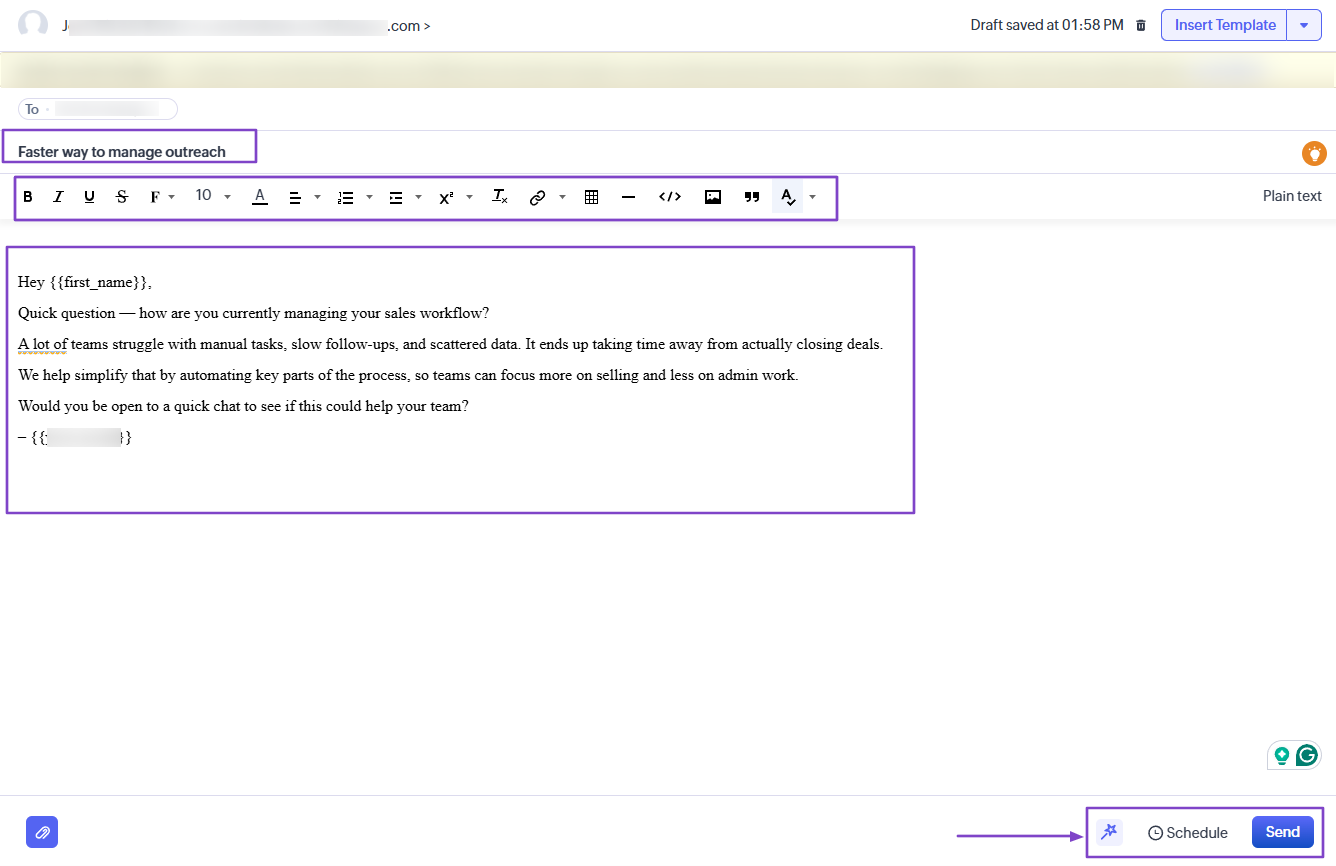
And when you want to reach out to your customers, you can create a campaign.
What I Love About Zoho CRM
1. Automations
Through the Automations feature, you can create workflow rules. You determine what happens and when based on a set of factors.
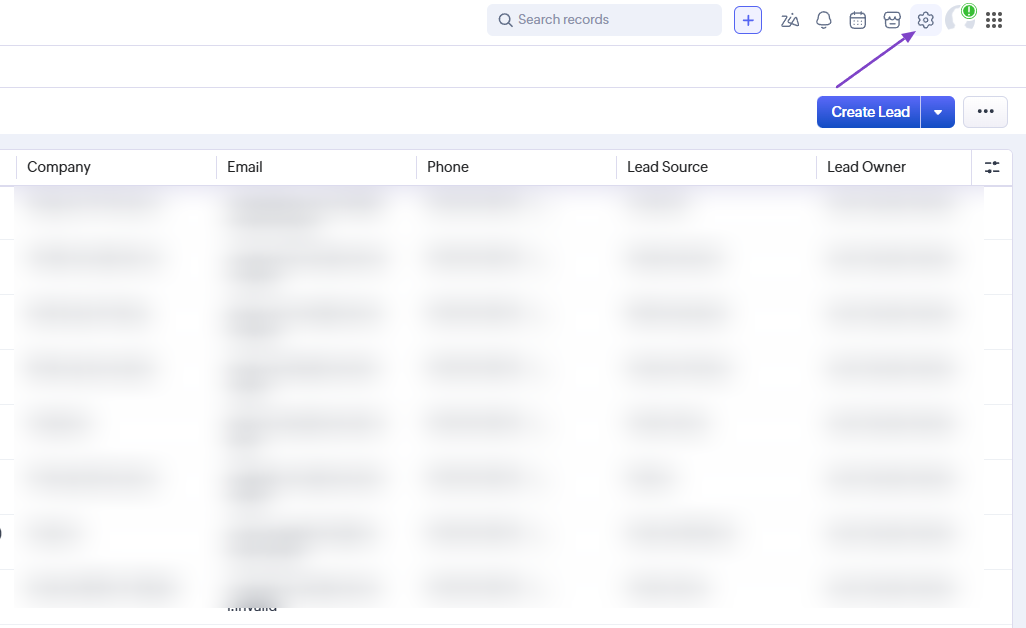
To create it on Zoho CRM, head to settings.
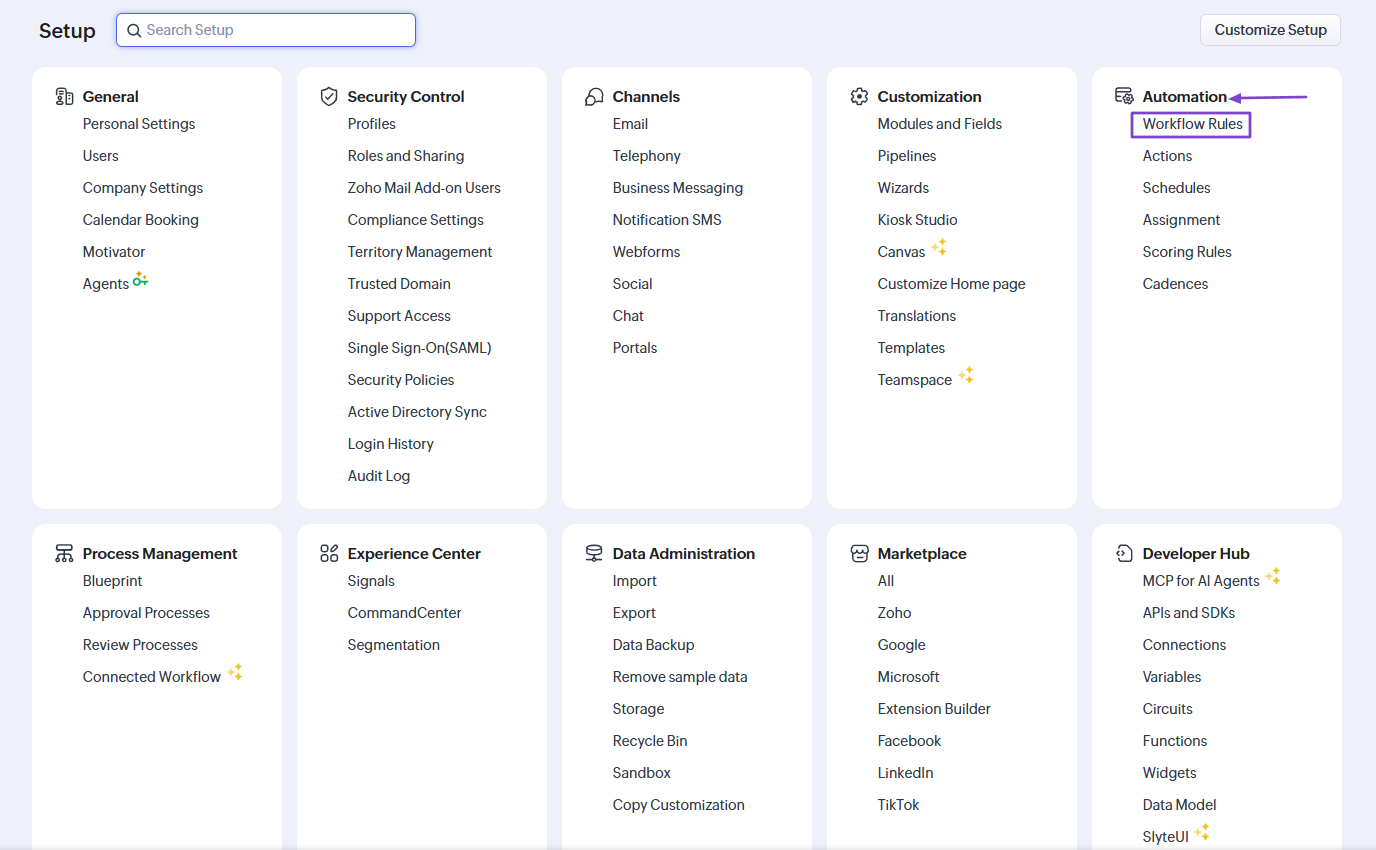
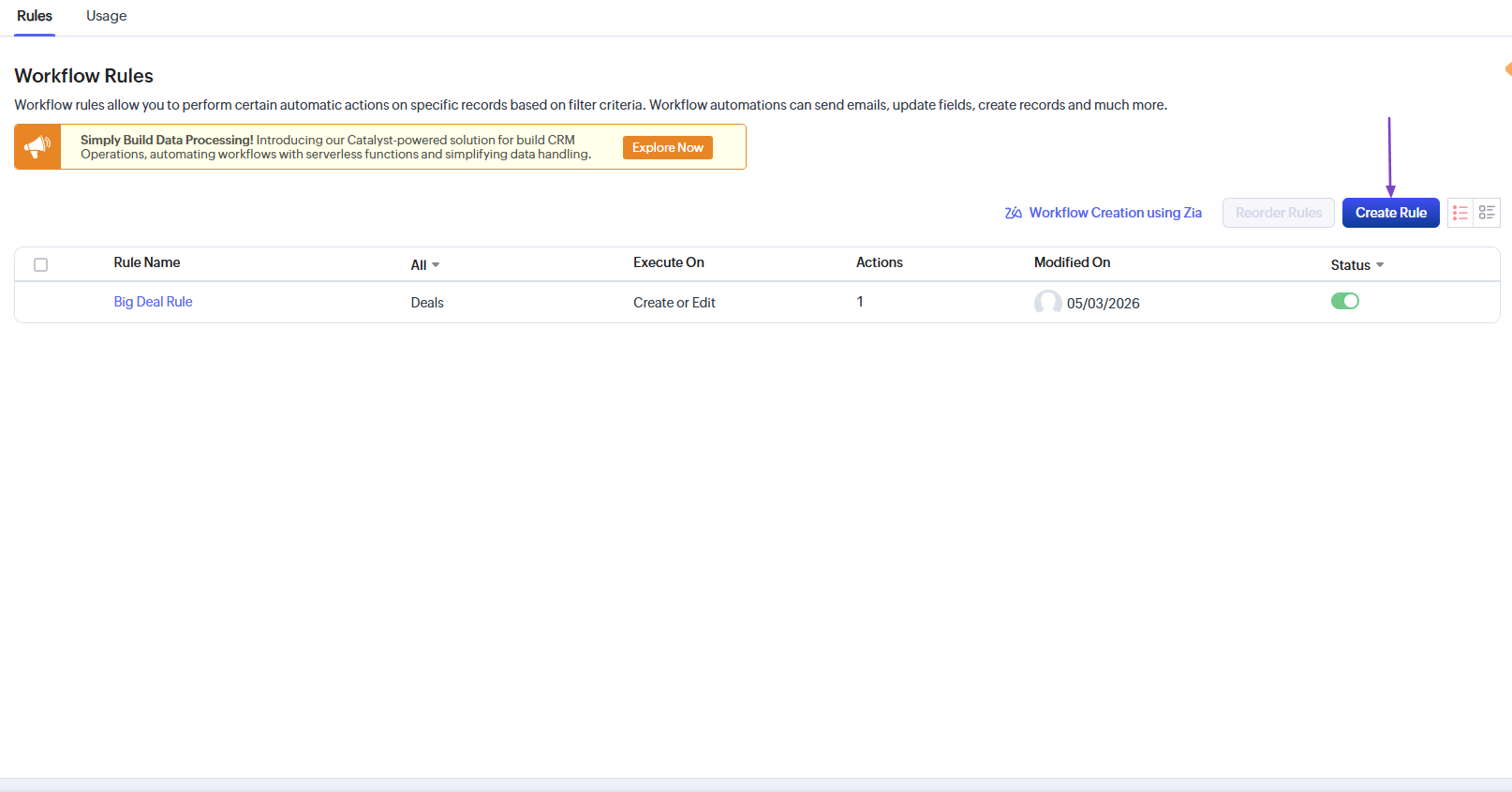
Under “Automation,” click “Workflow rules.”
Now, click “Create Rule.”
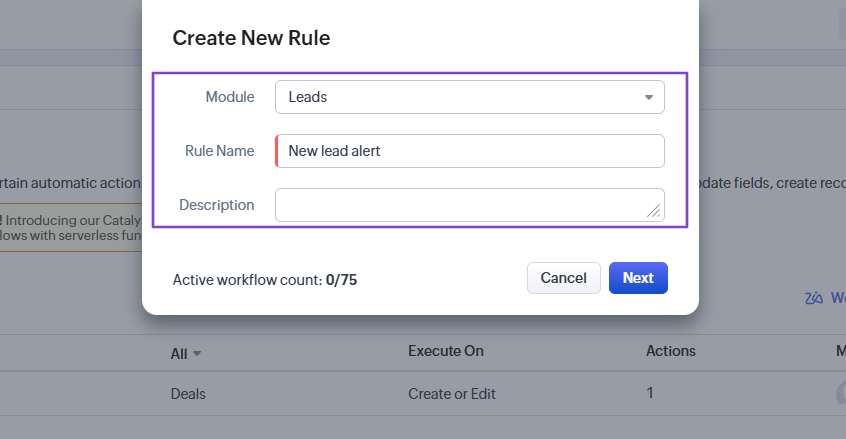
Next, choose a module, add a rule name, and a description.
In our workflow example, it’ll run anytime a lead is created. The system will assign an owner and an action that can create a record, an email notification, assign a task, or add meetings.
We have our workflow!

2. Tasks
Zoho CRM lets you view all your tasks. Those you’ve not started, the ones you’ve deferred, those in progress, or completed.
You can also add new tasks, and that’s what we will do.
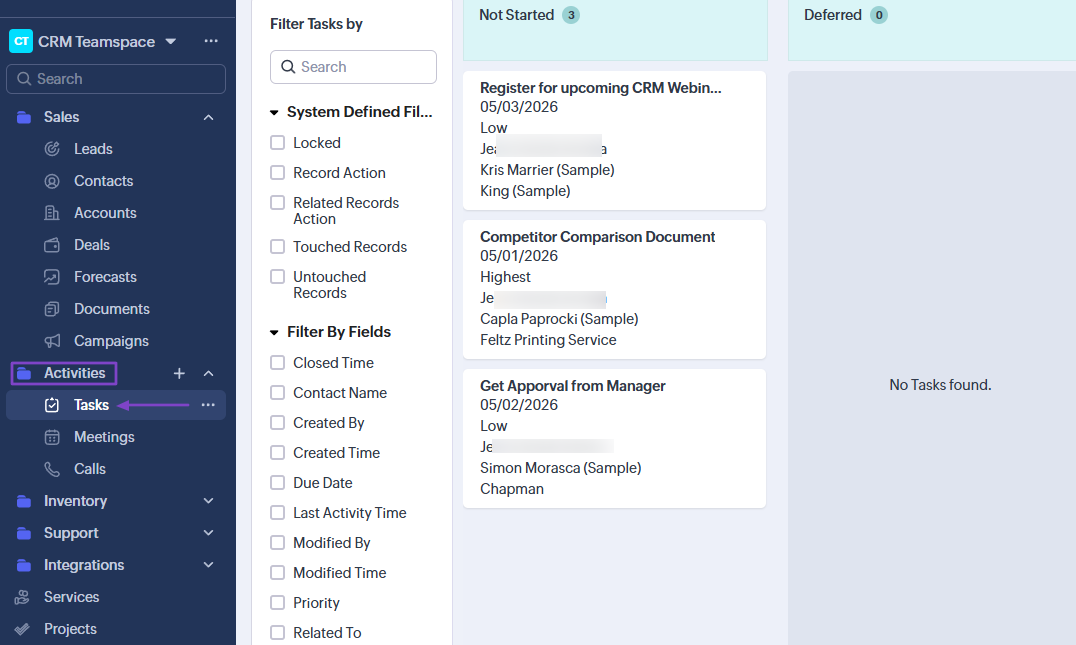
Find “Tasks” under “Activities” in the sidebar menu.
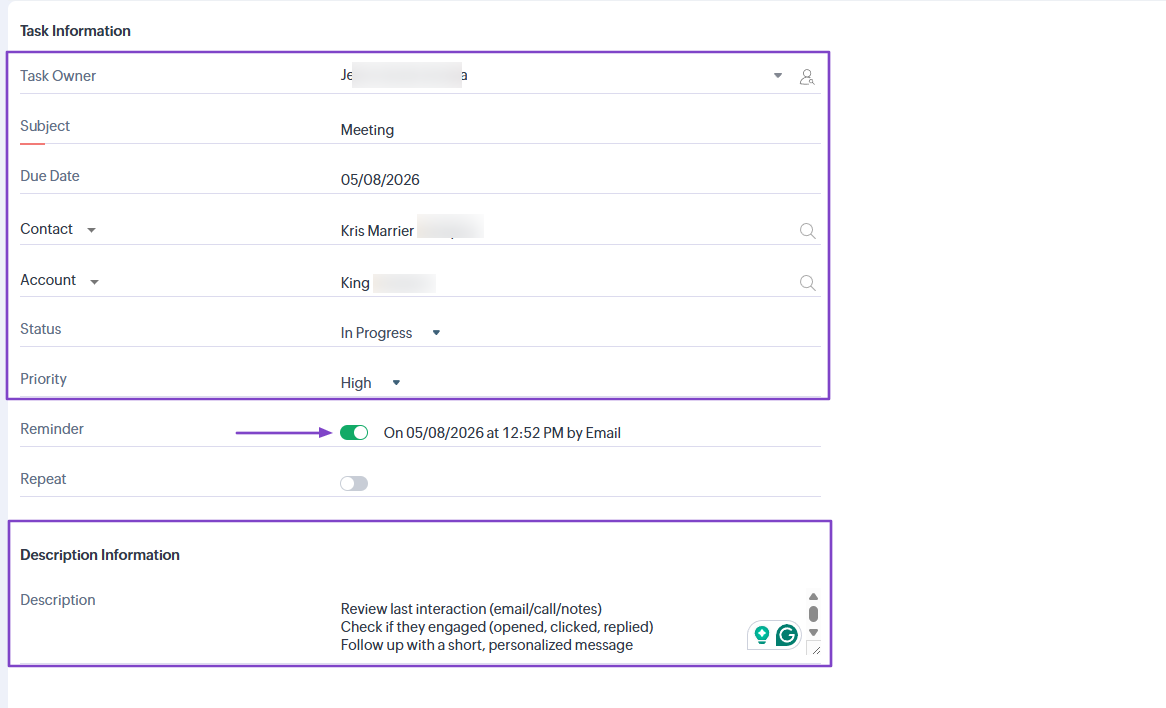
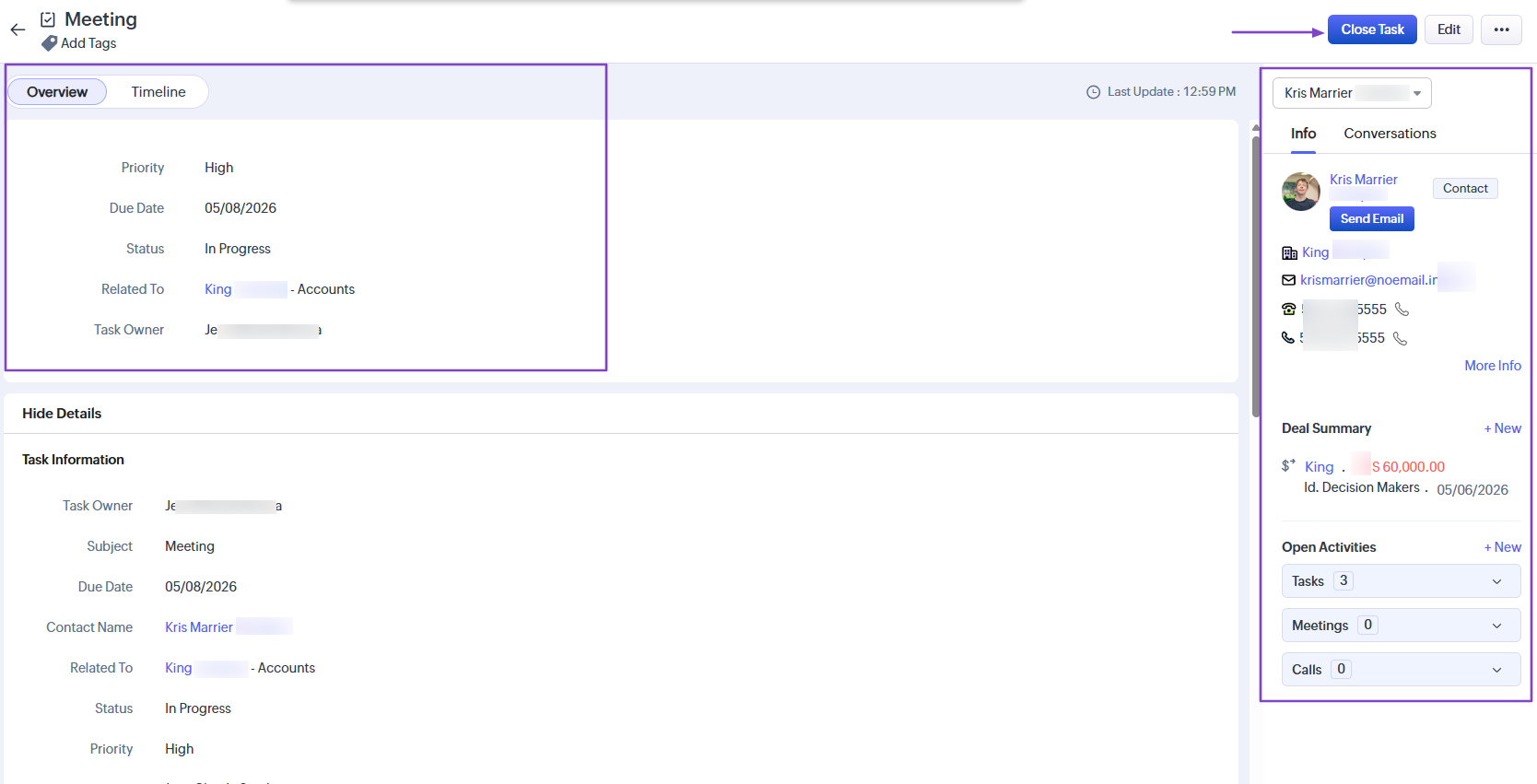
Choose a task owner, subject, due date, contact, and account. Then specify the status and priority level, and toggle the reminder button.
You can also add a task description.
Because I chose “in progress” as the priority level, the task I created appeared in that column.
You can track the task, and when you complete it, you click “Close Task.”
3. Campaigns
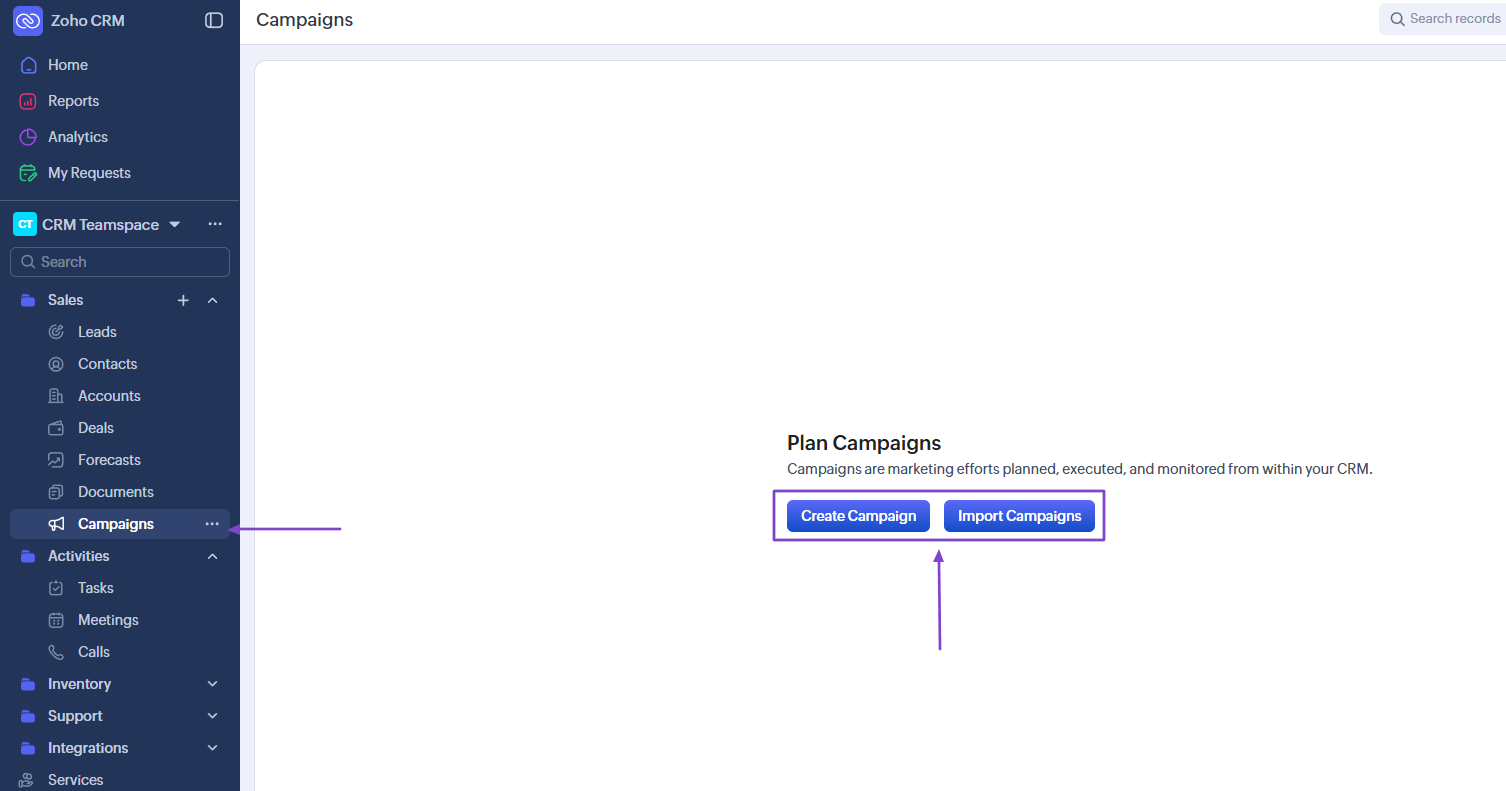
There is also the Campaigns feature. On Zoho CRM, you can either create a campaign or import it.
Click “Create Campaign.”
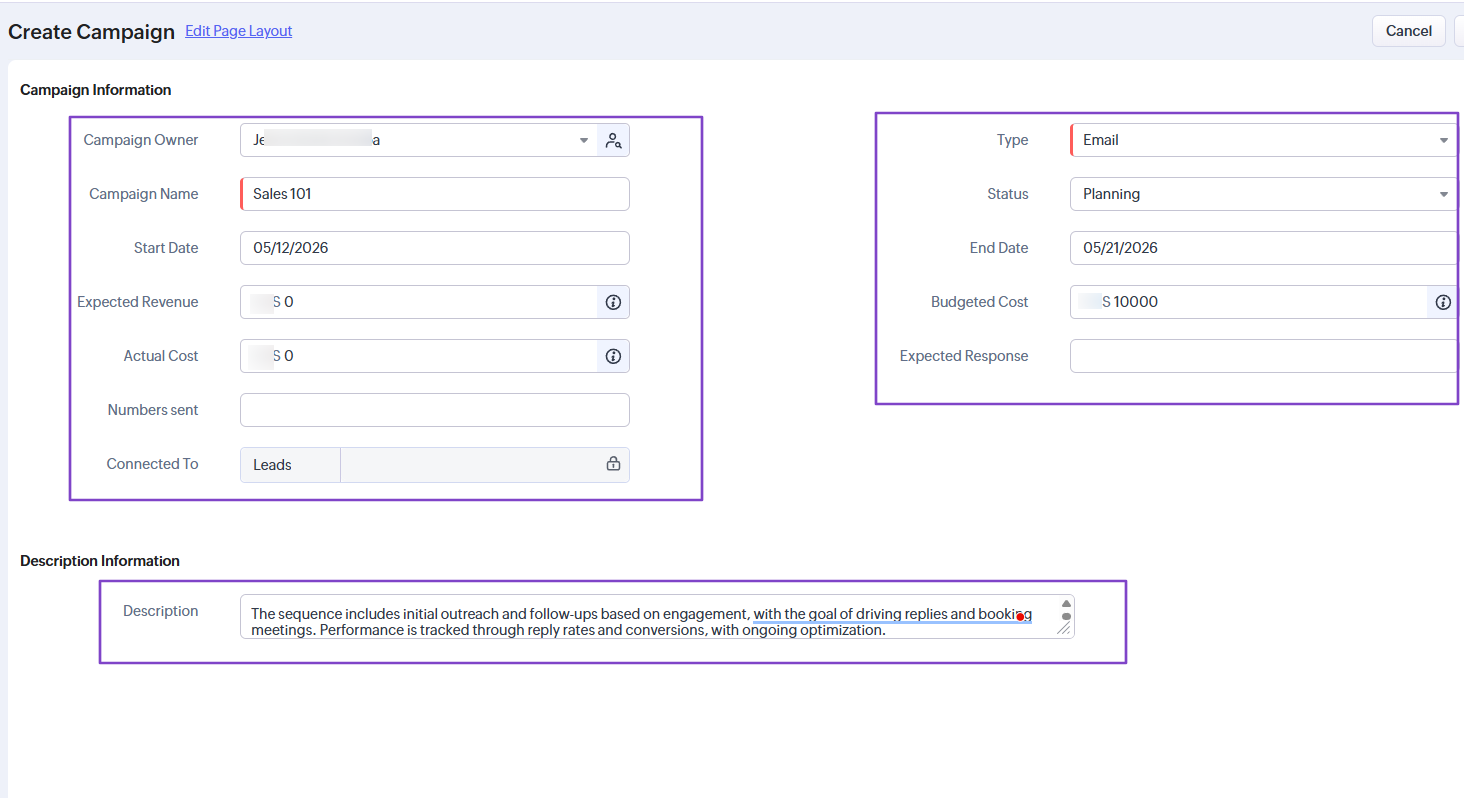
In the new window, add the campaign information. These include campaign owner, campaign name, start date, expected revenue, type, end date, and budgeted cost.
Then, simply enter a subject and message. You can even add images, links, bullets, quotes, and more.
| What I Loved 👍 | What I Struggled With 👎 |
|---|---|
| ✅ The workflow rule offers many actions such as assigning tasks, meetings, creating records, or scheduling a call, among others. | ❌ Crowded interface with too many features, which may affect the user's experience. |
| ✅ Lets you drag-and-drop tasks in different columns to change their status. | |
| ✅ Allows you to add reminders to tasks and repeat them. |
Best for
- Remote teams and companies seeking a solution to automate sales tasks.
Pricing
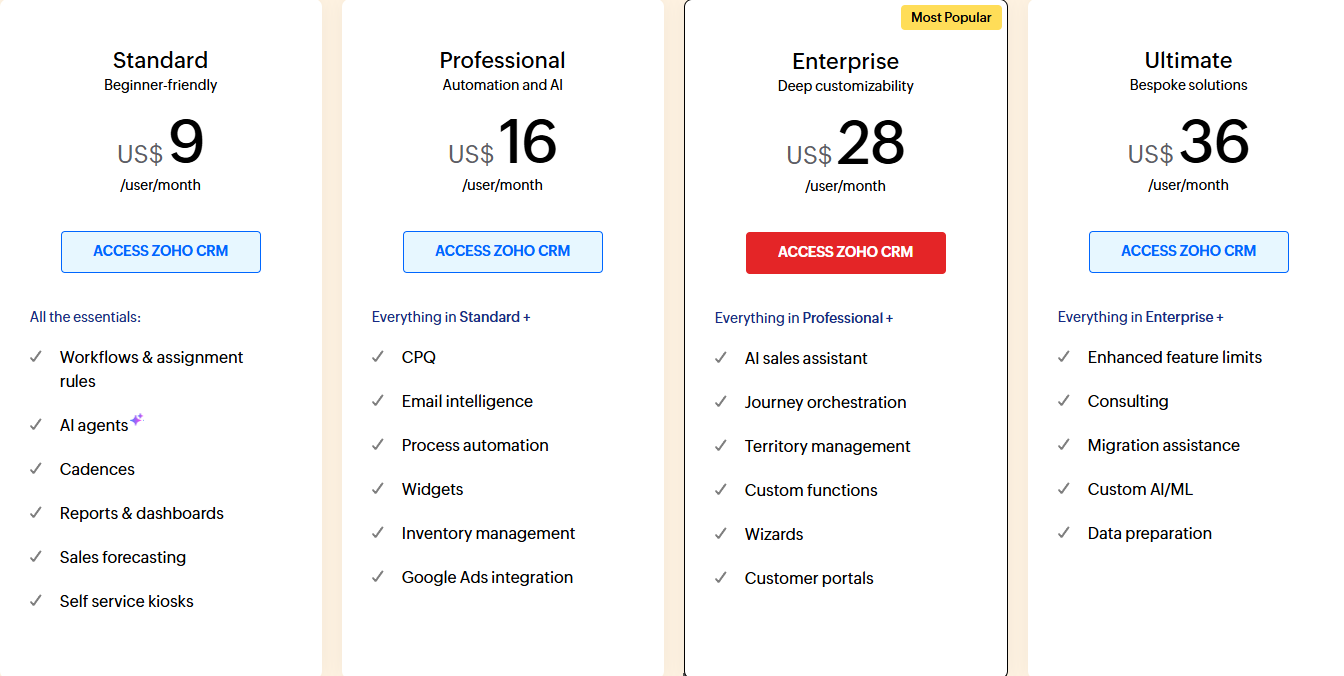
- Standard: $9/user/month
- Professional: $16/user/month
- Enterprise: $28/user/month
- Ultimate: $36/user/month
What are Sales Automation Tools?
Sales automation tools are software that automate repetitive sales tasks. This can be prospecting, lead capture, pipeline management, and order processing.
Without sales automation tools, sales reps and teams used to do certain things manually:
- Find leads
- Research companies
- Write emails
- Send follow-ups
- Update the CRM
- Track replies
It used to take them days or weeks, depending on the tasks. Now, they use sales automation tools to automate most of these tasks.
I mentioned some of them earlier in my article.
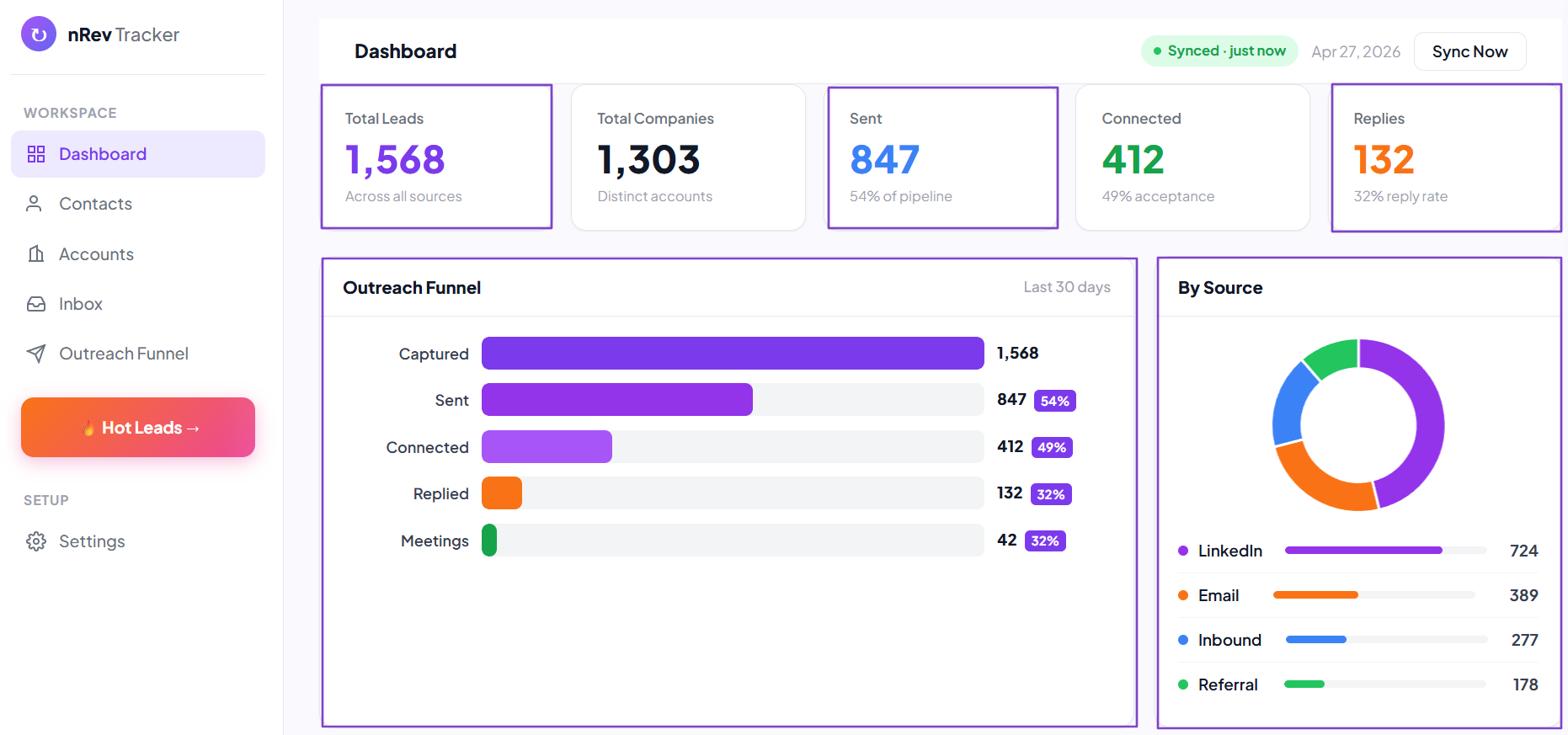
Take, for example, nRev AI. Aside from creating GTM workflows, it lets you capture leads and view their specific sources. It also displays your outreach funnel and allows you to track it.
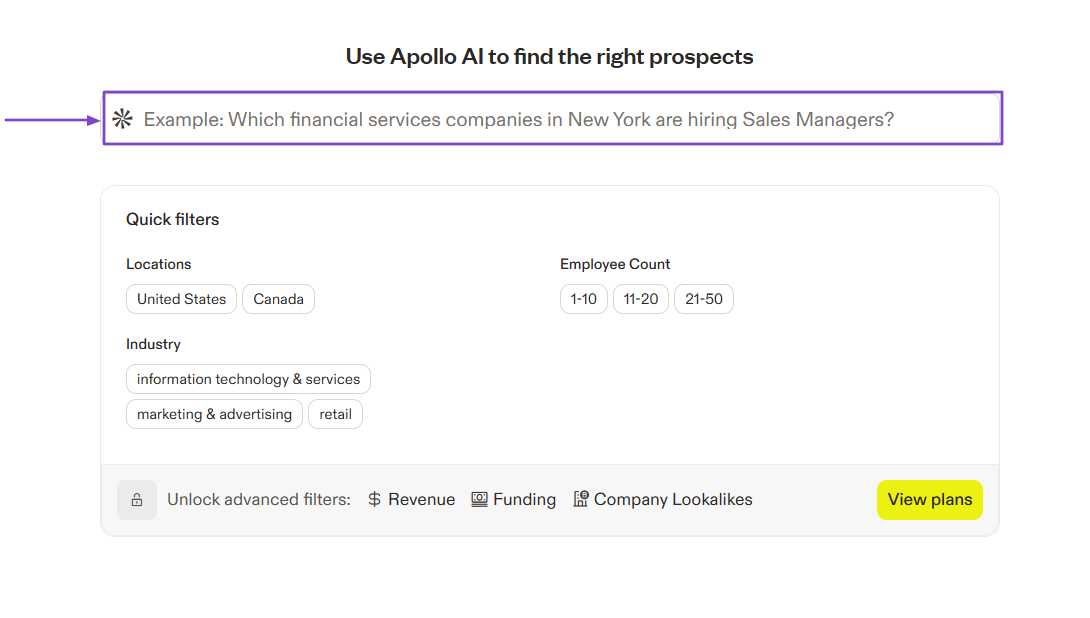
With Apollo.io, you can use its AI search to find companies or people.
Freshsales scores leads and gives you the key factors behind each score.
These are examples of what sales automation tools can do. The idea is to avoid wasting time on repetitive tasks, allowing sales teams to focus on closing deals.
How to Choose the Right Sales Automation Software
To choose the right sales automation software, you should:
If budget is the constraint, start with free sales automation tools and only buy once you know which step actually breaks.
- 1. Check Automation Capabilities
- 2. Assess Analytics and Reporting
- 3. Evaluate Scalability
- 4. Consider Integration with Other Tools
Let me give you more details about each factor.
1. Check Automation Capabilities
Assessing automation capabilities should be your first step when choosing the right sales automation software.
The question to ask is not: “What can this tool do?” but rather “What can I stop doing if I use this tool”?
I hope you know that not all automation is useful. For that reason, you need to define exactly what you want automated in your sales process.
Do you want to automate LinkedIn Outreach? Research accounts or prospects?
Build lists? Or Track website visitors?
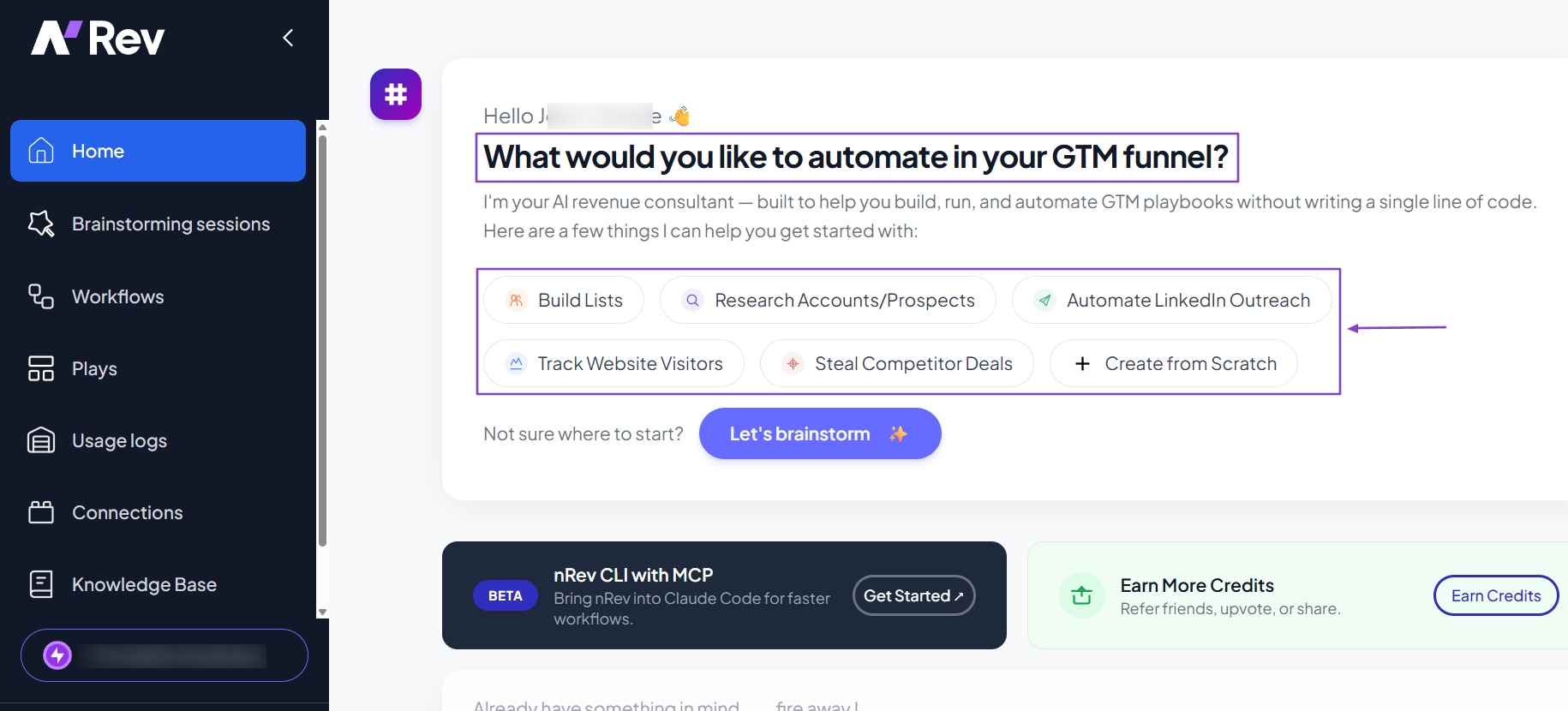
I suggest you start with your actual workflow and map your current process:
- How do leads come in?
- What happens after a lead is added?
- How do you enrich data?
- When do you reach out?
- What follow-ups happen?
Being able to explain it in a few steps will clarify which tool you’ll choose.
The whole point of sales automation is to reduce manual work. You should check whether the tool you choose can handle most of your repetitive tasks.
For instance, a good sales automation tool should help you streamline your lead-capture workflow. In other words, it should automatically identify, qualify, and capture new leads from a specific source and add them to your preferred CRM.
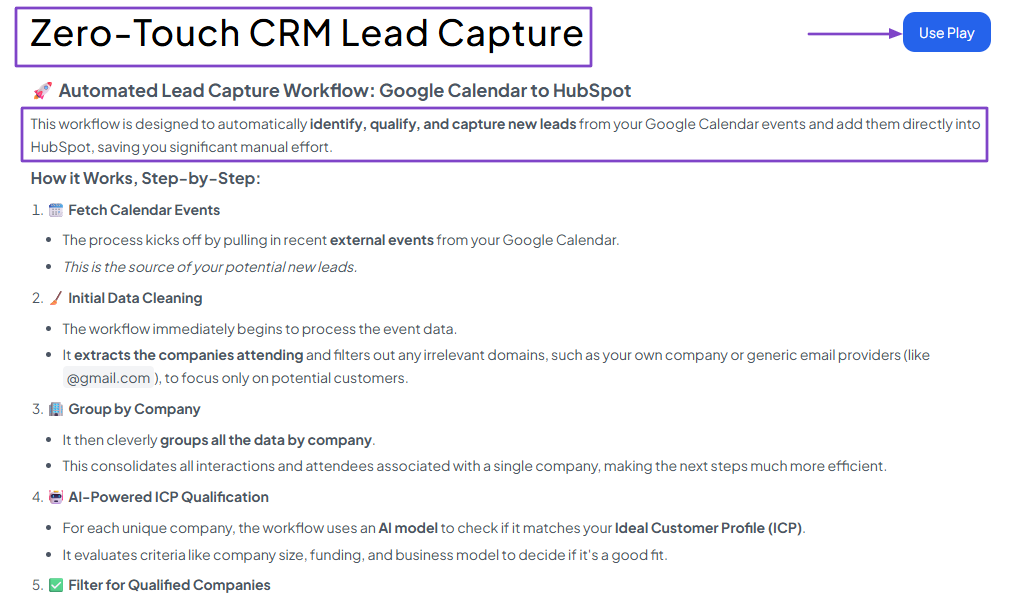
Can you imagine the time you’d waste if you had to monitor your prospects’ job changes manually? Some good sales automation software will easily do that for you without you lifting a finger.
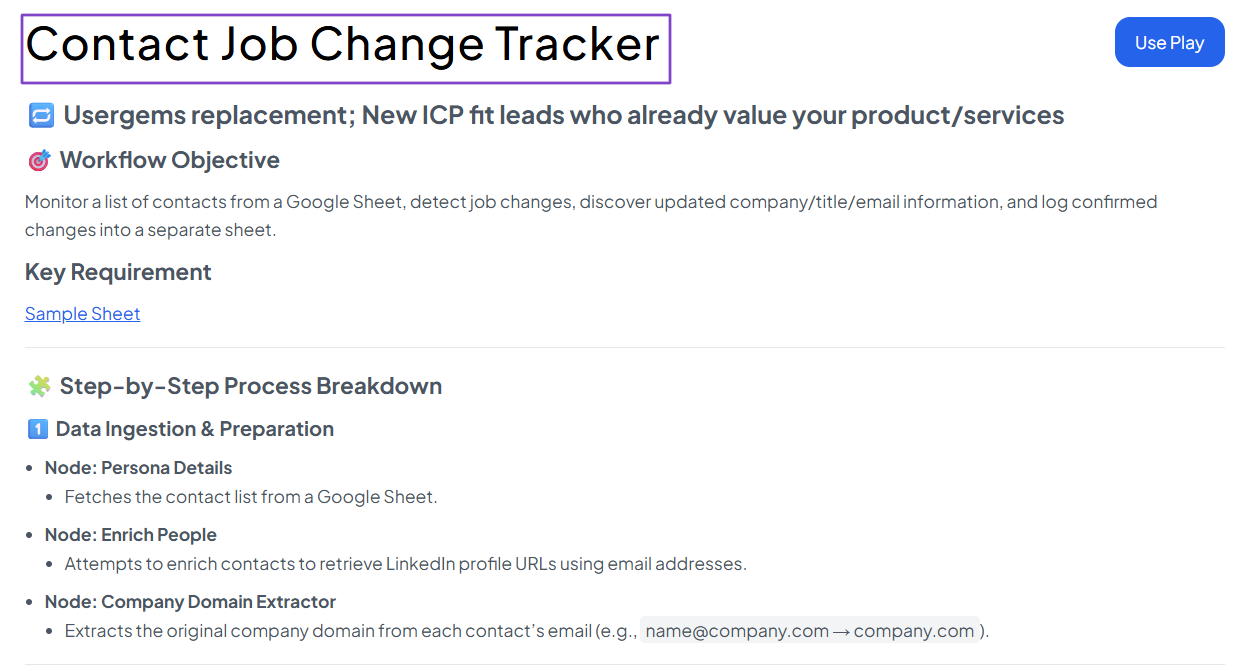
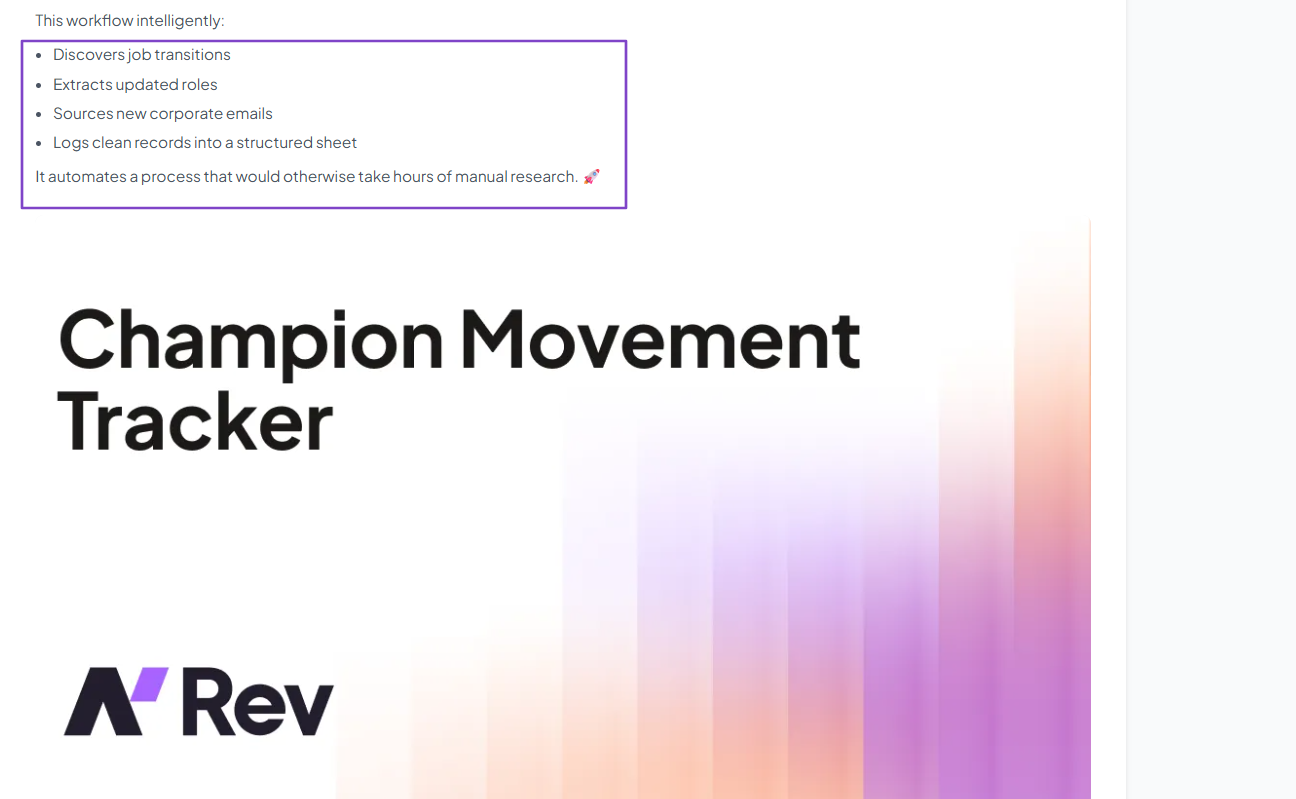
In fact, sales automation software like nRev AI goes even further. It’ll let you create a workflow that automatically:
- Discovers job transitions
- Extracts updated roles
- Sources new corporate emails
- Logs clean records into a structured sheet
These are just examples of automation capabilities. There are many others like:
- Automatically sending a message when a lead signs up.
- Triggering a sequence of emails based on user behavior.
- Moving deals through your pipeline without manual input.
The list is endless, but the point is that the right sales automation software should do all this and more.
Pro tip: Pay attention to how easy it is to set up automations. If it takes hours just to create a simple workflow, it’s not helping you.
2. Assess Analytics and Reporting
After evaluating automation capabilities, assess analytics and reporting to choose the right sales automation software.
You don’t do that because you need more data. You do that because you need to make better decisions.
The right platform should help you see what’s working and what’s not. This way, you can either change it or improve it.
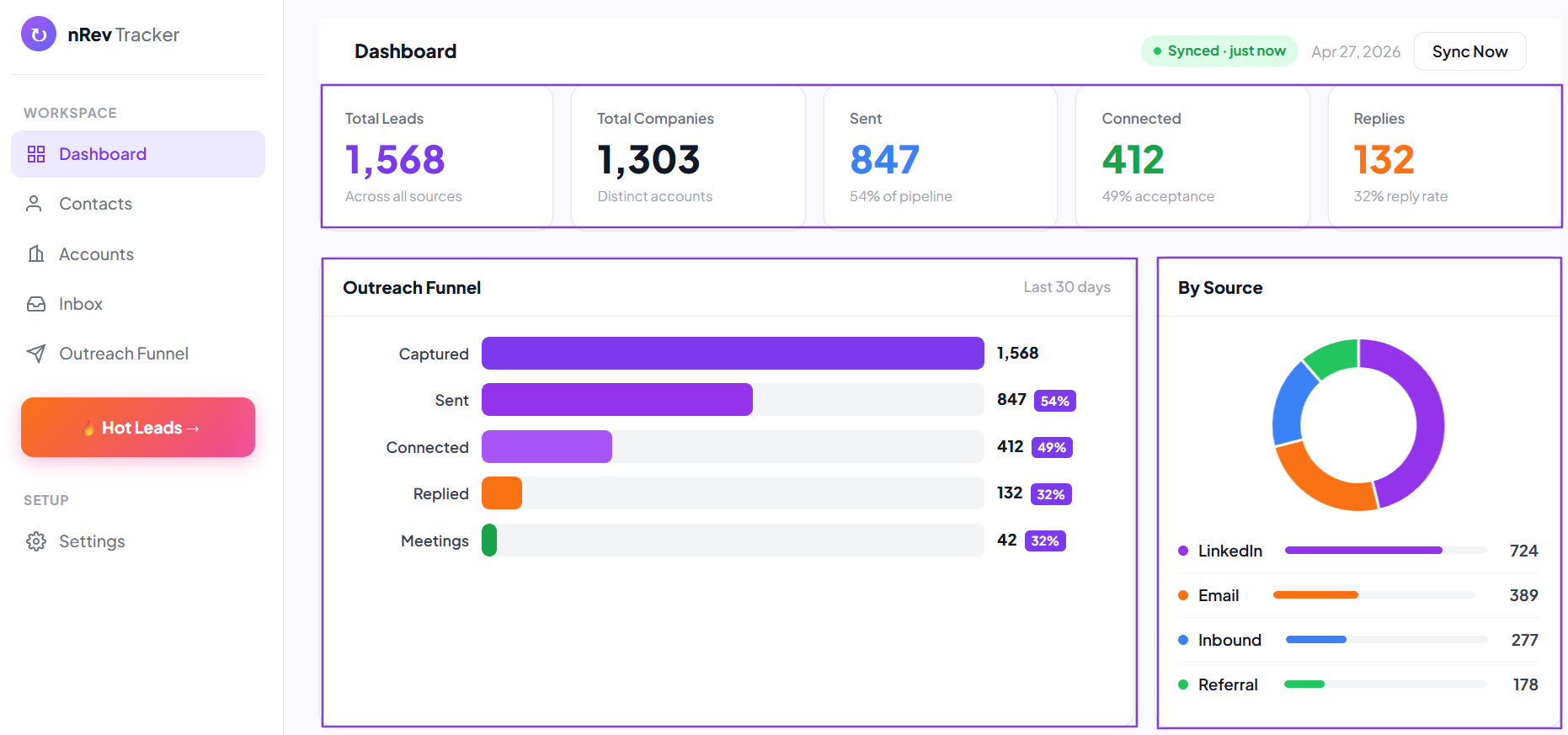
A clear dashboard will display all your leads and their sources. Where do they all come from?
- LinkedIn?
- Email?
- Inbound?
- Scraped list?
- Referral?
This helps you determine the source that performs better/poorly.
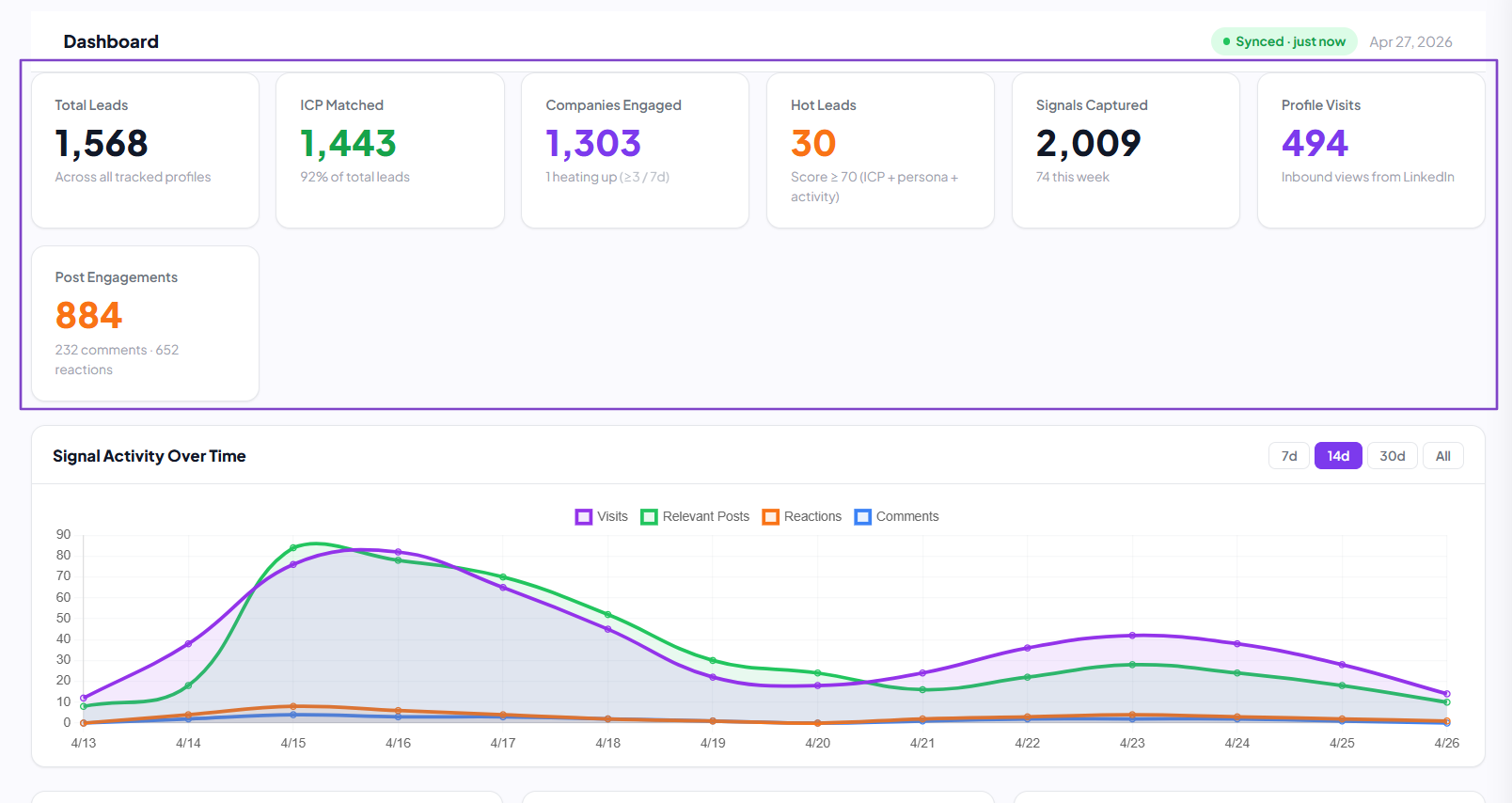
Some sales automation platforms will even show you hot leads, all the signals captured, profile visits, and post engagements.
These are great insights.
But you shouldn’t get distracted by fancy dashboards. A good sales automation tool should provide clear visibility into the sales funnel.
For instance, if you launch an outreach, you should be able to track it. At least, you should view the open rate, acceptance rate, reply rate, and meeting rate.
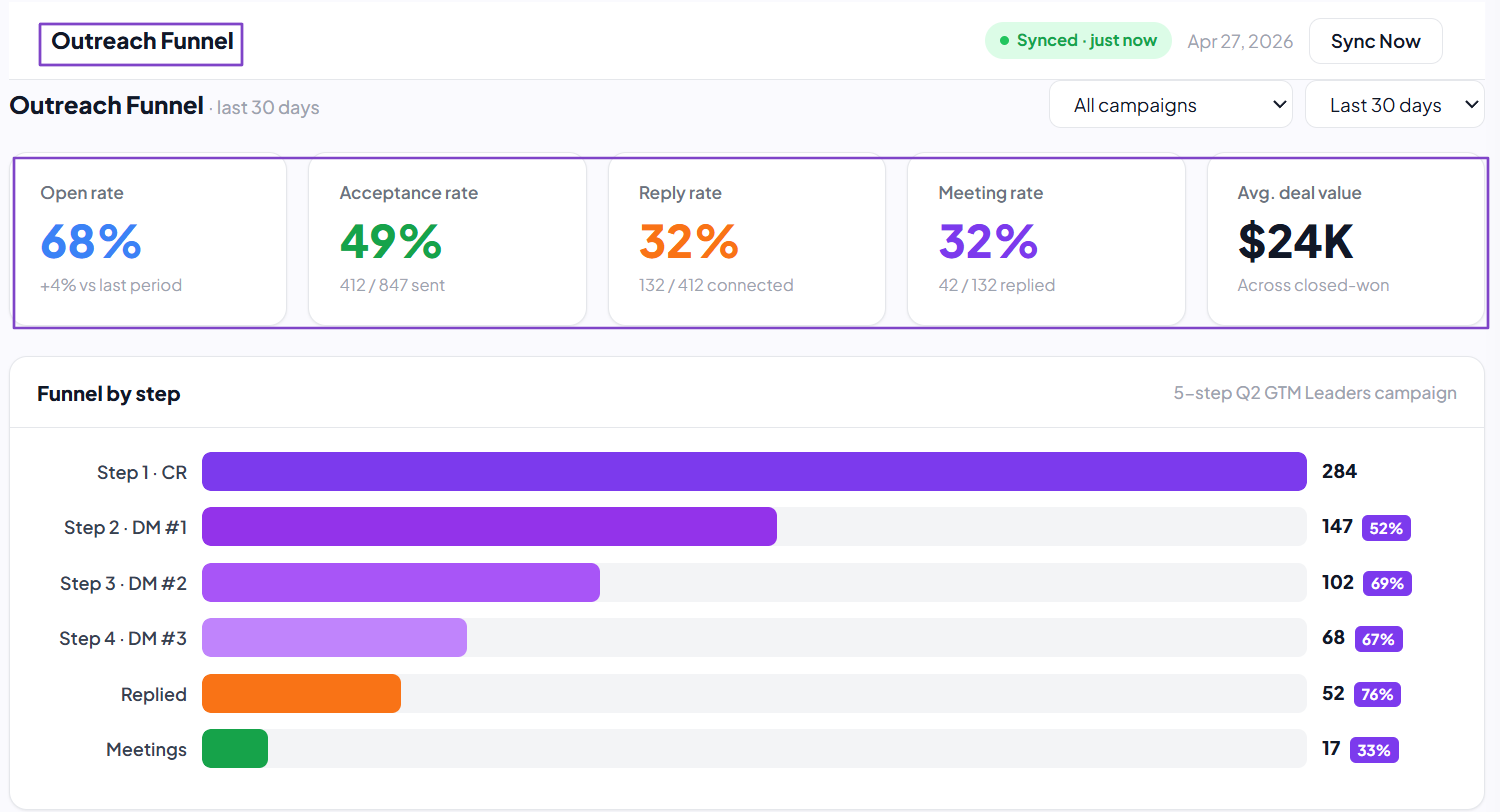
The key here is clarity. If you still need a data expert to understand your numbers, that means your sales automation software isn’t helping.
3. Evaluate Scalability
To help you pick the right sales automation software, you should evaluate scalability.
You see, what works for you today might not work in 6 months. For that reason, you need to think long-term.
So, ask yourself:
- Can the platform handle more leads as my business grows?
- Can I add more team members?
- Does it offer advanced features I might need later?
Answering these questions will give you clarity on whether or not your sales automation tool can grow with you.
Expansion is great, but it comes with its own set of challenges. Take PriceLabs, for example.
Their growth team faced challenges as it expanded globally. They needed to scale their outbound outreach.

They chose nRev AI as their sales automation tool and were able to:
- Enriches 500 new prospects weekly
- Sends hyper-personalized sequences daily
- Learns from feedback
- Maintains quality control
- Scales without increasing headcount

This goes to say that your success is somehow totally dependent on the platform you choose. Think about it for a moment.
Imagine you have to purchase one tool after another as you scale, simply because your sales automation software is limited.
One thing with nRev AI is that it replaces Clay, Claude code, n8n, and 25+ tools of your existing stack. This will definitely save you time and money.
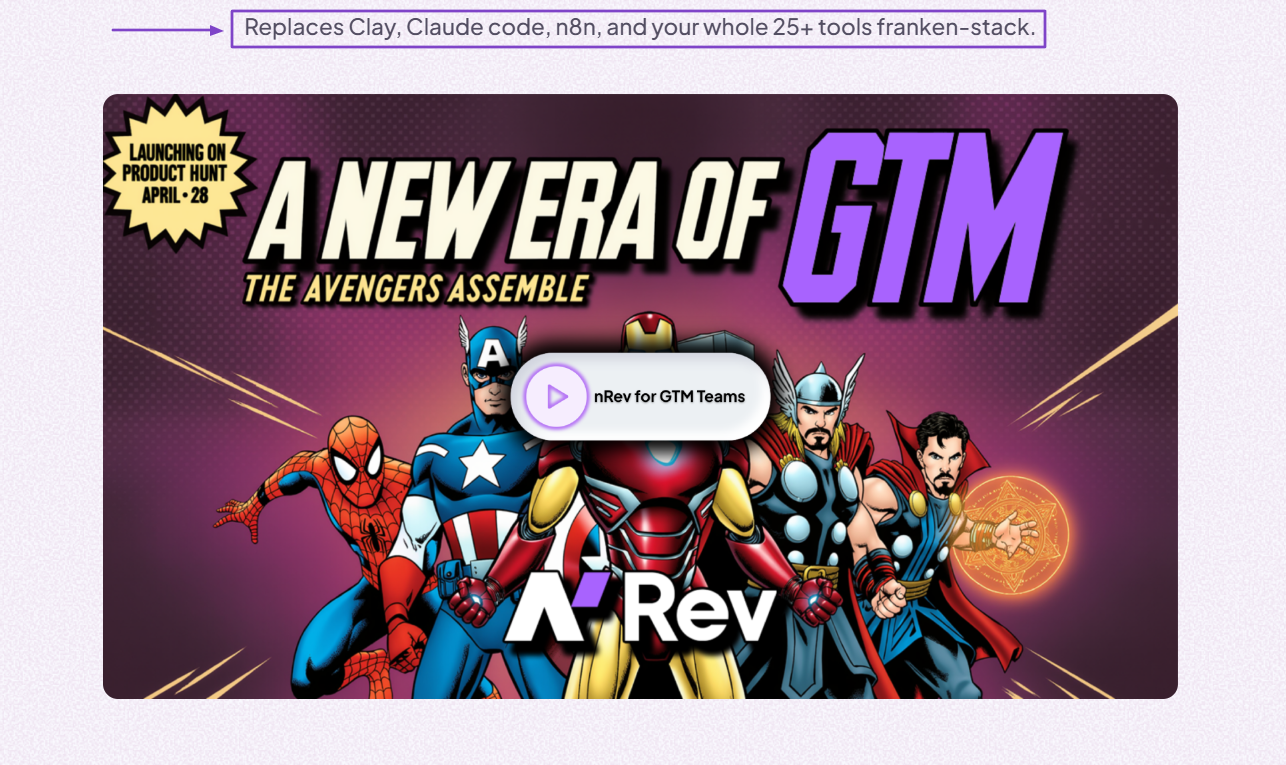
You should avoid switching platforms every time your business grows. And this starts with choosing right.
Watch this interesting video by nRev showing how it replaces the tools in your stack:
VIDEO: nRev - Your AI GTM Engineer
4. Consider Integration with Other Tools
Now, of course, we can’t ignore integration capabilities when choosing sales automation software.
No need for your platform to work alone when it can actually connect with other tools you already use.
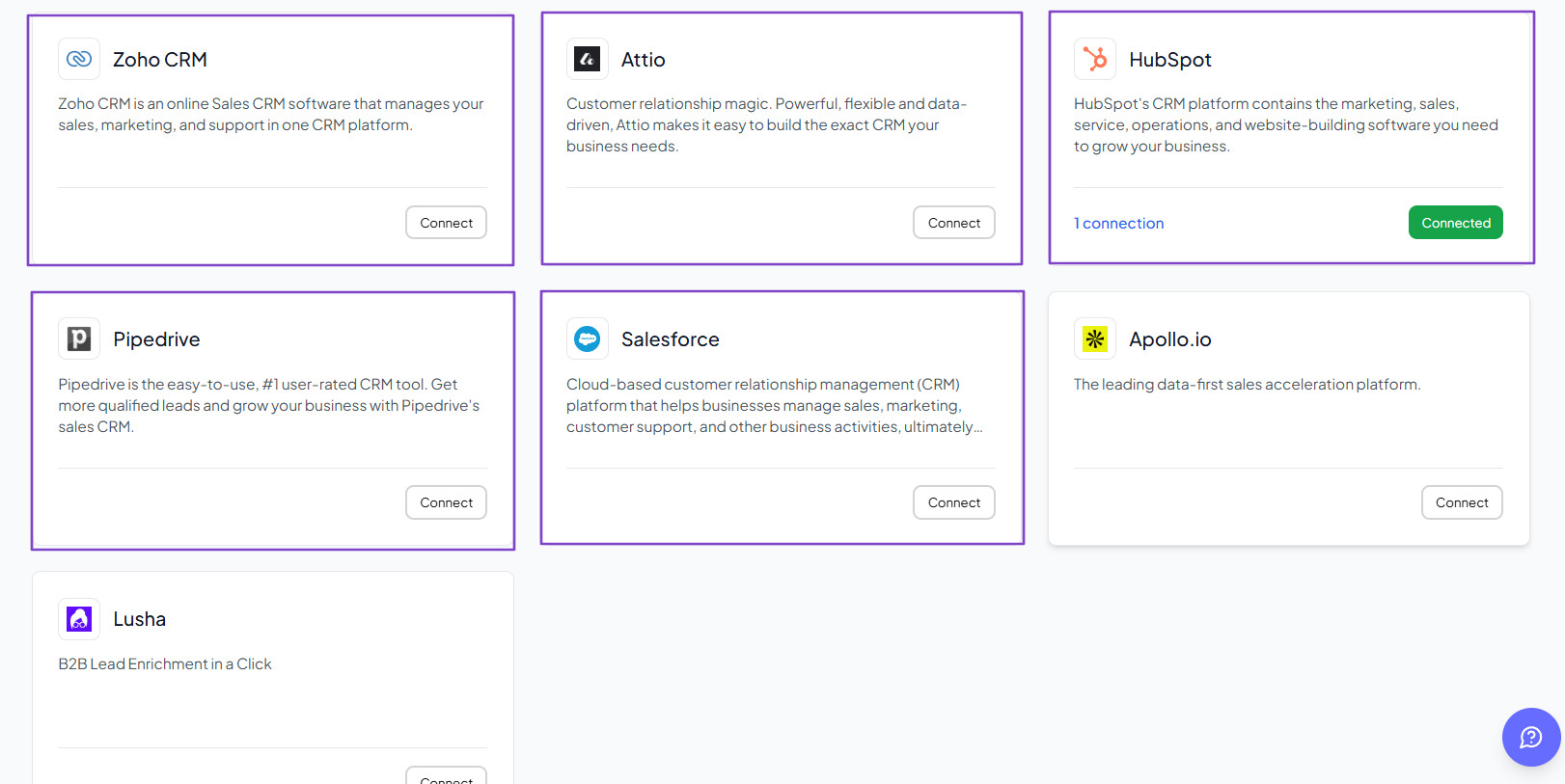
Some integrations, like CRMs, are simply non-negotiable. And the most popular ones include HubSpot, Salesforce, Pipedrive, oho CRM, and Attio.
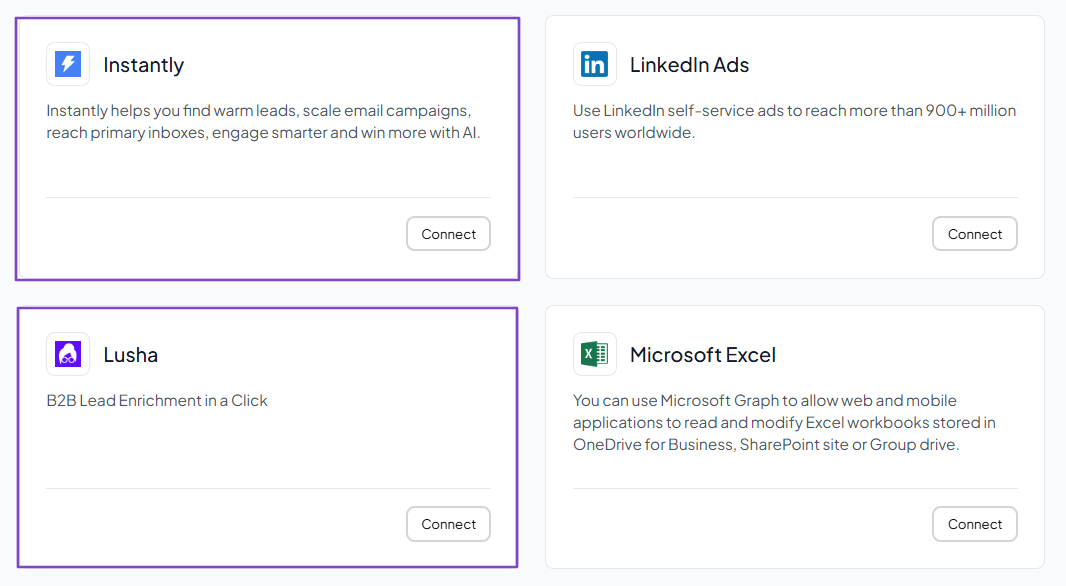
Outreach tools like Instantly or Lusha are also great integrations.
For email providers and calendars, look for integrations with Gmail, Google Calendar, and Microsoft Outlook.
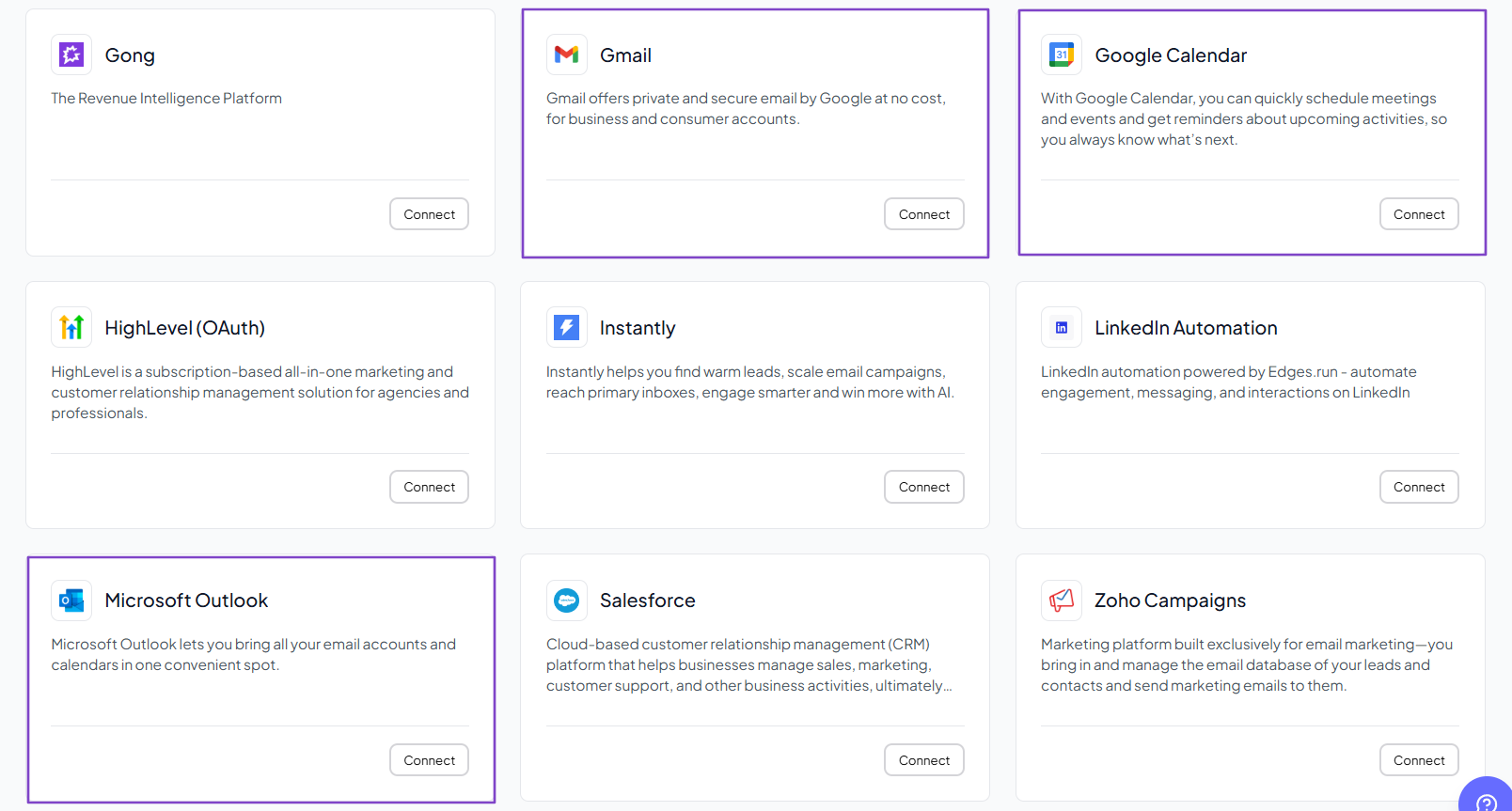
Let’s complete this list with communication tools and video conferencing apps.
A good sales automation platform should integrate with popular platforms like Slack, WhatsApp Business, Microsoft Teams, and Google Meet.

You don’t have to look for a sales automation tool that connects with 100+ apps. It should simply connect with what your business needs.
CALL TO ACTION
Choose the Best Sales Automation Platform
In this article, I shared my top 6 best sales automation tools. I reviewed their features, pricing plans, pros, and cons.
Like I said earlier, the best way to choose the right one is to check its automation capabilities, analytics, and reporting, evaluate scalability, and consider integrations with other tools.
Remember, your choice today will either slow down or boost your team’s performance and efficiency.
FAQs
What are the best sales automation tools?

- nRev AI - Best for AI-powered revenue workflow automation
- Apollo.io - Best for prospecting and outreach
- ActiveCampaign - Best for email automation and customer journey
- Freshsales - Best for AI-powered lead scoring and pipeline management
- Close - Best for built-in calling and automation for internal sales teams
- Zoho CRM - Best for automating sales tasks
Are sales automation tools suitable for small businesses?
What are the best sales automation tools for startups?
How much does sales automation software cost?
Can sales automation tools help manage pipelines?